

Yesterday Larry posted about his favorite new iPhone Photography app Pix Remix. It made him go “Wow” and, after following his advice and purchasing it, I had to second his “Wow!” It has now been added to the collection of image editing apps I keep on my iPhone.
Another iPhone Photography app that has a permanent place is ColorSplash. Color Splash comes from the same developer who gave us Juxtaposer (reviewing coming tomorrow). It allows you to take a color image, convert it to black and white, and then, in just a few minutes, reintroduce color in specific areas. The result is an eye-catching combination that adds interest to any shot.
Let’s take a brief walk-through.

When you first start the app you are asked if you want to take a new picture or grab one that is already on your photo roll.

In this case I grabbed a picture I took of my niece and nephew last week. It is a nice picture (and they are AWESOME kids!) but it just doesn’t “Pop”.
Within seconds of loading the image the app converted it to black and white. That alone is a nice effect but we are just getting started.
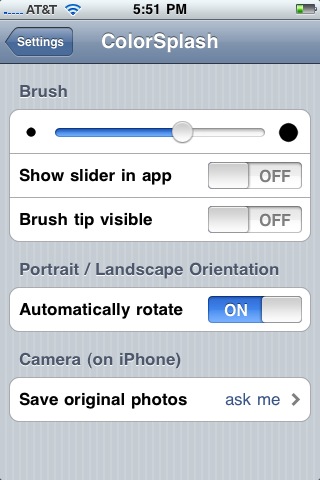
A quick visit to the app’s setting (under “settings” rather than in the app itself unfortunately) allows you to control the size of the “brush”, decide if you want to show the brush in the app, control whether or not the screen rotation occurs and whether or not you automatically save the originals or overwrite them when you are through.
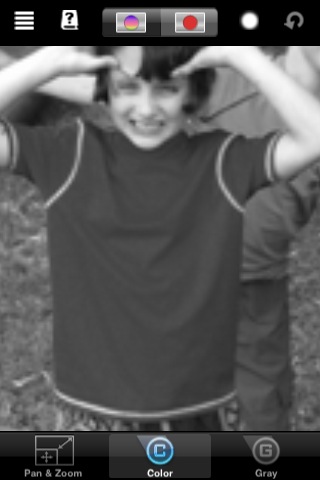
Since the image is small and my fingers rather large the zoom feature on the lower right comes in handy. It allows you to pull up specific parts of the image and make them as large as you want. The result is the ability to be precise as you begin adding color back to specific parts of the image.
The circles at on the top of the screen let you add color back to the picture. The circle at the left puts back all the original color while the one on the right adds some back, providing more control over HOW much color is shown. (I prefer to add back all the color.)
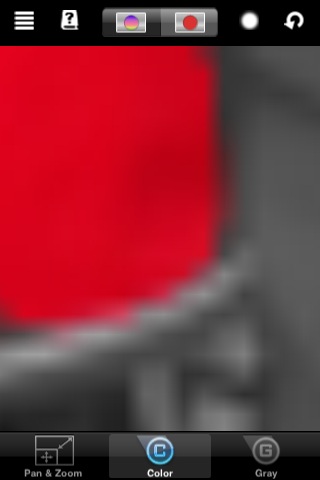
Zooming in on the corner of Talia’s shirt lets me be more precise as I add the red back into her shirt. I can zoom in even tighter or keep that level of zoom and slowly move around the picture.
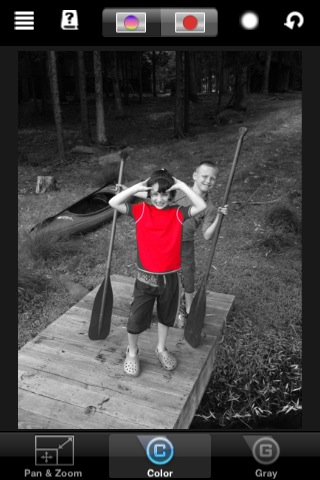
Zooming out frequently lets me check my progress and accuracy along the way. It is a slow process if you are being precise and adding color back to relatively small parts of the picture (like her Crocs) but the care is worth it as the result ends up looking like this…

ColorSplash costs just $1.99 and is available HERE in the App Store. It is a “one-trick pony” of an app but that one trick is pretty awesome. The result is a much more interesting and unusual picture than the original.

Very cool app!
RT @GearDiarySite: ColorSplash – iPhone App Review http://bit.ly/MYfcz