
Tired of having just one sound when new email arrives? Want to know who has contacted you just by listening? Waiting for emails on a specific topic and want to be alerted as soon as they arrive?
If any of these apply to you the new iPhone app MailTones might be just the thing. Let’s take a look…
When you first launch MailTones you are asked to go through a brief setup process.
MailTones uses the iPhone’s push notification system in order to work its magic. To do so, however, the end-user needs to set up Gmail to forward emails to their servers. (You also set email to stay in your inbox.)
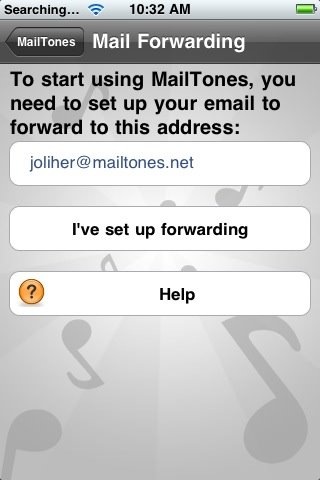
The setup process is quick and easy but some may not like the idea of their email being forwarded to a 3rd Party server. I can understand the concern but if you apply the safest rule-of-thumb for email– assume everything is ultimately public– then you’ll be okay. Each individual will have to decide how they feel about this and whether the benefits of this system (it is awesome!) outweigh the privacy concerns.
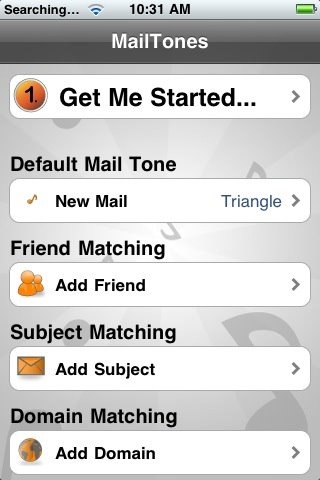
After setting up forwarding the fun begins. First, you can set a new default sound for email. I set it to say “You’ve got mail” in order to capture a bit of nostalgia for my first email address.
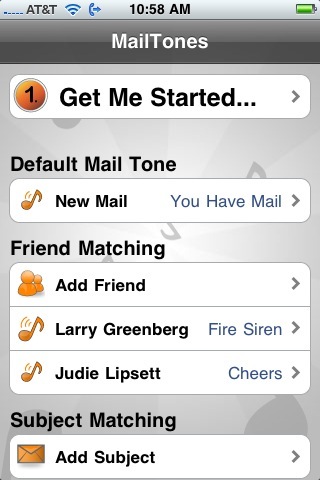
Tapping the “Add Friend” button brings up your Address Book. Once you choose that contact you will see their name in the list.
For example, when an email comes from Judie there are cheers (of course) and when one comes from Larry a fire alarm goes off. (As I was typing this the iPhone made a loud alarm sound. Elana said, “What was that?” “Oh, just an email from Larry.” Elana- “you gotta be kidding me…” I KNOW… lame… but it made me laugh.) 🙂
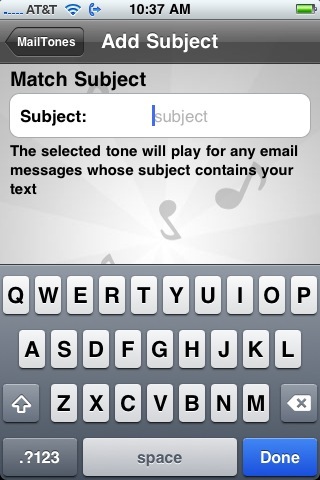
You can also set the system up to play a specific sound when the subject of an email matches one to which you have attaches a specific sound.
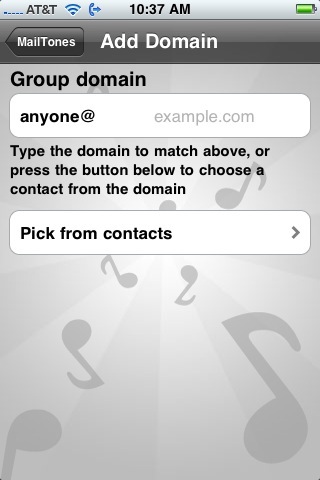
The same applies to email form one specific domain. For example, I can set all incoming email from geardiary.com to play one sound and all my email from my work domain to play another.
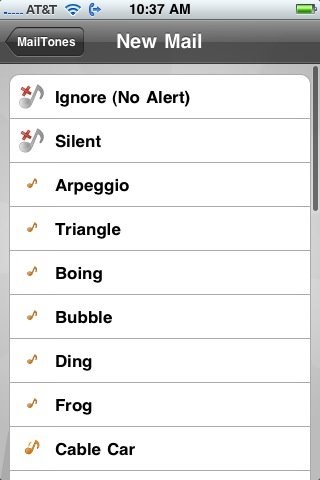
The range of sounds is good, not great, but this is a first release and I suspect more sounds will be added over time.
In all, MailTones works well, takes the push notification system to the next level and is worth the $2.99 price tag. So long as you can get past having to send your email to their servers MailTone is a lot of fun and rather useful. Grab it HERE.

Just installed the app as well and I like it. It’s nice to be able to be alerted as to who’s e-mailing me without having to remove the phone from my pocket.
I’ve set up five different alerts so for in addition to the default tone. Had an issue getting it to work at first but I think it was an issue with Mobile Me and the forwarding side of things because after I set it up a second time it began working.
I’m not sure why Dan chose the “Cheers” tone for Judie though. There aren’t a ton of choices but I went with the one called “Cowbell” for her and it seems much more appropriate.
Hopefully Gmail will soon add the ability to forward only the headers as opposed to the entire email – that would be a little more helpful especially for anyone concerned that someone could read or otherwise do something with the content of the emails.
Exposing the headers and return address is a much smaller deal.
Hi, if I have AOL on my iPhone and want to use MailTones – how do I forward my email? HELP. I really want to use MailTones so I can differentiate tones for incoming emails. Thanks!!!
terptina- First- Happy New Year. Second- AOL still does email?? lol
Sorry, I have not used AOL email in years and have no idea how to do this. I would recommend contacting their customer service. They tend to be great about getting back to info requests.