
With my schedule I find myself with tons of down time throughout any given day. Being in Dr’s waiting rooms, bus rides in the spring during baseball season, or just sitting on a bench while my wife spends hours in the mall emptying our bank account…I always turn to one thing, my BlackBerry. While I have tons of games that could pass the time, RSS feeds to read, or movies to watch…sometimes I just want something more, something live, maybe even a newscast to watch instead of reading the news. Well SPB TV Is an application that shows live TV from across the world on your BlackBerry device. I was lucky enough to get advanced review copy of the application, here are my thoughts….
SPB TV is a highly usable IP-TV solution, optimized to run on mobile devices. SPB TV provides users with lots of channels in multiple languages with easy-to-use features and settings. No subscription fee!
Really what’s not to love about mobile TV!
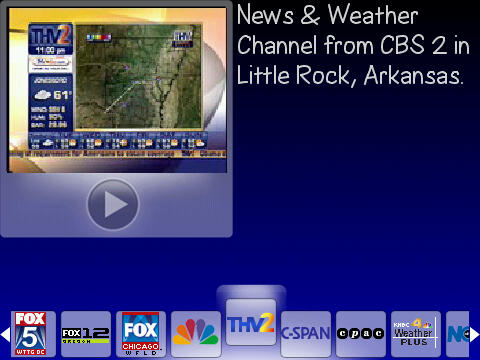
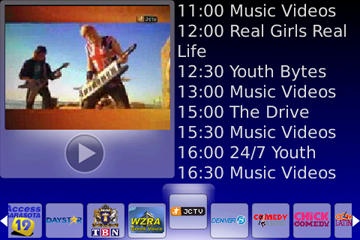
When first opening SPB TV you have a small video window along with channels along the bottom of the page. Moving through the channels is a simple as scrolling left and right on your device’s trackball/pad. While I do like the fact there are over 100 channels to browse for no monthly fee, I was a bit disappointed that there were not more US channels…Or even mainstream channels for that matter like ESPN, MTV, Discover, etc.
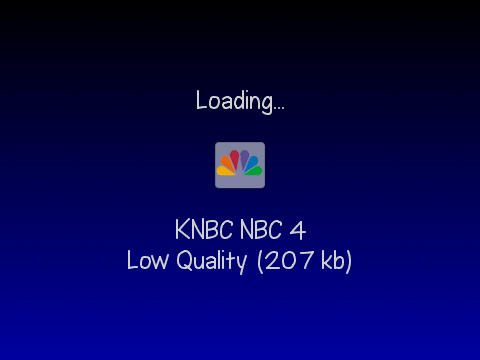
Once you have browsed through the selection of channels and have found something of interest, simply click the trackball and you will see a load screen. At this point you will also be given the option so watch the feed in low or high quality. Once the feed has loaded and buffered, it is presented “Full Screen” as you see here:

I will say that the feeds are very clear and don’t lag that much, but that is once I was able get them to load correctly, I am assuming part of that is due to the signal I get on my phone as I have similar problems with other cell/GPS locator apps. What I did find very beneficial is the ability to see the TV guide portion for each channel, by giving you both the option to search by day or time. This is very beneficial if you get used to watching a show, you could see when it will be on next as well as what other shows are getting ready to air.
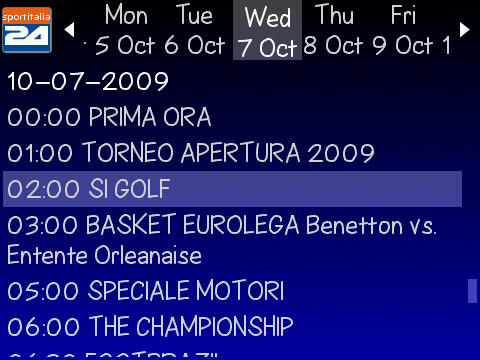
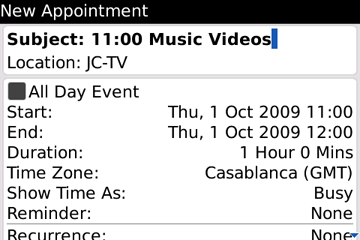
SPB TV takes the guide feature a step further, and integrates your BlackBerry calendar right into the app by allowing the user to create calendar events & reminders by simply clicking the menu button on your BlackBerry device.
While in the main channel browser you are able to also see the channel schedule for a given channel for the current day. I really like this for the fact that if I find a show that I like, I can just check the channel on a given day to see anything good is playing.
SPB TV is made by SPB Software and was just released yesterday. I really like the ability to watch TV whenever and where ever I am…I would love it more if the channels were English. Again there were over 100 channels, but the number of English speaking channels is is very limited, which would probably be a deal breaker for me if I were spending my hard earned ‘Greenbacks”. The application also got a bit ‘buggy’ for a while, and reset my phone for no reason at all; that only happened once and has not happened again in almost a week, so I will chalk it up to network issues. Overall, SPB TV is a good entertainment application, not a must have, but definitely worth the free trial to make your own decision.
While the $9.95 price tag is not a wallet breaker, it may be too much for an app that is not productivity related.
Price: $9.95
What I Like: mobile tv, ability to set reminders directly from app, funky off beat channels, no monthly fee, price not too expensive.
What I don’t like: price not cheap enough, not enough US/mainstream channels, memory hog.
SPB TV by SPB Software can be purchased directly from the manufacturer here from your computer or herefrom your BlackBerry device browser for $9.95USD.
