
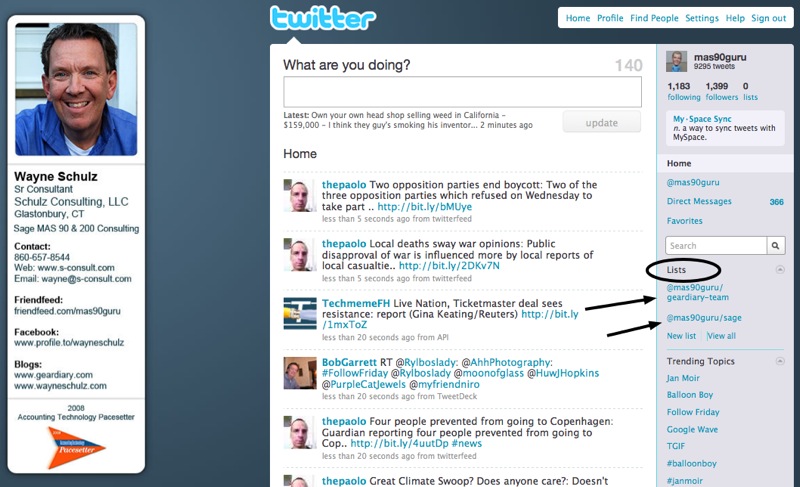
Twitter has started to offer the ability to create lists of contacts within your Twitter account. This feature is being rolled out to a few users right now so if you don’t see the feature in your account when you log in then you’ll likely have to wait for it to be added. What do Twitter lists add? Well for one it’s an opportunity to quickly view similar types of contacts. For example I’ve set one list to display my company contacts and another list displays all the Gear Diary team writers.
Remember, your account on Twitter will need to have the list feature enabled first before you’ll see any of the options below. Twitter is enabling select accounts for testing – so if you don’t see these options you’ll have to wait for Twitter to add them to your account.
My account displayed an announcement across the top when Twitter added the feature.
Here’s the first step to creating a list. Look for the new list section in the lower right portion of your screen.
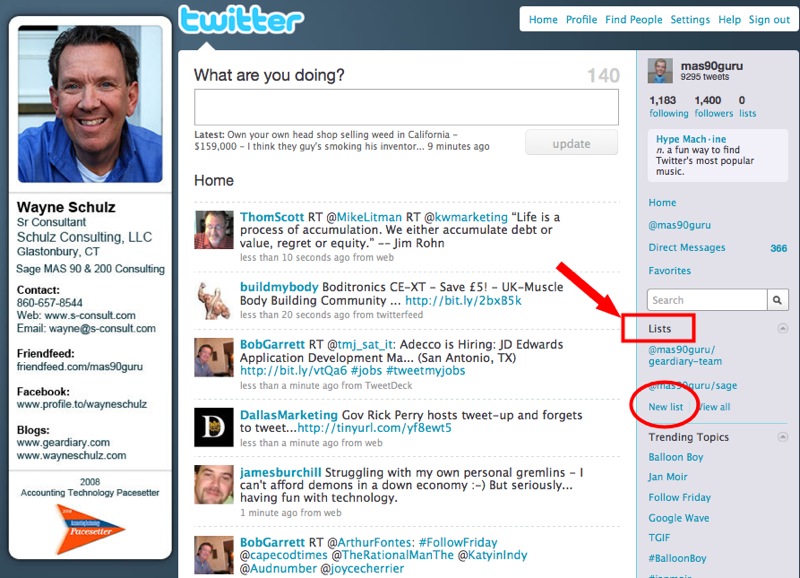
Click New List and you’ll be presented with a dialog box like this:
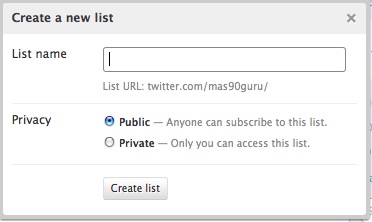
Fill in the information – primarily the name you’d like to give the list and whether the list should be public (anyone) or private (just you). So far as I can see for another user to view your list they must have the list capabilities on their account – again as of now this is in testing so if you can’t view any lists don’t panic because eventually Twitter will enable this feature on your account.
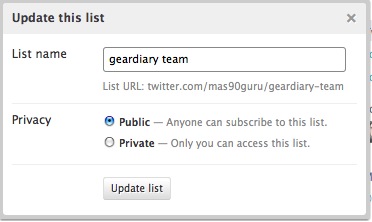
What’s really nice about the lists is once you have the ability on your account – then you can add anyone to the list right from their Twitter profile.
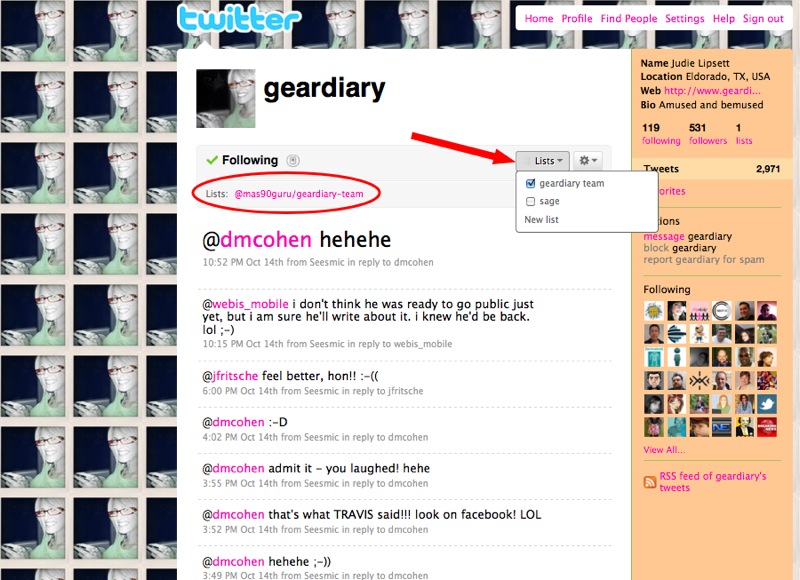
Let’s add Judie – since my account is activated for Twitter lists – when I browse to http://www.twitter.com/geardiary – I can see a box to add her to any of my Twitter lists. Her profile also shows me what lists of mine she is already on.
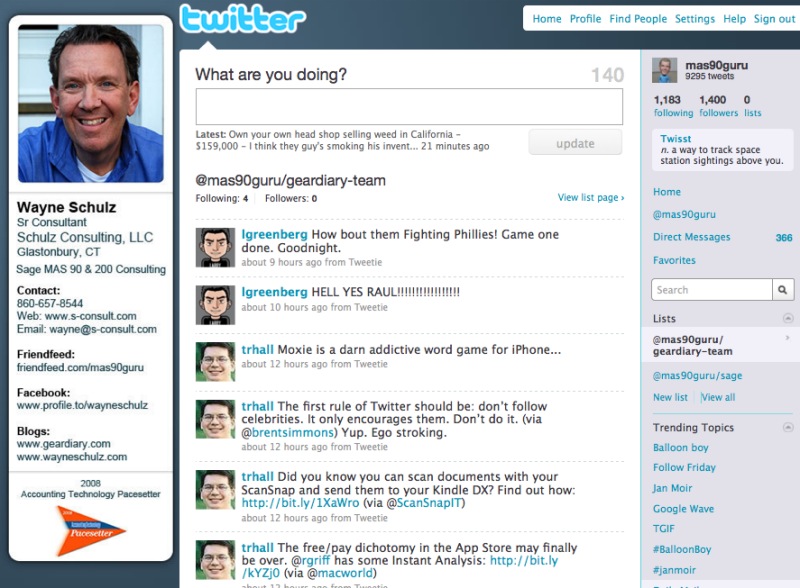
Now that I have some people on a list – when I click on my Gear Diary Team list within Twitter, I’ll see a filtered view of only those people who are on the Gear Diary Team list.
This makes reviewing Twitter MUCH easier since I can automatically focus on specific groups of contacts.
Here’s the Gear Diary Team list that I’ve created.
Watch for lists to roll out to more Twitter accounts soon.
