
Gear Diary Mailtones Redux   Now For Blackberry Too! photo

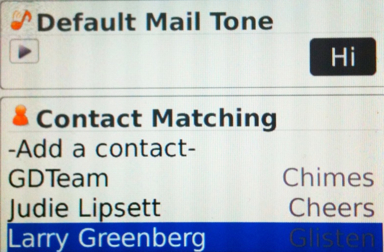
I reviewed Mailtones for the iPhone a few weeks back and really like it. The app allows you to assign different sounds to various contacts so that you know who has emailed without even looking at your phone. Now every time Judie emails my phone cheers. Every time Larry emails a fire alarm goes off. And every time my assistant emails there is the sound of impending doom. I love it!

Now Mailtones has rolled out a version for the Blackberry. What do I think??

I LIKE!!
Gear Diary Mailtones Redux   Now For Blackberry Too! photo

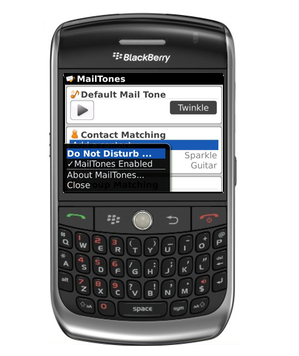
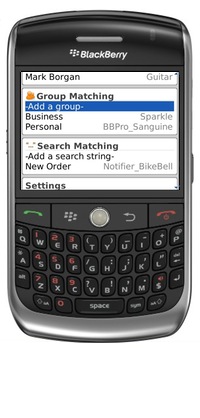
Like the iPhone version, Mailtones for Blackberry lets me easily pick new email sounds – for all your email, or just the contacts, groups and subjects that are important to you.
Gear Diary Mailtones Redux   Now For Blackberry Too! photo

The app ships with a set of tones, both fun and professional. In addition you can use any of your own MP3s or download new ones from the web.
Gear Diary Mailtones Redux   Now For Blackberry Too! photo

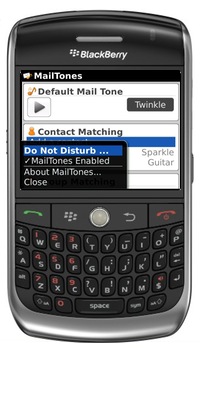
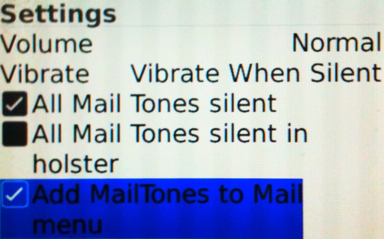
The integration with Blackberry email is quite tight. In fact, they have added a menu item to the Mail app. That means you can grab an email you receive and add a new Mail Tone to it so that from that point forward emails from that person will make that new sound.
Gear Diary Mailtones Redux   Now For Blackberry Too! photo

Another feature I love is the ability to set a quiet period during which the application will go silent. That is a great feature since I tend to forget to turn my ringer off at night until the first time it rings and wakes me, or worse Elana, up.

The Mailtones website offers a neat tip…

One useful way to use MailTones is to set your default mail tone to silent, and just set tones for people and messages you want to know about – then when your BlackBerry beeps, you’ll know its a mail message that matters.

I like the app on my iPhone. I like it even more on my Bold.

MailTones is available for the Blackberry Storm, Tour, Curve, Bold and Pearl for $2.99.

Tags:


Having a father who was heavily involved in early laser and fiber-optical research, Dan grew up surrounded by technology and gadgets. Dan’s father brought home one of the very first video games when he was young and Dan remembers seeing a “pre-release” touchtone phone. (When he asked his father what the “#” and “*” buttons were his dad said, “Some day, far in the future, we’ll have some use for them.”) Technology seemed to be in Dan’s blood but at some point he took a different path and ended up in the clergy. His passion for technology and gadgets never left him.


Dale Carnegie Training Offers Eight Smartphone Apps for Free!

“Industrialist” Dale Carnegie started a training course to help people learn to success in a capitalist system, and he did [...]

Toast Real Wood Cover for iPad mini Review Redux

I reviewed Toast’s wood back for the iPad mini back in March. (Read the review.) It went on easily and [...]

Summer Handheld Console Video Game Guide

Handheld game systems are great on long summer car trips or on the beach, so grab a quality arsenal before [...]

LifeProof frē and Arm Band for iPhone 5 Review

When I began doing Couch to 5K again (something I need to do yet again tomorrow because I let too [...]

Oh No Fractions! 2.0 for iOS Now Available

Oh No Fractions! 2.0 for iOS is now available As a guy who, for a while, actually majored in math [...]

Magic Paint with Math: Funny Math Tutor for Kids for Android and iOS

Magic Paint with Math: Funny Math Tutor for Kids for Android and iOS Okay, I don’t know why but for [...]