
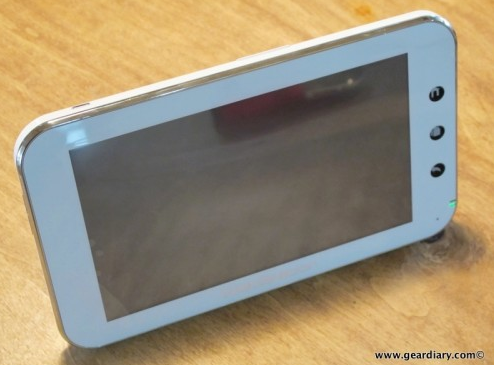
Dan: Judie and I are continuing to play with, tweak and become familiar with our Camangi Webstations. There is no question that it excels as an e-book reader. Thanks to The Android version of eReader both of us have downloaded our libraries and had a number of sessions reading from the device. There is no question that it works quite well in this regard. It allows you to read both in landscape and portrait mode, lets you change the font, is backlit (something that isn’t possible with a device that uses ePaper, and, thanks to the testing, navigation is as simple.
Judie: Dan and I have discovered that when using the native eBook app, you can swipe the screen to change the page, or you can use the volume button up/down motion to turn pages in either direction. This is a pretty great feature! When reading eReader books, you simply have to tap the screen.
Dan: When you come down to it, the issues that we’ve found with the device as an e-book reader are really more about the application then the hardware. It is, after all, the first version of the Android application and it is reasonable to expect that the application will see an update sometime in the near future.
Overall while the device is not marketed in this way specifically, but were it marketed as an eReader there is little doubt that it would not be getting some of the negative press it has received. As Judie pointed out in our first impressions of the device, if you approach this device as an eReader that also allows you to browse, check e-mail, read RSS feeds etc. it offers rather good value.
Judie: I’m standing by our statement that for $150ish more than a nook or a Kindle, this is the better deal!
Dan: Since the device is being marketed as a Web tablet, however, text input remains an important part of the device. A combination of the screen size, the resistive touchscreen, and the virtual keyboard unfortunately make typing on the device less than ideal. As much as typing on the iPhone or the iPod touch is, at times struggle… this is worse. So here’s a quick video taking a look at some of the experience with the device and a few of the options available to you.
Judie: I am actually happy to finally have a use for my beloved Delta Dolcevita stylus again; it works wonderfully with the Camangi when I don’t want to use my fingers.
And while we’re at it, here is one more quick tip for anyone who gets a Camangi and is frustrated by the process to “wake” it: all you need to do is press and hold the center Menu button for (maybe) two seconds; the lock screen will pop right up. Just tap the on/off button on top to turn off the screen and put it back to sleep for battery conservation. Obviously we would know these things if there had been a better instruction booklet included, but in the meantime, Dan and I are having fun discovering tips like this and sharing them with each other. 🙂

Video is marked as private, I can’t watch it.
Yikes. Thanks for the headsup. Fixed