
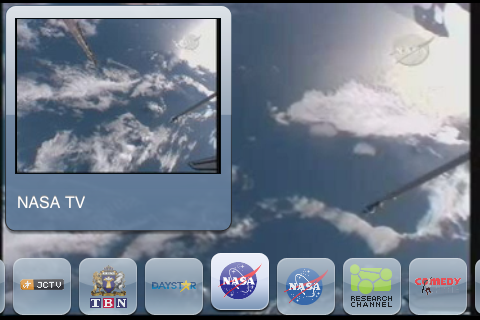
SPB has had their SPB TV product out for WIndows Mobile devices for a long time, and it’s always been considered an excellent app. Recently they released it for the iPhone – something many people were eagerly anticipating. Let’s take a quick look at this latest release for the iPhone!

You use SPB TV by simply selecting a channel, then pressing the big play button on the screen. Of course, you do need to set up an account (for free) with SPB first, but no financial information is required to do so.
When the video is loading, you will see a brief ad until the video has completed buffering. SPB does not interrupt the programming for advertising, rather they present it before your video starts.
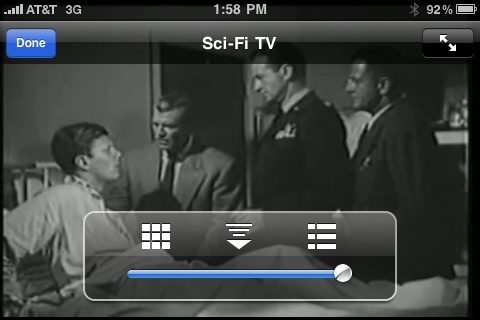
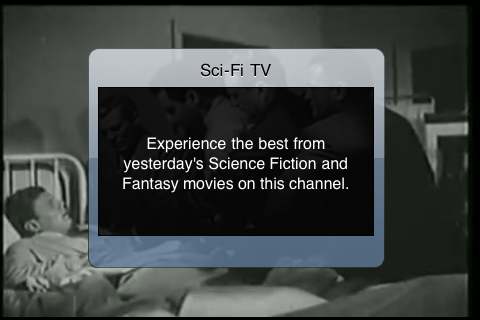
To stop the video or change the settings, simply tap the running video. From this state you can press the DONE button to stop the video, press the icon on the left for an overlay allowing you to select a different channel, press the icon in the middle to change the quality (and hence, the required bandwidth) in case you have a poor net connection, or press the icon on the right for an overlay showing you more information about the channel you are currently watching.
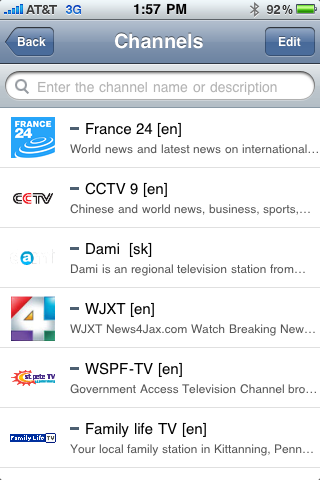
SPB TV offers you a variety of channels from sources all over the world. Not all of them will appeal to you and many are time delayed (sometimes from the previous day), but there are a large range of interests represented here, and there are a decent number of channels.
The only difficulty I found was that the description of the application in the App Store indicates that it works on the iPad. At this time, however, it currently does NOT work on the iPad. I contacted SPB support and they indicated the application was released just before the iPad was launched, but they gave no indication why the product description on the store was incorrect. They did, however indicate that a fix was underway!
The other odd thing is that it seemed the programming is offered in video snippets rather than a long continuous stream so you won’t likely just start it and leave it running in background. Still I found it to be a lot of fun to see the different kinds of programming offered!
If you’re looking for a program that shows you lots of mainstream movies and TV shows, like Hulu, this is not that program. If, however, you are looking for a source for a lot of interesting (and sometimes eclectic) programming from all around the world, you would do well to check out SPB TV. It has been incredibly popular all over the world, and it’s easy to see why – it offers a little bit of a wide-variety of programming that is good for those long waits in the doctor’s office or while on the bus to work! And best of all it’s free! I found myself drifting over to it more regularly than I thought I would just to see what might be on. Definitely worth checking out at the AppStore!

geardiary: Quick Look: SPB TV for iPhone $AAPL – http://www.geardiary.com/2010/04/15/quick-look-spb-tv-for-iphone/
Quick Look: SPB TV for iPhone | Gear Diary: If you're looking for a program that shows you lots of mainstream movi… http://bit.ly/9RaN4r
Quick Look: SPB TV for iPhone | Gear Diary: Of course, you do need to set up an account (for free) with SPB first,… http://bit.ly/d7plfZ
Quick Look: SPB TV for iPhone | Gear Diary: Of course, you do need to set up an account (for free) with SPB first,… http://bit.ly/d7plfZ
SPB TV for iPhone reviewed by Gear Diary http://bit.ly/cFOqLJ
RT @spb_software: SPB TV for iPhone reviewed by Gear Diary http://bit.ly/cFOqLJ
RT @spb_software: SPB TV for iPhone reviewed by Gear Diary http://bit.ly/cFOqLJ