
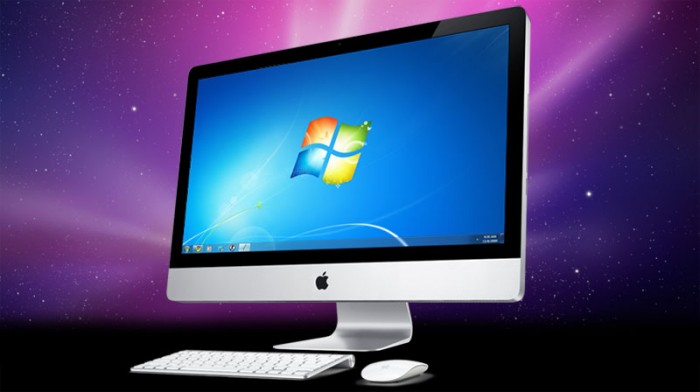
I recently upgraded to a 27″ iMac [thanks to a spectacular deal from Dan], and the first thing I did was install VMWare Fusion so that I could run Windows when needed. Well, truth be told, there is only one time that I ever really need to run Windows, and that is when I run Microsoft Money. You see, after nearly three years of using OSX, I have yet to find a money management program that I like nearly as much as Money, Microsoft’s long in the tooth financial software. It’s not an ideal solution, but being able to run a virtual windows machine on my Mac desktop has been a lifesaver.
I’ve tried BootCamp, Parallels and VMFusion, and so far my preferred method of running Windows on my iMac has been through VMWare Fusion, in Unity; which basically means that I see my OSX desktop, but I can access Money (and any other Windows program or folder) directly from OSX. It’s a nearly seamless solution, and my 8GB RAM, 3.06 GHz Intel Core Duo iMac handles it beautifully.
On all previous MacBook Pro VMWare Fusion installations, I ran Windows XP, but Dan also hooked me up with a retail copy of Windows 7 Premium that he wasn’t using, and so I updated to the 7 64bit version. All was fine until I ran into one major, stinking snag … I had no access to the internet on the Windows side! None.
This might not have been too huge of an issue, but it meant I couldn’t activate Windows online, and I couldn’t easily download the necessary upgrades or updates to Money. Never mind the fact that it meant something wasn’t working properly on what I considered an otherwise “perfect” setup.
According to the system diagnostic scans I ran, I was missing the network device driver; after doing a search on the internet and reading about how adding drivers had not helped others with this error, I found out it was actually a slightly different issue.
Obviously this is a problem that will only affect those of you who are trying to install 7 on your Mac with VMWare Fusion, and that may be a small amount of our readership … but for the four or five people it might help, let me save you a little bit of time.
I did a fair bit of research, and I found that there is a line of code that needs to be inserted which will turn on your ethernet through the virtual machine. But first — let’s talk about where the code needs to go and what to do once you’re there. Following the steps that I (eventually) found in the VMWare Community Site:
First you have to locate your virtual machine.
- 1. In Fusion’s Virtual Machine Library (Window > Virtual Machine Library), ctrl-click the virtual machine and select “Show in Finder”. A Finder window should open showing the virtual machine.
Then you have to get inside your .vmw bundle.
- Locate your virtual machine (see prior section).
- In the Finder, ctrl-click the .vmwarevm bundle and select “Show Package Contents”. A Finder window should open showing the contents of the .vmwarevm bundle.
Then you have to add a line of code by editing the .vmx configuration file.
- Get inside the .vmwarevm bundle (see prior section).
- Locate the file with the .vmx extension – you should not have to go anywhere, it should be in this bundle.
- Make sure the virtual machine and Fusion are not running. Never edit a file from under Fusion!
- Right-click and open this file in your text editor of choice [I use BBEdit]
- Add the code line ethernet0.virtualDEV = “e1000” anywhere in the list, just make sure that it is on its own line.
- Save and close.
After this, you should be able to restart Windows 7 through VMWare Fusion, and as long as you have the wireless settings on NAT, which means network address translation (where the virtual machine is using the Mac’s internet connection), you’ll have wireless (and wired) internet. W00t!
Let me know if you have any questions, but it is truly straightforward and simple fix. =)
Sources:
VMware Fusion – Vista – No ethernet controller driver

How to Fix Ethernet Issues When Running Windows 7 On Your Mac Virtual Machine Via @geardiarysite || http://j.mp/ey0UgX
How to Fix Ethernet Issues When Running Windows 7 On Your Mac Virtual Machine Via @geardiarysite || http://j.mp/ey0UgX