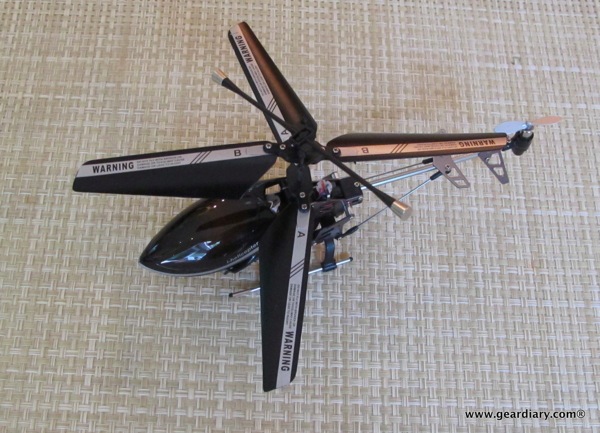
Gear Diary iOS Enabled Gear Review: iHelicopter Remote Controlled Helicopter photo

A week before Griffin announced their new Help TC iOS remote-controlled helicopter, I saw the iHelicopter being advertised. For $59 I figured I would order one. It came yesterday and… well… it is fun.
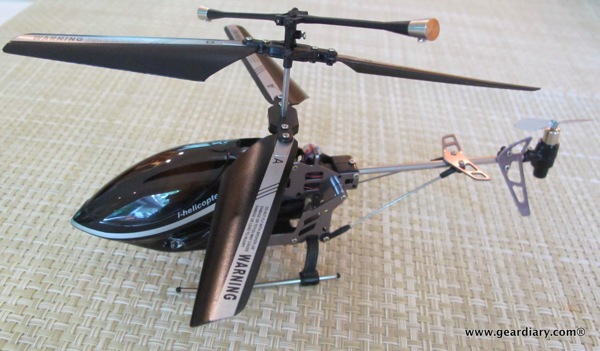
Gear Diary iOS Enabled Gear Review: iHelicopter Remote Controlled Helicopter photo

As the product page explains,

The iHelicopter makes it possible to use your iPhone, iPad or iPod Touch as a remote control for a RC Helicopter! Plug the transmitter in the audio jack, download the free controller App and you are ready to fly!

The gyro in the iPhone, iPad and iPod Touch can be used to control the tilt of the iHelicopter. Tilt your iPhone to the left and the iHelicopter rotates left, tilt your iPhone towards and the iHelicopter will fly towards!
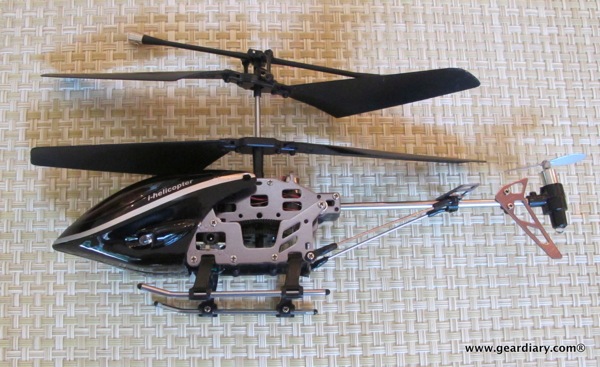
Gear Diary iOS Enabled Gear Review: iHelicopter Remote Controlled Helicopter photo

The helicopter comes ready to fly. All you need to do is download the free i-helicopter app, plug the included dongle into the 3.5mm headphone jack and you are ready to go.

I love the fact that there is an entire page dedicated to spare parts for the toy. Why? Because you are going to need them. (Yup, the back struts have already broken off!) Here’s a video of it in action…

There are two other things you need if you are going to get the iHelicopter- a tall ladder and a good cousin so you can get the toy off the roof when it crash lands there. Thanks Jamie!! Gear Diary iOS Enabled Gear Review: iHelicopter Remote Controlled Helicopter photo

Gear Diary iOS Enabled Gear Review: iHelicopter Remote Controlled Helicopter photo

You can order one for yourself here.

MSRP: $59.95

What I Like: FUN!!!!

What Needs Improvement: Rather delicate; Flight time per charge limited; Hard to control accurately

Tags: , , ,


Having a father who was heavily involved in early laser and fiber-optical research, Dan grew up surrounded by technology and gadgets. Dan’s father brought home one of the very first video games when he was young and Dan remembers seeing a “pre-release” touchtone phone. (When he asked his father what the “#” and “*” buttons were his dad said, “Some day, far in the future, we’ll have some use for them.”) Technology seemed to be in Dan’s blood but at some point he took a different path and ended up in the clergy. His passion for technology and gadgets never left him.


Save Big with ZAGG this Memorial Day Weekend

Memorial Weekend is underway, but it won’t be until Monday that you can save big on pretty much everything ZAGG [...]

Think Tank Photo Mirrorless Mover 30i Review

Think Tank Photos Mirrorless Mover line of bags is a great way to carry and protect your mirrorless camera. The [...]

RockDoc Bluetooth by Pitbull Small in Size, Big in Sound

A few weeks ago Dr Ruth came to speak at my synagogue. She was awesome- funny, interesting, quick on her [...]

Win a Sony Xperia T from Gear Diary

Carly’s about to get a Nokia 928 running Windows Phone 8. Judie, after serving up her detailed review of the [...]

The Secret Society from G5 Tweaks Your Dopamine Reward System to the Max!

Secret Society Game Tweaks Your Dopamine Reward System

The most ‘addictive’ games are the ones that activate your ‘dopamine reward system’, which is your brains way of dealing [...]

Cozi Family Organizer for iPhone and iPad – a Blueplate Special

iPhone and iPad apps for anyone on a budget. Nothing over $.99! My kids have finally reached the age that [...]