
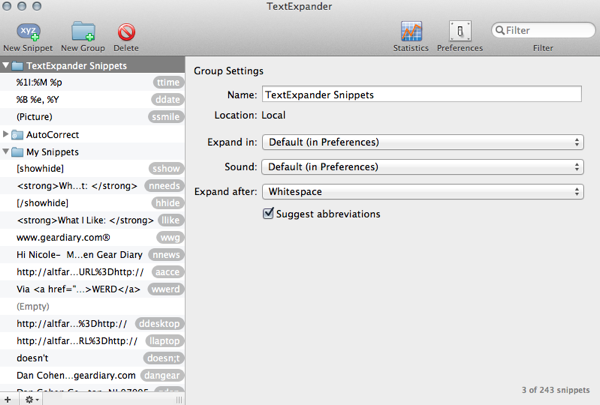
I’m a huge fan of the application TextExpander. It is, in fact, one of the key Mac utilities I cannot do without. TE offers a good deal of power but the primary reason I use it is that it allows me to create text shortcuts that have saved me a great deal of typing. For example, instead typing in Gear Diary’s URL constantly I simply type “ggear”. Less than a second later TE converts that combination into “www.geardiary.com”. That’s five characters instead of seventeen.
It is even more helpful when using HTML code in a post. For example “llike” yields “What I Like: ” at the end of a review. TE is also good if there are words you constantly spell wrong. Many are in the application’s stock vocabulary list to begin with but you can customize the list with commonly misspelled words and, when you type the word incorrectly, the application corrects it automatically. Yes, TE is one of the “must have” Mac apps.

TE is also available for iOS. It works well but can’t run in the background. That means it is limited to working in only those apps that have intentionally enabled it. At last count that meant more than 100 apps use it. That’s good but not enough.
Fortunately iOS 5.0 has introduced keyboard shortcuts. Like TE they let you create text shortcuts that, when triggered, expand to something longer and more complicated. Unlike TE, however, they are global in iOS 5.0. That means you can set them up once and then trigger the shortcuts anywhere you input text.
Here’s a quick walk-through of how to set them up.
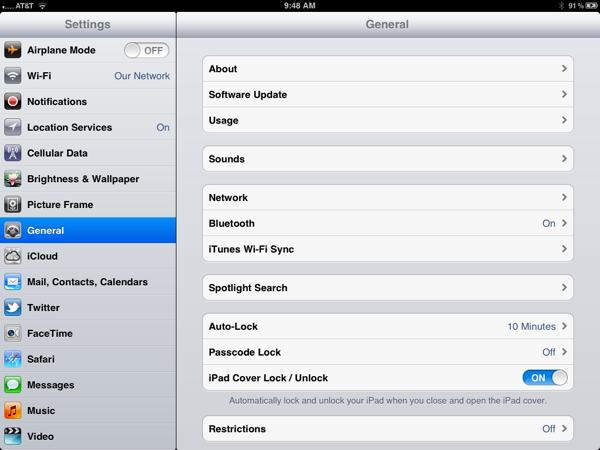
1. Go to Settings / General
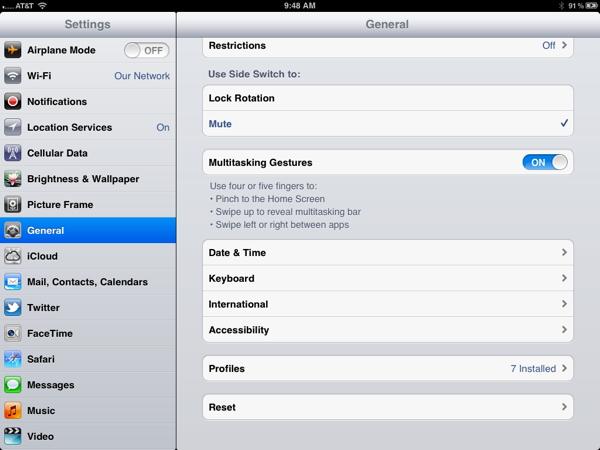
2. Scroll down and select Keyboard
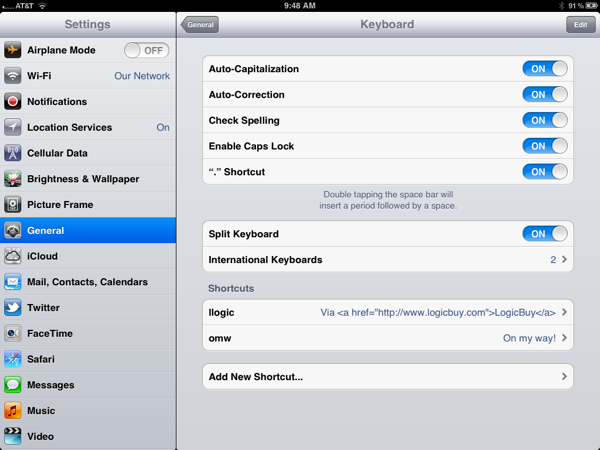
3. Scroll down and select Add New Shortcut…
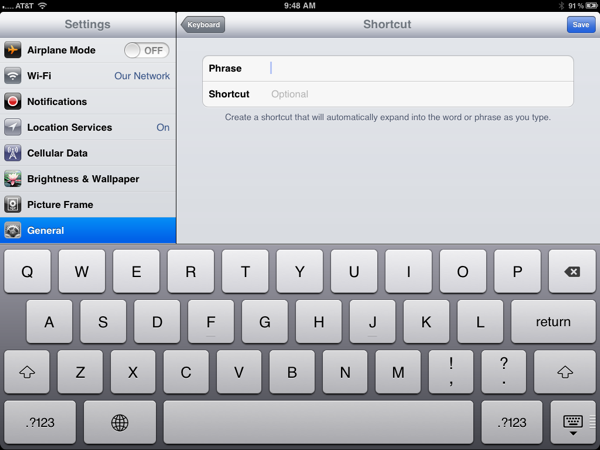
Under “Phrase” input what you WANT to end up with
Under “Shortcut” put in any trigger that is easy to type and easy to remember. (Personally I like a single word where I double the first letter. It is easy to remember and usually rather fast to type.)

For example, for “Gear Diary www.geardiary.com” I create a shortcut “gear”.
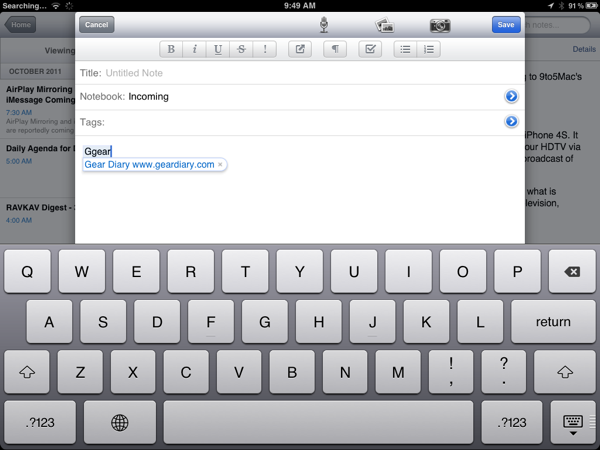
Now, if I create a new note in Evernote and want to input the site’s name and URL I simply have to type “gear” and then space.
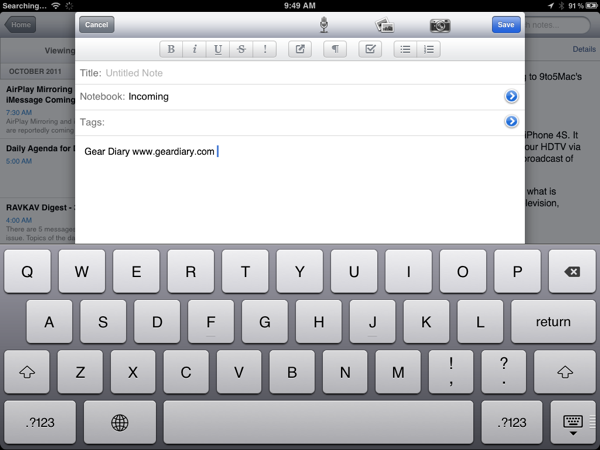
Less than a second later the “trigger” is converted into the text I actually wanted.
Keyboard shortcuts won’t completely replace TextExpander which remains much more powerful and lets you sync your shortcuts across multiple devices via DropBox but since the iOS Keyboard shortcuts are global you can use them anywhere. Unfortunately if you use multiple iOS devices you need to input the keyboard shortcuts on each one. Once Apple includes iCloud sync of keyboard shortcuts, and I have no doubt they will, it will be even better.
Like getting started with Siri, it takes time to initially set up shortcuts in iOS 5.0p; Also like Siri, it is time is well spent.

I’ve been using TE on my iPhone for ages and the one feature that’s stopping iOS 5 Shortcuts completely replacing it is multi-line snippets.
I know I could create a separate Shortcut for each line, but this is really awkward.
Dave
Agreed. I did a few that are multilingual but then I need to do a return at each line end… A pain
Sent from my iPad