
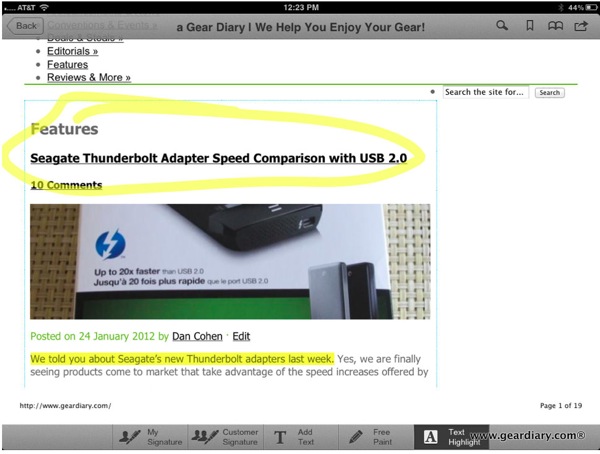
We’ve come a long way since Thomas published his amazing post How To View PDF Files on an iPad. Now you can’t just view them but you can edit and manipulate them too. There are a few options in the iTunes App Store for editing PDFs and a new one was just announced. PDF Forms lets you sign a document, add text, highlight text, surround text and images and more. This was just going to be a news post until I actually tried the app.
What Is PDF Forms?
PDF Forms is a new version of PDF Quick Sign – valued addition to our PDF applications family, which contains PDF PROvider, PDF Printer and WEB to PDF solutions. This is a powerful tool to manage already converted PDFs, such as forms, articles, notices, contracts by annotating, filling forms and using signing capabilities.
How is it Used?
PDF Forms is aimed at easy signing of the legal documents, contracts, notices etc. Just save a copy of your signature and place it in a required area of a PDF document. To adjust the signature size you can resize it by simple dragging of the signature frame.
Another function of the PDF Forms is filling PDF forms, which is especially useful for conduct business or educational surveys. Just open an empty form and tap on the required field to add text there. This is very easy and convenient.
You can also mark or comment the disputable paragraph or any part of the text or picture when discussing contract terms and making article reviews, or simply highlight the important place in the document.
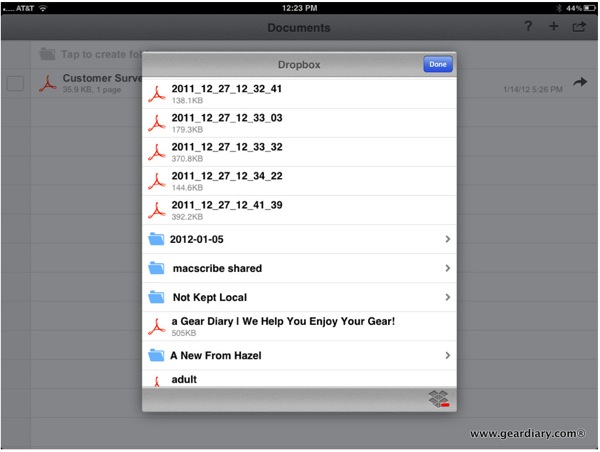
You can add documents using the “Open In” command in the upper right corner of the iPad or you can add documents directly from Dropbox. It works quickly and easily although the import function did crash the app a few times.
Sharing: PDF Forms works with any PDF file received by email or via iTunes File Sharing, loaded from Dropbox folders and opened from any application which generates PDF files (such as PDF PROvider) using ‘Open in’ command. The same variety of options is available for documents sharing. To send several files you can archive them for your convenience.

The layout of documents in the app is clean and simple. This makes it easy to find the document you want to use even if you have a huge number of documents sitting inside the app after using it for a while.
Internal File Manager: Internal File Manager allows you to organize your PDFs easily. For example, you can create separate folders depending on the recipient, document type or state, e.g. processed document or pending.
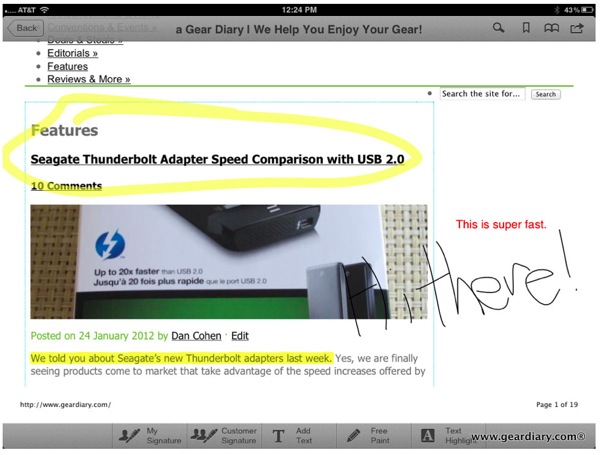
Best of all, PDF Forms lets you highlight text, add freehand marks, sign your document and much more. And, unlike some of the complex apps we have tried, annotating your PDFs with PDF Forms is simple and intuitive.
Work with Complex Documents: Use PDF Forms to work with complex documents by splitting documents and changing pages order, so you can create new files from the previously generated. For example, if you receive a complex form, after filling and signing its part, you can combine what was already processed into single PDF file and send it back
As I previously noted, I started this post as a news post but, once I tried the app, needed to keep going. I’ve tried a lot of PDF annotation apps and, at least thus-far, this is the easiest yet. You can get it here for $8.99 in the iTunes App Store.
MSRP: $8.99
What I Like: Easy to use; Simple to link to Dropbox; Offers a wide range of annotation options
What Needs Improvement: At $8.99 it is on the pricey side for this kind of app
