You have all seen them, the posters with a black border and a motivational saying matching a pretty picture. I have no clue when or why these types of posters began, but they have been popular for some years now. These posters can be found to suit virtually any subject and are available with thousands of images. Using these posters for comedic reasons has also become popular if my Facebook newsfeed is any indication. Recently one of my buddies was laughing at one of these ridiculous posters and said, “I wonder how people make their own versions of these.” I have seen instructions for making them on Photoshop before, but knew their had to be a quick and easier way to do it, especially if it was just for laughs. My search brought me to Motivational Poster for the iPhone and I gave it a try. Let’s take a look.
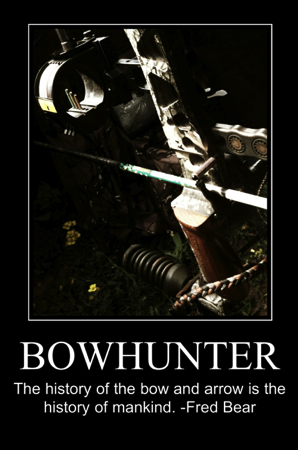
Motivational Poster makes it easier than ever to turn your own photos into hilarious de-motivational posters and inspiring motivational posters.
Easy to use!
Simply select your image then:
1. Optionally crop and position.
2. Write your message
3. Save your new work of art to your library.Even share your creations direct to Facebook and Twitter (both avatar and tweet using Twitpics)!
Features
• Zoomable preview
• Optional adjustable image levels
• Native Retina Display support
• Work in portrait or landscape mode
• Crop, resize, rotate and position initial image
• Save, email, Twitter and Facebook support
• Stores Twitter and Facebook logins making it convenient to share
• Universal app; runs on your iPhones, iPads and iPod TouchesMotivational Poster saves images at double screen resolution of your device:
– iPad: 1568×2048 pixels
– Retina Displays: 1280×1920 pixels
– Other: 640×960 pixels
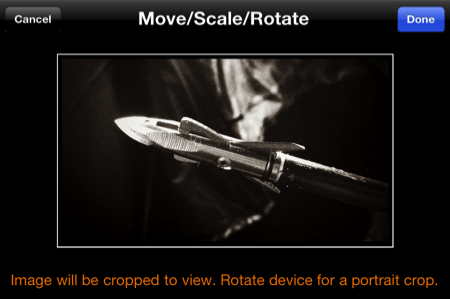
When I found this app, I was actually sitting in my bow ground blind hunting turkeys, so my first few posters fit that subject matter. Hunting often involves long periods of waiting and watching which has become much easier with smartphones. I often take many photos and edit them while I wait on the hunt to heat up. To start a poster, simply choose a photo from the Camera Roll. Pinch to zoom, rotate, slide and move the photo to fit the window how you like and tap done.
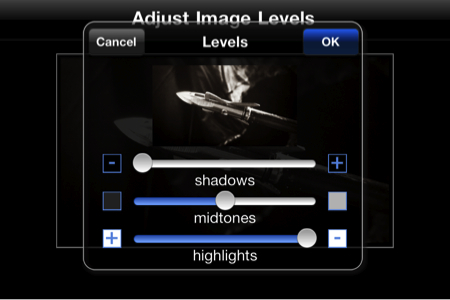
Once the photo is set in place, the app allows for levels to be adjusted. I have not used this feature yet since I am big on editing photos on my various applications on the iPhone before using them. Tap OK when satisfied.
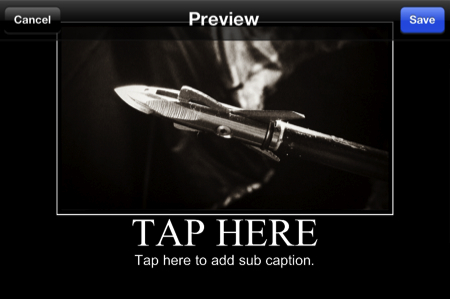
Your poster is now ready for text. Tap the large text to enter the large text and below that to fill in the rest. Yes, it is that easy! You may also tap and not enter text to leave those areas blank. Basically, in a just a few seconds you can have your own motivational poster ready to share with the world. The app allows for the usual sharing options sending through email, Facebook or Twitter. I have only shared two of my posters, but have made several. Many of the others have been silly pics of my friends with inside jokes added for a bit of comedy. The app is a blank canvas and your imagination is your only limit. I have thought about making some for my teams to send to them before games for a bit of added motivation. For those of you with newer iPads with cameras, the app is universal and will work great for you also. You can check out Motivational Poster here in the app store for $.99.
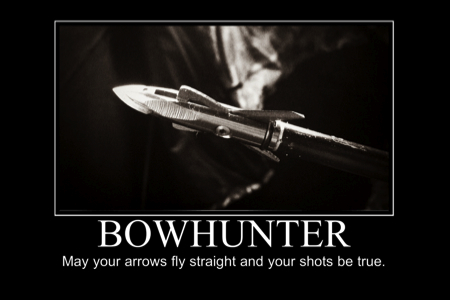
What I like: Super simple way to create a poster. Not much else to say!
What could be improved: I actually think this app is best left simple without tons of features. So far I like it how it is.

We are all feeling the financial pinch! Blue Plate Special is a weekly review of bargain apps for the iPhone and iPod Touch. Nothing over $.99.
Current App Bargains
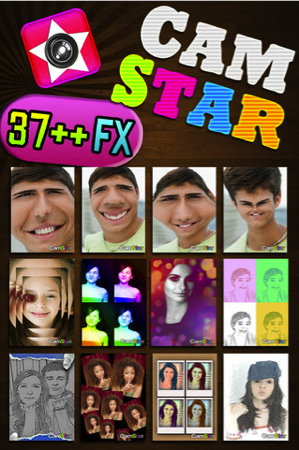
CamStar:
On sale from $3.99 to free for a limited time.
?FEATURE?
1. 37 LIVE FX camera
2. Ability to use photos from your album/photo library
3. Self Timer ( 3 & 5 seconds )
4. Easy setting : ON & OFF autosave to your phone album
5. Easy sharing with email and social sites like Facebook, Twitter, Tumblr
6. Simple gallery which contains all photos taken by Camstar , so you can use and share it anytime!
7. Super amazing effects such as:
Vintage Toy camera – Mirror – Fatify – Sketch – Bulge – Bokeh – Colorbooth – Popart – Poster fx – Vintage photo – Half negative – Lomo – 4 Rainbow – many more!
Cave Shooter 2:
On sale from $.99 to free.
Story:
Its a dark time in the universe since humans found out they were not alone.
The Evil Robot Race The Badrobatans reared their ugly heads in the late 24th century.
Humans had just accomplished interstellar flight and were out exploring the universe.
The Badrobatans thrive by boring deep caves through planet crusts and mining the precious metals,this in turn destroys planets.They use these metals to build more Badrobatans and continue their race.
The Badrobatans do not care if there is life on the planet, they will drill and mine till the planets explode.They Must be stopped.
This is where you step in.
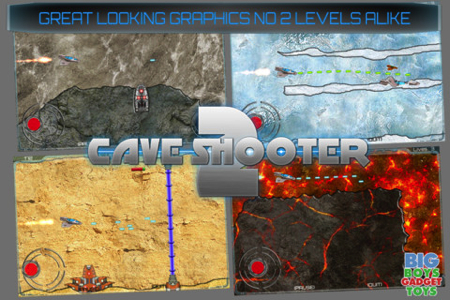
The idea of cave shooter 2 is to navigate your ship through different worlds and kill the giant Badrobatans deep within.
You have to avoid contact with the walls and shoot your way through the laser barriers.
At the end of each level it all a-culminates into a showdown against an evil alien Badrobatan.highlights:
32 levels spanning 4 worlds.
32 unique bosses to defeat.
Great looking Graphics.
No 2 levels are alike.
Unique Cave Flyer GamePlay.
3 star System across each level.
Bluetooth arcade controls,Tilt controls or virtual joystick available.
33 game center achievements and leader boards
Detailed Player statistics.
Huge Replay Value.
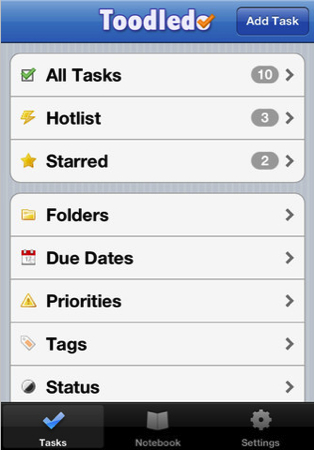
Toodledo To-Do List:
On sale from $2.99 to $.99.
With Toodledo you can:
? Track the priority, start date, due date, time, length or status of a task.
? Assign the task to a folder, context or goal.
? Flag the task with a visual star or tag it with keywords.
? Get audible popup alarms for tasks that are due soon.
? Add a free-form note to your task.
? Take longer, non-task related notes in the Notebook section.
? Create tasks that repeat on a schedule of your choosing.
? Start and stop timers to keep track of time spent on projects.
? Assign locations to your tasks and view them on a map, so that you can easily see what you can do nearby. Get proximity alerts when you are near a location where you have things to do.
? Search through your tasks to quickly find the ones that matter.
? Drill down into your to do lists by a variety of useful criteria. For example, if you want to see all the overdue tasks, just go into the “Due Dates” to do list and select “Overdue”.
? Apply filters to your todo lists to hide unimportant tasks.
? Sort your list by multiple fields, to ensure that important tasks float to the top.
? Quickly find important tasks with the “Hotlist”. This smart to do list is automatically filled with important tasks based on priority and due date.
? Protect your tasks with a passcode.
? Securely sync your todo list with Toodledo.com for backup purposes, and to use the additional functionality available only on our website: file attachments, sharing/collaboration, rss feeds, forums, etc.
? Existing Toodledo.com Pro subscribers who use subtasks on our website will also have access to subtasks in the app.
? Works on iPhone and iPad. Two apps in one! Buy our low priced task manager and get your to-do list everywhere.
? Supports TextExpander touch snippet expansion.
? Tweet your accomplishments with built in Twitter support.
If you already have a to do list in another PDA or application (Outlook, iCal, etc), you can quickly import everything into Toodledo. Just visit our website at Toodledo.com and use our import tools to get started.