

Through many events in our lives, we follow a feed. Twitter, Facebook, Google+. Whatever your flavor is, there is a way to share experiences and let people know what is going on. It is often fun to follow Tweets or friends’ status updates during your favorite game, especially during the playoffs. What if there was a service that allowed fans to comment on certain games or follow all current games being played? SportsYapper promises to do just that.
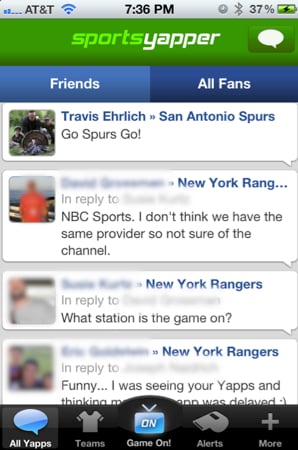
The app for talking sports!
SportsYapper is the place to chat with friends and fans while you’re watching the game, and discuss the latest trade rumors, coaching decisions, fantasy moves and everything else sports fans love to talk about.
Features
* Find your friends from Facebook and Twitter.
* Live feed of your friend’s latest Yapps.
* Check-in to tell friends what game you’re watching.
* See what games your friends are watching.
* Follow your favorite teams.
* Share directly on Facebook and Twitter.
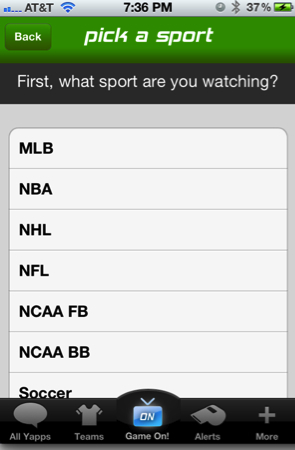
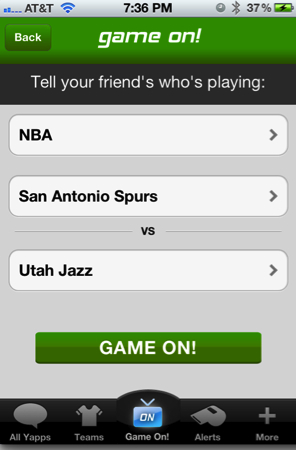
There are several ways to use SportsYapper. You can choose favorite teams, but I have found a bug when trying to set mine up. For some reason, I accidentally tapped two teams on accident and I cannot delete them no matter what I try. Every time I delete one, the Dallas Cowboys are gone. Before you make the joke…yes, that is probably a sign! My favorite way to use the service is Game On! mode. Basically, users log on to what game they are watching and comment on the games. Tap the Game On! icon and then choose the sport you are watching.
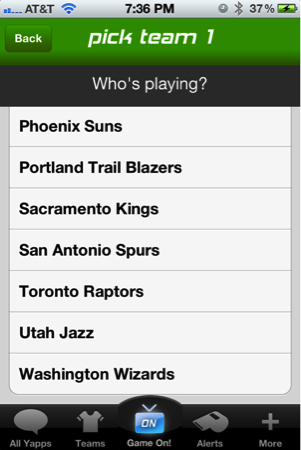
After the sport is picked, choose one of the teams playing. In this case, San Antonio Spurs. Game 4 versus the Jazz. Go Spurs Go! Let’s get the sweep!
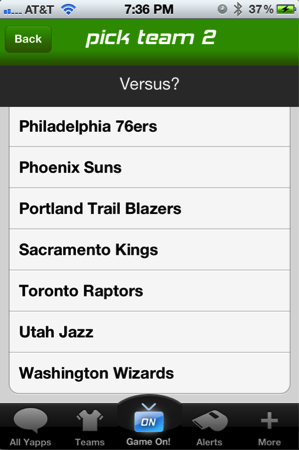
Pick the second team. In this case, the lowly Utah Jazz. Go Spurs Go! Now any posts you make will reflect that you are watching this game.
Once you are logged in and talking some smack, you can choose to just look at the posts for your current game or look at All Yapps. I enjoy looking at what everyone is saying and have even changed channels looking for a game that seems interesting. The application requires Facebook to log in and will also connect via Twitter so your Yapps can also be shared on both services. Any friends on both services will automatically be added as friends on SportsYapper, but so far I do not have any yet. The application and idea are in their infancy, so I look forward to getting people involved and signed up. Any Spurs, Cowboys, Astros and Aggie fans out there need to get the app and start yapping! There seem to be tons of New York fans already on board so if you watch New York sports, there is plenty of comments to read. This will be a great sports service once more people are logging in. Help get it going by downloading it here in the app store for free!
SportsYapper for iPhone
Free in the App Store
What I Like: It really is fun to follow what people are saying about games as they happen.
What Needs Improvement: The bug that keeps erasing the Dallas Cowboys is pretty annoying.

Thanks for your review Travis… really glad you’re enjoying SportsYapper!! Just wanted to let you know that we’ve submitted an upgraded version of the app that fixes the bug you experienced with deleting your favorite teams. The new app should be live in the next day or two.