
iStopMotion for iOS
The iPhone, iPad and iPod touch offer terrific ways to play with your pictures. iStopMotion for iOS is one of the best. I used the app years ago when it first came out but have recently revisited it and like what I found. Using iStopMotion for iOS on my iPad and the free companion app on my iPhone 5 I was quickly and easily able to make a stop motion video. Here’s a quick look at iStopMotion for iOS and the video that resulted from my using it.
iStopMotion for iOS
iStopMotion for iOS is just $9.99 and it is a ton of fun to use.
iStopMotion for iOS
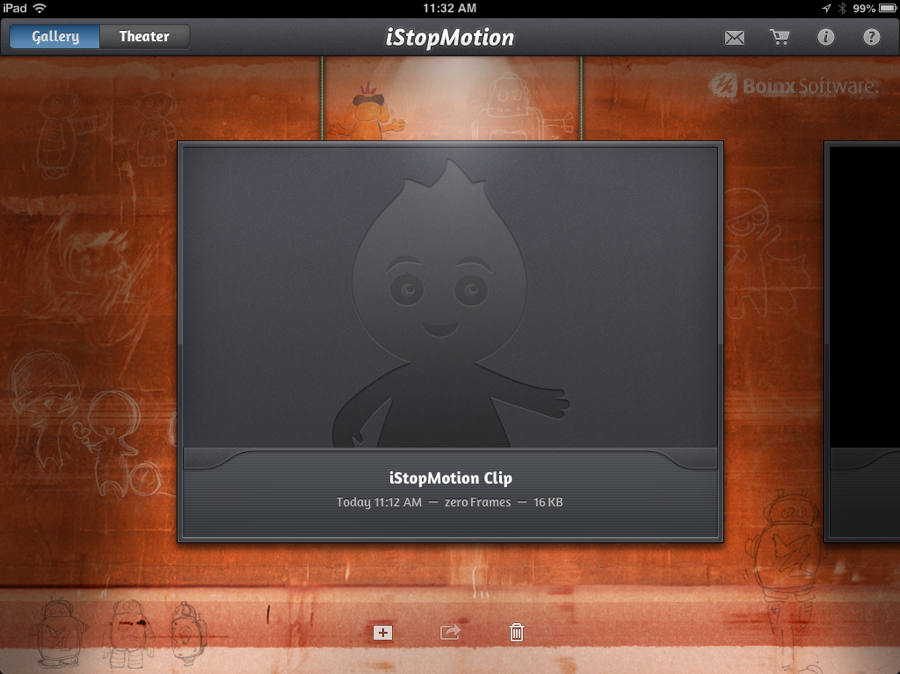
So long as both the iStopMotion for iOS app and the iStopMotion companion app are running and the devices are on the same WiFi network you should be up and running in seconds. You first select the “+” symbol to start a new project in iStopMotion for iOS.
iStopMotion for iOS
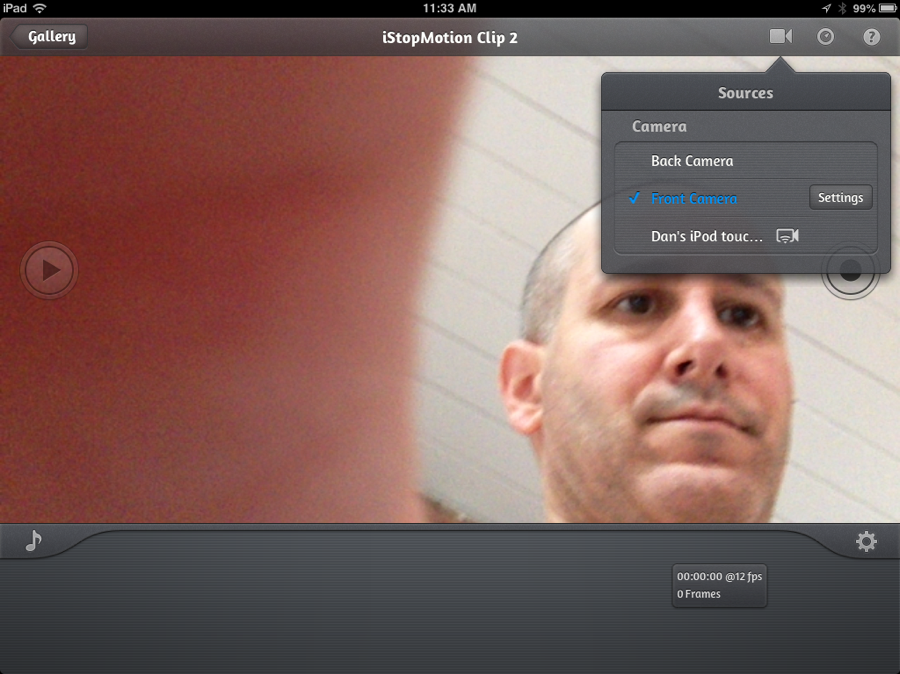
Tapping the camera icon in the upper screen yields the options of which camera you want to use. And while you can use the front or rear cameras at all times, if the companion app is running the device upon which it is operating will also appear as an option. Select it and you can start snapping your shots.
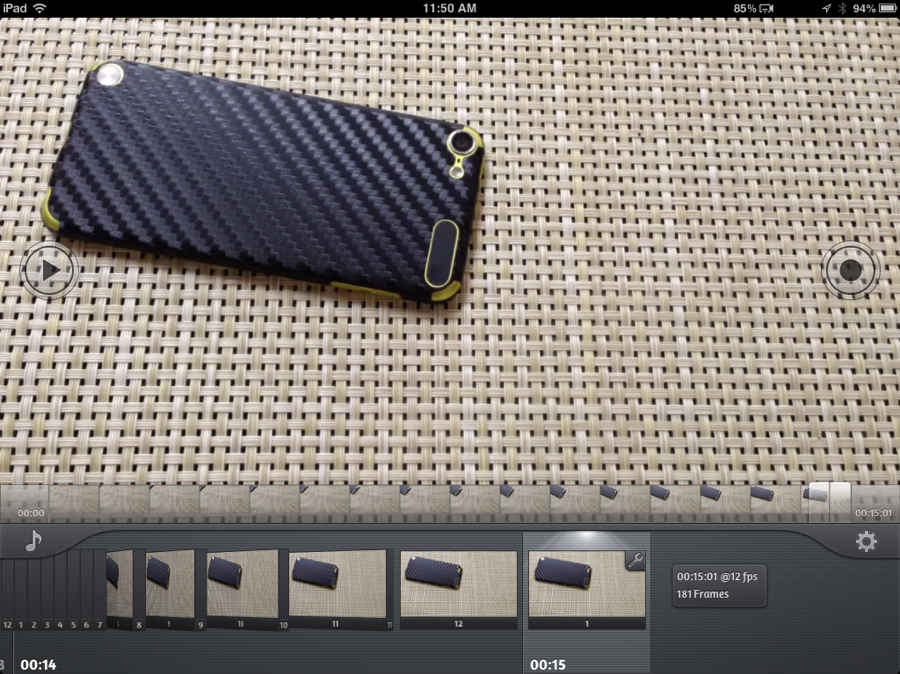
Each snap yields a new picture. I find that snapping two shots per position yields the best result when using iStopMotion for iOS.
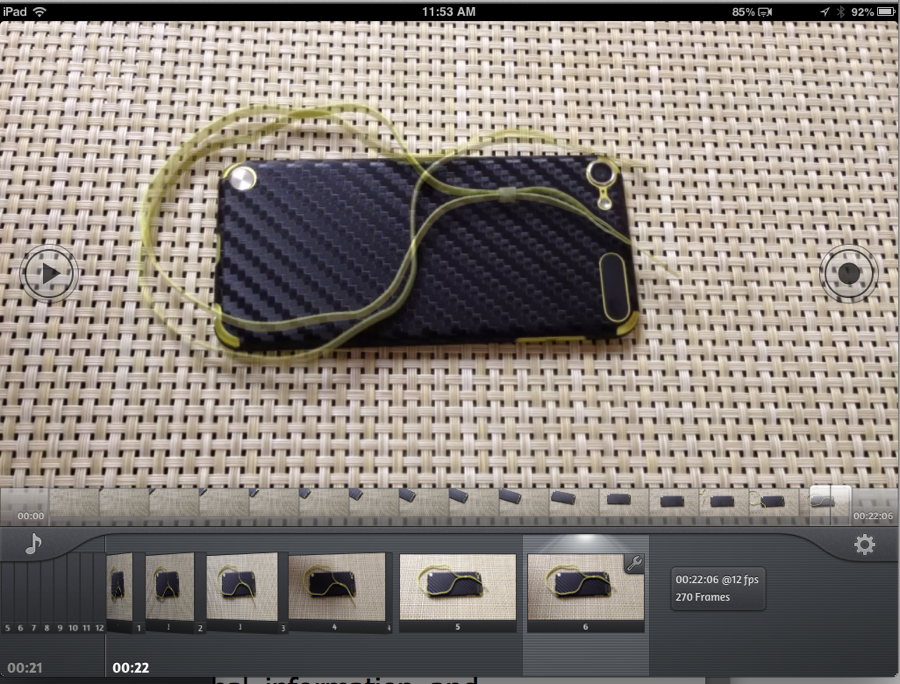
Notice the faint outline of the iPod touch loop in addition to the sharp one? The app lets you see the last position of the items you are shooting so you can line things up the way you want. It is also helpful if you accidentally bump into the objects and want to realign them. Here’s the video I created.
The new version of iStopMotion for iOS offers some amazing new features.
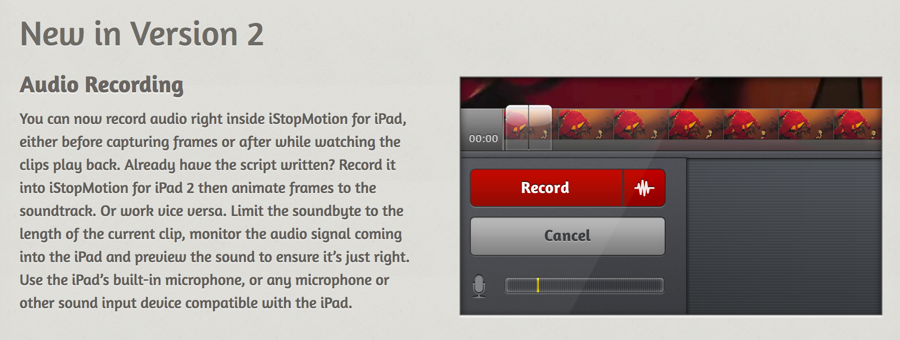
For example, you can now add audio to your creation. That lets you make a more polished production. In the past I would create a video, export it to my camera roll and the use iMovie to finish it.
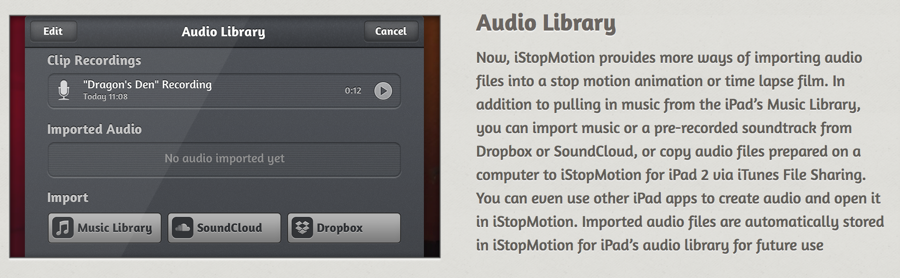
And if you do want to add audio the iStopMotion for iOS version 2 app offers a host of different options.
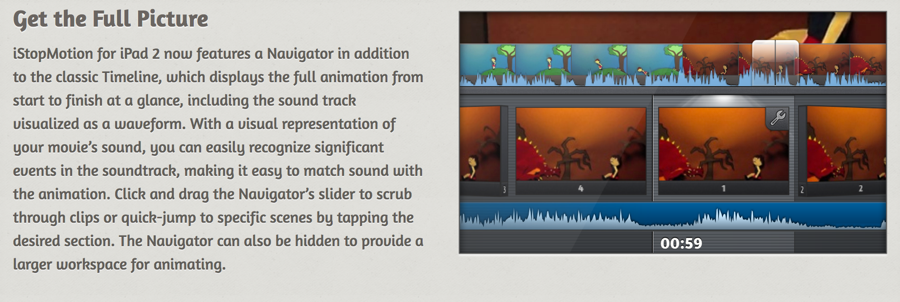
Finally, iStopMotion for iOS version 2 has added the ability to edit your creation on the go in a far more advanced manner.
In all I’m really impressed with iStopMotion for iOS and love using the remote app to create stop action movies. The remote app is terrific in that it lets you take dozens or even hundreds of picture without fear that you will bump the camera while tapping to create the next shot. Grab it in the iTunes App Store.
MSRP: $9.99
What I Like: Easy and fun to use; Remote app works seamlessly with iStopMotion for iOS running on your iPad; App has become far more powerful and, in the process, easy to use
What Needs Improvement: Nothing, it is fun to use and neat to share your creation
Source: Manufacturer supplied review sample
