


The Lowdown
The Audeze Maxwell Wireless headset delivers studio-quality, audiophile-grade sound typically reserved for elite professional headsets, while seamlessly integrating the comfort and gamer-focused features that define a top-tier wireless gaming experience. Strongly recommended.
Overall
Pros
- Expansive soundstage and excellent sound imaging
- Full, rich sound across the frequency spectrum
- Build Quality
- Excellent Cross Compatibility
Cons
- They are a bit heavy (but I wouldn’t change a thing)
Southern California-based Audeze has been manufacturing headphones since 2008 and has gained a reputation as a premier developer of planar magnetic headphones. In this review, we look at their wireless gaming headset, the Audeze Maxwell Wireless Gaming Headset. Audeze produces three lines of headphones: audiophile, professional, and gaming. The Maxwell, first introduced in 2023, has garnered much praise, with many calling it the best wireless gaming headset. It seems that Audeze has made a few improvements since its launch; we review the latest version here.
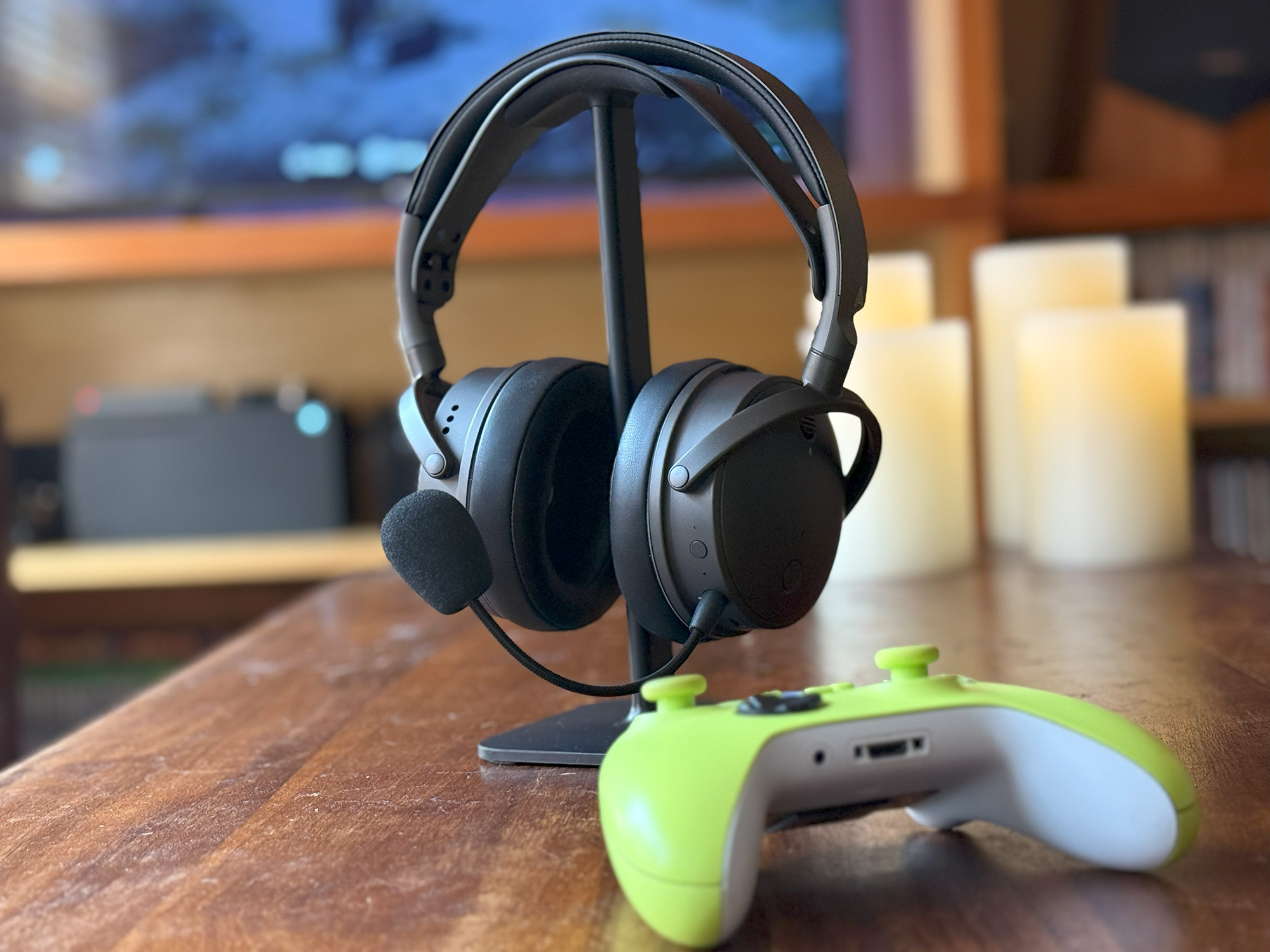
At $329.00 for the dedicated Xbox version ($299.00 for the PlayStation version), the headset has some strong competition. That said, with features such as 90mm planar drivers, 80-hour battery life, ultra-low latency wireless connectivity, and AI noise filtering microphones, the Audeze Maxwell has quite a bit to offer.
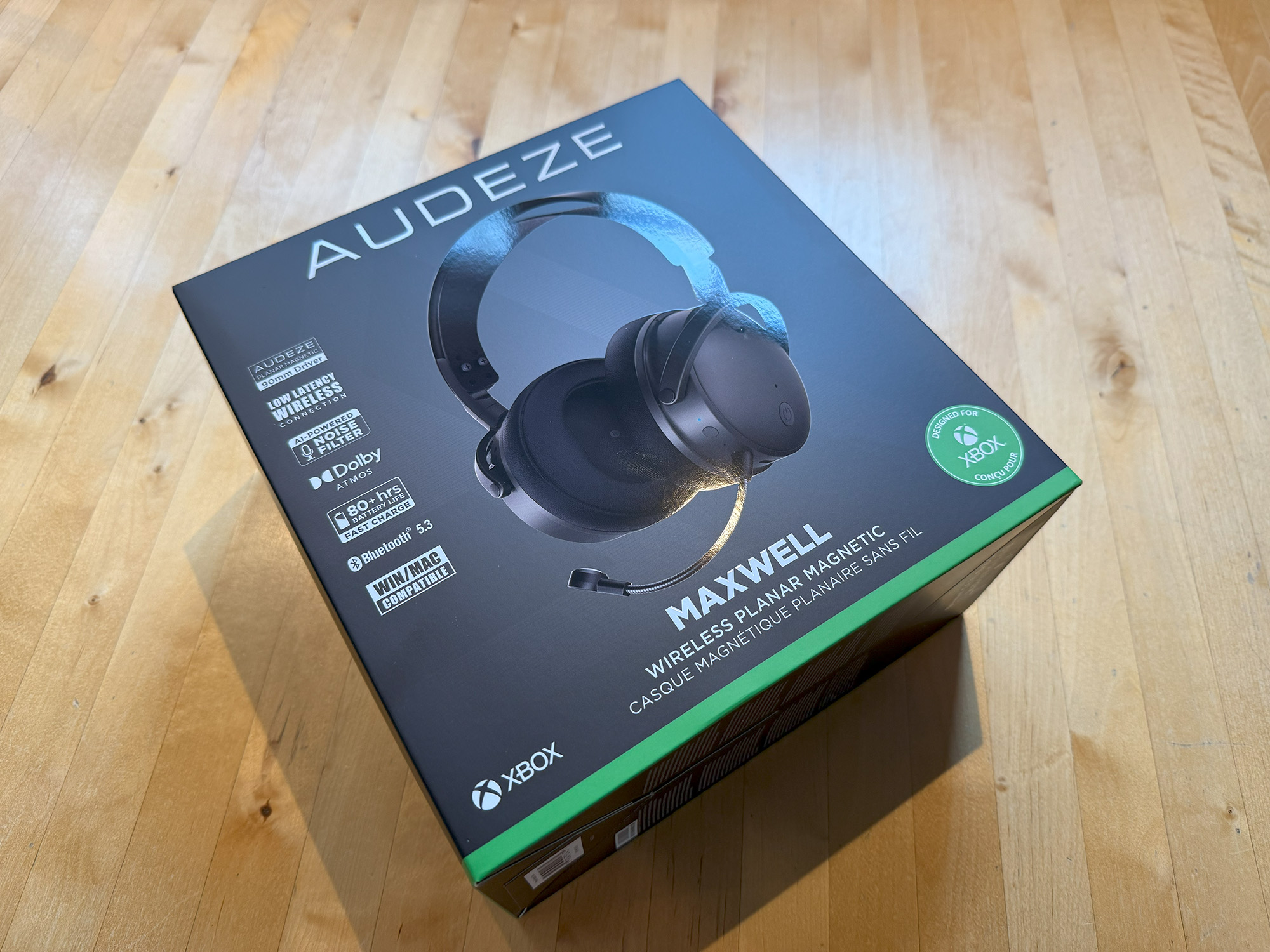
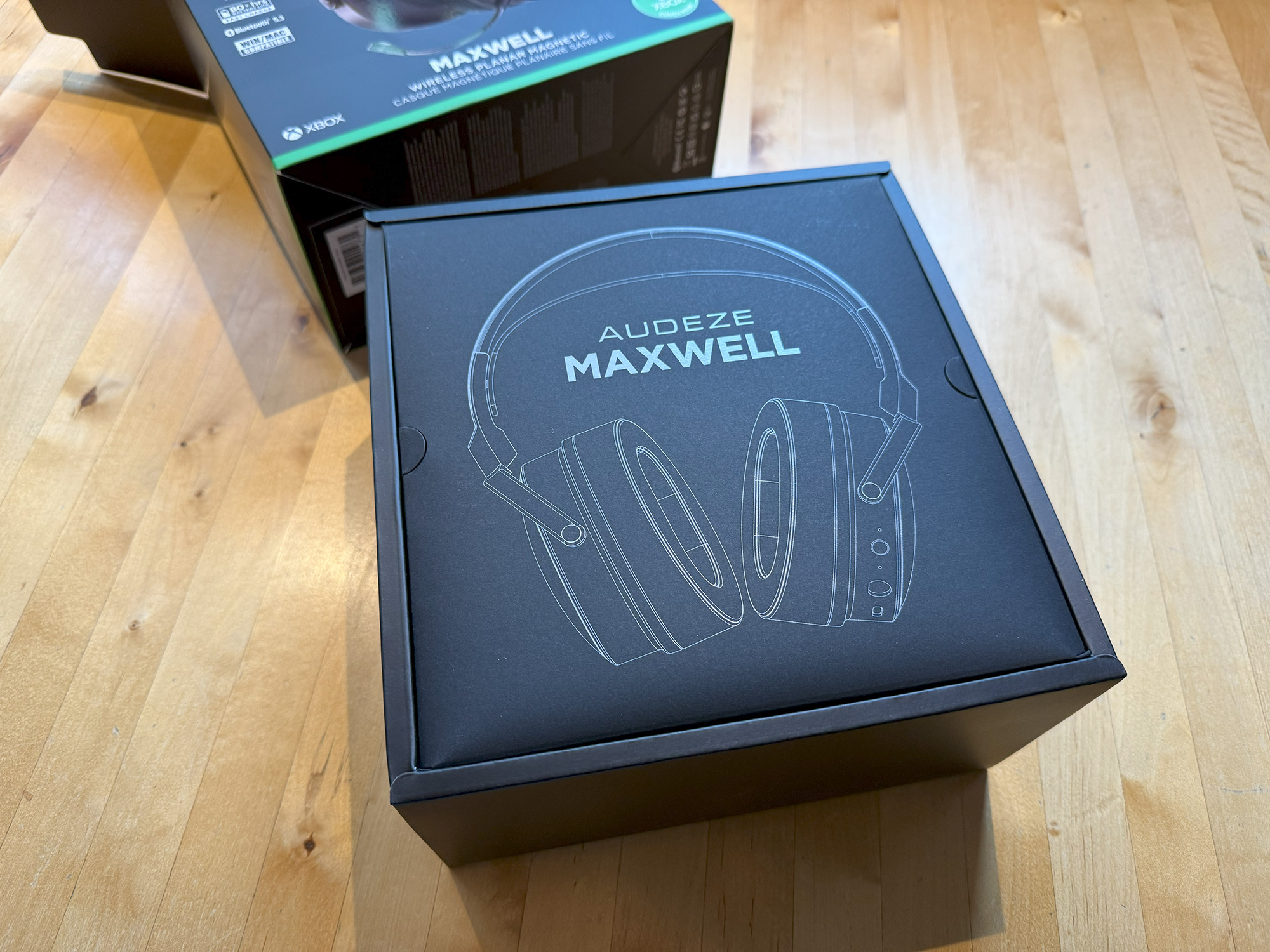
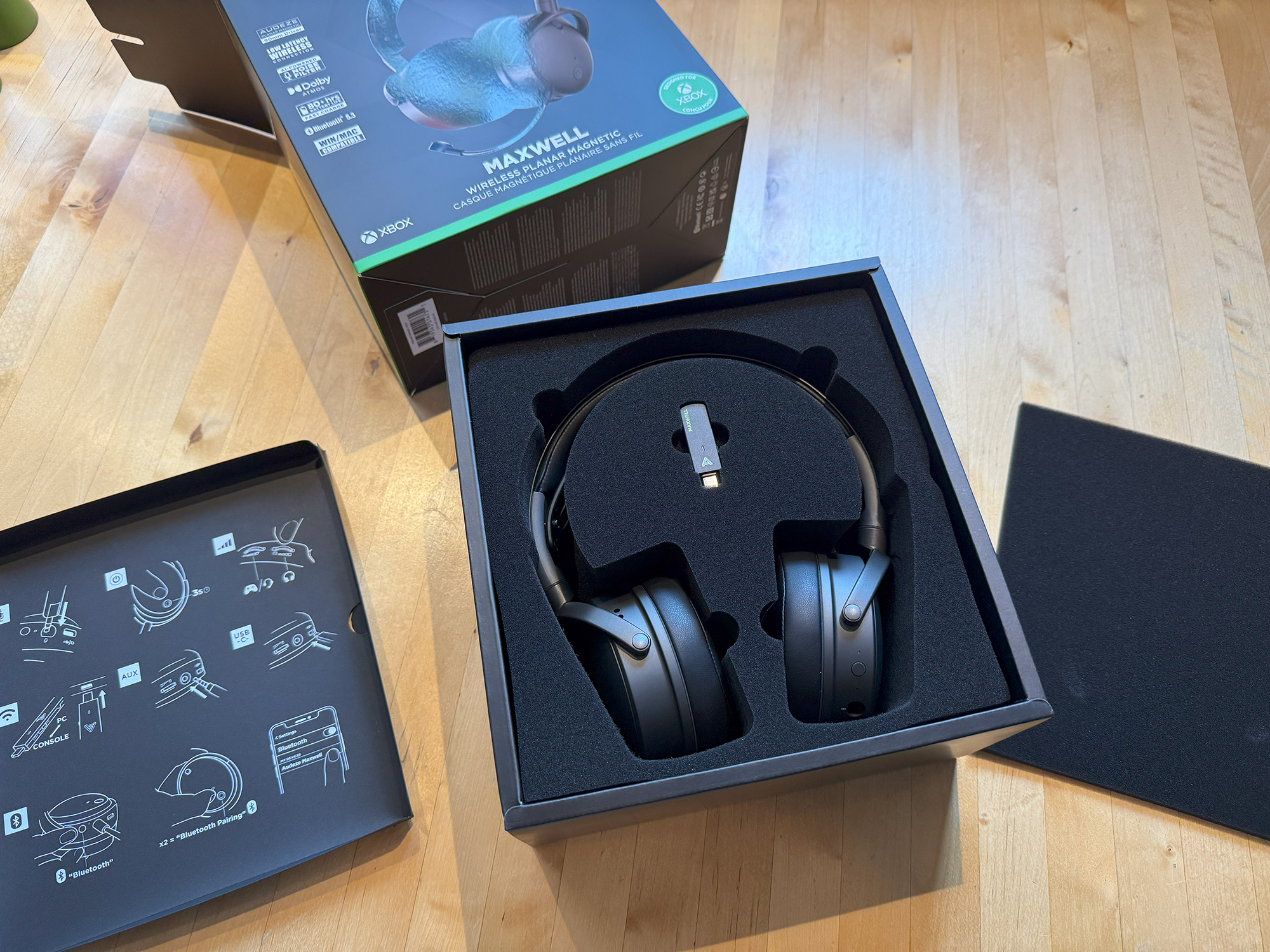
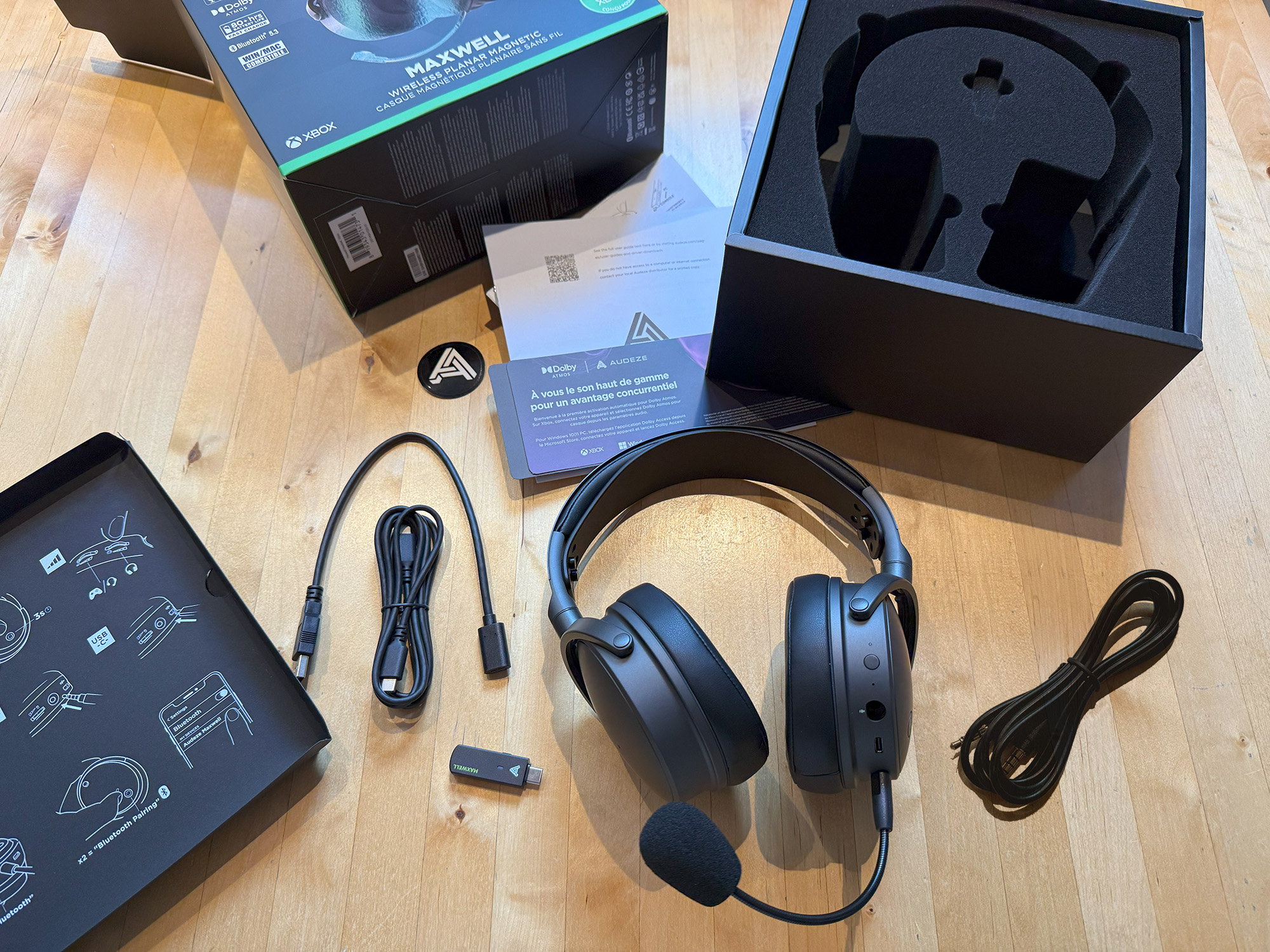
What’s in the Box
- Audeze Maxwell headset
- Detachable hypercardioid boom microphone
- USB-C wireless dongle
- USB-C to USB-C cable
- USB-C to USB-A adapter
- 3.5mm TRRS analog cable
- Quickstart guide
- 1-year warranty card
Controls
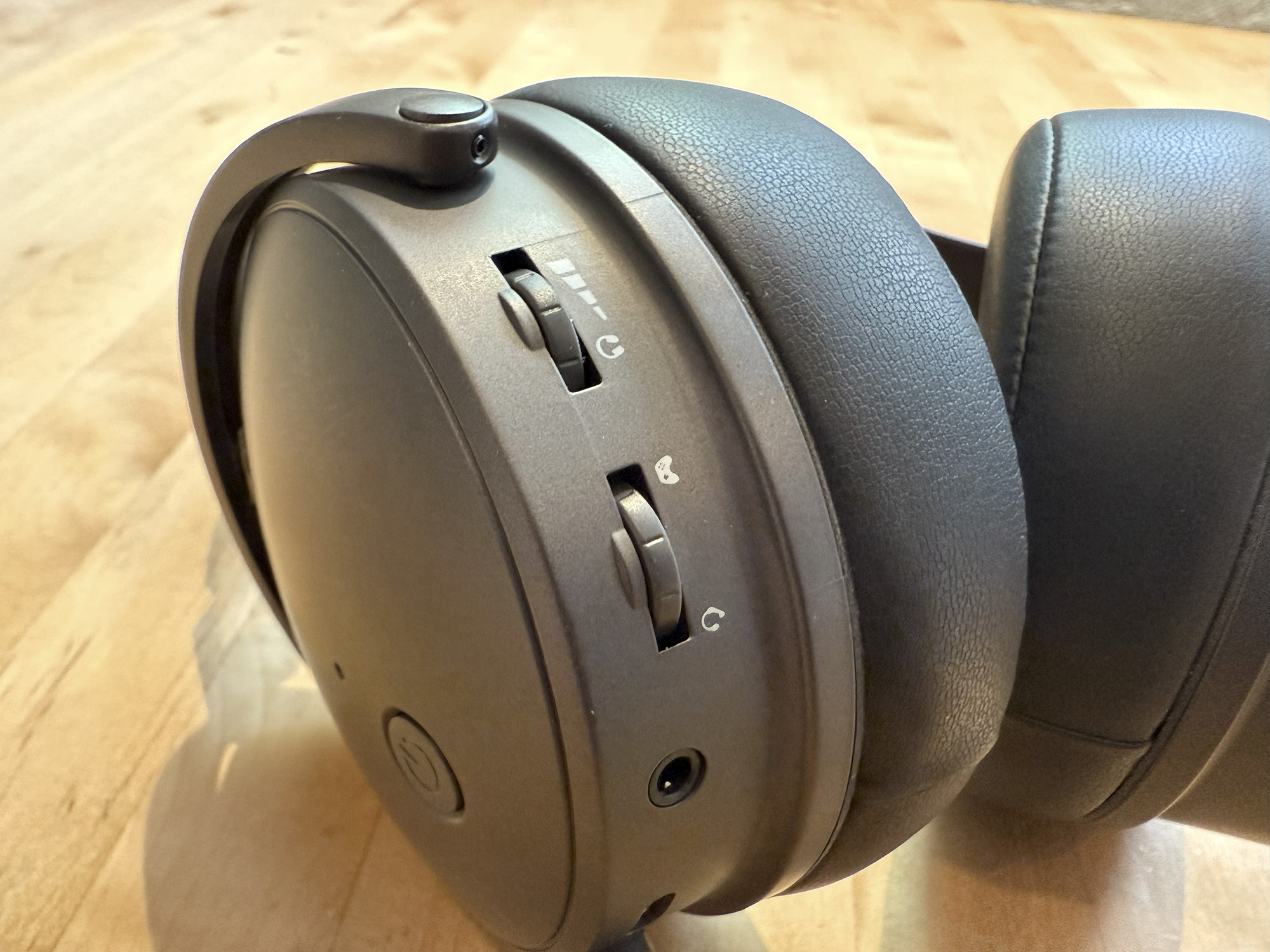
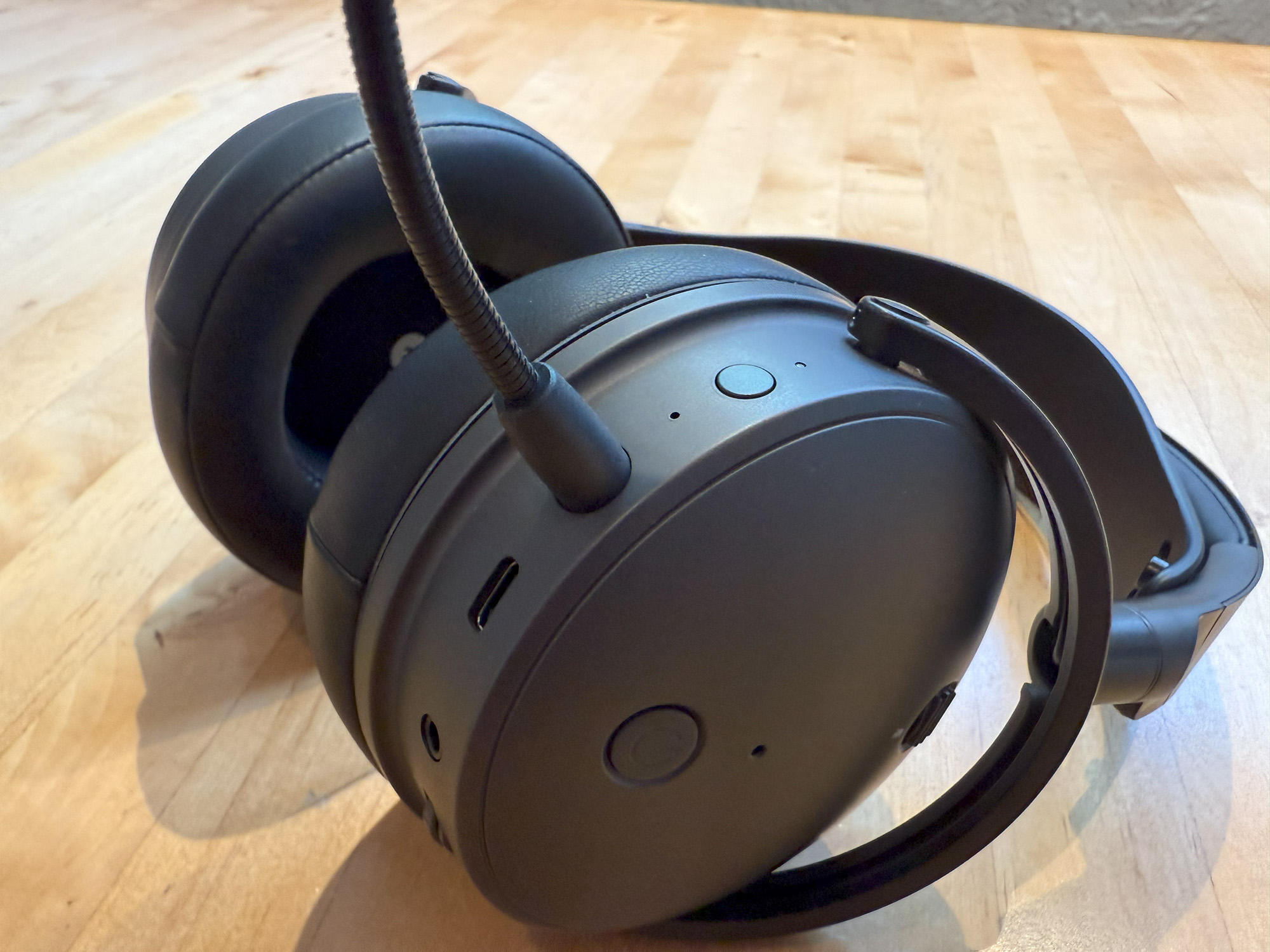
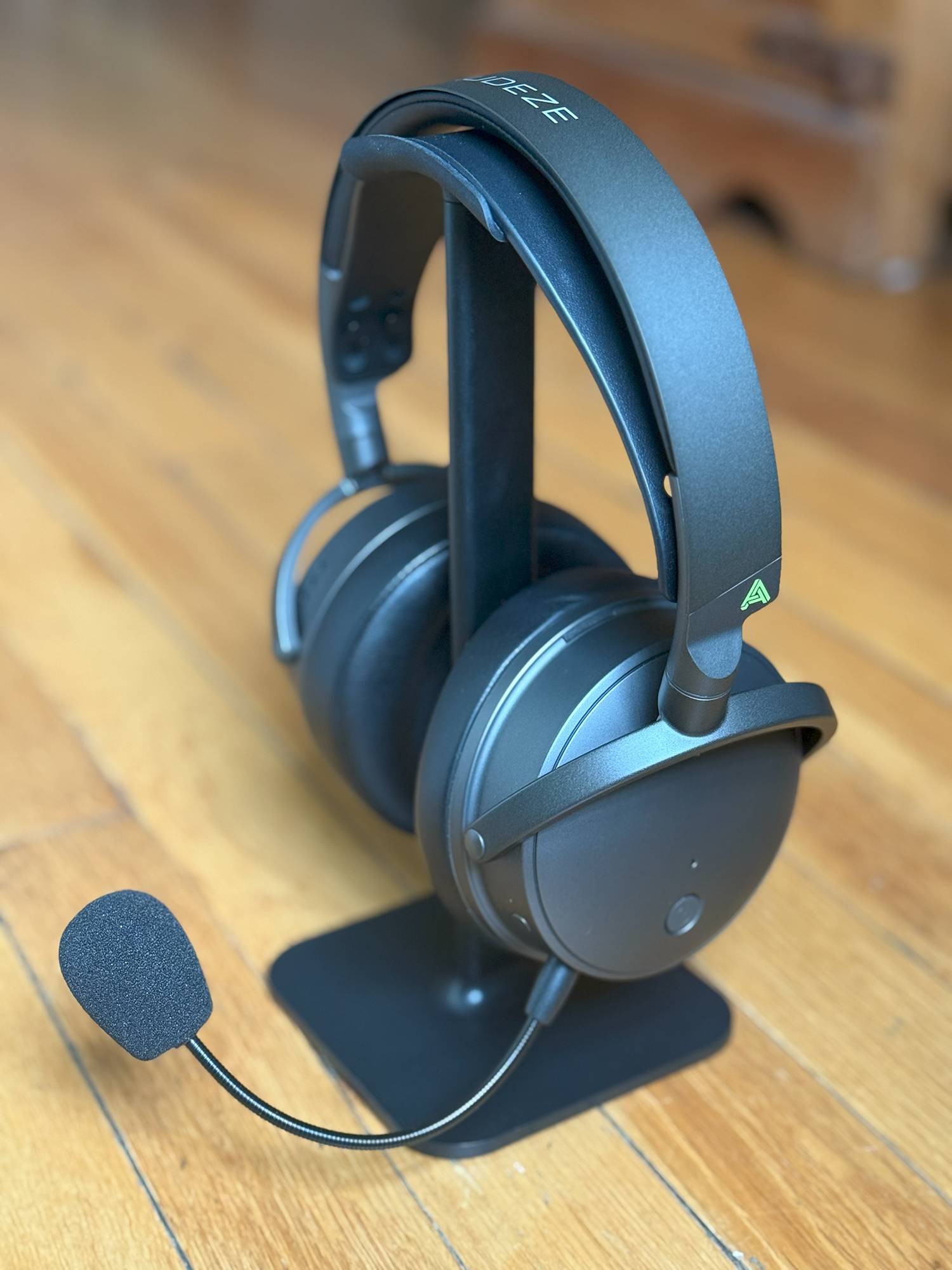
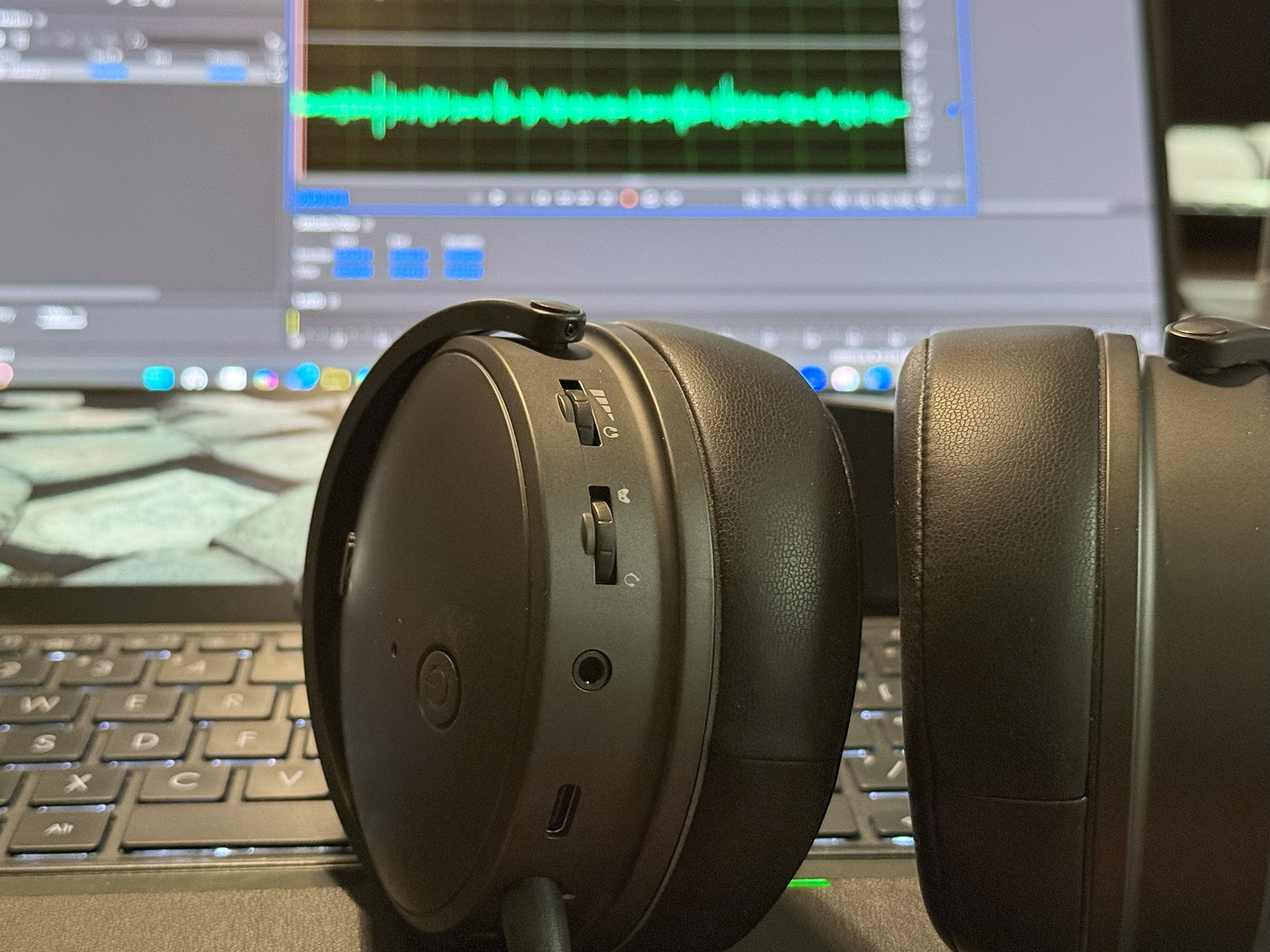
On the outer face of the left earcup are two buttons. The top button is the microphone mute switch, and the lower button controls power. On the Outer rim of the left earcup are (from front to back) the AI noise reduction switch, an LED indicator (more on that a bit later), the removal boom mic, the USB-C data and charging port, a 3.5mm aux port, and wheels for controlling the game/chat mix and overall volume.
The power button turns the headset on and off with a three-second hold. A single press plays or pauses media, answers calls, and ends them. A double press of this button puts the headset into pairing mode.
Pushing on the wheels provides access to the secondary function of each. For the game/chat mix wheel, a single push engages and allows control of sidetone, and a double push turns sidetone off. A single push on the volume wheel starts and stops media, and double-pressing switches between EQ modes.
The Maxwell also has voice prompts for a number of states, such as power on/off, as well as source USB dongle/Bluetooth. I found these prompts helpful, especially as the headset’s visual cues to these states are subtle to nonexistent.
Setup
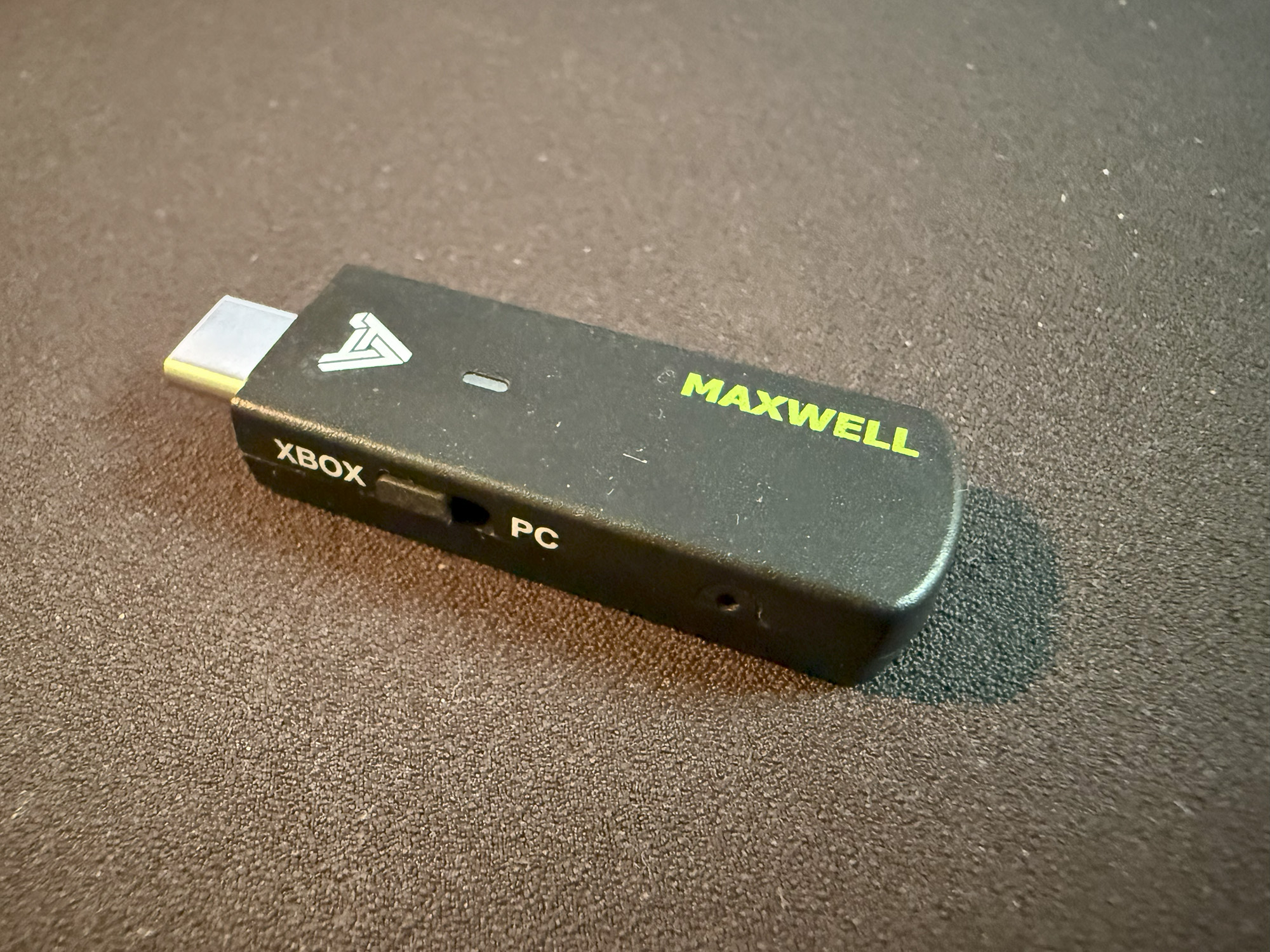
Depending on the source you choose, setup requires different actions. If you are using an Xbox console, you insert the USB-C dongle into the console and double-press the power button. The same method is used for connecting to PCs. If you are using a Bluetooth source, (disengage the dongle and) ensure that Bluetooth is enabled on the source device, double-press the power button, and select the Maxwell headset from the list of available devices.
The LED indictor mentioned earlier is multifunctional to show the status of pairing, charging and battery level. No light indicates that there is no connection. A flashing blue light indicates that Bluetooth is pairing, and a solid blue light indicates that Bluetooth is connected. A flashing red light indicates that the headset is charging, and a solid red light indicates that the battery level is low. A solid green light indicates a full charge, and a solid white light indicates that the dongle is connected.
The Audeze Maxwell can be simultaneously connected to the Wi-Fi dongle and Bluetooth. Switching between the sources is as simple as selecting a source to play. The headset will not play two sources at the same time and switches when another source is activated.
Audeze claims that the wireless connection is low-latency, and I concur, having never detected any issues with lag.
Design
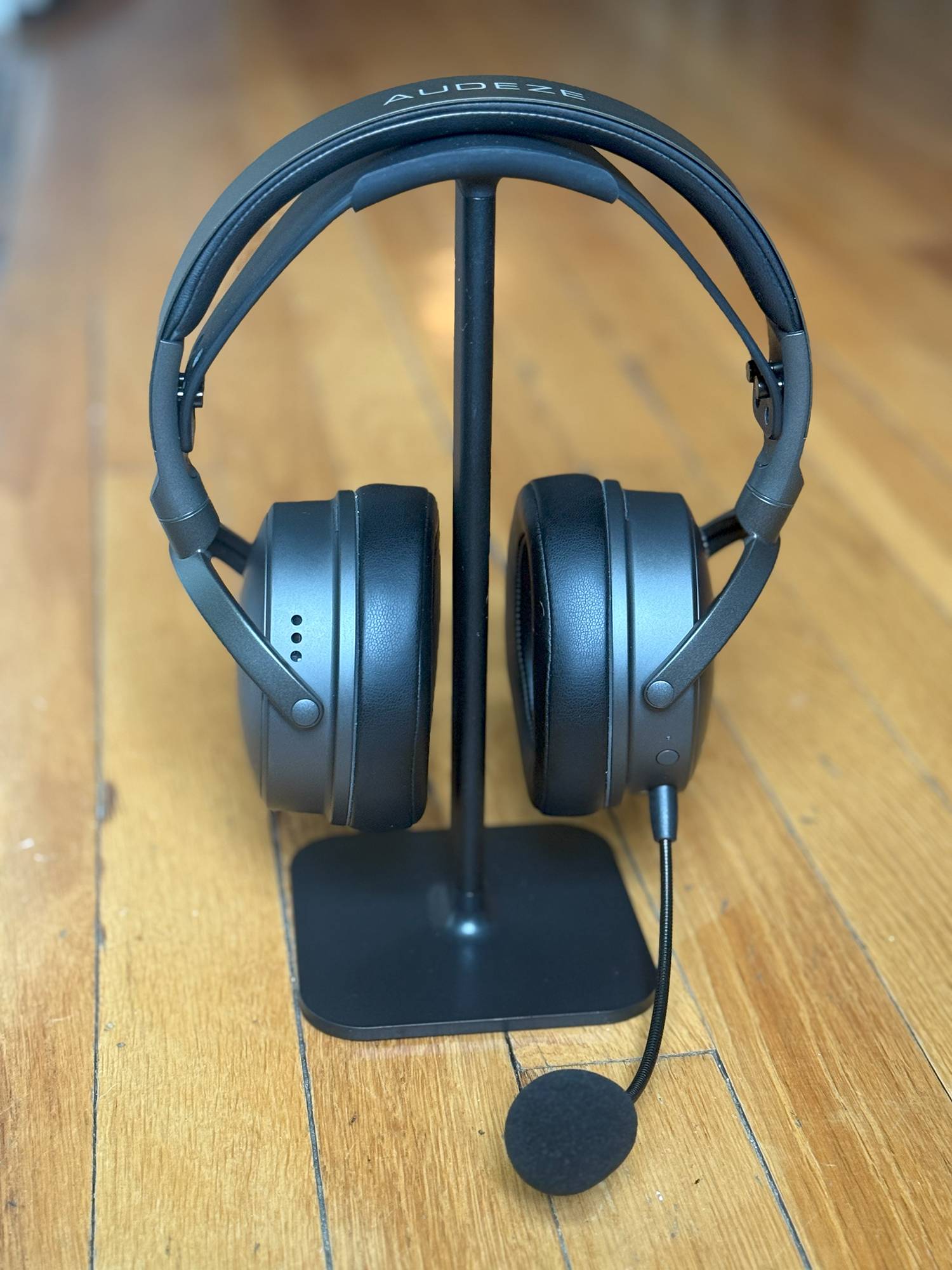
The Maxwell is a sharp-looking bit of gear. The muted matte finish is in a warm dark gray with accents such as the earpads, inner and outer strap elements, mic, and controls in black. The headset has a mature, professional aesthetic that looks as comfortable in a recording studio as it does part of a serious gaming rig. Since the Audeze Maxwell doesn’t go for RGB lighting effects or gimmicks, this might be more true than with most gaming headsets.
Build Quality
Everything about the Maxwell, from its materials, construction, and details, speaks of quality. The headset feels solid in your hands and on your head. The outer headband is made of spring steel with aluminum yokes. The rotation of the earcups and flexibility in the headband feel just right, as do the action of the buttons and volume wheels.
The earpads are made of memory foam and covered with a soft leatherette material that is handsome, breathable, and even after long sessions quite comfortable. Should they ever need to be replaced, the earpads are easily removable by turning them clockwise.
Sound Quality
Last year, I had the pleasure of reviewing the Audeze LCD-X open-back planar headphones. I found them to be superb and wondered how a wireless gaming headset that sells for a third of the price of the LCD-Xs would fare. I am very happy to say that the Audeze Maxwell headset does not disappoint.
90 mm planar magnetic drivers deliver sound through a system consisting of Fluxor N50 Neodymium Magnets, Fazor Waveguides, laser-etched Uniforce voice coils, and ultra-thin film diaphragms. The results are impressive. Other headsets in this market segment offer drivers of half this size or less.
When playing games on the Xbox Series X console, I found myself immersed in complex soundscapes where I could discern between the footsteps of incoming enemies and environmental sounds such as wind and nearby fires with a newfound clarity in games like Assassin’s Creed: Shadows and Indian Jones and the Great Circle. This can be said for the roar of racing engines and screeching tires on asphalt during races in Forza Motorsport. The Audeze Maxwell, being a premium gaming headset, this is less of a surprise.
What was truly impressive, however, is that the same performance is present when you listen to music from your PC or Bluetooth source. The fact that the Audeze Maxwell Wireless Gaming Headset delivers clean and tonally accurate sound is impressive, but its ability to provide the signature, distinctive soundstage and image separation that Audeze is known for is truly amazing.
I listened to many tracks of various music genres, all of which I know very well, and was always able to distinguish instruments and passages that were clear in a way that I had never heard before. That is truly impressive for a $329 headset.
Microphones
The Audeze Maxwell features four beamforming microphones built into the earcups as well as a removable hypercardioid microphone with an AI-powered noise filter. The removable mic is simply inserted into the 3.5mm jack and is positioned by adjusting the gooseneck. The mic comes with a foam windscreen, and the sound quality is very good. The Maxwell is compatible with most online communication apps, including Discord, Teamspeak, Twitch, YouTube, OBS, Line Chat, and Zoom.
Comfort
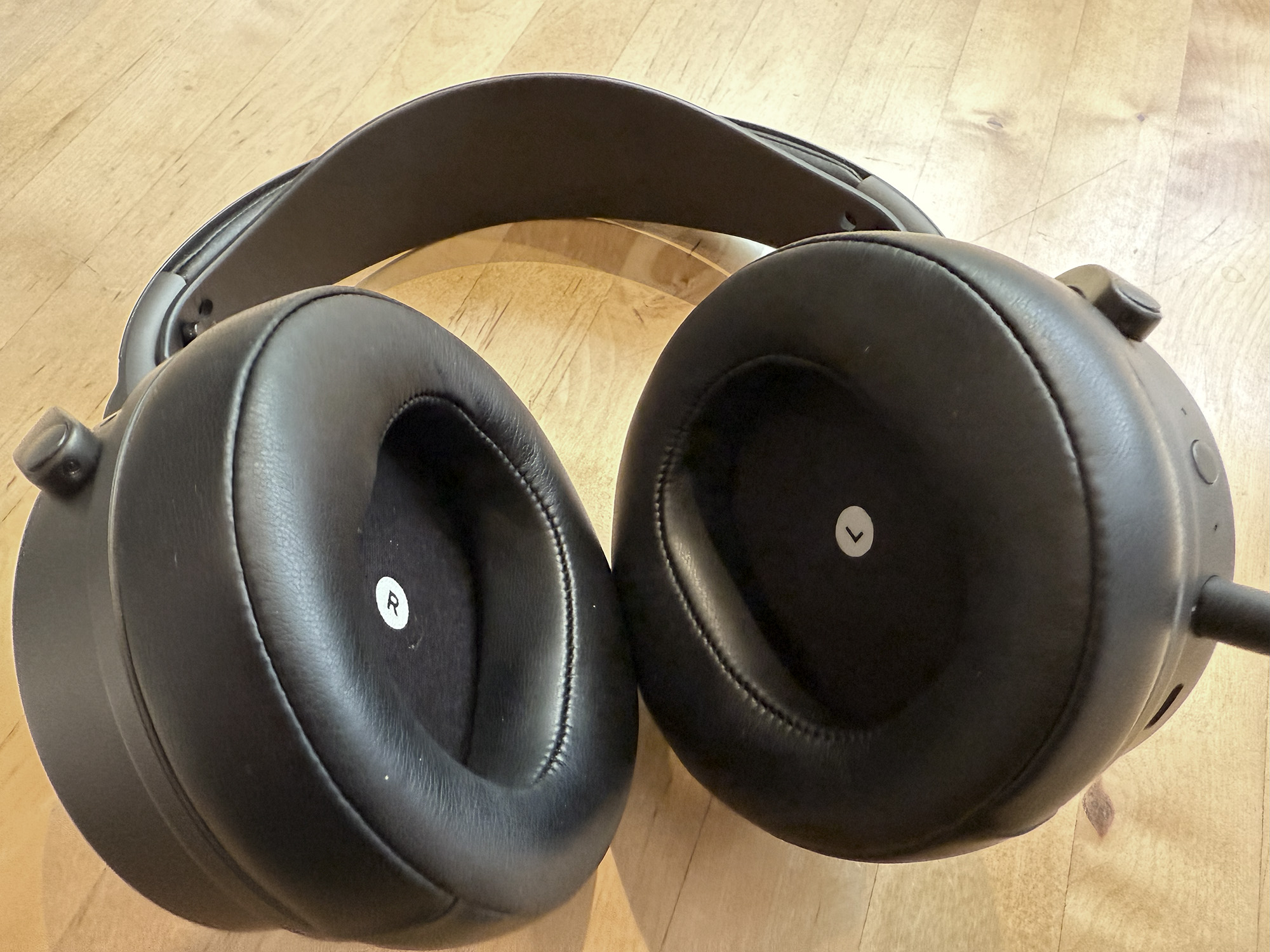
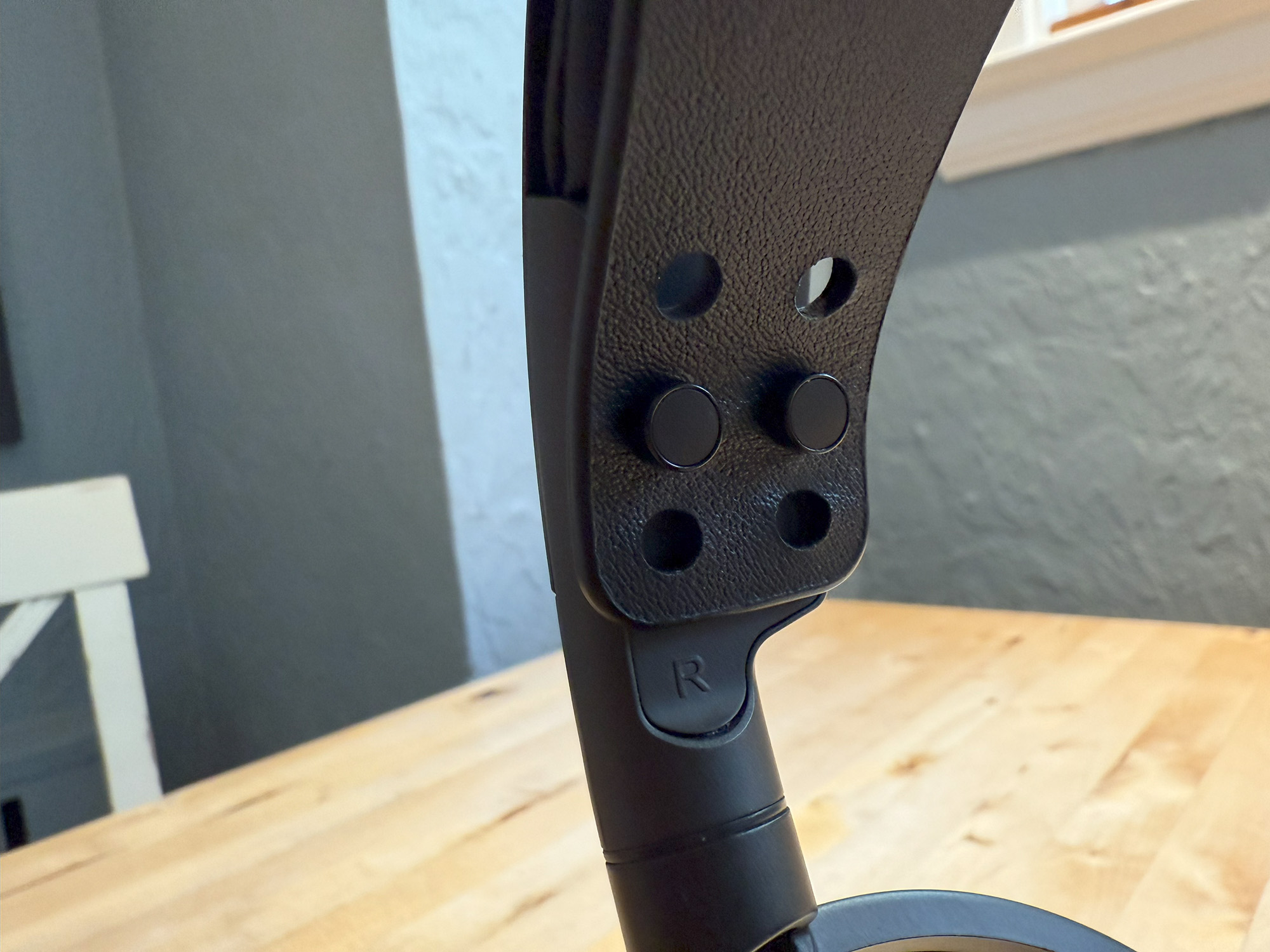
This being the latest version of the Maxwell, it features an all-new premium chassis. The headstrap is adjustable without the use of tools by pulling its ends away from the two pegs on either end. In earlier versions of this headset, these pegs were screws. At 490g, this is not the lightest headset by far. Even for wireless headsets, the weight is significant, but I have never found it to be an issue. My head is on the larger side, and the Maxwell fits me perfectly without any adjustments.
Compatibility/Connectivity
Due to licensing issues with the Xbox, there are two variants of the Maxwell headset – one for the Sony PlayStation and another for the Microsoft Xbox. Apparently, the Xbox version may be compatible with PlayStation, but I am not able to confirm this. However, the PlayStation version will not work with the Xbox. Either version is compatible with both Windows and Mac computers, the Nintendo Switch, as well as Android and iOS devices.
The included USB-C dongle is used to connect to the Xbox and to PCs. Pairing is initiated after four seconds by inserting the dongle into the computer or console. The LED indicator light flashes to show pairing and turns solid when pairing is achieved. There is a platform selection switch to choose between the Xbox and PC.
Audeze App
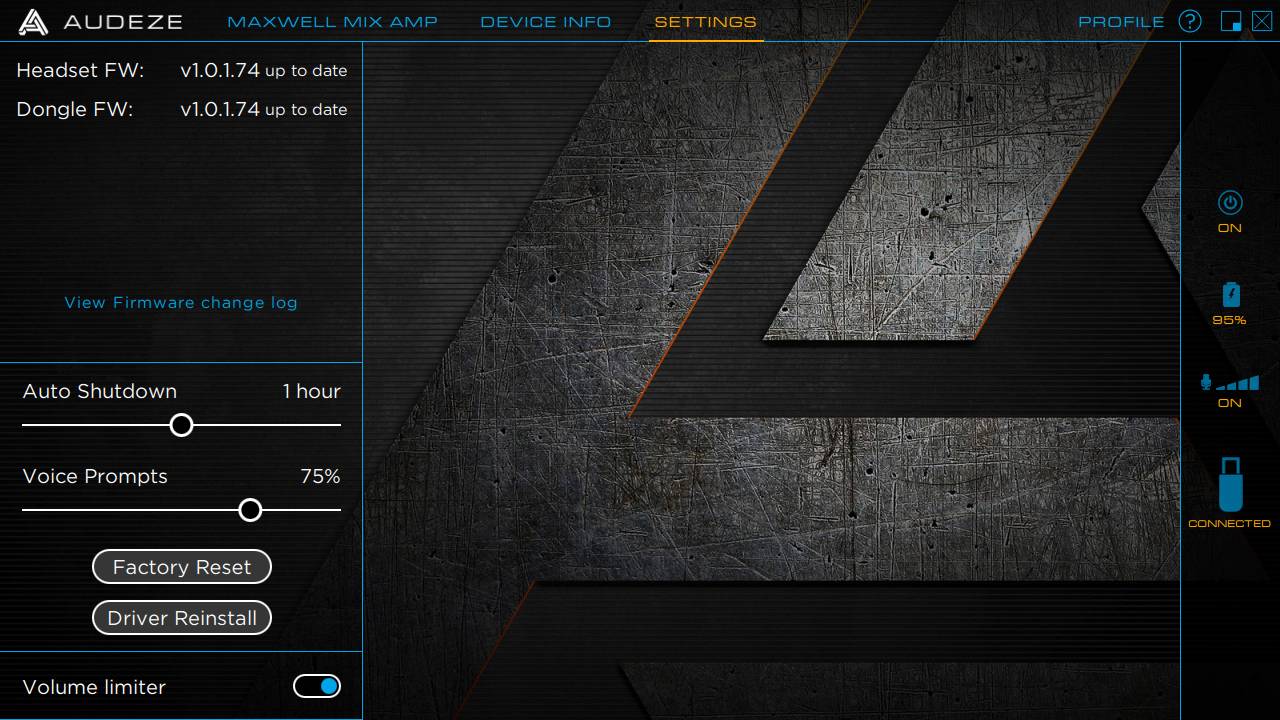
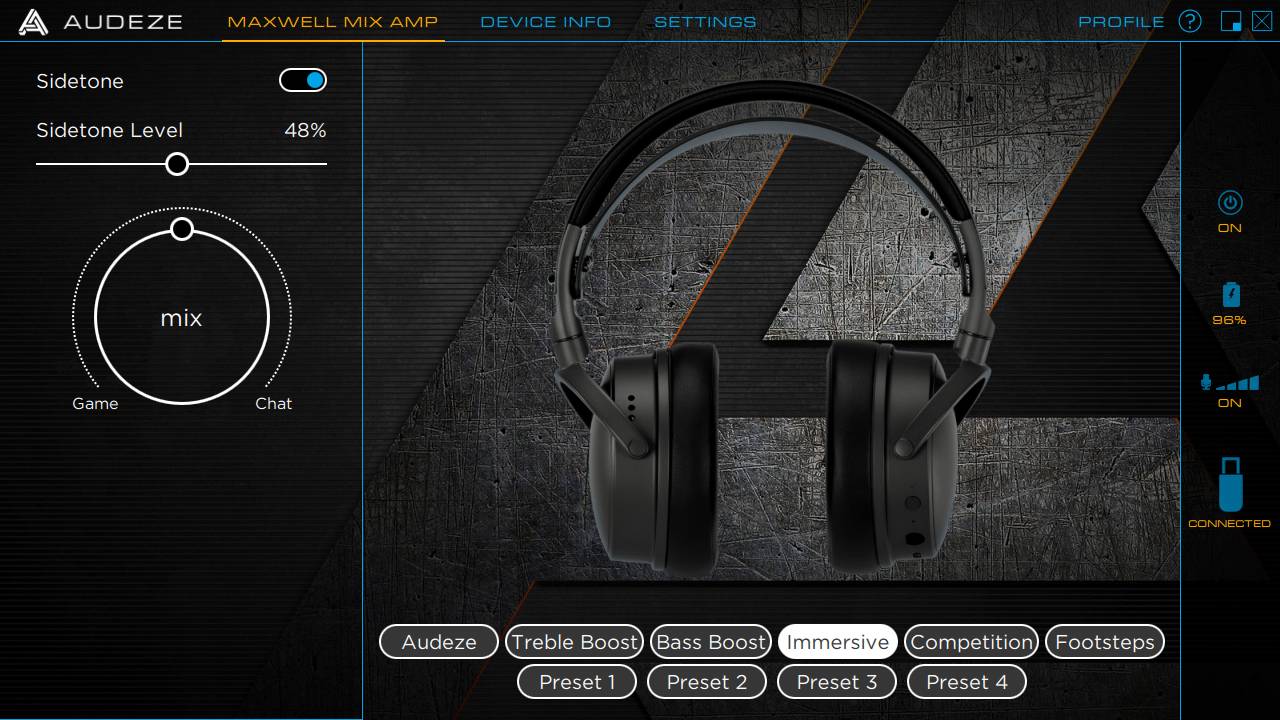
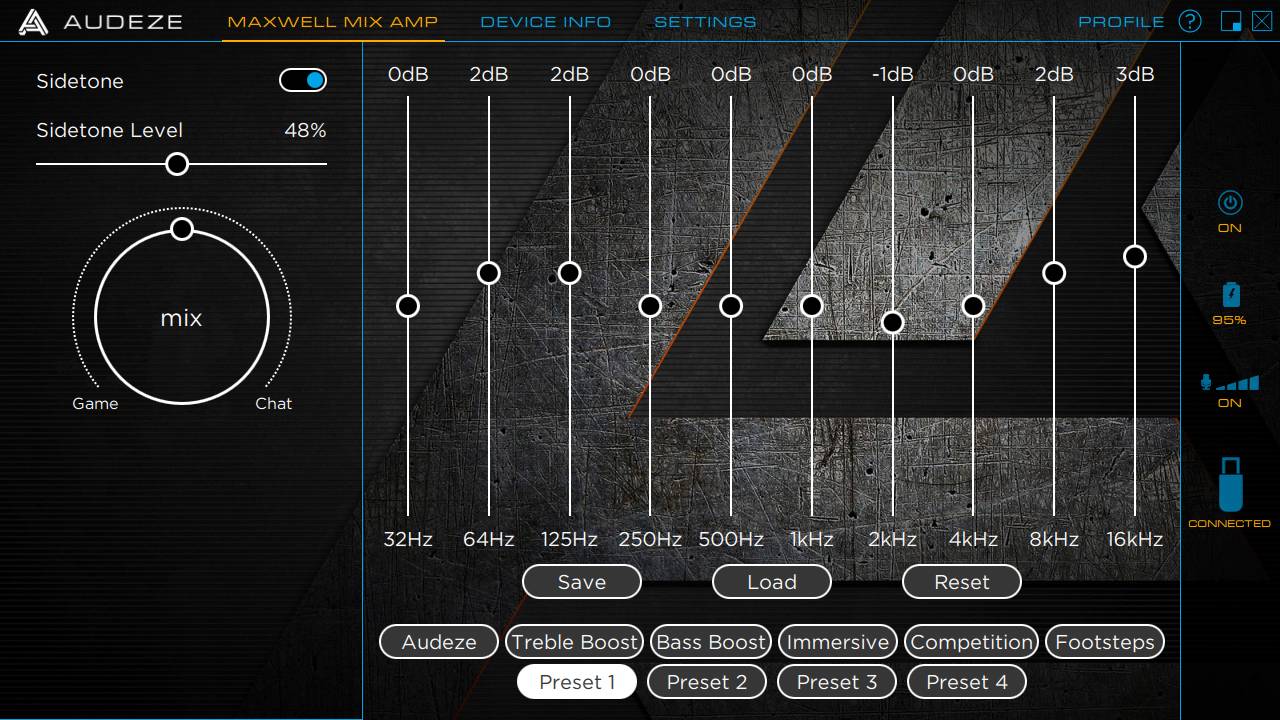
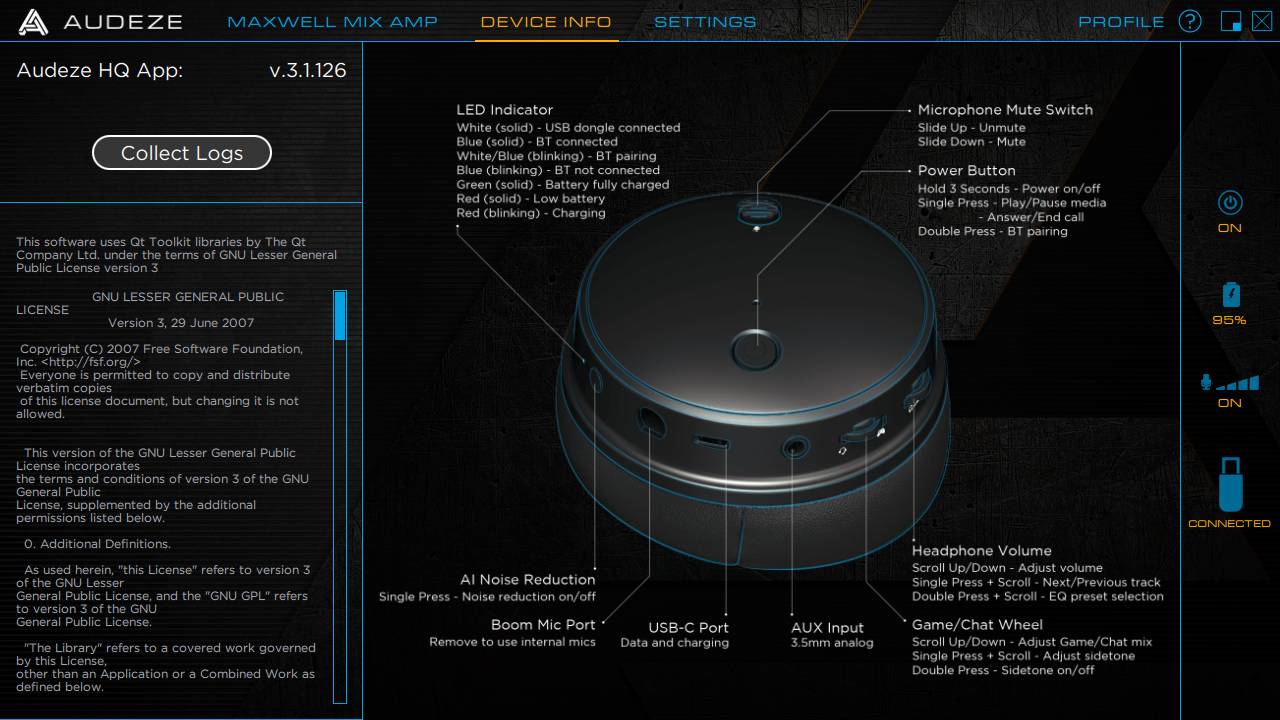
The Audeze app provides the ability to monitor and control various aspects of the headset. Power status, battery charge, volume level, and source are all continuously displayed on the right side column. The simple top menu provides access to the Maxwell Mix Amp, Device Info, and Settings.
The Mix Amp offers controls for Sidetone on/off and level, a visual game/chat mix control, and an equalizer with six presets: Audeze, Treble Boost, Bass Boost, Immersive, Competition, and Footsteps, plus four programmable presets.
Device Info displays the current software version and details, provides the ability to collect logs and details all of the controls and features of the headset.
The settings screen displays the current firmware versions of the headset and dongle, provides controls for auto shutdown, and setting the level for the voice prompts. Also found on this screen are the factory reset and driver reinstall buttons, as well as the volume limiter.
The Audeze App provides users with the necessary tools to fine-tune the Maxwell to their preferences and keep it up-to-date, but compared to other similar apps on the market, it appears relatively straightforward. Indeed, when compared to apps like SteelSeries GG with Sonar, the Audeze Maxwell lacks some depth. However, since it does not include RGB lighting, for instance, there is no need for the app to control and integrate with other hardware.
Dolby Atmos
The Xbox version of the Audeze Maxwell Wireless Gaming Headset includes a Windows 10/11 and Xbox license for Dolby Atmos, a surround sound technology that adds to existing surround sound systems by using audio processing algorithms to convert the Atmos object metadata into a binaural 360° output using the usual two headphone speakers.
Atmos can enhance both gameplay and video entertainment. Activating Atmos on the Xbox is done by selecting it in the audio settings after connecting the headset. On the PC, Atmos first needs to be downloaded and installed from the Microsoft Store, then launched after connecting the headset. In both cases, installation and activation were quick and simple.
Battery Life
The Audeze Maxwell has an 80-hour battery life. That is at least twice what most of the competitors offer. I have yet to deplete the battery completely, but when I did charge the unit, I found it very quick.
Specifications
Audio |
|
| Style | Over-ear (circumaural), closed-back |
| Transducer type | Planar Magnetic |
| Magnetic structure | Fluxor magnet array |
| Phase management | Fazor |
| Magnet type | Neodymium N50 |
| Diaphragm type | Ultra-Thin Uniforce |
| Transducer size | 90 mm |
| Maximum SPL | >120dB |
| Frequency response | 10Hz – 50kHz |
| THD | <0.1% (@ 1 kHz, 1mW) |
| Spatial Audio | Dolby Atmos (Xbox Version) Tempest 3D (PlayStation Version) |
| Weight | 490g |
Microphones |
|
| Boom Microphone | Detachable, Hypercardioid |
| Beamforming | Physical and AI noise reduction, Internal mic for chat |
Power |
|
| Battery type | Lithium-polymer, 1800mAh |
| Battery life | Over 80 hrs wireless playback @ 80dBA |
| Fast charge | USB-C, 5v 1.8 Amp max – 25% charge / 20min (Full charge 2hr) |
Connection |
|
| Wireless | Ultra-low-latency |
| Bluetooth: 5.3 | Supports: Multipoint, LE Audio, LC3, LC3plus, LDAC, AAC, SBC |
| Wired – Digital | USB-C with dual-audio endpoints and game-chat mix |
| Wired – Analog | 3.5mm TRRS active |
The Audeze Maxwell Wireless headset delivers studio-quality, audiophile-grade sound typically reserved for elite professional headsets, while seamlessly integrating the comfort and gamer-focused features that define a top-tier wireless gaming experience. Strongly recommended.
The Audeze Maxwell Wireless Gaming Headset sells for $329.00 (for the Xbox version); it is available directly from the manufacturer and other retailers, including Amazon.
Source: Manufacturer-supplied review sample
What I Like: Expansive soundstage and excellent sound imaging; Full, rich sound across the frequency spectrum; Build Quality; Excellent Cross Compatibility
What Needs Improvement: They are a bit heavy (but I wouldn’t change a thing)