


The Lowdown
After trying the Kwikset Halo Select Plus on a holiday home in Puerto Vallarta, it feels like an excellent smart lock for anyone managing a second home, vacation rental, or property from afar. It is extremely easy to install, simple to set up, and packed with practical app-based controls. The ability to remotely check lock status, manage access codes, review entry logs, use Vacation Mode, enable SecureScreen, and receive Google Home speaker alerts makes it reassuring in all the ways that matter when you cannot always be there in person.
Overall
Pros
- Extremely easy installation and setup
- Sleek, modern design with a hidden digital display
- Remote locking, unlocking, and status checks through the app
- Simple access code management for guests, cleaners, and service providers
- Real-time alerts and entry logs
- Useful security features including auto-lock, geofencing, SecureScreen, and Vacation Mode
- Matter, Apple Home, and Apple Home Key support
- Helpful Google Home speaker alerts
Cons
- Battery life still needs monitoring
- Wi-Fi, Bluetooth, geofencing, and auto-lock can affect battery performance
- Google Home support is useful but limited compared to Apple Home
- The $309 price may feel high for some buyers
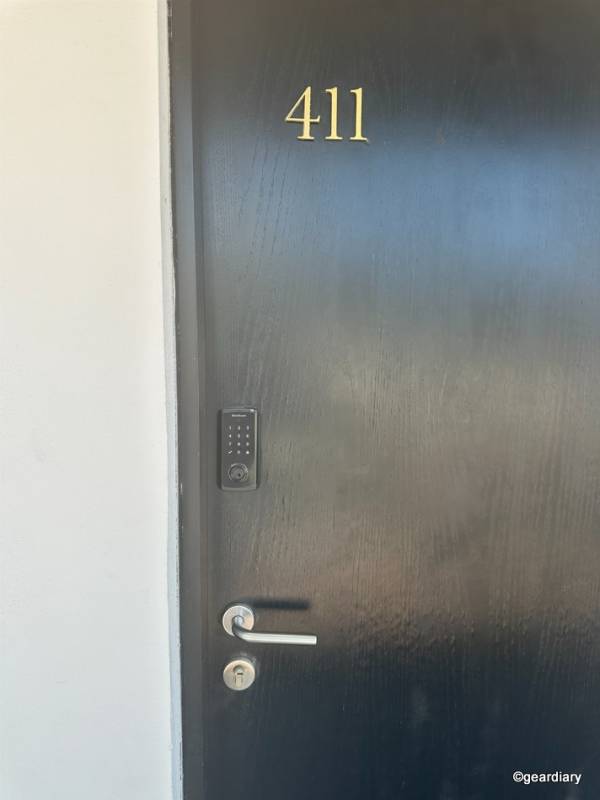
Smart locks make sense anywhere, but they become especially useful when you are managing a home you are not in every day. That is why we gave the Kwikset Halo Select Plus a try on a holiday home in Puerto Vallarta, where secure keyless entry, remote monitoring, and simple access control were not just nice-to-have features; they were genuinely needed. Guests, cleaners, friends, and maintenance teams may all need access while you are away, and spare keys or lockboxes are never the most elegant, secure, or easy-to-manage solution.
Installation and Setup
The first thing that stood out was how easy the Halo Select Plus was to install. Kwikset’s setup guides made the process simple from start to finish, and the physical installation took less than 15 minutes, even for this not-so-handy reviewer.
The app setup was equally straightforward, clearly walking us through the connection and configuration steps. Pairing the lock via Bluetooth and connecting it to the home’s Wi-Fi was simple and fast. One setup detail worth noting is that the Halo Select Plus works with 2.4GHz Wi-Fi only, not 5GHz. That is common with smart home devices, but it is something worth checking before installation, so you are not standing at the door wondering why your shiny new smart lock is being fussy.
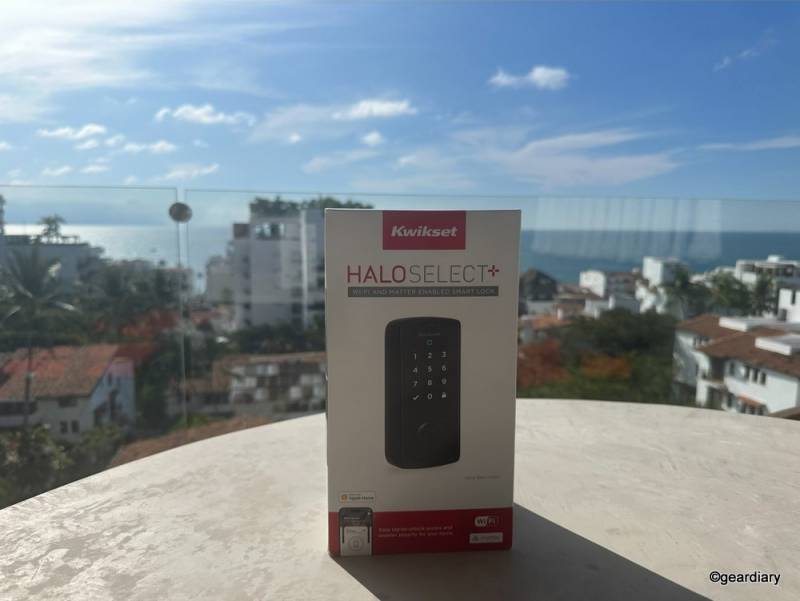
While we tested a single lock, the app also supports more complex setups. Multiple locks within the same home, such as front and back doors, can be installed and controlled from the app. Locks in multiple homes or different locations can also be managed individually, in one place, and from one account.
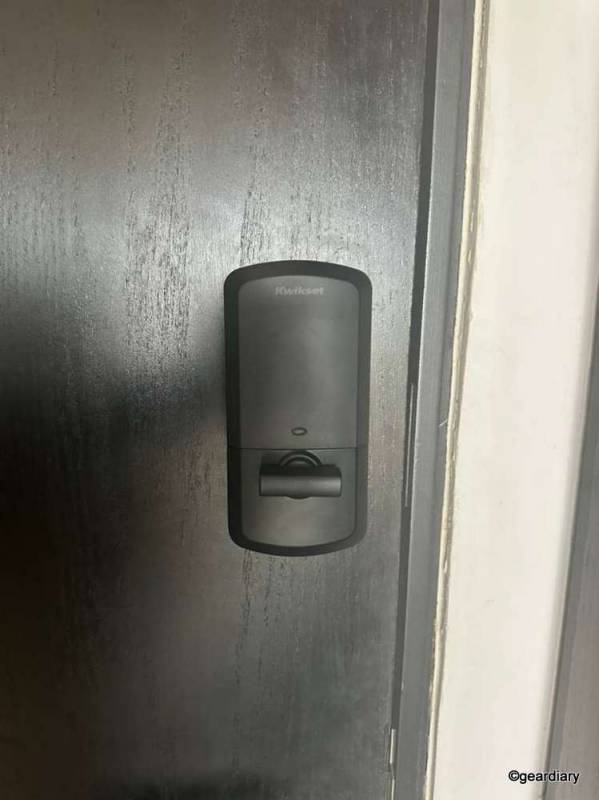
The lock itself is sleek and elegant. On our black door, it looked almost seamless. Unlike some smart locks that have bulky, overly techy-looking keypads, the Halo Select Plus has a clean digital display that remains hidden until activated. The result is a lock that looks modern without screaming “smart home gadget.”
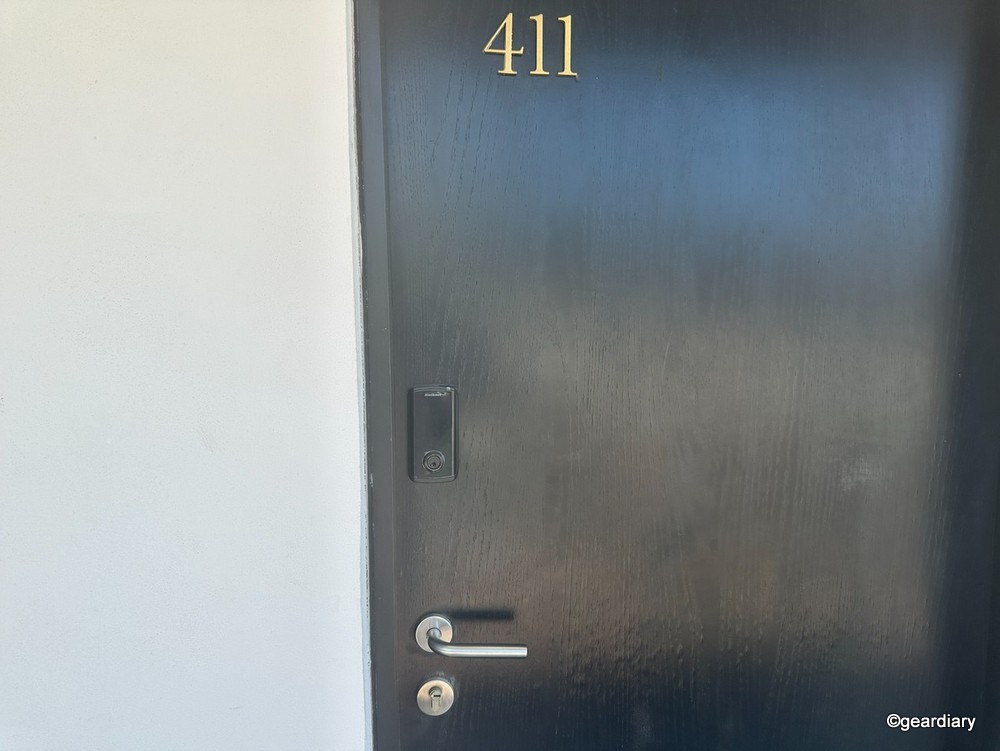
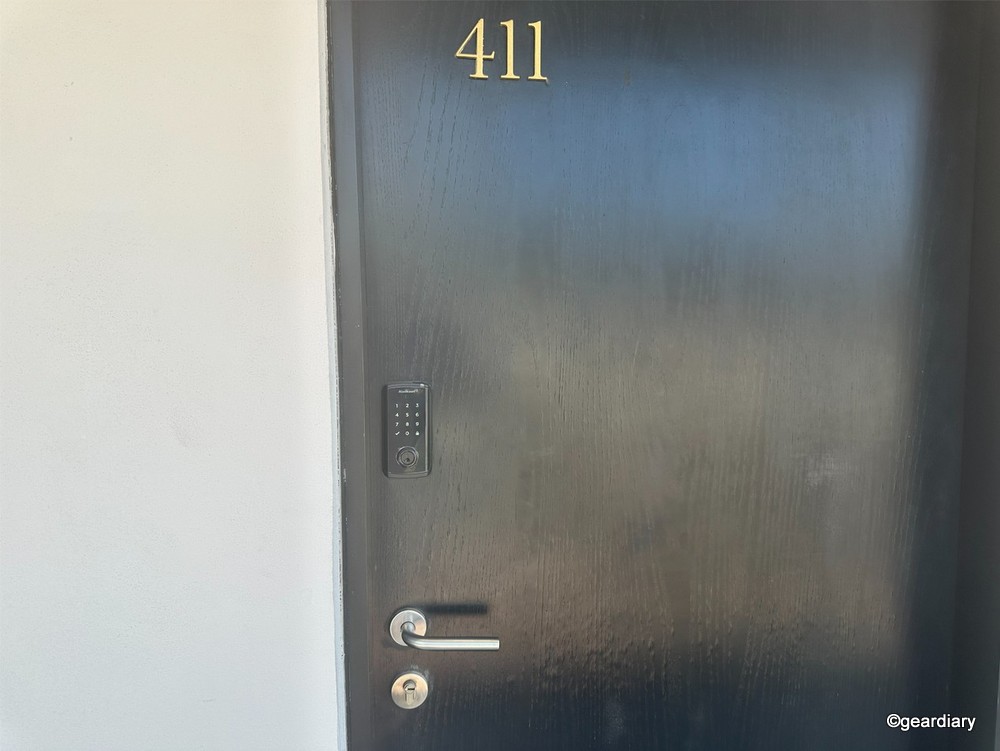
The touchscreen is also designed for real-world use. It is bright, backlit for day or night code entry, and rated to resist UV exposure, water, and humidity. That matters anywhere, but it matters even more in a holiday home in a sunny, humid, seaside environment.
Simple to Use, Smarter to Control
Once installed, the app and the lock’s advanced functionality are where the Halo Select Plus becomes especially useful. From the Kwikset app, you can lock and unlock the door remotely, check the current lock status, and confirm whether the door is secure without needing to be physically there.
That alone is a huge benefit when you are away from the property and want peace of mind.
Access management is another major advantage. Instead of handing out keys, you can create and manage entry codes for different people. Guests, friends, cleaners, and service providers can each have their own code, and access can be set for ongoing use or limited to specific times. The Halo Select Plus supports up to 250 temporary, scheduled, or permanent access codes, which is far more than most households will ever need but exactly the kind of capacity that makes sense for a vacation home, rental property, or shared space. When access is no longer needed, you can remove or update it from the app.
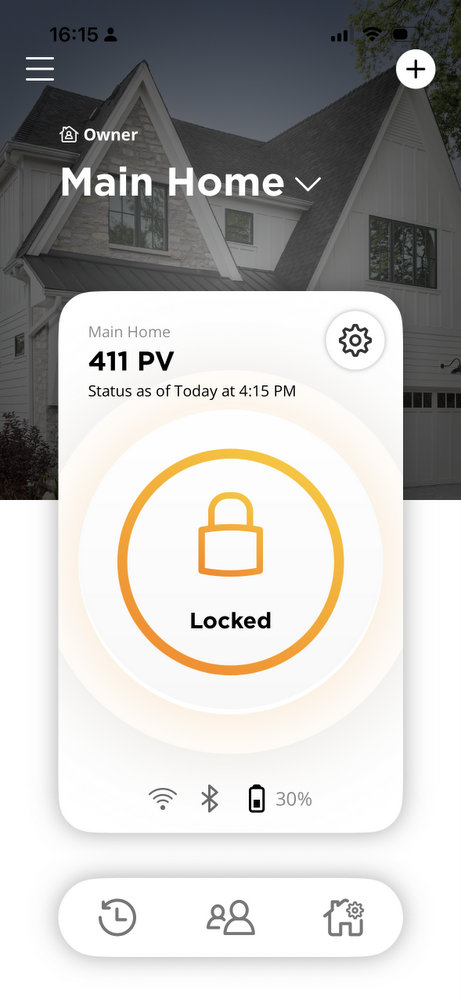
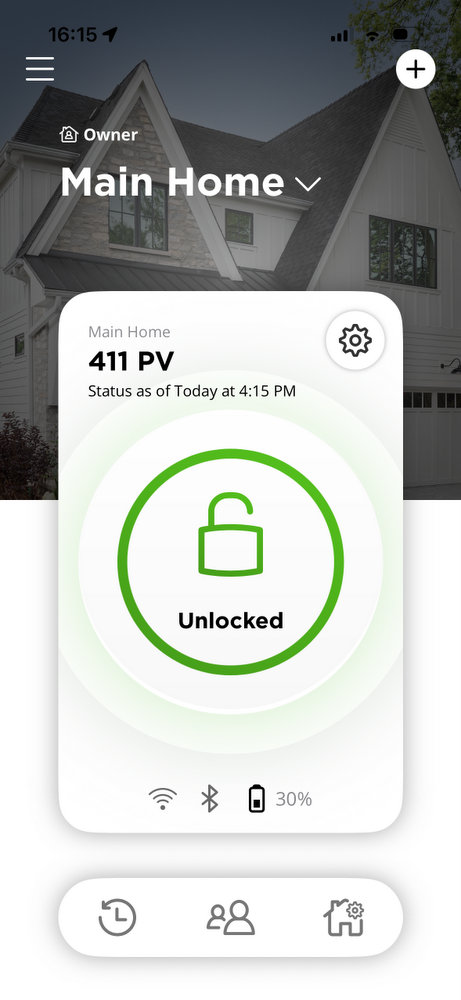
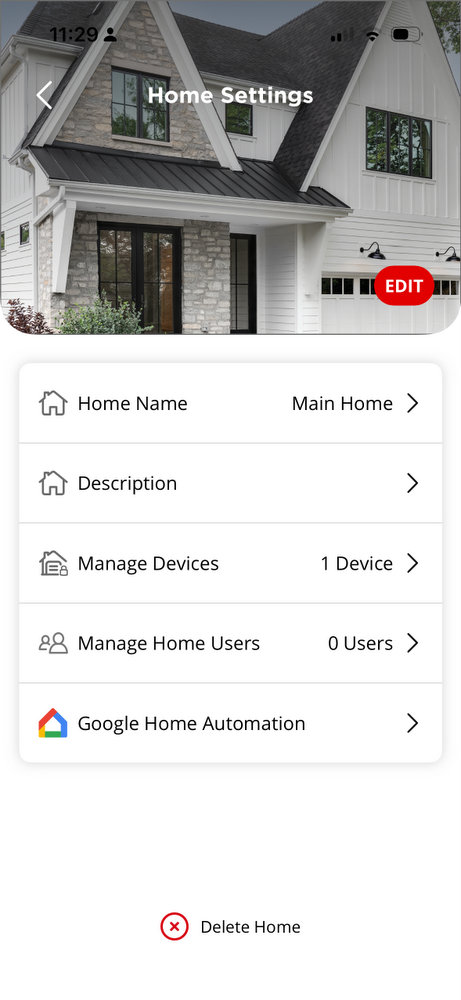
It is cleaner, safer, and much easier than tracking physical keys.
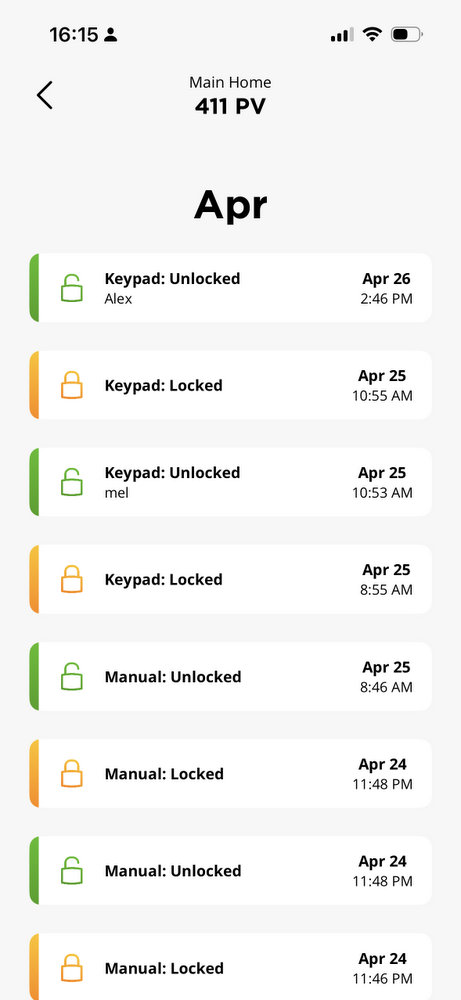
The app can be set to provide real-time alerts, instantly telling you when the lock is opened and closed. It also provides entry logs, so you can see when the lock has been used and by whom. For a holiday home, that is incredibly practical. You can confirm when a cleaner arrived, when a guest checked in, or whether a maintenance person accessed the property as expected. It removes the guesswork and gives you a clear record of activity.
The Halo Select Plus also includes a slim door sensor that can detect whether the door is actually closed or left ajar. That is an important distinction because a locked deadbolt does not help much if the door itself was not fully shut. If the door is left open for 15 minutes, the lock can send an alert to your phone. For a remote property, that is the kind of notification you hope you never need, but you will be very glad to have if you do.
Security and Door Functionality
From the app, you can control several features that improve both convenience and security.
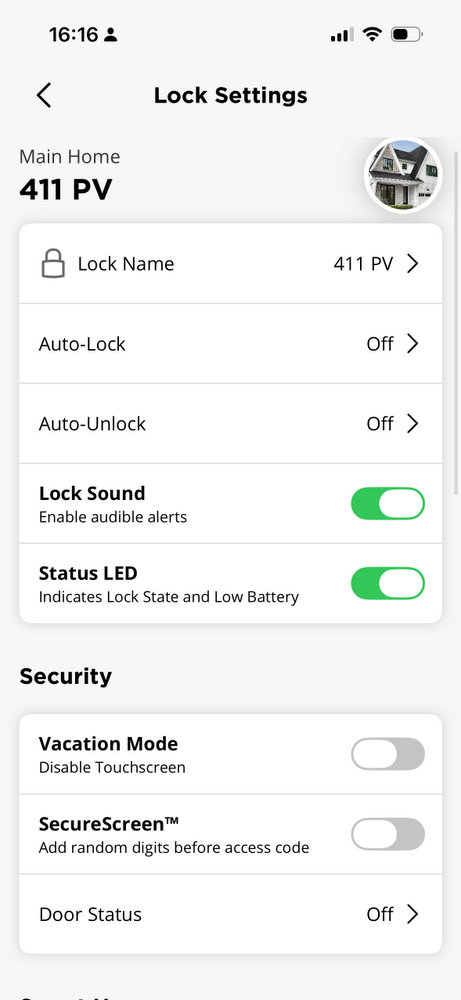
The auto-lock function helps protect against accidentally leaving the home unsecured. Instead of needing to press a physical button or remember to lock the door manually, the Halo Select Plus can be set to lock automatically after the door has been closed for a defined amount of time. It can also use geofence location-based technology as part of its auto-lock and auto-unlock functionality.
The lock supports geofencing when paired with your phone, allowing it to respond based on your location. For example, it can help automate the experience as you come and go, including unlocking as you approach the door. That is especially handy when you are carrying groceries, beach bags, luggage, or anything else that makes fumbling for keys inconvenient.
SecureScreen is another thoughtful feature. Instead of entering your code directly onto a clean keypad, the lock first asks you to touch random digits before entering the actual access code. This helps reduce the risk of someone guessing your code based on fingerprint smudges or wear patterns on the touchscreen. It is a small detail, but for a lock on a holiday home where different people may be coming and going, it adds a welcome extra layer of protection.
Vacation Mode is also particularly useful for a second home or for times when you are leaving a primary home empty for an extended period. It lets you temporarily disable the touchscreen keypad, preventing user codes from being used while you are away or when you want to restrict keypad access.
Kwikset also lists intrusion detection among the Halo Select Plus’s security features, including alerts for invalid code attempts or lock tampering. That is another useful layer for a property you may not be able to check on in person every day.
Although the whole point of a smart lock is to make keys less necessary, the Halo Select Plus also includes two physical keys as a backup. It also includes Kwikset’s SmartKey Security, which is designed to resist advanced break-in techniques such as bumping and picking and allows you to re-key the lock yourself. For a vacation home, rental, or any property where keys may have been shared over time, that flexibility is genuinely useful.
Kwikset says the Halo Select Plus meets BHMA Grade AAA standards and carries a UL 20-minute fire rating. Those are not flashy features, but they matter. Smart features are useful, but this is still a deadbolt, and it needs to behave like one.
Smart Home Integration: Matter, Apple Home, Alexa, Google Home, and SmartThings
One of the biggest upgrades with the Kwikset Halo Select Plus is that it is not just a standalone smart lock; it is designed to work as part of a broader smart home setup, and multiple locks can be integrated into a single home.
The lock supports Matter, the universal smart home standard designed to make connected devices work more easily across different platforms. Rather than locking you into one ecosystem, Matter helps the Halo Select Plus communicate with compatible smart home systems in a more standardized way. That makes it easier to use the lock alongside other connected devices, such as lights, cameras, thermostats, and sensors.
Wi-Fi and Matter are both built into the lock, and users can choose the connectivity approach that best fits their setup and preferred features. Wi-Fi allows remote access without requiring a separate hub, while Matter connectivity works via Thread. Thread can offer lower power consumption, local control, and mesh networking, depending on the rest of your smart home setup. In plain English, Thread is designed to let compatible devices talk to each other more reliably and locally, instead of relying entirely on your Wi-Fi network for everything.
For Apple users, the Halo Select Plus works with Apple Home, allowing the lock to be added to the Apple Home app and controlled alongside other compatible devices. You can check lock status, lock or unlock the door, and include it in Apple Home scenes and automations. For example, a “Leaving Home” scene could lock the door, turn off the lights, and adjust the thermostat.
The lock also supports Apple Home Key, which is one of its slickest features. With a compatible iPhone or Apple Watch, you can unlock the door by tapping your device, making entry feel more like using Apple Pay than a traditional key. This tap-to-unlock feature is exclusive to Apple Home Key, but Android users can still use the Kwikset app for remote access, geofencing, access codes, and smart home connectivity through compatible systems.
The Halo Select Plus also works with Amazon Alexa, Google Home, and SmartThings. With compatible setups, you can use voice control, include the lock in home automations, and manage it alongside other smart home devices. Alexa or Google Home automations, for example, can be used to help make sure the door locks at night.
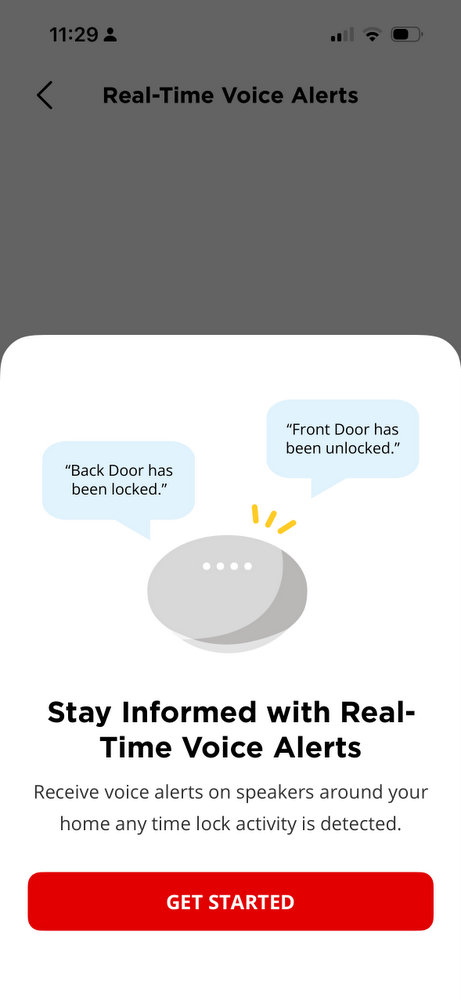
For Google Home users, it is worth being precise. The Halo Select Plus can connect with Google Home, but at the time of testing, the most useful confirmed Google Home feature we used was real-time audio alerts through connected Google speakers. When the lock is activated, a Google speaker can announce activity, such as “Back door has been locked” or “Front door is locked.”
That is not the same as saying we fully tested every possible Google Home automation, but it was still useful. For a holiday home or shared property, audible in-home alerts can make lock activity more visible without requiring everyone to check the app.
Battery Life
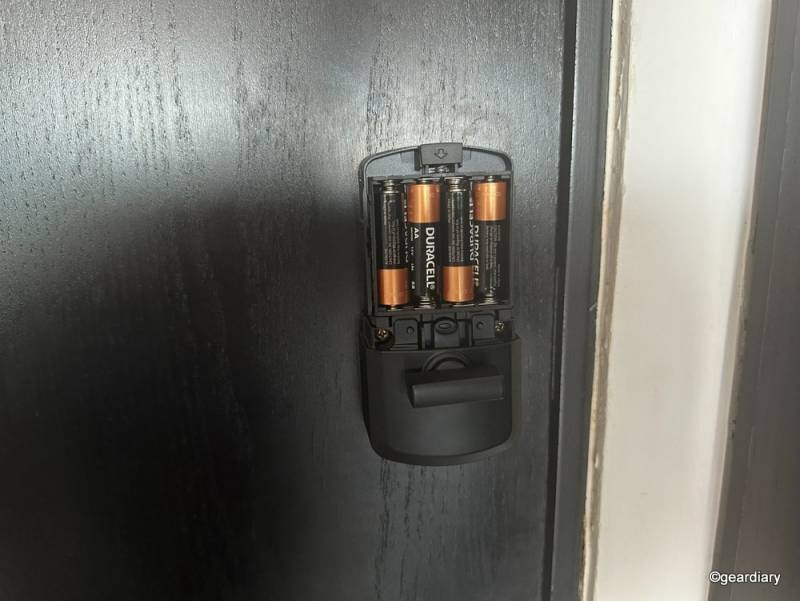
The Halo Select Plus is powered by four AA batteries, and four Duracell AA alkaline batteries are included in the box. They are easy to access and replace thanks to a convenient internal battery case that clicks in and out of the lock. Kwikset recommends alkaline batteries for consistent and reliable power.
Battery life remains one of the main considerations with any connected smart lock. Because the Halo Select Plus can connect over Wi-Fi and Bluetooth and supports advanced features such as geofencing, auto-unlock, auto-lock, Matter, and app alerts, battery performance will depend heavily on how you use it.
In our testing, battery life was better than the previous model, but it was still something to keep an eye on. We averaged around four months of use, though that may have been affected by the testing environment. Puerto Vallarta’s tropical seaside climate can be tough on electronics and batteries in general.
That said, the Halo Select Plus is designed for challenging environments. Kwikset rates the exterior portion for temperatures from -40°F to 150°F and up to 100% condensing humidity. The interior portion is rated from 32°F to 130°F and 30% to 95% non-condensing humidity. Those ratings are reassuring, especially for a lock installed somewhere hot, humid, cold, or exposed to changing weather.
The good news is that the app and email alerts warn you well before the batteries fail. For a remote property, that early warning is essential. You do not want the first sign of a battery issue to be someone standing outside the door.
The Bottom Line
After trying the Kwikset Halo Select Plus on a holiday home in Puerto Vallarta, it feels like an excellent smart lock for anyone managing a second home, vacation rental, or property from afar.
It is extremely easy to install, simple to set up, and packed with practical app-based controls. The ability to remotely check lock status, manage access codes, review entry logs, use Vacation Mode, enable SecureScreen, receive door-ajar alerts, and use intrusion and tamper notifications makes it reassuring in all the ways that matter when you cannot always be there in person.
The smart home support is also strong. Apple users get the especially convenient Apple Home Key tap-to-unlock feature, while Matter, Thread, Alexa, Google Home, and SmartThings compatibility make the lock more flexible across broader smart home setups. Google Home functionality was more limited in our testing than Apple Home functionality, but even the speaker alerts were useful for making lock activity more visible inside the home.
Battery life is still something to monitor, and the $309 price puts the Halo Select Plus firmly in premium smart lock territory. Even so, it looks good, works well, and solves real problems. For a primary home, second home, or remote holiday property, that is exactly what a smart lock should do.
You can learn more by clicking here.
The Kwikset Halo Select Plus sells for $309; it is available online at Amazon.
Source: Manufacturer-supplied review sample
What I Like: Extremely easy installation and setup; Sleek, modern design with a hidden digital display; Remote locking, unlocking, and status checks through the app; Simple access code management for guests, cleaners, and service providers; Real-time alerts and entry logs; Useful security features including auto-lock, geofencing, SecureScreen, and Vacation Mode; Matter, Apple Home, and Apple Home Key support; Helpful Google Home speaker alerts
What Needs Improvement: Battery life still needs monitoring; Wi-Fi, Bluetooth, geofencing, and auto-lock can affect battery performance; Google Home support is useful but limited compared to Apple Home; The $309 price may feel high for some buyers