


The Lowdown
The CHERRY XTRFY K33 is a nice-looking, compact keyboard with a few standout features that help it carve out its own lane. The IP54 dust and splash resistance is genuinely useful, the tri-mode connectivity is versatile, and the RGB lighting with underglow looks great on a desk. The 75% layout is also a strong choice for anyone who wants a smaller footprint without giving up too much functionality.
Overall
Pros
- Compact 75% layout
- IP54 dust and splash resistance
- Tri-mode connectivity with wired, Bluetooth, and 2.4 GHz support
- Easy-to-access RGB lighting controls on the function row
- Looks great on a desk, especially with the RGB underglow
Cons
- Memchanical switches feel softer and mushier than a true tactile mechanical switch
- No included keycap or switch puller
- Switches are not replaceable
- No dedicated volume knob
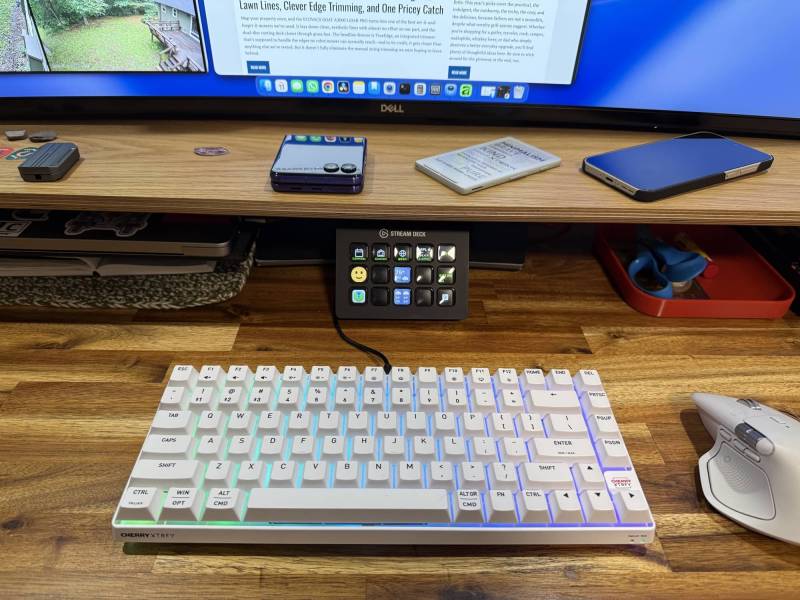
The CHERRY XTRFY K33 has a feature that instantly stands out in a crowded mechanical keyboard market. It is a compact 75% gaming keyboard with an IP54 rating for dust and splash resistance. That alone makes it a little unusual. Add tri-mode wireless connectivity, RGB lighting, Mac and Windows support, and CHERRY’s so-called memchanical switches, and this keyboard starts to feel like a product with its own personality. I spent some time looking over the design, checking out the key layout, testing the lighting, and getting a sense of how the hybrid switches feel in everyday use.
What Is It?
The CHERRY XTRFY K33 is a compact 75% gaming keyboard with tri-mode connectivity, RGB lighting, Mac and Windows compatibility, and IP54 dust and splash resistance. Its most unusual feature is its hybrid switch design, which combines membrane and mechanical elements.
What’s Included?
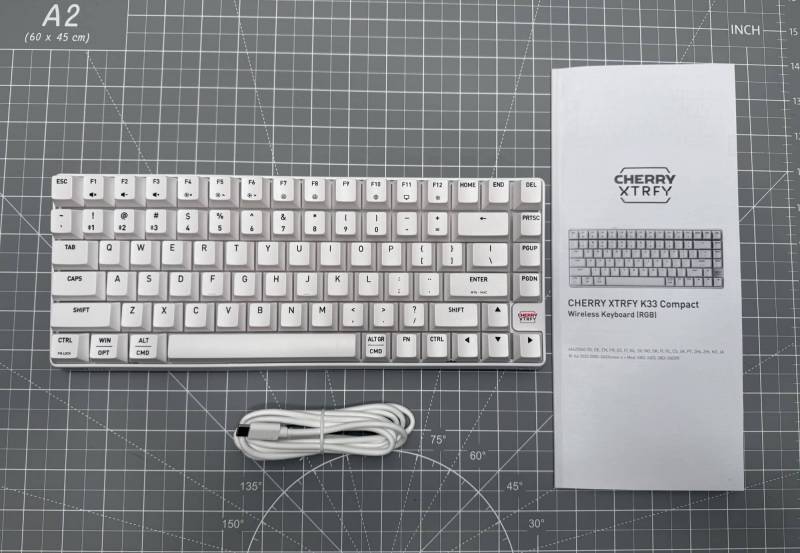
- CHERRY XTRFY K33 keyboard
- USB-A to USB-C cable for charging and wired use
- Manual with multiple language sections
- CHERRYSticker (not shown)
One thing missing from the box is a keycap or switch puller. That matters because many keyboard enthusiasts expect one, especially when they want to inspect or customize the board. That said, you won’t be able to do much customization with the K33 due to its unique switches.
First Impressions
The CHERRY XTRFY K33 makes a strong first impression as soon as you see the packaging. The IP54 badge is prominently displayed, indicating that CHERRY wants durability to be part of the story. That rating means the keyboard is built to resist dust and light splashes, so an accidental RedBull spill during an especially intense gaming session is less likely to become a disaster.
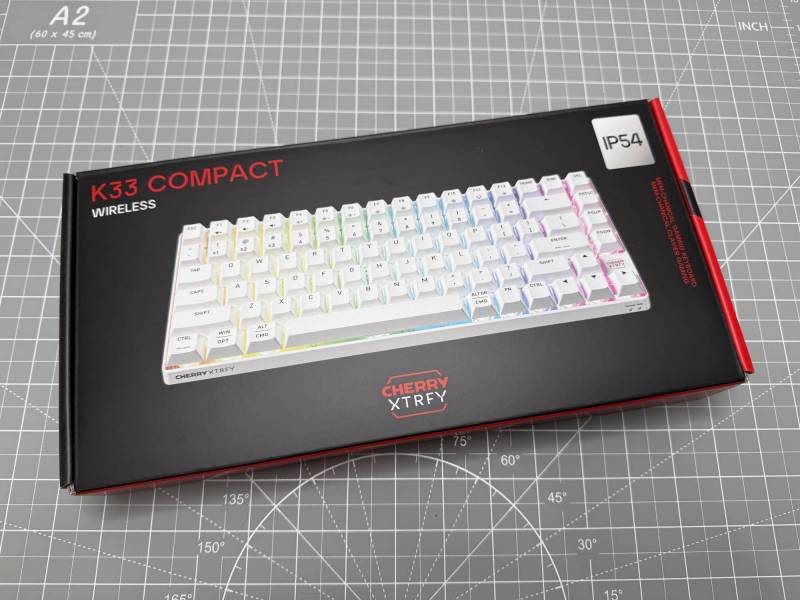
I received the white version, though it also comes in black. White is a smart choice if you prefer a cleaner-looking desk over time, since dust tends to be less obvious on lighter gear.
Design and Layout
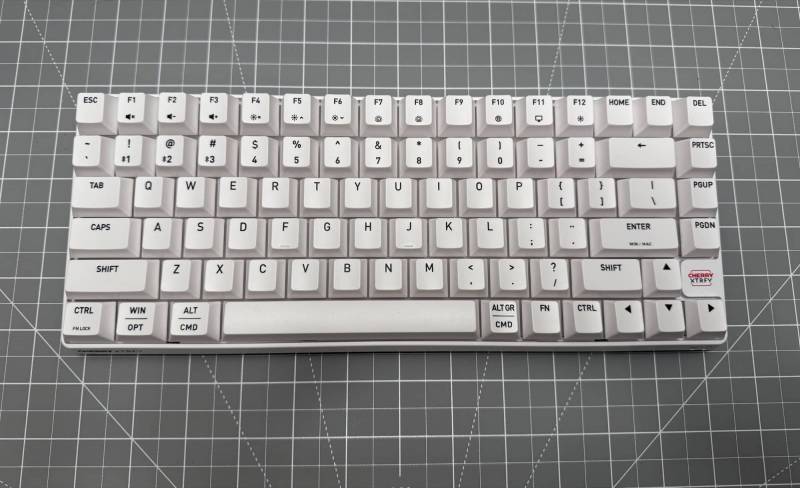
This is a 75% keyboard, which is a sweet spot for a lot of people, including myself. You get a compact footprint that saves desk space while still keeping the dedicated function row and several navigation keys. It looks neat, and far less cramped than smaller layouts that strip away too much.
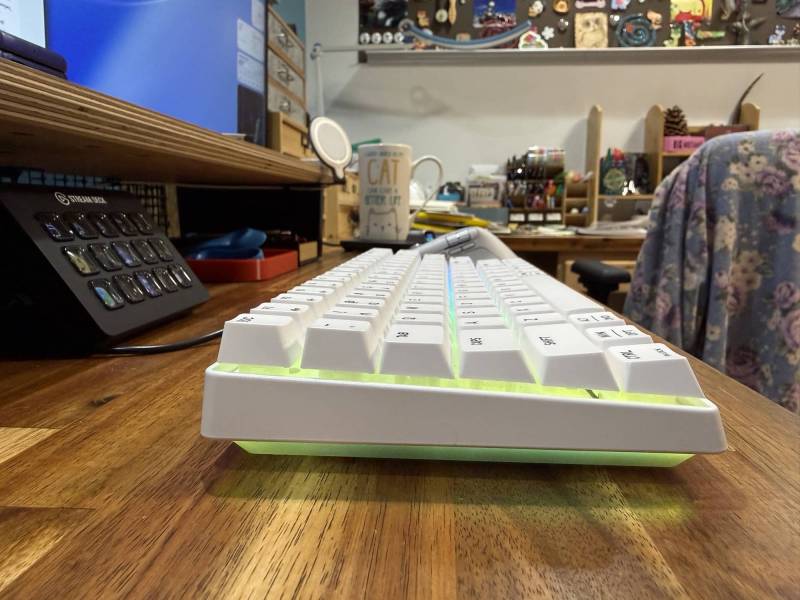
The overall design is simple and clean. There are several CHERRY XTRFY logos around the board, so branding is definitely not subtle, but the keyboard itself looks good on a desk. The case has a translucent quality around the lower section that helps the RGB underglow stand out more once powered on.
There is no volume knob, which disappointed me and anyone who likes dedicated analog controls for audio. Instead, volume and mute are handled through function-row shortcuts. The good news is that the lighting controls are also placed on the function row, making them much easier to access than the hidden, memorize-the-combo approach most keyboards use. Don’t you just hate having to break out the manual to change the lighting effects, or usually, in my case, just to turn them off?
Connectivity and Hardware Details
The CHERRY XTRFY K33 supports three connection methods:
- Bluetooth
- 2.4 GHz wireless with the included dongle
- Wired USB-C
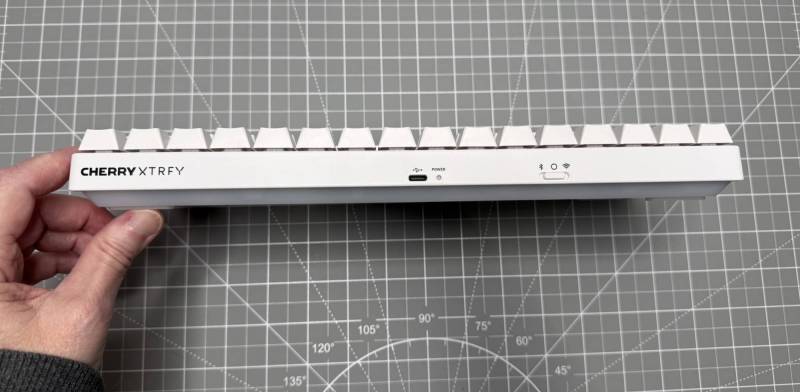
Along the back edge there is a physical selector switch to change connection modes, a USB-C port, and a power indicator LED. CHERRY also includes a small protective cover for the USB-C port. That likely helps preserve the splash-resistant design when the keyboard is being used wirelessly.
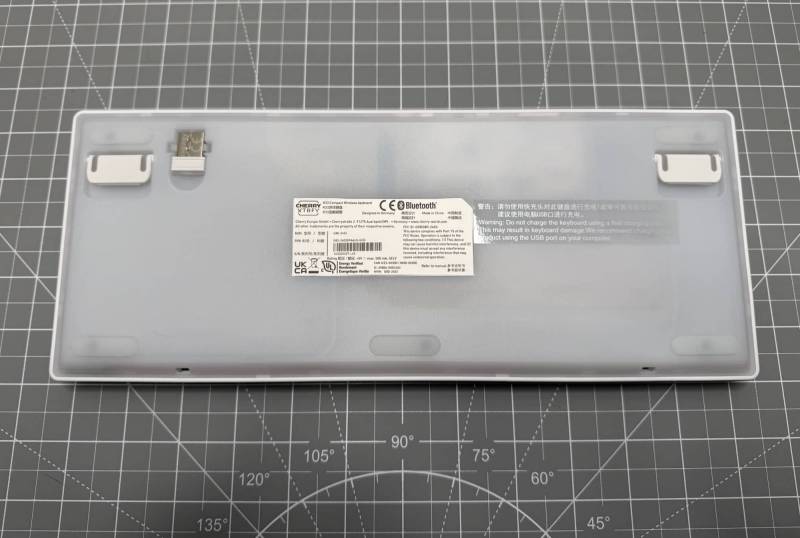
Flip the keyboard over, and you will also find folding feet for a steeper typing angle. The wireless dongle also stores neatly on the underside, which is always appreciated.
Mac and Windows Support
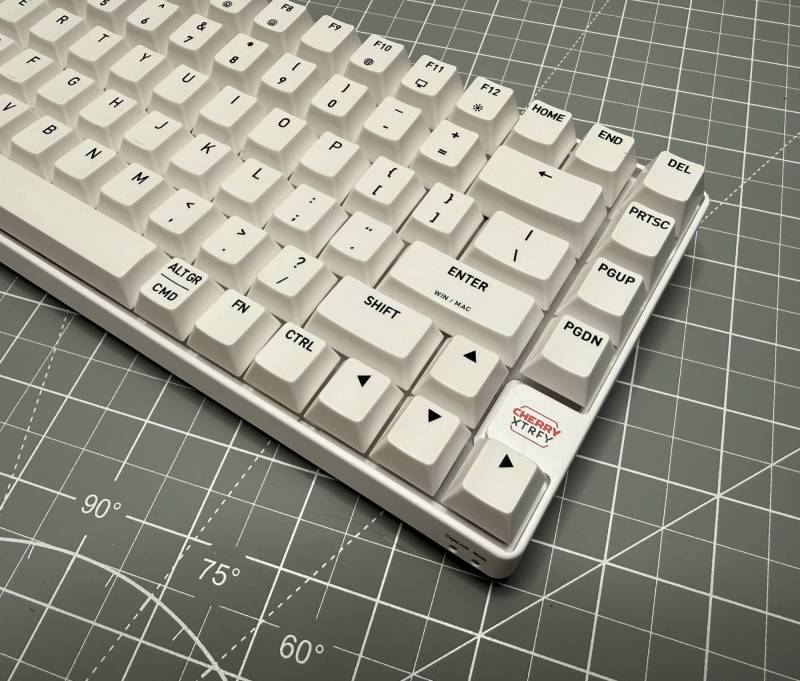
The CHERRY XTRFY K33 is set up to work with both Mac and Windows. The legends on several keys show dual labeling, including Mac-specific option and command markings alongside Windows labels. The Enter key even hints at support for platform switching, so the keyboard is clearly designed to live in either ecosystem.
In practice, that makes this keyboard more flexible than gaming-first models that treat Mac support like an afterthought.
The Unusual Part: Memchanical Switches
This is where the XTRFY K33 gets interesting. CHERRY describes the switches as memchanical, meaning they blend membrane and mechanical characteristics. That sounds intriguing on paper, especially for anyone wondering whether CHERRY has found a middle ground between soft membrane boards and crisp mechanical switches.
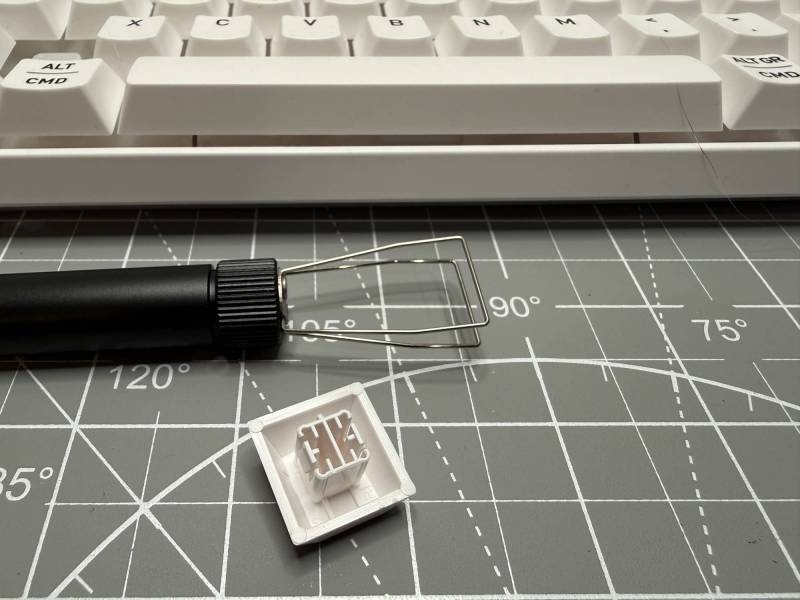
After removing a keycap, it becomes clear this is not a standard mechanical setup. The keycap stem is nonstandard, and the switch beneath it is not hot-swappable. Pressing into the mechanism reveals a soft, rubbery membrane feel under the cap. So while the board may look mechanical from the outside, the internal feel leans more toward a cushioned membrane action than a classic mechanical switch.
That means two things:
- You should not expect easy switch customization or replacement.
- You should not expect the crisp tactile response many mechanical keyboard fans are chasing.

RGB Lighting and Underglow
Once connected, the RGB lighting becomes one of the keyboard’s best features. The CHERRY XTRFY K33 does not just light the keys. It also produces a glow beneath the case, giving it a more dramatic desktop presence than standard per-key backlighting alone.
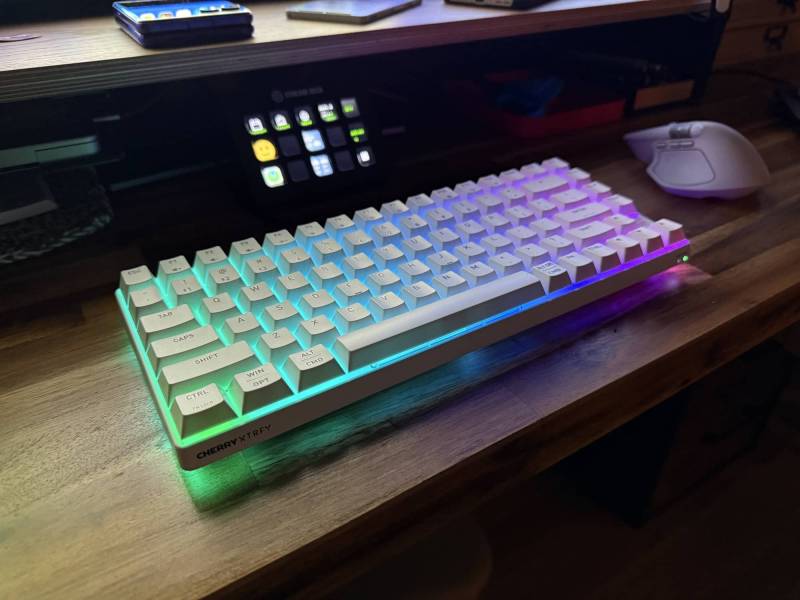
The lighting controls are easy to access directly from the function row, which is a nice feature. You can cycle through effects or turn lighting off without hunting through a manual for strange multi-key combinations.
Be sure to check out the video below to see me cycle through the effects.
Typing Feel and Sound
In actual use, the CHERRY XTRFY K33 is pleasant enough, but the typing experience depends heavily on what you like. If you are coming from laptops or softer membrane keyboards, the feel should be comfortable enough for daily use. If you are used to tactile mechanical boards, the switches will probably feel softer and less defined than you want.
The keys provide a more cushioned response than a crisp mechanical snap. That softer action is really the core tradeoff here. It is not terrible. It is simply not especially satisfying if your fingers are accustomed to stronger tactile feedback.
Living With It for a Week
After more extended use, the strengths and weaknesses become easier to separate.
The 75% size remains one of the biggest wins. It kept my desk looking uncluttered while functional. The keyboard also earns points for being straightforward. There is no learning curve for basic lighting adjustments, and the tri-mode connectivity adds flexibility, whether you prefer cable, Bluetooth, or the included 2.4 GHz dongle. I personally use it wired, so I don’t have to worry about charging it. I did test all three modes and had no problems with latency or response.
On the other hand, the hybrid switch feel remains the sticking point. For anyone who loves mechanical keyboards specifically for their tactile character, this board may not be the right fit. The softness that makes it comfortable and protected from dust and splashes also makes it feel a little mushy compared to a good tactile mechanical switch.
See and Hear it in Action

Final Thoughts
The CHERRY XTRFY K33 is a nice-looking, compact keyboard with a few standout features that help it carve out its own lane. The IP54 dust and splash resistance is genuinely useful, the tri-mode connectivity is versatile, and the RGB lighting with underglow looks great on a desk. The 75% layout is also a strong choice for anyone who wants a smaller footprint without giving up too much functionality.
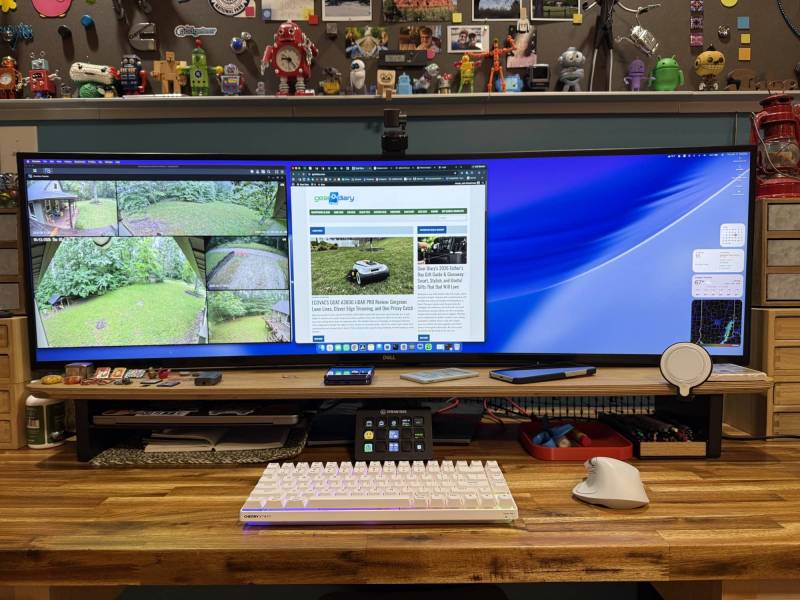
The biggest question is whether you will like the memchanical switches. That hybrid design is the most distinctive part of the keyboard, but also the most divisive. If you want a traditional tactile mechanical feel, this probably will not be your favorite. If you care more about compact size, gaming-style features, and a keyboard that can better survive everyday accidents, the K33 may be worth a look.
In short, this is a solid compact gaming keyboard, even if it does not quite win over someone who strongly prefers true mechanical switches.
The CHERRY XTRFY K33 retails for $59.99; it is available directly from the manufacturer and other retailers, including Amazon.
Source: Manufacturer-supplied review sample.
What I Like: Compact 75% layout; IP54 dust and splash resistance; Tri-mode connectivity with wired, Bluetooth, and 2.4 GHz support; Easy-to-access RGB lighting controls on the function row; Looks great on a desk, especially with the RGB underglow
What Needs Improvement: Memchanical switches feel softer and mushier than a true tactile mechanical switch; No included keycap or switch puller; Switches are not replaceable; No dedicated volume knob