


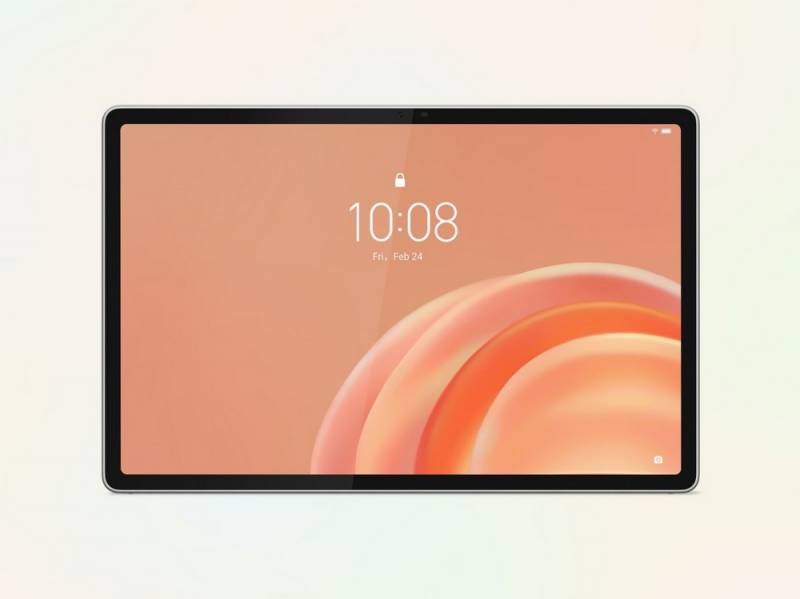
The Lenovo Tab Plus Gen 2 is Lenovo’s latest attempt to answer a question plenty of households already wrestle with: why keep a tablet, a Bluetooth speaker, a recipe screen, and a casual movie-night display scattered around the house when one device might handle most of it? Announced today, this entertainment-focused Android tablet pairs a 12.1″ 2.5K display with a nine-speaker JBL system, a rotating kickstand, and a starting price of $399.99. It’s not trying to replace a laptop so much as make the shared-screen tablet feel less like an afterthought.
A Tablet Built Around Sound First
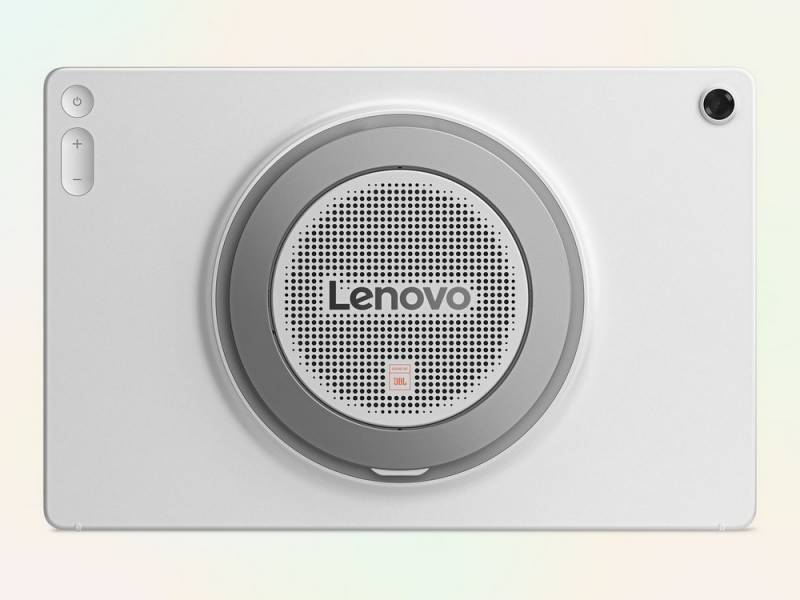
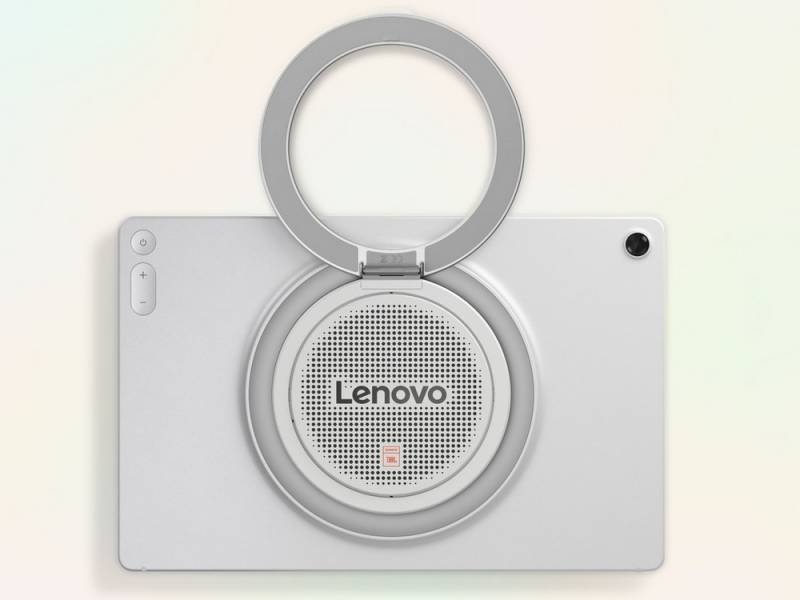
Most tablets treat speakers as an obligation rather than a feature. The Lenovo Tab Plus Gen 2 takes a different approach with a JBL nine-unit Pro Speaker System tuned with Dolby Atmos. Dolby Atmos is designed to create a wider, more spacious sound field, so dialogue, music, and effects can feel less trapped inside the tablet’s frame.
That matters if you regularly watch shows while cooking dinner, stream a movie in bed, or use a tablet as the unofficial entertainment screen on a trip. Tablet audio is often fine when you’re sitting right in front of the device, but it can get thin fast once there’s kitchen noise, a humming air conditioner, or more than one person trying to hear it. Lenovo is clearly aiming this tablet at the person who wants better sound without also dragging a separate speaker around the house.
The built-in Bluetooth speaker mode is one of the more practical additions. It lets the tablet work as a standalone speaker for audio coming from another device, such as your phone. That means you could start a playlist or podcast on your phone and play it through the tablet’s larger speaker system without switching your whole setup. It’s a small thing, but it’s the kind of small thing that tends to decide whether a device gets used daily or left on the coffee table looking expensive and mildly guilty.
For more control, the tablet also includes Dolby Audio processing with Dynamic, Movie, and Music modes. Those modes adjust the sound based on what you’re playing, so a movie, a playlist, and a podcast don’t all get treated exactly the same.
The Display Is Bigger, Brighter, and Better Suited for Shared Viewing
The Lenovo Tab Plus Gen 2 has a 12.1″ 2.5K LCD display with a 120Hz refresh rate, 249 pixels per inch, Dolby Vision, and HDR10 support. A 2.5K resolution sits above Full HD but below 4K, so the goal is sharper text and cleaner video without pushing the price or battery demands into laptop-replacement territory.
Dolby Vision and HDR10 are both high-dynamic-range formats, meaning compatible video can show a wider range between bright and dark areas. That can make scenes look more detailed, especially in shadowy movies where lesser screens tend to turn everything into a murky soup. Since this is still an LCD panel rather than OLED, it shouldn’t be expected to deliver the same deep blacks as premium OLED tablets, but the brightness spec is useful.
The display can reach up to 800 nits in High Brightness Mode. Nits measure screen brightness, and 800 is helpful if you’re using the tablet near a window, outside on a patio, or in the back seat of a car where sunlight has a talent for appearing at the most annoying possible angle.
A Kickstand That Makes the Tablet Less Fussy
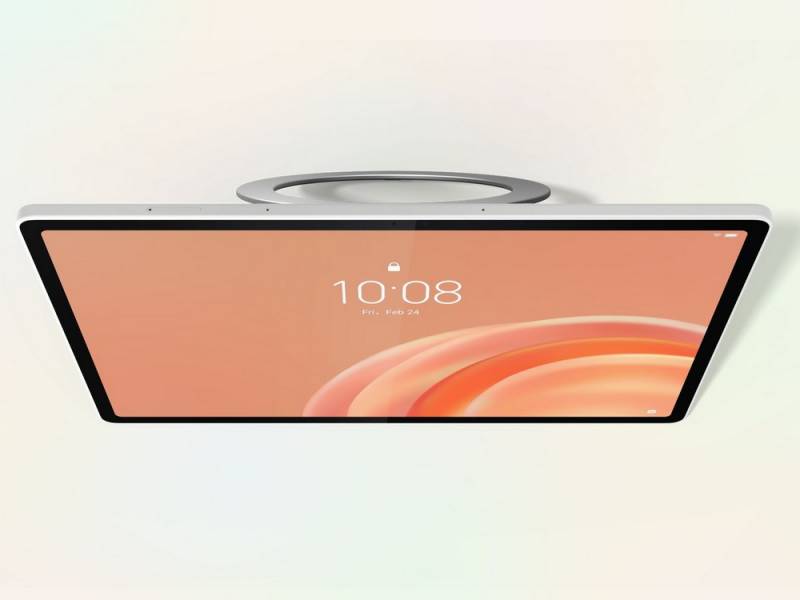
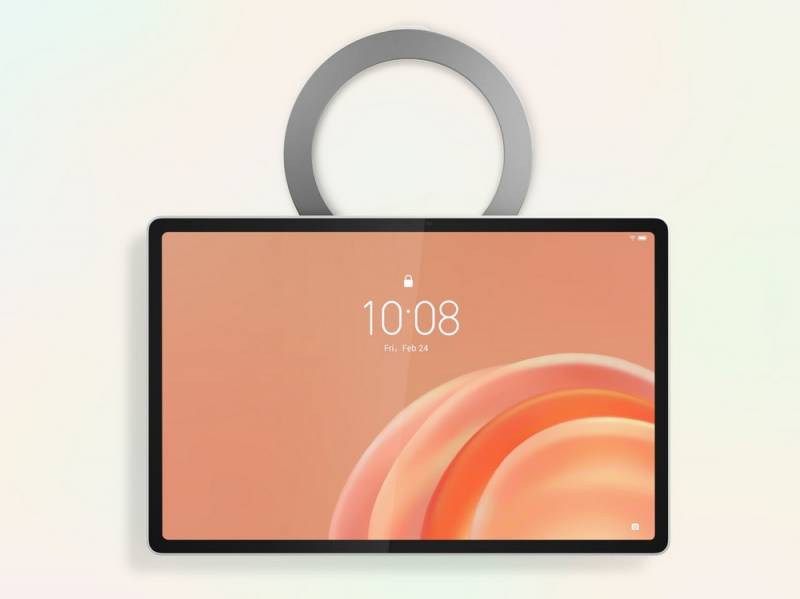
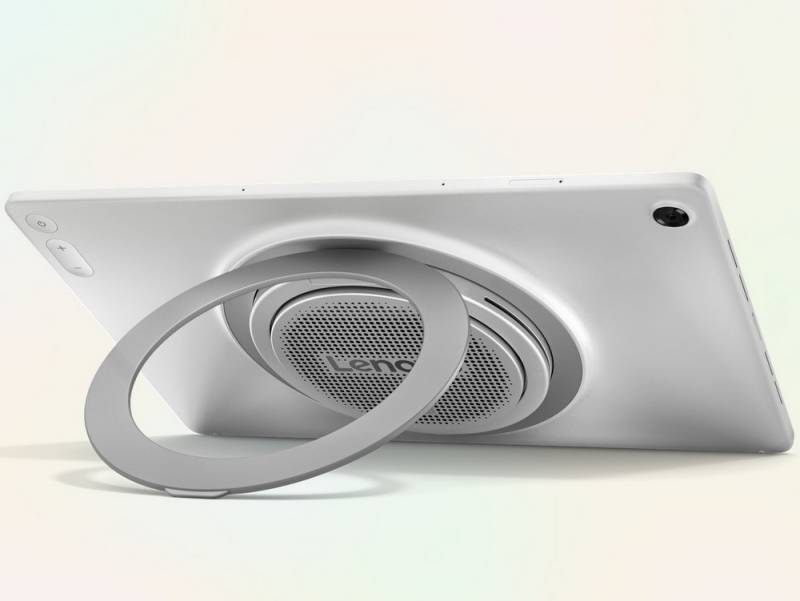
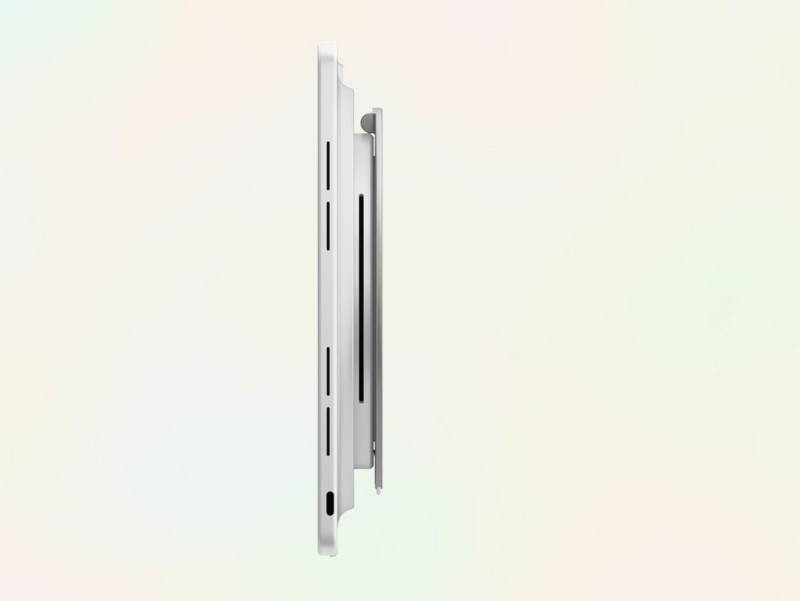
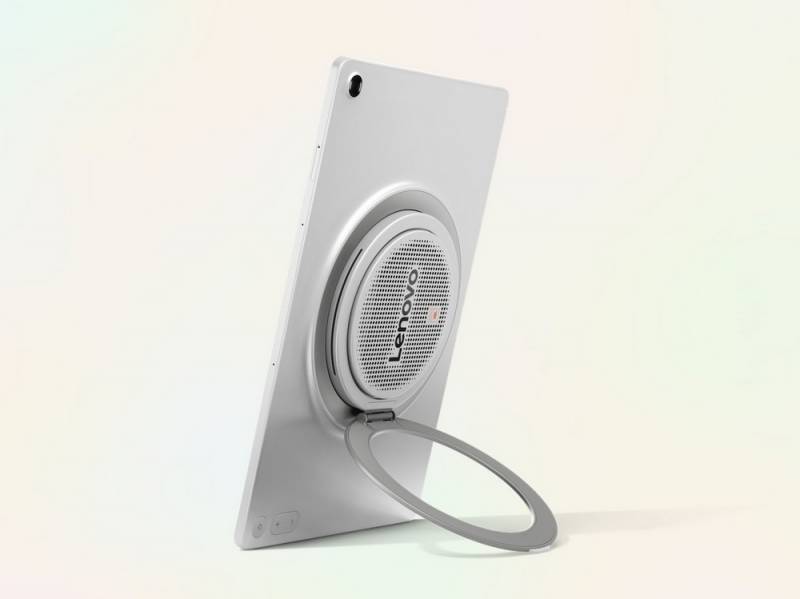
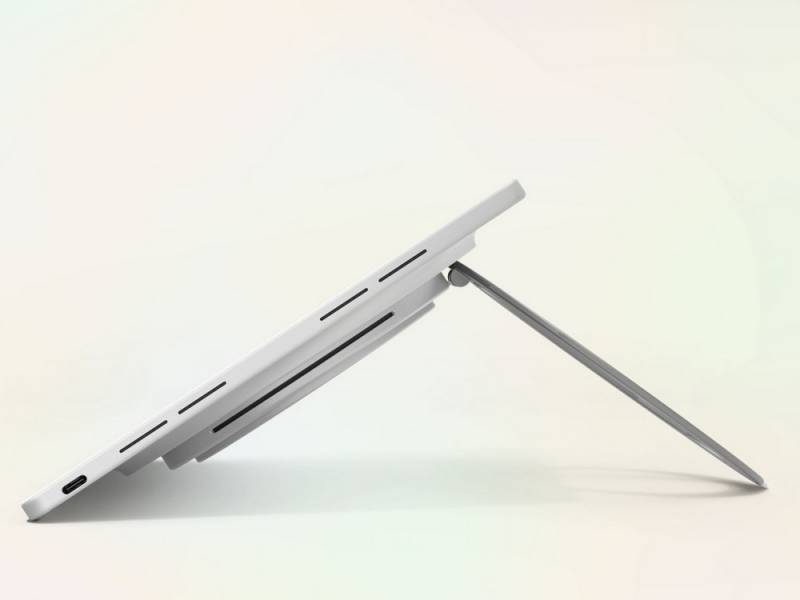
The new 360-degree rotating kickstand may be the most quietly important part of the Lenovo Tab Plus Gen 2. It supports portrait and landscape orientations, as well as Lean, Theater, Stand, and Hanging modes. That gives the tablet more flexibility than a folio case that only works at one or two angles, then collapses the moment you tap the screen too enthusiastically.
The different modes make sense for real life. Landscape mode is the obvious choice for watching a movie or catching up on YouTube. Portrait mode works better for reading, video calls, recipes, and scrolling through longer articles. Hanging mode could be useful in a kitchen, workshop, dorm room, or camper where counter space is already claimed by more urgent things, like coffee, tools, or the snacks that are definitely “for everyone.”
There’s also a built-in standby mode that can turn the tablet into a digital picture frame when it’s not being actively used. That’s a nice secondary role for a device likely to spend time in shared spaces. A tablet that can sit out and look intentional has a better shot at being used than one that disappears into a drawer with the old charging cables and the mystery adapters nobody can identify.
Lenovo will also offer a tailored carrying sleeve with a shoulder strap for the Tab Plus Gen 2 in select regions. That accessory is sold separately, but it fits the larger idea here: this tablet is meant to move from room to room, not live permanently beside one outlet.
Performance, Battery Life, and the AI Features Lenovo Is Adding
Inside, the Lenovo Tab Plus Gen 2 runs on a MediaTek Dimensity 7400 octa-core processor. “Octa-core” simply means the chip has eight processing cores, allowing it to divide work more efficiently between everyday tasks, media playback, and background activity. It’s not being positioned as a high-end gaming tablet or a laptop stand-in, but it should be aimed at the kind of smooth media, browsing, reading, note-taking, and multitasking most people expect from a modern Android tablet.
Configurations include 6GB of memory with 128GB of storage, 8GB of memory with 128GB or 256GB of storage, and 12GB of memory with 256 GB of storage. There’s also a microSD card slot supporting expansion up to 2TB, which is good news if you keep downloaded movies, photos, music, or documents on the device. As always, the amount of storage you can use will be less than the number on the box because the operating system and preloaded software take up space.
The tablet launches with Android 16, and Lenovo expects to provide two operating system upgrades through Android 18, along with four years of security patches until 2030. That’s a detail worth noticing because tablets often stick around in households longer than phones. They become recipe screens, kid-entertainment screens, travel screens, and sometimes “where did I put that thing?” screens for years.
Lenovo AI Live Transcript with real-time translation supports more than 40 languages, with free use limited to two hours per day. After that, continued use depends on the availability of in-app purchases. It could be useful if you’re watching foreign-language content, following a lecture, or trying to keep up with a video where captions are either missing or not especially helpful.
The tablet also includes Lenovo Smarter Reader for reading and content navigation, as well as AI Notes with Lenovo Notepad for organizing notes. These features sound useful, though their real value will depend on how gracefully they work once people are using them outside a demo environment. AI tools are only charming until they make a meeting note sound like it was written by a toaster with career ambitions.
The 10,200mAh battery is rated for up to 15 hours of YouTube video streaming under Lenovo’s internal test conditions. Battery life will vary based on screen brightness, Wi-Fi, apps, settings, and how aggressively you use it. The tablet supports up to 45W fast charging, but you’ll need a compatible USB Power Delivery charger that supports at least 45W output. A more powerful charger won’t push it past the tablet’s 45W limit.
The Rest of the Hardware
The Lenovo Tab Plus Gen 2 weighs about 1.7 pounds. It measures roughly 11″ by 7.1″ by 0.27″, although the speaker bump makes that section closer to 0.89″. That bump is the tradeoff for the bigger audio system, so this isn’t likely to feel as uniformly slim as a tablet built purely for minimalism.
The cameras include an 8-megapixel fixed-focus front camera and a 13-megapixel autofocus rear camera. The front camera should handle video calls, while the rear camera is probably there for document scans, quick reference shots, and the occasional “fine, I’ll use the tablet because it’s in my hand” photo.
Connectivity includes Wi-Fi 6 and Bluetooth 5.4. Wi-Fi 6 can help with faster, more efficient wireless performance on compatible networks, while Bluetooth 5.4 supports newer wireless accessory connections. The tablet has a USB-C 2.0 port for charging and audio, along with a microSD slot. It’s also compatible with the Lenovo Tab Pen Plus, Lenovo Wireless Keyboard, Lenovo 68W USB-C Wall Charger, and Lenovo Sleeve Suite, all sold separately.
Who This Tablet Makes Sense For
The Lenovo Tab Plus Gen 2 makes the most sense for someone who wants a tablet that can serve as a family-room media screen, kitchen companion, travel entertainment device, digital frame, and occasional note-taking machine. It’s also appealing if you’ve ever balanced a tablet against a water bottle, a cookbook, or a suspiciously cooperative throw pillow just to watch something hands-free.
It may not be the right choice if you want the lightest possible tablet, an OLED display, or a productivity machine that can replace your laptop. But as a media-first Android tablet with better-than-usual speaker ambitions, a flexible kickstand, and expandable storage, it has a clear point of view. In a category where too many tablets feel interchangeable, that counts for something.