


The Lowdown
The Aranet Radon Plus has turned into one of those “set it and forget it, but still check it” gadgets that I really like having in my home. It takes something that sounds complicated and a little intimidating and makes it simple, with an easy-to-read display, quick results, and an app that shows trends over time. I also really like that I can move it from room to room instead of being stuck with a single fixed location.
Overall
Pros
- Simple to set up
- Batteries included
- Long battery life
- Easy to see and understand levels on the live display
- First reading in only 10 minutes after setup
Cons
The Aranet Radon Plus Digital Radon Detector is one of those gadgets you hope you never “need,” but once you have it, you won’t want to be without it. Radon is invisible, odorless, and potentially dangerous, so having a simple way to monitor it in real time brings real peace of mind. After dealing with elevated radon levels in my own home a few years ago, I’ve become a big believer in keeping tabs on it, and this little sensor makes that easier than ever.
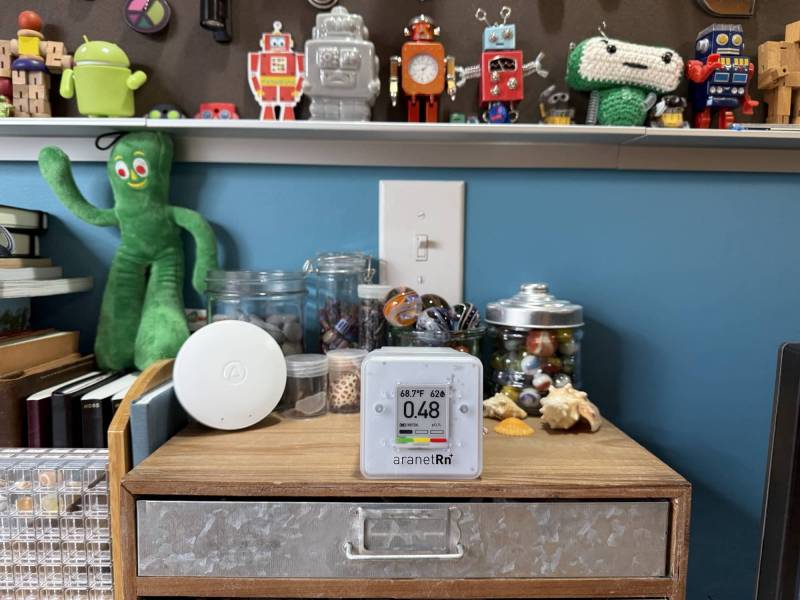
What Is It?
The Aranet Radon Plus Digital Radon Detector is a small battery-powered sensor that detects the potentially deadly, odorless, colorless gas called Radon in your home or building.
What Is Radon Gas and Why Should You Care?
Radon is an odorless, invisible radioactive gas that comes from the natural breakdown of uranium in soil, rock, and water. This gas can seep into homes through cracks, joints, and openings in the foundation of homes and buildings. You should care because breathing radon over time raises your risk of developing lung cancer, and the CDC says there is no known safe level. The EPA recommends fixing homes that have levels of 4 pCi/L or higher, with action also advised from 2 to 4 pCi/L.
In the US, higher average radon potential is common in parts of the Midwest, the Appalachian region, and other areas with uranium-rich geology, but elevated radon can turn up in any state and even in lower-risk zones, so testing is the only way to know your home’s level. Radon is a worldwide issue, and countries across Europe, the Americas, Africa, the Eastern Mediterranean, and the Western Pacific have all reported on it.
My Personal Background Dealing with Radon in My Home
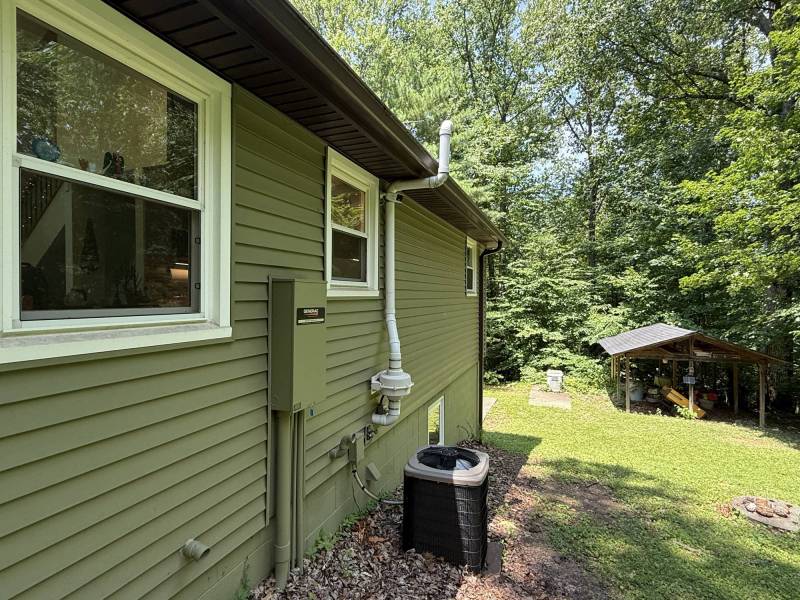
In 2018, I reviewed the Airthings Wave Radon Detector. During my initial testing with that detector, it didn’t detect high levels of Radon in my home. But that changed one year later, when the levels rose for several weeks. In the end, I had to have a remediation unit installed in my basement and outside my home to vent the harmful Radon gas. Since that time, the levels have remained at safer, lower levels < 2 pCi/L.
While I liked the Airthings sensor, it is installed on a wall in my basement living room. When the Aranet review was offered, I liked that I could easily take it from room to room to check levels throughout my home.
What’s Included?
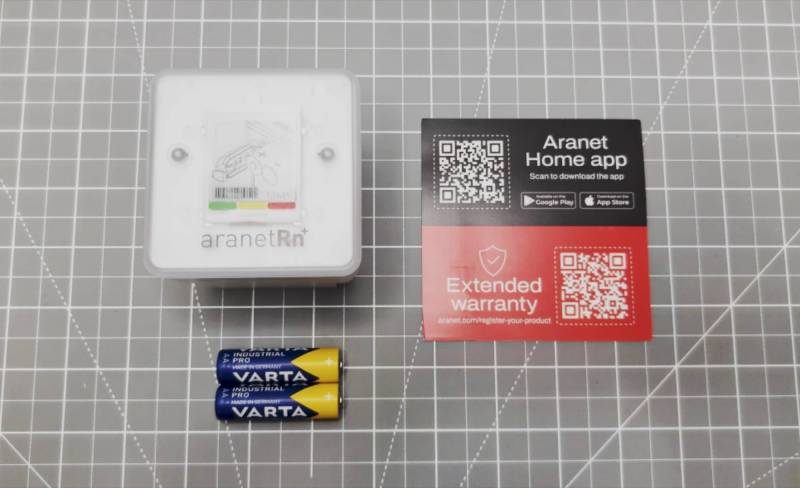
- Aranet Radon Plus Digital Radon Detector
- 2 AA batteries
- QR code for the quick start guide
Design and Features
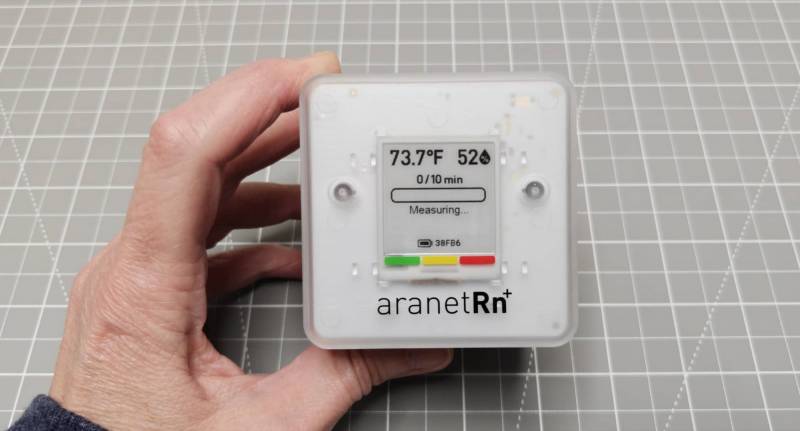
The Aranet Radon Plus detector is a small Rubik’s Cube-sized plastic box with a translucent housing and an E-Ink display on the front.
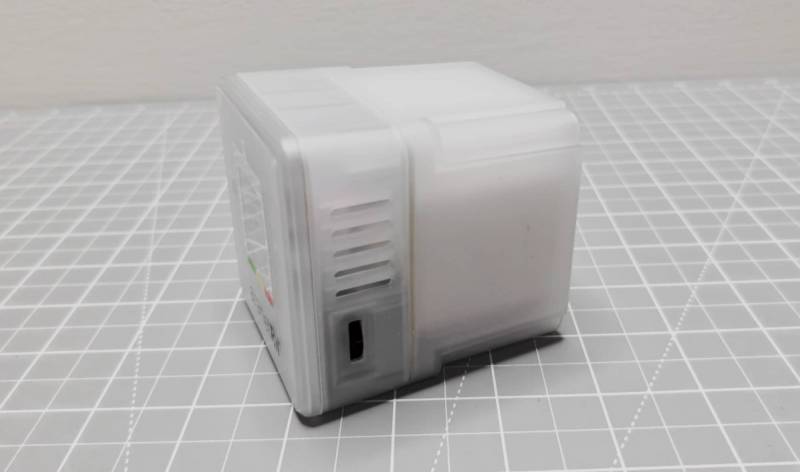
The right side has a spring-loaded dial/button that lets you scroll through the current reading, 24hr average, 7-day average, and 30-day average. You can press the dial/button to enter the settings for Bluetooth, temperature readings, and radon levels in pCi/L (U.S. standard units) and Bq/m3 (Europe and Canada).
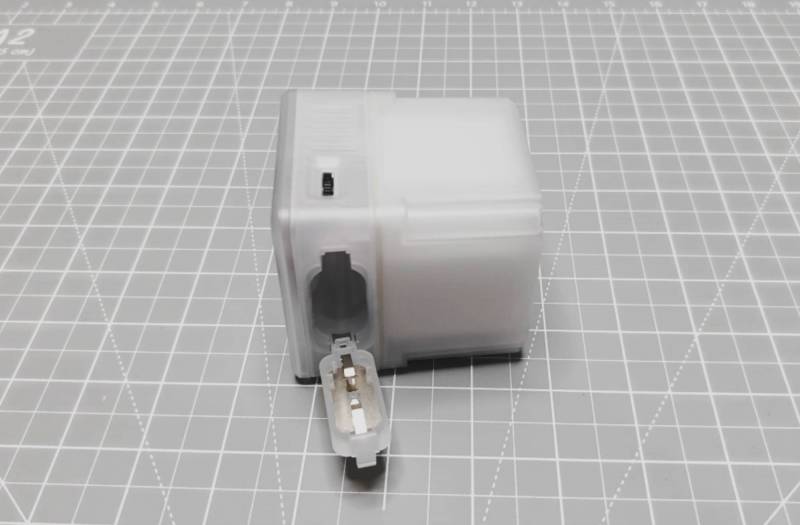
You’ll find the battery compartment on the bottom. Note that batteries should last up to 2 years with 1-minute measurements, way more with 5-10-minute interval tests.
Assembly & Installation
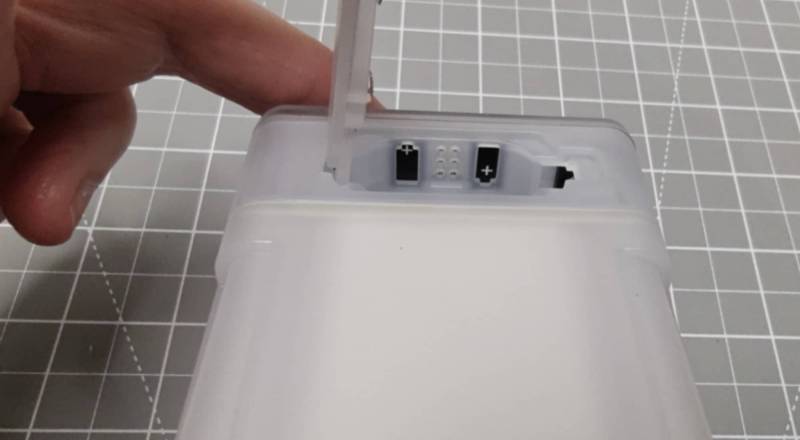
Good news, there really isn’t any assembly or installation needed. All you need to do to get started monitoring radon levels is open the battery compartment, insert the included (yay!) batteries, and that’s it. Your first reading will be shown on the display in just 10 minutes.
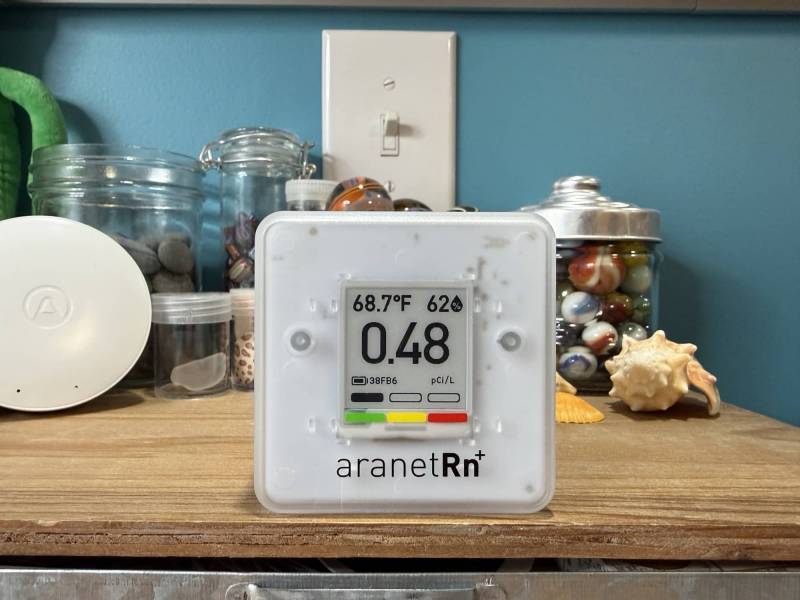
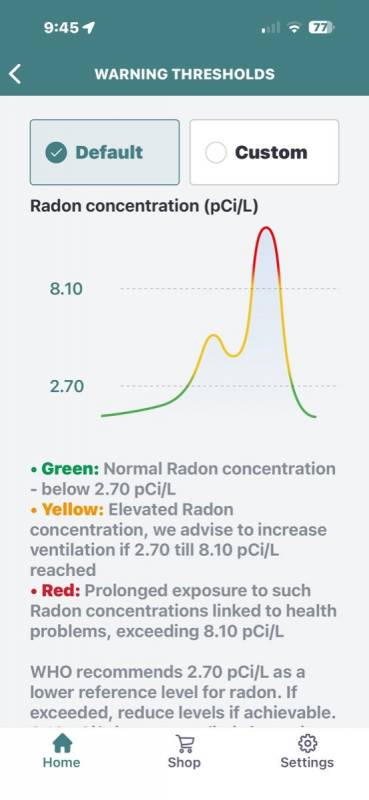
The display on the front of the Aranet Radon Plus Digital Radon Detector is clear and easy to read. It displays the current temperature, humidity, radon level (in units), and battery level. You’ll also notice a segmented bar with a green, yellow, and red legend below the battery level indicator. This is an easy way to see if the current radon level is green (at a lower safer level), or in yellow or red, which may be a concern.
Using the little dial on the right side of the device, you can toggle through a 24-hour average reading, 7-day, and 30-day average reading, or you can see a much nicer graph in the Aranet app.
Using the Aranet App
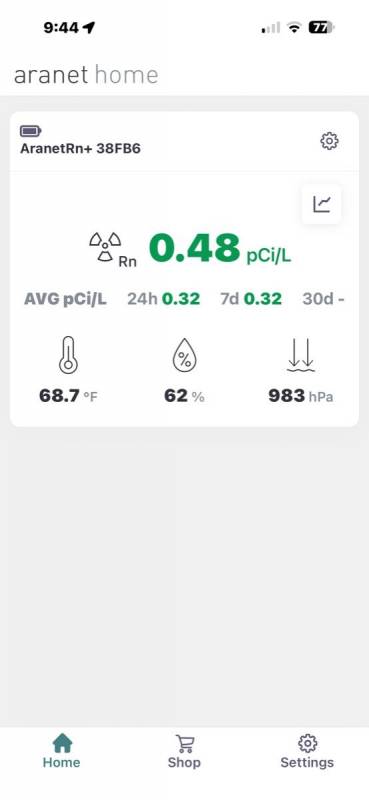
To see and track level trends, you’ll need to install the Aranet app on your phone or tablet, and connect the device to Bluetooth.
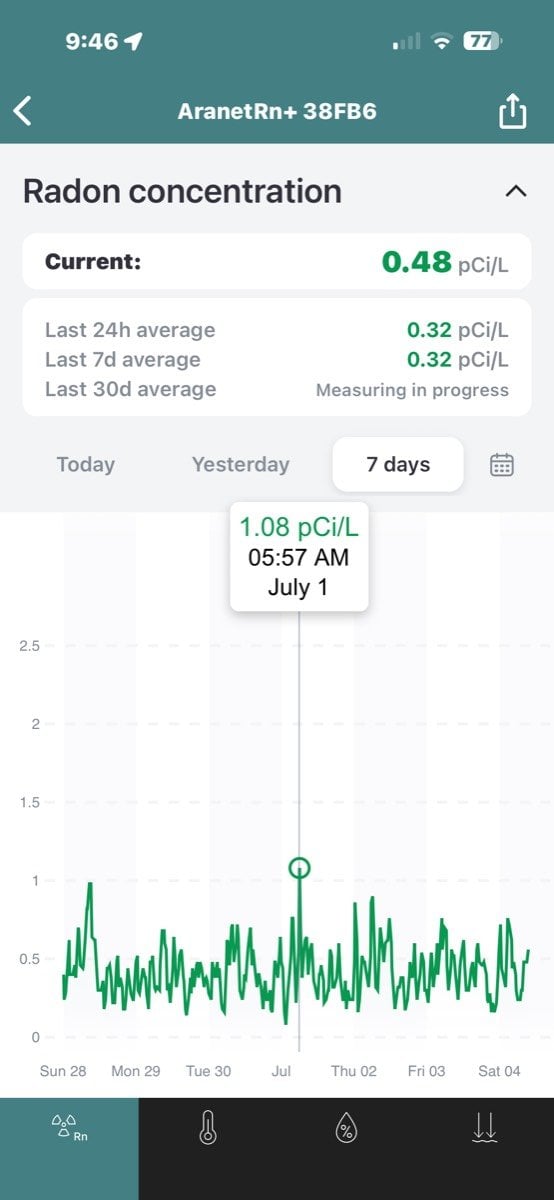
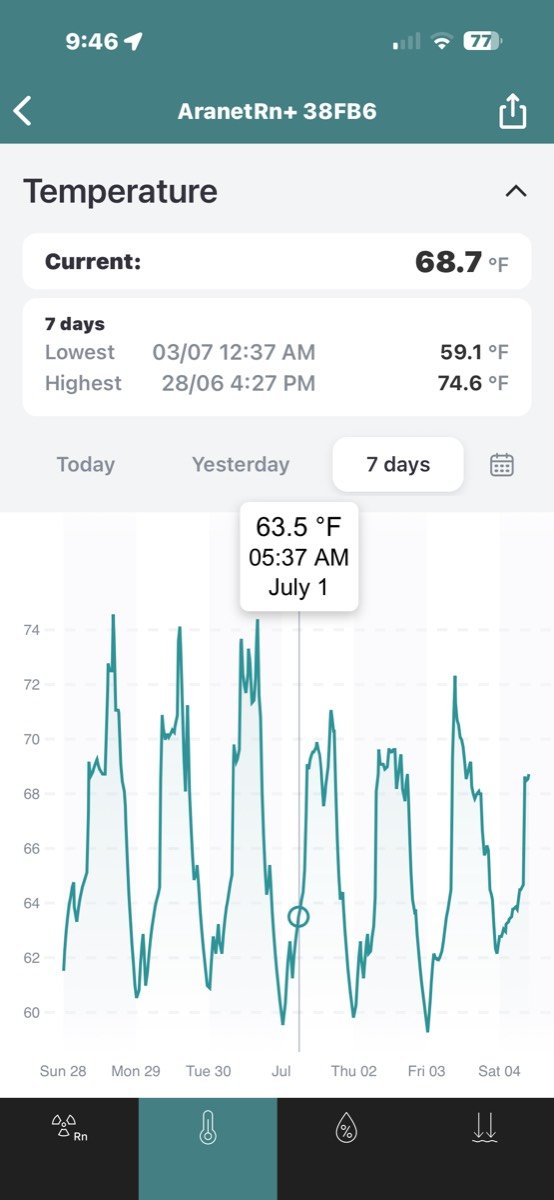
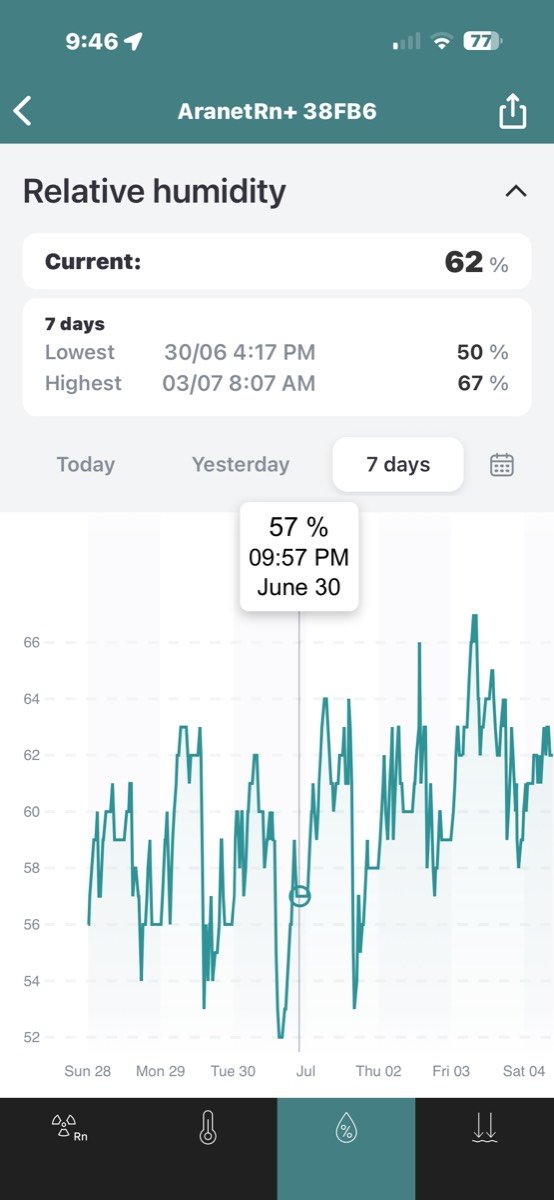
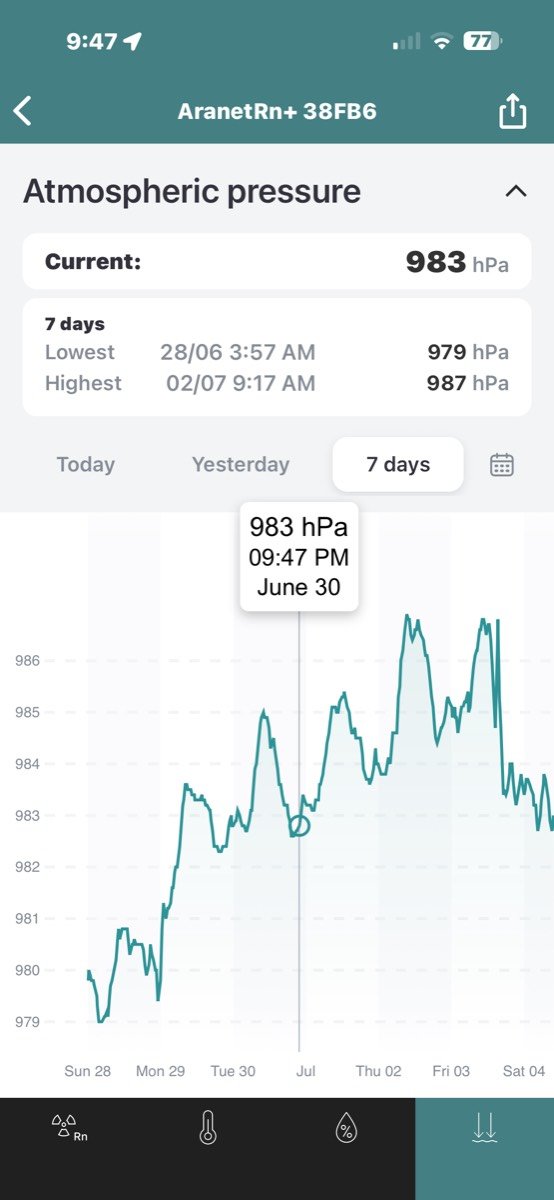
In addition to showing a history of radon levels, you can also see a history of the temperature, humidity, and atmospheric pressure.
The Aranet app can notify you when levels are unsafe, which makes it even more convenient if you happen to completely forget about the device. As long as the batteries aren’t dead and you have the app on your phone, it should let you know if there’s ever a problem.
Final Thoughts
The Aranet Radon Plus has turned into one of those “set it and forget it, but still check it” gadgets that I really like having in my home. It takes something that sounds complicated and a little intimidating and makes it simple, with an easy-to-read display, quick results, and an app that shows trends over time. I also really like that I can move it from room to room instead of being stuck with a single fixed location.
At $209, the Aranet Radon Plus is definitely an investment, but for the convenience and peace of mind it offers, I think it is worth the price. If you’ve never tested for radon before or you just want an easier way to keep tabs on it, this is a solid, no-hassle option that I can easily recommend.
The Aranet Radon Plus retails for $209; it is available directly from the manufacturer and other retailers, including Amazon.
Source: Manufacturer-supplied review sample.
What I Like: Simple to set up; Batteries included; Long battery life; Easy to see and understand levels on the live display; First reading in only 10 minutes after setup
What Needs Improvement: Nothing;