


The Lowdown
Baseus has done a nice job making these wireless power banks feel modern, slim, and easy to toss into a bag. The Baseus PicoGo Air is impressively thin and very easy to carry. The Baseus PicoGo AM52 is the better all-around option thanks to its stronger hold, larger battery, and faster wired charging.
Overall
Pros
Baseus PicoGo Air:
- Super thin and easy to carry
- Nice aluminum-feel housing
- Includes a braided USB-C cable
- Wireless charging works with iPhone
Baseus PicoGo AM52:
- 10,000 mAh capacity
- Significantly stronger magnets than the Air
- Permanently attached braided USB-C cable is convenient
- Wired charging performance is much better
Cons
Baseus PicoGo Air:
- Magnetic hold is not very strong
- Wireless charging is noticeably slower than wired
- Only 5,000 mAh capacity
Baseus PicoGo AM52:
- 10,000 mAh capacity
- Significantly stronger magnets than the Air
- Permanently attached braided USB-C cable is convenient
- Wired charging performance is much better
If you’ve been shopping for wireless power banks, two things probably matter most: how easy they are to carry and how well they actually charge your phone. Baseus has two new slim options that aim at slightly different needs. The Baseus PicoGo Air is the ultra-thin 5,000 mAh model, while the PicoGo AM52 steps up to 10,000 mAh capacity and adds a permanently attached USB-C cable.
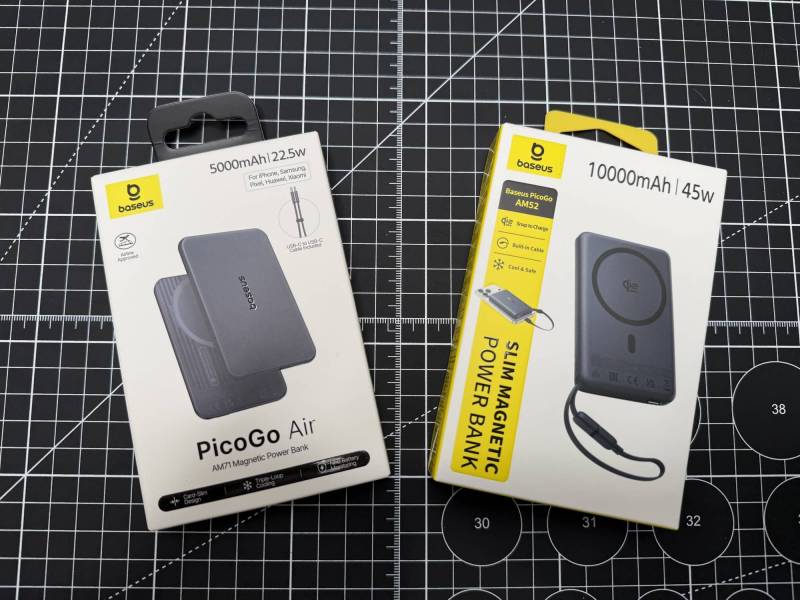
After a hands-on look at both, the short version is simple. Both of these wireless power banks are sleek, nicely made, and convenient. But they are not identical in day-to-day use. One is all about minimal bulk, while the other is the more practical choice if you want stronger magnets, more charging capacity, and faster wired charging.
What Is Included?
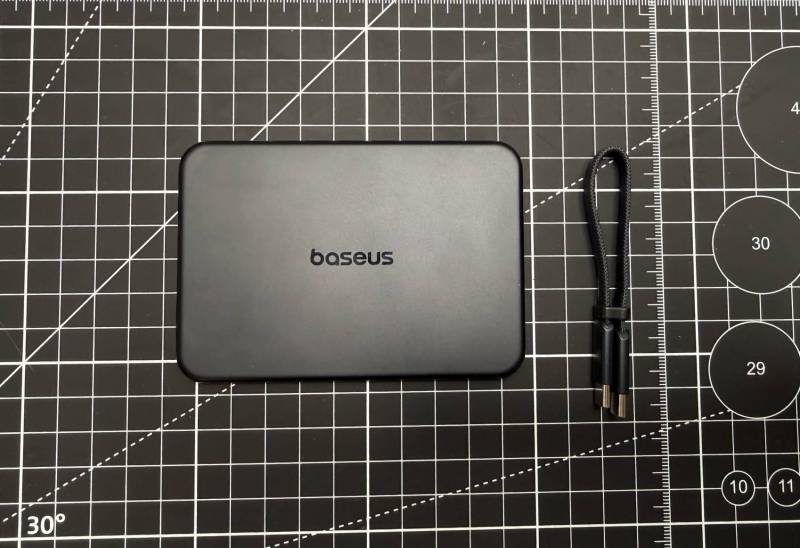
Baseus PicoGo Air
The Baseus PicoGo Air package includes the power bank itself, a short braided USB-C-to-USB-C cable, and the usual paperwork, including a quick start guide.
The cable is a neat little extra because it has a built-in loop design that can also serve as a lanyard. It is short, but for a compact charger that is meant to travel in a small bag or pocket, that actually makes sense.
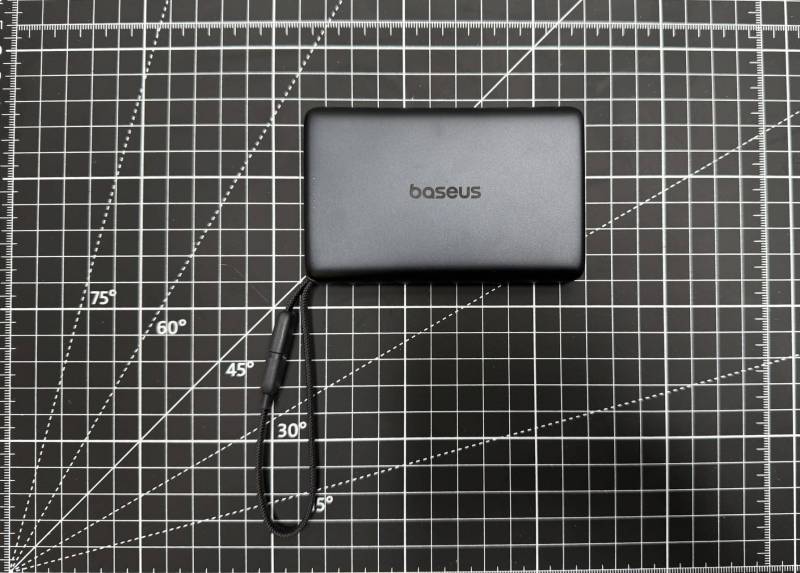
Baseus PicoGo AM52
The Baseus PicoGo AM52 package is similarly straightforward. Inside, you get the larger power bank and documentation. Unlike the Air, the AM52 has a permanently attached braided USB-C cable, so there is one less accessory to keep track of.
Design and First Impressions
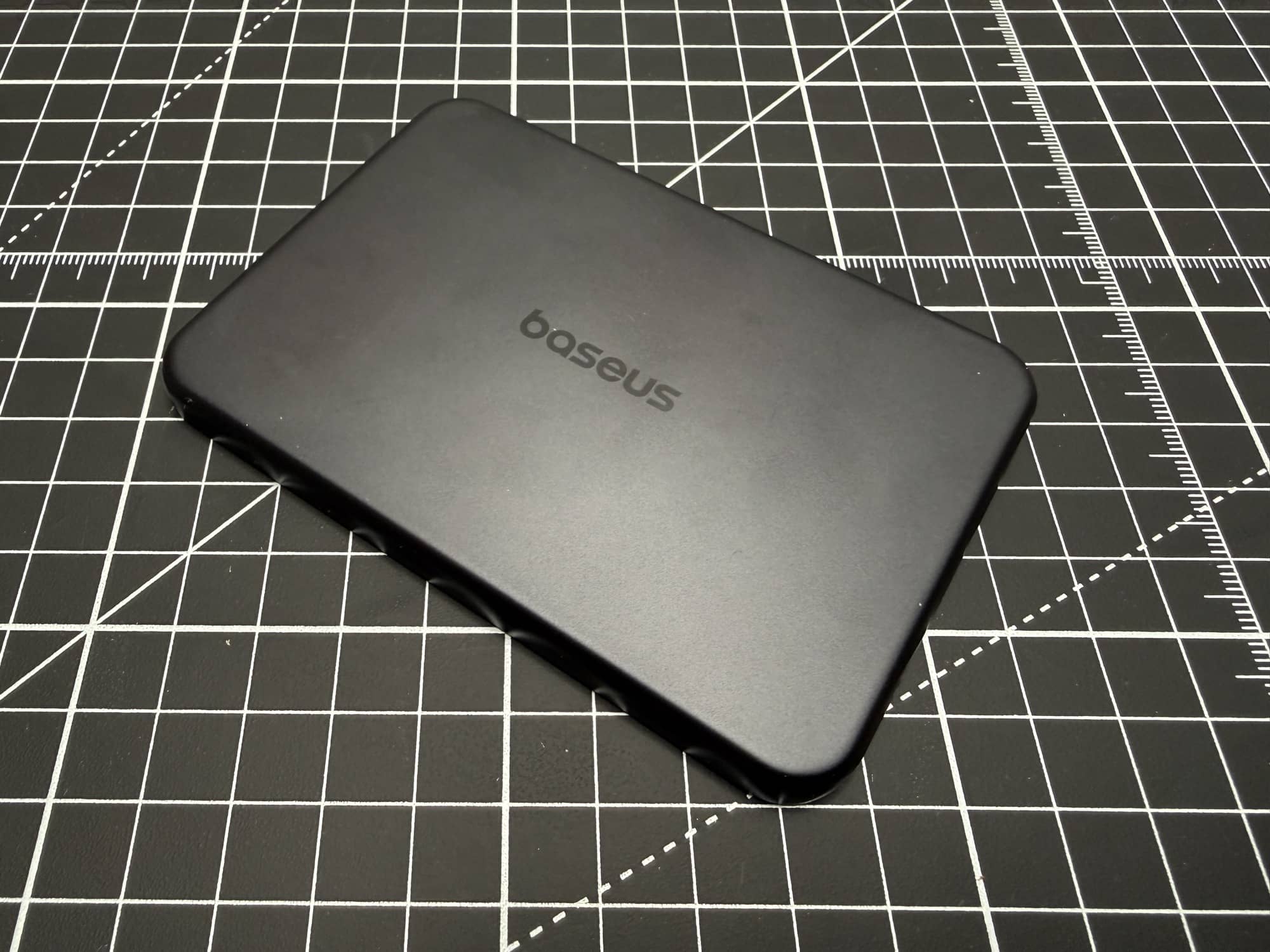
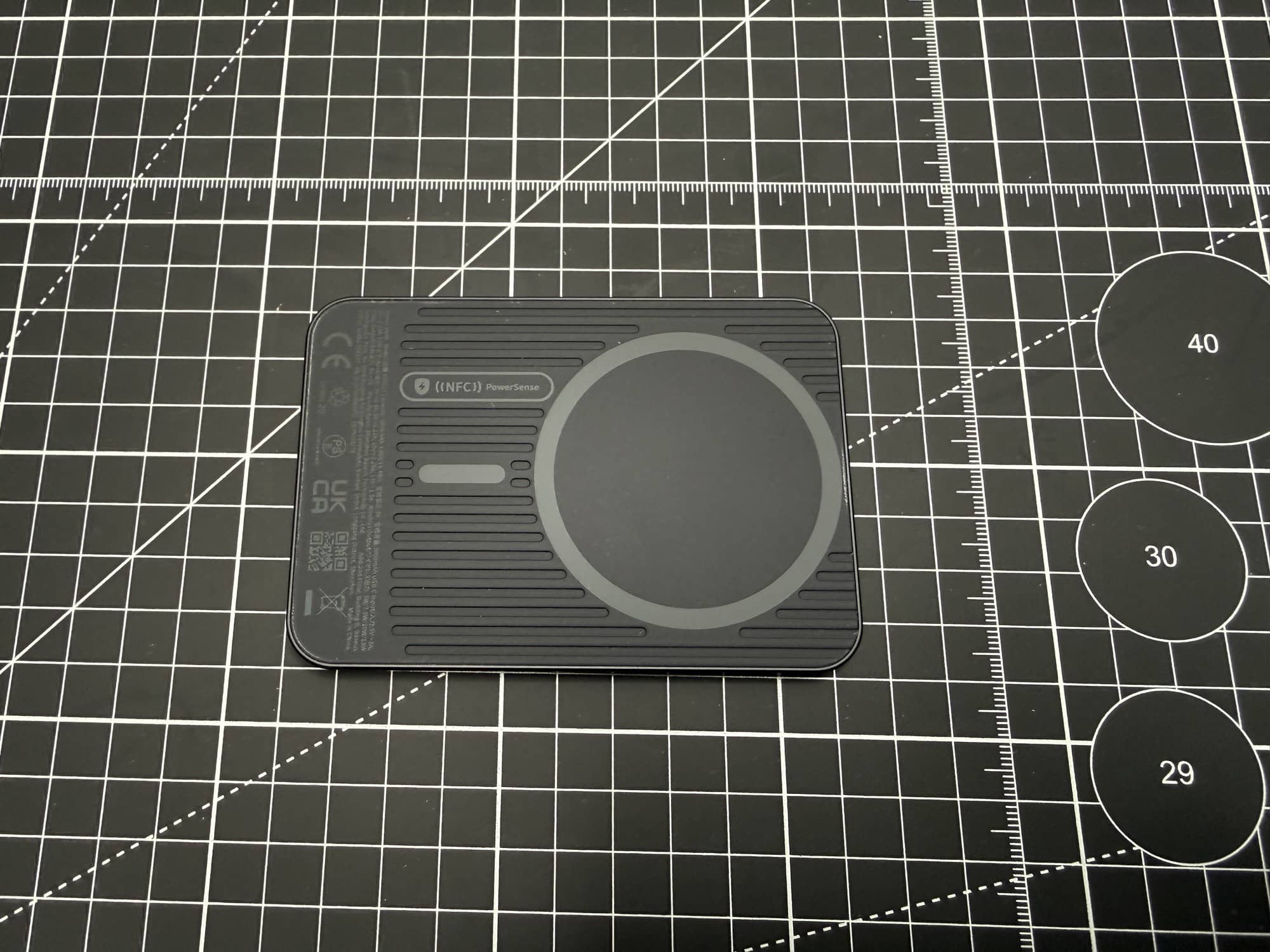
The Baseus PicoGo Air makes a strong first impression because it is genuinely thin. Baseus says it is just 6.9 mm thick, and in hand, it really does feel impressively slim for a wireless power bank. It has what feels like an aluminum housing in black, with Baseus branding on the front and a MagSafe-compatible charging ring built into the body.
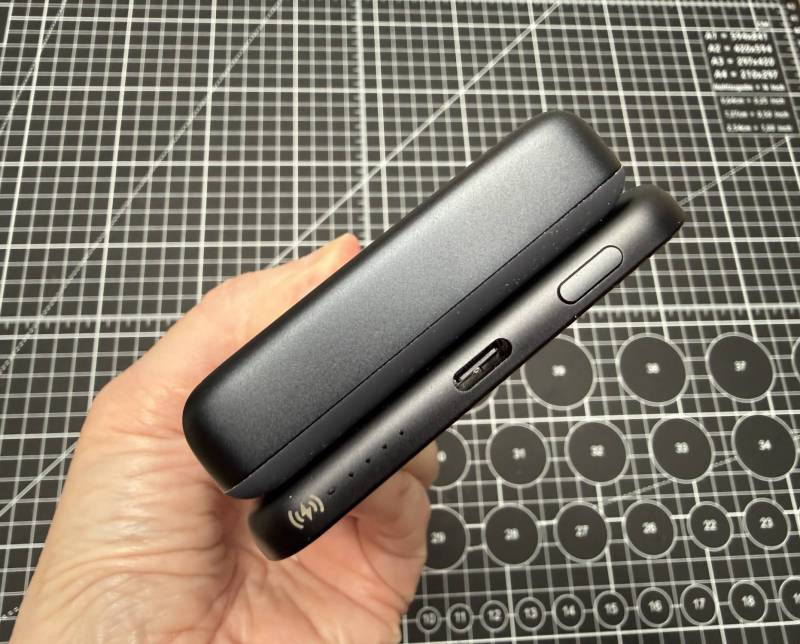
Baseus PicoGo AM52 (top), Baseus PicoGo Air (bottom)
The PicoGo AM52 follows the same overall design language, but it is clearly the chunkier sibling. It is narrower than the Air, yet considerably thicker and heavier. That extra bulk buys you more battery capacity, a higher advertised wattage, and a stronger sense that this one is meant to be the more capable travel companion.
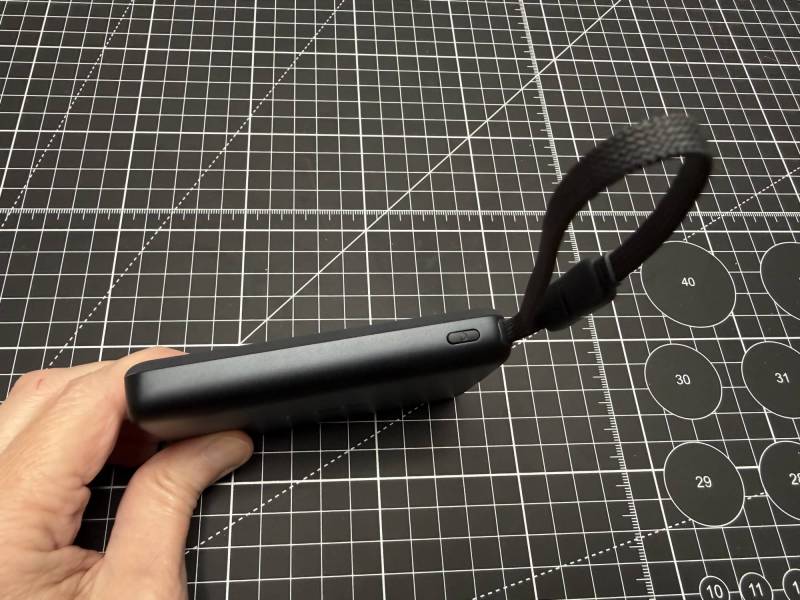
Baseus PicoGo AM52
There is also a soft silicone-like covering around the charging ring area on the AM52, which gives it a slightly different feel in hand. Its attached braided cable is one of its more practical design features, especially if you often charge devices with a cable and do not want to dig through a bag looking for one.
Features at a Glance
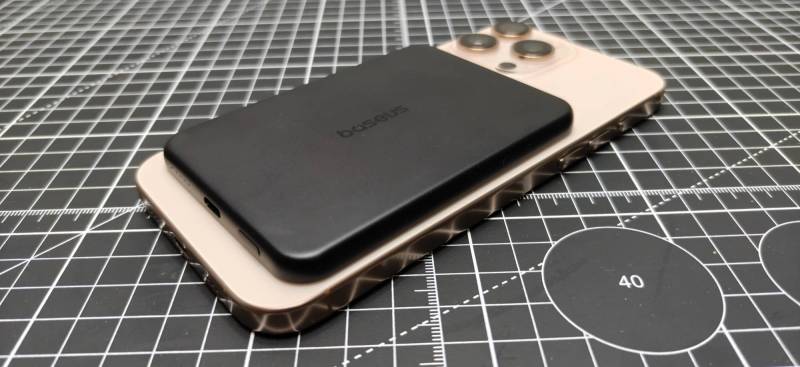
Baseus PicoGo Air
Here is how the two wireless power banks break down based on the hands-on testing:
- Baseus PicoGo Air
- 5,000 mAh capacity
- 22.5W charging
- MagSafe-compatible wireless charging
- USB-C port
- Separate braided USB-C to USB-C cable included
- Very slim body
- Baseus PicoGo AM52
- 10,000 mAh capacity
- 45W charging
- MagSafe-compatible wireless charging
- USB-C input port
- Permanently attached braided USB-C cable
- Thicker and heavier body
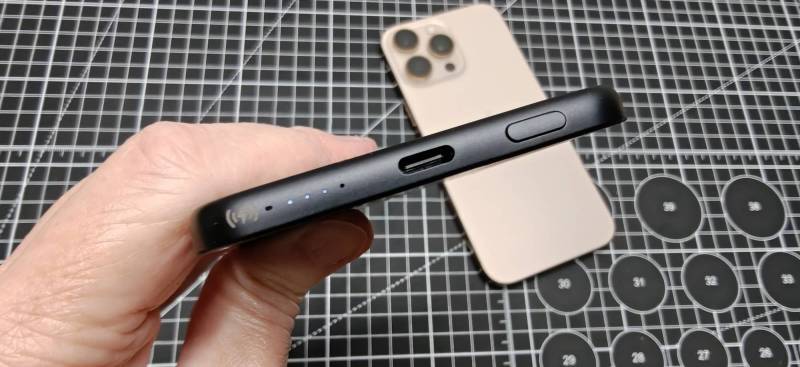
Basus PicoGo Air
Both units also include a power button and a row of status LEDs that indicate remaining battery capacity. Three illuminated dots means roughly 75% charge remaining, and there is also a green indicator that lights up while a device is actively charging.
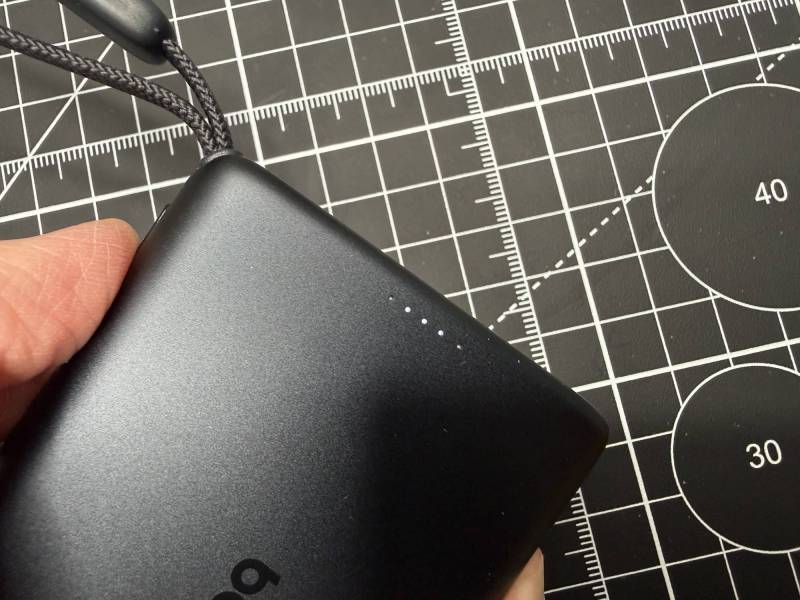
Baseus PicoGo AM52
How the MagSafe Attachment Feels
For wireless power banks, magnet strength matters almost as much as charging speed. If the hold is weak, convenience drops fast.
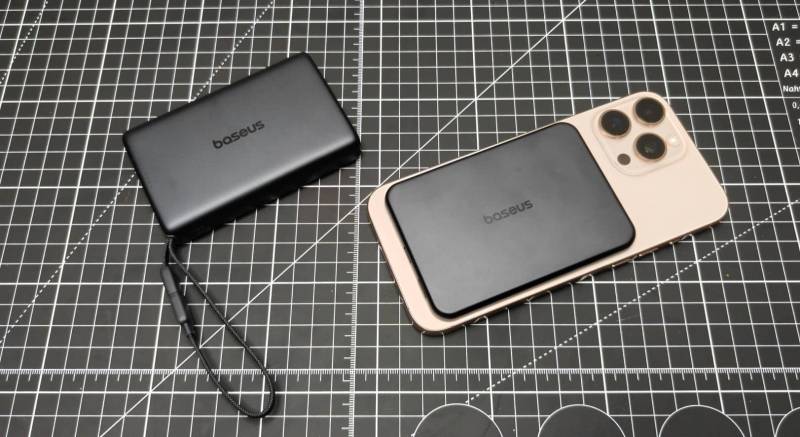
Baseus PicoGo AM52 (left), Baseus PicoGo Air (right)
On the Baseus PicoGo Air, the magnetic connection worked, but it did not feel especially secure when attached directly to an iPhone 16 Pro Max. It would charge once the button was pressed, but the hold was so weak that a decent shake could dislodge it. With a MagSafe-compatible case or ring on the phone, the connection felt noticeably better.
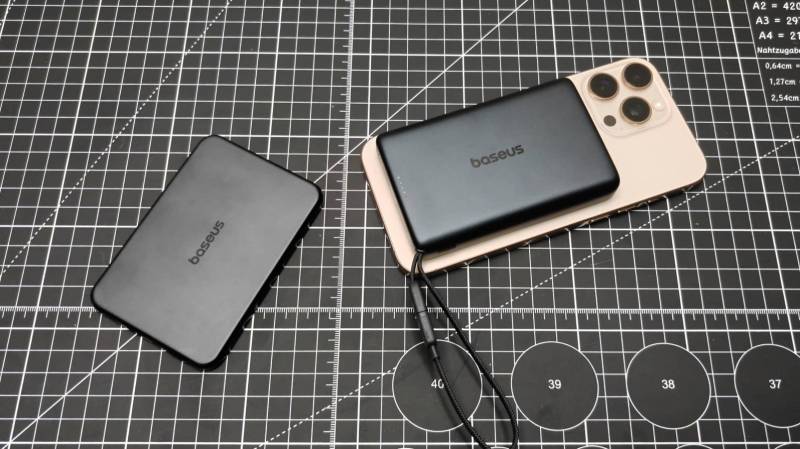
Baseus PicoGo Air (left), Baseus PicoGo AM52 (right)
The Baseus PicoGo AM52 did much better here. Its magnetic hold was significantly stronger and felt much more trustworthy. It took more effort to get it to come loose, and that alone makes it the more confidence-inspiring option if you want to use one of these wireless power banks while on the move.
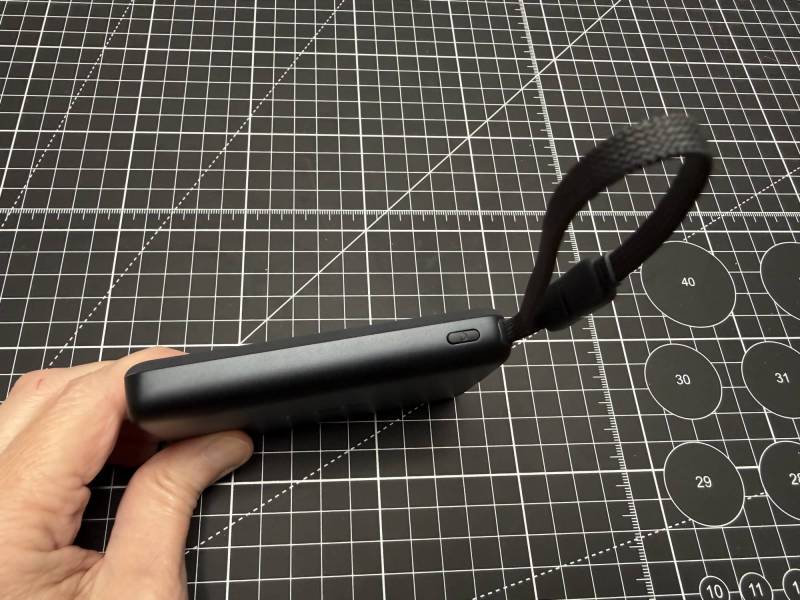
Baseus PicoGo AM52
Real-World Charging Tests
To move beyond packaging claims, both wireless power banks were fully charged and then tested with phones at lower battery levels. Temperature was also checked during charging to see whether either unit became uncomfortably hot.
The environment started at about 72-74 degrees Fahrenheit, providing a baseline before charging began.
Baseus PicoGo AM52 Wireless Charging Test with the OnePlus 15
The first major test used the 10,000 mAh AM52 wirelessly with a OnePlus phone starting at 31% battery.
After 15 minutes of wireless charging, the phone had only climbed to 33%. That is not a strong result. The temperature rose only modestly to around 80 to 81 degrees Fahrenheit, and there was essentially no heat to the touch.
After another 15 minutes, the phone had increased by only about 3% more. At that point, it was clear that something was off. Either the wireless charging compatibility between that phone and this charger was limited, or compatibility issues were getting in the way of better performance.
Switching from wireless to the attached cable changed the story immediately. Once plugged in directly, the OnePlus recognized fast charging and displayed SuperVOOC on screen. After 15 minutes of wired charging, the phone jumped to 64%. Another 15 minutes brought it to 83%.
That means the Baseus PicoGo AM52 took the phone from roughly the mid-30% range to 83% in about 30 minutes over a cable, which is much more in line with what you would expect from one of these wireless power banks when used in wired mode.
Baseus PicoGo AM52 Wireless Charging Test with an iPhone 16 Pro Max
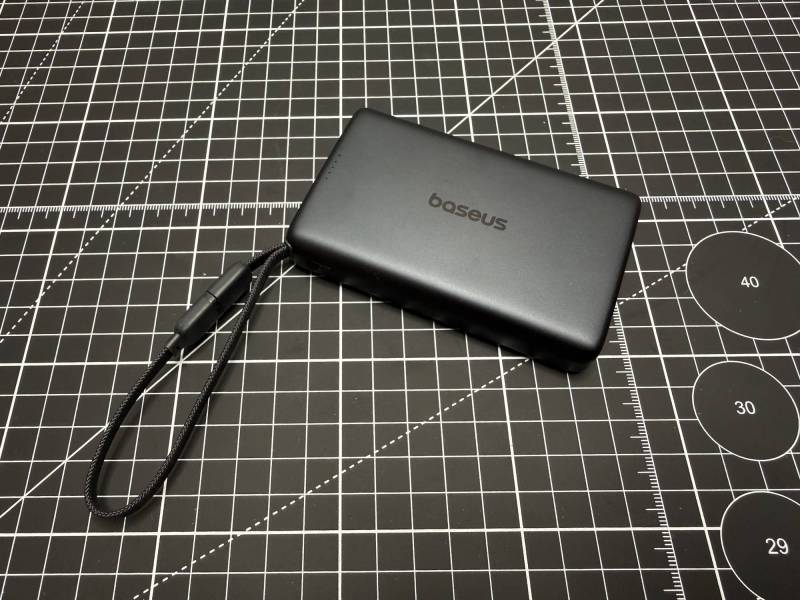
Baseus PicoGo AM52
Because the OnePlus results were so weak over wireless charging, the Baseus PicoGo AM52 was tested again with an iPhone 16 Pro Max. This time the outcome was far better.
Starting at 44%, the iPhone rose to 64% after 15 minutes of wireless charging. That is a 20% bump in a quarter hour, which is a respectable result for wireless charging from a compact magnetic battery pack. The temperature climbed to about 92.5 degrees Fahrenheit, warm to the touch but not hot.
A second iPhone test later started at 32% and reached 45% in 15 minutes. That confirmed the broader pattern: the PicoGoAM52 works better wirelessly with the iPhone than it did with the OnePlus.
The takeaway is pretty clear. As one of these wireless power banks, the PicoGo AM52 appears to be more reliable with iPhone MagSafe-style charging than with the tested OnePlus device.
Baseus PicoGo Air Wireless Charging Test with an iPhone 16 Pro Max
The thinner 5,000 mAh Baseus PicoGo Air was tested with the iPhone 16 Pro Max starting at 29% battery.
After 15 minutes of wireless charging, the phone rose to 38%. That is a 9% increase, which is useful for a quick top-up but not especially fast. The temperature reached around 92.5 degrees Fahrenheit, warming to about the same level as the larger model without becoming uncomfortably hot.
Next, the included USB-C cable was used instead of wireless charging. After another 15 minutes, the iPhone reached 52%. So while the PicoGo Air can charge wirelessly, it also performs better with a cable.
That ends up being an important pattern across both models. These wireless power banks are convenient for magnetic charging, but if speed is the priority, wired charging is the better move.
Heat And Comfort
One pleasant surprise was that neither of these wireless power banks became alarmingly hot during testing.
The Baseus PicoGo AM52 reached roughly 92 to 92.5 degrees Fahrenheit during the more intensive charging sessions, particularly when charging via cable. It felt warm, but not uncomfortable.
The Baseus PicoGo Air landed in a similar range, around 89.5 to 92.5 degrees Fahrenheit depending on the test. Again, warm but not hot.
That matters because some compact chargers can get unpleasantly toasty in actual use. These did not cross that line during the testing here.
Compatibility Matters More Than You Might Expect
The most interesting result from all of this was the uneven wireless charging performance between phones.
The Baseus PicoGo AM52 charged the iPhone wirelessly at a reasonable pace, but with the tested OnePlus device, wireless performance was consistently disappointing. Even removing the MagSafe-compatible case from the OnePlus did not really solve the issue. In one follow-up test, 15 minutes of charging increased the phone by just 1%. A later attempt without the case improved things only slightly.
That does not mean the Picogo AM52 is a bad charger. It means that with wireless power banks, compatibility can still be a bit fussy depending on the phone and case combination. If you plan to rely on magnetic wireless charging, it is worth remembering that your results may vary by device.
The good news is that direct USB-C charging sidesteps that issue and delivers much higher charging speeds.
Which Of These Baseus PicoGo Wireless Power Banks Should You Buy?
The answer depends on what matters most to you.
Choose the Baseus PicoGo Air if:
- You want the slimmest possible backup battery
- You care more about portability than maximum capacity
- You just need an emergency boost during the day
- You like the idea of carrying one of these wireless power banks without adding much weight or bulk
Choose the Baseus PicoGo AM52 if:
- You want more capacity at 10,000 mAh
- You prefer stronger magnetic attachment
- You want a permanently attached USB-C cable
- You expect to charge more than once or top up multiple devices
- You are likely to use wired charging for better speed
Between the two, the Baseus PicoGo AM52 is the more practical pick for most people. It has stronger magnets, more capacity, and much better upside when you plug in directly. The PicoGo Air wins on portability and style, but it feels more like a just-in-case accessory than a more versatile everyday charger.
See It in Action
https://youtu.be/Eg5UwsJQAdg
Final Thoughts
Baseus has done a nice job making these wireless power banks feel modern, slim, and easy to toss into a bag. The Baseus PicoGo Air is impressively thin and very easy to carry. The Baseus PicoGo AM52 is the better all-around option thanks to its stronger hold, larger battery, and faster wired charging.
The one caution is wireless compatibility. The iPhone tests were solid, but the OnePlus tests were inconsistent enough to be worth noting. If you love the convenience of magnetic charging, your phone model and case may make a real difference. If you do not mind using a cable when needed, both of these wireless power banks become easier to recommend.
The Baseus PicoGo Air retails for $69.99; it is available directly from the manufacturer and other retailers, including Amazon.
Deal: $59.99 – $20 off (34% off) = Final Price: $39.99
Code: EHYGXRMR
Discount code expires July 31, 2026 (23:59 PDT)
Source: Manufacturer-supplied review sample.
What I Like: Super thin and easy to carry; Nice aluminum-feel housing; Includes a braided USB-C cable; Wireless charging works with iPhone
What Needs Improvement: Magnetic hold is not very strong; Wireless charging is noticeably slower than wired; Only 5,000 mAh capacity
The Baseus PicoGo AM52 retails for $79.99; it is available directly from the manufacturer and other retailers, including Amazon.
Deal: $79.99 – $37 off (46% off) = Final Price: $42.99
Code: UTYJDF7V
Discount code expires July 31, 2026 (23:59 PDT)
Source: Manufacturer-supplied review sample.
What I Like: 10,000 mAh capacity; Significantly stronger magnets than the Air; Permanently attached braided USB-C cable is convenient; Wired charging performance is much better
What Needs Improvement: Wireless charging performance may vary by phone; Thicker and heavier than the Air; Wireless mode is still slower than plugging in