


SteelSeries turned 25 this year, and the headset it built to mark the occasion is the reason we’re writing this review. The Arctis Nova Pro Omni is a $399.99 flagship that promises to be the only headset you need across every platform you own, with a swappable battery system meant to end charging downtime for good. SteelSeries also sent along two companions from the current lineup, the $259.99 Apex Pro Gen 3 keyboard and the $109.99 Aerox 3 Wireless Gen 2 mouse, so we built a full station around the Omni and lived with all three for several weeks.
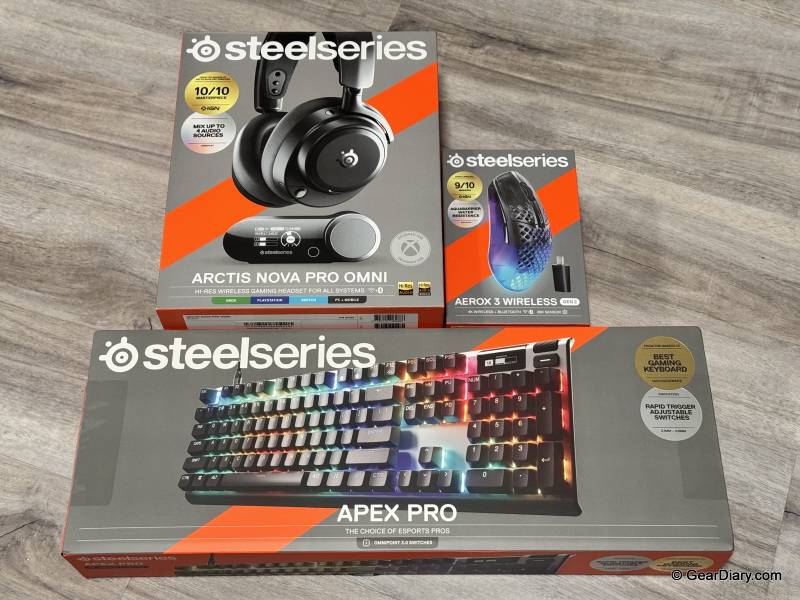
SteelSeries sent us three review samples: the Apex Pro Gen 3 full-size wired keyboard, the Arctis Nova Pro Omni wireless headset, and the Aerox 3 Wireless Gen 2 mouse in Shadow. Instead of testing each one in isolation, we set them up as a complete gaming station and used them as our daily setup. We tested them with Rocket League, Battlefield 6, and Fortnite.
SteelSeries Apex Pro Gen 3 Keyboard
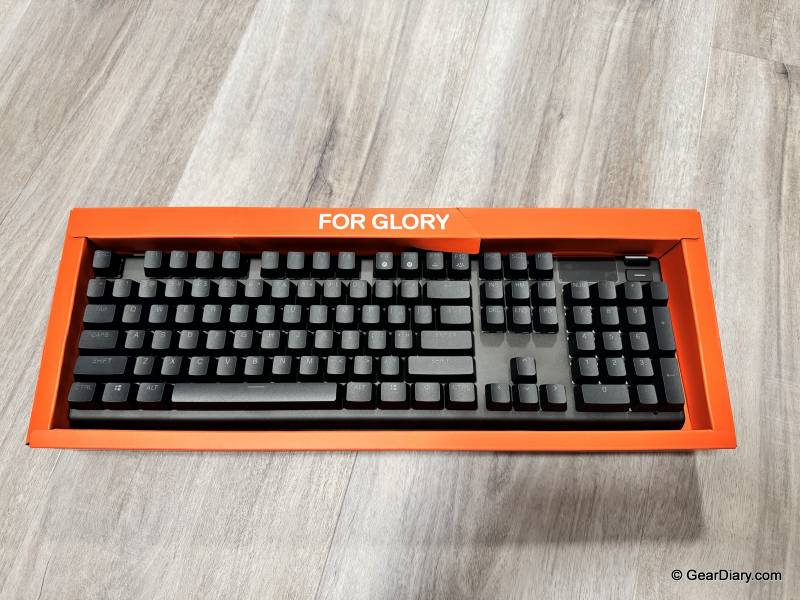
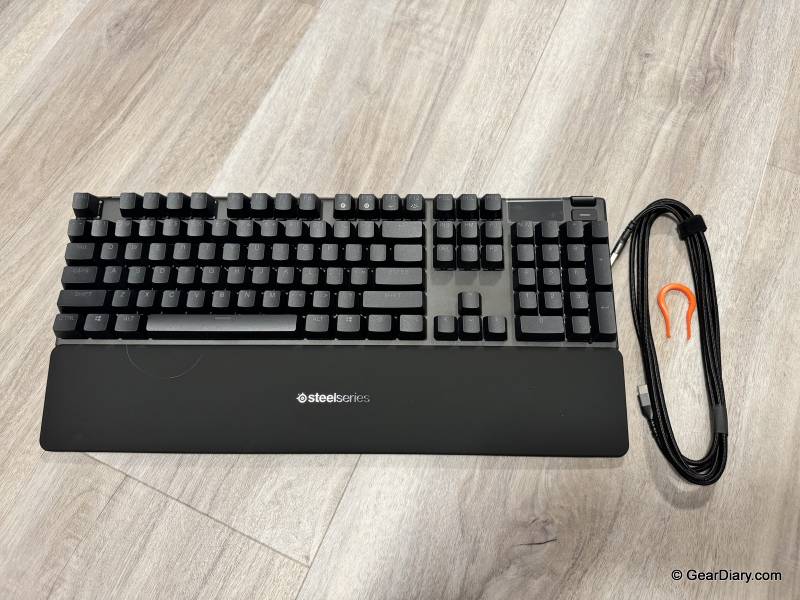
Quick Specs:
- Layout: Full size, wired
- Switches: OmniPoint 3.0 Adjustable HyperMagnetic (Hall effect)
- Actuation Range: 0.1mm to 4.0mm, 40 levels of adjustment
- Response Time: 0.54ms
- Key Features: Rapid Trigger, Rapid Tap / SOCD with 5 customizable key pairings, Protection Mode
- Display: OLED Smart Display
- Lighting: Per-key RGB, 16.8 million colors
- Keycaps: Double-shot PBT
- Sound Dampening: 3x dampening foam, factory-lubed switches, premium stabilizers
- Cable: Detachable braided USB Type-C
- Palm Rest: Detachable magnetic
- Dimensions: 17.19″ x 5.48″ x 1.59″
- Software: SteelSeries GG
- List Price: $259.99
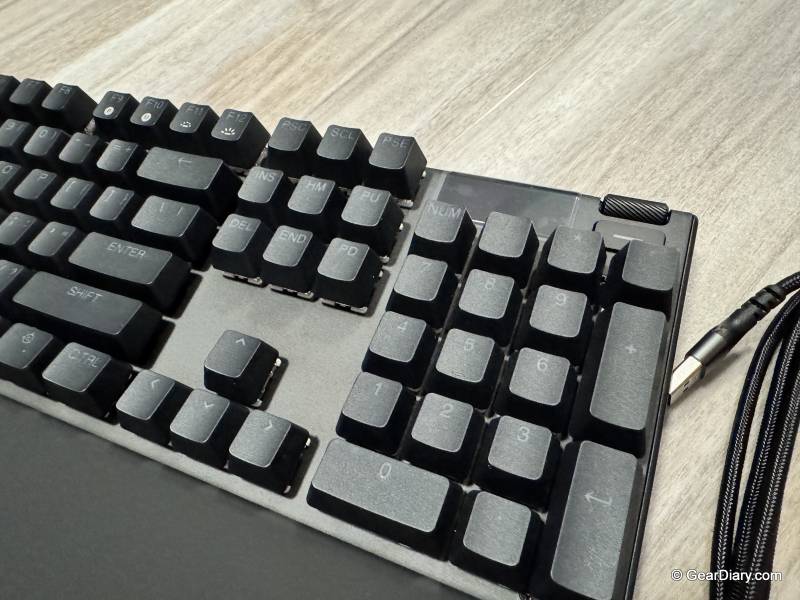
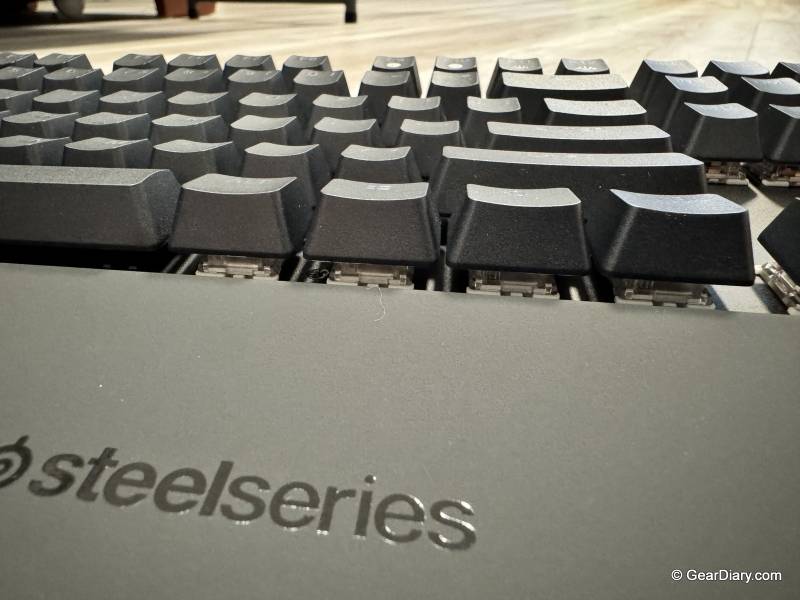
The thing that stands out immediately about the Apex Pro Gen 3 is the balance it strikes on feel versus noise. Mechanical keyboards usually make you pick one: you get a satisfying, tactile key press and everyone in the room knows exactly when you’re typing, or you get something quiet that feels mushy. This keyboard doesn’t make you choose. The keys feel great under your fingers, with real mechanical travel and a solid bottom-out, but they’re not loud and clicky.
SteelSeries credits three layers of dampening foam, factory-lubed switches, and better stabilizers, and whatever the recipe, it works. This is a keyboard you can use in a room with other people in it.
The switches themselves are OmniPoint 3.0 HyperMagnetic, which are Hall effect rather than traditional mechanical. Instead of a physical contact point, they read magnetic position, which is why the actuation point is adjustable anywhere from 0.1mm to 4.0mm across 40 levels. In practice, that means you can set a hair trigger on your movement keys and something deeper on the keys you don’t want to fire by accident.
Rapid Trigger resets the key the instant you start lifting rather than waiting for full travel, and Rapid Tap prioritizes whichever key in a pair you pressed last, which is the counter-strafing feature competitive players care about. Protection Mode reduces sensitivity on the keys surrounding your important ones so you don’t fat-finger your way into a mistake.
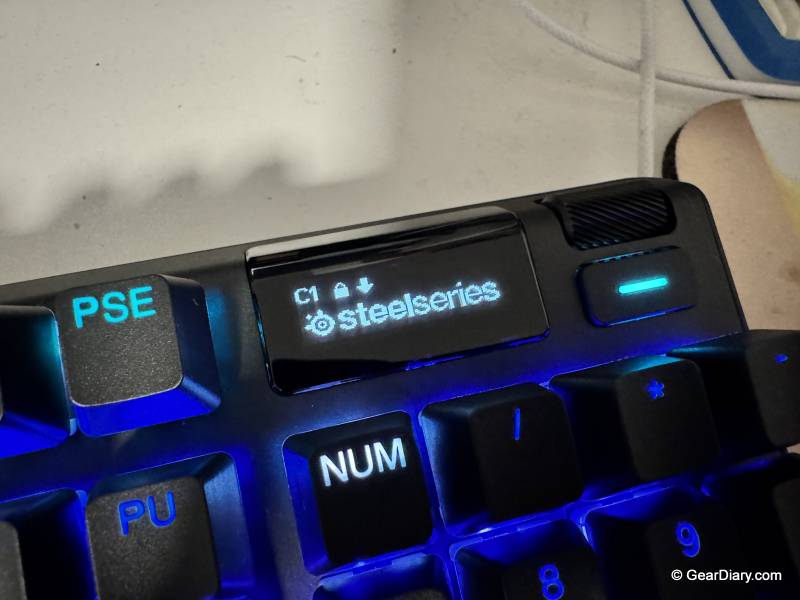
The lighting is the other highlight. Per-key RGB is standard on keyboards at this level, but the implementation here looks genuinely good, and the options in the SteelSeries GG application are fun to mess with. The one worth calling out is the audio-reactive EQ lighting, which pulses the keys in time with whatever music is playing.
It’s not a performance feature, and it doesn’t help you win anything, but it’s the kind of thing you show people, and it’s a nice bit of ambiance when you’re not in a match. Between GG’s presets and the ability to build your own, there’s a lot more depth here than the usual rainbow wave.
The OLED Smart Display is where the enthusiasm dips a little. It’s a nice-looking, sharply rendered screen, and SteelSeries positions it as a command center for adjusting settings without leaving your game. In real use, it’s hard to see much purpose for it.
Most of the settings you’d want to change are ones you set once and forget, and anything you’d genuinely want to change mid-game is faster to handle in software or on a keybind. It’s not a bad feature, and it’s not in the way, but it’s the part of the keyboard that goes the longest between uses. If you’re weighing the full-size Apex Pro Gen 3 against alternatives, the OLED probably shouldn’t be the thing that tips the decision.
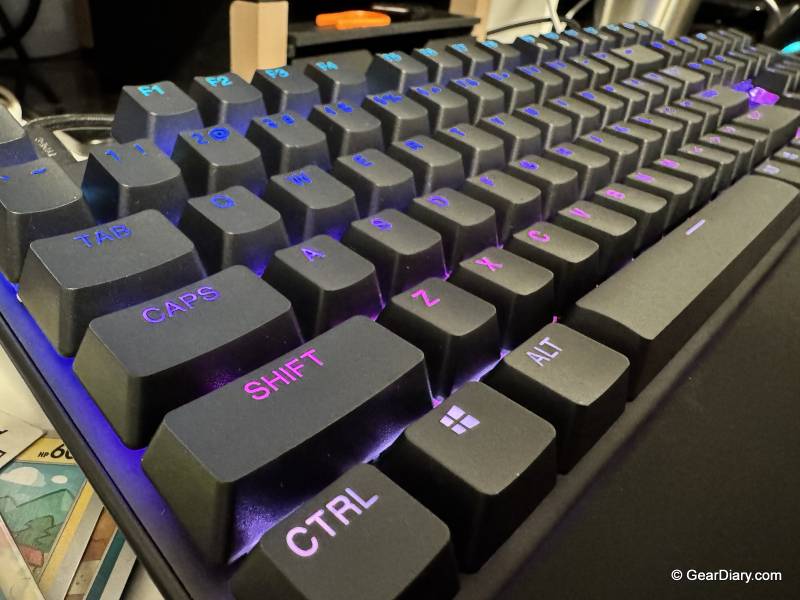
Everything else about the build holds up. The double-shot PBT keycaps have the slightly textured, matte feel that resists the shine cheaper ABS caps develop, the detachable USB-C cable means you’re not tied to a fixed lead, and the magnetic palm rest snaps on without fuss. It’s a heavy, planted keyboard that doesn’t slide around.
SteelSeries Arctis Nova Pro Omni Headphones
Quick Specs:
- Drivers: Custom 40mm neodymium
- Frequency Response: 10Hz to 40kHz
- Audio: Hi-Res Wireless certified, 96kHz/24-bit, LC3+ codec
- Battery: Infinite Power System, two hot-swappable batteries, roughly 30 hours per battery
- Base Station: GameHub with OLED screen and command wheel, charges the spare battery
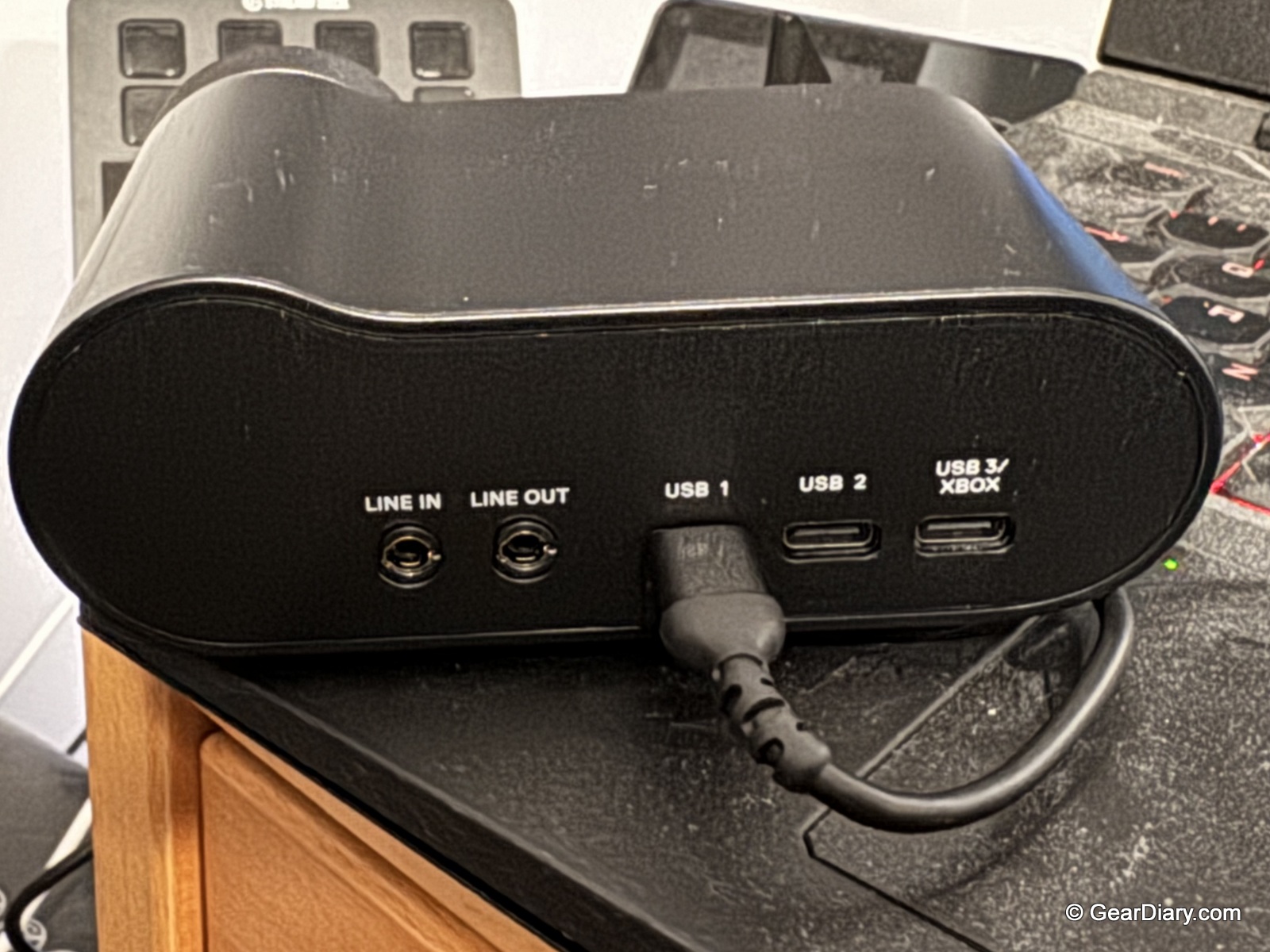
- Connectivity: 2.4GHz wireless, Bluetooth 5.3, USB-C, line-in
- OmniPlay: Connect up to five devices, mix four audio sources at once
- Microphone: Retractable ClearCast Pro, omnidirectional, AI noise rejection up to 96%
- Noise Cancellation: Active ANC with transparency mode
- Build: Memory foam earcups with vegan leather
- Software: SteelSeries Sonar and Arctis apps, 200+ game audio presets
- Platforms: PC, PlayStation, Xbox, Switch, mobile
- List Price: $399.99
The SteelSeries Arctis Nova Pro Omni’s sound quality is the headline, and it earns the position. These headphones are excellent and, more importantly, measurably improve gameplay. The spatial imaging is precise enough that you get real positional information out of a game rather than a vague sense of direction.
In Battlefield 6, that means hearing where footsteps and gunfire are coming from with enough accuracy to act on it. In Fortnite it’s the same story, knowing which direction a build or a shot came from before you’ve seen anything. Even in Rocket League, which isn’t a game people usually think of as audio-dependent, the extra spatial context helps with tracking the ball and reading where other cars are relative to you. That’s not a subtle “audiophile” improvement; it’s the kind of thing that changes outcomes.
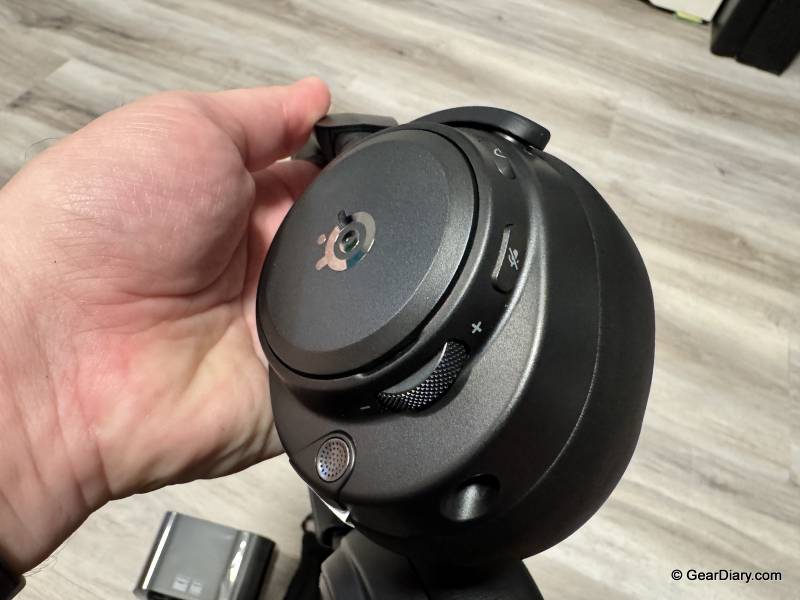
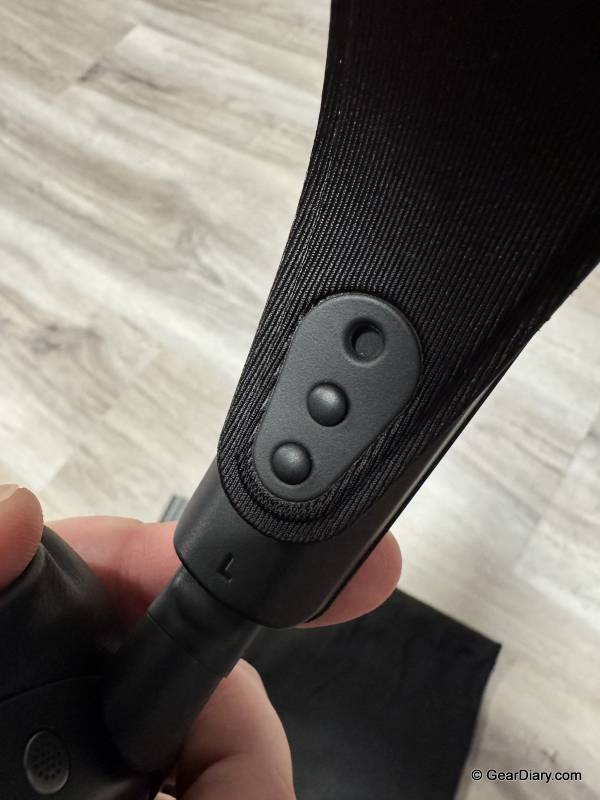
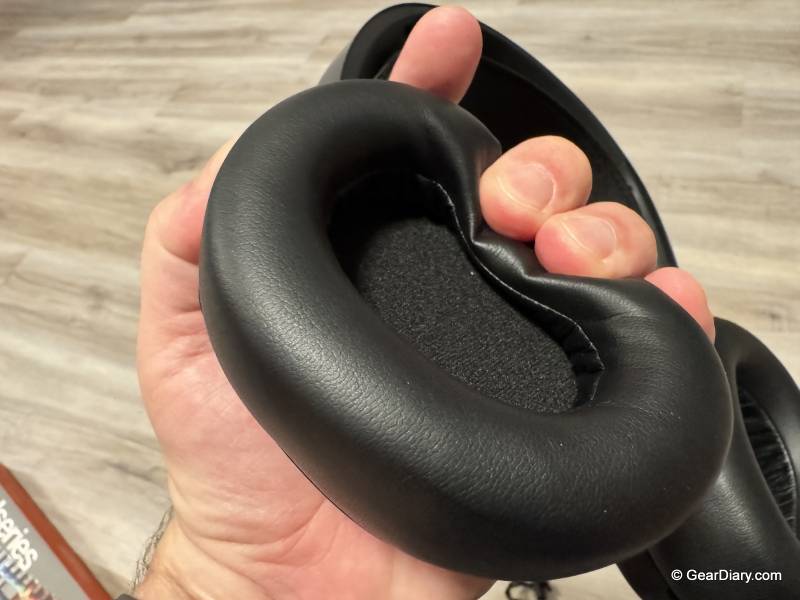
The SteelSeries Arctis Nova Pro Omni’s comfort deserves its own mention because this is a headset you can wear for a long session without thinking about it. Memory foam earcups, vegan leather covering, and a weight distribution that doesn’t create a hot spot on the top of your head. Long sessions are where headsets usually reveal their flaws, and this one just doesn’t.
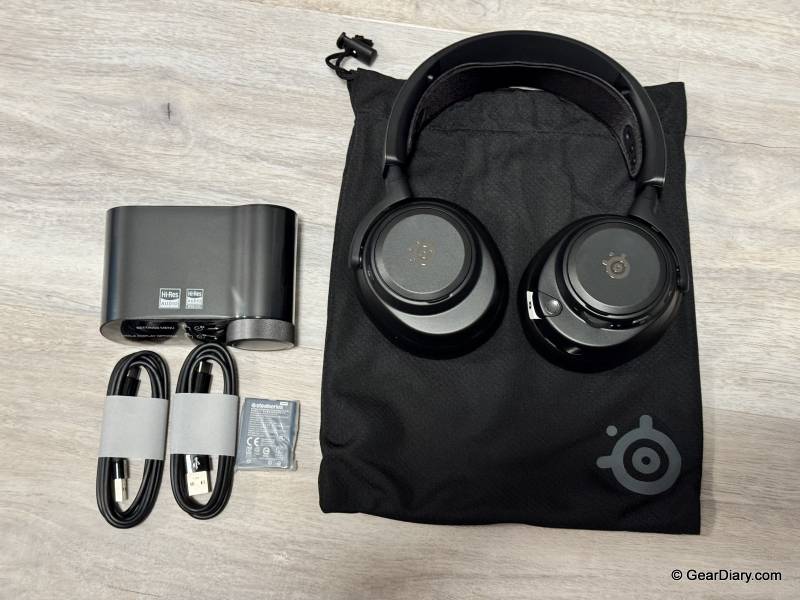
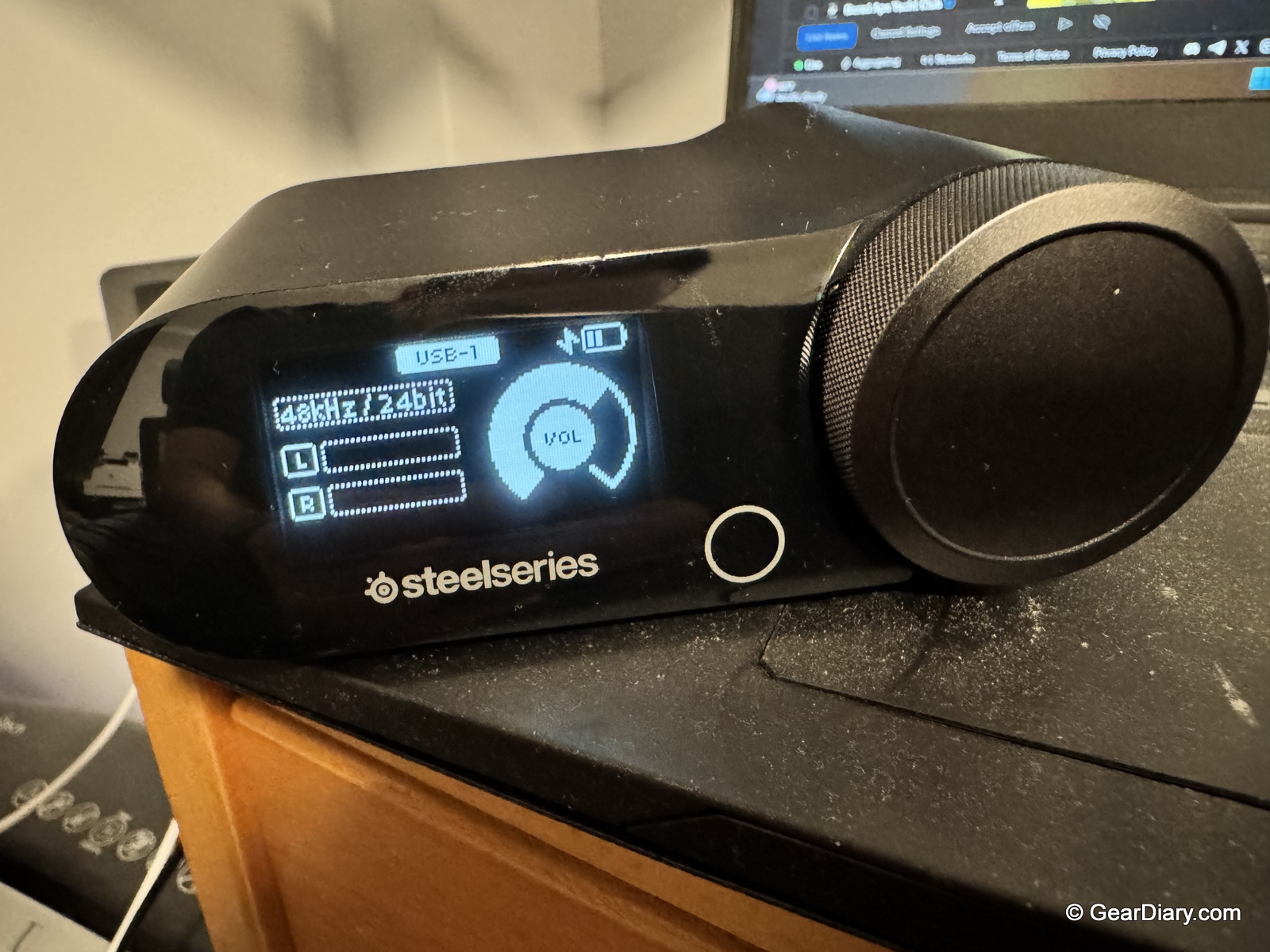
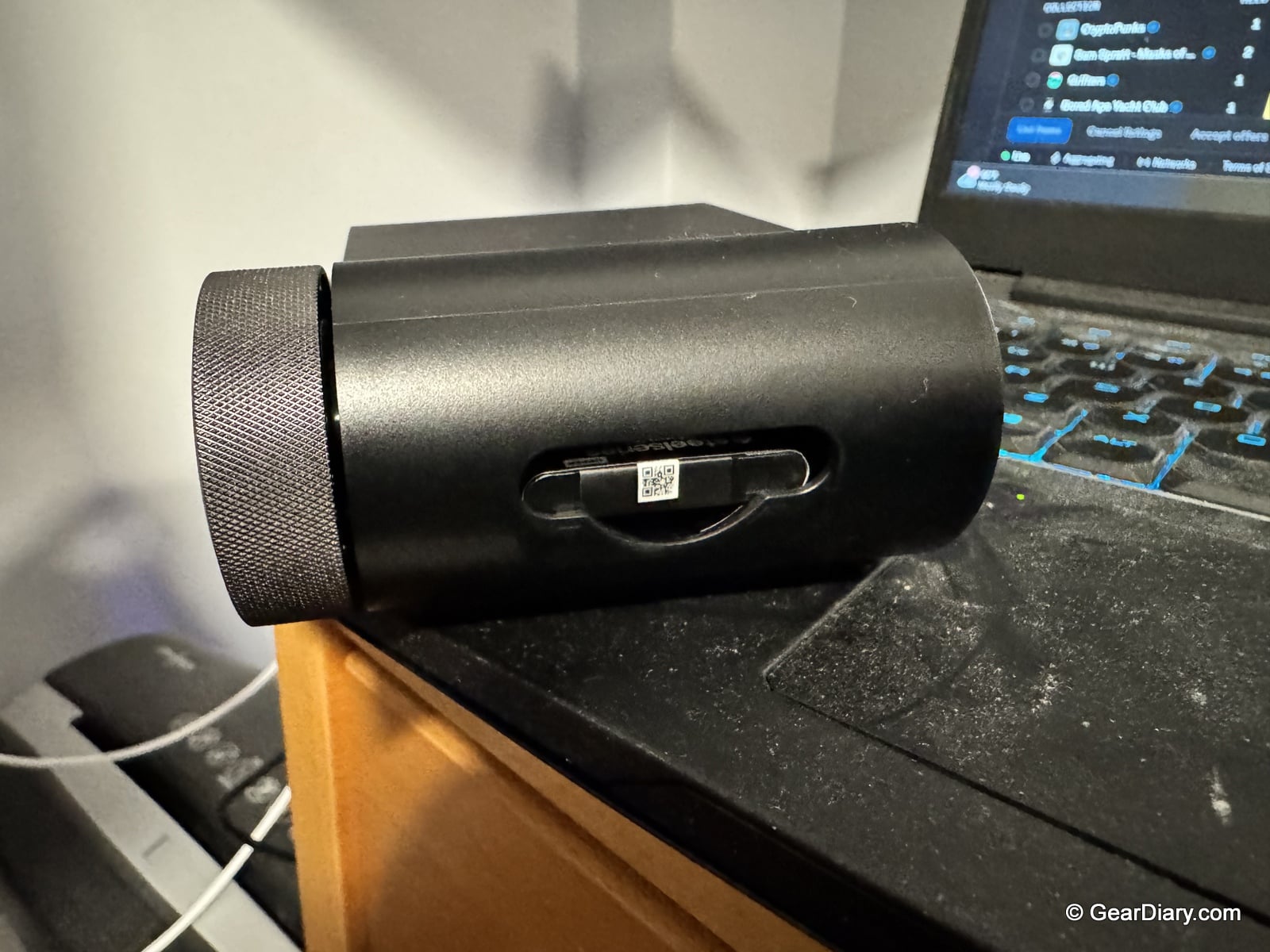
The feature that matters most in daily use is the Infinite Power System. The headset ships with two batteries, each good for around 30 hours, and the GameHub base station charges the spare while you use the other. When the one in your headset runs low, you swap it for the charged one and keep going. That sounds like a small thing on a spec sheet. It isn’t.
The old routine with wireless headsets was hitting a low-battery warning mid-session and having to either stop and charge or tether yourself to a cable. That problem is simply gone here. You swap, and you’re back in under ten seconds, indefinitely. If you game in long stretches, this is the headset’s single best feature.
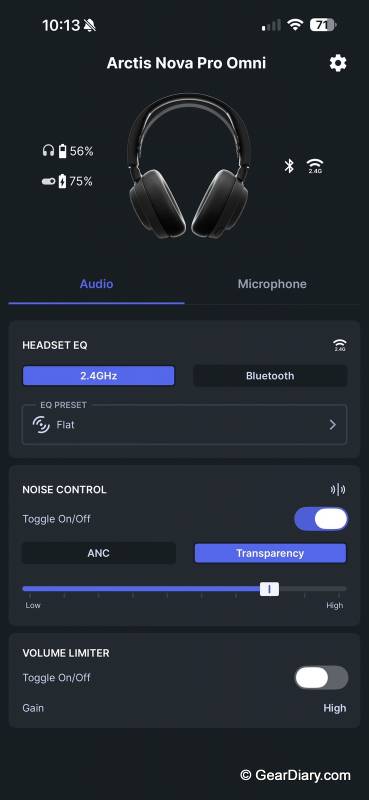
The SteelSeries Arctis Nova Pro Omni’s Bluetooth implementation is the other quality-of-life win. Bluetooth 5.3 pairs to a phone alongside the 2.4GHz connection to your PC or console, so the downtime between matches becomes useful. Watching a video, taking a call, or listening to something on your phone doesn’t require pulling the headset off or repairing anything. The broader OmniPlay system takes this further, letting you connect up to five devices and mix four audio sources simultaneously, with the SteelSeries GameHub’s OLED screen and command wheel giving you per-source volume control without alt-tabbing.
The microphone is the one place with a real complaint. The ClearCast Pro is a retractable boom that tucks flush into the earcup, and the AI noise rejection does an impressive job of stripping out background noise.
The catch is that retracting the mic mutes it. That’s a deliberate design decision by SteelSeries, and there’s some logic to it as a quick physical mute, but it means the tucked-in position isn’t usable as a normal talking position.
You have to pull the boom out to be heard. Anyone hoping to run the headset in a clean, boom-free profile for casual voice chat is out of luck. It would be a better headset if the tucked position still picked up voice with a separate mute control, and if the mute-on-retract behavior were at least a software toggle rather than fixed. Voice quality itself is clear when the boom is deployed, though the AI processing gives it a slightly processed character.
SteelSeries Aerox 3 Wireless Gen 2 Mouse
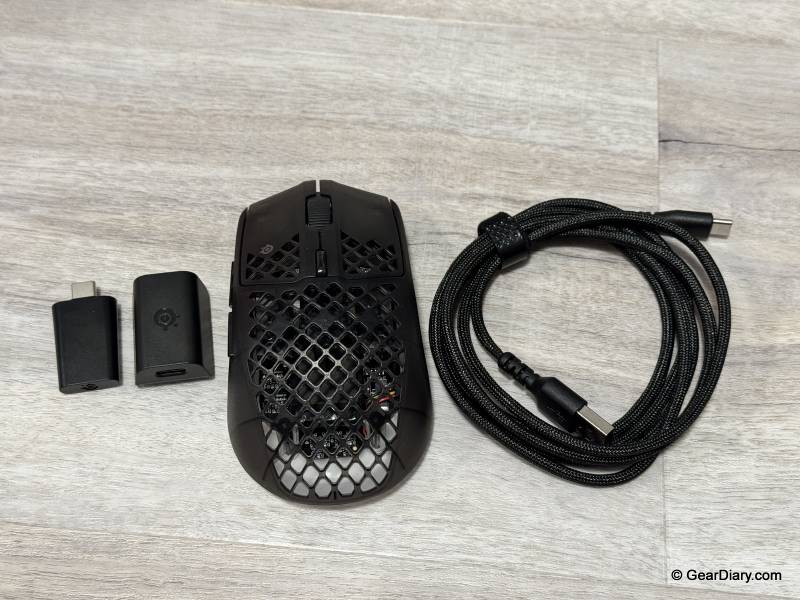
Quick Specs:
- Weight: 68g
- Sensor: TrueMove 26K, up to 26,000 CPI
- Tracking: 400 IPS, 40G acceleration
- Polling Rate: 4000Hz wireless, 0.25ms
- Click Latency: Under 2ms
- Switches: Mechanical, rated for 80 million clicks
- Buttons: 6 programmable
- Durability: IP54 water and dust resistance with AquaBarrier
- Feet: 100% PTFE
- Lighting: 3-zone RGB
- Battery: Up to 120 hours on 2.4GHz, up to 200 hours on Bluetooth
- Connectivity: 2.4GHz wireless and Bluetooth
- Charging: USB-C with fast charging
- List Price: $109.99
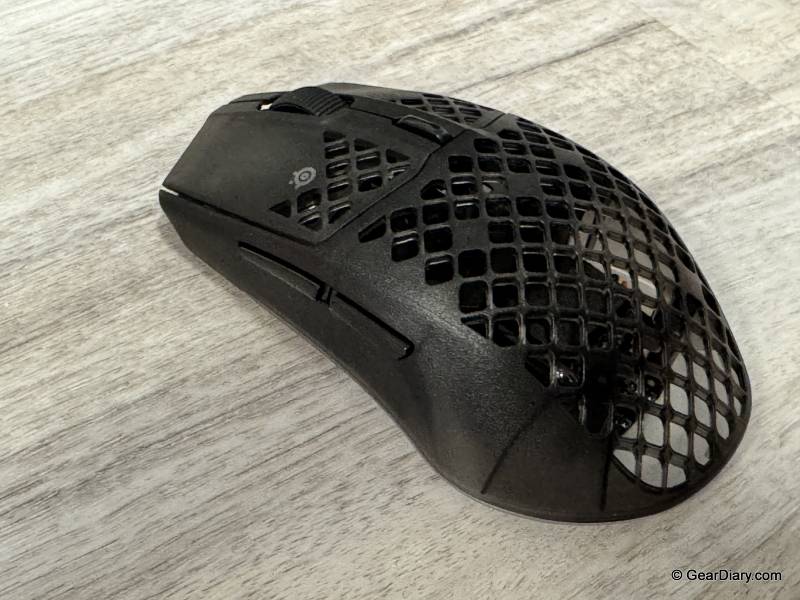
Lightweight mice usually come with a catch. The ones that get down near 60 grams often feel hollow or creaky, like they removed weight at the expense of structure. The SteelSeries Aerox 3 Wireless Gen 2 weighs 68 grams and doesn’t have that problem. It’s amazingly light for how well built it feels. The honeycomb shell cuts the weight, and while perforated shells can feel flimsy, this one is rigid. Pick it up, and it feels like a finished product, not a compromise.
The shape works well in hand. It’s comfortable for extended use and, importantly, it’s not overcomplicated. It has six programmable buttons total: the standard two clicks, a scroll click, two thumb buttons, and a CPI button. There’s no wall of side buttons to memorize or accidentally trigger. For anyone who isn’t playing an MMO, that’s the right call. Fewer buttons means less to think about and a cleaner shape.
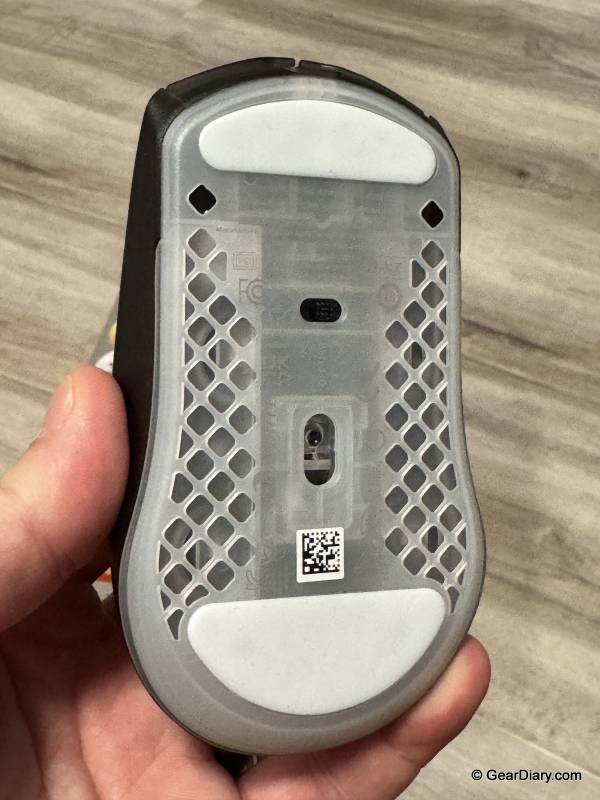
The SteelSeries Aerox 3 Wireless Gen 2’s internals are stronger than the price suggests. The TrueMove 26K sensor tracks up to 26,000 CPI with 400 IPS and 40G of acceleration, which is more headroom than anyone realistically uses, and the 4000Hz wireless polling rate is the specification that actually matters, cutting the reporting interval to 0.25ms. Click latency comes in under 2ms.
Battery life is generous at up to 120 hours on the 2.4GHz connection and up to 200 hours on Bluetooth, and it charges over USB-C with fast charging when it does run down. IP54 water and dust resistance is unusual on a perforated shell and worth having on a desk with drinks on it.
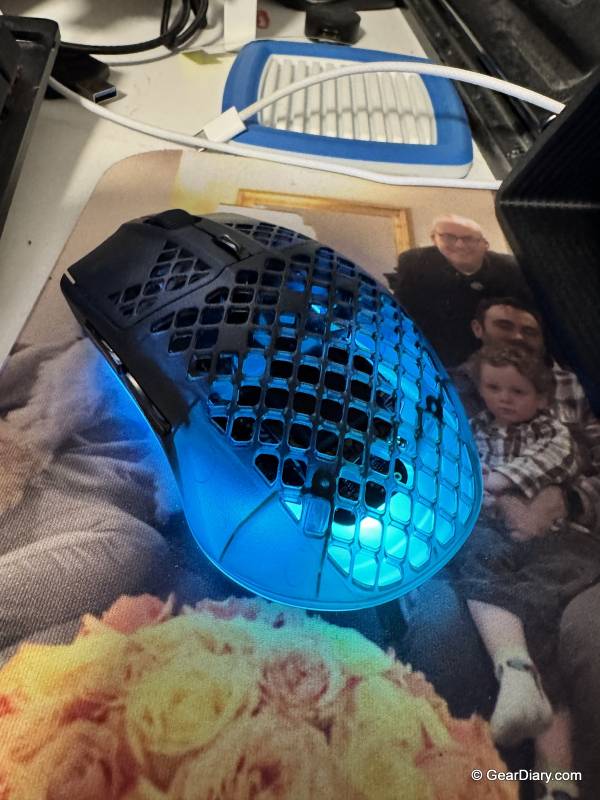
The lighting is also better than it needs to be. Three RGB zones, and because it’s running through the same SteelSeries GG software as the keyboard, the effects match. That’s the small thing that matters when you own the whole set.
Using the Three SteelSeries Products Together
The individual products are good. The reason to consider all three is what happens when they’re on the same desk.
Everything runs through SteelSeries GG, which means one application instead of three, one lighting configuration instead of three that never quite agree on what “red” means. Set an effect on the keyboard and the mouse picks it up in the same palette. The keyboard and mouse complement each other visually in a way that a mixed-brand setup essentially can’t. On the audio side, Sonar handles EQ, and per-game presets for the headset from the same launcher.
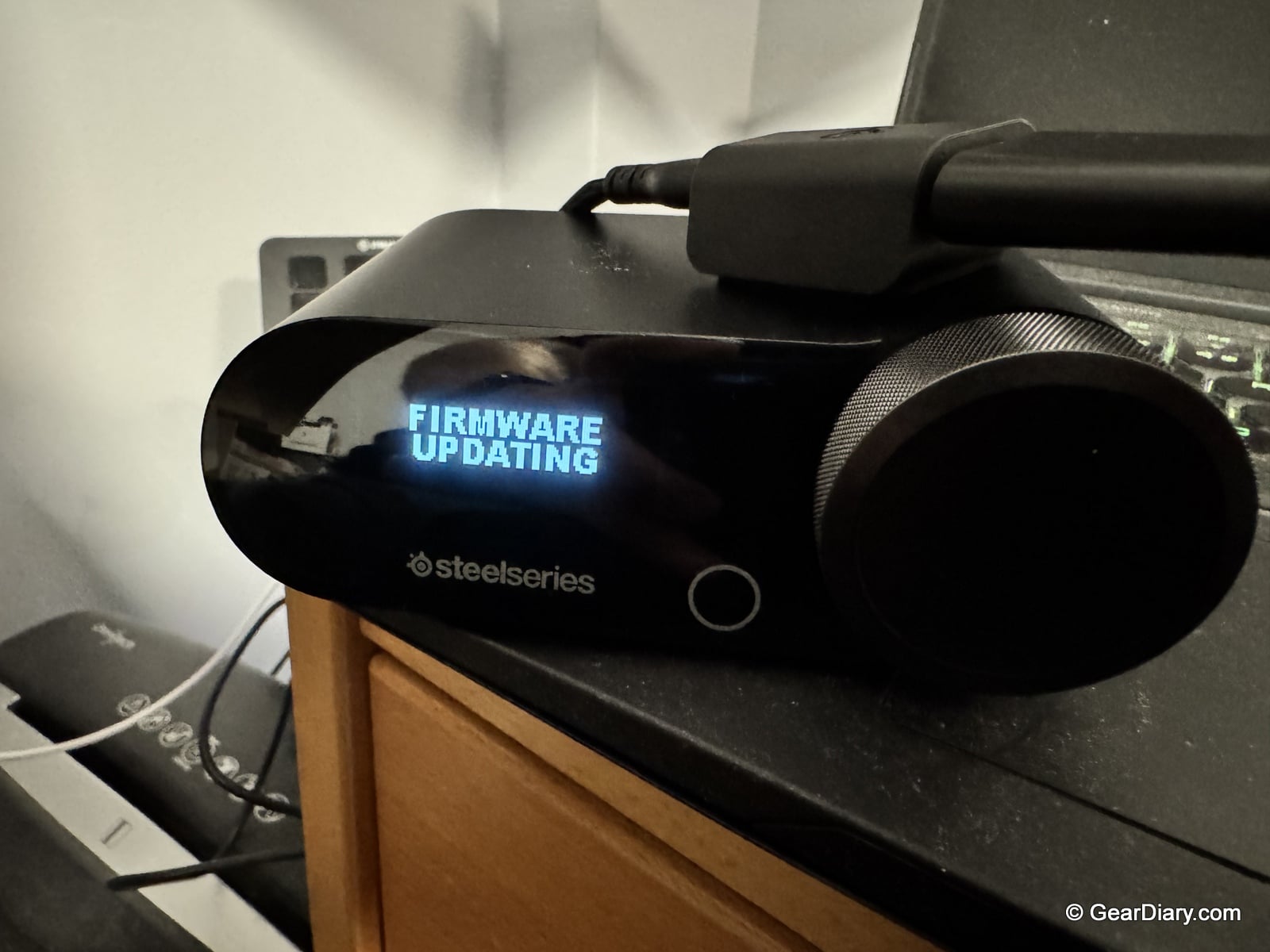
There’s also a practical benefit. Firmware updates, profile management, and per-game settings all live in one place. Anyone who has juggled three separate peripheral apps, each with its own background service and its own update nag, knows how much friction that removes.
The SteelSeries GG app is worth talking about on its own, because it does more than the usual peripheral driver.
The most immediately useful thing with a wireless mouse and a wireless headset on the same desk is battery tracking. Both devices report their charge level into Engine, so you can see at a glance where the Aerox and the Arctis stand instead of finding out the hard way in the middle of a match. It’s a small feature that removes a specific, recurring annoyance.
The Engine also houses all the device settings: per-key RGB and actuation depth on the Apex Pro Gen 3, CPI stages and lighting zones on the Aerox 3, and macros and key bindings across both. Profiles can be tied to specific games, so launching Rocket League can pull up a different actuation and lighting setup than launching Battlefield 6, without you touching anything. Sonar handles the headset audio, with EQ for game, chat, and mic on separate channels and a library of presets for over 200 titles.
The part that surprised me most is Moments, the built-in clip-capture tool. It records gameplay in the background and saves clips two ways. You can hit a customizable hotkey whenever something good happens, or let it detect highlights on its own. In supported games, it recognizes events like headshots, multi-kills, clutches, and round wins, and saves the clip without you doing anything.
That’s the feature that catches the moments you didn’t see coming, which are usually the ones worth keeping. Clip length, resolution, quality, and frame rate are all adjustable, with the default at 30 FPS and 60 available. It has a built-in editor for trimming, adjusting game, mic, and chat audio levels independently, and adding text or GIF overlays; then you can export the file or share it straight from the app. It’s free, and it doesn’t require owning SteelSeries hardware.
Having all of this behind a single launcher is the actual argument for buying into one ecosystem. Battery levels, lighting, actuation, audio EQ, and highlight clips in one app is a materially better experience than three vendor tools that don’t talk to each other and a separate capture program running alongside them. GG also throws in a 3D Aim Trainer, which is a nice extra even if it isn’t a reason to buy anything.
The SteelSeries Apex Pro Gen 3 makes sense for anyone who wants a mechanical keyboard that feels good without announcing itself to the whole house, and who’ll actually use the adjustable actuation. If you don’t care about Rapid Trigger or per-key actuation depth, there are cheaper keyboards that feel nearly as good. Don’t buy it for the OLED.
The SteelSeries Arctis Nova Pro Omni is the easiest recommendation of the three, with the caveat that $399.99 is a lot of money for a headset. If you play in long sessions, the swappable battery system alone justifies a large chunk of the price. If you play across multiple platforms, OmniPlay does something no single-device headset can. If you mostly play an hour at a time on one machine, you’re paying for capability you won’t use, and the mic behavior may bother you.
The SteelSeries Aerox 3 Wireless Gen 2 is for people who want a light, comfortable, well-built mouse without a button farm on the side. If you play MMOs or need a dozen binds under your thumb, look elsewhere. For shooters, Rocket League, and general use, it’s hard to fault.
The SteelSeries Apex Pro Gen 3 full-size wired keyboard is listed at $259.99, the Arctis Nova Pro Omni retails for $399.99, and the Aerox 3 Wireless Gen 2 is at $109.99. All three are available directly from SteelSeries and from other retailers.
Source: Manufacturer-supplied review samples
SteelSeries Apex Pro Gen 3
What I Like: Keys feel great with real mechanical travel but aren’t loud or clicky; Adjustable actuation from 0.1mm to 4.0mm across 40 levels; Rapid Trigger and Rapid Tap are genuinely useful competitively; Per-key RGB looks excellent and the SteelSeries GG lighting options are fun; Audio-reactive EQ lighting that syncs to music is a standout; Double-shot PBT keycaps resist shine; Detachable USB-C cable and magnetic palm rest; Heavy, planted build that doesn’t slide around
What Needs Improvement: OLED display is nice to look at but hard to find a real use for; Street pricing has drifted well above the $199.99 launch price; Full-size footprint takes up a lot of desk
SteelSeries Arctis Nova Pro Omni
What I Like: Excellent sound quality that measurably improved gameplay; Spatial imaging gives real positional information in Battlefield 6, Fortnite, and Rocket League; Extremely comfortable for long sessions; Swappable battery system is a genuine gamechanger, no more stopping to charge; Roughly 30 hours per battery with the spare charging in the GameHub; Bluetooth 5.3 to a phone is great for downtime between matches; OmniPlay connects five devices and mixes four audio sources; GameHub OLED and command wheel for per-source control without alt-tabbing; Works across PC, PlayStation, Xbox, Switch, and mobile; ANC with transparency mode; Sonar EQ and 200+ game presets run out of the same SteelSeries GG launcher as the keyboard and mouse
What Needs Improvement: Microphone only works with the boom pulled out, and retracting it mutes it by design; No software toggle to disable mute-on-retract; AI noise rejection gives voice a slightly processed character; $399.99 is a serious investment
SteelSeries Aerox 3 Wireless Gen 2
What I Like: Amazingly lightweight at 68g without feeling cheap or hollow; Honeycomb shell is rigid, not flimsy; Very comfortable shape in hand; Not overcomplicated, six buttons and no button farm; TrueMove 26K sensor with 4000Hz wireless polling; Up to 120 hours on 2.4GHz and 200 hours on Bluetooth; IP54 water and dust resistance; USB-C fast charging; Three-zone RGB that matches the keyboard through SteelSeries GG; Battery level reports into SteelSeries GG so you’re never guessing
What Needs Improvement: Not enough buttons for MMO players or anyone who needs a lot of binds; Perforated shell isn’t for everyone aesthetically or if you have sweaty hands; Small-to-medium shape may not suit larger hands