


The Lowdown
The Shokz OpenMeet2 refines an already excellent open-ear work headset with a sleeker design, improved comfort, Bluetooth 6.0, adjustable AI noise cancellation, and a convenient flip-up mic mute. Its bone conduction design keeps your ears uncovered, making it especially comfortable for glasses and behind-the-ear hearing aid users. Call quality remains strong even with background noise, though aggressive noise cancellation can clip certain sounds. Despite a few minor quirks and a $249.95 price, the OpenMeet2 is a worthy upgrade.
Overall
Pros
- Open-ear design allows for situational awareness
- Works great for glasses wearers and behind-the-ear hearing aid users
- New flip-up mic mute
Cons
- App should allow disabling noise cancellation
- User-adjustable crown control for volume
- Price
For calls on your phone or computer, nothing beats the quality and convenience of a good headset. You might be lucky if you’re not picky, but I dislike the idea of not hearing the room around me- or people sneaking up on me! I also wear glasses AND wear hearing aids, which make many headsets painful to wear on a long call. I’ve been using the Shokz OpenMeet for a while, which is my go-to headset that solves all of these issues, but will the Shokz OpenMeet2 improve on that?
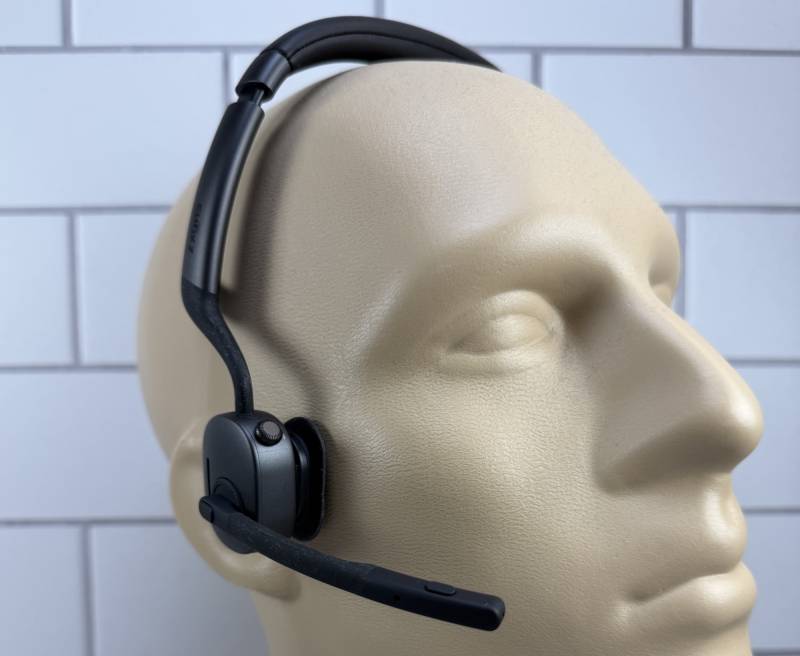
Why an Open-Ear Headset Works Better for Me
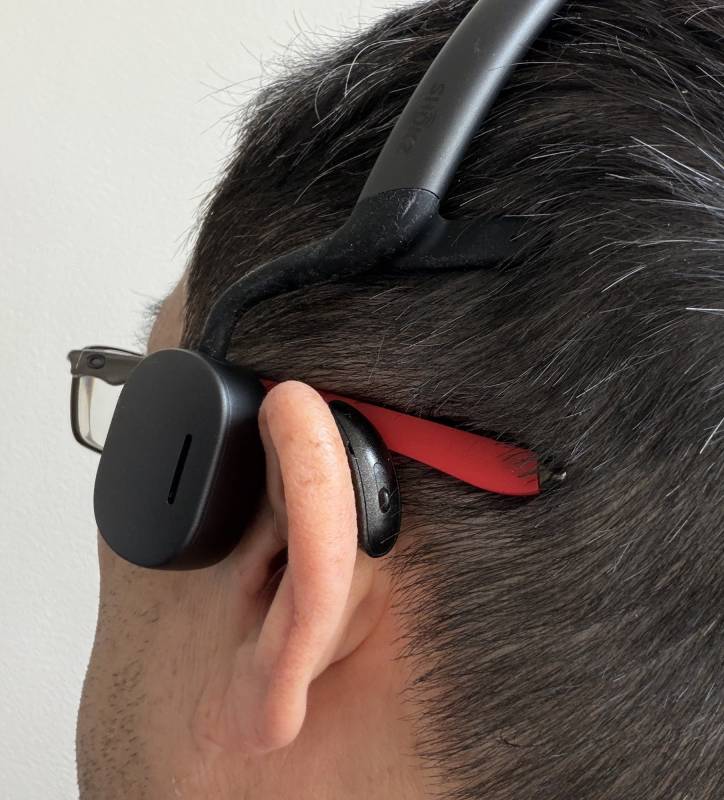
I’ve had to put up with headsets that cause pain on a long call because I wear glasses. Now that I wear behind-the-ear hearing aids, the options are even more limited. Sure, most headsets work, but not without some discomfort. Those gaming headsets that go around the ear work fine, but they look huge on my head.
You may be familiar with Shokz and their line of active-themed headphones and earbuds. I’ve had the first version of the Shokz OpenMeet, which solves my eyeglass/hearing aid issue with an over-the-headband design where the parts that normally fit ON the ears sit on the temples and produce sound via bone conduction.
The new Shokz OpenMeet2 improves upon this winning formula by adding new features, such as improved AI-powered noise canceling, improved comfort, and more.

SPECIFICATIONS
(Shokz OpenMeet2 in bold, OpenMeet in italics)
Audio Technology
Shokz DualPitch™ Technology+ LeakSlayer™ 3.0 +11 mm × 21 mm Speaker
Shokz DualPitch™ Technology+ LeakSlayer™ 3.0 + 11 mm × 18 mm Speaker
Stability Technology
Shokz GlideFit™
Shokz TitaniumFlex™
Microphone Type
Dual AI noise-canceling microphones, up to 99.4% background noise reduction
Dual AI noise-canceling microphones, up to 98.6% background noise reduction
Bluetooth Connection
Bluetooth 6.0
Bluetooth 5.4
Quick Charge
5-Min = 2 Hours of Talk Time
5-Min = 2 Hours of Talk Time
Battery Life
Up to 12 Hours Talk, Up to 16 Hours Listen
Up to 14 Hours Talk, Up to 15 Hours Listen
Charge Time
1.5 Hours
1.5 Hours
Weight
77.9 ± 1 g
78 ± 1 g
What Comes in the Box
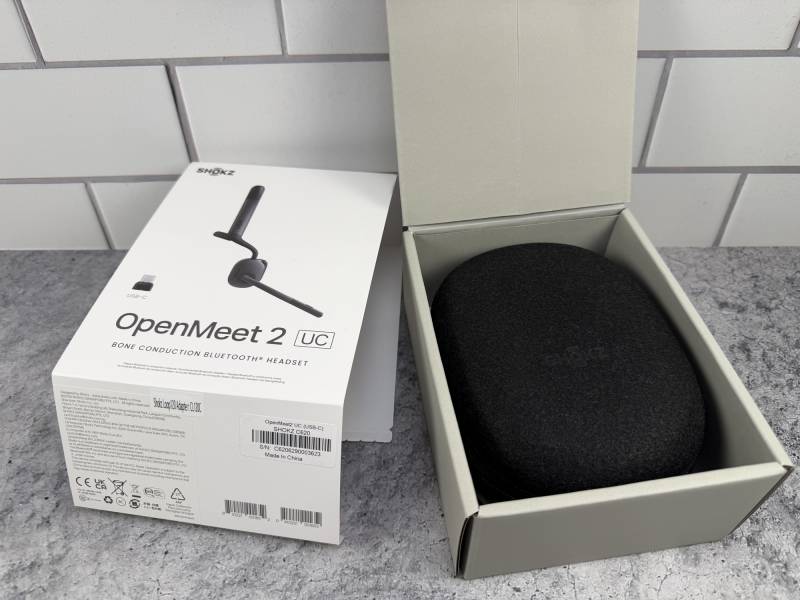
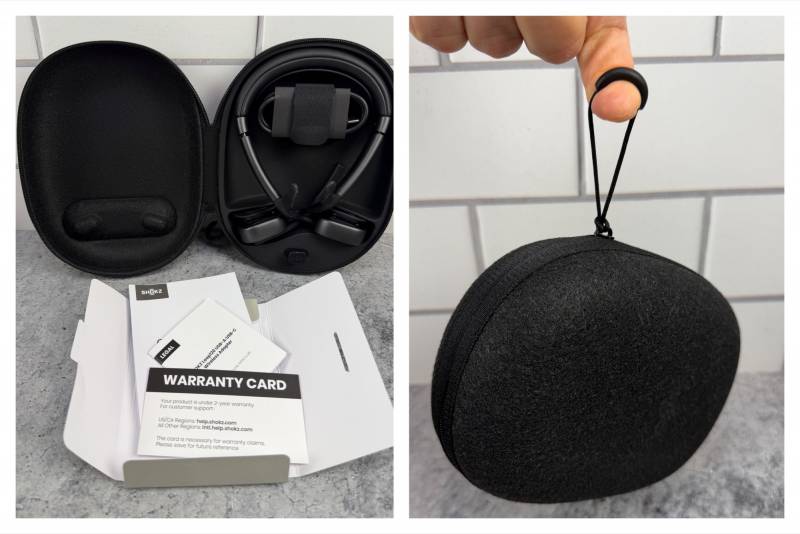
Like the OpenMeet, the new Shokz OpenMeet2 Bone Conduction Headset comes with a nice, hardshell felt-covered zip case, USB-C dongle, and USB-C cable.
A Sleeker, More Comfortable Design
The first difference that stood out to me was the new design that looked more robust and sleeker than the previous version. Gone are the interchangeable temple pads. The Shokz OpenMeet2 uses two “horns” that point rearward to provide a stable fit.
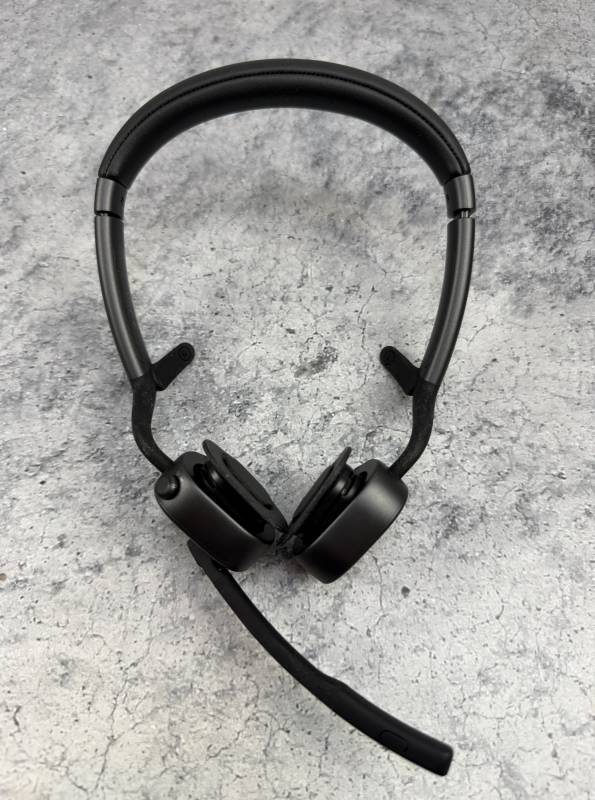
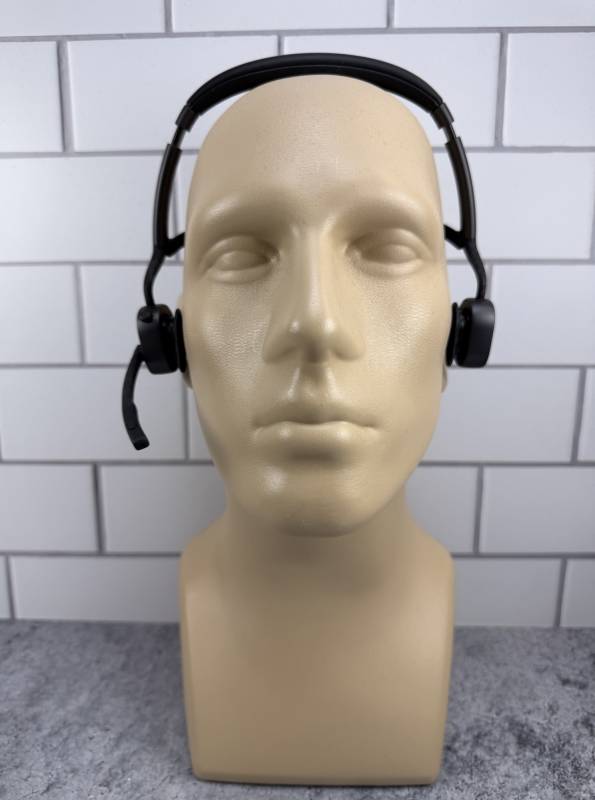
What makes the Shokz OpenMeet2 Bone Conduction Headset unique is where the speakers sit. Instead of sitting directly on or around the ears, they sit just ahead of your ears, resting on your temple bones. This design leaves your ears open so you can hear your surroundings.
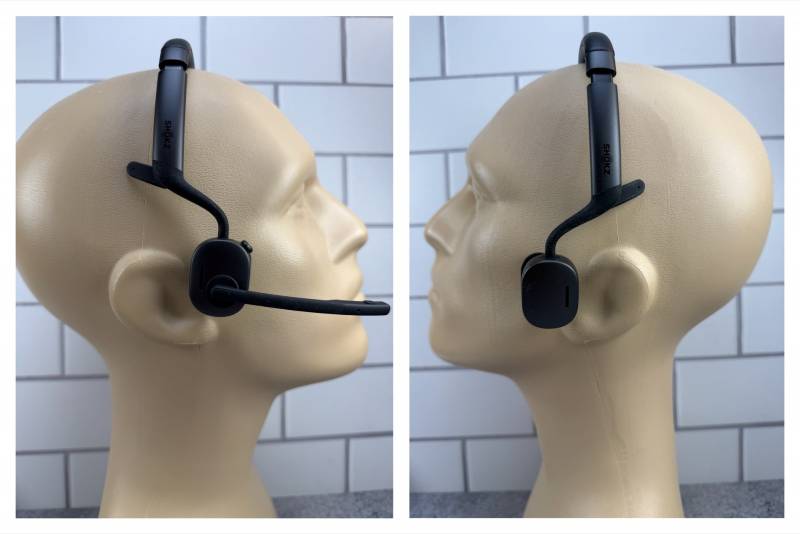
This design solves not one, but THREE issues I have with headsets: it lets me hear my surroundings, doesn’t press up against my glasses, and works with behind-the-ear hearing aids!
Controls, Charging, and Connectivity
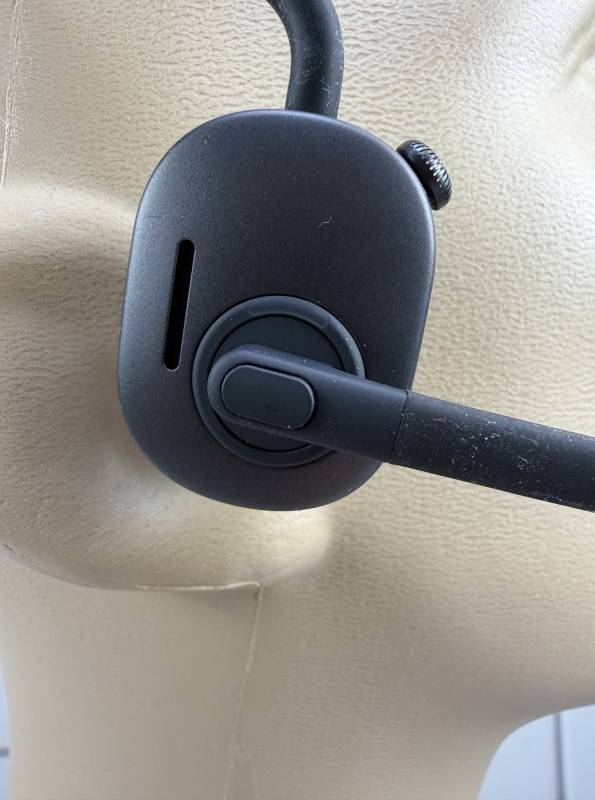
The microphone tip has a dedicated mute button that syncs with Zoom. With the Shokz OpenMeet2, you can now mute the microphone by flipping the boom up past 90 degrees. I love it! I often fiddle for the button anyway. The boom is also nicely flexible.
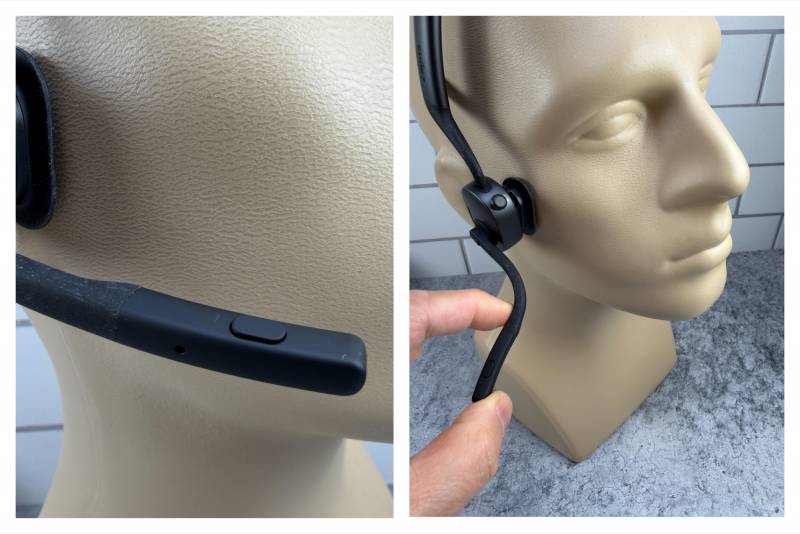
On the right side is a multifunction button in the center. Note the volume/power switch in the upper right of the speaker. On this new version, the control is knurled like a watch crown. More on that later.
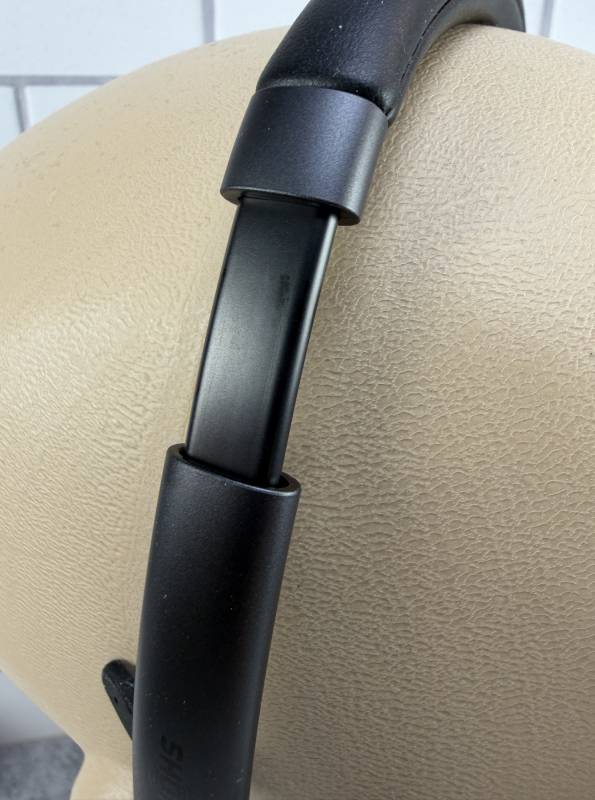
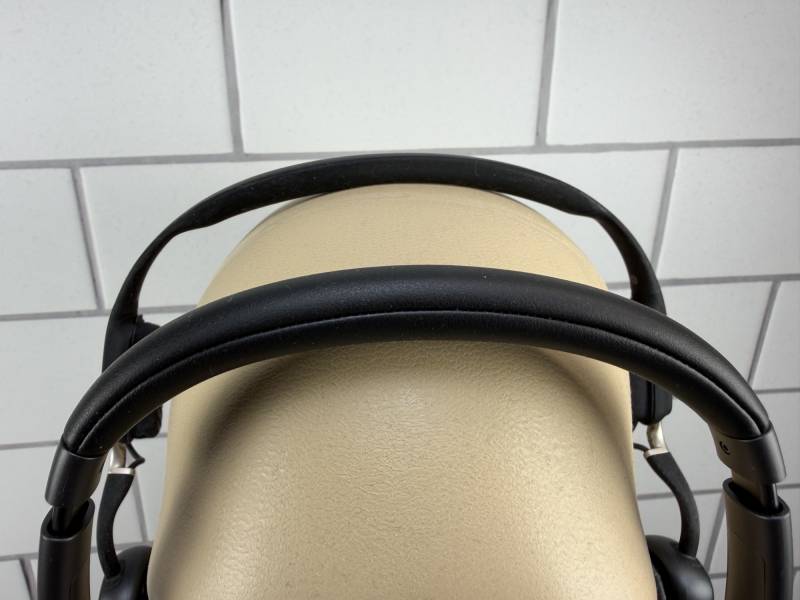
The headband appears slightly thicker than before, and extends to accommodate your head circumference.
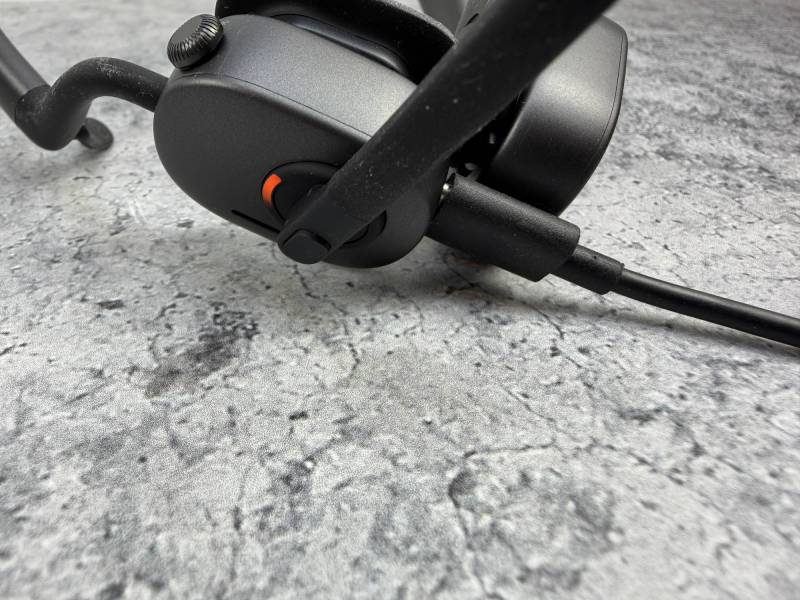
The headset charges via the included USB-C cable. An LED indicator shows headset status.
The Shokz OpenMeet2 headset I received came with a tiny USB-C receiver. A USB-A version is available. The headset also works via Bluetooth as well. It’s worth noting that the headset supports multipoint pairing, so I can connect to both my iPhone and my computer (equipped with the dongle).
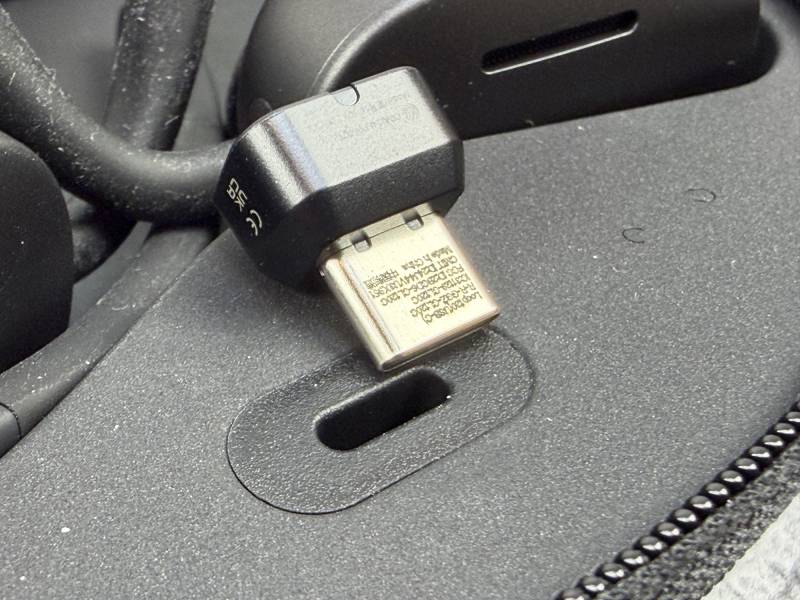
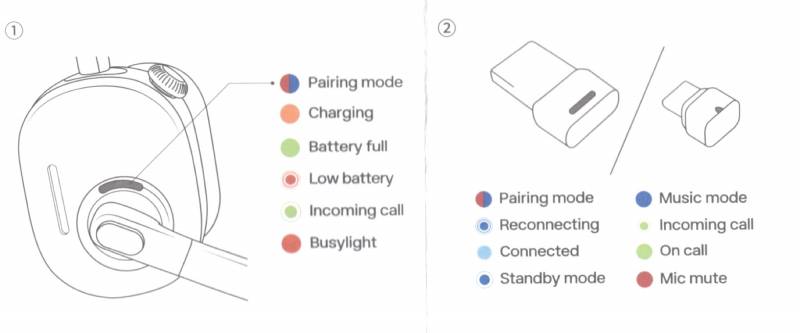
Both the headset and receiver feature multi-color LEDs with so many colors that I keep the included cheat sheet handy.
Shokz OpenMeet vs. Shokz OpenMeet2
Let’s compare the OG OpenMeet (left) next to the new Shokz OpenMeet2 (right). Note the cushioned pads on the OpenMeet. (The OpenMeet2 appears larger because the “horns” are propping up the headset closer to the camera).
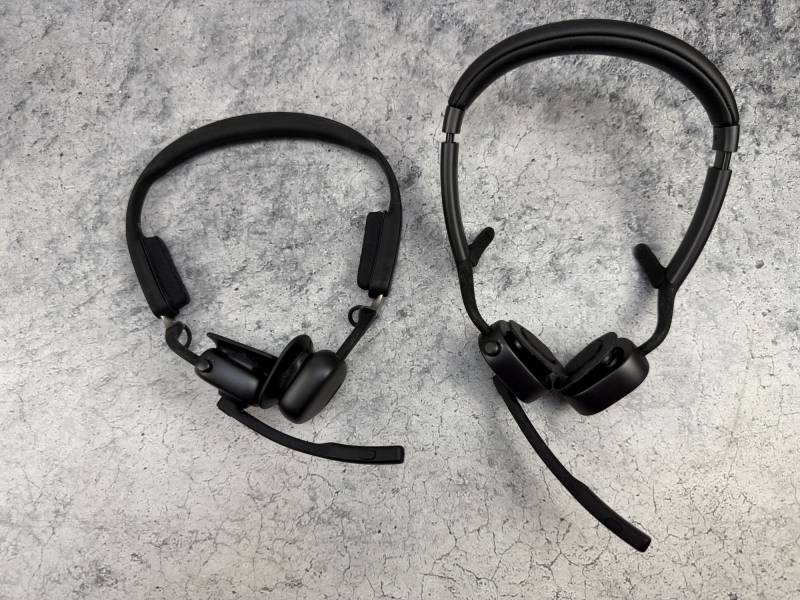
The new Shokz OpenMeet2 (right) removes the exposed wire. All wiring is built into the band, giving it a sleeker overall look.
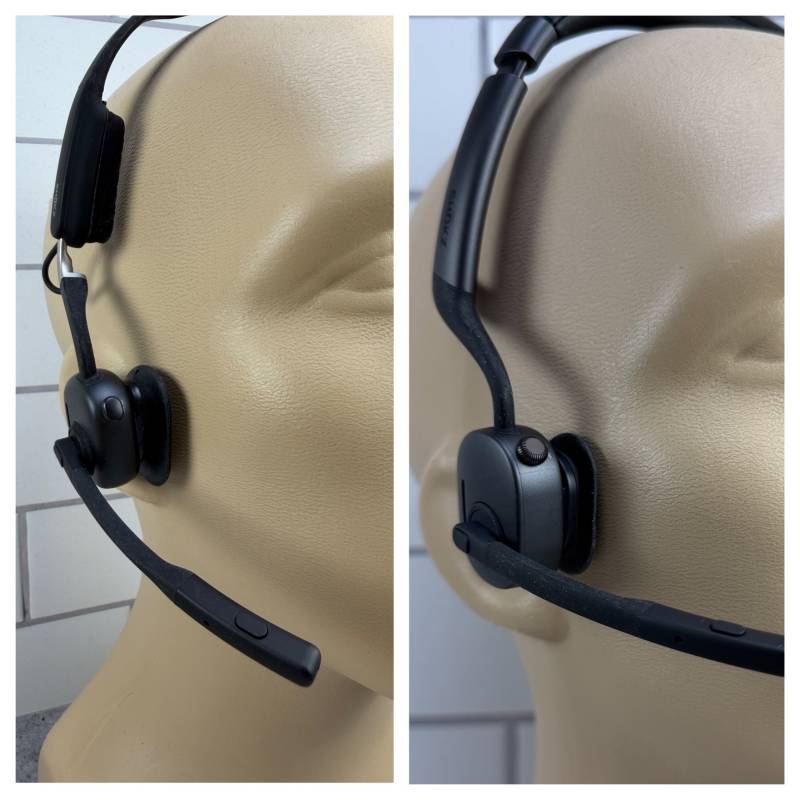
The side view highlights the design differences between the OpenMeet (left) and Shokz OpenMeet2 (right).
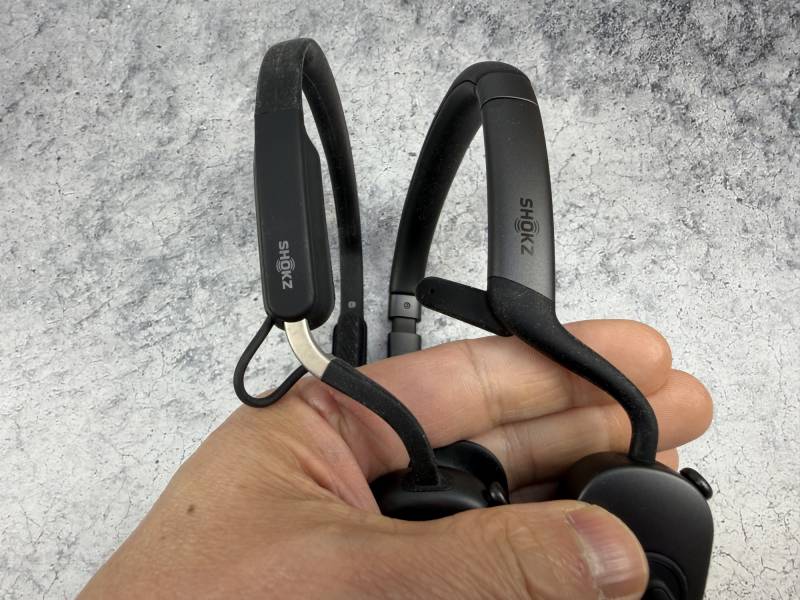
The power and volume control is also slightly different from the original (left) and the Shokz OpenMeet2 (right). On the original, you toggle the button up and down like a joystick to adjust volume. The new button is now a rotary knob, hence the knurled finish. You still press and hold the button to power on, off, or pair. 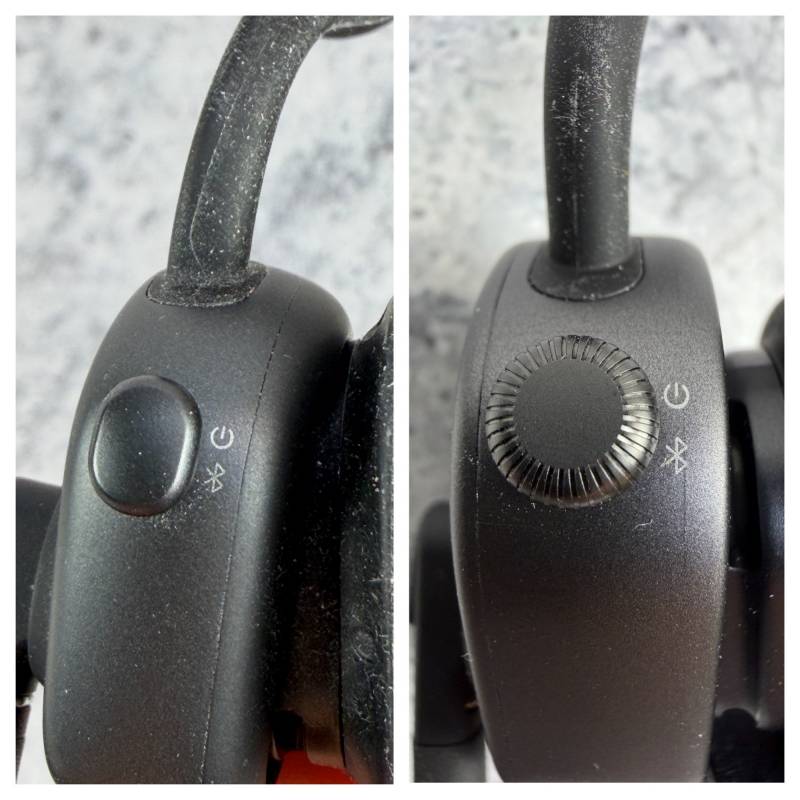
The new headband (lower) is much more padded than the original (upper).
Apps, EQ, and Adjustable Noise Cancellation
There are smartphone and computer apps for the headset(s). The Shokz OpenMeet2 adds EQ settings for both music and call audio. Yes, you can use the headset to listen to music, but it’s nothing I’d call amazing. Good enough for podcasts, passable for music if you’re at work. Don’t expect to rock out.
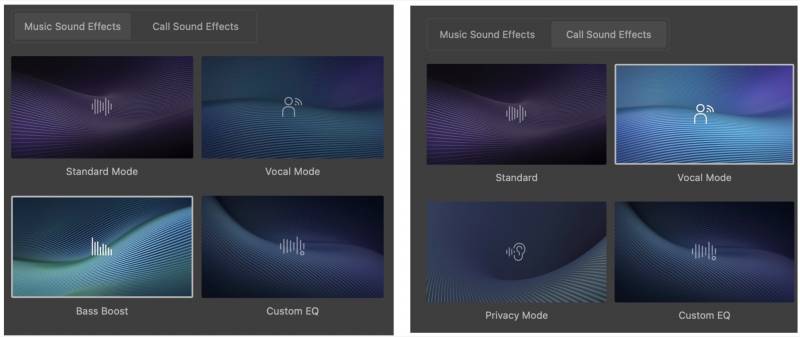
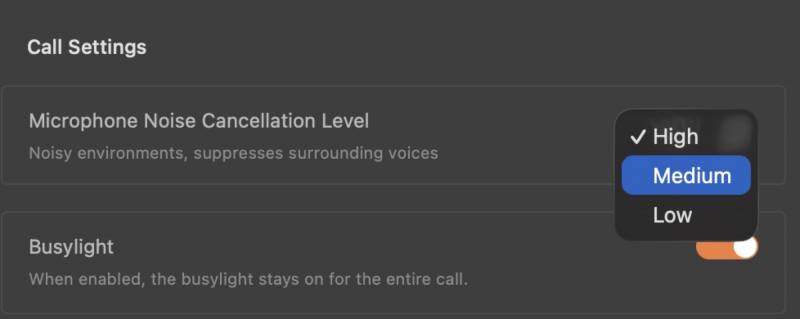
Also new for the OpenMeet2 is adjustable noise cancellation. The original OpenMeet had no such adjustment.
Putting the OpenMeet2’s Noise Cancellation to the Test
So how does the Shokz OpenMeet2 Bone Conduction Headset sound with the adjustable noise cancellation? In this first example (control), I record myself with a regular USB webcam on my monitor, the OpenMeet, and finally the OpenMeet2 in a normal room without special acoustical treatment. It could very well be your home office.
With no noise (co-workers talking, crying babies, shuffling papers), it’s obvious you can hear more of the “room” (echoes, reverberation) with the webcam. Both headsets sound fairly similar.
Next, I introduce some noise- a mechanical keyboard with blue clicky switches- recording with a webcam, OpenMeet, and OpenMeet2.
You can hear every click and clack with the webcam recording. The headset’s noise cancellation cut down the clatter by a bit. I would say that both OpenMeet and Shokz OpenMeet2 sounded pretty much the same. I set the noise cancellation to “Low” on the new OpenMeet2.
But what does the OpenMeet2 sound like if you crank up the noise cancellation? Here’s a recording with the same keyboard noise, but with the noise cancellation set to Low, then Medium, then High.
The noise cancellation algorithm became more aggressive at Medium and High. While it cut back background noise, speech remained very intelligible, but it would truncate certain sounds, such as the -ch sound in “smoothly curved arch”. There’s no way to disable noise cancellation completely, so I’m leaving it on “Low”.
A Couple of Minor Annoyances
Another very minor annoyance is the rotating crown volume knob. I know on the Apple Airpod Max headphones, you can twist the crown to adjust volume, and that rotation can be set clockwise or counterclockwise, depending on your preferences. It’s like changing the scroll direction on your mouse wheel. For me, it’s “backward,” and I can’t change it. It’s not a big deal since I usually adjust volume from the computer anyway.
The Shokz OpenMeet2 Becomes My New Go-To Headset
Given that it’s my only teeny gripe, the Shokz OpenMeet2 Bone Conduction Headset is definitely replacing the older OpenMeet as my go-to headset. I only wish I had one for work and one for home! If you’re like me (glasses and hearing aid wearer) and you like the open-ear design, but the OpenMeet2 is too pricey, the original OpenMeet headset is still a great design and likely cheaper now if you don’t need the improvements on the OpenMeet2.
The Shokz OpenMeet2 Bone Conduction Headset retails for $249.95; it is available directly from the manufacturer.
Source: Manufacturer-supplied review sample
What I Like: Open-ear design allows for situational awareness; Works great for glasses wearers and behind-the-ear hearing aid users; New flip-up mic mute
What Needs Improvement: App should allow disabling noise cancellation; User-adjustable crown control for volume; Price