


The Lowdown
The HP Smart Tank 5103 All-in-One Printer does the main thing it sets out to do extremely well. The ink system is genuinely easy to refill, the supply in the box is enough that ink stops being something you think about, and everyday print quality is better than the price suggests. What you give up for it is speed, an enclosed paper tray, automatic two-sided printing, and a document feeder. Those are real omissions, and the missing duplex in particular stings. But if your printing is occasional rather than constant, the trade lands in your favor.
Overall
Pros
- Ink included in the box is rated for up to 3 years, roughly 6,000 black pages and 8,000 color pages
- Tank refilling is clean, fast and effectively spill-proof, with color-keyed bottles that stop on their own
- Very good everyday print quality on both text and color
- 100 sheets of 4 x 6 photo paper included, and photos look good on it
- Dual-band Wi-Fi makes it easy to print from every device on the network
- HP AI formatting in the Smart app keeps prints from coming out clipped or mis-scaled
- Compact and light at just over 11 pounds
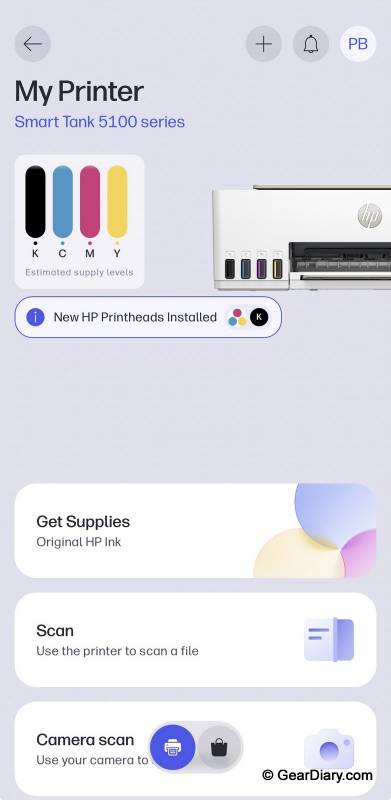
- Front tank windows make ink levels obvious at a glance
Cons
- Slow compared to a laser printer at 12 ppm black and 5 ppm color
- No automatic two-sided printing, only manual duplexing through the driver
- Rear paper feed with no enclosed tray, so loaded paper is always visible
- Printing from a phone requires the HP Smart app
- Flatbed scanner only, with no automatic document feeder for multi-page jobs
- 1-year warranty
Ink tank printers ask you to make a trade. You pay more up front than you would for a cartridge printer, and in exchange you stop buying cartridges. The HP Smart Tank 5103 puts that pitch as plainly as it can: $269.99, and HP says the ink in the box will last three years. We have been living with one for a few weeks now, printing documents, photos, and the odd scan, to see what the rest of the printer is like once the ink math stops being the headline.
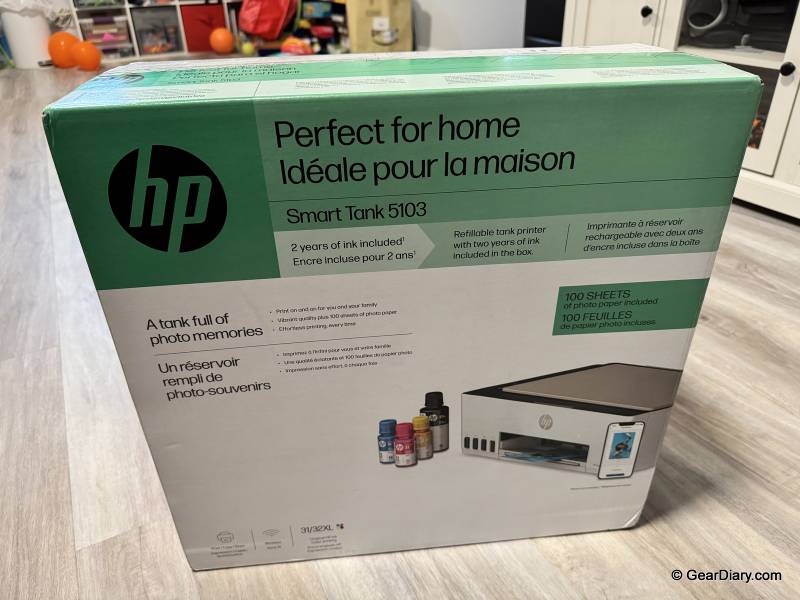
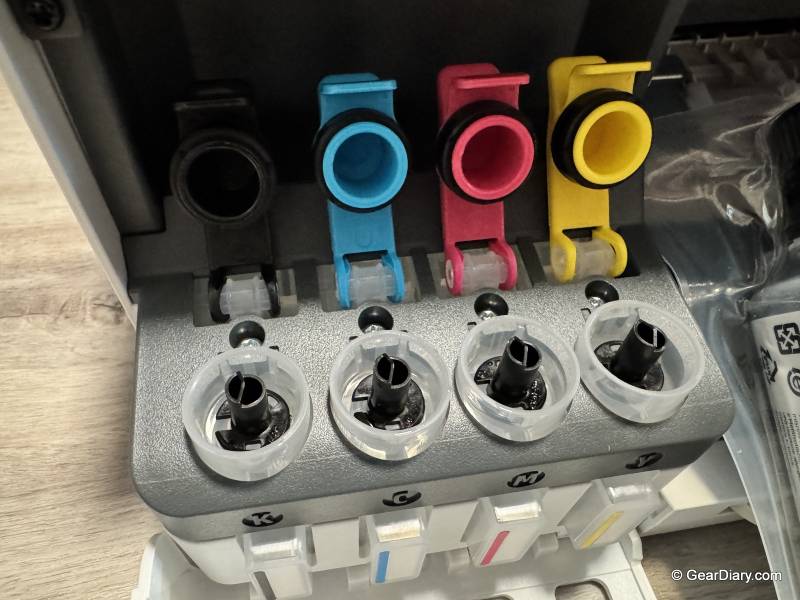
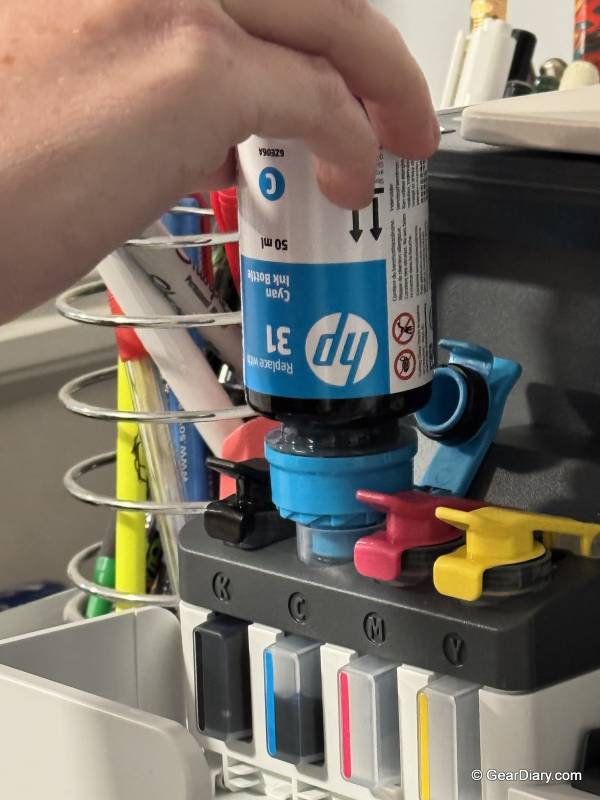
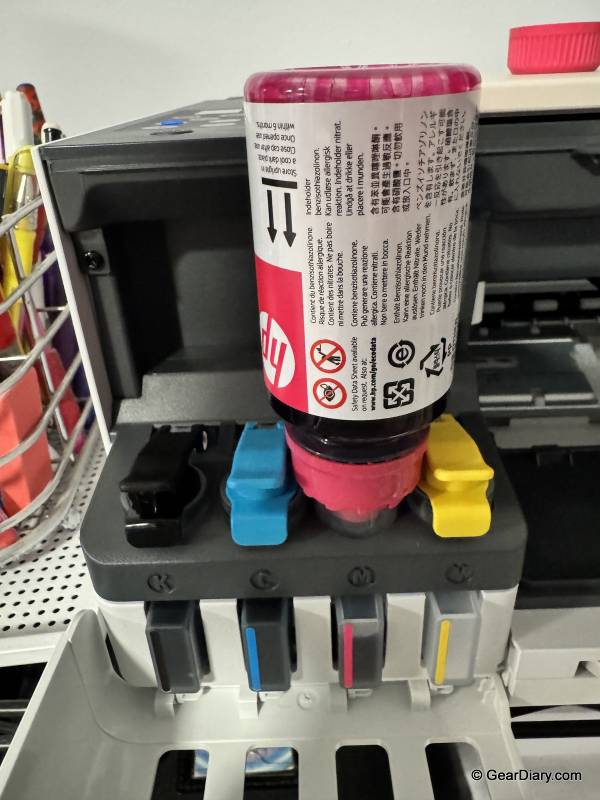
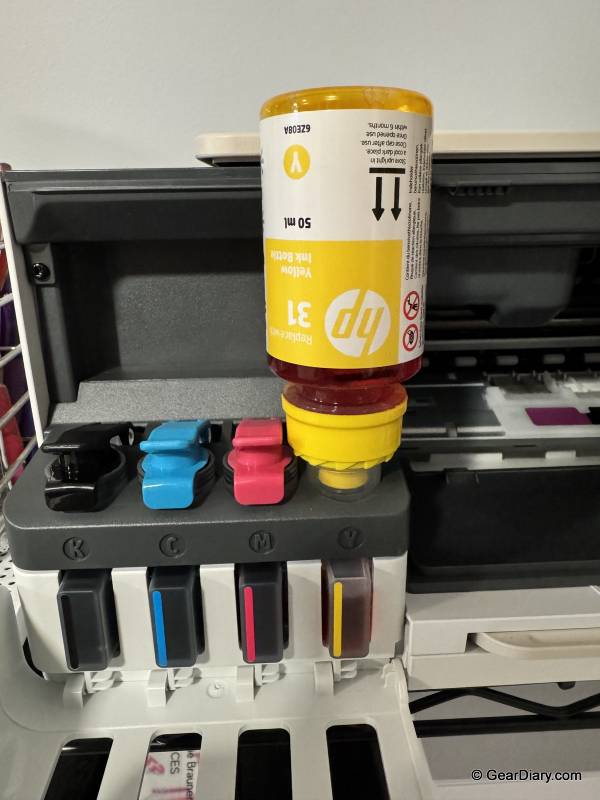
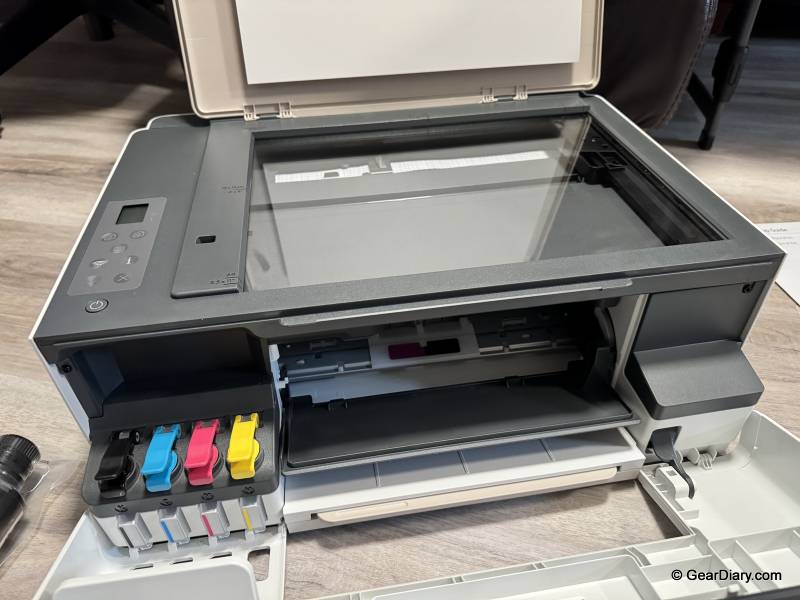
The tank is the whole reason this printer exists, so start there. Instead of cartridges, the HP Smart Tank 5103 has four reservoirs behind a window on the front right of the chassis, and you fill them from bottles. If your mental image of refilling an ink tank involves syringes, paper towels, and regret, the reality here is a lot more boring than that.
Each bottle keys to its tank so you cannot put cyan in the magenta well, and the bottle stops flowing on its own when the tank is full. You hold it in place, it glugs, it stops. No squeezing, no measuring, no mess. It took us longer to find the scissors for the shrink wrap than it did to fill all four colors.
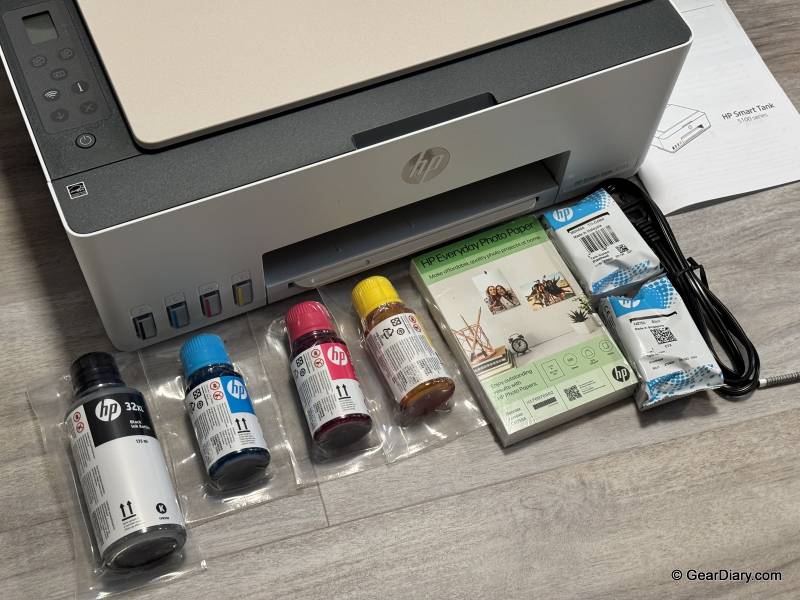
Quick Specs:
- Model: HP Smart Tank 5103 (5D1B2A)
- Functions: Print, copy, scan
- Print speed: Up to 12 ppm black, up to 5 ppm color (ISO); up to 22 ppm black and 16 ppm color in draft mode
- Print resolution: Up to 1200 x 1200 rendered dpi black, up to 4800 x 1200 optimized dpi color
- Scanner: Flatbed, up to 1200 dpi optical, scans to JPG, PDF, PNG, TIFF and HEIF
- Two-sided printing: Manual only
- Paper input: 100-sheet rear feed tray
- Paper output: 30-sheet tray
- Ink included: Up to 3 years of ink in the box, approximately 6,000 black pages and 8,000 color pages
- Also included: 100 sheets of HP Everyday Photo Paper, 4 x 6
- Connectivity: Dual-band Wi-Fi, Wi-Fi Direct, USB 2.0
- Mobile: HP Smart app for iOS and Android, with AI-assisted print formatting
- Dimensions: 17.1″ W x 14.2″ D x 6.2″ H
- Weight: 11.1 lbs
- Warranty: 1-year limited
- Price: $269.99
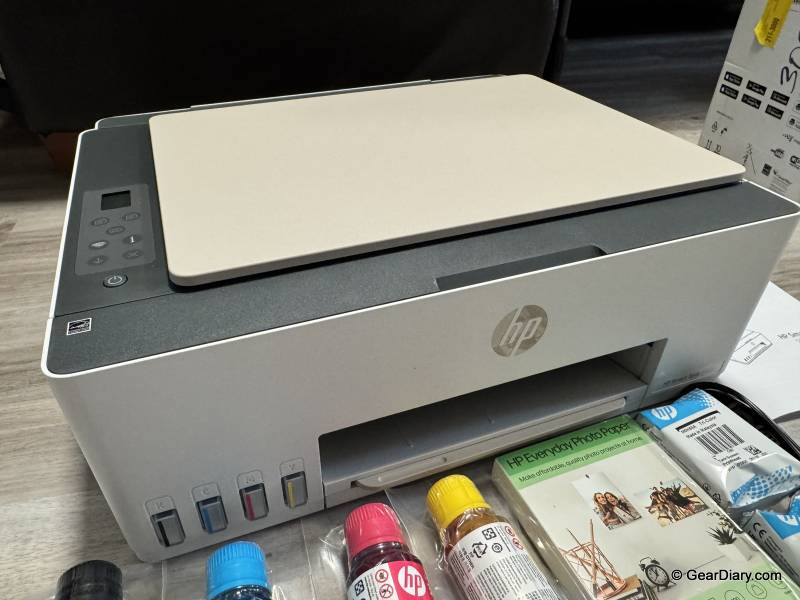
The payoff is that you then stop thinking about ink entirely. HP rates the in-box supply at roughly 6,000 black pages and 8,000 color pages and translates that to three years of typical printing. A few weeks in, the HP Smart Tank 5103’s tank windows look essentially untouched, which is both the point and the thing that is hard to convey in a review.
Anyone who has watched a cartridge printer burn through a $40 color set on a handful of school projects understands the appeal immediately. The HP Smart Tank 5103’s up-front price is higher than a comparable cartridge all-in-one, but you are prepaying for ink rather than renting it a thimble at a time.
Everyday print quality is very good. Text comes out crisp and black with no feathering on plain paper, and color documents are saturated without looking like a toy printer made them. The HP Smart Tank 5103 includes 100 sheets of 4 x 6 Everyday Photo Paper, which is a nice touch and a clear signal about who the company thinks is buying this thing.
Photos printed on it look good, with accurate color and reasonable detail, and they are entirely adequate for a fridge door or a photo album. This is not a dedicated photo printer, and it doesn’t pretend to be, but the fact that HP includes a stack of photo paper means you will actually try it, which is more than can be said for most bundled extras.
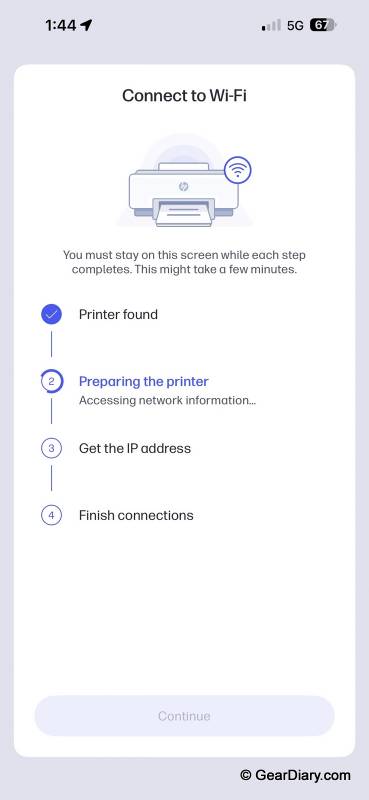
Setup went the way modern printer setup is supposed to go and often does not. The printer joins your Wi-Fi network, and from there every device in the house can find it without any of the driver archaeology that used to define this category. Printing from a laptop is just printing.
HP also leans on what it calls HP AI in the Smart app, which handles formatting so that a web page or a photo lands on the page the way you expected rather than clipped in half or scaled to the size of a postage stamp. It is not a feature anyone will buy the printer for, but it does quietly remove one of the more annoying failure modes of printing from a phone.
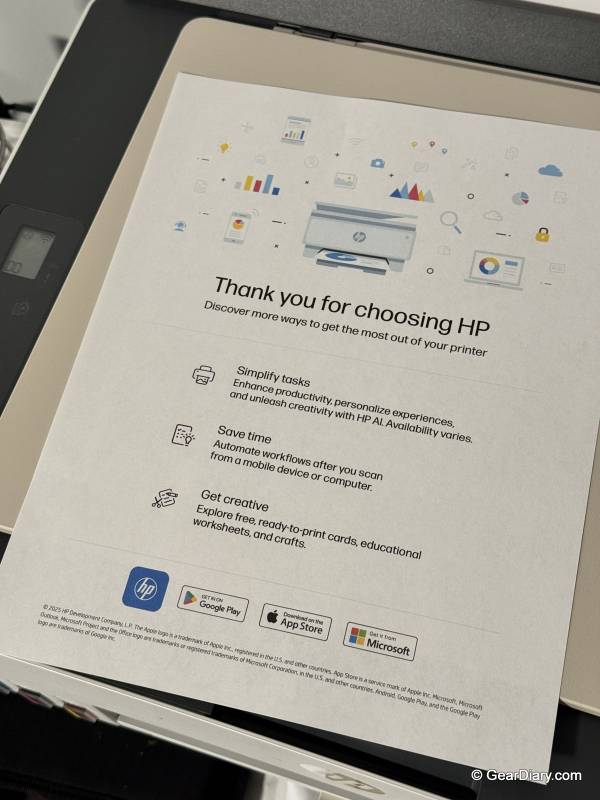
That mobile printing comes with an asterisk, though. To print from a phone, you need HP’s Smart app installed. It is free, it works fine, and it is also another account and another app on your home screen for a task that AirPrint and its Android equivalents handle without any of that on other printers. If you are the household tech support, expect to install it on everyone else’s phone too.
Speed is where the HP Smart Tank 5103 will test your patience if you are coming from a laser. HP rates it at 12 pages per minute in black and 5 in color, and those ISO numbers feel honest in practice. For a couple of pages, that is fine. For a 30-page document, it is long enough that you go do something else and come back.
Ink tank printers as a class are slower than laser printers, and this is a consumer ink tank rather than an office one, so the result is not surprising. It is still an adjustment, and worth knowing before you replace a laser with this.
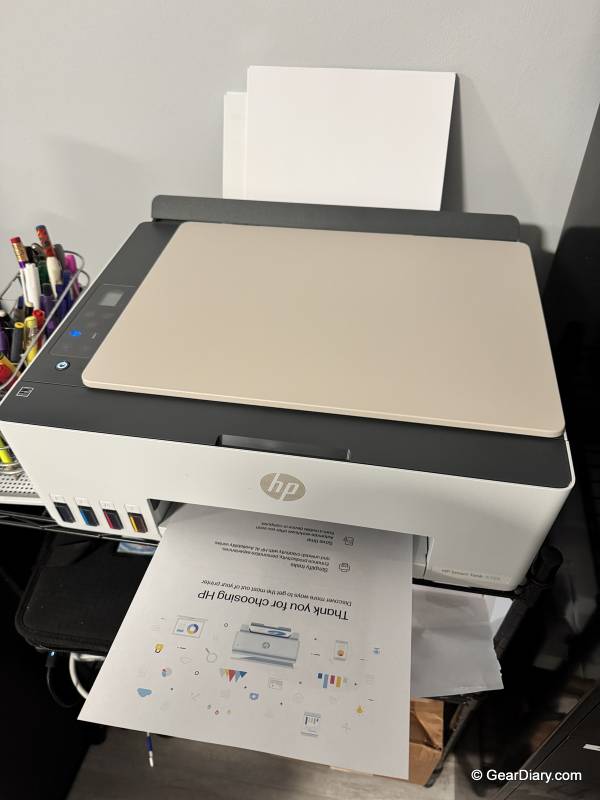
Paper handling is the HP Smart Tank 5103’s other compromise, and it is a design decision rather than a bug. There is no enclosed cassette. Paper loads into a rear feed tray and sticks up out of the back of the printer, visible at all times. It holds 100 sheets, it feeds reliably, and it takes up less depth than a drawer-based design would.
But it means a small stack of paper is part of your decor, and it means dust and pets have access to the top of the stack. If the printer lives in an office nobody sees, this is nothing. If it lives on a shelf in the living room, you will notice it.
The bigger miss is two-sided printing, which the HP Smart Tank 5103 does not do automatically. The driver supports manual duplexing, which means the printer runs the odd pages, tells you to flip the stack, and runs the evens. This works, and if you only occasionally print double-sided, you will shrug at it. We did not shrug at it.
Coming from a printer that duplexed automatically, and having gotten in the habit of printing everything two-sided out of reflex, losing that was the single most noticeable downgrade of the whole switch. It is the feature we would most like to see on the next version of this printer.
Scanning and copying happen on a flatbed, one page at a time, with no automatic document feeder. Scan quality is fine at up to 1200 dpi optical, and the Smart app makes scanning to a phone straightforward, with output to PDF, JPG, PNG, TIFF, or HEIF. But multi-page documents mean lifting the lid for every page. Ink tank all-in-ones that include a feeder exist, generally a step up in the lineup, so this is a place where the HP Smart Tank 5103’s price is reflected in what it leaves out.
The obvious comparisons are Epson’s EcoTank line and Canon’s MegaTank PIXMA models, which occupy the same territory and make many of the same trade-offs. At this end of the market, slow speeds, flatbed scanners, and manual duplex are the norm rather than the exception, and the differences come down to bundle and ink economics more than capability.
Anything with an automatic document feeder or automatic duplex generally means stepping up a tier and paying for it, which is exactly the decision worth making before you buy, not after.
You will probably be happy with the HP Smart Tank 5103 if you are a household that prints in bursts, cares about not buying cartridges, and does not need paper to come out quickly. It is a good fit for family printing, school assignments, forms, shipping labels, and the occasional batch of photos. If you have ever let a print job wait because you did not want to burn ink on it, this printer removes that hesitation, and that changes how you use it.
You might regret buying it if you are replacing a laser printer and are used to the pace, or if you regularly print long documents. You will also regret it if automatic duplexing is part of how you work, because manual duplexing isn’t a substitute, and if you routinely scan or copy multi-page documents, because the flatbed will make that tedious fast.
The HP Smart Tank 5103 All-in-One Printer does the main thing it sets out to do extremely well. The ink system is genuinely easy to refill, the supply in the box is enough that ink stops being something you think about, and everyday print quality is better than the price suggests. What you give up for it is speed, an enclosed paper tray, automatic two-sided printing, and a document feeder. Those are real omissions, and the missing duplex in particular stings. But if your printing is occasional rather than constant, the trade lands in your favor.
The HP Smart Tank 5103 All-in-One Printer retails for $269.99; it is available directly from the manufacturer and other retailers, including Amazon.
Source: Manufacturer-supplied review sample
What I Like: Ink included in the box is rated for up to 3 years, roughly 6,000 black pages and 8,000 color pages; Tank refilling is clean, fast and effectively spill-proof, with color-keyed bottles that stop on their own; Very good everyday print quality on both text and color; 100 sheets of 4 x 6 photo paper included, and photos look good on it; Dual-band Wi-Fi makes it easy to print from every device on the network; HP AI formatting in the Smart app keeps prints from coming out clipped or mis-scaled; Compact and light at just over 11 pounds; Front tank windows make ink levels obvious at a glance
What Needs Improvement: Slow compared to a laser printer at 12 ppm black and 5 ppm color; No automatic two-sided printing, only manual duplexing through the driver; Rear paper feed with no enclosed tray, so loaded paper is always visible; Printing from a phone requires the HP Smart app; Flatbed scanner only, with no automatic document feeder for multi-page jobs; 1-year warranty