


The Lowdown
The ORICO MG7 8-in-1 Magnetic Hub is a clever MagSafe-compatible iPhone accessory that combines an optional M.2 NVMe SSD enclosure with SD/microSD readers, USB ports, HDMI output, 100W pass-through charging, and a 3.5mm audio jack. Testing confirmed reliable magnetic attachment, external ProRes recording, file transfers, card access, and HDMI screen mirroring. Its included cable, screwdriver, screw, and thermal pads make SSD installation simple, though the SSD must be formatted first. At $54.99 plus an SSD, it offers excellent mobile-workstation flexibility, but sustained recording and transfers make it noticeably warm, with an occasional unexplained buzzing sound also worth noting.
Overall
Pros
- Strong magnetic attachment
- Useful selection of ports
- SD and microSD card readers
- User-installable M.2 NVMe storage
- HDMI screen mirroring
- Direct ProRes recording to external storage
Cons
- It gets quite warm during use
- The occasional unexplained buzzing sound was concerning
- An NVMe SSD is not included
I’ve tested plenty of USB-C hubs and portable SSDs, but the ORICO MG7 8-in-1 Magnetic Hub takes an interesting approach by combining both ideas into one little MagSafe-compatible accessory. This compact aluminum square sticks to the back of an iPhone (or any MagSafe-compatible phone/case), adds a collection of useful ports, and has room inside for an optional M.2 NVMe SSD.
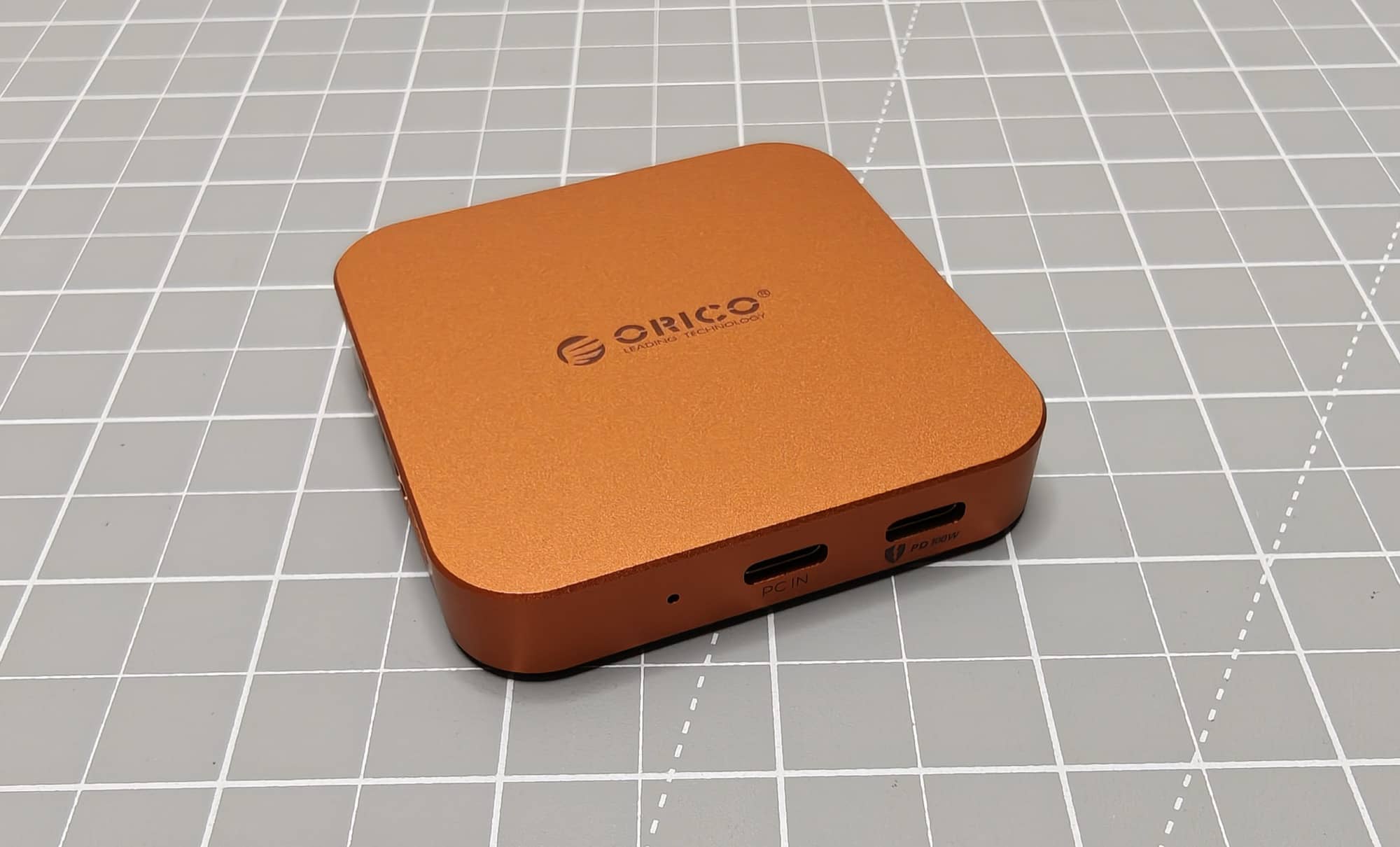
The idea is pretty cool. Instead of dangling a drive from your phone with a cable, the ORICO MG7 stays magnetically attached to the back while giving you expandable storage, SD and microSD card readers, USB ports, HDMI output, a headphone and microphone jack, and pass-through charging. It looks like a tiny iPhone dock, which is basically what it is.
But does the ORICO MG7 earn a place in a mobile setup? After testing storage, card readers, external display output, and direct ProRes recording, I found that it does work as advertised. There is one concern that would keep me from calling it an automatic buy, though: heat.
What Is It?
The ORICO MG7 is an 8-in-1 magnetic hub designed for iPhones and other MagSafe-compatible devices. It attaches to the back of a compatible phone with a built-in magnetic ring, then connects through the phone’s USB-C port using the included USB-C to USB-C cable.
Once attached, it turns the phone into a more capable mobile workstation. You can connect storage, read memory cards, attach USB accessories, charge through the hub, plug in headphones, and mirror the phone to a display. The biggest feature is the internal M.2 NVMe SSD bay, which lets you add your own storage rather than being locked into a built-in capacity.
The unit comes in silver, orange, and dark blue. The review sample is orange, and I think it’s a fun color. It’s also much easier to spot than the usual black or gray tech accessory.
What’s Included?
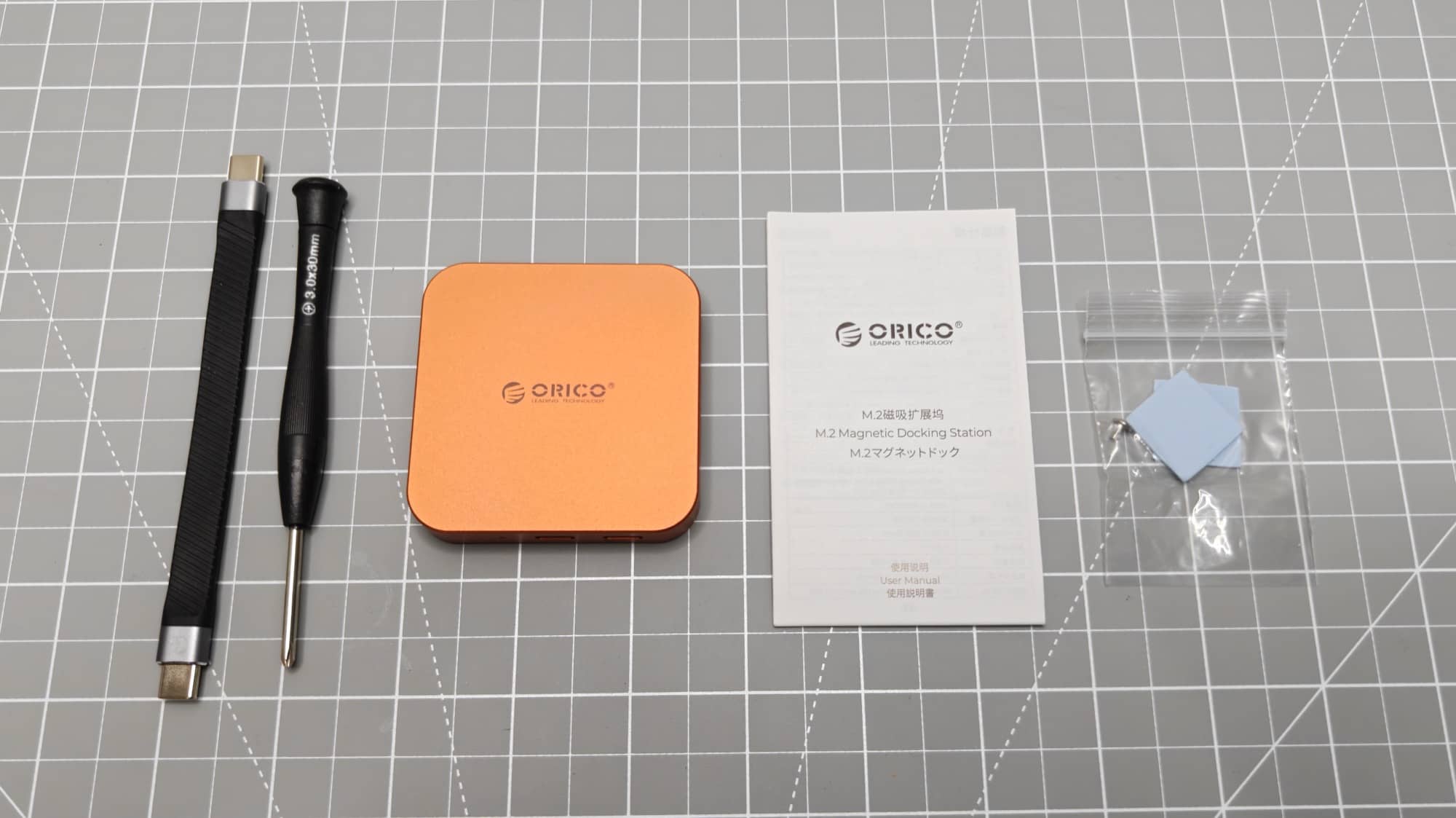
- ORICO MG7 8-in-1 Magnetic Hub
- USB-C to USB-C cable
- Small screwdriver
- SSD securing screw
- Thermal conductive pads
- Documentation
The ORICO MG7 does not include an M.2 NVMe SSD. That is not unusual for this type of product, and it gives you the freedom to choose the storage capacity and drive you want. Still, it is an important extra cost to factor in before buying.
Design and Features
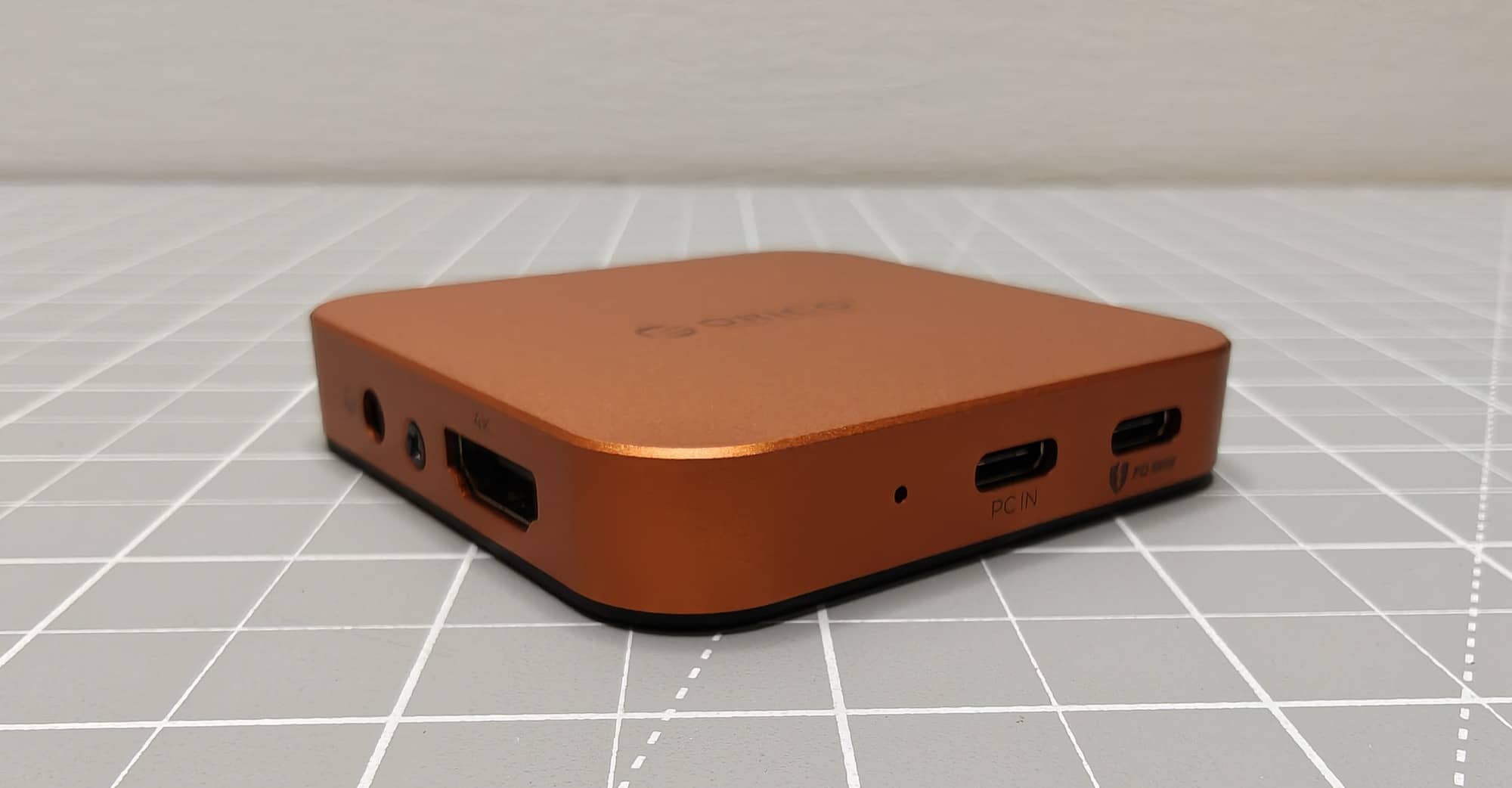
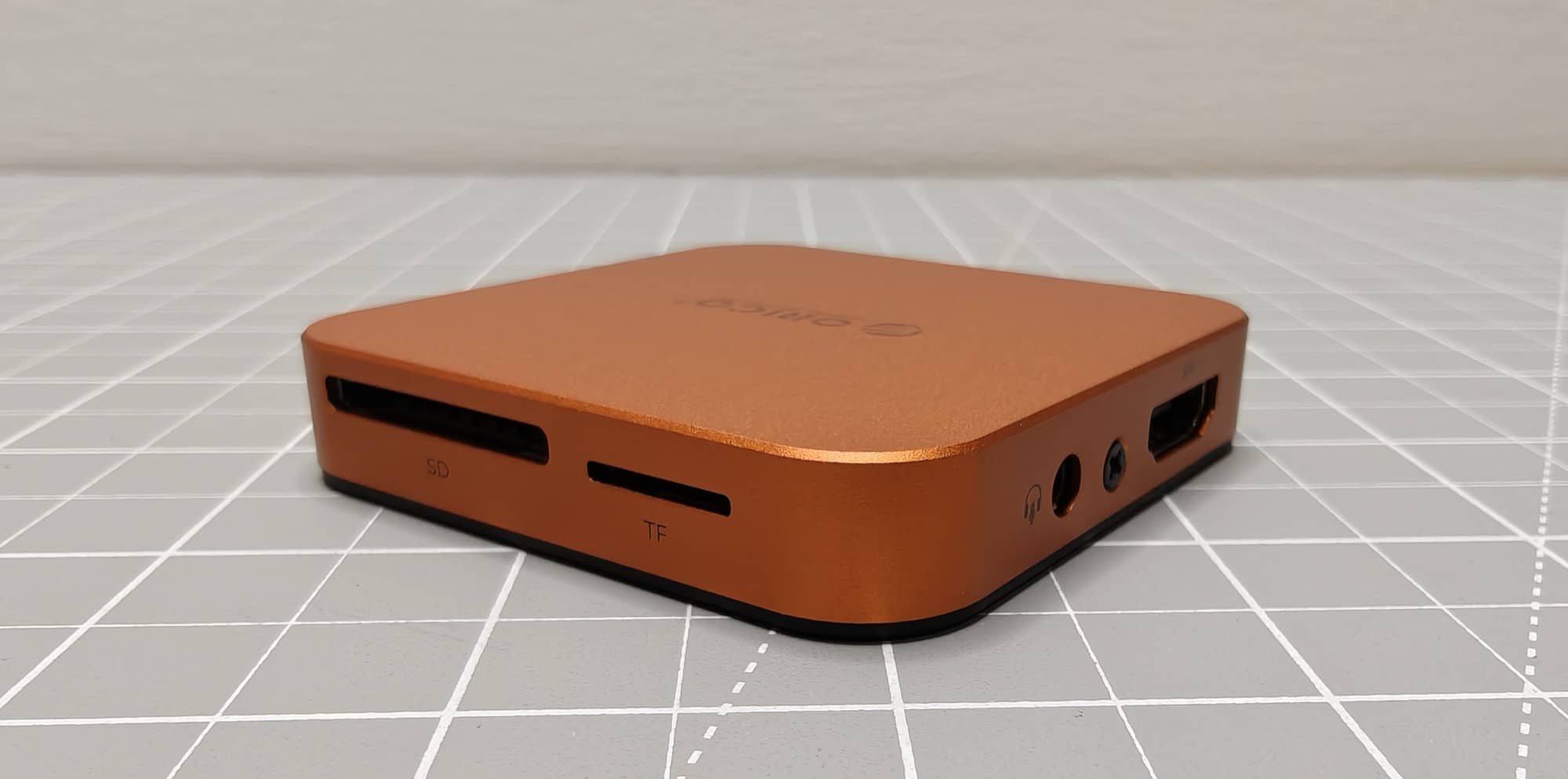
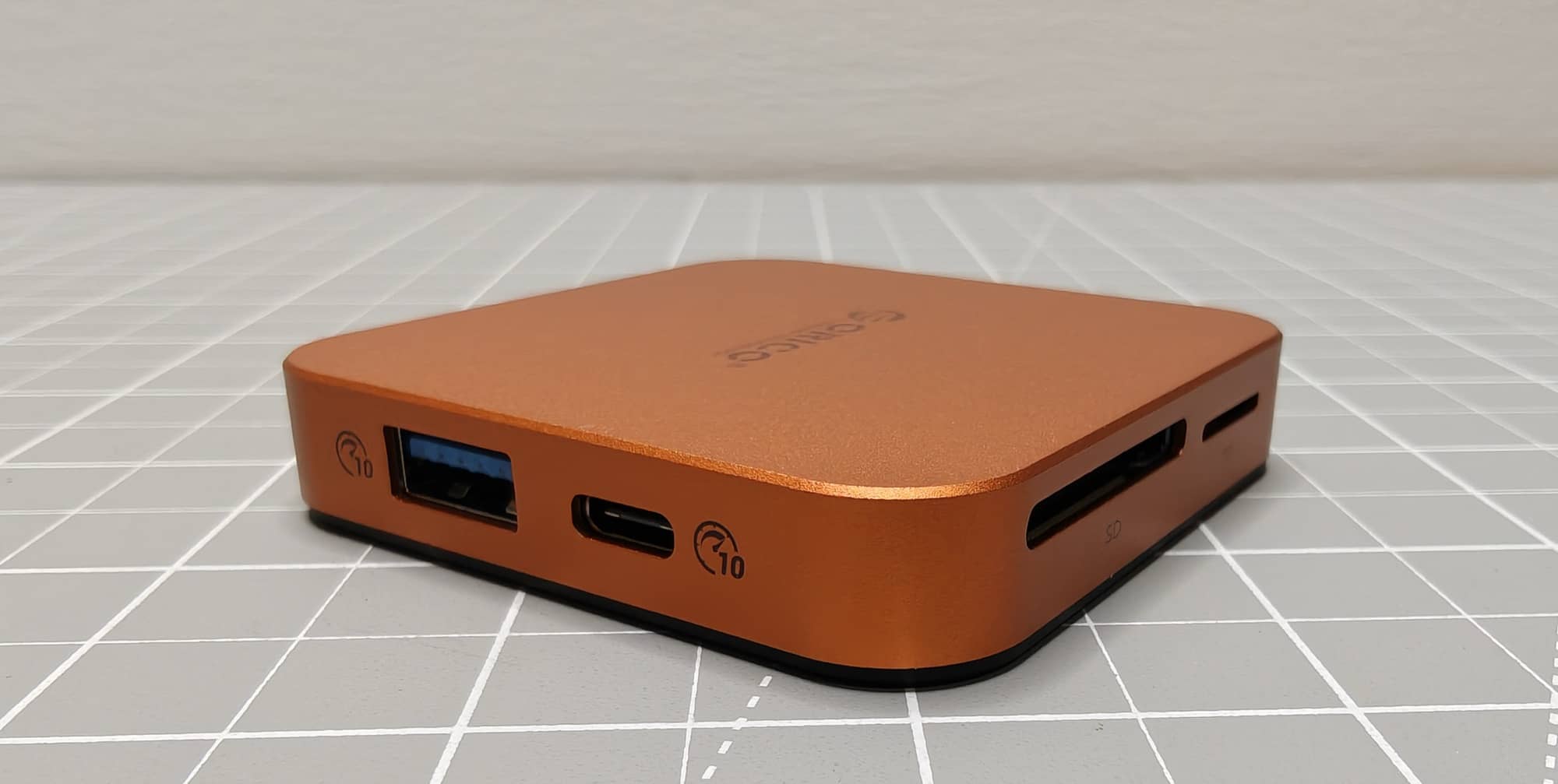
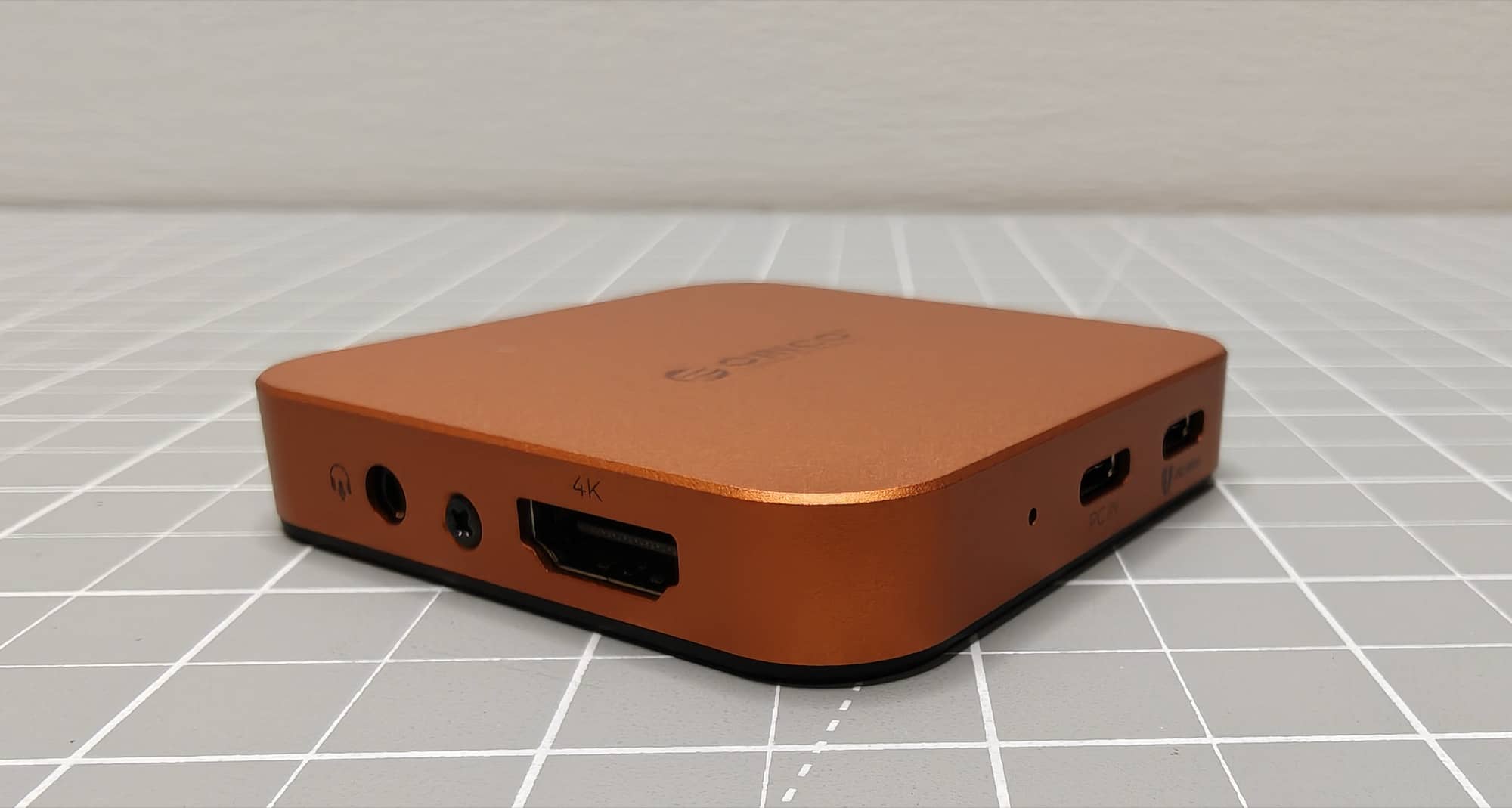
The ORICO MG7 packs a lot into its small enclosure. Along its edges, you’ll find the following connections:
- HDMI output
- 3.5mm headphone and microphone jack
- USB-C PC input
- USB-C PD 100W pass-through charging port
- USB-A port
- Additional USB-C port
- Full-size SD card slot
- microSD card slot
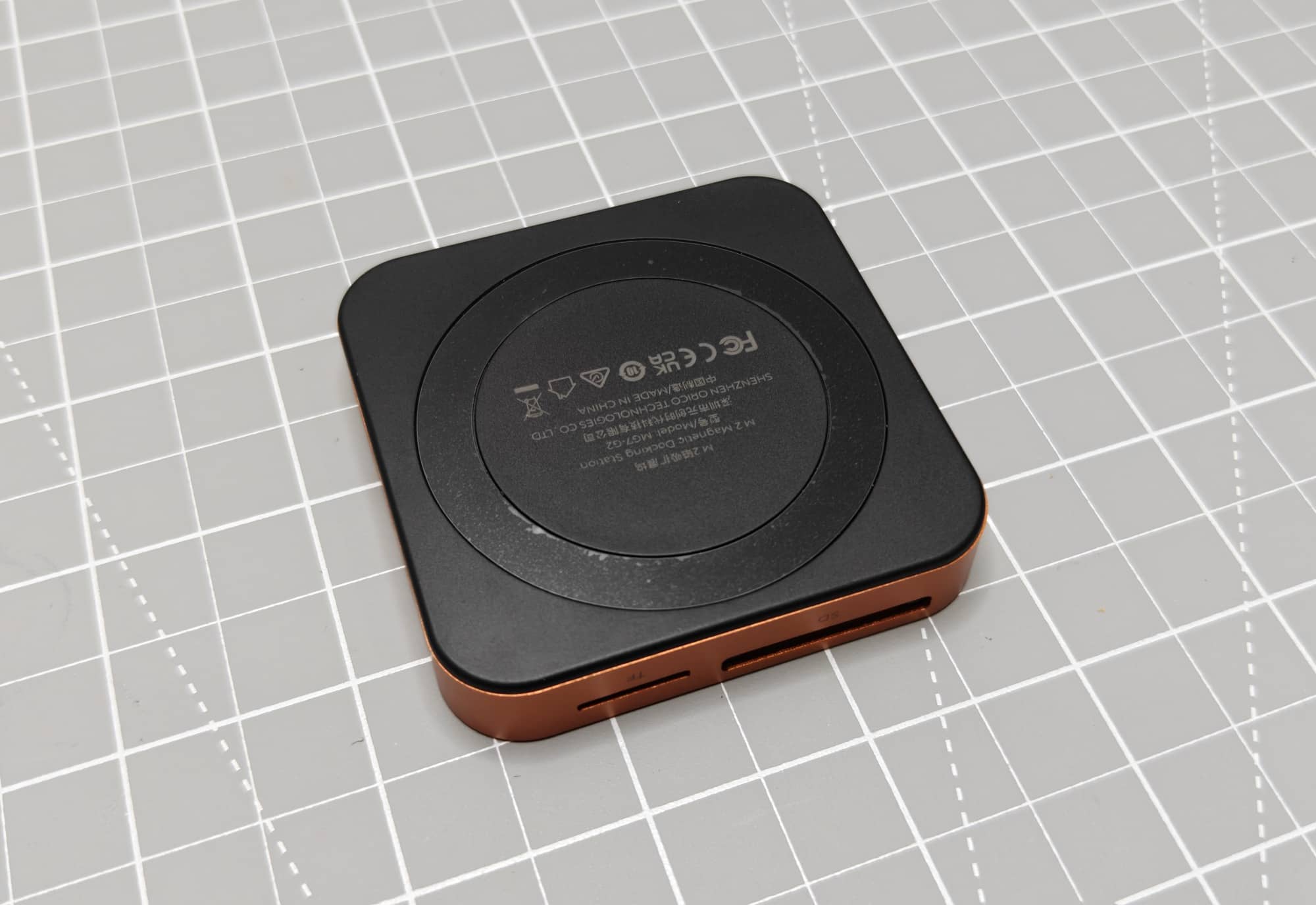
The back has a magnetic attachment area. The magnet connected securely to the back of the iPhone during testing. It didn’t feel loose or like it was about to slide off, which matters because the ORICO MG7 can get a little bulky once cables are attached.
The USB-C cable plugs into the port labeled “PC In” on the ORICO MG7, and the other end plugs into the iPhone. From there, the hub can communicate with storage and accessories connected to its various ports.
I like that this is not merely a magnetic SSD enclosure. Plenty of products will stick to the back of a phone and hold an SSD, but the ORICO MG7 tries to be a real hub. If you want to offload camera cards, use an external display, attach a USB drive, and keep your phone powered at the same time, this little box gives you options.
Installing an M.2 NVMe SSD
Installing an SSD in the ORICO MG7 is straightforward, even if you have never installed one before. The enclosure opens with a small screw, and the included screwdriver helps because you don’t have to dig through a drawer for the right tool.
Inside, a slot holds an M.2 NVMe SSD. After sliding the SSD into the connector at an angle, you press it down and secure it with the included tiny screw. ORICO also includes thermal conductive pads to place over the SSD before closing the case.
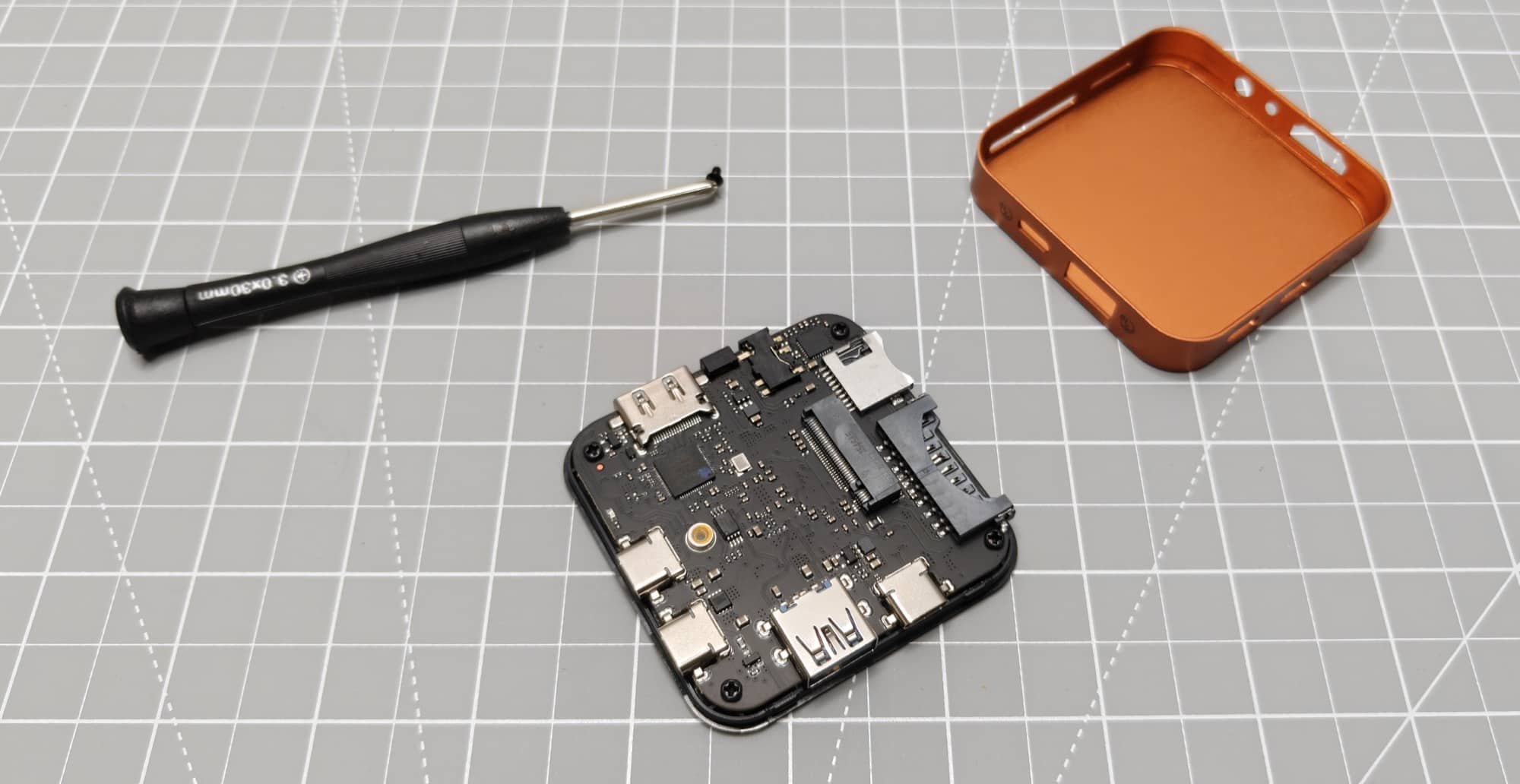
The actual process goes like this:
- Remove the ORICO MG7’s enclosure screw and open the case.
- Slide a compatible M.2 NVMe SSD into the internal slot.
- Gently press the drive down and secure it with the included screw.
- Apply a supplied thermal pad over the SSD.
- Close the enclosure and reinstall the outer screw.
- Connect the included USB-C cable to the hub’s PC In port and your phone.
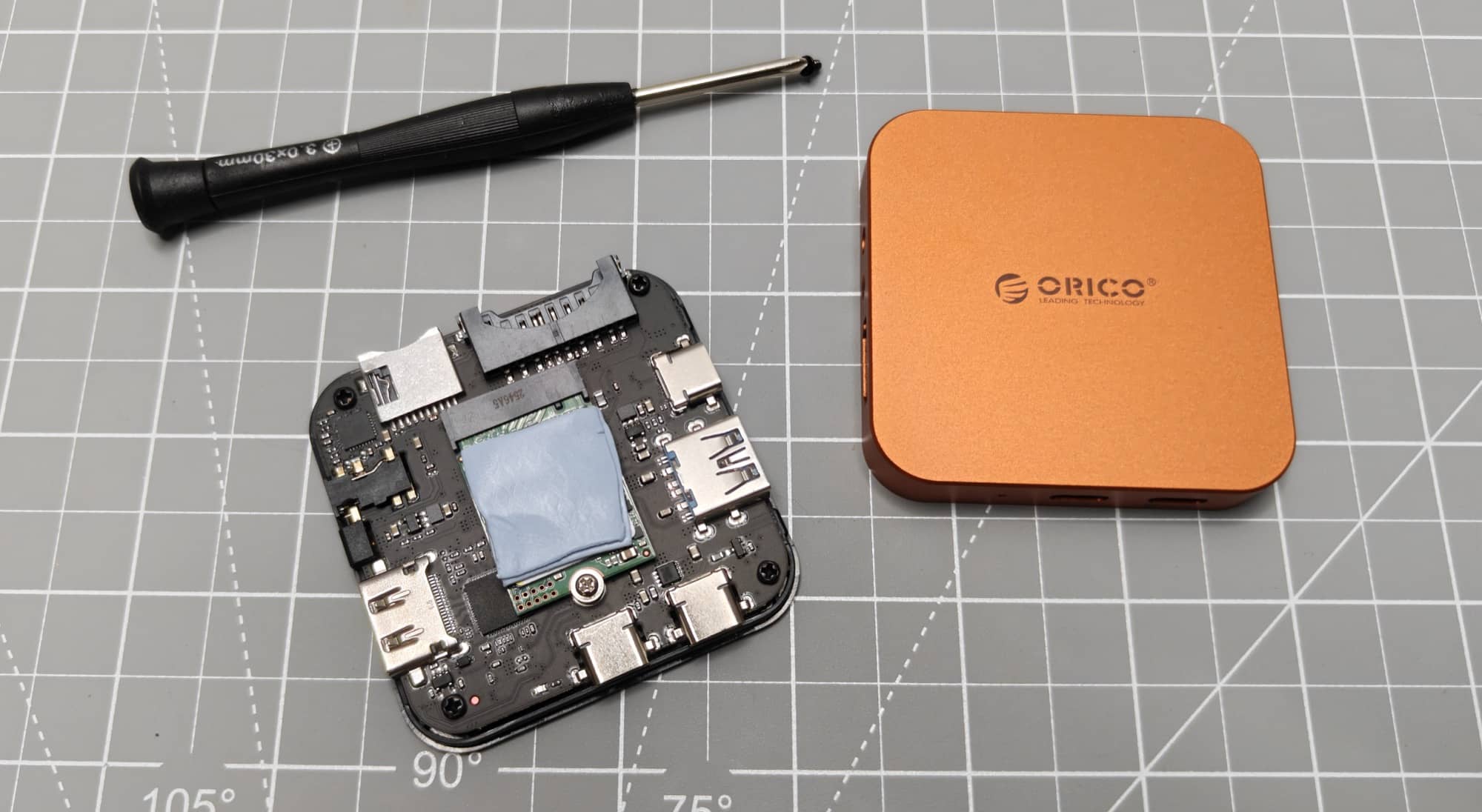
I used a 256GB NVMe drive for testing because storage prices can get expensive quickly. The drive installed without drama, and the supplied parts covered the basics. The thermal pad is especially notable considering how much heat became part of this review later on.
Formatting the SSD Before Using It with an iPhone
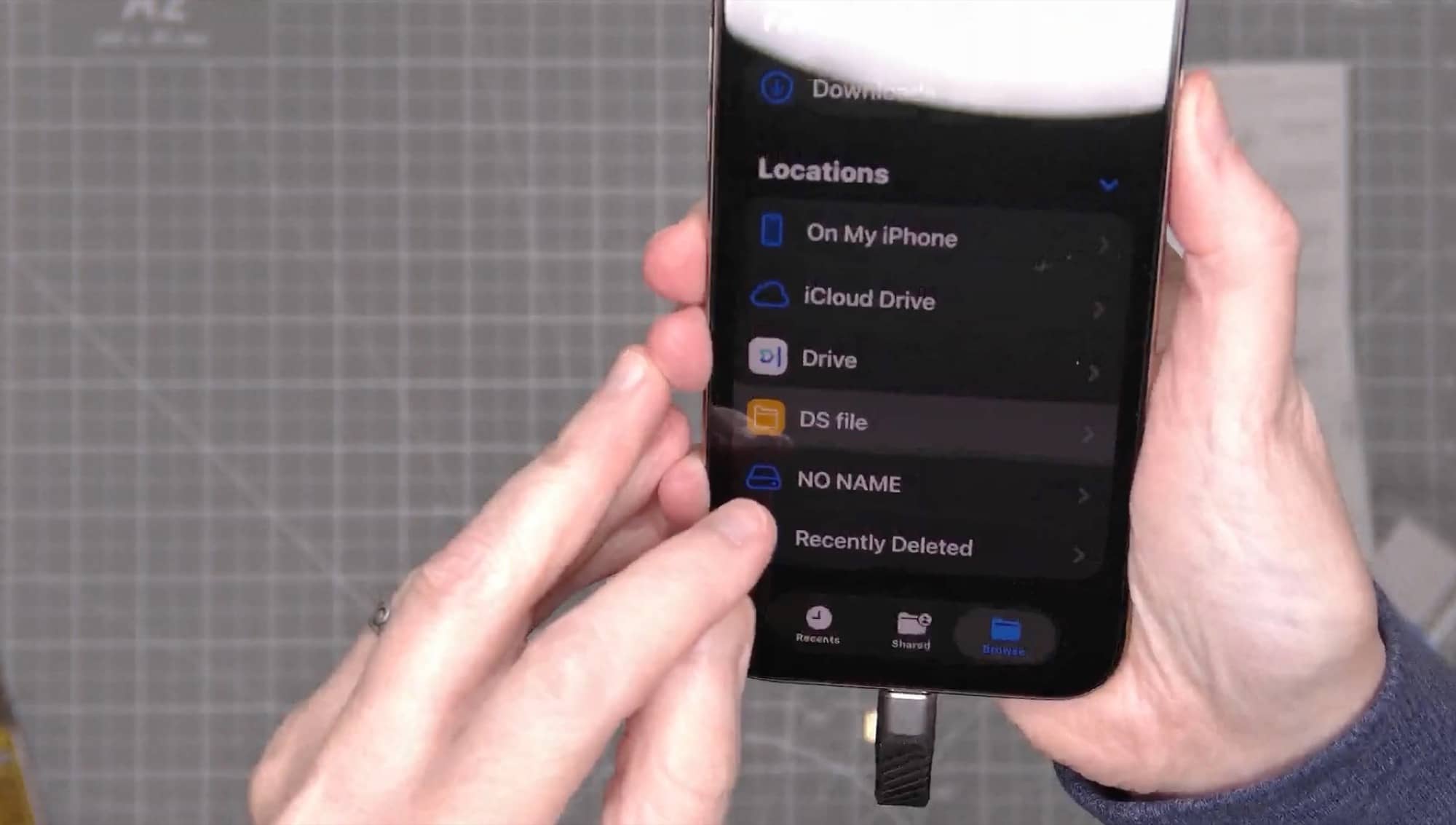
The NVMe drive didn’t show up in the iPhone Files app right after installation. The SD and microSD cards worked right away, but the fresh NVMe drive needed to be formatted first.
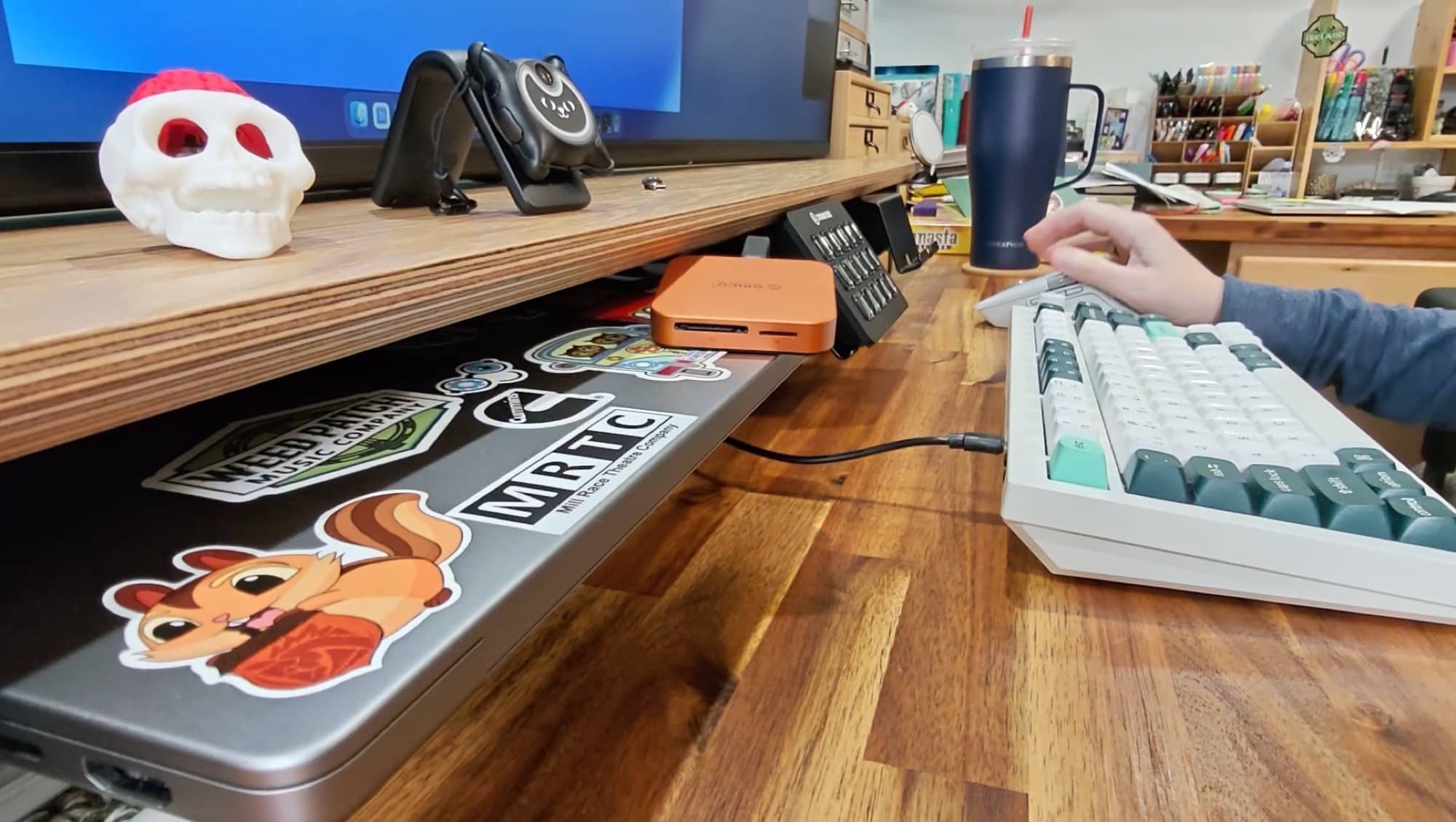
That ended up being easy enough. Connecting the ORICO MG7 directly to a MacBook brought up a message that the drive could not be read. From there, I used Disk Utility to initialize and erase the 256GB drive in ExFAT format.
ExFAT is a practical choice for removable storage that may move between devices. After formatting the SSD and copying a test file from the MacBook, I ejected the drive, reconnected it to the iPhone, and it appeared in the Files app immediately. The copied image was there and accessible.
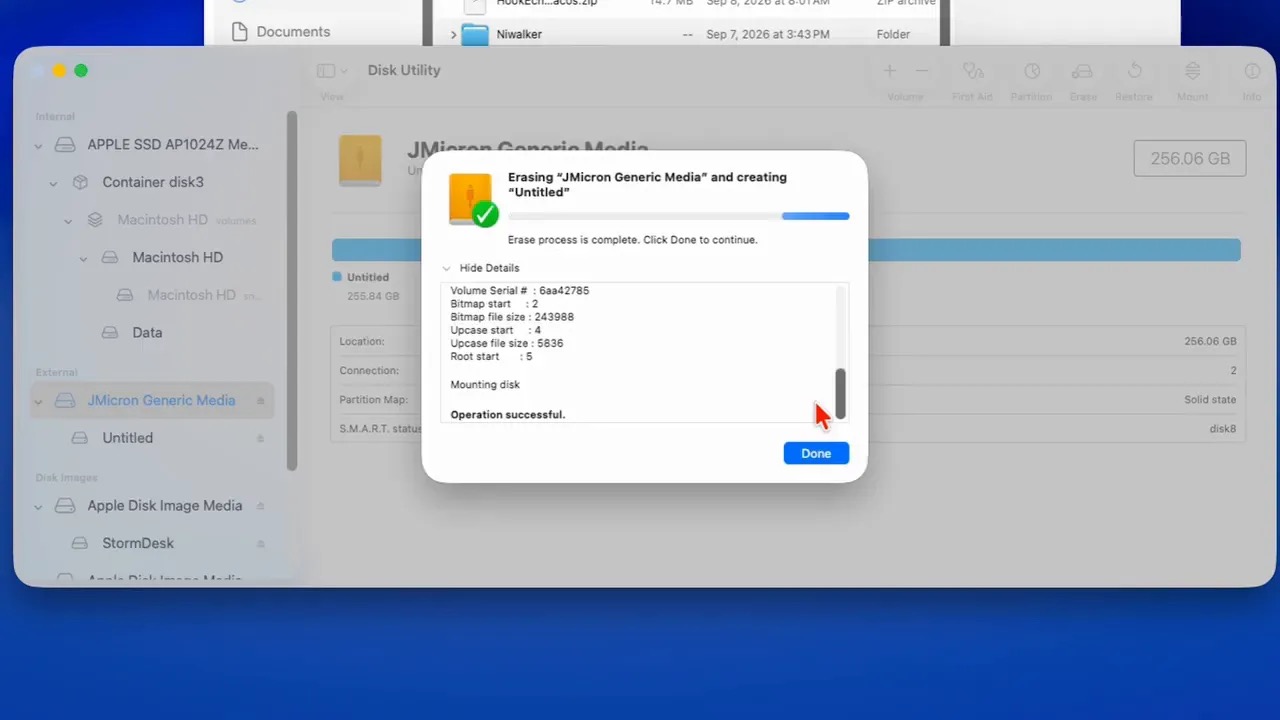
The lesson is simple: if a new drive doesn’t show up on your iPhone, don’t panic. It may just need to be initialized and formatted on a computer first. Once that was done, the ORICO MG7’s internal storage functioned normally.
SD and microSD Card Reader Testing
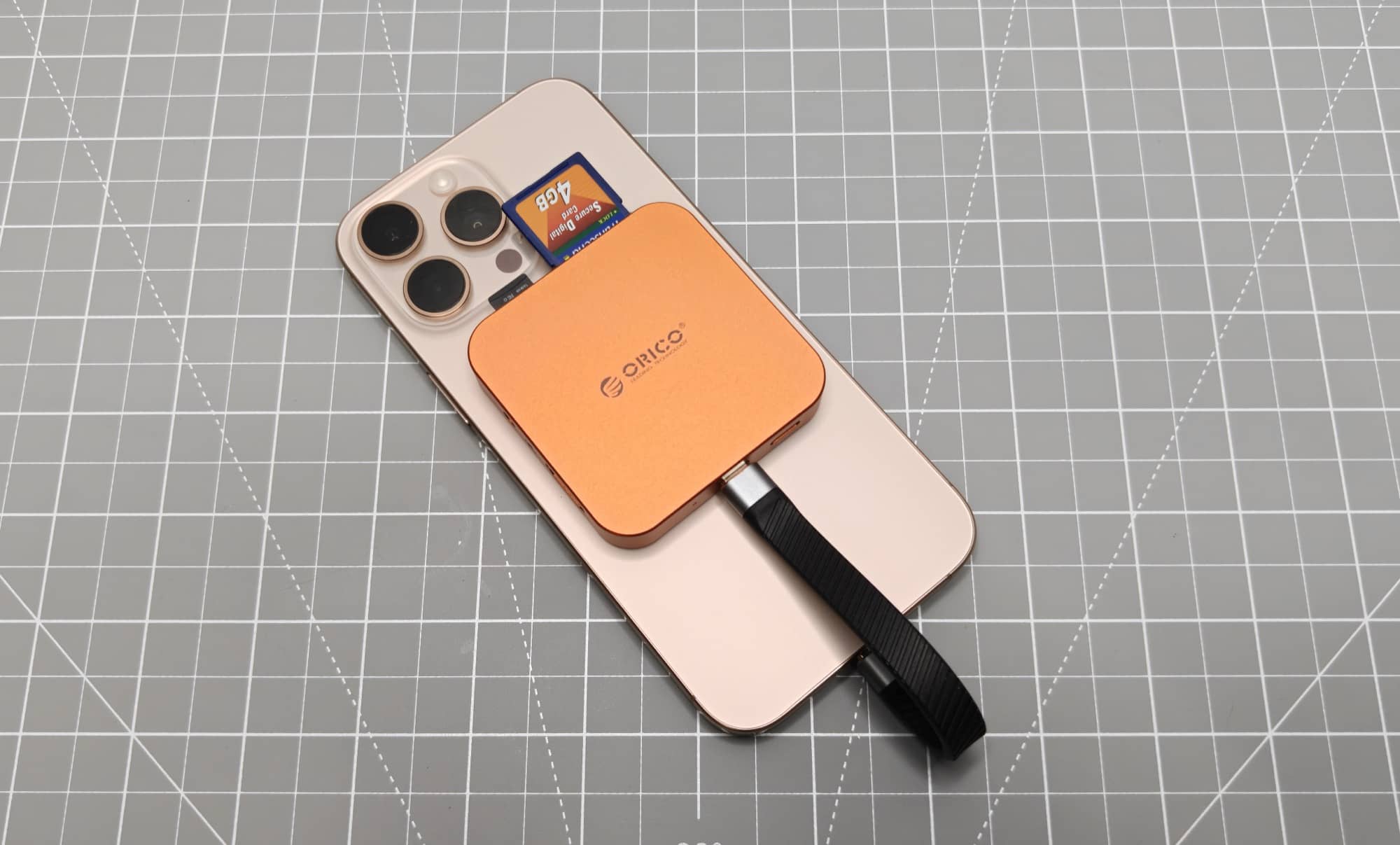
The card readers were easy wins for the ORICO MG7. I inserted a full-size SD card and a microSD card, and both showed up in the iPhone Files app. Older photos from a Canon camera could be opened from the SD card, and video files on the microSD card were also accessible.
This makes the ORICO MG7 useful even if you never install an NVMe SSD. Photographers, drone users, security camera owners, and anyone regularly dealing with media cards could use it as a compact iPhone card reader. It is nice to have both SD and microSD slots instead of needing separate adapters.
Of course, it is even more compelling with an SSD installed. With the drive inside, the ORICO MG7 becomes a single magnetic accessory that can handle card imports and provide more space to store files.
Direct ProRes Recording and File Transfers
One of the most interesting uses for the ORICO MG7 is external video recording. After enabling ProRes on the iPhone and connecting the formatted SSD, recording began automatically to the external drive. There was no separate destination setting to hunt down. The phone displayed a USB indicator, and the recorded clip appeared on the external drive in Files.
A very short ProRes test clip consumed about 1GB, which is a good reminder that external storage can be extremely useful for high-quality video. Internal phone storage can fill up fast when recording larger formats.
I also copied a five-minute video from the phone to the NVMe drive through the Files app. The transfer appeared to complete quickly. However, I wouldn’t use this test to make a sweeping performance claim because transfer speed depends heavily on the specific NVMe SSD installed. A budget 256GB drive will not necessarily perform like a higher-end drive.
Still, the important part is that the workflow worked. The ORICO MG7 successfully accepted direct ProRes recording and received a video file copied from the iPhone.
HDMI Output Works
The HDMI port worked, too. Connecting the ORICO MG7 to a monitor with an HDMI cable mirrored the iPhone screen to the display. This turns the hub into a useful accessory for presentations, quick desktop-like setups, or simply putting an iPhone screen on a larger display.
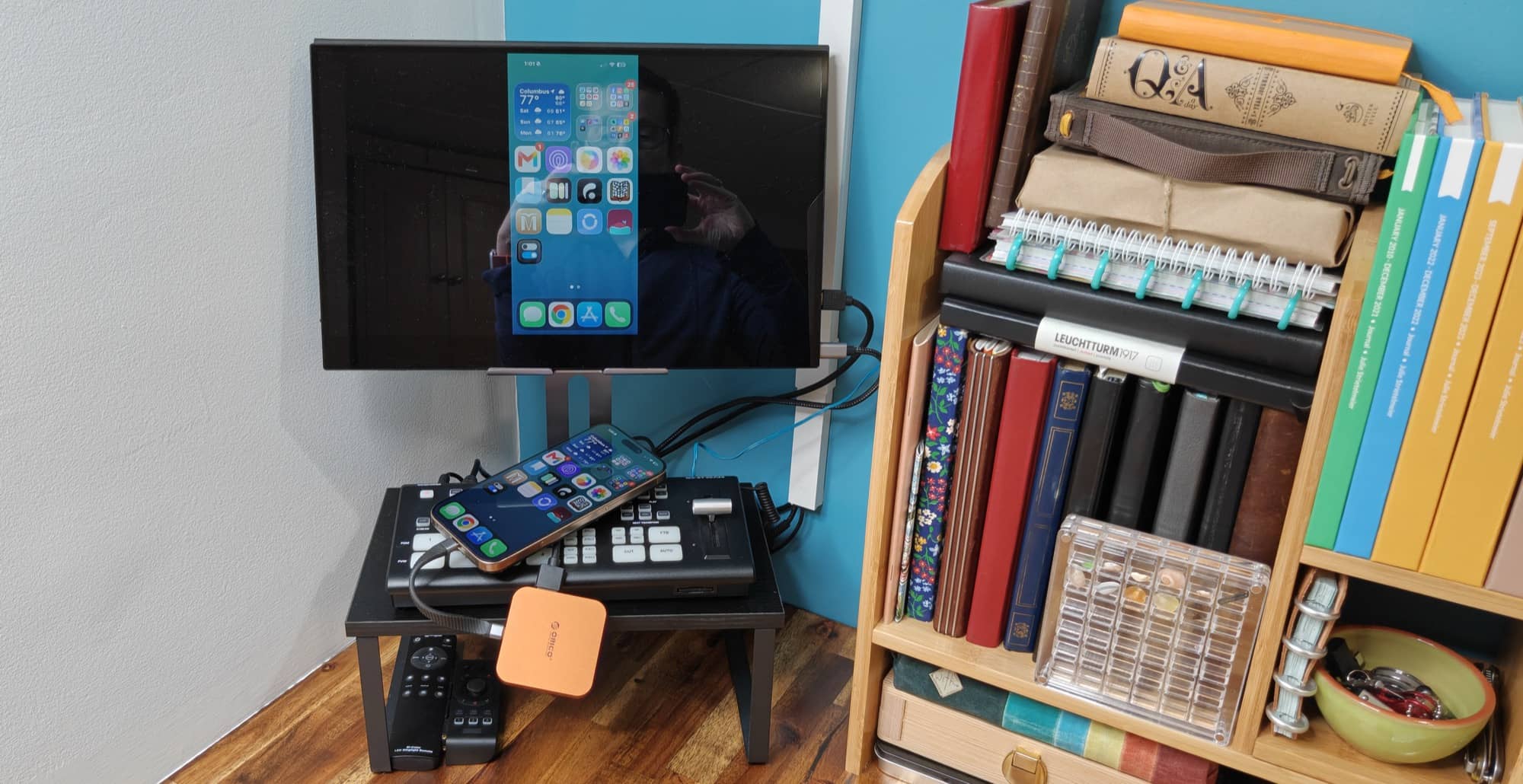
The ORICO MG7 supports 4K output, and the test confirmed that it could provide display output from the iPhone. Add the USB ports, card readers, storage, and power pass-through, and you can see why the product feels like a tiny dock instead of just a drive case.
I also appreciate the inclusion of the 3.5mm headphone and microphone jack. That port might not matter to everyone, but it is a thoughtful extra for anyone using wired headphones or a wired microphone with a phone.
The Heat Concern
Now for the part that gives me pause. The ORICO MG7 gets warm with use, and it gets noticeably warmer when working with the internal SSD.
After sitting unplugged for roughly 15 minutes, the hub measured around 76.5 degrees on top and 77.5 degrees on the back. The iPhone’s back was around 79 degrees. Those are perfectly ordinary numbers, and the hardware felt cool to the touch.
Once I connected the ORICO MG7 and used it for external recording, temperatures rose. Following a short ProRes recording test, the hub was around 94.5 to 95 degrees. After copying a video, it reached about 100 degrees.
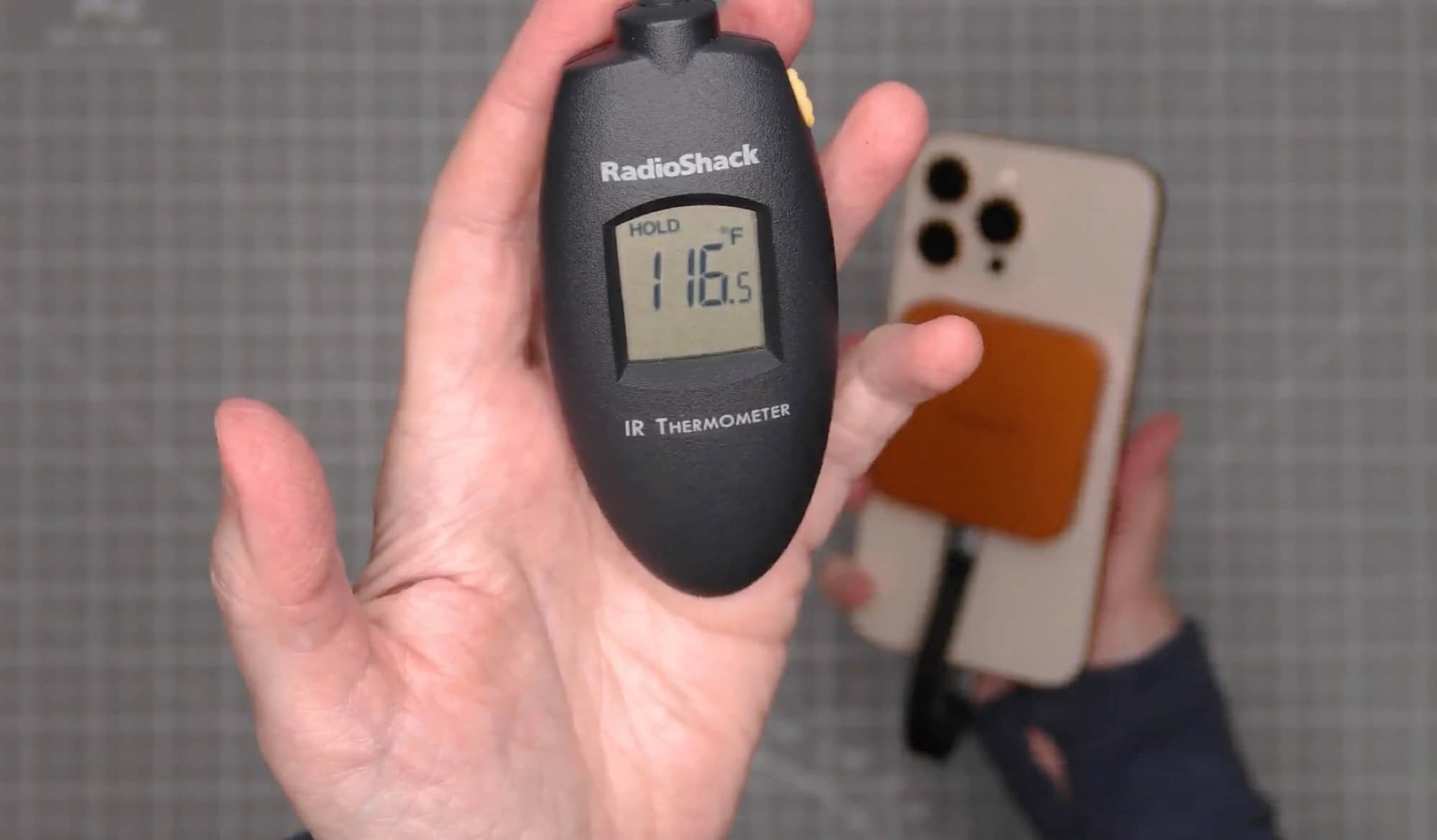
A longer five-minute 4K 30fps recording test pushed temperatures even higher. The hub measured about 116.5 degrees on one side and approximately 112 degrees on the back. The iPhone’s back measured about 108.5 degrees. It was not hot enough to burn skin, but it was definitely warm.
That does not necessarily mean the ORICO MG7 is defective. Another magnetic SSD accessory on hand also warmed up in use, although not quite as much. Compact SSD enclosures and sustained video recording generate heat, especially when they are pressed against the back of a phone.
Still, it is something I would want to keep an eye on. If you plan to record long ProRes clips, transfer large files often, or use the hub for extended periods, heat is the biggest practical concern with the ORICO MG7.
There was also a strange brief buzzing or whining sound during setup before a recording session. It happened twice and didn’t happen again during the remaining testing. Since I couldn’t reproduce it, I can’t say what caused it, but it was odd enough to mention.
See It In Action

Who Is the ORICO MG7 8-in-1 Magnetic Hub For?
The ORICO MG7 makes the most sense for someone who wants more flexibility from an iPhone without carrying several little dongles. It is a particularly good fit for people who use external storage, frequently transfer files from SD or microSD cards, or want HDMI output from a USB-C iPhone.
It could also appeal to mobile video creators. The option to install your own NVMe drive and record ProRes footage directly to it is useful. Just be realistic about the potential heat during long recording sessions.
On the other hand, this is probably overkill if you just need a simple phone charger or a tiny card reader. It is also not ideal for anyone who dislikes adding cables and a squared-off accessory to the back of their phone. The magnetic connection is strong, but once a USB-C cable, HDMI cable, or charging cable is attached, this is no longer a minimalist setup.
Final Thoughts
The ORICO MG7 is one of those gadgets that makes you think, “Hey, that’s actually pretty clever.” It magnetically attaches securely to the back of an iPhone, adds a wide range of ports, reads both SD and microSD cards, supports a user-installed NVMe SSD, handles direct external ProRes recording, and mirrors an iPhone to an HDMI display.
That is a lot of functionality for one small accessory. The fact that all tested features worked is a big plus. I also like that ORICO includes the screwdriver, SSD screw, thermal pads, and USB-C cable needed to get started, aside from the SSD itself.
The one issue is heat. The ORICO MG7 became warm during ordinary use and quite warm during sustained recording. It was not unbearable, but it is enough that I would be cautious about using it for long recording sessions until I had more experience with it. The brief unexplained buzzing sound is another small question mark, even though it did not return.
Overall, the ORICO MG7 is a versatile magnetic hub that successfully turns an iPhone into something closer to a compact workstation. If you need its combination of storage, card reading, HDMI, USB connectivity, and charging, it is an interesting little device. Just go into it knowing that heat is likely to be part of the experience.
The ORICO MG7 8-in-1 Magnetic Hub retails for $54.99; it is available directly from the manufacturer and other retailers, including Amazon.
Source: Manufacturer-supplied review sample.
What I Like: Strong magnetic attachment; Useful selection of ports; SD and microSD card readers; User-installable M.2 NVMe storage; HDMI screen mirroring; Direct ProRes recording to external storage
What Needs Improvement: It gets quite warm during use; The occasional unexplained buzzing sound was concerning; An NVMe SSD is not included