


The Lowdown
If you want to add CarPlay or Android Auto to your car or truck without buying a new stereo, the CarpodGo screens are highly recommended. All three screens offer great CarPlay and Android Auto functionality. The multiple mounting options for the T4/T4 Plus screens should work for almost any vehicle.
The setup and pairing worked each and every time I used my truck with all three models. The bright screens worked well in the bright Florida sun, and the touch interface was very responsive and flawless.
Overall
Pros
- Super-simple setup and installation
- Makes my old truck feel newer
- No screen lagging
- Great readability in bright sunlight
- Auto brightness adjustments
- Very quick pairing at start-up
- Very simple to attach and detach from mounts
Cons
- The Mini’s magnetic mount bounces slightly
- T4/T4 Plus speakers are not good
- T4/T4 Plus power requirements of 9V require a specific car power adapter
- AUX cable has to be unplugged to detach screen from magnetic mount
CarpodGo makes portable CarPlay and Android Auto displays that bring modern smartphone connectivity to any vehicle’s stereo without equipment replacement or difficult wiring. CarpodGo’s lineup includes the compact Mini, ideal for drivers who want a discreet, space-saving upgrade, and the T4 and T4 Plus, which offer larger screens for a fuller, more immersive experience. All three models make it easy to access navigation, music, calls, and messaging directly from your dashboard, giving older or factory-equipped vehicles a smarter, more connected feel with simple setup and flexible mounting options.
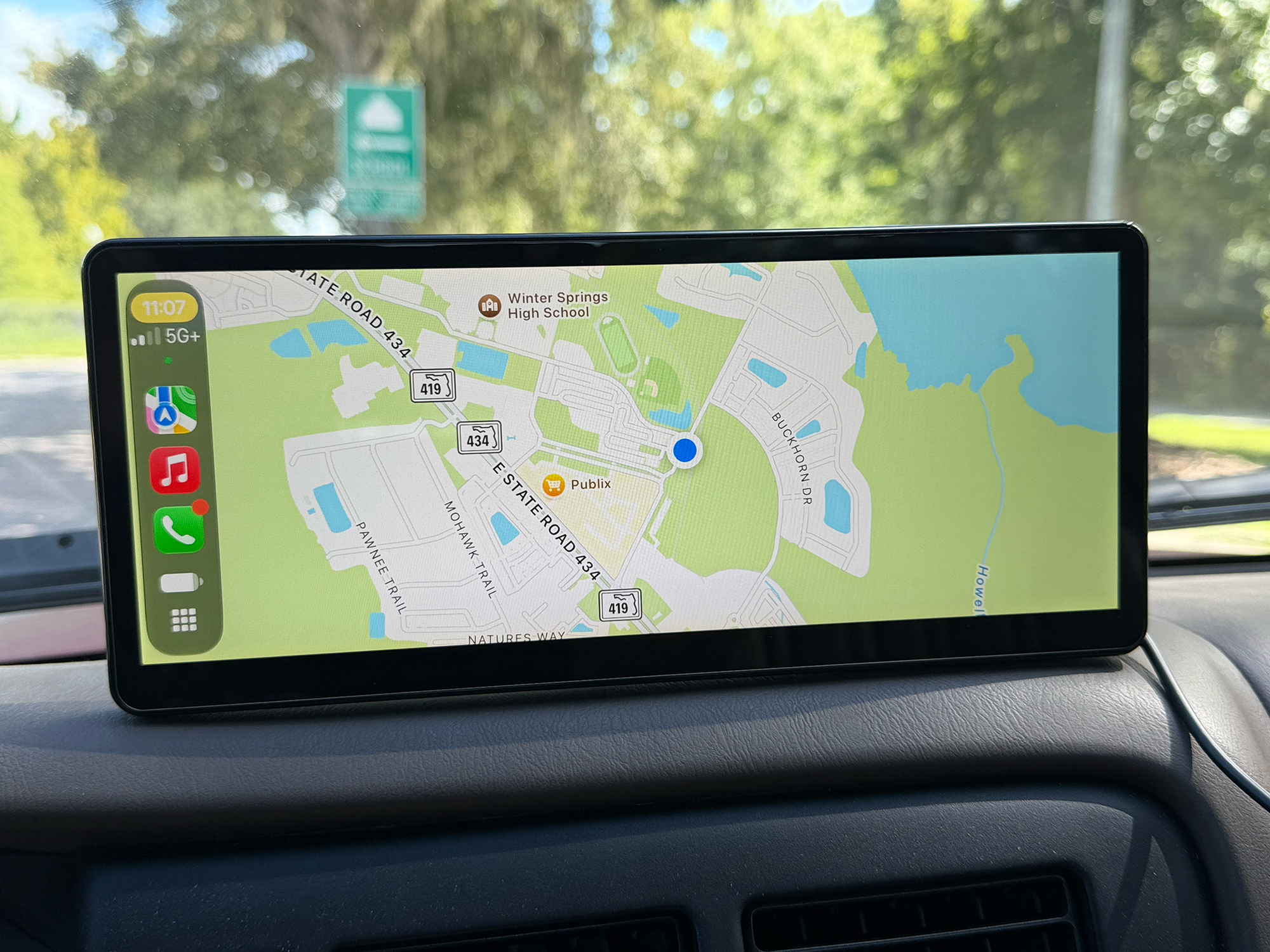
CarpodGo CarPlay/Android Auto Screen
What are the CarpodGo Displays?
CarpodGo’s displays solve a common problem: many vehicles, especially older ones, were never built with Apple CarPlay or Android Auto support, and replacing the factory stereo to add that functionality is expensive, time-consuming, and may be difficult on older vehicles.
Rather than requiring a full head-unit swap, CarpodGo’s portable screens sit on top of or alongside the existing dashboard and stereo, drawing power from a simple cable and connecting wirelessly (or wired) to the driver’s phone (Apple’s iPhone, or any modern Android phone).
This gives any car, regardless of age, access to modern navigation, music, calls, and messaging without touching the vehicle’s wiring or original electronics. These screens have given my old 1998 Toyota Tacoma a great modern electronics experience.
While the CarpodGo displays work in any vehicle, the experience is best in cars with at least a Bluetooth-equipped stereo, since it allows the phone’s audio to route directly through the car’s existing speakers for the best sound quality.
For vehicles without built-in Bluetooth, CarpodGo also offers two other audio alternatives. For cars with an AUX jack, they offer a Bluetooth-to-AUX dongle that receives the phone’s Bluetooth connection and transmits audio to the car stereo’s AUX port. For the really old-school car stereos without Bluetooth or an AUX port, CarpodGo also offers an FM transmitter, giving drivers flexible ways to get clear audio through their car’s stereo regardless of what audio connections their vehicle originally came with.
The CarpodGo Mini is built for drivers who want the smallest, most unobtrusive form possible. Its compact size (6.9”) and lightweight (4.6 oz/131 g) screen, along with the MagSafe mounting, make it easy to tuck into tighter interiors, smaller vehicles, or dashboards where a large screen would feel out of place or obstructive, while still delivering a bright, responsive CarPlay and Android Auto experience.
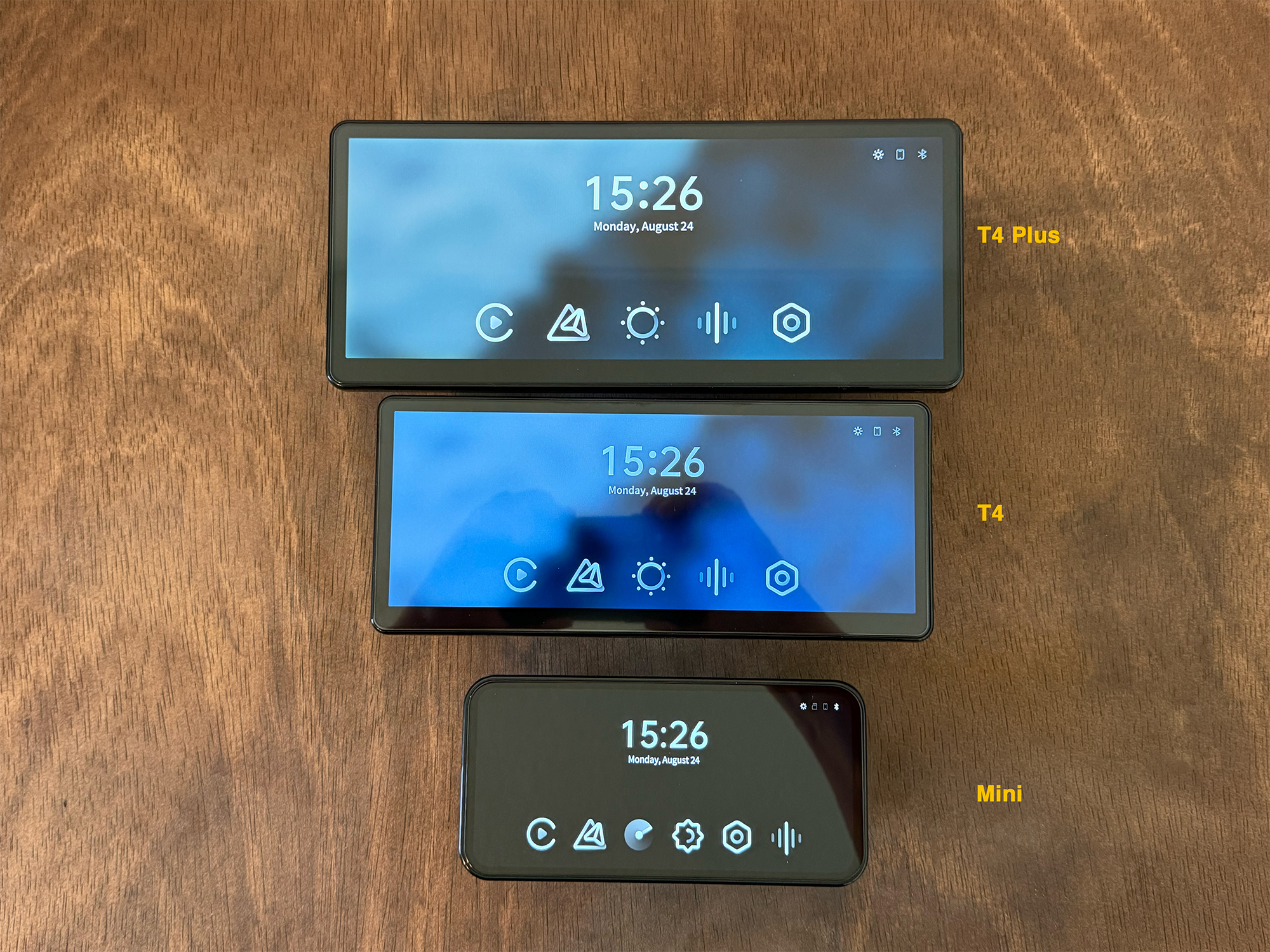
CarpodGo CarPlay/Android Auto Screen Size Comparison
The CarpodGo T4 and CarpodGo T4 Plus are fundamentally the same product, just offered in two screen sizes (8.9” and 10.9”) to suit different preferences. Both share the same physical design, mounting system, and feature set, so the choice comes down to how much display space a driver wants.
The T4 offers a slightly more compact footprint, while the T4 Plus provides a larger, more immersive view for navigation and media, ideal for road trips or drivers who prioritize screen real estate over a smaller install.
What’s Included?
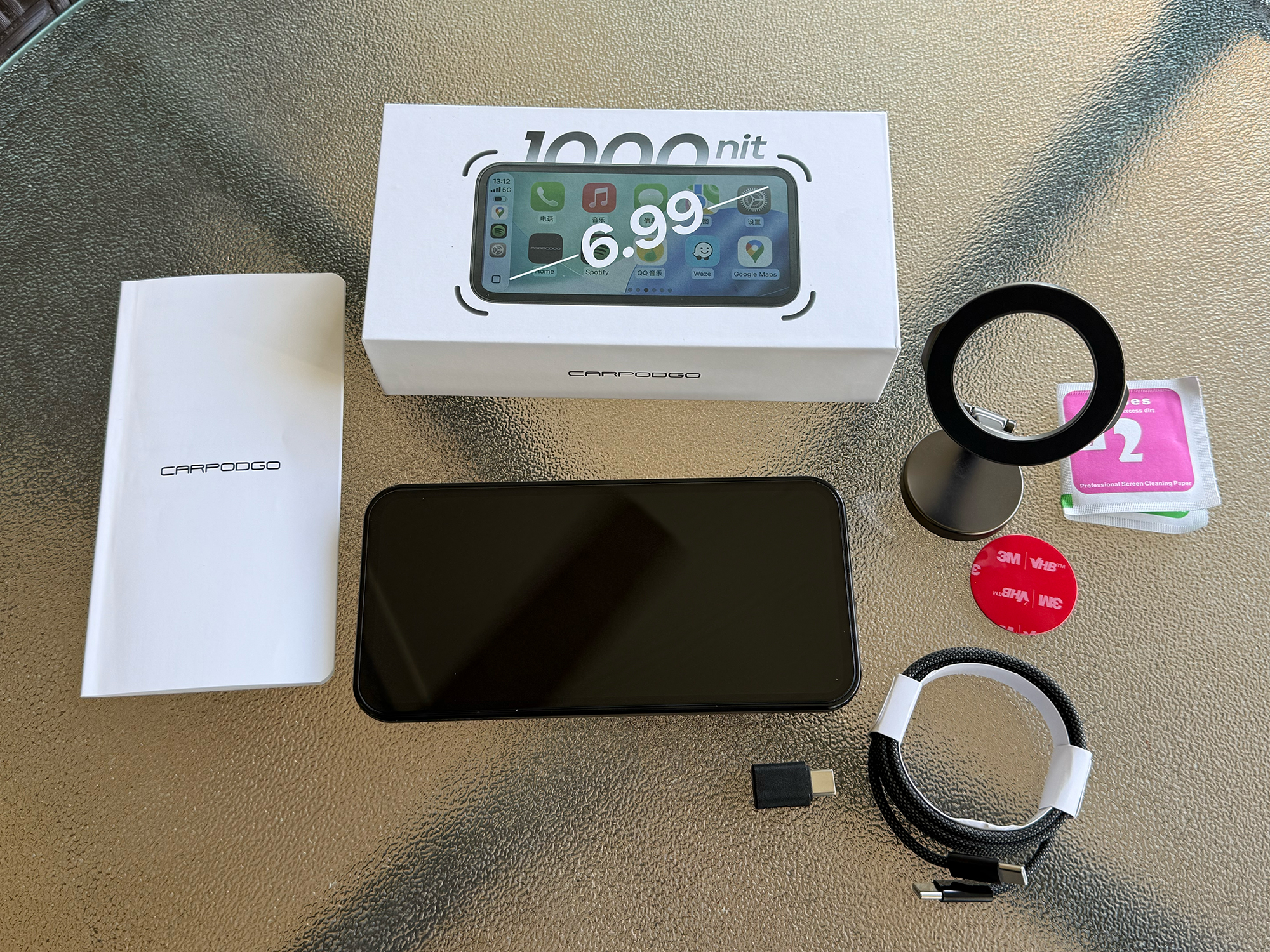
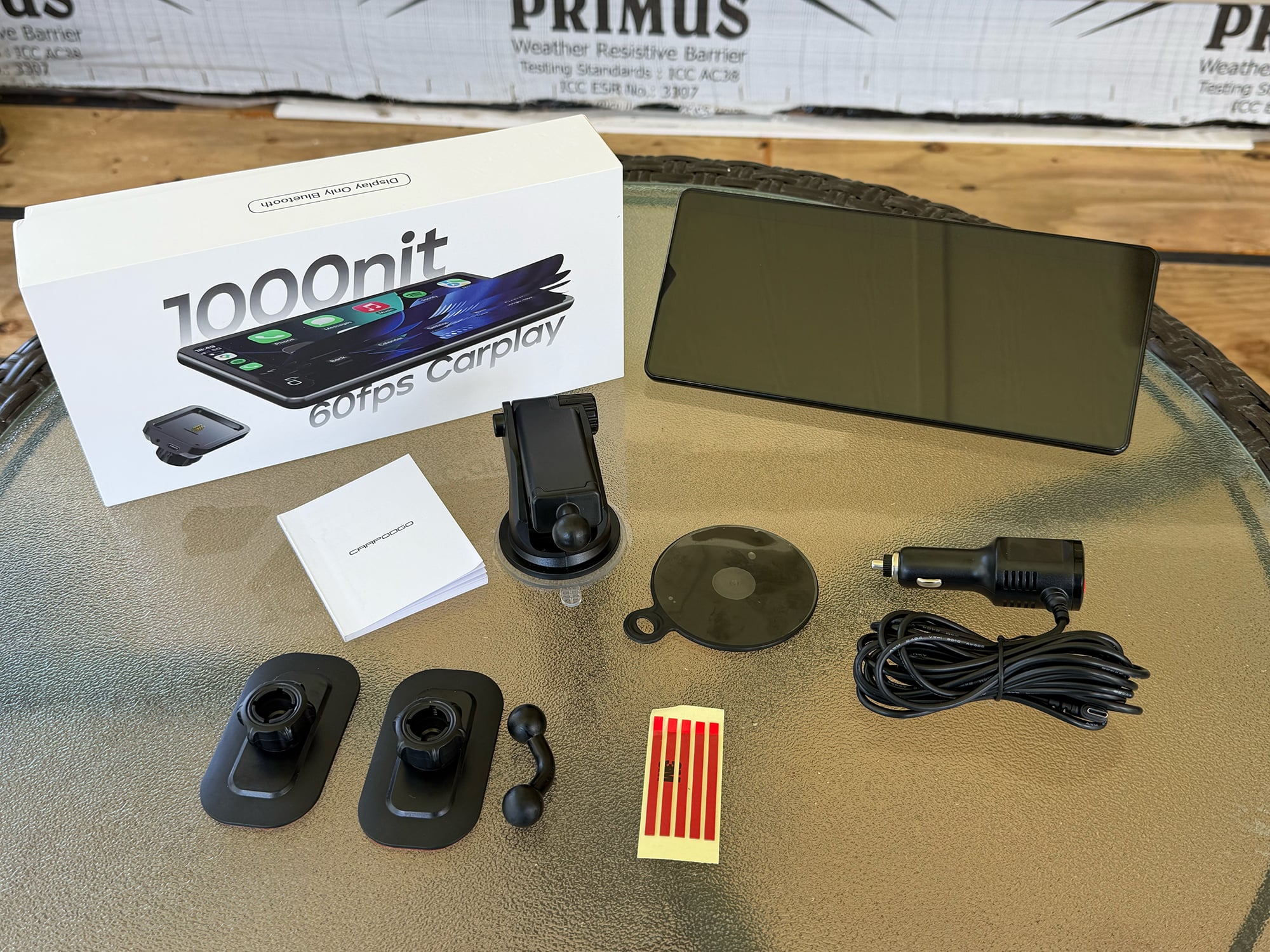
| CarpodGo Mini | CarpodGo T4 | CarpodGo T4 Plus |
|---|---|---|
| Display Unit | Display Unit | Display Unit |
| Magnetic mount (included with review unit) |
Fixed console mount Magnetic quick-release base Suction cup mount |
Fixed console mount Magnetic quick-release base Suction cup mount |
| USB-C cable (and 90º adapter) | 9V USB-C car power adapter (12.5 ft / 3.8 m cord) |
9V USB-C car power adapter (12.5 ft / 3.8 m cord) |
| User manual | User manual | User manual |
Note: This table reflects the accessories included with our review units. CarpodGo’s website may describe the included accessories differently depending on the product and package configuration.
Tech Specs
| Specification | CarpodGo Mini | CarpodGo T4 | CarpodGo T4 Plus |
|---|---|---|---|
| Screen Size | 6.9 inches | 8.9 inches | 10.9 inches |
| Display Type | Fully laminated IPS | Fully laminated IPS | Fully laminated IPS |
| Resolution | 1600 × 720 | 1920 × 720 | 1920 × 720 |
| Pixel Density | 254 PPI | ~230 PPI (calculated) | ~188 PPI (calculated) |
| Brightness | 1,000 nits | 1,000 nits | 1,000 nits |
| Color Gamut | 70% NTSC | 100% sRGB | 100% sRGB |
| CarPlay | Wireless | Wireless & wired | Wireless & wired |
| Android Auto | Wireless | Wireless & wired | Wireless & wired |
| Wireless CarPlay Frame Rate | 60 fps | 60 fps | 60 fps |
| Wi-Fi | Dual-band, 5 GHz | 5.8 GHz | 5.8 GHz |
| Bluetooth | Bluetooth 5.0; dual Bluetooth | Bluetooth 5.0 | Bluetooth 5.0 |
| Audio Output | Display-Only Bluetooth, FM*, AUX | Display-Only Bluetooth, FM*, AUX, built-in speaker | Display-Only Bluetooth, FM*, AUX, built-in speaker |
| Rear Camera | AHD 1080p supported | Optional 1080p camera | Optional 1080p camera |
| Auto Brightness | Yes | Yes | Yes |
| Mounting | MagSafe magnetic mount | Magnetic quick-release base with pogo-pin power | Magnetic quick-release base with pogo-pin power |
| Operating System | Linux | Linux | Linux |
| Processor | Not published | T113-i | T113-i |
| RAM | Not published | 512 MB | 512 MB |
| Storage | Not published | 8 GB eMMC | 8 GB eMMC |
| Dimensions | 6.46 × 3.19 × 0.51 in (164 × 81 × 13 mm) |
8.94 × 3.88 × 0.78 in (227 × 98.5 × 19.9 mm) |
10.28 × 4.43 × 0.83 in (261 × 112.5 × 21 mm) |
| Screen Weight | 4.6 oz (131 g – reported) | 13.7 oz (388 g) | 15.9 oz (450 g) |
| Mount Weight | Not published | 1.7 oz (48 g) | 1.8 oz (52 g) |
| Power Requirements | 5V / 1A; USB-C, PD | 9V / 1.5A; USB-C, PD | 9V / 1.5A; USB-C, PD |
| Screen Protection | Oleophobic tempered glass | Tempered glass | Tempered glass |
*Optional accessory required
Physical Design
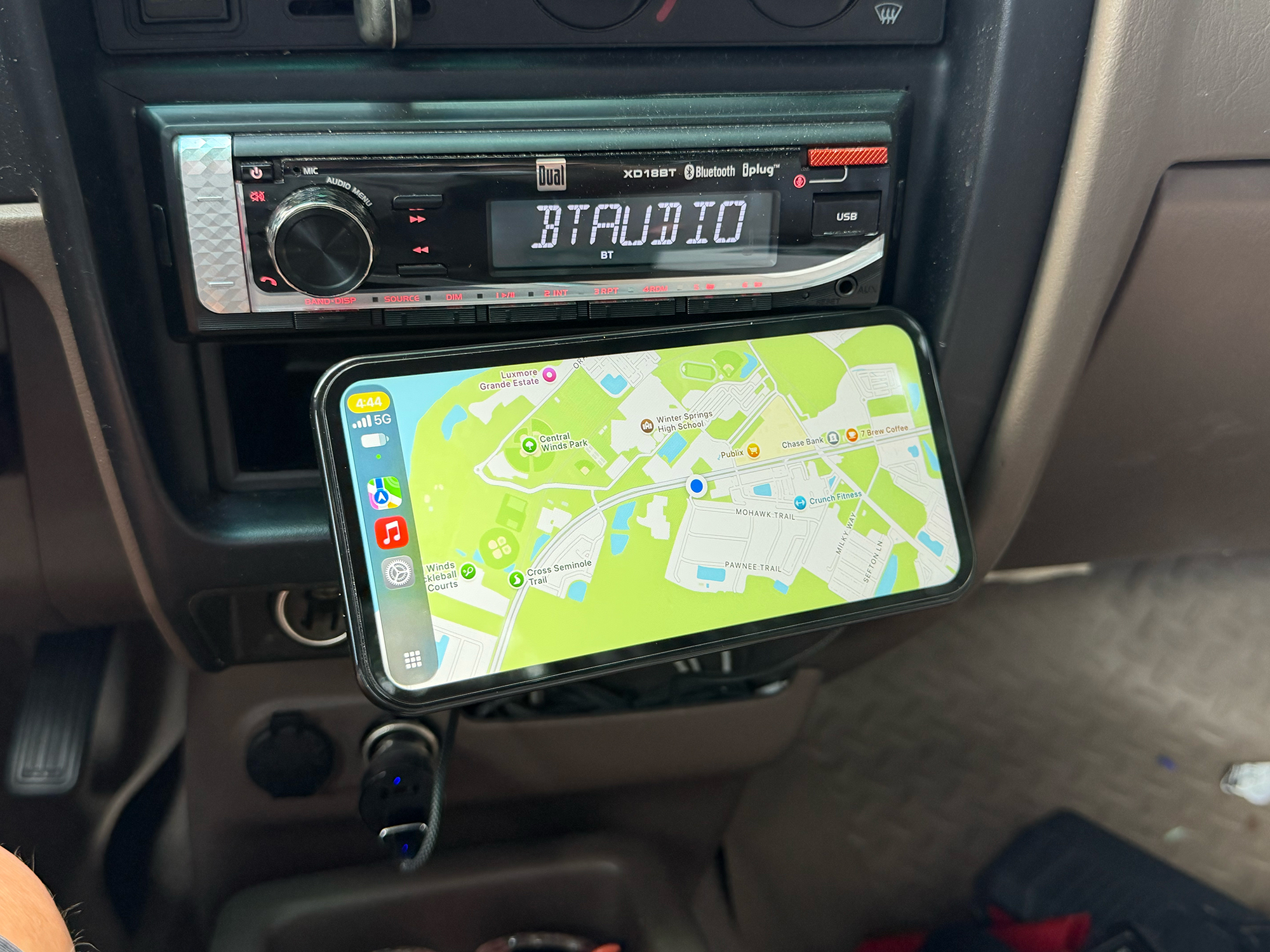
CarpodGo Mini
The CarpodGo Mini is designed around a compact, phone-like footprint, measuring roughly 6.46 in (164mm) wide by 3.19 in (81mm) tall and just 0.51 in (13mm) deep, with a slim, uniform 4mm bezel around the display. This gives it a clean, symmetrical look reminiscent of a modern smartphone. In fact, it’s the same size as my iPhone 17 Pro Max.
Its fully laminated IPS screen is finished with a factory-installed oleophobic tempered glass protector, giving it a smooth, fingerprint-resistant surface that also reduces glare. The 1000-nit screen is bright and very readable in direct sunlight.
Power comes through a single USB-C port that supports the PD protocol, drawing 5V/1A from the included cable and adapter; the back of the unit houses a MagSafe-style magnetic mount that handles attachment and quick release and also supports an AHD 1080p rear-view camera input. CarpodGo offers an optional camera. The result is a small, lightweight display that blends into the dashboard without taking up too much space.
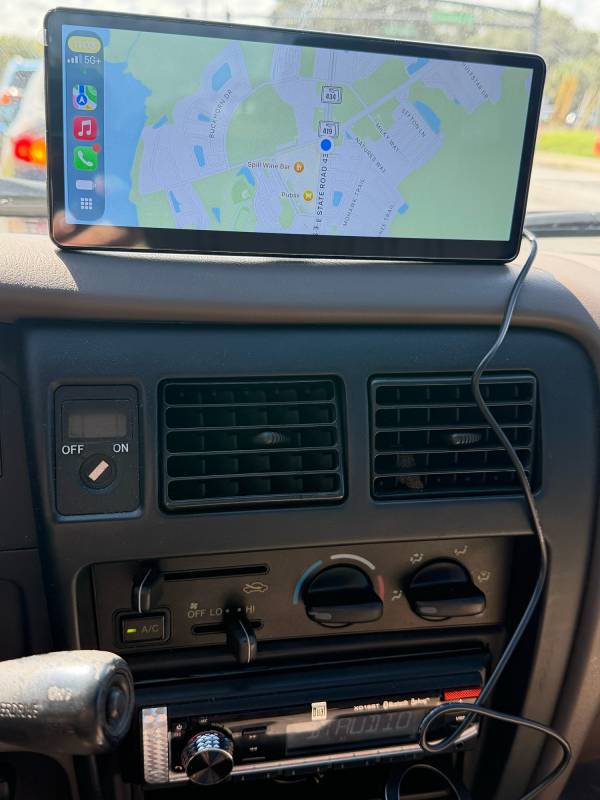
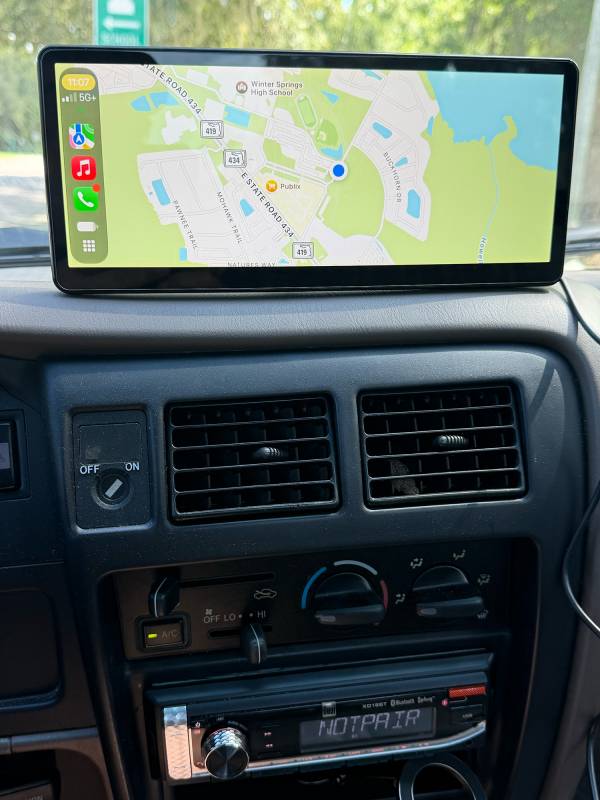
The CarpodGo T4 and T4 Plus share an identical design, differing only in overall size as mentioned above. Both feature a fully laminated IPS glass front that sits flush and glare-free against the display. Both offer the same 1000-nit brightness as the Mini.
Both the CarpodGo T4 and T4 Plus come with 2 mounting options: either a fixed 17mm ball-mount that is common for phone/dashboard mounting, or a suction cup, long-arm mount that can attach to a fixed flat surface, such as a windshield or dashboard. Both come with a detachable magnetic quick-release base that uses a pogo-pin connector to carry both power and rear-camera signal through the magnetic contact points, letting the screen pop on and off instantly without fumbling with cables.
An included 12V power cord delivers power to both screens, and that same base accepts an optional 1080p rear-view camera input (sold separately) on both sizes. You can easily remove the screens from the magnetic base to store them out of sight, protect them from heat, or move them between vehicles.
The CarpodGo T4 keeps a slightly more compact profile suited to smaller vehicle dashboards, while the T4 Plus extends the same design into a larger panel for a more expansive viewing area, but side by side, the two look like scaled versions of the same device.
Initial Setup
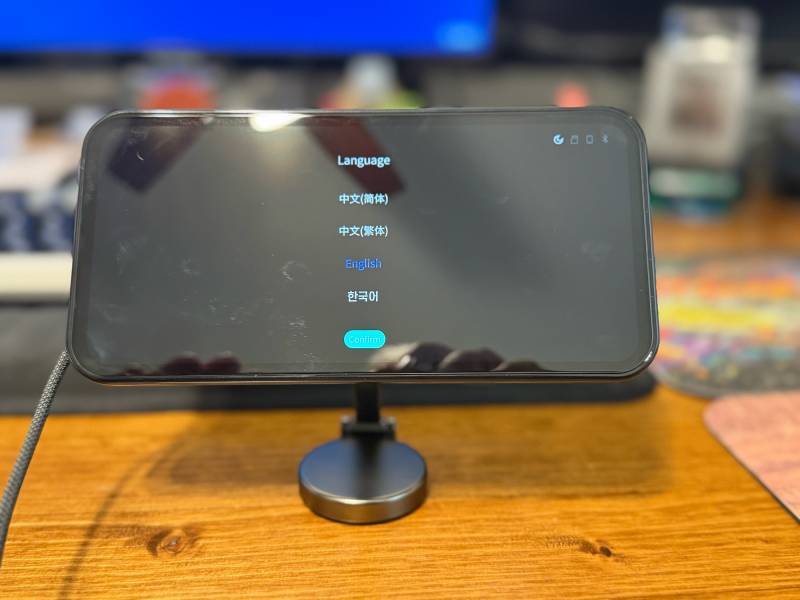
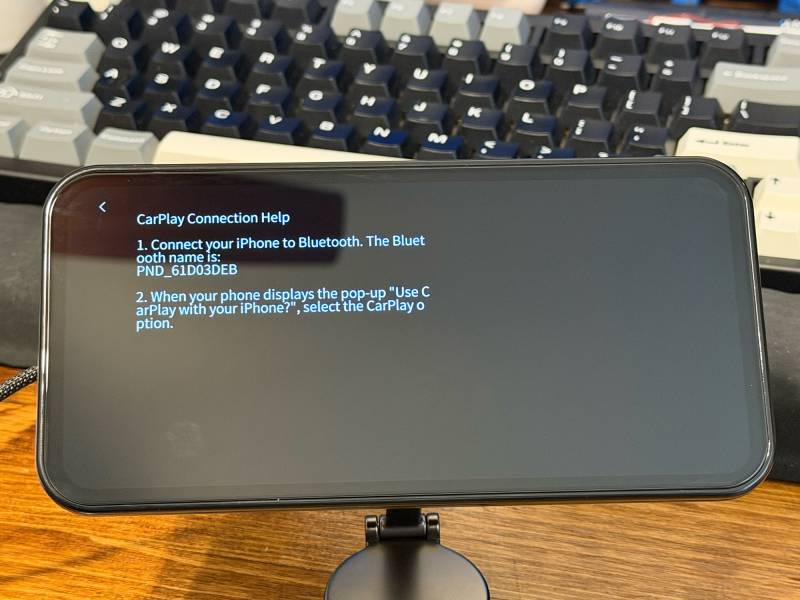
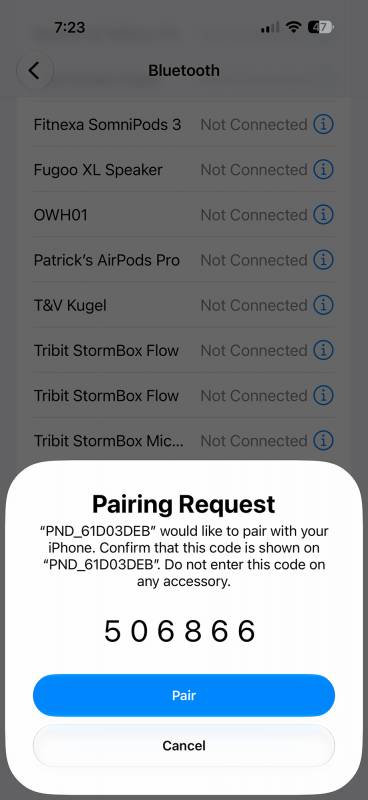
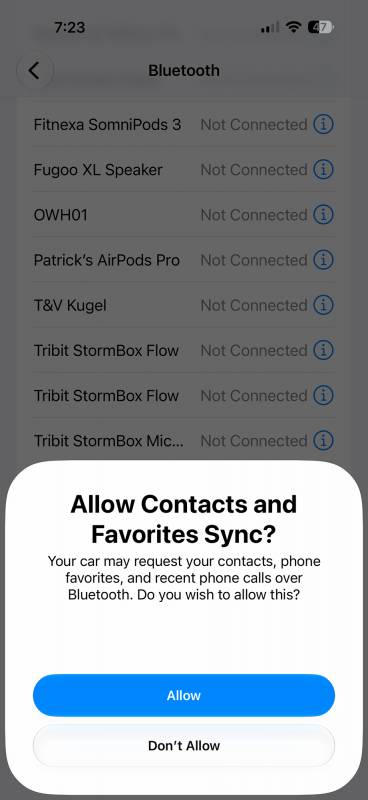
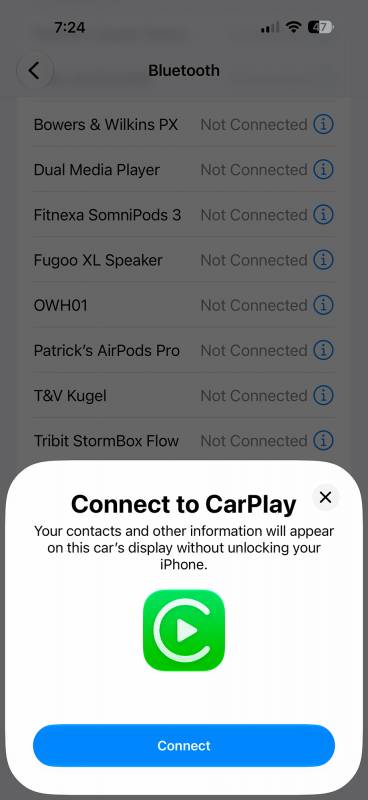
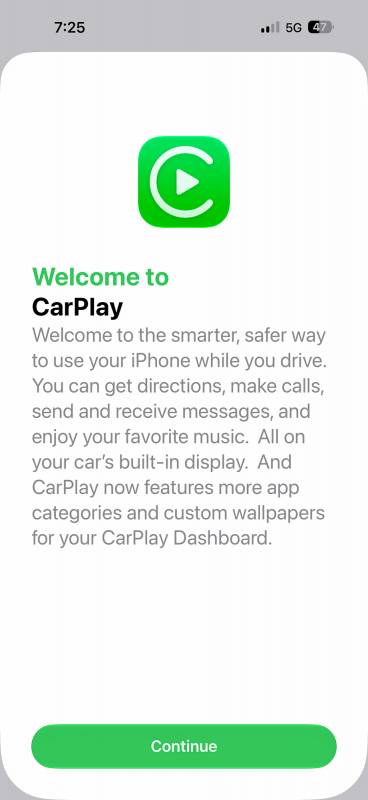
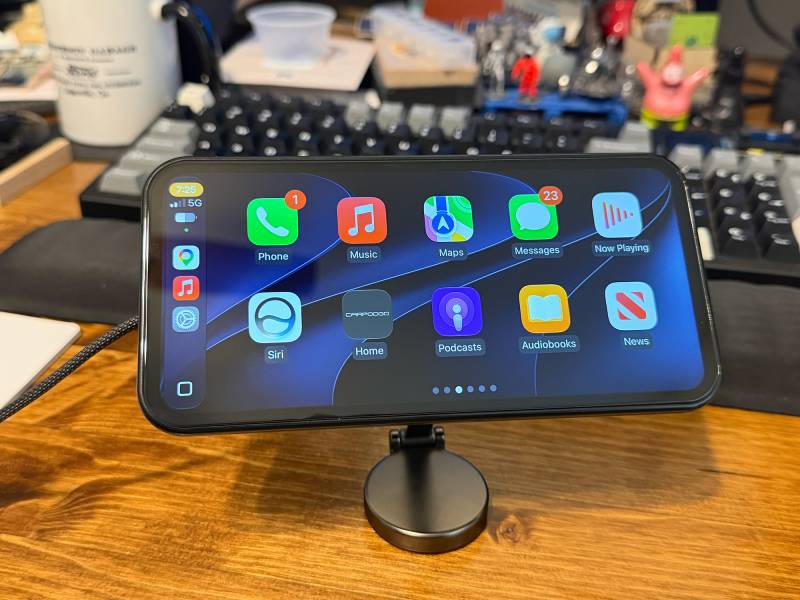
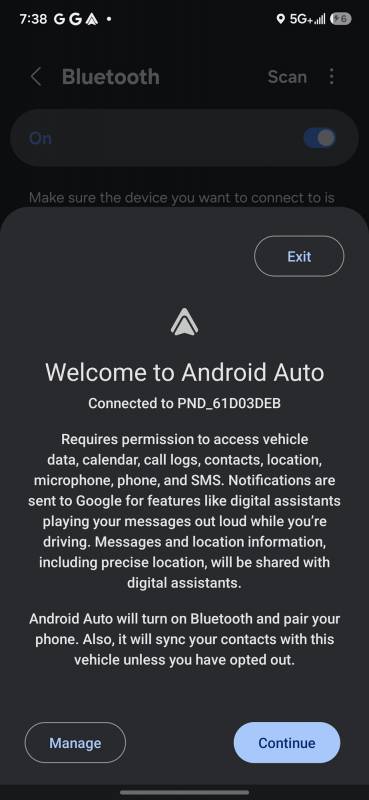
I did the initial setup at my desk before installing the displays in my vehicle. This was much easier and let me check for and update the firmware as instructed. This involved a microSD card and downloading the latest firmware from CarpodGo’s website. Once the firmware was updated (The Mini was the only one requiring newer firmware), I could then set up CarPlay and Android Auto connections to my phones.
The instructions, both in physical manual form and on-screen, were easy to follow on all three displays. The first step is connecting the phones to each screen via Bluetooth. This is done in the same manner as any other Bluetooth device. Once that is done, the phone will prompt you to confirm you want to use CarPlay or Android Auto with the screen. That’s it. It really couldn’t be any easier. All three displays follow the same setup steps.
CarpodGo Mini Installation
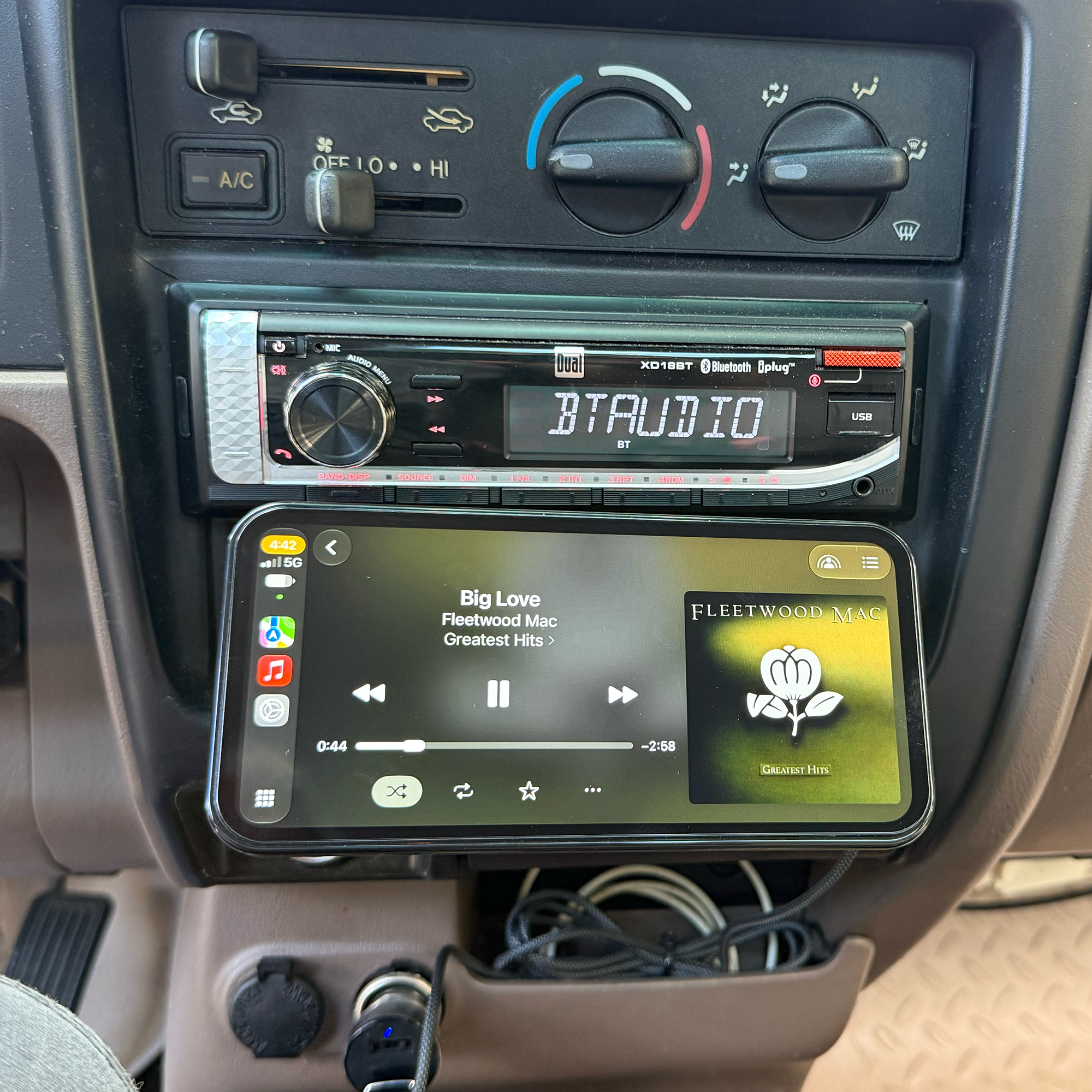
CarpodGo Mini Mounted
Mounting the CarpodGo Mini is straightforward. The all-metal MagSafe mount sticks to any flat surface with some industrial-strength 3M adhesive tape that is preinstalled on the mount. I chose to mount mine inside a little cubby that sits directly below my radio in my truck.
A clean, cool mounting surface is required so the adhesive tape can bond best. The Mini comes with some alcohol wipes for cleaning, but I used some more isopropyl alcohol to get the job done.
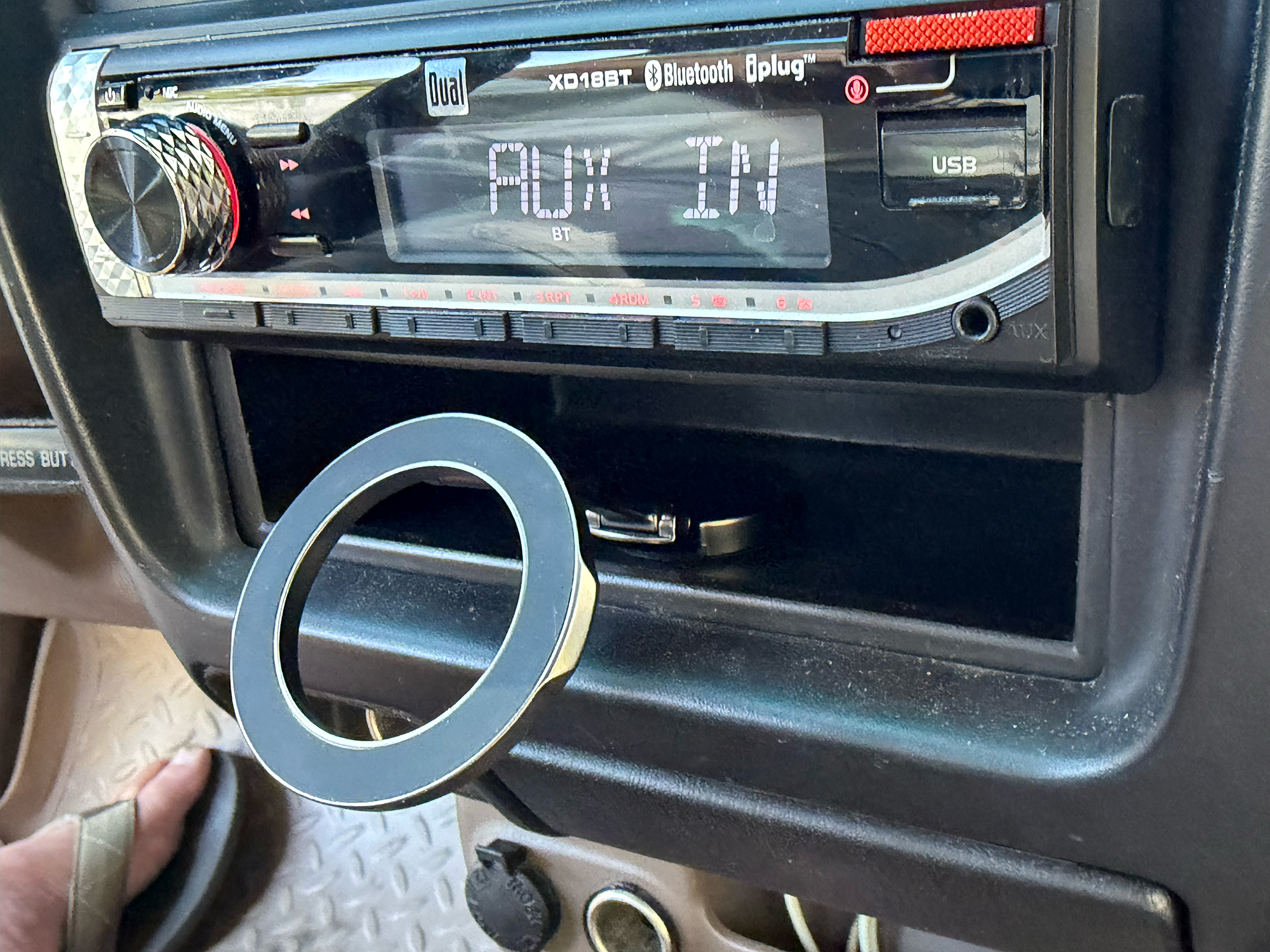
CarpodGo Mini MagSafe Mount
I let the adhesive on the mount form a strong bond for about an hour before I put the Mini on the mount. In the meantime, I plugged a power adapter (not included) into the 12V power receptacle in my truck. I had to use a USB-A/USB-C plug for my power adapter because it only accepts USB-A cables. I connected the USB-C/USB-C cable that comes with the Mini to the power adapter and the USB-C port on the back of the Mini. The Mini then “snaps” to the mount with the MagSafe ring on its backside.
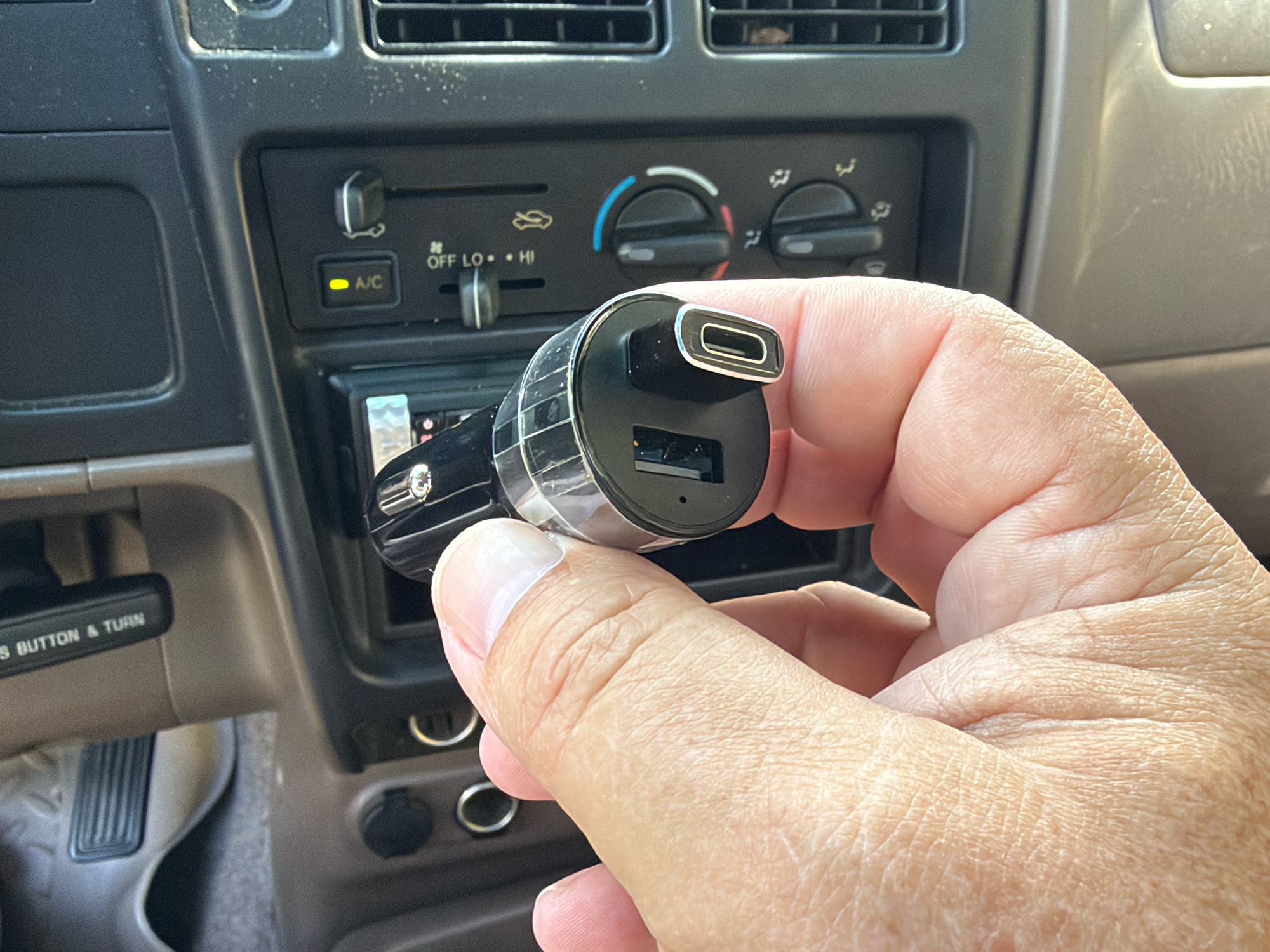
Car Power Adapter (not included)
The Mini powered up and immediately connected to my phone. This took about 5 minutes after I let the adhesive set up for an hour.
CarpodGo T4/T4 Plus Installation
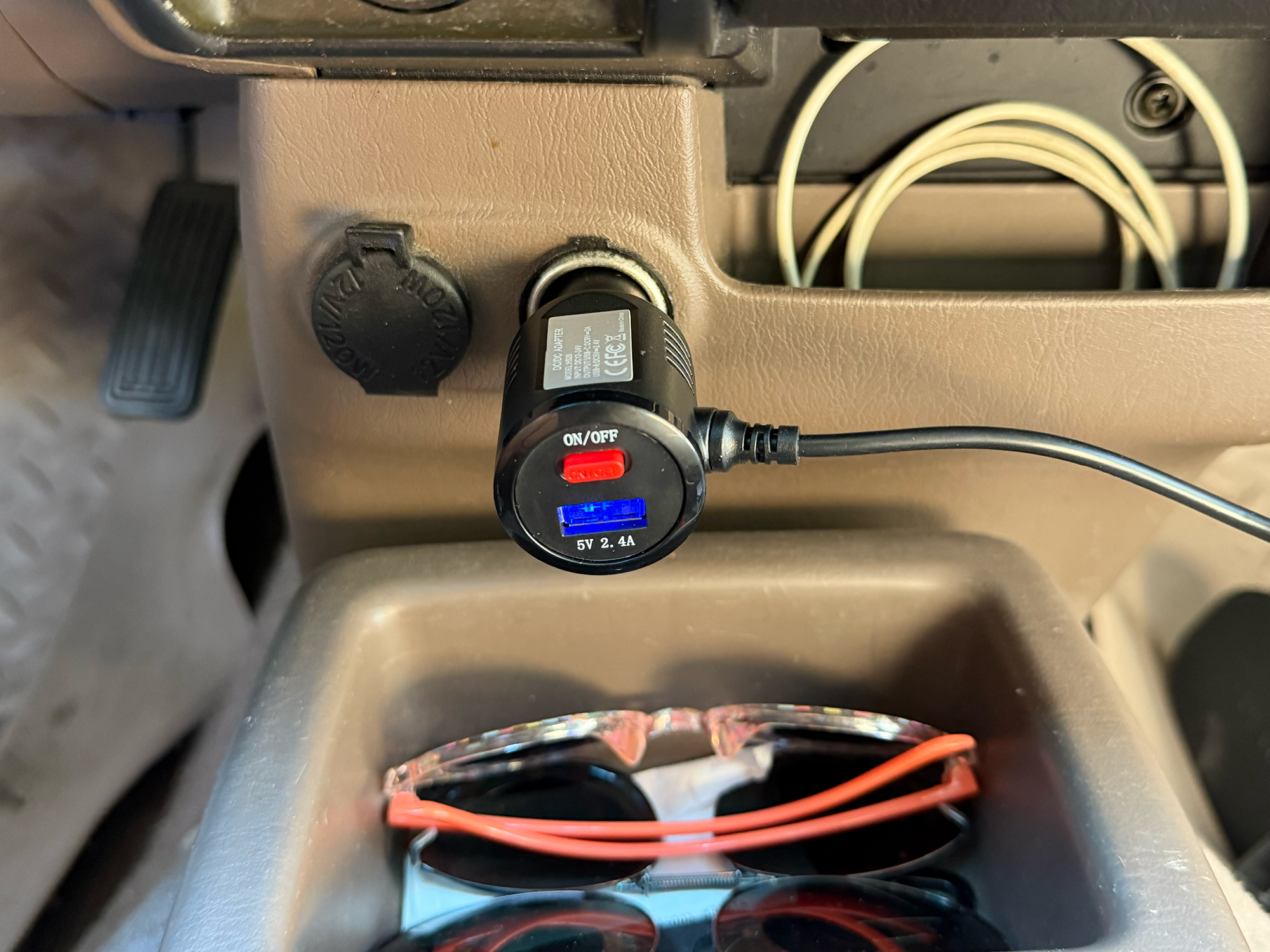
CarpodGo T4/T4 Plus 9V Power Adapter (included)
The CarpodGo T4 models come with a 9V car power adapter with a very long cable. The T4 screens require more power than what a standard car adapter can provide. Most are typically 5V. This included power adapter has an extra USB-A port for charging your phone, and a very convenient on/off switch.
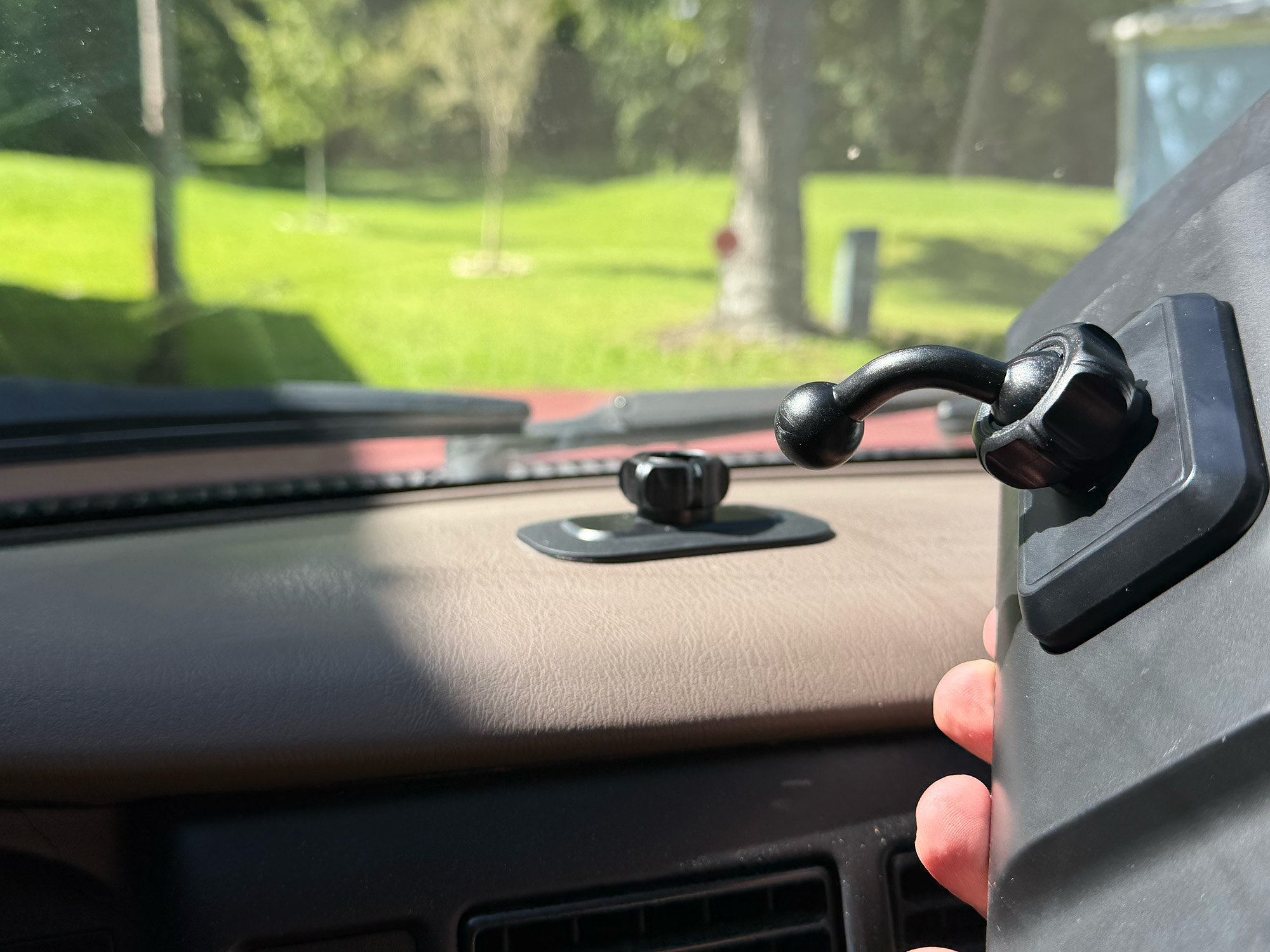
CarpodGo T4/T4 Plus 17mm Ball Mount
The CarpodGo T4’s are quite a bit larger than the Mini, and require extra support because of their increased weight. The screens need dashboard support. To rest on the dash, two T4 screens have a 17mm ball mount socket on the magnetic power connector. The T4 screens come with two mounting options using that ball mount. One is a “stick to the dash” mounting plate which holds the T4/T4 Plus screen with a small, angled mounting arm. The screen rests on the dashboard for support.
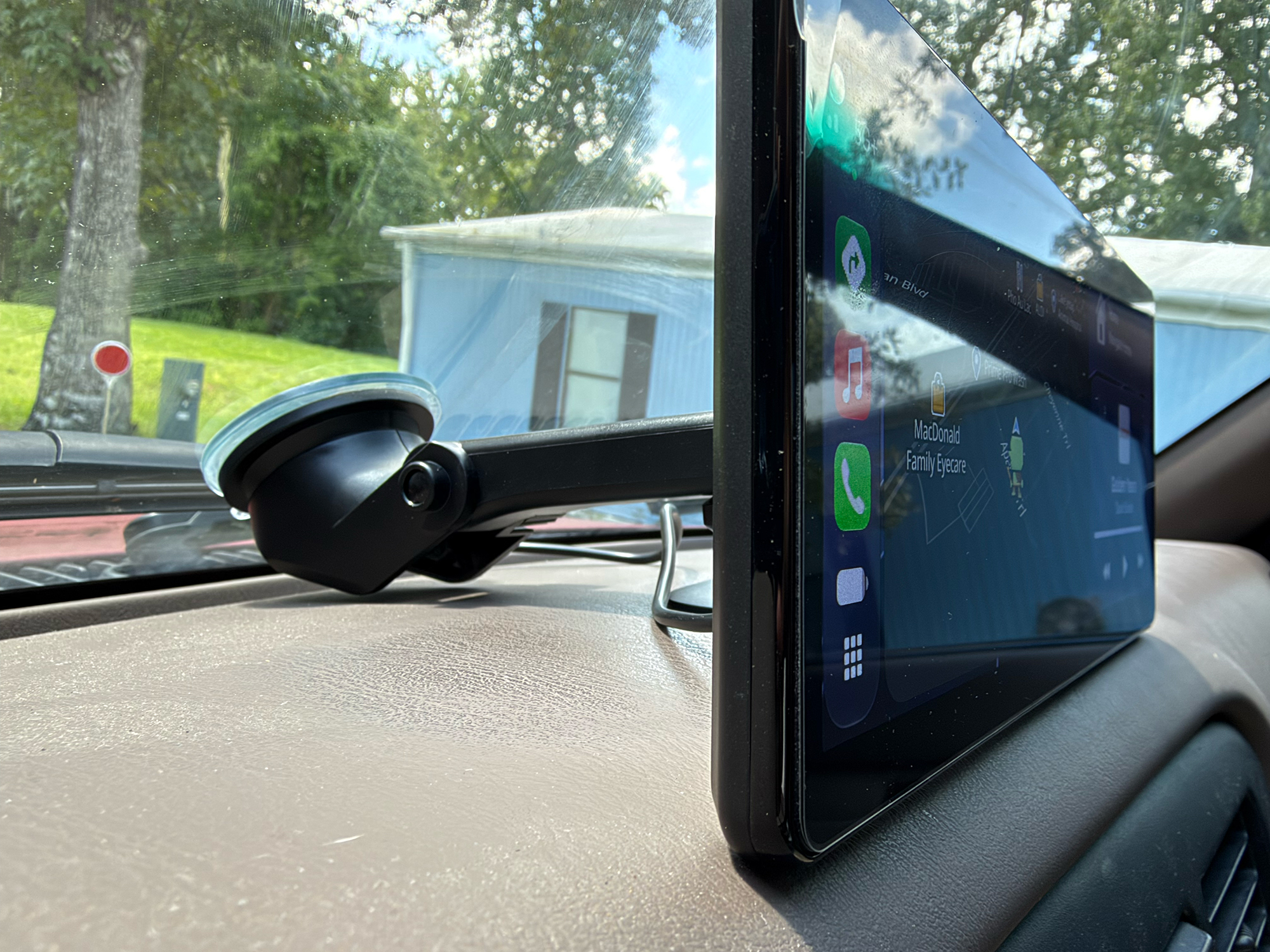
CarpodGo T4/T4 Plus Suction Cup Mount
Another mounting option is a suction cup arm that can either stick to a round, plastic plate that is attached to the dashboard, or the suction cup is stuck to the windshield. I tried this arm mount on my windshield, but the Florida heat caused the suction cup to detach while I was driving. It may work better in cooler climates.
Day-to-Day Use
Day-to-day use of all three screens went well. Each time I started my truck, the screen would connect to the phone perfectly and quickly. One slightly annoying thing, and all three screens did this, was that the Bluetooth between my phone and the truck’s stereo would connect and start playing music. OK so far.
When CarPlay would connect, the music that was playing would be interrupted, and I would have to tap the play button on the screen to continue. Other than that one small inconvenience, all three screens functioned perfectly.
I tried to detach the screens when I parked the truck to secure the screen in my glove box. Several times, I purposefully left the screens attached in the blazing Florida heat. I noticed that the screens survived in direct sunlight and stifling interior heat buildup. They are well built and survived that punishment.
Accessories
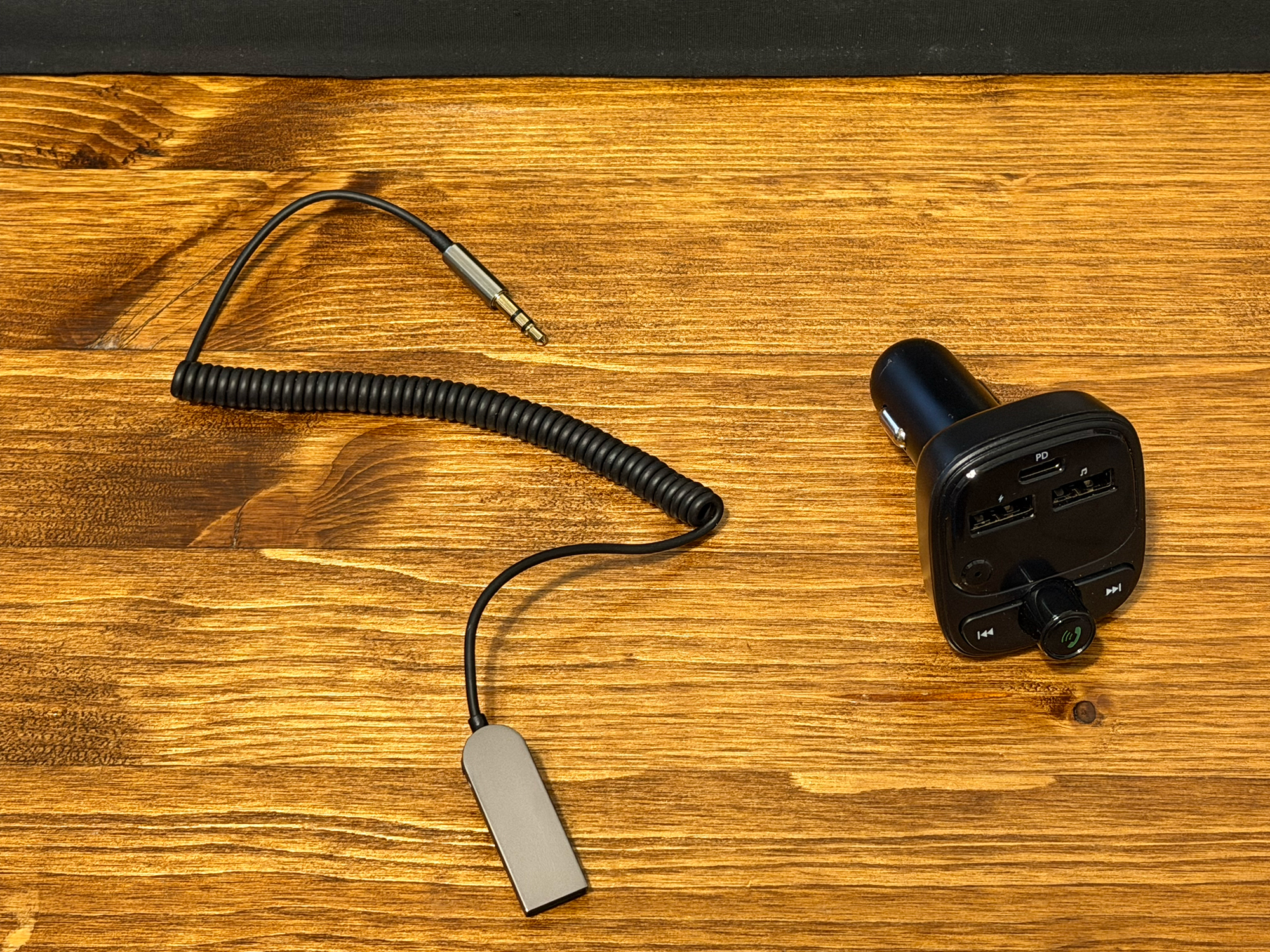
FM Transmitter and Bluetooth/AUX Dongle (optional accessories)
CarpodGo offers several accessories that can be bundled with the screens. If your vehicle doesn’t have Bluetooth or an AUX input, you can use an optional FM transmitter hooked to the screens’ AUX port to transmit audio to your FM radio. I tried to test this accessory, but I could not get a good signal on an empty FM frequency.
CarpodGo also offers an FM receiver that plugs into your car stereo’s AUX port. This worked well on my car that already had a CarPlay-equipped stereo.
Optional Backup Camera
Another accessory that was sent with the screens was a backup camera. After mounting it in a rear window and hooking it up to the CarpodGo screen (any model), it functions as a backup camera, as most modern cars do. I chose not to install the camera because the bed of my truck would obstruct its view, and it required connecting to the reverse lights to activate when you put the vehicle in reverse.
Final Thoughts
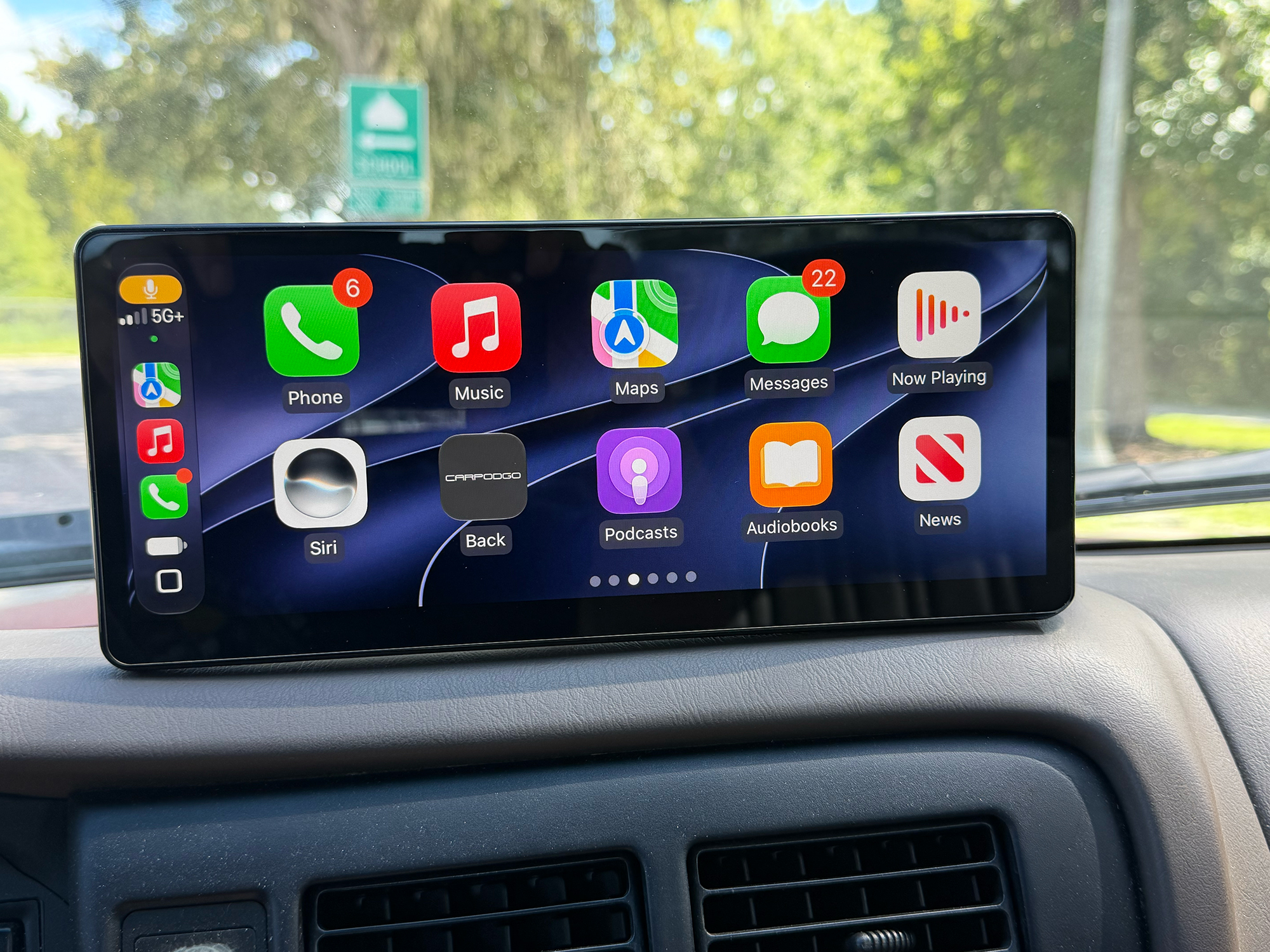
If you want to add CarPlay or Android Auto to your car or truck without buying a new stereo, the CarpodGo screens are highly recommended. All three screens offer great CarPlay and Android Auto functionality. The multiple mounting options for the T4/T4 Plus screens should work for almost any vehicle.
The setup and pairing worked each and every time I used my truck with all three models. The bright screens worked well in the bright Florida sun, and the touch interface was very responsive and flawless.
The CarpodGo Mini retails for $119.90; it is available directly from the manufacturer (this link will get you 5% off) and from other retailers, including Amazon, for $119.99. I rate it a 4.5 out of 5.
The CarpodGo T4 retails for $249.90 (on sale for 229.90 at the time of writing); it is available directly from the manufacturer (this link will get you 5% off) and other retailers, including Amazon, for $229.99. I rate the CarpodGo T4 a 4.9 out of 5
The CarpodGo T4 Plus retails for $269.90 (on sale for $249.90 at the time of writing); it is available directly from the manufacturer (this link will get you 5% off) and other retailers, including Amazon, for $249.99. I rate the CarpodGo T4 Plus a 4.9 out of 5.
Source: Manufacturer-supplied review samples
What I Like: Super-simple setup and installation; Makes my old truck feel newer; No screen lagging; Great readability in bright sunlight; Auto brightness adjustments; Very quick pairing at start-up; Very simple to attach and detach from mounts
What Needs Improvement: The Mini’s magnetic mount bounces slightly; T4/T4 Plus speakers are not good; T4/T4 Plus power requirements of 9V require a specific car power adapter; AUX cable has to be unplugged to detach screen from magnetic mount