


The Lowdown
The OBSBOT Meet Flip is a small, foldable 4K webcam that makes a lot of sense for laptop users and anyone who wants a portable webcam. I like the folding design, gesture-controlled zoom, and built-in microphone. But its built-in mount couldn’t accommodate the thick top of my widescreen monitor. It won’t replace the OBSBOT Tiny 2 on my desk, but I can see this little camera being a useful addition to a laptop bag.
Overall
Pros
- Small, foldable design
- Closing the camera covers and protects the lens
- Built-in screen hook and tripod socket
- Gesture-controlled zoom
- Good video quality
- Microphone audio that I preferred to the Tiny 2 in my comparison
Cons
- The screen hook isn’t wide enough for my monitor
- Resting it on top without securing the mount isn’t stable
- Video looked a little less sharp than the Tiny 2 to my eyes
I’ve been using an OBSBOT Tiny 2 as my everyday webcam, and I really enjoy it. One of my favorite things is that it can follow me as I move around. Stand up, sit back down, move a little, and the camera follows the subject. But sometimes you don’t need all of that. Sometimes you just want a small webcam that you can put on a laptop, use, and pack away. That’s what interested me about the OBSBOT Meet Flip. It records in 4K, has a built-in microphone, and folds into a small package when you’re done.
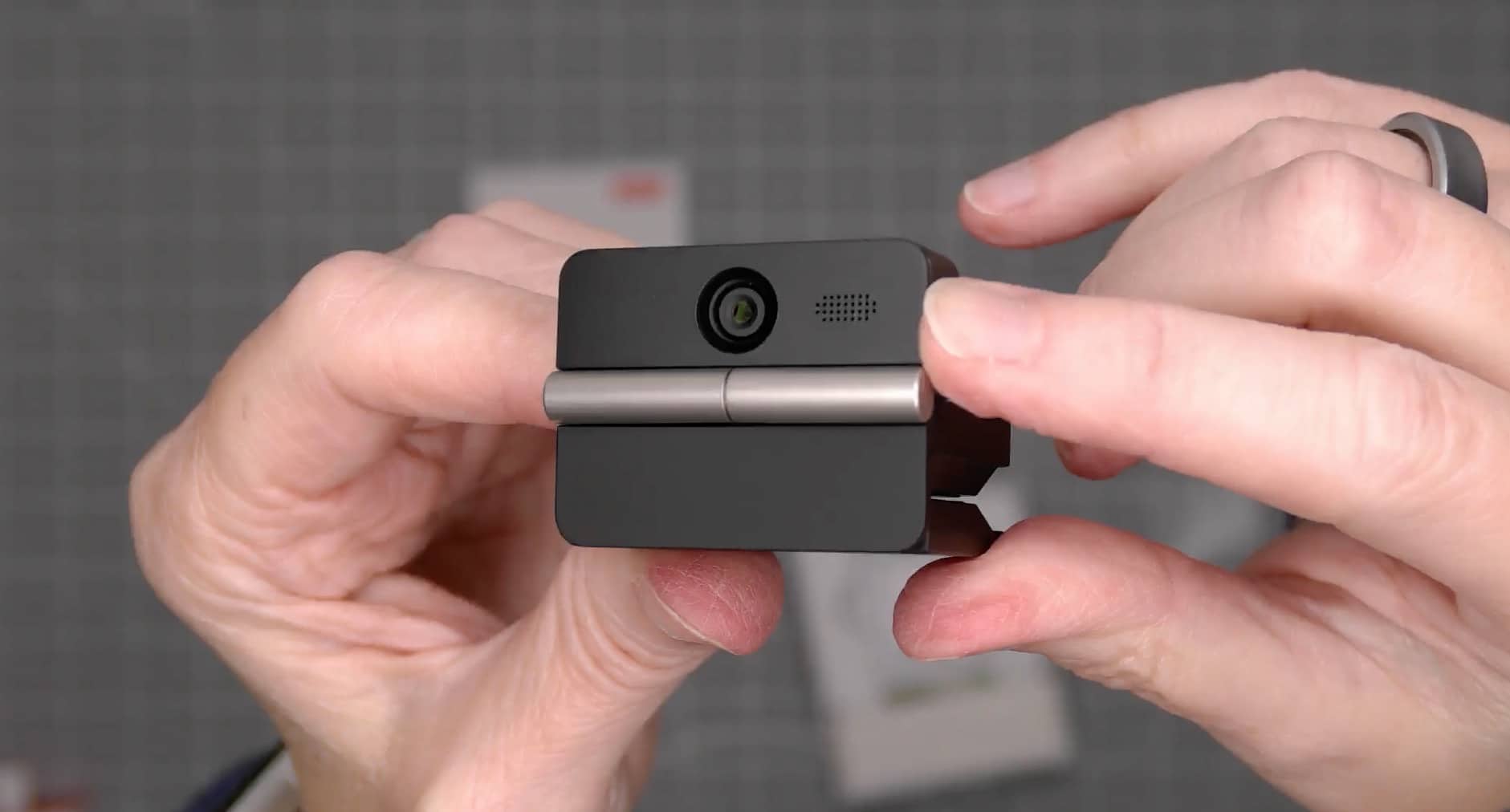
Just how small? Opening the box surprised me. I knew this was supposed to be a compact webcam, but I wasn’t expecting it to be quite this little. Let’s check it out.
What Is It?
The OBSBOT Meet Flip is a foldable USB webcam with a built-in screen mount and a threaded socket for tripod mounting. You flip it open to expose the lens and fold it closed when you’re done.
For my video review, I recorded with it at 4K and 30 frames per second. I also recorded footage with my OBSBOT Tiny 2 at the same resolution and frame rate so I could compare the two cameras.
My main questions were pretty simple. How would the MEET FLIP fit into my setup, how would the picture look, and how would its microphone sound?
What’s Included?
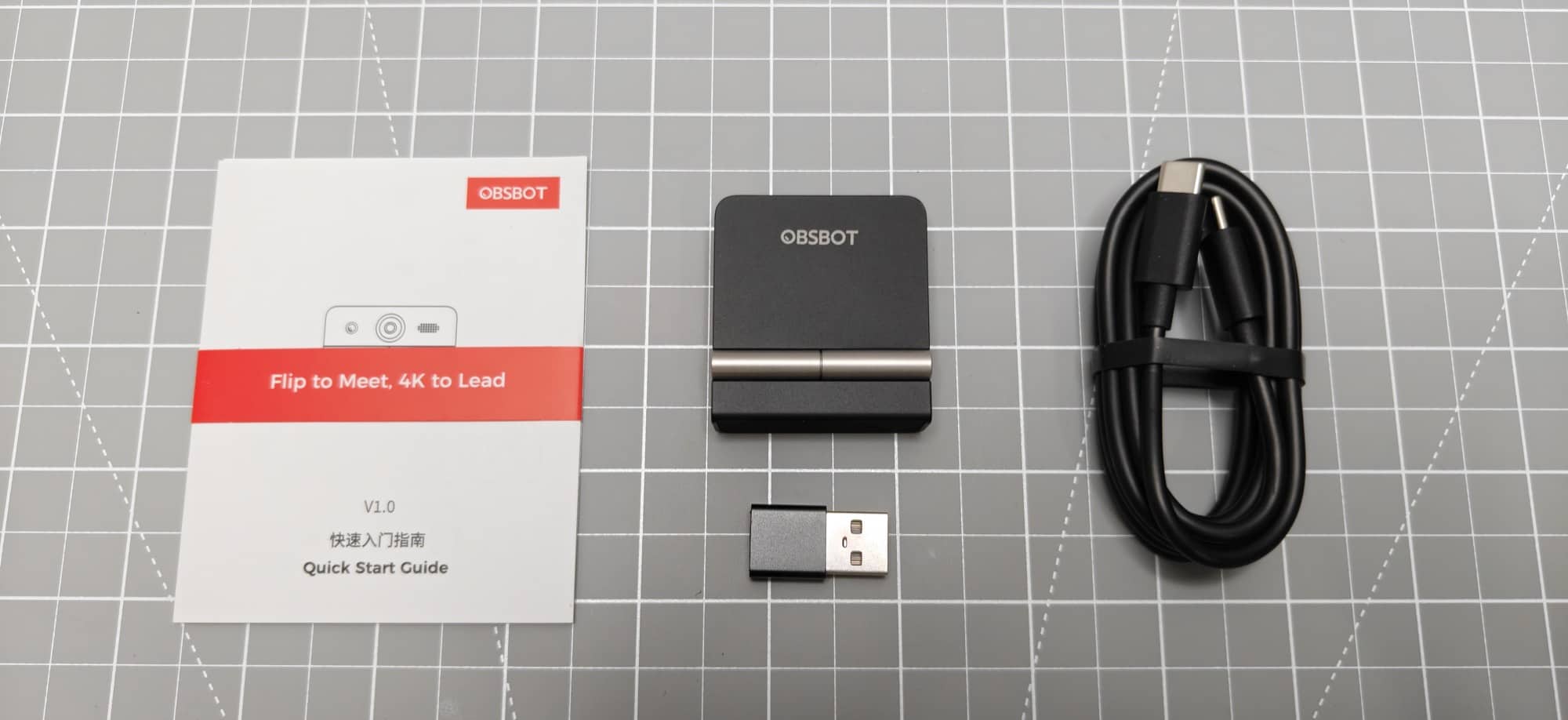
- OBSBOT Meet Flip webcam
- USB-C to USB-C cable
- USB-A adapter
- Quick start guide
I appreciate that OBSBOT includes the adapter. Depending on your computer, you might need either USB connection type. Having both options in the box means one less accessory to hunt down before you can try the camera.
Design and Features
The compact folding design is my favorite thing about the OBSBOT Meet Flip.
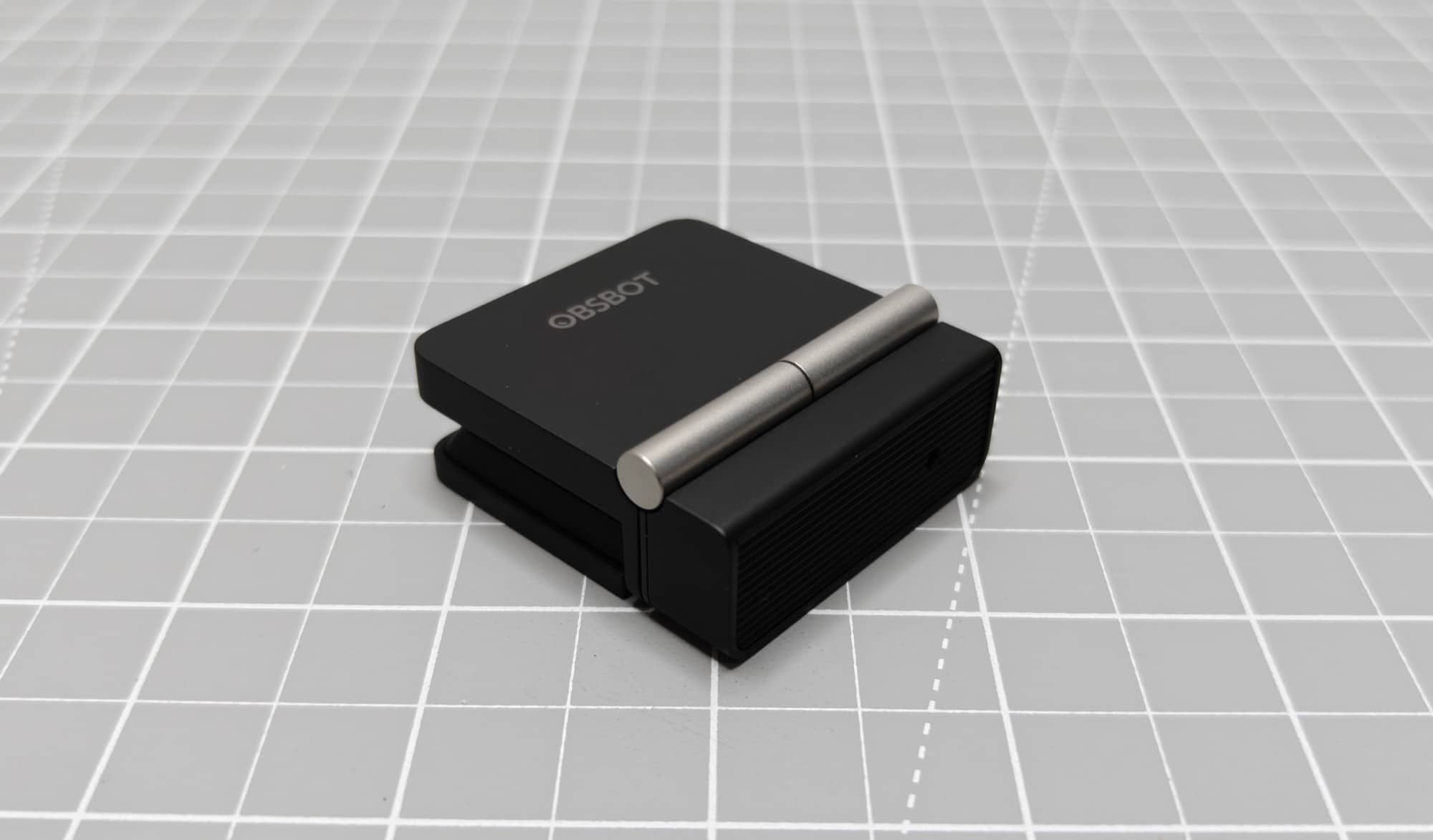
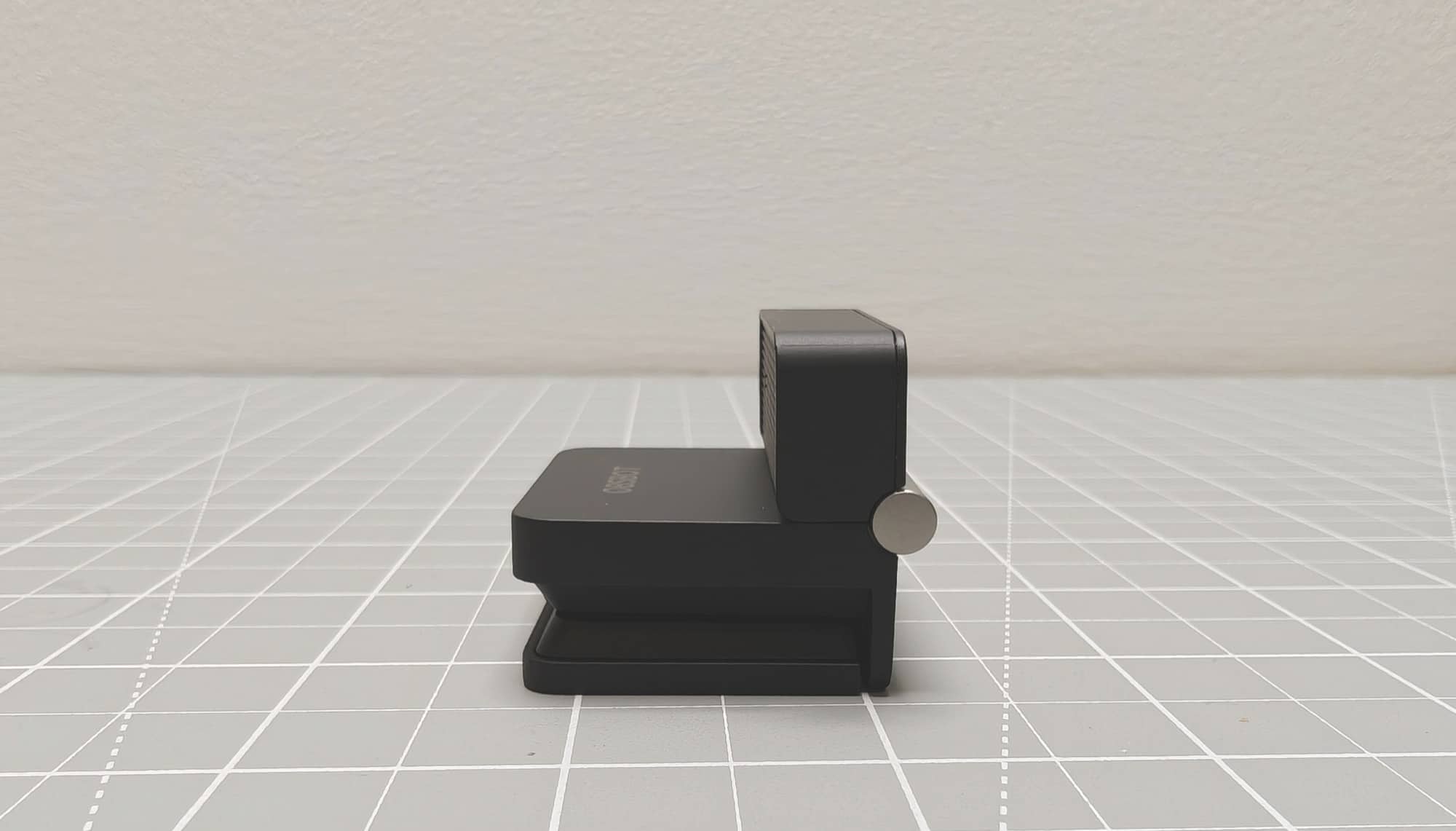
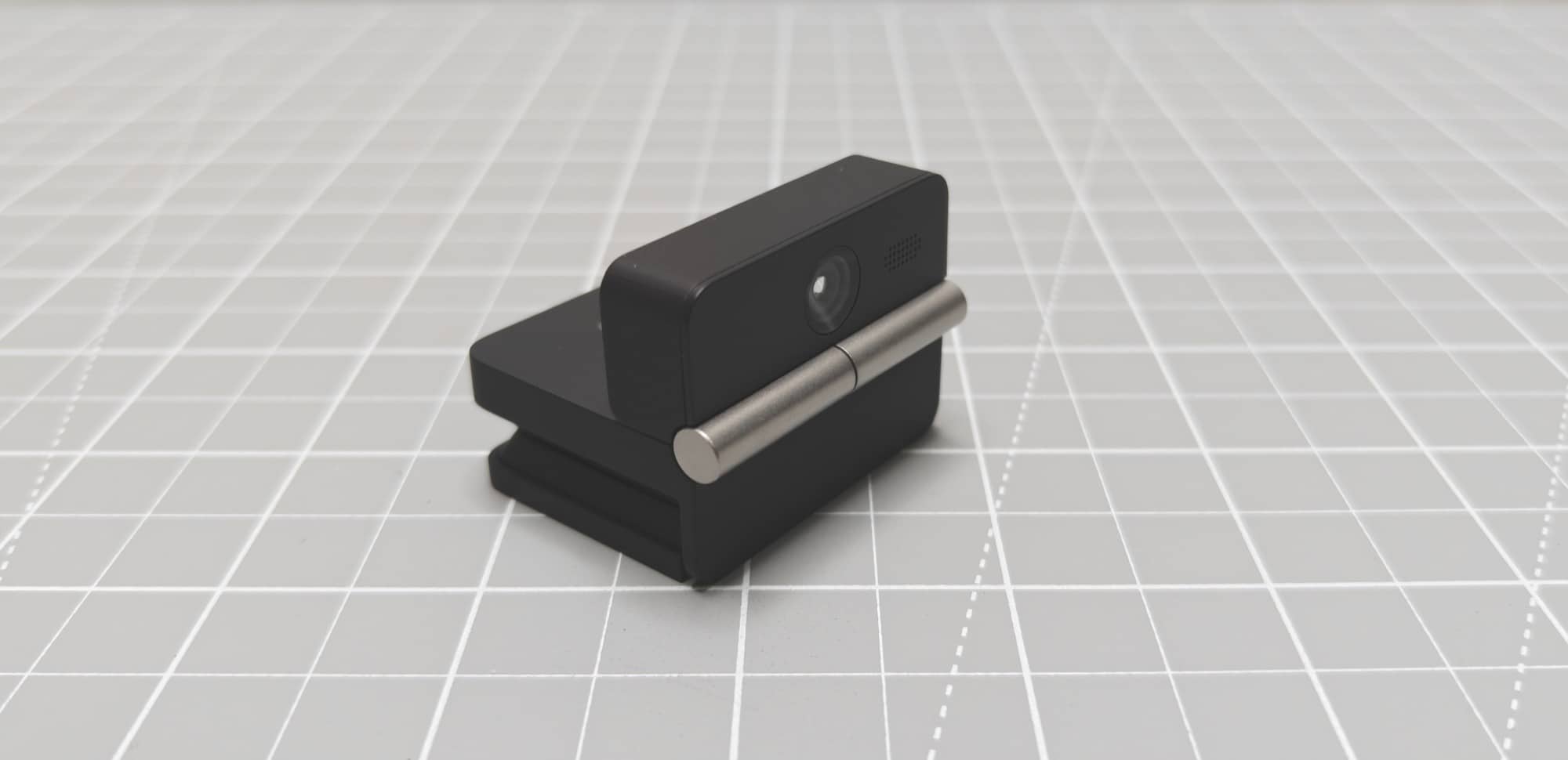
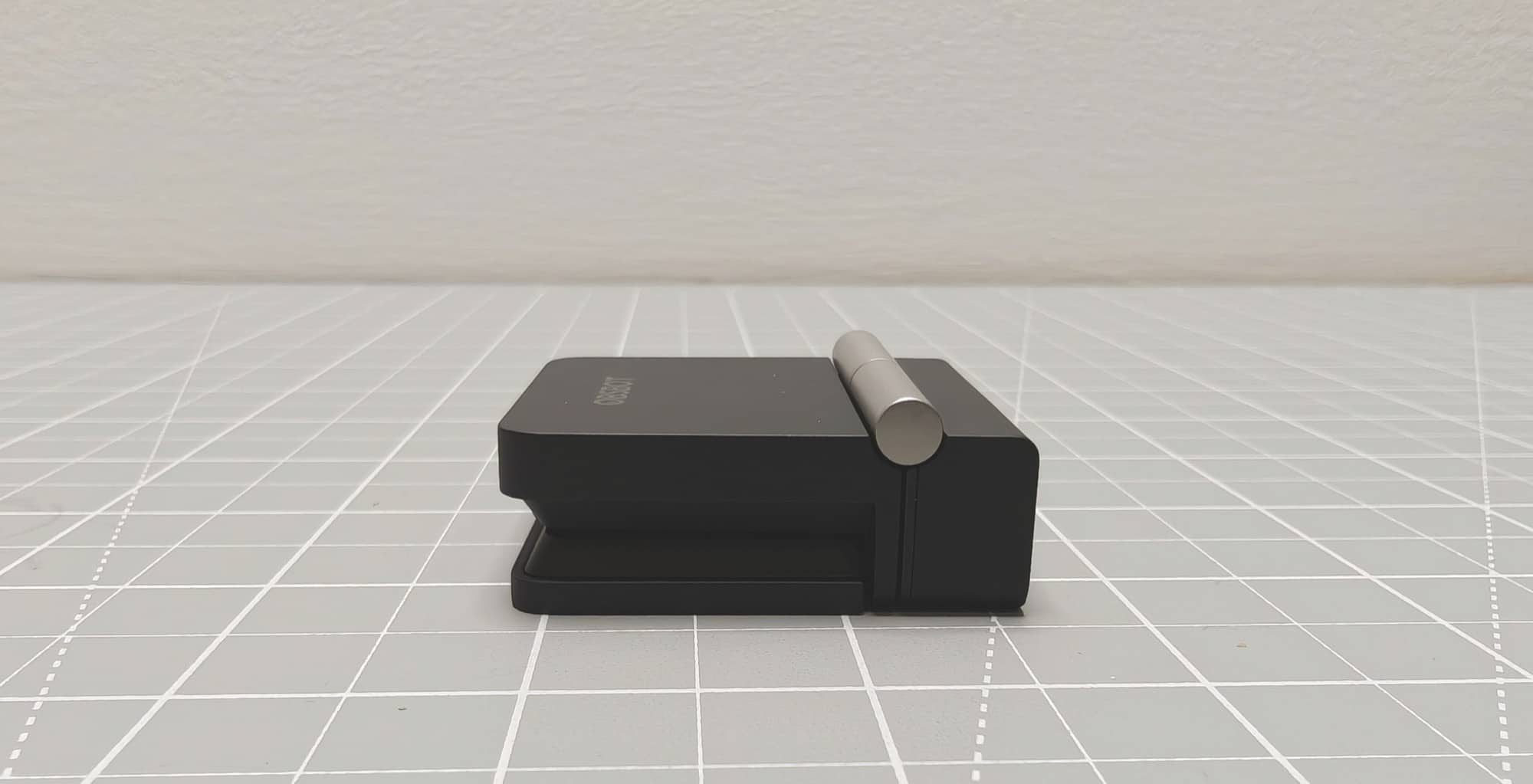
Flip it open, and the lens is ready. Fold it closed, and the lens is tucked away. That gives you a physical way to cover the camera for privacy, and it also keeps the lens protected when you put it in a bag.
I like that this is part of the camera itself. You don’t have to set down a separate lens cap and forget it.
The USB-C port is on the camera, and there’s a threaded socket underneath for a tripod. That socket is a welcome addition because putting a webcam on top of a screen isn’t always the best option. As I found out during this review, it sometimes isn’t workable at all.
There’s also a small folding clip, or hook, that lets the camera sit on the top edge of a screen. Once it’s in place, you can adjust the lens angle.
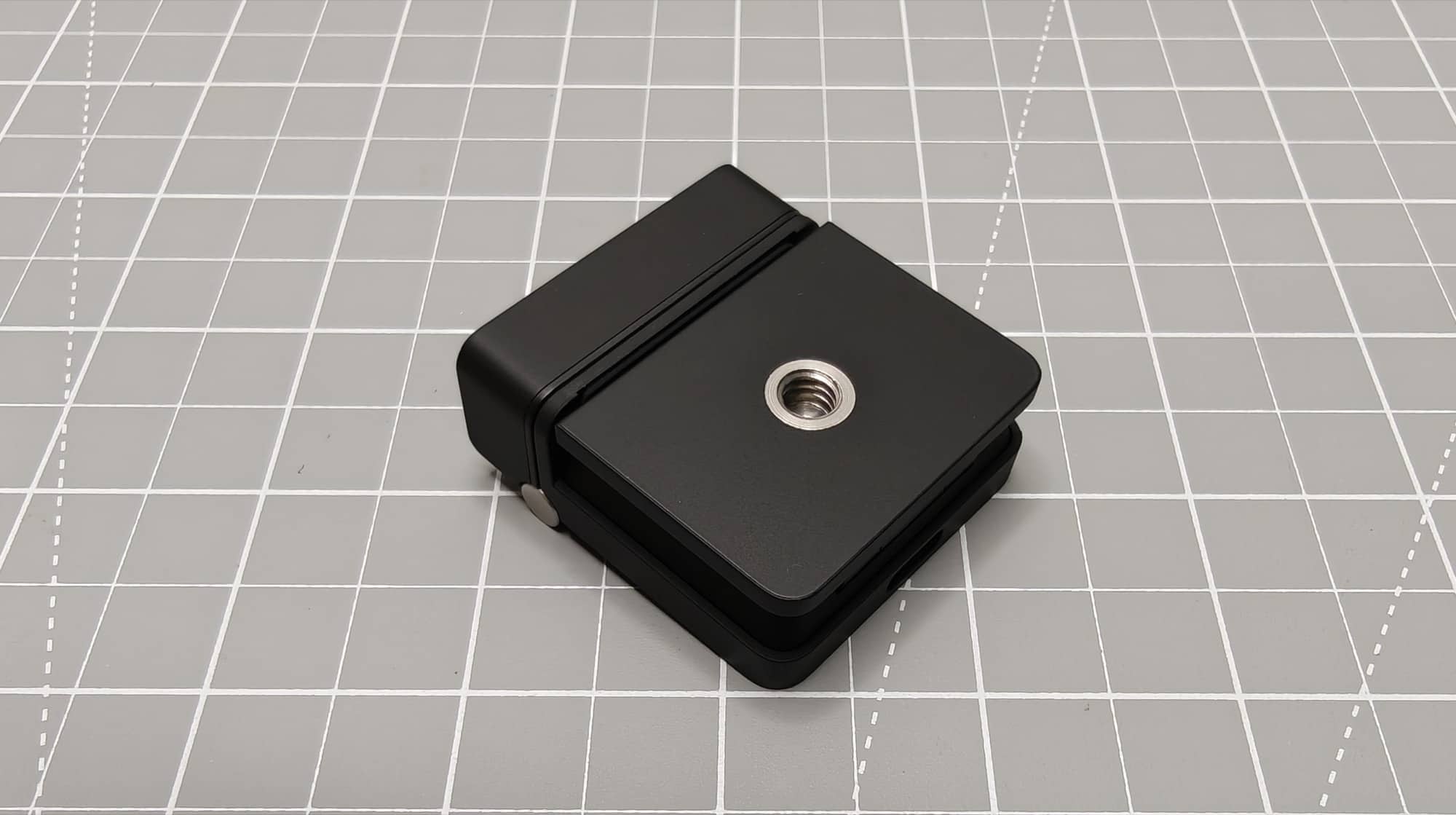
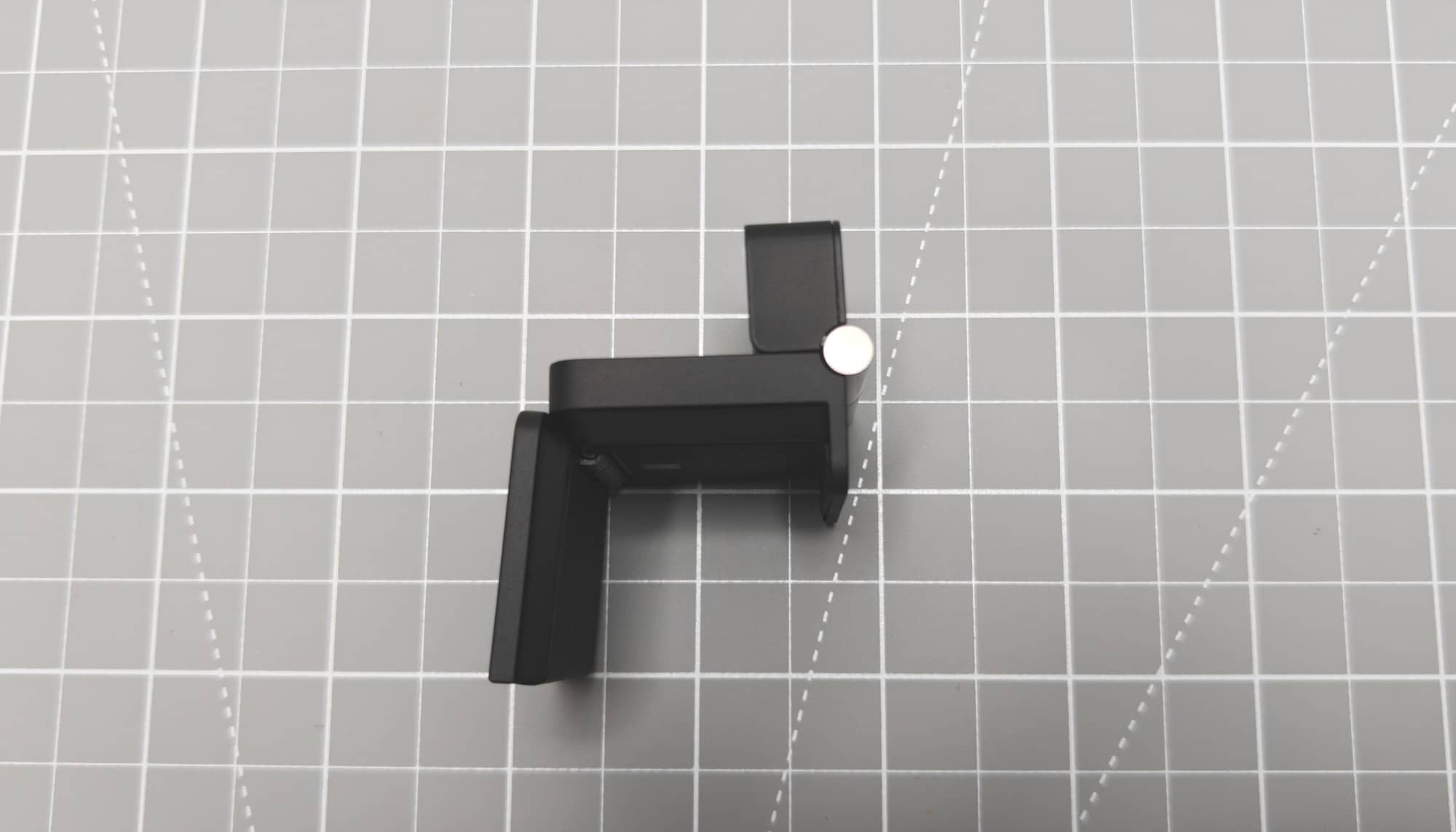
It’s a neat little package. With its folding body and built-in mount, I can see why someone would want to keep one with their laptop.
Trying the OBSBOT Meet Flip with a MacBook Pro
My original plan was to test the OBSBOT Meet Flip with my MacBook Pro. Then my computer setup changed after I traded in my MacBook Pro for a new Mac mini M5 Pro. So the laptop you see in the image and video belongs to my better half.
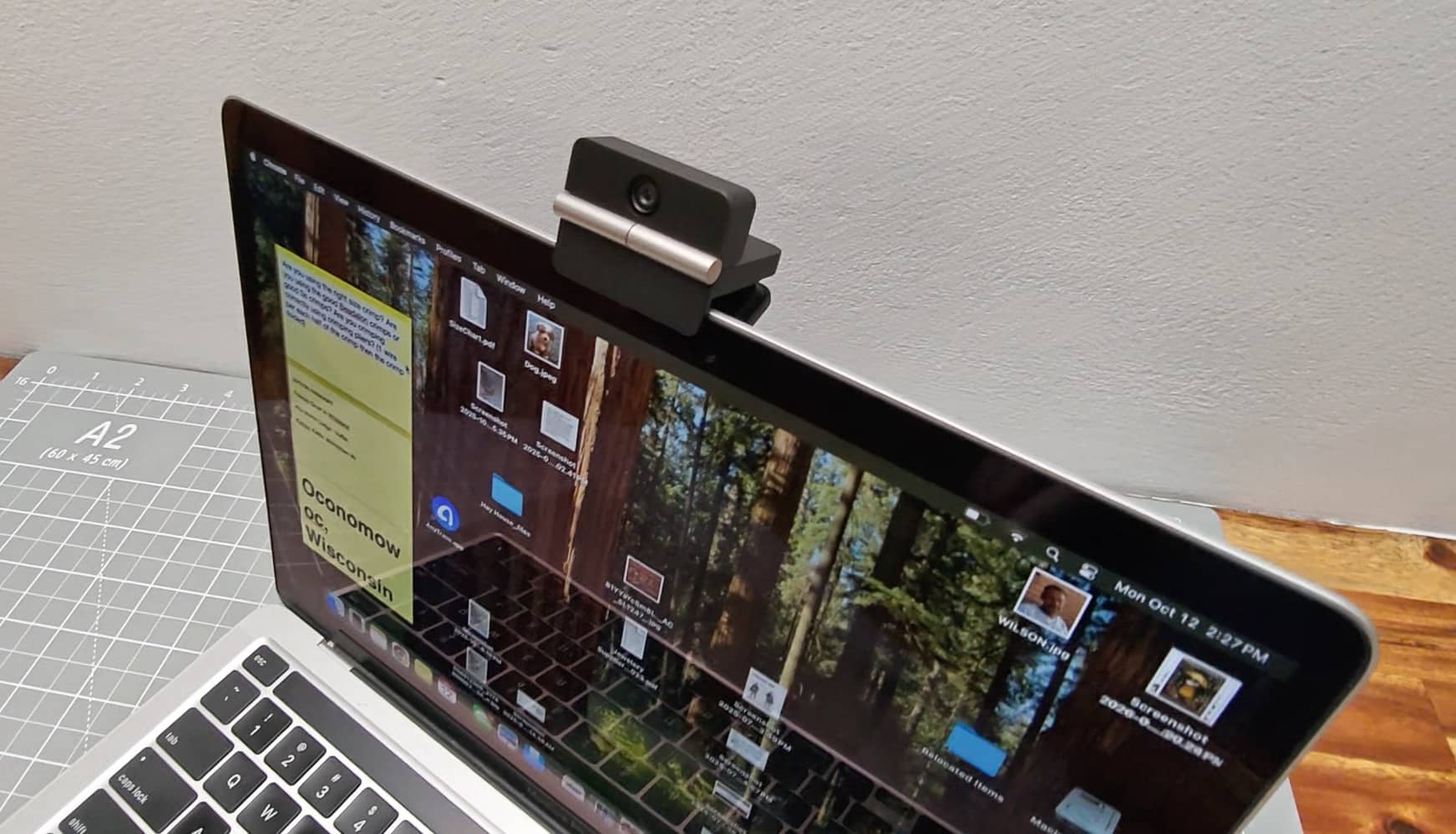
The little clip fit over the top of that screen, and I could adjust the camera angle after mounting it. That part worked as expected.
The actual camera comparison, though, was done with my Mac mini and widescreen monitor. That’s where I normally use my OBSBOT Tiny 2, and it’s where I ran into the OBSBOT Meet Flip’s biggest problem for my particular setup.
The OBSBOT Meet Flip’s Mount Doesn’t Fit My Widescreen Monitor
The top of my Dell widescreen monitor is fairly thick. When I tried to attach the OBSBOT Meet Flip, its hook didn’t open far enough to fit over it.
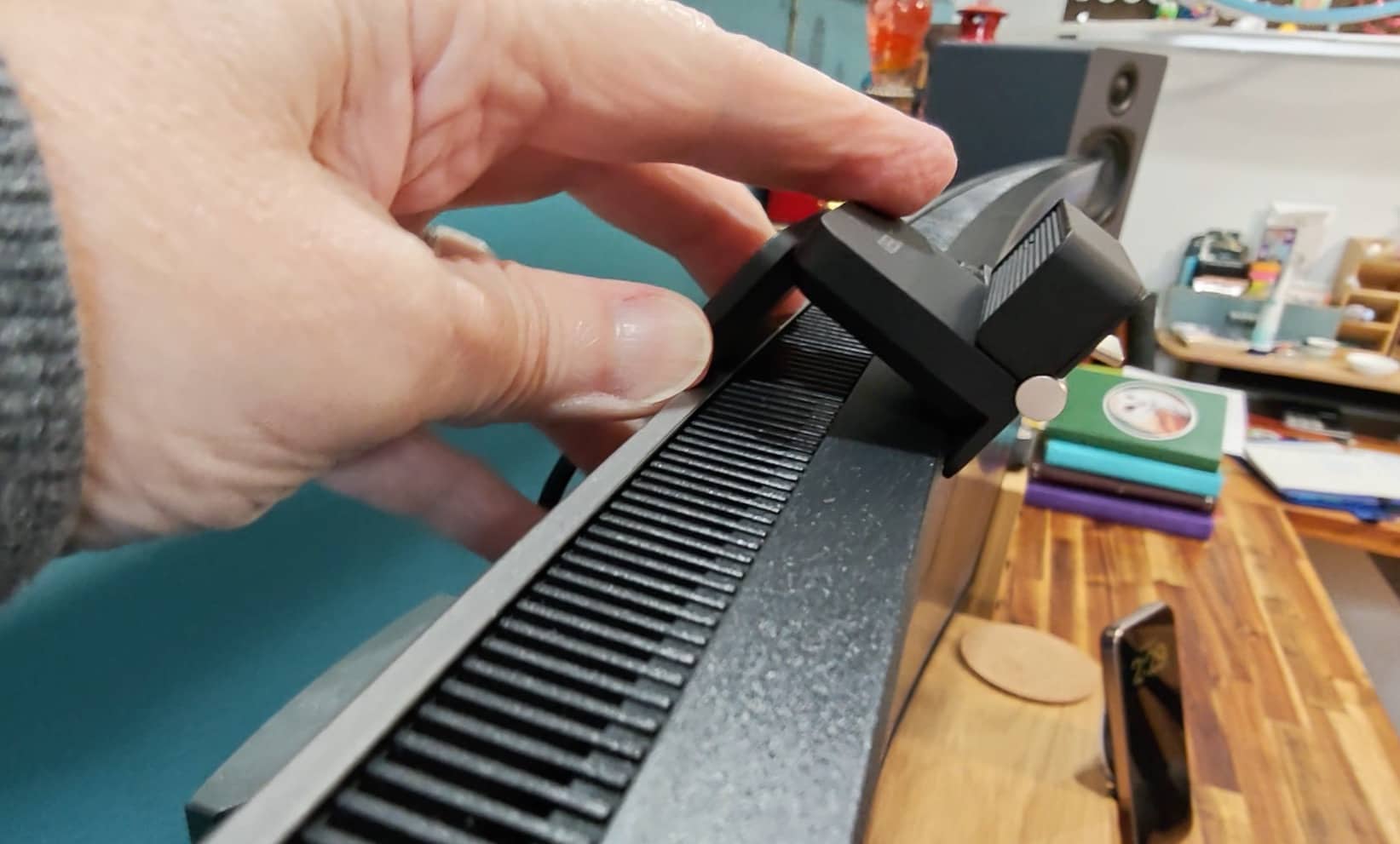
Well, that’s a problem.
I could fold the mount and rest the camera on top of the monitor, which is what I did for the review. But it wasn’t very stable. It worked for the demonstration, but I wouldn’t want to leave it sitting that way as my everyday setup.
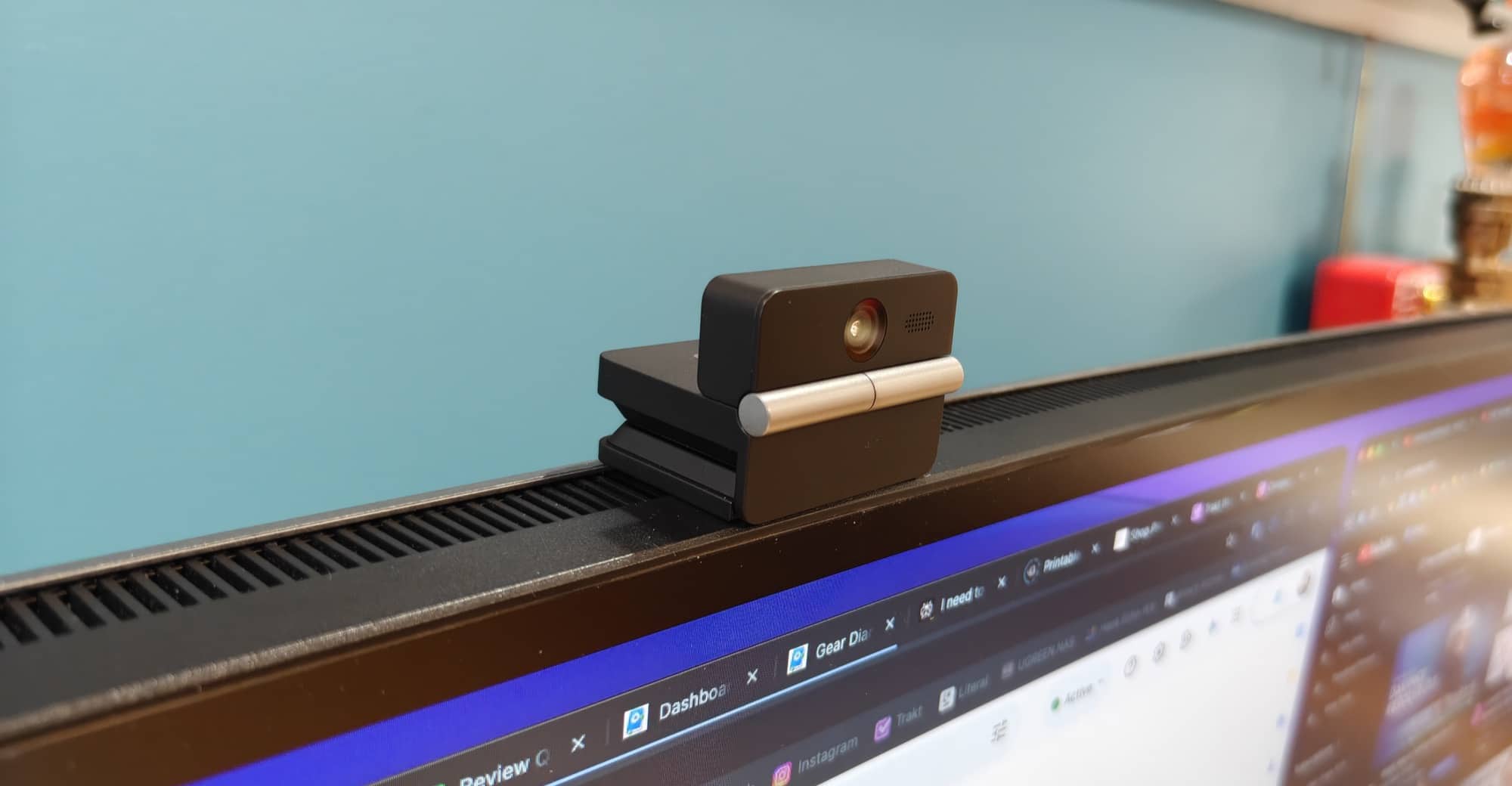
This is the main thing I’d pay attention to before buying one. It fit the MacBook Pro I tried, but not my desktop monitor. The fact that a webcam has a built-in screen mount doesn’t mean it will work with every screen.
The tripod socket gives you another mounting option. You could use a separate support instead of relying on the monitor clip, although you would need to make room for that in your setup.
For me, the mounting issue matters because I already have a webcam that works well on this monitor. I would have to come up with a different arrangement to make the MEET FLIP a permanent part of my desk.
Comparing the OBSBOT Meet Flip with the OBSBOT Tiny 2
I wanted to include actual camera and microphone samples rather than just tell you that the Meet Flip looked good.
In the video, I start with the Tiny 2, then switch to the Meet Flip. I set both cameras to 4K at 30 frames per second, and I spoke at the same level for both recordings.
The sample footage keeps each camera’s color and audio levels unchanged so you can see and hear the differences for yourself.
When I first looked at the OBSBOT Meet Flip’s video preview, it looked very similar to what I was seeing from the Tiny 2. After comparing the recordings, though, I thought the Tiny 2’s picture looked a little sharper.
That doesn’t mean I disliked the Meet Flip’s video. I liked it. But if I’m choosing between these two cameras for my own desk, I still prefer the Tiny 2’s picture.
The microphone comparison was a different story.
I actually preferred the OBSBOT Meet Flip’s audio. To my ears, it sounded a little better than the Tiny 2’s microphone in this test.
That was interesting because my preference differed between the two parts of the comparison. I leaned toward the Tiny 2 for the picture and the Meet Flip for the sound.
Of course, you may hear or see things differently. That’s why I included both samples in the video below. Listen to them and let me know which one you prefer in the comments below.
See and Hear the OBSBOT Meet Flip Webcam In Action

Gesture-Controlled Zoom
The OBSBOT Tiny 2 has a built-in gimbal that physically moves the camera to follow me. I demonstrated that by standing up and sitting back down in the video above.
The OBSBOT Meet Flip doesn’t have a moving gimbal, so it doesn’t follow me around in the same way. But it does have a hand gesture feature that I tried for zooming.
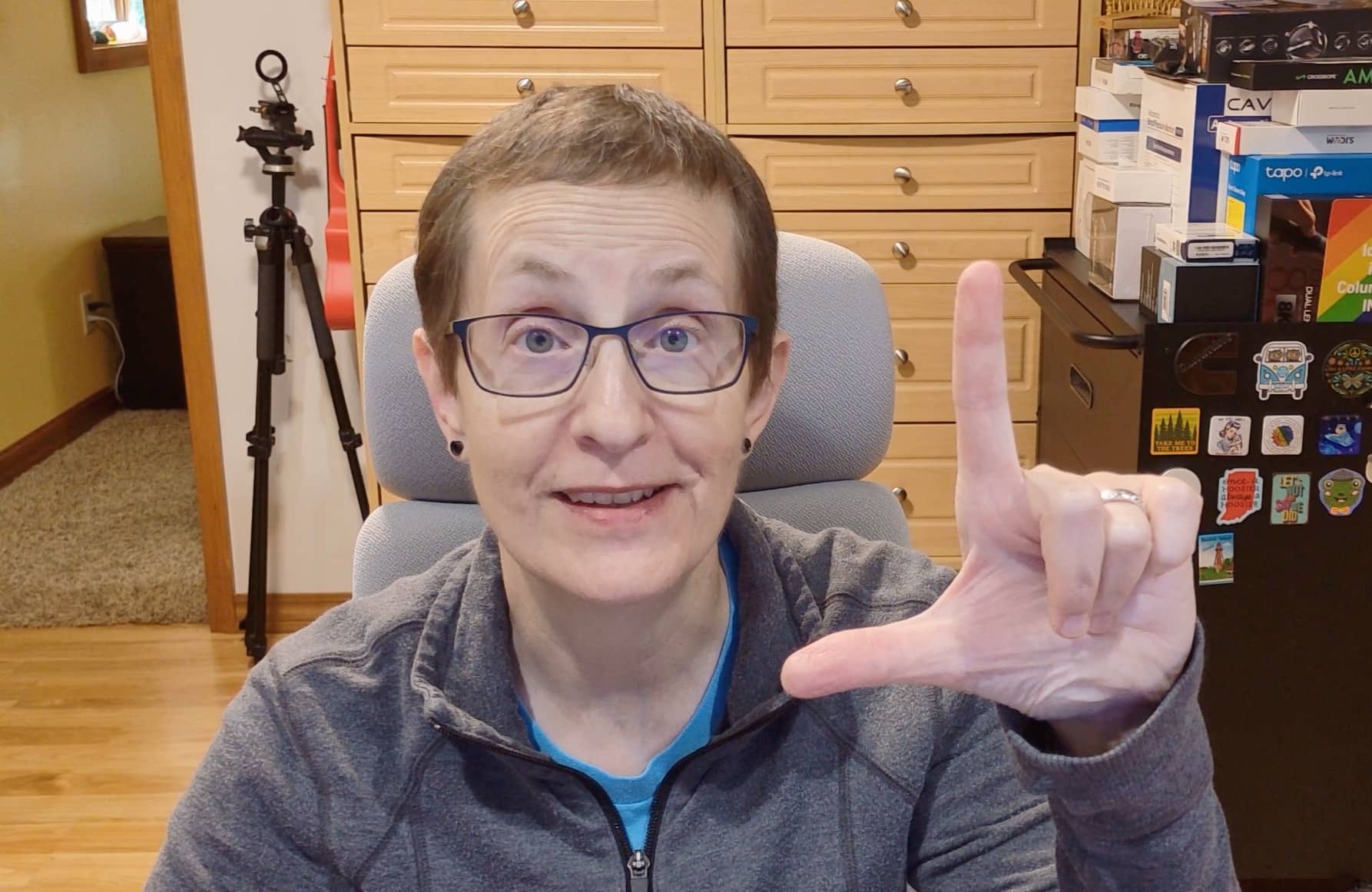
I held up the gesture shown in the image above, and the camera zoomed in. Repeating it zooms the camera back out.
If you want a closer view while you’re sitting in front of the camera, changing it with a hand gesture is convenient. It also gives this little webcam something extra beyond simply sitting on top of the screen.
For my own use, I still enjoy the Tiny 2’s ability to move with me. But I liked having the zoom gesture available on the Meet Flip.
Who Is the OBSBOT Meet Flip For?
After using it, I think the OBSBOT Meet Flip makes the most sense for someone who wants a compact webcam to use with a laptop.
It folds closed, has its own screen hook, and doesn’t take up much space. Those are all things I’d appreciate in a camera that needs to go into a bag instead of staying on my desk.
It can also work for a desktop setup, as long as the mount fits your monitor or you’re happy to use a tripod.
I wouldn’t assume it’s the right choice for every laptop or monitor, though. My experience with two different screens showed me that the fit matters. I’d also watch the video samples before deciding whether its picture and sound are what you’re looking for.
Final Thoughts
The OBSBOT Meet Flip won me over with its size and folding design. I like being able to close the camera to cover the lens, and I appreciate having a tripod socket as an alternative to the built-in hook.
I also liked the microphone audio more than I expected. In my comparison, I preferred it to the sound from my Tiny 2.
But the Meet Flip won’t become my everyday webcam. I no longer have a MacBook, the Flip’s mount doesn’t fit my Dell monitor, and I still enjoy the Tiny 2’s tracking and slightly sharper picture.
For laptop users or anyone looking for a small webcam to travel with, I can easily recommend taking a look. Just check the mounting situation first. It’s a nice little webcam. It just fits a different setup better than mine.
The OBSBOT Meet Flip retails for $119.00; it is available directly from the manufacturer and other retailers, including Amazon.
Source: Manufacturer-supplied sample.
What I Like: Small, foldable design; Closing the camera covers and protects the lens; Built-in screen hook and tripod socket; Gesture-controlled zoom; Good video quality; Microphone audio that I preferred to the Tiny 2 in my comparison
What Needs Improvement: The screen hook isn’t wide enough for my monitor; Resting it on top without securing the mount isn’t stable; Video looked a little less sharp than the Tiny 2 to my eyes