


My favorite mouse line from Logitech recently got updated, and now there are a couple of special editions. I can only show you one for now; the second is coming in November, and it’s all hush-hush. These special editions celebrate advanced users who spend 8 hours or more at a computer juggling devices and apps. The Logitech MX Master 4 Wireless Mouse Developer Edition targets software developers and features clever Easter eggs throughout. According to Logitech, MX Master mice run millions of lines of code every day, and this design celebrates the people behind them.
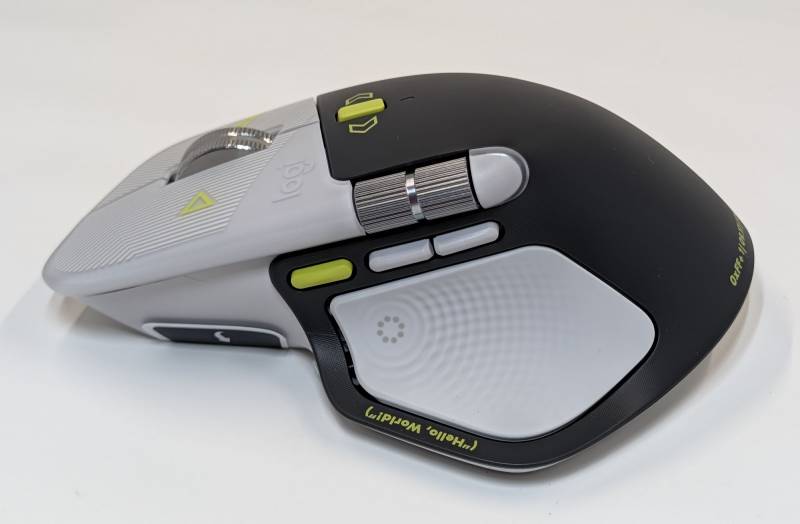
Some Quick Facts About the Logitech MX Master 4 Wireless Mouse Developer Edition Design
First, the only difference between the special editions and the standard Logitech MX Master 4 is the aesthetic design. If you can’t get your hands on a special edition, you won’t miss any special features. Everything you want to know about the MX Master 4 mouse can be found here.
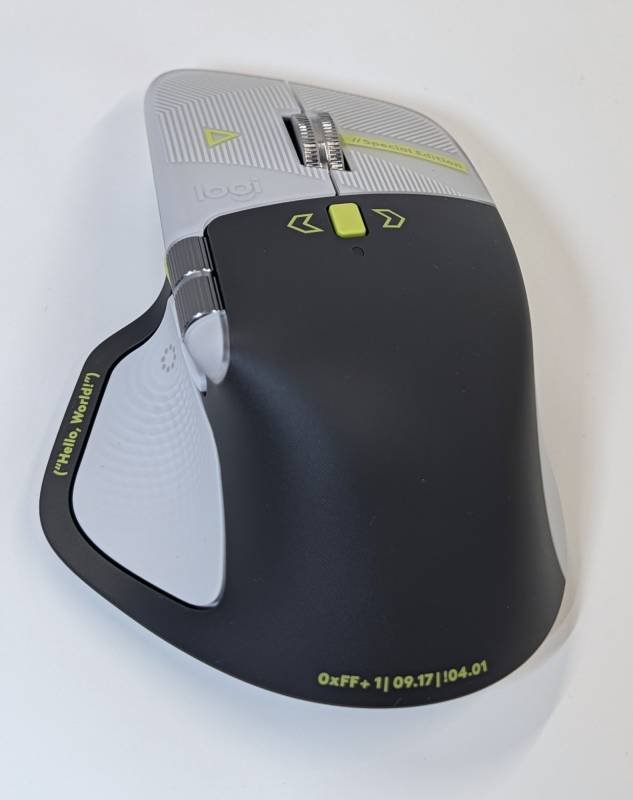
The first design choice is the color scheme. Logitech chose black and white to represent the coding environment most software developers work in every day. The green accents highlight the code the programmer sees.
On the left button, you can see a Play button symbol. This represents the button to click that will run a program. On the right, there’s a //Special Edition, with// representing a comment, a note to others, or a way to prevent a program from reading a line of code. And those lines? Logitech uses that design element to suggest traces on a PCB, CNC machining lines, or layer lines from 3D printing.
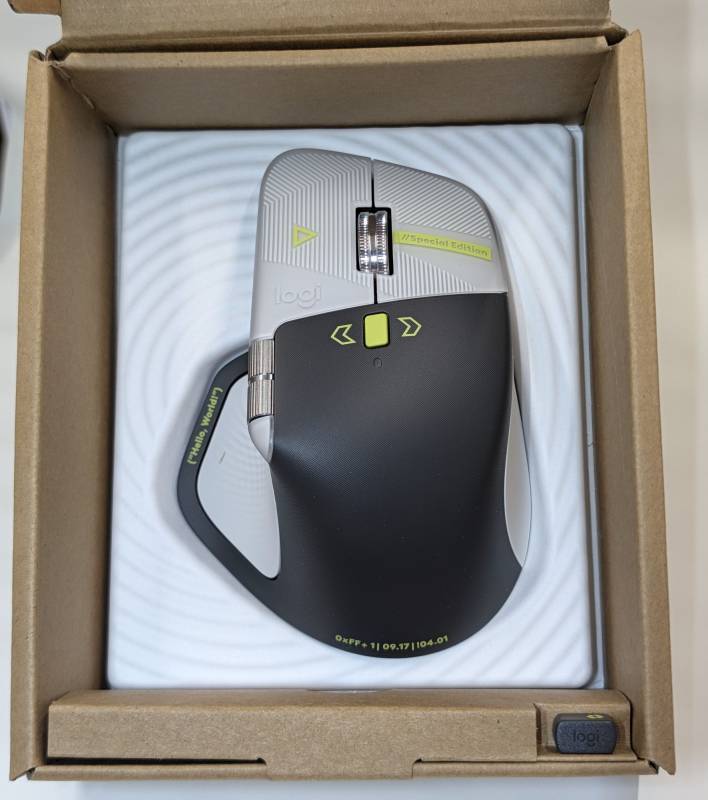
On the thumb pad, you can see (“Hello World”), which is typically one of the first things one would code into a program to get the terminal to send it back.
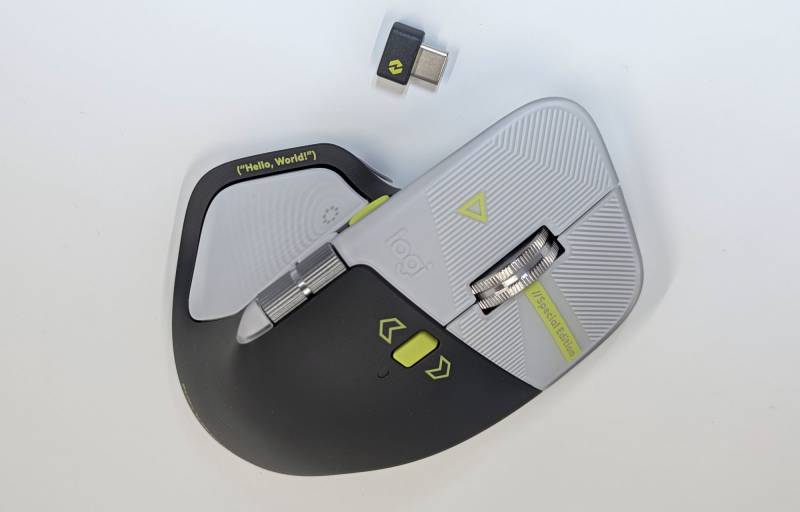
The rear of the Logitech MX Master 4 Wireless Mouse Developer Edition features a few nods to coders.
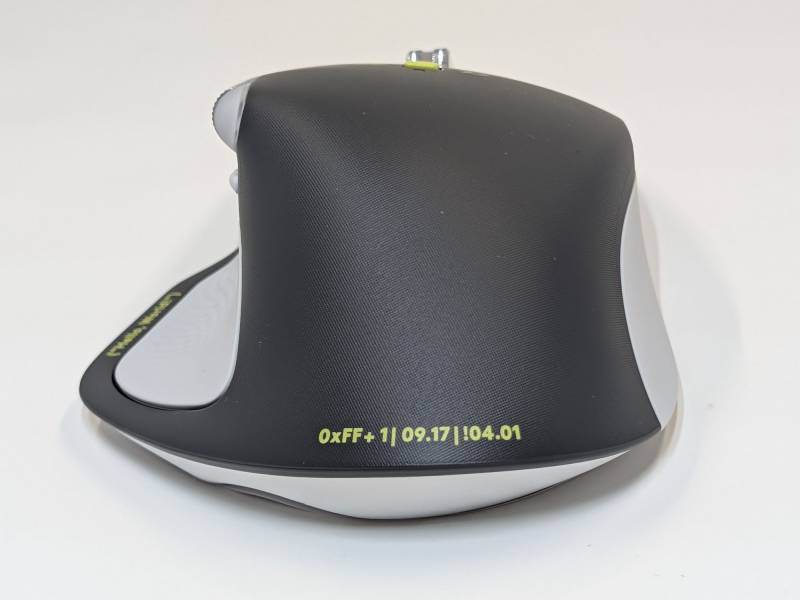
The first is “0xFF + 1,” which is hexadecimal for the 256th day of the year: World Programmer’s Day. Next is “09.17,” September 17th. This nods to the Linux Kernel release anniversary. And finally, you’ve got “!04.01,” which stands for “NOT April 1st.” It’s the coder’s reminder that March 31st is World Backup Day.
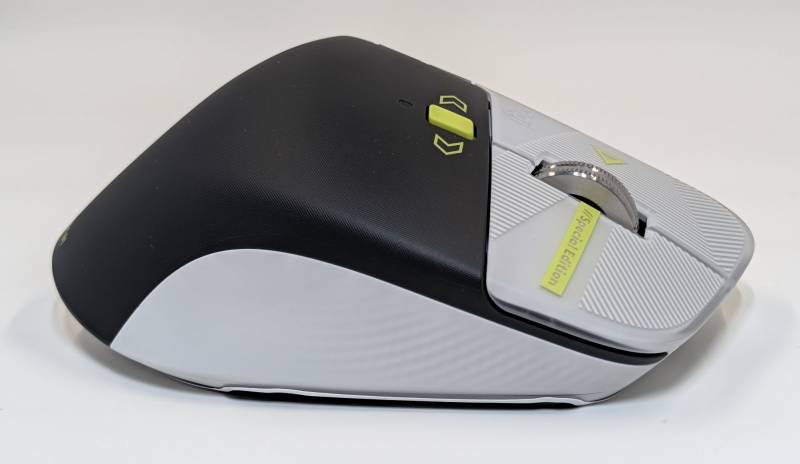
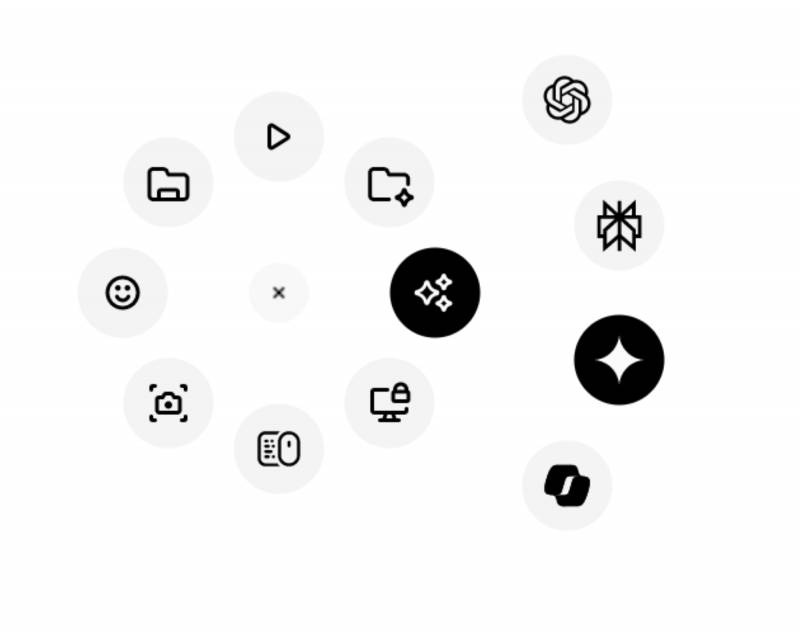
Other notable features of the Logitech MX Master 4 series include haptics and the Action Ring button on the left thumb pad. Haptic feedback is customizable and can be felt while scrubbing lines in large code repos or switching terminal windows. The Action Ring button brings up a ring of shortcuts on the screen that can be customized for your favorite macros and AI coding assistants.
If you’re curious about specs, here’s the list that covers all variants of the Logitech MX Master 4 line:
Dimensions
Height: 5.05 in (128.15 mm)
Width: 3.48 in (88.35 mm)
Depth: 2 in (50.8 mm)
Weight: 5.29 oz (150 g)
Technical Specifications
Sensor & Tracking
Sensor Technology: Darkfield high precision
Nominal value: 1000
DPI (Minimal and maximal value): 200-8000 (can be set in increments of 50 DPI)
Buttons
Number of Buttons: 8
Gesture button: Yes
Scroll Types
Scroll Wheel: Yes, MagSpeed wheel with smart shift
Horizontal scroll: Yes
Thumb wheel: Yes, same as horizontal scroll
Features
- Customization app: Supported by Logi Options+ App for recent versions of Windows and macOS, basic feature support for Googlebook laptops. Basic support in Logi Tune. (Basic customization support is available with Options+ App on Googlebook laptops. Advanced features such as the Haptics feedback, Actions Ring, Marketplace, Smart Actions, Flow are working only on recent versions of Windows and macOS.) Haptic feedback is supported for key Options+ features like Actions Ring, Smart Actions, Gestures, and for the following plugins: Adobe Photoshop, Adobe Lightroom Desktop, Zoom. Coming in October: Adobe Premiere Pro.
- Battery
Battery type: Rechargeable 650 mAh
Battery life: 70 days - Connectivity
Connection Type: Wireless
Wireless technology: Bluetooth Low Energy
Wireless range: 33-ft (10 m)
Bluetooth Low Energy (BLE): 5.1
System Requirements
- Bluetooth: Required: Bluetooth Low Energy, Windows 11 or later*, macOS 13 or later*, Linux**, ChromeOS and Googlebook**, iPadOS 15 or later**, Android 12 or later**. (*Customize device by installing the Logi Options+ App available for recent versions of Windows and macOS at app.logi.com, **Device basic functions will be supported without software for other systems than Windows and macOS)
- Logi Bolt USB receiver: Required: USB-C Port, USB-A Port, Windows 10, 11 or later*, macOS 13 or later*, Linux**, ChromeOS and Googlebook**. (*Customize device by installing the Logi Options+ App available for recent versions of Windows and macOS at app.logi.com, **Device basic functions will be supported without software for systems other than Windows and macOS)
- Compatibility: Compatible with both USB-C and USB-A receivers.