


The Lowdown
The Weather100 Mini puts local weather into 100-year historical context, but its appeal faded quickly for me. The $80 device has a disappointing 3D-printed case, awkward USB-C port placement, and battery life of only about 1.5 days. Frequent screen refreshes are distracting, while the iOS app presents the data in a more pleasing bar graph format. Adding current conditions, customizable layouts, and controls for refresh frequency and report selection would make it more useful. Weather enthusiasts may find the concept interesting, but the Mini needs improvements to earn a permanent spot on my desk.
Overall
Pros
- Interesting concept for putting local weather into historical context
- Compact size
- Choice of case colors
- More pleasing bar graph presentation in the iOS app
- No recurring subscriptions required
Cons
- Case material for the price
- Battery life of only about 1.5 days
- USB-C port placement
- Needs current weather alongside historical comparisons
- Device display options that match the app’s more appealing presentation
- Controls for refresh frequency and which historical reports are shown
Weather gadgets usually answer a pretty simple question: What’s it doing outside? The Weather100 takes a different approach. It puts your local weather into historical context, showing how conditions compare with the last 100 years. That sounds like something that could make an interesting little desktop gadget. But after spending time with the Weather100 Mini, I found myself wishing it would tell me more about the weather happening right now. Between the case, battery life, charging port placement, and limited display options, this little device left me with a longer wish list than I expected. Let’s check it out.
What Is It?
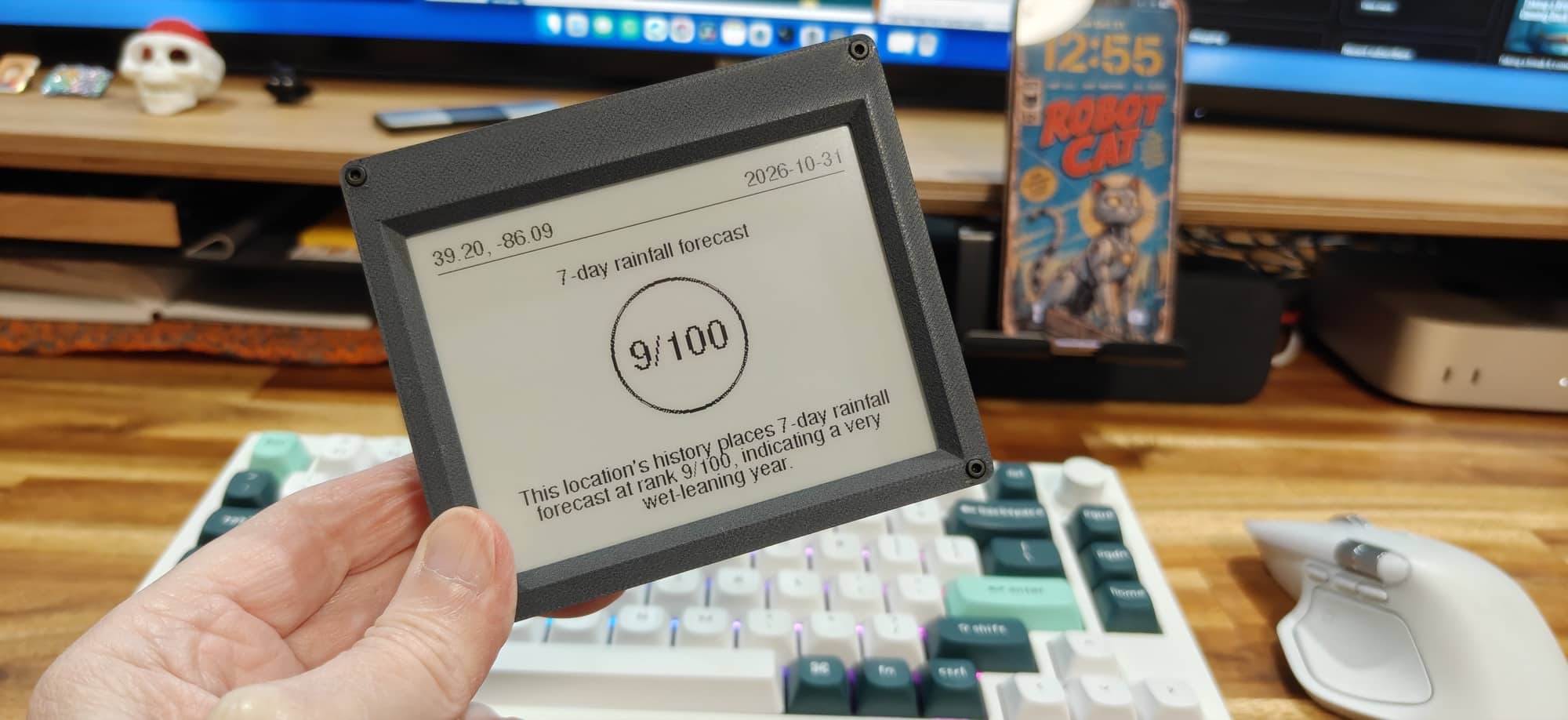
The Weather100 Mini is a connected weather display with a 4.2-inch e-ink screen. Its main purpose is to show how unusual your local weather is compared with historical conditions for the same date or period. The Mini sells for $79.99 and comes in several case colors.
Instead of simply showing a temperature, it presents weather rankings out of 100. According to Weather100, a maximum temperature ranking of 1/100 means the hottest matching date in its 100-year comparison for your location. The idea is to give familiar weather information a little perspective.
There’s something interesting about that. We’ve all had days when we wonder whether it’s unusually warm, cold, or rainy for the time of year. A gadget that puts those impressions into context has some appeal. My question was whether that information would keep me looking at a dedicated display after the initial curiosity wore off.
What’s Included?
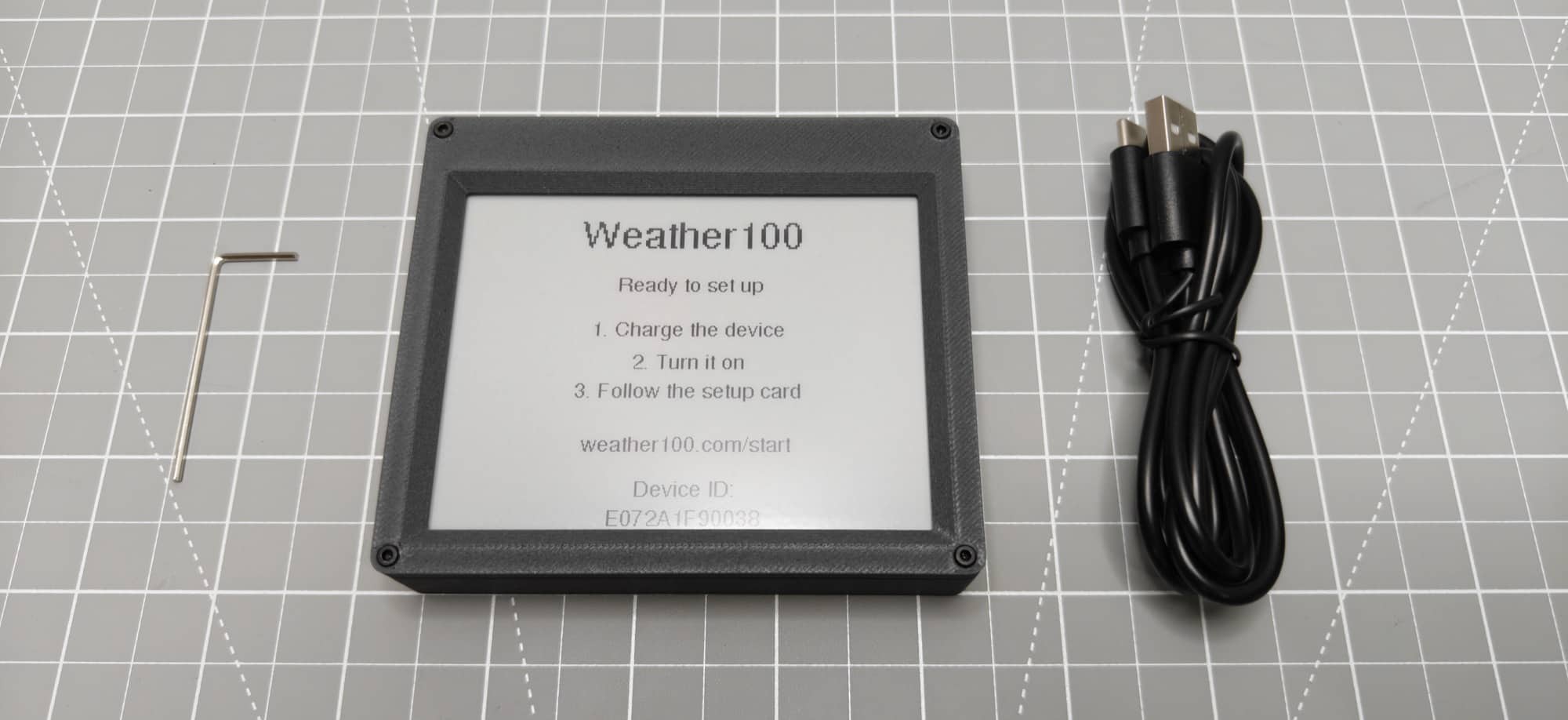
- Weather100 device
- Allen wrench
- USB-A to USB-C charging cable
Design and Features
My first disappointment was the case. The Weather100 Mini’s enclosure is 3D printed, which surprised me a little.
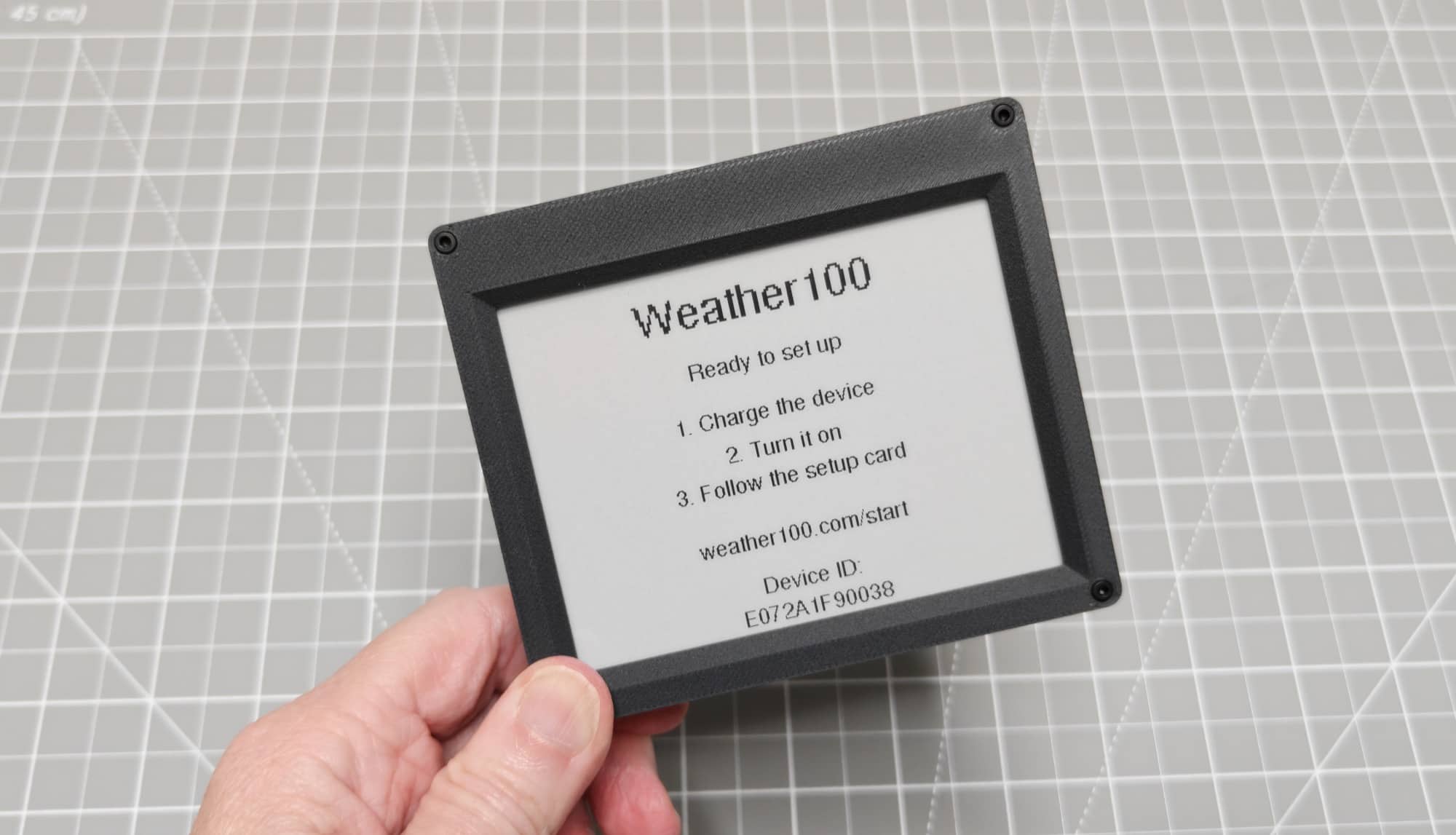
I don’t have a problem with 3D printing itself. It’s useful for making all kinds of things, and having different case colors to choose from is nice. But for a gadget that costs about $80, I expected a more finished enclosure.
A device that sits on your desk is something you see all day. The case is part of the experience, even when you aren’t reading the screen. For me, the Mini’s enclosure didn’t quite match my expectations at this price.
The small size is nice, though. If you like the idea of a dedicated weather display but don’t want something large taking up space, the Mini format makes sense. Unfortunately, keeping it charged makes the overall design less appealing than I’d like. More about that later.
Along the top edge are the USB-C charging port, four recessed buttons, and the power switch. The buttons let you rotate the screen, reset the WiFi, restart the device, and change the message style.
Setting Up the Weather100
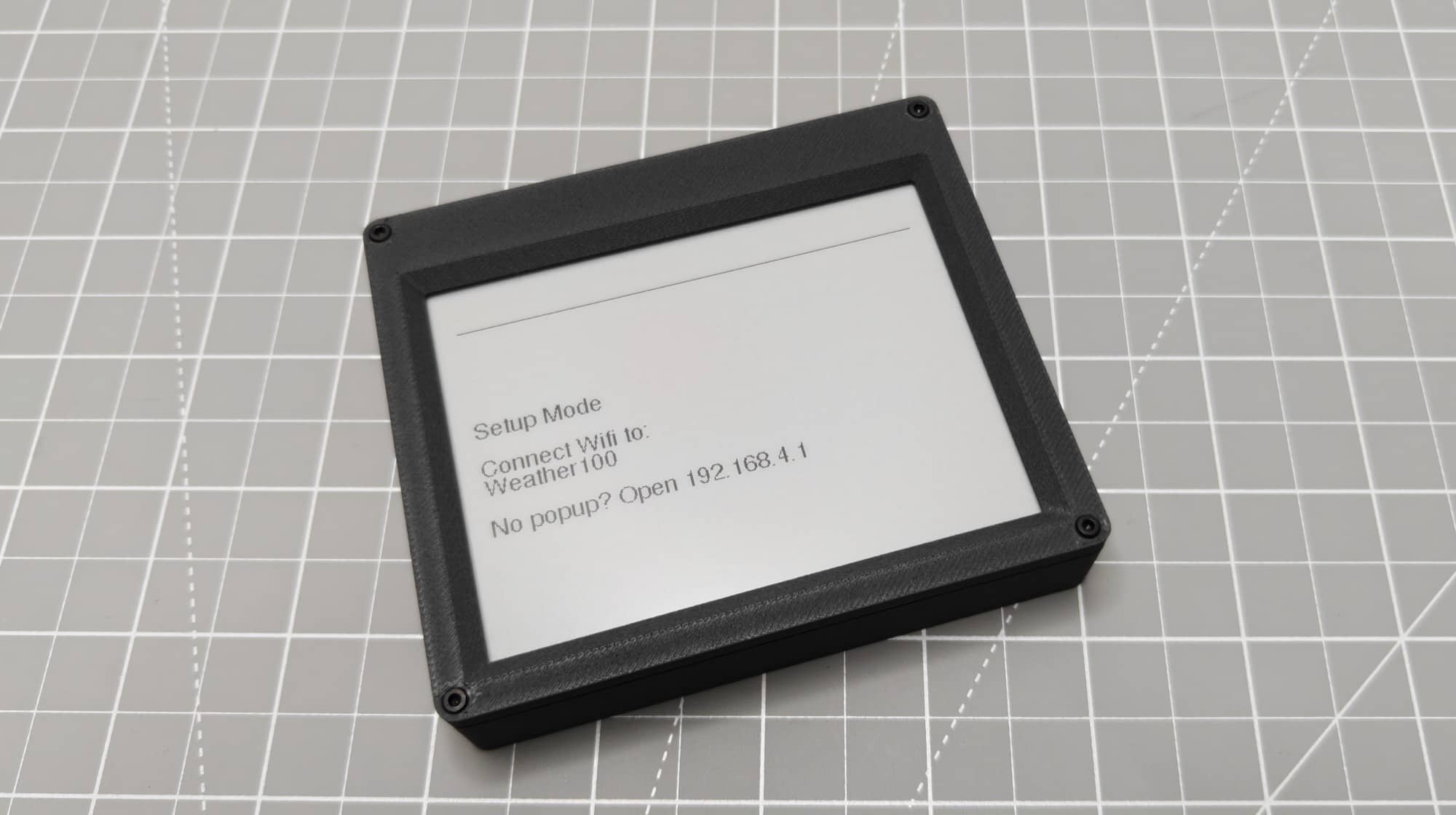
The initial setup is simple. Just flip the on/off switch and then connect your computer to the Weather100’s SSID, point your computer’s browser to the IP address on the device’s display, and you’re greeted with a super simple interface.
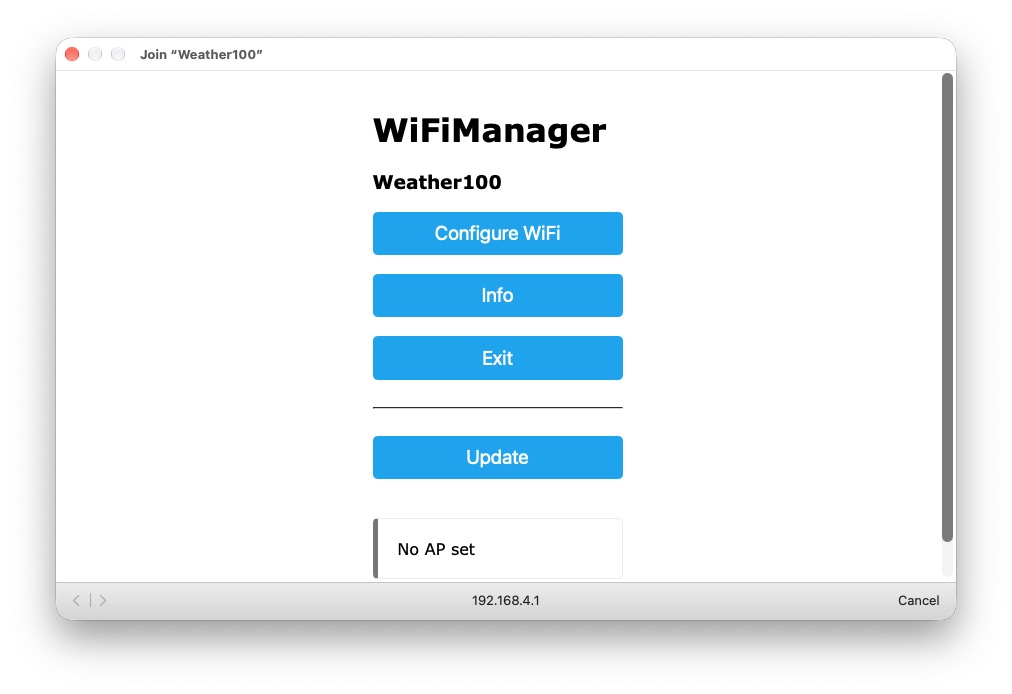
All you have to do is configure the Weather100 to connect to your home’s WiFi. It also detects your location and will put your geolocation (longitude and latitude) coordinates on the Weather100’s display.
The Battery Life Is Too Short
The Weather100 Mini has a built-in rechargeable battery, but it lasts only about a day and a half between charges. That’s way too short for an e-ink device, especially one that I’m mainly using to glance at historical weather information.
At that point, having a battery becomes less convenient than it sounds. Yes, I can put the Weather100 somewhere without a cable, but I’ll be bringing that cable back in about 36 hours. I don’t want another desktop gadget that needs charging every couple of days. Especially when e-ink displays are designed to last for weeks on a charge.
I’d like a way to prioritize battery life. Let me change how often the screen refreshes or turn off some of the different historical reports so it cycles through fewer screens. I don’t need to see a different report every minute, especially if displaying them less frequently could help it last longer between charges.
For example, I’d be happy to see fewer updates if that meant I could leave it sitting somewhere for substantially longer without thinking about the battery. Being able to select only the reports I care about would also make the display more useful to me.
I can’t say how much those changes would extend its runtime, but having some control over the tradeoff would be welcome. As it stands, I’d rather leave the Mini plugged in than add it to my regular charging routine.
And that brings me to another problem.
The USB-C Port Needs a Better Placement
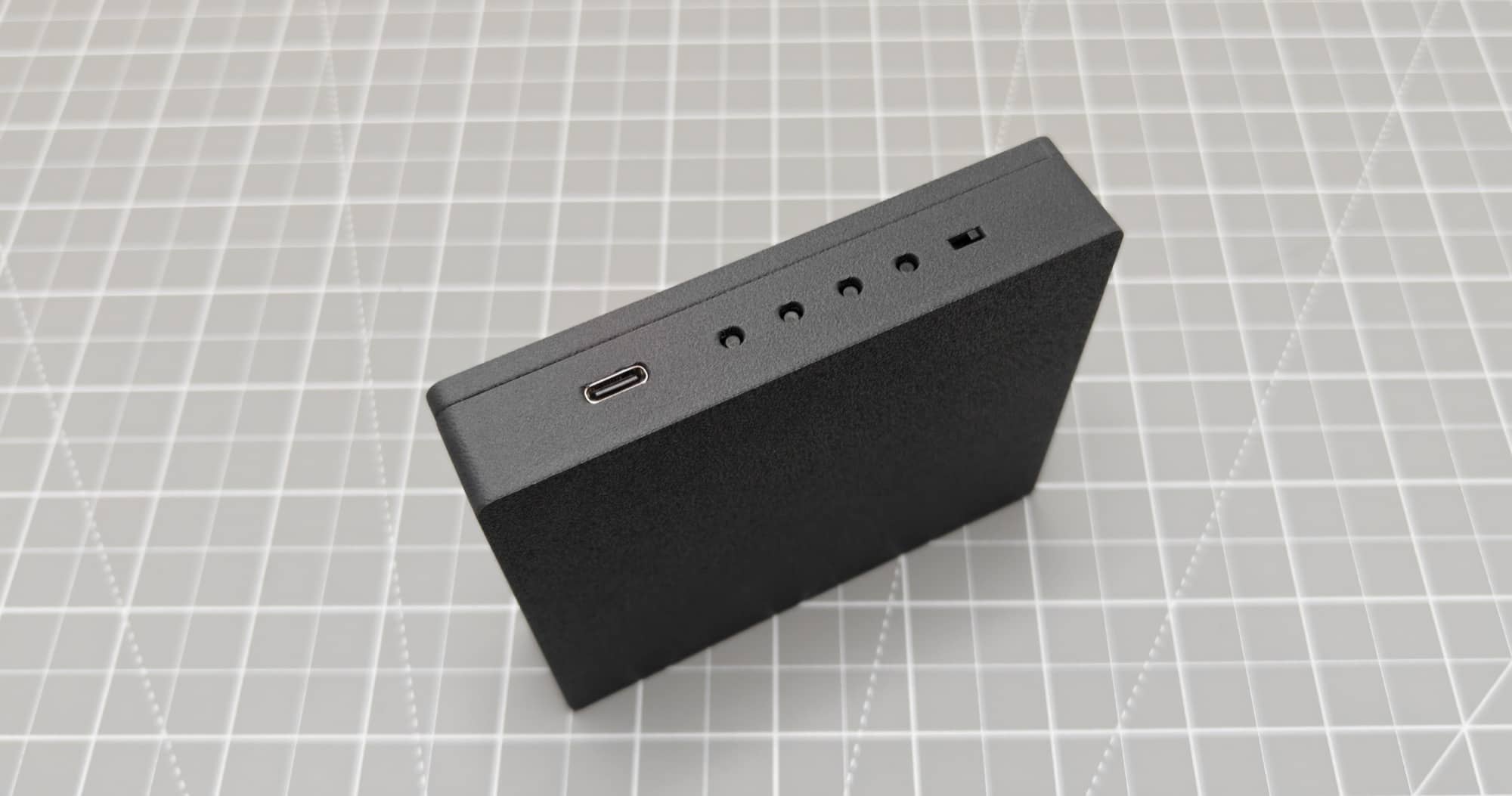
The USB-C port is on the top edge of the device. You can rotate the screen so that the port is on the bottom edge, but neither arrangement gives me the clean look I want.
With the cable connected at the top, it sticks out where I can see it every time I look at the display. It just looks awkward sitting on my desk.
I’d much rather have the connection on the back, where the cable could run away from the display. At the very least, I’d like a bottom connection designed with enough clearance for the cable when the device is sitting on a desk.
Rotating the screen changes which edge has the port, but it doesn’t make the cable disappear. Since the short battery life makes leaving it connected the most convenient option for me, the port location becomes an everyday annoyance.
A longer-lasting battery would make this less of an issue. A better port location would make leaving it plugged in less of an issue. Unfortunately, the combination of the two is what makes the current design frustrating.
Interesting at First, Then Easy to Ignore
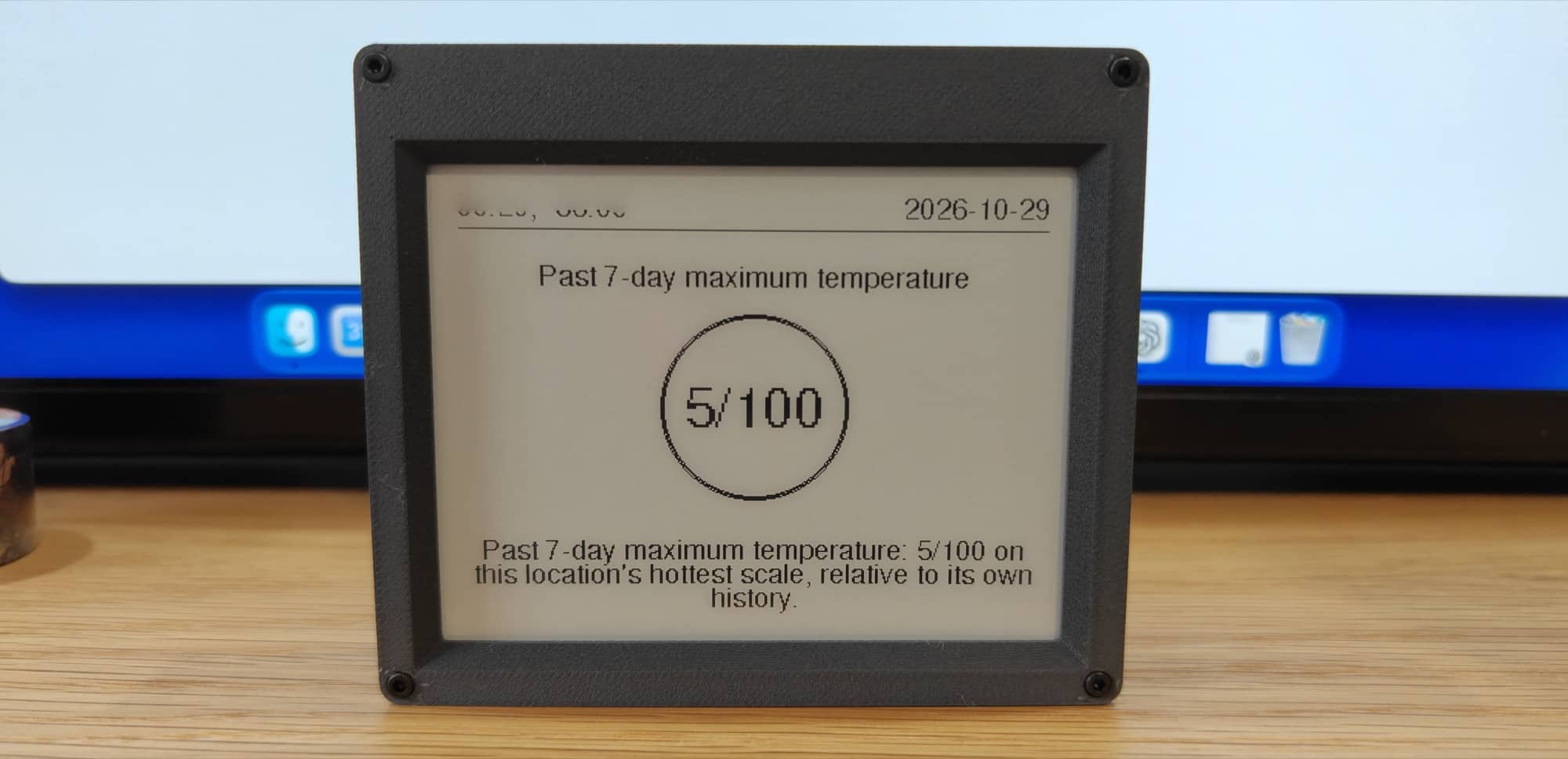
The Weather100’s historical comparisons were interesting the first few times I looked at them. There’s a certain curiosity factor in seeing where your weather falls within a much longer record.
But after those first few looks, I started paying less attention.
I didn’t find myself needing the information throughout the day. I could look at a ranking, think that it was interesting, and then go back to whatever I was doing. Eventually, I mostly stopped looking.
The exception was when the screen refreshed.
On my unit, the screen flashed every minute as it refreshed, and that movement would catch my attention while I was working. I’d glance over because something had changed in my peripheral vision, rather than because I wanted to check the weather.
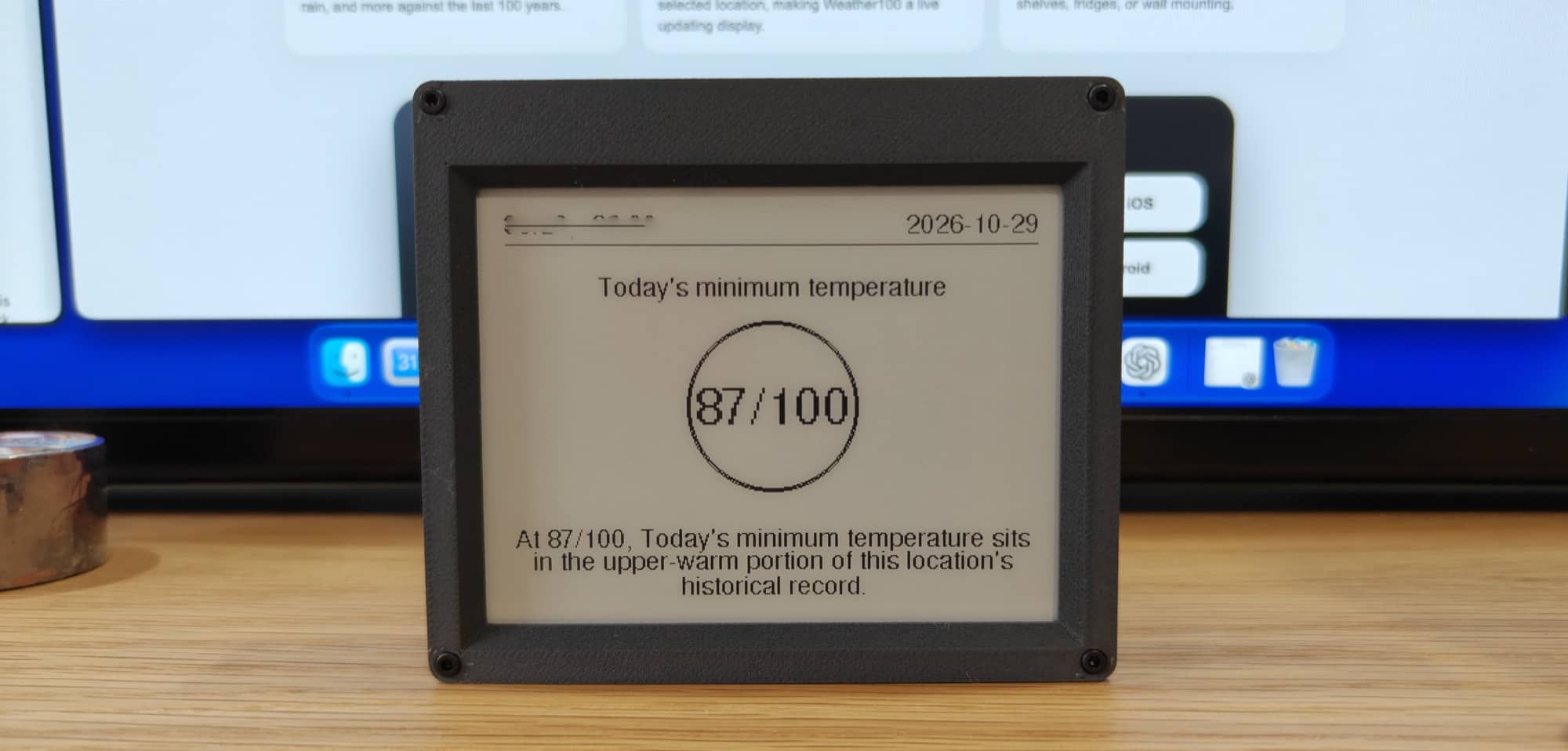
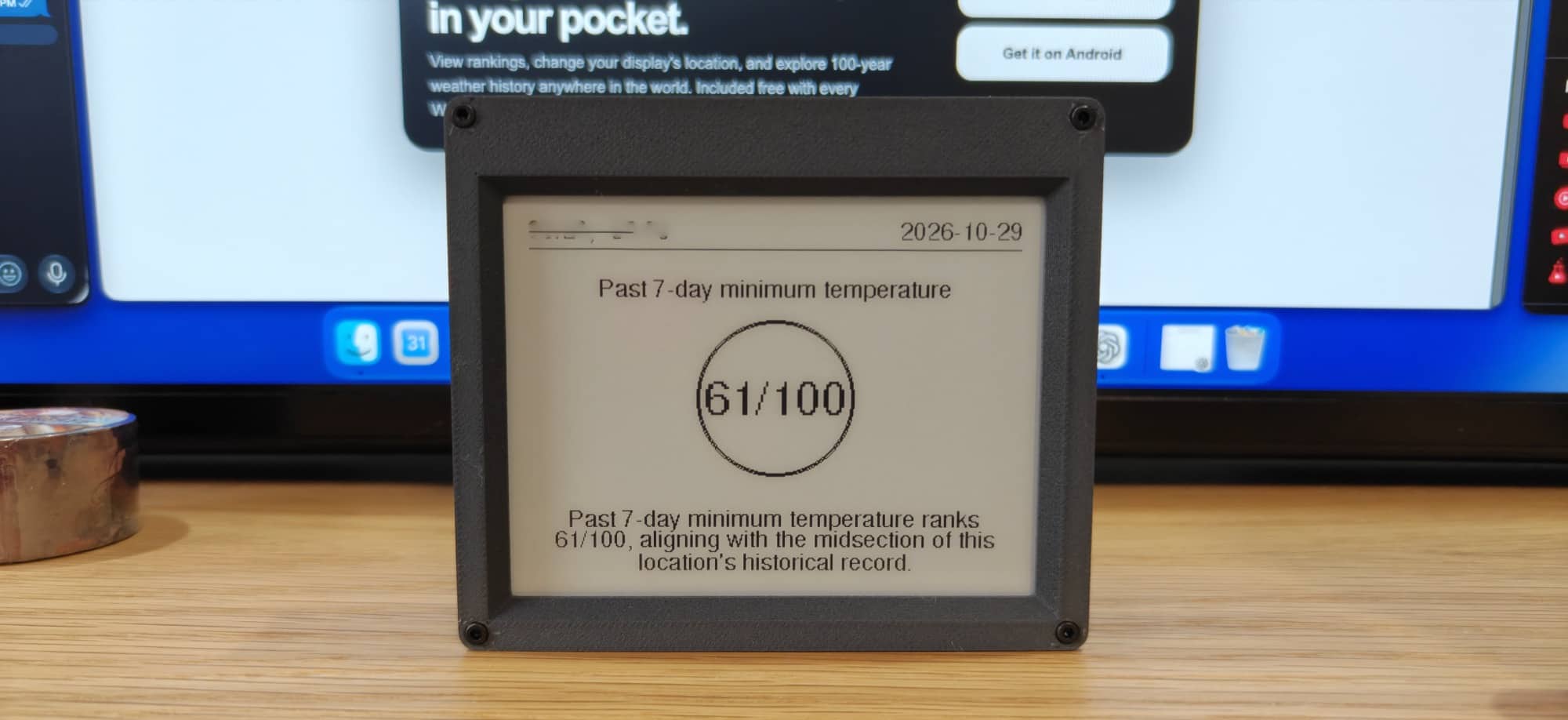
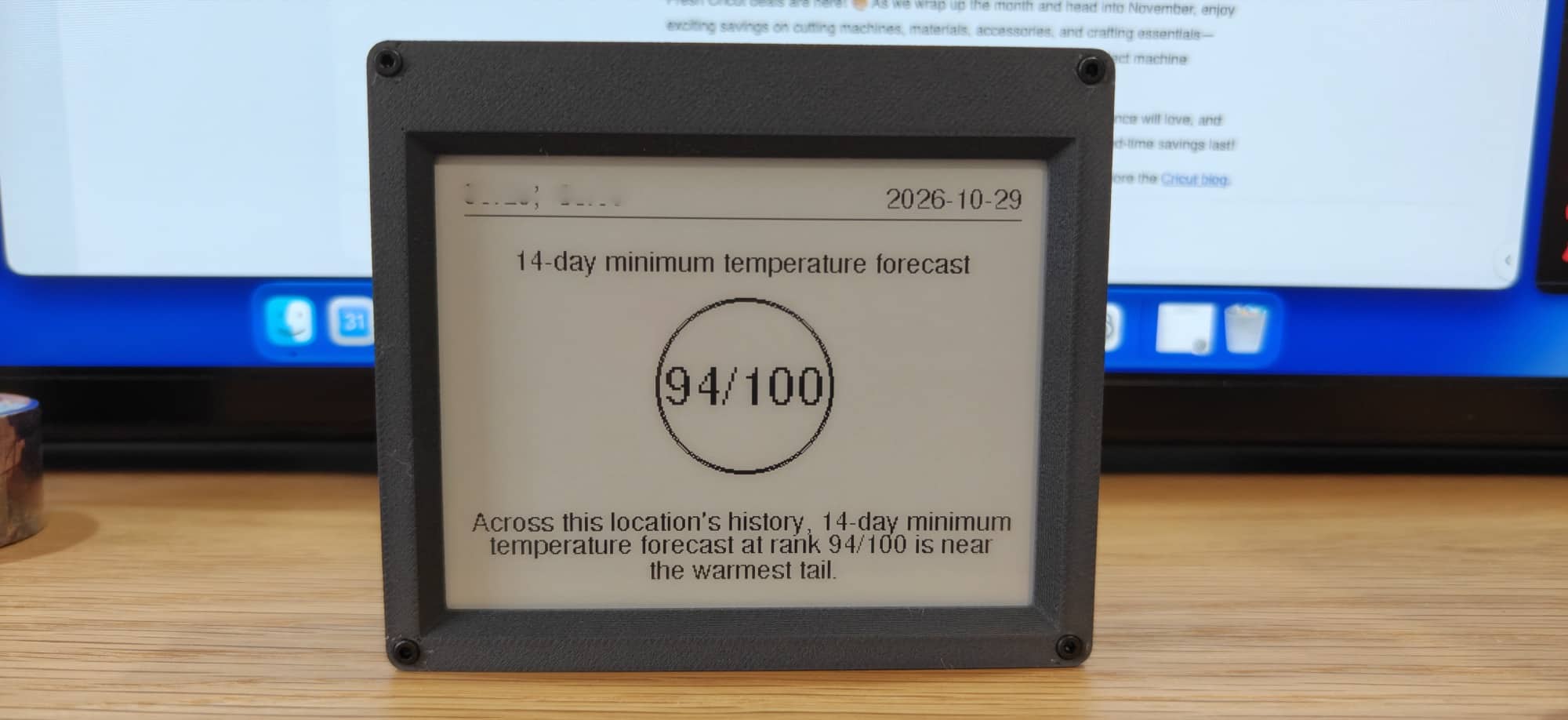
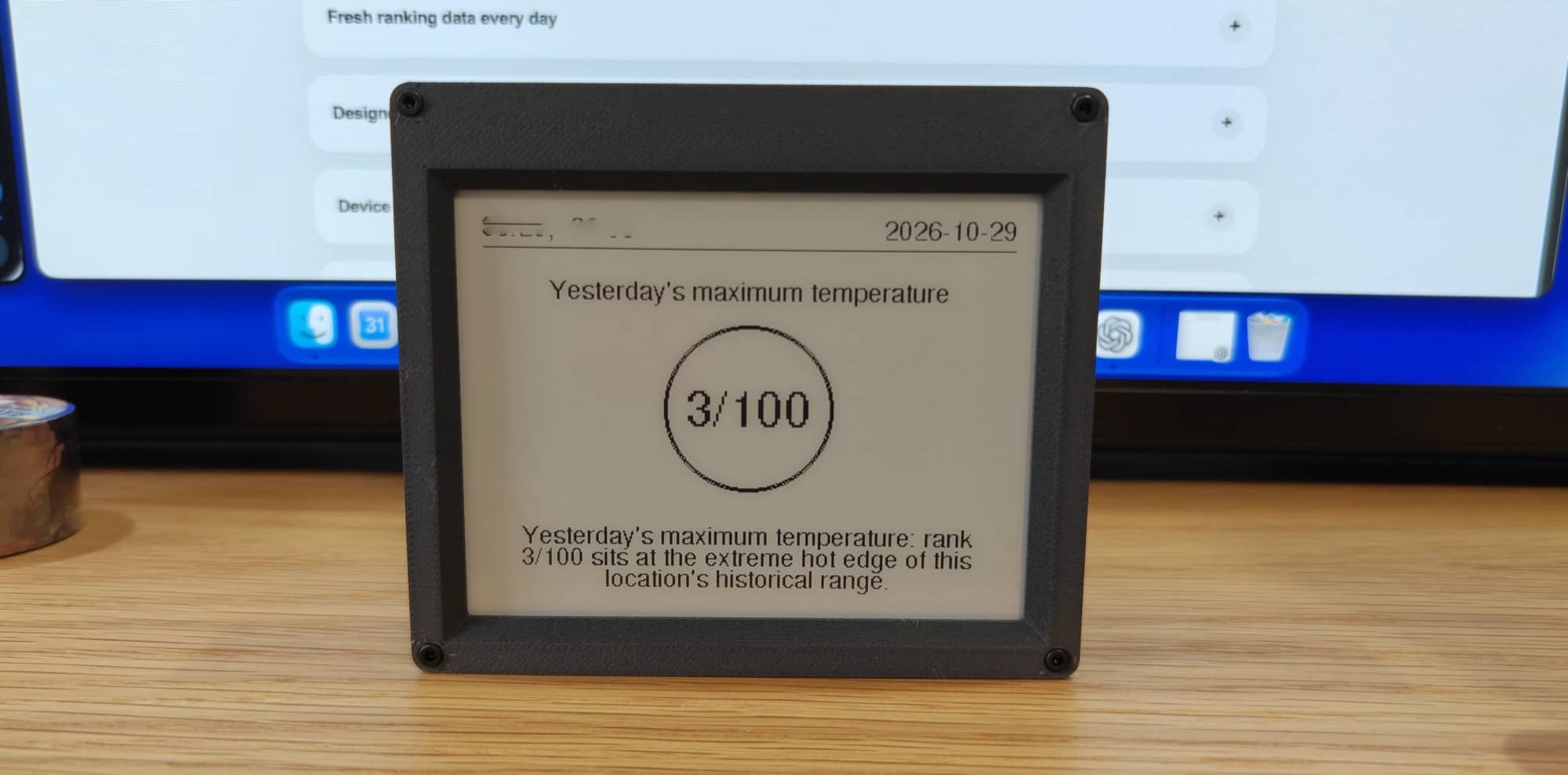
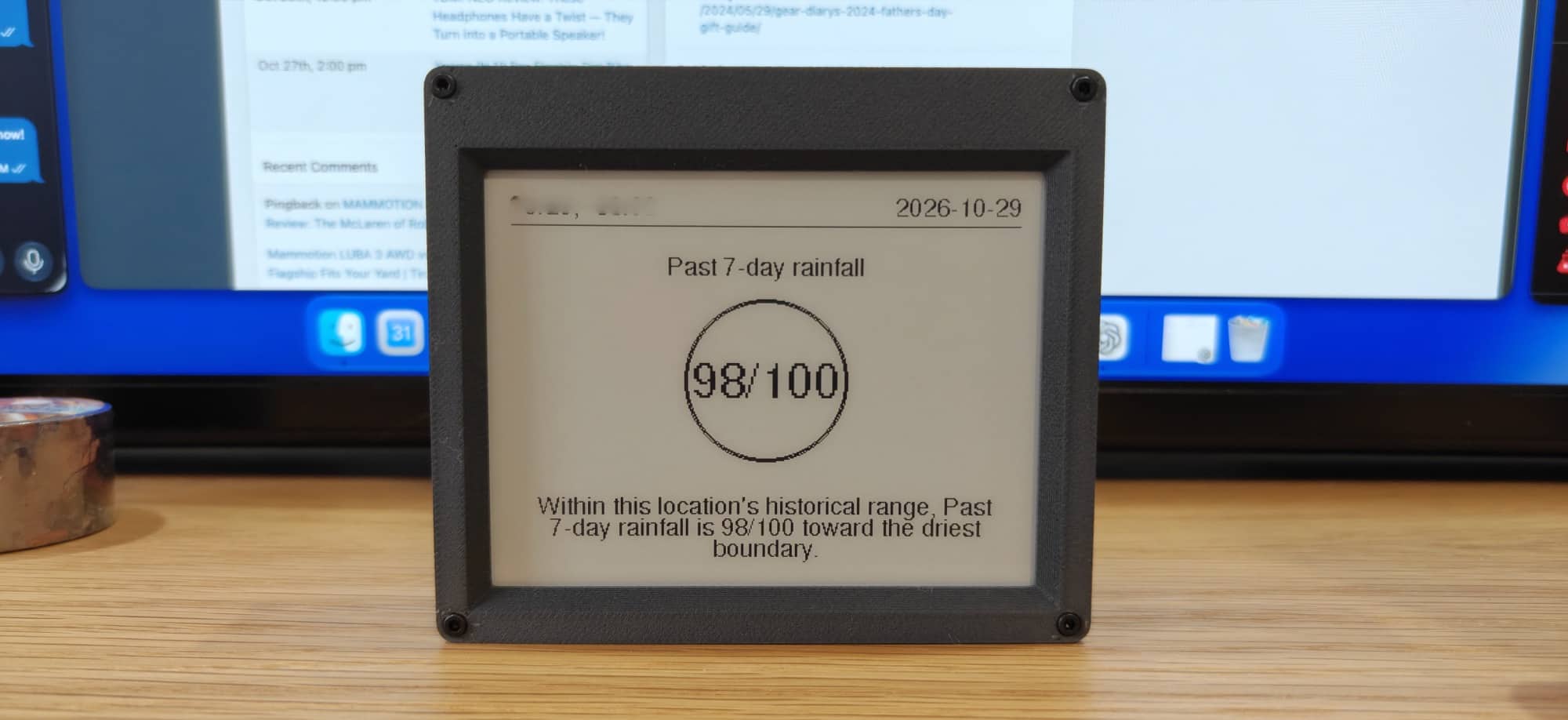
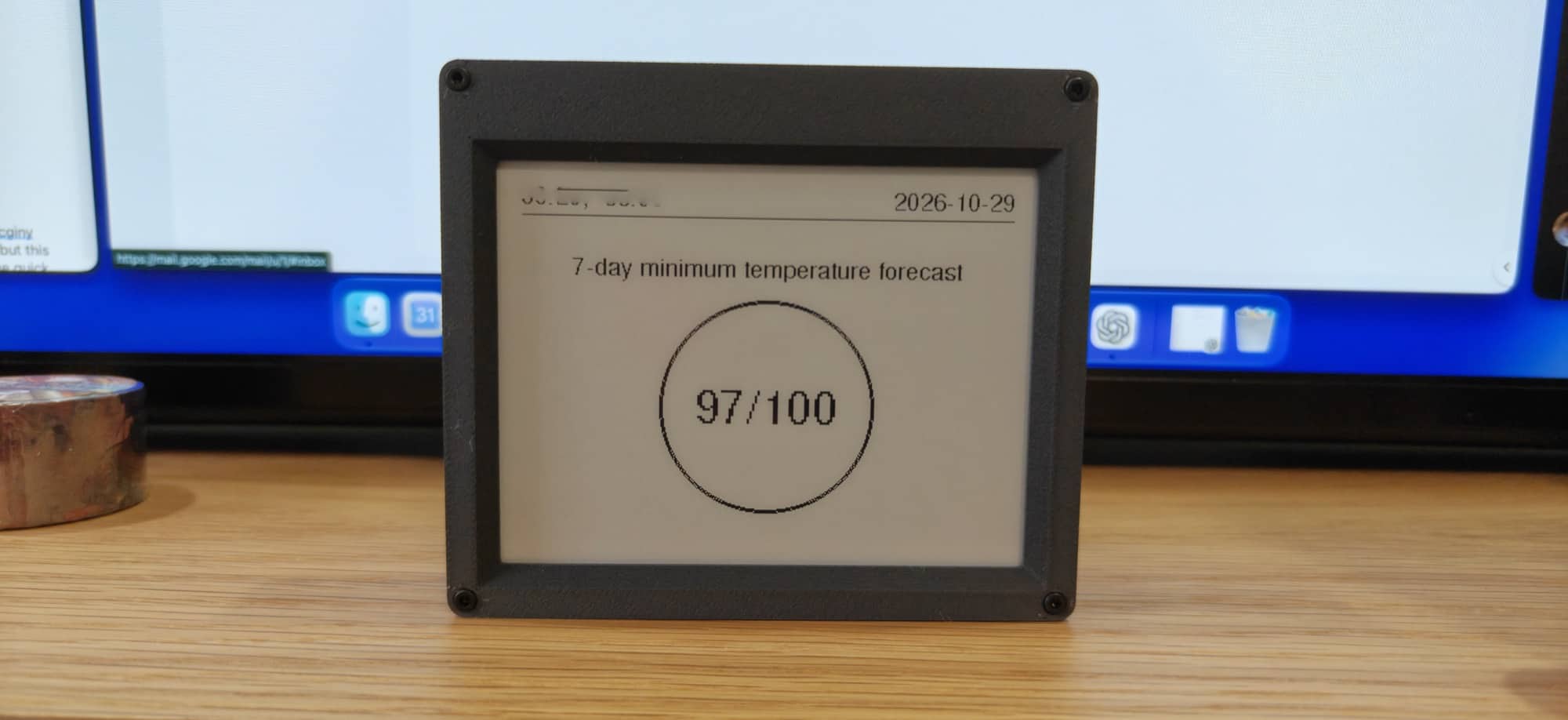
That became more distracting than useful. The display was getting my attention, but the information wasn’t giving me much reason to keep looking.
A setting to slow that down would help with both the distraction factor and any potential battery savings.
Show Me the Current Weather, Too
The biggest improvement I’d like for the Weather100 is to show the current weather alongside the historical information.
If I’m giving a weather gadget space on my desk, I want to glance at it and see what’s happening outside. Then the historical comparison can add something extra.
For example, seeing the current temperature together with an explanation of how unusual the day’s warmth is would give me a practical reason to look. I’d get the basic information I wanted, plus the context that makes Weather100 different.
As it stands, I still want to check another source for current conditions. That makes the Weather100 harder to justify as a dedicated desktop device.
I don’t need it to become a complicated weather station with every possible measurement squeezed onto one screen. I’d just like the information I check most often to be there.
The Weather100 App Makes the Data Look More Interesting
One thing that stood out to me was how much more pleasing the historical data looks in the Weather100 iOS app.
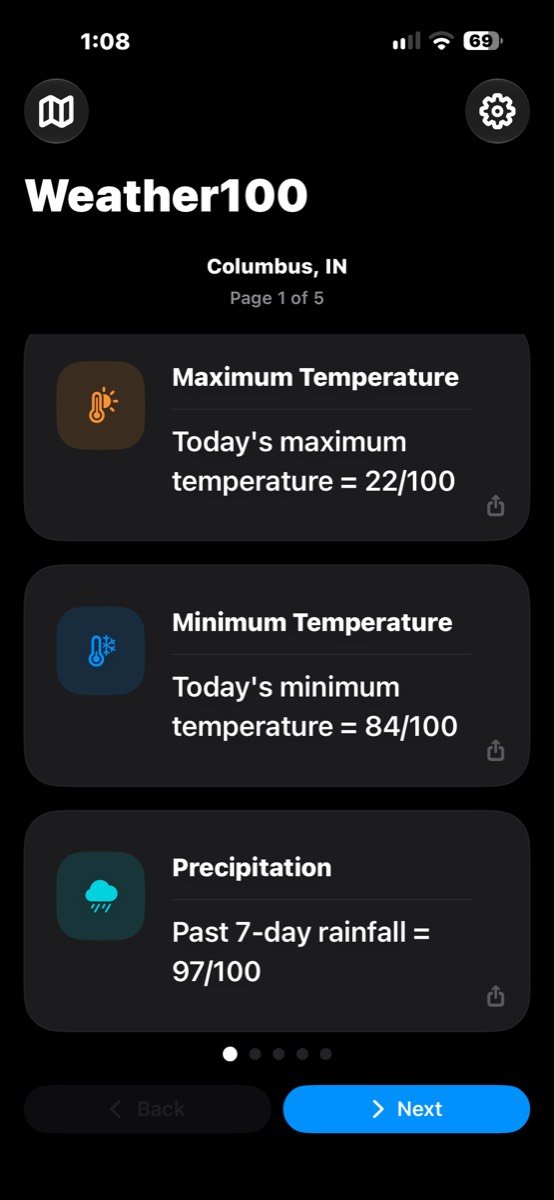
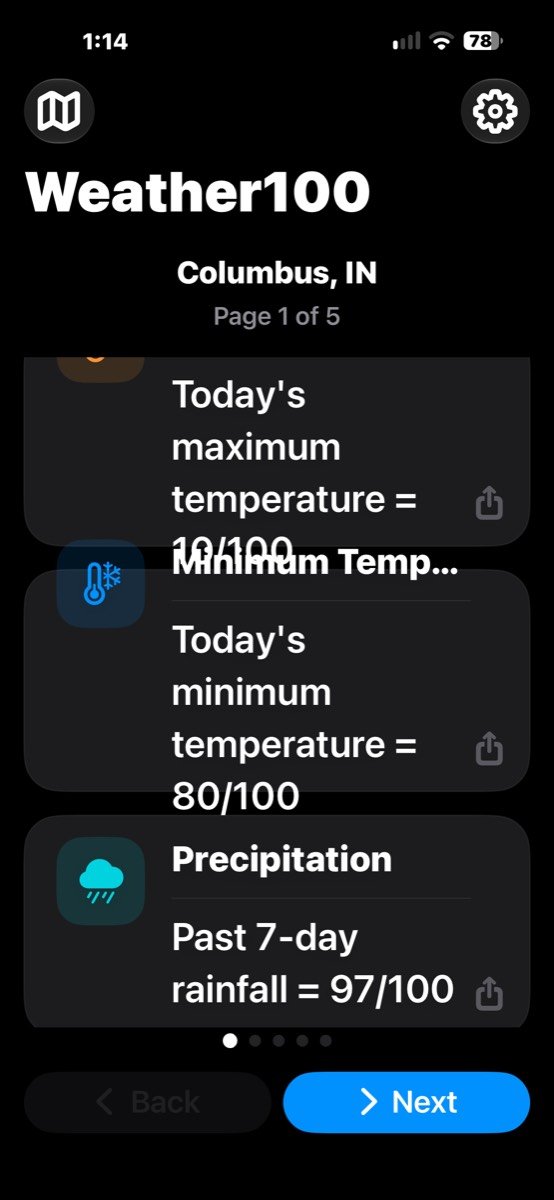
Well, except for one issue. If you size up your text in iOS settings, the app inherits that sizing, which causes the text to overlap, as you see in the right screenshot above.
If we forgive that problem, the app’s different graphs give me a more interesting way to look at the information. Instead of reading a ranking and its explanation, I can look at the graph and visually compare the data. For me, that makes the historical aspect more engaging and easier to take in.
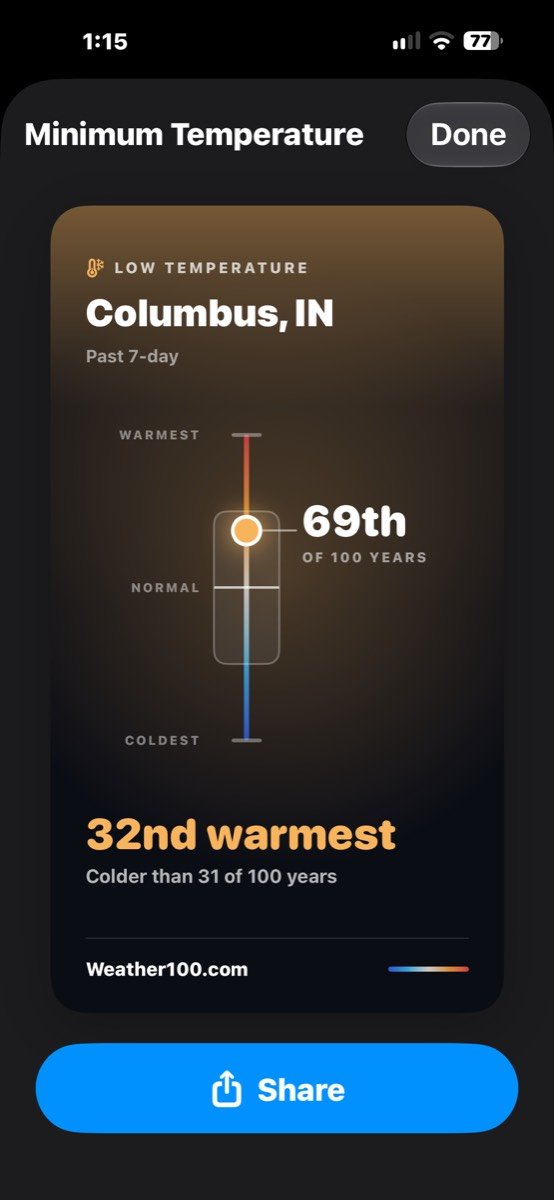
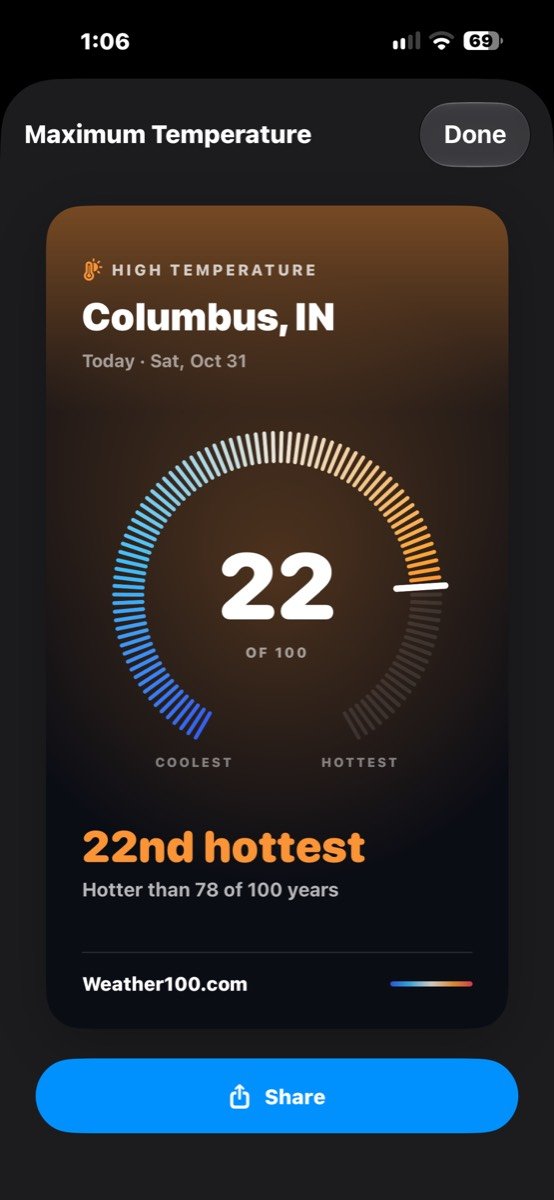
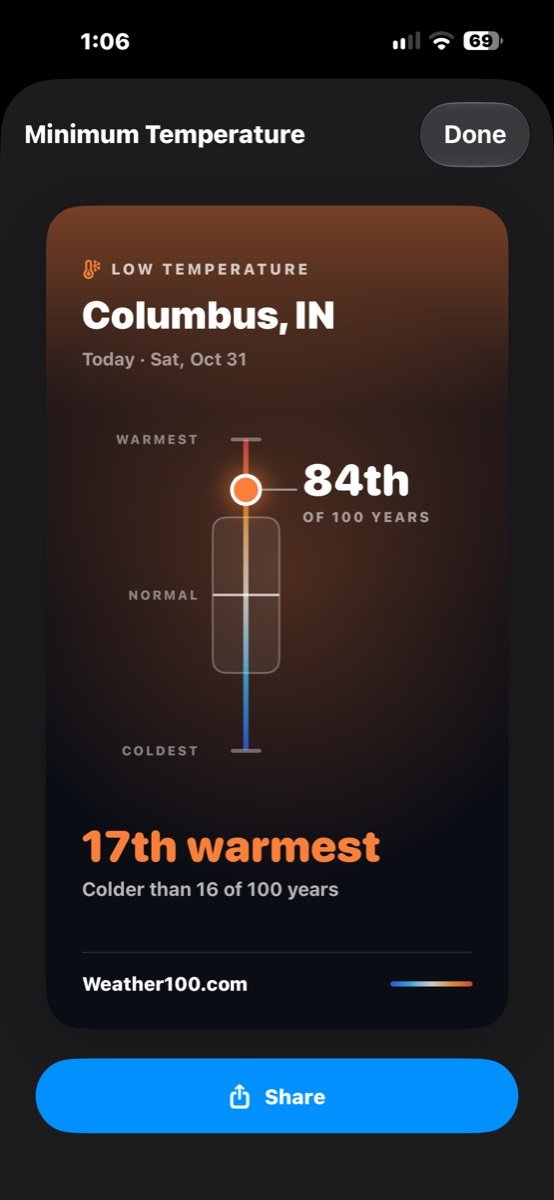
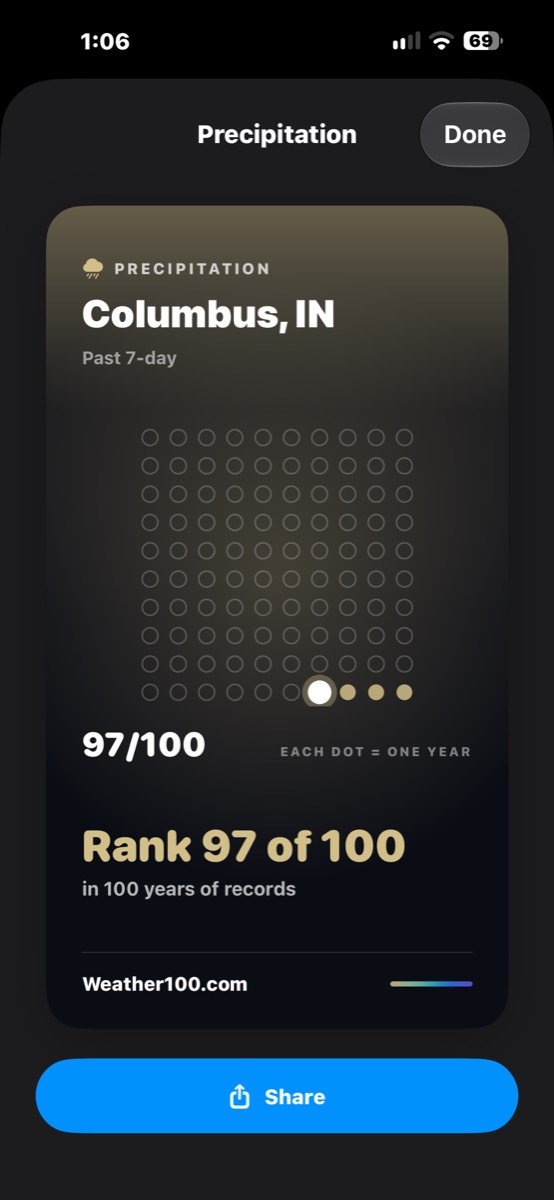
It also makes me wish the physical Weather100 device’s screens looked more like the app.
The Weather100 Mini’s simple presentation may appeal to someone who wants as little on the screen as possible, but I prefer the app’s approach. The graph adds visual interest without requiring me to read through another report.
That difference matters because the screen is the main reason to buy this gadget. If I find the information more appealing on my phone, I need a reason to keep looking at the separate display on my desk.
I’d love an option to use an app-style bar graph on the Mini itself. Let me choose between the existing presentation and a more graphical view. Better yet, let me combine a graph with current conditions so the screen gives me both useful everyday information and the historical comparison.
More Customization Would Help
Beyond matching the app’s presentation, I’d like more control over what the Mini shows and how often.
Let me choose the historical reports that interest me and hide the others. Let me decide whether I want a simple ranking, a bar graph, or a screen that combines current weather with historical context. Let me slow down the screen changes when I’m working.
Those choices would address several of my complaints at once. The information would be more relevant to me, the presentation would be more enjoyable to look at, and fewer refreshes might help with battery life.
Someone else might be perfectly happy with the current layout. That’s fine. Having options would make the device useful to more people without requiring everyone to use the same view.
Choosing a case color is nice, but choosing what I see on the screen would matter much more.
Who Is the Weather100 For?
I think weather nerds are the most likely people to be interested in the Weather100 Mini. If you enjoy weather records and historical comparisons, the concept will probably catch your attention.
The question is whether it will hold that attention.
For me, the novelty wore off pretty quickly. I suspect other weather enthusiasts will feel the same unless they’re particularly interested in checking these rankings every day.
Adding current conditions and more display customization would broaden its appeal. It would also give people more ways to make the device useful after they’ve explored its basic idea.
Final Thoughts
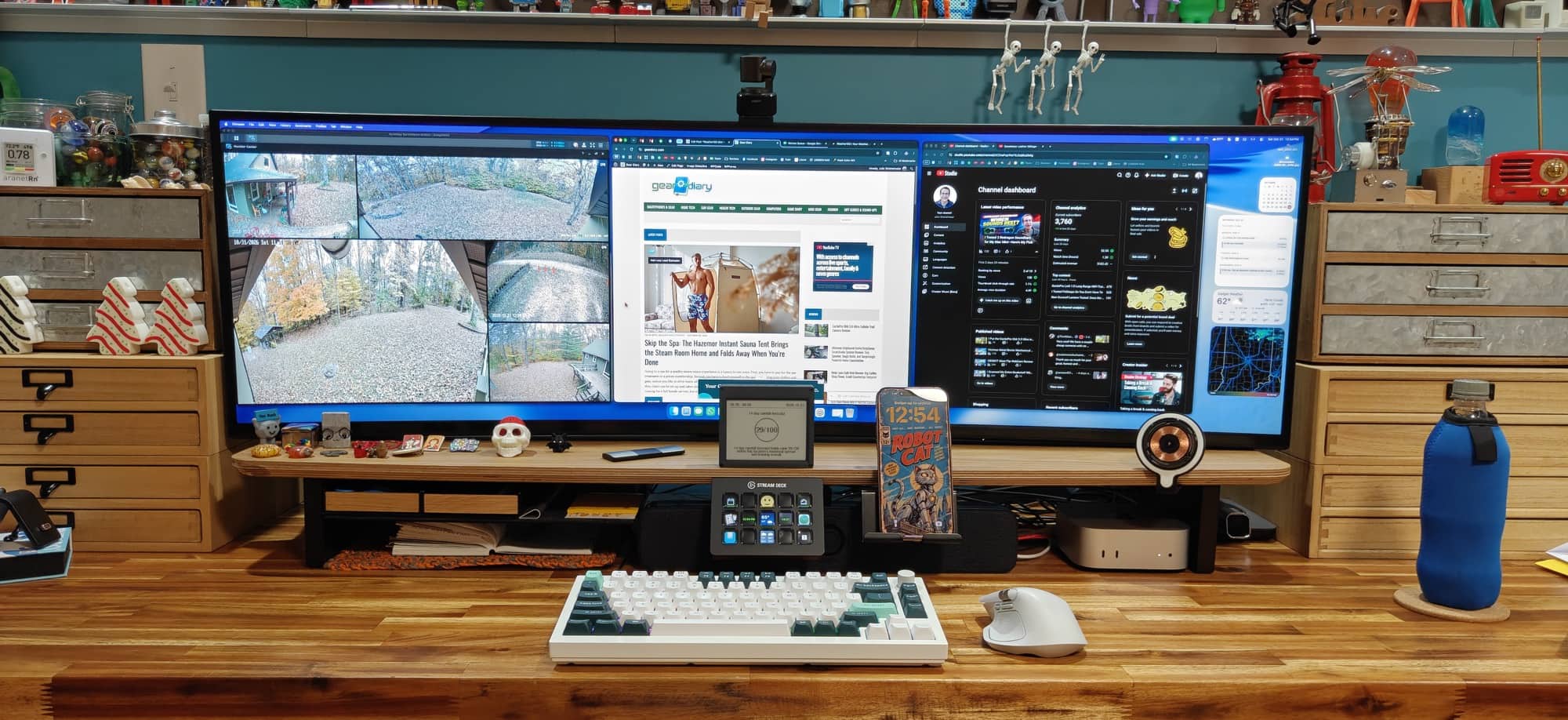
I like the idea behind the Weather100 more than I like using the finished device.
Historical weather context can be interesting, and a small dedicated display could be a nice way to present it. The iOS app shows that the data can look more engaging, which makes me want similar options on the Mini itself.
But the hardware and everyday experience need some attention. The 3D-printed case was disappointing at this price; the battery lasted only about a day and a half in my use, and the USB-C port placement makes it look untidy when it’s plugged in.
More than any of those things, though, I found the information too easy to lose interest in.
Give me current weather alongside the history, let me choose a bar-graph view like the iOS app, and add controls for refresh frequency and report selection. Better battery life and a cleaner cable arrangement, and I’d be much more interested.
For now, the Weather100 Mini feels like a gadget that weather fans may enjoy checking out, but I’d have a hard time recommending it for $80 without more everyday usefulness.
Price: The Weather100 Mini retails for $79.99 and is available directly from Weather100.
Source: Manufacturer-supplied review sample.
What I Like: Interesting concept for putting local weather into historical context; Compact size; Choice of case colors; More pleasing bar graph presentation in the iOS app; No recurring subscriptions required
What Needs Improvement: Case material for the price; Battery life of only about 1.5 days in my use; USB-C port placement; Needs current weather alongside historical comparisons; Device display options that match the app’s more appealing presentation; Controls for refresh frequency and which historical reports are shown