


The Lowdown
The Nocs Portal AFN7 Adventure Camera stands out with its unusual design, comfortable grip, and satisfying tactile shutter button. It even includes an adapter that lets you take pictures through NOCS binoculars. Unfortunately, the camera’s photo quality leaves a lot to be desired. The blurry digital viewfinder, inability to review photos on the camera, and awkward binocular photography process add to the frustration. While the Portal AFN7 is an interesting concept with plenty of personality, its disappointing performance makes it hard to recommend.
Overall
Pros
- Unusual design with plenty of personality
- Comfortable grip
- Clicky, tactile shutter button
- Included 4GB microSD card
- Interesting concept for photographing through binoculars
Cons
- Photo quality is bad
- Blurry digital viewfinder
- No way to review captured photos on the camera
- Bulky shape when carrying or storing it
- Not waterproof
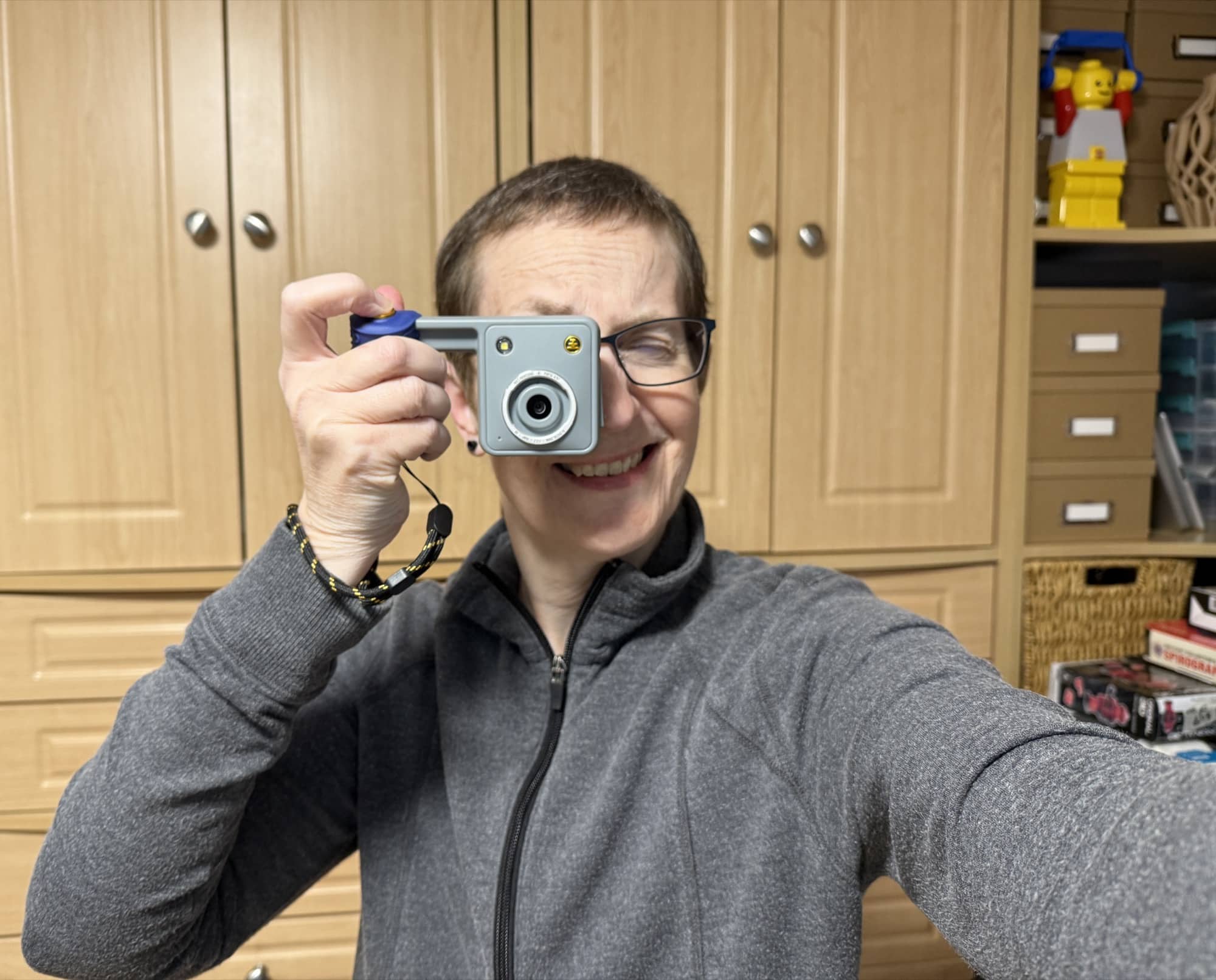
The idea of leaving my phone in my pocket and using a dedicated camera without notifications or distractions sounds pretty appealing. That’s what initially drew me to the Nocs Portal AFN7 Adventure Camera. Its unusual design caught my eye, but I was especially excited about the included adapter that lets you take pictures through Nocs binoculars. Unfortunately, a cool design and interesting features don’t automatically translate into great photos. After testing the Portal AFN7, I found plenty to like about how it looks, but the pictures it takes? Not so much.
What Is It?
The Nocs Portal AFN7 is a digital adventure camera designed to encourage photography without a large screen pulling your attention away from your surroundings. Nocs lists 16MP photos, 4K video recording, six filter presets, a no-filter mode, and an included adapter for shooting through compatible Nocs binoculars or monoculars.
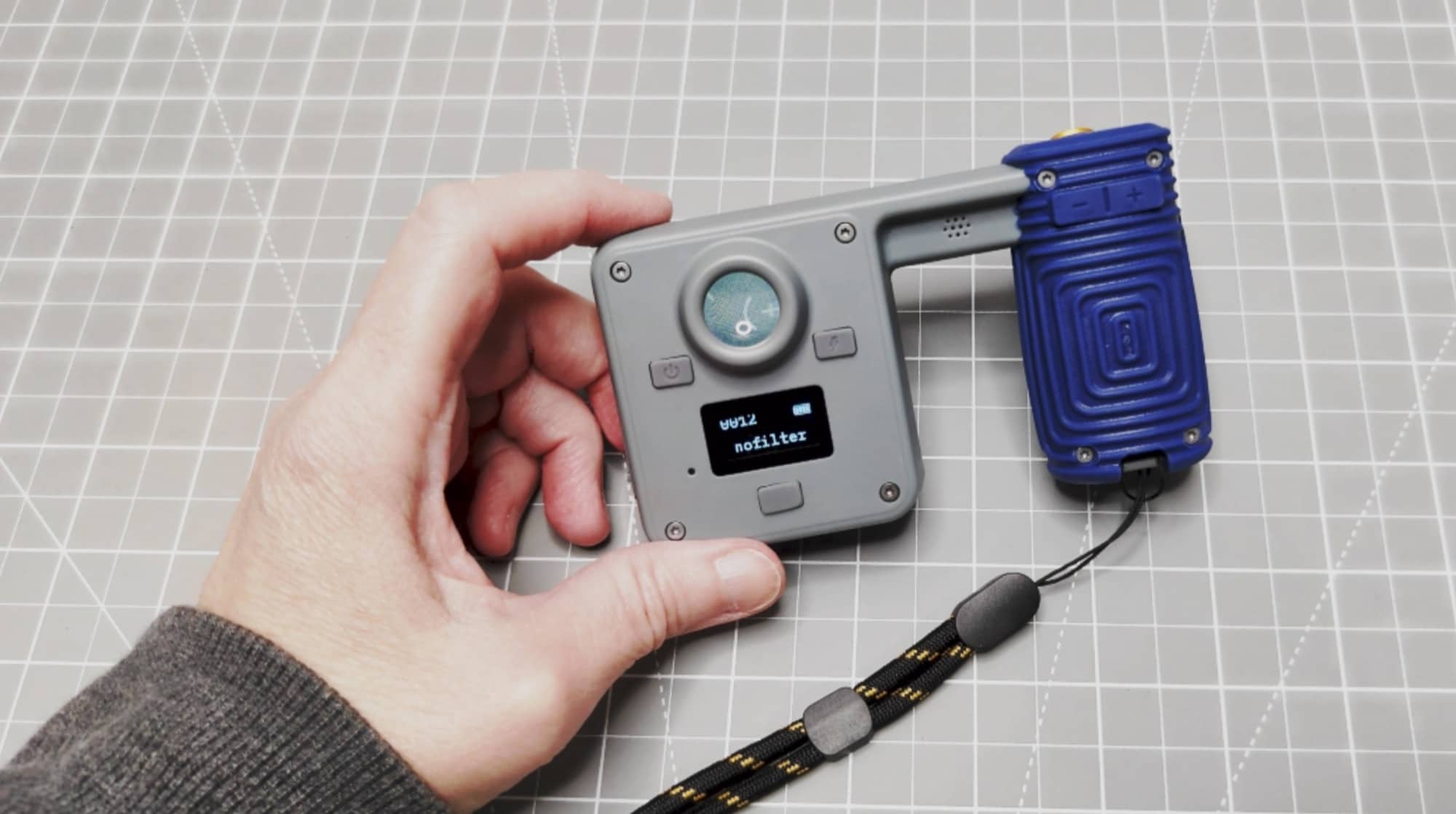
There’s a digital viewfinder for composing pictures and a small status display for checking camera information. What you don’t get is a screen for reviewing the photos you’ve already taken.
What’s Included?
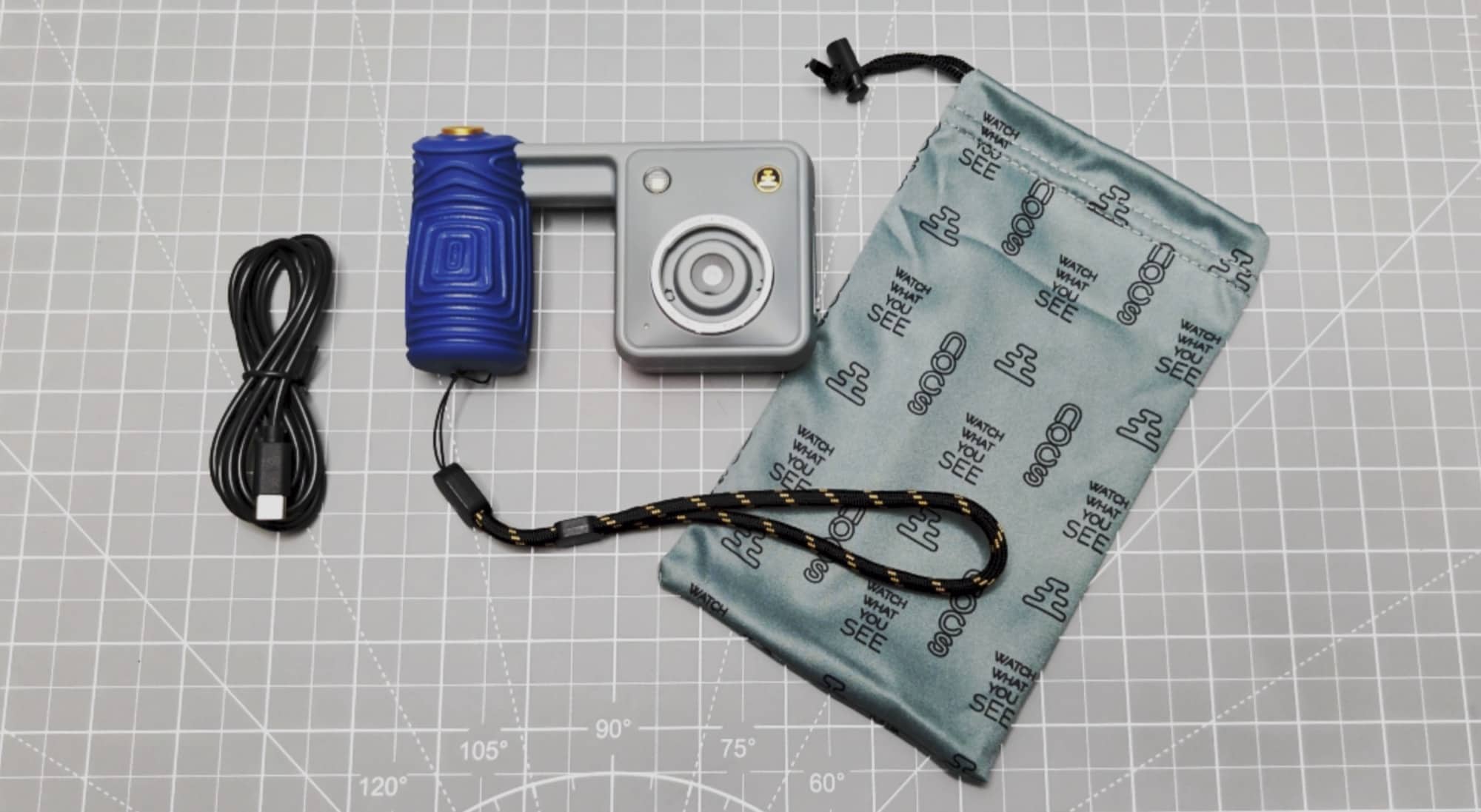
- Nocs Portal AFN7 camera
- Drawstring bag
- 4GB micro SD card
- USB-C cable
- Wrist lanyard
Design and Features
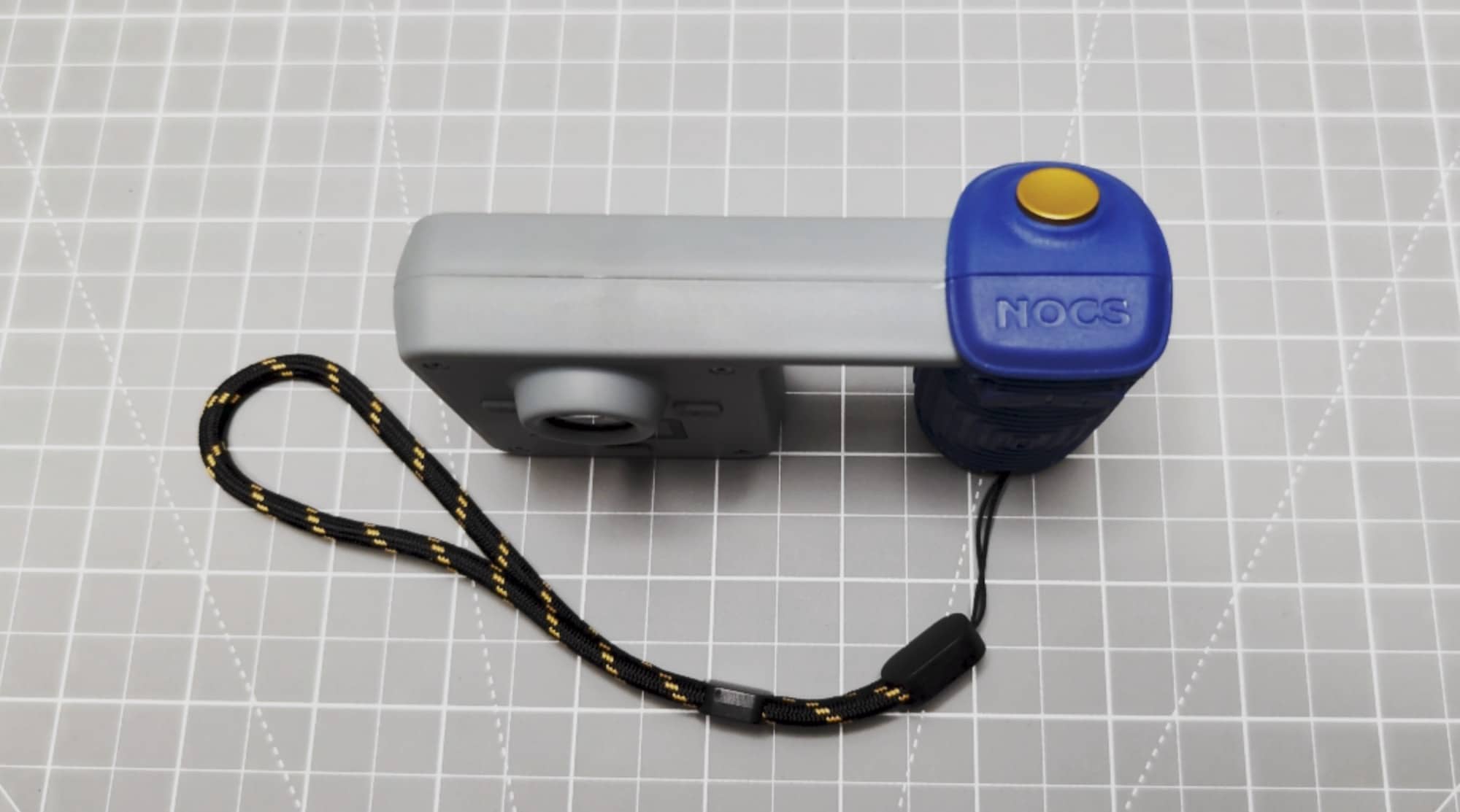
The Portal’s design is my favorite thing about this camera. The separate grip gives it an unusual appearance, and I appreciate that Nocs tried something different. It has personality, which isn’t something I can say about every camera.
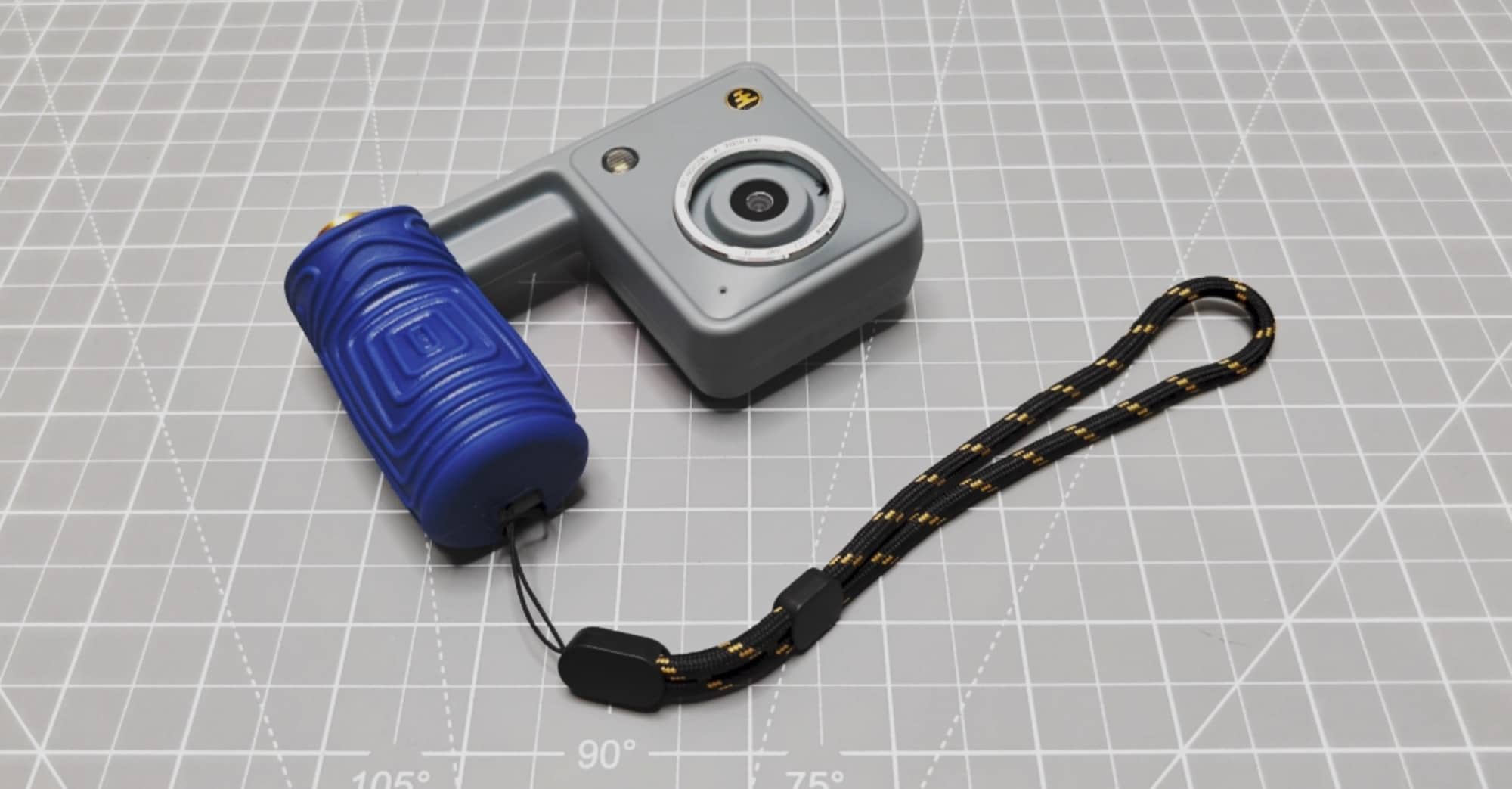
That said, it’s a bit bulky. The space between the grip and the main camera body makes the whole thing take up more room than I’d like when I’m not using it.
I kept thinking how nice it would be if the handle could slide over against the main body for storage. Pull it out when you’re ready to shoot, then slide it back when you’re done. That would keep the interesting design while making it easier to carry.
The grip itself is comfortable. I like the way it feels in my hand, and the shutter button has a nicely clicky, tactile feel. Pressing it is satisfying. Those are good qualities for a camera that’s supposed to make the act of taking pictures enjoyable.
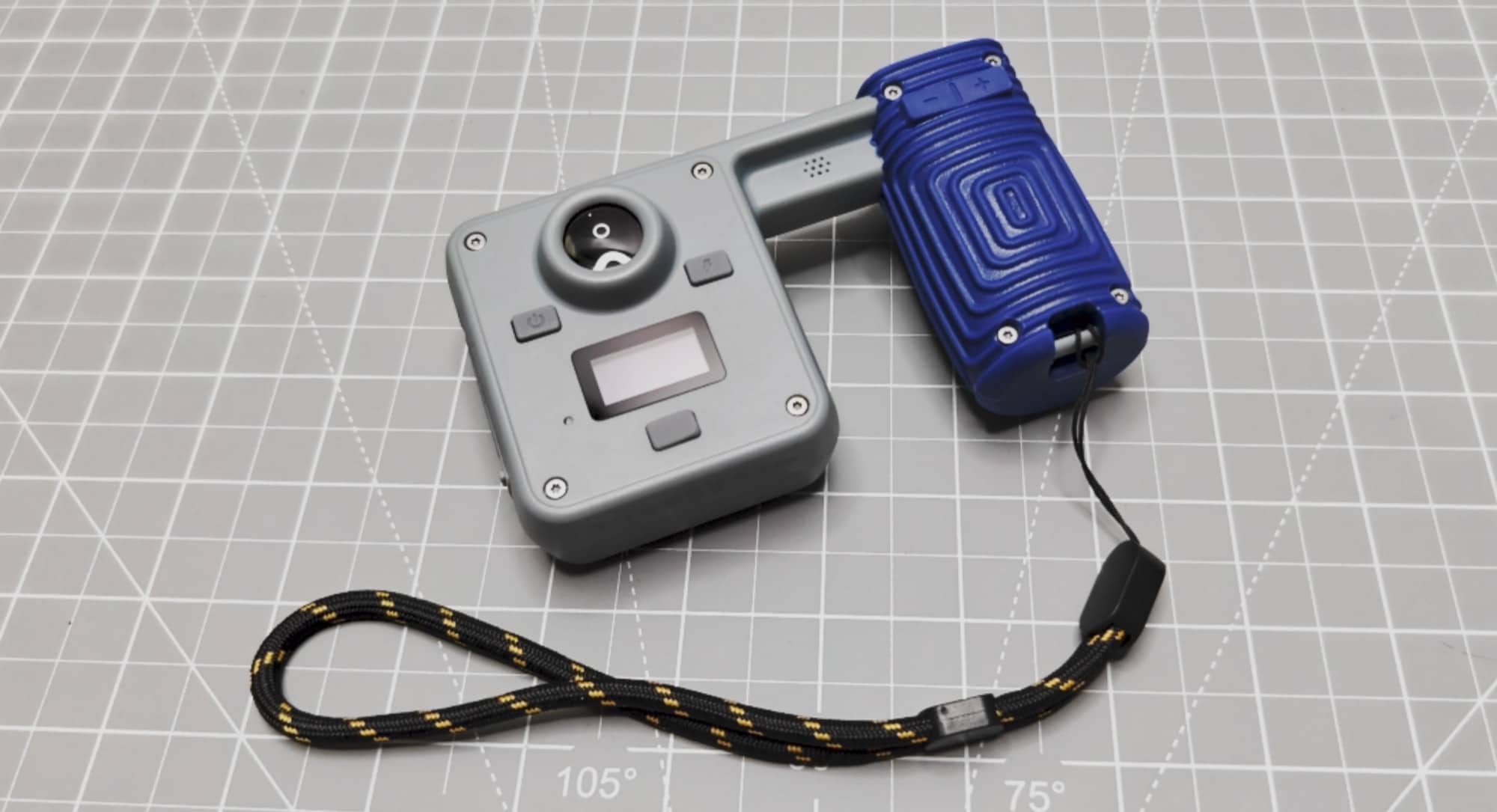
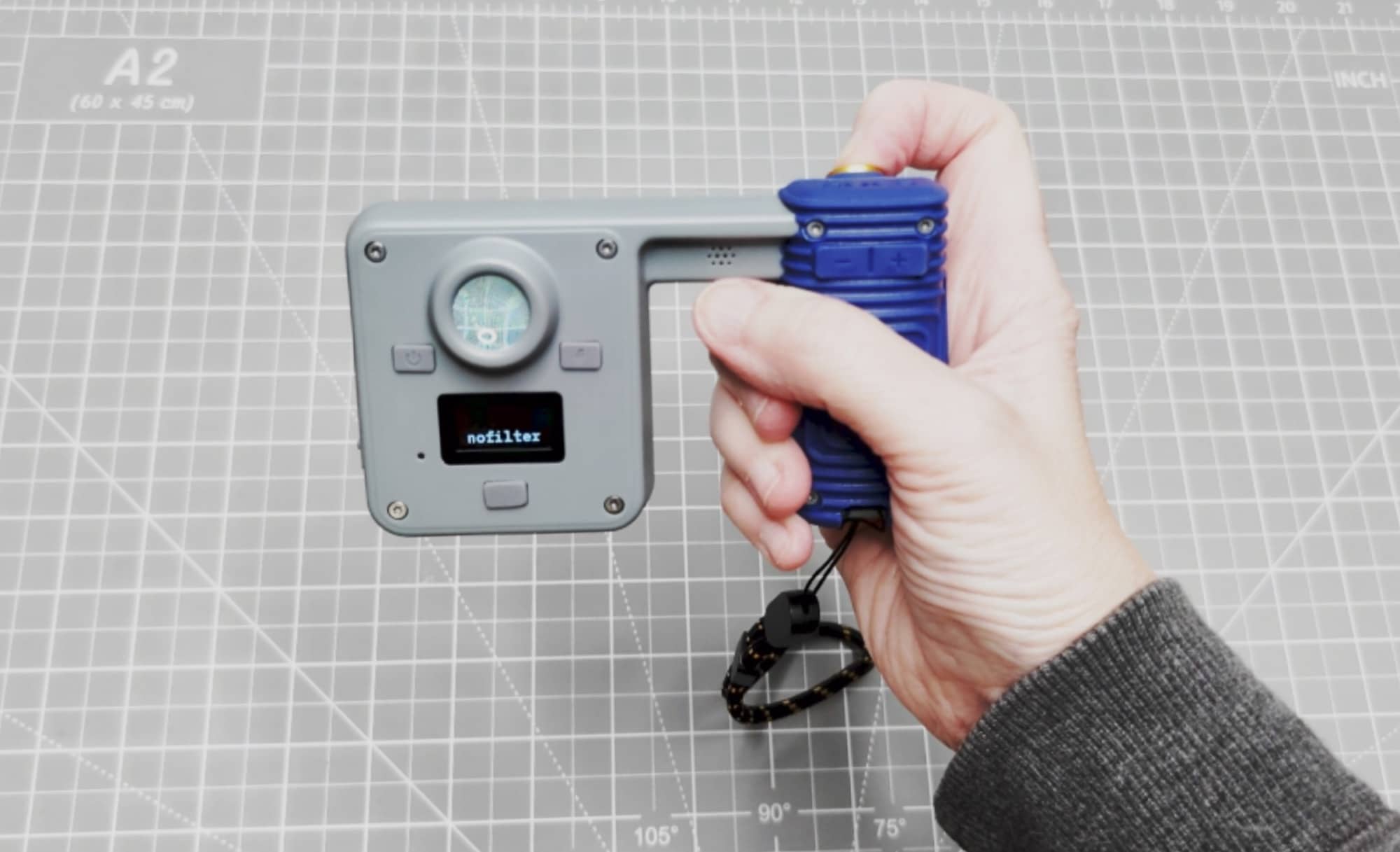
The controls are spread between the camera body and the grip. Above the little status display are two buttons. One turns the camera on and off, and the other enables the flash. With the flash enabled, it comes on when you’re shooting in dark locations.
Below the display is another button for changing filters and navigating settings. Two additional buttons on the grip also let you move through the settings and zoom the image.
The small white-on-black status display shows the battery level, the number of photos captured, and the active filter. It gives you basic information, but it’s important to understand that this is not a photo playback screen.
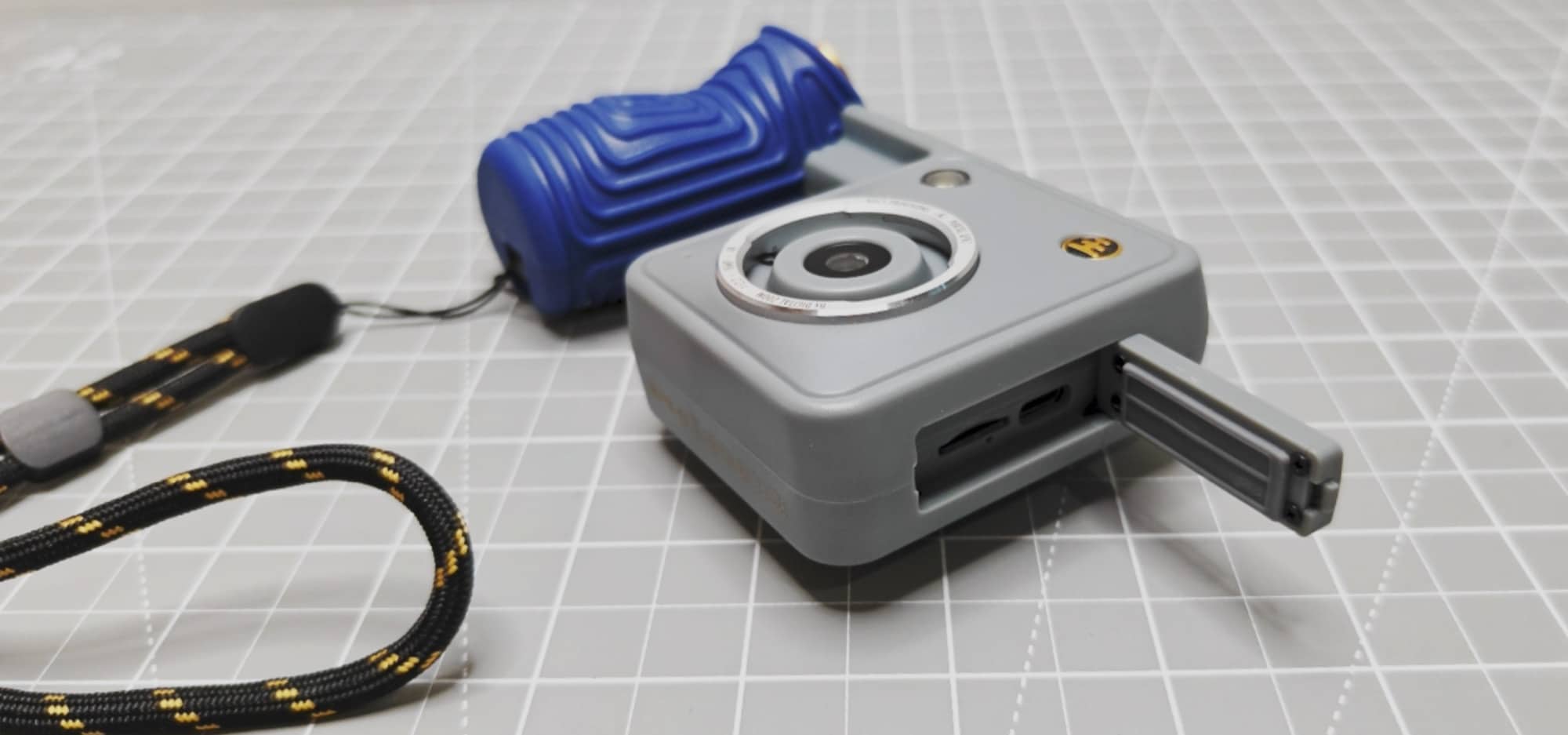
A door on the side covers the USB-C charging port and the microSD card slot. A 4GB microSD card is included, which I appreciate. You don’t have to hunt down a card before you can start taking pictures.
So far, there are things to like. An interesting design, a comfortable grip, a good shutter button, and included storage are all welcome. Then you put the camera up to your eye.
Looking Through the Viewfinder
At first glance, the Portal’s viewfinder looks like an old-school optical viewfinder. I expected to look through it and get a clear view of whatever I was about to photograph.
Instead, there’s a backlit digital display inside. Having a digital viewfinder wouldn’t bother me if the view were good. In my experience, it isn’t.
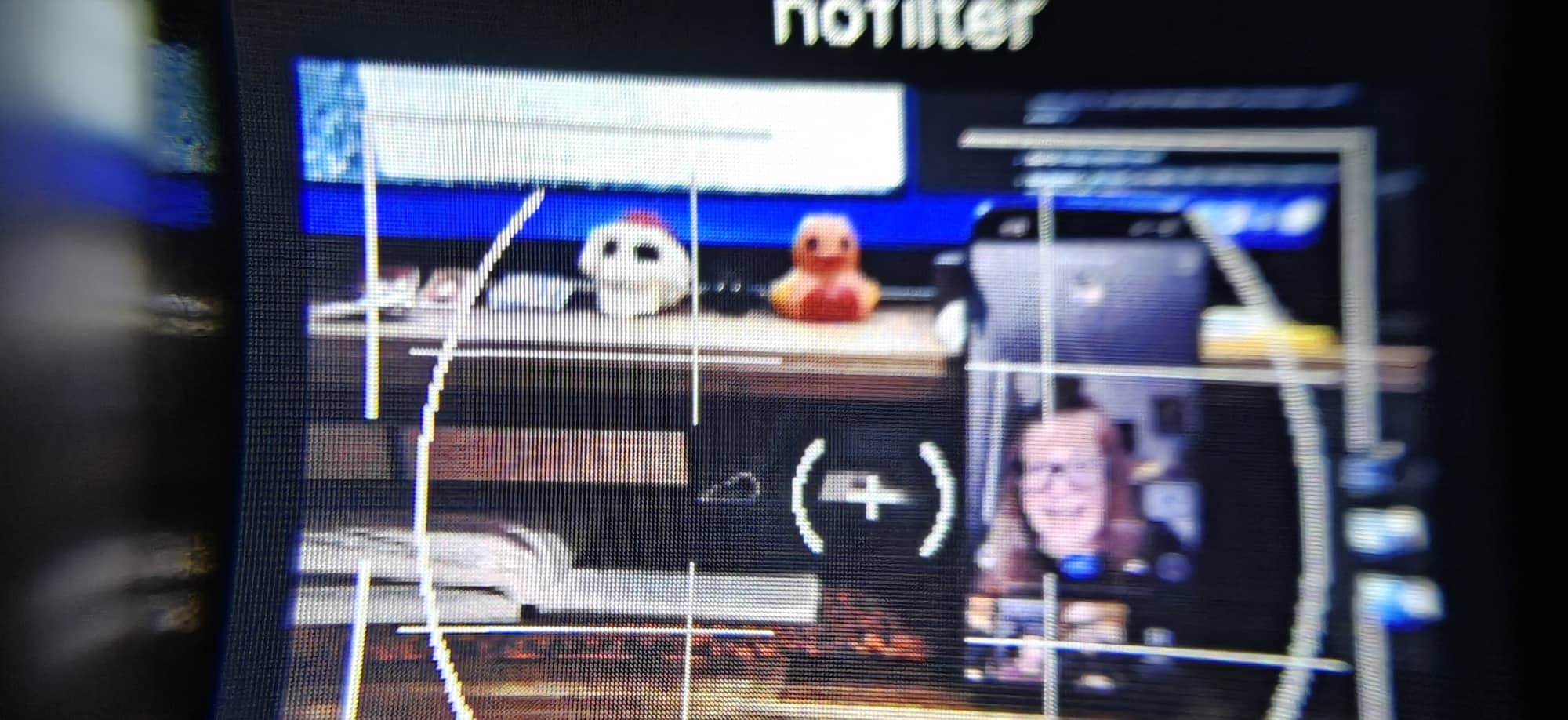
Everything looks blurry and distorted.
That makes using the Portal less enjoyable right from the start. The viewfinder is how you interact with your subject, and I want that view to help me compose a picture with some confidence. With this camera, I’m looking at a blurry little display and hoping the finished image will look better.
Unfortunately, that hope didn’t pay off.
Photo Quality
I wish I had better news here, because I wanted to like this camera. But the pictures I captured were bad. Bad enough that I wouldn’t want to use the Nocs Portal AFN7 as my primary camera, and honestly, I wouldn’t want to use it for any photos at all.
That sounds harsh, but taking pictures is the main reason to buy a camera. A comfortable grip and an interesting shape only get you so far if you don’t like the images you bring home.
I understand the appeal of unplugging. I can also understand wanting a simpler photography experience without spending time staring at a phone. But I still want the resulting pictures to be worth keeping.
I’m not expecting a $179.95 camera to replace an expensive photography setup. I am expecting pictures that make me glad I brought the camera along. The Portal didn’t deliver that for me. But you be the judge. Check out the images below. They are just thumbnails. Click to see the full-sized images that have not been modified. They are straight out of the camera.
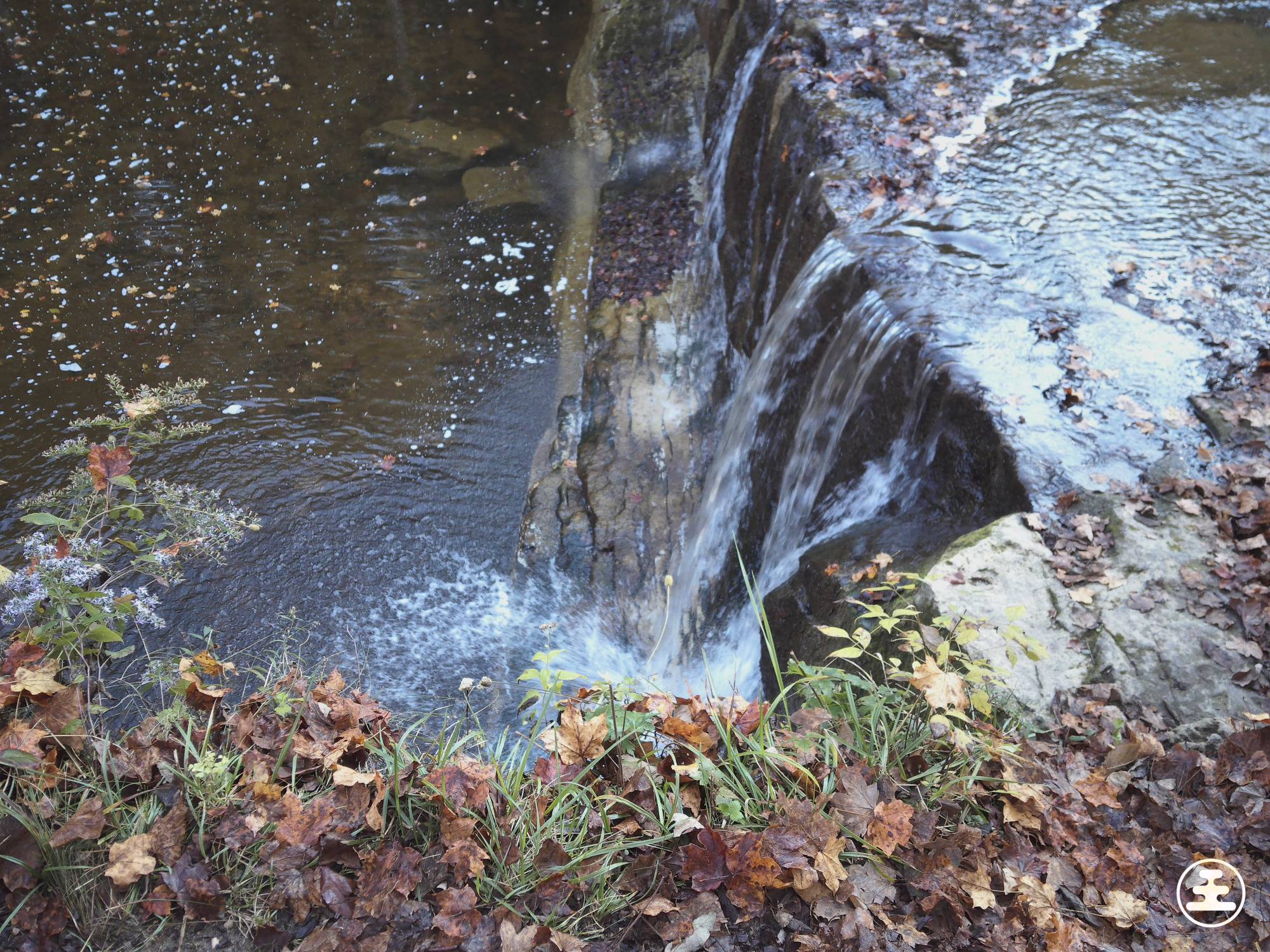
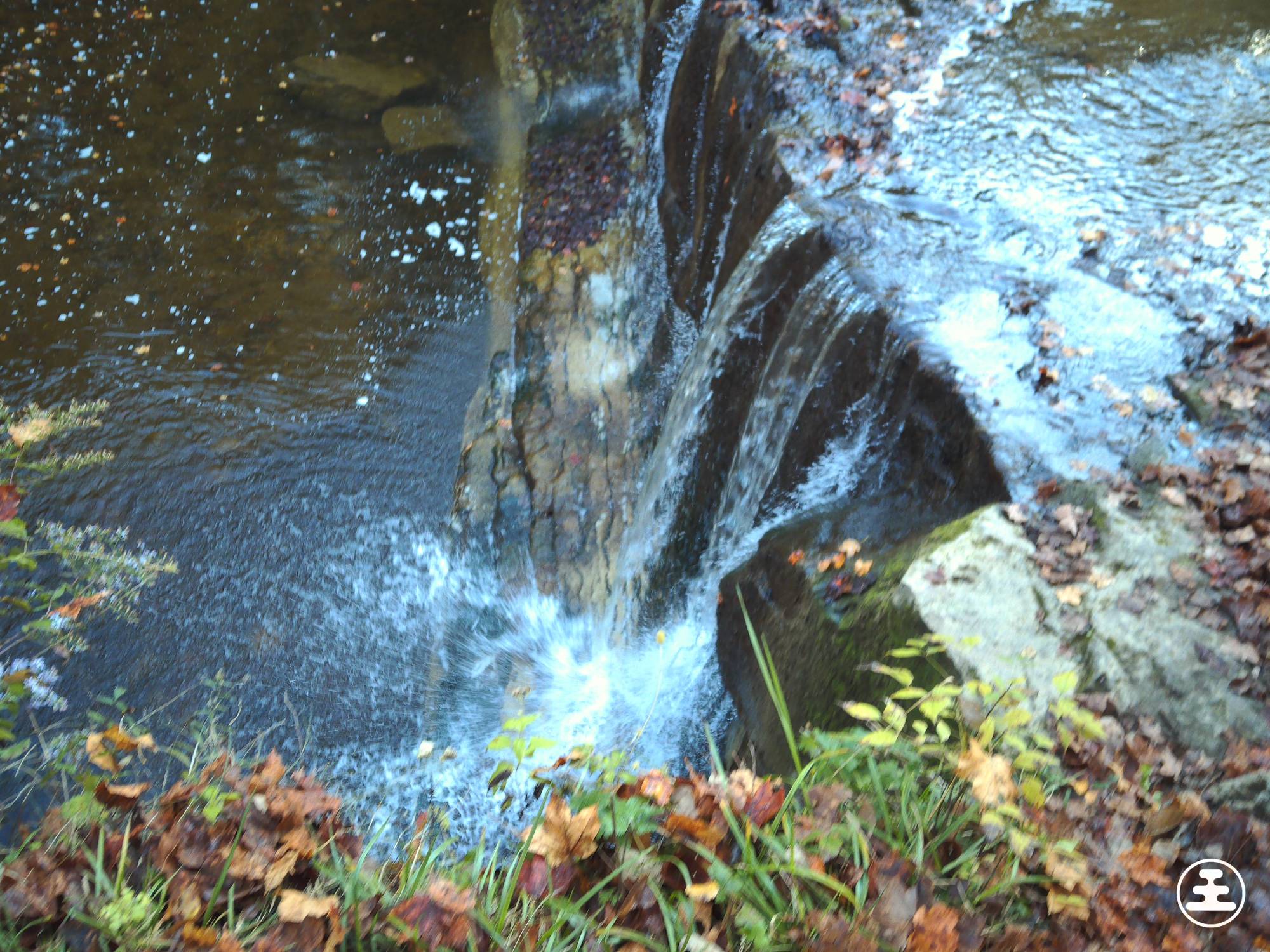
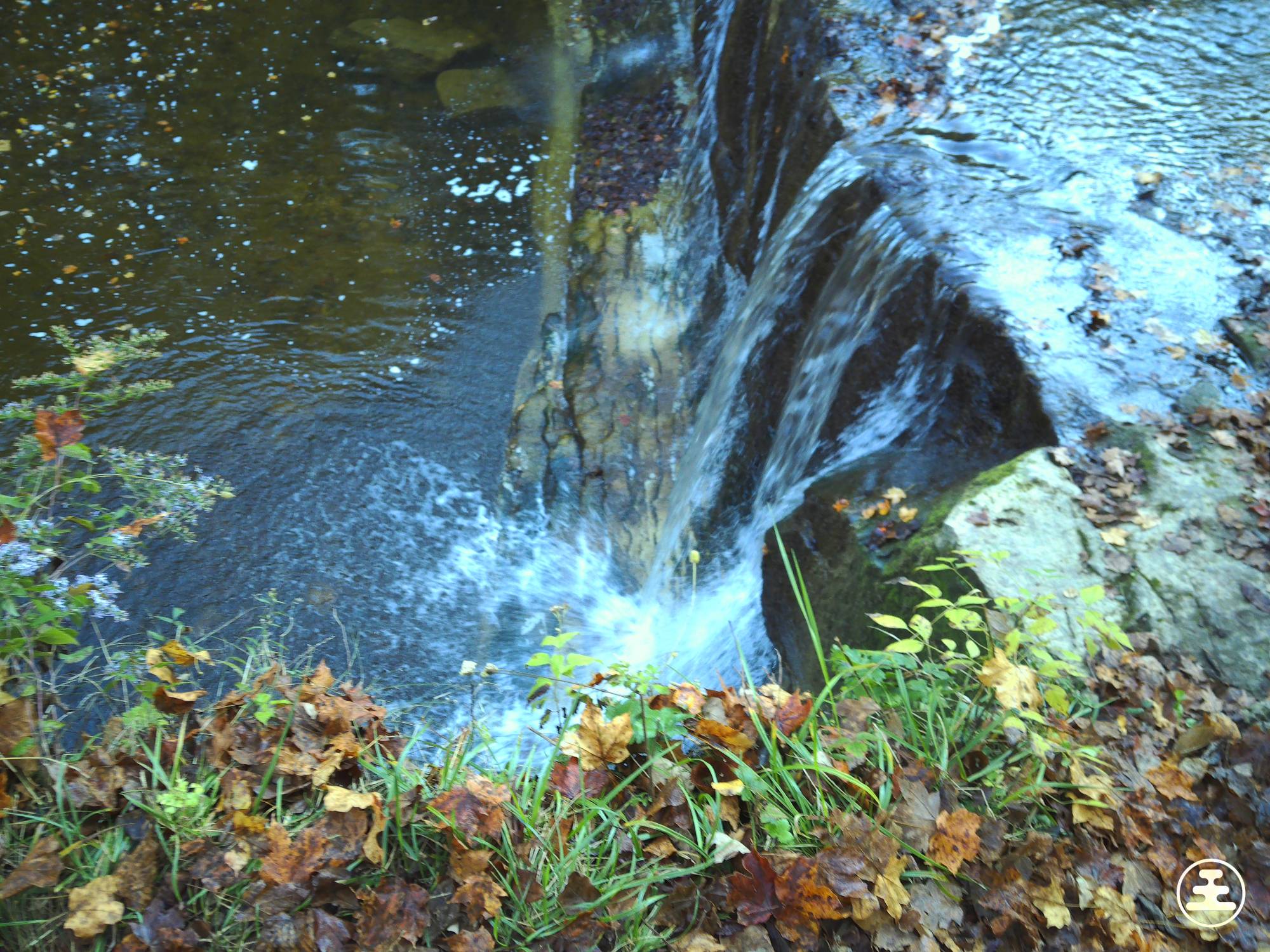
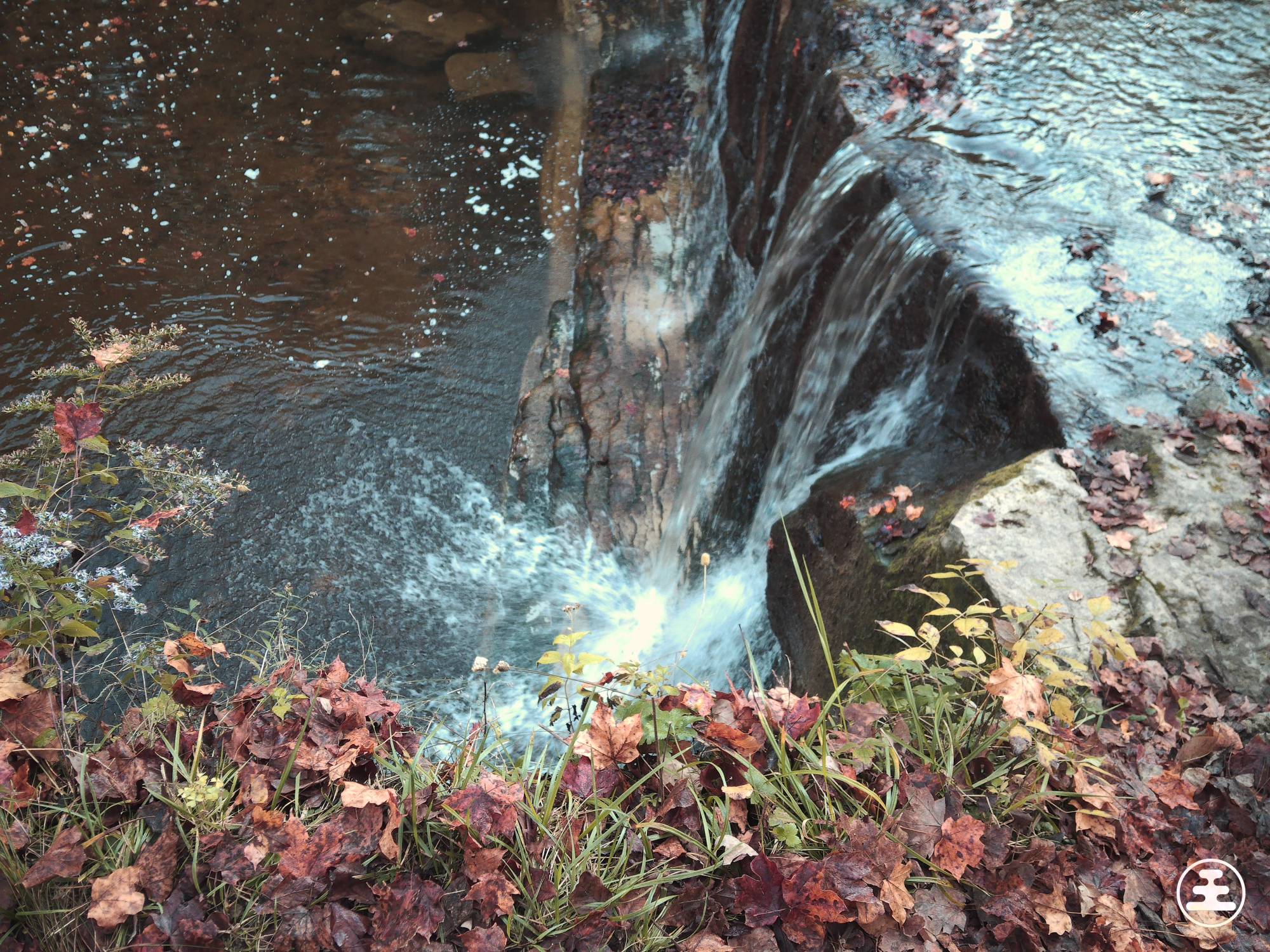
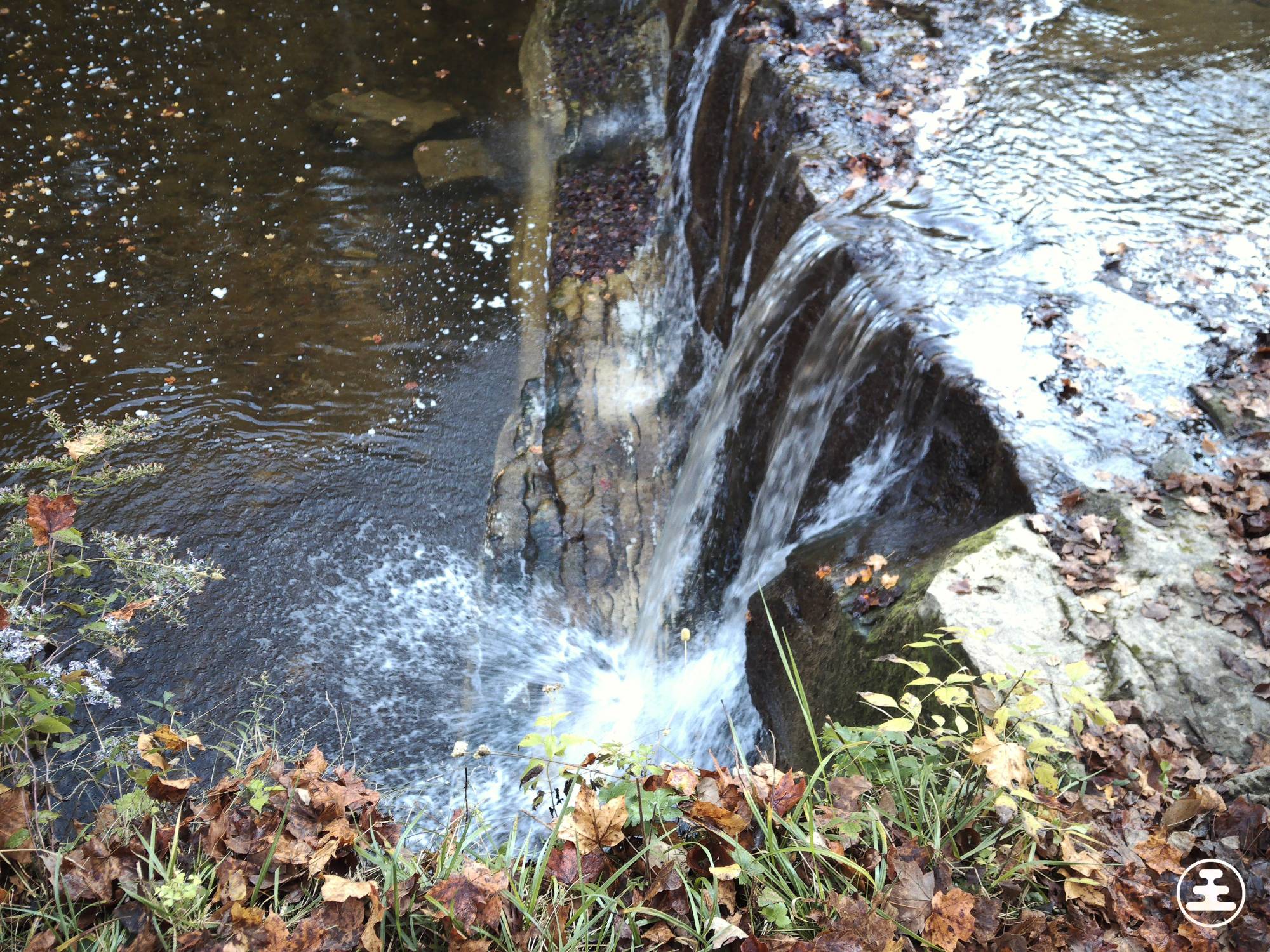
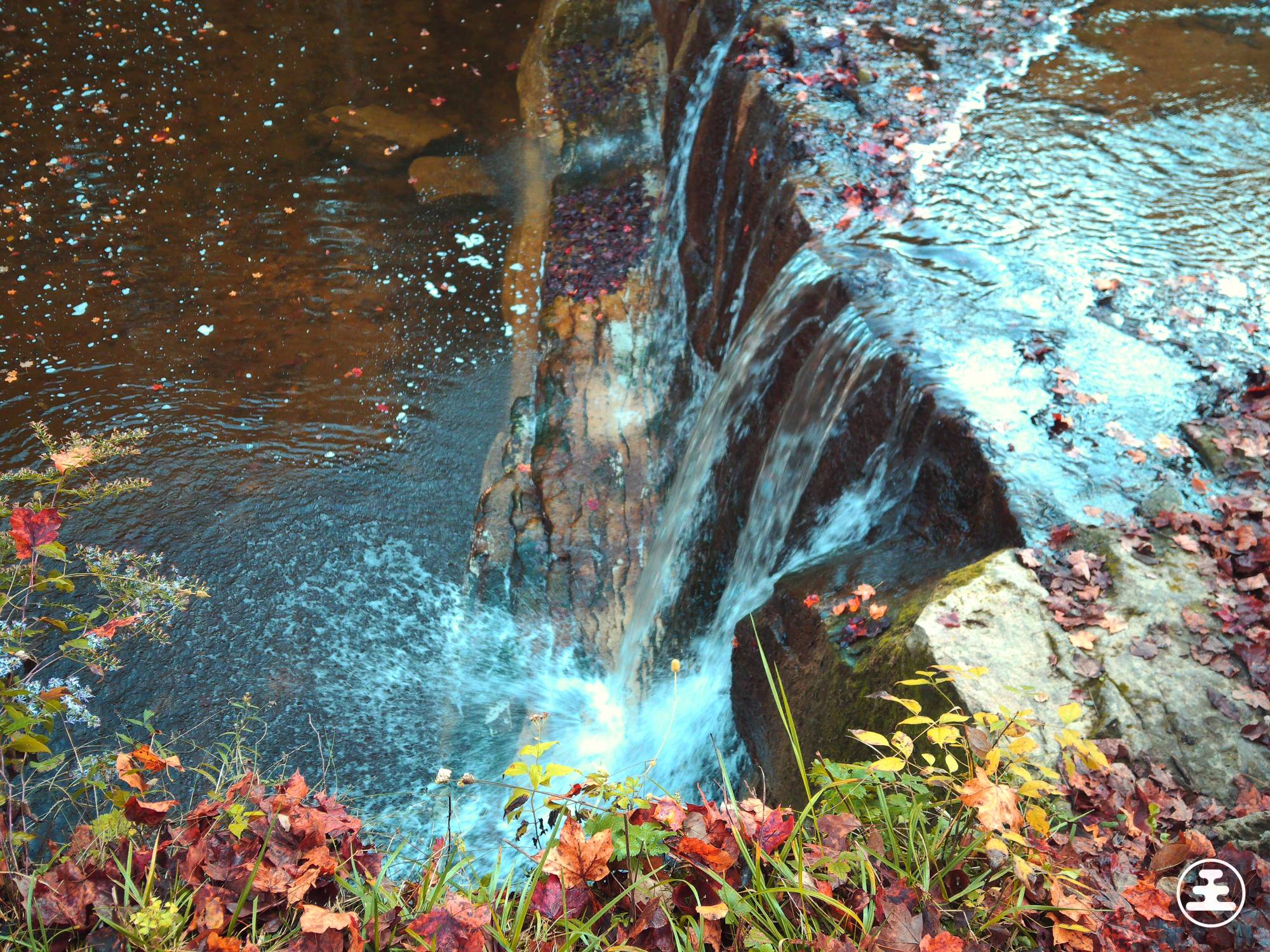
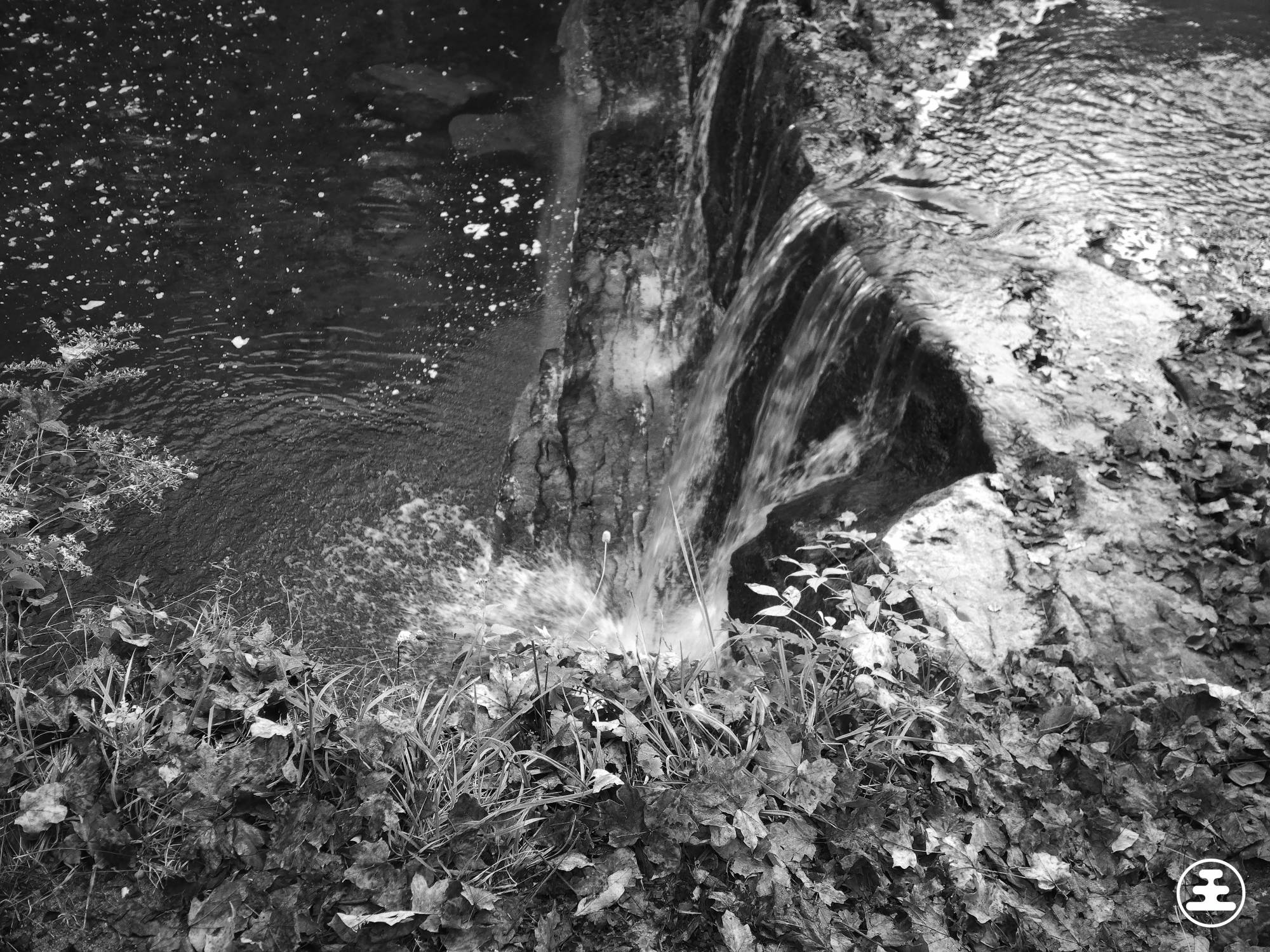
The images above were taken with the built-in filters. I’m not a filter person. If I want to adjust an image’s colors, I’ll do that in post-processing, not through the camera itself.
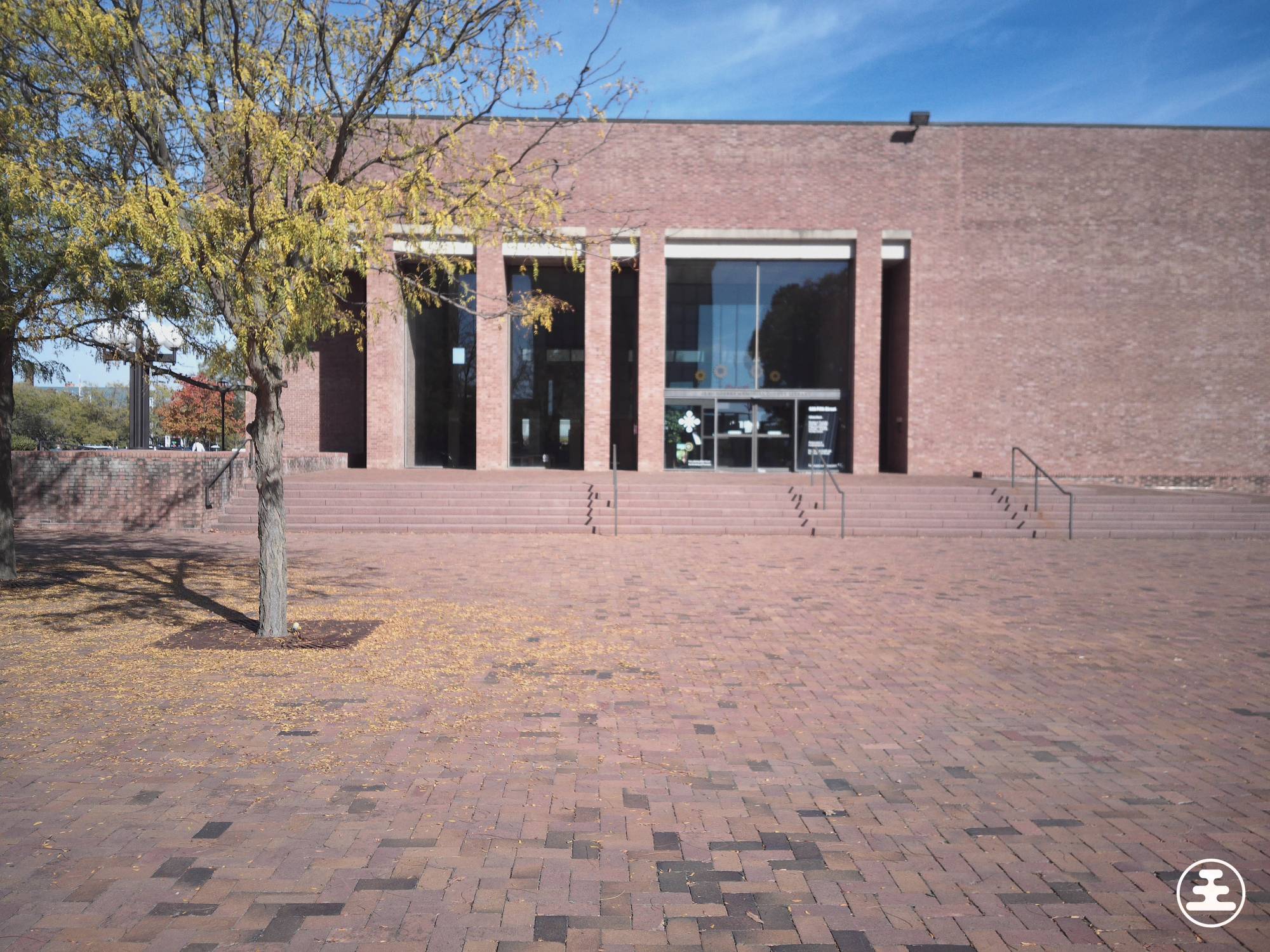
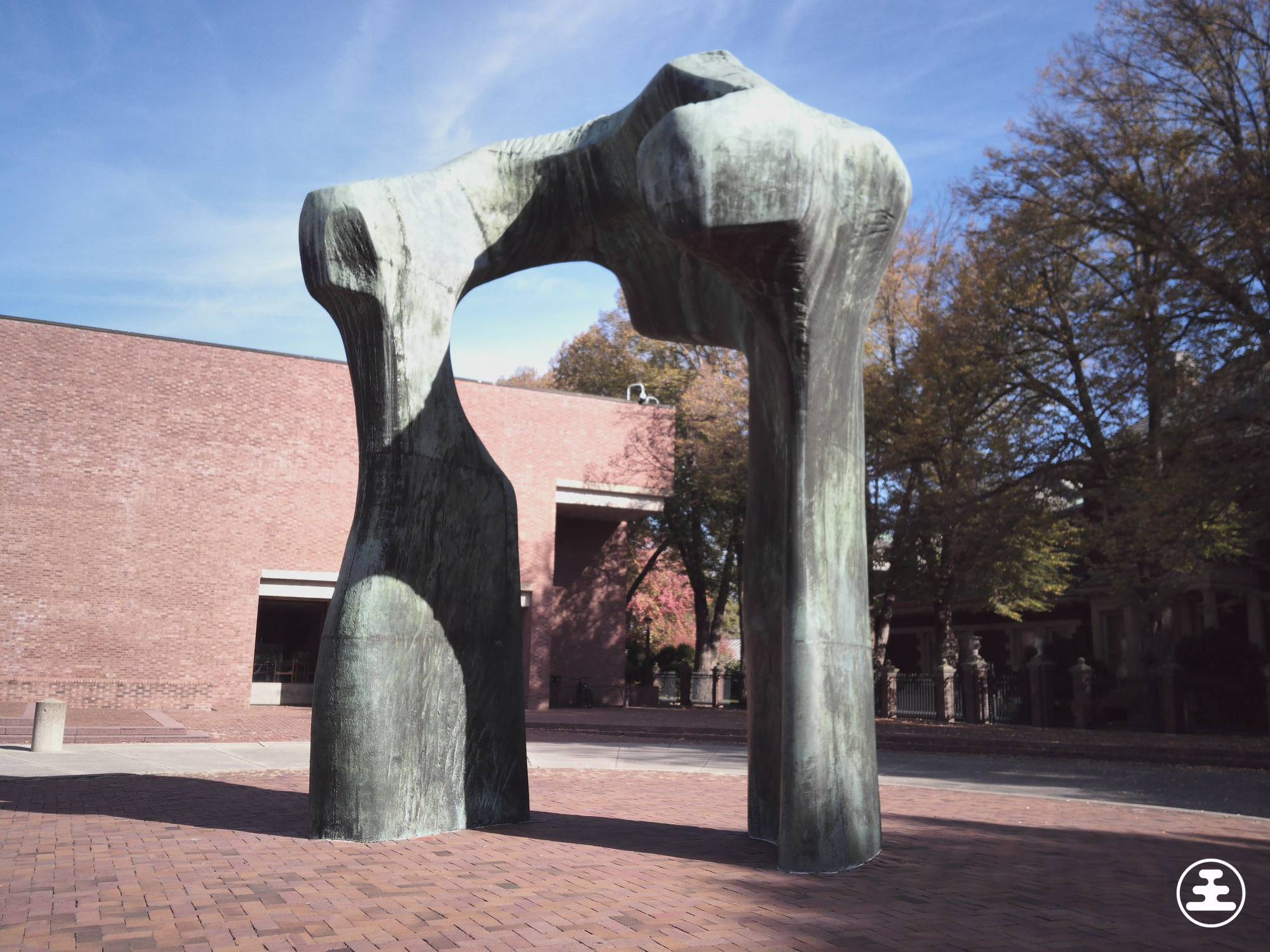
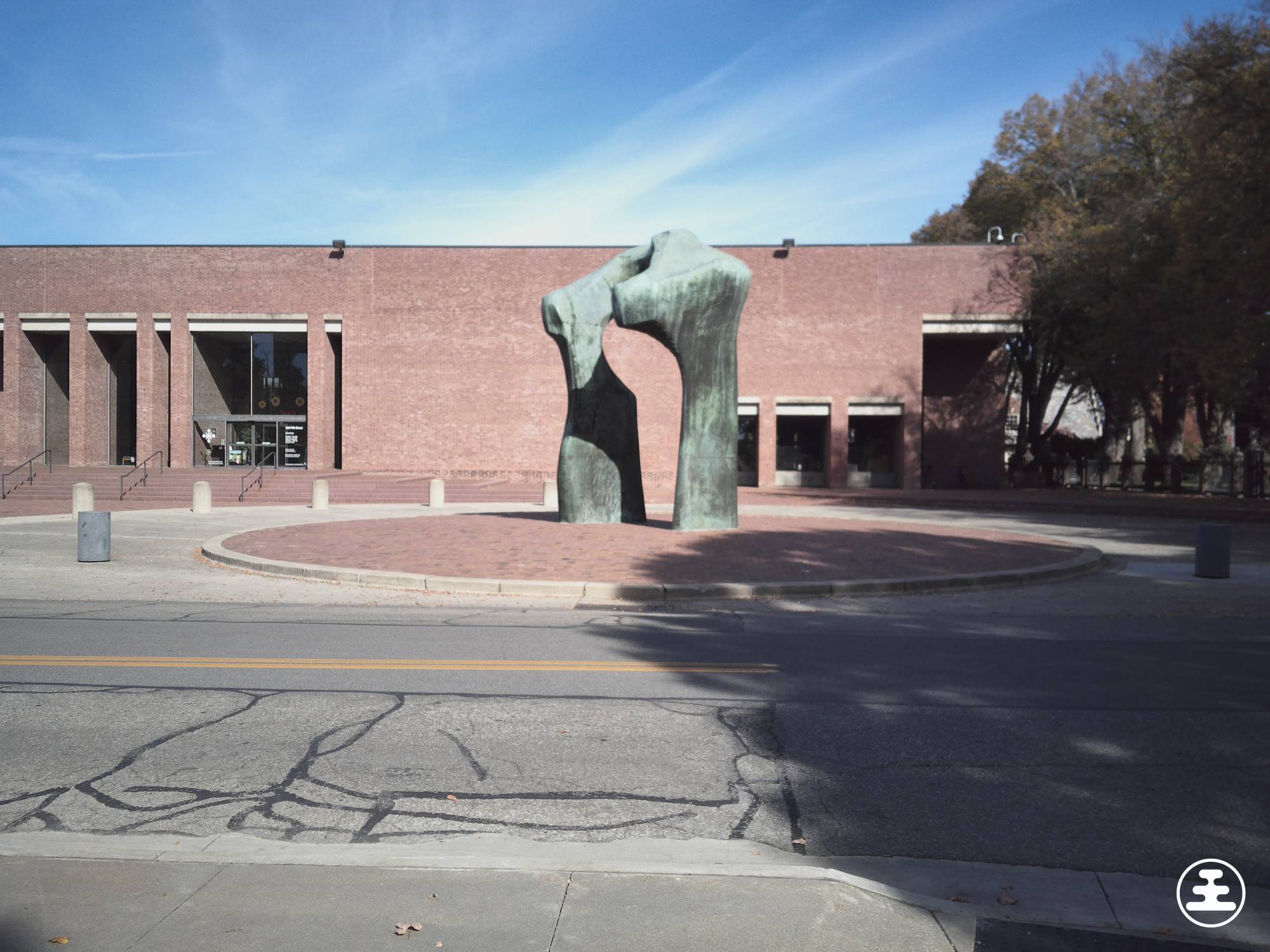
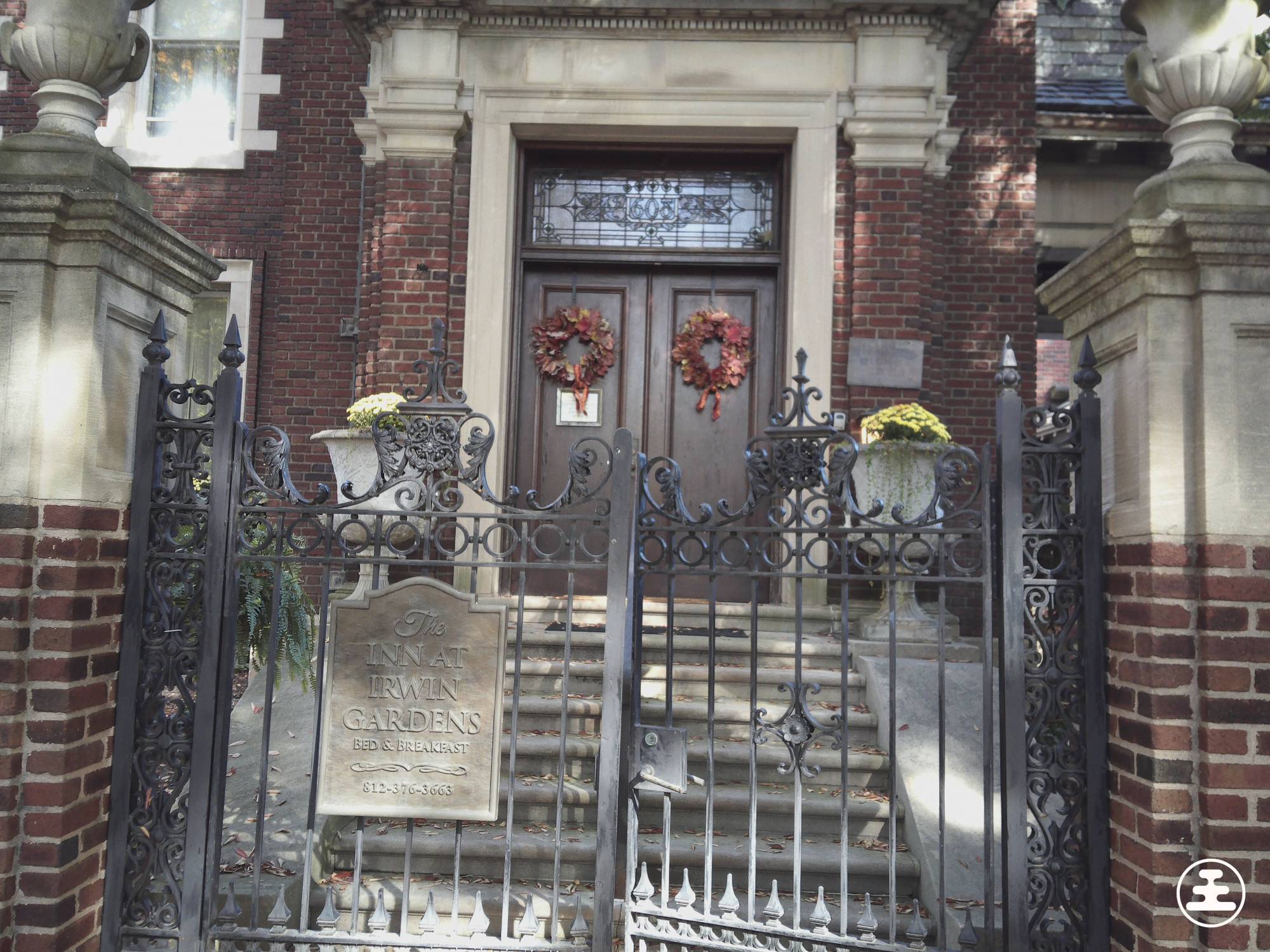
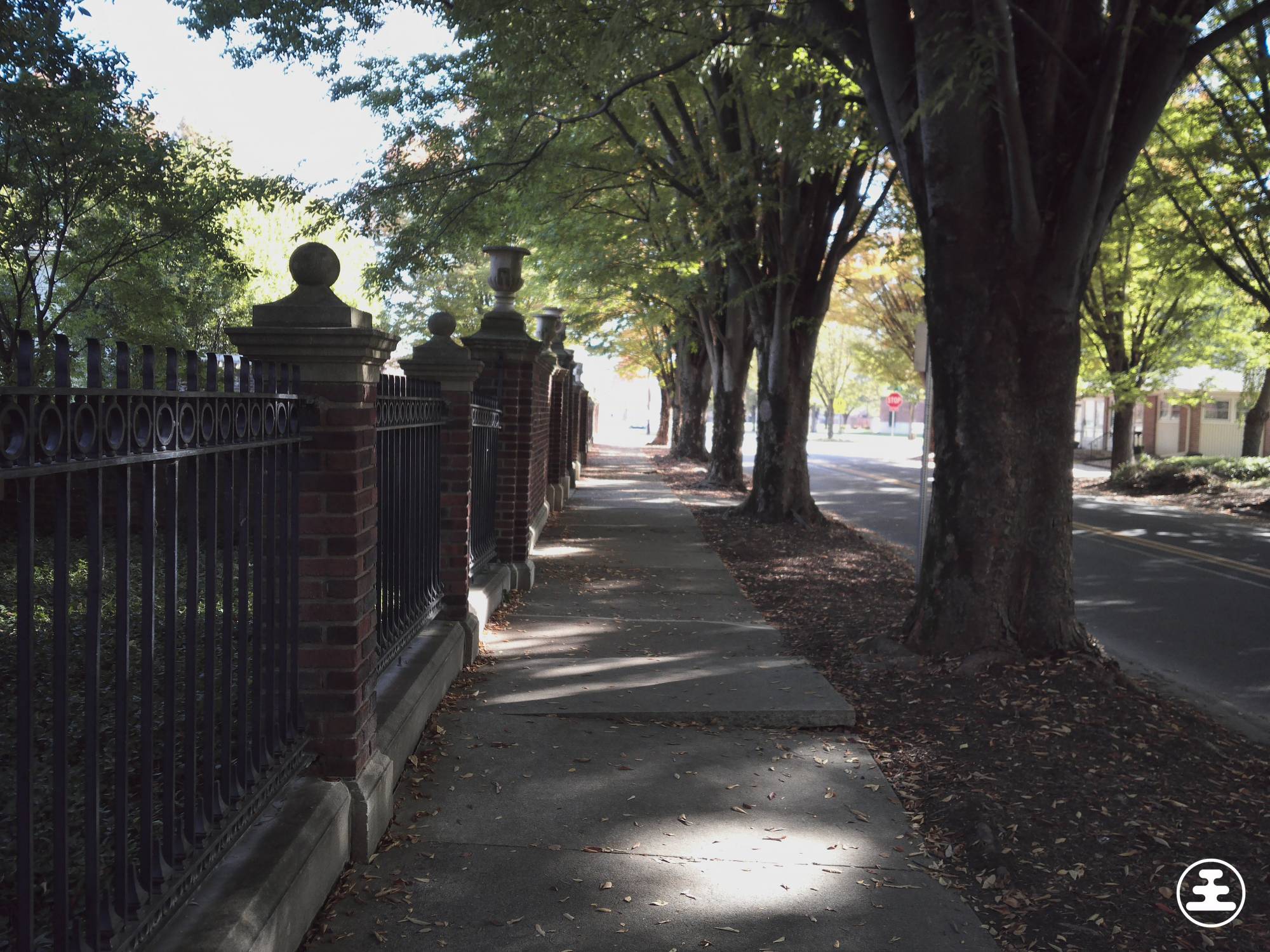
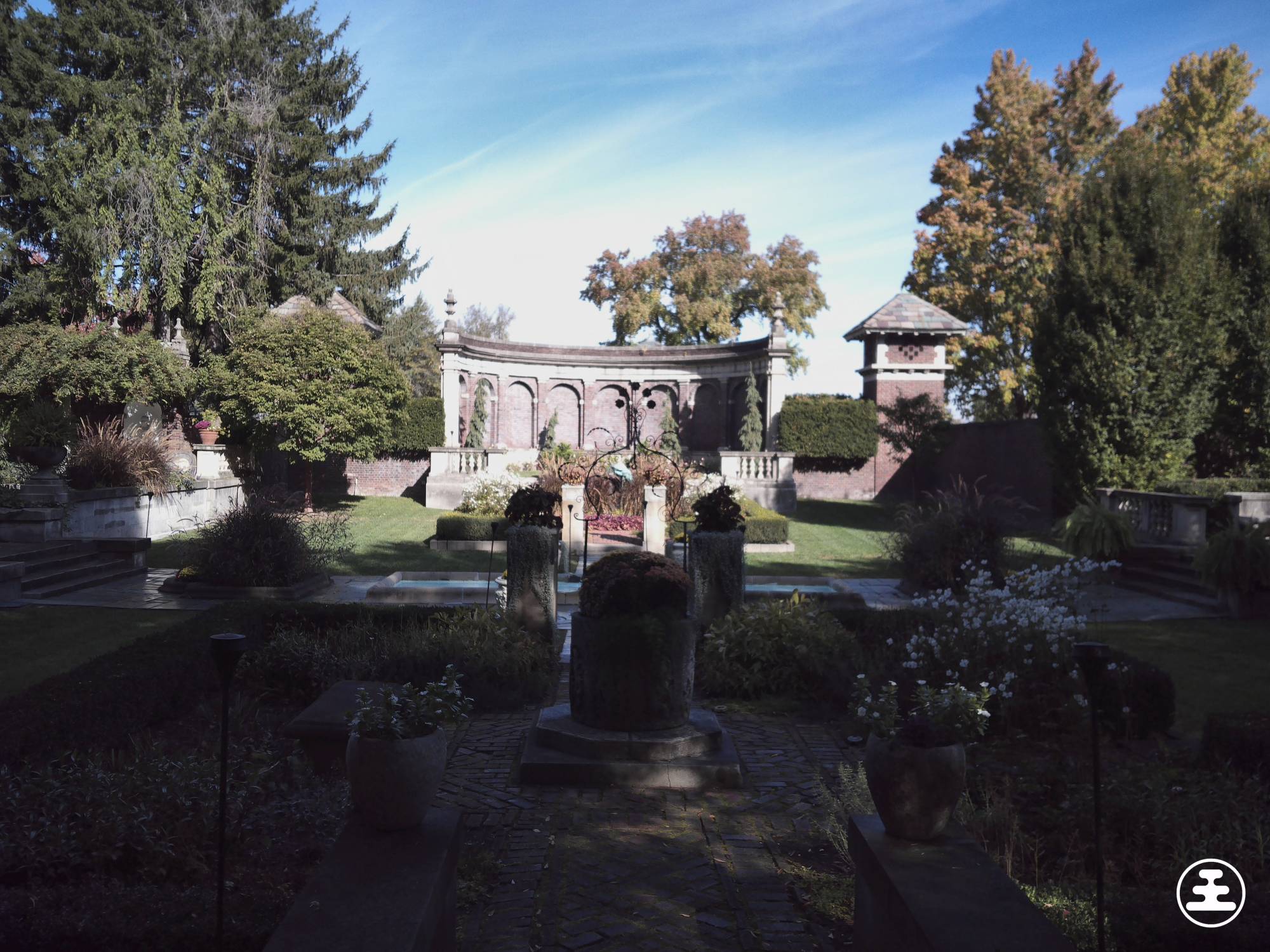
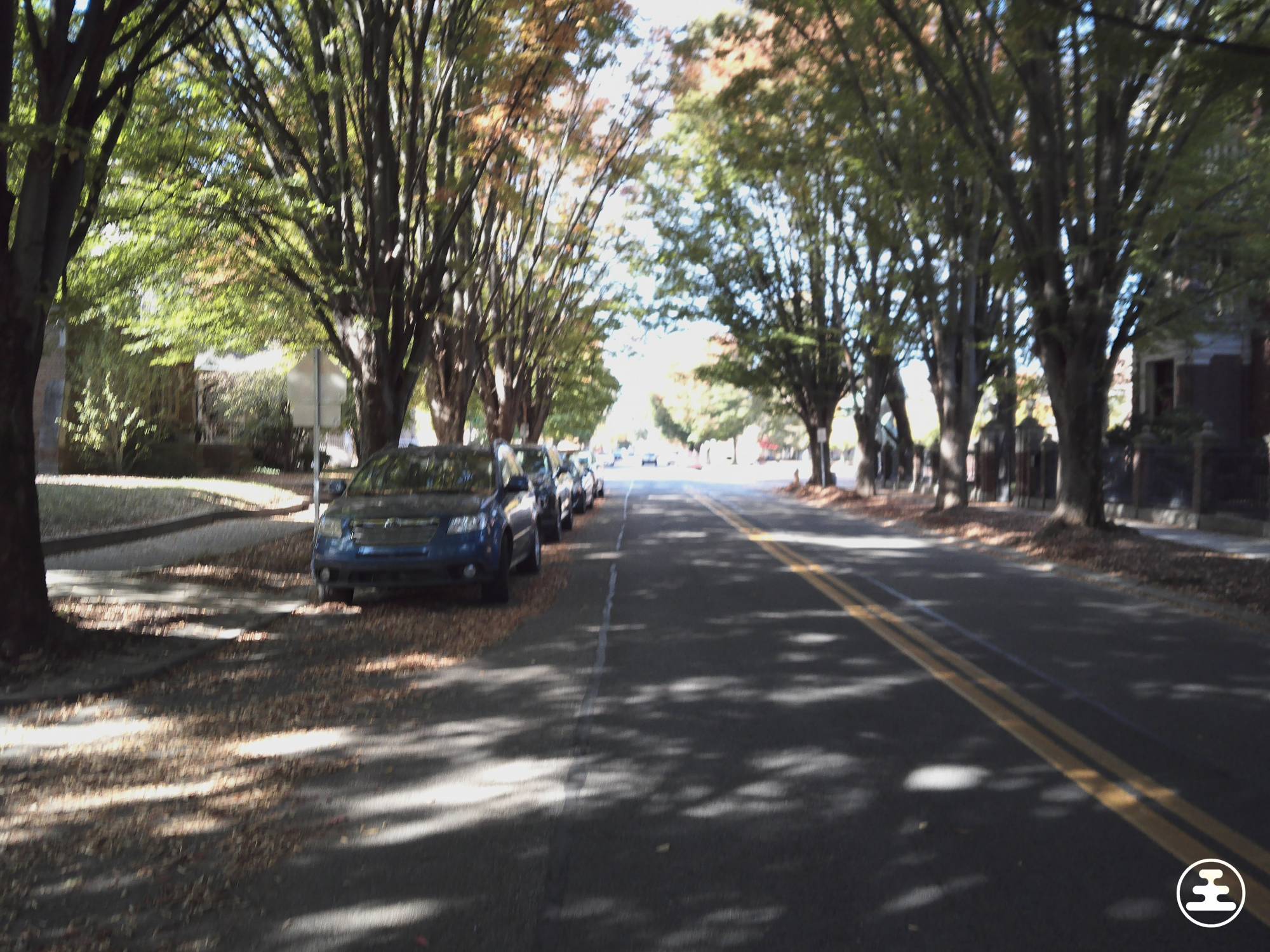

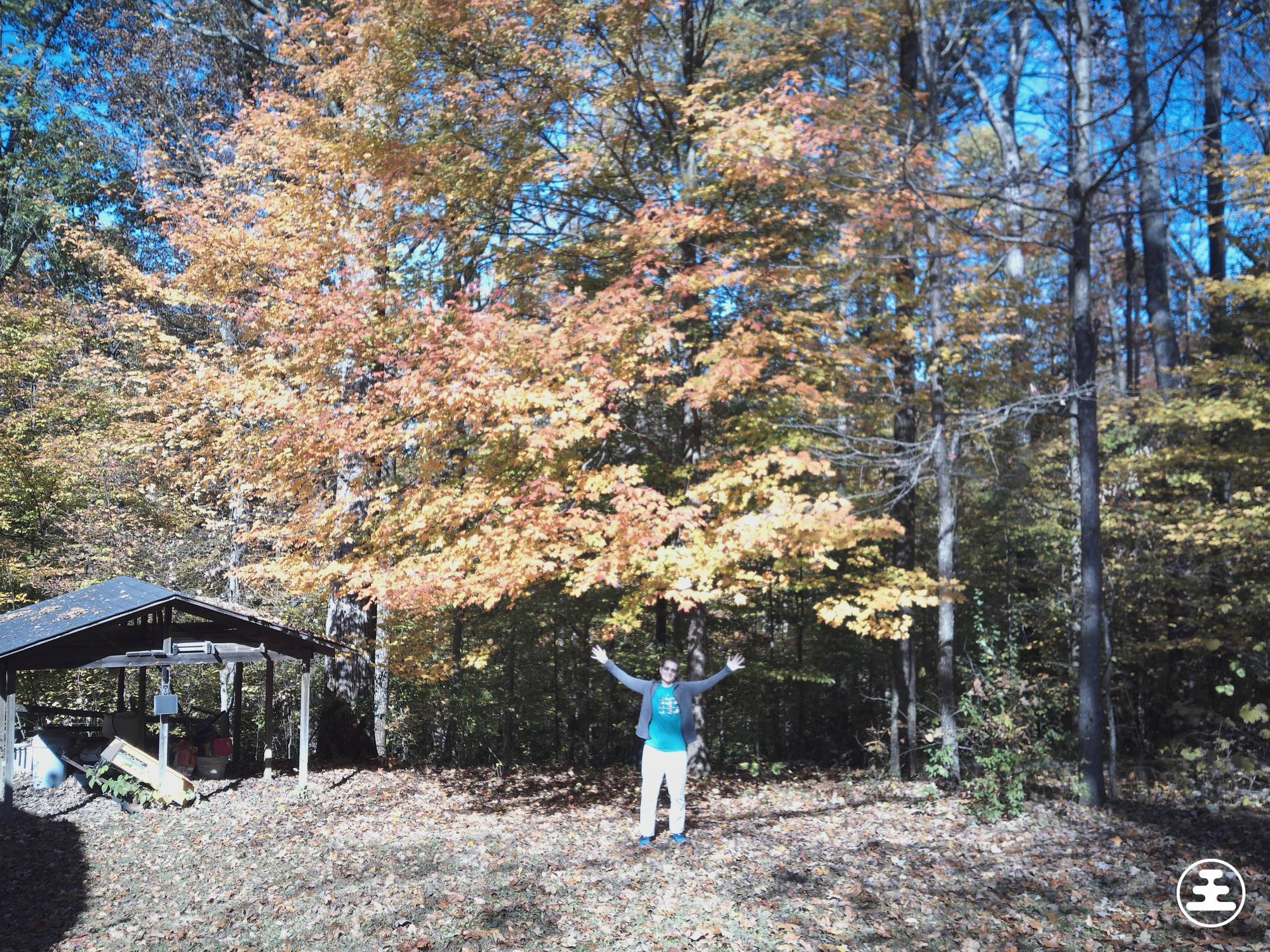
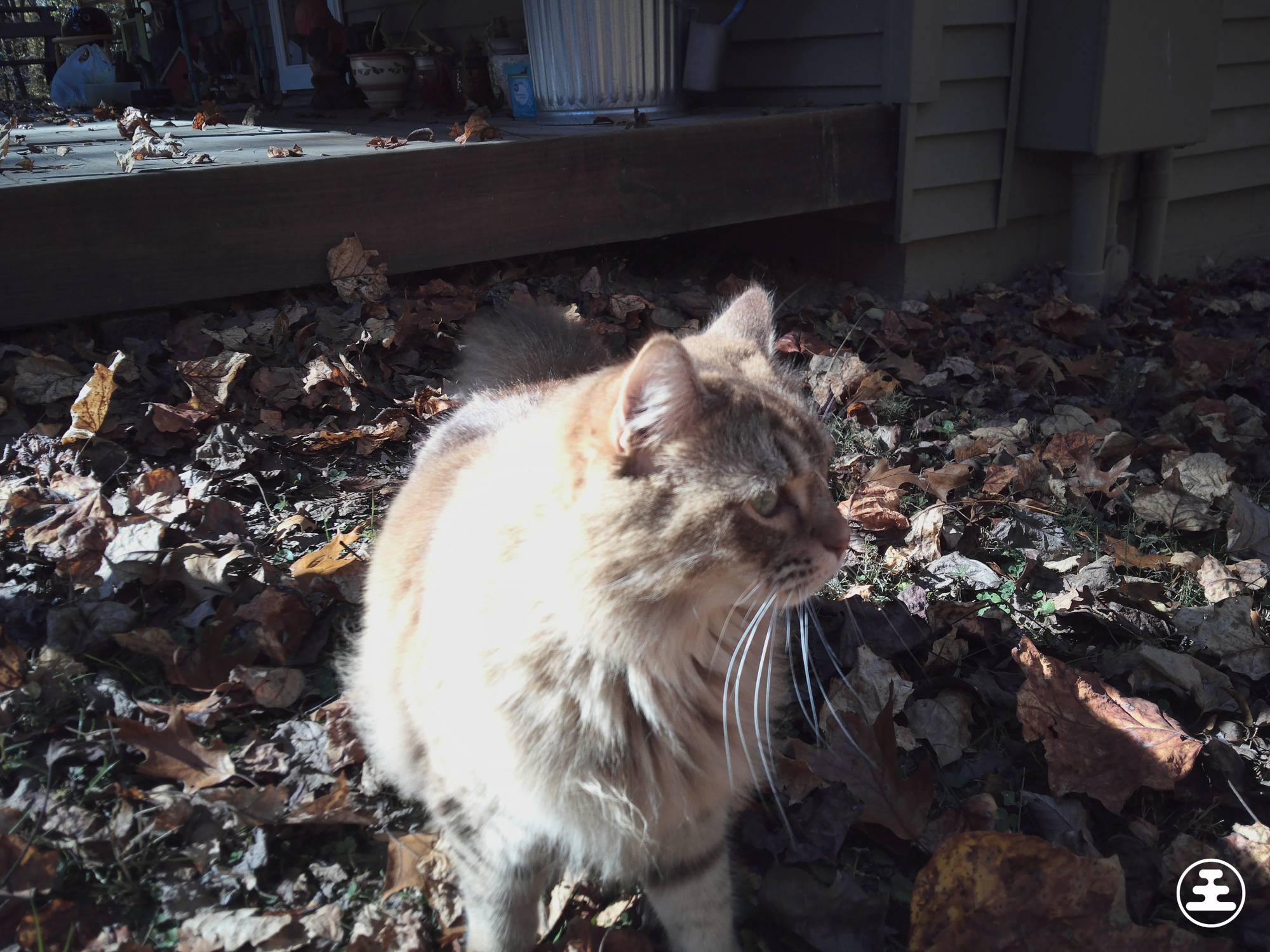
Note that these images don’t include any filters or zoom. I just used my feet to zoom. The zoom feature is terrible.
Sorry, Nocs. I like the concept of this camera, but I don’t like the photos.
No Way to Check Your Pictures in the Camera
The lack of a built-in image viewer makes the photo quality problem even more frustrating.
You can take a picture, but you can’t look at it afterward to see whether you got what you wanted. The status display can tell you how many photos you’ve captured. It can’t tell you whether any of them turned out well.
Imagine seeing something interesting, taking one picture, and moving on because you think you captured it. With the Nocs Portal AFN7 Adventure Camera, you won’t know what that image actually looks like until you transfer it to another device. For me, that means connecting the camera to my laptop and opening the files.
By then, the thing I wanted to photograph may be long gone.
I know that waiting to see your pictures is part of the intended experience. Some people may enjoy that anticipation. I’d enjoy it more if I trusted the camera’s results.
With a blurry viewfinder and disappointing photos, I don’t have that confidence. I’d be taking extra pictures and hoping one turned out instead of simply enjoying the moment.
Video Quality
The Nocs Portal AFN7 can also record 4K video. Here’s a sample of that. You’ll hear the recorded audio and the video. Notice how there’s a lack of image stabilization.

The video quality is far from impressive, but it’s a little better than the image quality if you don’t move around while capturing it.
Taking Pictures Through Nocs Binoculars
The feature that interested me most was pairing the Portal camera with Nocs binoculars.
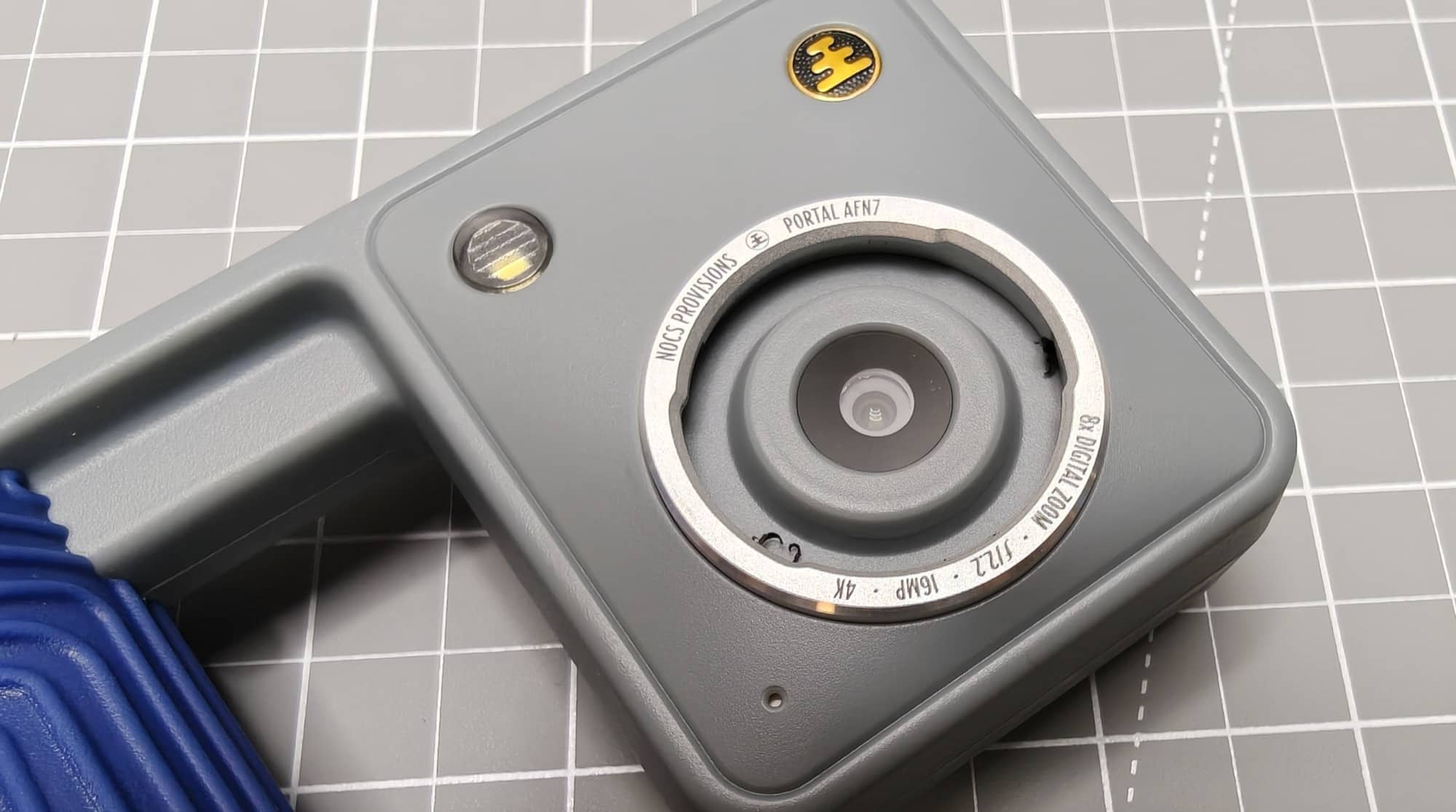
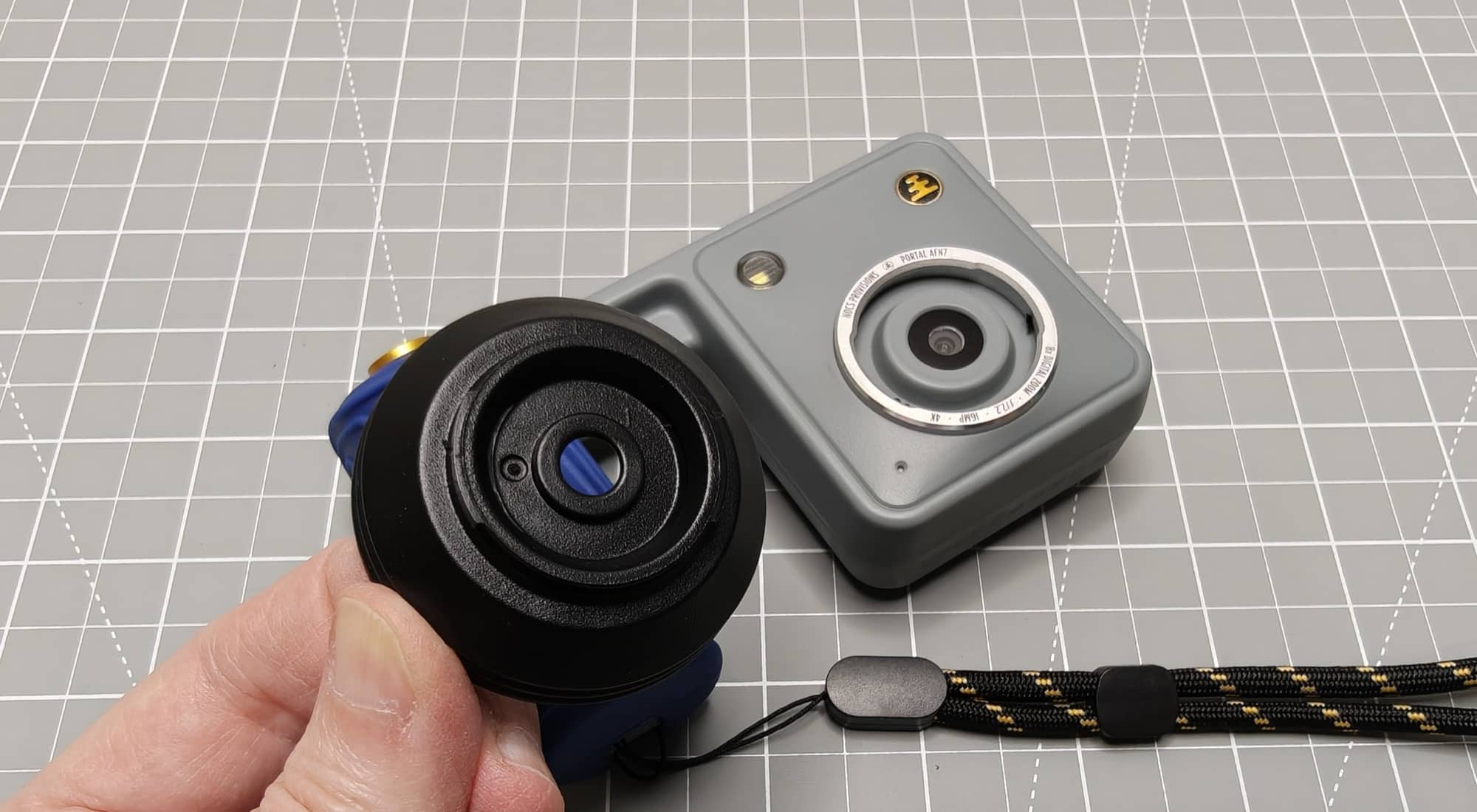
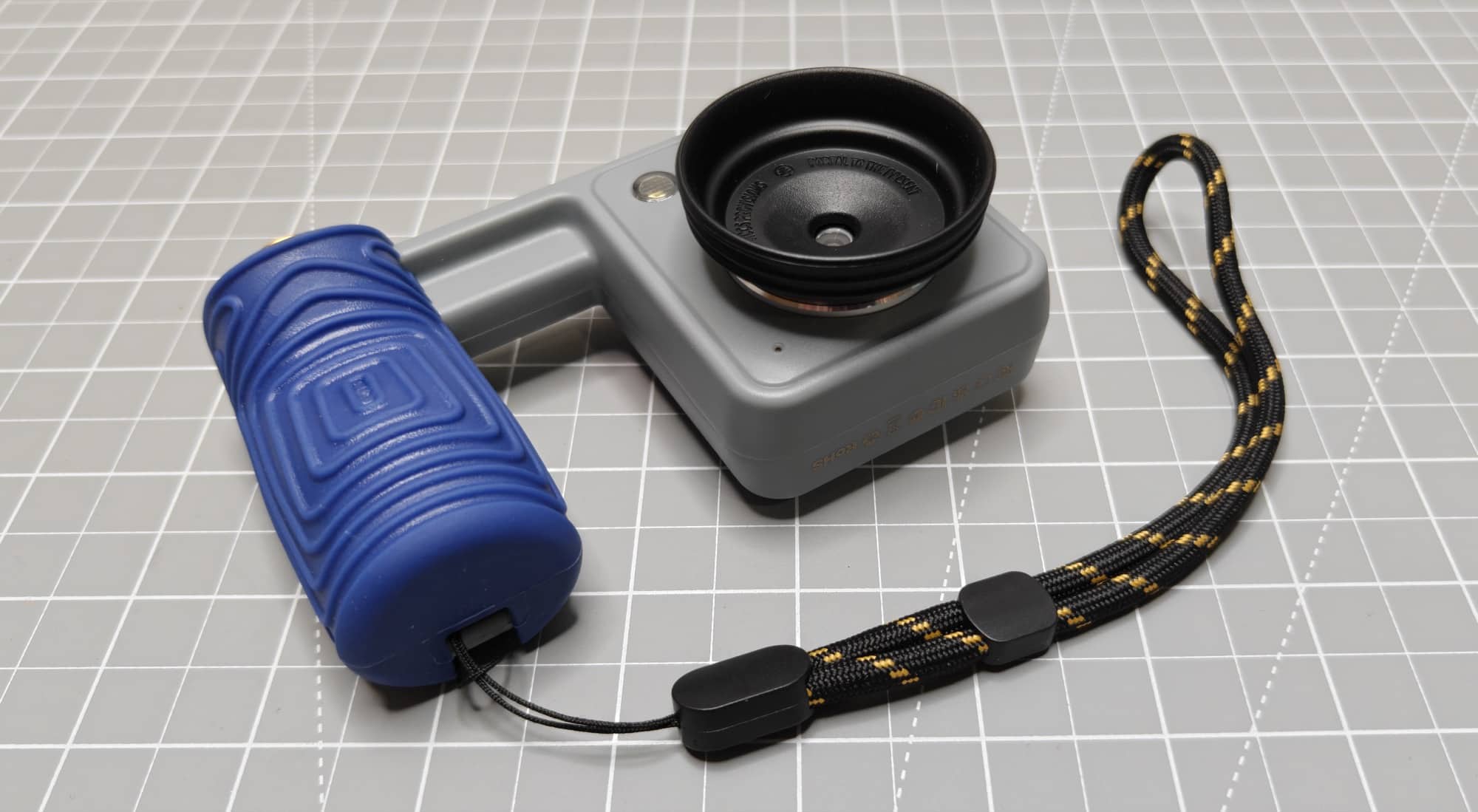
The camera comes with a NocDoc Optic Alignment Shroud. That’s a fancy name for a little plastic cup that lets you position the camera against the right eyepiece of a compatible pair of binoculars.
In theory, this is a really cool idea. You find something through your binoculars, then use the camera to capture that magnified view.
In practice, there are a few steps between seeing something and taking its picture.
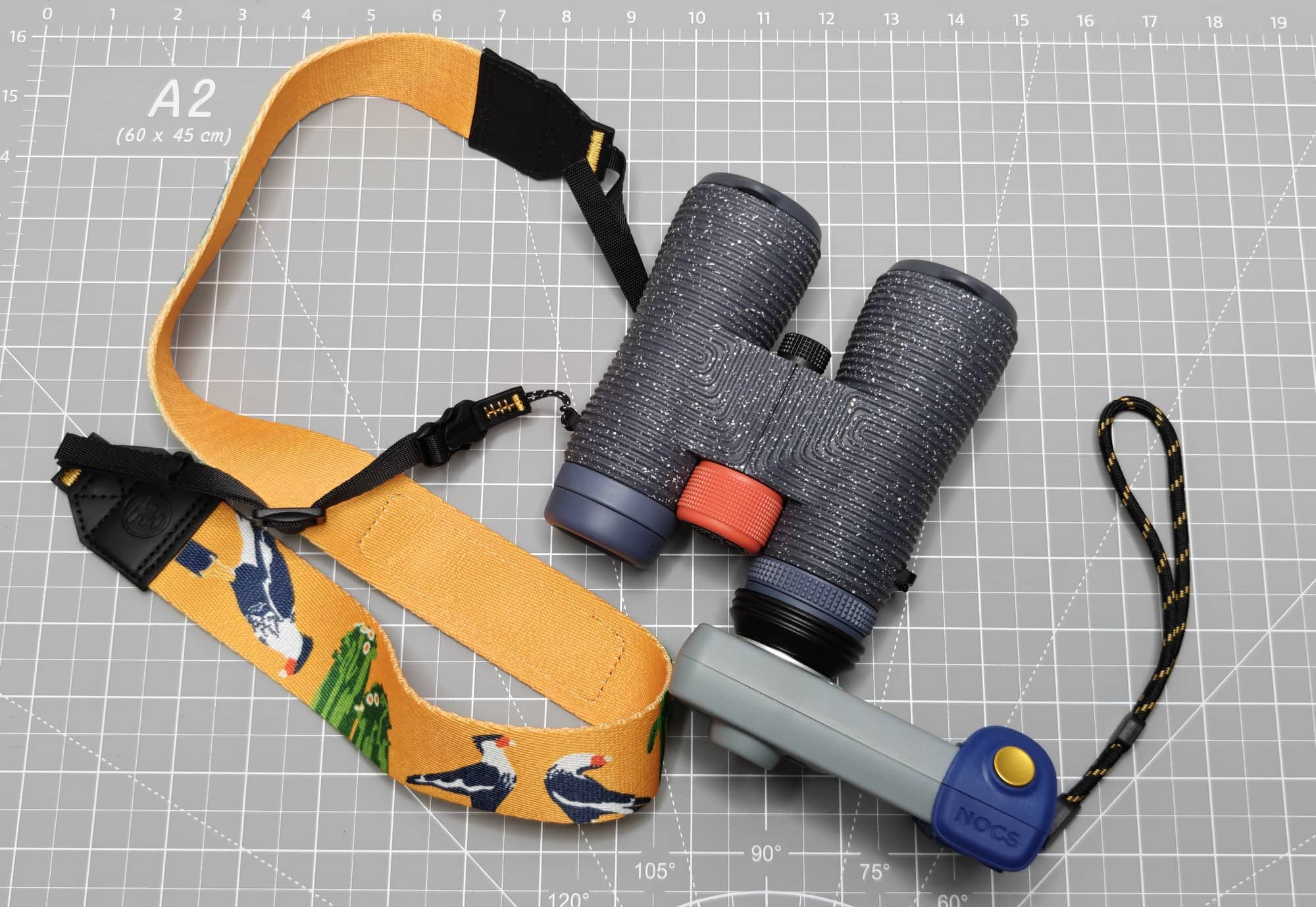
First, you focus the binoculars on whatever you want to photograph. Then you pull out the Portal, press the camera’s NocDoc adapter into the eyepiece, and use the Portal’s viewfinder to find your subject again.
It works, but it feels awkward. You’re switching from looking through the binoculars to positioning the camera and then trying to compose through that blurry digital viewfinder.
The bigger problem is that the adapter doesn’t fix my main complaint about the camera. After going through that process, I still wasn’t happy with the resulting pictures. Here’s an example. The first image is without the NocDoc adapter and binoculars, and the other two images are with the NocDoc attached to the camera and binoculars.
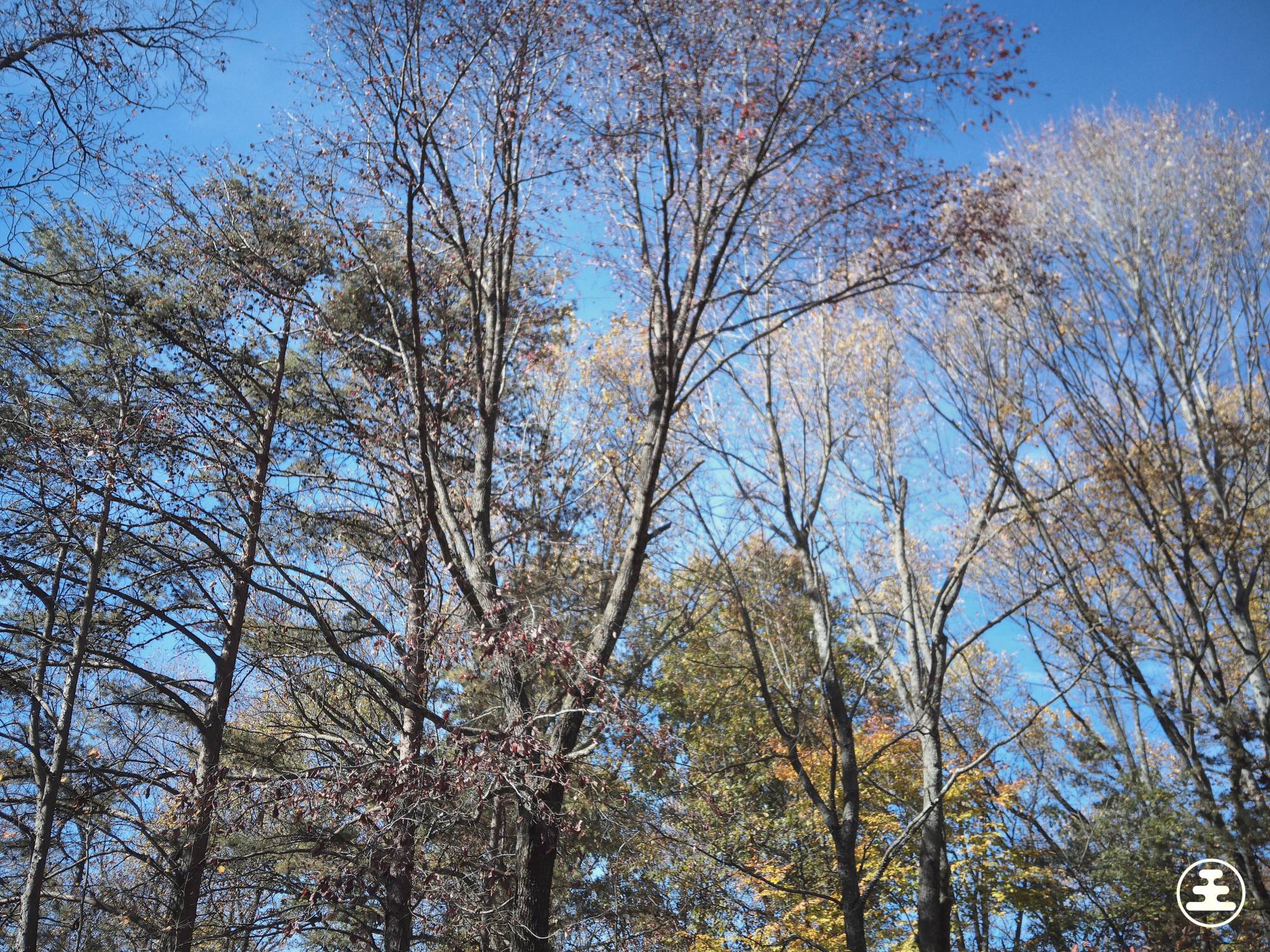
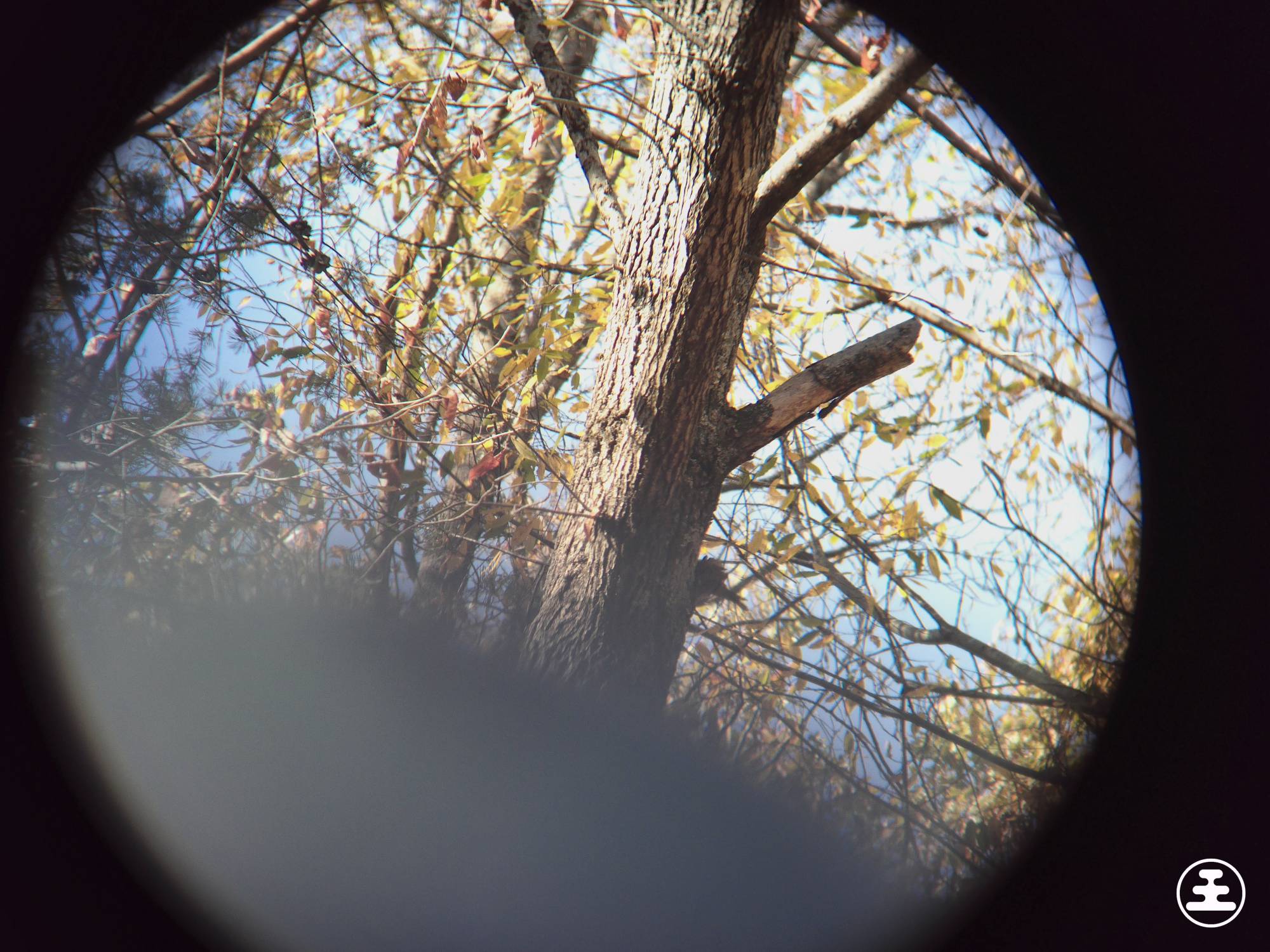
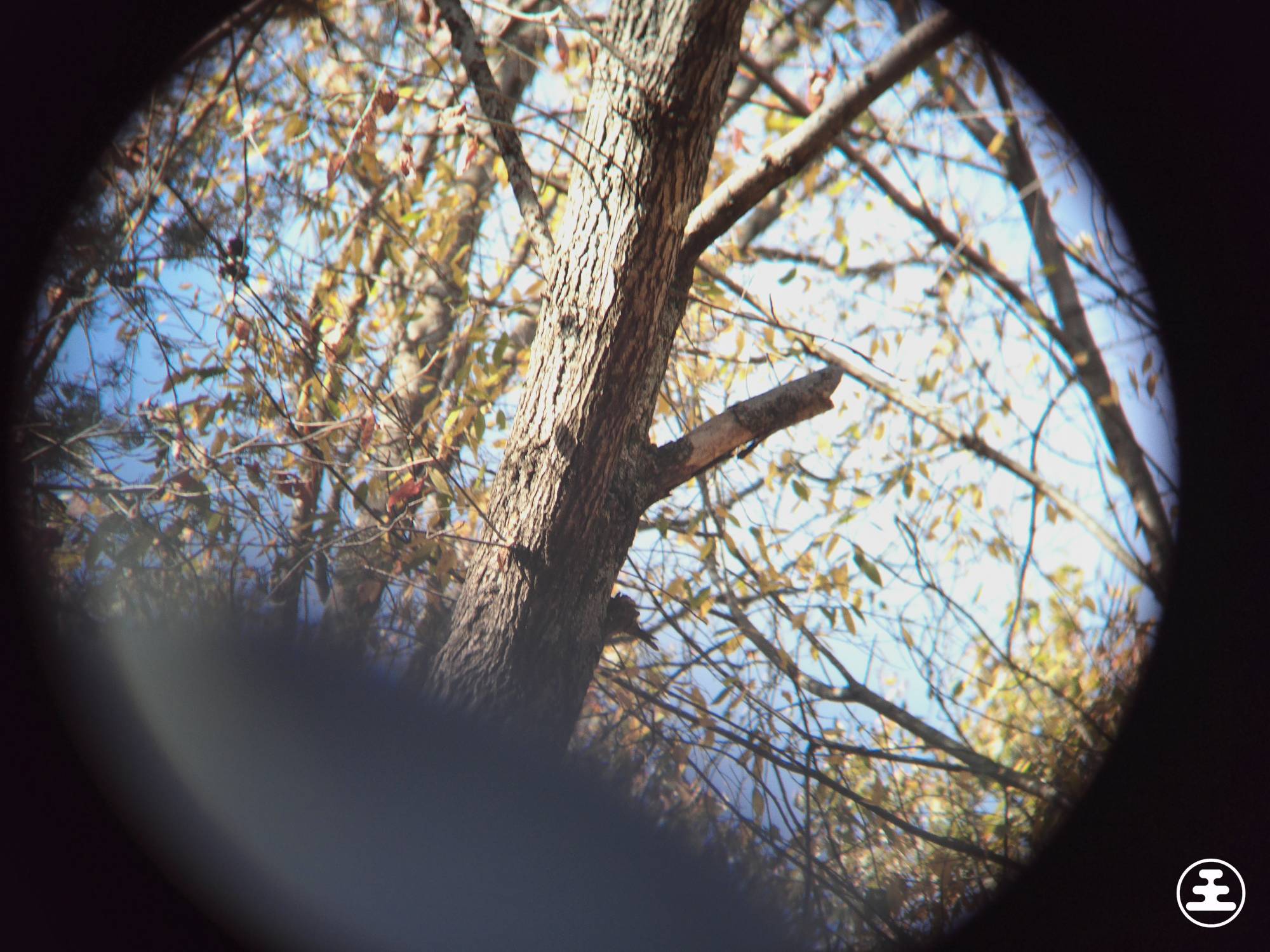
In the first image, look in the middle. See the broken limb? That’s what I focused on with the NocDoc attached. The blurry grey diagonal blob is the binoc’s lens cap. Sorry about that. I tried shooting more samples using the NocDoc adapter, but these were the best I could capture!
I wanted this to be the feature that made the Nocs Portal AFN7 Adventure camera worth carrying. Instead, it added more effort to get photos I didn’t want to keep. That was disappointing.
The Nocs Field Issue 8×42 Binoculars Are Another Story
As already mentioned, Nocs also sent me a pair of Field Issue 8×42 binoculars so that I could test the NocDoc adapter. My experience with those has been much better.
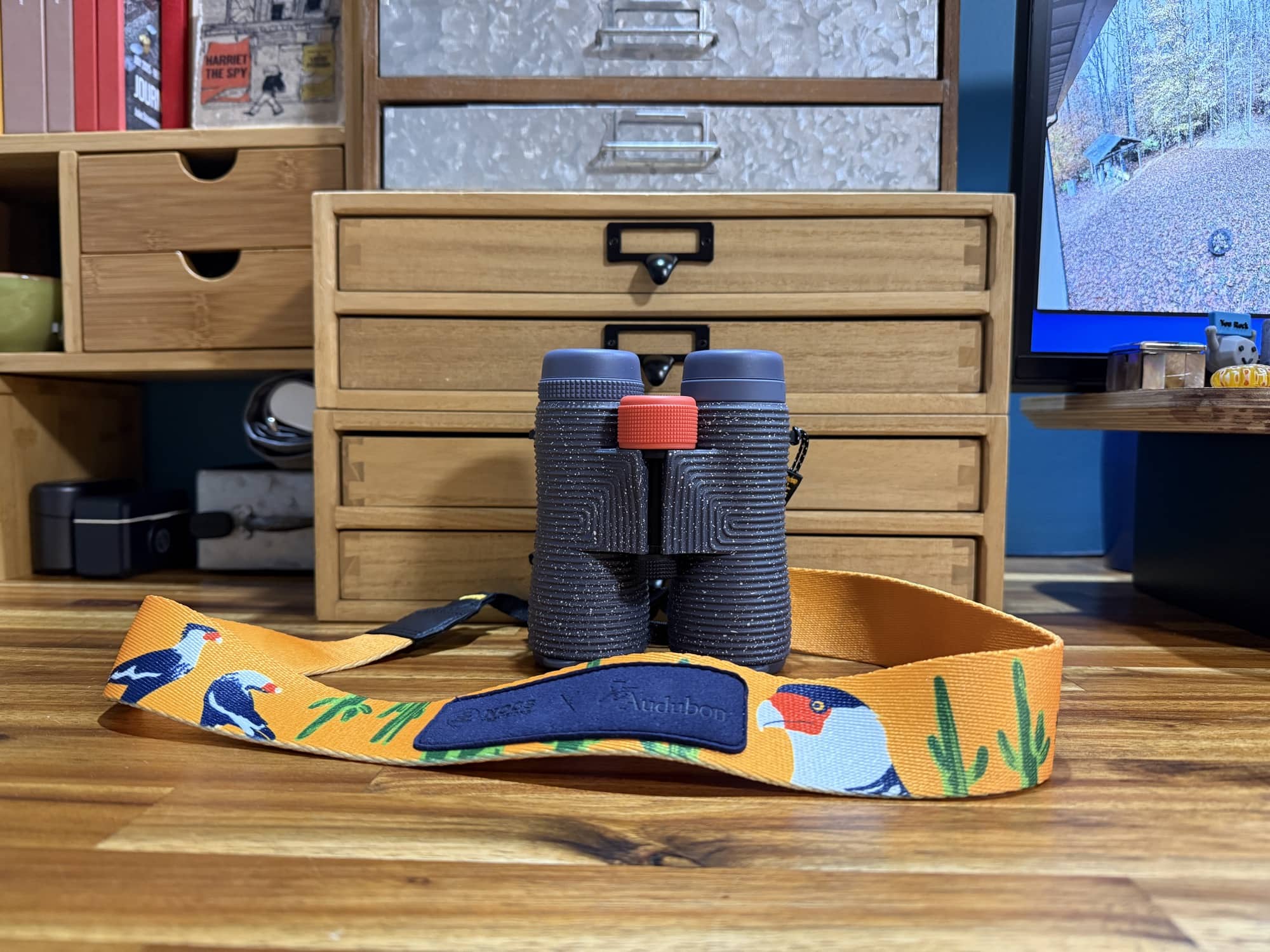
They’re comfortable to use, easy to focus, and give me a crystal-clear view. Looking through them is enjoyable, which makes the switch to the Portal’s viewfinder even more disappointing.
I also like the lens caps. The caps on the large objective lenses are attached, so I don’t have to find somewhere to put them while using the binoculars. The eyepiece caps are removable.
An included strap is another welcome detail. It’s nice to have what you need in the box instead of immediately shopping for an accessory.
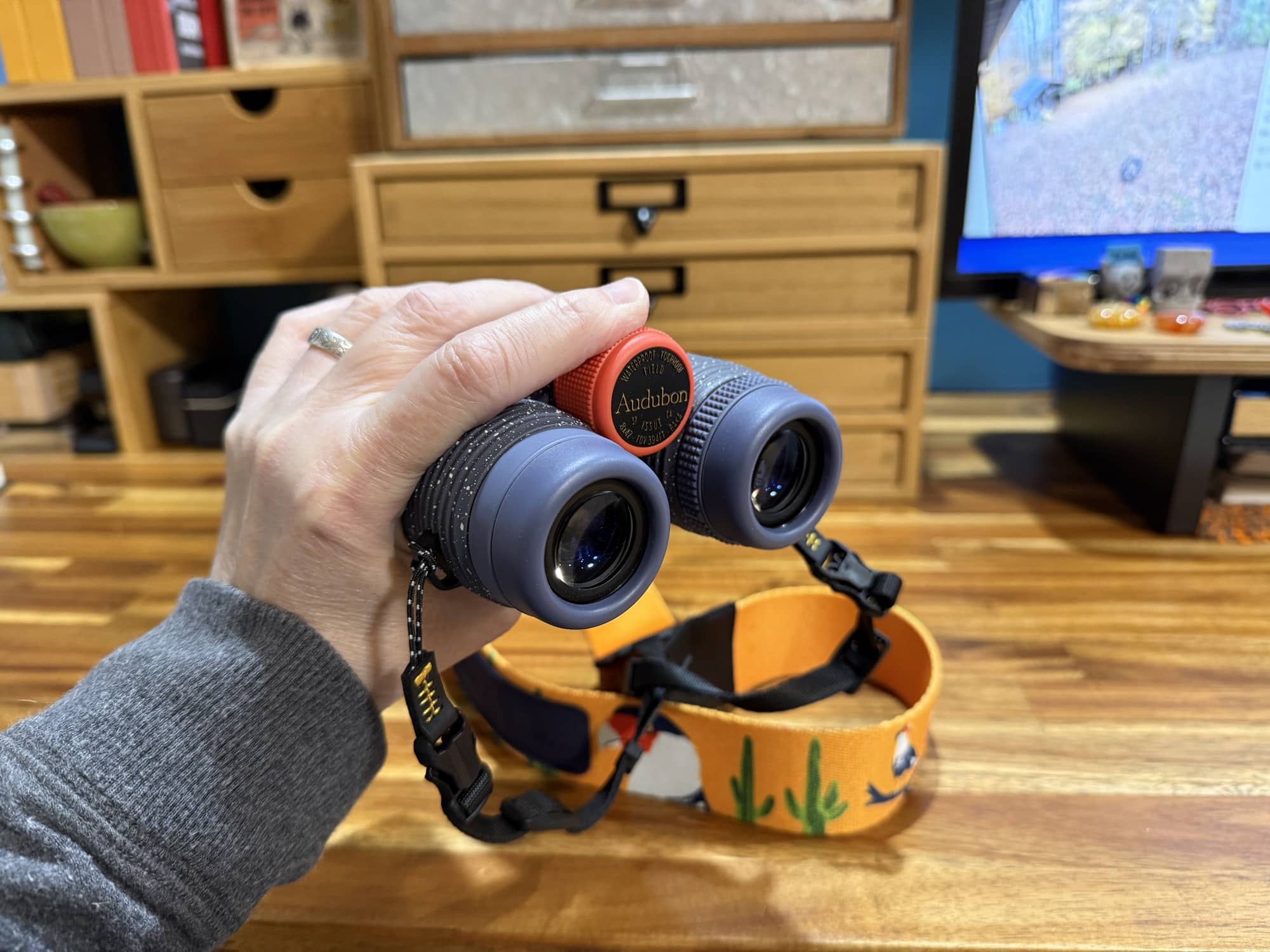
The binoculars do exactly what I want them to do: make it easy and comfortable to get a clear look at something farther away. I’d happily use them on their own.
If you’re considering the binoculars and camera together, I would judge them separately. My disappointment with the Nocs Portal AFN7 camera doesn’t carry over to the Field Issue 8×42 binoculars. Where the camera falls short, these binoculars shine.
Final Thoughts
The Nocs Portal AFN7 is a camera I wanted to enjoy. I like its appearance, the grip feels good, and the shutter button is satisfying to press. The ability to photograph through binoculars also sounded like a fun reason to want it.
But once I started using it, the blurry viewfinder and disappointing photos overshadowed those positives. Not including photo viewing through the camera asks you to trust that the camera captured something you’ll enjoy later. Based on my results, I can’t put that trust in the Portal AFN7.
At $179.95, I need more than just an interesting design. I need pictures I want to keep, and this camera didn’t give me those.
But the Nocs Field Issue 8×42 binoculars? Those I’ll happily keep using. Nocs should stick to making binoculars. This foray into cameras isn’t working for them.
The Nocs Portal AFN7 camera retails for $179.95; it is available directly from the manufacturer.
Source: Manufacturer-supplied review sample.
What I Like: Unusual design with plenty of personality; Comfortable grip; Clicky, tactile shutter button; Included 4GB microSD card; Interesting concept for photographing through binoculars
What Needs Improvement: Photo quality is bad; Blurry digital viewfinder; No way to review captured photos on the camera; Bulky shape when carrying or storing it; Not waterproof