


The Lowdown
The Beatbot AquaSense 2 Ultra does a wonderful job of cleaning the pool using the appropriate cleaning mode. For this pool, I needed to use the Multizone Mode instead of the Pro Mode to obtain the best cleaning results when cleaning the whole pool. You need to use it daily to ensure it cleans areas that it missed in previous cleanings. Additionally, the robot even cleans the pool at night! The AquaSense 2 Ultra is, however, very expensive, and there were a couple of times it didn’t fully charge.
Overall
Pros
- It cleans the floor, walls, waterline, surface, and multiple levels of a pool (as long as the levels are wide enough to accommodate the robot and the water depth is 14 in.)
- The robot has LED lights and can clean at night; It has a dual-layer basket to filter debris as small as 150 micrometers
- It keeps the pool clean as long as you run it daily to clean areas missed in previous cleanings
Cons
- It’s expensive
- The robot misses some areas of the pool during Pro Mode cleaning (but not during Multizone Mode cleaning)
- There were a couple of times the robot didn’t fully charge, even after 12 hours of sitting on the charging dock
- I’d like to see notifications when parking starts and finishes, when the filter basket is reinstalled, and when the robot starts and finishes charging
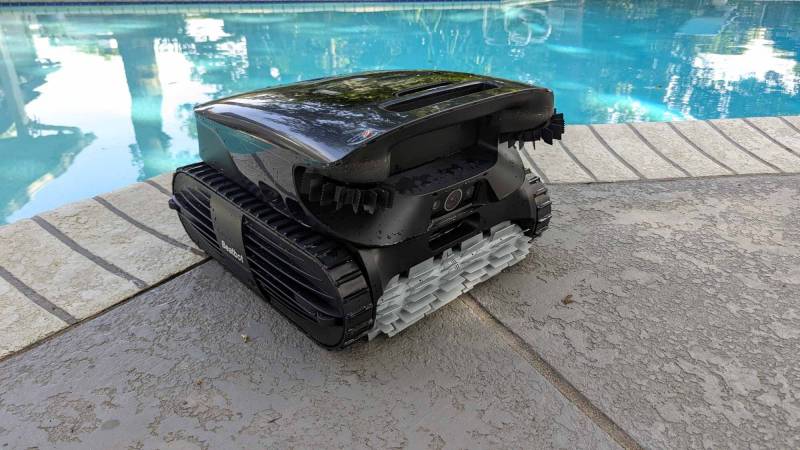
Texas heat is brutal in the summer; thus, many residents have pools. But having a pool means you need to maintain it. The Beatbot AquaSense 2 Ultra AI Robotic Pool Cleaner uses AI to help with the task. This pool cleaning robot uses AI to map the pool and is supposed to identify and target debris. It cleans the surface, floor, walls, waterline, and multiple levels of your pool, and even cleans at night. But how does it compare to the Beatbot AquaSense X AI Robotic Pool Cleaner that I recently reviewed? Let’s take a look.
What’s in the Box?
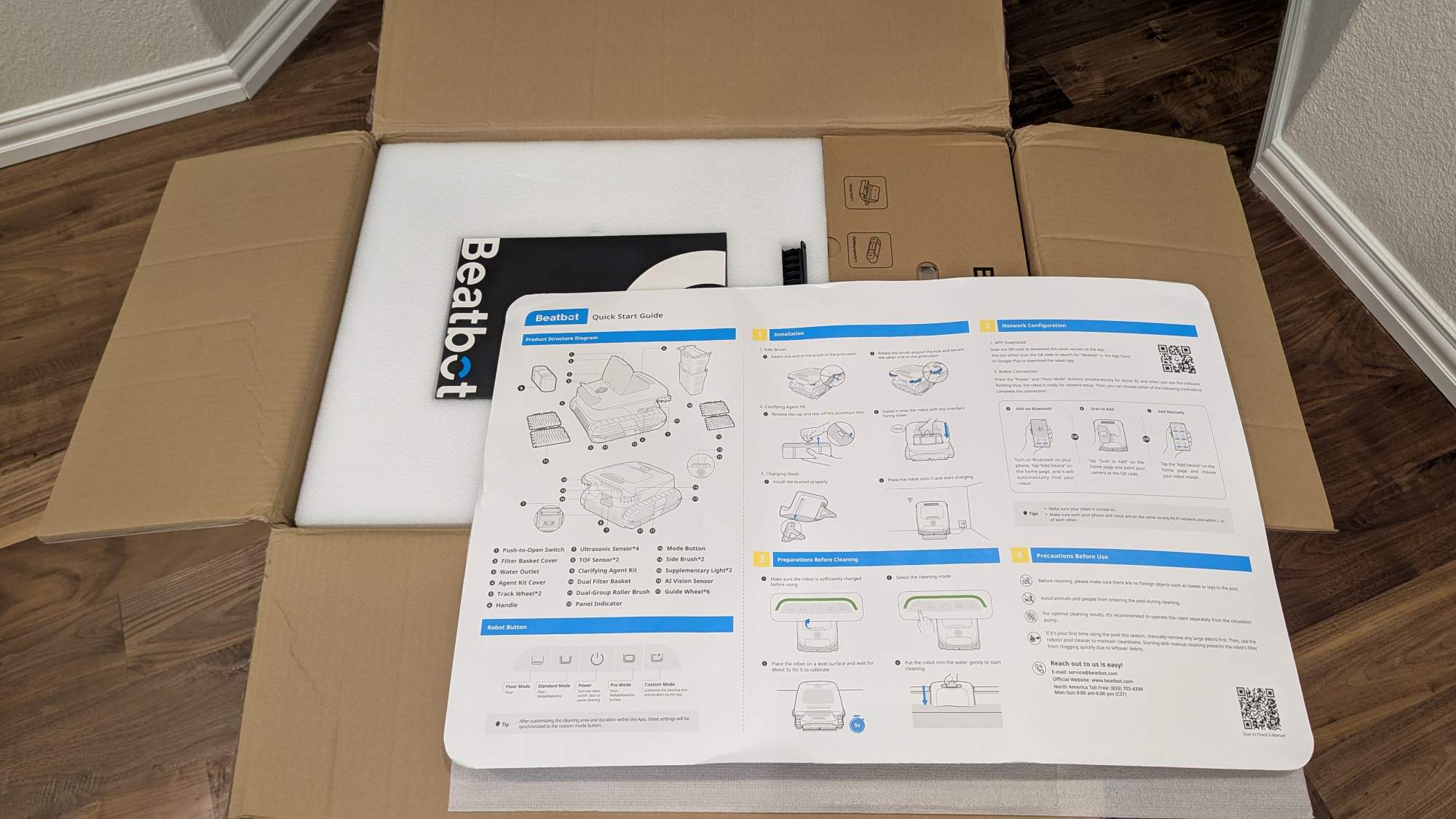
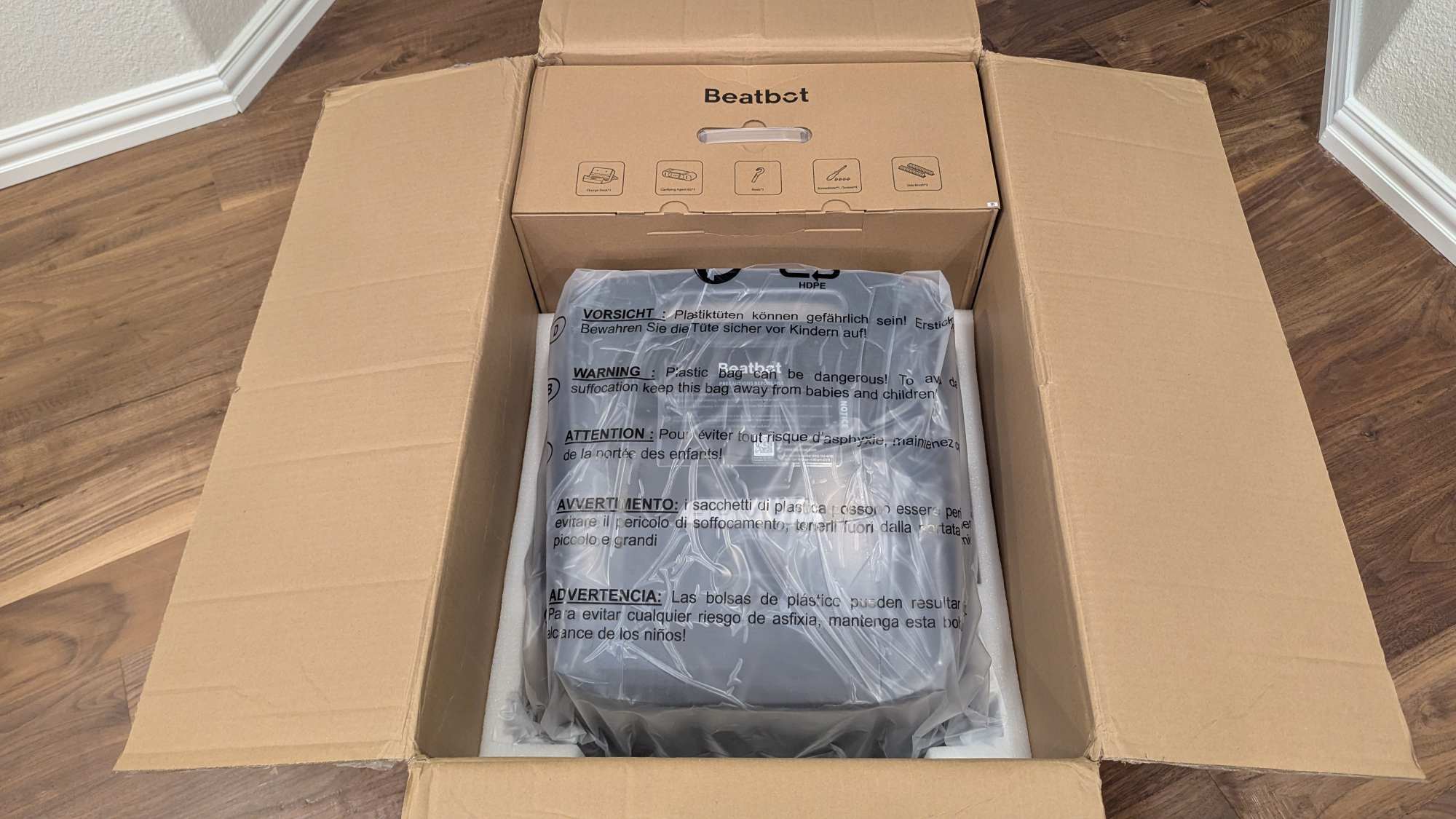
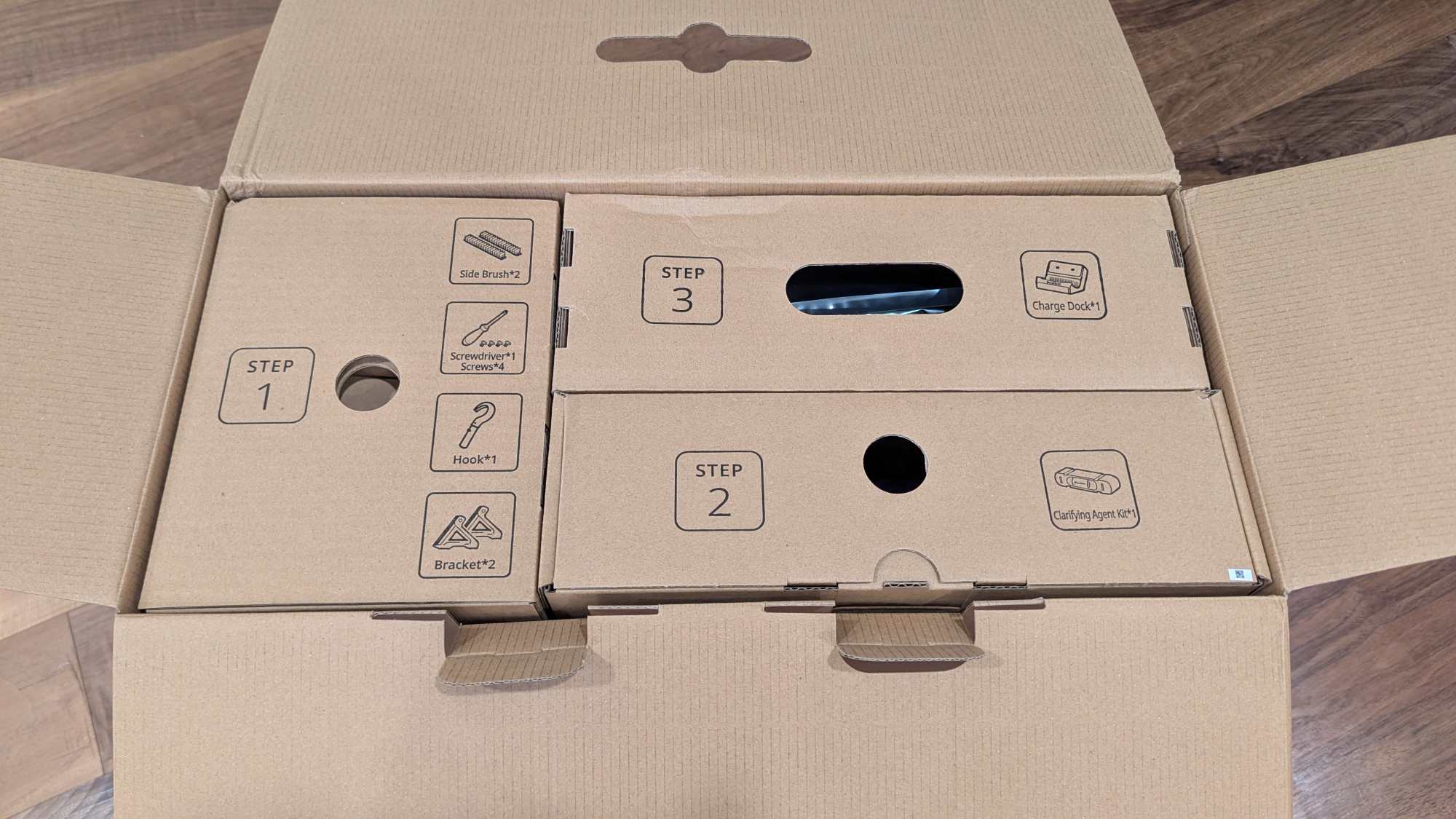
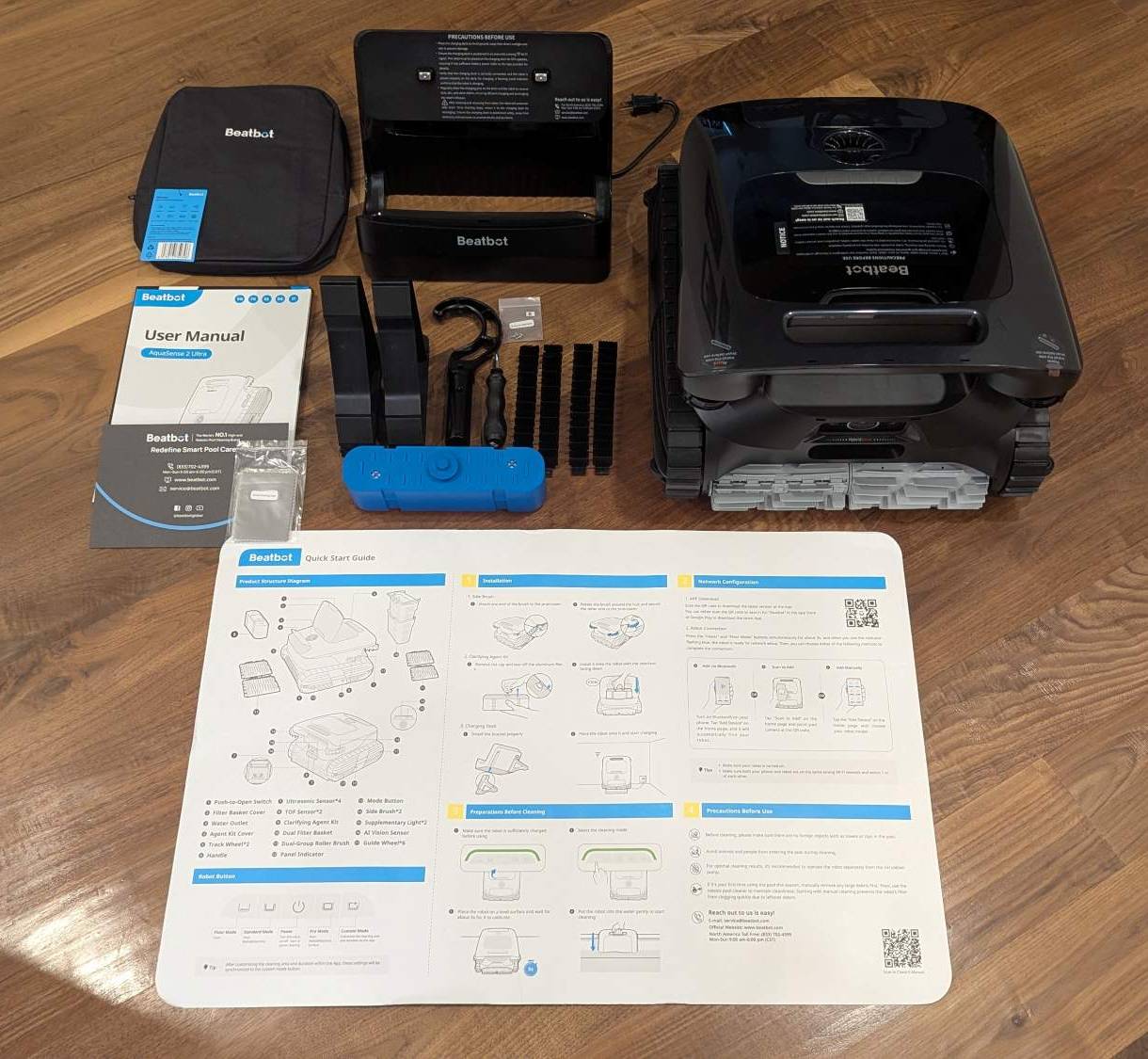
- Beatbot AquaSense 2 Ultra AI Robotic Pool Cleaner
- Waterproof Dust Cover
- Charging Dock
- User Manual
- Beatbot Contact Card
- Sensor Cleaning Cloth
- Brackets – 2 (for the charging dock)
- Hook
- Screwdriver
- Screws – 4
- Silicone Side Brushes – 4
- Clarifying agent – removes oils, metal ions, fine particles, and prevents scale buildup (optional)
- Quick Guide
Hardware Specs
Basic Parameters:
- Model: AquaSense 2 Ultra
- Working Voltage Robotic pool cleaner: 21.6 V
- Charge Input Charge dock: 100-240 V, 50/60 Hz
- Charge Output Charge dock: 28 V/3 A
- Nominal Capacity: 13400 mAh
- Run Time: about 4.5 – 10 h
- Charging Time: about 4.5 h
- Max Capacity of Filter Basket: 3.7 L
- Charging Environment Temperature: 0°C~40°C (32°F~104°F)
- Product Storage Temperature (Robotic Pool Cleaner and Charge Dock) -20°C~45°C (-4°F~113°F)
- Humidity RH<=75%
- Ingress Protection IP68 for robotic pool cleaner, IPX4 for charge dock
Wireless Technology Specifications:
- WiFi:
- Operating Frequency 2.4GHz: 2.400-2.4835 GHz; 5GHz: 5.150-5.725 GHz
- Transmitter Power (EIRP) 2.4GHz: <= 19 dBm; 5GHz: <= 21 dBm
- Bluetooth
- Operating Frequency 2.400-2.4835 GHz
- Transmitter Power (EIRP) <= 10 dBm
Water Conditions for Robot Use:
- Chlorine Max 4 PPM
- Salt Max 5000 PPM
- Working Temperature 6-35°C (43-95°F)
- PH Recommended 7.0-7.8
- Water Depth 0.5-3.0 m (1.64-9.84 ft)
- NOTE: The AquaSense 2 Ultra will not function properly if you exceed an altitude of 2100 m (6889.77ft).
- Sensors (from Beatbot):
- AI Vision Sensor
- It is used for collecting pictures and identifying object types in the pictures through Al algorithm, which is used to improve the cleaning effect.
- Model: XBC20E70 V3
- Specification: 640H*480V@10bit 180fps
- Test distance: Max 70cm
- Ultrasonic Sensor
- After directional transmission of ultrasonic waves, it can roughly distinguish different objects according to the echo value, and can also be used to measure the distance of surrounding objects.
- Model: AW-UD1000DV3.3.0-2S5-3L1001
- Specification: Test distance: 60-2000mm
- TOF Sensor
- Infrared light wave edge sensor used for mapping, directional emission of infrared light wave, according to whether there is reflection and reflection strength to judge the pool edge.
- Model: A05
- Specification: Max 1000mm in water
- Water Pressure Sensor
- Measures the water pressure to calculate the water depth, and can also measure water temperature.
- Model: LIGOFA05LRYT4-02
- Specification: 75-150kpa, -40-125°C
- AI Vision Sensor
Design and Features
The Beatbot AquaSense 2 Ultra AI Robotic Pool Cleaner, like the AquaSense X robot that I recently reviewed, is robust and weighs about 31 lbs. According to Beatbot, all the AquaSense robots have a coating to withstand sun, heat, UV, corrosion, and warping.
The AquaSense 2 Ultra is like the AquaSense X robot in many respects (according to their documentation):
- They both have a 13,400 mAh lithium-ion battery that can fully charge in about 4.5 hours.
- They can clean 3875 sq. ft. per charge
- They provide 5-in-1 pool cleaning, meaning that they clean the floor, walls, waterline, surface, and clarify the pool (using a clarifying cartridge)
- They clean the pool floor for up to five hours on one charge
- They clean the sides and waterline for up to five hours on one charge
- They clean the surface for up to ten hours on one charge
Here is where they differ (according to a Beatbot representative):
The Dock (The Big Difference): The AquaSense X includes a self-cleaning station that automatically flushes the robot’s filter into a 22L dustbin, so you only need to empty it once every two months. With the AquaSense 2 Ultra, you must manually pull the robot out and hose down its filter baskets after use.
Power: The AquaSense X offers 6,800 GPH of suction power, compared to the Ultra’s 5,500 GPH.
Smart Home: The X integrates with Alexa, Google Home, and Siri voice controls. The Ultra is app-controlled via Wi-Fi/Bluetooth but lacks voice assistant integration.
Tech & Sensors: The X features 29 sensors (including dual night-mode LEDs) and 40+ debris type recognition. The Ultra uses 27 sensors and a newer AI mapping algorithm.
Price: The AquaSense X is $4250, while the AquaSense 2 Ultra is $2299
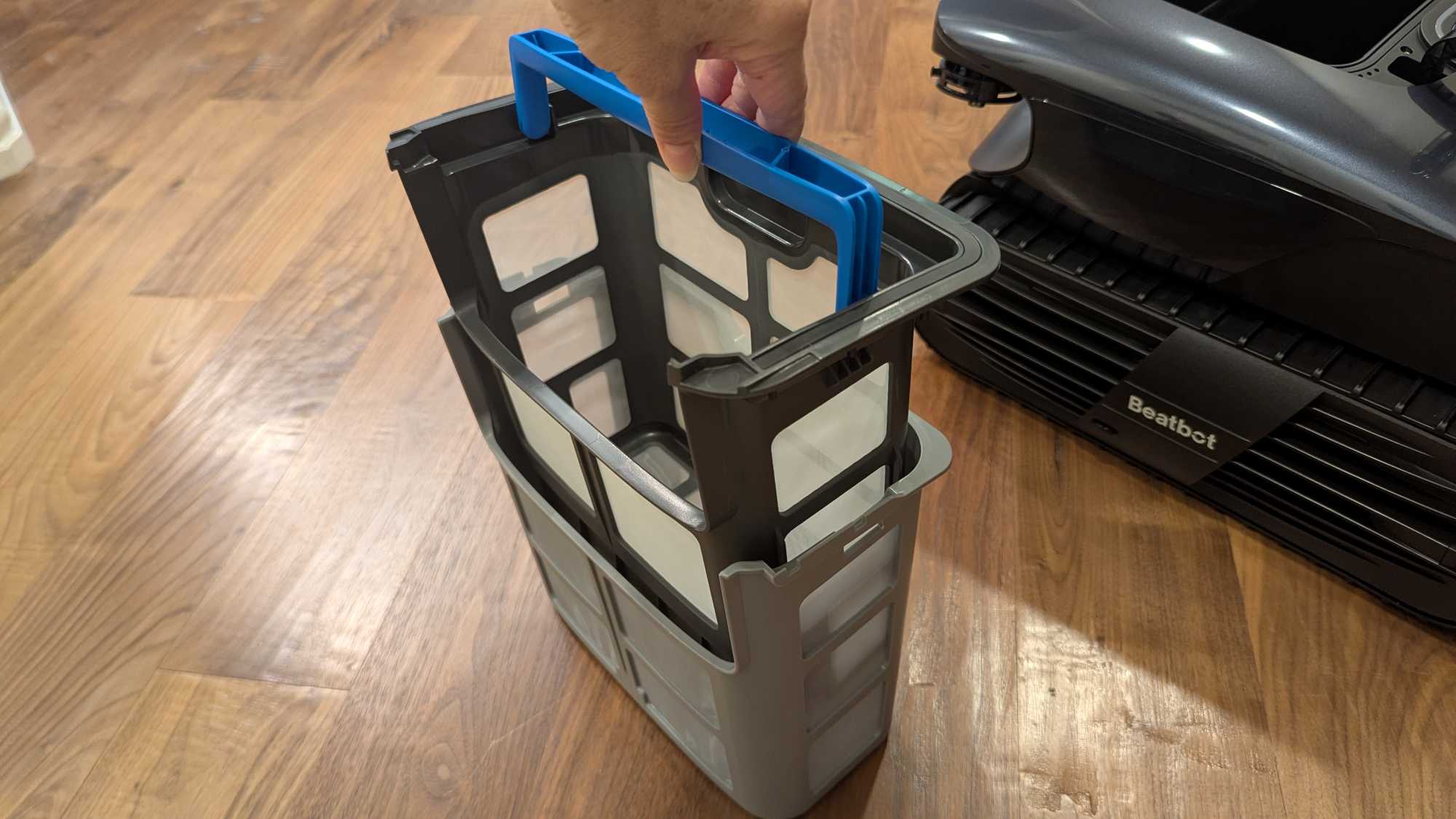
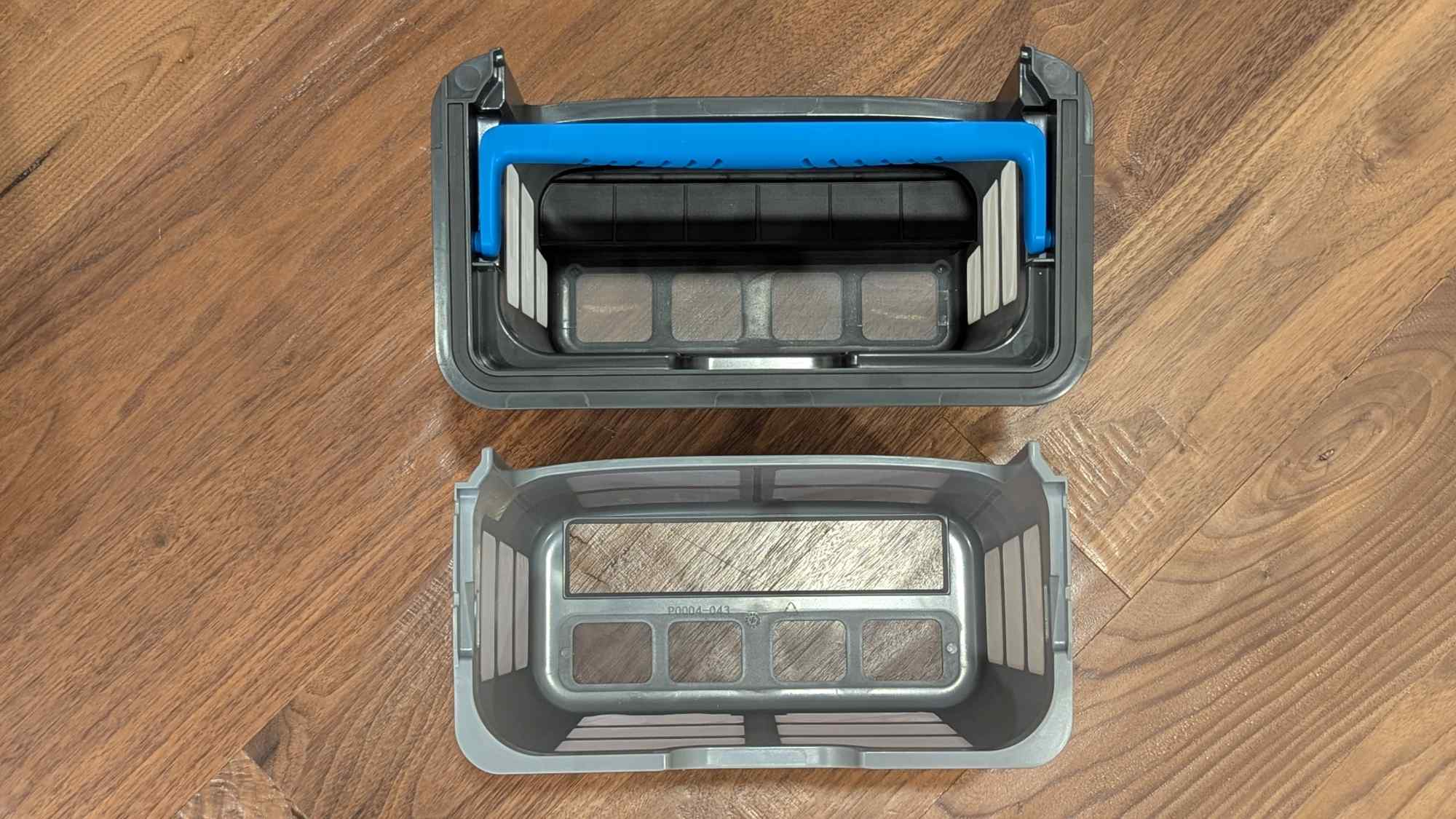
The Beatbot AquaSense 2 Ultra also has a two-layer basket and can filter out particles measuring 150 micrometers or larger, while the AquaSense X only has a single-layer basket.
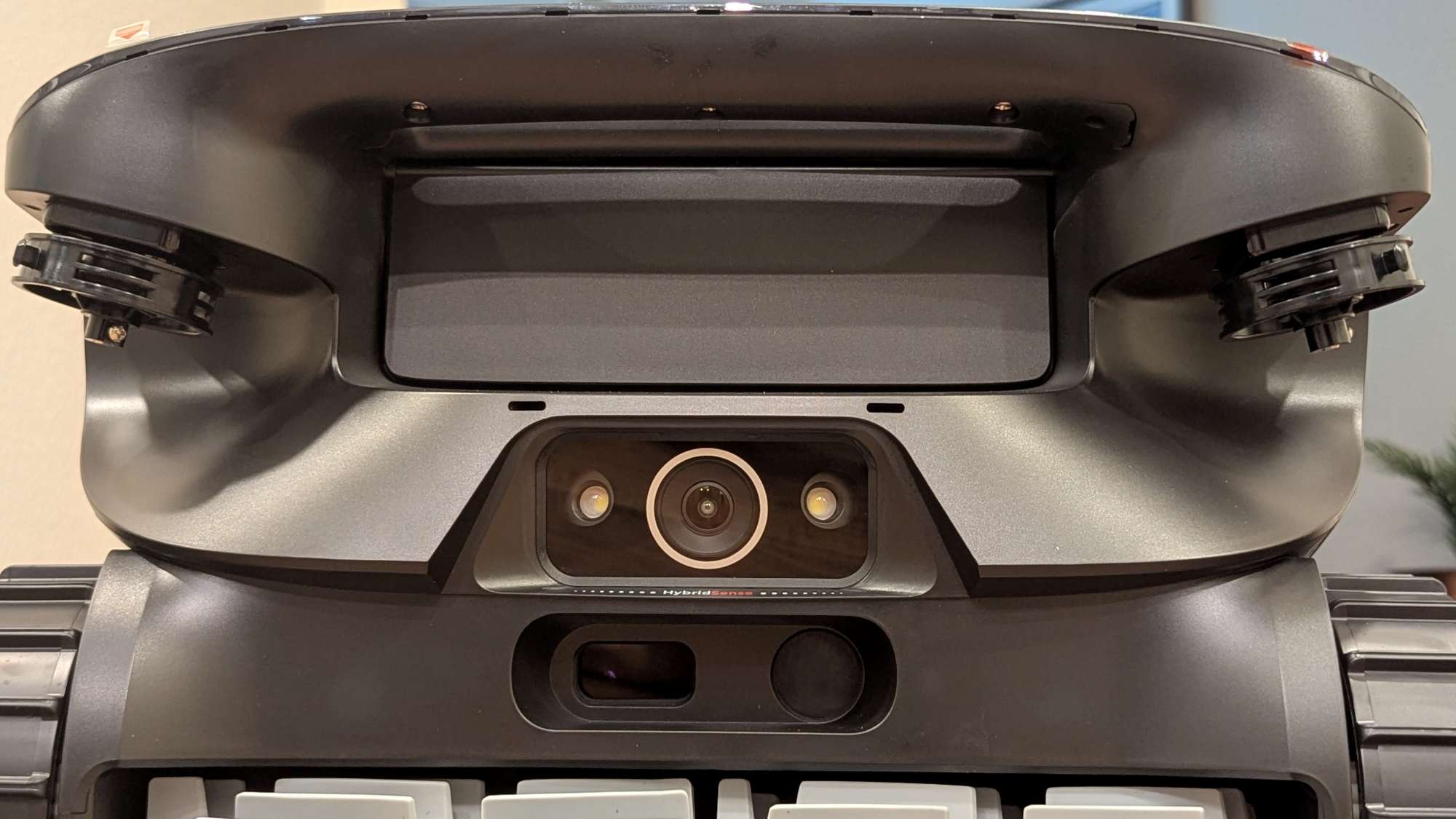
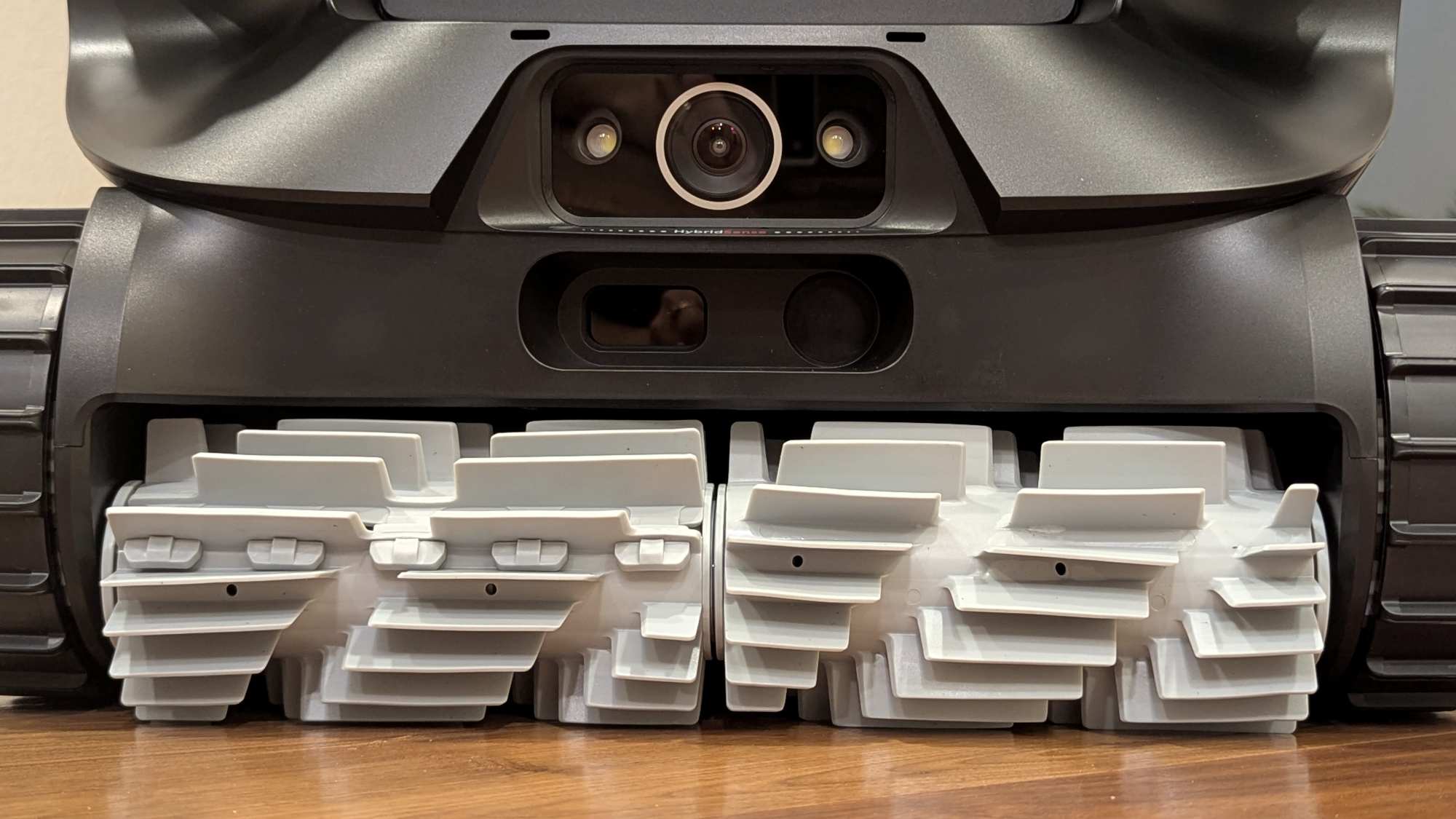
In the photos below, you can see the camera, the two LED lights on either side of the camera, and the rectangular TOF sensor and round ultrasonic sensor just below them (see Hardware Specs for sensor details).
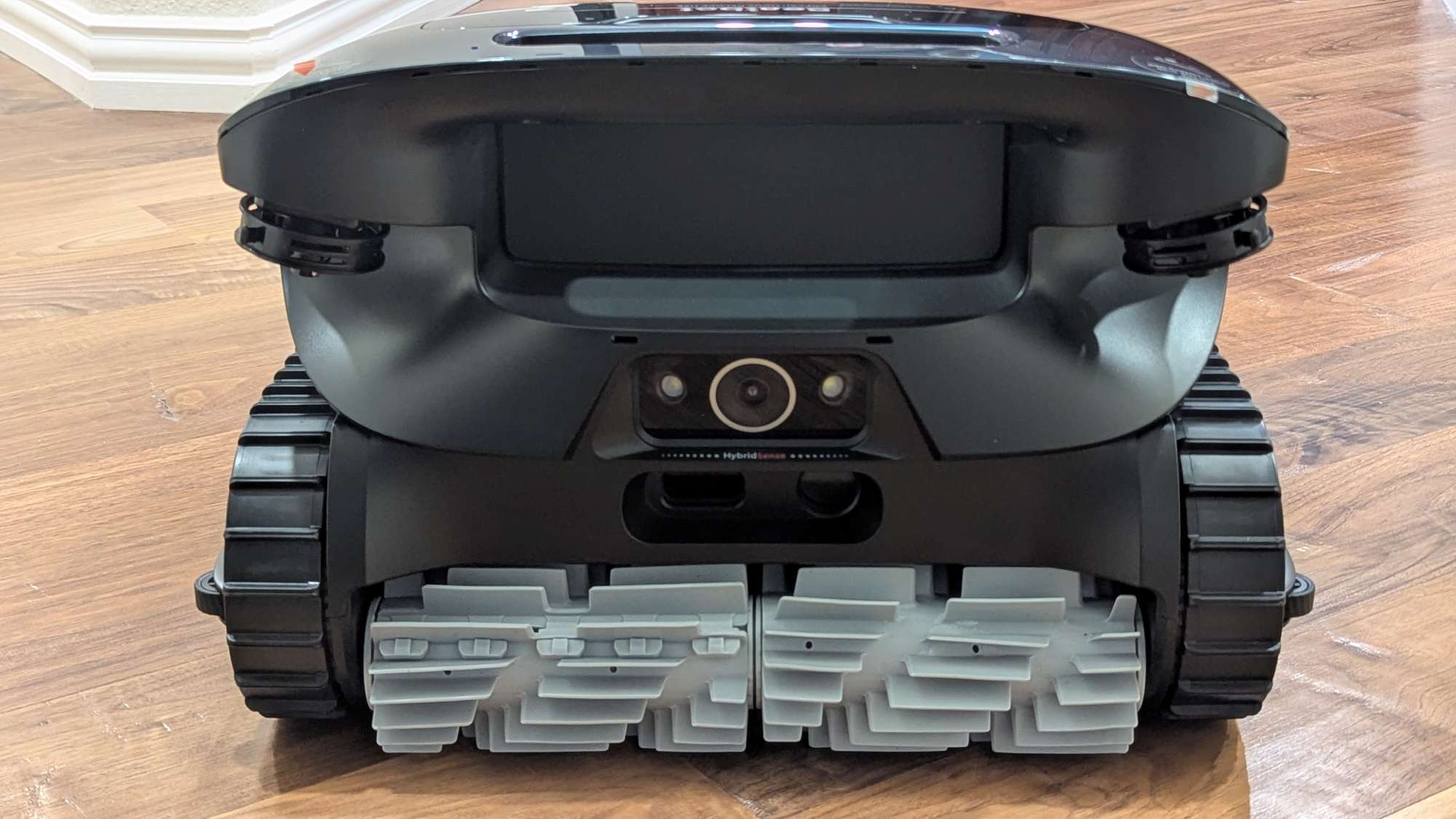
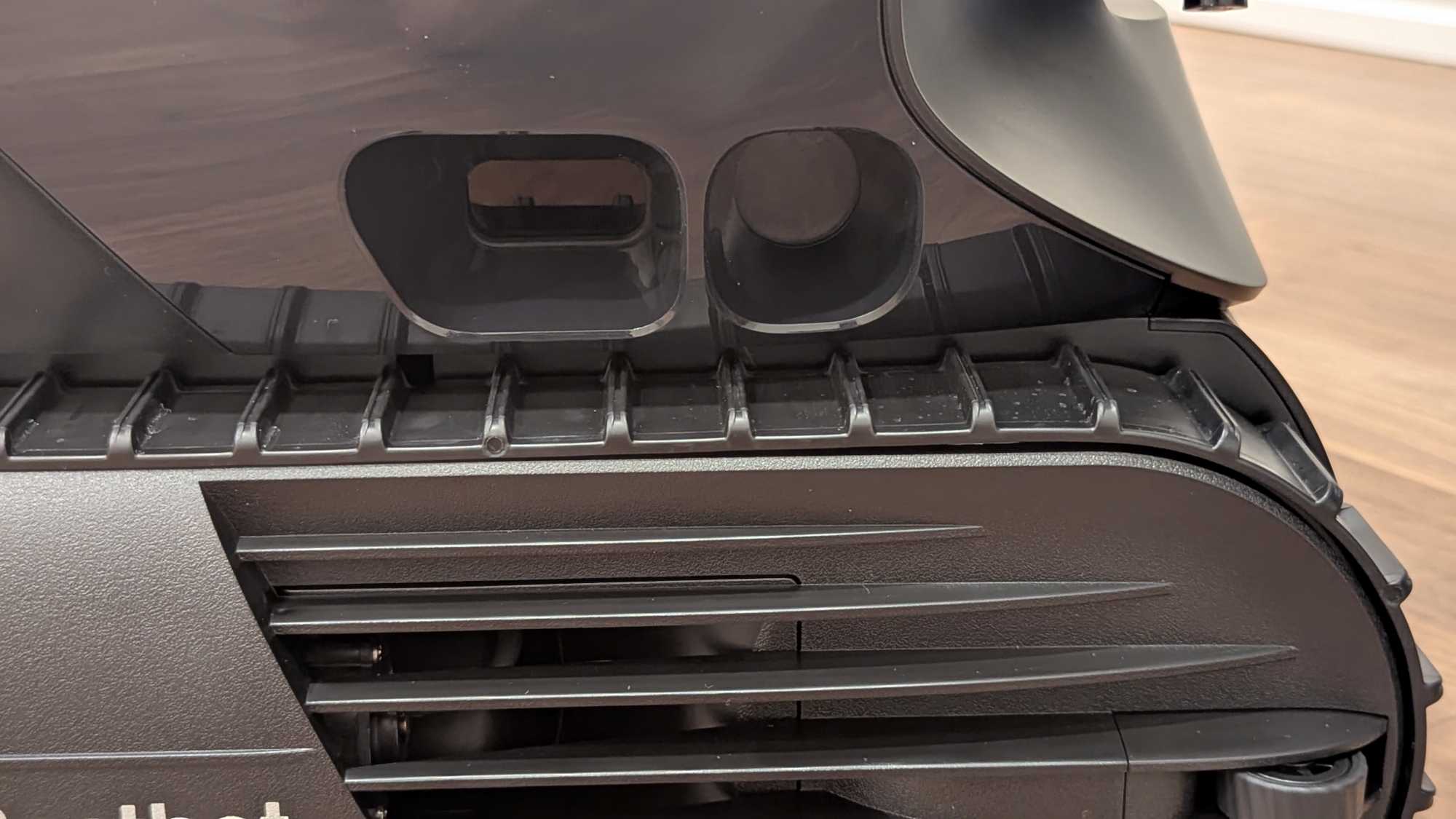
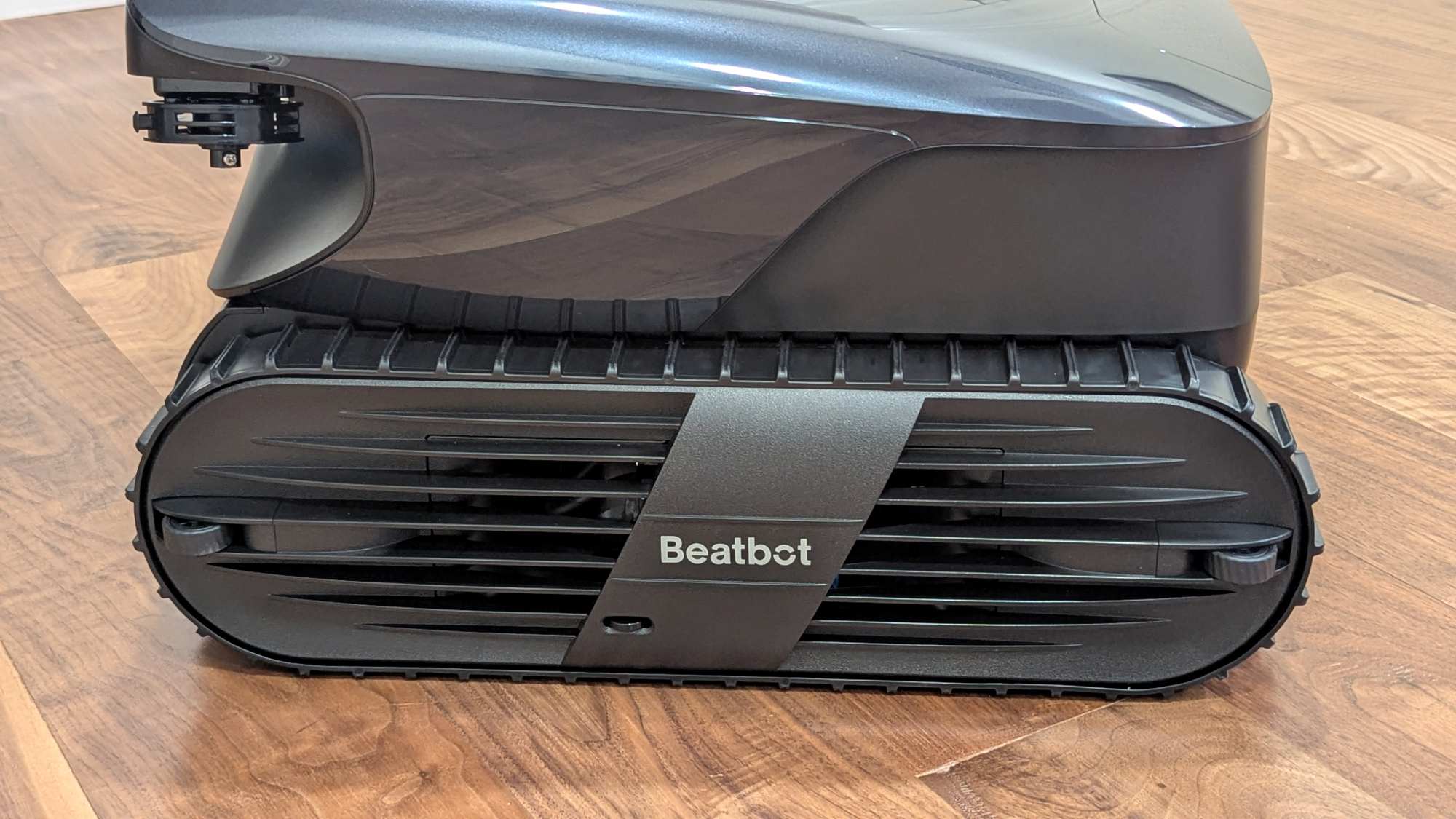
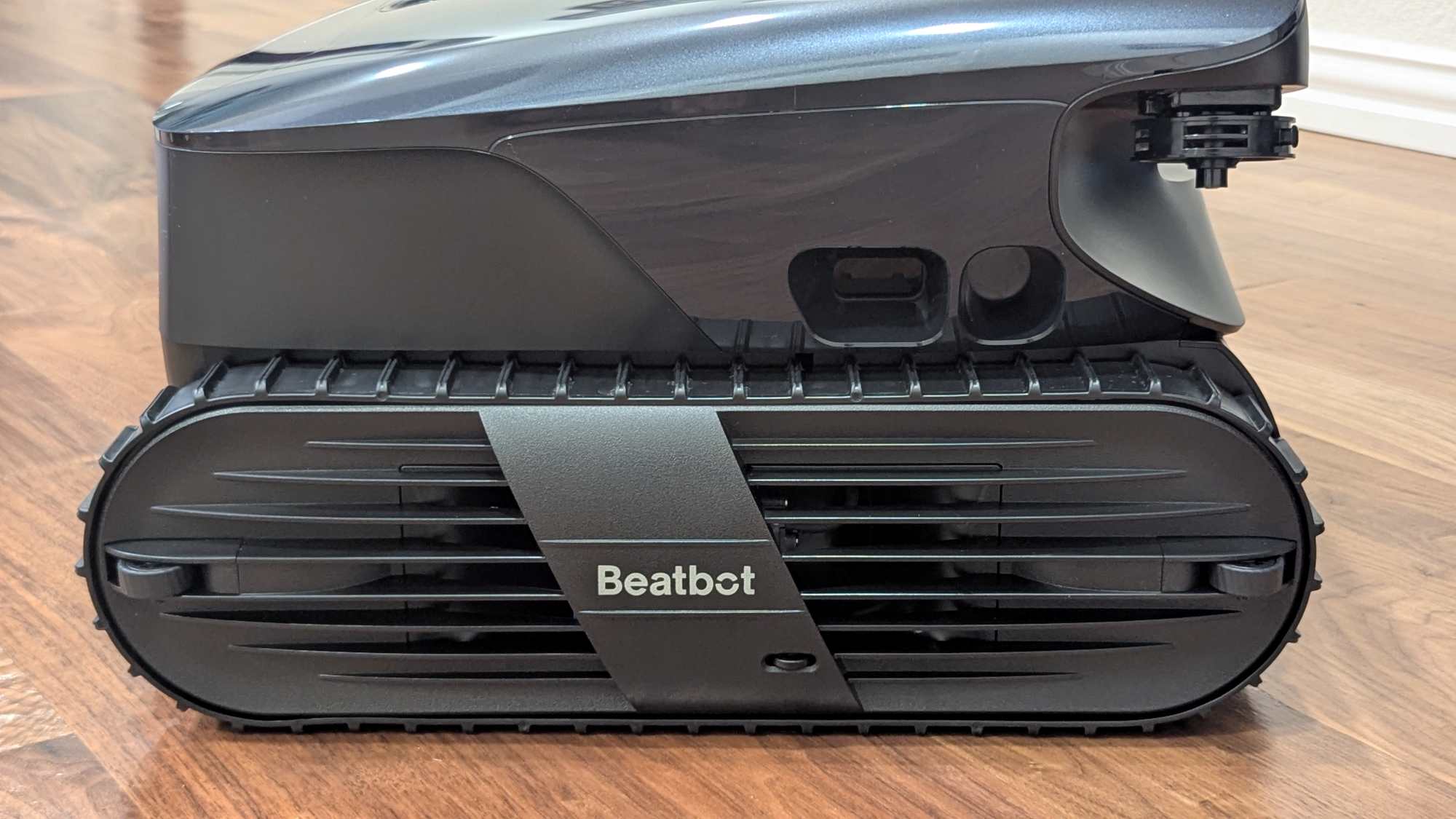
There are three small silicone-covered guide wheels located on each side of the robot, so when it comes into contact with the pool wall, it will roll along it and avoid damaging your pool (shown in the photos below).
When the robot starts cleaning the pool surface, a door on the front of the robot opens (as shown in the photo below).
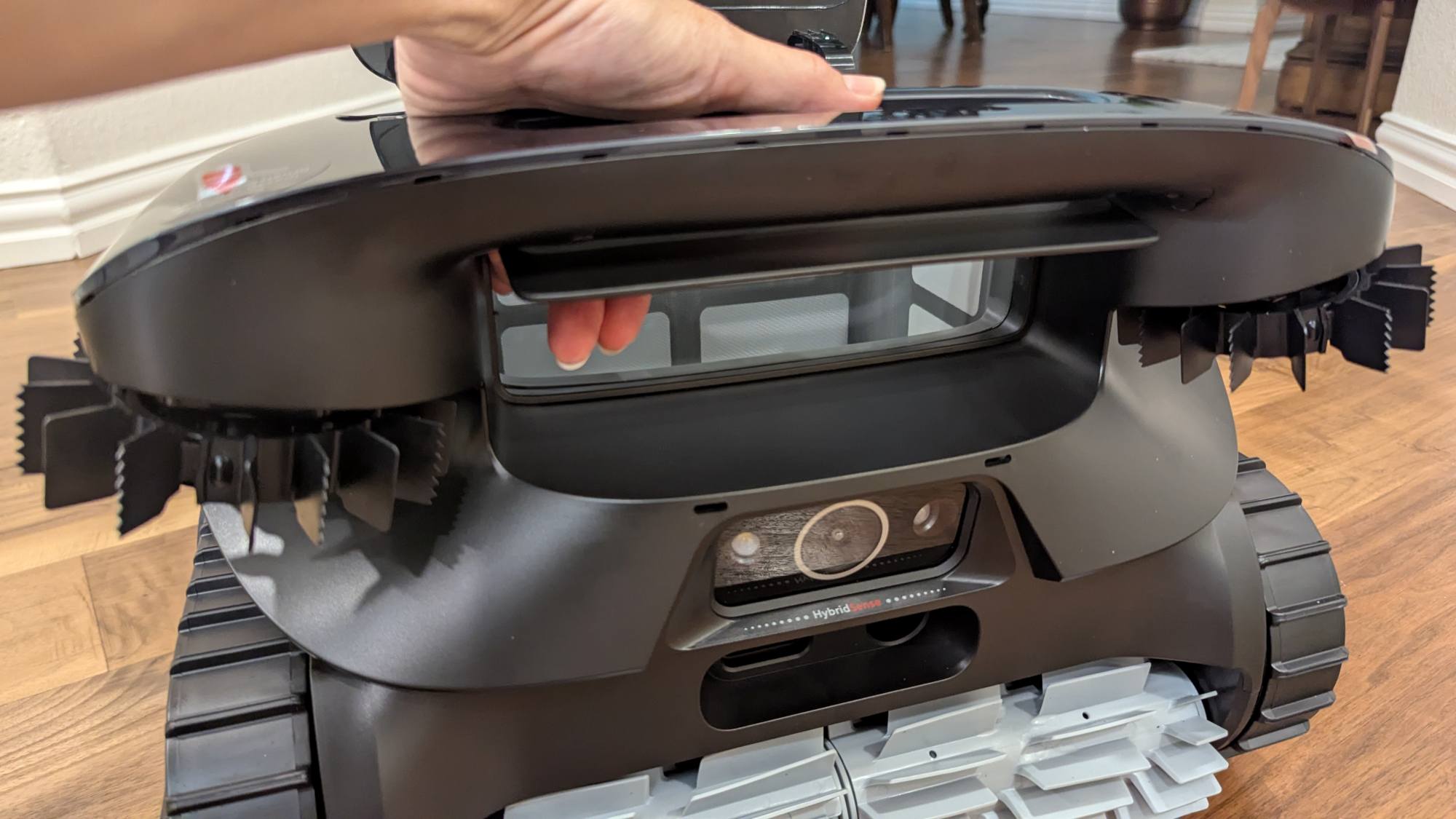
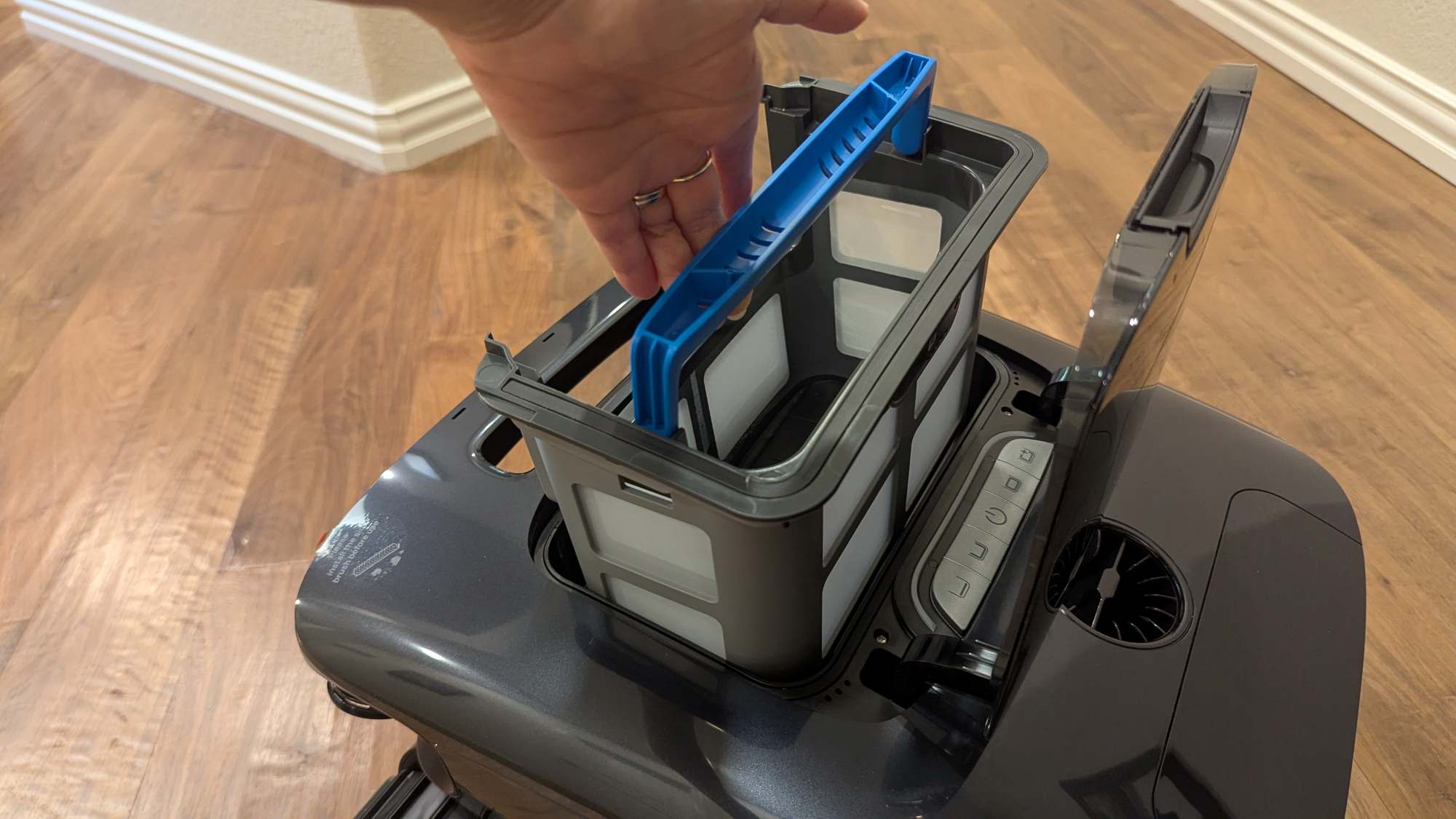
This door leads to the 3.7L filter debris basket. This basket has two layers (unlike the single-layered basket in the AquaSense X robot). The first layer collects large debris, and the outer layer collects finer debris measuring 150 micrometers or larger.
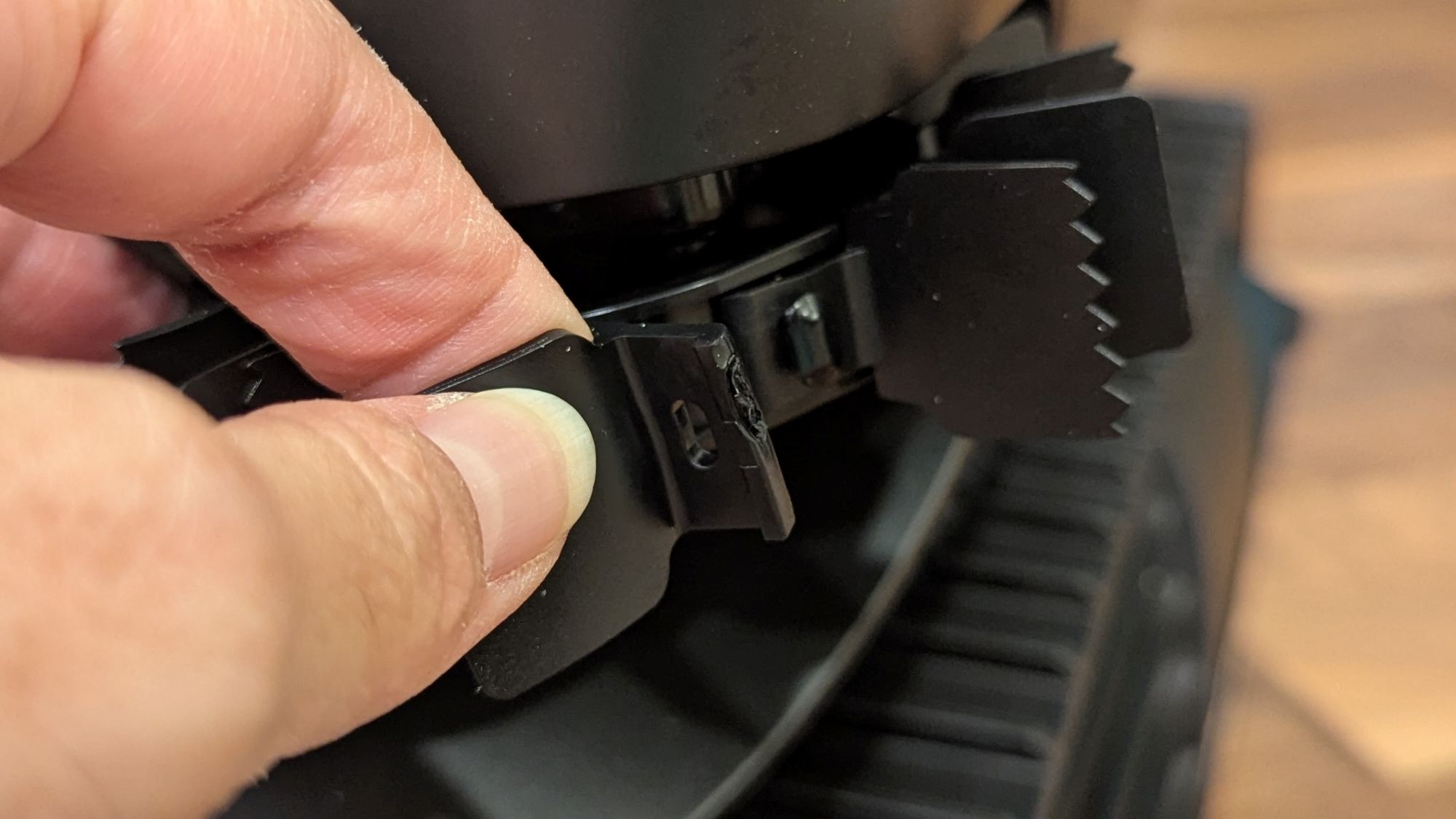
Before using the robot, you need to install the silicone side brushes. Do this by slipping one end of the brush onto a hard plastic peg on the wheel, as shown in the photo below. You wrap the brush around the wheel and slip the other end onto the same peg you started with.
The photos below show the two continuous silicone tracks on the sides of the robot that it uses to move around.
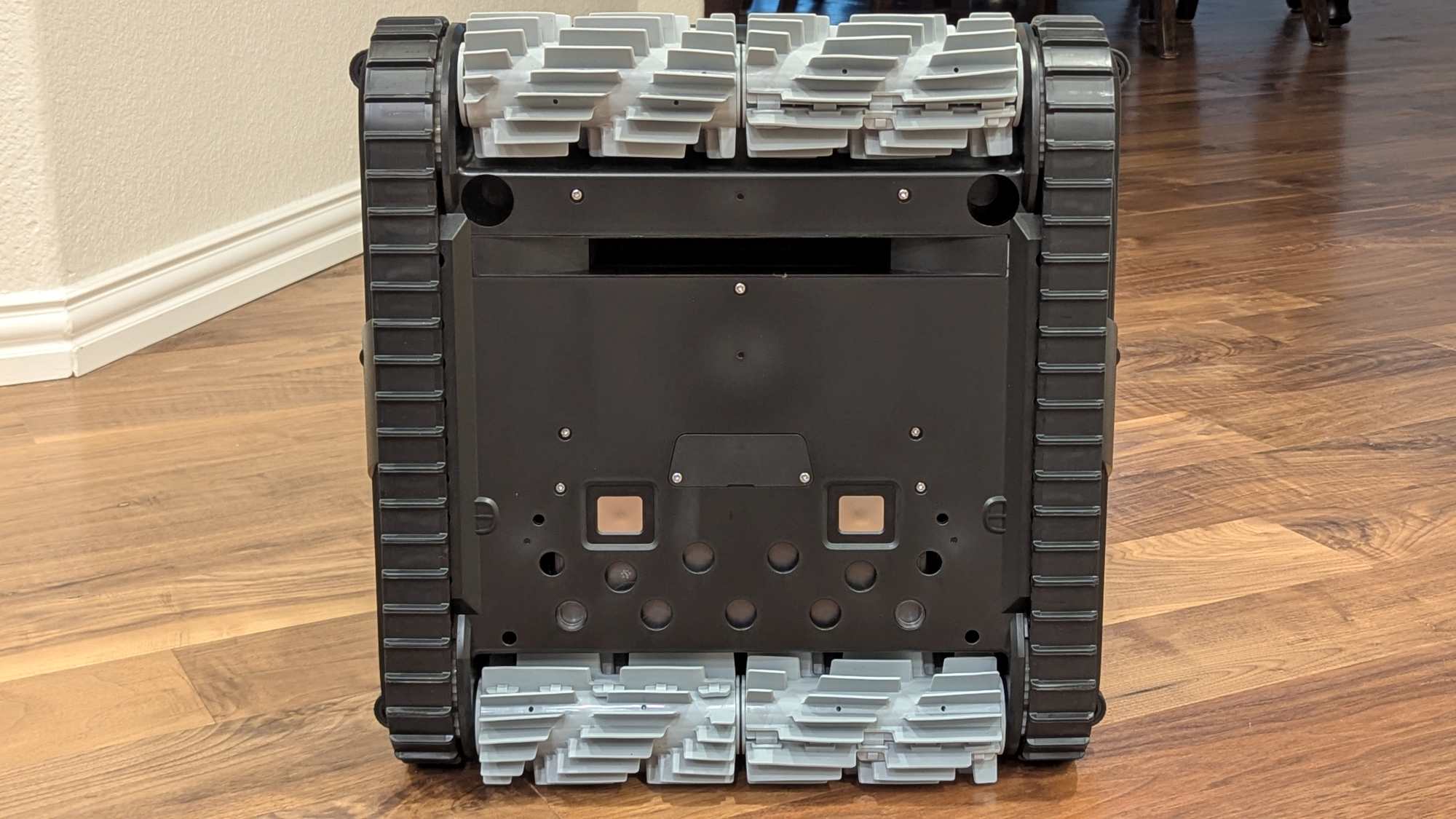
Just like the AquaSense X, the robot uses two silicone dual-roller brushes (light grey) on the front and back to clean the pool floor, walls, and waterline. Each dual-roller is divided into two halves, so that one half can rotate in one direction and the other in the opposite direction to navigate the pool more effectively.
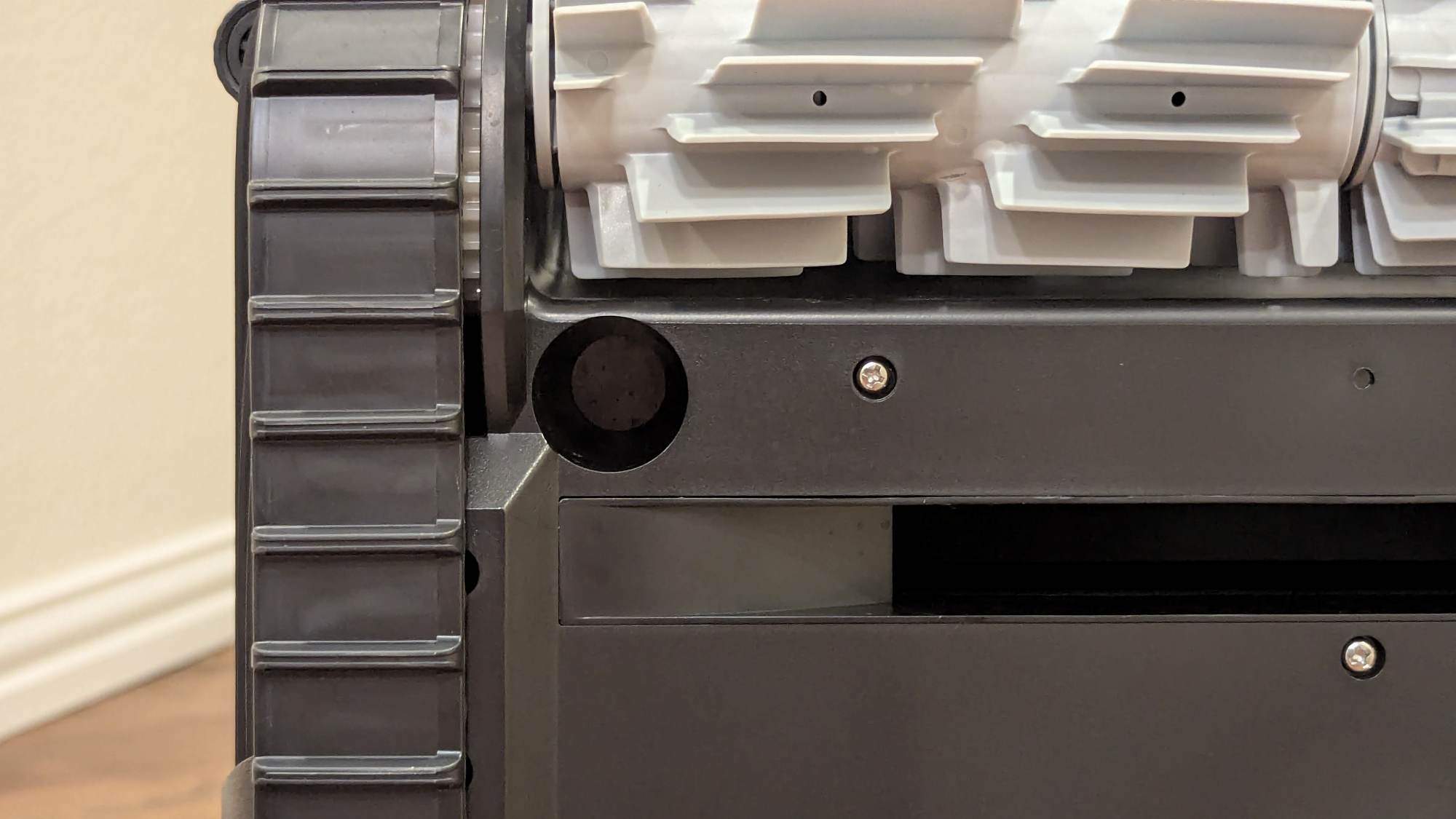
The bottom of the robot also contains two silver charging contacts and a rectangular opening leading to the filter basket. There are also two ultrasonic sensors recessed on the bottom of the robot.
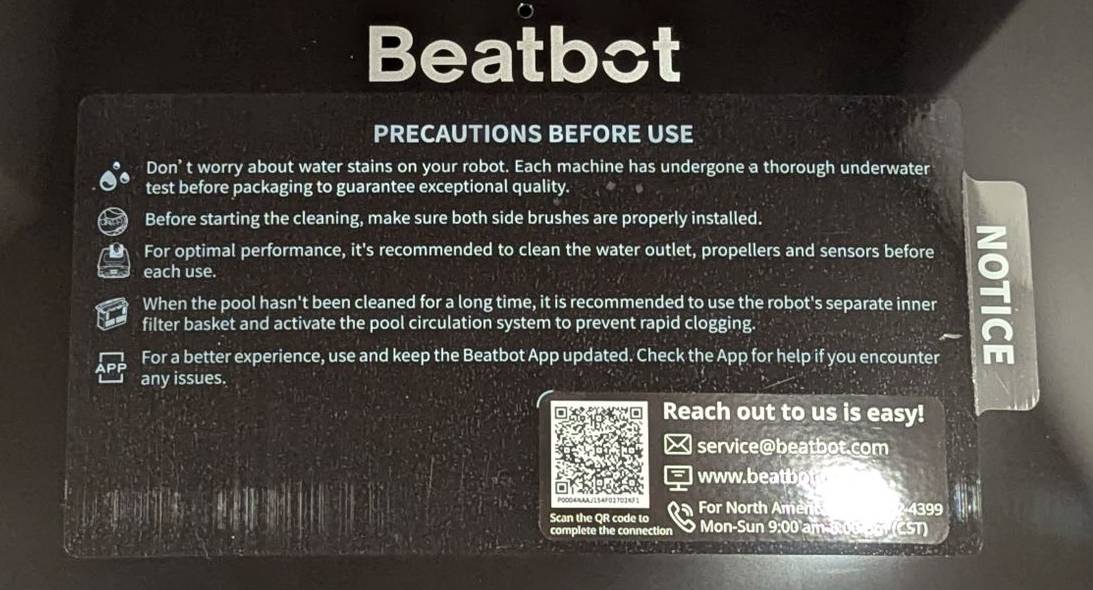
The top of the Beatbot AquaSense 2 Ultra has a sticker with a list of precautions to follow before using it, which include (see the photo below):
- Install the silicone side brushes
- Clean the water outlet, propellers, and sensors before each use
- When the pool hasn’t been cleaned in a long time, use the robot’s inner filter basket and activate the pool circulation system to prevent rapid clogging of the outer filter
The sticker also contains a QR code to help you add the robot to the app as well as contact information if you need help with the robot (shown in the photo below).
Just like the AquaSense X, the Ultra has a clarifying cartridge door on the top of the robot.
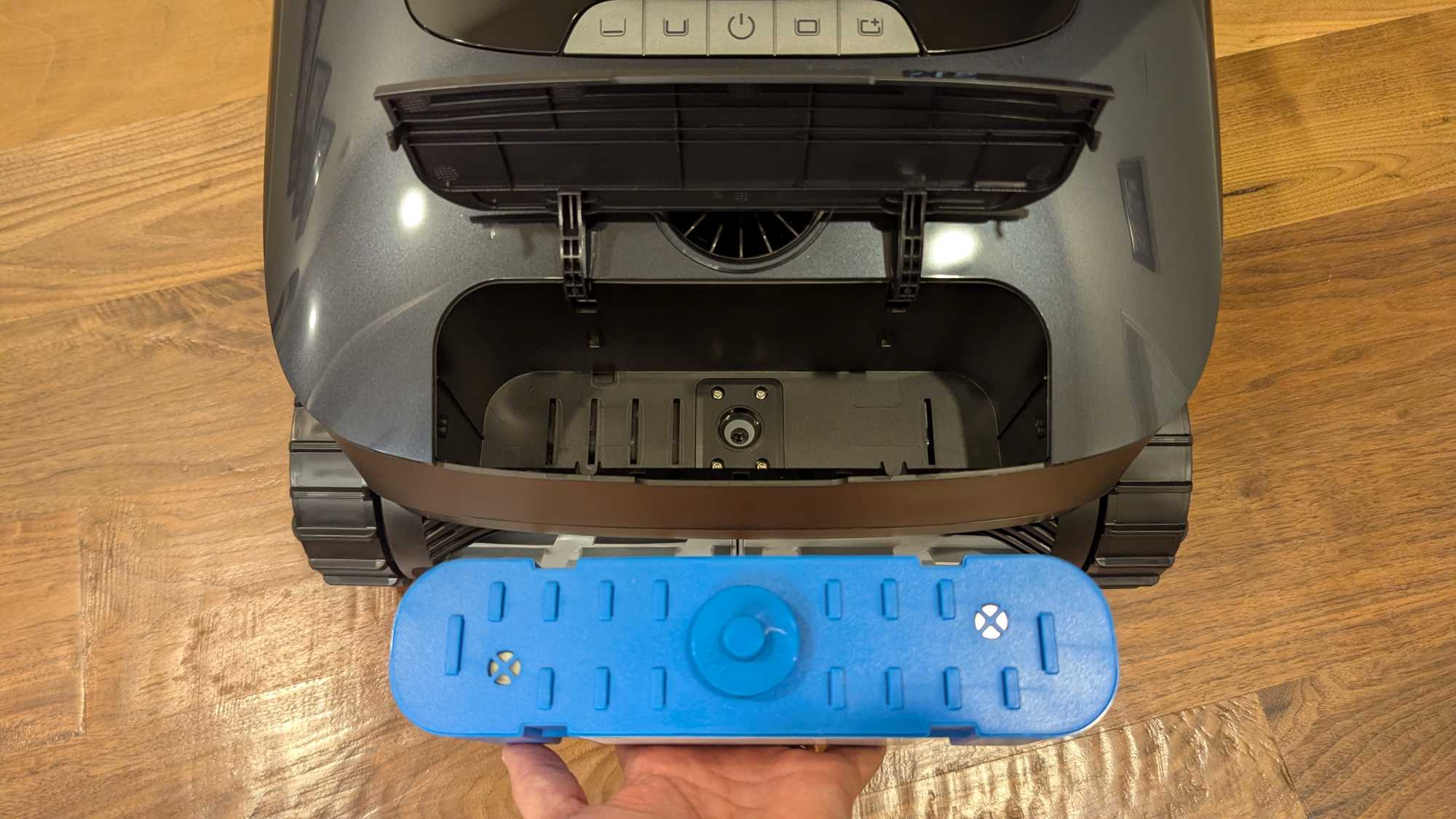
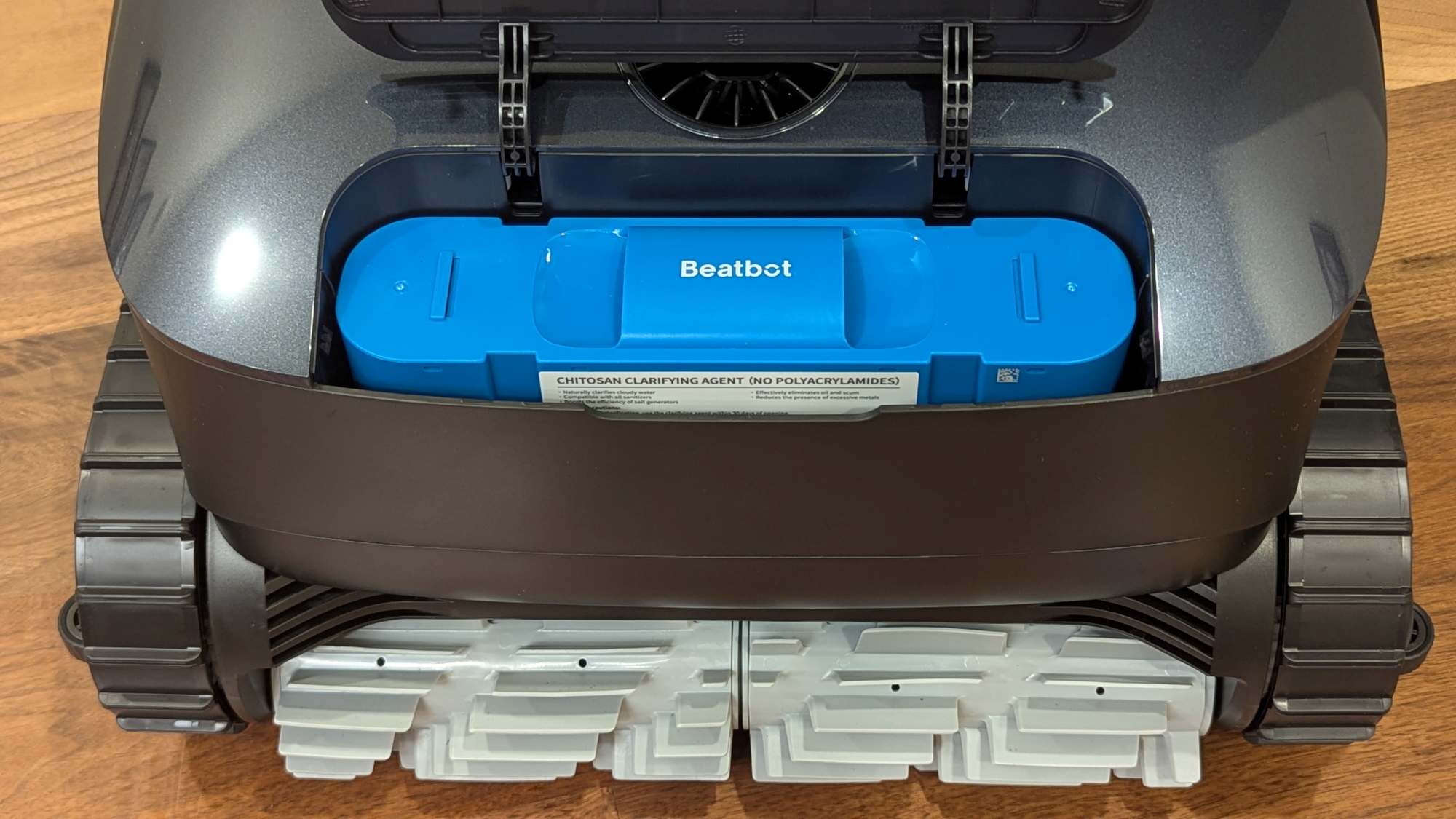
The AquaRefine clarifying cartridge is the same one used in the AquaSense X. It uses crustacean shells to absorb oils, minerals, fine particles, etc., and doesn’t interfere with your pool’s chemical balance. When it’s time to replace it, you can buy two clarifying cartridges for $60 from Beatbot.
The Ultra uses the AI camera and sensors to map the pool and detect debris and pool platforms. It uses AI to detect high-debris zones, so the robot will spend more time cleaning that area.
Beatbot AquaSense 2 Ultra Robot Controls
There are five soft silicone buttons located on the top of the Beatbot AquaSense 2 Ultra robot (shown below), as well as a water outlet port (used when propelling itself through water).
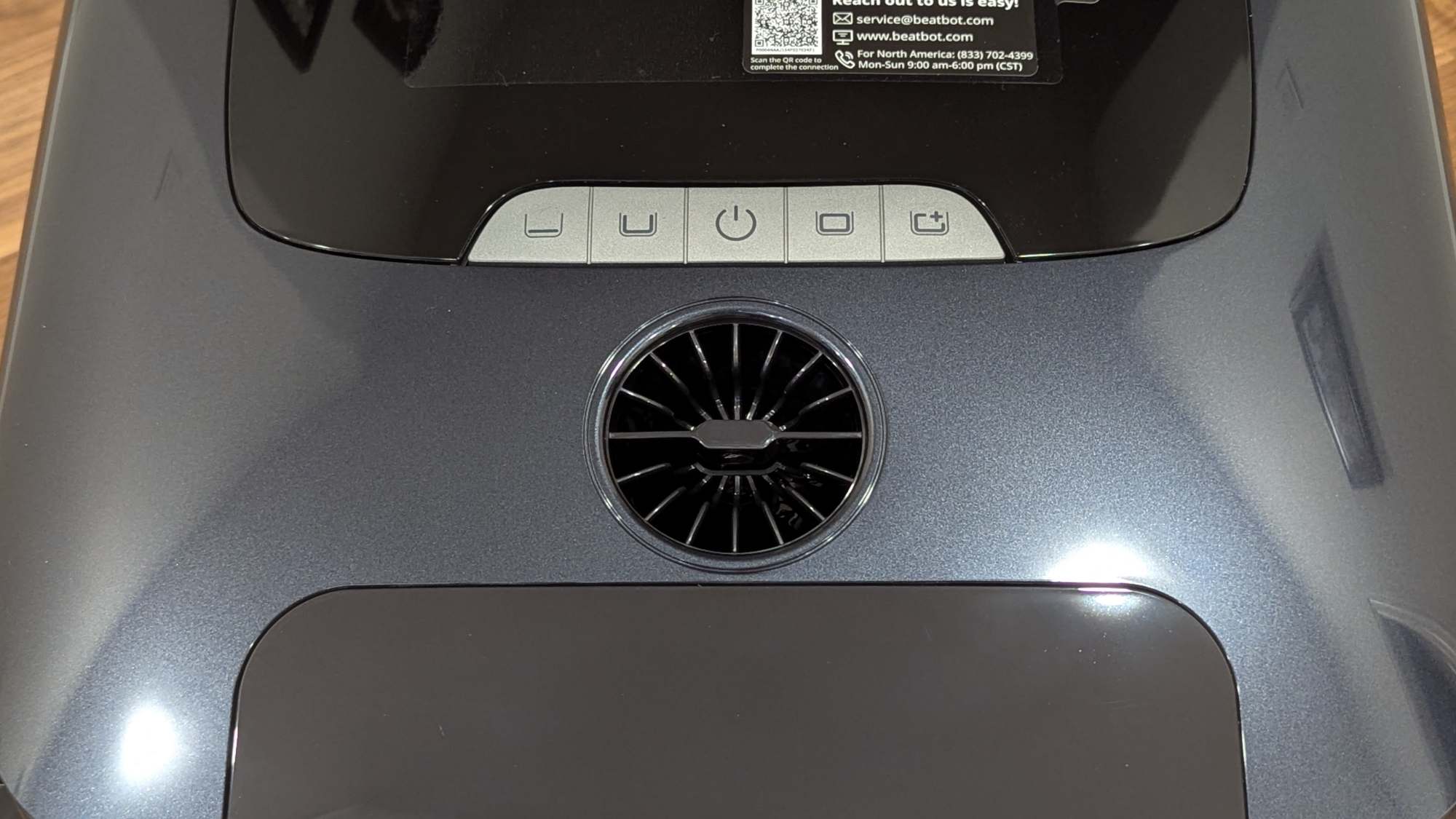
The buttons are as follows, starting from left to right:
- Floor Mode
- Standard Mode: floor, walls, and waterline cleaning
- Power button
- Pro Mode: floor, walls, waterline, and surface cleaning
- Custom Mode: runs the last custom cleaning (set up in the app)
This robot can clean pools of all kinds: above-ground, in-ground, rectangular, round, freeform, and those that are made of concrete, ceramic tiles, vinyl, and fiberglass.
Connect the Robot to WiFi
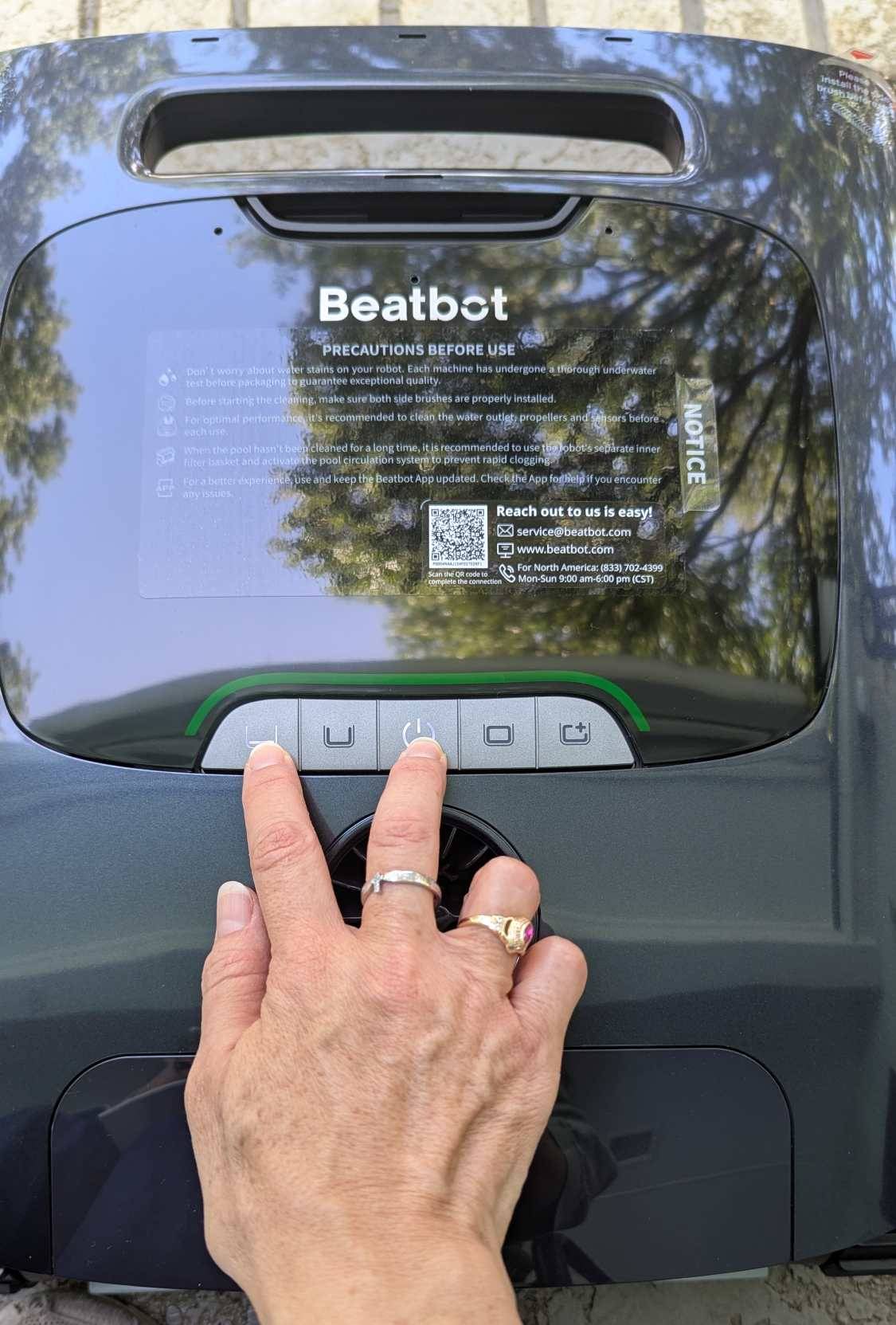
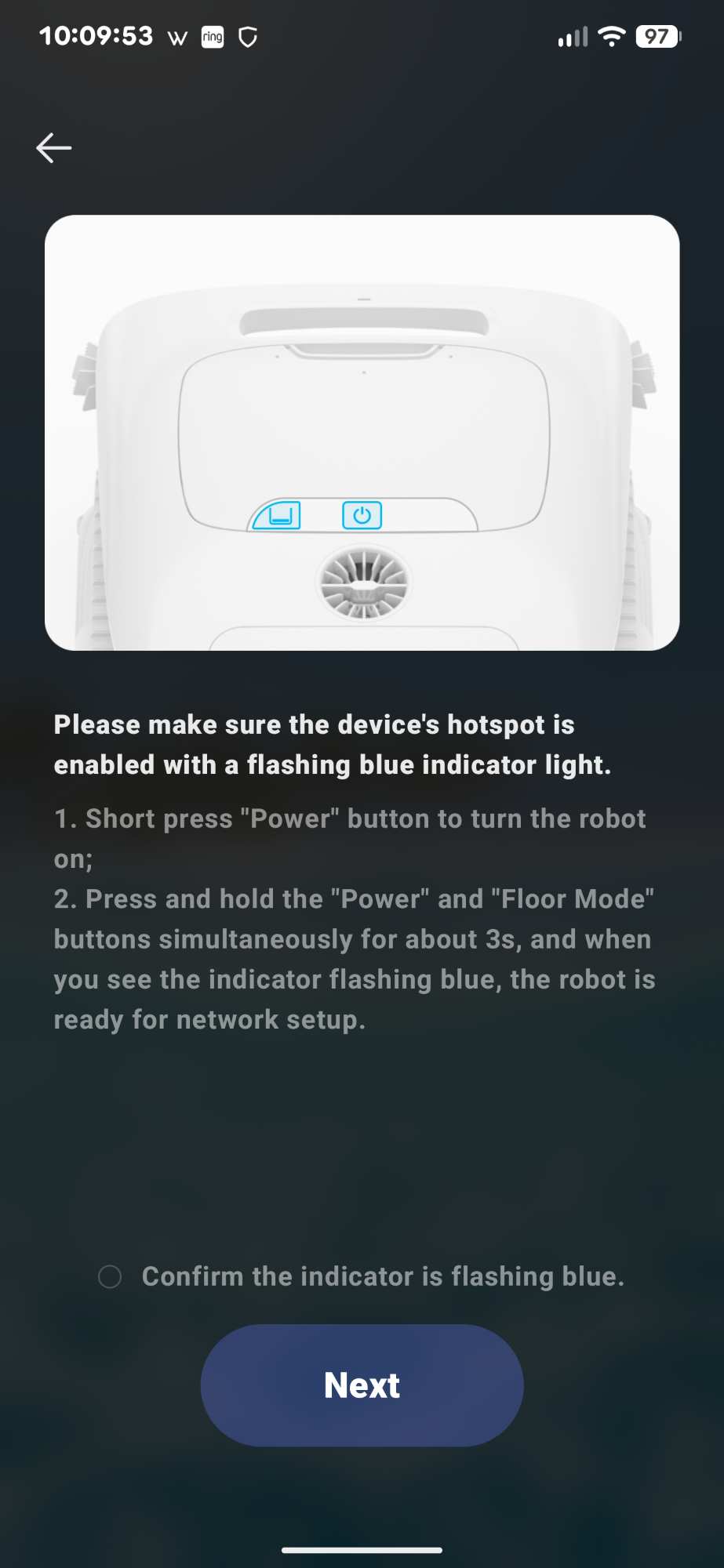
Long-pressing the robot’s “Power” and “Floor” buttons for three seconds puts it in network setup mode (blue flashing light). Pressing the buttons simultaneously is a little difficult because you really have to press hard on each and make sure you are pressing them at the same time.
Now I needed to add the robot to the Beatbot app.
The Beatbot App
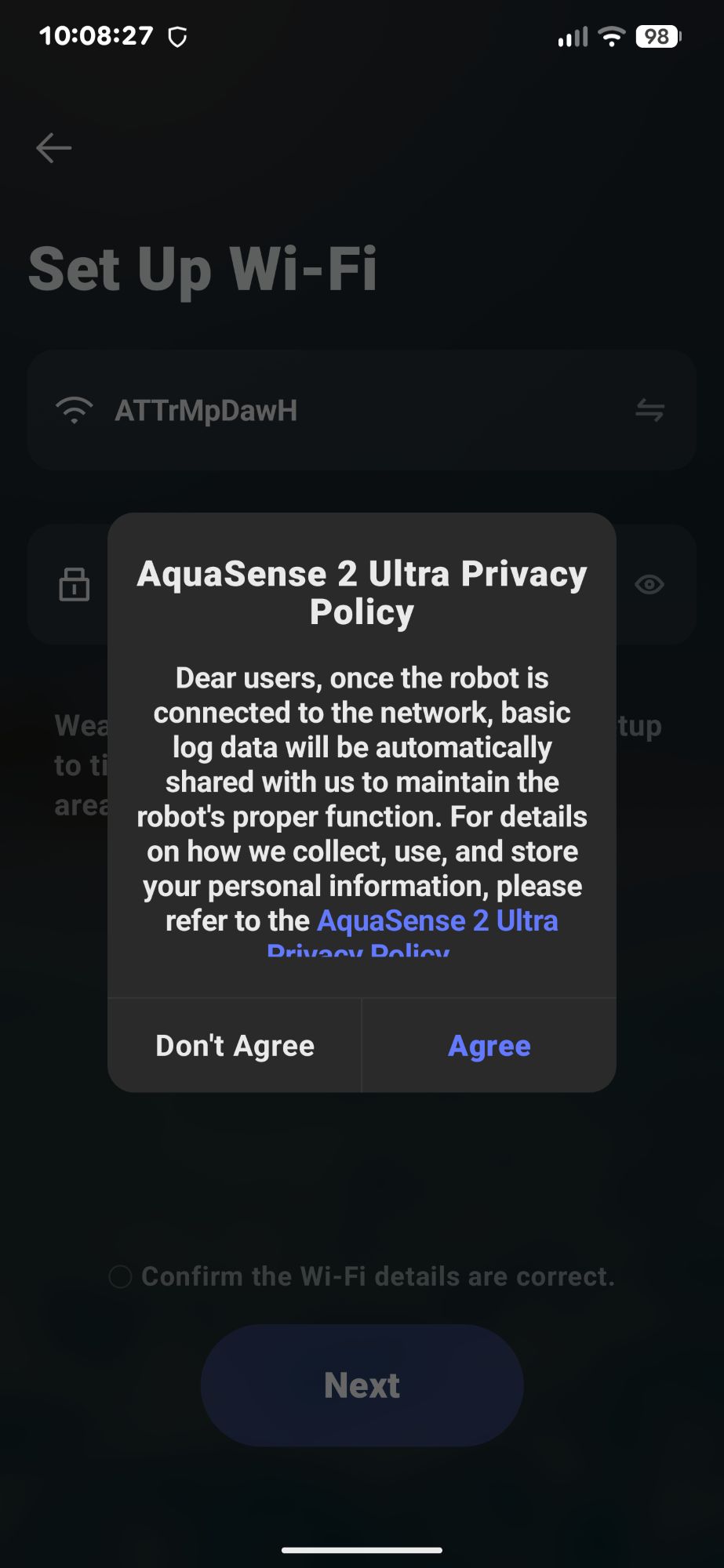
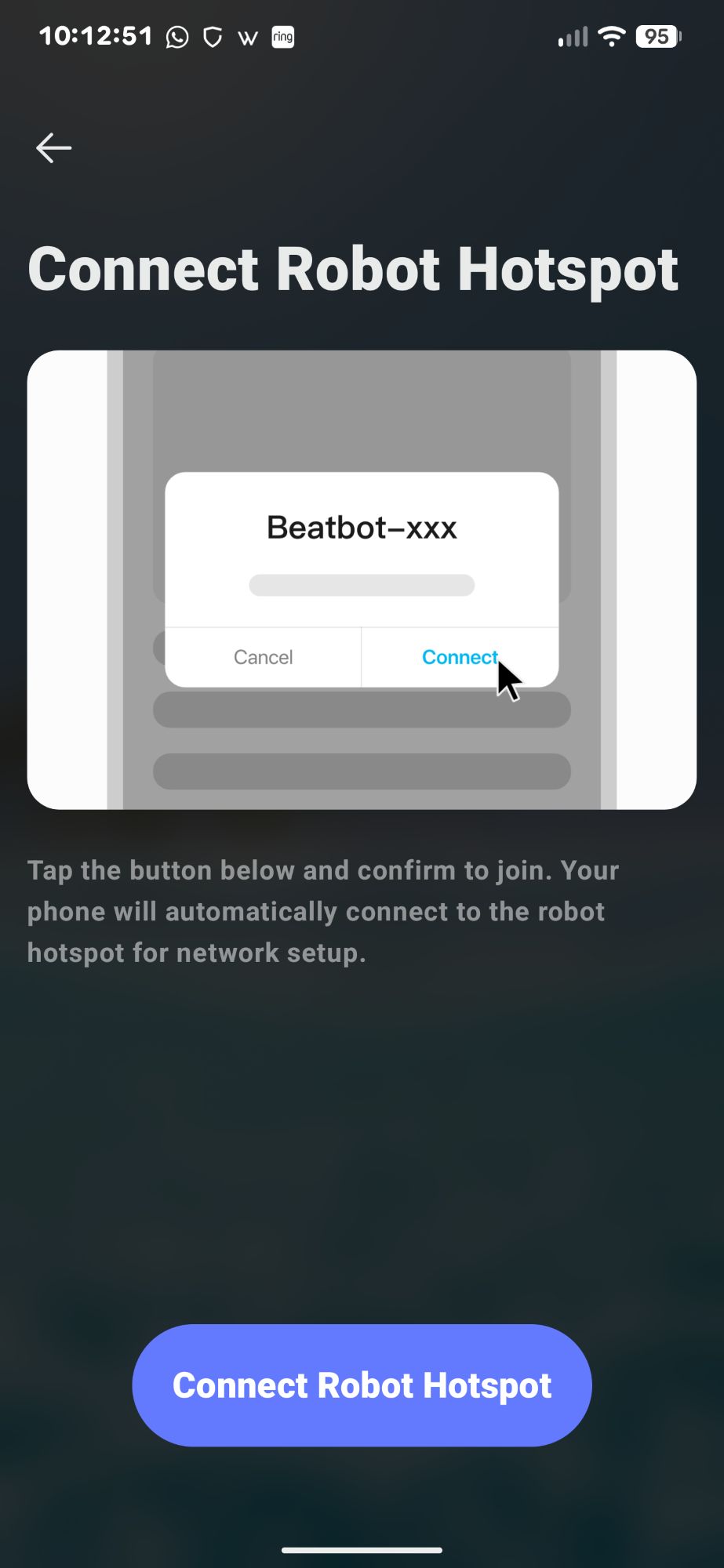
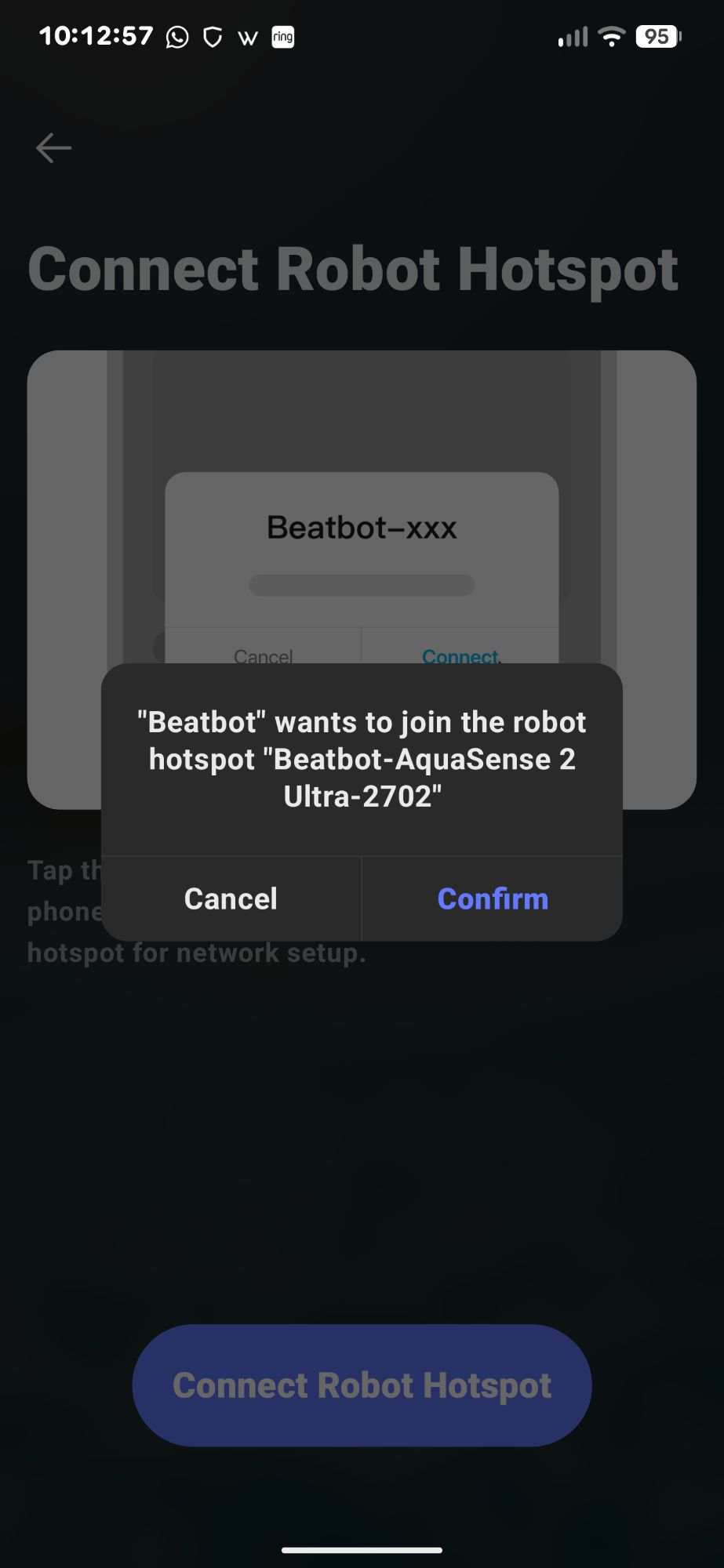
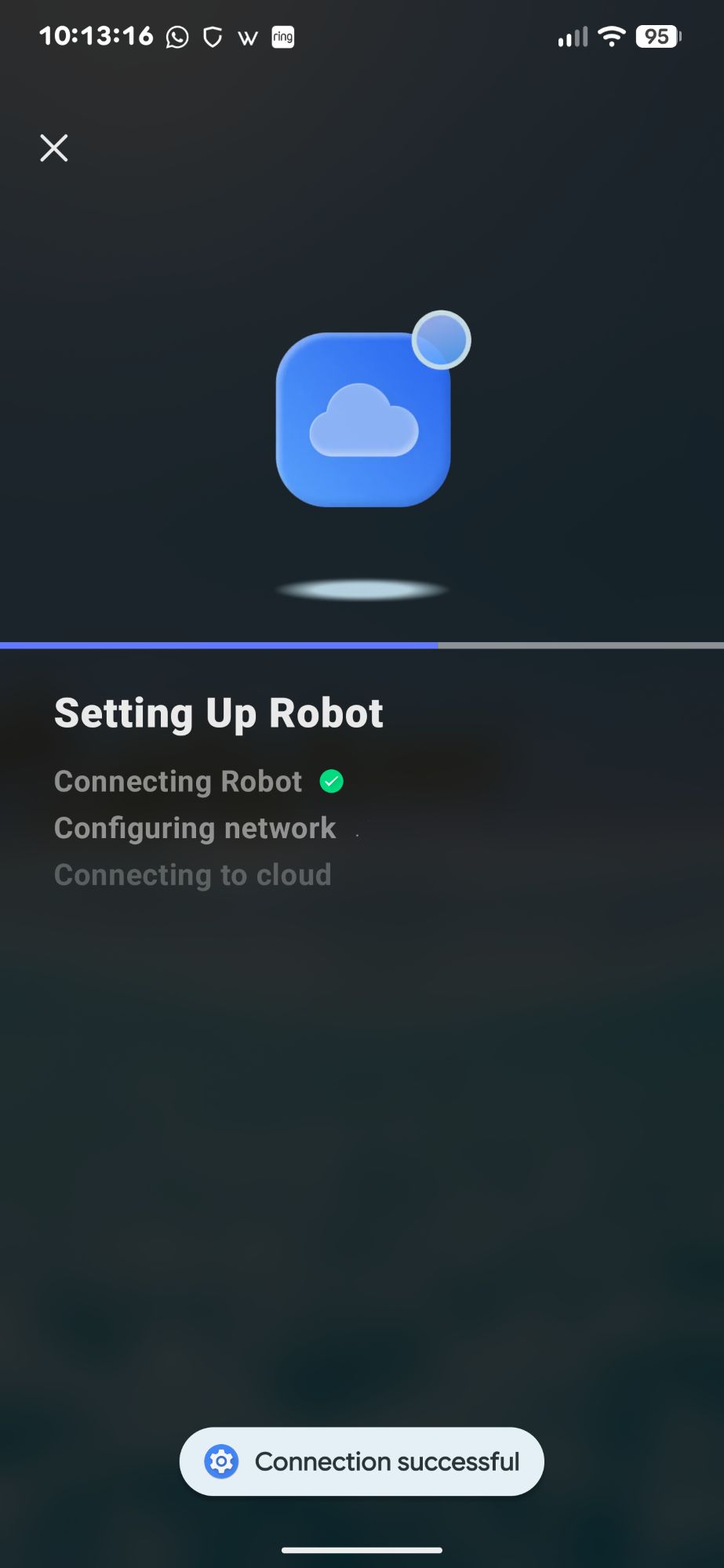
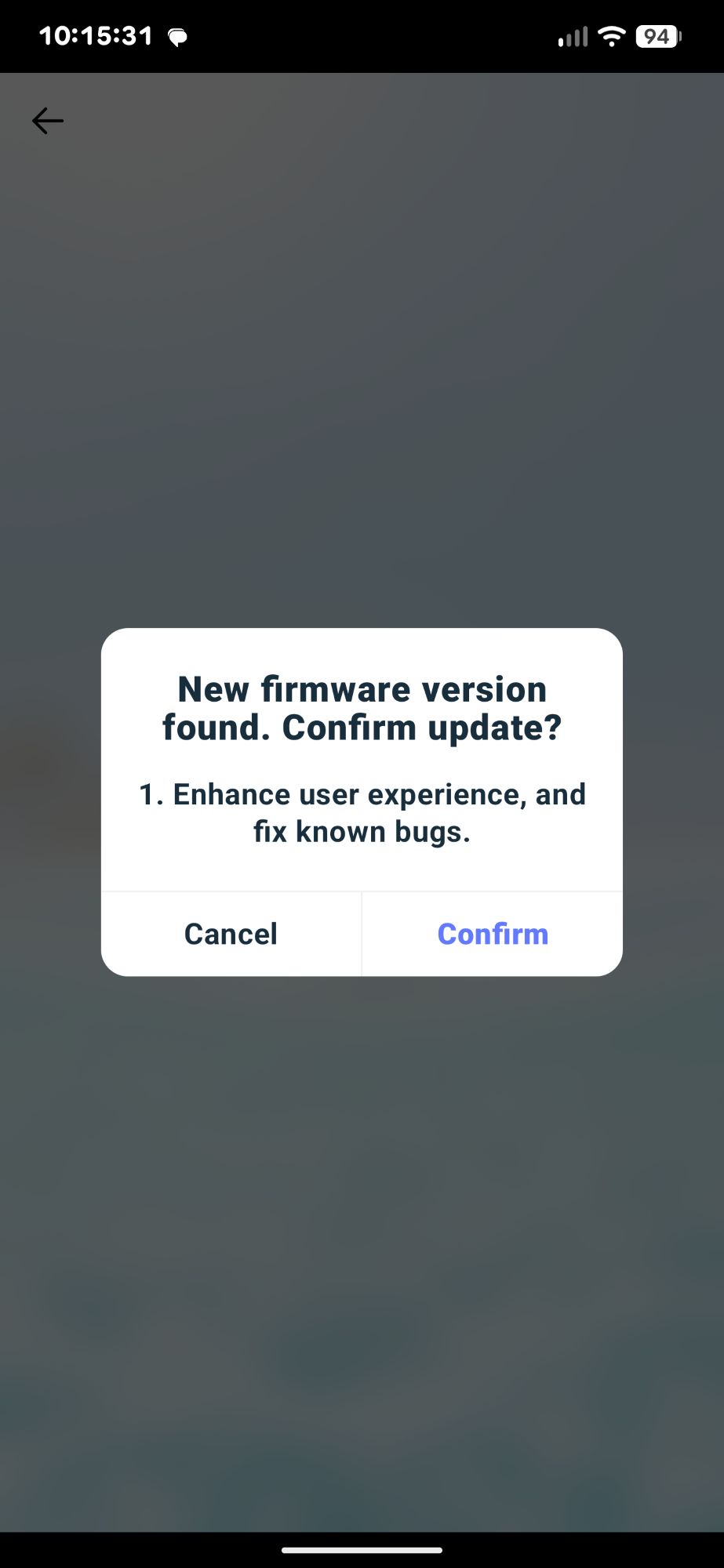
I already had the Beatbot app installed on my phone and an account set up from when I tested the AquaSense X. So, I added the AquaSense 2 Ultra robot to the app by clicking on the “Add Robot” button. I then followed the screen prompts as shown below.
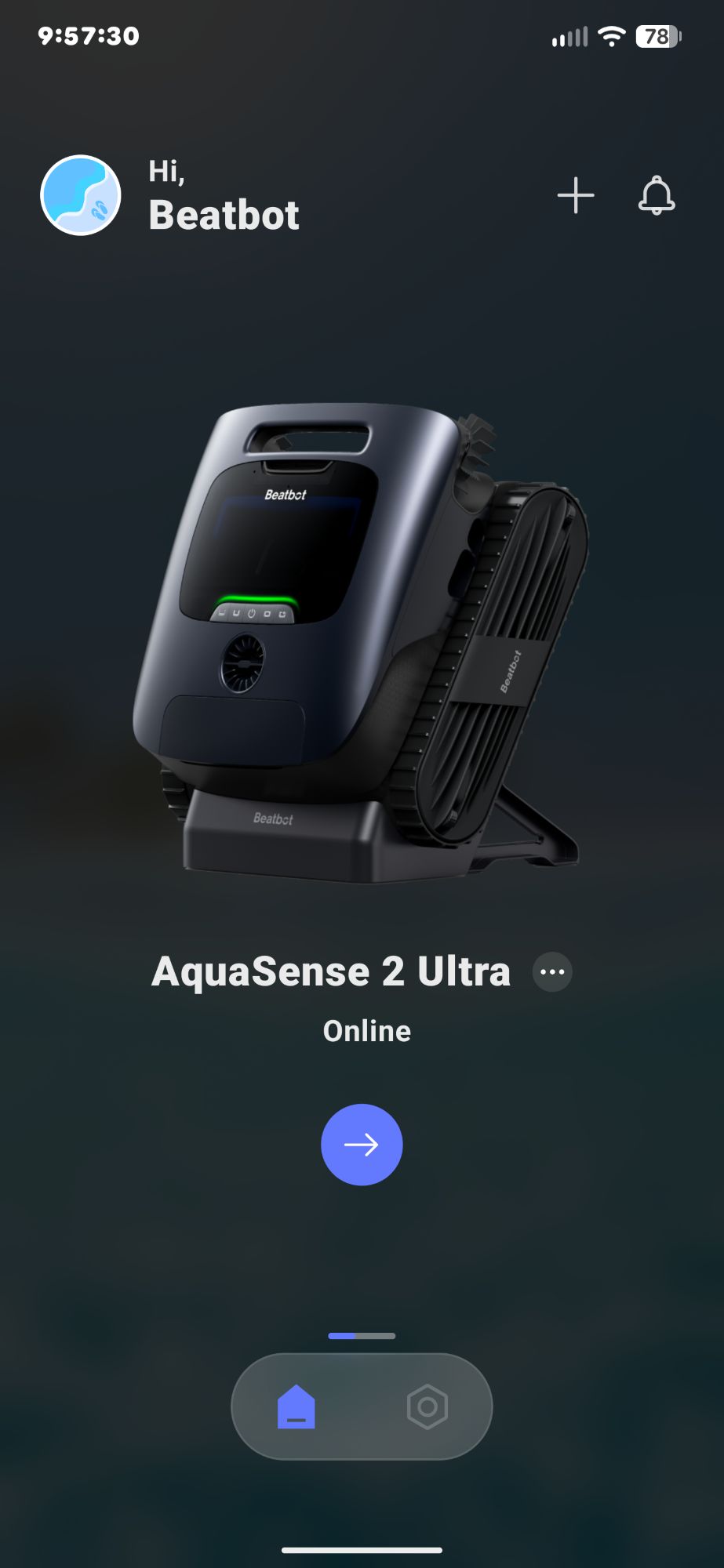
After completing the setup, when you launch the app, you’ll see an image of the robot and a blue arrow button. At the bottom of the screen, you’ll find a home button and a settings button.
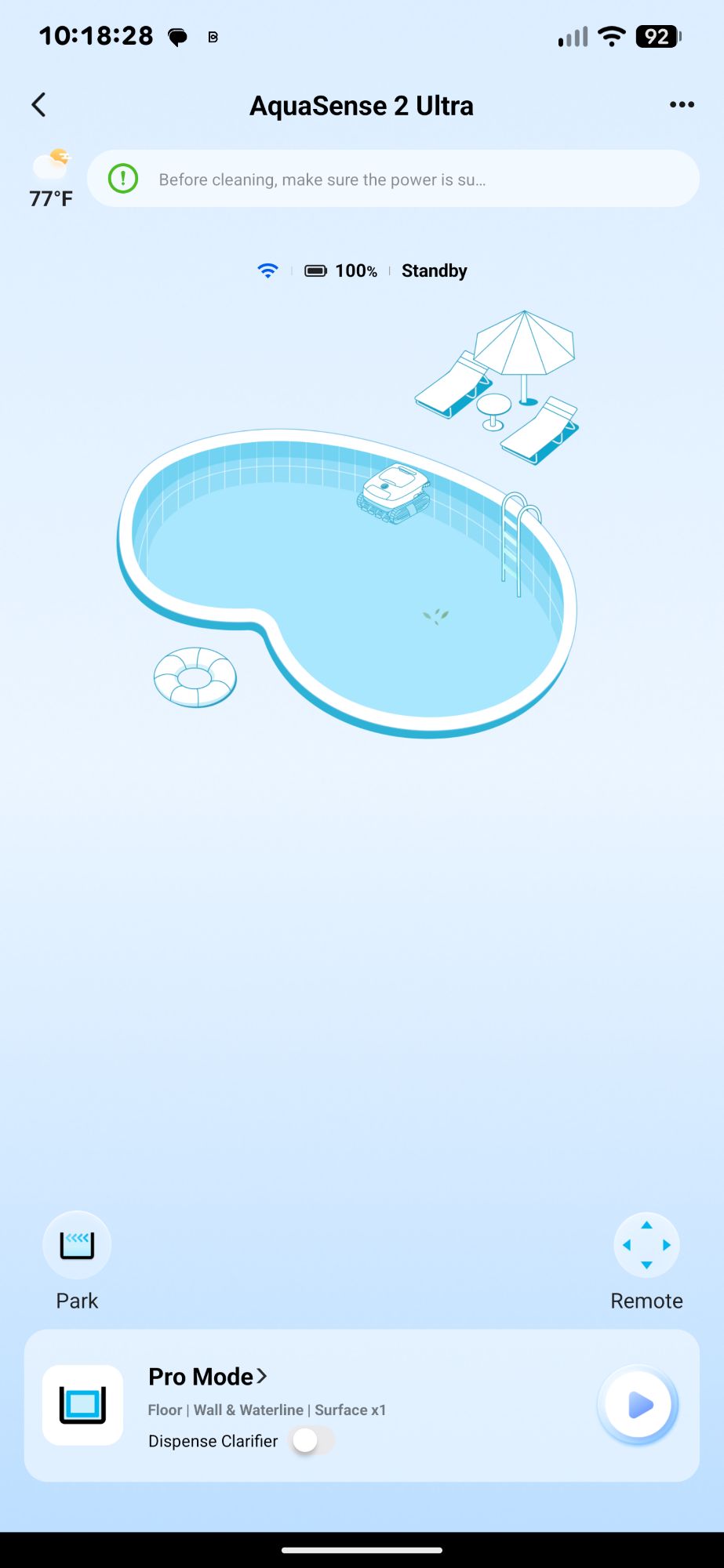
Tapping the robot or arrow button takes you to the robot’s main screen. There you’ll find buttons for the cleaning mode, a “Dispense” toggle, a Play/Pause button, a “Park” button, and a “Remote” button as shown in the screenshot below.
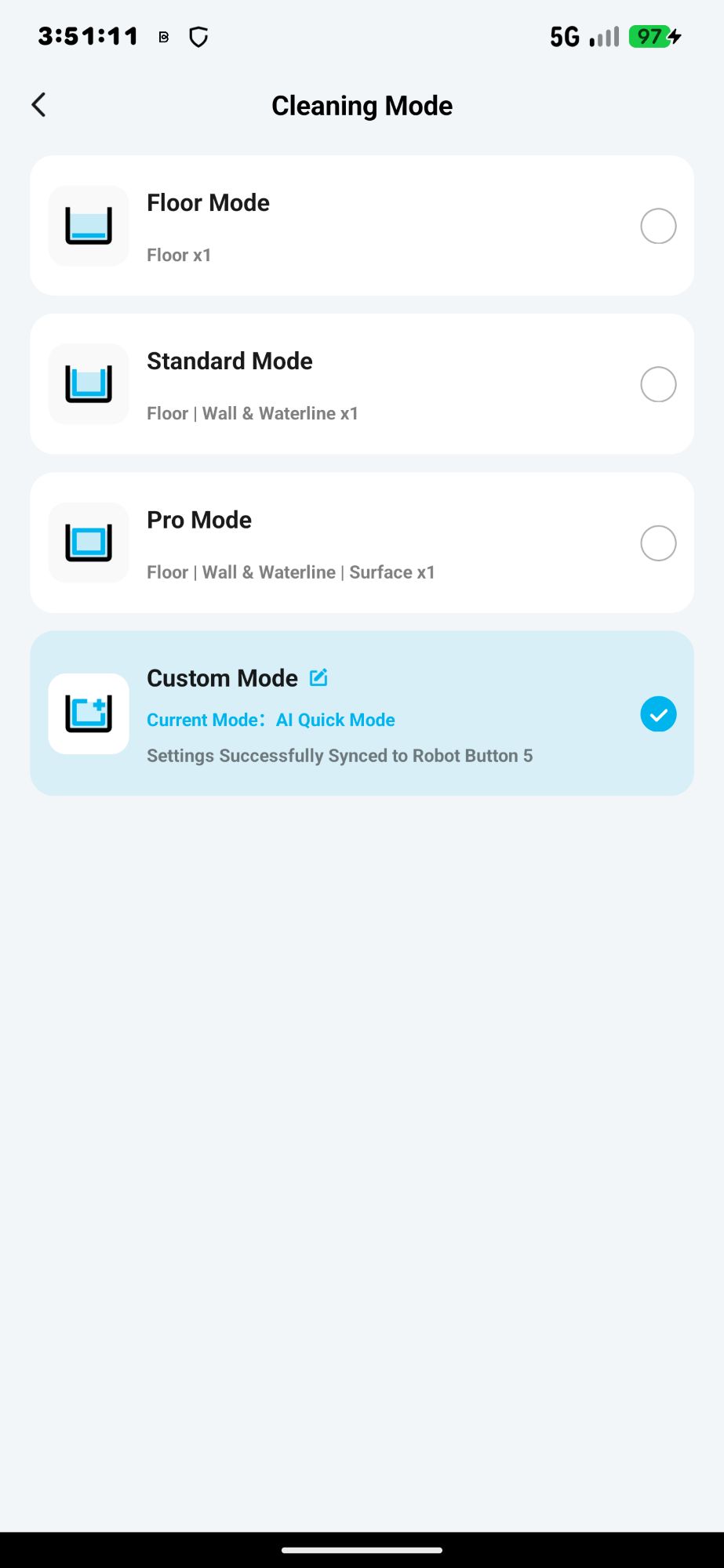
- Floor Mode
- Standard Mode: floor, walls, and waterline cleaning
- Pro Mode: floor, walls, waterline, and surface cleaning
- Custom Mode: custom cleaning
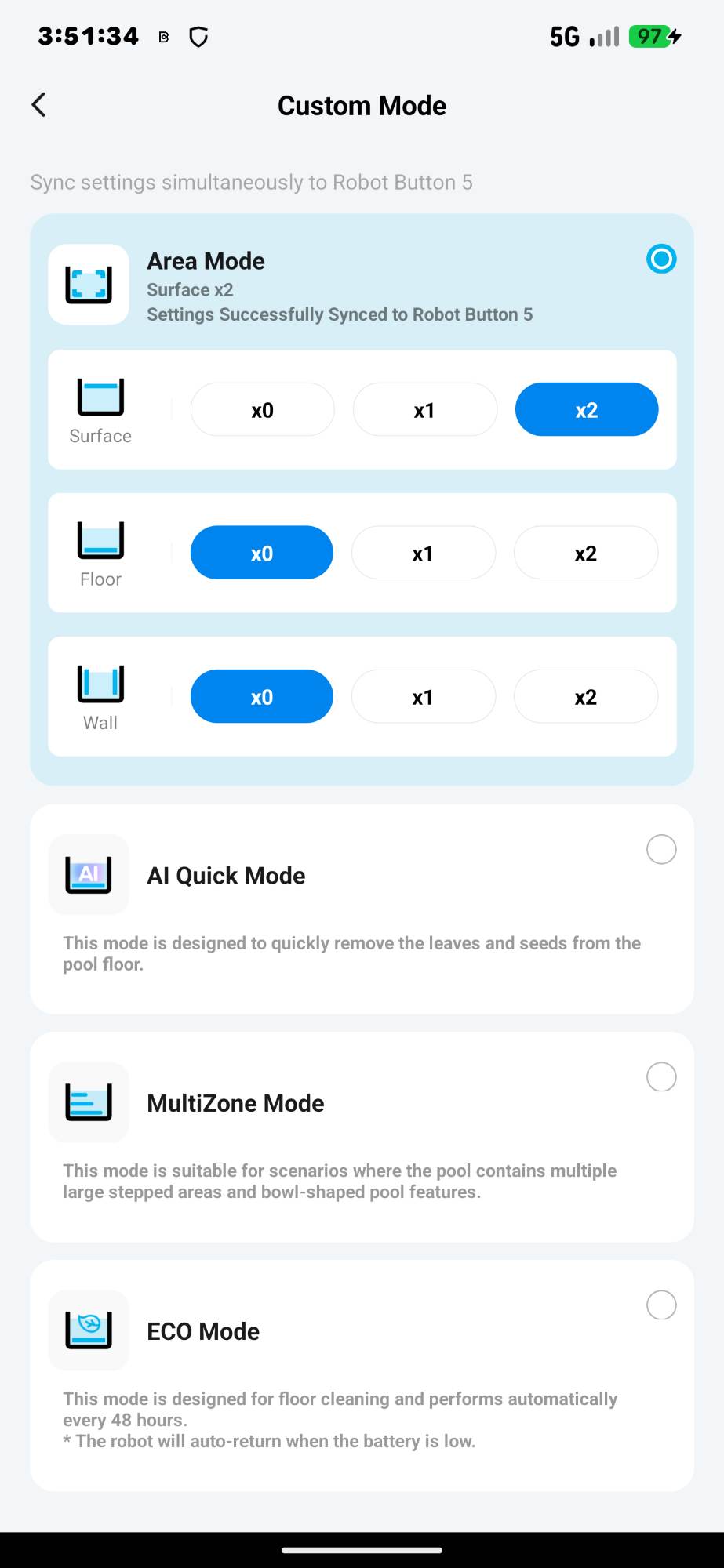
- Area Mode: You can specify whether the robot cleans the floor 0, 1, or 2 times; the walls 0, 1, or 2 times; and the surface 0, 1, or 2 times (see the second screenshot below).
- AI Quick Mode: “This mode is designed to quickly remove the leaves and seeds from the pool floor.”
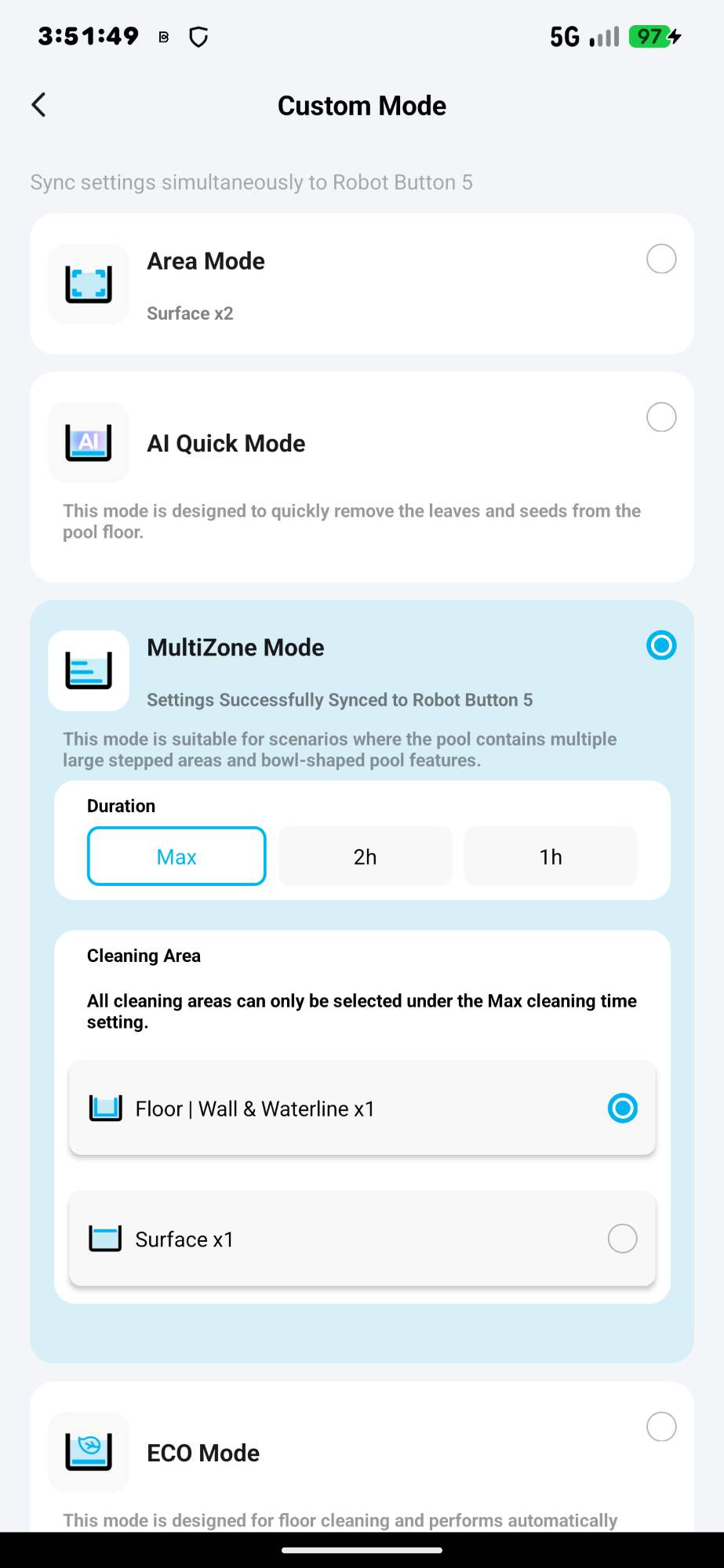
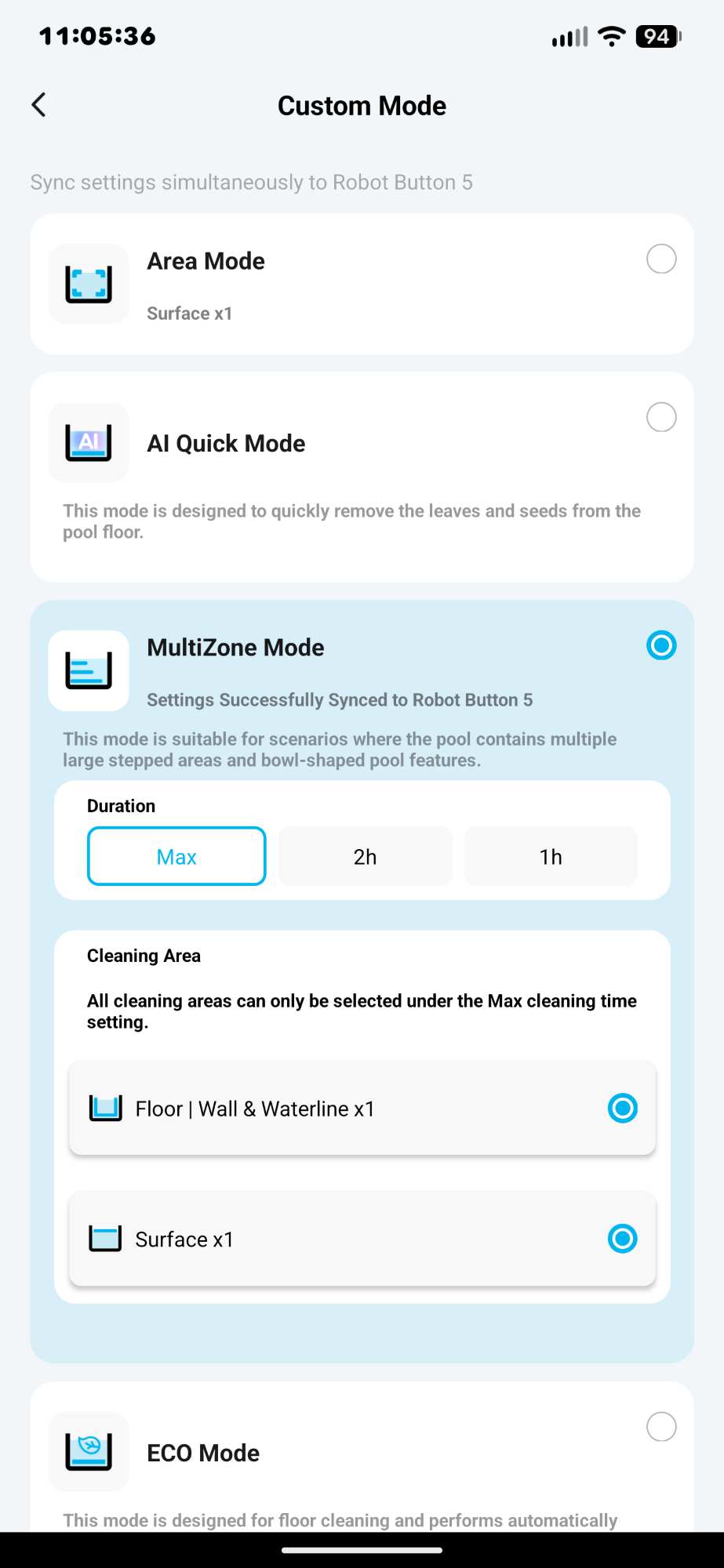
- MultiZone Mode: “This mode is suitable for scenarios where the pool contains multiple large stepped areas and bowl-shaped pool features” (third screenshot below).
- ECO Mode: “This mode is designed for floor cleaning and performs automatically every 48 hours. The robot will auto-return when the battery is low.”
Performance: AquaSense 2 Ultra Robot Pool Cleaning
The pool has several trees growing over it, which provide some wonderful shade from the blazing Texas sun while you’re swimming, but this also means you’ll need to constantly clean the pool.
Before I could run the Beatbot AquaSense 2 Ultra for the first time, I needed to pick up large items in the pool, like pool toys, and ensure the robot was charged to perform the cleaning. While the robot was cleaning, I tried to make sure that people and pets didn’t get in the pool while it was working. (There were a couple of times when a dog would jump into the pool, but most of the time the robot ran without obstructions.)
To start my testing, I selected the Pro Mode (floor, walls, waterline, and surface cleaning). I first placed the robot on a flat surface at the edge of the pool, waited a couple of minutes (to calibrate it), then placed it in the shallow end along the edge. After a few minutes, it began to sink and started cleaning the floor first.
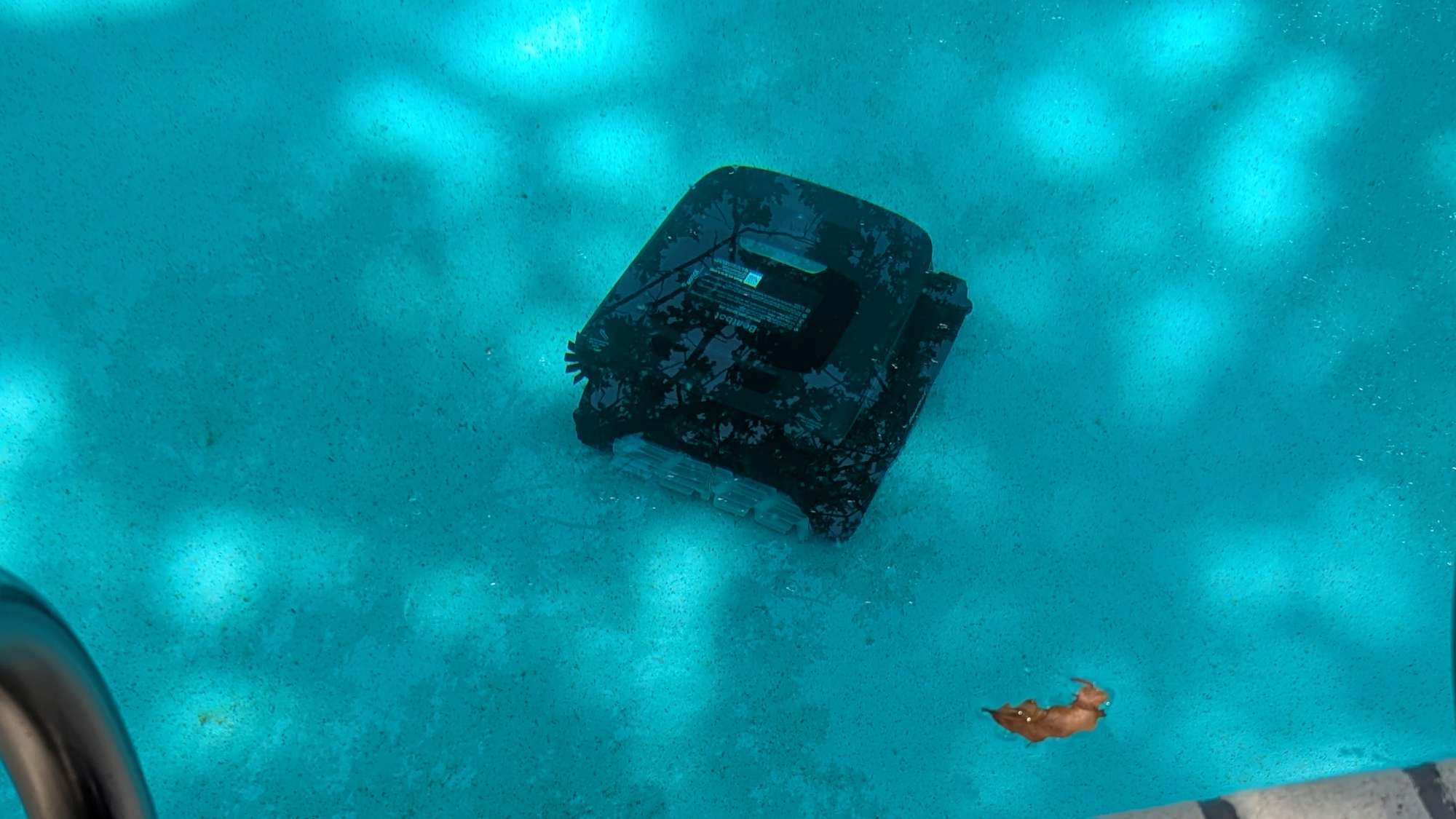
The following is a 10-minute time-lapse video of the floor cleaning (the original is a 2-hour and 40-minute video of the floor cleaning, sped up 16x).

The robot attempted to clean the pool stairs and managed to get half of the second step. This is better than the AquaSense X, which didn’t get any of the steps.
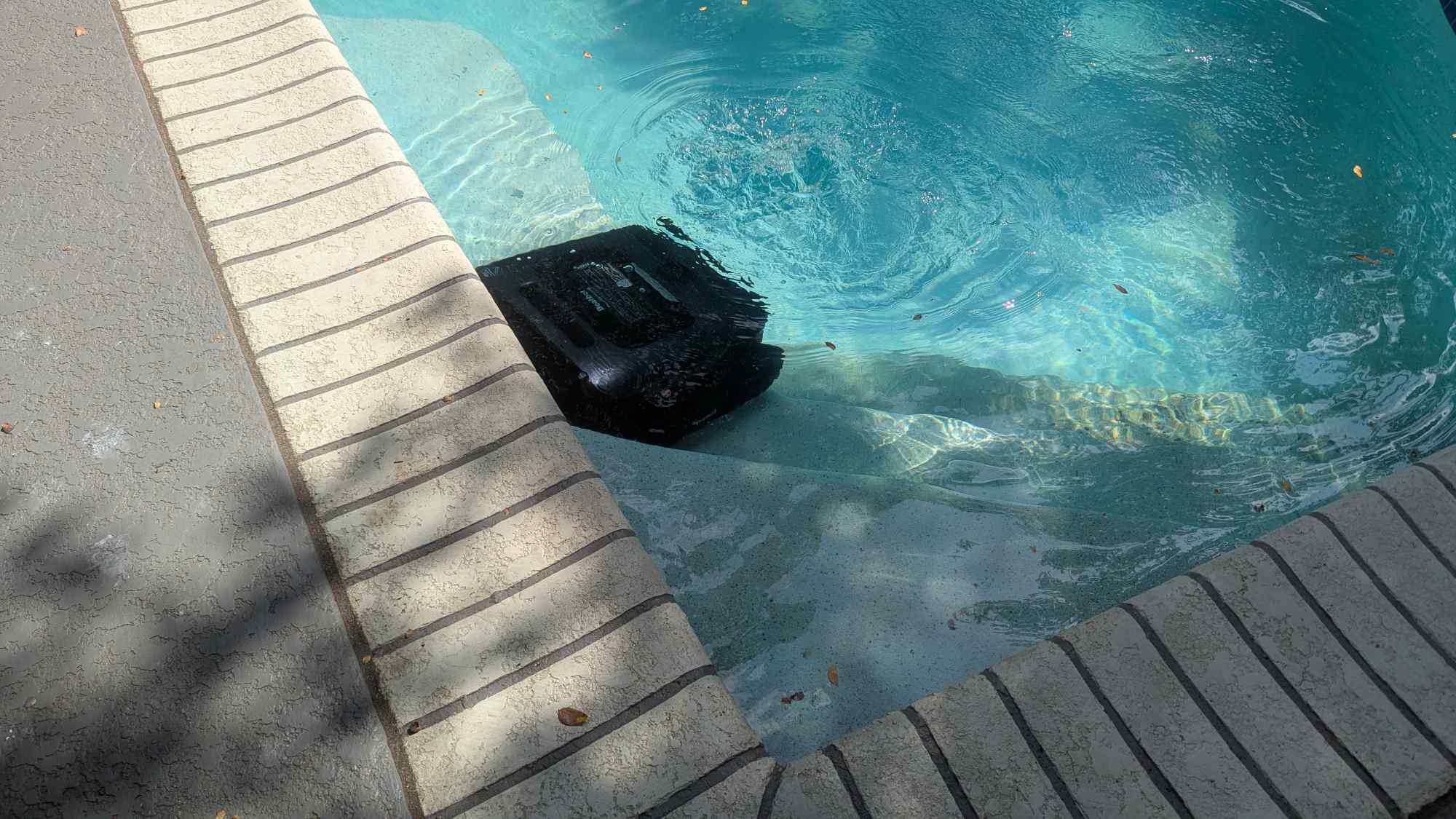
After spending a little over 2.5 hours cleaning the pool floor, the robot started on the walls and waterline of the pool.
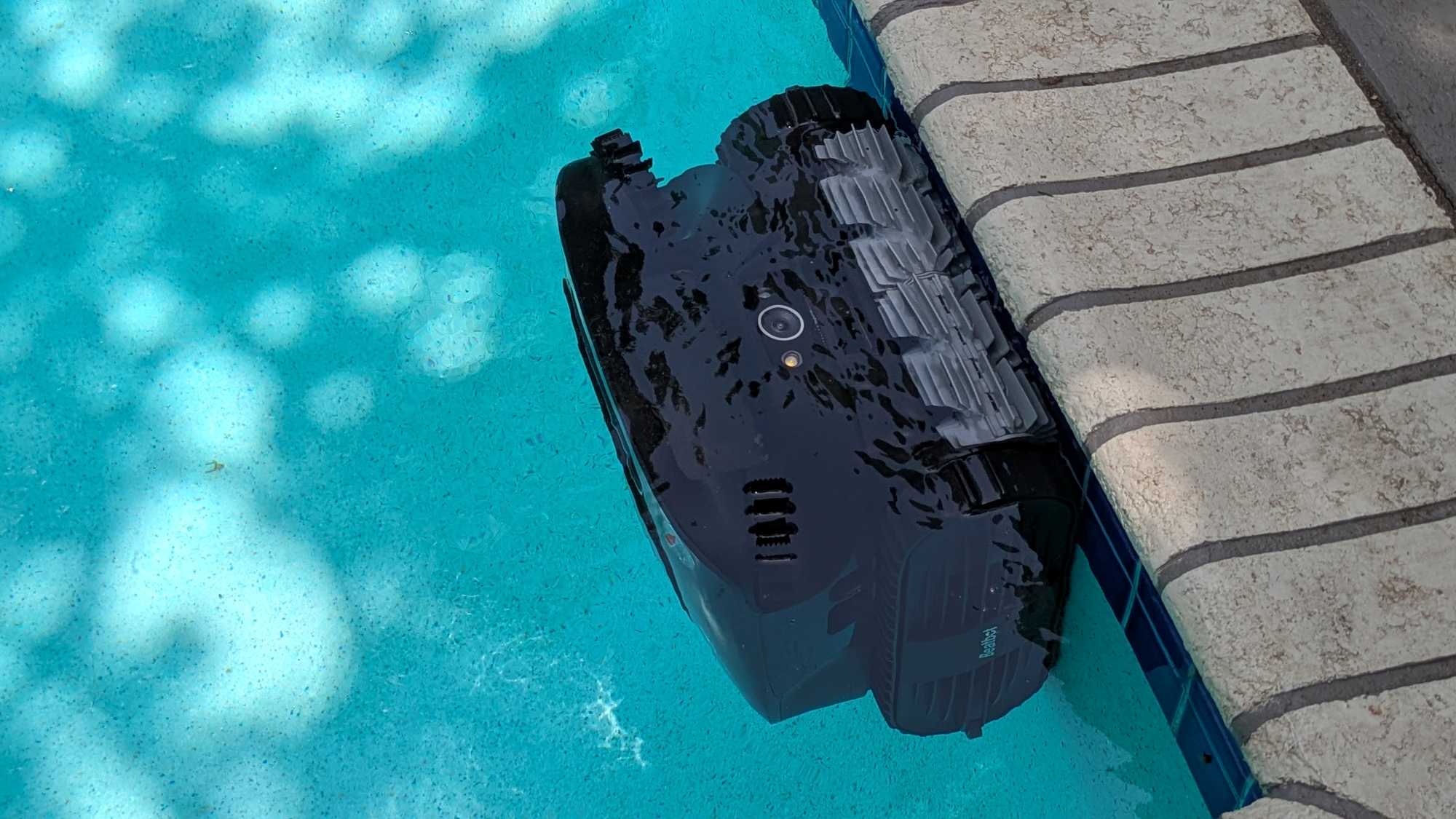
The following two-minute video illustrates how the Beatbot AquaSense 2 Ultra cleans the pool walls, waterline, and the stairs (this was a 25-minute video, sped up 16x).

It’s fascinating to see the robot transition from underwater cleaning to surface cleaning. It drains the water inside the robot first, then floats to the top to start the surface cleaning.
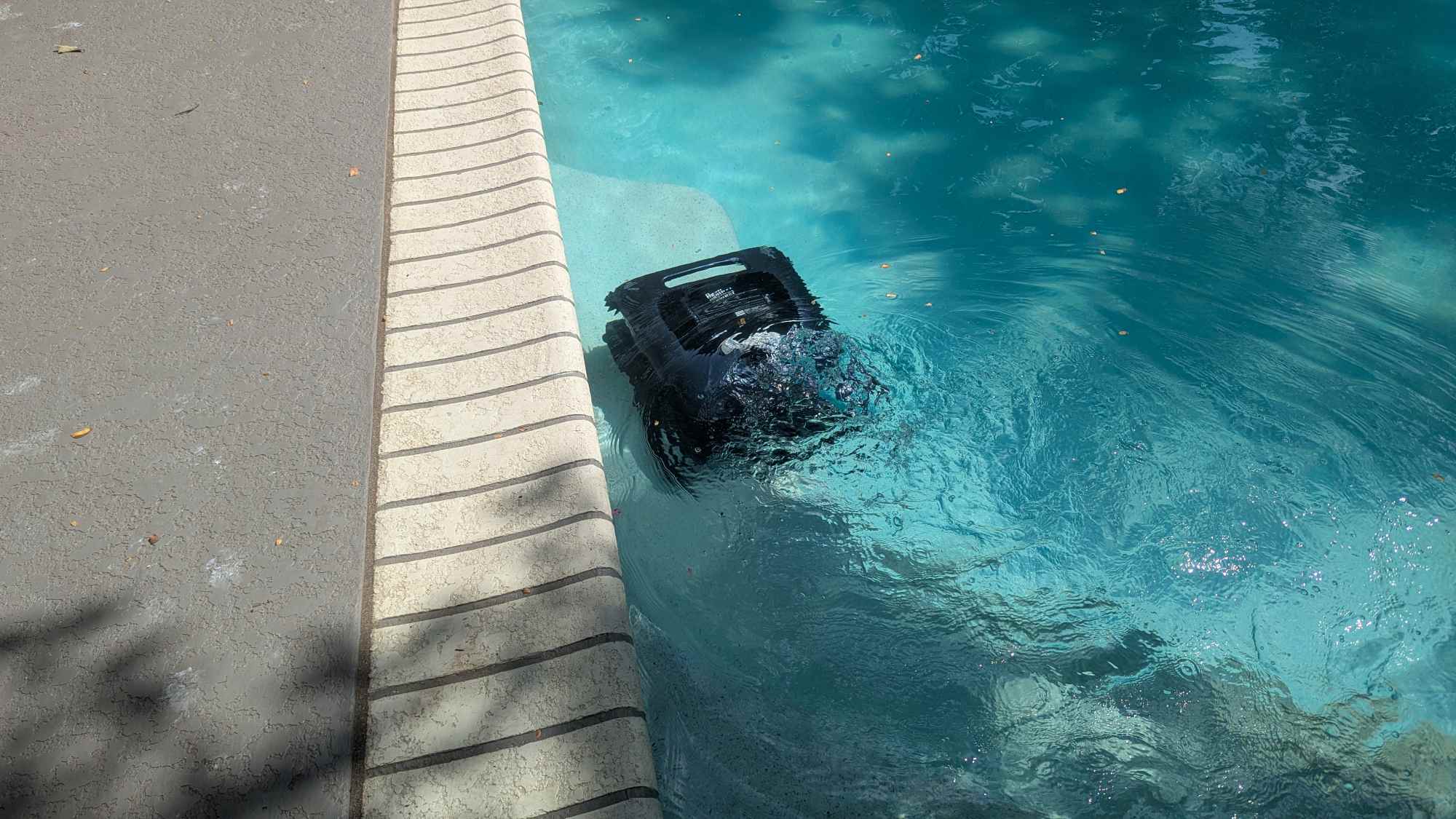
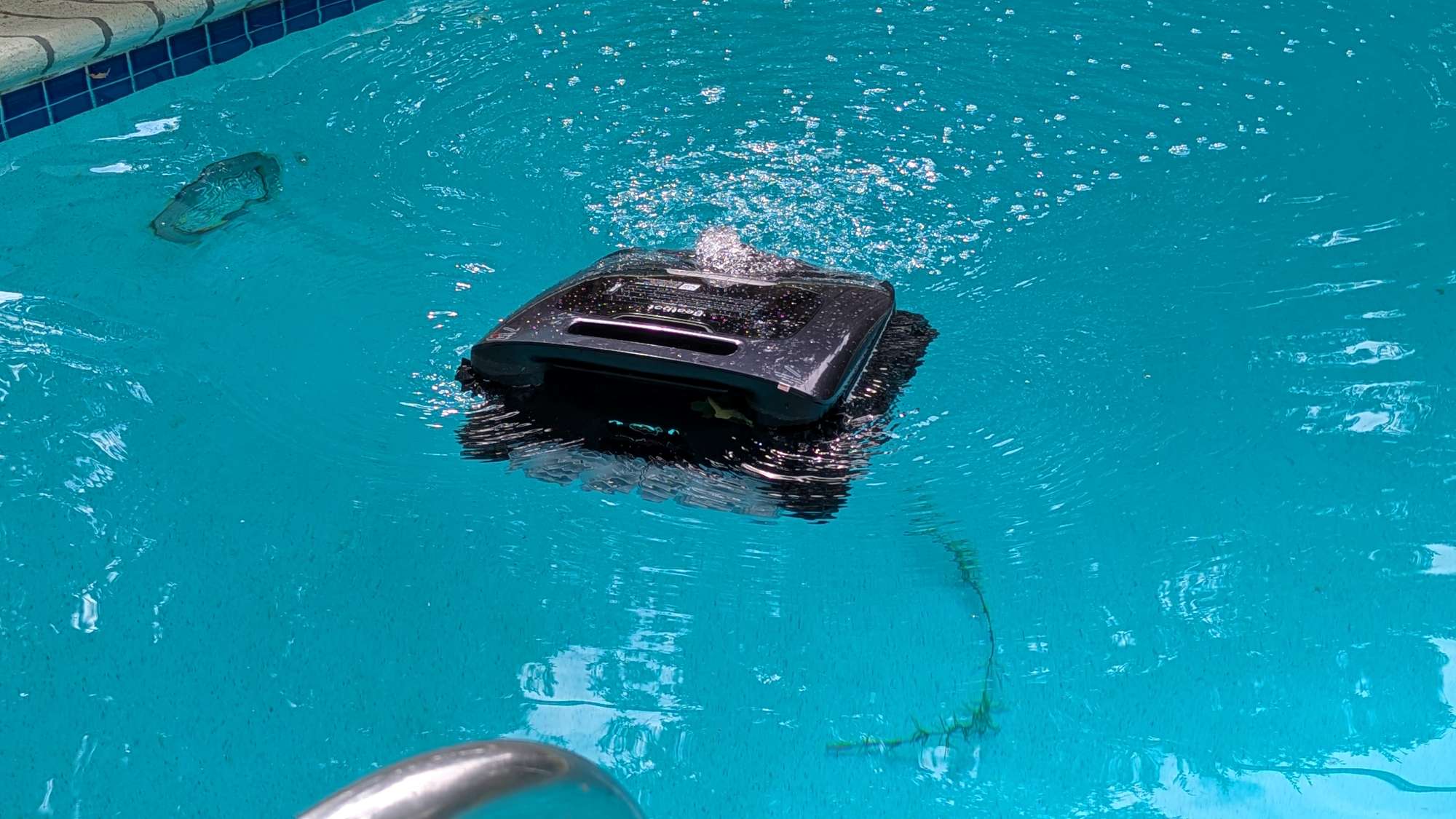
The following video shows how the Beatbot AquaSense 2 Ultra cleans a pool’s surface. It’s about a 2-minute time-lapse video (the original video was 30 minutes, sped up 16x).

The next video illustrates how the robot performs the surface cleaning up close. You can see that a lot of the debris is collected, but there are some that the robot misses, usually because the flow of water around the moving robot pushes the debris out of the way.

After the robot finished a cleaning task, it parked itself by the edge of the pool for easy retrieval. The battery was usually low and needed recharging, and the filter needed cleaning.
What I really like about the Beatbot AquaSense 2 Ultra (and the AquaSense X) robot is that it cleans the pool even at night. It has an ambient light sensor that, at a certain light level, triggers the robot’s LED lights to turn on.
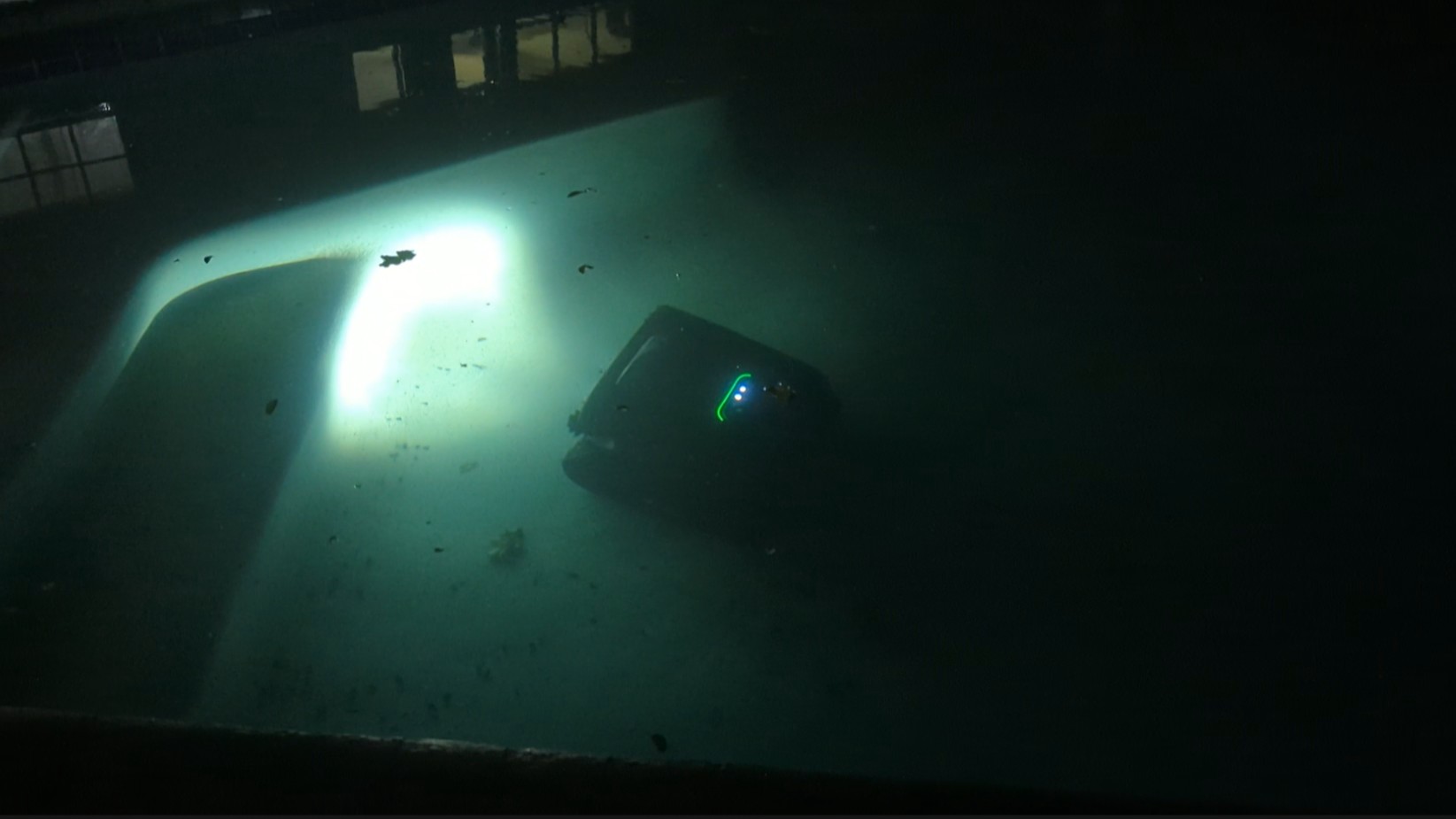
The following video shows nighttime cleaning (a 1.5-minute time lapse of a 21.5-minute video, sped up 16x):

After the robot finished the nighttime floor cleaning, it cleaned the walls, waterline, and surface of the pool without the LED lights.
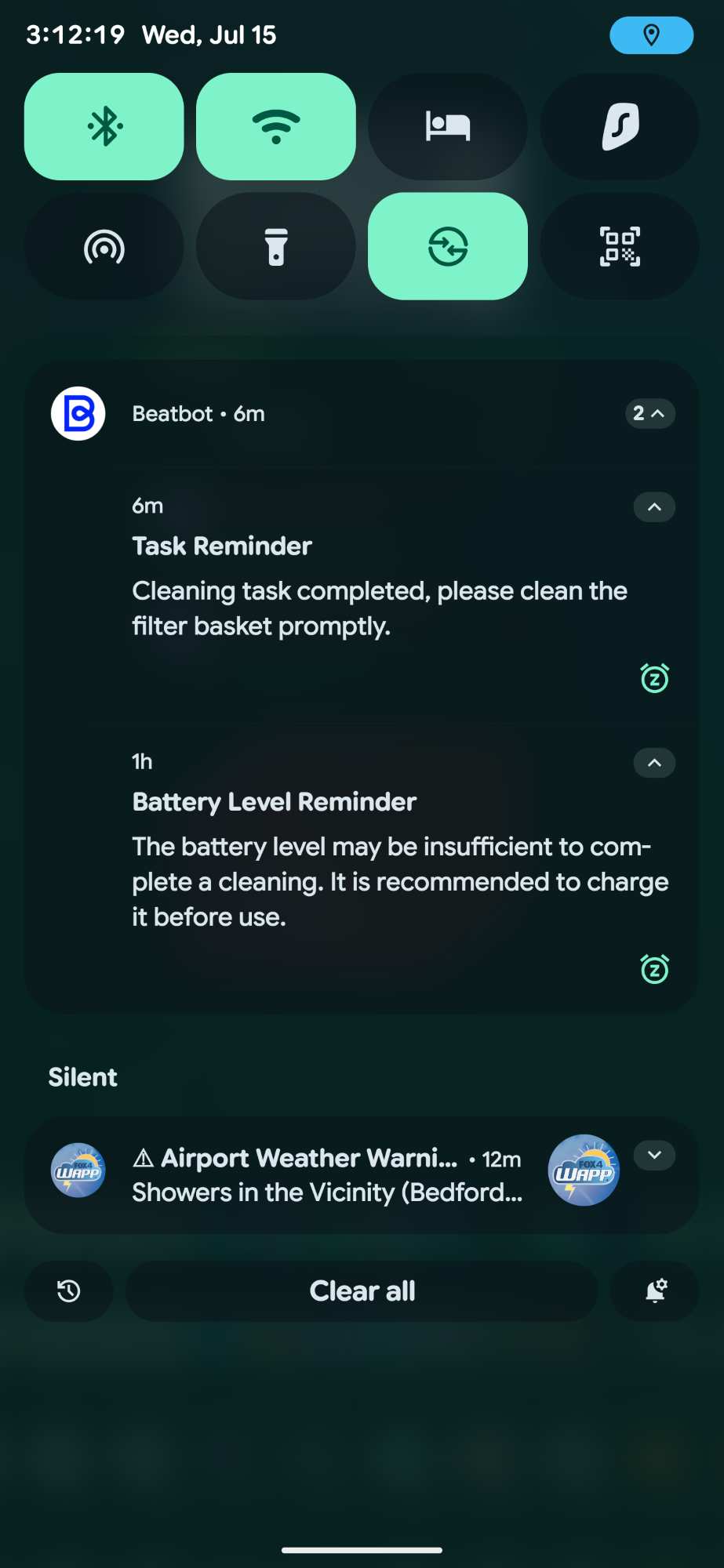
After running a task, the app sends various notifications letting you know the robot finished its task, the battery is low, the filter basket has been removed, etc. However, it doesn’t notify you when the filter basket has been reinstalled or when the robot is charging or is fully charged.
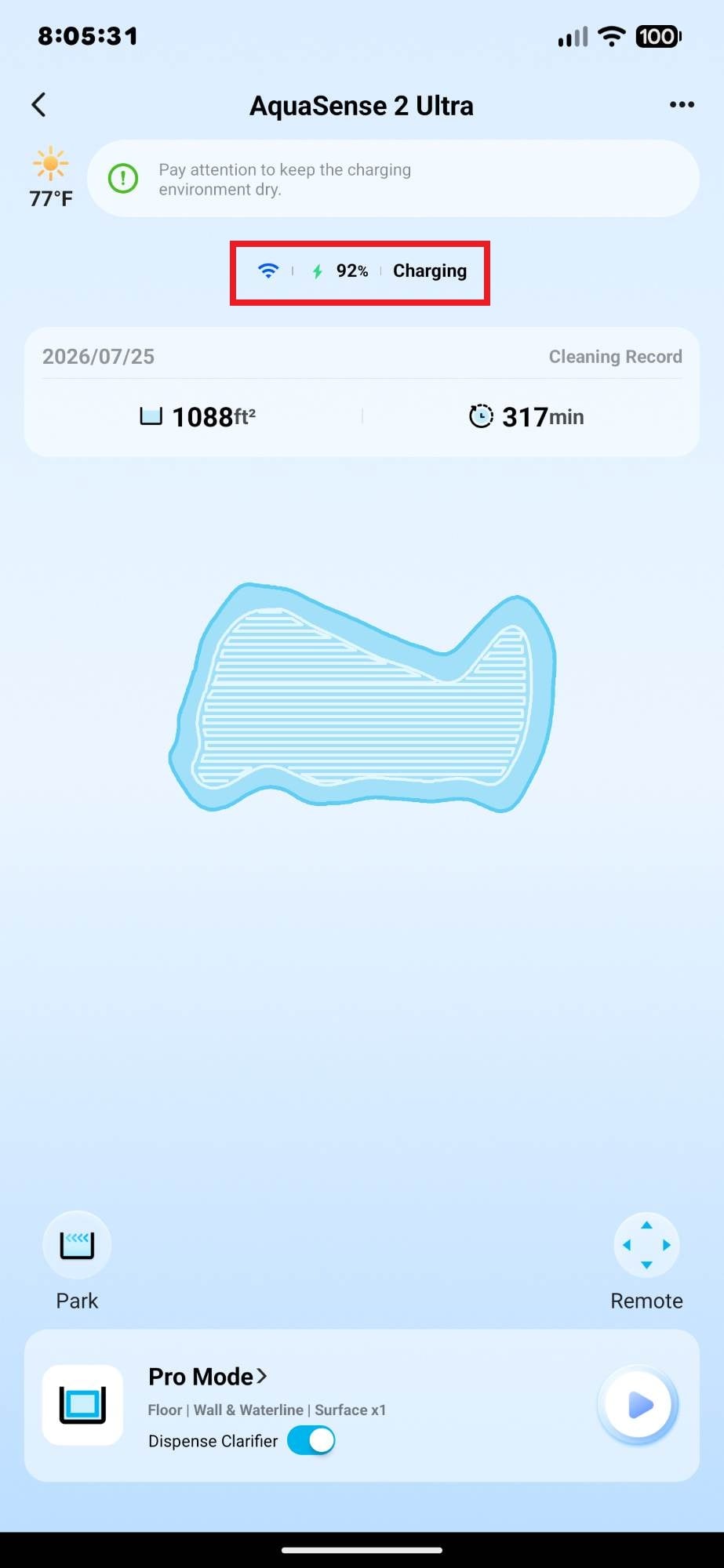
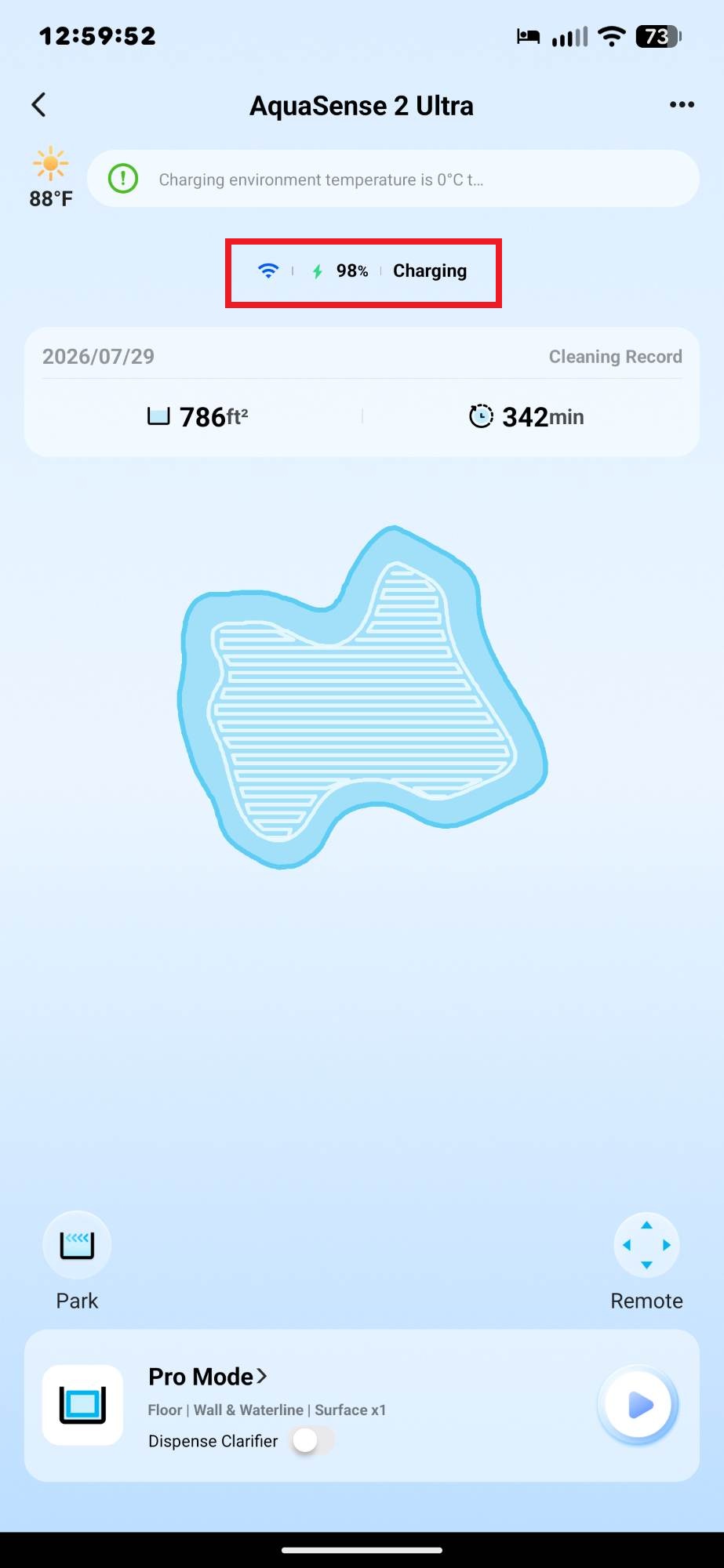
There were a couple of times when charging the Beatbot AquaSense 2 Ultra that I noticed it wouldn’t fully charge even after 12 hours or more. I’m not sure why. It could be just my robot. I checked a couple of things, like making sure that the robot was in contact with the charger’s charging contacts and that they were clean. After placing the robot on the charging dock, I always listened for a voice prompt that said, “Charging”.
I asked Beatbot about it, and they said it might have happened because the temperature was too high (which is a thing here in Texas). However, if you look at the first screenshot below, the temperature was 77 degrees F. It had been charging for many hours and never reached 100%.
Cleaning Results
The Beatbot AquaSense 2 Ultra does a great job of cleaning the pool when using the Multizone Mode. When using the Pro Mode, it didn’t clean quite as well as the AquaSense X (using the same Pro Mode). I mistakenly thought that the Pro Mode was the best mode to use to clean the whole pool, so that’s what I used for most of the cleanings. Once I switched to the Multizone Mode, I was thoroughly happy with the cleaning. I’ll discuss why in more detail later.
The average pool-cleaning time was about 5 hours. Just like the AquaSense X, most of the Ultra’s battery was used to clean the pool floor, walls, and waterline. But because surface cleaning uses much less battery, the robot was usually able to complete the task. There were only a couple of times when the battery was too low to complete the cleaning.
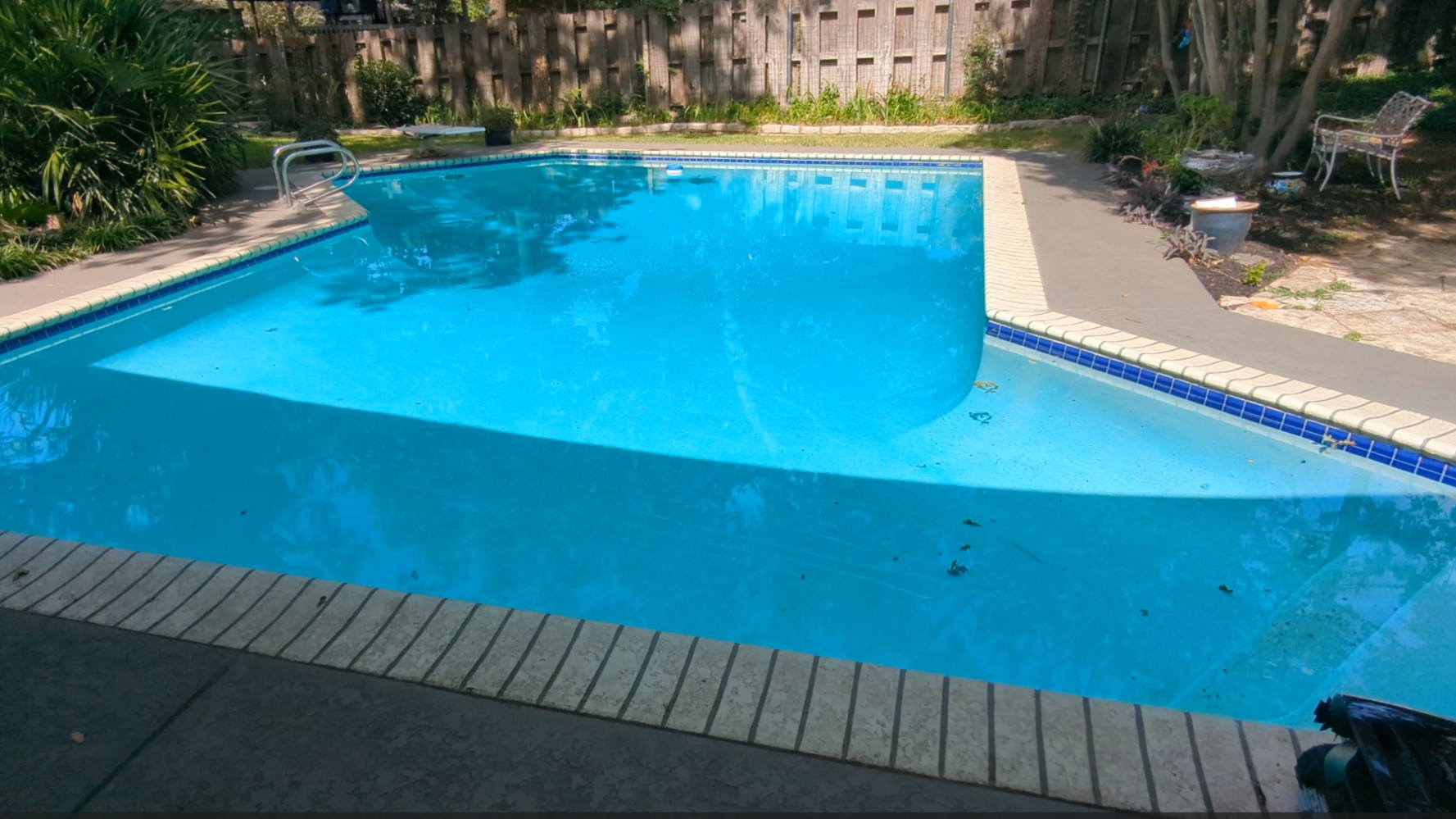
Below are a couple of photos before and after the Beatbot AquaSense 2 Ultra cleaned using the Pro Mode. It’s really challenging to find photos that adequately illustrate how well the robot cleaned. Why? Because if it was a windy day, the wind constantly blew leaves and debris into the pool while the robot cleaned, and sometimes the “after” photos showed the pool in worse condition than the “before” shots. And if it was a calm day, there was sometimes very little in the pool to begin with to compare to the “after” shot.
Here’s a “before” photo:
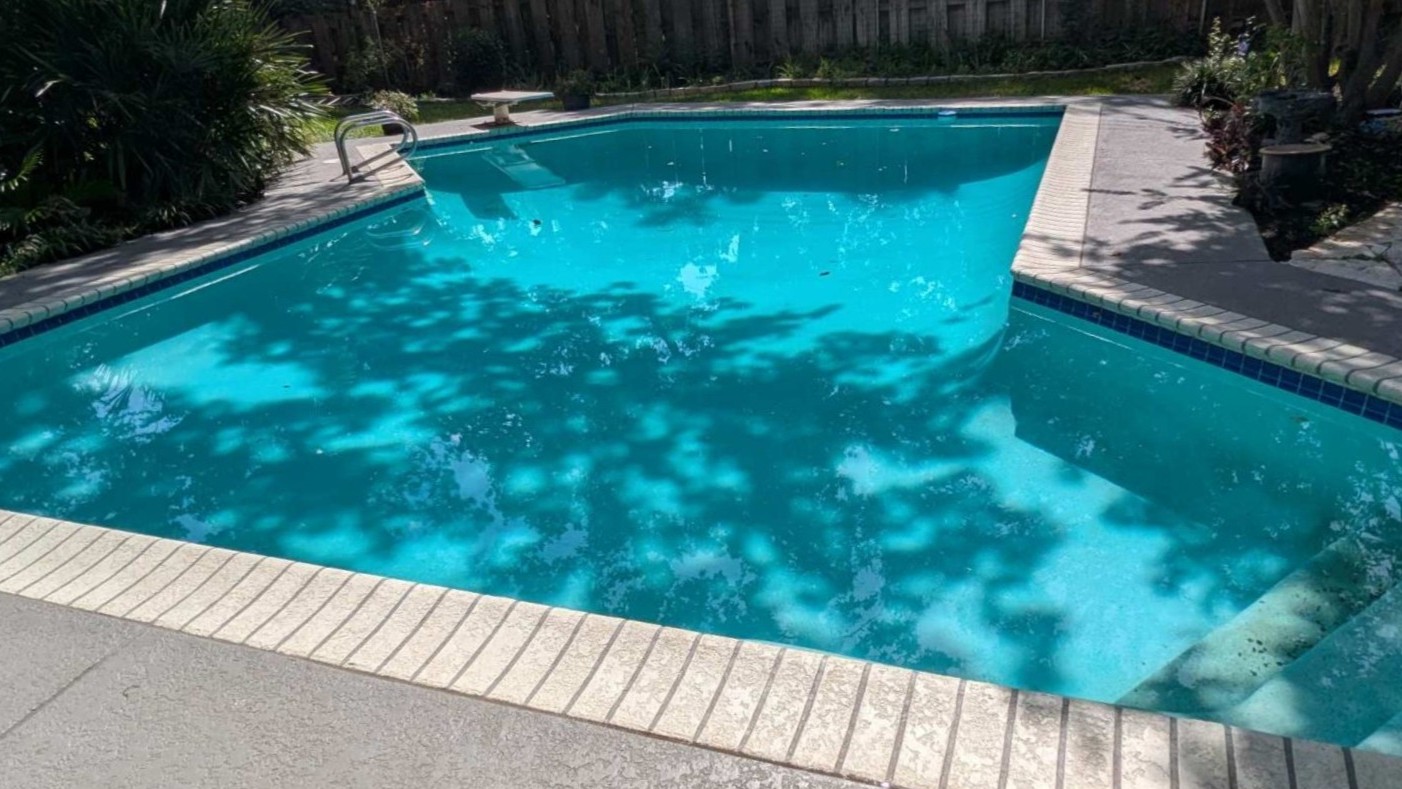
Here’s an “after” shot after several days of cleaning. The photo below illustrates that most of the pool is clean except for the steps.
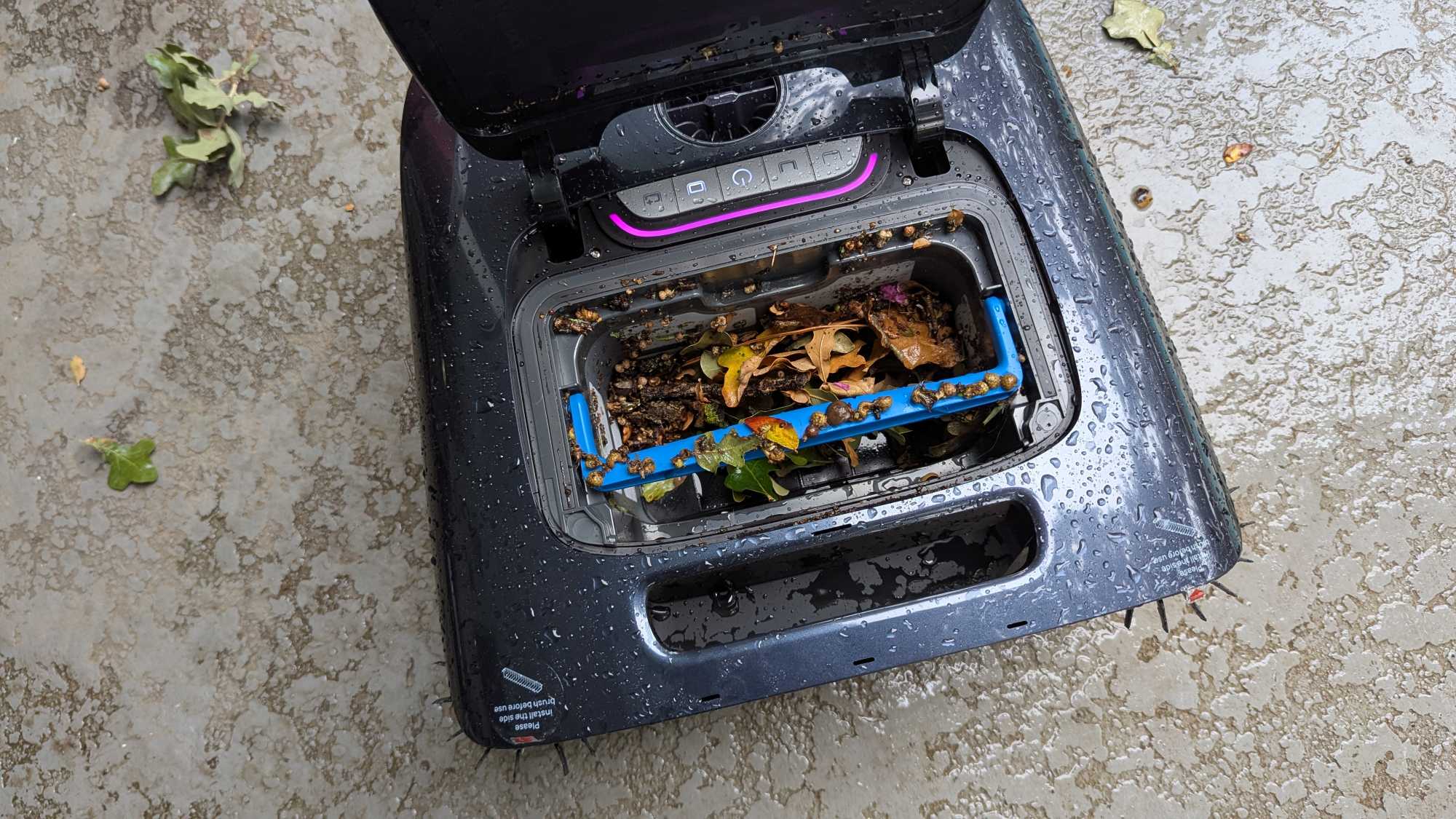
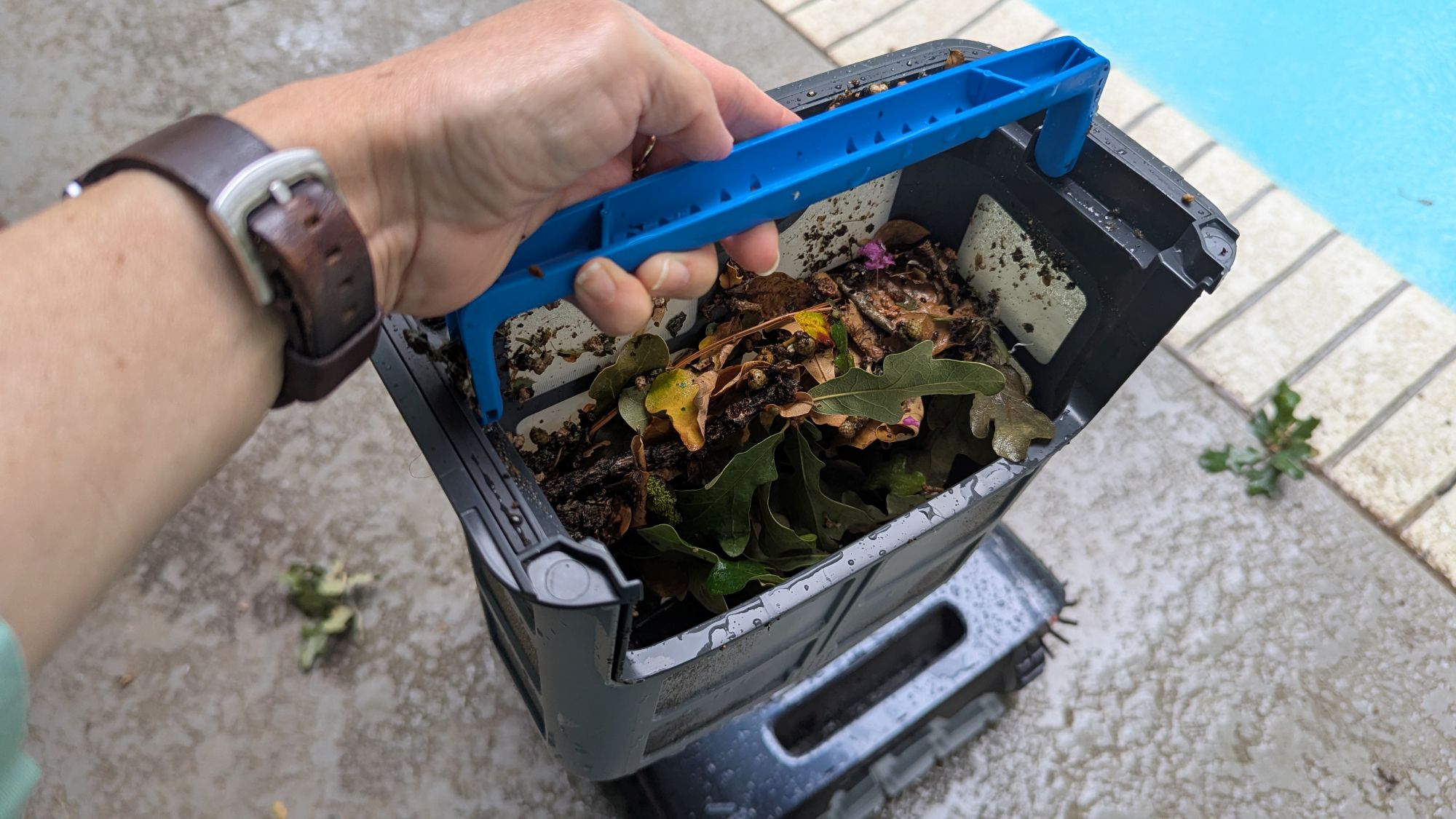
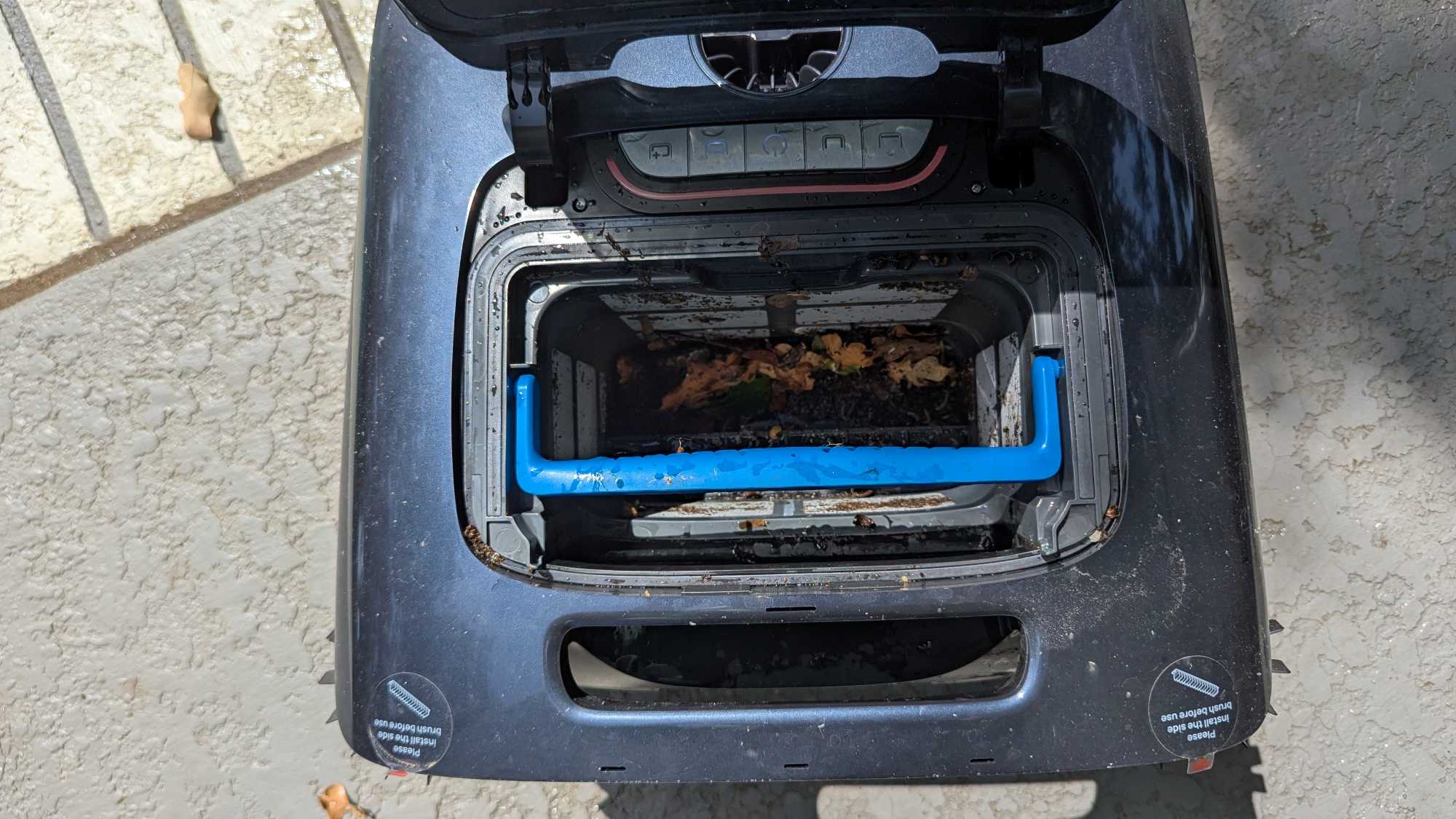
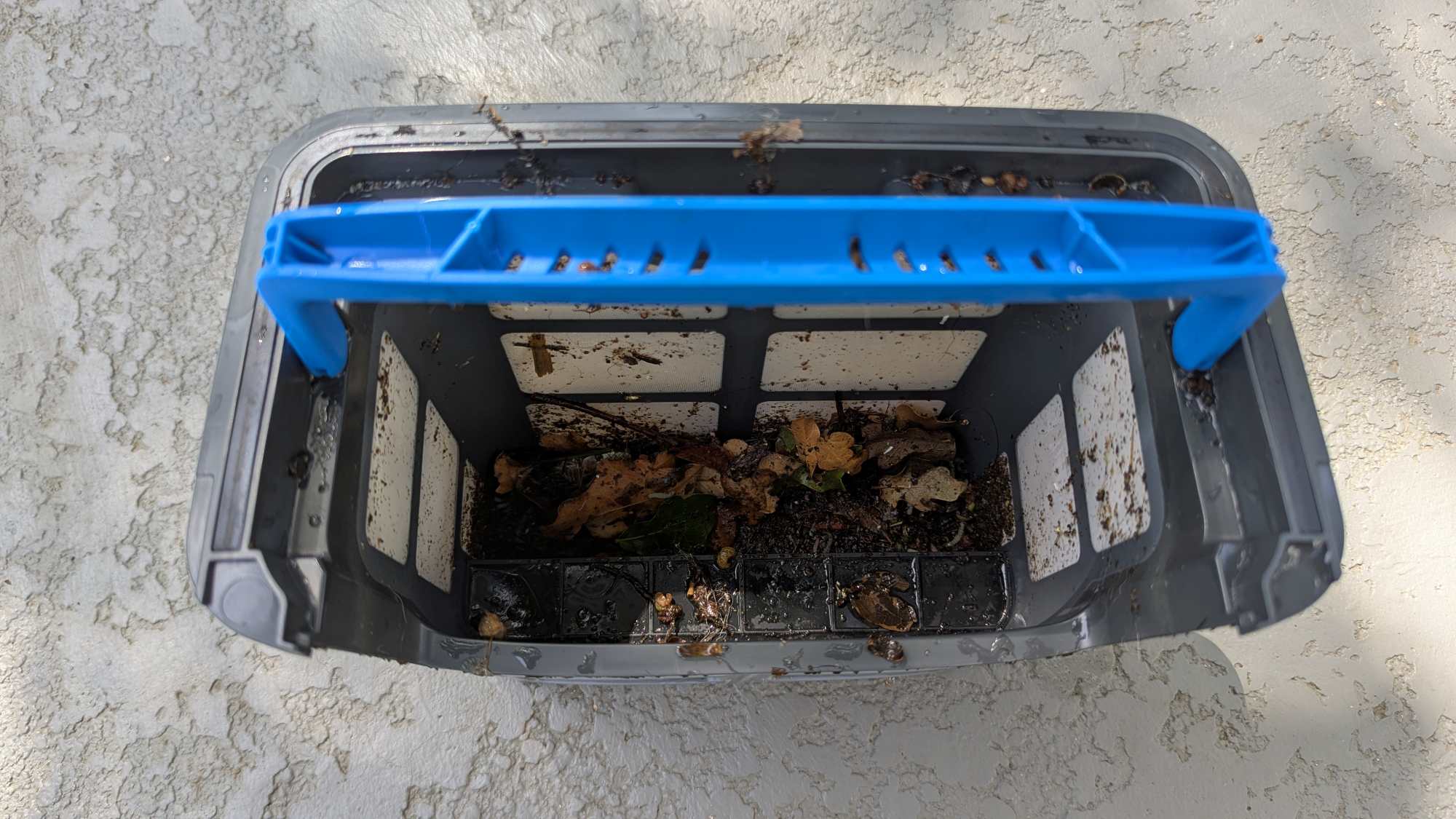
The first cleaning filled the filter basket more than I expected (see the photos below). The basket was less full in subsequent cleanings. Cleaning the basket was easy using a hose and a spray nozzle. It took only a few minutes to clean it out.
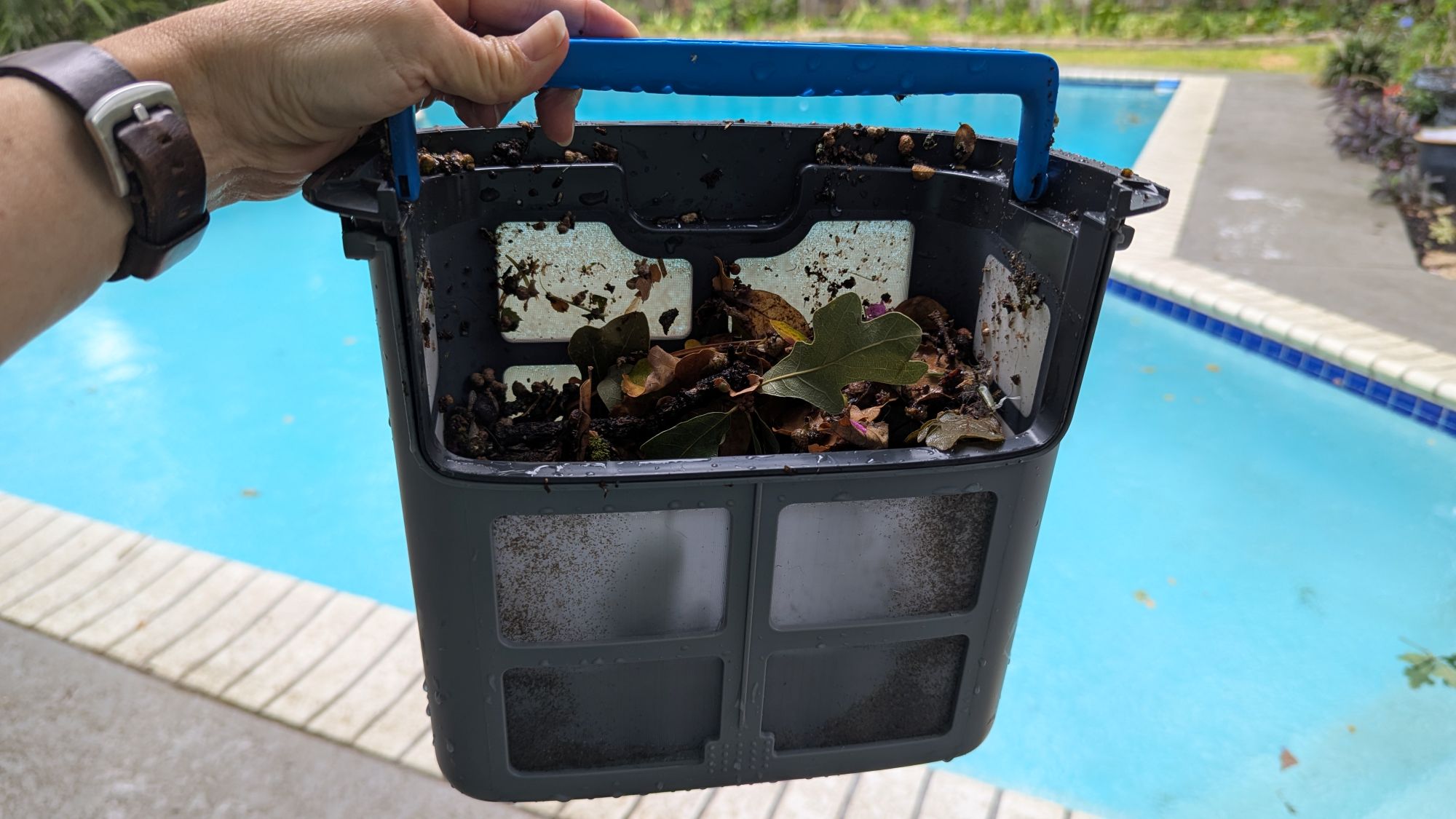
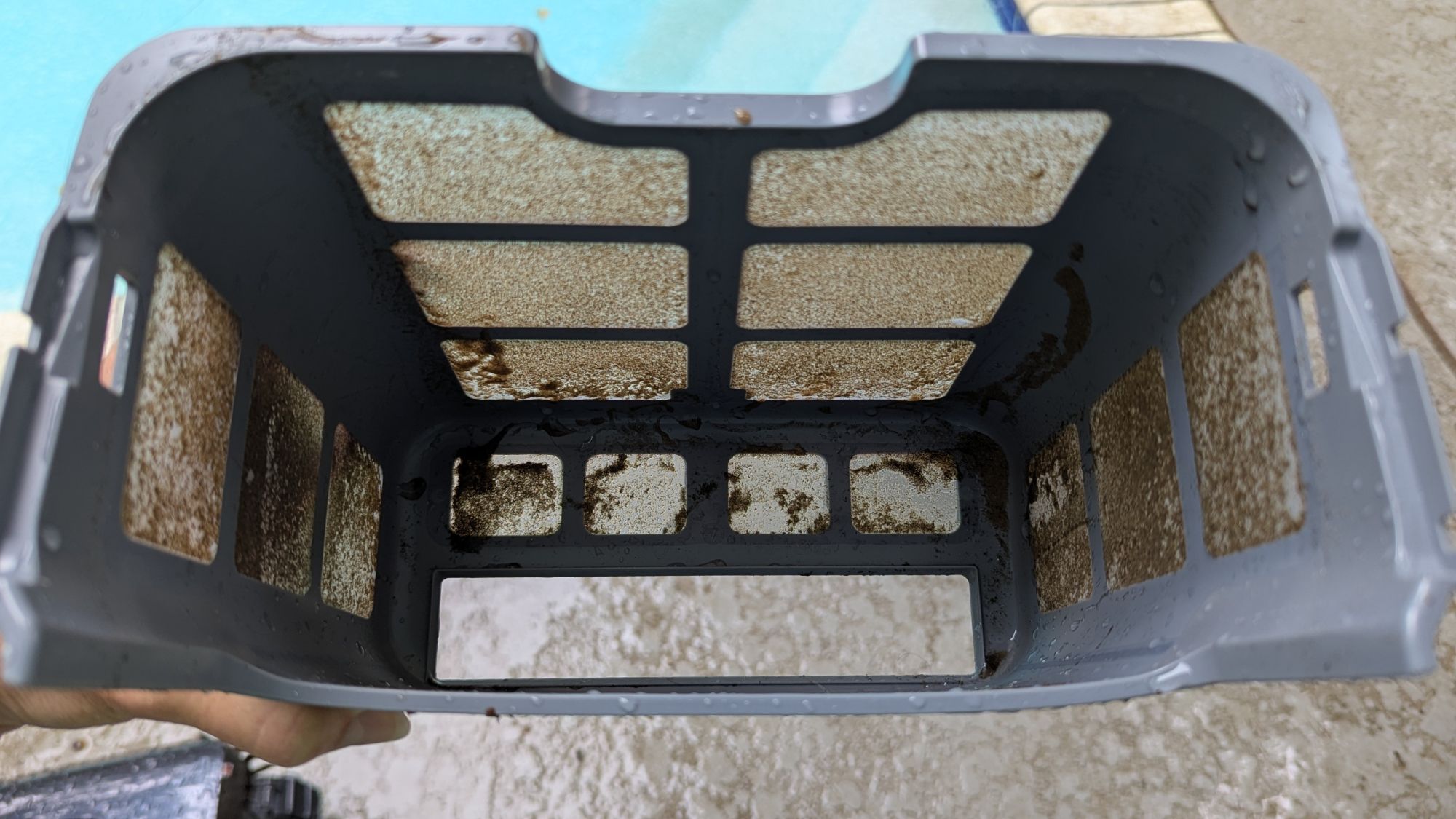
A couple of weeks into my tests, the pool maintenance guy missed a week, and the pool started getting cloudy because the pool pH and chemicals were off and there were a couple of rainy days. Because of that, the outer filter basket used to strain out finer debris particles got clogged before the cleaning was finished (see the last photo below).
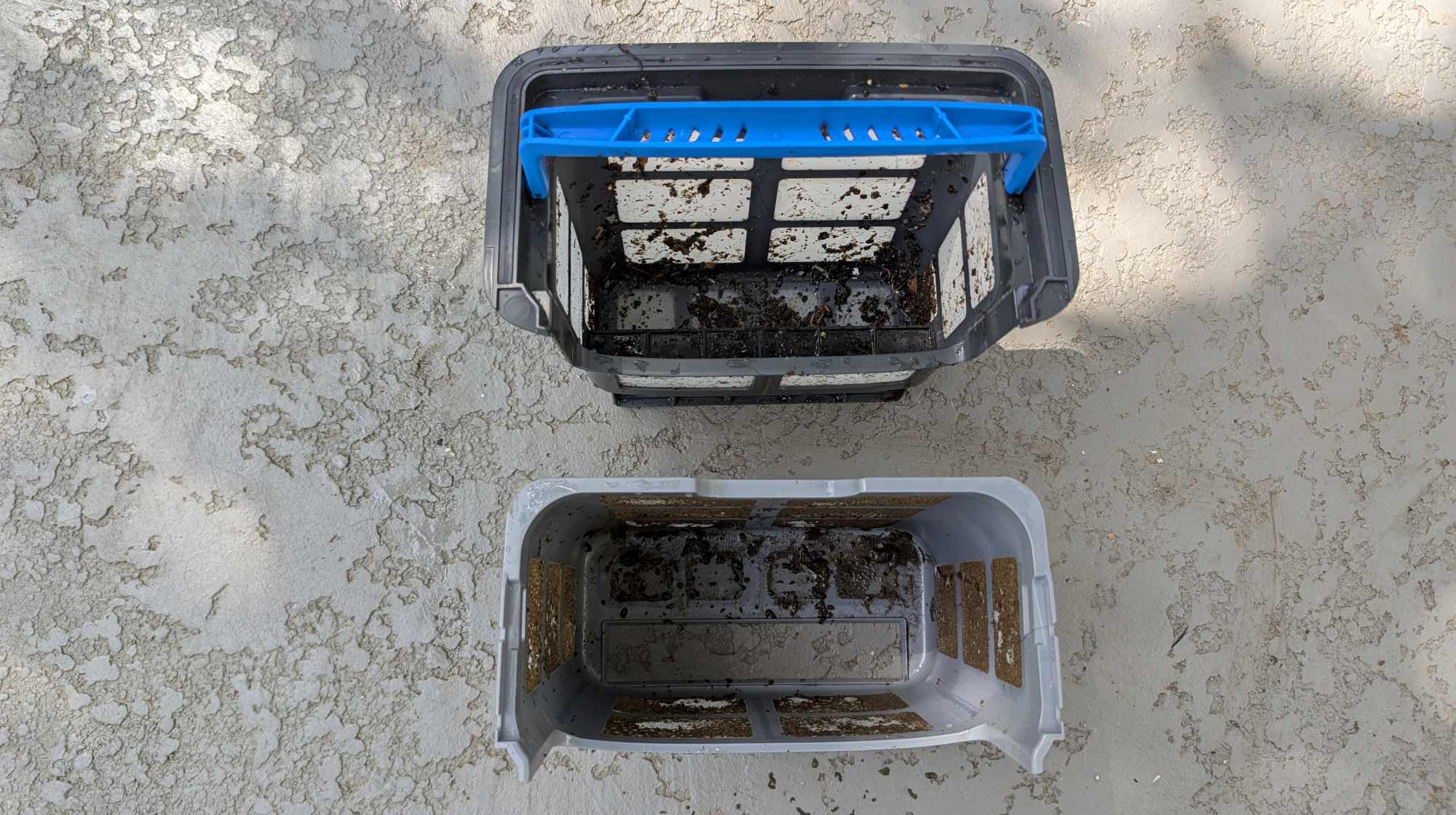
If you don’t want this to happen when your pool is cloudy, you can run the cleaning task without the outer filter basket and use only the inner one.
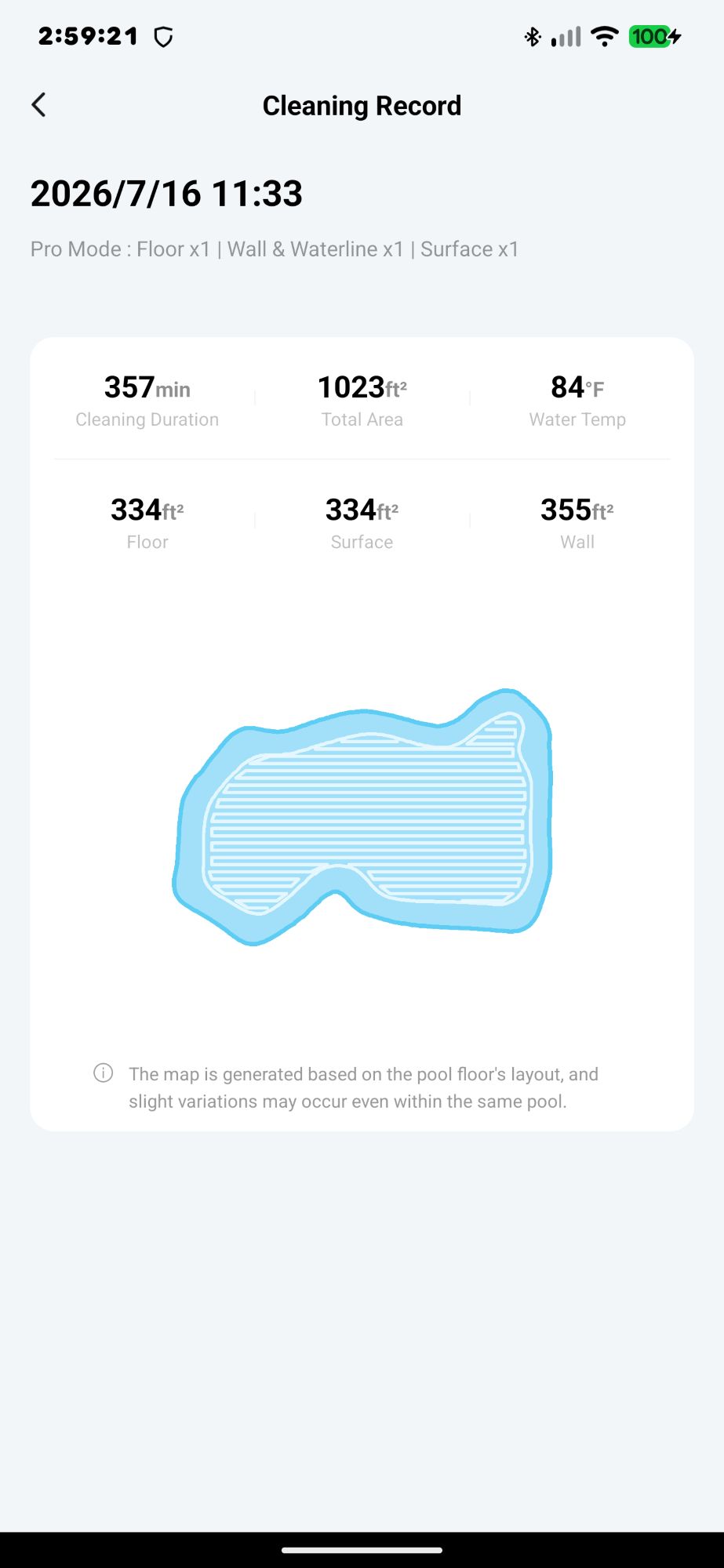
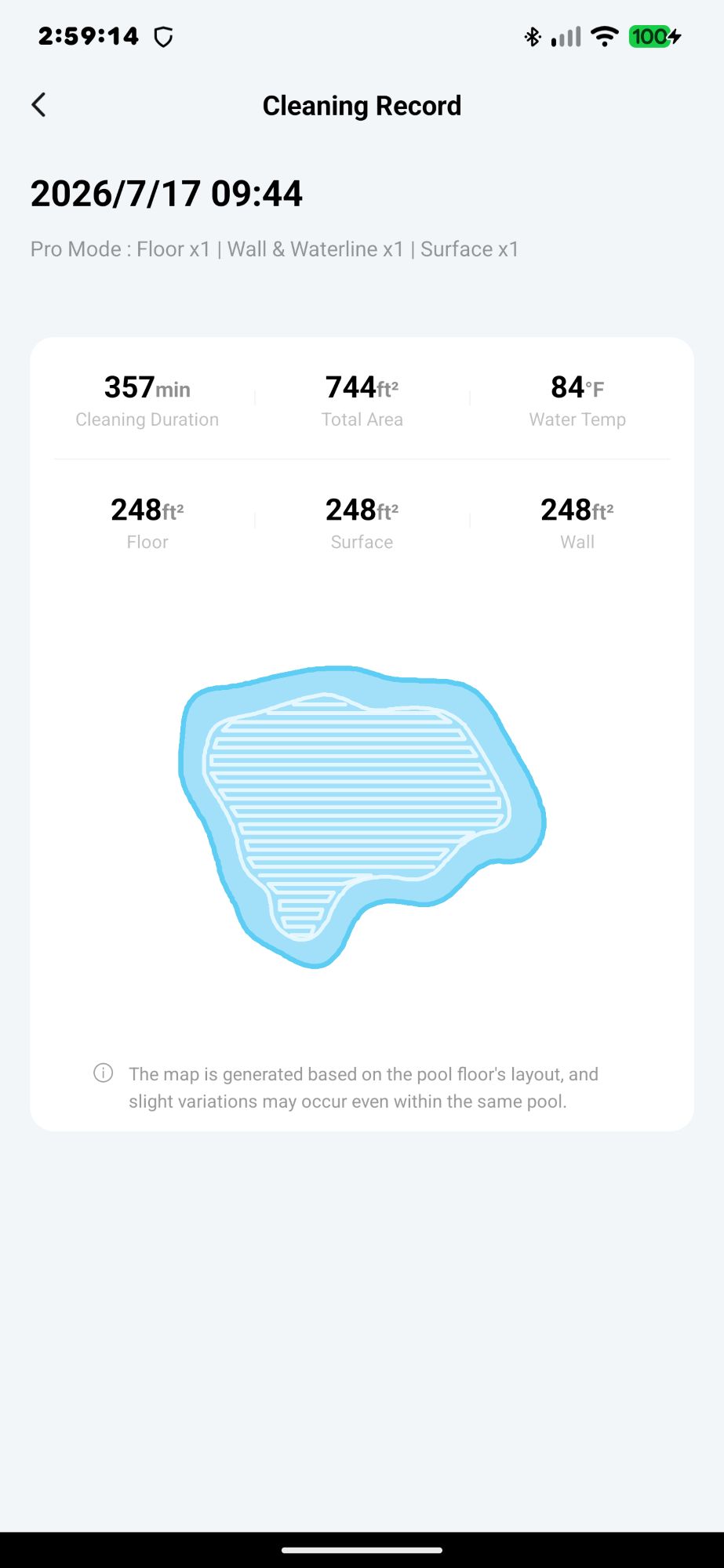
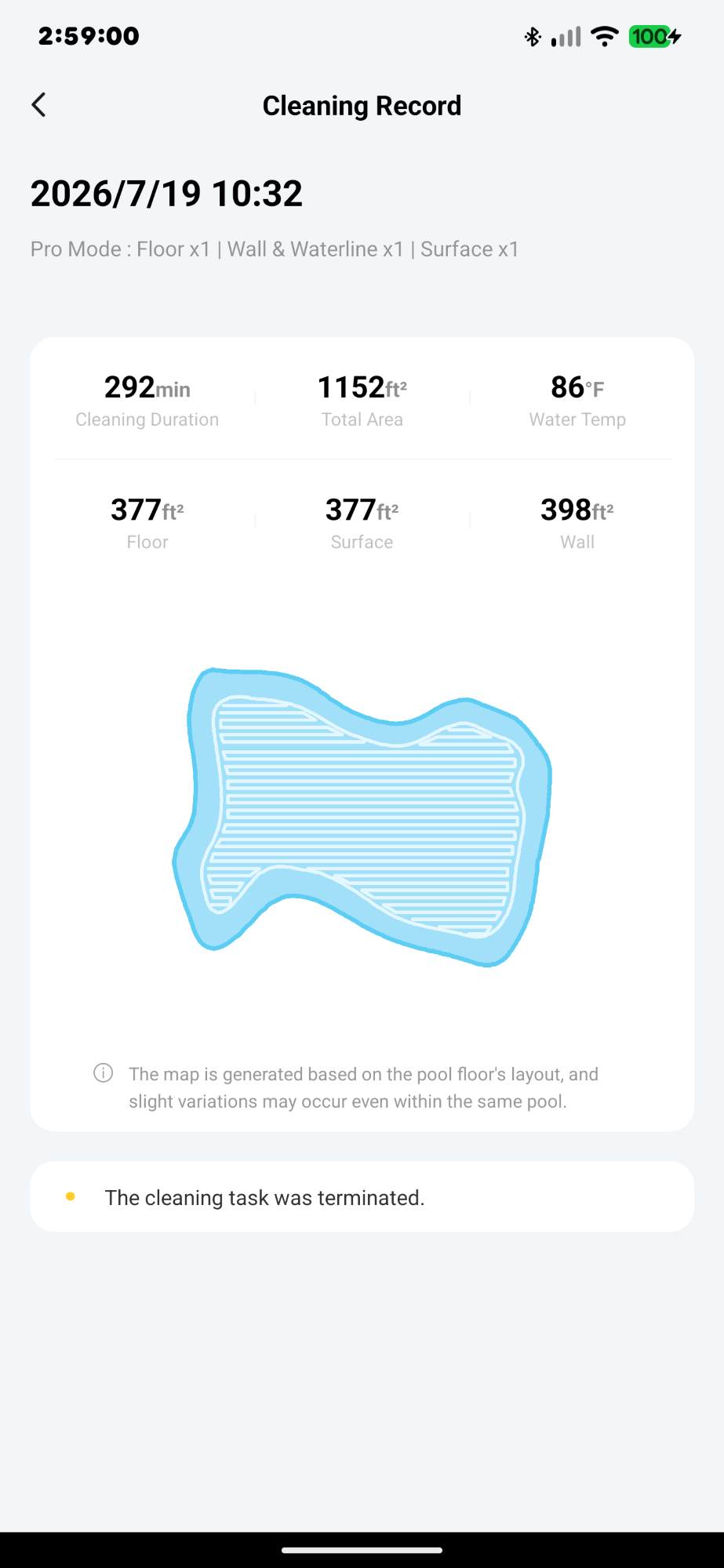
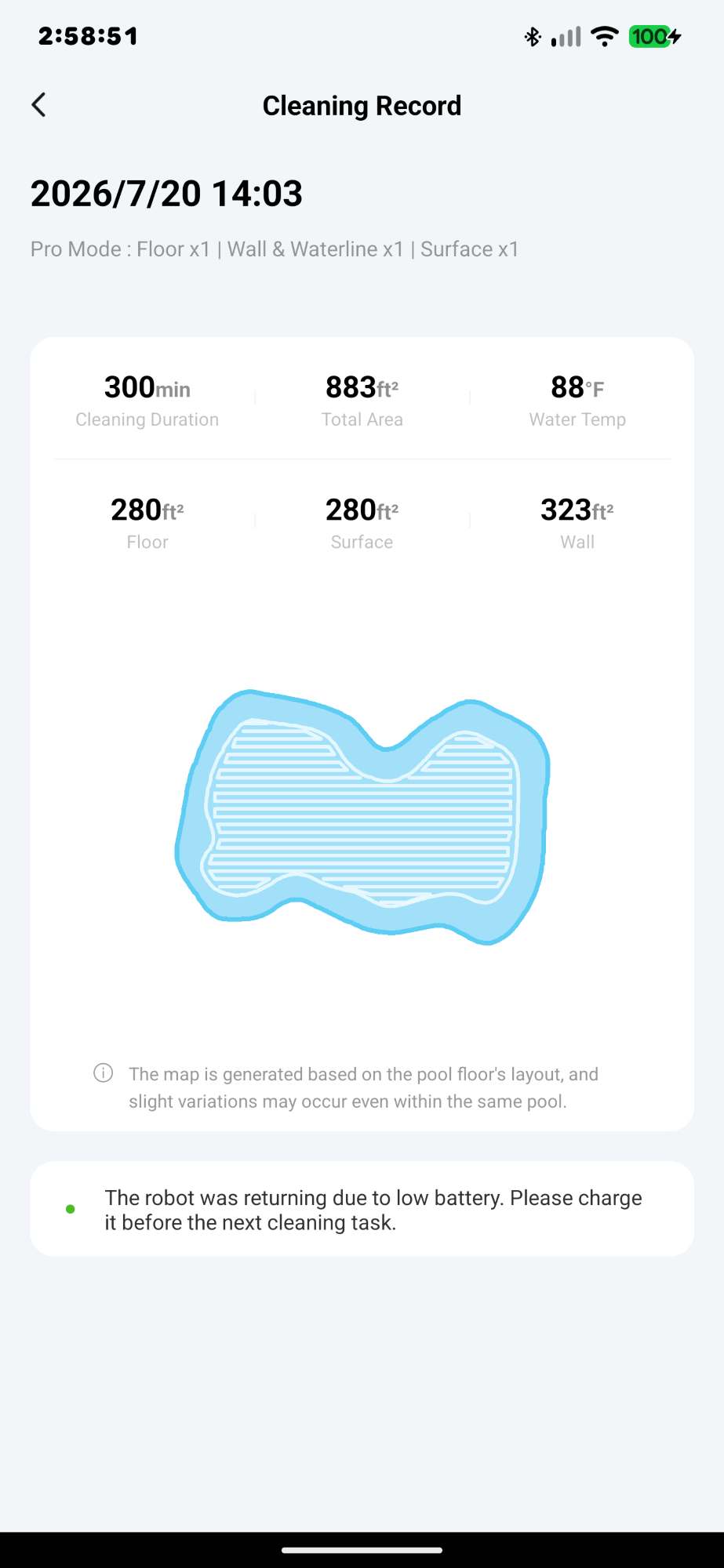
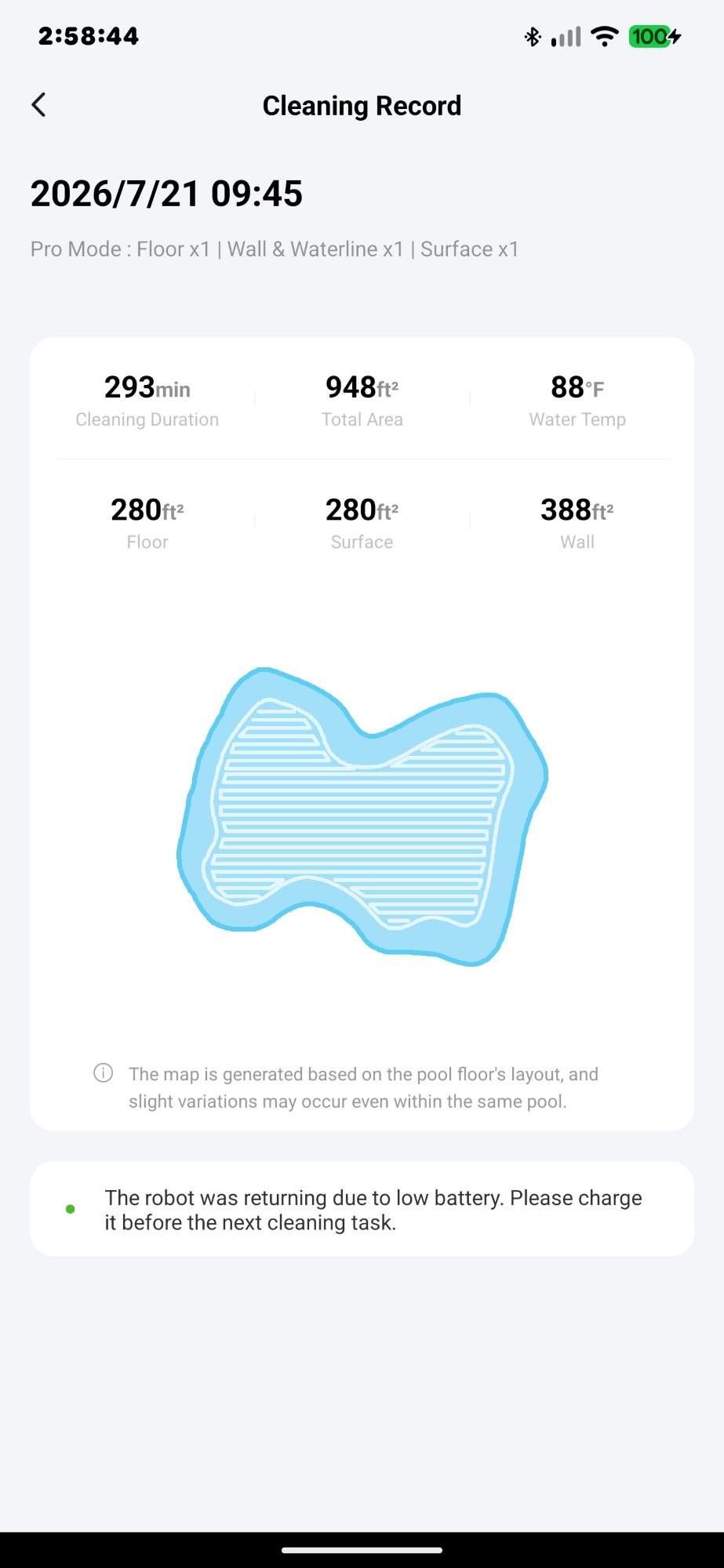
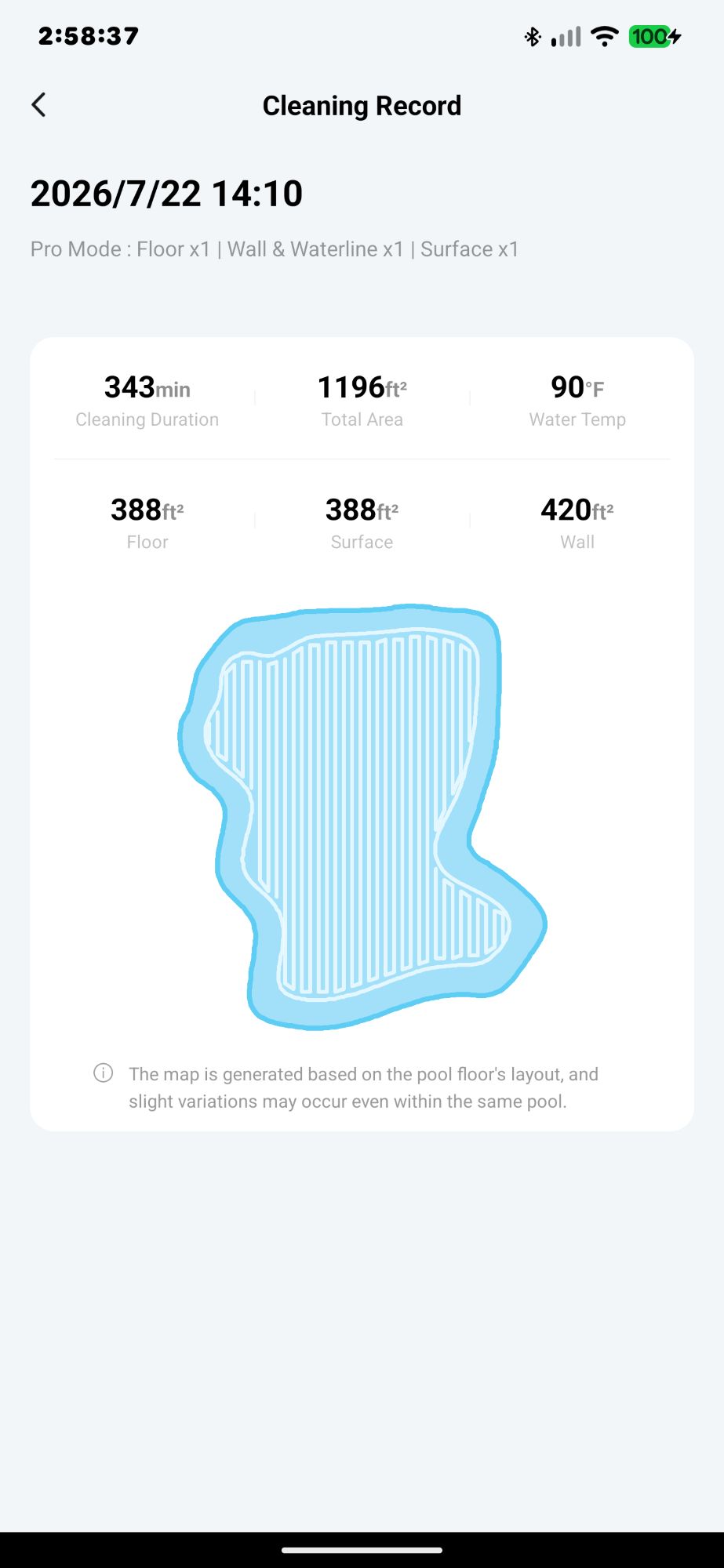
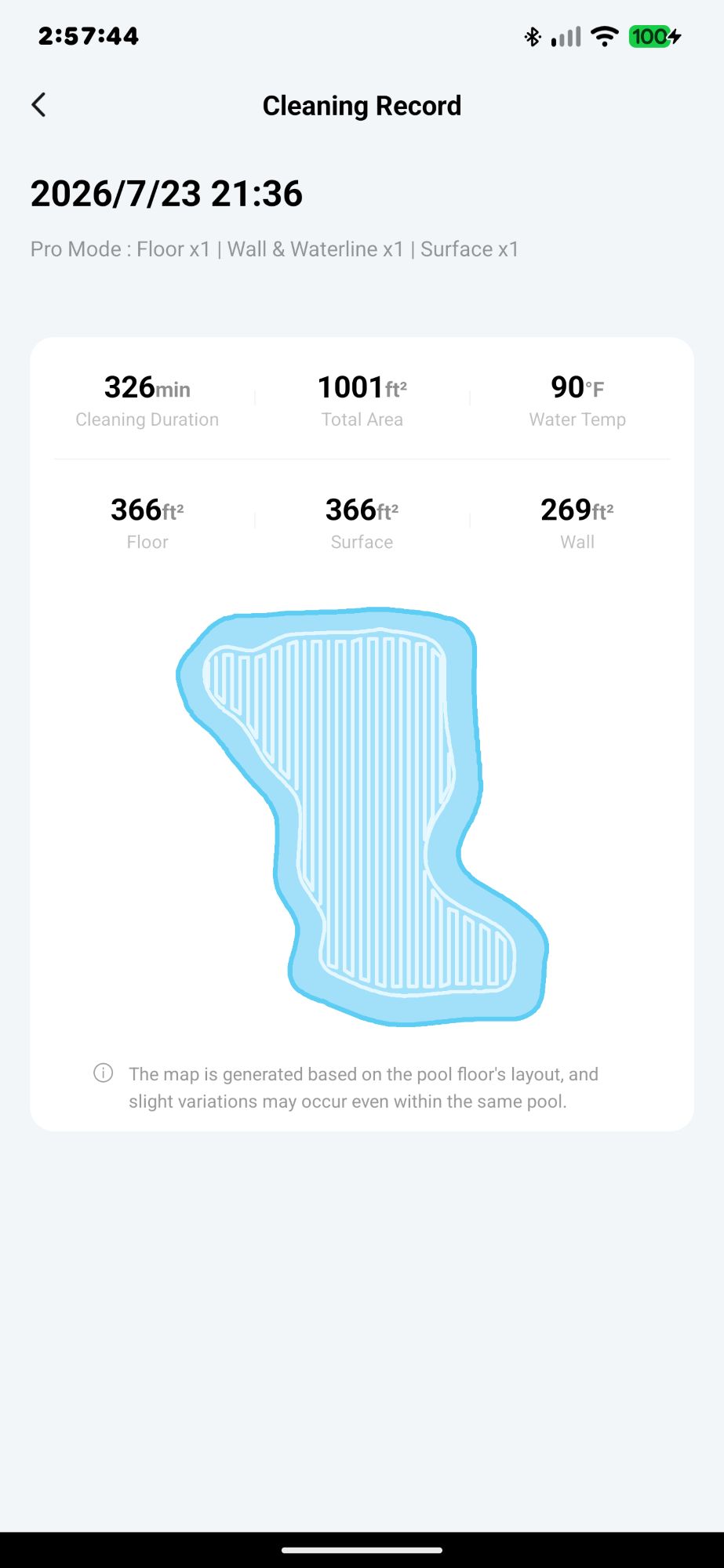
The AI in the Beatbot AquaSense 2 Ultra is supposed to build a smart cleaning path so that there are no missed areas in the pool. However, it seemed to miss some areas when cleaning. It also seemed to clean in a random pattern (I noticed this with the AquaSense X as well), whether it’s cleaning floors, walls, or the surface, even though the app shows a nice regular cleaning pattern (see the screenshot below).
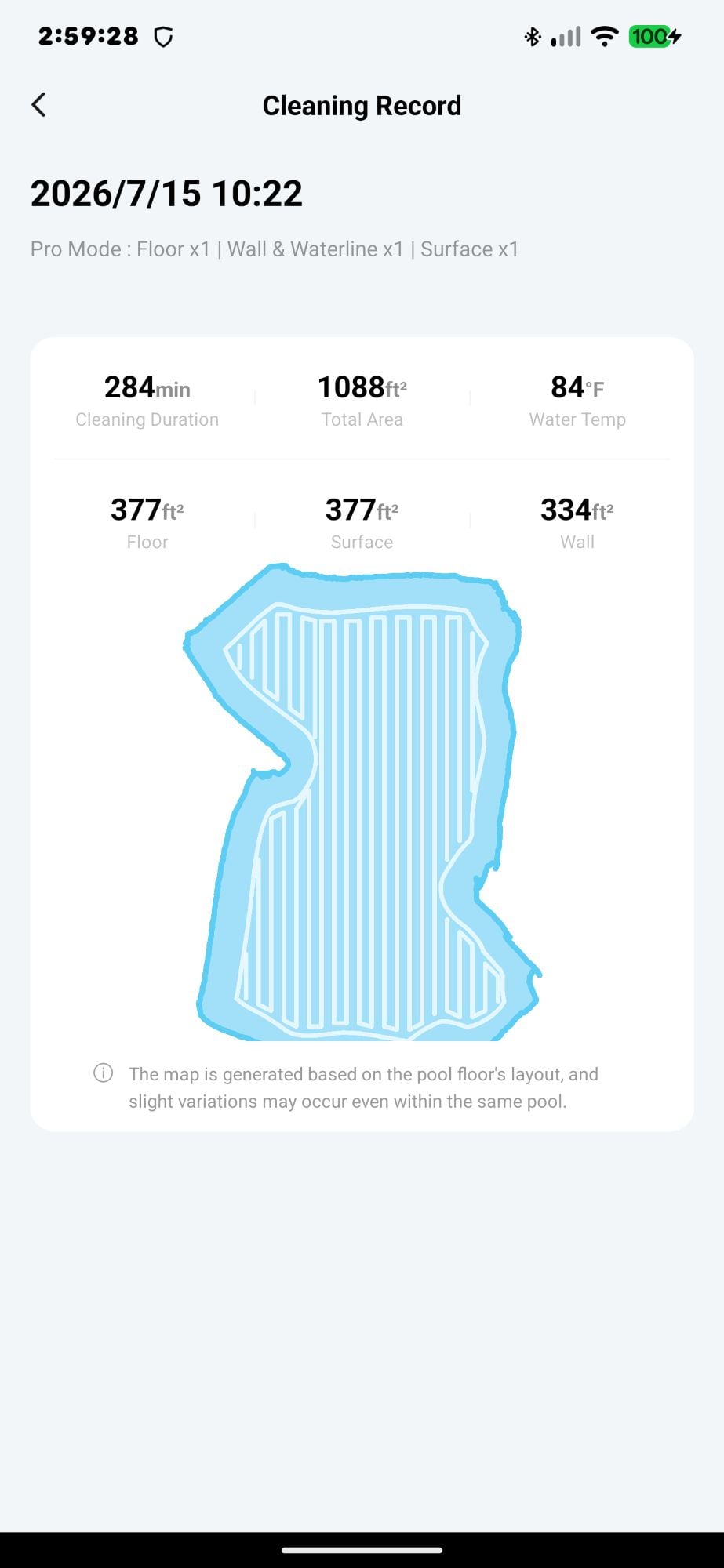
More accurately, the robot moves methodically back and forth in one area of the pool, then randomly goes to another part of the pool to clean back and forth there a few times before moving on again. It sometimes seemed to target debris, while other times, it ignored debris in the area.
For example, when cleaning the walls in Pro Mode, I noticed that it cleans a small portion of one wall, then moves to another wall and cleans a portion of that one before moving on to yet another wall. This made it difficult for me to track whether it was completely cleaning all the walls (there are a total of seven walls in this irregularly shaped pool).
After several days of Pro Mode cleaning, it became obvious that there was one wall that the Beatbot AquaSense 2 Ultra consistently missed (shown in the photo below). This was disappointing.
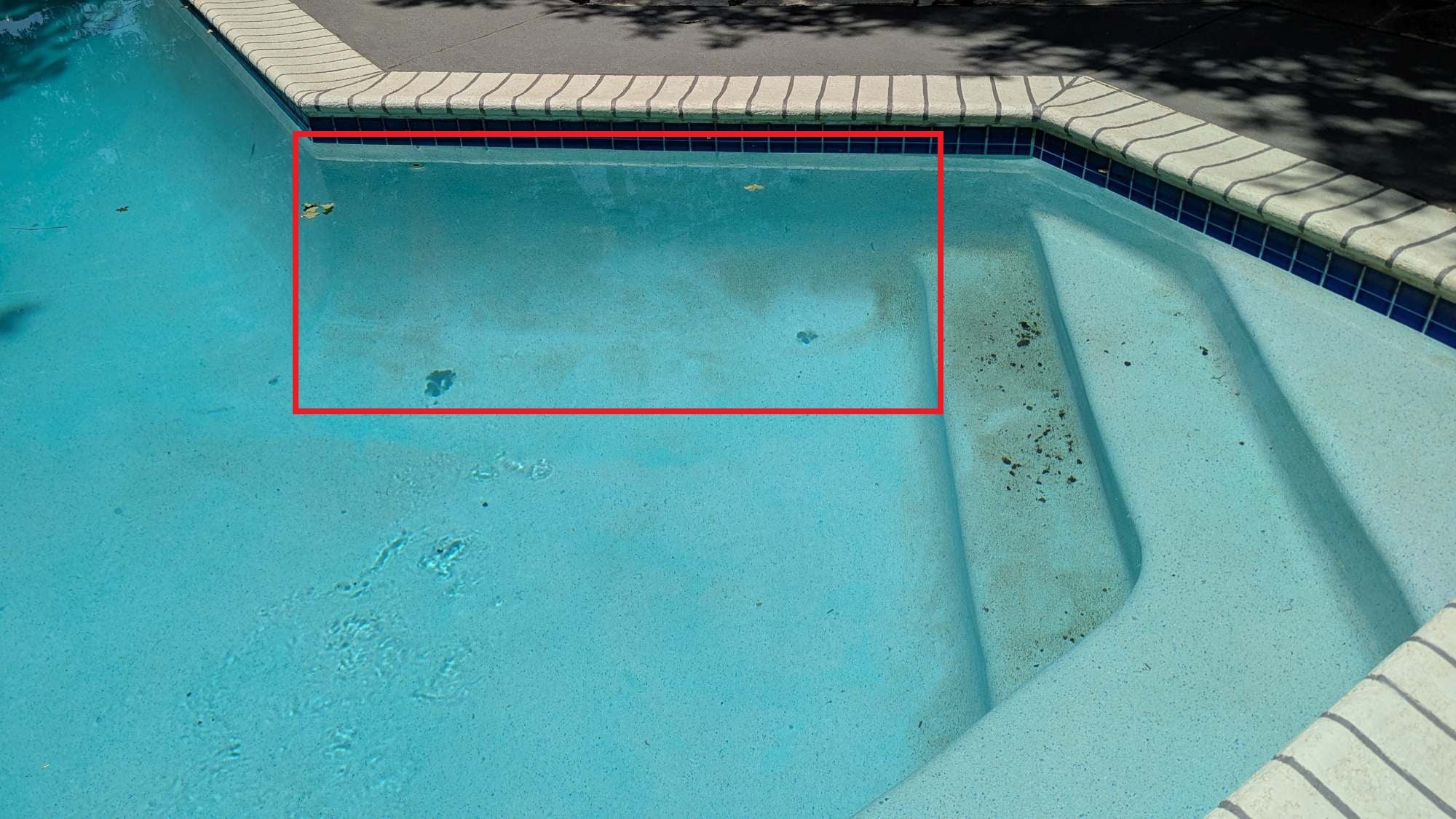
I contacted Beatbot about this, and they suggested using the Multizone Mode.
I gave it a try, and it cleaned that wall! I think I’ll use that mode from now on. Unlike the Pro Mode, where the robot cleans the entire pool floor first, then the walls and waterline, and finally the surface, using the Multizone Mode, each time the robot traverses the pool while cleaning the floor, it doesn’t stop at the wall. Instead, it continues to travel up the wall to clean. It cleans by crisscrossing the pool floor (and walls) as shown in the video below.

I noticed that it even cleaned the stairs better in this mode (though the stairs are not wide enough to accommodate the robot or in deep enough water to clean them thoroughly).
After cleaning the floor and walls, it transitions to cleaning the pool surface (you need to tap the “Surface x1” radio button in the Multizone Mode settings to clean the surface).
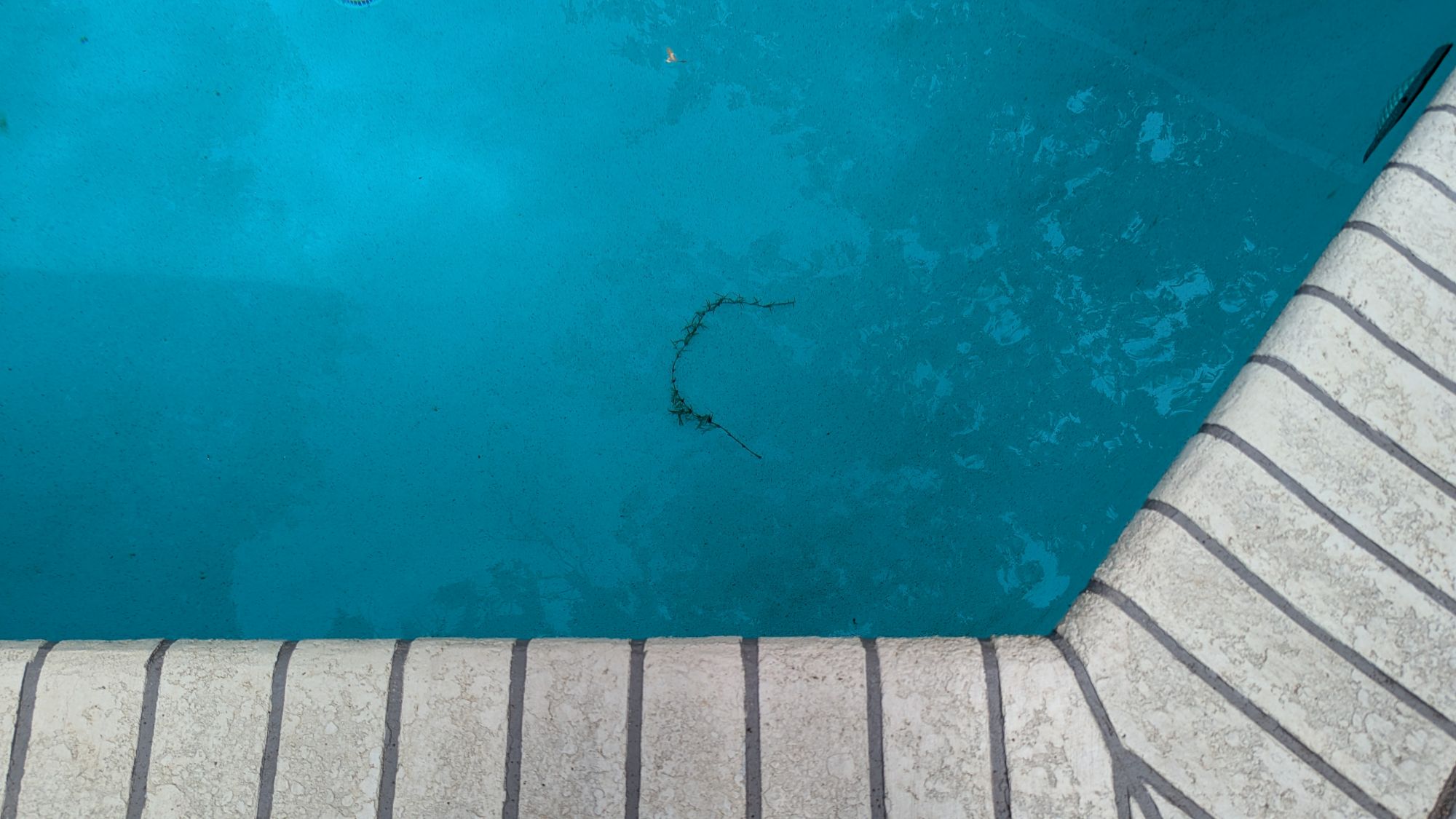
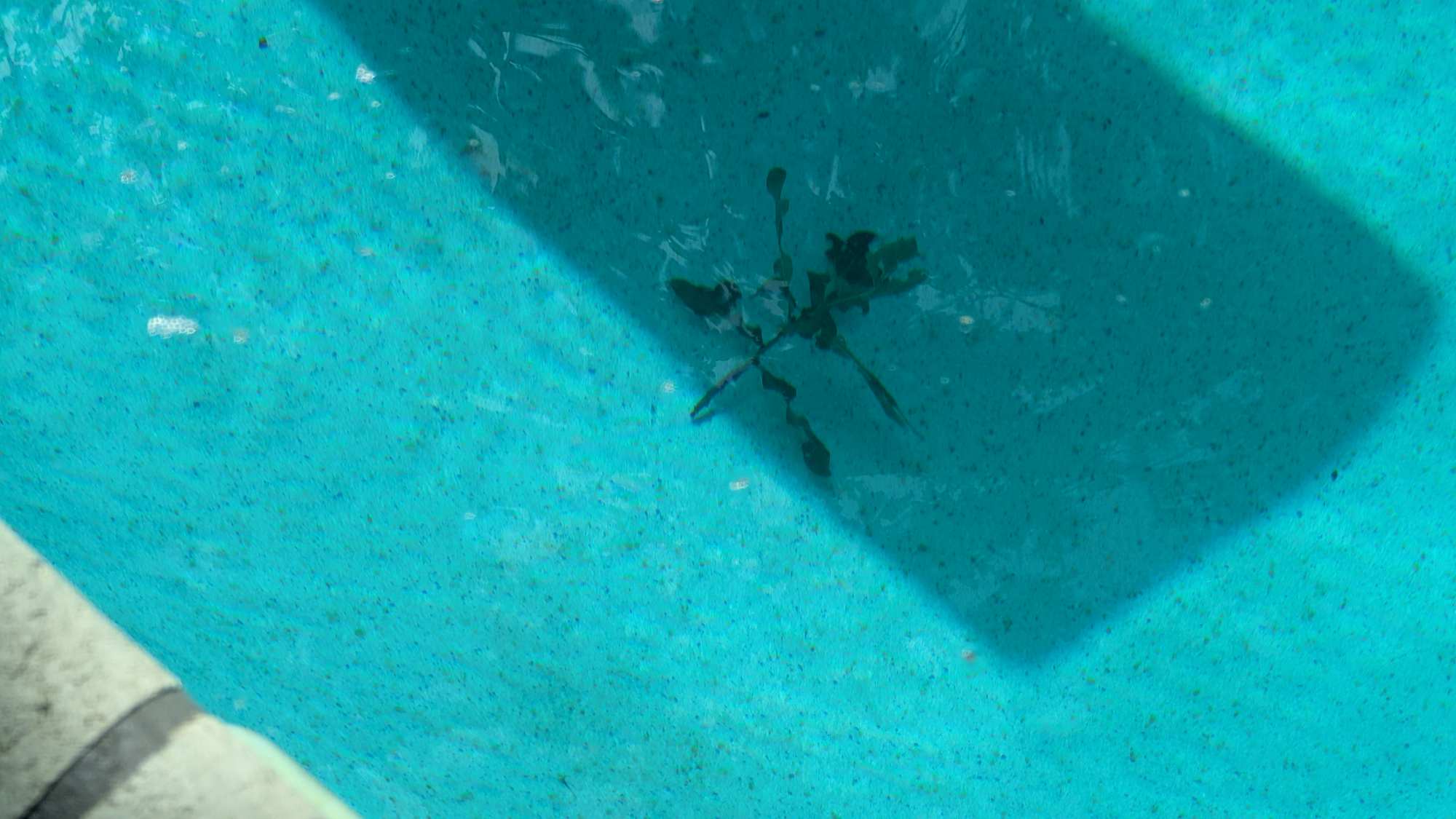
There were times after a cleaning when some debris was left behind, as shown in the photos below. Some debris was too large for the robot to sweep up, like the vine shown in the first photo below. It was about a foot long, so I removed it manually using the pool hook. The leaf litter left behind was eventually swept up with subsequent cleanings.
The Beatbot app keeps a record of all the cleaning tasks. Viewing the history, I could see the map of the pool after each cleaning. The robot uses AI to learn the shape of your pool; however, notice how each map is different from the others. I observed the same thing when reviewing the AquaSense X. This is why it’s best to run the robot daily to ensure that all areas of the pool are cleaned over time.
I also tested the AI Quick Mode. This mode is supposed to target and clean debris areas on the pool floor.
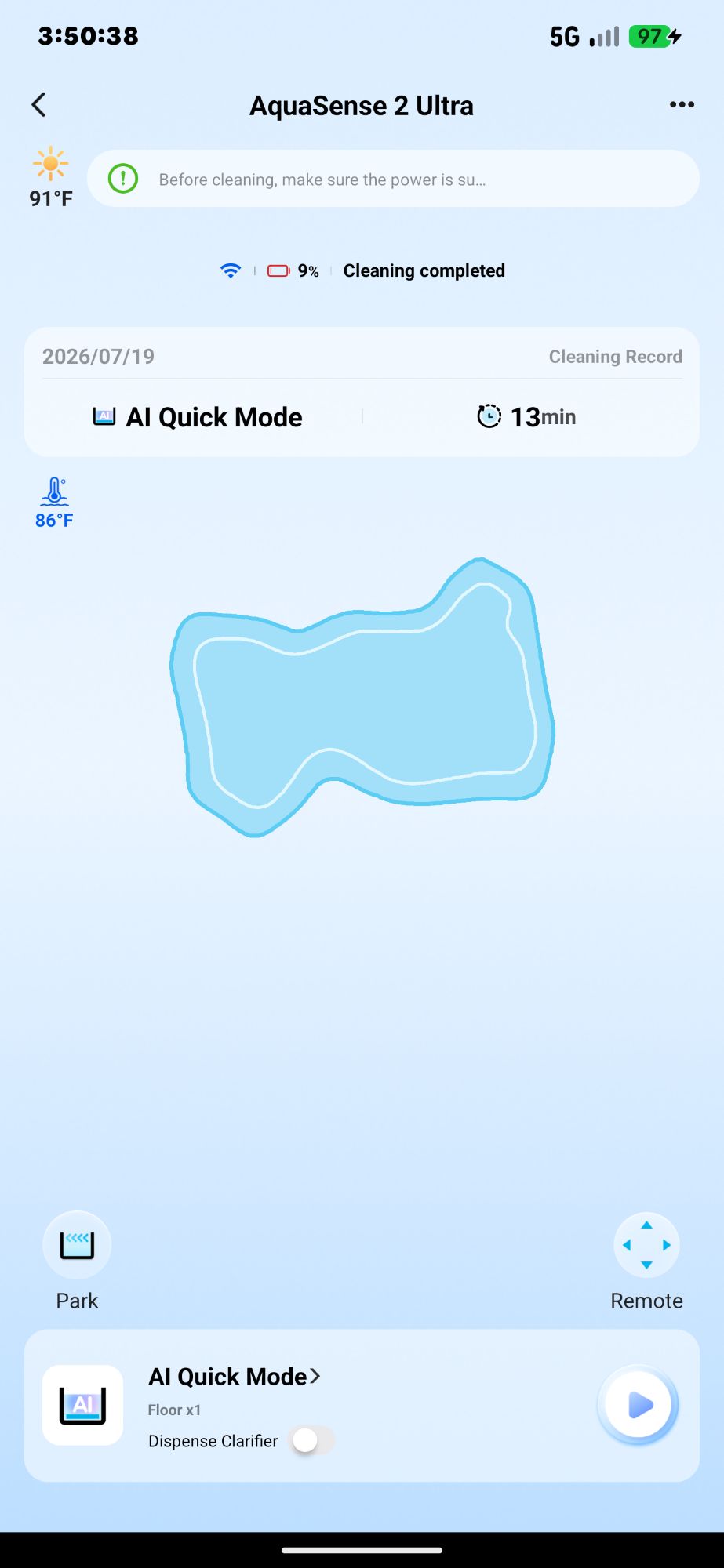
Sometimes it seemed to target the debris areas, but other times it missed them. I prefer to use the Multizone Mode daily and then manually remove the large debris if there is an impromptu need for additional cleaning.
During the summer months, there’s not a lot of debris in the pool compared to spring or autumn. It will be very interesting to see how the robot keeps up with all the fallen leaves in autumn or the fallen catkins (long, slim shaggy things about six inches or less shed by certain trees like oaks) in the spring. I suspect that the filter basket will need to be emptied several times before the task is completed.
Additional Tests: Parking the Robot
I also performed some tests on the robot parking. To park the Beatbot AquaSense 2 Ultra, it needs to be connected to the app. The robot loses connectivity to the app while underwater, so it must be on the pool surface to perform the parking task.
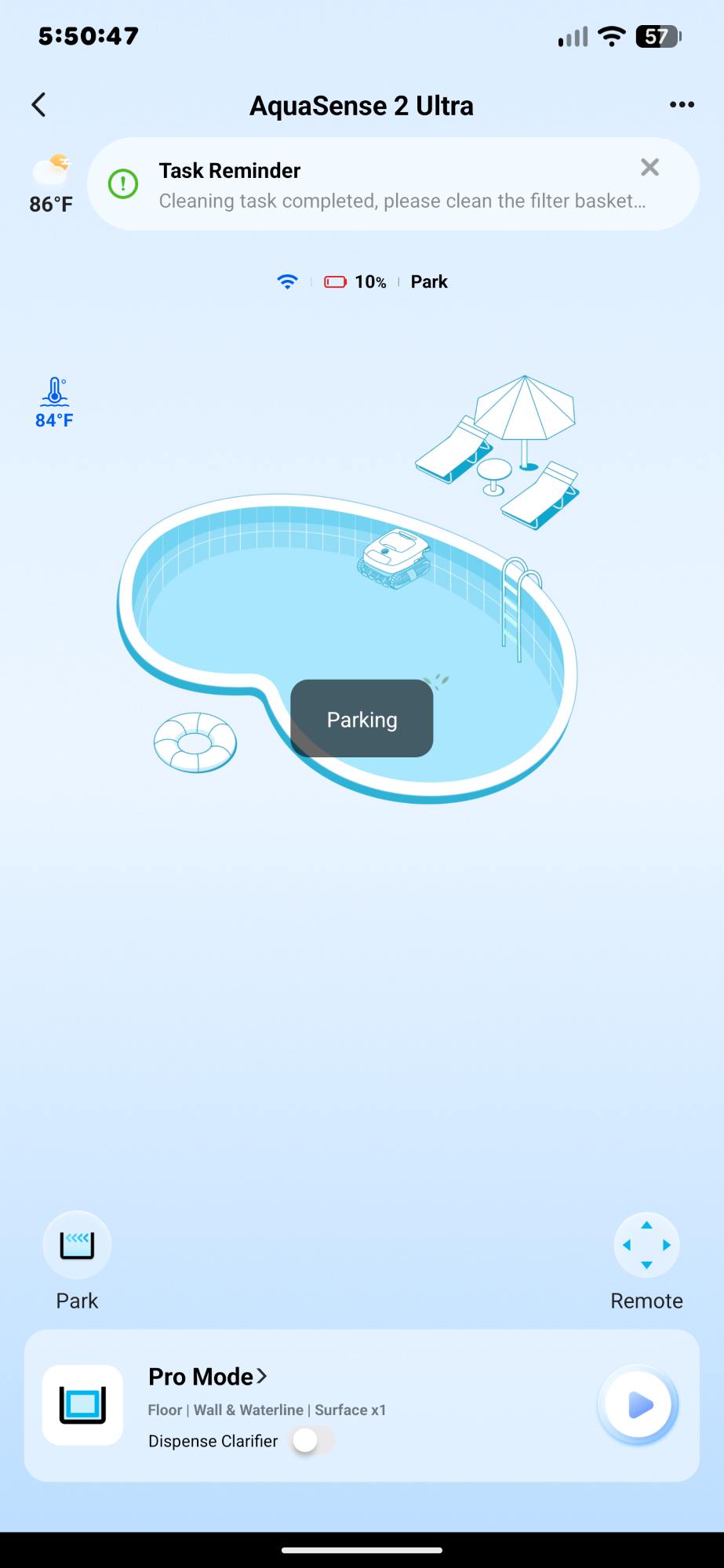
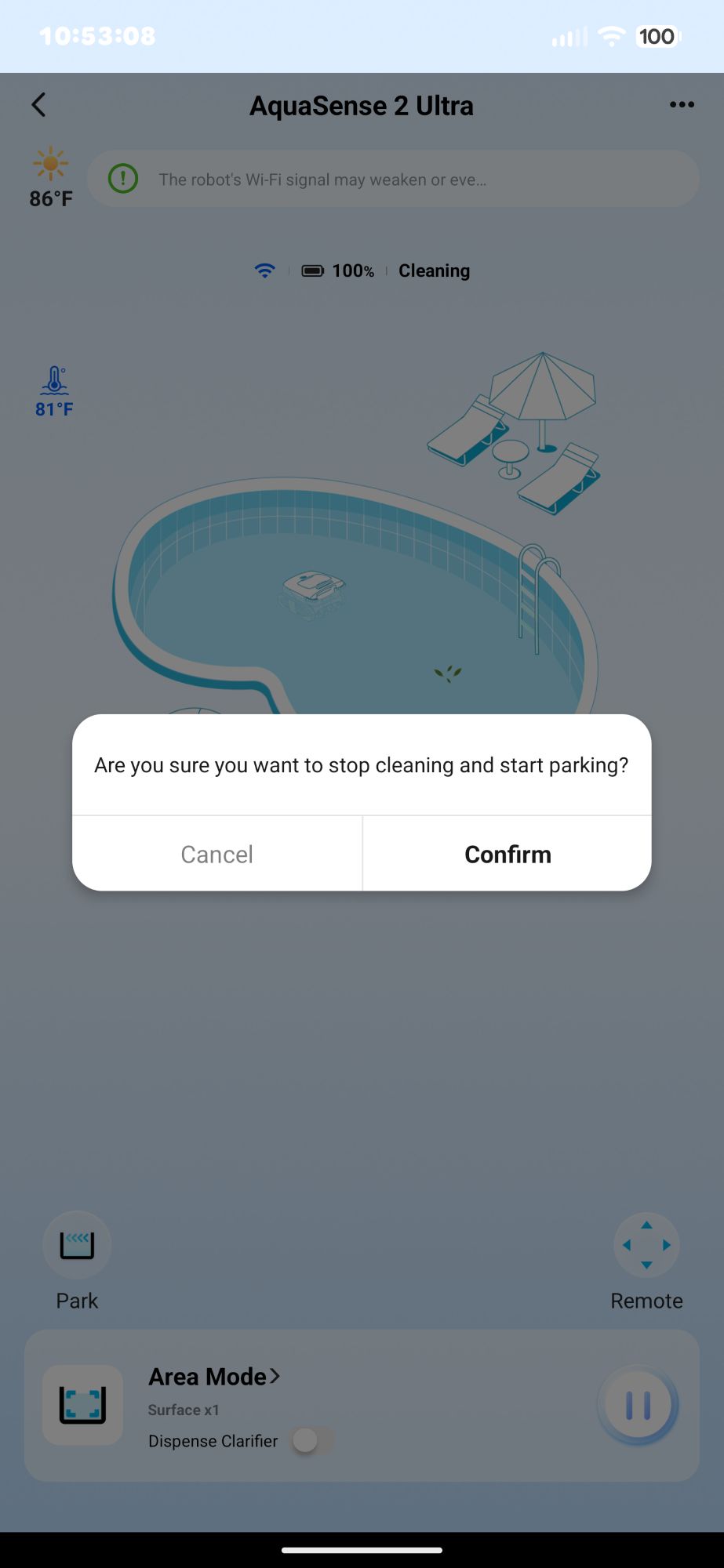
If the robot is in the middle of cleaning the pool surface when testing the parking feature, the robot cancels the cleaning task. So when I started the parking test, I had to tap “Confirm” in the app to stop the cleaning.
Just like the AquaSense X, after tapping the “Park” button, the filter door closed, and the Beatbot AquaSense 2 Ultra drove itself over to the side of the pool. It drove for a few minutes, bumping into and driving along the sides, but eventually it stopped (the process took about 5-10 minutes). I wasn’t sure exactly when the parking task was completed because I didn’t receive any notifications.
Manual Maneuvering of the Robot
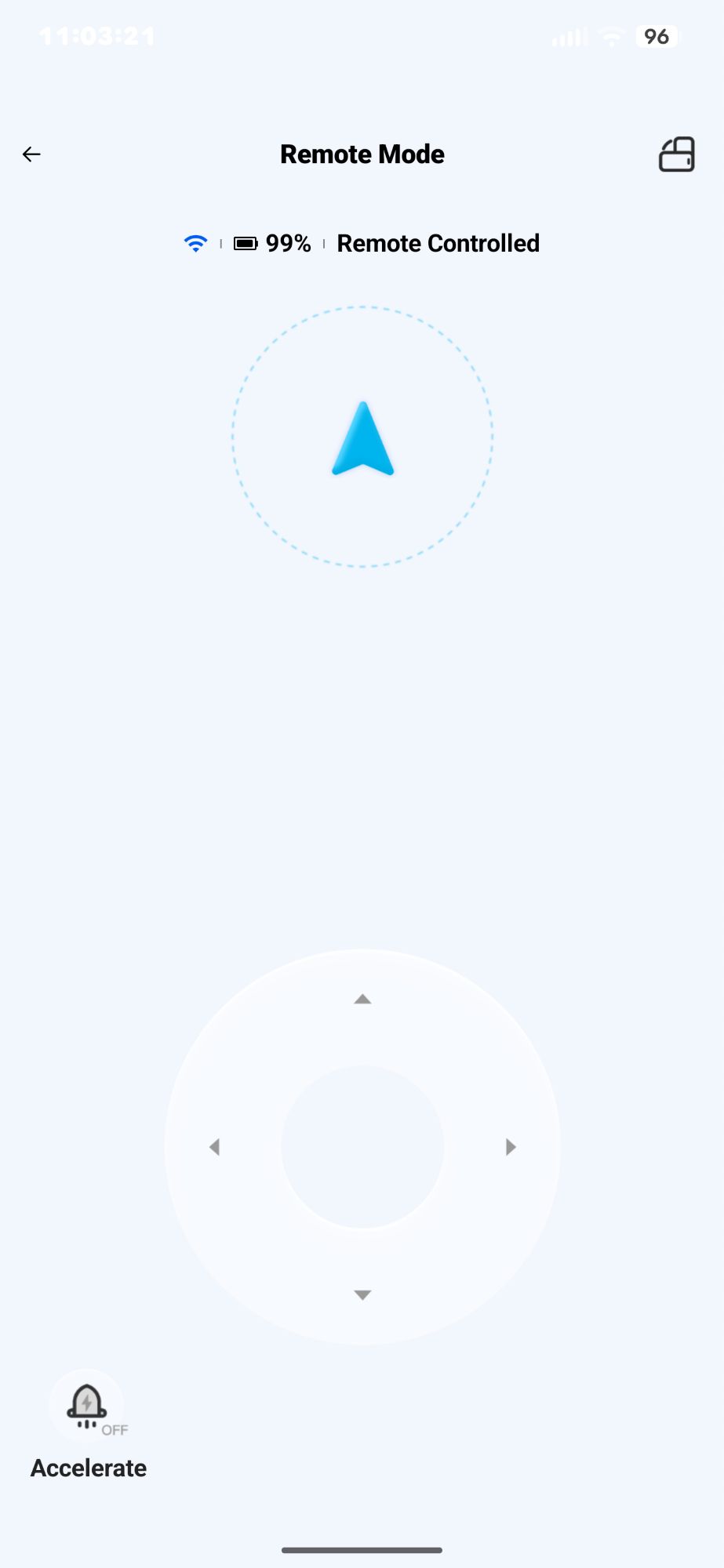
I also tested the manual maneuvering of the robot (again, the robot can’t be underwater). I did this without any problems. However, I was disappointed that the controls work by using one direction at a time. There are four directions (forward, backward, left, and right), requiring you to lift your finger to change directions instead of allowing you to slide your finger around the directional controls for more accurate 360-degree control.
Pausing/Canceling a Cleaning Task
Just like the AquaSense X, you can’t easily cancel or interrupt the Ultra’s underwater cleaning task because it loses connectivity and can’t be controlled using the app while underwater.
To interrupt the cleaning task, I needed to pull the Beatbot AquaSense 2 Ultra out of the pool using the hook that comes with it. I placed it on the side of the pool to drain, long-pressed the “Power” button for 3 seconds, watched it power off, then put it on the station to charge it.
Final Thoughts
The Beatbot AquaSense 2 Ultra does a wonderful job of cleaning the pool using the appropriate cleaning mode. For this pool, I needed to use the Multizone Mode instead of the Pro Mode to obtain the best cleaning results when cleaning the whole pool. You need to use it daily to ensure it cleans areas that it missed in previous cleanings.
Additionally, the robot even cleans the pool at night! The AquaSense 2 Ultra is, however, very expensive, and there were a couple of times it didn’t fully charge. Even so, if you have the funds to purchase this robot, I can definitely recommend it; otherwise, you can try waiting until it comes down in price.
The Beatbot AquaSense 2 Ultra AI Robotic Pool Cleaner retails for $2299.00; it is available directly from the manufacturer and other retailers, including Amazon.
Source: Manufacturer-supplied review sample
What I Like: It cleans the floor, walls, waterline, surface, and multiple levels of a pool (as long as the levels are wide enough to accommodate the robot and the water depth is 14 in.); The robot has LED lights and can clean at night; It has a dual layer basket to filter debris as small as 150 micrometers; It keeps the pool clean as long as you run it daily to clean areas missed in previous cleanings
What Needs Improvement: It’s expensive; The robot misses some areas of the pool during Pro Mode cleaning (but not during Multizone Mode cleaning); There were a couple of times the robot didn’t fully charge, even after 12 hours of sitting on the charging dock; I’d like to see notifications when parking starts and finishes, when the filter basket is reinstalled, and when the robot starts and finishes charging