
Clicks is taking a noticeably different approach to modern tech with two new products that seem far more focused on helping you get things done than on keeping you endlessly entertained. Clicks Communicator is a compact second phone designed for clear communication, quick responses, and fewer distractions, while the new Clicks Power Keyboard tackles one of technology’s most persistent annoyances: awkward typing on smart screens. Together, they suggest a quieter, more intentional way to interact with your devices, whether that means separating work from personal life or simply making everyday tasks feel less cumbersome.
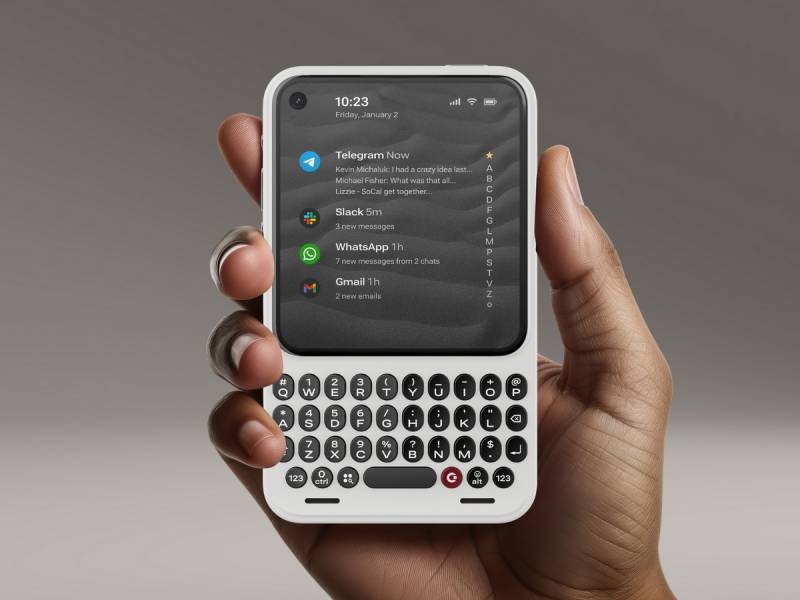
Clicks Communicator
Clicks Communicator Is a Refreshing Idea About What a Second Phone Should Be
Clicks Communicator is built around a simple but increasingly appealing idea: not every phone needs to be a digital amusement park. Some phones just need to help you communicate clearly, respond quickly, and then politely get out of the way. As flagship smartphones keep growing larger, louder, and more distracting, Clicks is betting there is room in your pocket and your life for a smaller device that does less but does it on purpose.
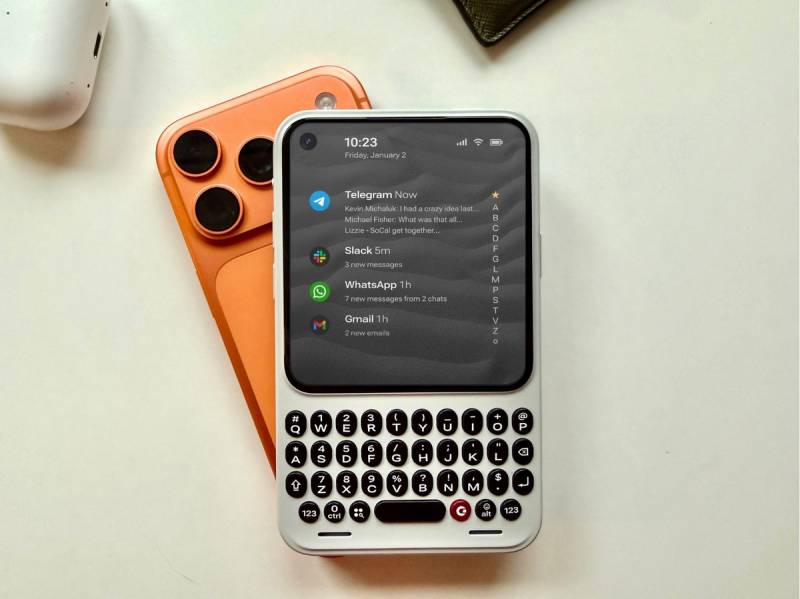
Clicks is not positioning Communicator as a replacement for your iPhone, Galaxy, or Pixel. Instead, it is designed to live alongside your primary phone, stepping in when you want focus rather than feeds and intention rather than infinite scrolling. That distinction matters, especially if you have ever carried a work phone, a travel phone, or a privacy phone just to keep some separation between parts of your life.
A Second Phone That Respects Your Attention Span
The Communicator exists because more people are quietly adopting a two-phone routine. One device does the heavy lifting, with photos, videos, and apps that eat up hours without asking for permission. The other is there to handle messages, calls, and quick decisions without pulling you into a content vortex. Clicks Communicator leans hard into that second role.
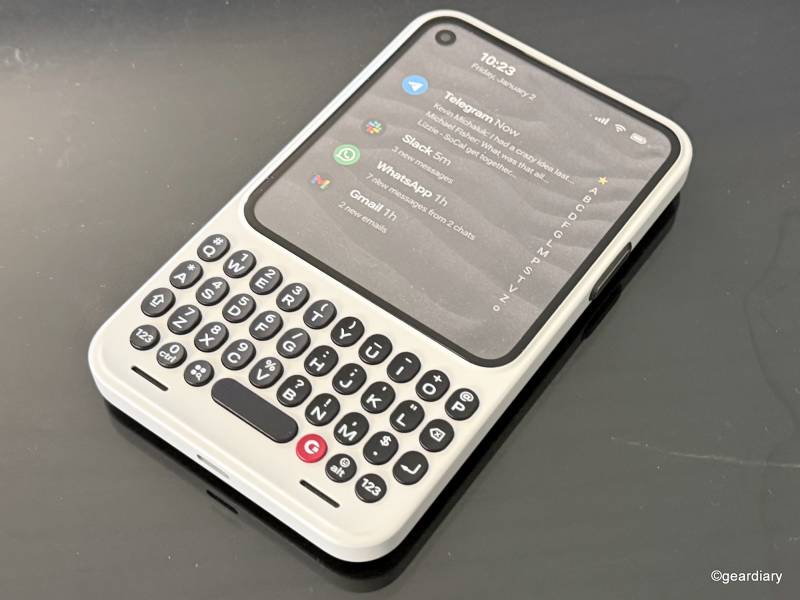
The phone is compact, measuring just over 5″ tall and weighing just under 6 ounces, which makes it genuinely pocket-friendly again. It is designed for fast interactions, not extended viewing sessions.
You pick it up, see what matters, respond, and move on. That alone feels like a small rebellion against modern phone design.
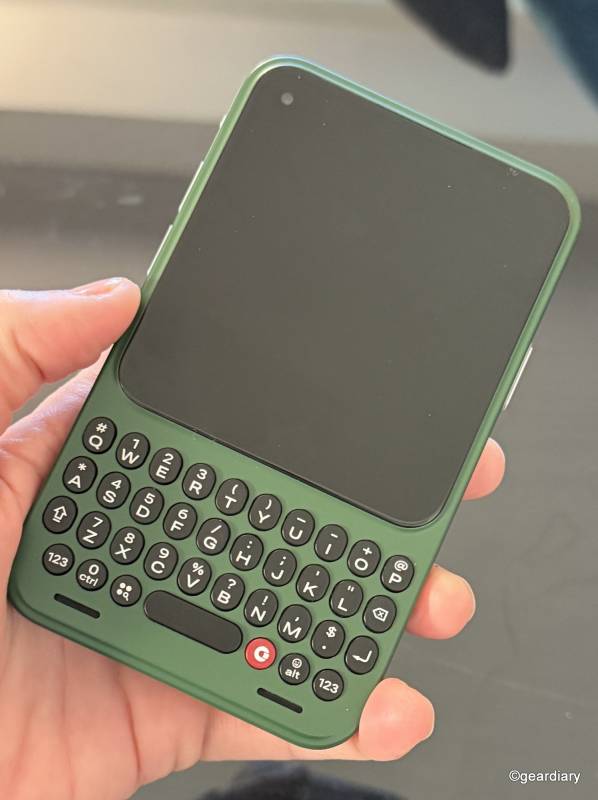
A standout feature is the Signal light, which sits alongside a physical Prompt Key on the side of the phone. Instead of constantly checking your screen, you can assign different colors or light patterns to specific people, groups, or apps.
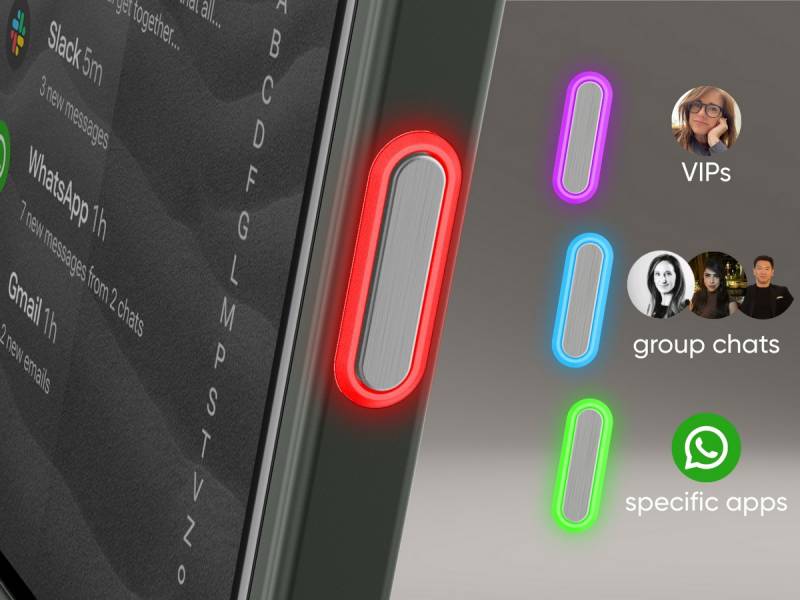
A certain glow might mean an urgent work message, while another could signal a family check-in. The idea is to separate actual signals from everyday noise without demanding your full attention every few minutes.
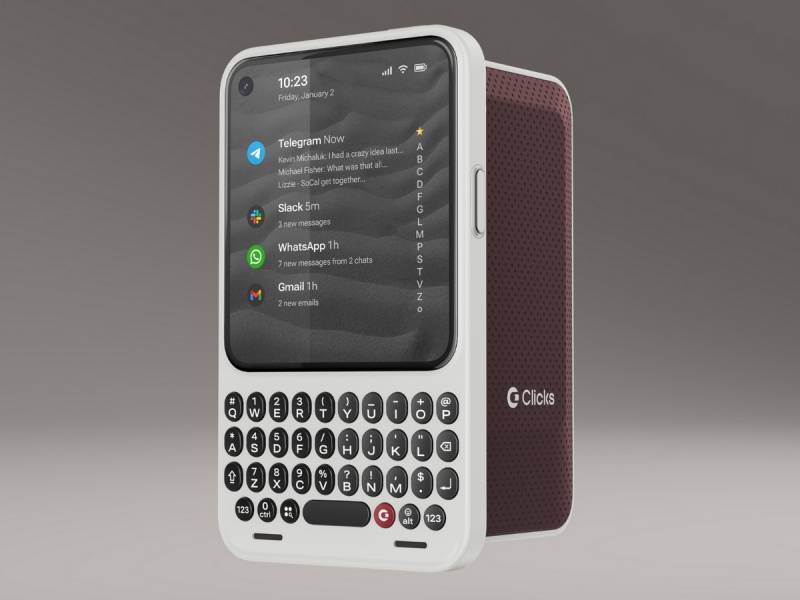
Clicks partnered with Niagara Launcher, an Android interface already used by millions, to keep the home screen focused on triage rather than clutter. Messages from services like Gmail, WhatsApp, Telegram, and Slack appear in a streamlined view, letting you scan and respond without hopping between apps or getting distracted by notifications that do not matter right now.
Typing, Talking, and Actually Getting Things Done
Clicks built its reputation on physical keyboards, and the Communicator leans into that heritage. It includes a real keyboard with larger, contoured keys designed for confident typing. If you spend any amount of time firing off quick replies, entering addresses, or writing notes while walking, this is where the Communicator makes its case.
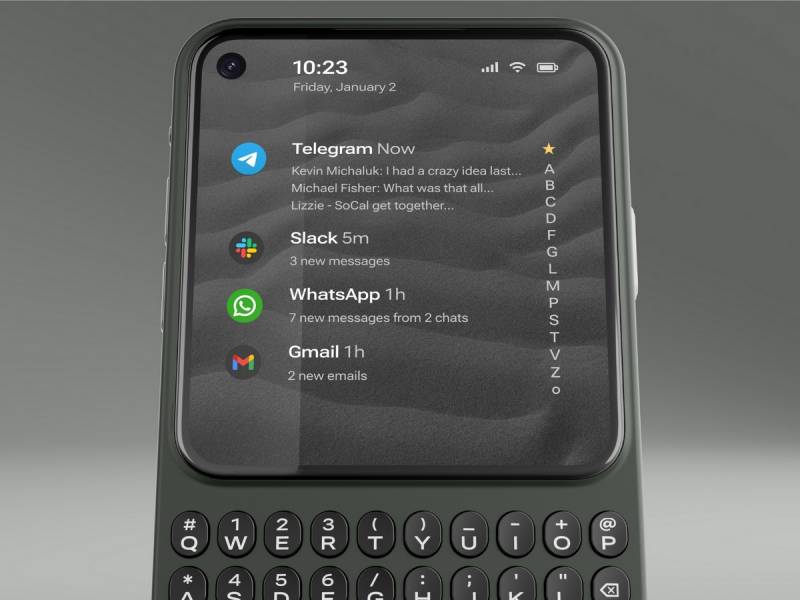
The keyboard also supports touch-based gestures, so you can scroll through lists and messages without reaching up to the screen. It is a small detail, but it reinforces the idea that your hands stay grounded while you work.
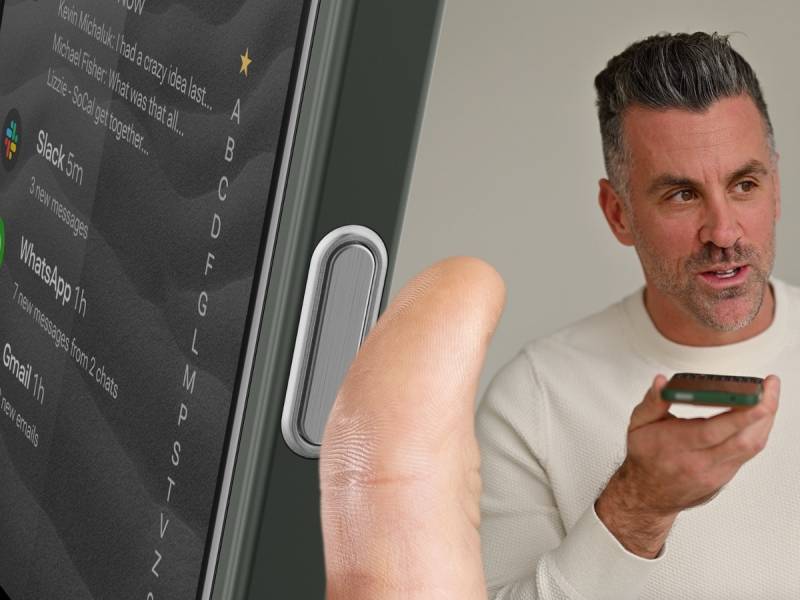
The Prompt Key doubles as a voice control button. Press and hold to dictate a message, release to send, or use it outside of text fields to start a voice recording. Looking ahead, Clicks plans to support voice-powered tools like note takers and intelligent assistants through this button, turning it into a gateway for capturing thoughts before they disappear.
Despite its focused mission, Communicator is still a fully capable phone. It runs Android 16 with five years of security updates, supports global 5G and LTE networks, and includes both a physical SIM tray and eSIM support. There is a 4,000 mAh battery built with silicon-carbon technology, 256GB of internal storage, and microSD expansion up to 2TB.
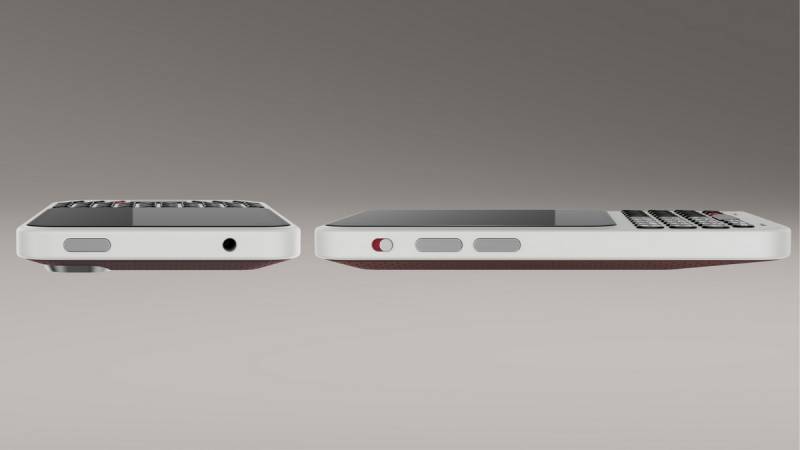
You also get a 50-megapixel rear camera with optical image stabilization, a 24-megapixel front camera, wireless charging, USB-C, Wi-Fi 6, Bluetooth 5.4, NFC for Google Pay, and even a 3.5mm headphone jack, which feels almost nostalgic in the best way.
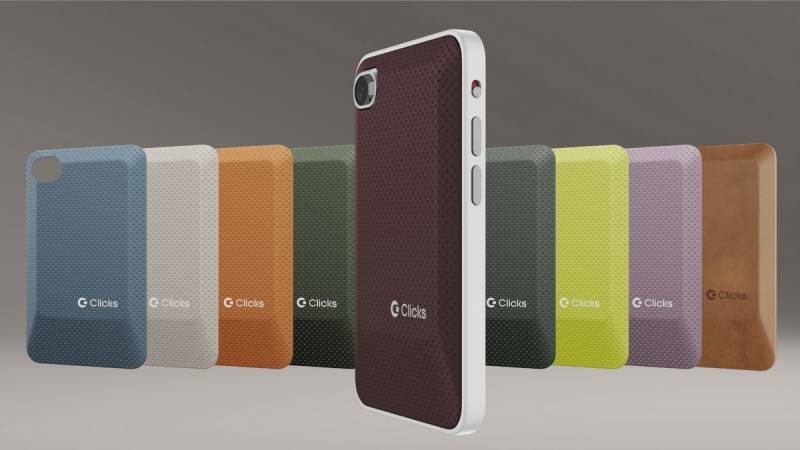
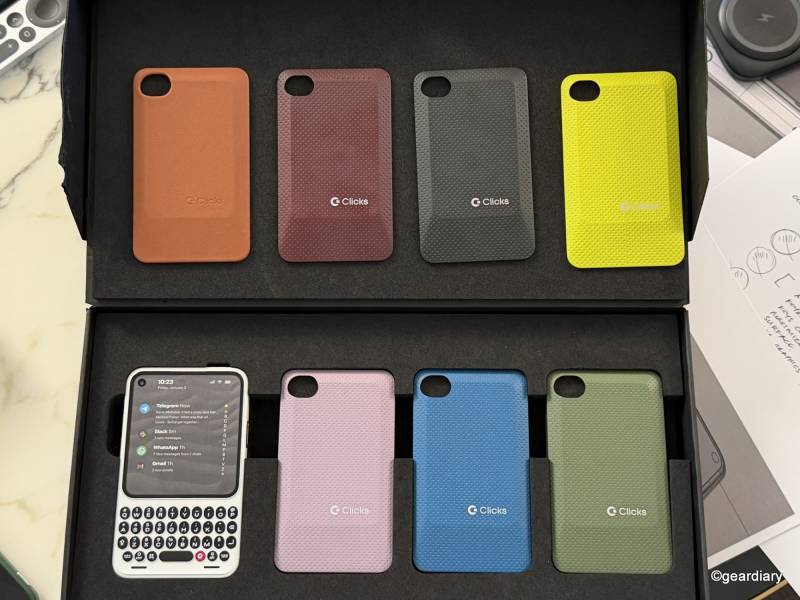
Clicks Communicator comes in Smoke, Clover, and Onyx, with interchangeable back covers for personalization. Reservations open today with a $199 deposit that locks in an early-bird price of $399, compared to the standard $499 retail price, with shipping expected later this year.
Clicks Power Keyboard Brings Physical Typing to Everything Else
Alongside Communicator, Clicks is also launching the Power Keyboard, which tackles a different but equally familiar frustration. Typing on smart devices is still awkward far too often. On-screen keyboards eat up space, TV remotes turn password entry into a test of patience, and tablets fall into an uncomfortable middle ground between phone and laptop.
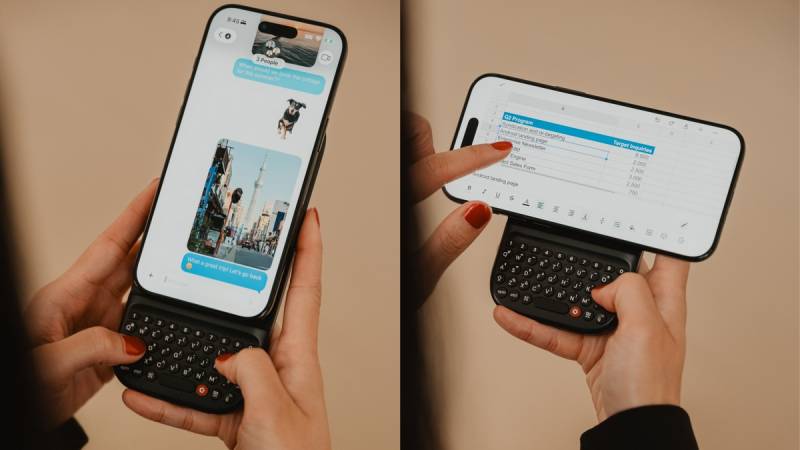
The Power Keyboard is a compact, slide-out physical keyboard designed to work with phones, tablets, TVs, and even AR or VR headsets. It connects magnetically to smartphones using MagSafe or Qi2 and works over Bluetooth with just about anything that accepts text input.
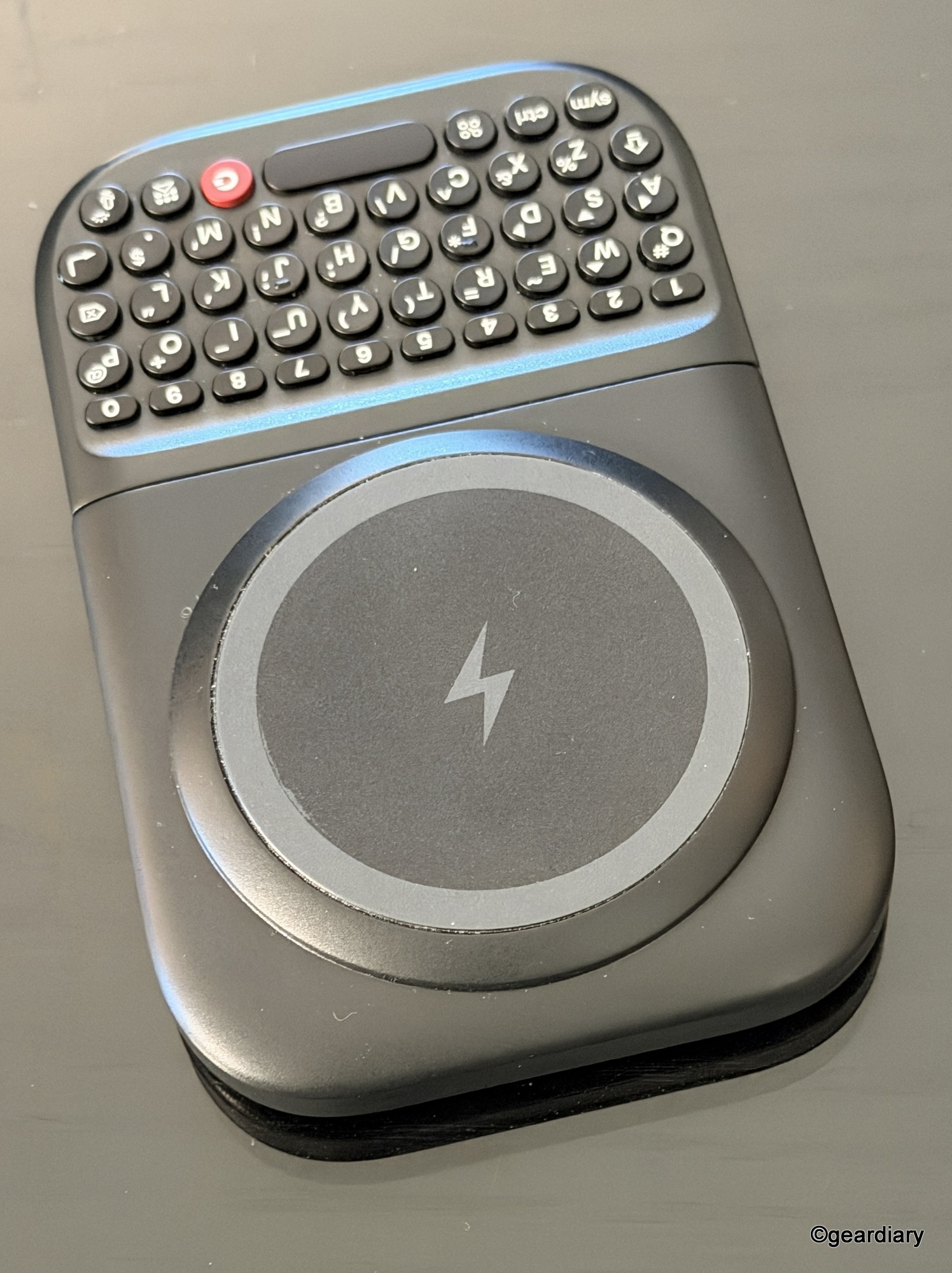
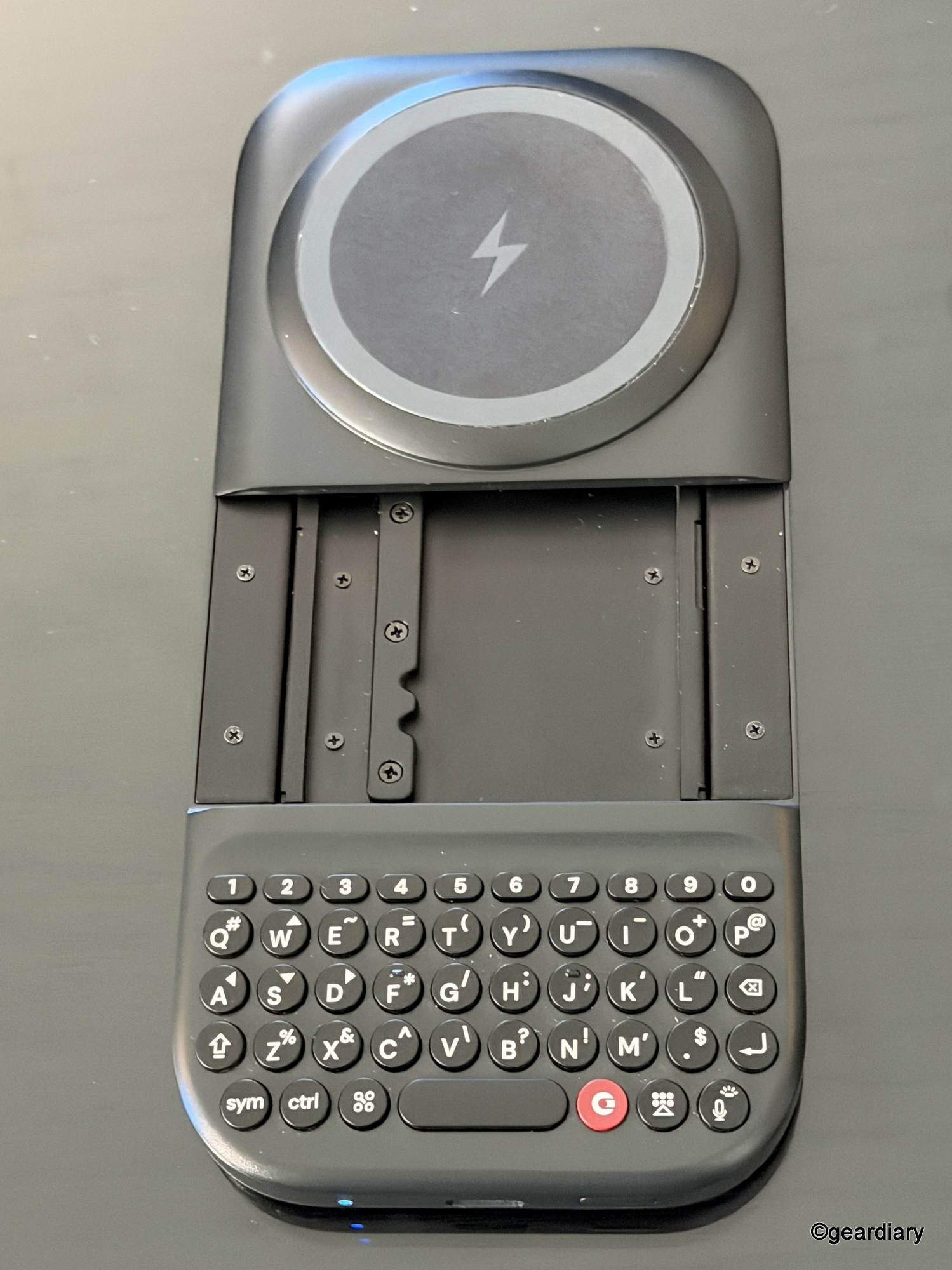
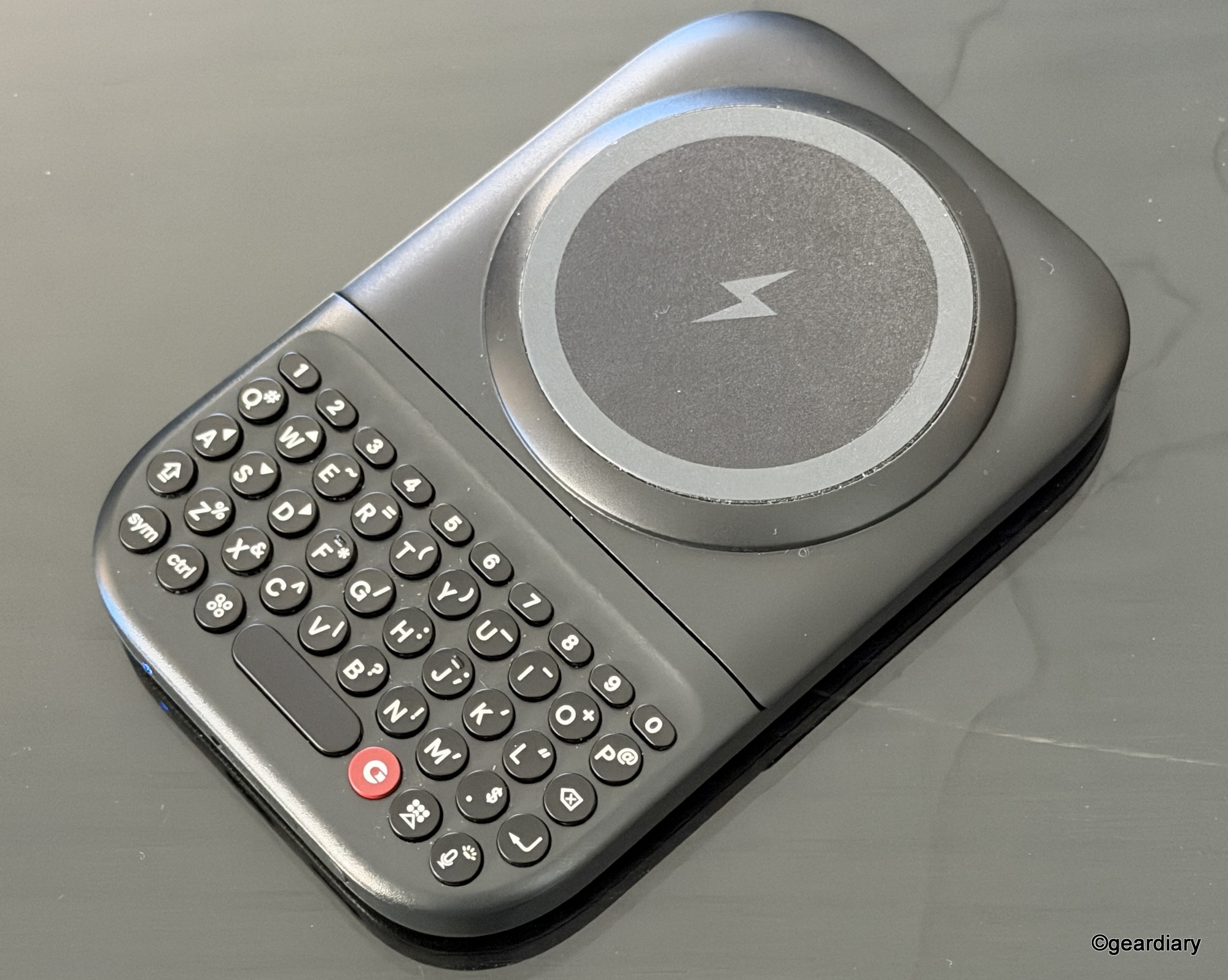
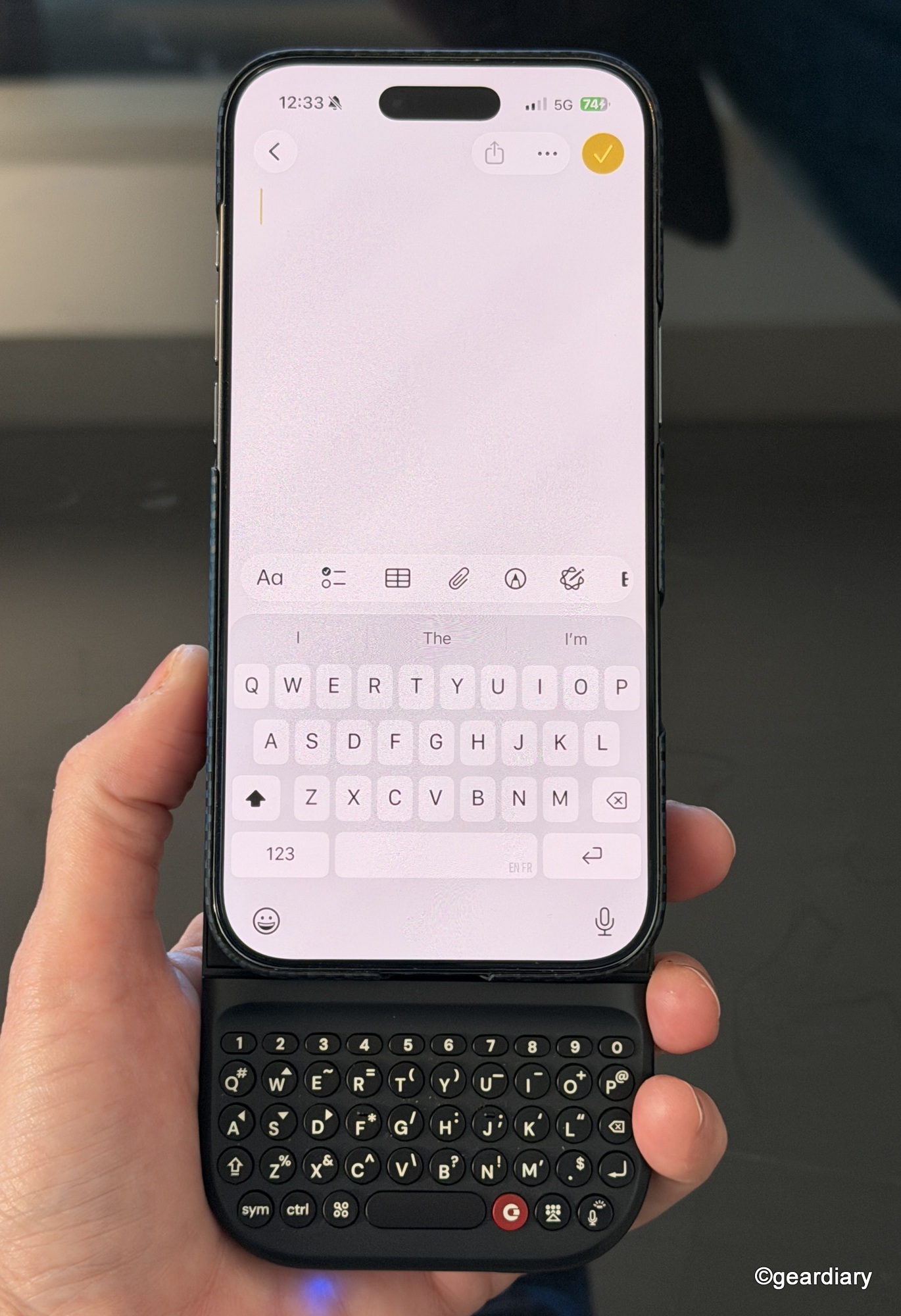
By moving typing off the screen, your phone suddenly feels more usable. Keyboard shortcuts carry over from iOS and Android, making it easier to jump between apps, edit documents, or respond to messages without tapping glass.
-

- From this …
-

- … to this.
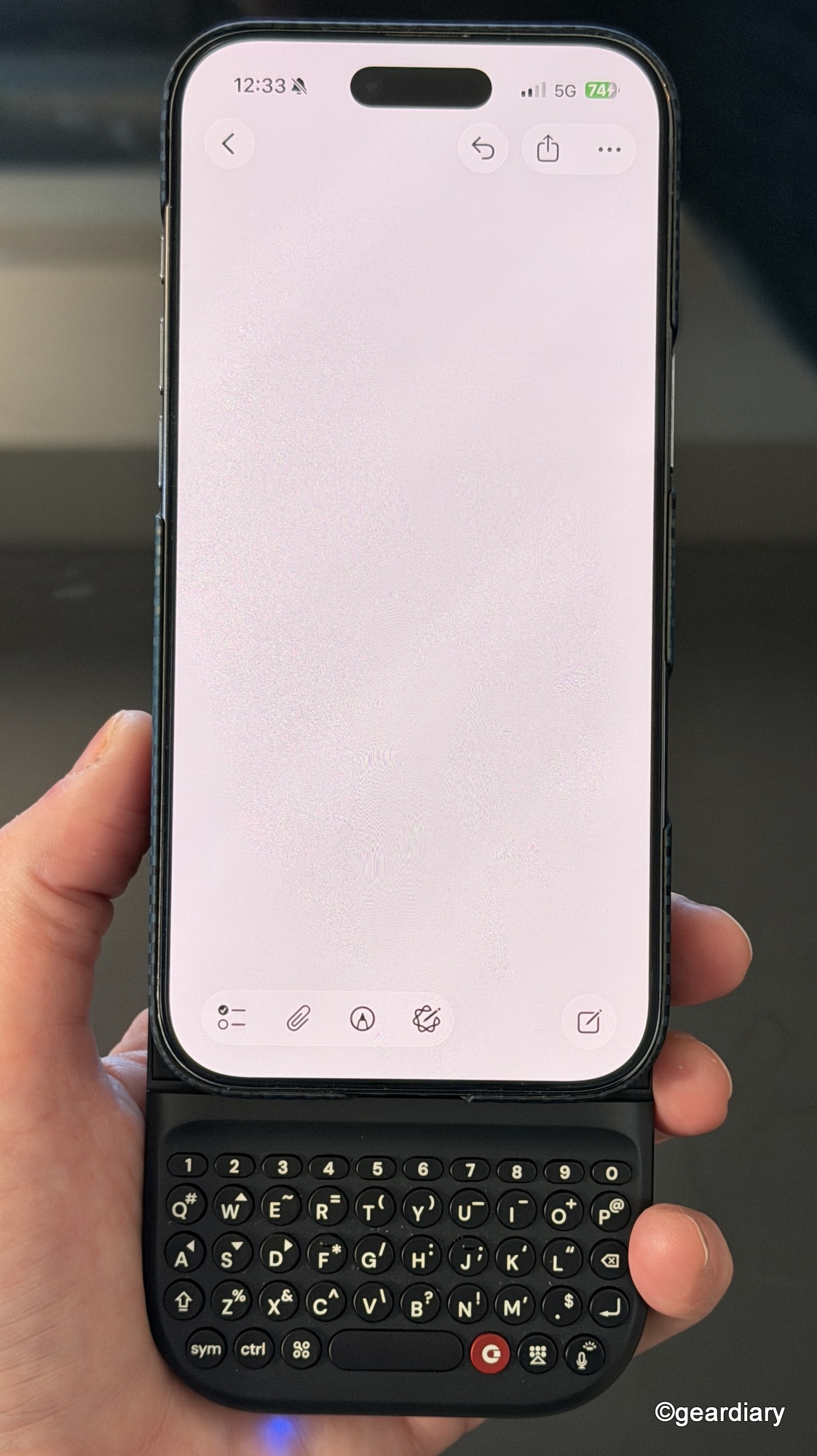
-

- And from this …
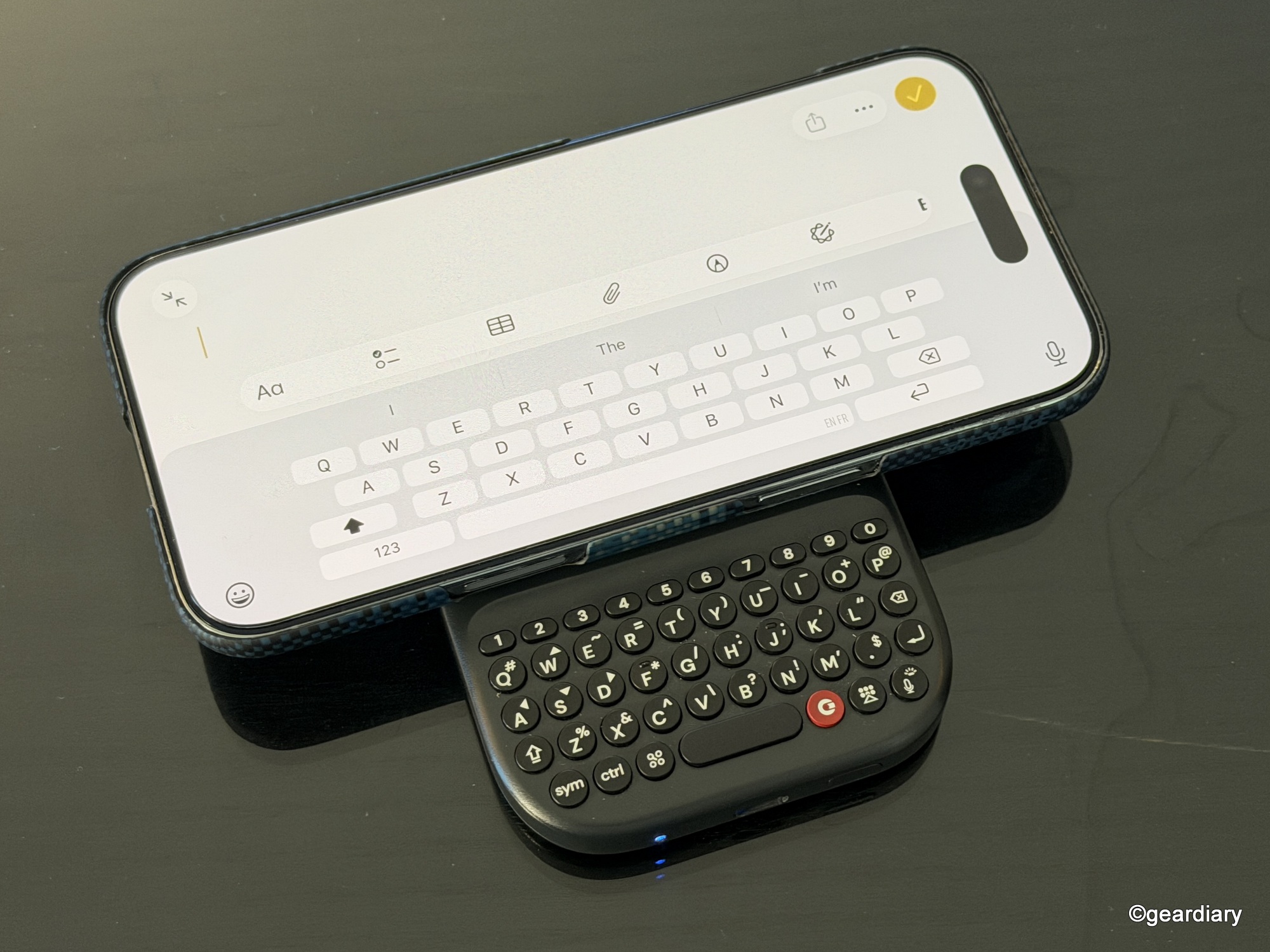
-

- … to this.
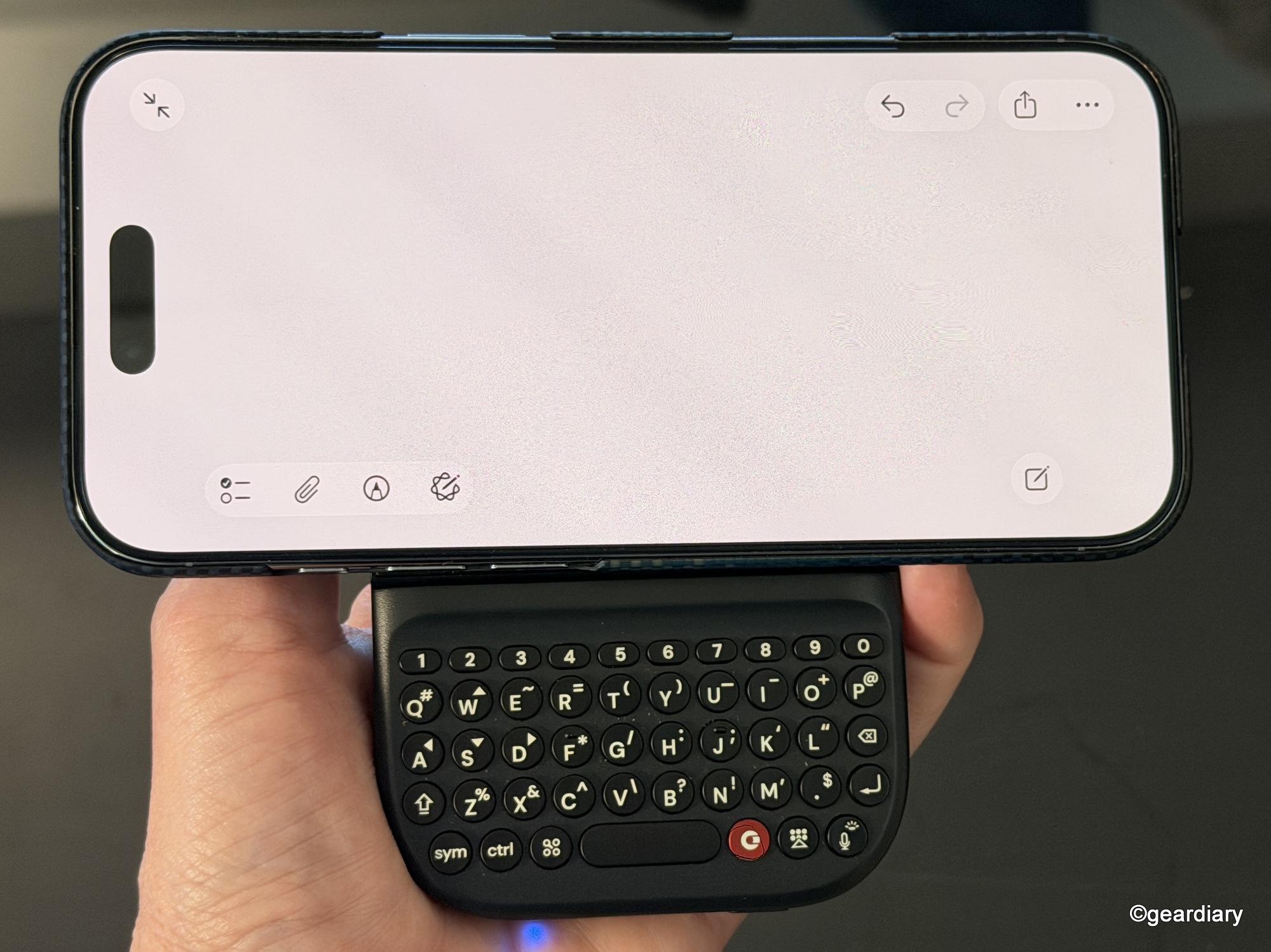
Adjustable slider positions allow the keyboard to fit everything from standard phones to larger Pro Max or Ultra models, and landscape mode makes longer edits more comfortable.
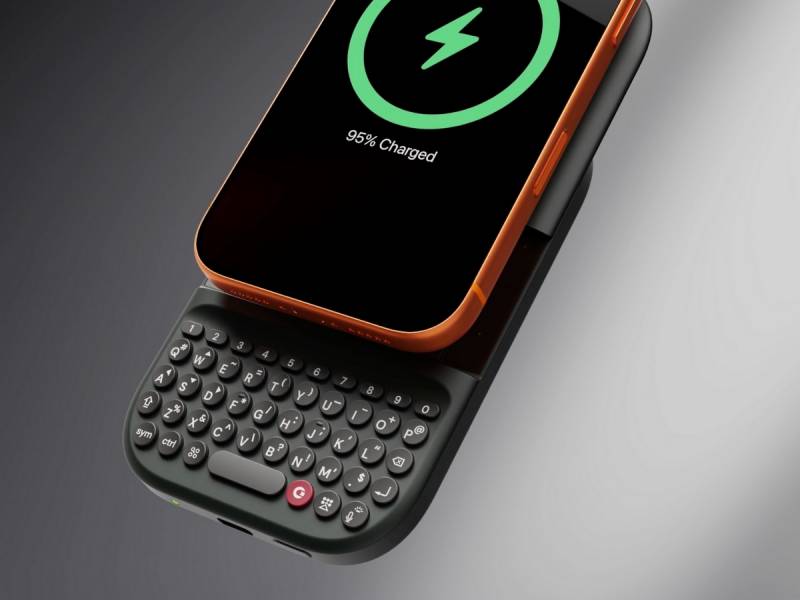
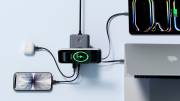
The real surprise is the built-in 2,150 mAh battery. Power Keyboard is not just an input tool; it also works as a wireless power bank, topping up your phone when needed. If you already carry a battery pack, this one earns its spot by doing double duty instead of sitting idle most of the time.
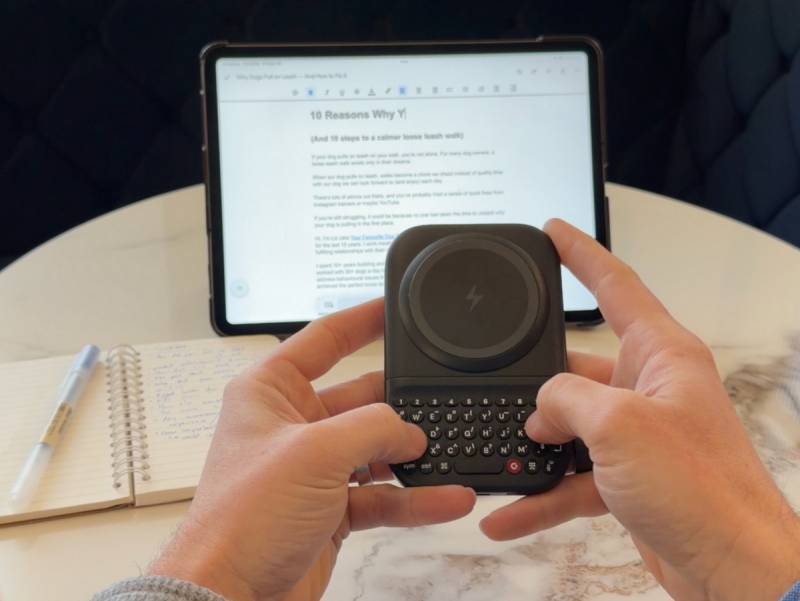
It pairs with multiple devices and lets you switch between them using simple keyboard shortcuts. Customization is available through the Clicks app on iOS or Android, where you can adjust key behaviors, backlighting, and other preferences.
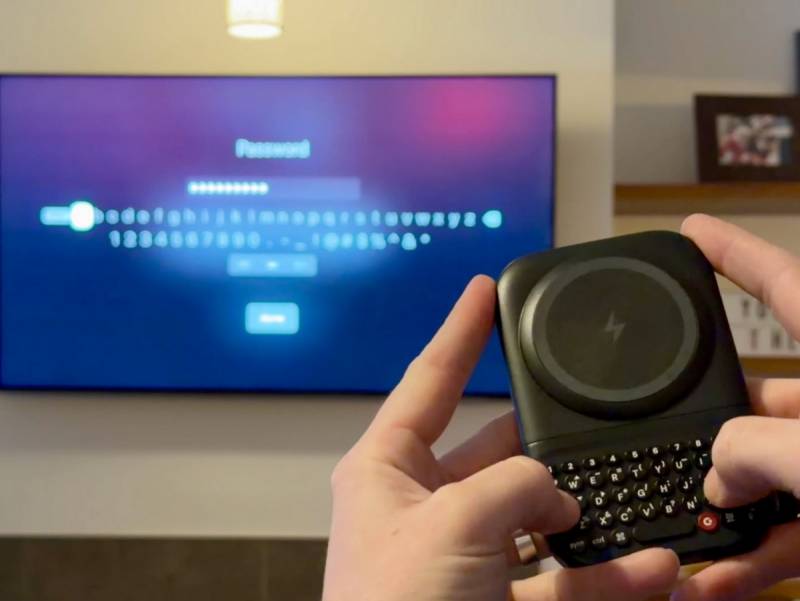
Pre-orders for the Clicks Power Keyboard begin today for $79, with a standard retail price of $109 and availability expected in the spring.
A Quieter, More Intentional Take on Modern Tech
Clicks is clearly leaning into a growing desire for tools that help you act instead of consume. Whether that is carrying a second phone that keeps you focused or slipping a pocket keyboard into your bag so typing stops being a chore, these products are aimed at moments where friction adds up.
The real question is whether you see yourself benefiting from a setup like this. Would a smaller, calmer phone help you separate work from life, or pull your attention back when everything else is competing for it? Would a physical keyboard make daily tasks faster, rather than more annoying? Clicks is betting that the answer, for more people than you might expect, is yes.


Be the first to comment on "Clicks Communicator and Clicks Power Keyboard Take a Stand Against Distraction and Awkward Typing"