
Back-to-school season isn’t just about sharpening pencils and fighting for the cool holographic binder anymore. In 2025, the best-prepared classrooms aren’t just well-stocked; they’re well-connected. With hybrid learning, remote collaboration, and tech-savvy teaching methods now the norm, interactive and engaging tools have shifted from “nice to have” to “must-have.” One standout making waves this year is the HKMLC Smart Board, a 55″ interactive display designed to elevate lessons, presentations, and collaboration without overcomplicating the process or requiring a three-hour IT training session to figure out how to operate it.
If “classroom technology” still brings to mind overhead projectors or squeaky dry-erase markers, it’s time for an upgrade. Let’s take a look at why smart boards have become essential for modern teaching, and why the HKMLC is one of the smartest back-to-school tech picks you can make.
From Chalk Dust to Cloud Sync: Why Smart Boards Are the New Classroom Staples
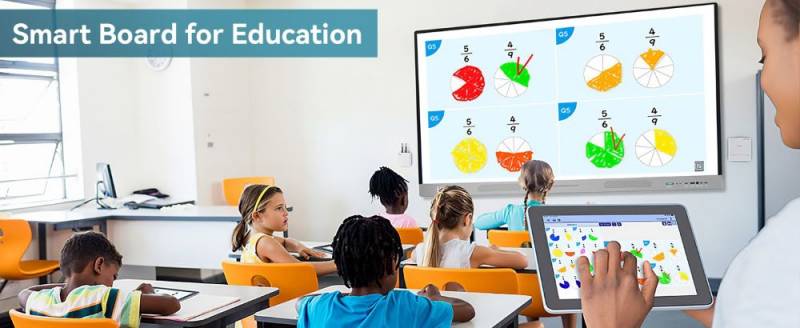
Today’s classrooms, whether in a school building or live-streamed to a kitchen table, demand tools that can do more than display slides. Teachers need interactive whiteboards that encourage participation, integrate multimedia, and support seamless collaboration with both local and remote students.
Projectors may show the lesson, and whiteboards may capture ideas, but neither can match the dynamic flexibility of smart boards. With an interactive whiteboard like the HKMLC Smart Board, you can annotate, sketch, rearrange, and highlight in real time. Students can contribute directly from the board or from their own devices.
So, for instance, you could walk a biology class through photosynthesis, with your students highlighting each stage as you go in a live, shared digital space. There are no “one at a time” limitations or emergency marker runs to the supply closet when the ink runs out mid-thought.
It’s no surprise that hybrid learning tools and smart teaching tech have moved from luxury to necessity. Interactive, media-rich displays help keep students focused, bridge physical and digital classrooms, and give educators new ways to make lessons stick, without adding unnecessary complexity.
Specs, Style, and Scenarios
HKMLC may not be a household name yet, but it’s carving out a space in educational technology with a product that’s both tech-forward and refreshingly practical.
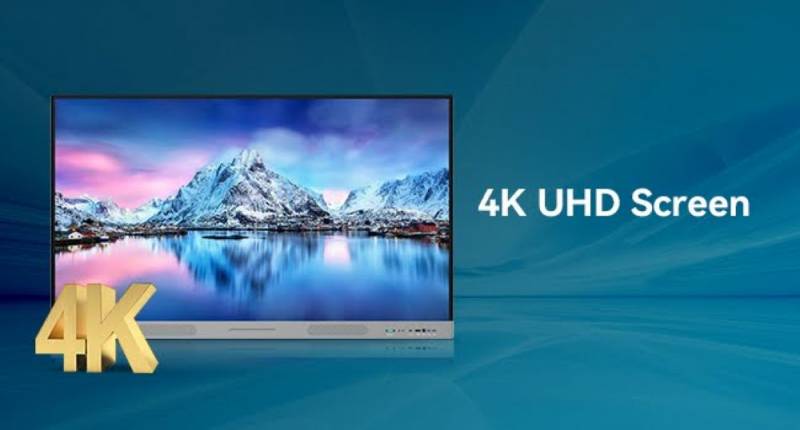
The smart board’s 55″ screen features 4K UHD resolution, which means whatever you put on screen — be it a graph, diagram, or dramatic plot twist from To Kill a Mockingbird — it looks crisp and clear. No more squinting from the back row.
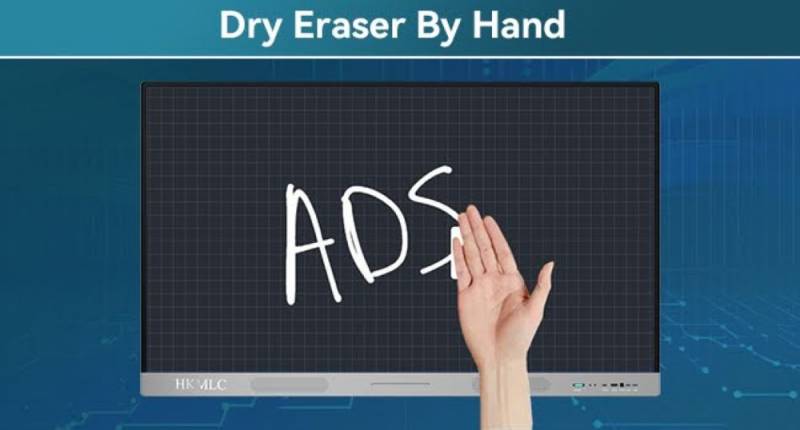
The touchscreen uses infrared sensors with 2mm precision that support up to 20 simultaneous touchpoints, which means multiple people can draw, annotate, or collaborate on the board at the same time without lag or glitches. The 8ms response time means that when you write, the board writes with you, with no weird delays, no jittery lines, no “Wait, why is my ‘A’ halfway across the screen?” moments.
Under the hood, an A7 processor pairs with a 32GB solid-state drive and Android 11, so you’re getting a familiar interface with enough power to run the apps you actually use. That includes the heavy hitters: Zoom, Microsoft Teams, Google Meet, Webex, whichever one gets the least collective groans in your meetings or classes. The open app ecosystem means you’re not locked into proprietary software. If you’ve already got a favorite teaching or meeting platform, it’ll probably play nice here.
For casting and sharing, you’ve got options. Use the built-in casting software or the Eshare Pro platform to beam content from your laptop, tablet, or phone, which is perfect for when a student says, “Can I show the class something?” and you don’t want to spend five minutes wrestling with cables. You can even display up to four split screens at once, making it easy to compare student projects or have multiple team members present ideas side-by-side.
Physically, the smart board comes with a wall mount, stylus pens, cables, and a remote. Its sleek, dark grey and black two-tone frame with an ultra-narrow bezel fits seamlessly into a modern classroom or conference room. The touchscreen is protected by tempered, explosion-resistant glass, and the built-in light sensor automatically adjusts brightness depending on your environment, whether you’re in a dim lecture hall or a sunlit office.
The enlarged speaker grille boosts sound output, so whether you’re playing a recorded lecture, streaming a documentary, or leading a video call, your voice won’t get lost at the back of the room.
With HDMI, USB 2.0 and 3.0, USB-C, Bluetooth, Ethernet, and Wi-Fi, you can connect just about anything without juggling adapters like it’s a logic puzzle.
The HKMLC Smart Board’s 170-degree viewing angle ensures everyone has a clear line of sight, even in wide seating arrangements. The built-in whiteboard software supports stylus input for multiple users at once, and your notes can be uploaded to the cloud or saved instantly. It’s part whiteboard, part TV, part computer, part projector, and a lot less finicky than all four combined.
Why the HKMLC Makes Financial Sense for Schools
Now let’s talk about the elephant in the faculty lounge: the cost. At $1,649 (currently on sale for $1,486.55), the HKMLC Smart Board isn’t exactly what you’d call an impulse buy. But when you compare it to older legacy-brand smart boards that can cost twice as much and still require annual license renewals or subscription-based software, it starts to feel less like a splurge and more like a smart investment.
With the HKMLC, there are no surprise fees, no locked-down ecosystem, and no need to sacrifice features to save a few dollars.
There’s also an environmental upside. Going digital reduces your reliance on printed handouts and worksheets, so it helps with small changes that add up to a significant cut in paper waste over time. That’s good for your budget and even better for the planet.
Setup is simple. You can either mount the HKMLC Smart Board on a wall or use a mobile stand; it’s not a major construction project, and no frantic call to IT is required. And with a 2-year manufacturer warranty, you’ll have some peace of mind if something goes sideways.
Smarter Teaching Starts Here
For teachers, administrators, and even businesses looking to modernize without blowing their budgets, the HKMLC Smart Board makes a compelling case. It blends real-world usability with thoughtful features, so you don’t have to choose between technical flair and practical functionality.
This smart board that delivers where it counts — whether it’s in a second-grade classroom, where every student can participate in a lesson without the chaos of crowding around a tiny whiteboard, or in an evening adult education course where learners who haven’t seen a chalkboard since the ’80s can follow along clearly, whether they’re in the room or joining remotely.
Outside the classroom, it would be perfect for a busy marketing team to use while brainstorming in real time, with ideas flying in from both in-office and remote staff, or even a local library hosting a hybrid presentation event that feels seamless for attendees, no matter where they’re watching from. Its uses are really only limited by your imagination.


Products marketed to schools are often overpriced, this looks like a reasonable alternative that delivers performance without the overhead.
I didn’t even know there was such a thing as a smart board for school. Chalk boards are call I know 🙂
This would be very useful in schools, though many would have trouble budgeting for this. It would also be useful for non-educational uses, as you mentioned, for presentations or collaborative work.
These are awesome – I wish we had them when I was in school. And random… but my old marketing agency had one of these that we used in our training course videos.