If your desk has turned into a tangled mess of adapters, hubs, and “just one more” dongle purchases, the OWC Thunderbolt 5 Dual 10GbE Network Dock might be the rescue plan you didn’t know you needed. Priced at $499, it’s designed for creative professionals, IT wranglers, and anyone managing serious digital workloads who are tired of wasting time chasing network bottlenecks or juggling ports. Instead of fighting your gear, this dock gives you a way to actually make it all play nicely together.

Why Thunderbolt 5 Matters Here
Thunderbolt 5 is the latest version of the high-speed connection standard that lets a single cable handle massive amounts of data and video. Think of it as the highway where your computer traffic flows. Previous Thunderbolt versions were fast, but Thunderbolt 5 doubles the lane count, offering up to 80 gigabits per second of bidirectional bandwidth. When needed, it can even divert up to 120 gigabits just for displays. Translation? You can move large video files, stream multiple camera feeds, and still drive high-resolution monitors without your computer choking on the effort.
OWC takes full advantage of that speed. With the OWC Thunderbolt 5 Dual 10GbE Network Dock, you can plug in and get workstation-level connectivity from a notebook, whether you’re on a Mac or a PC.
Ports, Ports, and More Ports
The star of the show is right in the OWC Thunderbolt 5 Dual 10GbE Network Dock’s name: two 10-gigabit Ethernet ports. Standard Ethernet is usually one gigabit, and while that’s fine for web browsing or emailing, it’s hopelessly slow if you’re pulling terabytes of raw video footage from a shared storage system. Ten gigabit Ethernet (10GbE) gives you the kind of speed professional video editors, production houses, and IT managers dream about. OWC even lets you bond the two 10GbE ports together, creating a 20GbE super-lane for network-attached storage (NAS). That means your laptop can grab giant files from your shared server nearly as quickly as if they were stored locally.
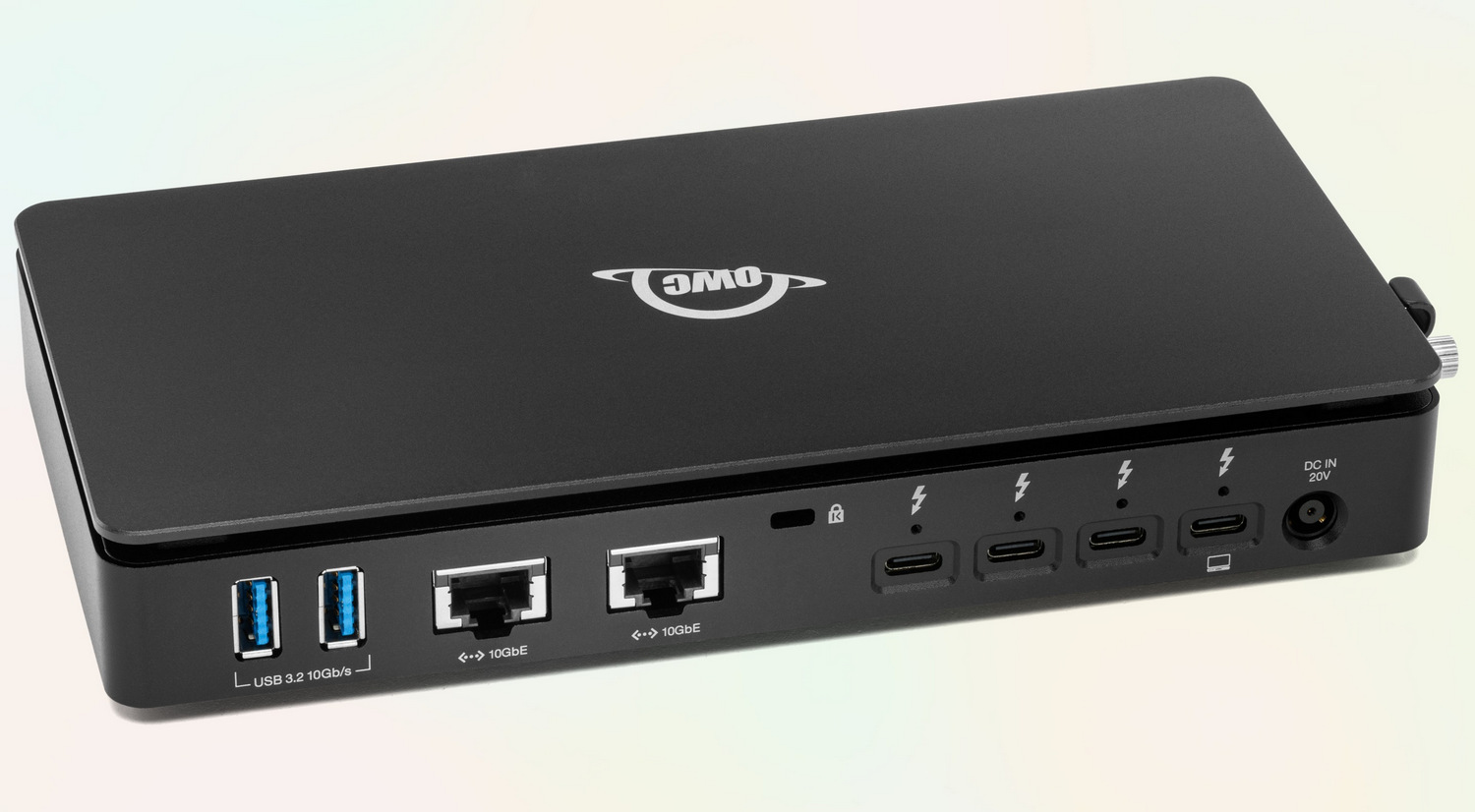
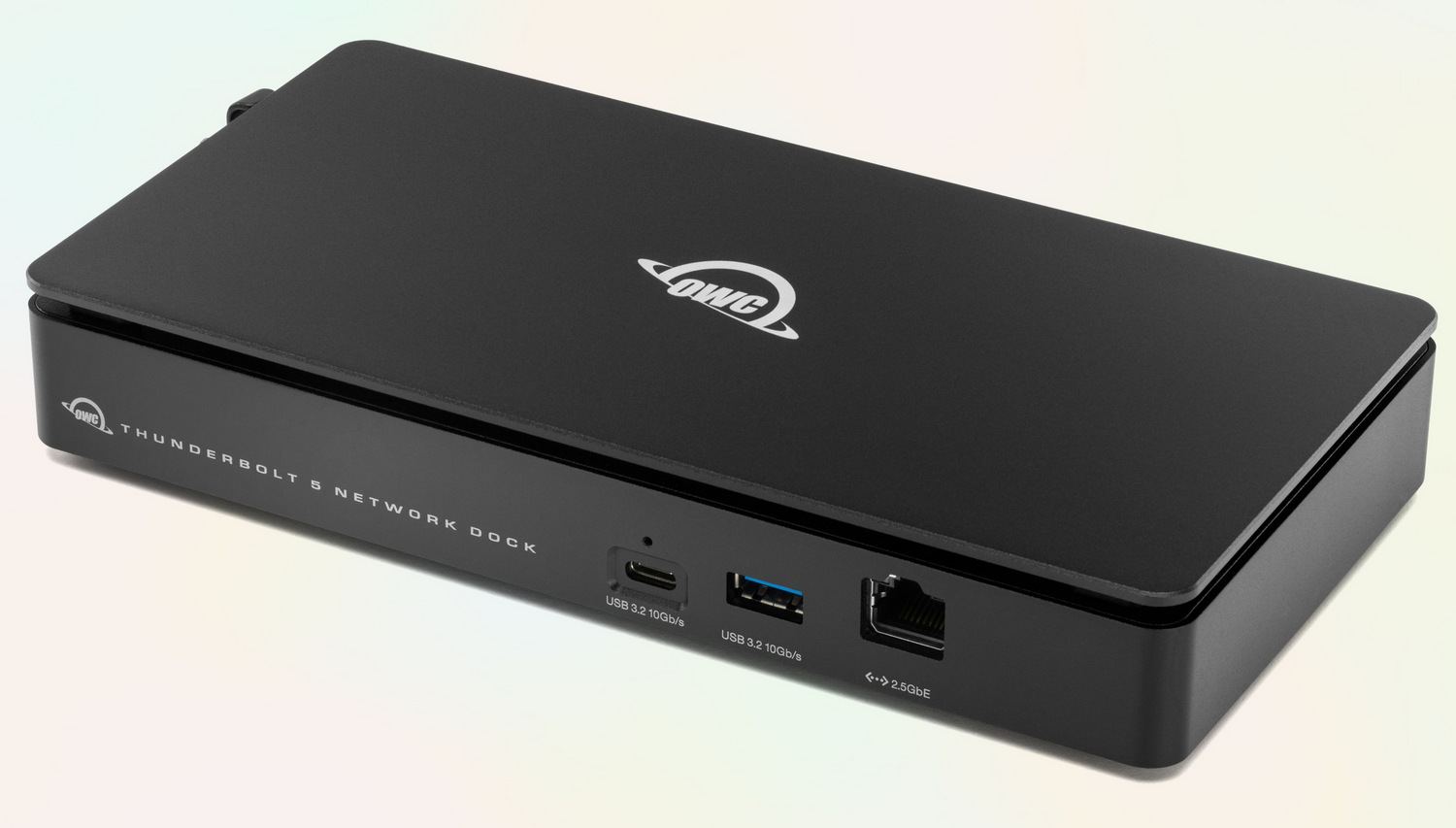
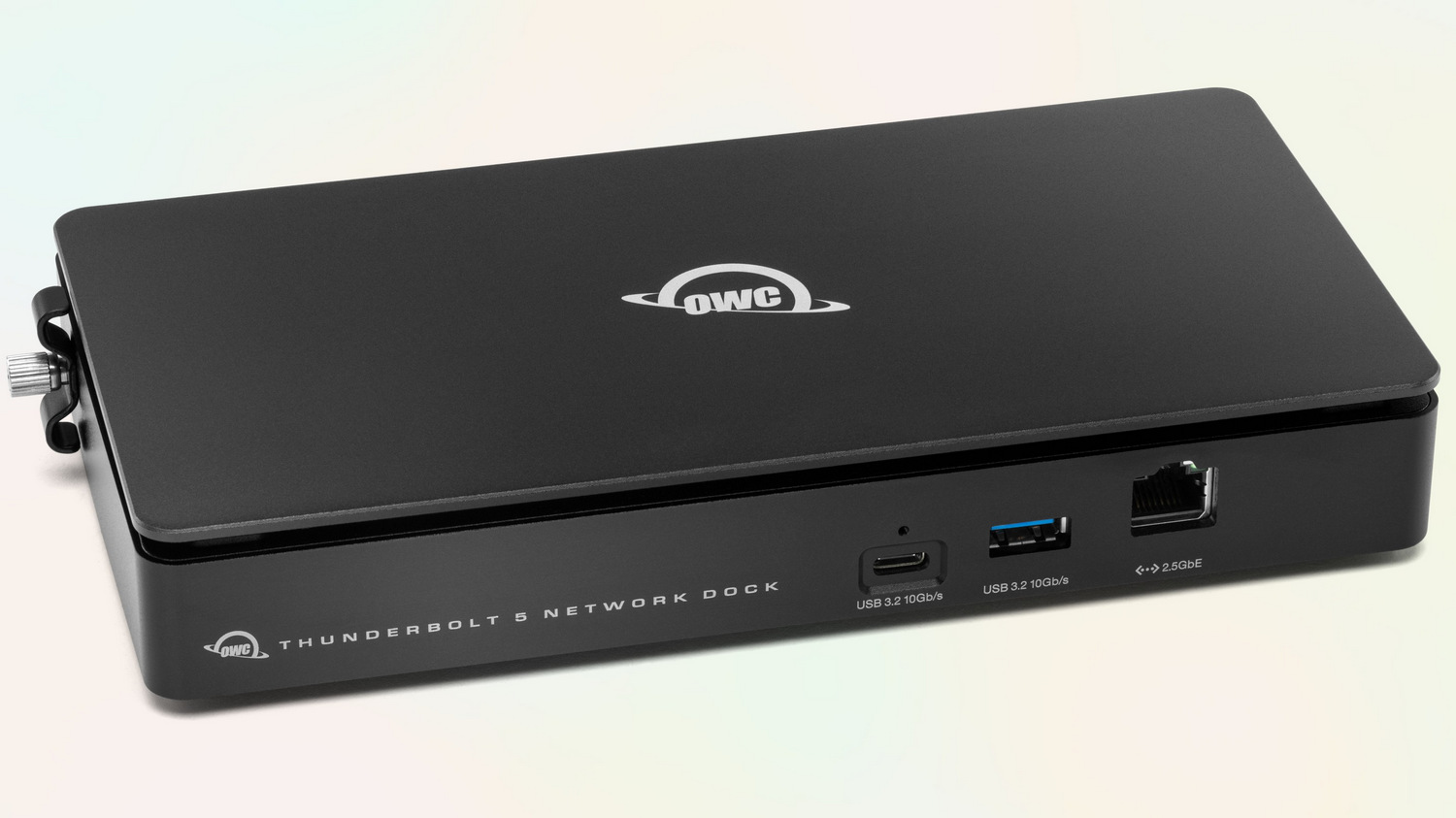
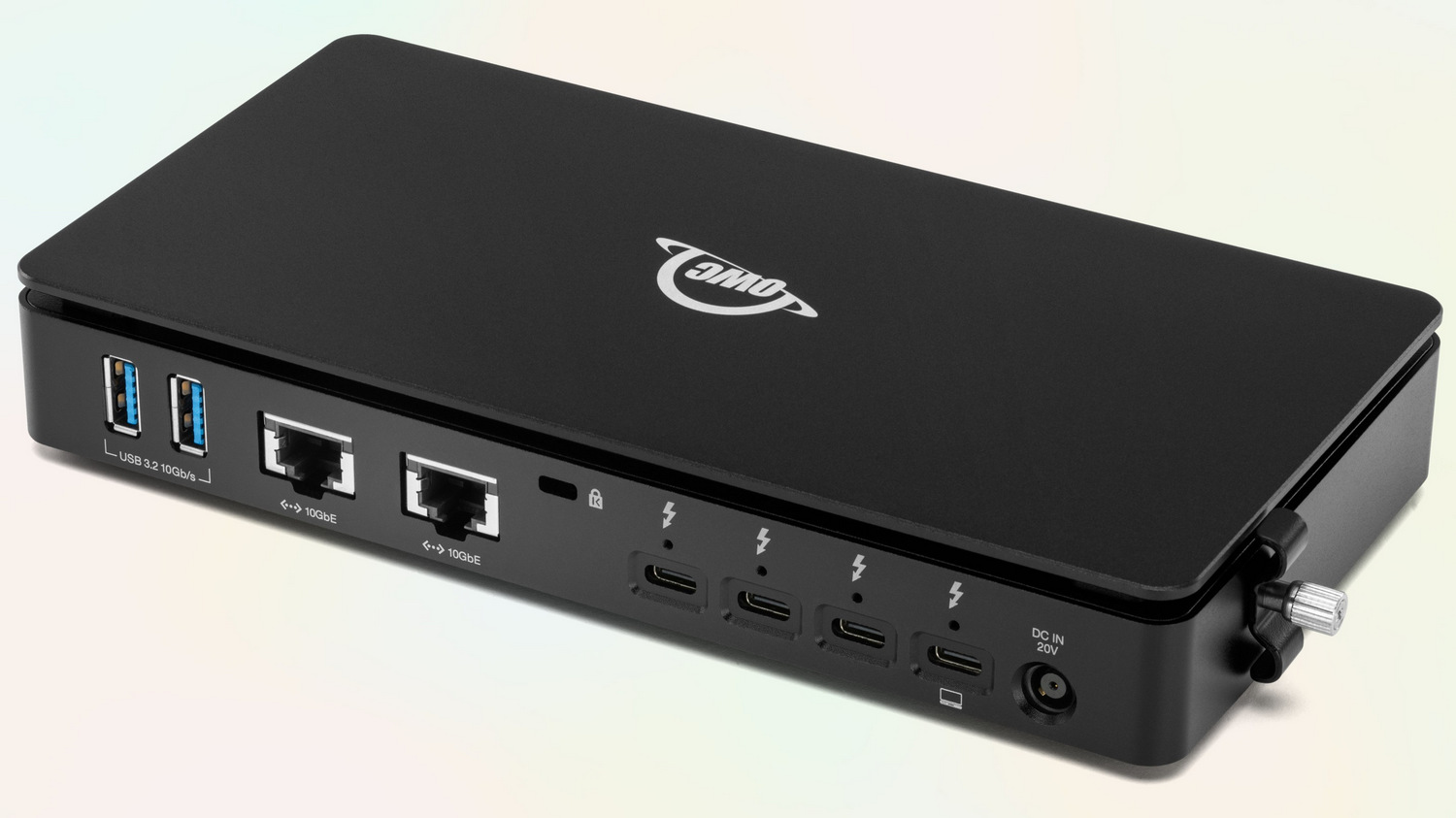
On top of that, you get a third Ethernet port up front at 2.5 gigabits. That’s plenty fast for audio production setups, video streaming, or even separating out a backup system onto its own network. Having three independent Ethernet ports on one dock is rare, and it’s particularly useful when you’re trying to keep networks isolated while still connecting everything through a single machine.
And yes, there are plenty of other ports too. Three Thunderbolt 5 connections let you daisy-chain gear, run high-end displays, or add external drives. Four USB ports (one USB-C and three USB-A) keep your older peripherals in play while still leaving room for newer gadgets.
Who This Dock Is Really For
If you’ve ever found yourself waiting on slow transfers when editing a 4K or 8K video project, the OWC Thunderbolt 5 Dual 10GbE Network Dock is built with you in mind. A filmmaker pulling footage from a shared server will appreciate how quickly the files appear, making collaborative edits less painful. A live production team managing multiple camera feeds can keep those feeds running smoothly without the dreaded lag. Even audio engineers who rely on Dante, a digital networking protocol for routing audio over Ethernet, will benefit from having a dedicated 2.5GbE port ready to go.
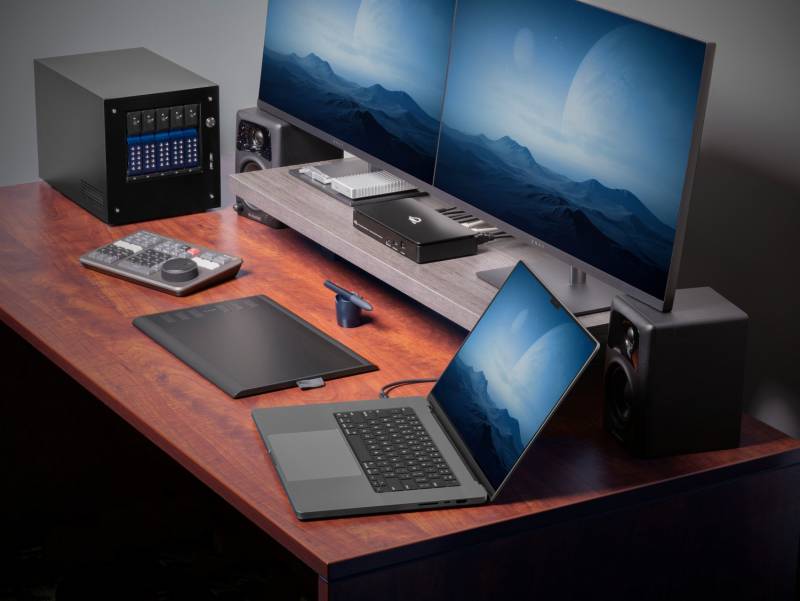
IT administrators aren’t left out either. Managing multiple networks—say, one for office staff, one for a render farm, and one for backups—usually means extra adapters and endless cable swaps. With this dock, one cable to your laptop handles it all. You can even run virtual machines in the cloud, administer them locally, and keep your high-speed NAS humming in the background, all without plugging and unplugging gear.
Beyond Networking: Displays and Devices
Speed is great, but the OWC Thunderbolt 5 Dual 10GbE Network Dock offers more convenience; it supports up to three 8K monitors, allowing you to build a visual workstation that would make a stock trader jealous. If you’d rather keep it smooth than sharp, it can also drive two 8K monitors at 120Hz or three 4K monitors at 144Hz. For anyone doing color grading, high-resolution editing, or simply wanting more screen real estate, this dock delivers.

Because of Thunderbolt 5’s extra bandwidth, you can mix all of that with high-speed storage and still not hit a wall. The dock even keeps things cool and quiet thanks to its fanless aluminum build, so you won’t hear it whirring during a recording session.
The Practicalities
OWC includes a Thunderbolt cable, a 90-watt power supply, and its Dock Ejector software, which that ensures you don’t corrupt drives when disconnecting. The OWC Thunderbolt 5 Dual 10GbE Network Dock works with macOS and Windows, and it can even handle Linux setups with the right drivers. Apple Silicon Macs, Intel Macs, Thunderbolt 3 and 4 laptops, and USB4 PCs can all join the party, though some of the high-end networking features do require the latest operating systems.
At 2 pounds, it’s portable enough to move between your home studio and office, though you probably won’t want to toss it in a backpack unless you’re serious about mobile production work. The $499 price tag might make casual buyers hesitate, but for professionals whose time is money, that investment can easily pay for itself the first time a project finishes hours earlier than it otherwise would have.
The Bottom Line
The OWC Thunderbolt 5 Dual 10GbE Network Dock isn’t designed for someone who just wants to plug in a mouse and a monitor. It’s designed for people who need their computers to pull serious weight, whether that’s handling live video streams, editing massive files from shared storage, or managing multiple high-speed networks at once. For those people, this dock doesn’t just tidy up cables; it clears away entire bottlenecks that make workflows drag.