
The Lowdown
The Lenovo IdeaPad Slim 3i Laptop (2026) is a tale of two prices: at full retail ($1299) I find it extremely hard to recommend over the many choices around that price range, but at current sale prices ($729) it’s a compelling choice over units at that price range. If one of my nieces or nephews heading to college this year had asked me, I would have probably recommended either this laptop at sale price or the MacBook Neo (depending on whether they needed a particular operating system for their major or had a strong preference).
Overall
Pros
- Great screen
- Long battery life
- Enough power/ram/storage for most people
- Durable chassis and build
Cons
- All-plastic build feels a bit cheap
- Lots of chassis flex around the keyboard
- Retail price is steep, but sale prices offer a great value
The laptop has established itself as a crucial part of most students’ and professionals’ lives. Many of us need to work or study from different spots in our home, on campus, or while traveling. Choosing the right one can be difficult, with models varying widely in battery life, build quality, and performance. The Lenovo IdeaPad Slim 3i Laptop (2026) is trying to be that “best for most” affordable model that has plenty of power and battery life without sacrificing too much in other areas. Unfortunately, the sticker price missed the memo on affordability, but street pricing seems to be telling a different story so far.
What’s in the Box 
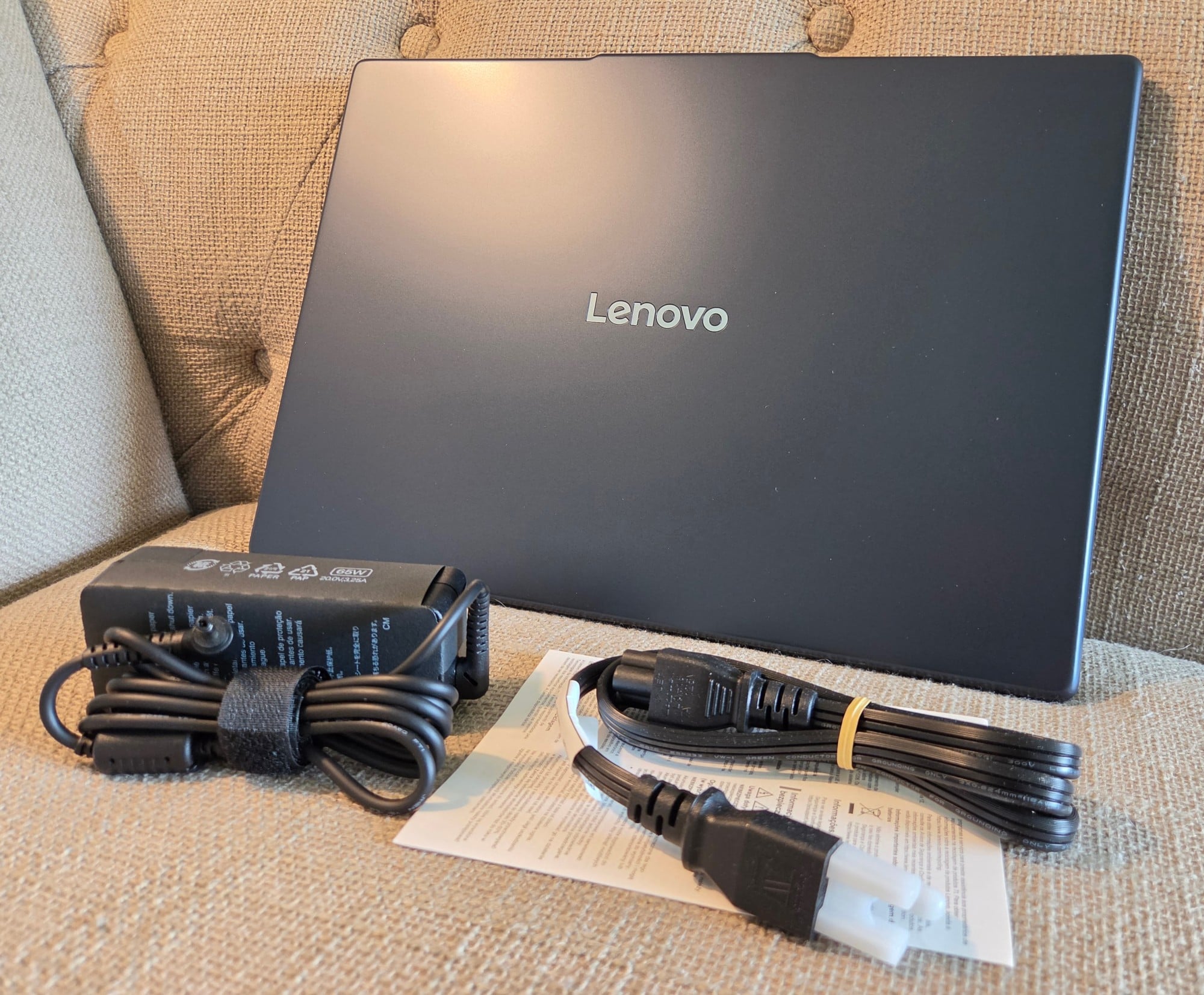
The Lenovo IdeaPad Slim 3i Laptop (2026) comes in a slim box with a quick start guide and a fairly small AC power brick and cable.
Tech Specs (As Reviewed):
- Processor: Intel Core Ultra 7 355 Processor (LPE-cores up to 3.50 GHz, P-cores up to 4.70 GHz with Turbo Boost, 8 Cores, 8 Threads, 12 MB Cache)
- Operating System: Windows 11 Home
- NPU: “Up to” 50 TOPS
- Graphics: Intel® integrated graphics (2 XESS cores)
- Memory (RAM): 16GB DDR5 5600MT/s, single DIMM slot
- Storage (SSD): 512GB M.2 PCIe NVMe Gen4 SSD
- Battery: 60 Whr, Rapid charge (15 minutes of charging gives 2 hours of battery)
- Audio: 2x2W speakers, Dolby Audio
- Camera: FHD 1080p & infrared (IR) with webcam privacy shutter
- WiFi: WiFi 7 802.11BE 160MHz (2 x 2)
- Bluetooth: Bluetooth 5.4
- Display: 15.3″ WUXGA (1920 x 1200) LCD IPS, 16:10 aspect ratio, 400nit, 120Hz, 100% sRGB, TÜV Low Blue Light, touchscreen
- Dimensions: 17.9mm x 343.4mm x 239.58mm / 0.7″ x 13.51″ x 9.43″
- Weight: 1.63kg / 3.59lbs
Body and Build Quality
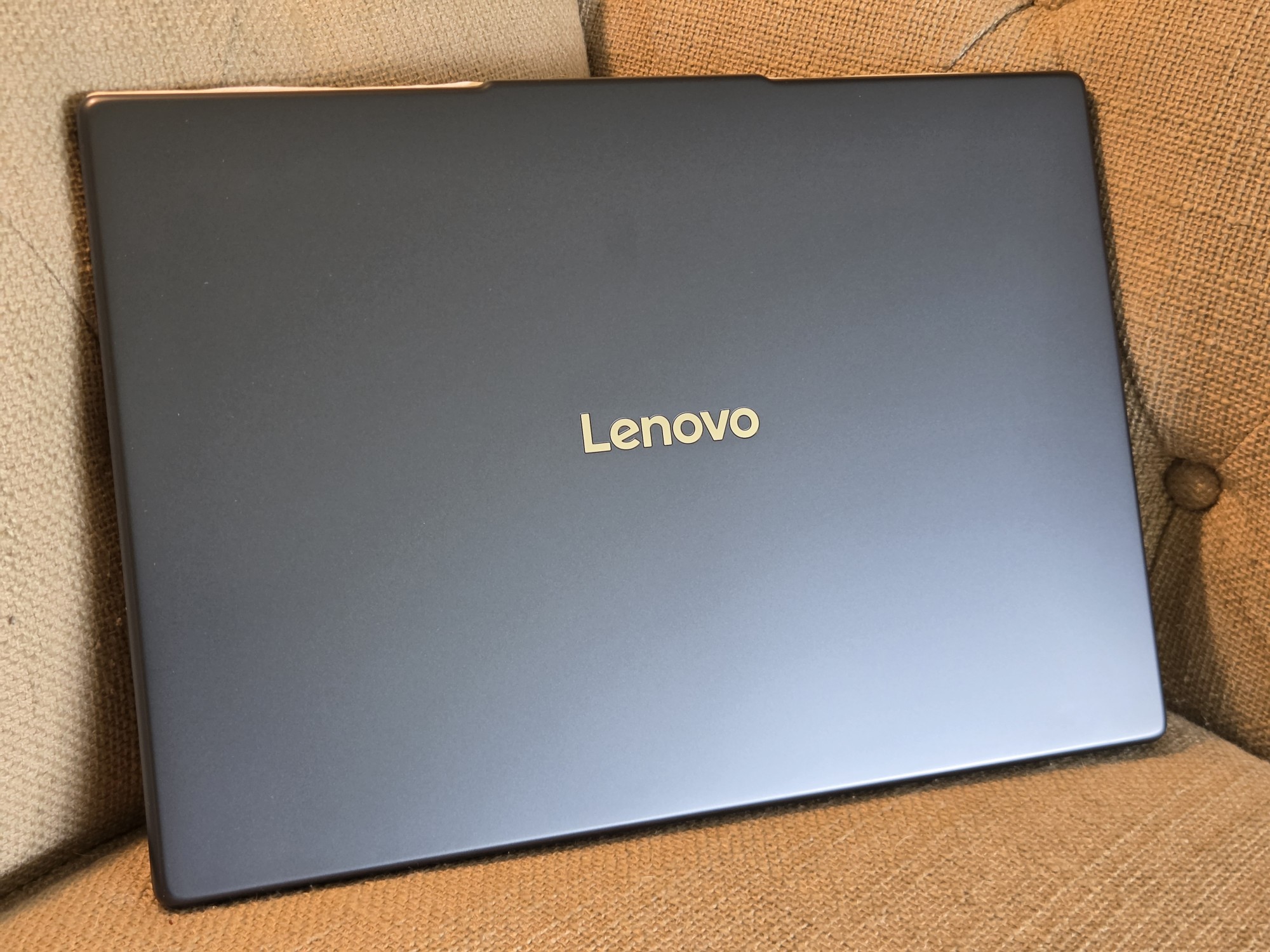
My first impression of the Lenovo IdeaPad Slim 3i Laptop (2026) reminded me of some cheap “netbooks” from the ~2008 era because of the all-plastic chassis and lid. Upon further handling, though, you can tell that this is not the same cheap plastic of yesteryear, and it certainly helps with the MIL-STD-810H durability certifications. \
It also helps keep the overall weight low, which is certainly appreciated any time you’re lugging it around. I also like the dark blue colorway (which looks like dark gray in some lighting).
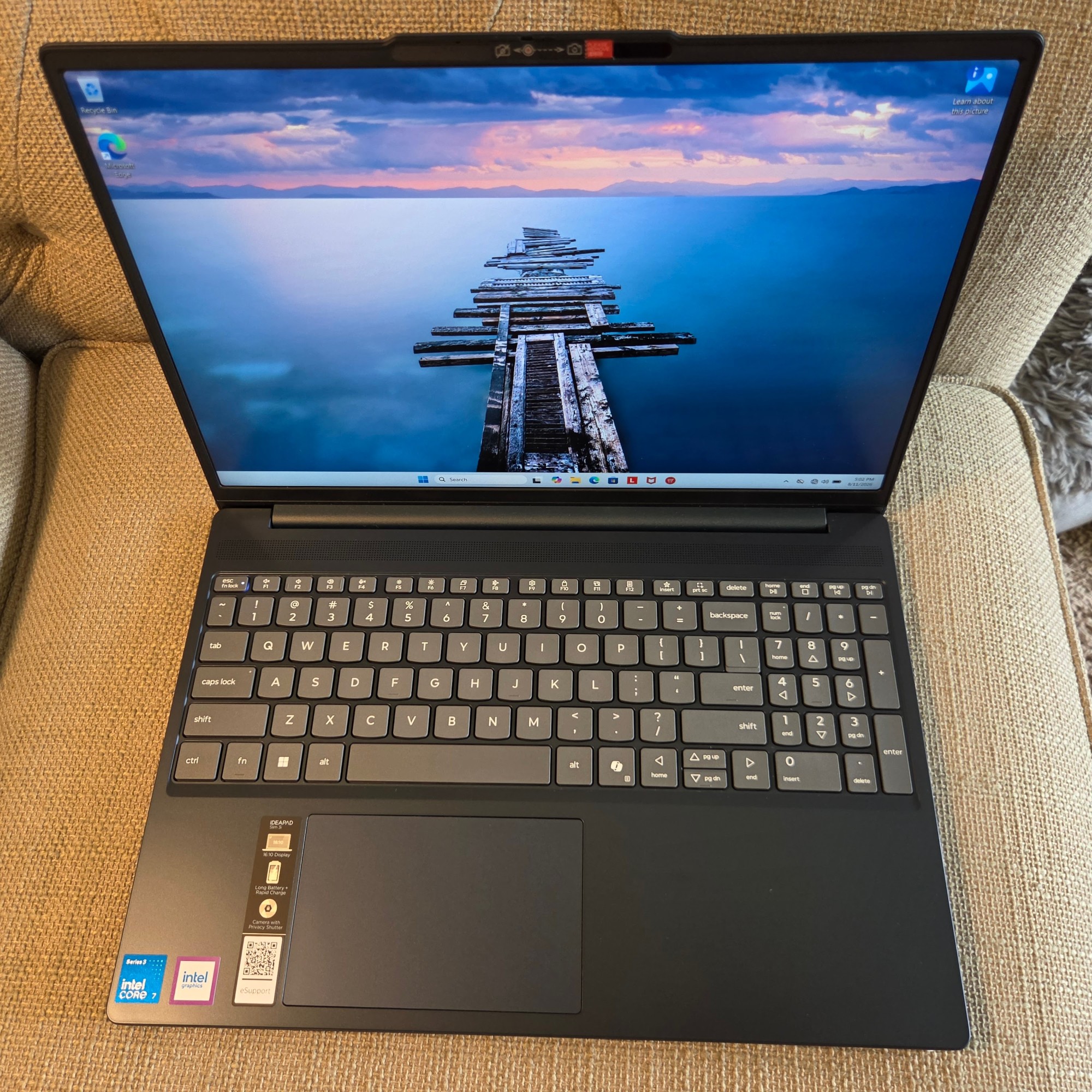
There’s considerable flex around the Lenovo IdeaPad Slim 3i Laptop’s keyboard, but this doesn’t seem to impact function in any way. The keyboard itself is well-built, with decent travel and feel. I was able to hit my usual 110+ WPM with few errors after getting used to it, though the lack of backlighting was occasionally annoying when I was working on articles in a darker room while watching TV at night.
The slightly non-standard keyboard layout worked well for me, though I do prefer arrow keys that are in a traditional configuration rather than the half keys for up/down. The trackpad feels like plastic but works better than most of the Windows 10/11 laptops I’ve used. Multi-touch gestures are supported, and I used it with no issues during the review period.
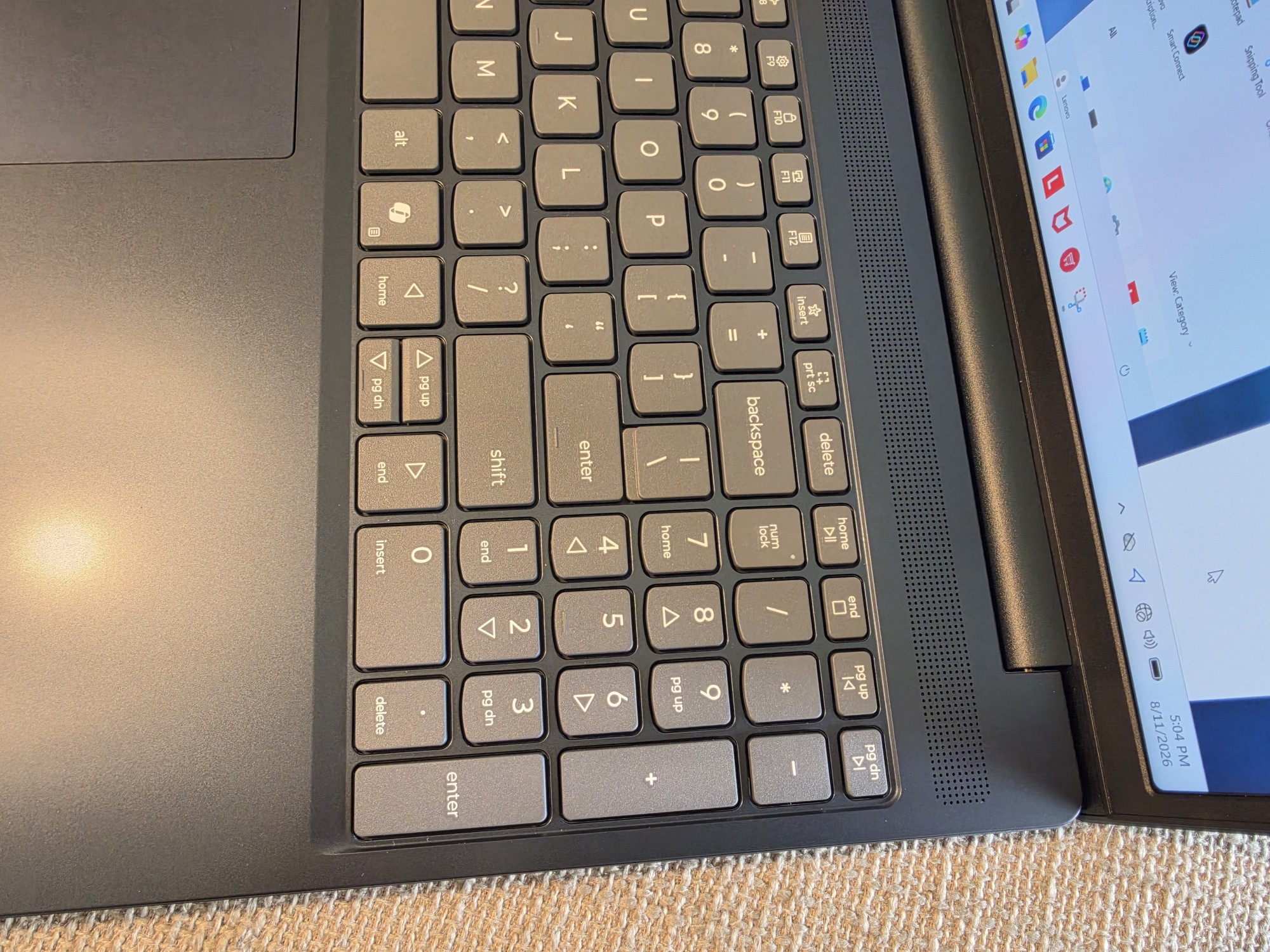
The numpad is nice to have for random number entry (especially if you’re 10-key proficient), but if you’re going to enter a lot of numbers this way, they are slightly cramped, and I had more typos than I usually do while updating spreadsheets.
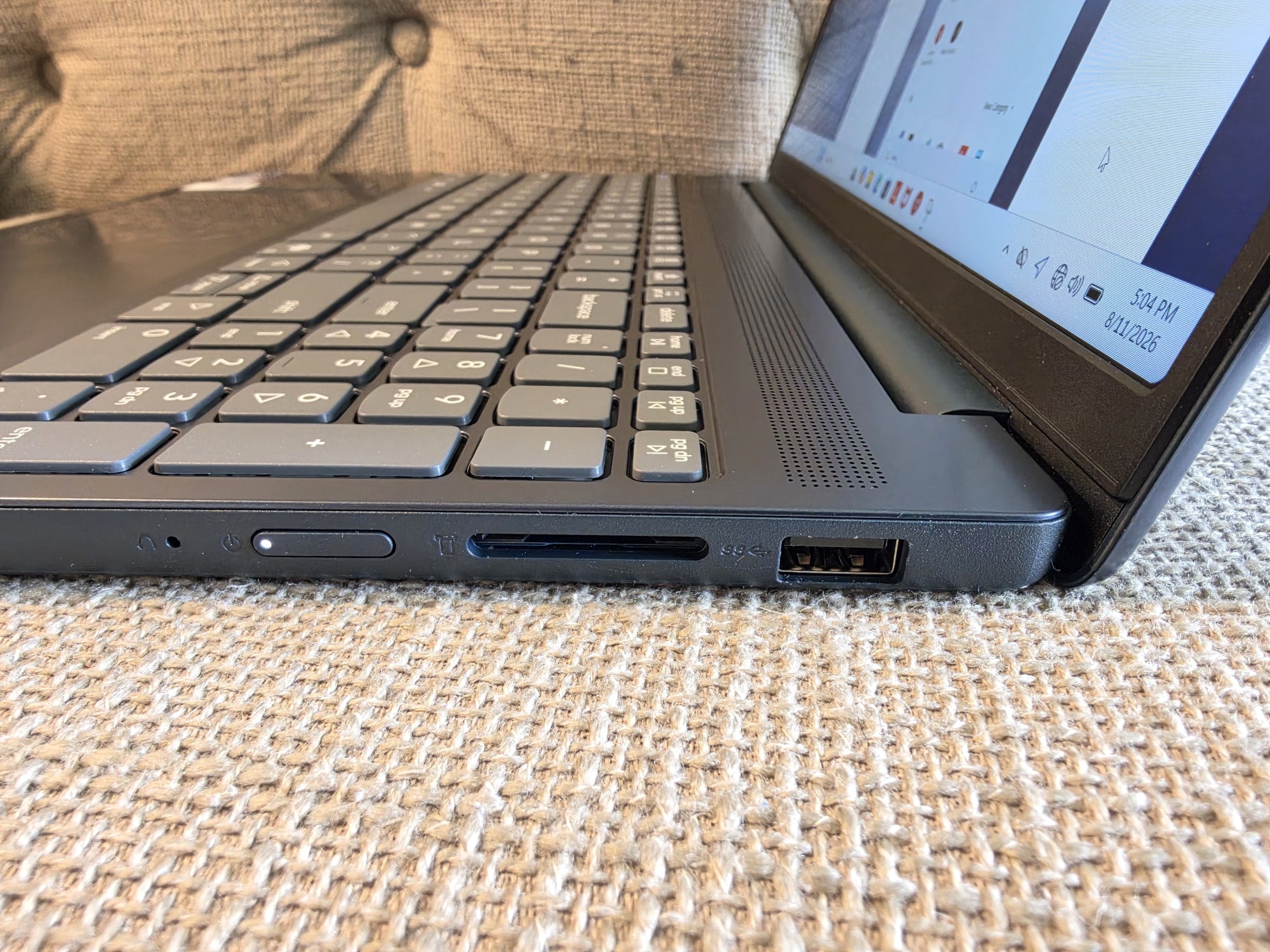
The Lenovo IdeaPad Slim 3i Laptop’s port selection is pretty good. Shown above is the right side of the laptop with a full-size SD card reader, power button, and a USB-A port (great for mouse dongles on the right side).
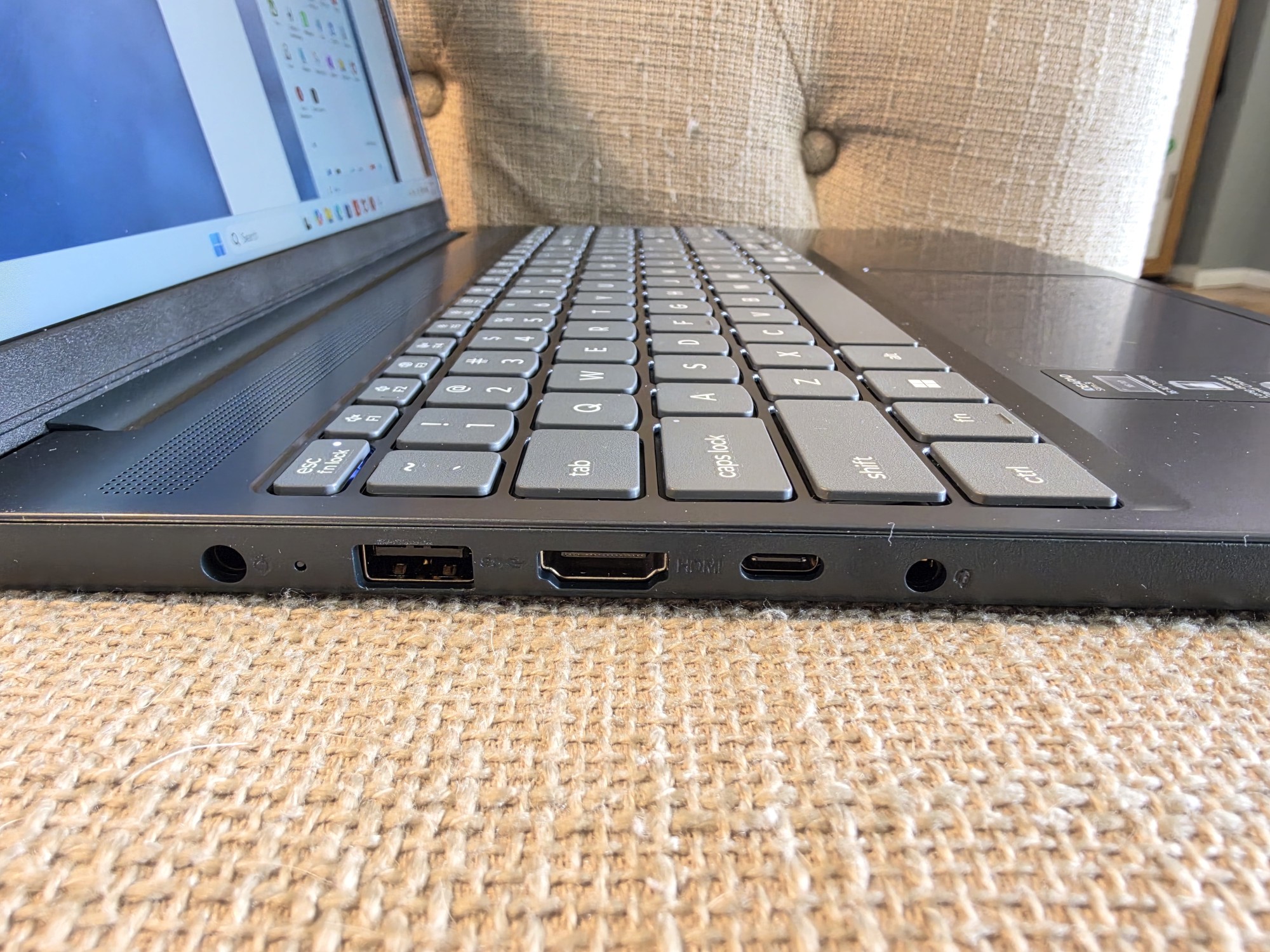
The left side also has a USB-A port, the DC power port, an HDMI 1.4 port, and a USB-C port that supports Power Delivery 3.0 and DisplayPort output. Finally, a headphone/microphone jack rounds out the physical ports.
The laptop isn’t much thicker than the USB-A ports and slips easily into all the bags I have designed for 15-inch laptops. All USB ports are limited to 5 Gbps, which may be an issue if you frequently move large files to external hard drives, but for most peripherals and users, they should be fine. I would have liked Thunderbolt 4+ and/or the full USB 4 specification here, but the ports provided should be good for most people.
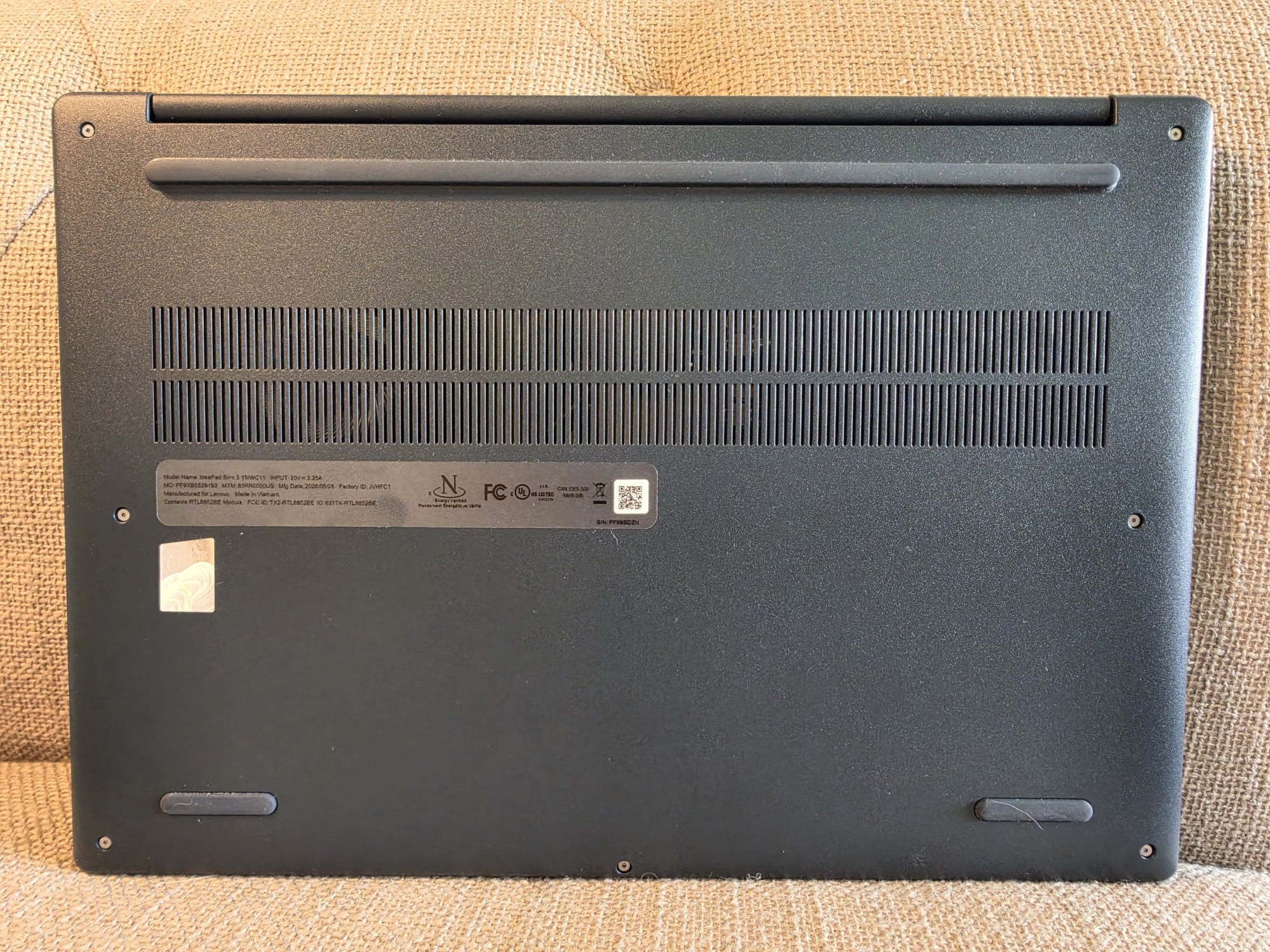
The bottom of the laptop has rubber feet for stability and to lift the laptop slightly for ventilation. User accessible screws can be removed to pop the bottom panel off, where you can upgrade the single RAM stick and SSD drive if desired in the future.
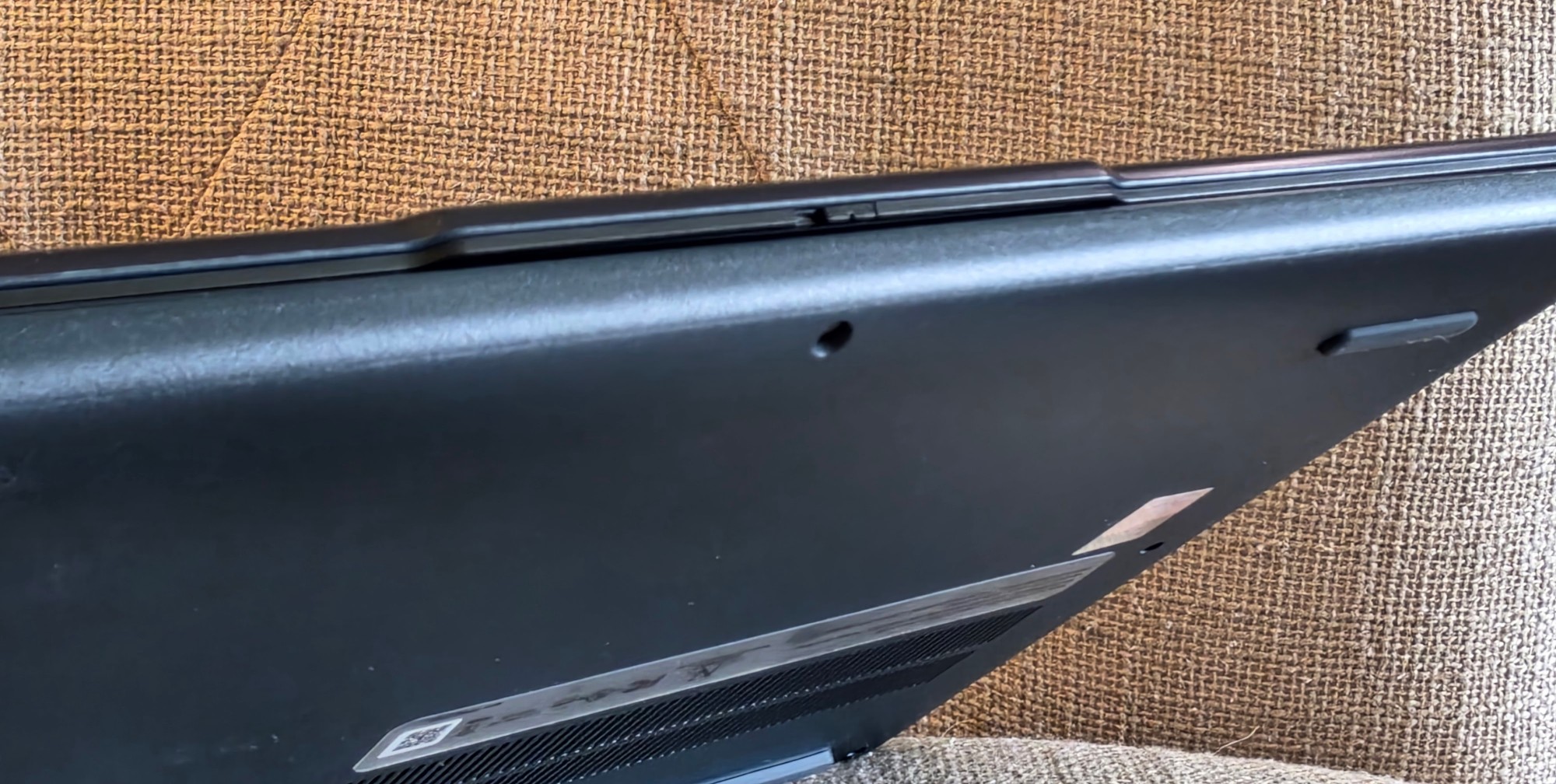
The front of the laptop lid has a tab that protrudes just enough to grab easily and open the lid. You do have to hold the bottom part of the laptop down while opening, though; it doesn’t have a one-finger lid opening like some premium laptop models.
Software (and Bloatware)
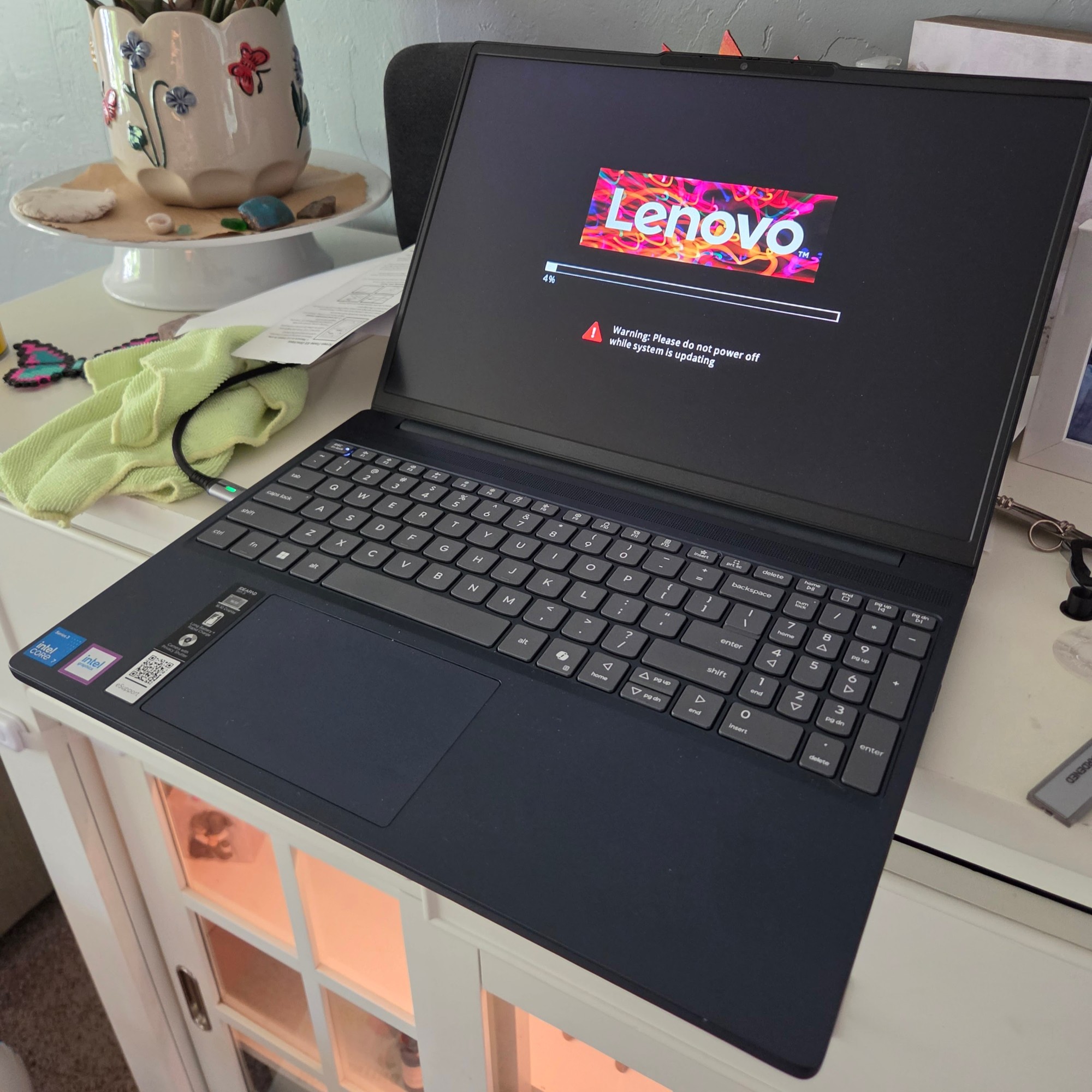
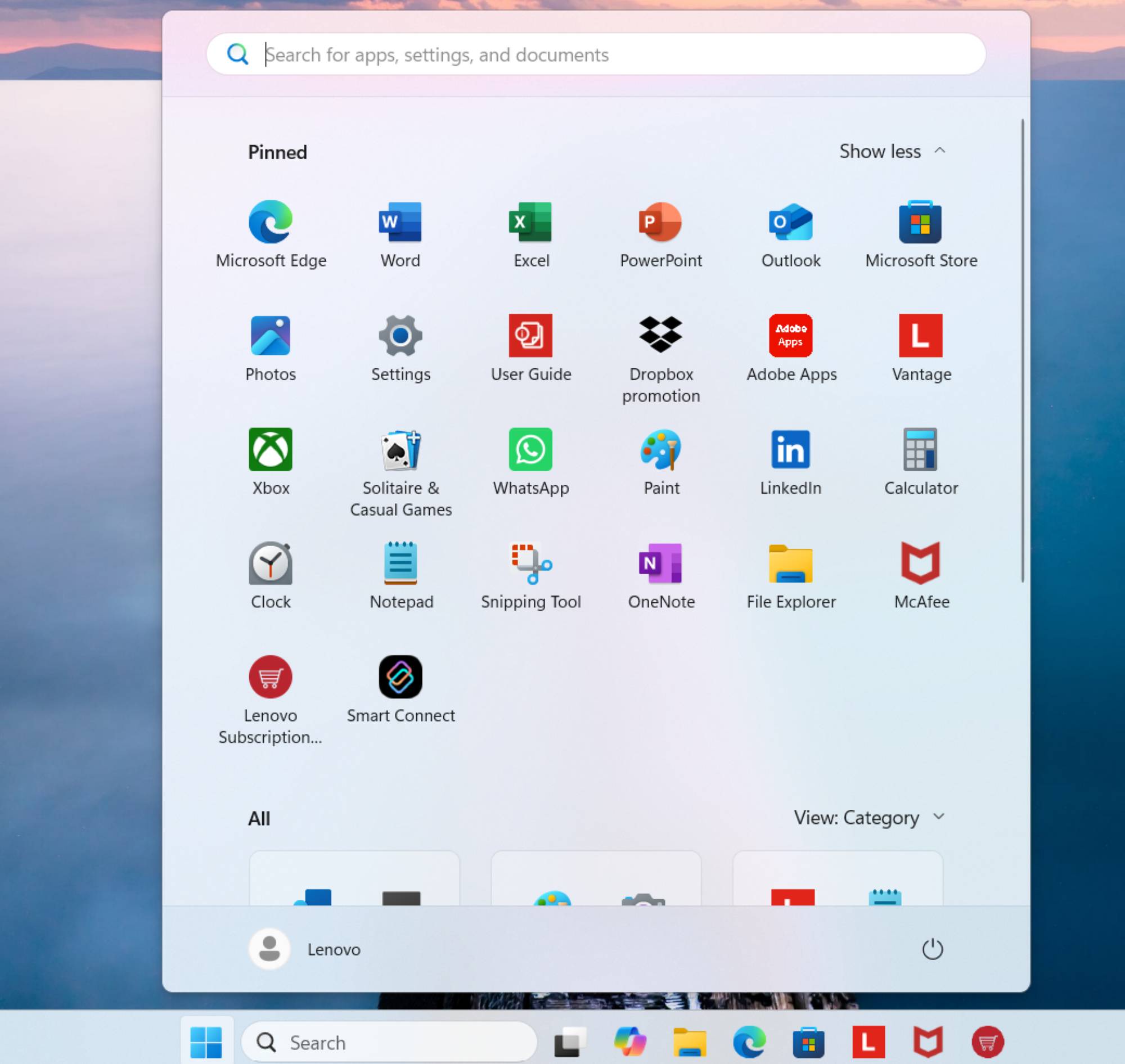
When I booted up the Lenovo IdeaPad Slim 3i Laptop (2026), I was immediately bombarded with messages and presented with a full list of installed apps (many of which I don’t want and would never use). This isn’t entirely Lenovo’s fault; most Windows 11 machines seem to include things like WhatsApp, LinkedIn, and some bundled antivirus (in this case McAfee). I went to work updating everything and deleting everything irrelevant to me (while keeping all installed Lenovo apps).
-

- Installed software on Windows first launch
-

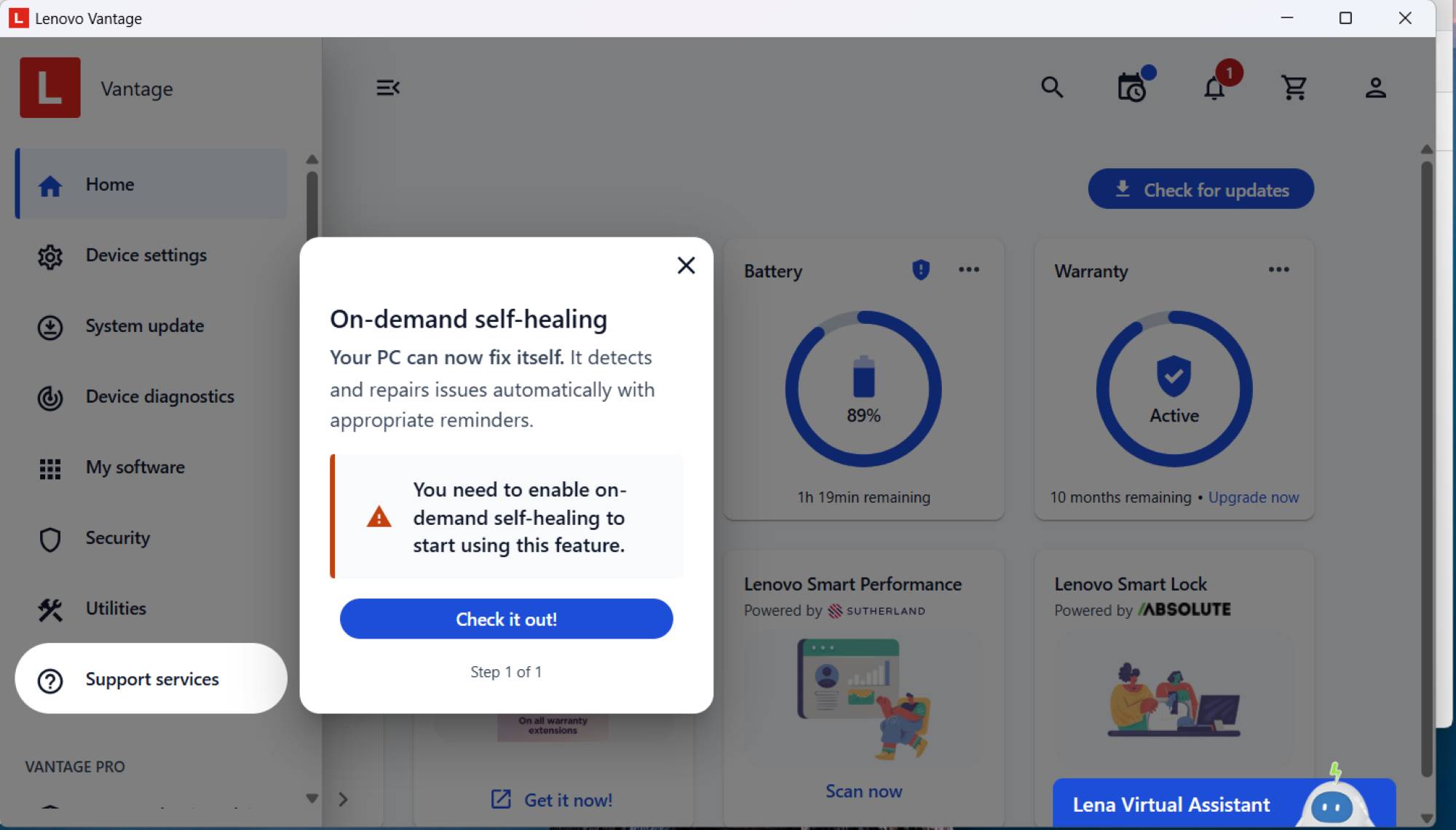
- Lenovo Vantage pop-ups
-

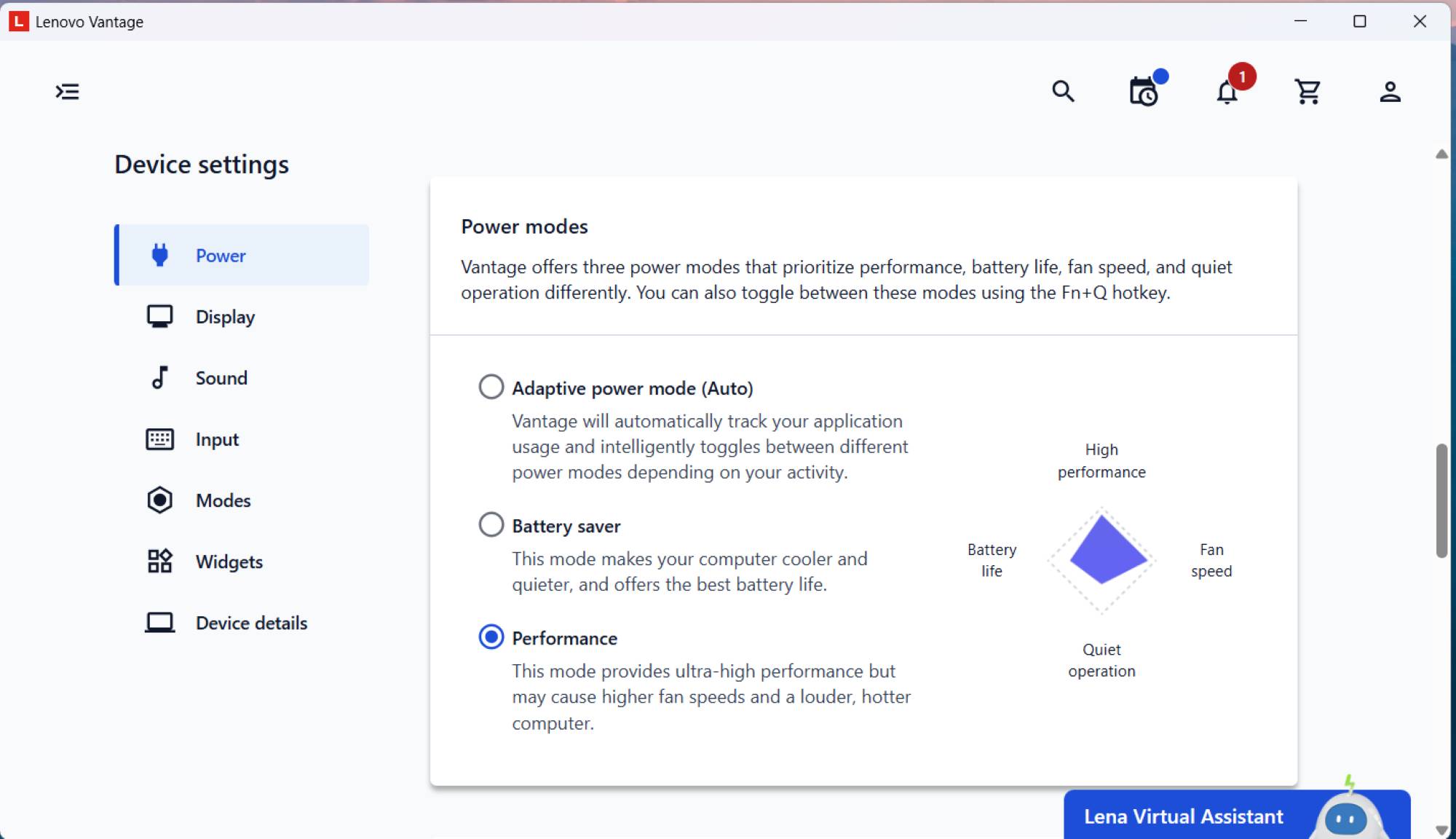
- Lenovo Vantage Battery Settings
-

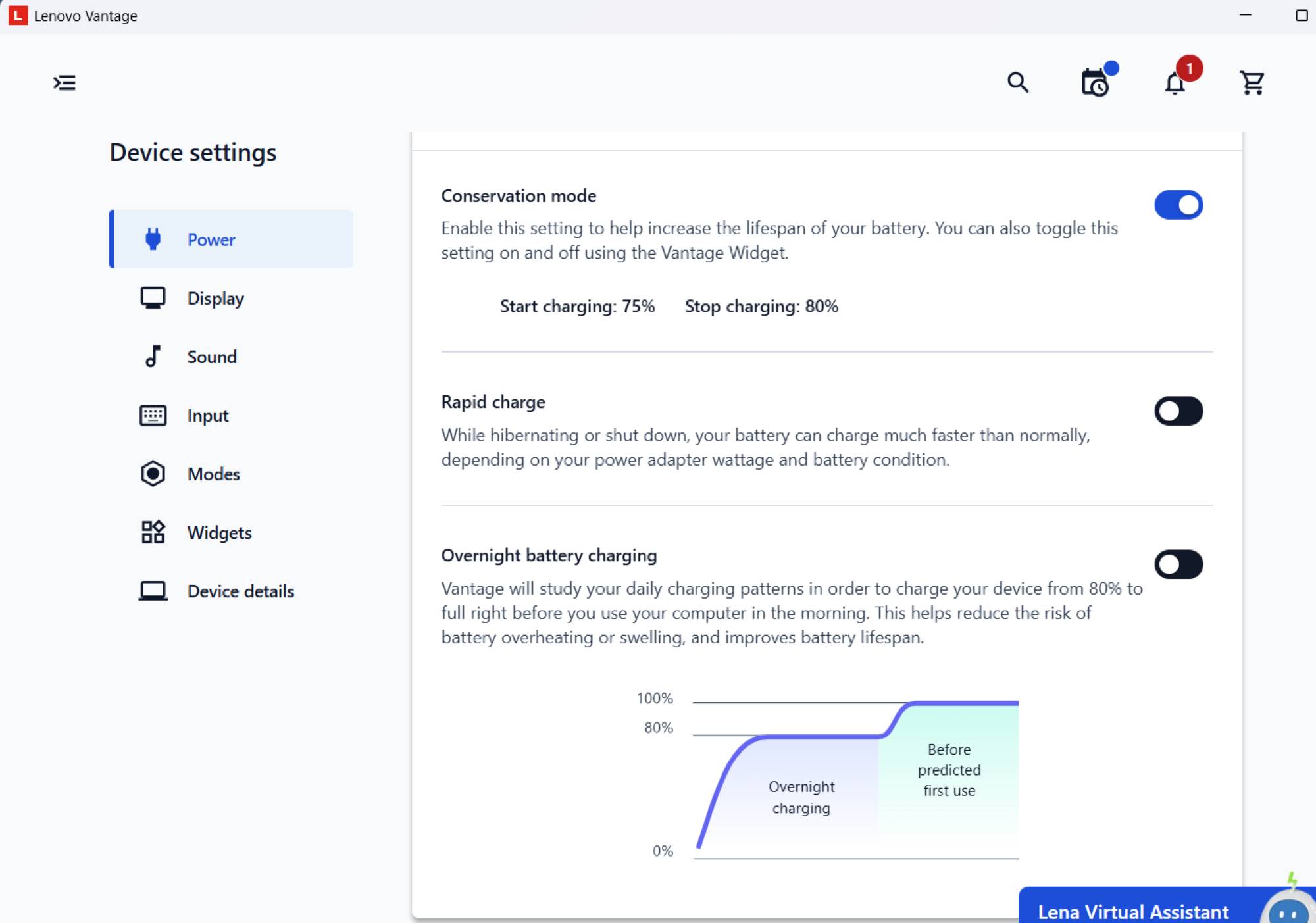
- Lenovo Vantage Battery Settings
-

- Lenovo Rewards reminders

-

- Post Software Update Defaulting Browser to Bing
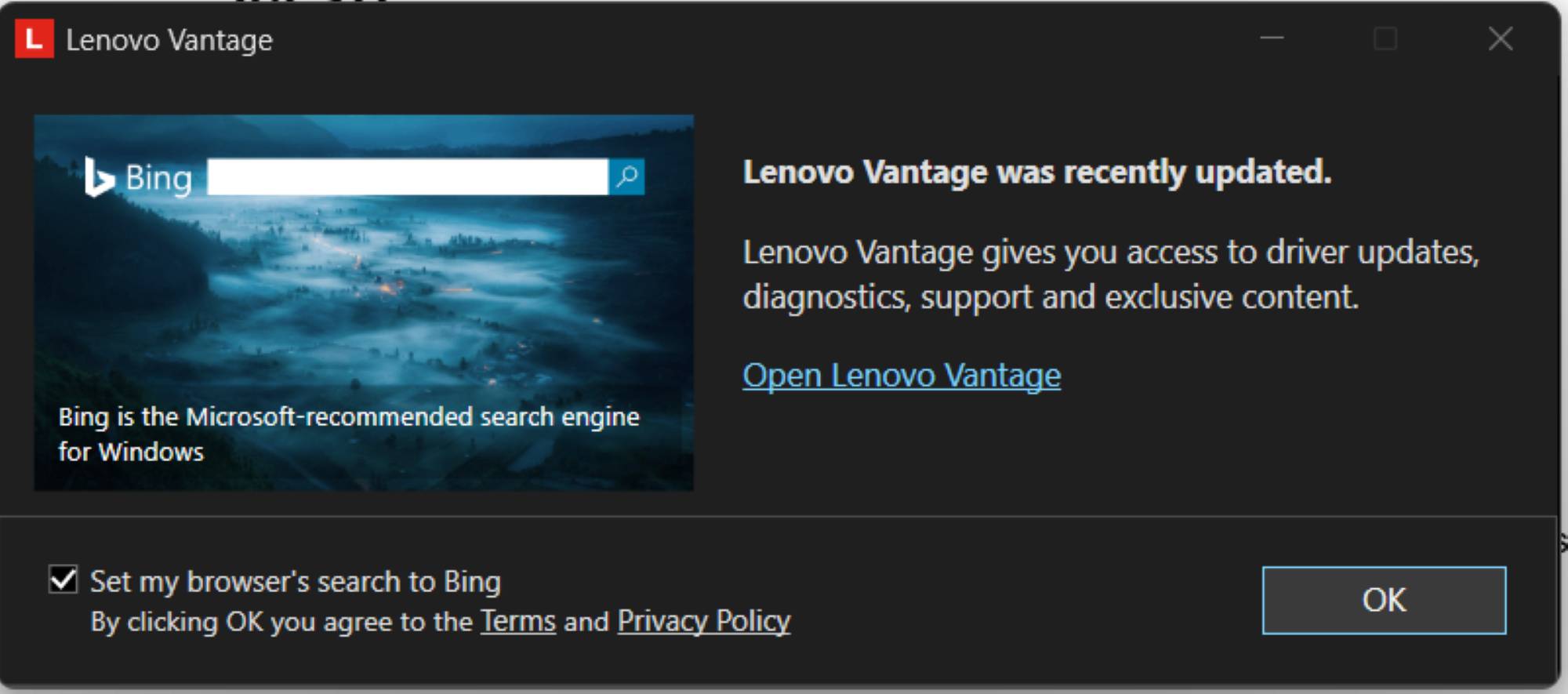
The installed Lenovo Apps include the main control software (Lenovo Vantage), which lets you adjust several settings and check for system and driver updates. Some of the Vantage notifications were useful, but many felt like pop-up ads.
The (Very Nice) Screen
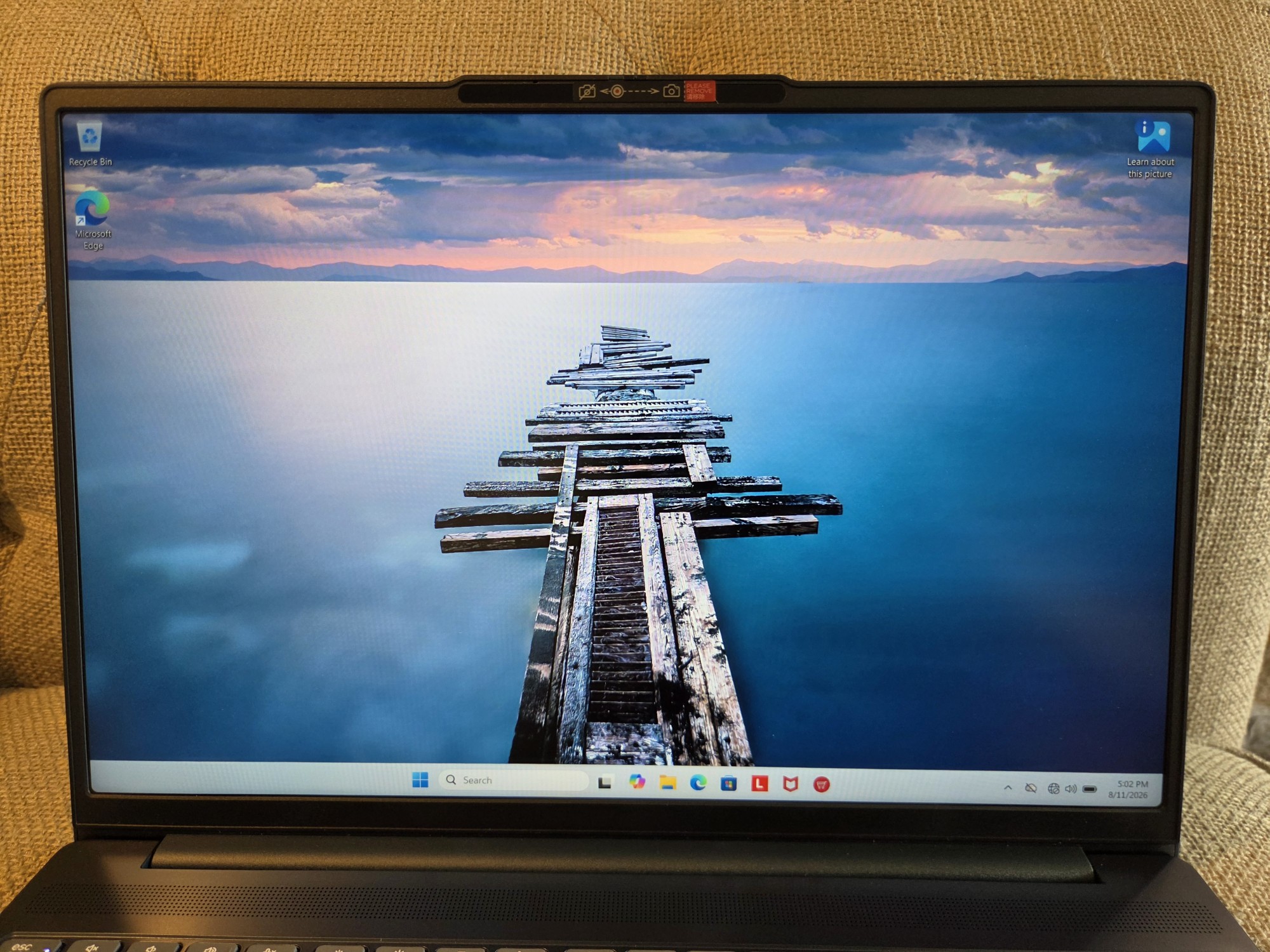
I struggled at times to translate my experience with the Lenovo IdeaPad Slim 3i Laptop (2026) into a coherent review since almost everything about it is fairly average for a laptop in this price range, but after some thought I’ve landed on the screen as being the primary differentiator when you look at comparably priced options. A nice screen makes for a nice laptop experience, and in this case it’s quite nice.
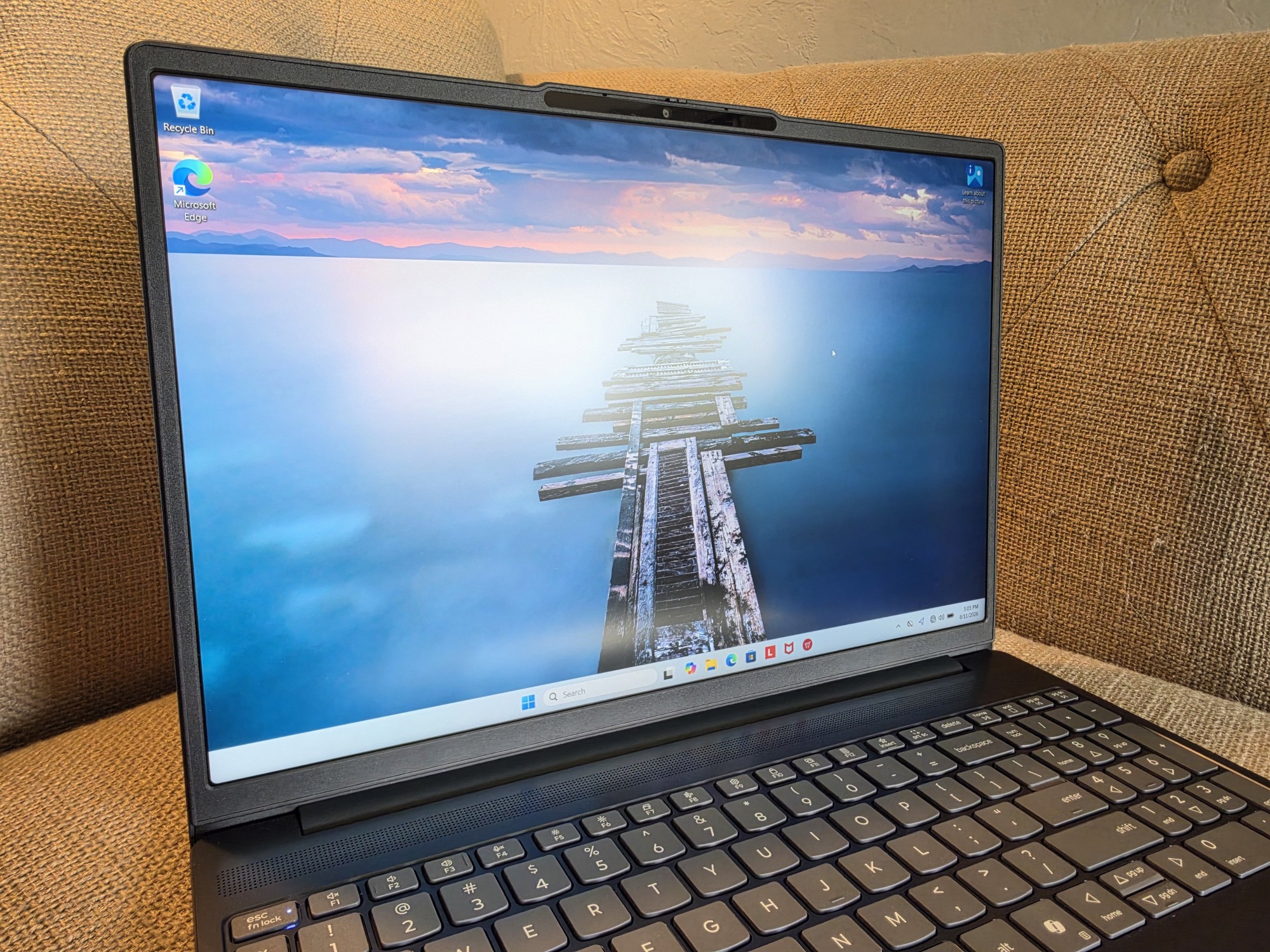
The screen is advertised to reach 400 nits, which is bright enough for anything but direct sunlight. I had no issues with glare or readability. In the photo above, the mild glare is from a bright sunny window, which is eliminated by simply shifting the laptop a few degrees in either direction.
The IPS panel has great viewing angles, and color reproduction is excellent (I don’t have a color calibration tool, but Lenovo claims full sRGB coverage). The resolution is also a good choice for this screen size at 1920 x 1200 pixels. That extra vertical space is great for productivity and general use.
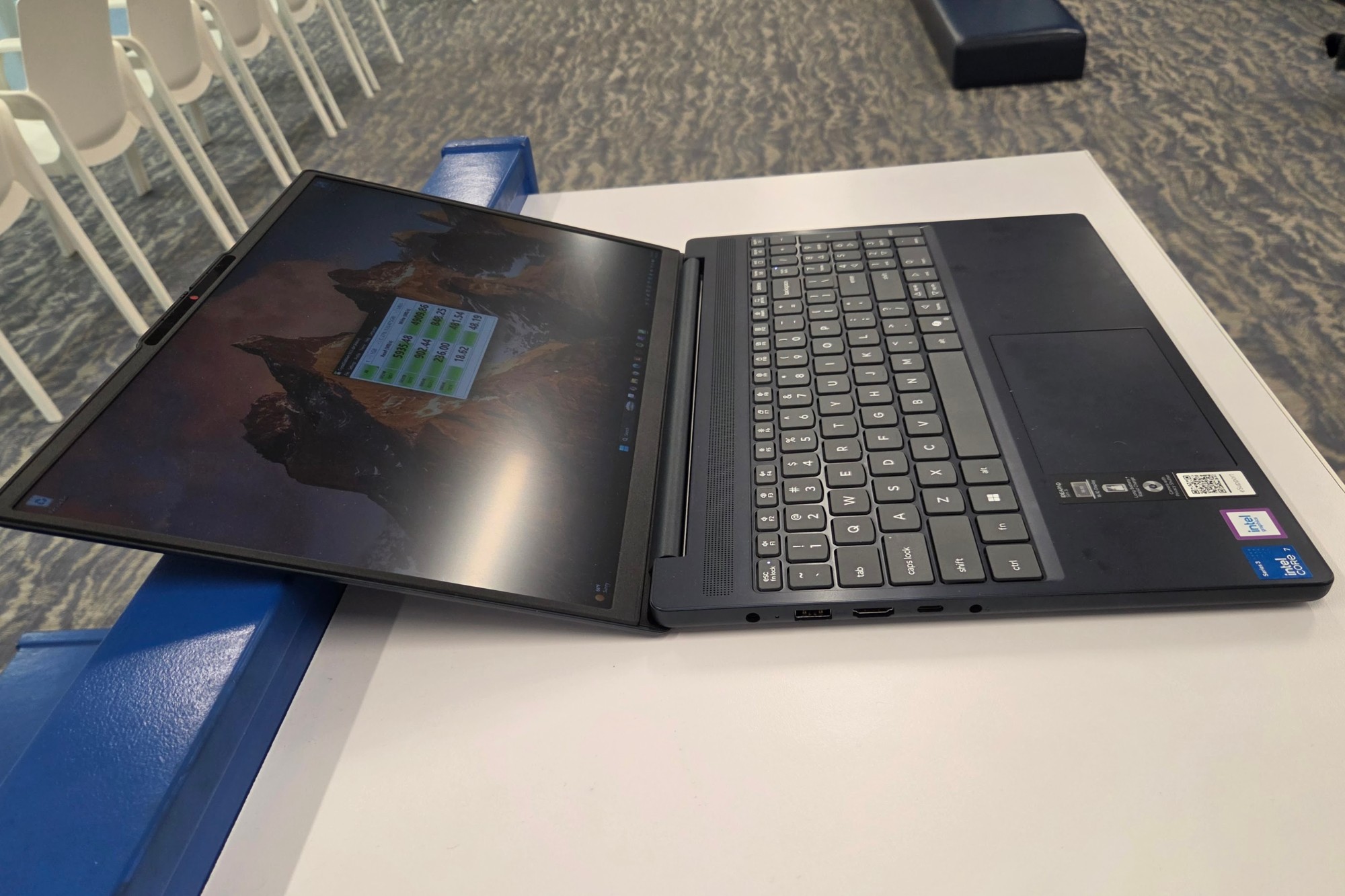
The Lenovo IdeaPad Slim 3i Laptop’s screen also bends back to nearly flat, which is great for people who like to use laptops in constantly shifting positions (like lying back on a couch with the laptop propped on raised legs). The display is also a touchscreen, and though I’m not a huge touchscreen-on-laptop user, it worked great while I played around with it. The 120 FPS refresh rate is interesting for a non-gaming laptop, but it makes for smoother animations and helps the whole user interface experience feel faster and smoother.
Performance
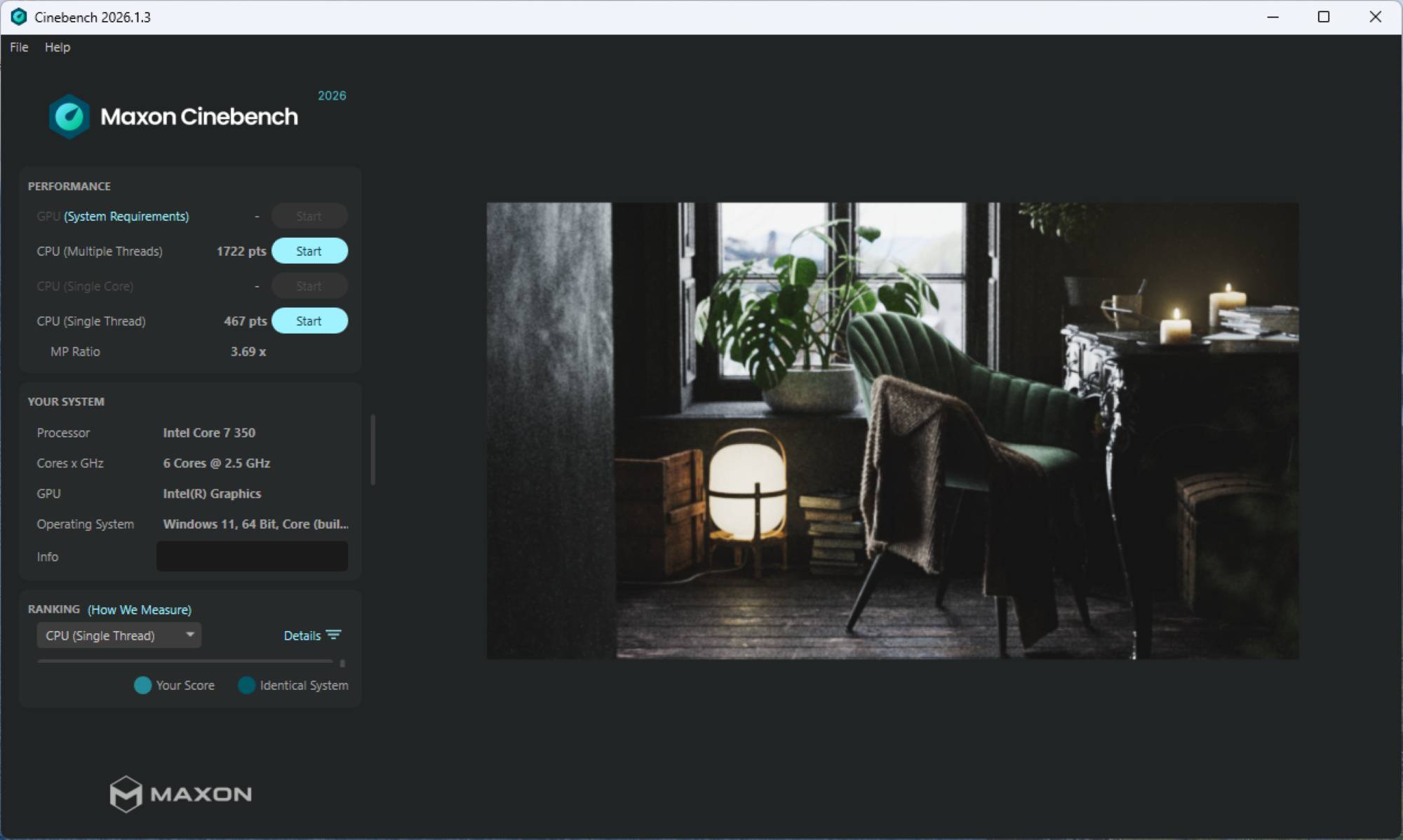
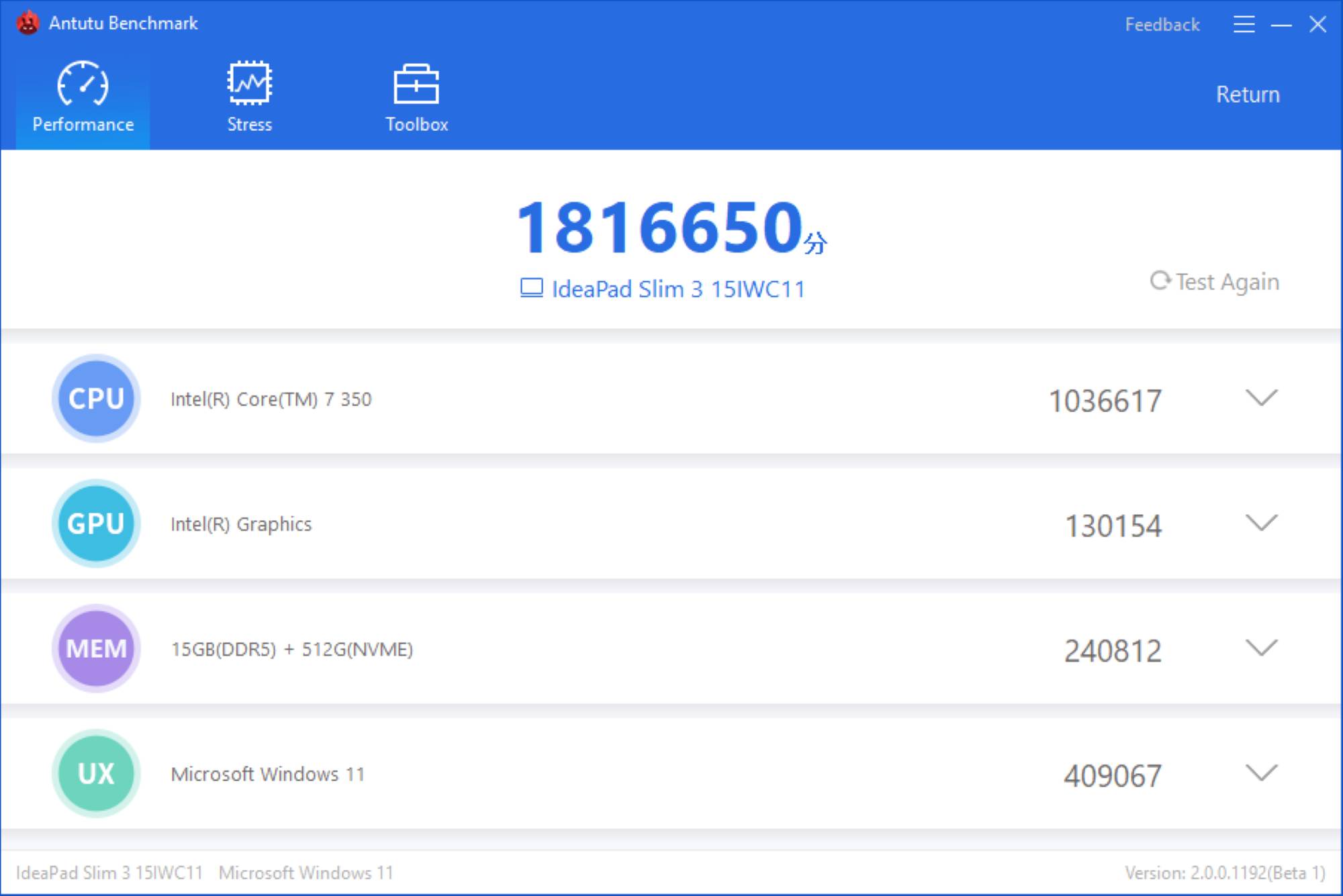
The Lenovo IdeaPad Slim 3i Laptop (2026) has generally good performance thanks to the latest Intel Wildcat processor inside. This recent refresh puts up respectable single- and multi-core processor scores that at least keep it in the pack of comparable laptops (like the Apple MacBook Neo and Snapdragon X2-based systems).
-

- Cinebench: Single Core 467, Multi 1722
-

- Antutu 1816650
-

- 3DMark Timespy: 1587
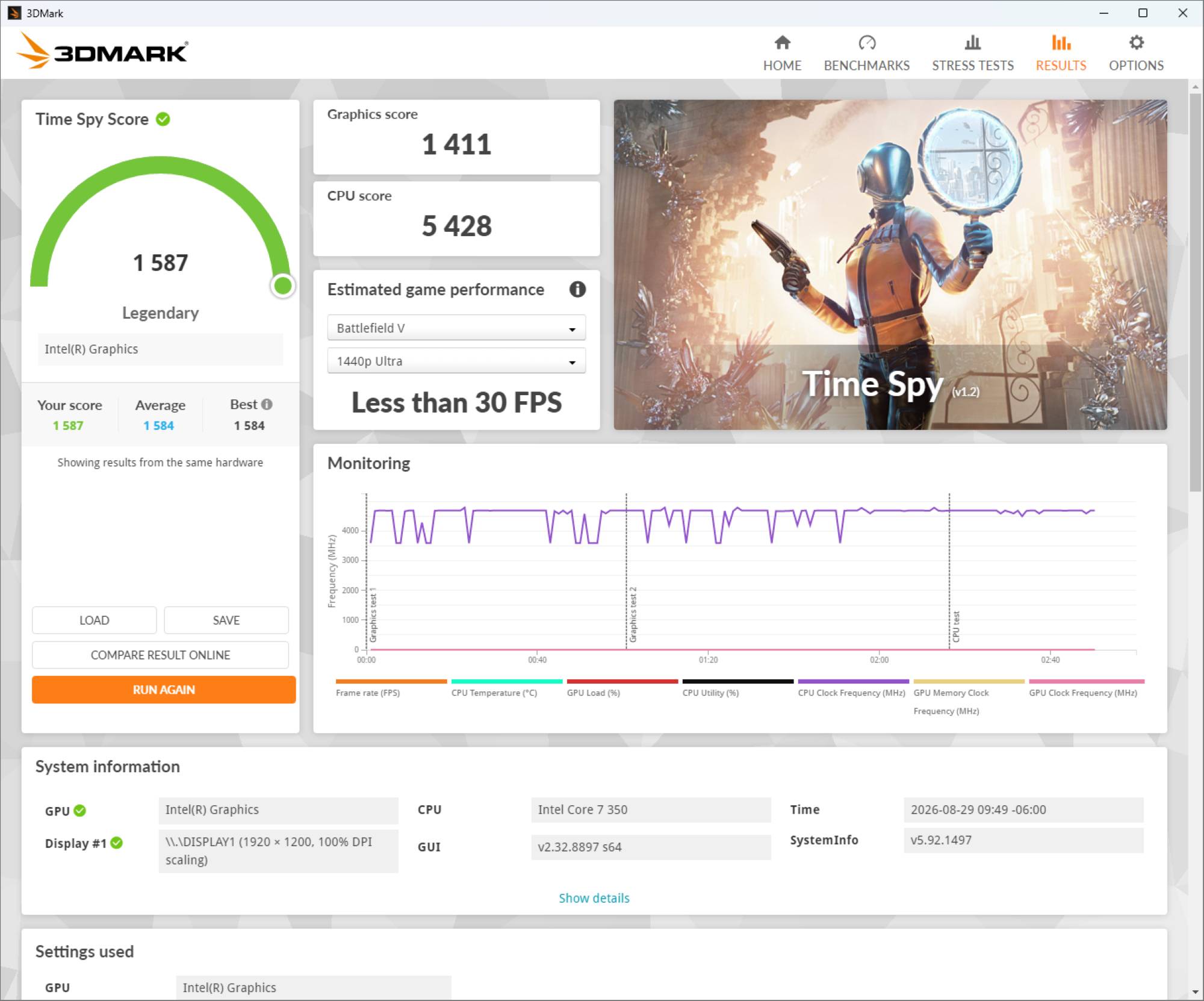
-

- CrystalDiskMark: 5935 MB/s
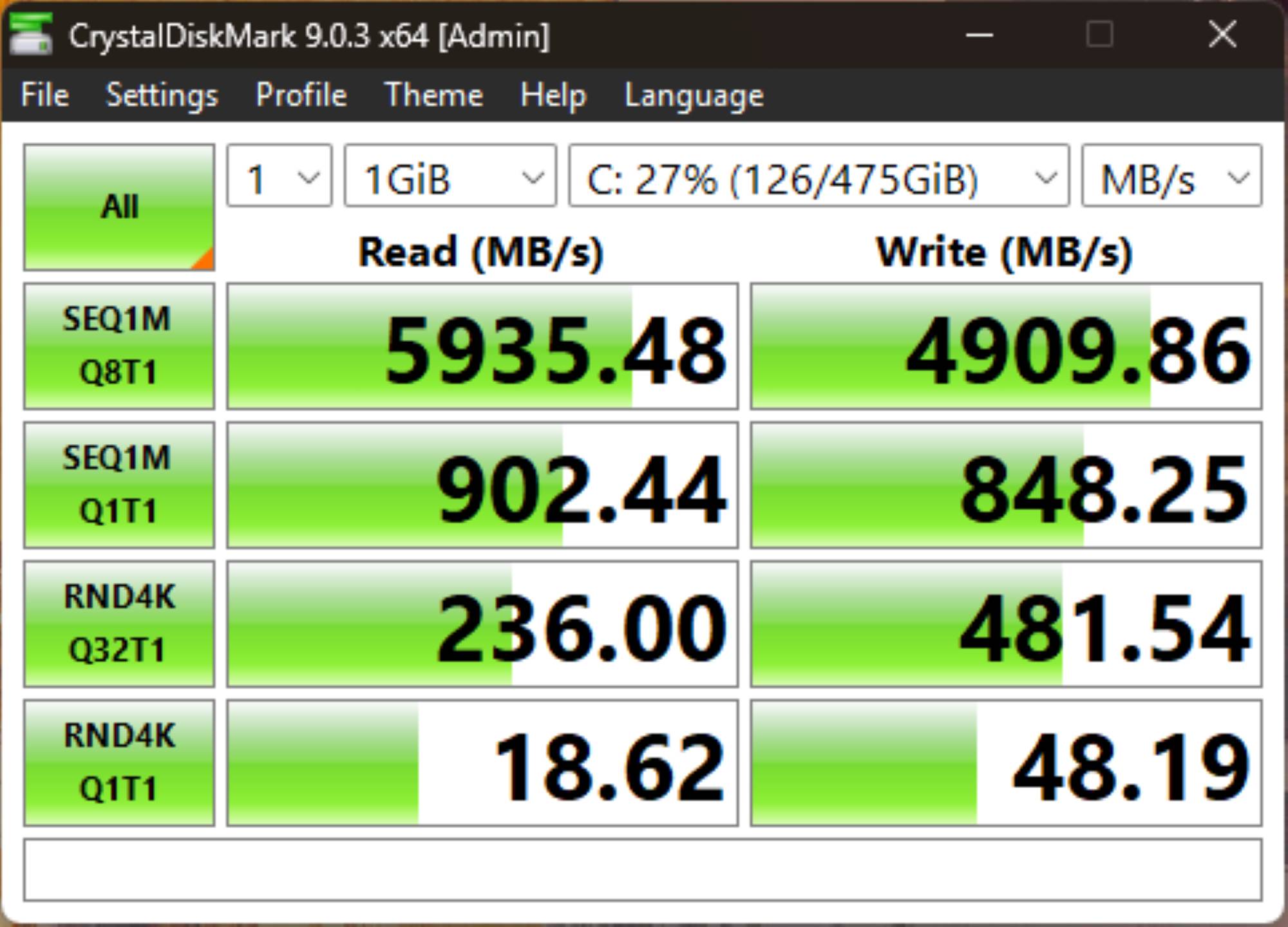
The lack of dedicated graphics means you’re only going to be enjoying older or lighter titles on this machine, but non-demanding games like Slay the Spire 2 did run great on it.
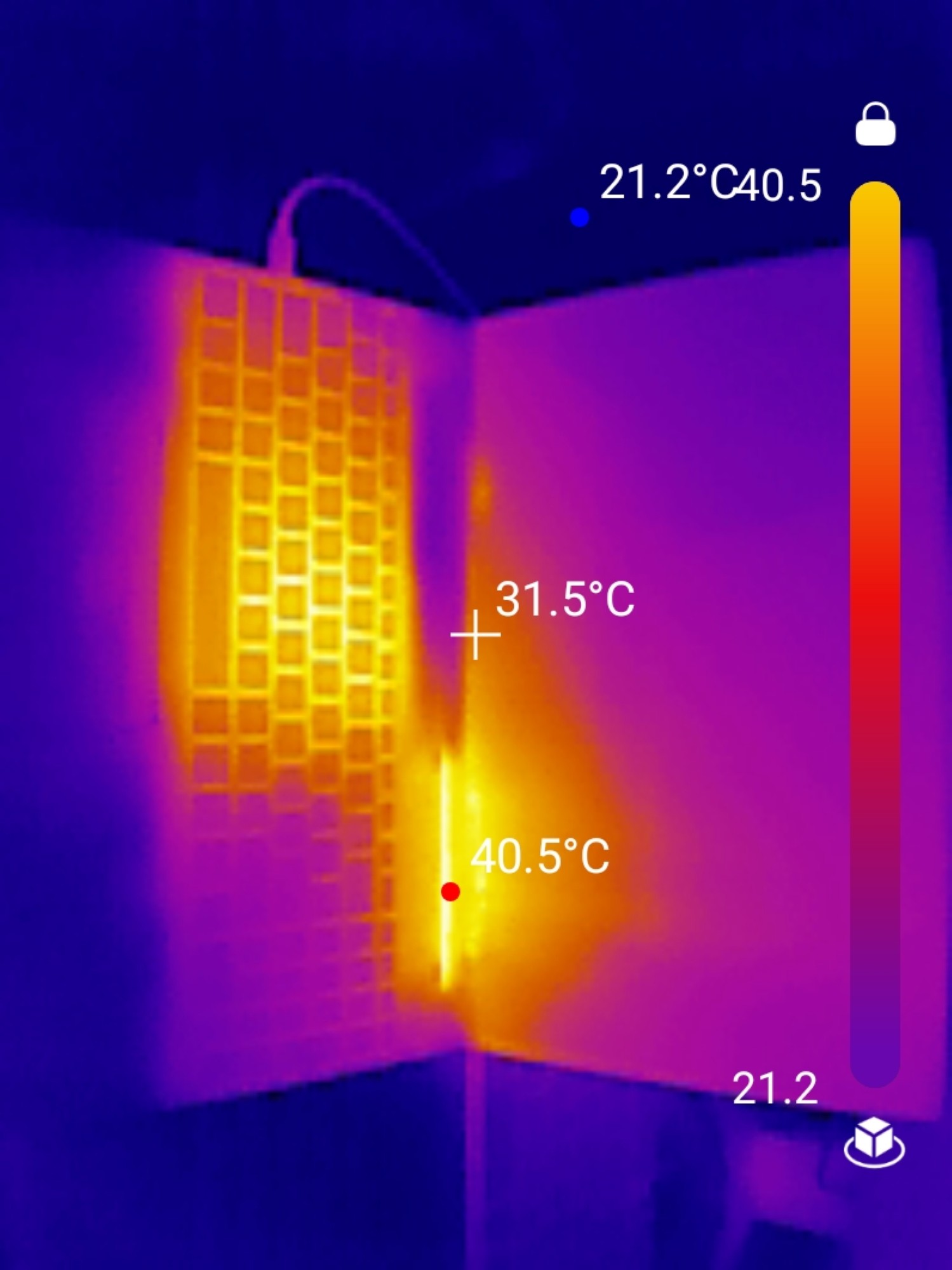
Under full load, the Lenovo IdeaPad Slim 3i Laptop (2026) stays pretty cool, warming up in the center of the keyboard but never getting uncomfortably hot.
Battery Life and Charging
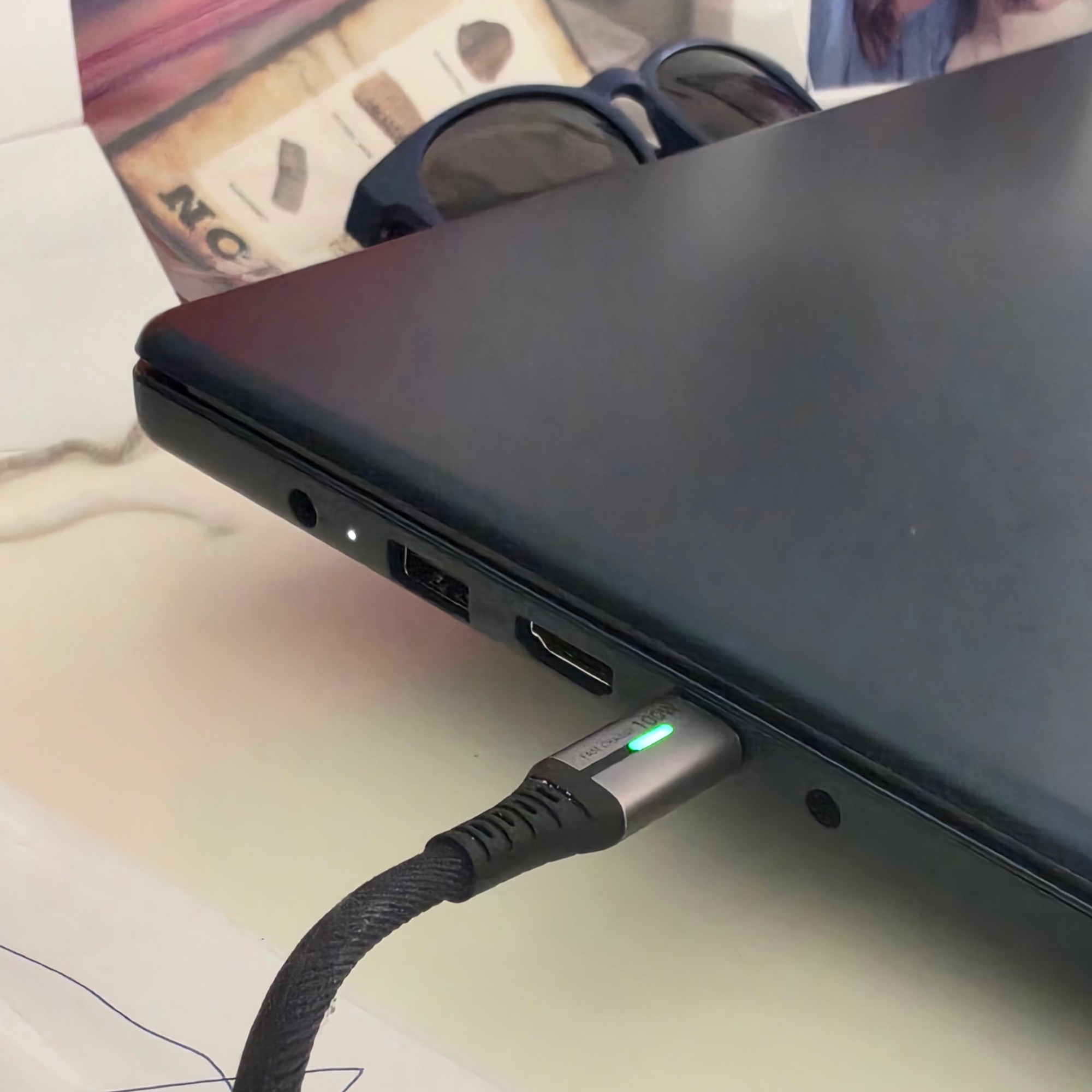
I always take battery-life claims with a grain of salt, since many systems promising “all day battery life” can drain in a few hours under heavy processing loads or bright screen settings. In real-world use, I saw 4-6 hours of estimated battery life across mixed-use cases ranging from light browsing to video editing.
If you keep the screen at a lower brightness and do something that isn’t processor-intensive, you’ll easily get 14+ hours of use. I love that it can fast charge via USB-C; a quick 15-minute charge can get you another 2 hours of runtime.
I do wish Lenovo had simply included a nice USB Power Delivery 3.0 charger with this laptop instead of the traditional power brick (even if it is a small one), it’s always nice to bring a single USB-C charger for everything when you travel (though if you already have one, you can definitely do that with this laptop and leave the proprietary brick and cable behind).
Final Thoughts
The Lenovo IdeaPad Slim 3i Laptop (2026) is a tale of two prices: at full retail ($1299) I find it extremely hard to recommend over the many choices around that price range, but at current sale prices ($729) it’s a compelling choice over units at that price range. If one of my nieces or nephews heading to college this year had asked me, I would have probably recommended either this laptop at sale price or the MacBook Neo (depending on whether they needed a particular operating system for their major or had a strong preference).
The Lenovo IdeaPad Slim 3i Laptop (2026) retails for $1299 (on sale for $729 at the time of review); it is available from Best Buy.
Source: Manufacturer-supplied review sample
What I Like: Great screen; Long battery life; Enough power/ram/storage for most people; Durable chassis and build
What Needs Improvement: All-plastic build feels a bit cheap; Lots of chassis flex around the keyboard; Retail price is steep, but sale prices offer a great value




Be the first to comment on "Lenovo IdeaPad Slim 3i Laptop (2026) Review: An Enigmatic All-Rounder with a Tale of Two Prices"