
The Lowdown
The Kiwibit Bird Feed 2 Pro is a great addition to anyone’s garden. It’s been a lot of fun getting notifications from the app that let us know when birds visit. We’ve had a lot of fun learning the bird species around us. As fall and winter approach, I assume we’ll be seeing more and more species as they migrate south. If you’re an amateur birder looking for a high-tech solution to capture some bird videos, this is the product for you.
Overall
Pros
- Very aesthetically pleasing
- Easy to assemble, set up, and clean
- App makes bird watching a game
- Pictures and videos are fantastic
- Battery never needs manual charging
Cons
- Sometimes birds that land only for a second or two are not identified
- A closer focal length of the lens would be a little better
Kiwibit‘s latest high-tech bird feeder, the Kiwibit Bird Feeder 2 Pro, is an AI-powered smart feeder built for backyard birders who want more than just a snack station. It includes a 4K camera with autofocus tracking, so any bird stays sharp, even in mid-flight. Solar panels keep it running for days on minimal sunlight, and dual 1.7L hoppers mean fewer refills. The FeatherPal AI can spot over 10,000 species, no subscription needed for the basics. Weatherproof, Alexa-compatible, and Wi Fi enabled. It turns your yard into a live nature channel you can check from your phone, anywhere.
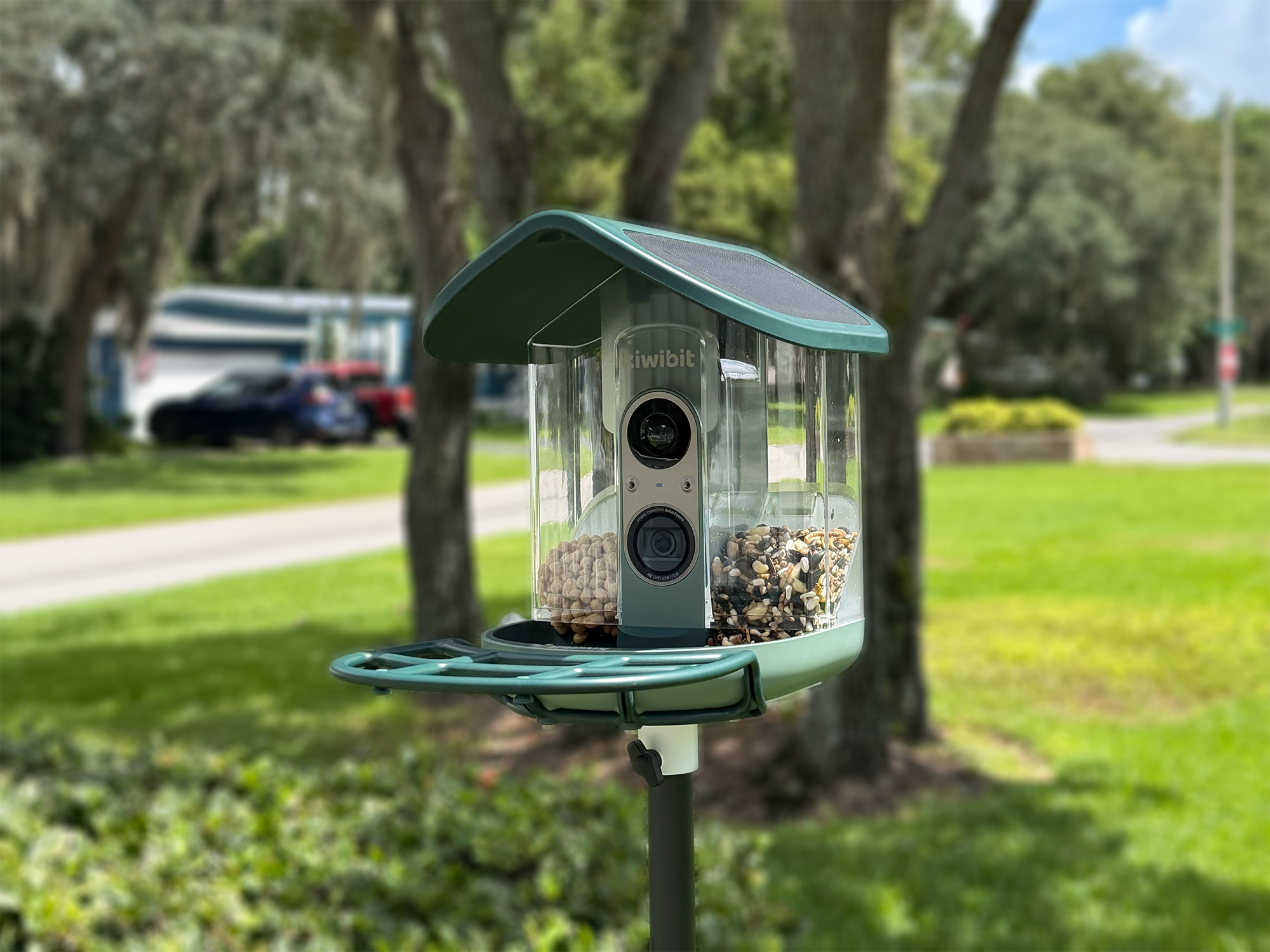
What is the Kiwibit Bird Feeder 2 Pro?
The Kiwibit Bird Feeder 2 Pro is a “smart” bird feeder. It combines a traditional bird feeder with a 4K camera, AI bird species recognition software, and solar power. It connects to your home Wi-Fi and streams live video and saved recordings of every visitor (wanted and unwanted) straight to your phone through the Kiwibit app. The camera uses autofocus tracking to keep fast-moving birds like hummingbirds sharp and centered, even mid-flight.
Its FeatherPal AI system can identify over 10,000 species so you actually know what’s been showing up in your yard. The Kiwibit app notifies you as soon as it identifies a bird, and it saves the video automatically. Dual solar panels and a removable battery keep it running without plugging it in, and dual 1.7L hoppers mean you’re not refilling it every other day. You can mount it on a wall, pole (not included, but offered by Kiwibit), or tree.
Regular bird feeders leave you guessing. You might notice seed disappearing or catch a glimpse of something interesting out the window, but you rarely get a clear look or know exactly who’s visiting when you’re not around.
This feeder, one in a growing line of smart feeders from Kiwibit, solves that by turning feeding time into something you can actually watch, save, and learn from, whether you’re home or away. For birdwatchers, gardeners, or anyone who just likes having a bit of nature to check in on, complete with notifications, video clips, and a growing log of every bird that’s popped in for a bite to eat.
What’s Included?
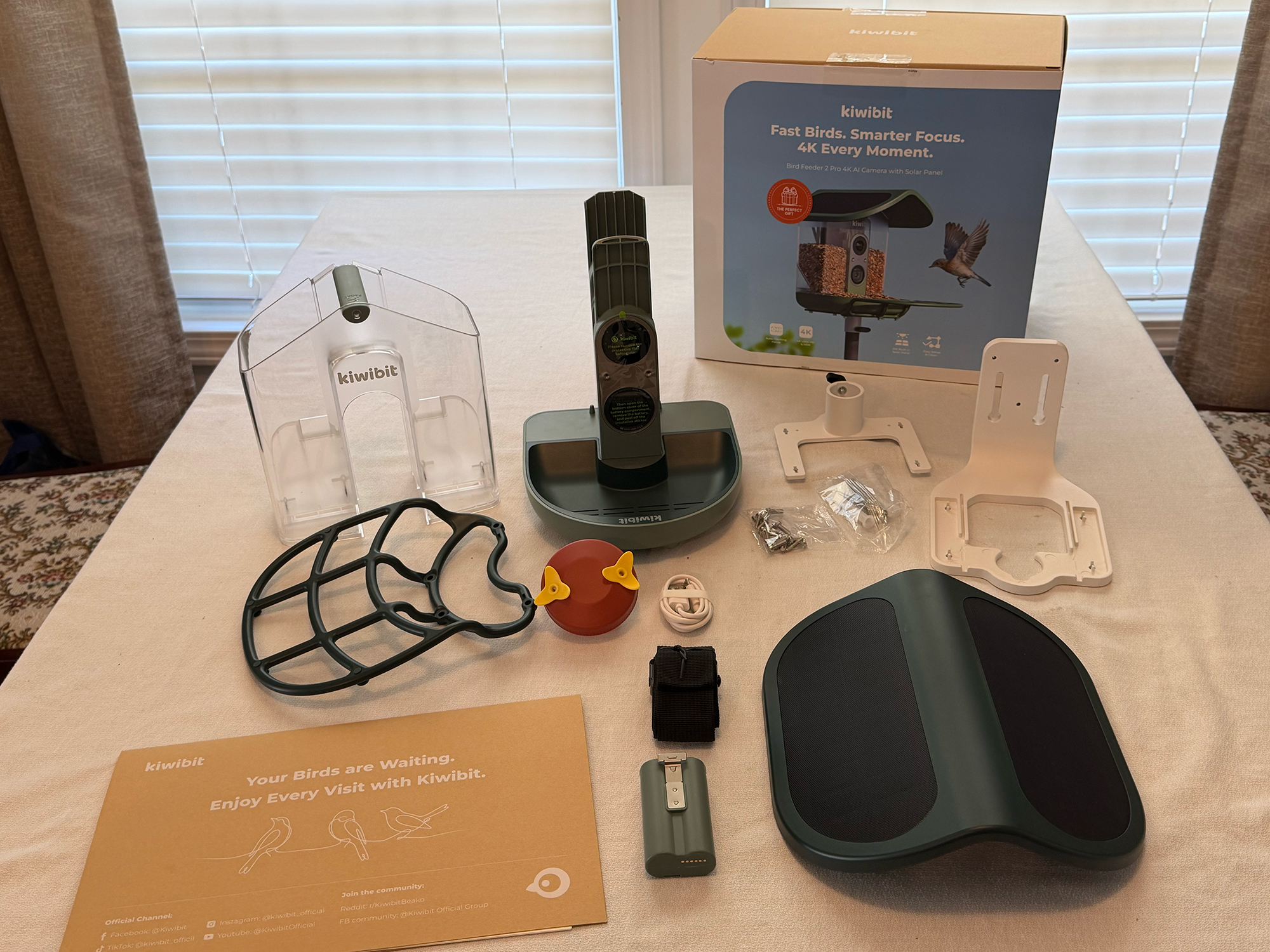
All the goodies
- Kiwibit Bird Feeder 2 Pro (BW513)
- Feeder Body
- Dual Seed Hopper
- Feeding Tray
- Built-In Solar Panel Roof
- Perch
- Wall/Tree Mount Bracket
- Pole Mount Bracket
- Tree Mount Strap
- USB-C Charging Cable
- Drill Positioning Sticker
- Screw Packs (2)
Technical Specs
| Dimensions (H x W x D) | 9.8 in x 8.7 in x 8.9 in (25.0 cm x 22.0 cm x 22.7 cm) |
|---|---|
| Net Weight | 4.08 lbs (1852 g) |
| Gross Weight | 7.28 lbs (3300 g) |
| Mounting Options | Wall mount, pole mount, tree-strap installation (pole not included) |
| Battery | 5,200 mAh removable rechargeable battery |
| Charging Port | USB Type-C |
| Solar Panel | 5W built-in dual solar panels (2 hours charging / up to 3 days operation) |
| Video Resolution | 4K Ultra HD (3280 x 2460) |
| Field of View | 130° wide-angle lens |
| Autofocus | PDAF (Phase-Detection Autofocus) |
| Recording Modes | 4K, SD, Slow Motion, or Ultra Slow Motion |
| Slow-Motion Modes | 1080P @60FPS / @120FPS |
| Other Video Features | HDR-enabled for richer colors and detail |
| Wi-Fi | 2.4GHz & 5GHz (dual-band); stable range up to 164 ft / 50 m |
| Compatibility | Android & iOS; works with Alexa (live view & voice commands) |
| Local Storage | microSD card, up to 512GB (not included) |
| Cloud Storage | Free: up to 1 day of video history. Individual: up to 60 days and 10 GB. Family: up to 60 days and 30 GB. |
| AI Recognition | FeatherPal™ platform — 10,000+ species; core features free, AI ID requires optional subscription |
| Audio | Dual microphones for directional outdoor sound |
| Seed Hoppers | Dual 1.7L high-capacity hoppers |
| Weatherproofing | IP65 weather-proof rating |
| Operating Temperature | -4°F to 122°F (-20°C to 50°C) |
| Warranty | 1-year (manufacturing defects and quality issues) |
Physical Design
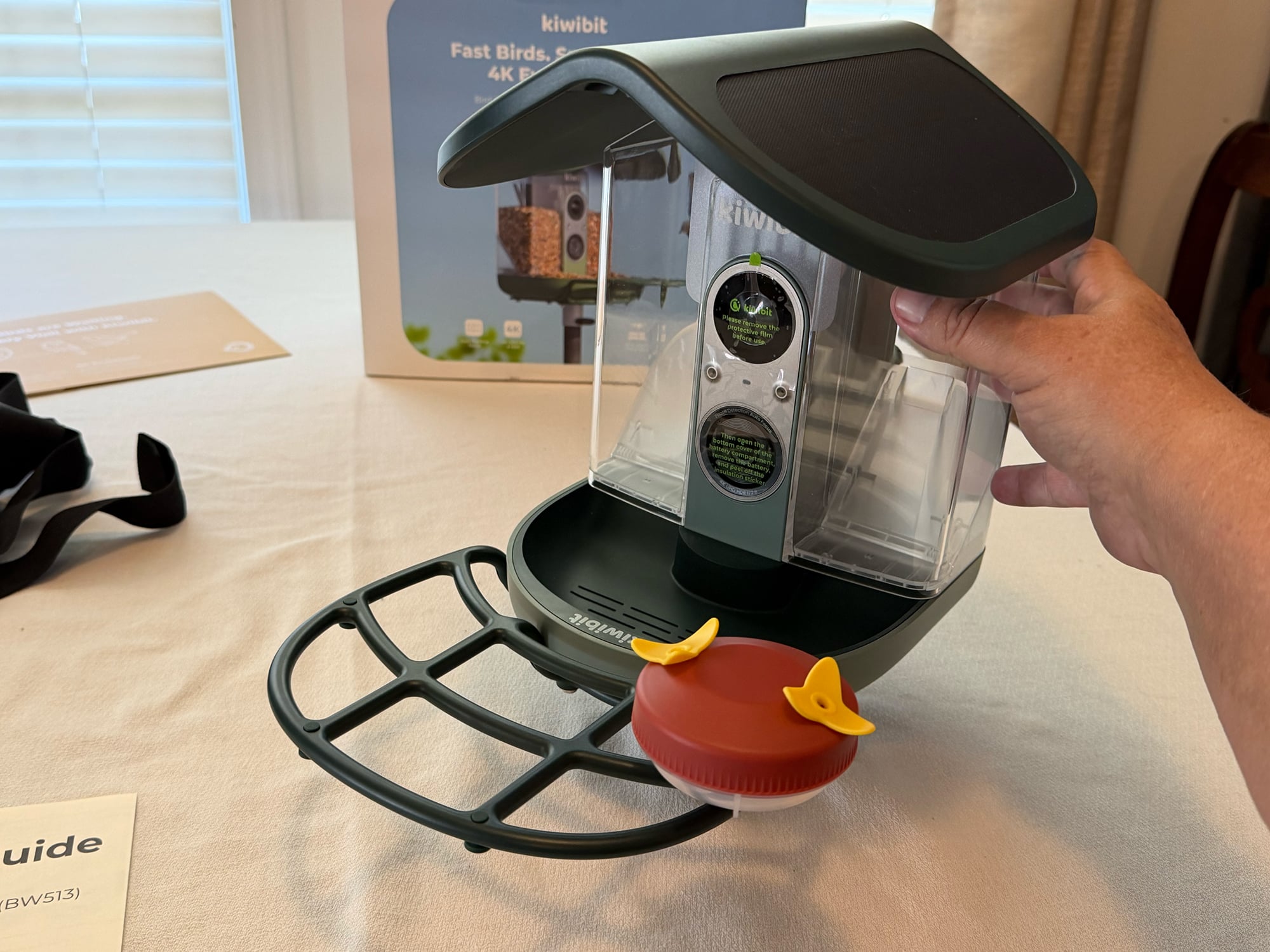
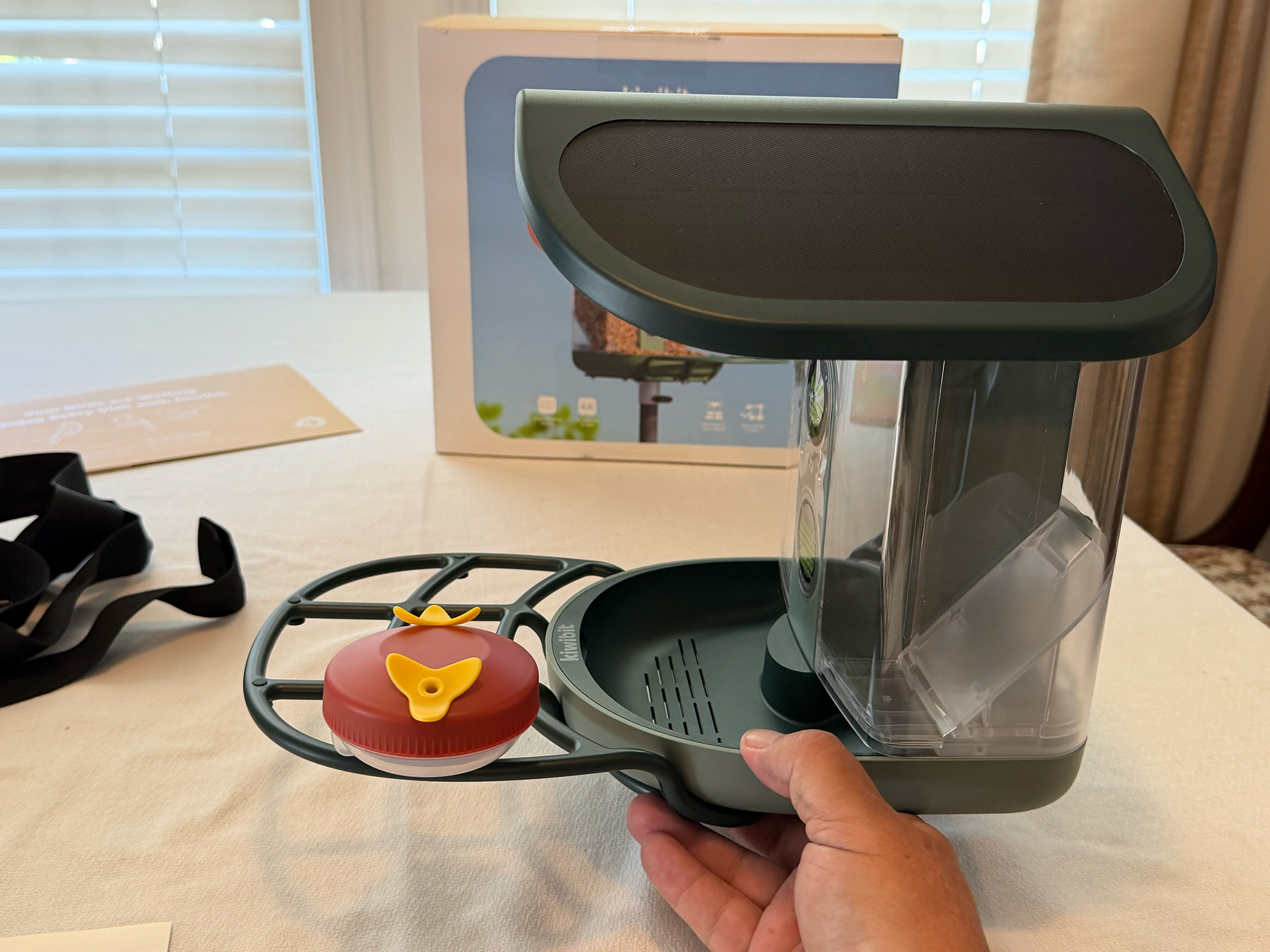
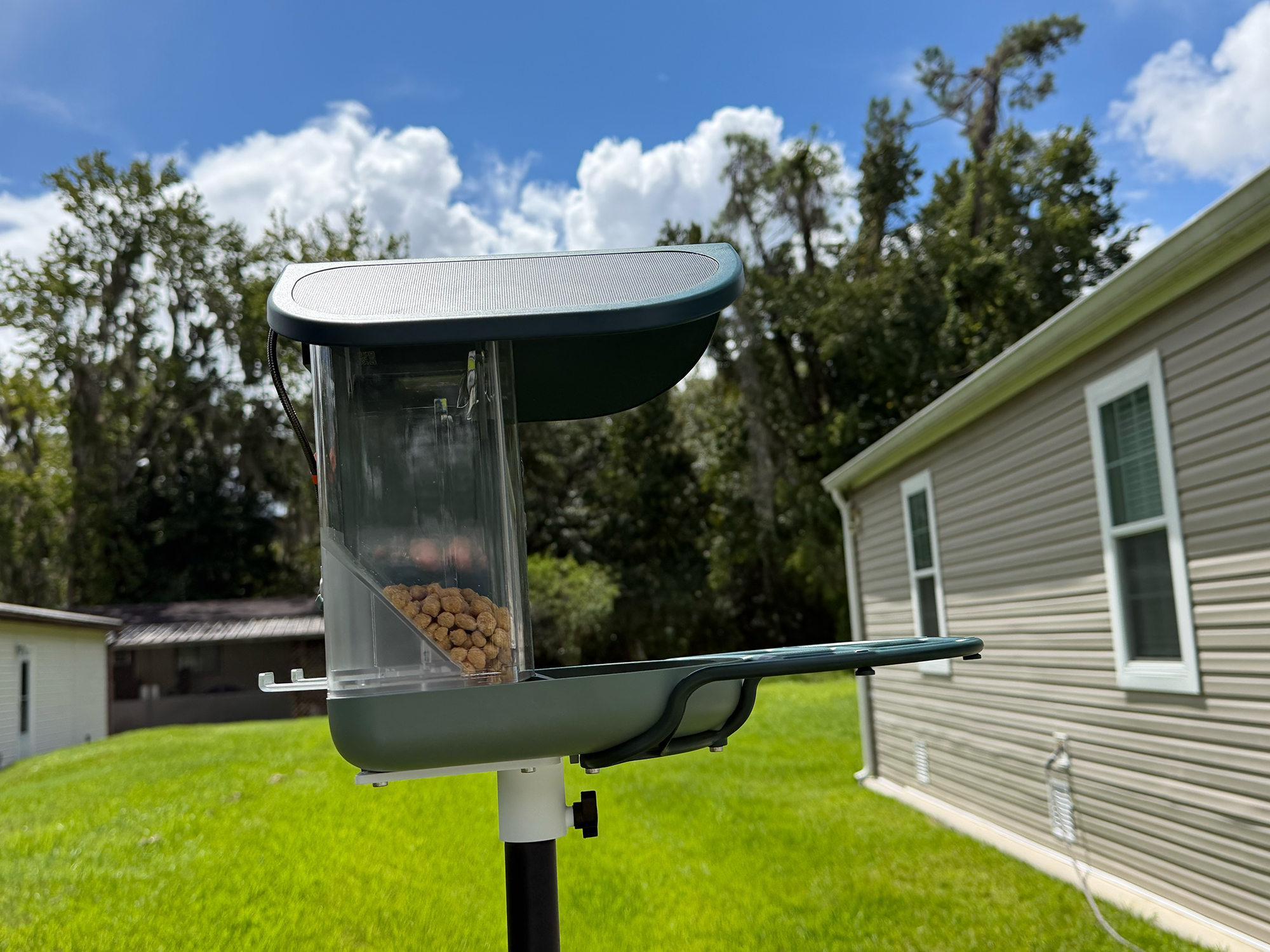
The very attractive design of the Kiwibit Bird Feeder 2 Pro complements Kiwibit’s ever-evolving product line. They offer a wide array of bird feeders to meet every need and budget. This bird feeder is made from sturdy, outdoor-ready (-4º to 122º F) ABS plastic and some metal screws. Its IP65 rating means it’s ready for harsh Florida heat and rain.
The roof, which contains integrated solar panels (not bolted on), protects the dual-sided 1.7L bird feed hopper from the elements. The hopper is removable, so you can refill and clean it without taking the feeder off the chosen mount. The solar panels keep the internal electronics and camera running without recharging the removable battery.
The 4K camera is housed in a waterproof enclosure under the “eave” of the pitched roof. This keeps the camera out of the sun and protected from light rain. The tray that the birds eat out of has slots to allow rain to drain from it so the bird feed doesn’t get soggy after a rain.
The unit is well designed, easy to clean, and adds a great look to a garden and should last for years.
Assembly, Installation and Cleaning
-

- Battery initial charge
-
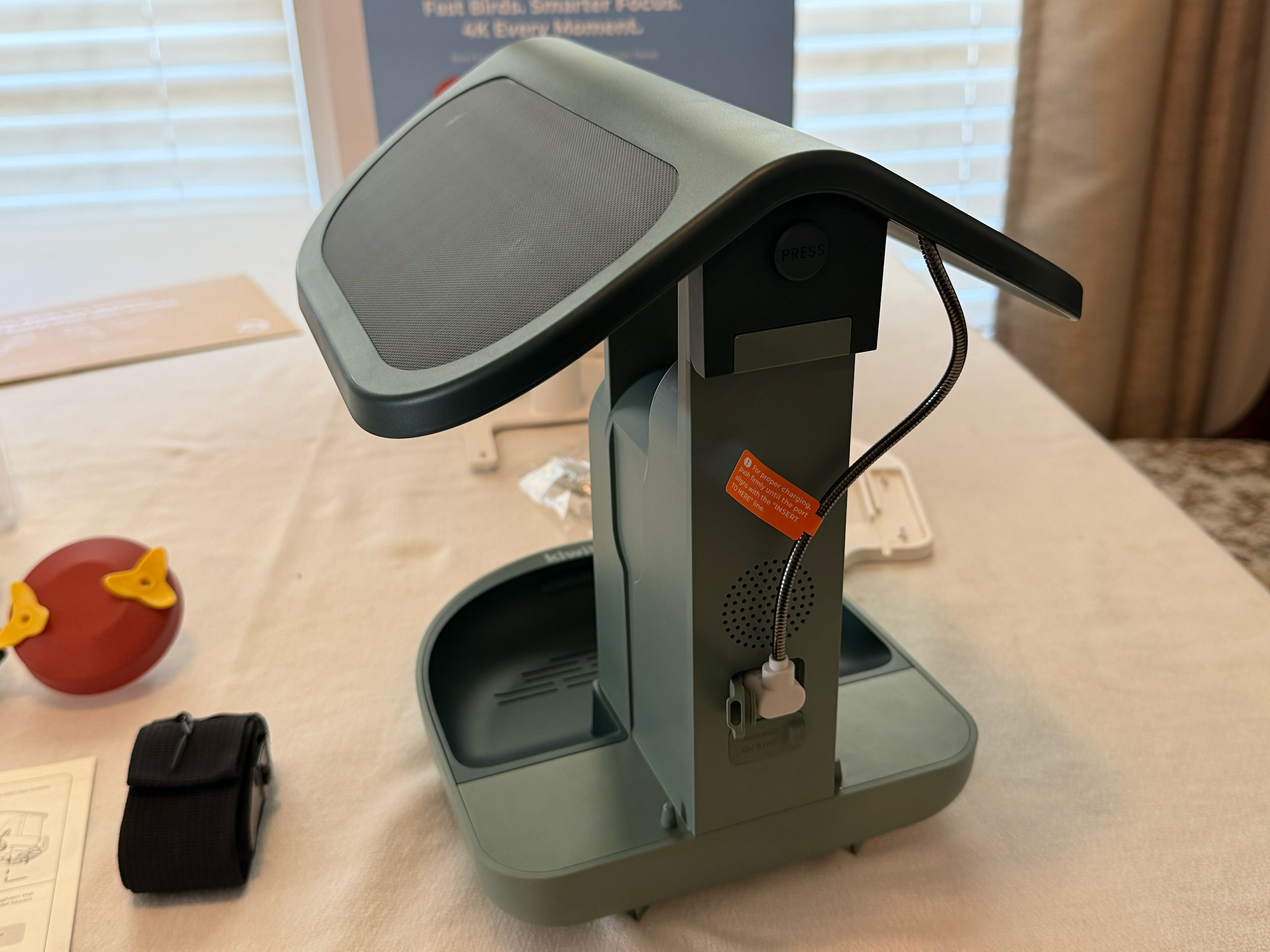
- Plugging in solar and SD card
-
- Attaching perch
-
- Attaching pole mounting bracket
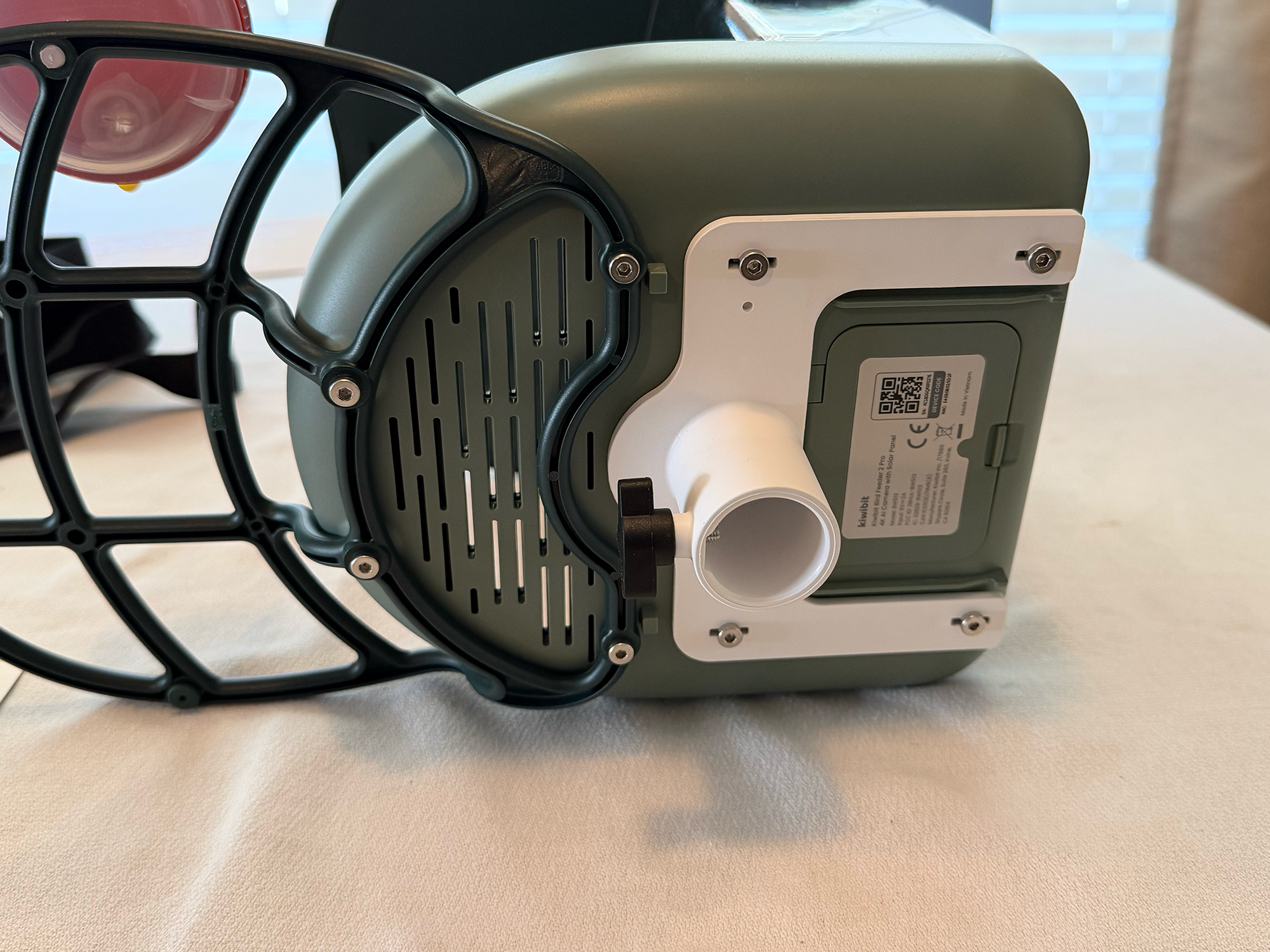
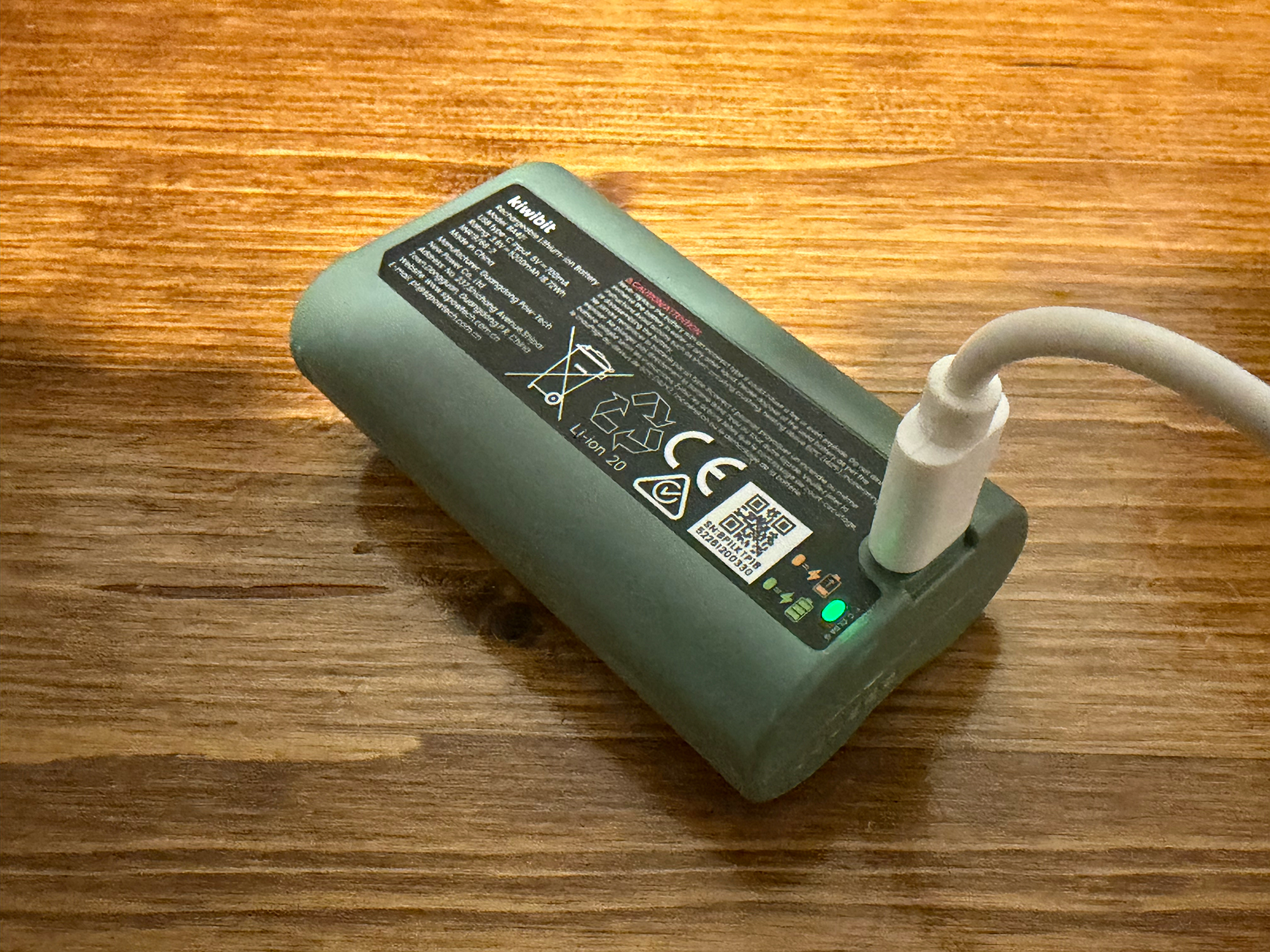
Assembly was straightforward. The included instructions were clear and easy to follow. The first step is charging the battery with the included USB-C cable and a power adapter (not included). The charging took about four hours. Once charged, the battery shouldn’t need manual recharging, as the solar panels on the feeder’s “roof” will keep it charged.
Kiwibit provides a mobile app that is used to sign up for their FeatherPal™ platform, which uses AI to identify birds from the pictures and video the bird feeder captures. More on that later. The app also lets you configure the Wi-Fi settings, view photos and videos, and a bunch of other things. Who knew birding would be so technical?
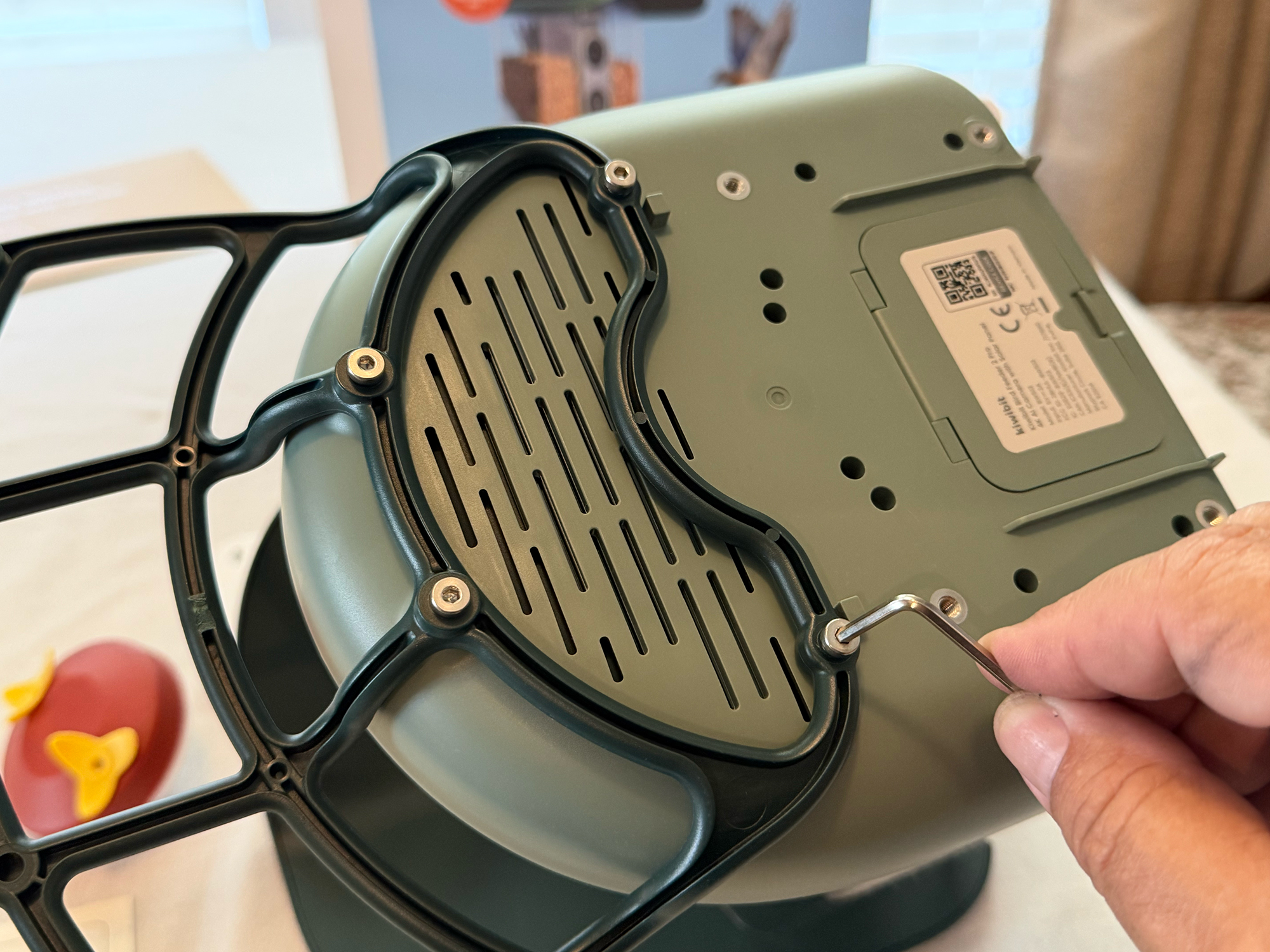
After setting up the app and connecting the feeder, attach the perch with the included hardware and tool. Very simple. The last step is to choose the preferred mounting location. Kiwibit has designed the Bird Feeder 2 Pro to be mounted in one of three ways.
- Wall mount – Mount the feeder on a house wall using the included screw spacing sticker, screws, and mounting bracket. Secure the feeder to the bracket with screws.
- Tree mount – The feeder can be mounted nondestructively to the trunk of a tree using the included mounting bracket and strap. Just like the Wall mount option, the feeder is secured to the bracket with screws.
- Pole mount – The feeder can be mounted to a free-standing 1″ diameter pole using an included pole mount bracket. This is the option I chose. Kiwibit offers a pole, but I found a cheaper, similar one on Amazon.
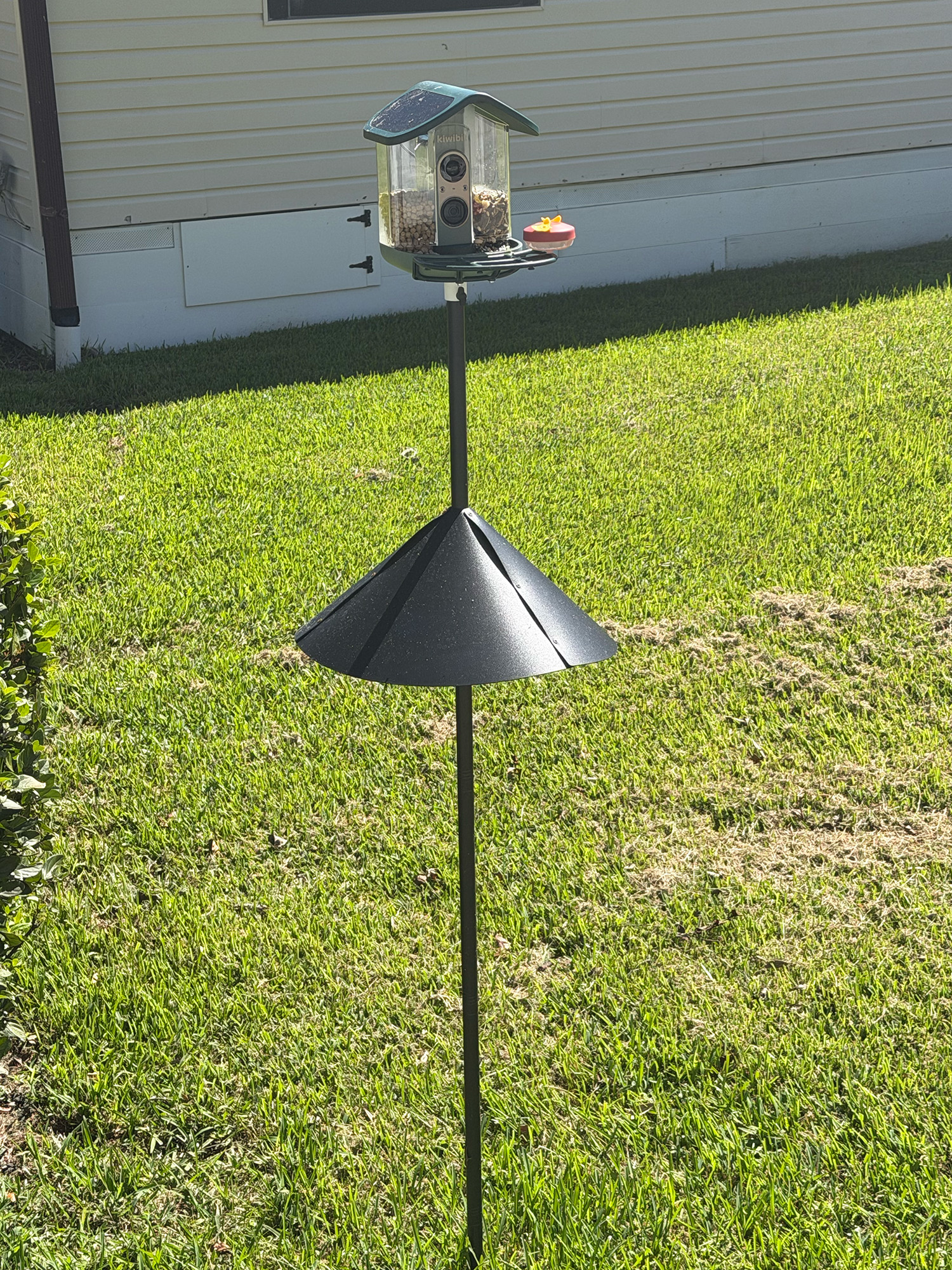
Pole mount – pole sold separately
I chose the pole-mounting option for several reasons. I didn’t want to put any holes in my house, and we don’t have any trees in a convenient location in our yard. The pole also came with a critter shield. It prevents critters (mainly squirrels) from climbing the pole and eating the bird feed. So far, no squirrels have invaded. Also, for cleaning and refilling, the pole option lets you detach the feeder with a simple thumb screw.
The bird feeder comes with a clear plastic hopper that is divided into two compartments. The feed continually fills the feeding tray as the birds eat from it. Filling the bird feed hopper is very simple. The “roof” of the feeder can be tilted up, and the hopper simply lifts out. Each side of the hopper has sliding “valves” that control the amount of food that enters the tray. We put two different kinds of food in each side of the hopper, as we learned, because not all birds like the same kinds of food. Who knew?
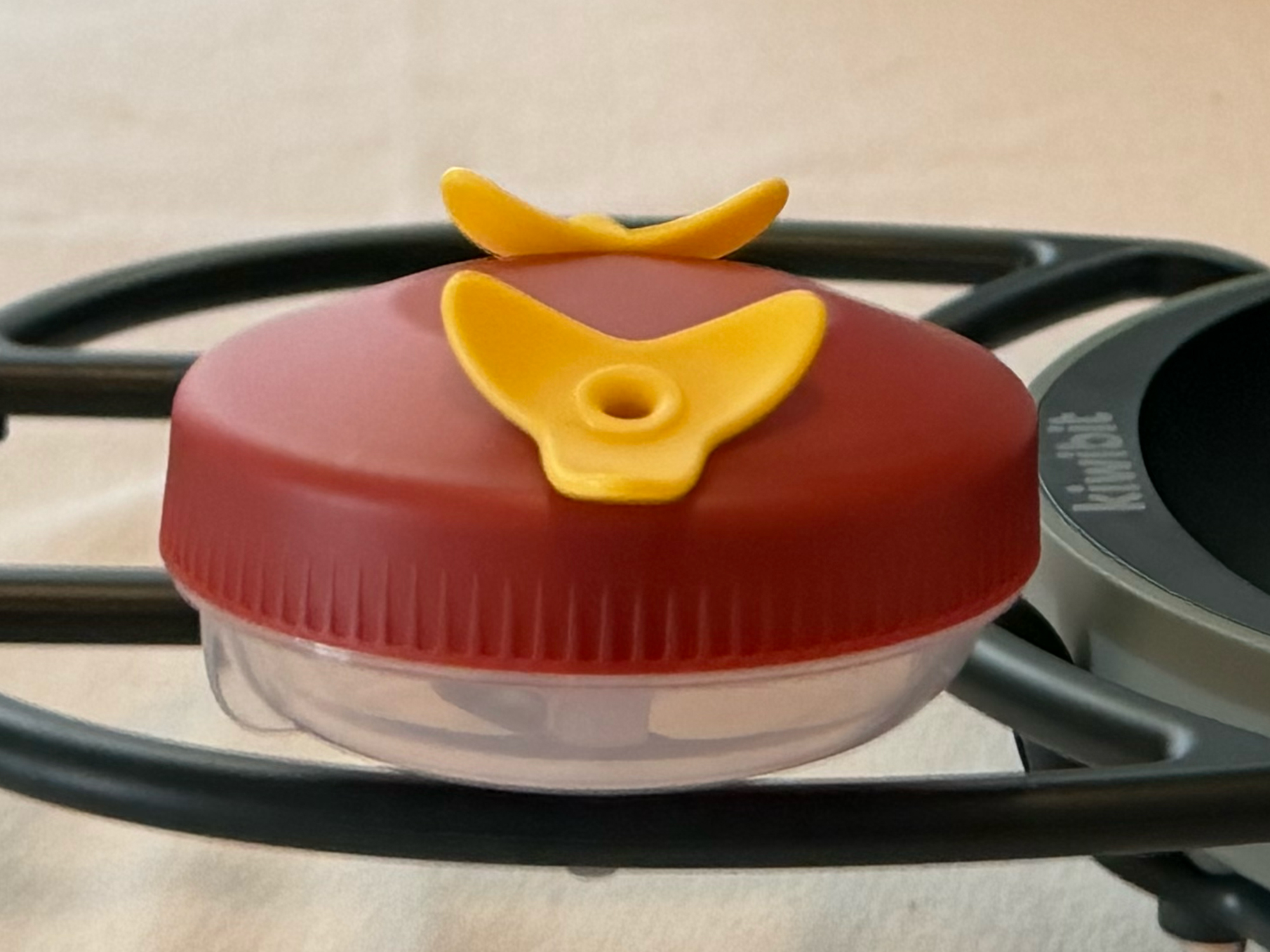
Hummingbird Feeder
The kit also includes a small hummingbird feeder that attaches to the perch. We haven’t seen any hummingbirds yet, but they’ll come. We’ve seen them in the area before.
Cleaning the bird feeder is very simple. The hopper and tray are removable, so that makes cleaning a breeze. The instructions say “Daily Maintenance,” but we’ve cleaned the feeder about every two weeks—sorry, birds. Report us to the county health inspectors.
Kiwibit App
Kiwibit’s free app is used to set up and control the Bird Feeder 2 Pro, as well as all of their other camera products. After assembling the feeder, I paired it with the app. The app sets up the feeder, registers it with the Kiwibit cloud service (which stores videos), sets up visit notifications, and lets you share the feeder with up to 20 other people who have also installed the app. The process was simple and took only a few minutes.
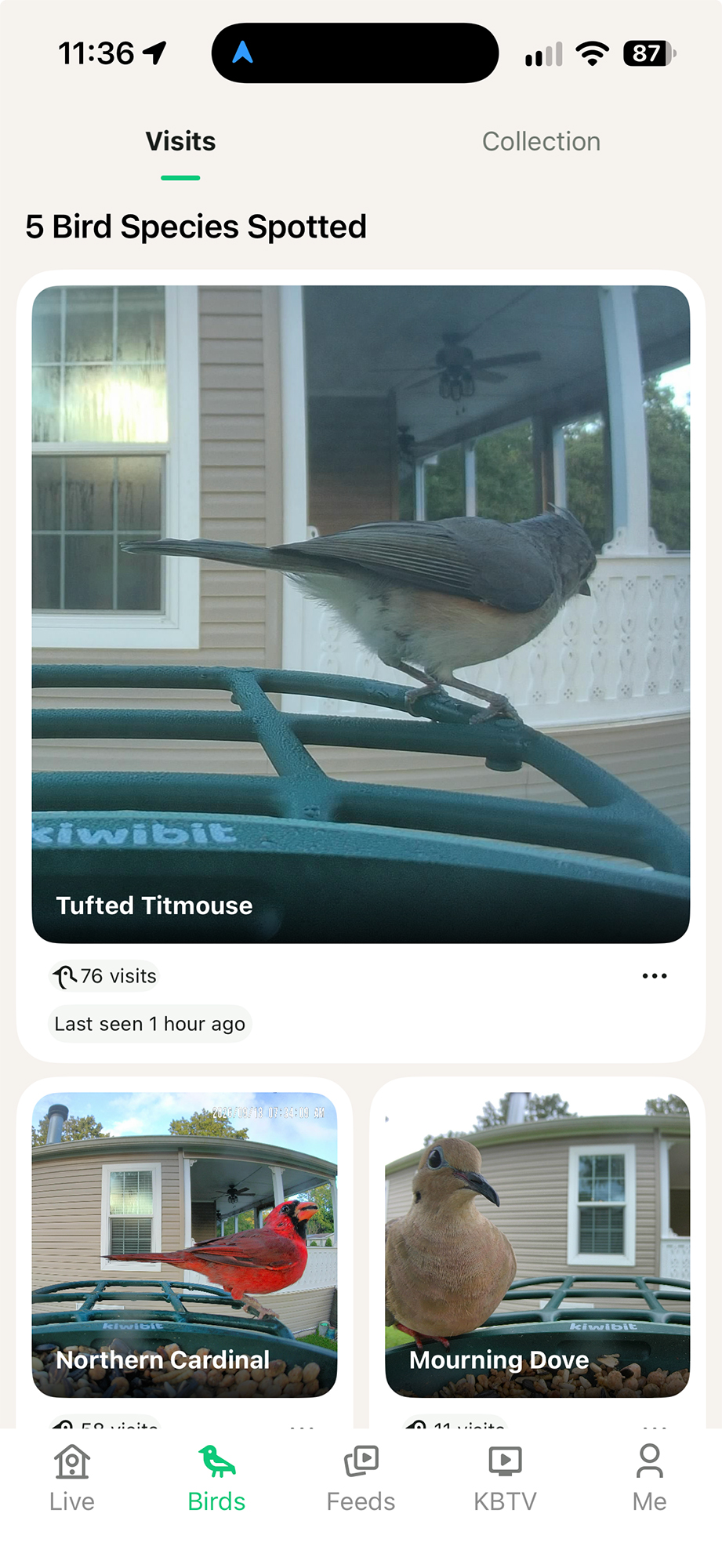
App home screen
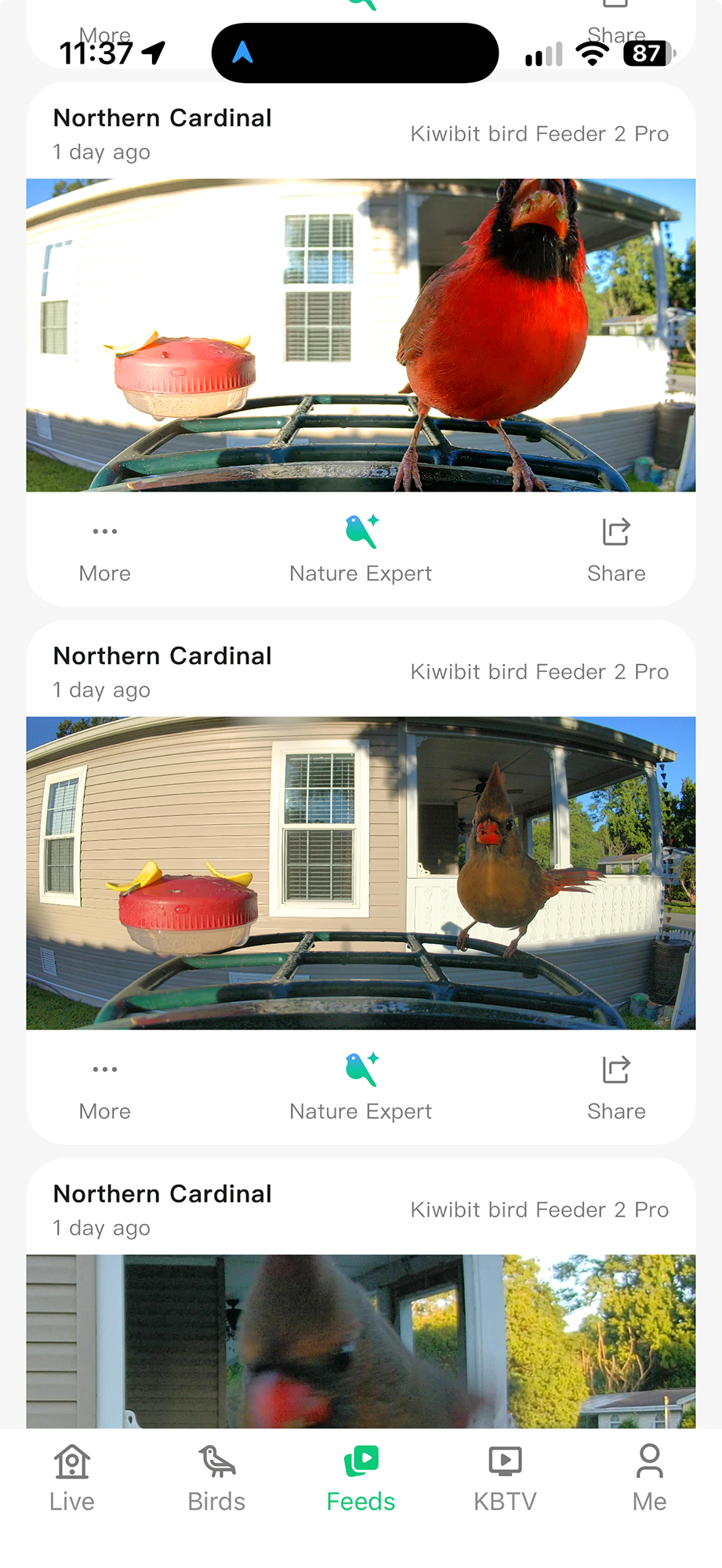
Once installed and set up, and once birds begin to visit and eat, the app lets you view captured photos and videos and notifies you the moment birds visit the feeder. On some days, we’ve received over 20 notifications when birds come to eat. It’s exciting to receive these notifications and watch the birds live or in recorded videos.
-

- App feed of videos
-
- App notifications
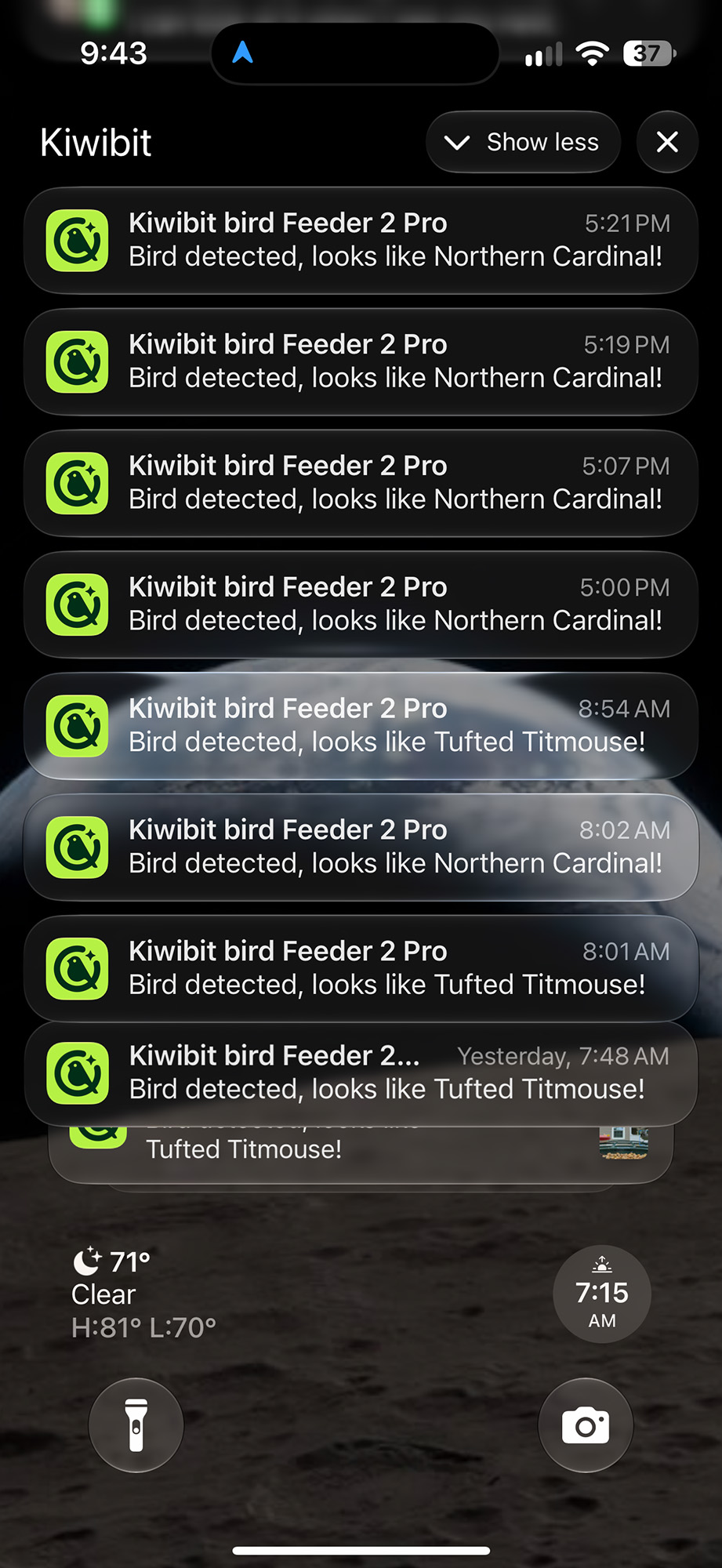
When you get a notification, the app tells you which species it identified. We have two birds that come around frequently (Tufted Titmouse and Carolina Chickadee) that look very similar, but are different species. The app identifies them perfectly each time. Occasionally, if a bird lands and takes off again, the AI doesn’t have enough time to identify its species accurately. This has only happened a couple of times. The app can identify over 10,000 bird species, which I think is pretty amazing.
The Kiwibit app gives you access to your videos in a calendar format, so you can see which species came by each day. About a week after we got it set up, the birds began showing up, and each day we have had at least two or three different species come visit us.
FeatherPal™: AI Bird Identification
The Kiwibit app uses an AI system called FeatherPal that can recognize over 10,000 bird species, but the number of features that you can access is determined by the kind of subscription you sign up for. Here are the plans from the Kiwibit website:
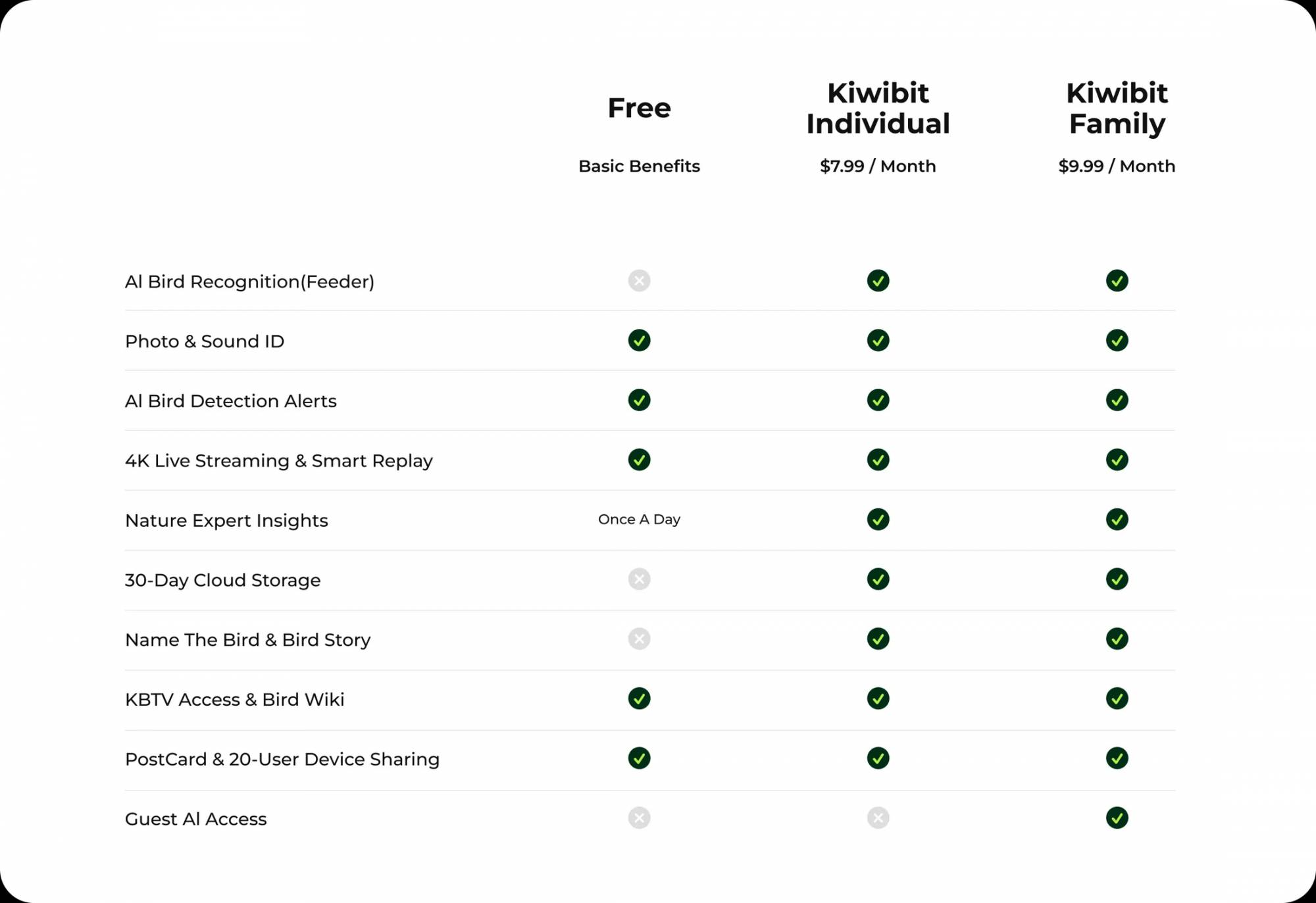
Subscription Plans
Kiwibit also sells the bird feeders at a higher price ($50 – $60, depending on which feeder you buy) that come with a Lifetime AI subscription for an Individual FeatherPal plan.
Camera Quality
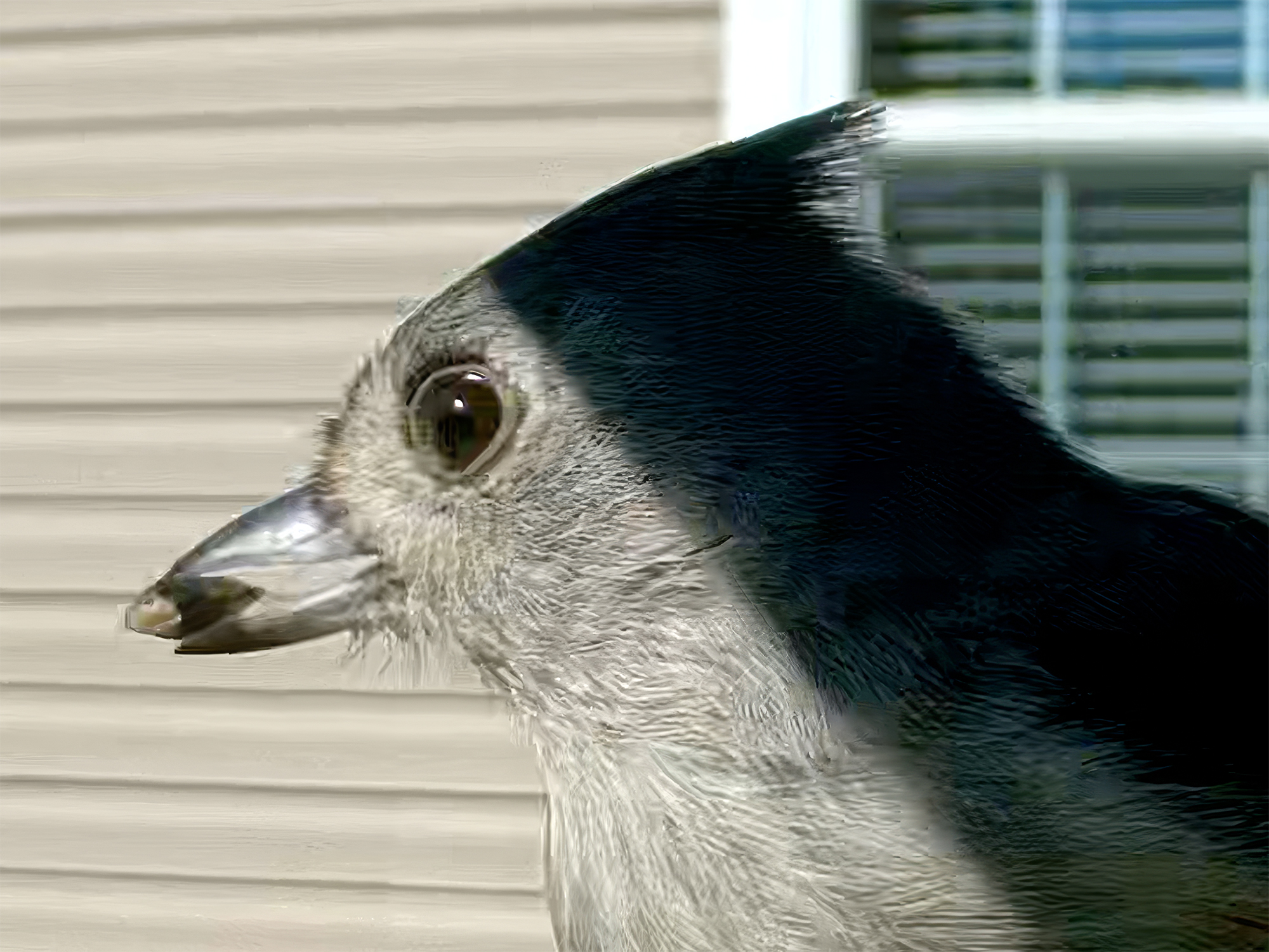
Detail of Tufted Titmouse from Video
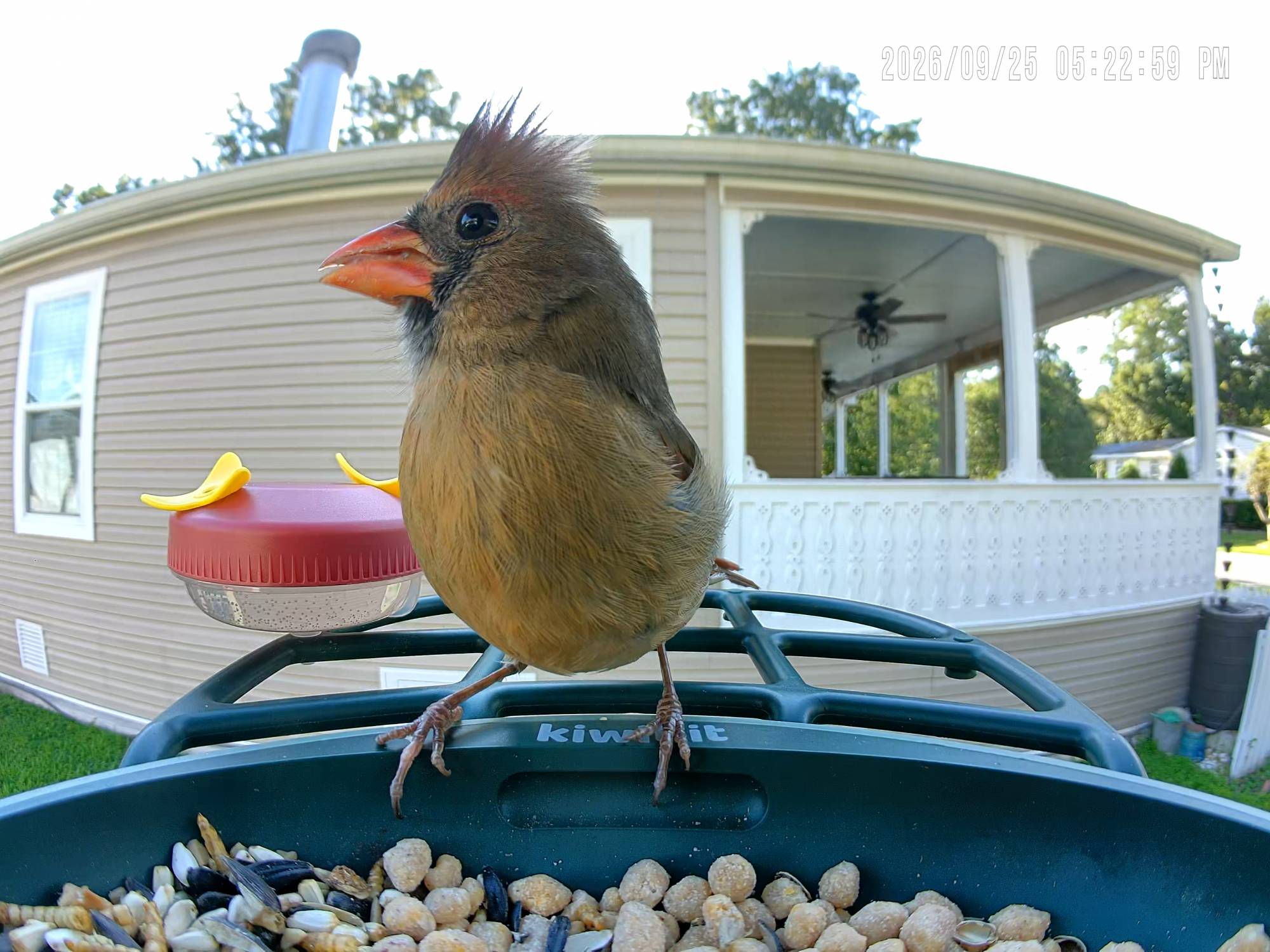
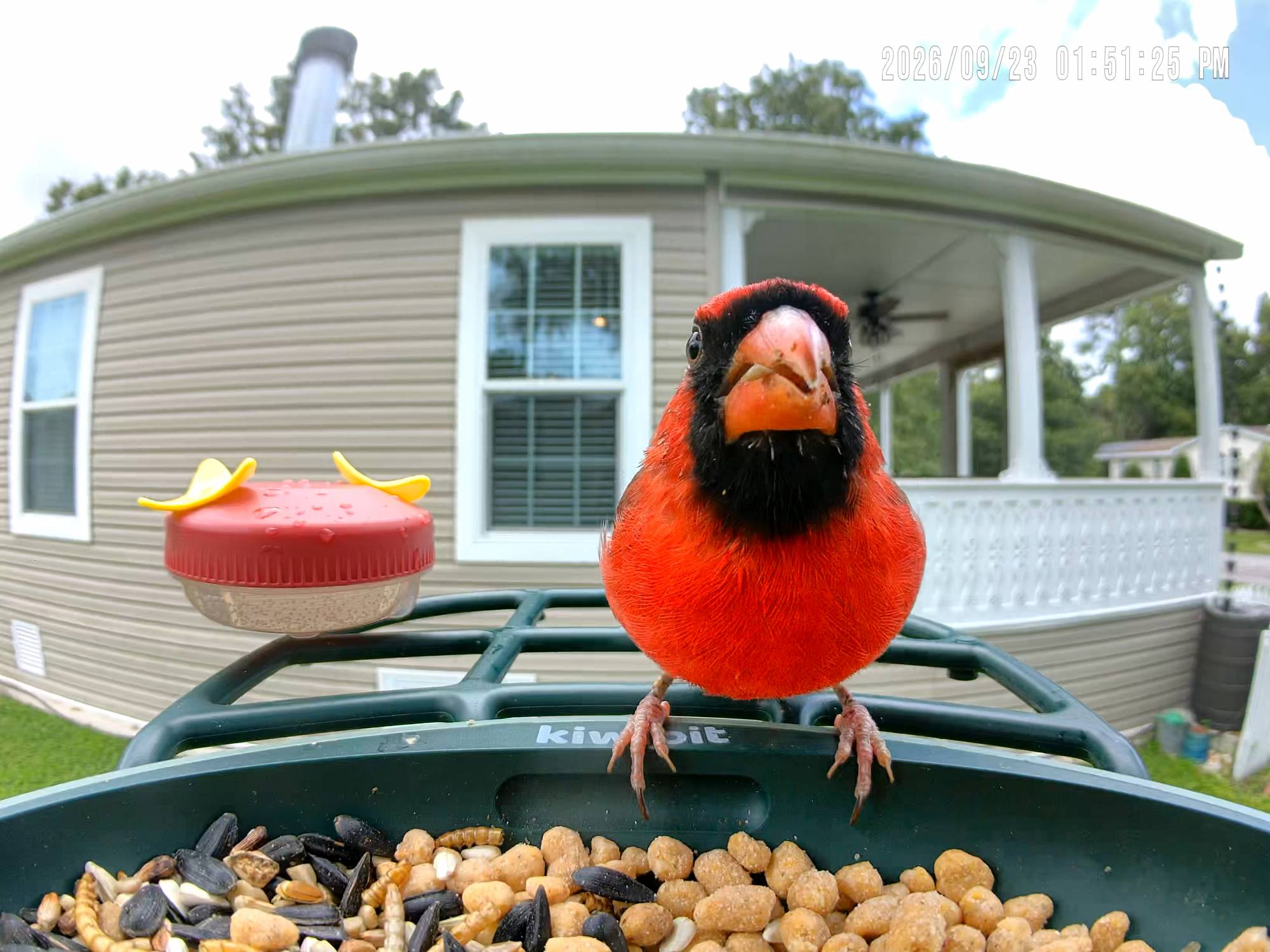
This is the stand-out feature of the Bird Feeder 2 Pro. The 4K Ultra HD (3280 x 2460) camera, with its 8MP sensor and 130° wide-angle lens, delivers much sharper videos than most competitors’ feeders. Sometimes, if the birds are close to the lens, they are slightly out of focus, but for the most part, the pictures and videos are sharp and colorful. You can see the detail in these sample images (click to view them full size).
-
- Frame from captured video
-
- Frame from captured video
Here is a compilation video of visits over the last 30 days or so:
Battery/Solar Power
5W Solar Panel
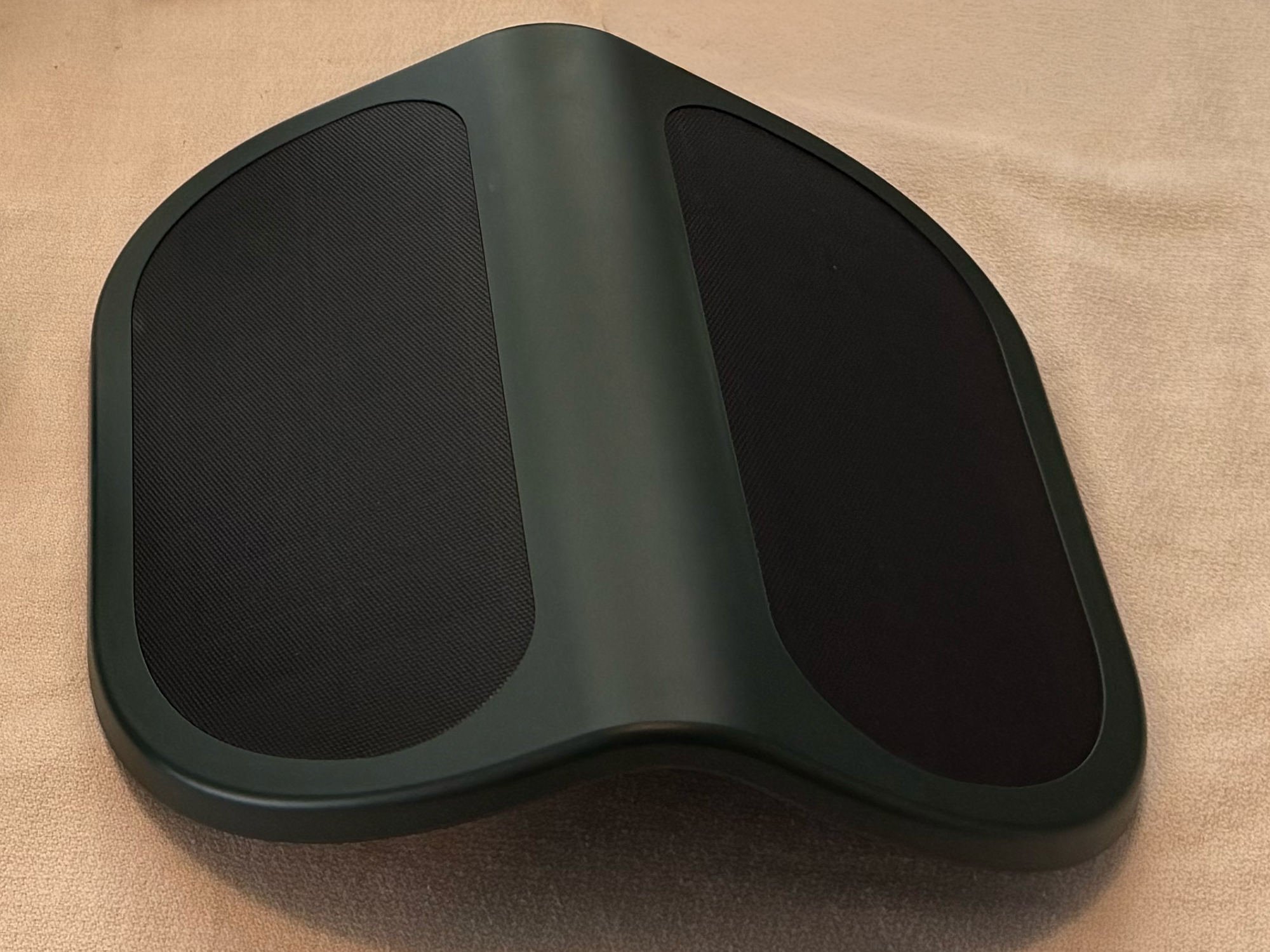
After its initial charge, the included internal battery pack has never dipped below 70% power. The 5W Solar panels do a good job keeping the battery topped off. Kiwibit claims the internal battery will last 3 days on its own, but that depends on the selected recording quality setting (4K, SD, Slow Motion, or Ultra Slow Motion). I doubt I would ever have to remove the battery and charge it manually.
Final Thoughts
The Kiwibit Bird Feeder 2 Pro is a great addition to anyone’s garden. It’s been a lot of fun getting notifications from the app that let us know when birds visit. We’ve had a lot of fun learning the bird species around us. As fall and winter approach, I assume we’ll be seeing more and more species as they migrate south. If you’re an amateur birder looking for a high-tech solution to capture some bird videos, this is the product for you.
The Kiwibit Bird Feeder 2 Pro retails for $349.99 (currently on sale for $289.99); it is available directly from the manufacturer and other retailers, including Amazon.
Source: Manufacturer-supplied review sample
What I Like: Very aesthetically pleasing; Easy to assemble, set up, and clean; App makes bird watching a game; Pictures and videos are fantastic; Battery never needs manual charging
What Needs Improvement: Sometimes birds that land only for a second or two are not identified; A closer focal length of the lens would be a little better


Be the first to comment on "Kiwibit Bird Feeder 2 Pro 4K AI Camera with Solar Panel Review: Smart Enough to Know Who’s Stopping by for Breakfast"