
The Lowdown
Have a huge collection of books but no easy way to keep track of them? Hylle is an iOS and Android app that uses AI to catalog your books simply by taking pictures of your bookshelves. No need to scan individual barcodes or manually enter every title! I put Hylle to the test with my overflowing home library to see how well it identifies books, handles mistakes, and organizes everything into a digital collection. It’s not perfect, but it might be just what book lovers with crowded shelves have been looking for.
Overall
Pros
- Scan multiple books with one picture
- Easy to use
- Free plan available
- Can edit incorrect book information and covers
- Unlimited manual book entries
Cons
- AI occasionally identifies the wrong books
- Scanning takes some time
- Large collections may require a paid subscription or additional credits
Do you prefer physical books or eBooks? I’m a little of both, but lately I’ve gotten back into sitting on the couch with a regular book and flipping actual pages. There’s something nice about it. Keeping track of all those books, though? That’s another story. That’s why I was excited to try Hylle, an app that promises to turn photos of your bookshelves into a searchable library.
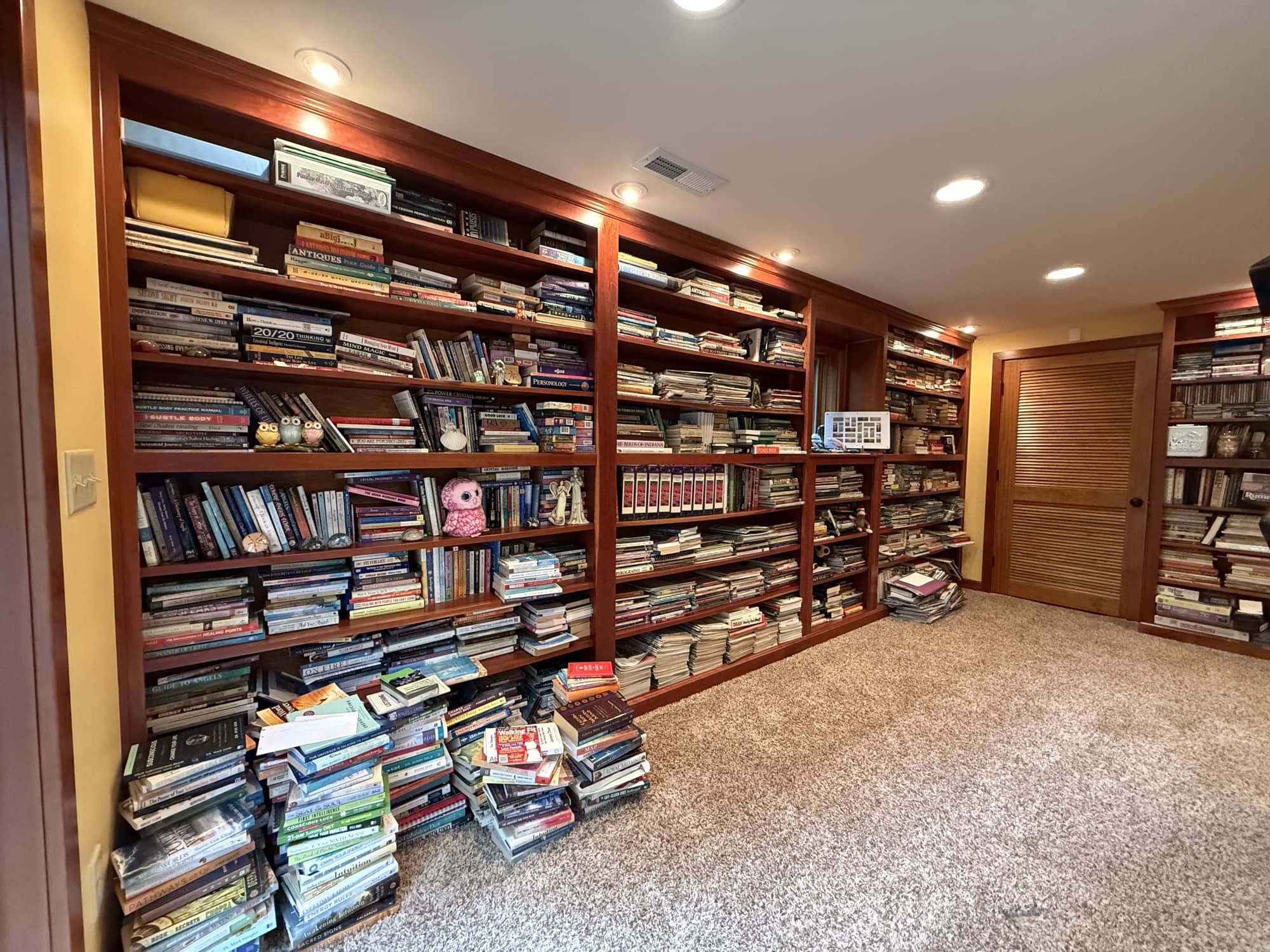
My basement doubles as a library, exercise room, and media room. The built-in bookcases are packed, with books spilling onto the floor. Fiction, nonfiction, older books, and all kinds of other things have ended up together. It’s a collection, but it’s definitely not an organized one.
I’ve wanted an easier way to catalog everything for years. Hylle uses AI to identify multiple books from a shelf photo, without making you pull out every book and scan its barcode. That sounds pretty fantastic. But does it actually work? Let’s find out.
What Is It?
Hylle is an iOS and Android app that uses your phone’s camera to help build a database of your physical books. You photograph sections of a bookshelf, and the app attempts to recognize titles and authors and add the matching books to your library.
The important part is that you can leave the books on the shelf. Instead of handling hundreds of books individually, you work through your bookcases a section at a time.
Hylle also lets you add books manually, edit entries, remove incorrect matches, and choose alternative cover artwork. Those editing features matter because the scanning isn’t perfect. Think of it as a much easier starting point for cataloging a collection, not a replacement for checking your work.
Features At A Glance
- Available for iOS and Android.
- Scans bookshelf photos taken in the app or selected from your photo library.
- Recommends photographing approximately 10 to 50 books at a time.
- Creates a searchable database of recognized books.
- Includes tools for editing book information and changing covers.
- Offers free scanning for up to 100 books per month.
- Allows unlimited manual book additions.
- Offers a paid annual plan and additional AI credit purchases.
There’s no hardware to install or separate scanner to buy. You just need your phone, a clear view of the book spines, and enough patience to review the results.
Why I Wanted A Bookshelf Scanner
Here’s the problem with my library. We’ll visit a garage sale, Goodwill, or a Little Free Library and find a book that looks interesting. Then we bring it home and discover we already have it. Oops.
When your collection stretches across several packed bookcases, remembering every title isn’t realistic. A searchable inventory would be useful, but creating that inventory has always been the sticking point.
I could write down every title and enter everything into a spreadsheet. I could also use an app that scans the barcode on the back of each book. Neither approach sounds particularly appealing when there are hundreds and hundreds of books involved.
Barcode scanning saves typing, which is great, but you still have to remove each book, turn it around, scan it, and put it back. Hylle addresses the part of that process I wanted to avoid: handling every single book just to create an entry.
That’s what made this particular use of AI interesting to me. It’s tackling a specific, tedious job rather than giving me another feature I didn’t ask for.
Getting Started with Hylle
When I first launched Hylle, it prompted me to scan a shelf. You can choose an existing photo from your phone’s library or use the built-in camera. I chose the camera.
The camera interface is familiar. Point it toward the books you want to catalog and take a picture. Before doing that, I moved a few little figurines out of the way so the app would have a better look at the spines.
The app recommends including 10 to 50 books for the best results. It also tells you to use good lighting, get close, and hold the phone steady. In other words, this isn’t a case of standing across the room and expecting one photo to handle an entire wall of books.
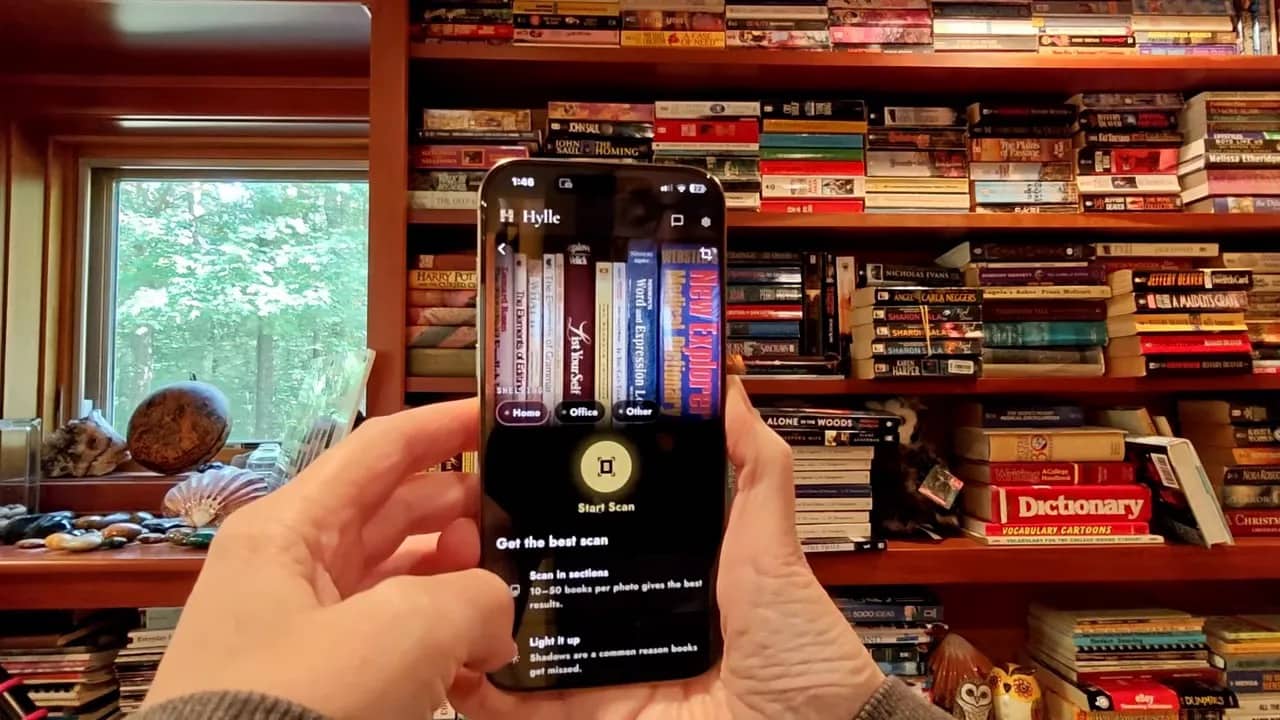
Once I had a photo, I tapped the button to start scanning. Hylle then worked on identifying the books and creating the entries.
This part isn’t instantaneous. During my first scan, the app offered a little book trivia to pass the time. It asked who wrote The Call of the Wild. Jack London, of course. A check mark confirmed that I got that one right.
The trivia is a pleasant distraction, but the practical point is that you should expect some processing time. Photographing the shelf is quick. Turning that photo into a list of books takes longer.
Checking the First Scan Results
My first scan returned 13 books. That was encouraging, but I wanted to compare the results with what was actually on the shelf.
The app identified The Elements of Grammar. At first, I spotted a different “Elements” title and wondered whether it had made a mistake. After looking more closely, I found the correct book. The cover shown in Hylle was different from my copy, but it had found the title.
Next, I checked List Your Self, which was also on the shelf. Then I checked The Elements of Style. Again, the app recognized the book, even though its displayed cover didn’t match the physical copy I owned.
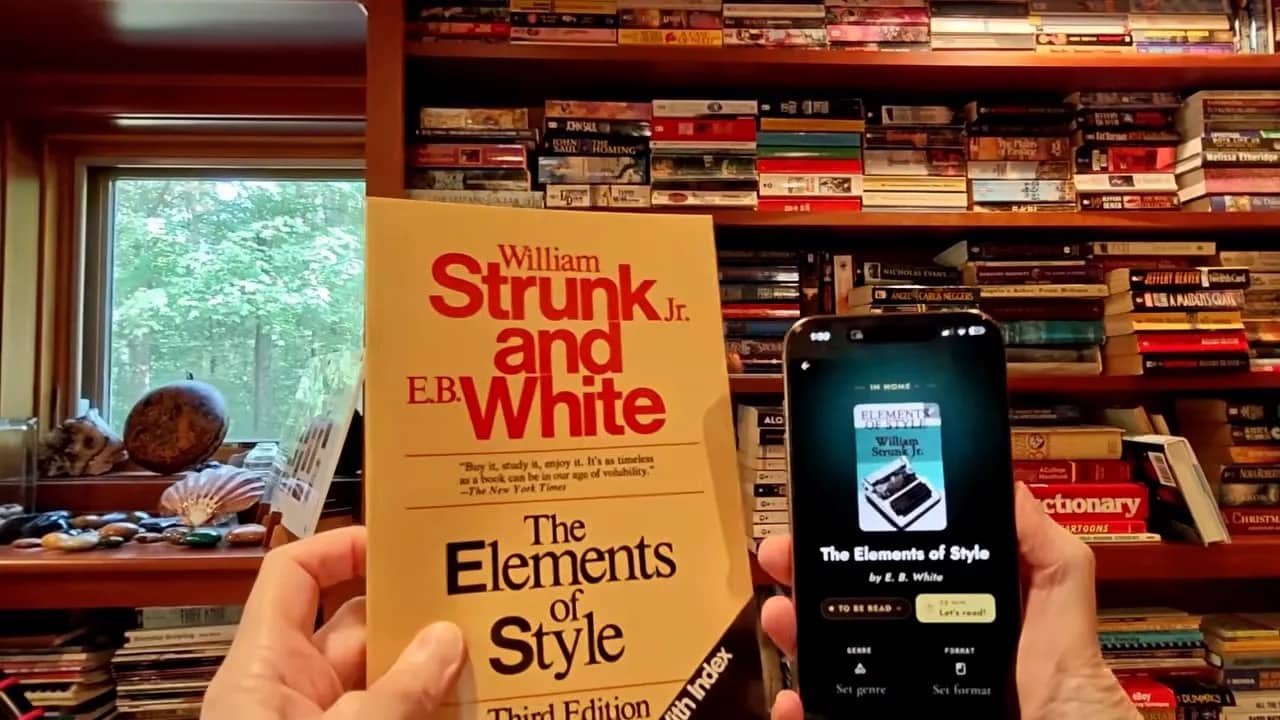
That distinction is worth understanding. Recognizing the book and displaying the exact cover of your edition aren’t necessarily the same thing. If your main goal is remembering whether you own a title, a correct title with different artwork can still be useful.
Hylle also found Harry Potter and the Philosopher’s Stone. I didn’t immediately see it in the section I thought I had photographed, but it was on a shelf above. Apparently, my photo included more of the bookcase than I intended.
That was a helpful reminder to pay attention to framing. If you’re comparing scan results with only one row of books, check whether your photo also included the row above it.
Accuracy and Correcting Mistakes
Now for the less magical part. Hylle added The Diary of a Young Girl by Anne Frank, and I couldn’t find that book in my collection. After checking the shelf, I removed the entry.
Was it confusing another spine with that title? I couldn’t say for sure. What I could say was that the result wasn’t right, and leaving it in the database would make the inventory less useful.
The app asks whether it has identified the correct book and provides a way to remove it. That made fixing this particular mistake straightforward.
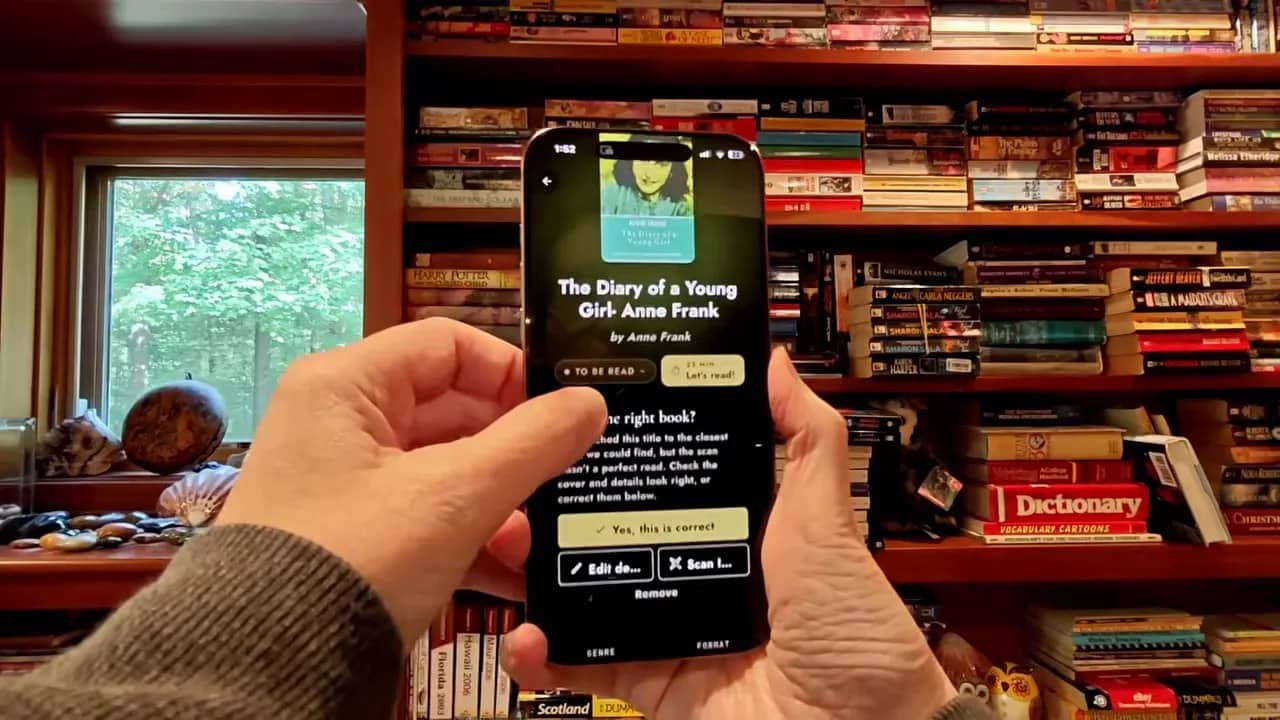
After using Hylle for a few days, I found that mistakes weren’t limited to completely incorrect titles. Sometimes the app didn’t know exactly what a book was, but still recorded an entry. You can then add the missing information, edit the entry, or delete it.
I also ran into a cover mismatch with TJ Klune’s The House in the Cerulean Sea. My copy is in English, but the app initially selected artwork for a different-language version. I didn’t want that cover in my library.
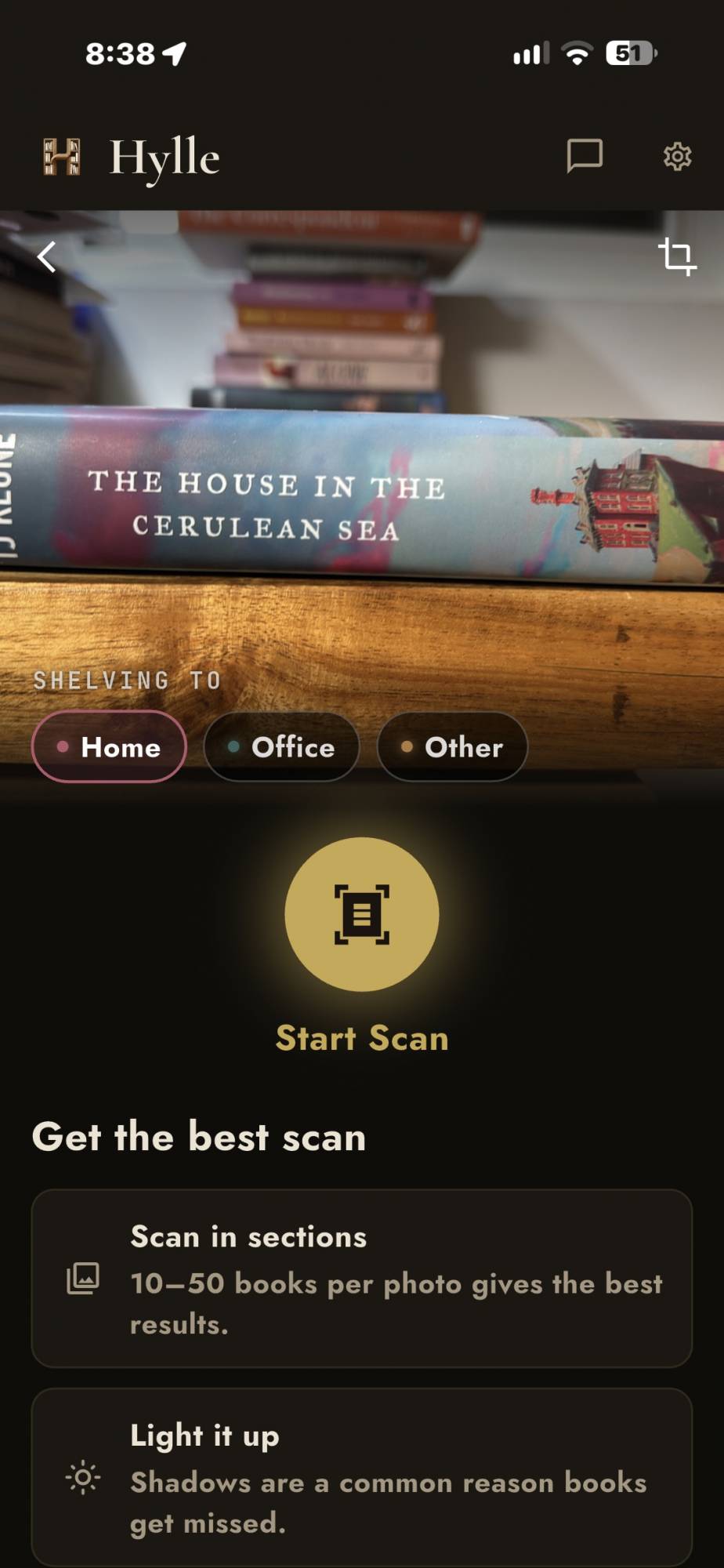
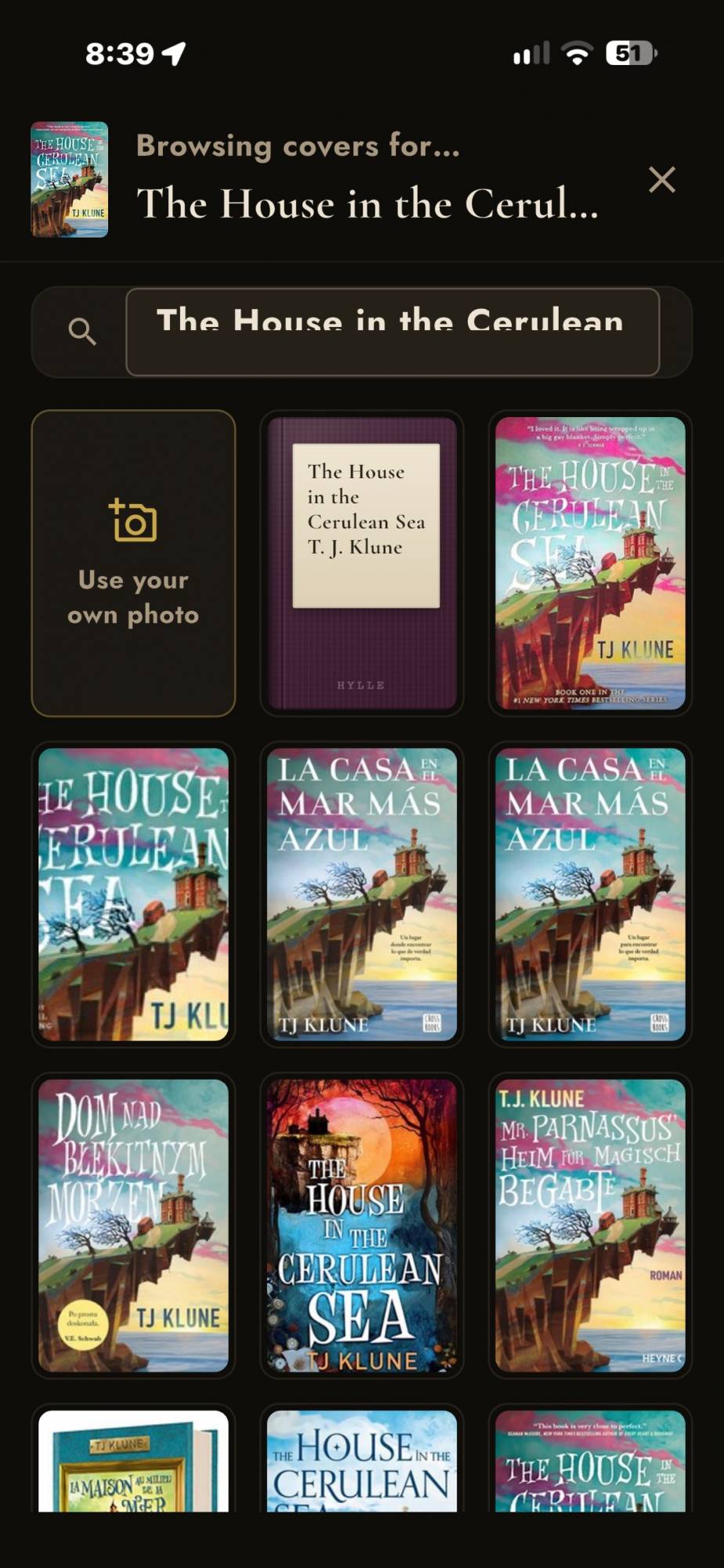
Luckily, tapping the little pencil icon brought up alternative covers to choose from. Once I found that option, correcting the artwork was easy.
My takeaway is simple: review every batch. A wrong cover is one kind of problem, and a book you don’t own is another. Hylle gives you tools to address both, but you still need to notice them.
Is It Easier Than Scanning Books Individually?
For my collection, yes. Even with the corrections, photographing a section of books is much easier than pulling out and scanning every book one at a time.
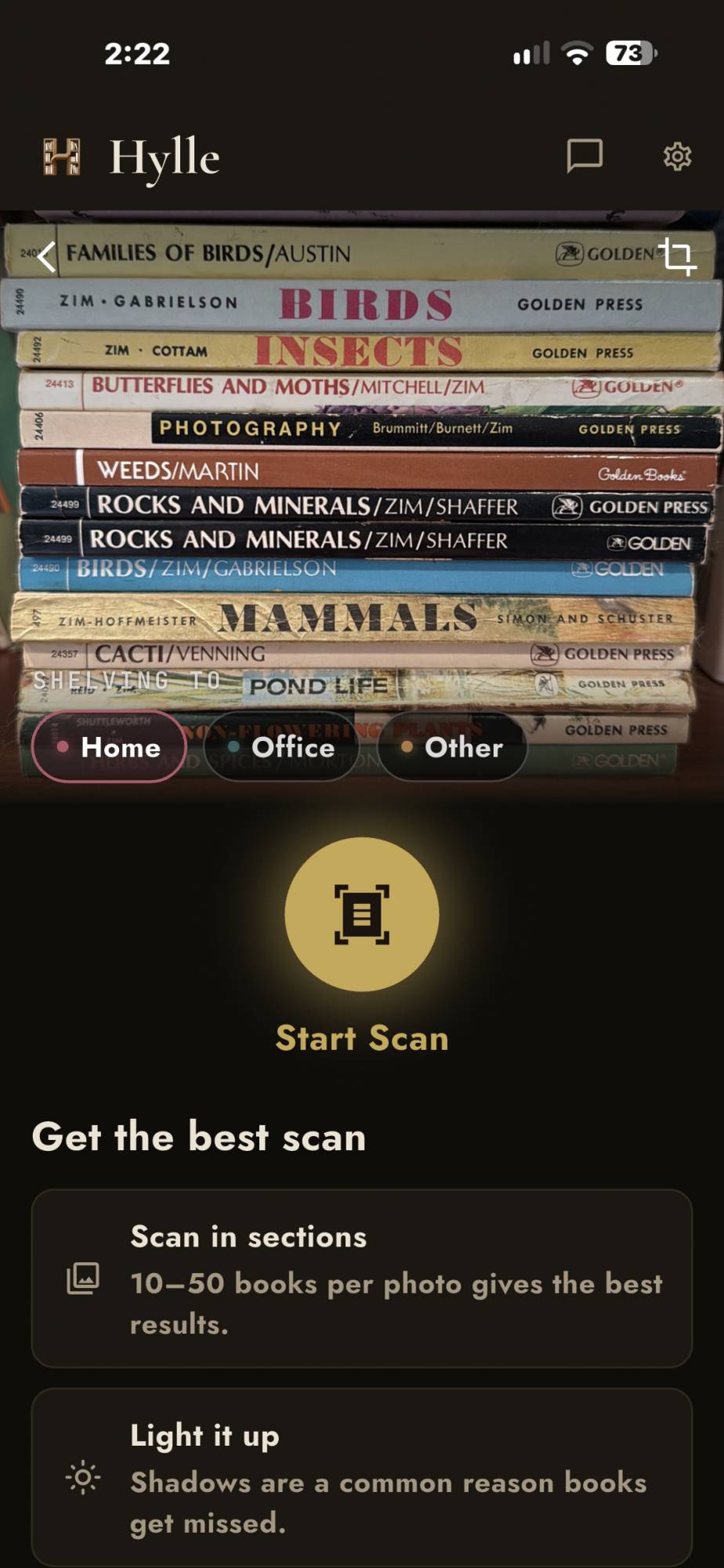

That doesn’t mean the whole library becomes a five-second project. I still have many shelves to work through, and each batch needs processing and checking. The advantage is that Hylle does much of the initial identification and data entry for me.
The most sensible approach is to finish one section before moving on. Take the photo, let the scan complete, compare the entries with the shelf, and correct anything that looks wrong while those books are right in front of you.
I wouldn’t judge the app solely by how quickly it takes a picture. The real question is whether scanning and reviewing a batch feels easier than entering those books individually. In my experience, it does.
Free vs. Paid Plans
The Hylle app is free to download, and the free tier lets you scan up to 100 books per month. You can also manually add as many books as you want.
I think that’s a useful free offering. It gives you room to try the bookshelf scanning with your own collection and see how much correction is needed before paying for anything.

If you want to scan more, the paid plan increases the allowance to up to 500 books per month. The subscription is paid annually rather than month to month.
The pricing shown during the review was €59.99 per year, which worked out to approximately $67 annually, or roughly $6 per month. Since the price is in euros, treat the dollar amount as an approximation rather than a fixed US price.
- Free plan: Up to 100 scanned books per month, plus unlimited manual additions.
- Paid annual plan: Up to 500 scanned books per month, plus unlimited manual additions.
- Additional scanning credits: Available as separate top-up purchases.
For someone with a large backlog, the higher scanning allowance is the main attraction. If you’re happy cataloging a smaller number each month, the free plan gives you a way to make progress without an annual subscription.
I also like that reaching the scanning limit doesn’t stop you from adding books manually. You’re paying for more of the convenient AI-assisted method, not permission to keep entering titles.
How the AI Candles Work
Hylle calls its AI credits “candles.” When you use features such as scanning, you burn down a little of your candle.
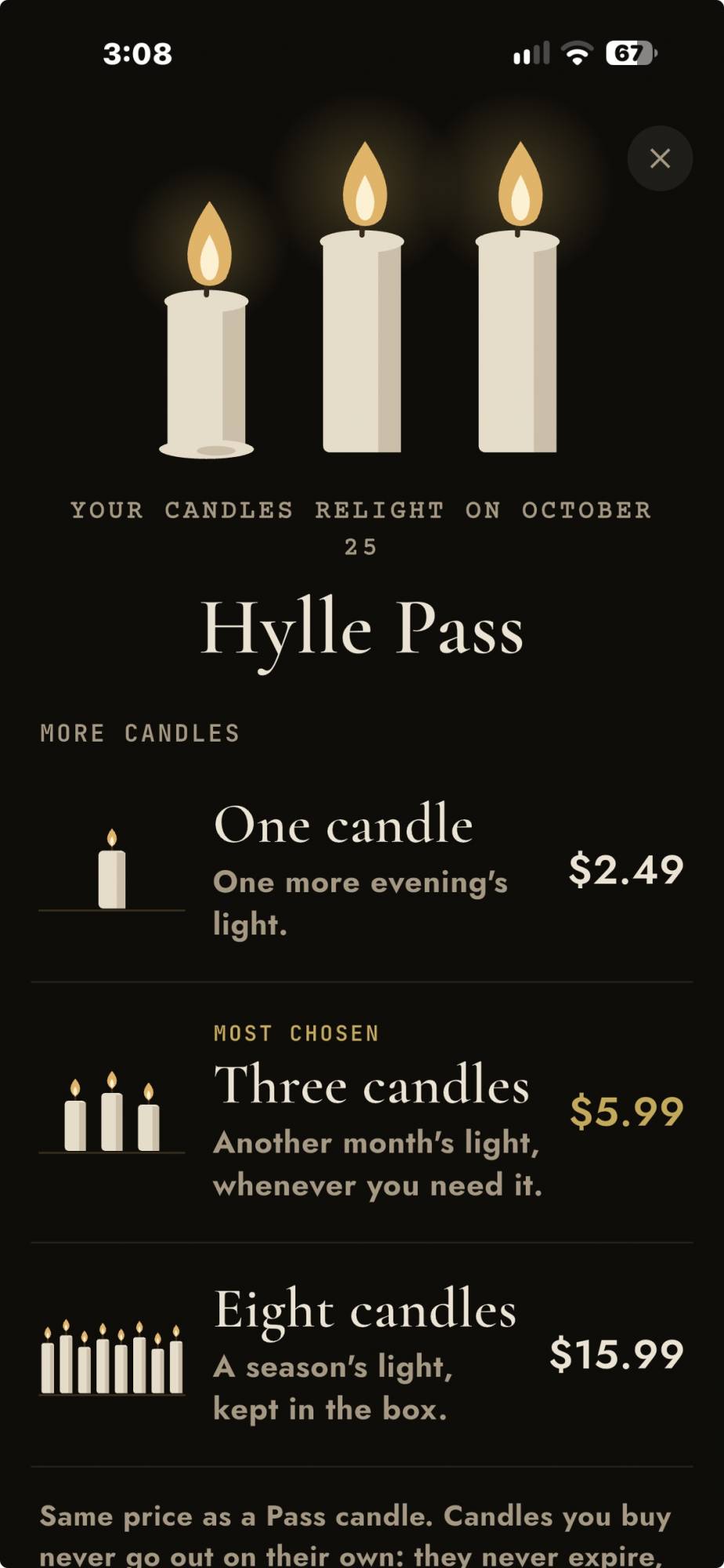
If you run out of credits, you can buy more through one-time top-ups. There are multiple purchase options, including a single candle and bundles.
The corrected price shown for one candle was $2.49. That’s the figure to use rather than the roughly $5 estimate mentioned earlier in the review.
The important thing is to keep the subscription and top-ups separate in your mind. The annual plan provides its scanning allowance, while candle purchases let you add credits when you need more. Unlimited manual additions remain an alternative if you don’t want to buy extra credits.
Who Is Hylle Good For?
Hylle makes the most sense for people who own enough physical books that creating an inventory feels like a chore. If you’ve put off cataloging your shelves because of all the typing or individual barcode scans, this is worth trying.
It’s also appealing if, like me, you occasionally bring home a book you already own. Having a searchable collection is the goal. Making the initial catalog manageable is how the app helps you get there.
It’s less suited to someone expecting perfect identification without any checking. The first scan alone showed why that expectation would be unrealistic. You should also be prepared to adjust cover artwork if matching your physical copies matters to you.
Fortunately, the free allowance makes this an easy recommendation to test rather than an expensive commitment. Start with one shelf and see how it handles your books.
See It in Action
Final Thoughts
I like Hylle quite a bit. It takes a job I’ve avoided for years and makes it feel manageable. Leaving the books on the shelf, taking a photo, and letting the app create the initial entries is a much nicer process than handling every book individually.
Is it perfect? No. Incorrect matches, unidentified entries, and mismatched covers all mean you still need some cleanup. I’d like the recognition to be more accurate, but I appreciate that the app provides straightforward ways to fix the results.
The free tier is a good place to start, and the annual plan offers more scanning capacity for a bigger collection. For my crowded bookcases, the convenience is the selling point. I still have work to do, but at least I’m not starting with a blank spreadsheet.
The Hylle app is free to download and use, but you can also subscribe for €59.99 a year; Learn more at the Developer’s website. and download from the Apple App Store and the Google Play Store.
Source: Developer-supplied app credits.
What I Like: Scan multiple books with one picture; Easy to use; Free plan available; Can edit incorrect book information and covers; Unlimited manual book entries
What Needs Improvement: AI occasionally identifies the wrong books; Scanning takes some time; Large collections may require a paid subscription or additional credits




Be the first to comment on "Hylle Review: Catalog Your Bookshelf by Photo With This AI Book Scanner App"