
The Lowdown
At $259.99, the SteelSeries Aeon Pro sits at the very top of the controller market, and it’s not a casual upgrade. If you play on one system, don’t care about rear paddles or custom profiles, and don’t mind plugging in now and then, a standard Xbox controller will serve you just fine.
But if you’ve ever lost a match to a dead battery, or you play on both Xbox and PC and are tired of re-pairing, the Aeon Pro fixes those problems better than anything else we’ve tried. It’s comfortable, performs as well as the best controllers out there, and never has to stop. For us, it’s an easy recommendation.
Overall
Pros
- Hot-swappable batteries mean you never have to stop playing
- Dock charges the controller automatically when you set it down
- Connects to Xbox and PC at the same time without re-pairing
- Hall Effect sticks with four styles of magnetic, swappable caps included
- Comfortable wraparound grip
- Crisp OLED screen with adjustable brightness
- Deep customization through SteelSeries GG
Cons
- View and Menu button placement takes some getting used to
If you’ve ever had a controller die mid-match, you know the feeling. One minute you’re lining up a shot; the next, you’re hunting for a cable too short to reach the couch. It has happened to us more times than we’d like to admit. SteelSeries thinks it has an answer with the SteelSeries Aeon Pro, a $259.99 Xbox and PC controller built around a charging dock and a pair of swappable batteries. We spent several weeks with it on PC, mostly in Rocket League, to see if it lives up to the promise.
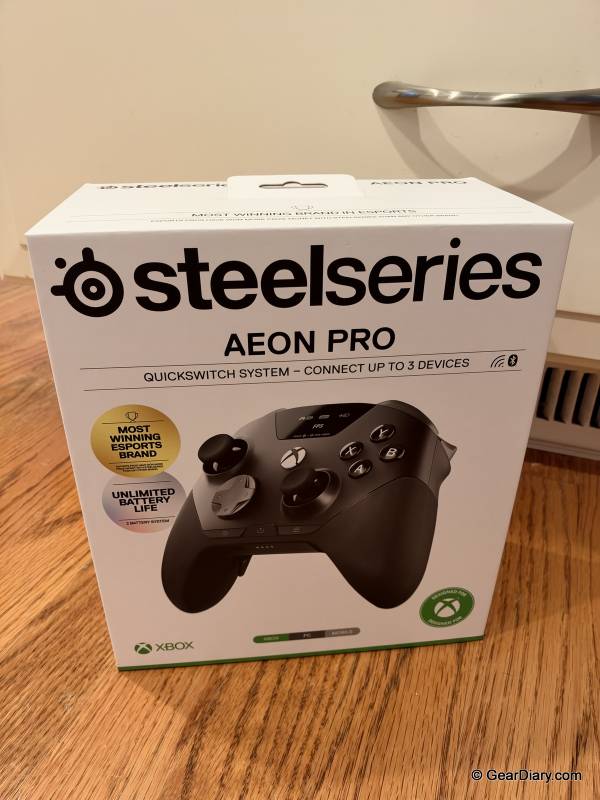
The short version is that the SteelSeries Aeon Pro is the first controller we’ve used that makes a dead battery a complete non-issue. The hot-swappable batteries and charging dock solve a problem every other wireless controller still has, and SteelSeries didn’t skimp anywhere else.
Hall Effect sticks, mechanical buttons, four rear paddles, an OLED screen, and deep software customization are all part of the package. The only thing that took any adjusting was where SteelSeries put the View and Menu buttons. It isn’t cheap, but it earned a perfect score from us.
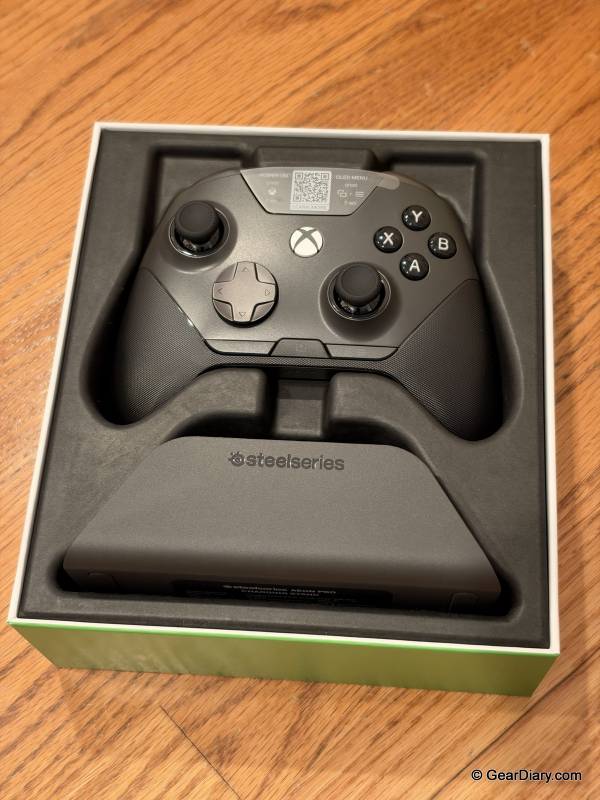
Quick Specs:
- Price: $259.99
- Platforms: Xbox, Windows PC, mobile via Bluetooth
- Connectivity: 2.4GHz wireless through the QuickSwitch dock for Xbox and PC, plus Bluetooth
- Batteries: Two hot-swappable batteries included, compatible with Arctis Nova Pro, Nova Pro Omni and Nova Elite batteries
- Rated battery life (per battery): About 11.5 hours on PC, 12.5 hours on Xbox, 14 hours on Bluetooth
- Thumbsticks: Hall Effect with magnetic modular caps (concave, convex, standard and long included)
- Triggers: Switchable between full travel and hair trigger
- Buttons: 18 mechanical switches, four rear paddles
- Display: Onboard OLED with adjustable brightness
- Dock: Charges the controller and spare battery, stores stick caps, two USB-C connections for Xbox and PC
- Audio: 3.5mm headset jack
- Software: SteelSeries GG (PC)
- Colors: Black, White
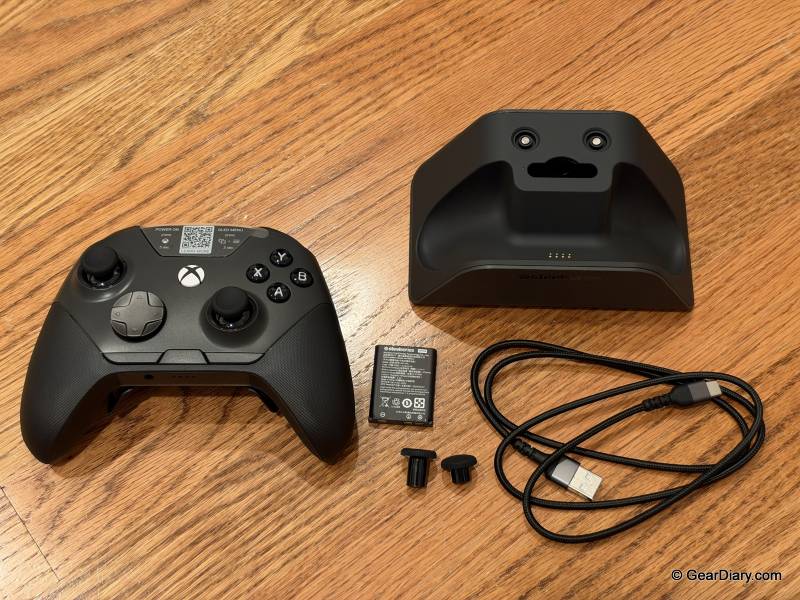
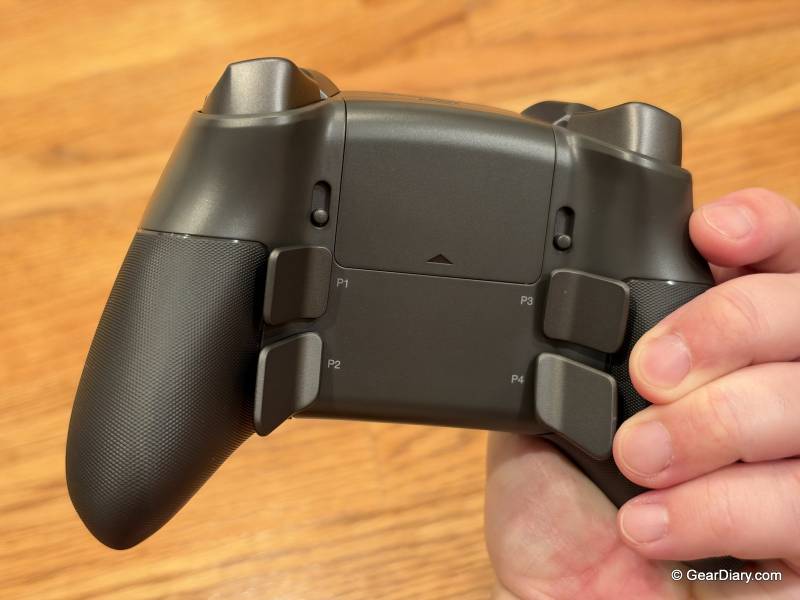
Pick up the SteelSeries Aeon Pro, and it feels right at home. It follows the familiar Xbox layout with offset sticks, but SteelSeries wrapped the textured grip all the way around the back of the controller instead of limiting it to a couple of rubber patches on the palms. Your whole hand stays locked in. We put a lot of hours into Rocket League with it, and it never felt slippery or uncomfortable, even during overtime games when our hands were working hard.
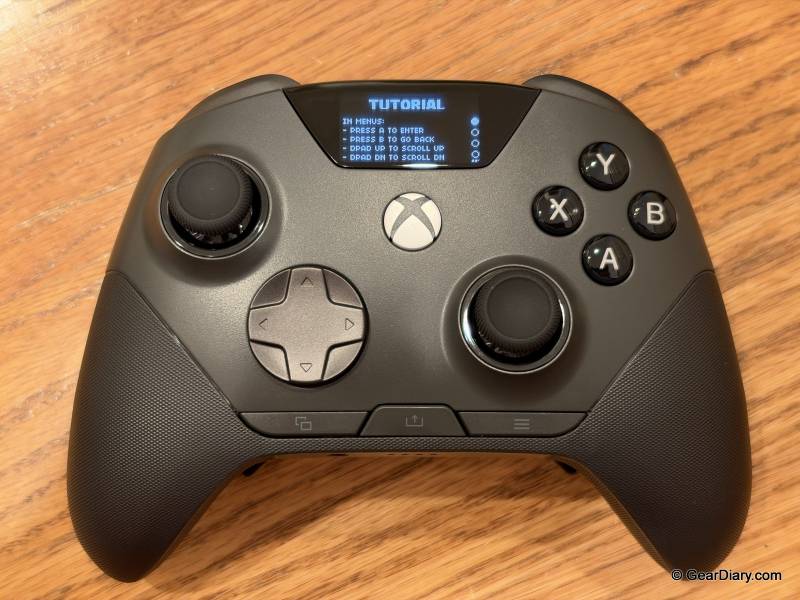
The one thing that took some getting used to is the placement of the View and Menu buttons, the modern Xbox equivalents of Select and Start. On most Xbox-style controllers, they sit up in the middle, between the sticks. On the SteelSeries Aeon Pro, they’re down near the bottom. For the first few sessions, we kept reaching for the old spot when we wanted to pause or pull up a menu. Muscle memory eventually caught up, but if you bounce back and forth between this and another controller, expect a few fumbles.
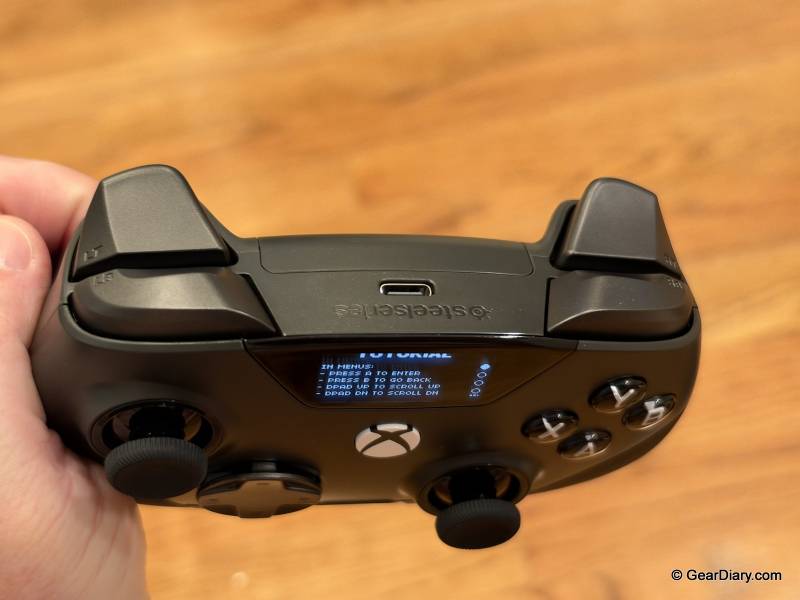
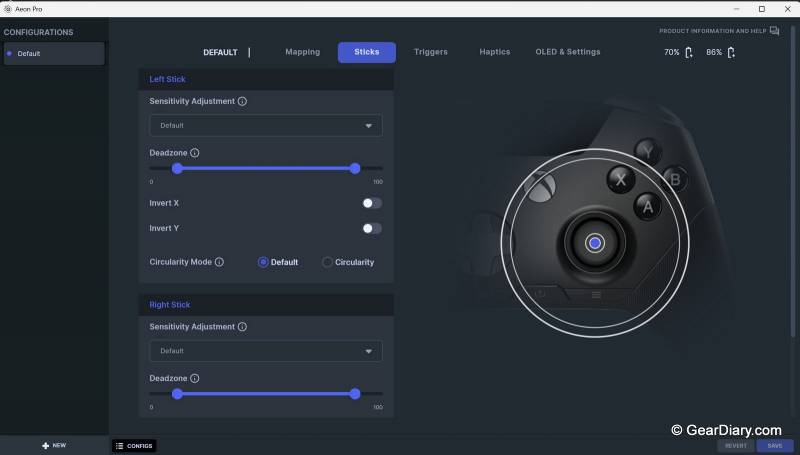
The OLED screen looks sharp and isn’t just a gimmick. From the controller itself, you can switch devices, pick profiles, remap buttons, and check the battery level without ever opening an app. Brightness is adjustable, and we usually kept it low. It was still easy to read, and a dimmer screen is less distracting in your peripheral vision when you’re focused on the game.
Now for the feature that sold us. Over the years we’ve had more controllers die mid-game than we can count, and it always seems to happen at the worst possible moment. The SteelSeries Aeon Pro ships with two batteries. One goes in the controller, and the other sits in the dock charging.
When the one you’re using starts to run low, you pop it out, drop in the fresh one, and keep playing. SteelSeries calls this its Infinite Power System, and it’s exactly what we’ve needed in our lives. Having a fully charged battery on hand at all times is a game changer, pun intended. Infinite battery life, unlocked!
SteelSeries rates each battery at roughly 11.5 hours on PC, 12.5 hours on Xbox, and 14 hours over Bluetooth. Those numbers matter a lot less than they would on any other controller, because you’re never more than a quick swap away from a full charge.
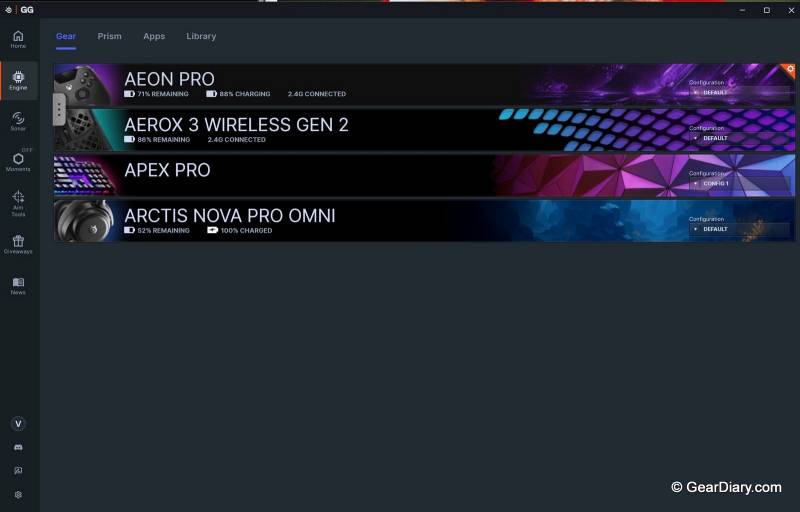
During our longer Rocket League sessions, the swap came in handy more than once, and it takes just seconds. If you already own a SteelSeries Arctis Nova Pro, Nova Pro Omni, or Nova Elite headset, the batteries are interchangeable, which is a nice bonus if you want to keep extras on hand.
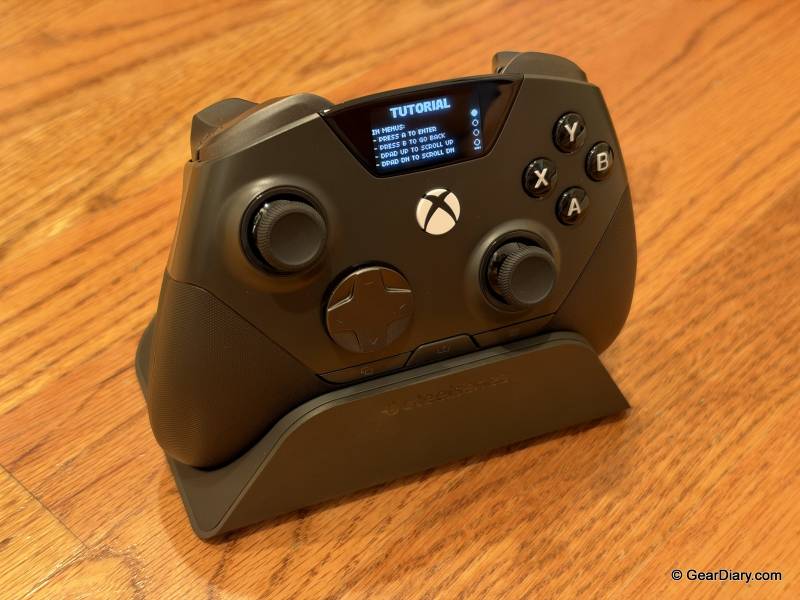
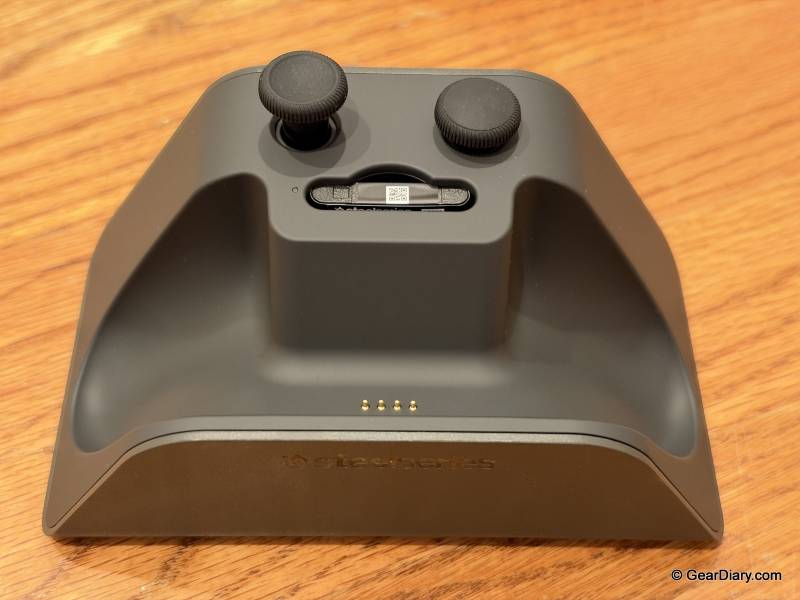
The charging dock is a nice touch on its own. Set the controller down when you’re done, and it starts charging automatically, so there’s no cable to plug in and no forgetting to top it off. The dock also holds the extra stick caps, which means they aren’t rattling around in a drawer somewhere.
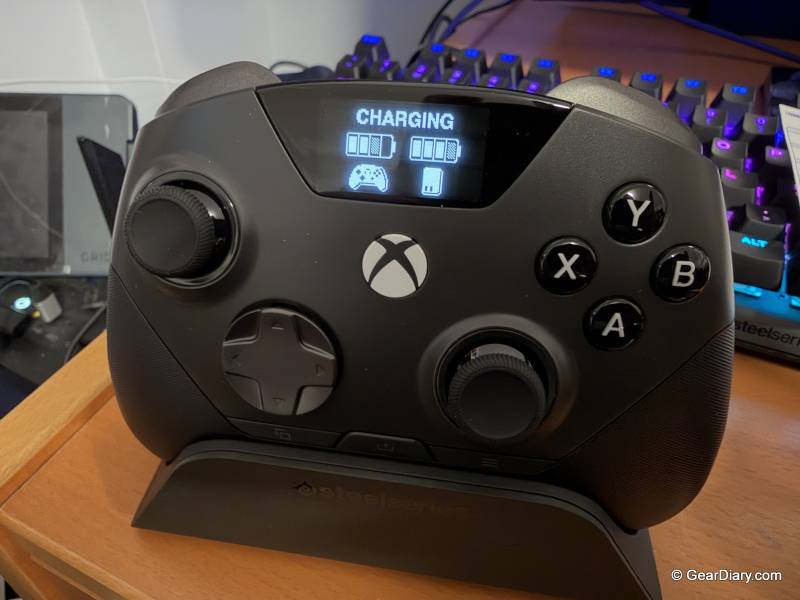
It’s also the brains behind SteelSeries’ QuickSwitch system. The dock has two USB-C connections on the back, one for an Xbox and one for a PC, and both can stay connected at the same time.
Switching between them doesn’t require re-pairing or swapping cables. We did all of our testing on PC, so we can’t speak to the Xbox side firsthand, but if you split your time between a console and a gaming rig, this setup alone could justify the price.
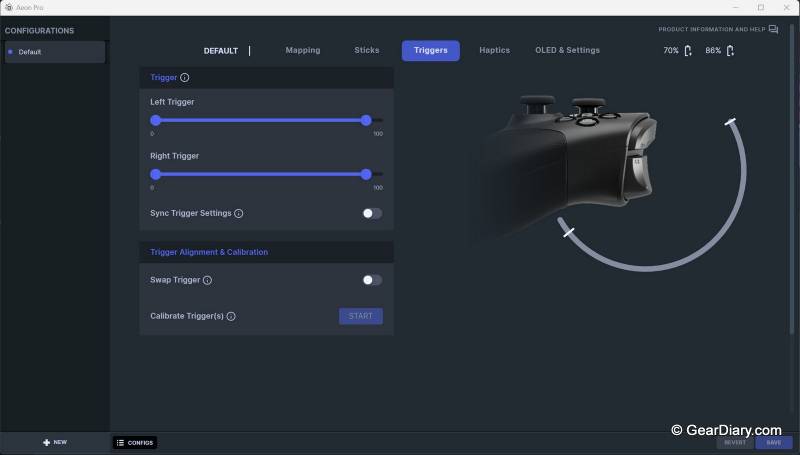
The thumbsticks use Hall Effect sensors, which track movement with magnets instead of the physical contacts found in traditional sticks. Because nothing is rubbing together, they shouldn’t develop stick drift over time.
The stick caps are magnetic and modular, and SteelSeries includes concave, convex, standard, and long versions in the box. Swapping them takes seconds, so you can try different combinations until something clicks. The triggers can also be flipped between full travel and a hair trigger mode, which is handy in shooters where you want a shot to register with the shortest possible pull.
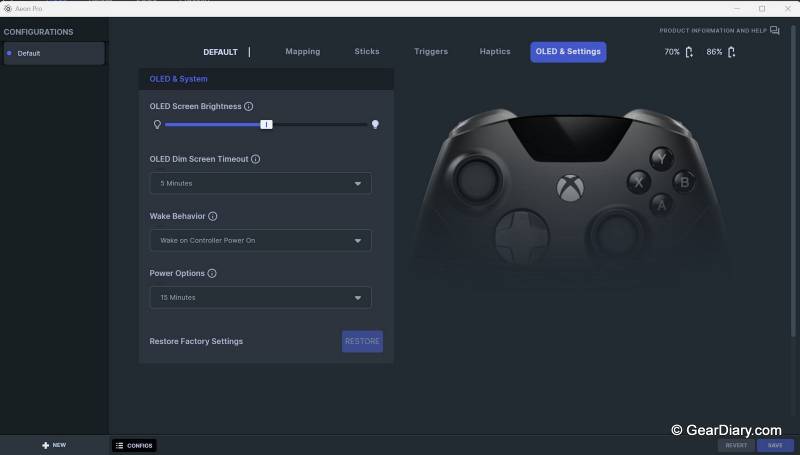
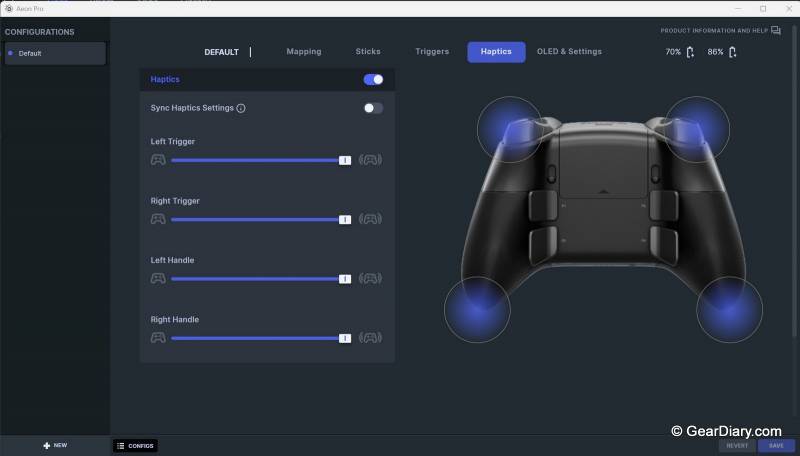
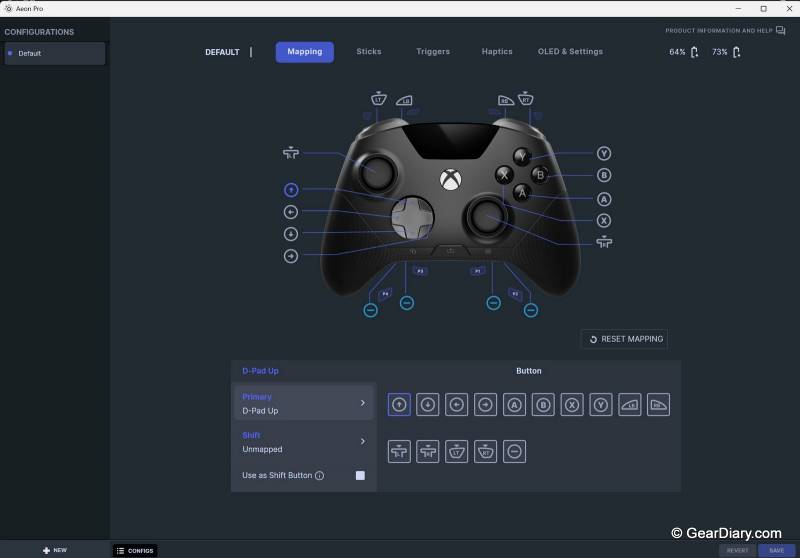
For deeper tweaking, the SteelSeries Aeon Pro connects to SteelSeries’ GG app on PC. There you can assign whatever you want to the four rear paddles, fine-tune stick sensitivity and deadzones, and calibrate the triggers down to how far they travel before registering. Your settings and profiles save to the controller itself, so they come with you when you switch devices.
As for performance, we came to the SteelSeries Aeon Pro from the Xbox Elite Wireless Controller Series 2, which had been our go-to for a long time. After many hours of Rocket League, we honestly couldn’t tell the difference in responsiveness between the two. That’s a compliment.
The Elite has been the benchmark for premium Xbox controllers for years, and the Aeon Pro matched it in-game while adding several things the Elite simply can’t do.
That’s really how the SteelSeries Aeon Pro stacks up against the competition. The Elite Series 2 still has a lot going for it, including four paddles, adjustable stick tension, and a long-lasting battery, and it costs less. But that battery is built in; it has no onboard screen, and its thumbsticks use traditional sensors that are known to drift over time.
Razer’s Wolverine V3 Pro is another strong option with Hall Effect sticks and plenty of customization, but it also relies on a built-in battery, so when it runs dry, you’re plugging in and waiting. Neither offers anything like the SteelSeries Aeon Pro’s swappable batteries or a dock that keeps an Xbox and a PC connected at once.
So, should you get it? At $259.99, the SteelSeries Aeon Pro sits at the very top of the controller market, and it’s not a casual upgrade. If you play on one system, don’t care about rear paddles or custom profiles, and don’t mind plugging in now and then, a standard Xbox controller will serve you just fine.
But if you’ve ever lost a match to a dead battery, or you play on both Xbox and PC and are tired of re-pairing, the Aeon Pro fixes those problems better than anything else we’ve tried. It’s comfortable, performs as well as the best controllers out there, and never has to stop. For us, it’s an easy recommendation.
The SteelSeries Aeon Pro sells for $259.99; it is available directly from the manufacturer and other retailers, including Amazon.
Source: Manufacturer-supplied review sample
What I Like: Hot-swappable batteries mean you never have to stop playing; Dock charges the controller automatically when you set it down; Connects to Xbox and PC at the same time without re-pairing; Hall Effect sticks with four styles of magnetic, swappable caps included; Comfortable wraparound grip; Crisp OLED screen with adjustable brightness; Deep customization through SteelSeries GG
What Needs Improvement: View and Menu button placement takes some getting used to




Be the first to comment on "SteelSeries Aeon Pro Review: The Hot-Swappable Battery Controller That Never Stops Playing"