
The Lowdown
The Mondo Robotics Beni Camera Robot is a fun little gadget that looks like something from a Pixar movie. It follows you around, records video, and can even jump and flip. I love its personality and excellent build quality, but Beni has limitations. It struggles with grass, gravel, and uneven terrain, and its low camera angle isn’t ideal for every type of video. Downloading footage through the app is painfully slow, too. I enjoyed playing with Beni, but its high price and specialized purpose make it a better fit for action sports enthusiasts than my everyday video needs.
Overall
Pros
- Fun, personality-filled design
- Excellent build quality
- Multiple tracking modes
- Entertaining tricks and movements
- Removable batteries
- Built-in storage and microSD expansion
- USB-C file transfers
Cons
- Struggles on grass, gravel, leaves, and inclines
- Painfully slow video downloads through the app
- Low camera angle limits recording possibilities
- Occasional unpredictable movement when using the controller
- Expensive for its specialized purpose
I’ve reviewed a lot of cameras over the years, but I can’t remember the last time one made me want to talk to it like it was a pet. Meet Beni from Mondo Robotics. This little wheeled robot looks like something straight out of a Pixar movie, and its job is to follow you around while recording video. It can even do tricks! But is Beni a useful camera for content creators, or is it an expensive toy with a camera attached? Let’s find out.
What Is It?
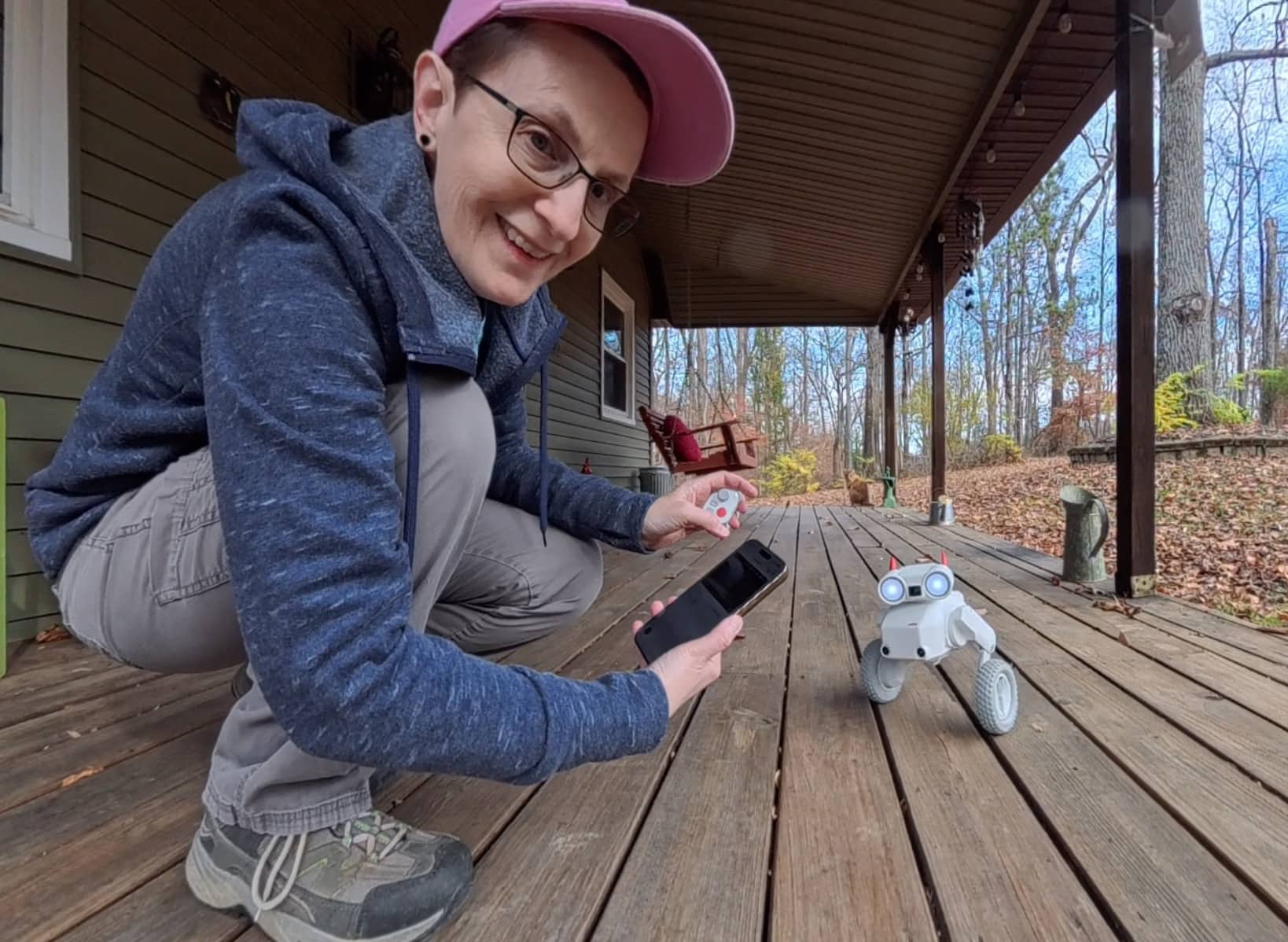
The Beni camera robot from Mondo Robotics is a small, wheeled camera robot that can follow a person and record video without someone having to operate the camera. It uses subject tracking and a motorized camera head to capture footage while moving around on the ground.
Unlike a traditional action camera that you mount to a helmet, bike, or chest harness, Beni is designed to move independently. You can also control it manually with a handheld controller or through its companion app.
What’s In The Box?
Mondo Robotics sent me the Beni Explore Combo along with some additional protective plates that are available as separate purchases and not included in the Explore Combo kit.
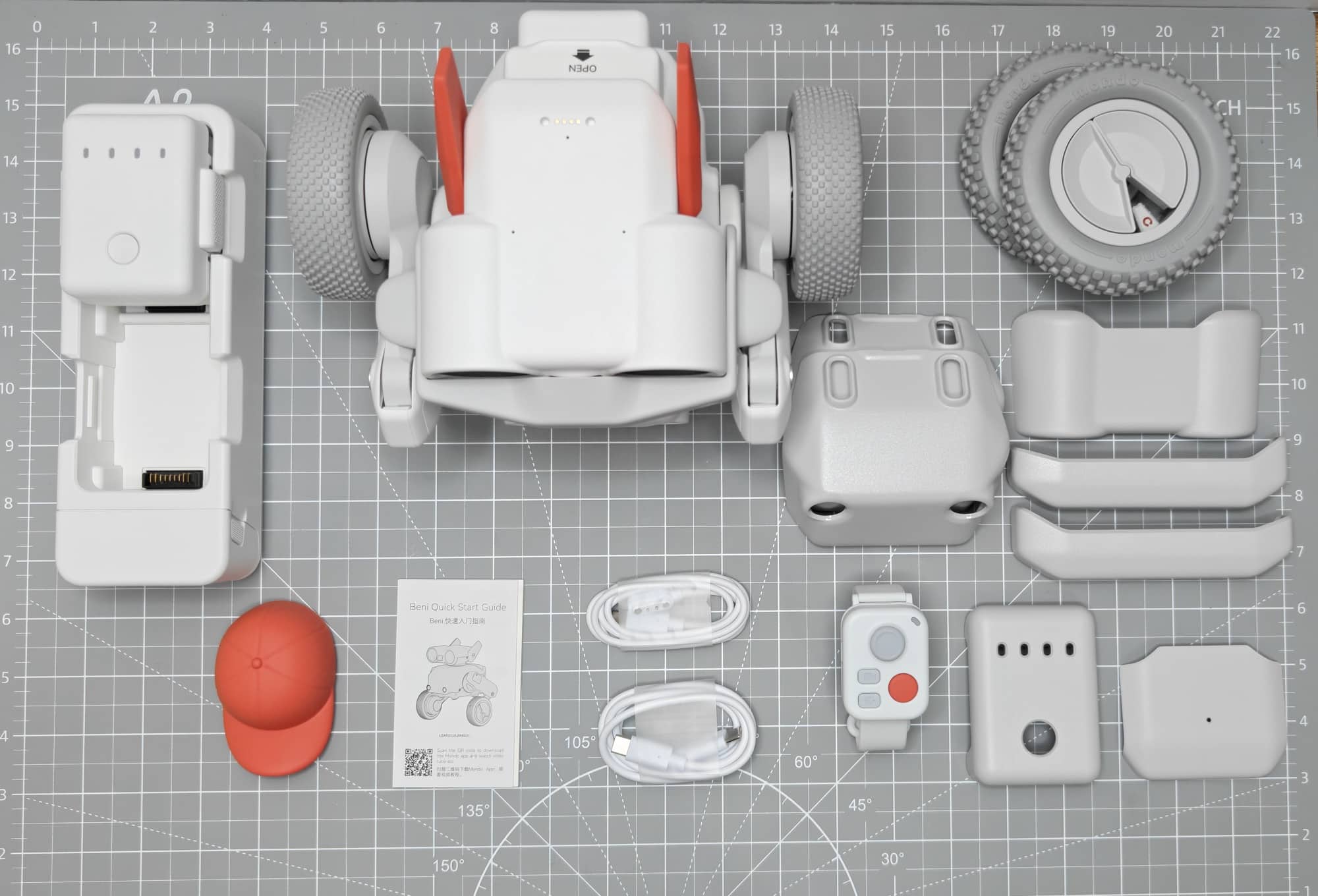
Here’s what I received:
-
Beni camera robot
-
Three batteries, including one installed in the robot
-
Dual-battery charging station
-
Camera charger
-
Wearable joystick controller
-
Extra off-road wheels
-
Protective covers and plates
-
Charging cables
-
User documentation
-
A little hat for Beni
Yes, a hat. Because apparently, every camera robot needs a fashionable accessory.
The dual-battery charger is especially handy because it can charge the spare batteries and has a compartment for charging the small controller.
Tech Specs
-
Product: Mondo Robotics Beni Camera Robot
-
Storage: 32GB built-in
-
Expandable storage: microSD card slot (card not included)
-
Connectivity: USB-C for charging and transferring video files
-
Controls: Companion mobile app and wearable joystick controller
-
Tracking modes: Tail Tracking, Parallel Tracking, Spotlight Tracking, and Orbit
-
Camera: Motorized, adjustable viewing angle
-
Power: Removable rechargeable battery
-
Additional features: Automated tracking, manual driving, jumping, and flipping maneuvers
-
Wheels: Interchangeable wheels, including off-road tires in the Explore Combo
Design and Features
The first thing I noticed when I removed Beni from the box was how substantial it felt. This isn’t a flimsy plastic toy. Beni has some weight to it and feels rugged and very well made.
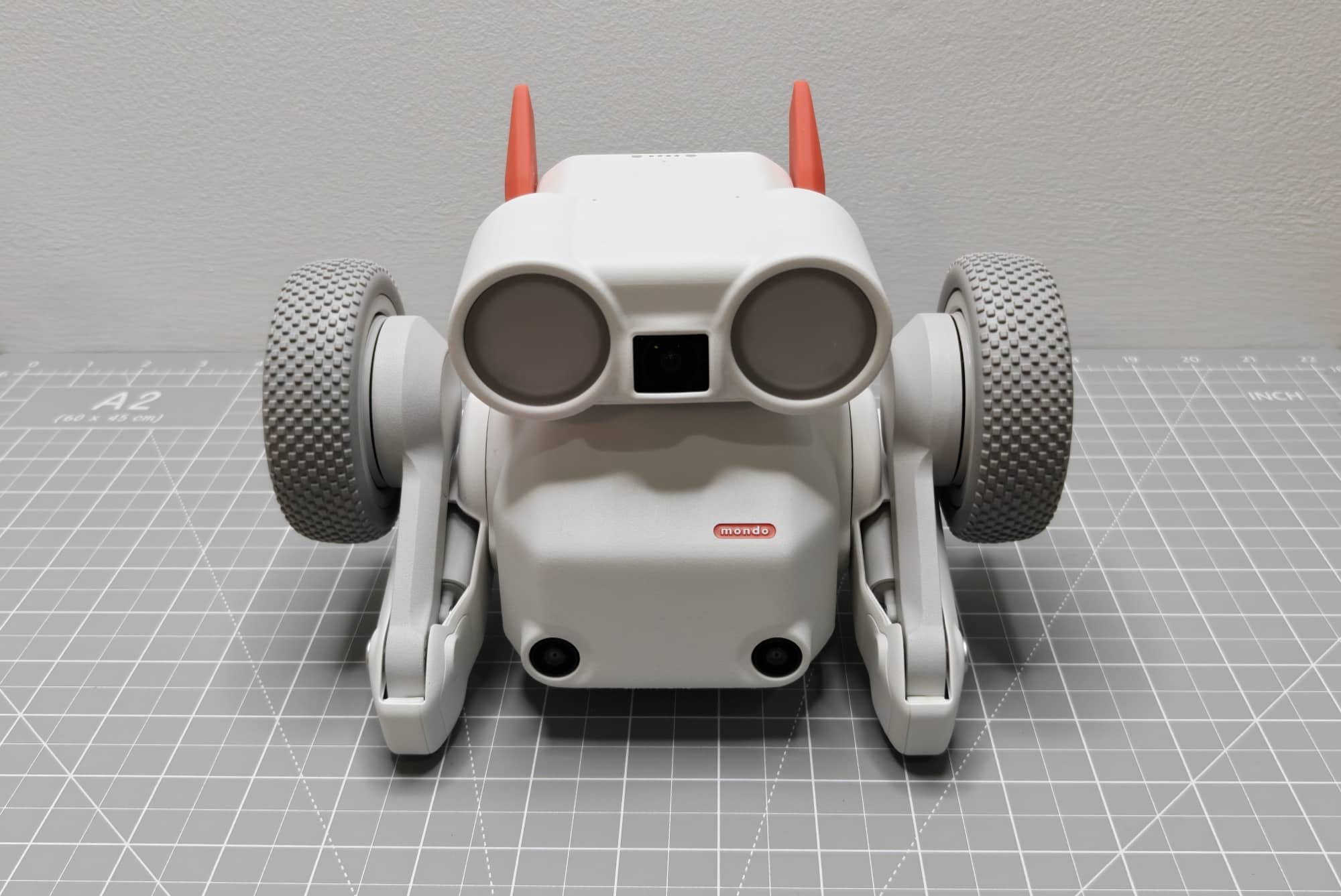
But what really makes Beni interesting is its design.
The little robot has a head that can move around, two things sticking up that look like ears or antennas, and a camera built into its face. There’s also a removable protective cover that keeps the camera area protected when you’re not using it.
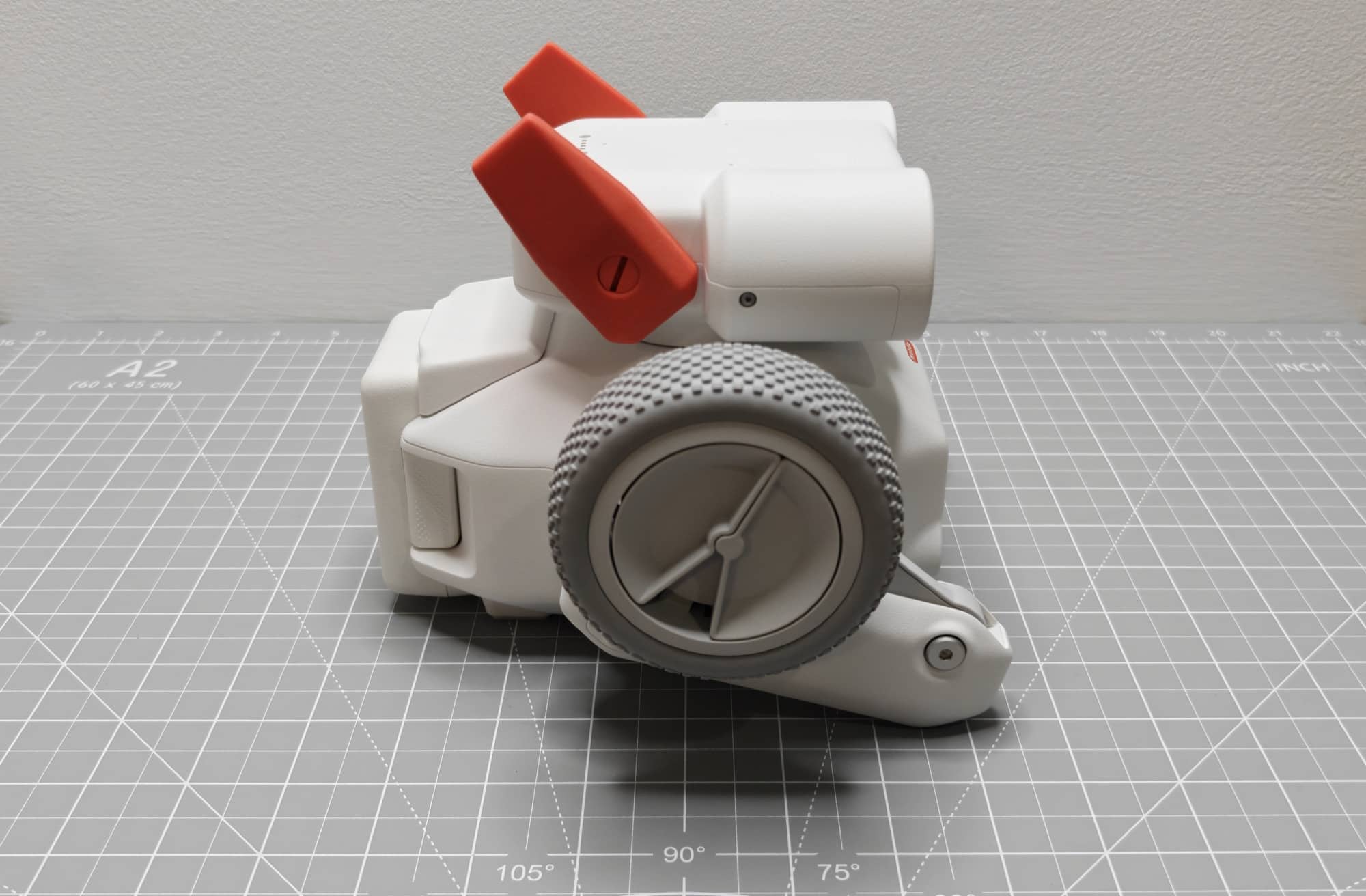
It’s hard not to give this little guy a personality. I found myself talking to Beni while testing it, almost like I was talking to a pet. And when you see it moving around and doing tricks, you’ll understand why.
The battery is removable and has a built-in charge indicator, so you can check its remaining power without having to open the app. The Explore Combo that Mondo Robotics sent me includes extra batteries and a charging station, which is a nice addition if you plan to record longer sessions.
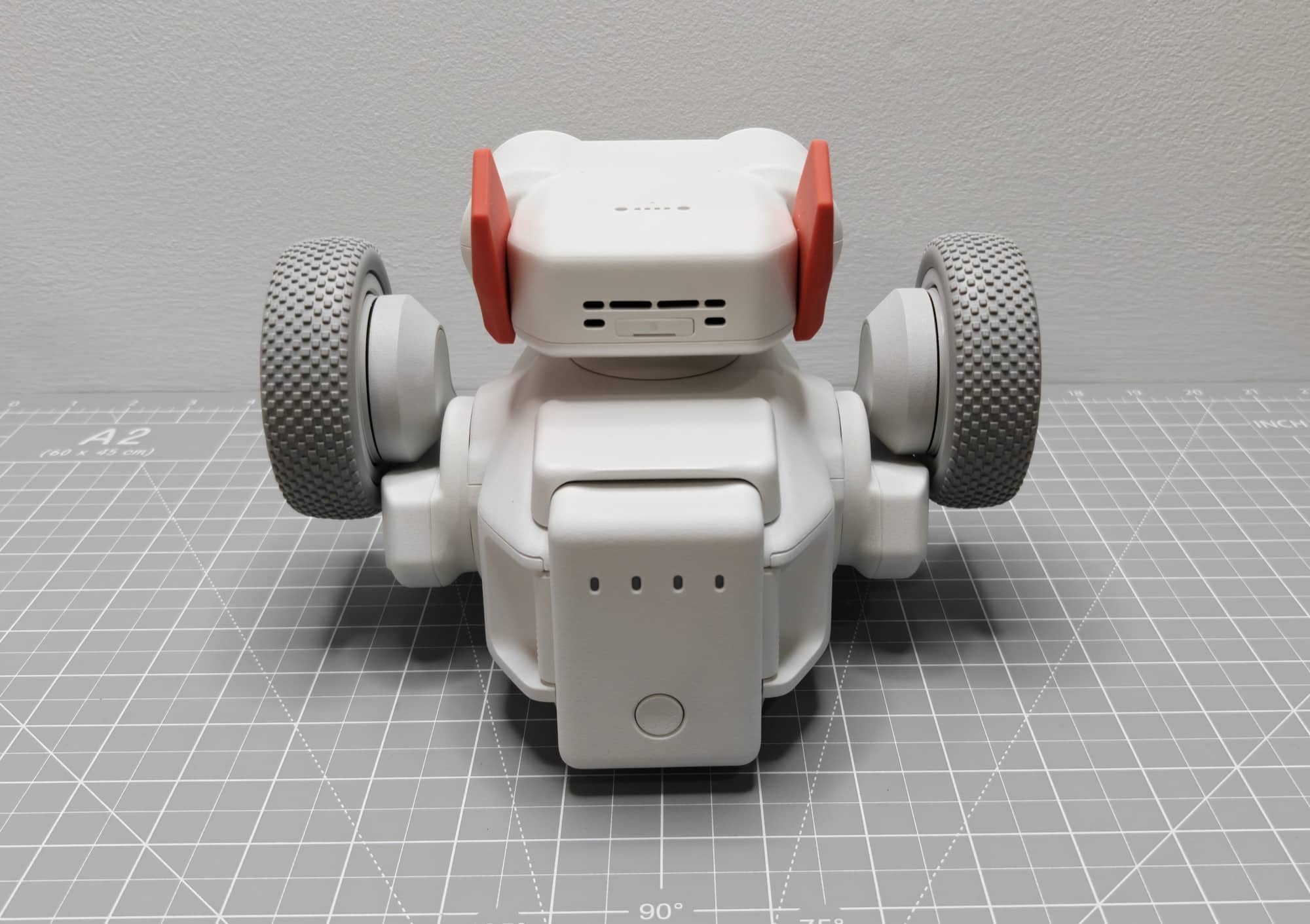
I also received off-road tires and protective plates. The tires have a more aggressive tread than the regular wheels, although, as I’ll explain later, that doesn’t mean Beni can handle every type of outdoor terrain.
Controlling the Beni camera robot
There are two main ways to control Beni: the wearable joystick controller and the mobile app.
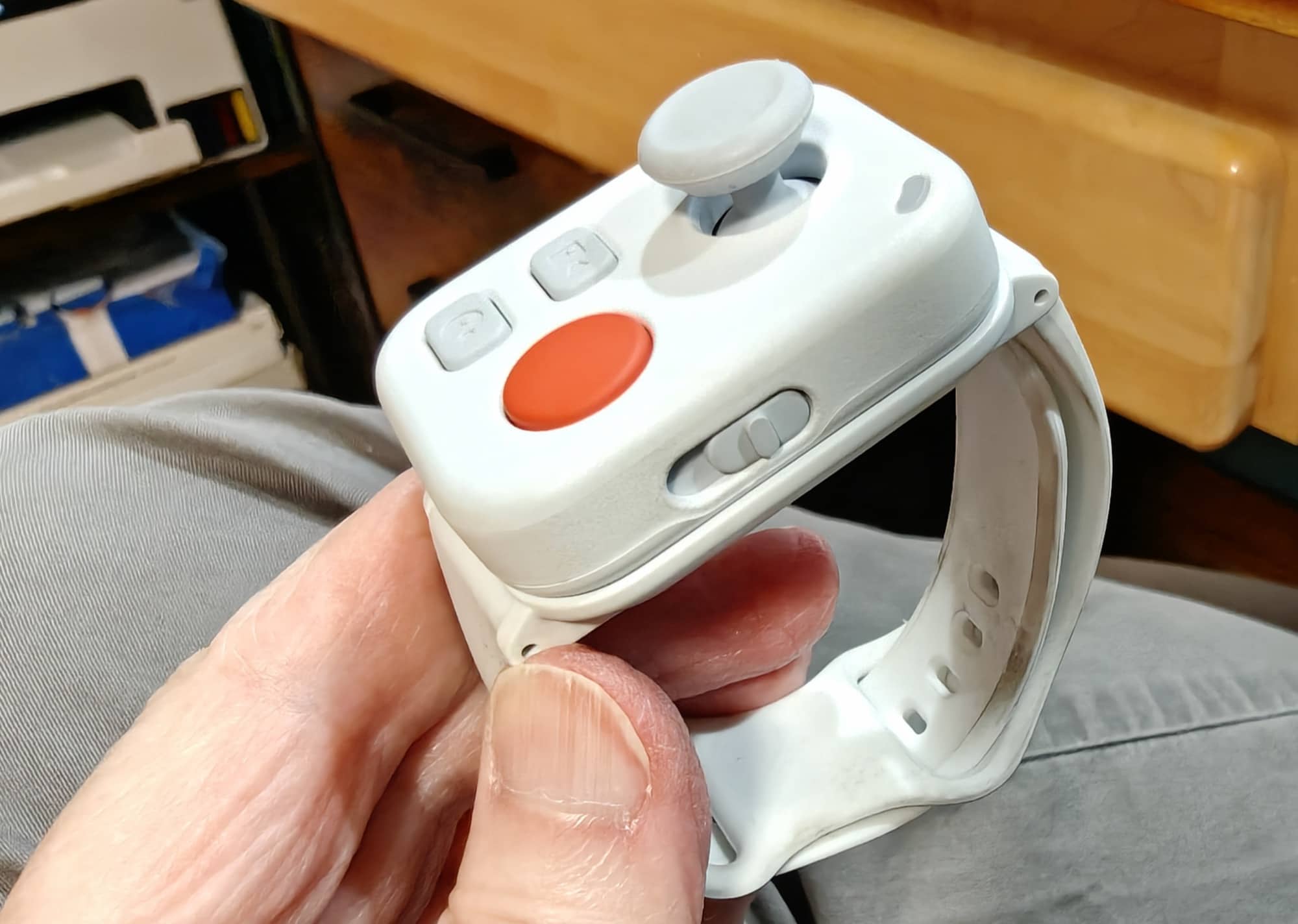
The controller is small and has a joystick and buttons that let you drive Beni forward, backward, and turn in either direction. You can also make the robot stand up and jump.
The app provides additional controls, including the ability to make Beni perform a flip.
Watching this little robot do a flip is pretty entertaining. During my testing, I couldn’t help laughing when Beni finished one of its maneuvers and wobbled around. It looked like it was dizzy. I show this in the video below.
Again, that’s part of Beni’s charm. It doesn’t feel like you’re just operating a camera. It feels like you’re playing with a little robot that has a mind and personality of its own.
Tracking Modes
Of course, Beni isn’t just supposed to entertain you with tricks. Its main purpose is to record video while following a subject.
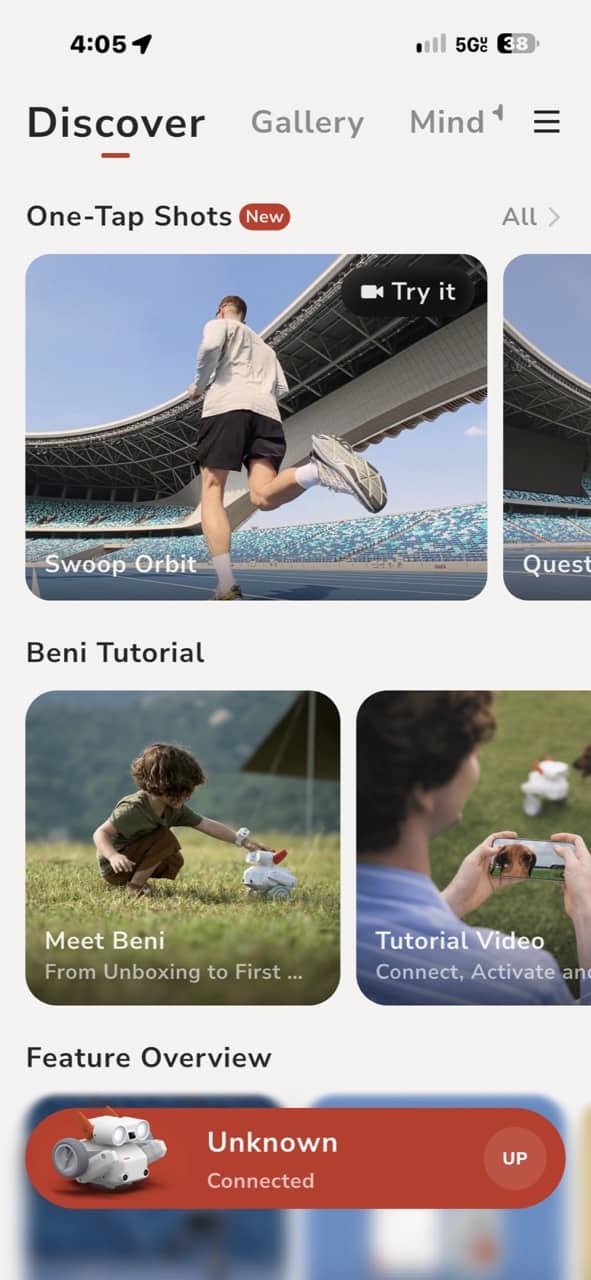
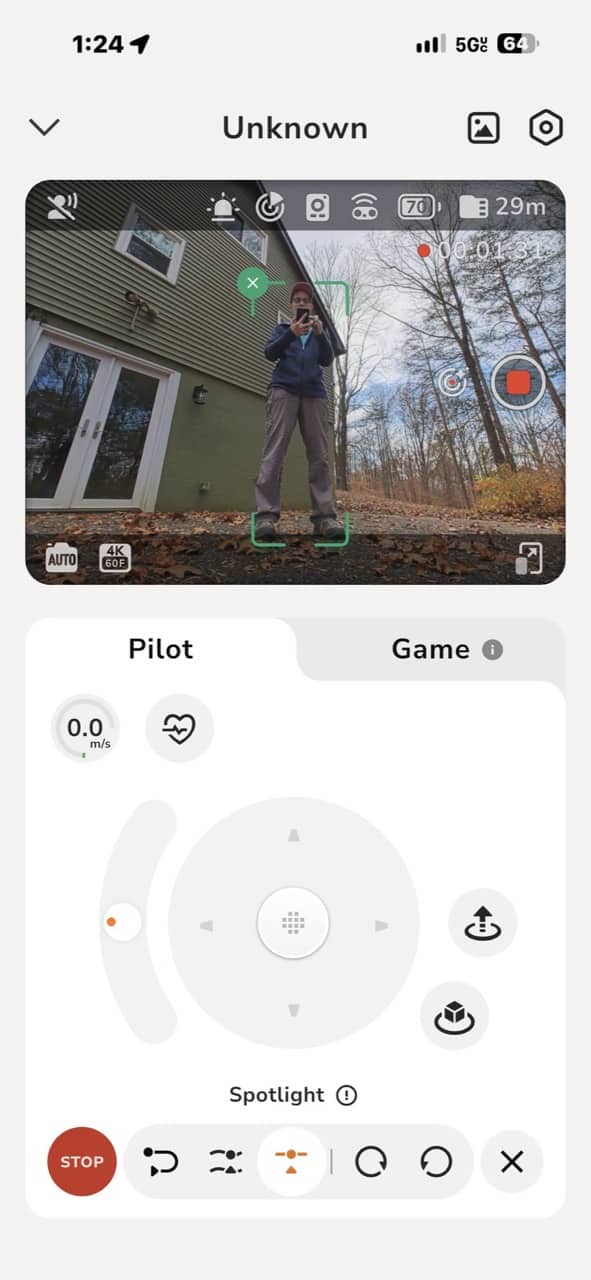
The app provides four tracking modes.
Tail Tracking is designed to have Beni follow behind you as you move around.
Parallel Tracking allows the robot to travel alongside you while recording.
Spotlight Tracking keeps Beni mostly stationary while the camera head moves to follow you.
Orbit makes Beni circle around you while keeping the camera pointed at you.
I tried all four modes during my testing, and you can see what they look like by watching my video below.
Tail Tracking was interesting because Beni didn’t always behave exactly as I expected. At one point, it seemed to be following beside me instead of directly behind me, almost as if it were using Parallel Tracking.
Spotlight Tracking worked differently because the robot stayed mostly in place while moving its camera to keep me in view.
Orbit mode was probably one of the most entertaining to watch. Beni started circling me, and I quickly realized that this little guy can move pretty fast. I actually told it to slow down!
These tracking modes give you some interesting ways to record video without needing another person to hold the camera.
How Well Does Beni Handle Different Surfaces?
This is where things became less impressive.
Beni works best on smooth, level surfaces such as concrete, paved roads, hardwood floors, and wooden decks.
I tested it on my deck, in my yard, and on my gravel driveway. The difference between those surfaces was significant.
On smooth surfaces, Beni was fun to drive and could move around without much trouble. Grass with leaves was another story.
I had a difficult time getting Beni to move reliably through my yard, especially where there were leaves and other obstacles. Sometimes it would move for a little while and then just stop.

The gravel driveway wasn’t much better. Beni struggled to move consistently, and when it reached a slight incline at the end of my driveway, it couldn’t climb it.
I also experienced some strange behavior with the controller. There were times when I pushed the joystick forward, but Beni moved in a different direction. I’m not sure what caused that behavior, but it added to the frustration.
Even with the off-road tires, I wouldn’t consider Beni a robot that’s well-suited for exploring rough outdoor terrain.
If you’re imagining having Beni follow you through the woods while you’re hiking, I think you’re going to be disappointed. Based on my experience in my own yard, leaves, uneven ground, and small slopes could quickly become obstacles.
The Camera’s Low Viewing Angle
There’s another important limitation to consider, and it has nothing to do with how well Beni moves.
Because Beni rolls along the ground, its camera records from a very low perspective.
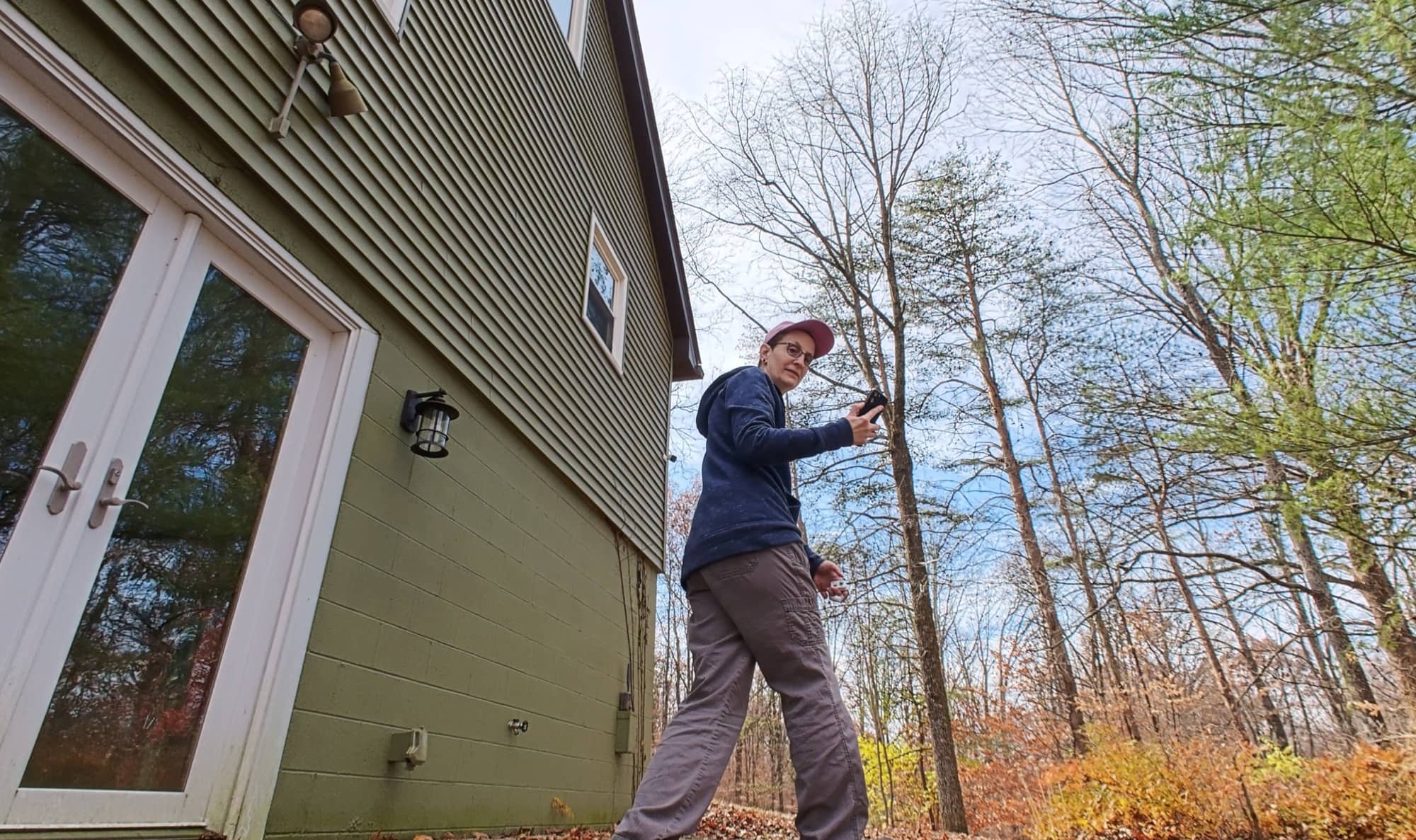
You can adjust the camera’s viewing angle, but you’re still looking upward at your subject rather than recording from eye level.
That perspective could be interesting for certain activities. For example, having Beni follow someone who’s skateboarding, roller skating, or running could create some fun action footage.
But I don’t think it works nearly as well for everyday video recording.
Imagine using Beni to record your family sitting around a picnic table. Instead of capturing everyone at a natural viewing angle, the camera would be down near the ground looking up at them. That’s probably not the footage you had in mind.
Beni isn’t really a replacement for a traditional action camera or a camera on a tripod. It’s a specialized camera that creates a particular type of footage. Whether that footage is useful depends on what you want to record.
Getting Videos Off Beni
Beni has 32GB of built-in storage, plus a microSD card slot if you need more space. Unfortunately, Mondo Robotics doesn’t include a microSD card. But it’s great that it has built-in storage, so you can start using the camera as soon as you unbox it.
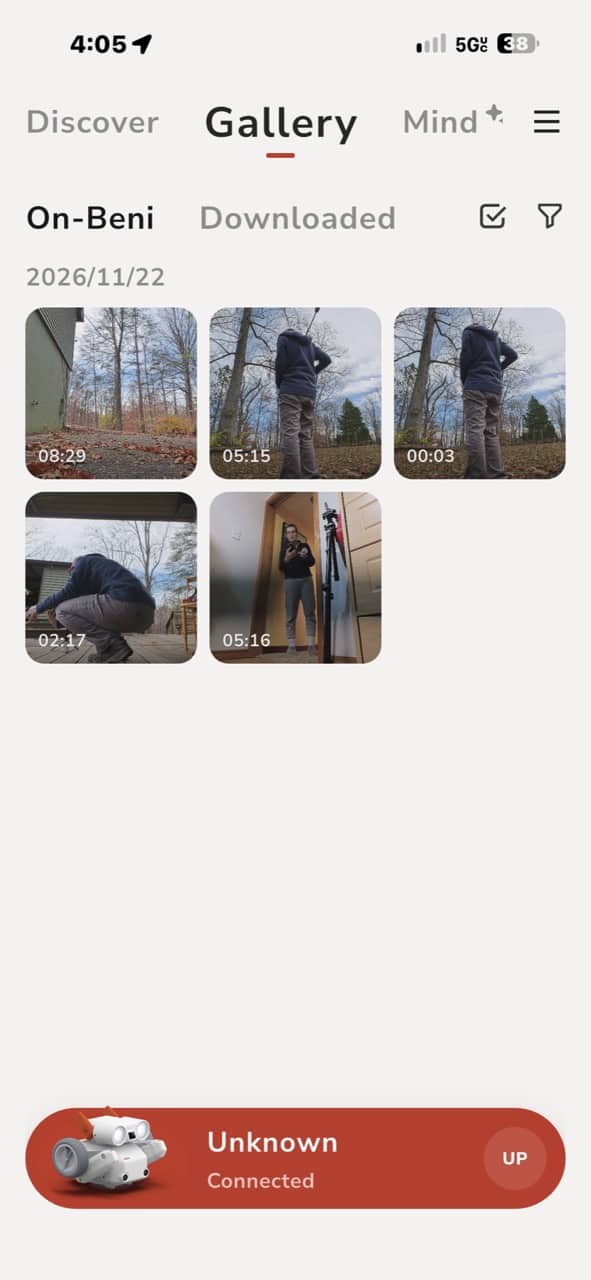
You can access and download recorded footage through the Mondo mobile app, but I found that process painfully slow.
Luckily, there’s a much better option.
You can connect Beni directly to your computer with a USB-C cable and drag the video files off the robot. That’s the method I’d recommend if you’re transferring more than a short clip or two.
It’s nice that Mondo Robotics gives you a direct file transfer option because waiting for the app to download footage gets old pretty quickly.
See It In Action
For my video review, I demonstrated Beni’s controls, tricks, and different tracking modes. I also tested how well it moves on different surfaces around my property.
The video gives you a good idea of Beni’s personality and shows why I had so much fun playing with it, even when it wasn’t cooperating.
Final Thoughts
I have mixed feelings about the Mondo Robotics Beni Camera Robot.
On one hand, I think it’s a really cool little gadget. It’s well made, has a fun design, and genuinely feels like it has a personality. I enjoyed driving it around, making it do tricks, and watching it follow me.
On the other hand, I have a hard time figuring out where Beni would fit into my life. I don’t skateboard, roller skate, or participate in the types of activities where I think Beni would really shine. Most of the videos I shoot wouldn’t benefit from having a camera following me around at ground level.
And even if I did want to use it for something like hiking, its struggles with grass, gravel, leaves, and small inclines would make that difficult.
I also wish downloading footage through the app were faster.
Beni is undeniably fun, and I can see it being appealing to someone who creates action sports content on smooth surfaces. But it’s also an expensive gadget with a fairly specific purpose.
For me, Beni falls into the category of gadgets that I really enjoy playing with but can’t justify adding to my everyday camera setup.
It’s cute, it’s entertaining, and it made me laugh more than once. But ultimately, I think Beni is better suited for someone whose activities match what this little robot was designed to capture.
The Mondo Robotics Beni Camera Robot retails for $749 for the Standard Combo and $899 for the Explore Combo. It is available directly from Mondo Robotics.
Source: Manufacturer-supplied review sample.
What I Like: Fun, personality-filled design; Excellent build quality; Multiple tracking modes; Entertaining tricks and movements; Removable batteries; Built-in storage and microSD expansion; USB-C file transfers
What Needs Improvement: Struggles on grass, gravel, leaves, and inclines; Painfully slow video downloads through the app; Low camera angle limits recording possibilities; Occasional unpredictable movement when using the controller; Expensive for its specialized purpose


Be the first to comment on "Mondo Robotics Beni Camera Robot Review: A Cute Little Robot That Wants to Be Your Cameraman"