The Lowdown
At around $99.99, the Lenovo Self-Charging Bluetooth Keyboard feels like a no-brainer. It’s well-built, charges itself, connects to multiple devices, and doesn’t contribute to the endless pile of gadgets that need cables. Plus, it comes with a three-year warranty and a rated key lifespan of 10 million clicks, which means it should last you well beyond the next hardware refresh cycle.
Overall
Pros
- Self-charging via ambient light means no need for batteries or cables
- Excellent typing experience with responsive, well-spaced island-style keys
- Seamless multi-device Bluetooth connectivity for up to three devices
- Smart, thoughtful design with color-accented keys for quick orientation
- Backup USB-C charging option for dark environments
- Lightweight and versatile enough for desk or lap use
- Reasonably priced at $99.99 for its features and quality
Cons
- Ambient light charging performance may vary depending on room lighting
- Programmable hotkeys only work through Lenovo’s Windows software
- No backlit keys, which could be a drawback for nighttime use
When we first saw the Lenovo Self-Charging Bluetooth Keyboard at CES 2025, I was super excited. It’s a little weird to get excited about what is, in effect, a regular old keyboard, but Lenovo made several tweaks that turned a simple keyboard into a truly pleasant experience. Sometimes it’s the game-changers that catch your attention, and sometimes it’s the little things that make your life that much easier. This keyboard is definitely the latter, but it’s still a home run for the category!
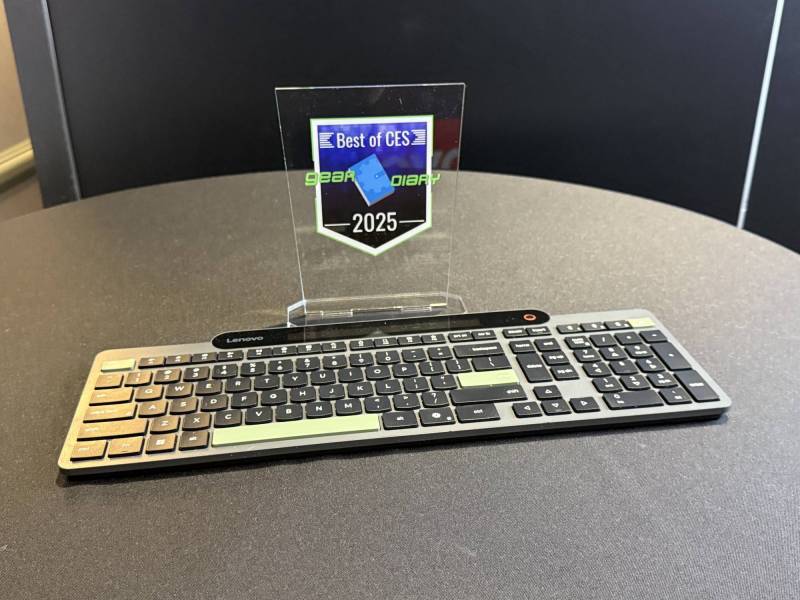
What really drew me to the keyboard at first was that it charges from ambient light. A panel across the top continuously recharges the power, so you never have to worry about fumbling for batteries or remembering if you’ve charged your keyboard recently; it’s like an old-school calculator, but with a full-sized keyboard.
The secret sauce is Lenovo’s use of energy-harvesting solar cells combined with SuperCap supercapacitors, which store the collected light energy rather than relying on a traditional battery. Lenovo claims that this self-charging Bluetooth keyboard can last for approximately a month on a full charge, even in low-light environments, and so far, that seems entirely plausible.
It’s such a small thing to be excited about, but if you’ve ever been mid-work and had your keyboard die, you know what a nuisance that can be. Is this a killer feature? It won’t change the world, but it definitely makes everyday computing more convenient. And in a world where everything from my watch to my glasses needs to be charged, not having to think about a keyboard is a welcome relief.
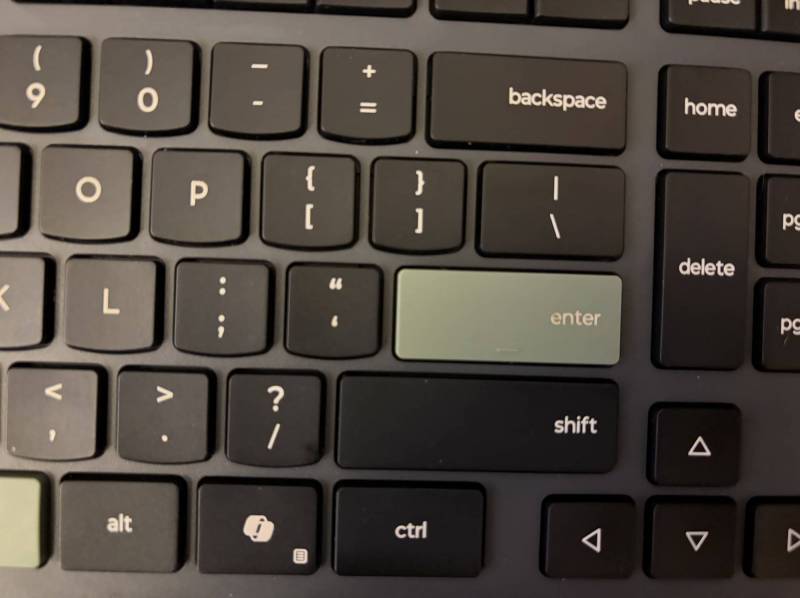
Of course, a self-charging gimmick wouldn’t matter if the keyboard itself weren’t good, but it is. The low-profile, plunger-style island keys have satisfying travel, fast bounce-back, and excellent spacing. Lenovo calls it a “2.5-zone” layout, which basically means you get a full-sized keyboard with a dedicated number pad and a slightly compacted navigation cluster. It’s very easy to type on, and I had no learning curve at all; it felt like an extension of my fingers right out of the box.
The self-charging Bluetooth keyboard connects via Bluetooth 5.1, and you can pair it with up to three devices at once. Switching between them using the Bluetooth hotkeys is seamless; I’ve used it with my Mac Mini and iPad without a single dropout. Lenovo also includes Microsoft Swift Pair support for Windows users, making setup nearly instantaneous.
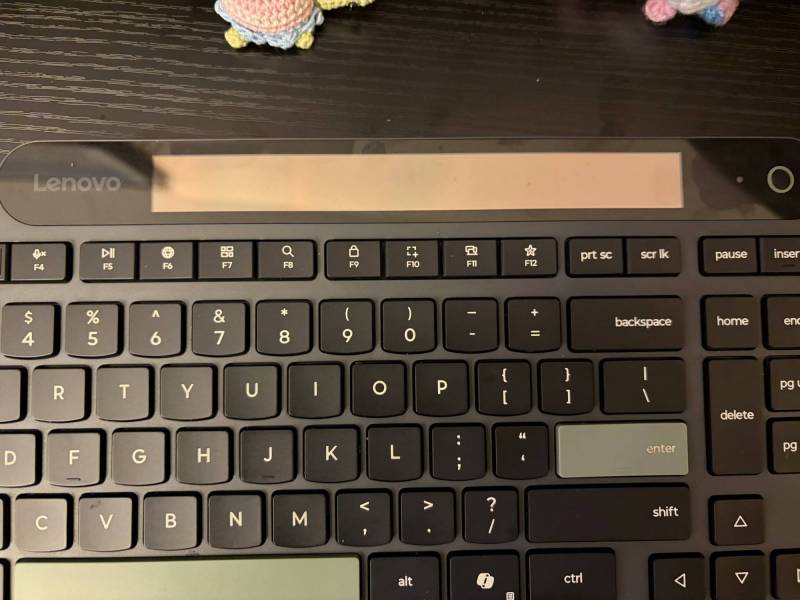
There’s a lot of thoughtful design here, too. The space bar, Enter key, Escape button, and Hotkeys button are highlighted in green while the rest of the keyboard is matte black. It’s both functional and stylish—those accents help you orient your hands instantly.
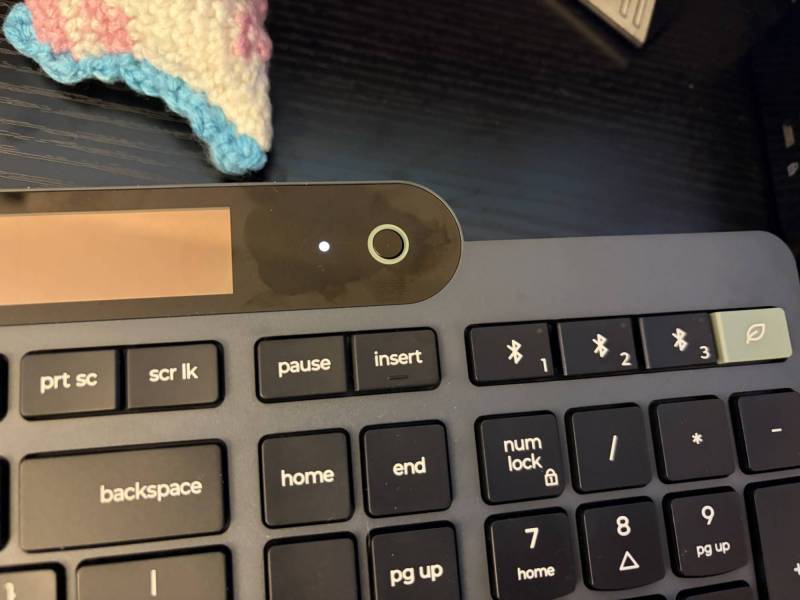
There’s also a small circular indicator button to the right of the light sensor; tap it, and a white light confirms your charge status, while a flash warns if power is low. If you’re working in a dark room, there’s a USB-C port for emergency charging. Hold that same button, and it even gives you a light-level reading—red for under 200 lux, green for over.
It’s worth noting that the keyboard is spill-resistant and includes an adjustable tilt leg for comfort. I didn’t test the spill resistance (my coffee survived unspilled, thankfully), but it’s a reassuring touch. Lenovo also notes the housing is made from 95% post-consumer recycled plastic, giving it some eco-credibility to match the energy-saving design.
At around $99.99, the Lenovo Self-Charging Bluetooth Keyboard feels like a no-brainer. It’s well-built, charges itself, connects to multiple devices, and doesn’t contribute to the endless pile of gadgets that need cables. Plus, it comes with a three-year warranty and a rated key lifespan of 10 million clicks, which means it should last you well beyond the next hardware refresh cycle.
So get your wallet out and save your USB-C cords for your headphones, watch, glasses, ring, baseball cap, or shoes—everything except your keyboard.
The Lenovo Self-Charging Bluetooth Keyboard retails for $99.99; it is available directly from the manufacturer.
What I Like: Self-charging via ambient light means no need for batteries or cables; Excellent typing experience with responsive, well-spaced island-style keys; Seamless multi-device Bluetooth connectivity for up to three devices; Smart, thoughtful design with color-accented keys for quick orientation; Backup USB-C charging option for dark environments; Lightweight and versatile enough for desk or lap use; Reasonably priced at $99.99 for its features and quality
What Needs Improvement: Ambient light charging performance may vary depending on room lighting; Programmable hotkeys only work through Lenovo’s Windows software; No backlit keys, which could be a drawback for nighttime use