
Most speakers are designed to disappear into the background. Even the expensive ones usually aim for some version of “handsome rectangle that sounds good.” The MorningBlues SonicGlass A1 Transparent Speaker takes a very different approach. It wants to be noticed. More specifically, it wants to turn music into something visual, interactive, and personal, not just something playing from a box on a shelf.
MorningBlues describes the SonicGlass A1 as a transparent lyric speaker, but that makes it sound simpler than it is. This is a speaker, a lyric display, an ambient screen, a customizable digital frame, and a visual music companion wrapped into one design-forward device. It combines a high-clarity glass display, dynamic lyrics, AI-generated music video-style visuals, customizable backgrounds, and Hi-Fi sound in a package meant for a desk, shelf, nightstand, media console, or anywhere else you want your music setup to look a little more intentional.
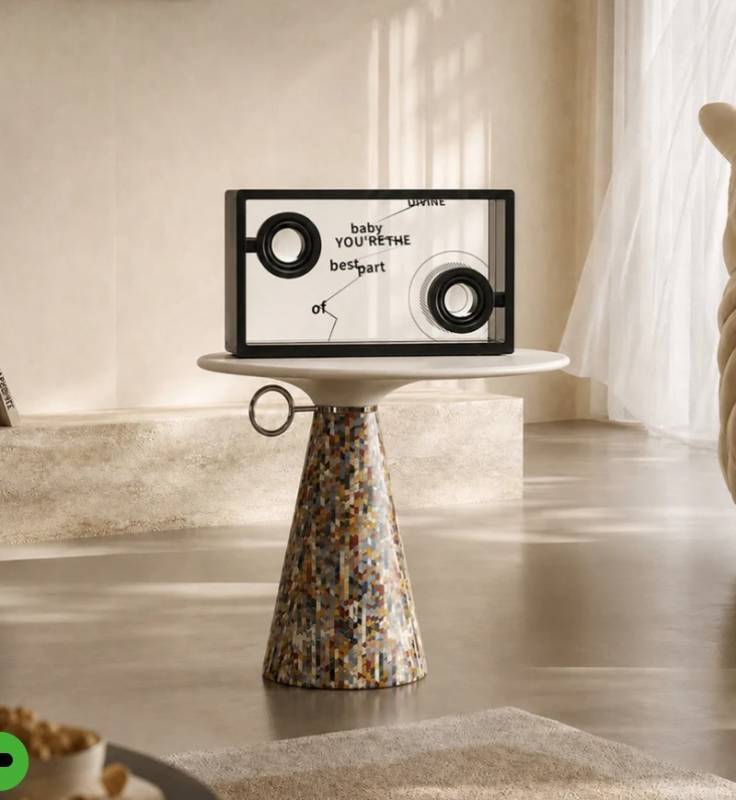
The idea is not subtle, and that’s part of its appeal. SonicGlass A1 isn’t trying to blend in. It’s trying to be the thing people ask about when they walk into the room.
Design and Build: Transparent Glass with a Real Presence
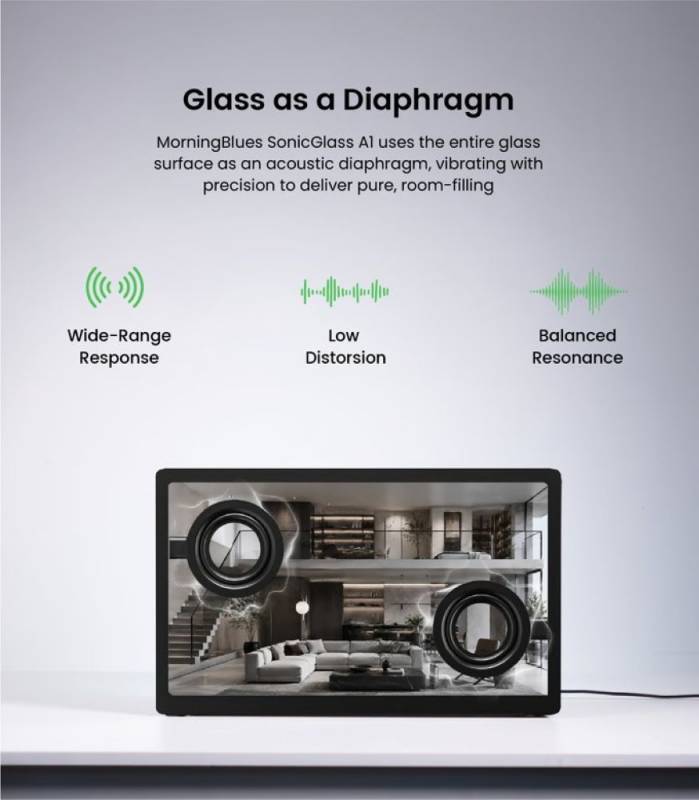
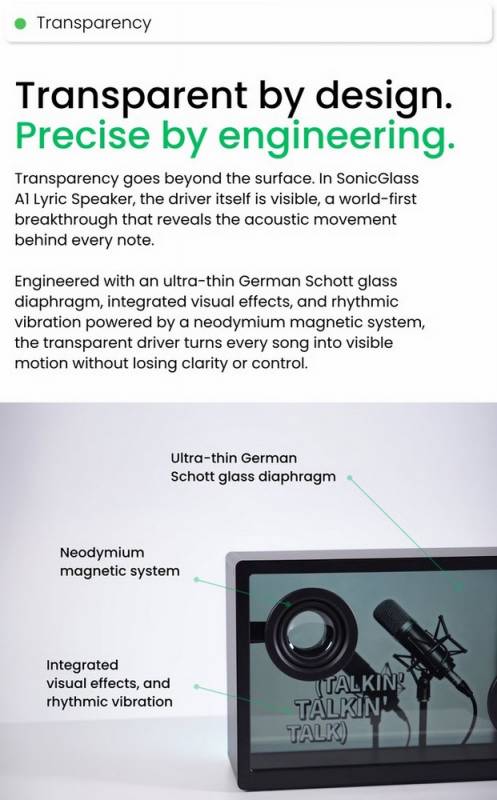
The most immediately distinctive part of the SonicGlass A1 is its transparent design. The speaker uses high-transparency tempered glass with more than 90% light transmission, along with an oxidation-resistant finish meant to help the display stay clear and polished-looking over time. MorningBlues also highlights its transparent visible driver, which lets you see the speaker’s movement as music plays.
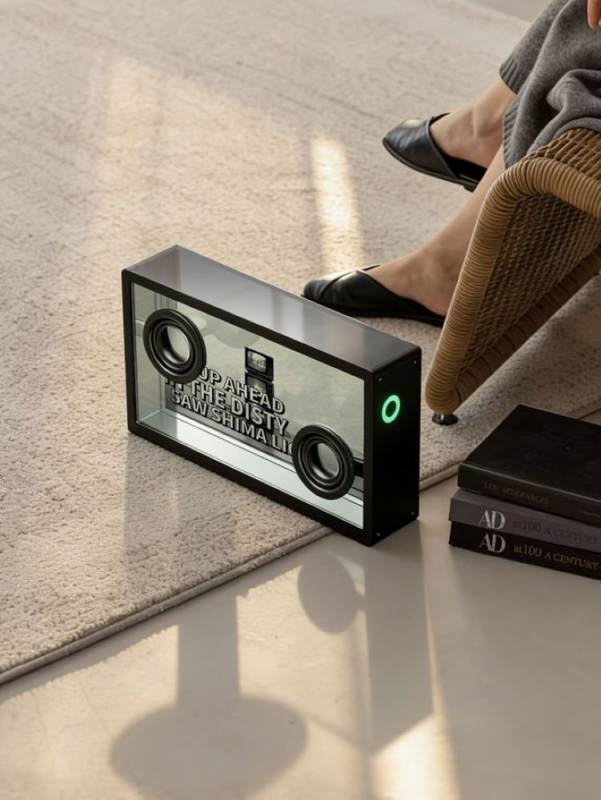
That “see sound in motion” pitch is undeniably theatrical, but with a product like this, theatrical isn’t automatically a bad thing. If you’re buying a transparent lyric speaker with AI visuals, you’re probably not looking for the shyest gadget in the room. The design is supposed to feel alive, and the transparent glass gives it more of an art-object feel than a traditional Bluetooth or Wi-Fi speaker.
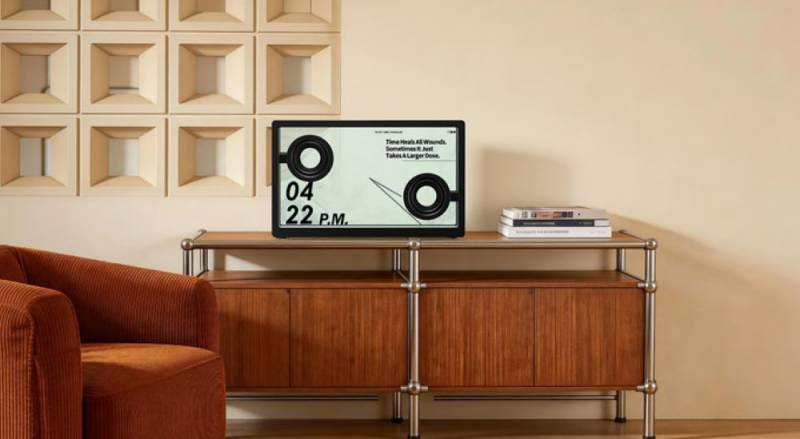
The glass frame is built with an aluminum alloy structure, giving it a sturdier, more substantial feel than the transparent design might suggest. The package weighs 20.39 pounds, and the box measures approximately 20.28″ by 5.51″ by 12.44″, so this isn’t a tiny portable speaker you casually toss in a bag. It’s better understood as a home audio piece that deserves a dedicated spot.
MoodLyric and Lyric Support: The Screen Becomes Part of the Song
The SonicGlass A1’s MoodLyric feature is one of the main reasons this speaker feels different from a regular connected speaker with a display bolted on. Instead of simply showing static lyrics, MoodLyric uses 14 dynamic visual effects to make the lyrics move with the track’s rhythm, pace, and energy.
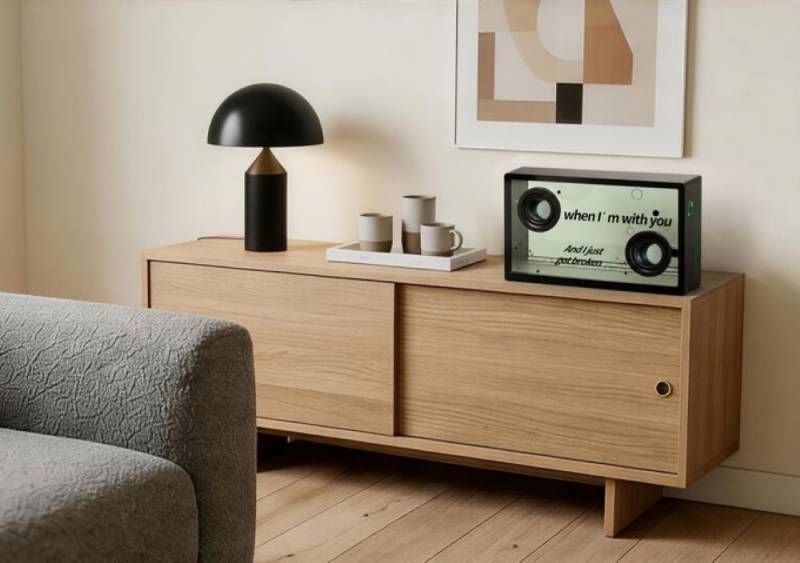
That may sound like a small detail, but it changes the nature of the listening experience. Lyrics become part of the atmosphere rather than just text on a screen. For people who love following lyrics, singing along, or using music as a mood-setter, the SonicGlass A1 will feel more immersive than a standard speaker.
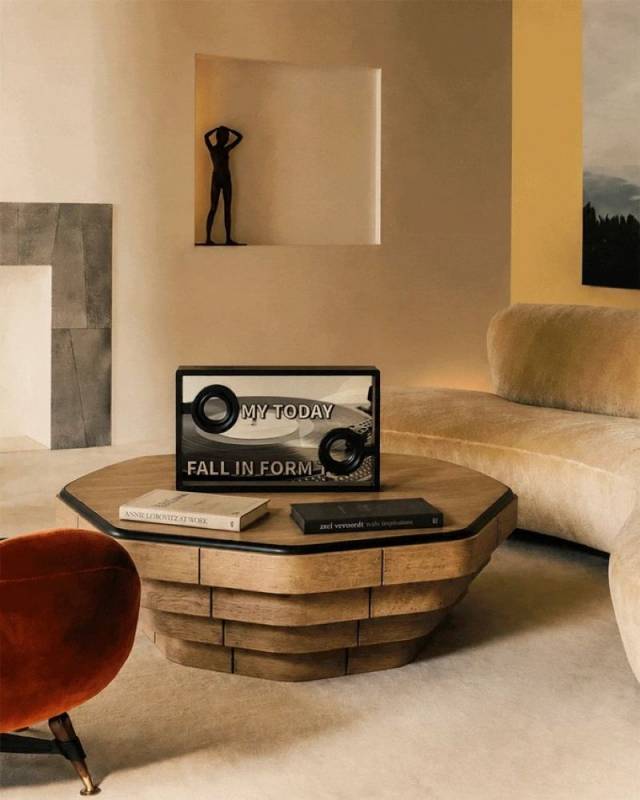
All lyrics shown through the SonicGlass A1 are officially licensed through LyricFind, which is worth noting. Lyric display can get messy when products rely on incomplete or unofficial sources, so proper licensing matters here.
Music App Setup: How the Lyrics Get from Your Playlist to the Glass
The SonicGlass A1 is compatible with major music apps, including Spotify, Apple Music, and Amazon Music. To display lyrics, you connect the speaker over Bluetooth, open and log in to the MorningBlues app, go to the Dynamic Lyrics Scene, and then play music from your chosen app. From there, the lyrics appear on the SonicGlass A1’s display in sync with the track.
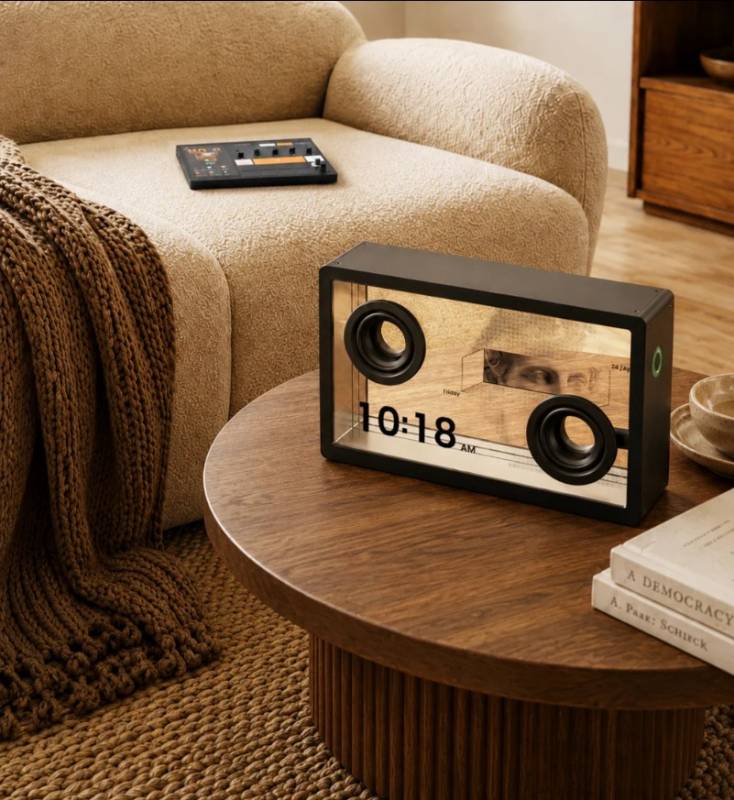
That setup is straightforward, but it also means the app experience matters. A product like this doesn’t just depend on whether the speaker looks good on a table. It depends on whether pairing is smooth, lyrics appear reliably, the app is easy to use, and the visual features feel like something you’ll want to keep using after the novelty wears off. Guess what? It just works.
AI Visuals and Personalization: The Feature That Needs to Land Well
The SonicGlass A1 also leans into AI-generated music visuals. Its SceneSync feature analyzes music in real time and pairs tracks with genre-matched, music-video-style scenes. SceneSync is designed to recognize music genres and create adaptive visuals based on a song’s rhythm, pace, and emotional feel.
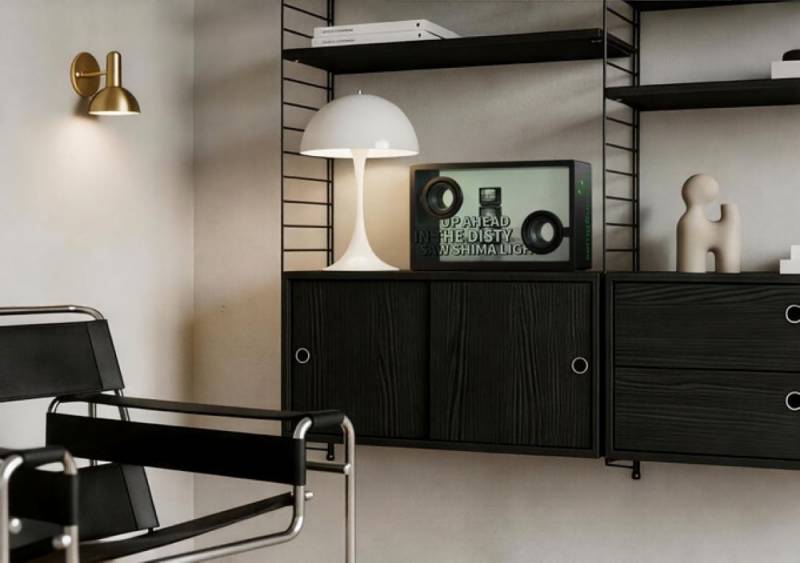
This is the kind of feature that can make the SonicGlass A1 feel more immersive than a regular speaker with a screen, because the visuals give each song its own little cinematic world instead of leaving lyrics floating on a plain display. SceneSync music video assets are also expected to be updated over time, so the visual side should continue to evolve rather than feel frozen by what you get at launch.
There is also an AI-personalized music video feature that lets you upload a photo through the MorningBlues app and turn it into a genre-matched visual scene. That makes the SonicGlass A1 more personal than a speaker that only shows preloaded visuals. It can function as a music video display, a digital album, or a custom visual centerpiece using your own photos.
Everyday Use: What the Display Does When Music Isn’t Playing
One of the smarter parts of the SonicGlass A1 concept is that the display doesn’t become useless when music isn’t playing. You can upload images to the Digital Album section of the app, allowing SonicGlass A1 to serve as a custom visual display. It can also be used as a dynamic clock, an ambient art screen, a digital gallery, or an ASMR-style sleep screen.
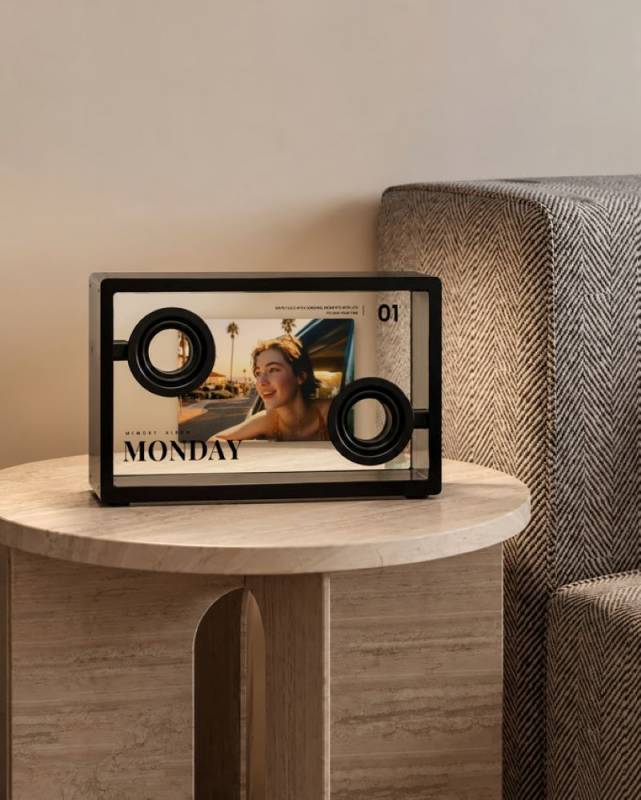
That matters because any speaker with a prominent display needs to justify its existence even when it’s not actively playing music. A blank screen or locked-down interface would make the SonicGlass A1 feel much less useful in daily life. The ability to customize the background makes it easier to imagine the speaker fitting into different rooms and moods, even though the device itself is still very much a conversation piece.
On a desk, it could show lyrics while you work and then become a clock or ambient display when you’re done listening. On a nightstand, it could be part speaker, part visual alarm clock, and part digital photo frame. In a living room, it’s the kind of thing a guest will either ask about immediately or quietly stare at until someone explains it. Both outcomes feel likely.
Karaoke and Social Listening: The Fun Part Isn’t Subtle
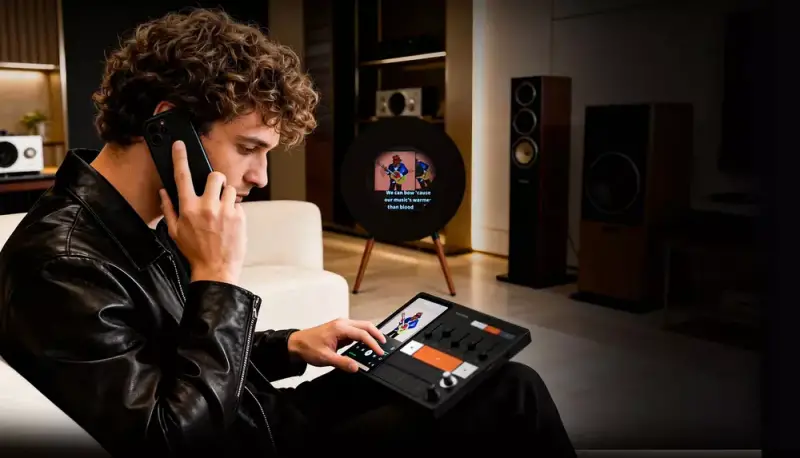
The SonicGlass A1 also has an obvious karaoke side. Pair it with a microphone, and the lyric display becomes part of a home karaoke setup. The dynamic lyrics and visual scenes could make singing along feel more immersive than reading lyrics off a phone, tablet, or TV.
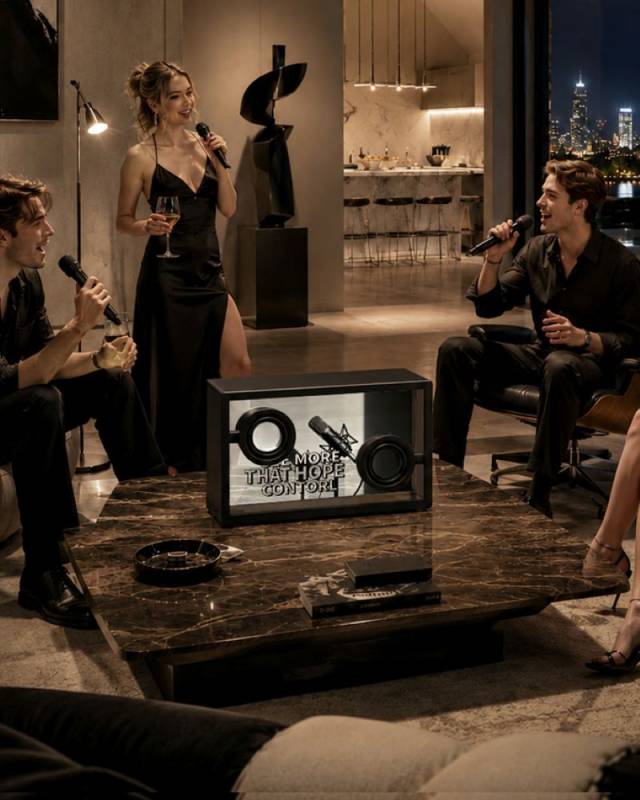
This is one of those features that will either be central to how some people use the SonicGlass A1 or barely touched by others. But it fits the product’s overall personality. The SonicGlass A1 isn’t just about quiet background music; it’s also designed for social moments, parties, family nights, and anyone who says they’re “just listening” right before dramatically taking over the chorus. We all know one.
Sound Hardware
The visuals may be the hook, but MorningBlues is also positioning the SonicGlass A1 as a serious speaker, not just a pretty screen that happens to play music. The SonicGlass A1 includes dual 80W Class-D amplifiers, full-range stereo drivers, and a sealed acoustic cabinet. It’s built to deliver louder, cleaner sound, with enough structure to avoid feeling like a screen-first gadget that happens to play music.
The speaker also offers three tuning modes, which should make it easier to adjust the sound for different rooms or listening preferences. That flexibility is important because a speaker like this may end up in a variety of spaces, from a desk to a bedroom to a living room shelf.
The listed Bluetooth reception range is over 33′, which should be enough for normal home use. The SonicGlass A1 also supports OTA software updates, allowing MorningBlues to add, refine, and update features over time. That’s especially important here because so much of the SonicGlass A1 experience depends on software, app stability, lyric syncing, visual content, and future feature support.
Music Hub 1: The Companion Controller for a Phone-Heavy Problem
MorningBlues is also pairing the SonicGlass A1 with the Music Hub 1, a separate physical music controller designed to reduce your dependence on a phone for everyday playback. The $399 Music Hub 1 is currently available as a standalone device on sale for $299 on the MorningBlues site.
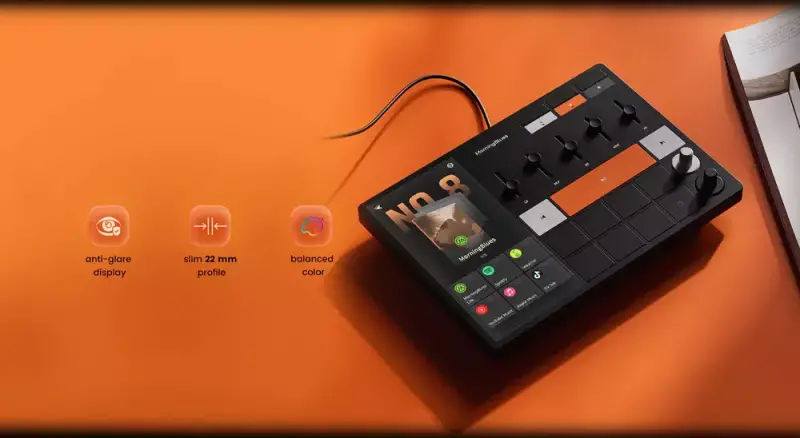
The Music Hub 1 has a touchscreen, tactile knobs, shortcut keys, playback controls, Bluetooth 5.3, Wi-Fi 6, and support for major music apps. It’s designed to let you control music without constantly switching between Spotify, volume settings, speaker menus, Bluetooth controls, and whatever else your phone is doing at the moment.
That’s the biggest practical argument for the Music Hub 1. Phones are convenient, but they’re also chaotic. Incoming calls can interrupt playback. Switching apps can disrupt the flow. Private voice messages can accidentally blast through a speaker. Bluetooth can get cranky when you move too far away. And if someone else wants to change the song, suddenly your phone becomes the household remote.
Music Hub 1 solves that by giving music its own dedicated control point. You can connect it to Wi-Fi, sign in to your favorite music apps directly on the screen, and let your phone go back to being a phone.
Speaker Compatibility: Where the Hub Makes the Most Sense
One of the strongest things about Music Hub 1 is that it’s designed to be brand-agnostic. It works with Bluetooth speakers, Wi-Fi-connected speakers, multi-room audio setups, and any speaker that supports 3.5mm line-in, Bluetooth, or network audio.
That flexibility is a real advantage for anyone who already owns speakers from different brands. A lot of audio ecosystems quietly encourage you to stay inside one company’s walled garden. Music Hub 1 is pitched as a way to control what you already have without rebuilding your entire setup around one brand. For homes with a mix of Bluetooth speakers, Wi-Fi speakers, and different audio zones, that could be genuinely useful.
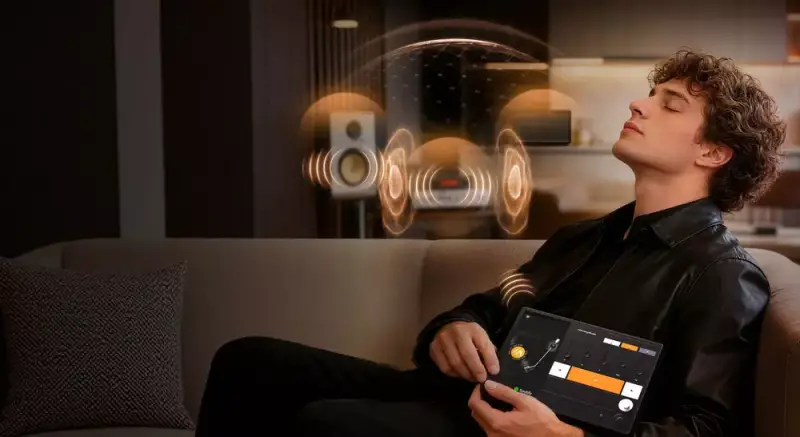
Music Hub 1 pairs with unlimited speakers, and three dedicated shortcut keys let you assign your most-used speakers for quick access. That means you could set up shortcuts for a kitchen speaker, bedroom speaker, and living room setup, then switch between them without digging through menus.
It also supports everyday scene-style control, so you can assign playlists, apps, or shortcuts for different routines. Morning music, dinner prep, focus mode, workouts, parties, and wind-down listening are all scenarios where one-tap shortcuts make more sense than repeatedly poking through app menus.
Tactile Controls: Why Physical Buttons Still Matter
The Music Hub 1 measures about 8.66″ by 6.14″ by 0.87″ and weighs about 0.98 pounds. It has an anti-glare display, a slim 22mm profile, tactile knobs, shortcut keys, playback controls, and child lock protection. The included Type-C cable is about 3.3′ long.
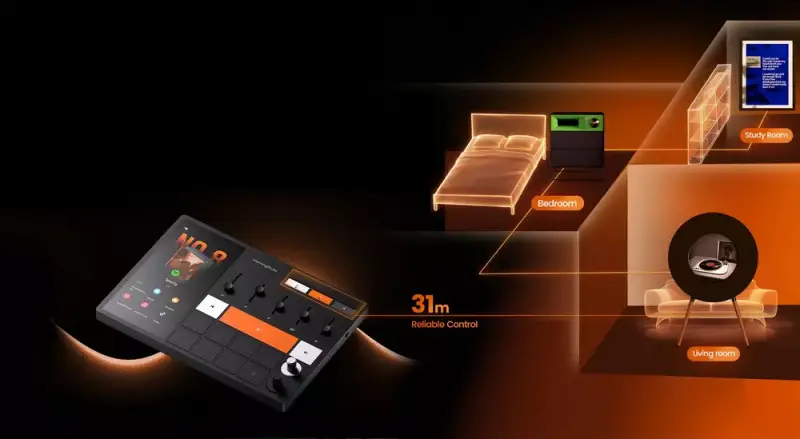
The tactile controls are more important than they may sound. Real knobs and dedicated buttons can be faster and more satisfying than using another app, especially when you simply want to adjust volume, pause playback, switch speakers, or move between scenes. The best smart home controls are often the ones that don’t require you to unlock your phone, open an app, wait for it to reconnect, and then remember where the setting is hidden. Shocking, I know.
There is also a dedicated vocal removal button, which MorningBlues positions as a way to make regular tracks more karaoke-friendly. It fits the larger entertainment-first direction MorningBlues is taking.
Battery Life and Trade-Offs: The Hub Is More Command Center Than Remote
The main caveat with Music Hub 1 is battery life. It provides up to 40 minutes of continuous playback when connected to speakers, and the company recommends using the included charger for longer listening sessions.
That doesn’t make Music Hub 1 less useful, but it does clarify what kind of product it is. This isn’t really a remote you carry around the house all evening. It’s better understood as a dedicated music command center for a desk, kitchen counter, media console, nightstand, or other fixed location.
If you want a plugged-in control station that keeps your music setup organized and less dependent on your phone, the concept makes sense. If you’re expecting tablet-like portability, the limited battery life may disappoint.
How the Pieces Work Together: Visual Audio with a Practical Control Layer
The SonicGlass A1 can stand on its own as a visual speaker, but the larger MorningBlues concept becomes clearer when it’s paired with the Music Hub 1. The SonicGlass A1 brings the visual drama. Music Hub 1 brings practical control. Together, they make home audio feel more intentional and less dependent on whichever phone happened to start the playlist.
That pairing may be especially appealing for someone who wants the SonicGlass A1 to be part of a daily listening setup rather than a novelty device. The speaker gives music a visual presence, while the hub gives the system a more stable control point. The combination could make a desk, bedroom, kitchen, or living room feel more like a dedicated listening space.
Where It Fits: A Speaker, Smart Display, Digital Frame, and Karaoke Screen Walk into a Room
The SonicGlass A1 sits in an unusual category. It’s not just a Bluetooth speaker, not just a smart display, not just a digital frame, and not just a karaoke screen. It borrows from all those categories, then wraps them in a transparent design that makes the visual side central to the product rather than an afterthought.
That means it won’t make sense for everyone. If you want a speaker to vanish into the room, the SonicGlass A1 is not that product. If you already have a great speaker setup and don’t care about lyrics, visual scenes, or custom displays, this may feel like too much personality for the job. But if you want music to feel more visible, more interactive, and more social, the concept has a clear point of view.
MorningBlues has already received design recognition, including an IAI Design Award for Industrial Product Design and recognition from the A’ Design Award & Competition. That tracks with the overall impression here. The SonicGlass A1 and Music Hub 1 aren’t trying to be invisible utility gadgets. They’re meant to look intentional, interactive, and a little futuristic.
The Bottom Line: A Visually Ambitious Speaker
The MorningBlues SonicGlass A1 Transparent Speaker is more than just another anonymous speaker in a crowded market; it wants to make music visual, personal, and more social. The transparent design is attention-grabbing, the dynamic lyrics are genuinely interesting, and the customizable visuals give it more personality than a typical connected speaker.
The Music Hub 1 adds a more practical layer by giving the setup a dedicated control center. Its biggest strengths are phone-free playback, tactile controls, broad speaker compatibility, and its ability to work across different brands and music services. Its biggest limitation is its 40-minute battery life, which makes it better suited to life as a plugged-in command center than as a portable remote.
Together, the SonicGlass A1 and Music Hub 1 make MorningBlues’ larger pitch feel clear: home audio should be less fragmented, less phone-dependent, and more enjoyable to interact with. The concept is fresh, the design is memorable, and the whole setup is anything but boring.
Kickstarter Details
Early-bird VIP pricing for the MorningBlues SonicGlass A1 Transparent Speaker starts at $646 on Kickstarter, 35% off the projected retail price of $999.
That helps make the SonicGlass A1 easier to consider if you’re intrigued by the idea of a transparent speaker with dynamic lyrics, AI visuals, custom display options, and home karaoke potential, but you’re also watching the price with both eyes open.
You can also add accessories to save more. The Music Hub 1 speaker controller is available as an add-on to the SonicGlass A1 for $845, offering a dedicated, all-brand wireless speaker companion that takes music control off your phone. There is also a package that includes the SonicGlass A1, Music Hub 1 speaker controller, and karaoke microphone for $876, which pairs with the SonicGlass A1 speaker for a more immersive lyric-visual karaoke experience at home.
That accessory approach makes sense for this product because the SonicGlass A1 is not just selling itself as a speaker; it is trying to be part of a more visual, more social home audio setup. The speaker can stand on its own, but the Music Hub 1 and karaoke microphone help push it further into “music experience” territory. Whether that added gear is worth it will depend on how you plan to use SonicGlass. If you mainly want a visually interesting desk or shelf speaker, the base speaker may be enough. If you want the broader phone-free control and karaoke setup, the add-ons become more compelling.
Update August 20, 2026: The MorningBlues SonicGlass A1 Transparent Speaker is now available at a 20% discount of $799.99.


Definitely cool-looking and at least an attempt at something different but with the ability to get good sound from $30 speakers it is definitely a niche market.
I love the creativity here – it definitely stands out from the crowd, but it’s a bit more expensive than I’d personally spend on a speaker
I wouldn’t have thought of making a device stand out by making it transparent. It’s a very interesting idea, but verything is kind of pricey, and the 40 minute battery life for the Music Hub seems pretty limiting.