
The Lowdown
The DuRoBo Moodi Bluetooth page turner is one of those accessories that feels very niche until you imagine the exact situation it solves. If you use a DuRoBo Krono and want a small remote for page turns, browsing, and basic media control, it does its job well. It also pulls double duty nicely with Android phones and tablets.
Overall
Pros
- Handy for hands-free reading
- Works with DuRoBo Krono’s built-in reader and Google Play Books
- All three modes work well on Android devices
- USB-C charging
- Small and easy to carry
Cons
- No clear way to tell which mode is active
- Does not work with Kobo readers
- iPhone support is limited and inconsistent
- Decorative button caps may not appeal to everyone
There is something undeniably appealing about a tiny remote that lets you turn pages without touching your e-reader. That is exactly the pitch behind the DuRoBo Moodi Bluetooth page turner. It is designed as a companion for the DuRoBo Krono eBook reader, but it also raises a bigger question: can this little gadget do more than just flip pages on a single device?
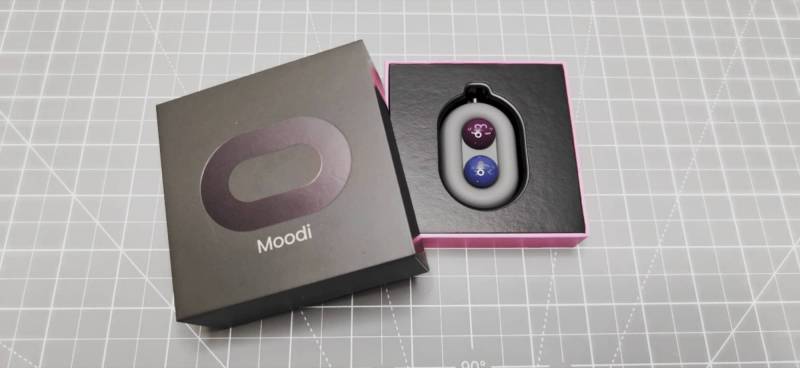
After spending time with the DuRoBo Moodi Bluetooth page turner, the answer is a mixed one. On the right hardware, it is genuinely handy. On the wrong hardware, it ranges from limited to basically useless. If you are considering one for cozy hands-free reading, music control, or light browsing, here is what it actually does well and where it falls short.
What Is It?
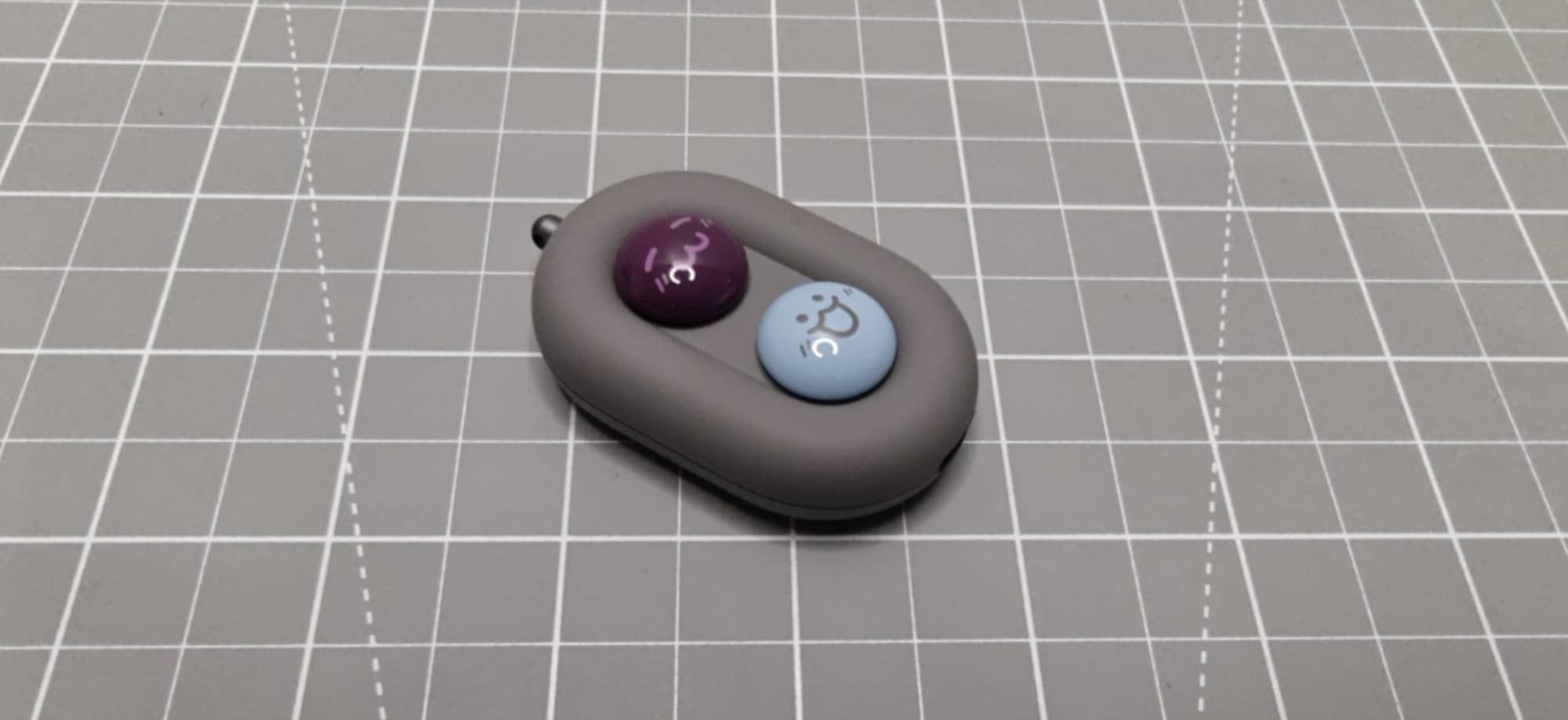
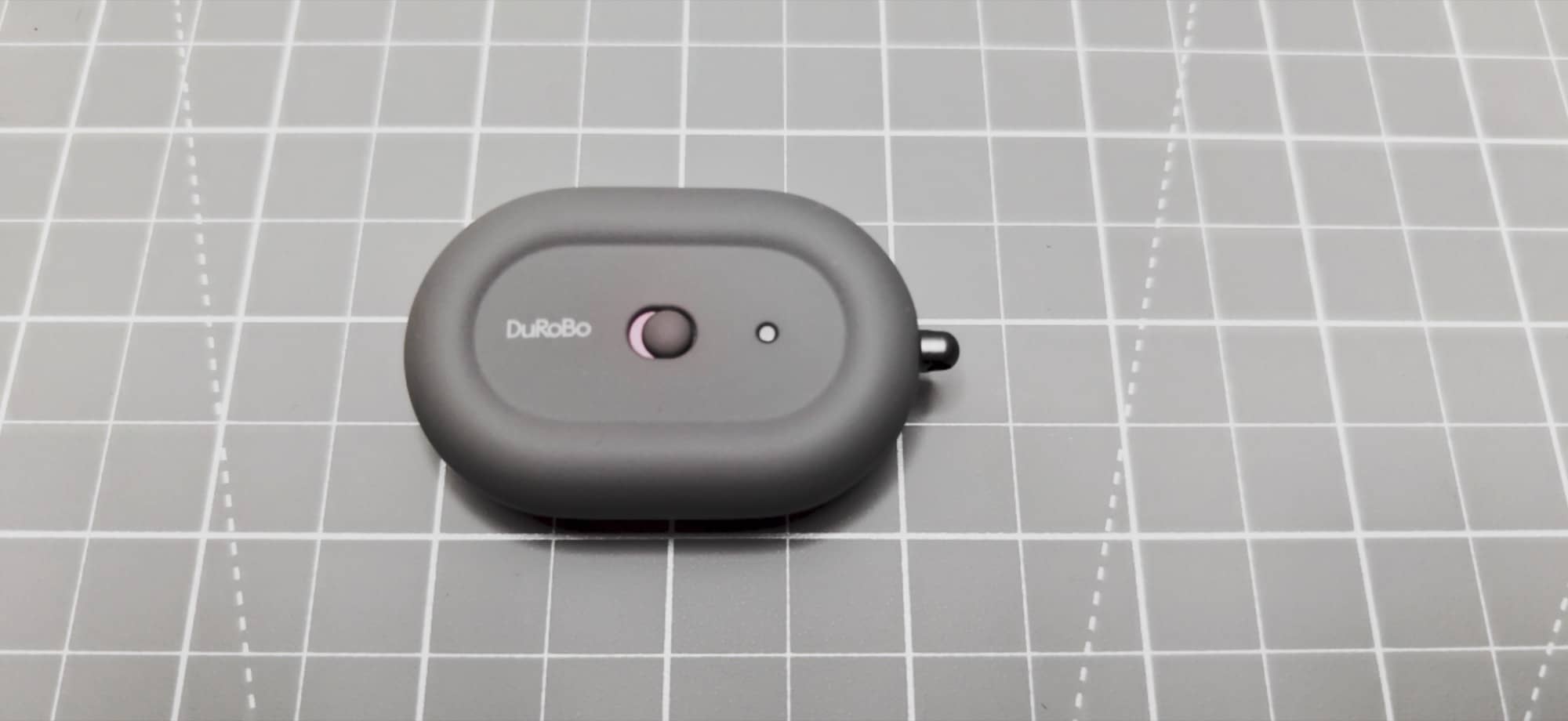
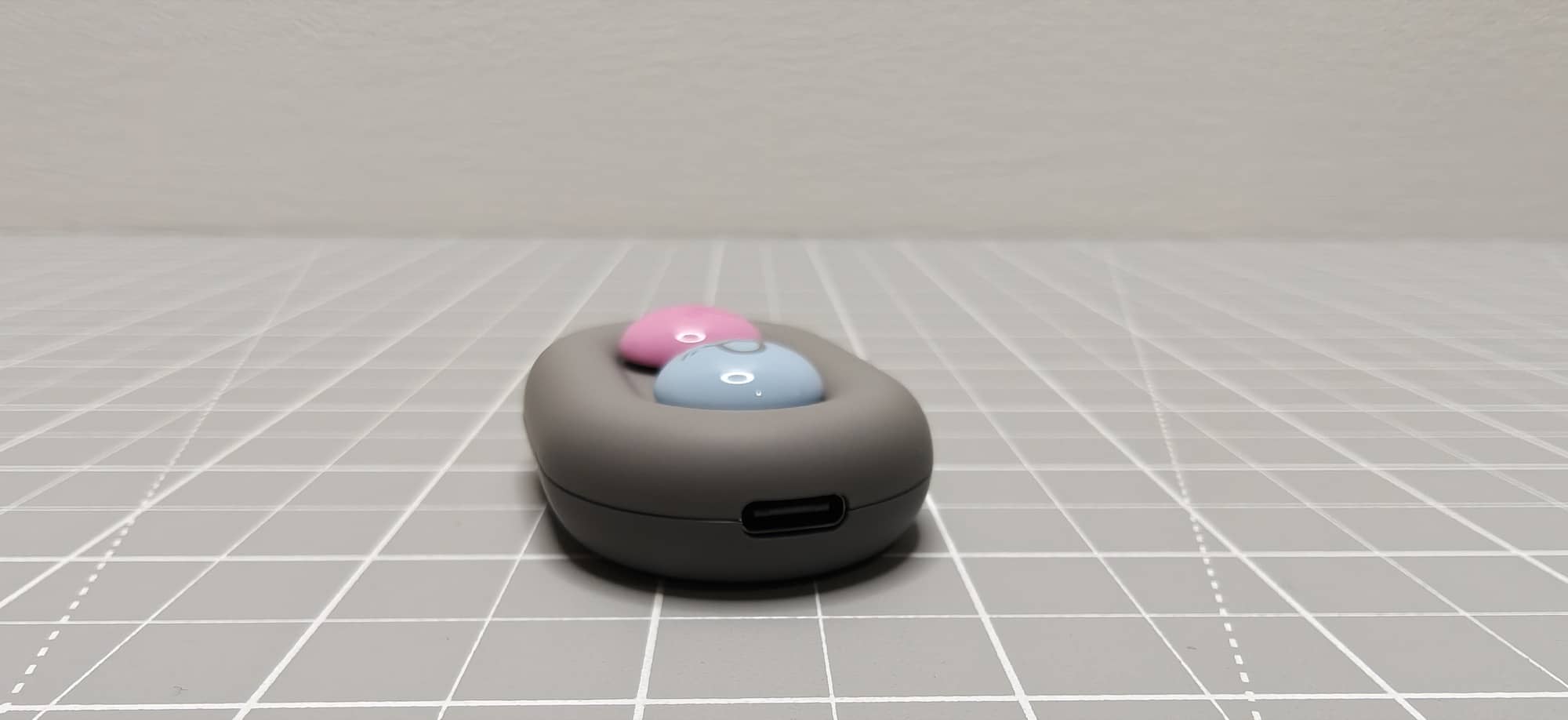
The DuRoBo Moodi Bluetooth page turner is a compact two-button remote with USB-C charging, a rear power switch, and a small loop for attaching a lanyard. It is primarily sold as an accessory for the DuRoBo Krono, an Android-based E Ink reader that can run apps from the Play Store as well as Durobo’s own reading software.
Instead of tapping the screen or using the hardware volume buttons to turn the pages of a book, the DuRoBo Moodi Bluetooth page turner lets you do it remotely. That alone makes sense for anyone who likes to prop a reader up on a stand, keep their hands under a blanket, or reduce strain from holding a device during long reading sessions.
What’s Included?
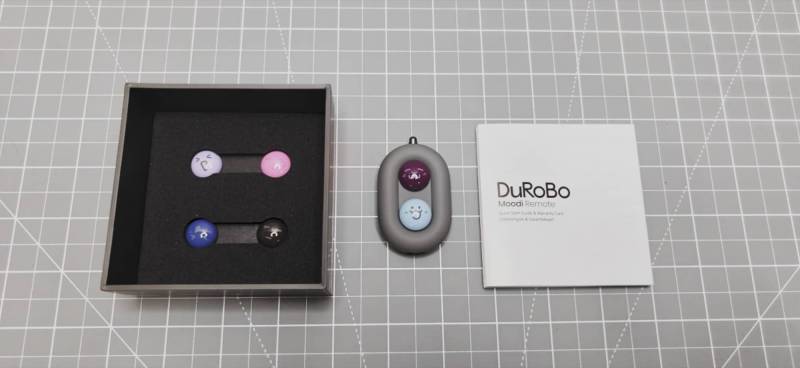
- DuRoBo Moodi remote
- Extra magnetic emoji button caps
- Quick start guide
- Warranty information
The extra button caps are one of the more unusual parts of the package. The two front buttons use magnetic decorative caps with cute emoji face designs, and DuRoBo includes an additional four caps if you want to swap the look. To me, this makes this device more suited for teen girls than adults…
Design and Features
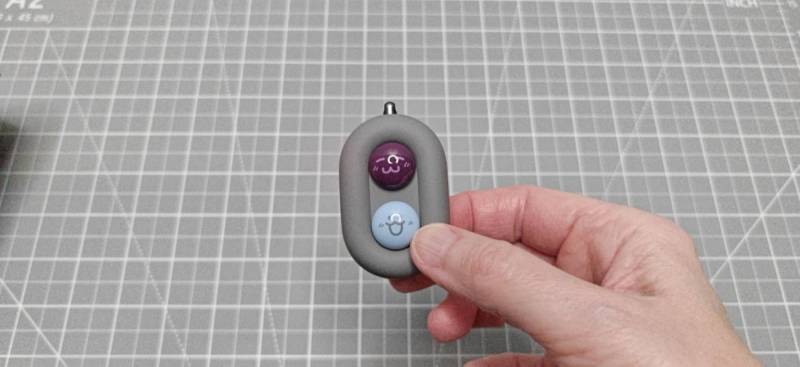
The DuRoBo Moodi Bluetooth page turner is very small, light, and pocketable. It charges over USB-C, which is always appreciated, and the power switch on the back is easy enough to access. There is also a small indicator light that helps during pairing and mode changes.
On the front are two large buttons. Their most distinctive visual trait is also the one that may divide people. DuRoBo went with playful, cartoon-like magnetic caps instead of plain controls. If you think that is adorable, great. If you would prefer a more straightforward grown-up gadget aesthetic, you can at least remove or swap the caps.
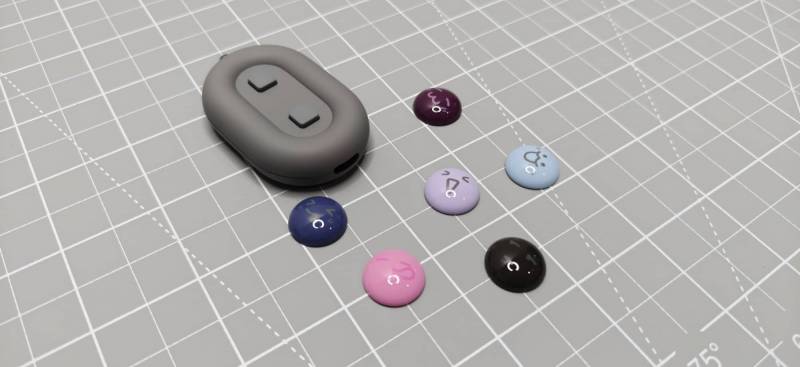
The magnetic button system works well. The caps pop off easily and snap back into place without fuss. That said, the decorative aspect feels more cosmetic than useful. The real value here is function, not fashion.
How the DuRoBo Moodi Bluetooth Page Turner Pairs with the Krono
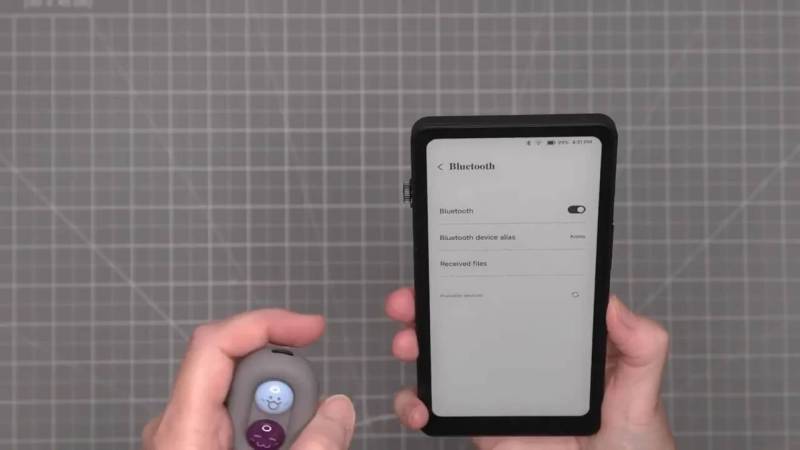
Pairing the DuRoBo Moodi Bluetooth page turner with the Krono is simple.
- Open Bluetooth settings on the Krono.
- Turn Bluetooth on.
- Power on the remote using the rear switch.
- Hold the two front buttons until the remote enters pairing mode.
- Select the Moodi from the available Bluetooth devices list.
Once connected, the Krono recognizes it as an input device. There is also a settings page where the device can be renamed. Oddly, there is an option related to contact and call history access that makes little sense for a reading remote and is easy to ignore.
How it Works for Reading on the Krono
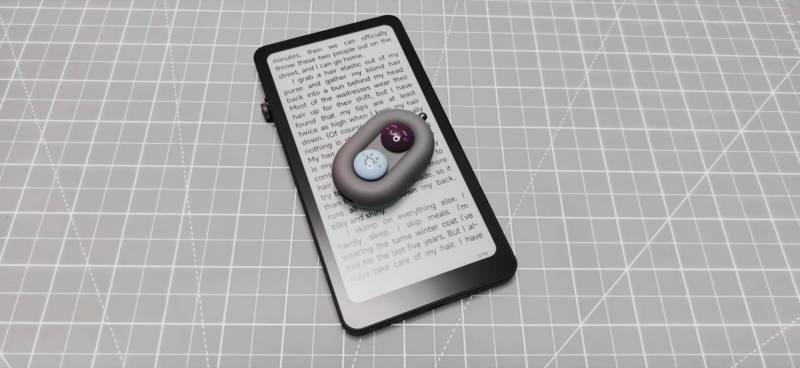
This is where the DuRoBo Moodi Bluetooth page turner makes the strongest case for itself. Once paired, it can move forward and backward through books on the Krono without touching the screen.
It works in DuRoBo’s built-in reader and in Google Play Books on the Krono. That is important because the Krono is not limited to one reading app. If you are using Play Books or the native reading app, the remote can handle page changes in either environment.
The practical benefit is obvious. If you are reading on the couch under a blanket, if your hands get tired, or if you deal with thumb or joint discomfort, being able to set the reader down and click through pages is genuinely nice.
The Three Modes You Need to Know
The DuRoBo Moodi Bluetooth page turner does not just do one thing. It has three operating modes, and understanding them is the key to making sense of its behavior.
- Reading mode: maps the buttons to volume up and volume down, which many reading apps use for page turning
- Multimedia mode: uses the buttons for previous and next track controls
- Browsing mode: lets the buttons scroll up and down in supported apps
Switching between modes requires holding both front buttons for about five seconds until the indicator flashes. That method works, but it exposes the biggest usability issue with this little remote: there is no clear way to know what mode you are currently in unless you test it.
If you pick it up after not using it for a while, you may have to cycle through modes and guess. That is not a dealbreaker, but it is definitely clunky.
Multimedia and Browsing on the Krono
Once switched into multimedia mode, the DuRoBo Moodi Bluetooth page turner can navigate between tracks in music apps. Browsing mode also works on the Krono, allowing up and down scrolling in a browser.
That adds some flexibility beyond reading. The remote is not just a page turner. On the Krono, it can also act like a minimalist media and navigation controller. It is still a niche accessory, but at least it is not locked to a single command.
Does the DuRoBo Moodi Bluetooth Page Turner Work with Kobo?
This is an easy one: no, not in any useful way.
The remote can be seen and paired with a Kobo Libra Colour, but that is where the success ends. Reading mode does not turn pages. Cycling through the other modes does not change that. Browsing and alternate control attempts do not rescue it either.
So while the Kobo can technically recognize the accessory over Bluetooth, the DuRoBo Moodi Bluetooth page turner does not function as a practical page-turning remote for Kobo readers.
How It Behaves on an iPhone
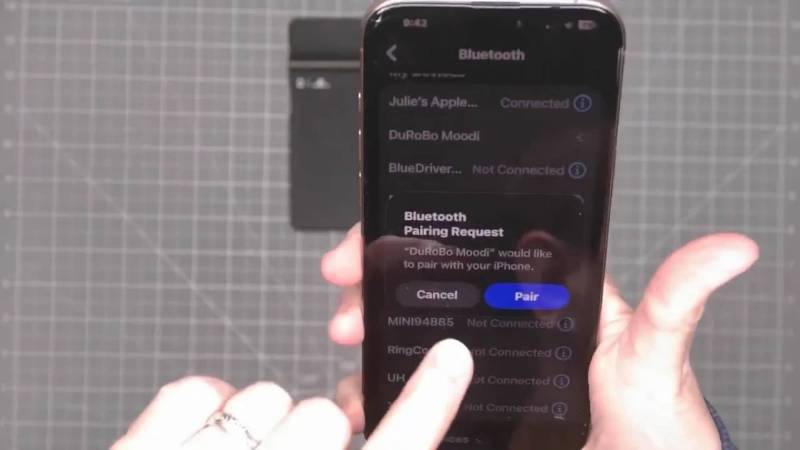
The iPhone results are more interesting, but still not enough to recommend buying the DuRoBo Moodi Bluetooth page turner for iOS use.
After pairing with an iPhone, the remote does connect successfully. But support is inconsistent across modes and apps.
- Reading mode changes volume rather than turning pages in Google Play Books
- Multimedia mode works in Apple Music for both the previous and next tracks
- In Spotify, multimedia mode only advanced to the next track and did not consistently go back
- Browsing mode did not scroll webpages
That means the DuRoBo Moodi Bluetooth page turner is only partially useful on iPhone. It can act as a basic media remote in some scenarios, but it does not deliver the main page-turning benefit that most people would likely be buying it for.
How it Performs on Android Phones
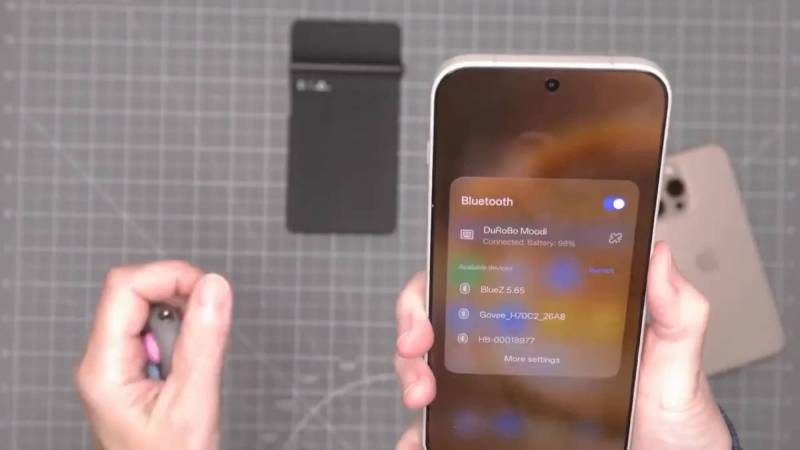
Android is where things get much better. Since the Krono itself is Android-based, this is not a huge surprise, but it is still good news if you want to use the remote with a phone or tablet.
On an Android phone, all three modes worked:
- Reading mode flipped pages in Google Play Books
- Multimedia mode moved backward and forward through tracks
- Browsing mode scrolled webpages in Chrome
Android also showed the remote’s remaining battery level in Bluetooth settings, which is a nice extra touch. The DuRoBo Moodi Bluetooth page turner is expected to last for weeks per charge, making it a low-maintenance accessory.
If you are buying this for an Android tablet or phone in addition to a Krono, that broad compatibility helps justify it much more than if you only use iOS or Kobo hardware.
Who Will Actually Find it Useful?
The DuRoBo Moodi Bluetooth page turner makes the most sense for a specific kind of person.
- Someone who owns a DuRoBo Krono eReader
- Someone who reads in bed or under blankets and wants hands-free page turning
- Someone who props up an e-reader or phone instead of holding it
- Someone with hand, thumb, or joint discomfort who wants fewer screen taps
- Someone who also uses Android devices and can benefit from the extra compatibility
If that sounds like you, the DuRoBo Moodi Bluetooth page turner is not just a novelty. It solves a real comfort problem.
What Needs Improvement
The biggest flaw is mode awareness. Since there is no obvious persistent indicator for reading, multimedia, or browsing mode, the remote can feel a little mysterious whenever you pick it up. You end up cycling through states and testing buttons to figure out where you are.
The second issue is platform inconsistency. The DuRoBo Moodi Bluetooth page turner works well with the Krono eReader and Android devices, but support quickly falls off outside that ecosystem. Kobo support is effectively nonexistent, and iPhone support is too limited to be the reason to buy one. I wasn’t able to test with a Kindle device.
The third complaint is purely a matter of personal taste, but it is worth mentioning. The cute magnetic faces are fine, but they do not add much beyond decoration. Some people will love them. Others would probably prefer simple, standard buttons.
See It In Action
Final Thoughts
The DuRoBo Moodi Bluetooth page turner is one of those accessories that feels very niche until you imagine the exact situation it solves. If you use a DuRoBo Krono and want a small remote for page turns, browsing, and basic media control, it does its job well. It also pulls double duty nicely with Android phones and tablets.
But this is not a universal Bluetooth reading remote. The DuRoBo Moodi Bluetooth page turner is a poor fit for Kobo owners, and it is only partially useful on an iPhone. That matters because a gadget this simple really needs broad reliability to feel like an easy recommendation.
If you have a DuRoBo Krono eReader or live in the Android ecosystem, it is a fun and handy little add-on. If you are shopping for a more platform-agnostic page turner, keep looking.
The DuRoBo Moodi retails for $30.99; it is available directly from the manufacturer.
Source: Manufacturer-supplied review sample.
What I Like: Handy for hands-free reading; Works with DuRoBo Krono’s built-in reader and Google Play Books; All three modes work well on Android devices; USB-C charging; Small and easy to carry
What Needs Improvement: No clear way to tell which mode is active; Does not work with Kobo readers; iPhone support is limited and inconsistent; Decorative button caps may not appeal to everyone




I’m surprised there isn’t at least an LED color system to show which mode is active.
Can’t say that I would have a use for it!