
The Lowdown
The Ruko R1 Mini Robot Dog is a toy for children ages 3+ who enjoy gadgets, animals, and RC toys. It can walk, dance, flip, tell a story, shake hands, and do other dog-inspired tricks. Best of all, it does not require an app, Wi-Fi, or a complicated setup. The included handheld remote is easy to use, while the wearable gesture controller is more of a novelty. It is not an educational coding robot, but it is a cute and entertaining gift for young kids who want a robot dog without the expense or responsibility of a real pet.
Overall
Pros
- No app or Wi-Fi required
- USB-C rechargeable robot
- Handheld remote is easy to use
- Lots of built-in tricks and movements
- Cute robot-dog design
Cons
- The remote requires two AA batteries that are not included
- Gesture control is awkward
- No programming or custom actions
- The narrated story feature is odd
I love robots, and I love dogs. Put the two together, and you get advanced models from companies like Boston Dynamics or toy-sized versions for kids, like the Ruko R1 Mini Robot Dog, which I’m going to show you today. It is designed to be a fun distraction rather than a serious robotics project, and its main goal is to make children laugh with movements, sound effects, flips, dances, and a handful of doggy behaviors. Let’s take it for a walk and see if it earns a spot in the toy box.
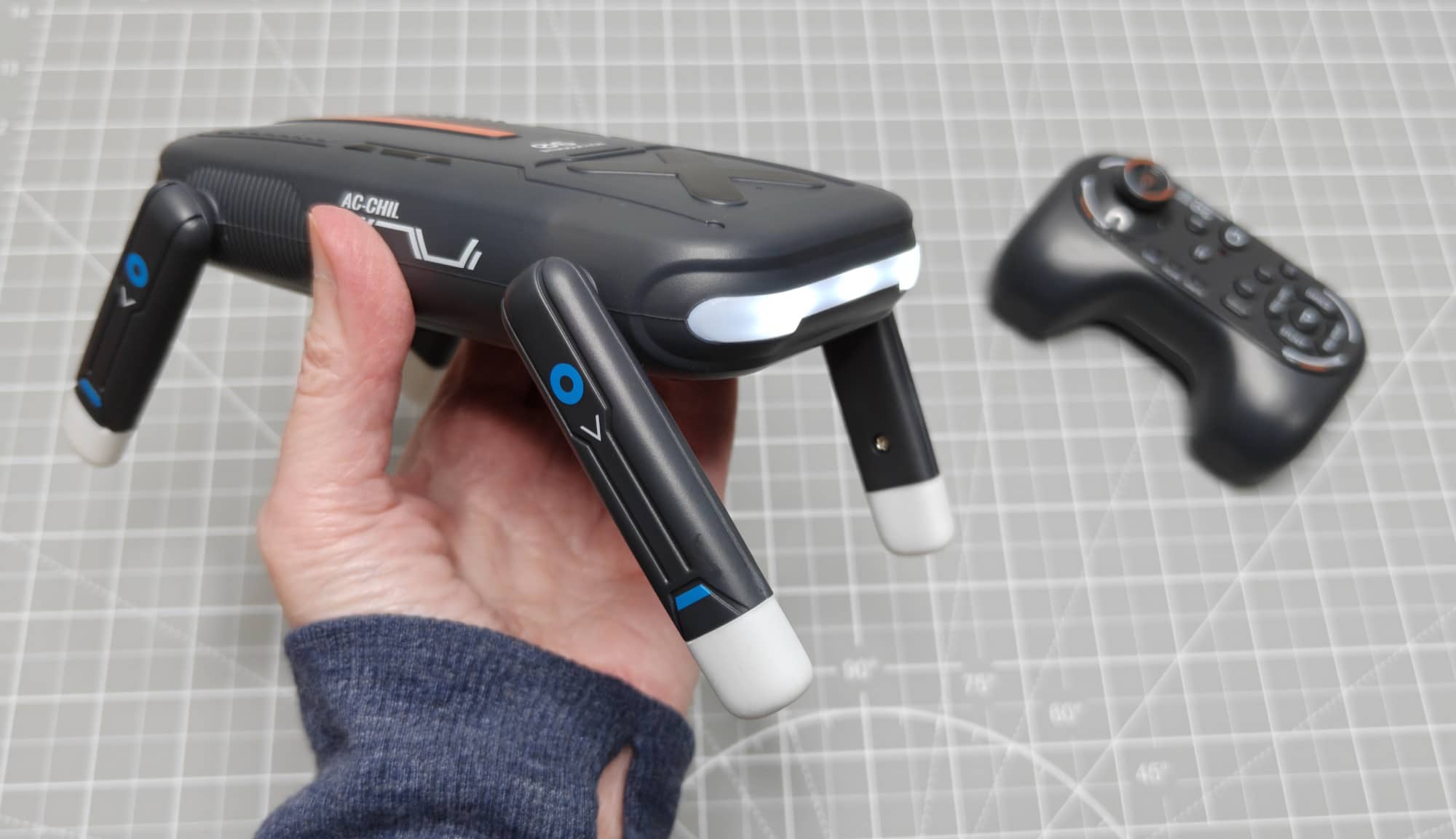
The Ruko R1 Mini Robot Dog is for ages three and up, and it is refreshingly simple in a world where so many toys use AI, require an app download, an internet connection, or an adult-managed account. Charge the robot, install batteries in the remote, turn it on, and start making it walk around. That simplicity is a real strength, even if a few features could be improved.
What Is It?
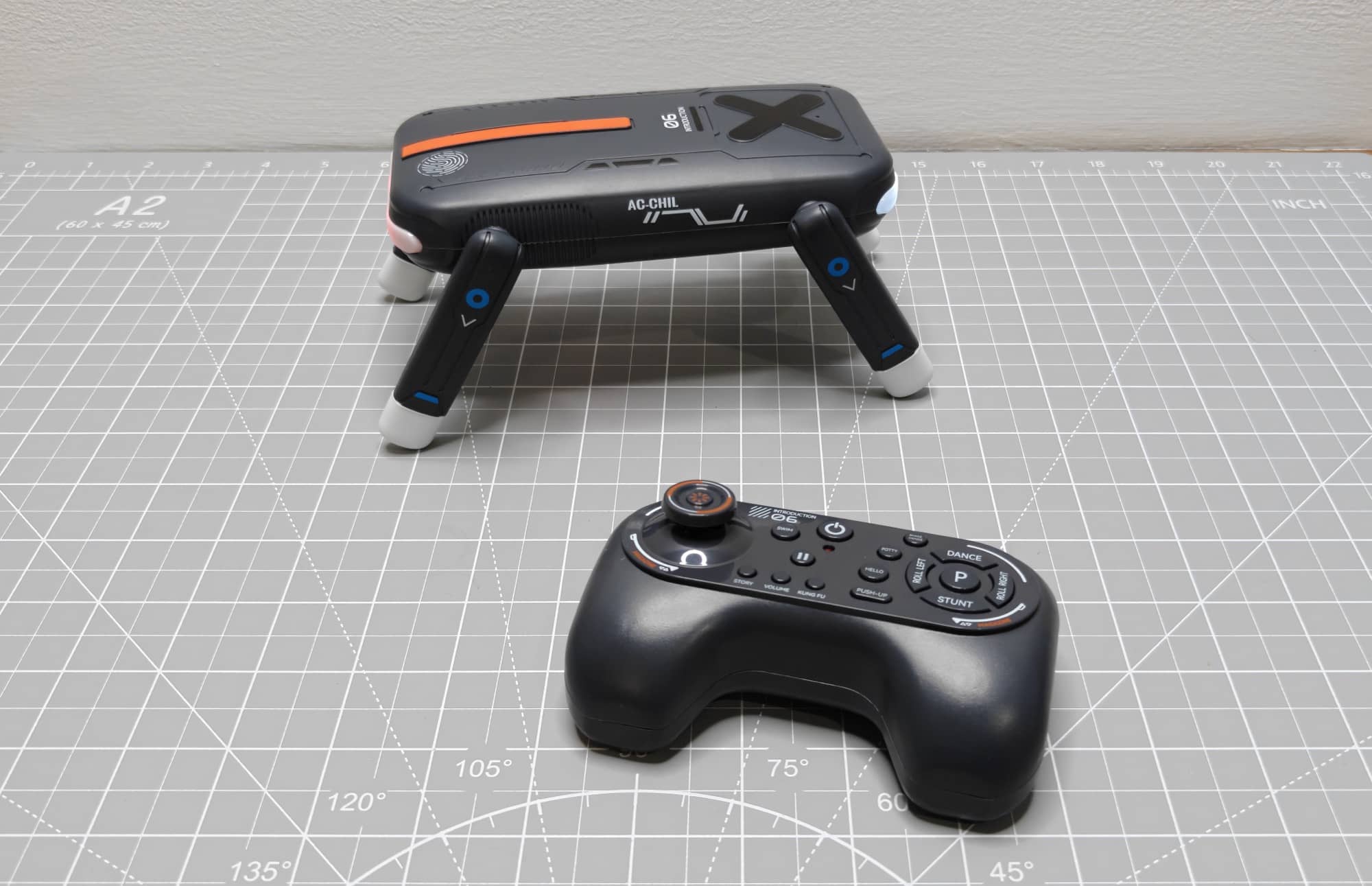
The Ruko R1 Mini Robot Dog is a rechargeable, remote-controlled robot toy that walks on four small legs. It has a dog-like form, but its personality is more cartoon robot than realistic pet. Instead of responding to voice commands or learning routines, it relies on buttons that trigger preprogrammed actions.
Those actions include dancing, greeting, shaking hands, doing a push-up, rolling left or right, lifting a leg to “go potty,” flipping, and moving around under manual control. It can also play a narrated version of The Little Engine That Could, one of the clearest signs that this is intended as a young child’s toy rather than a hobby-grade robot. The story feature is also a little weird, in my humble opinion.
There is no companion app, no coding interface, and no stated way to program your own sequences. If that is what you are looking for, this isn’t the right robot toy/dog for you. But if a child simply wants to press a button and see a little mechanical dog dance or do a goofy stunt, it delivers that sort of immediate fun.
What’s Included?
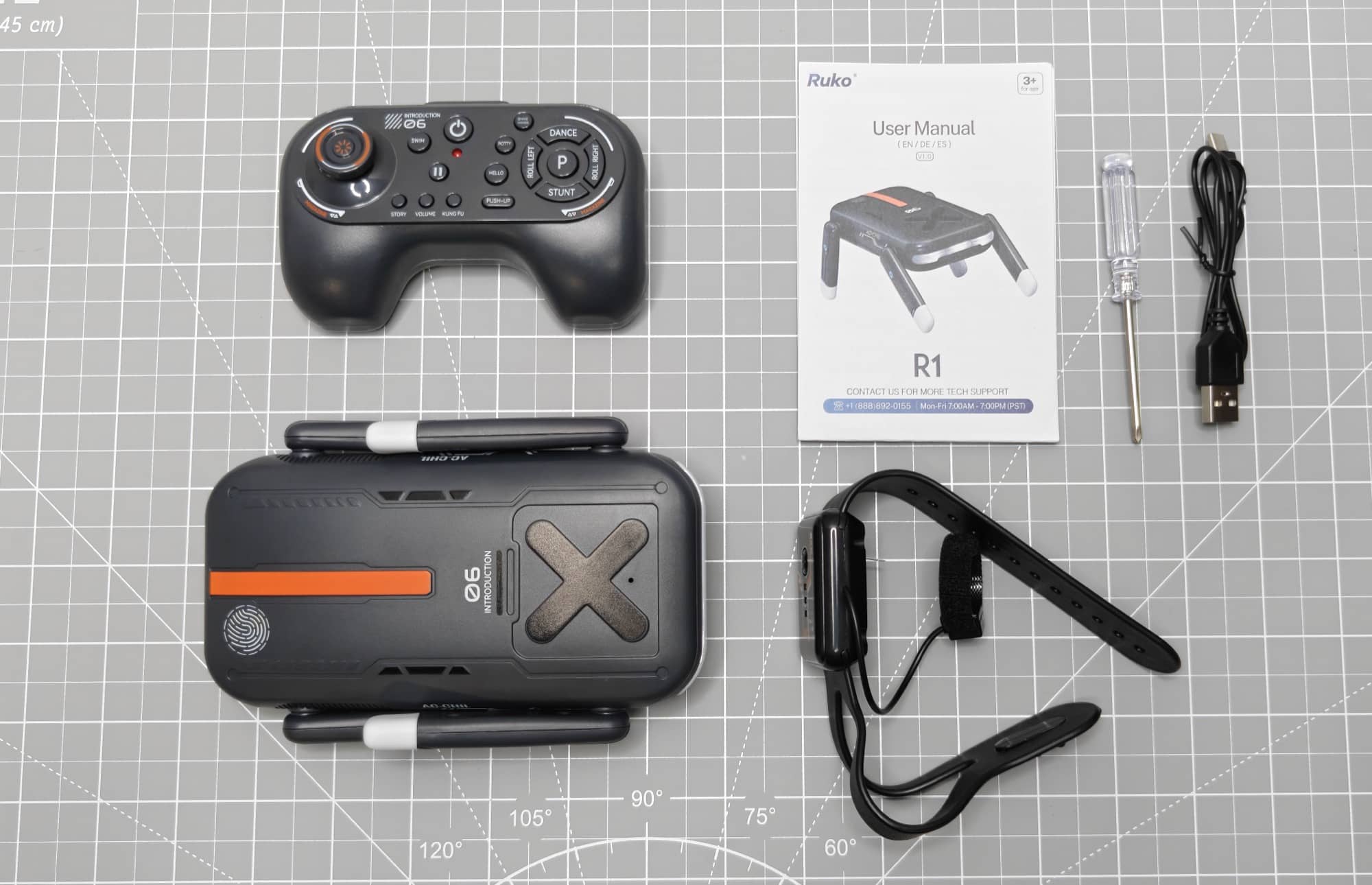
The Ruko R1 Mini Robot Dog comes with the essentials needed to get started, although you will need to supply a couple of AA batteries for the main remote.
- Ruko R1 Mini Robot Dog
- Handheld remote control
- Wearable gesture-control wristband
- User manual
- Small Phillips screwdriver
- USB-A to USB-C charging cable
The wristband controller includes a CR2032 coin-cell battery. The handheld remote takes two AAA batteries, and those batteries are not included. A small Phillips screwdriver is included so that the battery compartments can be opened, which is helpful since the remote and wristband use screws to secure their covers.
Setup and First Impressions
Getting the robot ready takes a few steps. The robot charges through a USB-C port, so charge it before playtime. The handheld remote requires two AAA batteries, while the gesture-control wristband arrives with its CR2032 battery already installed.
The first startup can be a little startling because the robot powers on with sound and movement. Once it is awake, though, it is ready for either controller. There are no pairing screens, no mobile apps, and no Wi-Fi passwords to worry about. That makes the Ruko R1 Mini Robot Dog a much easier toy to hand over to a child than many connected gadgets.
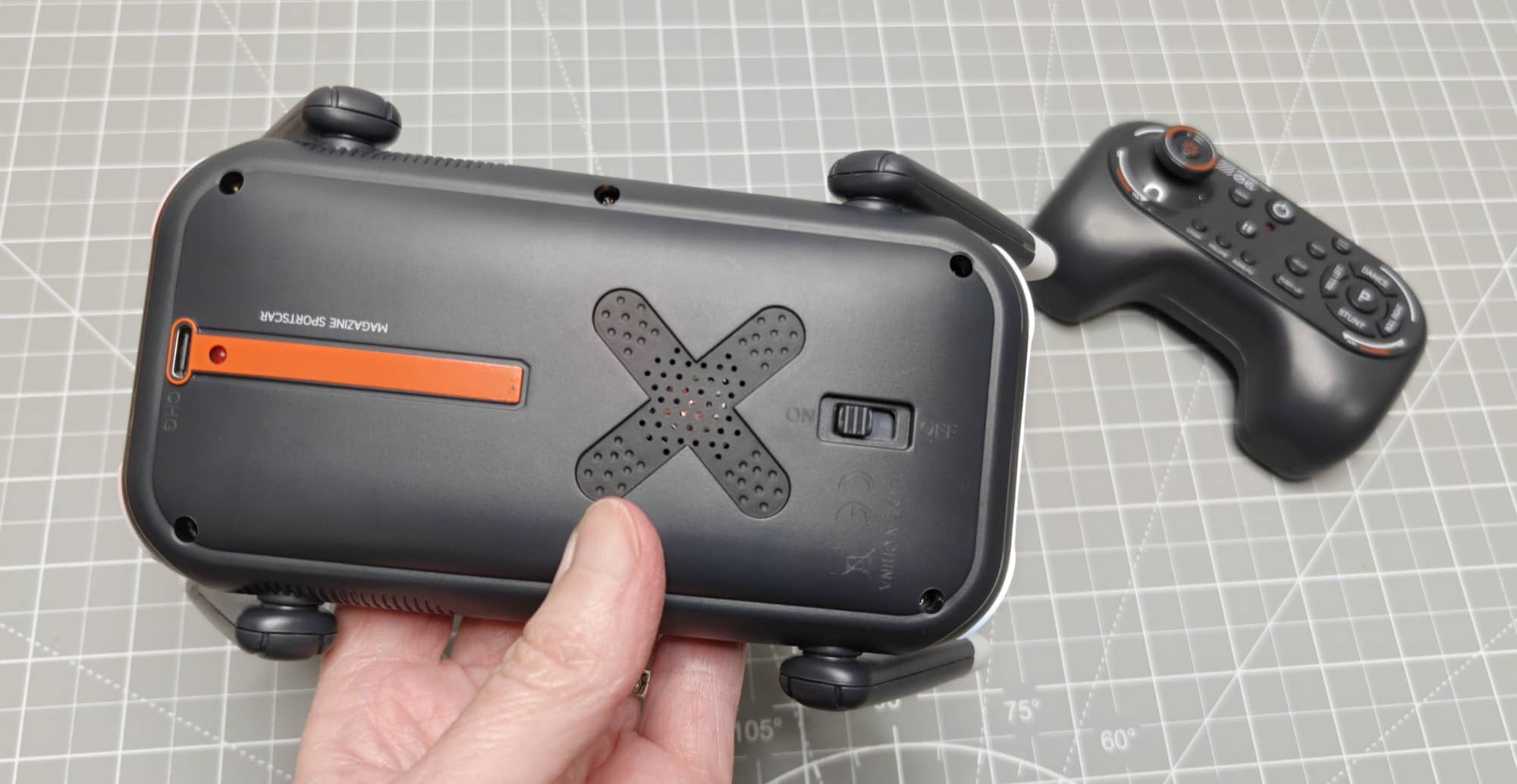
One small annoyance is that the rechargeable robot uses USB-C while the primary remote still relies on disposable AAA batteries. It would have been nicer if Ruko had either included the AA batteries or made the remote rechargeable too. Since the robot cannot do much without its primary remote, parents should have batteries ready before gifting it.
Handheld Remote Controls and Built-In Tricks
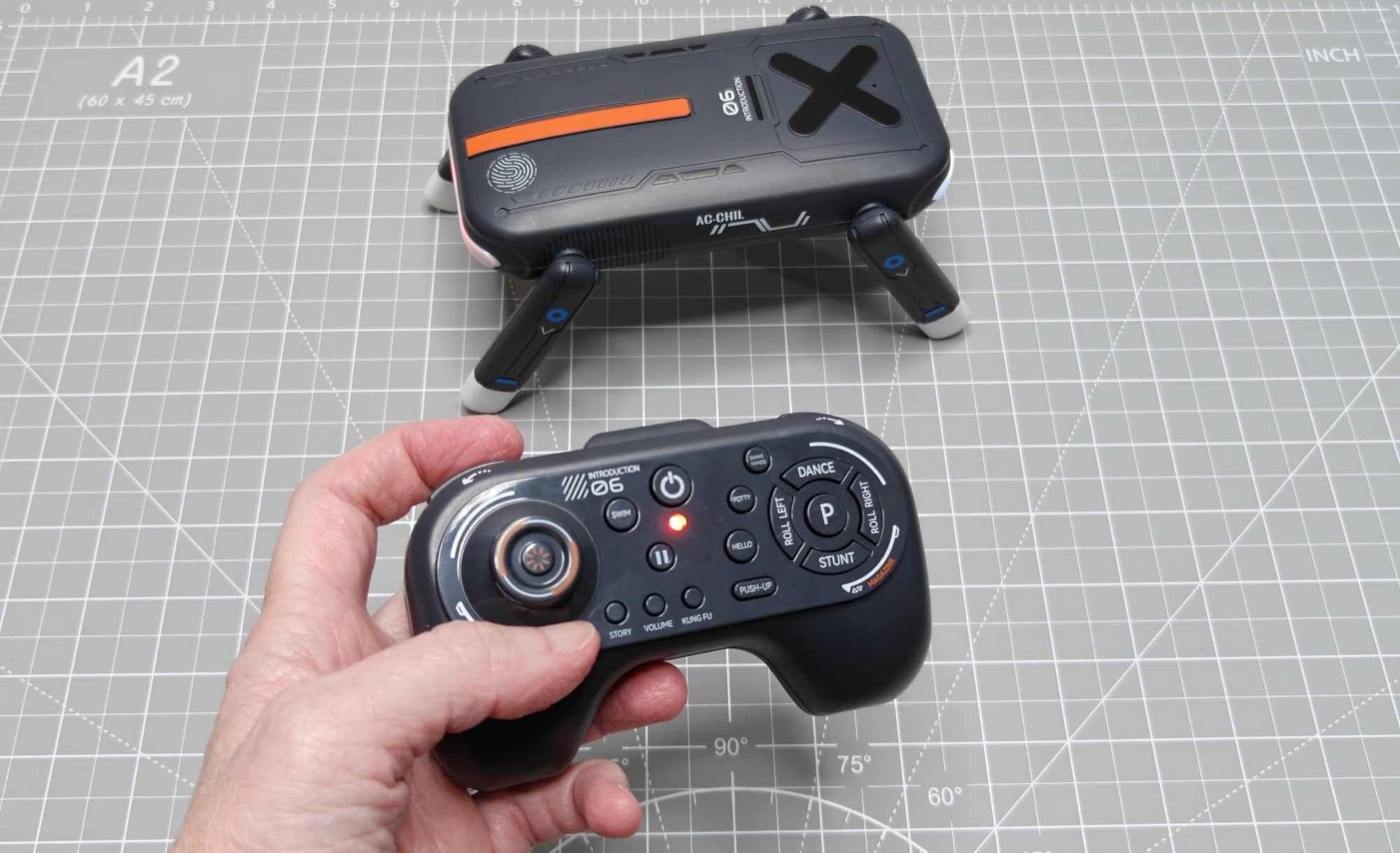
The included handheld remote is the best way to control the Ruko R1 Mini Robot Dog. It has a joystick for basic movement and dedicated buttons for many of the robot’s predefined routines. The layout makes it easy to switch from basic driving to tricks without memorizing complicated button combinations.
Using the joystick, the robot can move forward and backward and turn left or right. It doesn’t keep moving after you release the controls, so it takes a little hands-on steering. Its walking motion can also look a bit diagonal or drift slightly, which is not surprising for a small toy robot moving across a floor. Still, it is responsive enough to send it around a room or guide it into position for its next routine.
The remote also has volume controls, which are appreciated. The R1 is not a silent toy. It plays music and sound effects while performing several actions, and the ability to lower the volume will probably be welcome after the first few rounds of dancing.
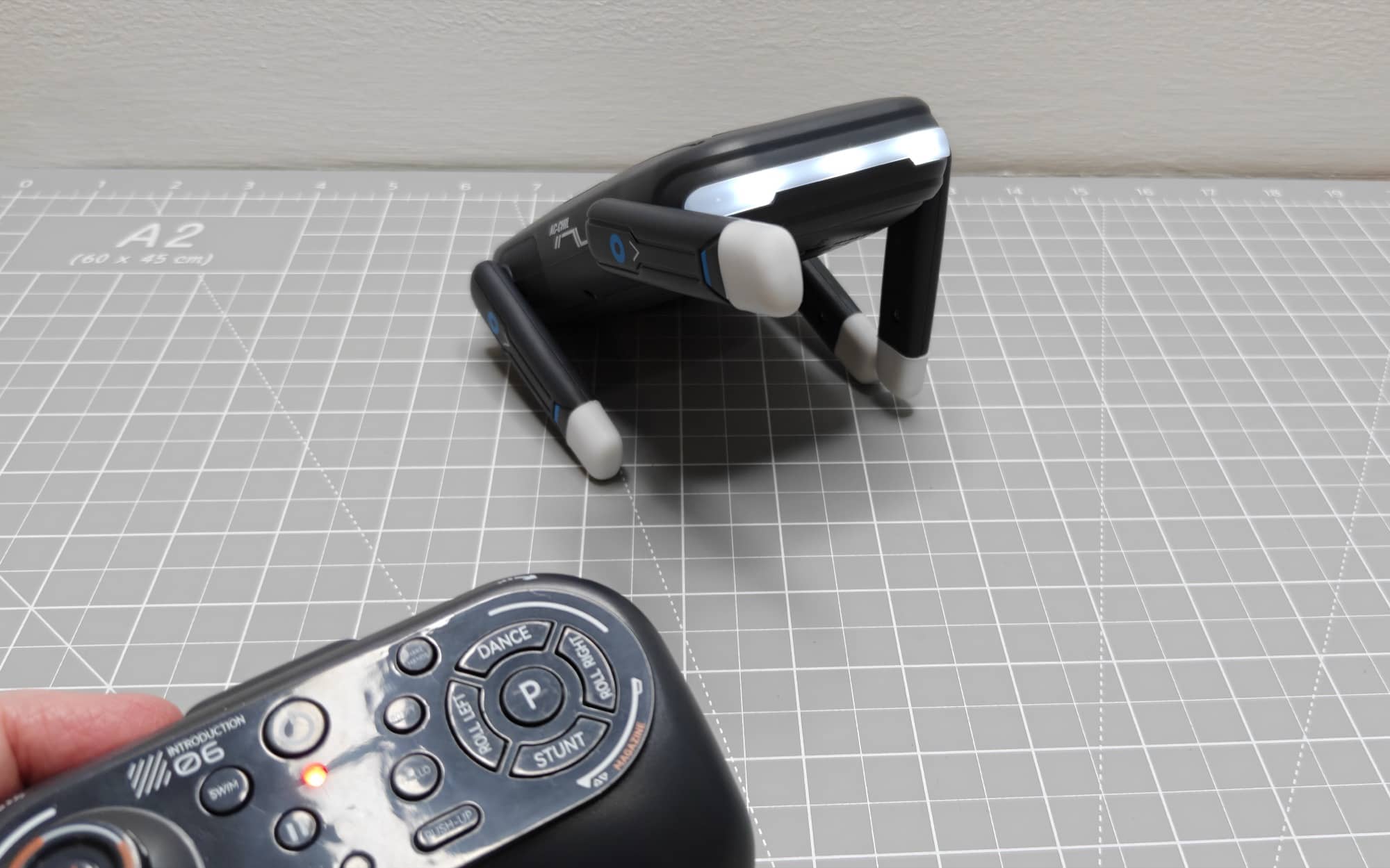
Among the built-in button functions are:
- Dance: The robot plays music and moves its legs in a fast, energetic routine.
- Stunt: It wanders through a short automated movement sequence.
- Hello: The robot waves a leg in greeting.
- Potty: It lifts a leg in a silly dog-inspired routine.
- Shake Hands: The robot extends a leg as though it is shaking hands.
- Push-Up: It performs a one-legged-style push-up routine with dramatic music.
- Roll Left and Right: It moves through rolling actions in either direction.
- Story: It narrates The Little Engine That Could.
- Flips: Shoulder buttons trigger flips in opposite directions.
Some of the moves are definitely more amusing than graceful. The dance, in particular, is a high-energy flurry of motion that may look more like the robot is having a fit than following a polished choreography routine. But that is also part of the charm. This is a toy that leans into silly, noisy, unpredictable robot-dog behavior. You can see all these movements in the see it in action section below.
The Gesture-Control Wristband
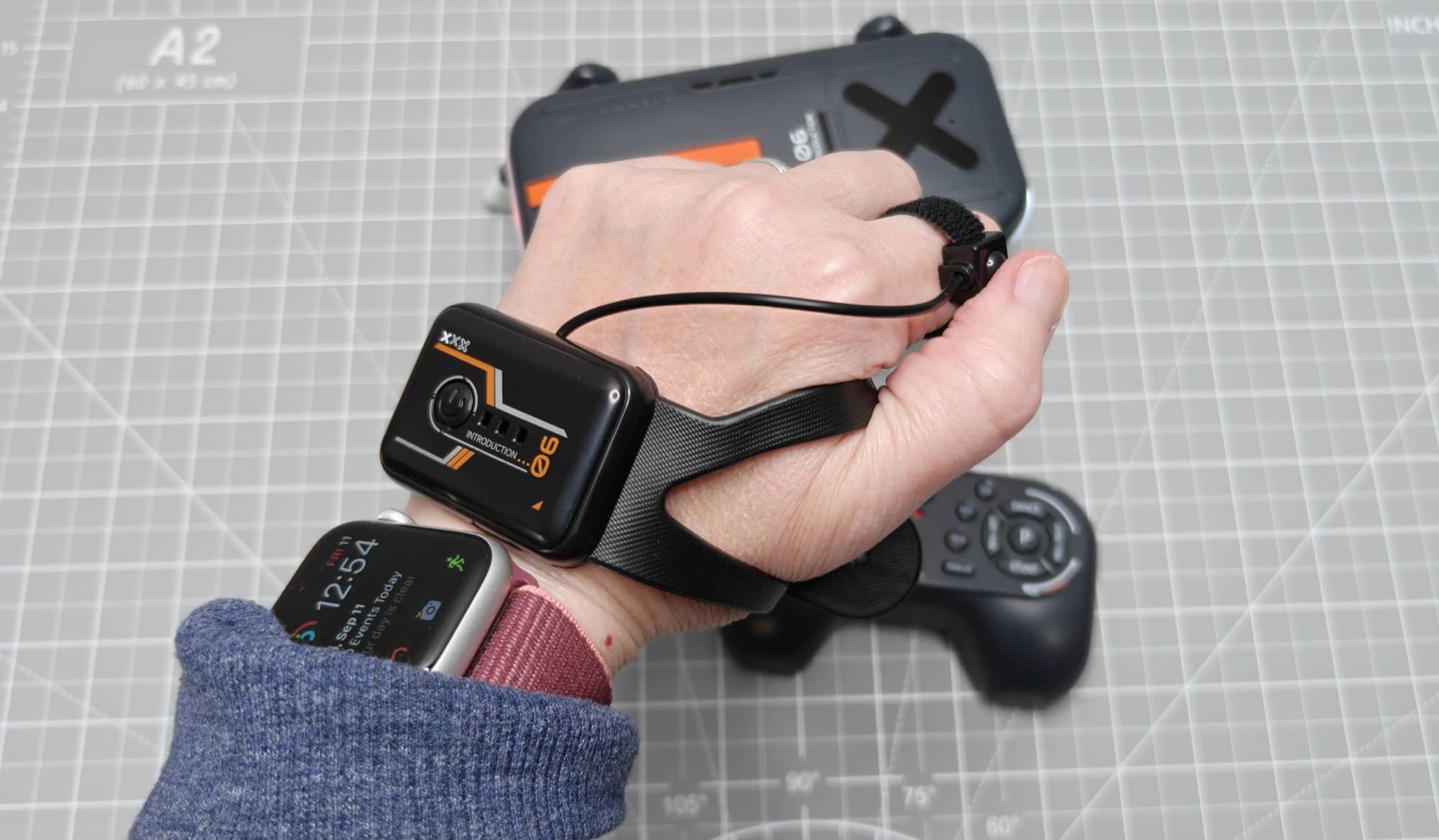
At first glance, the included wristband controller can be confusing because it looks more like a small wearable gadget than a traditional remote. Once powered on, it lets you use hand and wrist movements to guide the robot.
Turning the wristband one way makes the dog turn in a circle, and moving it the other way directs the robot in the opposite direction. It is a neat idea, especially for a child who thinks motion controls are magical. Unfortunately, it is also less intuitive and less precise than the regular remote.
The gesture controller feels awkward to use, and it can take more effort to get the robot to go exactly where you want it to. It is best viewed as an extra play mode rather than the R1’s primary control method. The handheld remote is clearly the more practical option for most kids.
A Robot Dog, Not a Coding Robot
It is important to set expectations correctly. The Ruko R1 Mini Robot Dog is not a programmable STEM robot. It does not offer coding lessons, custom routines, voice interaction, or advanced autonomous behavior. Its appeal comes from instant entertainment through preloaded movements and easy remote control.
That is not necessarily a negative. Not every child wants a toy that feels like homework. A younger child may have more fun with a robot that can immediately wave, dance, flip, and make noise than one that requires a tablet and a block-coding lesson before it does anything interesting.
On the other hand, an older child who is already interested in robotics, programming, or creating custom behaviors may outgrow the R1 pretty quickly. The available functions are fixed, so once the novelty of the individual tricks wears off, there is not much room to expand the experience.
See It In Action
Who Is the Ruko R1 Mini Robot Dog For?
The Ruko R1 Mini Robot Dog suits young children who love robots, toy animals, and interactive gadgets. It would make a fun birthday or holiday gift, especially for a child who has seen larger robot dogs and wants one of their own. The no-app operation is also a big plus for families who prefer toys that do not require handing over a phone or tablet.
It is especially suited to kids who enjoy repeatable, button-activated play. Press a button, see the robot do something goofy, laugh, and try another button. There is plenty of that here.
It is less suitable for children looking for a realistic pet substitute, a quiet toy, or a robot they can teach new tricks. It is also not the best choice for someone specifically shopping for an educational coding robot.
Final Thoughts
The Ruko R1 Mini Robot Dog is cute, simple, and appropriately silly. It is not trying to be a sophisticated AI pet or an advanced robotics STEM toy. Instead, it is a small rechargeable robot dog with a collection of preprogrammed tricks, basic remote movement, sound effects, and a gesture-control extra that kids can experiment with.
The handheld remote stands out as the best control option because it is easy to understand and gives direct access to all of R1’s functions. The gesture-control wristband is a fun concept, but it is more awkward than useful. The biggest setup complaint is that the remote needs two AAA batteries, even though the robot charges via USB-C.
Overall, the Ruko R1 Mini Robot Dog is a fun toy for younger kids who like robots and don’t need much complexity. It can dance, roll, wave, flip, tell a story, and act goofy on command. Sometimes that is all a toy needs to do.
The Ruko R1 Mini Robot Dog retails for $59.99; it is available directly from the manufacturer and other retailers, including Amazon.
Source: Manufacturer-supplied review sample.
What I Like: No app or Wi-Fi required; USB-C rechargeable robot; Handheld remote is easy to use; Lots of built-in tricks and movements; Cute robot-dog design
What Needs Improvement: The remote requires two AAA batteries that are not included; Gesture control is awkward; No programming or custom actions; The narrated story feature is odd



Be the first to comment on "Ruko R1 Mini Robot Dog Review: A Cute, No-App Robot Toy for Kids"