
The Lowdown
Graywind’s window treatments, including the Motorized Blackout Roller Shades, offer a luxurious, high-tech way to upgrade your home. With quality materials and a premium European motor option, the Motorized Blackout Roller Shades are an excellent choice. The ordering and installation guides are comprehensive and easy to follow.
Overall
Pros
- Premium European motor option
- Multiple connectivity options
- Quiet motor
Cons
- Needs more secure brackets
- Designed Series reverse side should be color-matched
Once upon a time, reliable indoor lighting wasn’t an option. Before the modern power grid, people depended on something simpler: the sun. Older homes featured enormous windows to maximize daylight. Our rural mountain home, built in the late 1800s, is no exception. I love the huge 60-inch windows on both floors, but there’s a downside. The western side practically bakes in the summer, and none of our windows offer UV protection. So, when I was offered the chance to review the Graywind Motorized Blackout Roller Shades, I was eager to see whether modern technology could solve an old-fashioned problem.
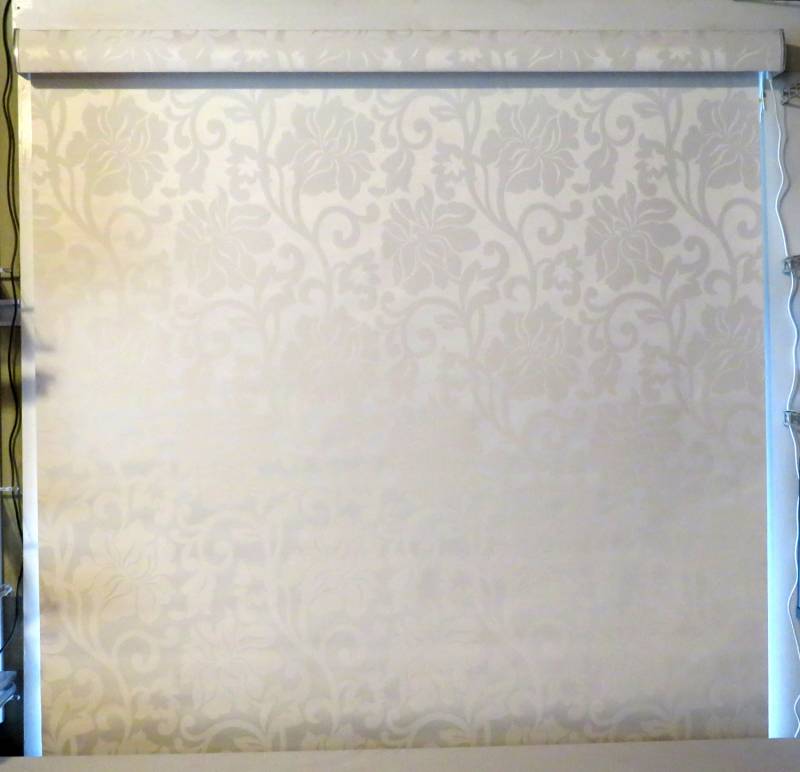
The white floral jacquard material adds flair to your roller shade.
Measuring and Ordering
Graywind provides detailed instructions on measuring your window frames. These products are made to order, so every shade will be the exact width and length your windows need. This is less of a hassle than fiddling with universal blinds and shades, which you have to (very carefully!) cut to size.
Every window in my house is different, so I needed different installation methods for the two windows I chose. One window has a deep enough frame for in-frame installation; the other does not.
A few years ago, I estimated the cost of buying midrange light-filtering, UV-blocking shades for our home. Then I curled up under my desk, had a good cry, and realized polyester curtains were my future. My windows aren’t just 60″ long; they’re also mostly around 50″ wide, and 60×50″ window coverings are just expensive. Our house is large, and with over twenty windows needing some window treatment…yikes.
Graywind’s products are very nice and well-made, with pricing to match. My required dimensions added a bit over $220 to a single shade, which is about double the base price!
Material Options
Graywind manufactures its own proprietary, multi-layered material for the Motorized Blackout Roller Shades. At this price point, I recommend ordering a swatch packet first. Graywind sent me their Fabric & Design swatches.
The Fabric Series offers a variety of neutral tones. There are four basic options with a very unobtrusive weave. These are excellent if you plan to use visually interesting window treatments, so the shade doesn’t detract from the treatment.
Note: I scanned all the swatches pictured here. Click the picture to view the swatches more closely. The top half is the front; the bottom half is the back, which faces out when the shade is extended and is visible inside when the shade is retracted.
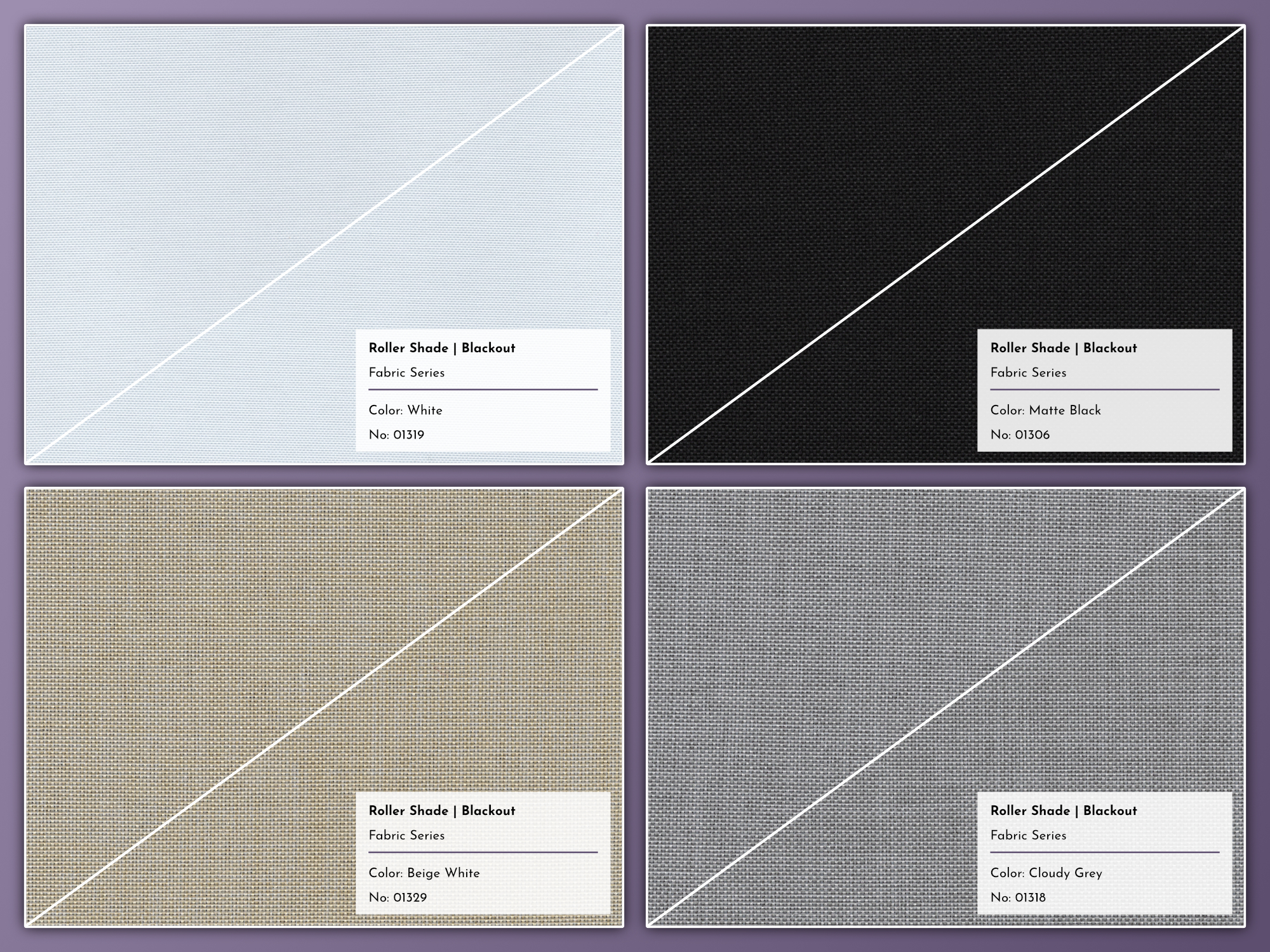
Graywind offers four very neutral, basic fabric options. (Click to enlarge)
Graywind also offers four more visually interesting fabric options. These feature a heathered weave, with different shades of the same tone interwoven. Like the other fabric options, both sides use the same material.
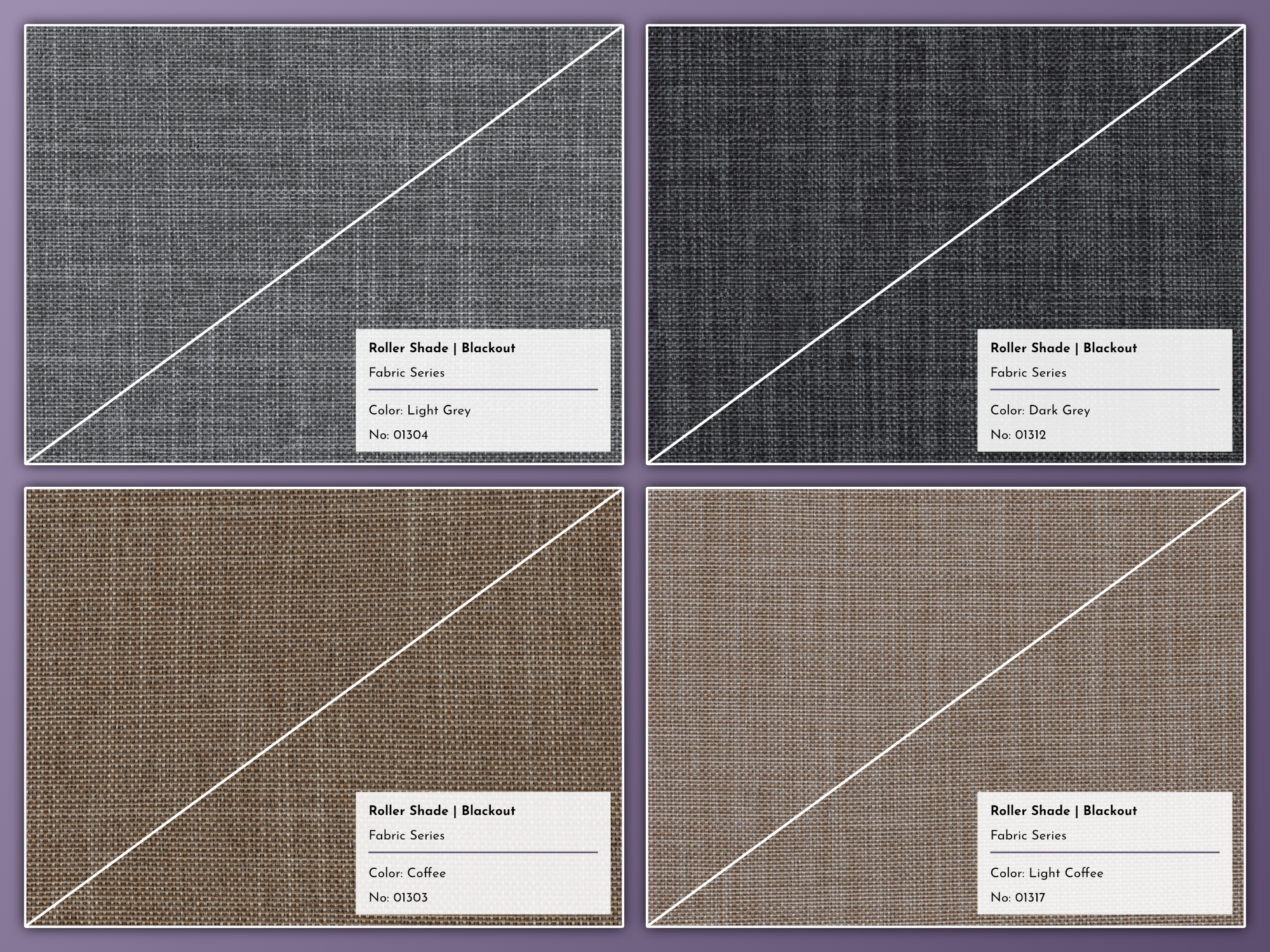
Graywind offers four heathered fabric options. (Click to enlarge)
The Designed Series is much fancier. With most options, the front material is constructed from different types of premium threads pinned to the fabric with tiny stitches. This is far more premium than, for example, embossed vinyl.
It also means if you have fully-armed cats (or other pets, like rodents and ferrets) who make a habit of climbing your drapes, you might want to stick with the Fabric Series, or potentially Graywind’s Vinyl Series, which isn’t part of this review. With a pair of sharp tweezers, I can start pulling at the horizontal threads across the fabric’s surface in just a few seconds.
This isn’t a knock against these materials at all. It’s just the physical nature of this type of textile. It makes for a beautiful finish, but it’s more fragile than a standard weave.
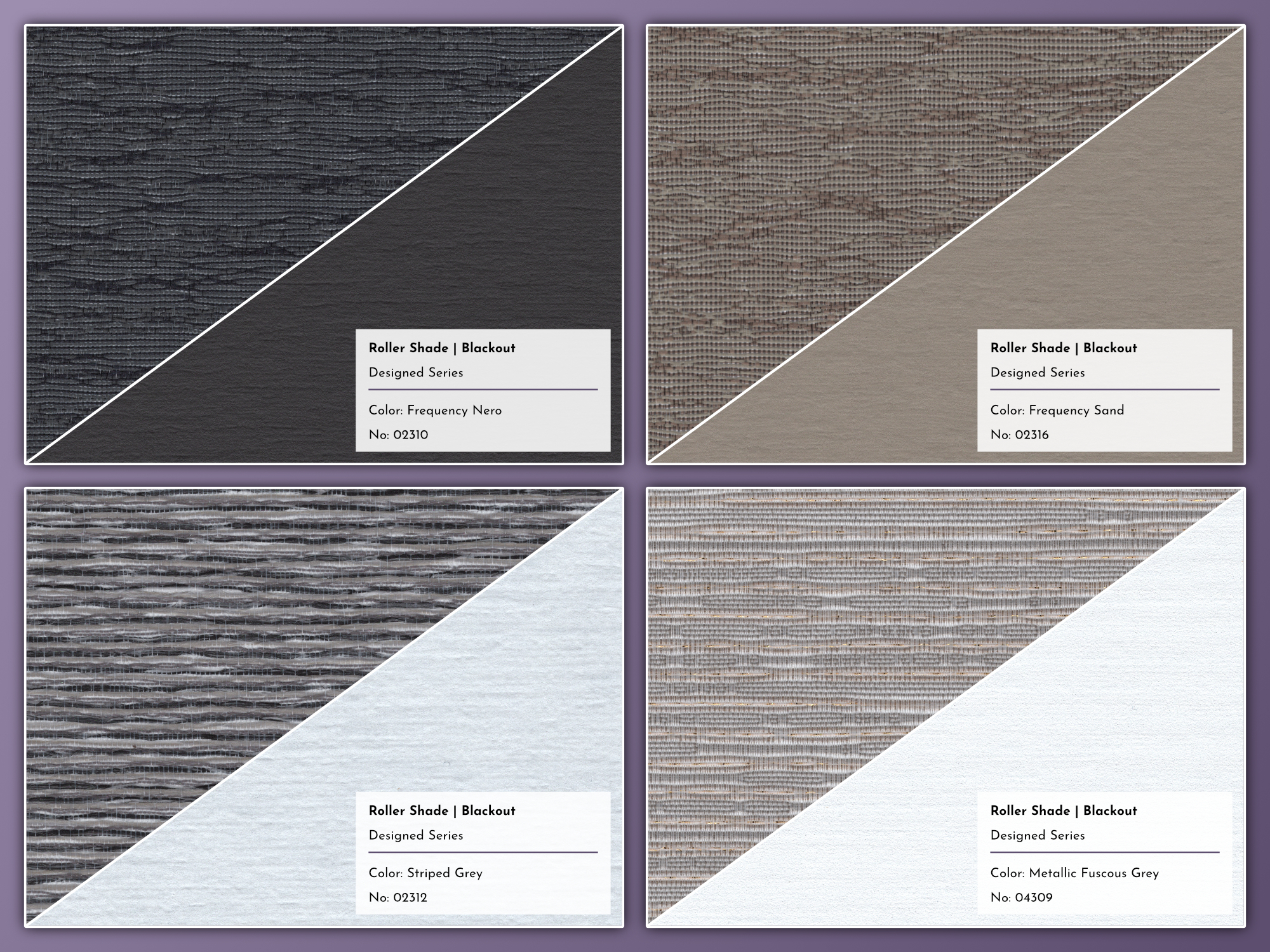
Graywind’s Designed Series features premium textiles with a variety of threads for visual appeal. (Click to enlarge)
The Weaving Cloud fabric is a standard (but fancy) woven textile. I chose this material for one of the two shades Graywind sent. It’s a nice, deep gray that contrasts well with the curtains I already installed. The weave’s texture is visually appealing without being over-the-top.
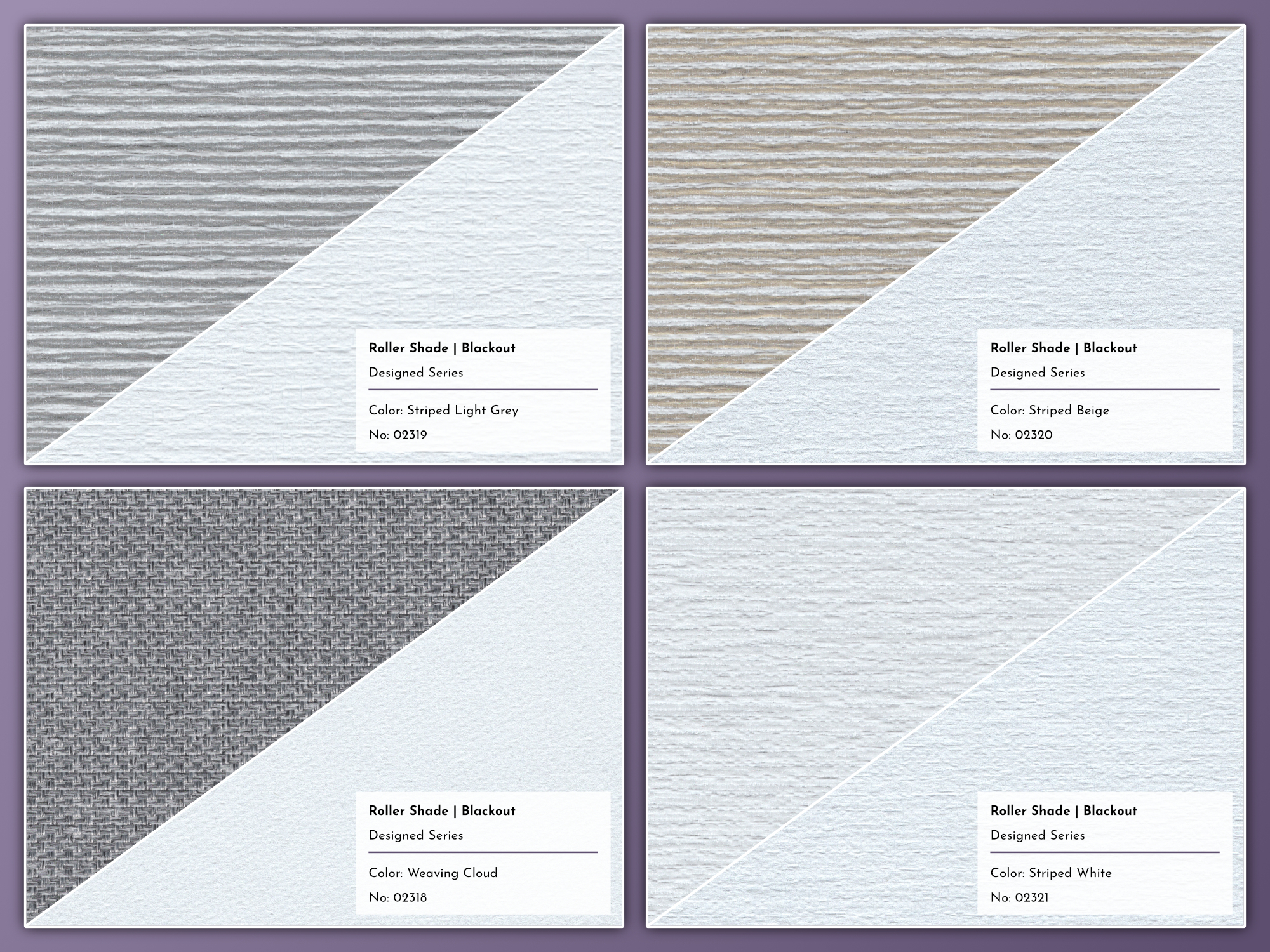
The Designed Series looks and feels more premium than the Fabric Series. (Click to enlarge)
Over the years, I’ve learned to choose neutral shades and blinds. Bright colors and dramatic patterns get old over time. and they can make interior decorating refreshes more challenging. This is just something to keep in mind as you shop for premium, custom window coverings for your home.
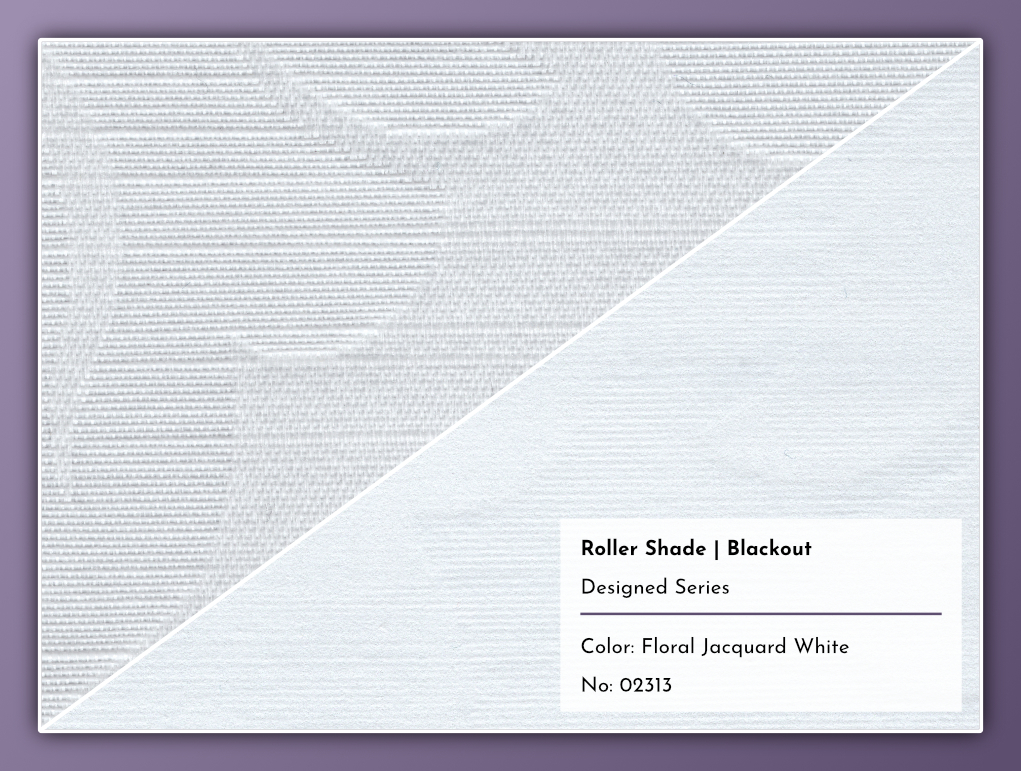
The Floral Jacquard White is an all-white woven material with a large, subtle floral pattern. (Click to enlarge)
The Designed Series textiles are very nice, but I really wish the reverse of these options were better color-matched. My Weaving Cloud shade is white on the reverse, which is noticeable when the shade is retracted.
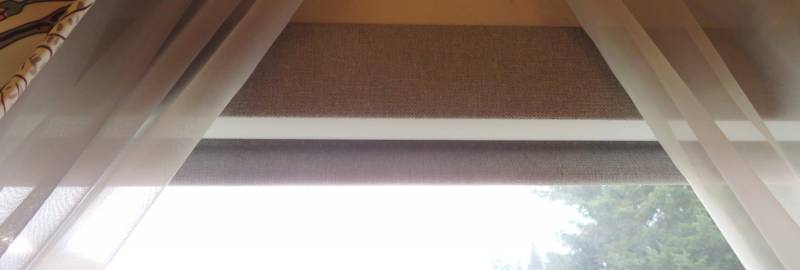
The reverse side of the roller shade is visible when the shade is retracted.
Available Features
There are several add-ons and options available, depending on your needs:
- Valance – This covers the shade roll. If you have window treatments that fully cover the top of your window frames, you don’t need this and can knock $20-30 off your final shade price. I selected the fabric-covered valance; this is wrapped with the same material as the shade. Four metal finishes are also available.
- Hem Bar – This weighted piece attaches to the shade’s bottom edge. It prevents the shade from flapping too much from airflow (both indoors and through open windows). This is a basic component of the shade; it can be wrapped in the shade’s fabric for an extra $10.
- Roll Direction – The standard roll direction blocks more light because the extended shade is up against the window. This can be reversed, which might be necessary for some configurations – but note this allows more light to escape past the sides of the shade.
- Extension Brackets – For an extra $2, Graywind will include a set of brackets for installing your shade some distance from the window.
- Motor Type – This shade is motorized, and there are six different options (covered in detail in the next section). Three options are included in the base price; the others are an extra $35-85
- Remote – These Motorized Blackout Roller Shades don’t require a remote control; all motor options support one or more app-based controllers. Two remote options (detailed below) are available for an extra $19; a silicone holder for the 15-channel remote is another $10.
- Smart Bridge – For an extra $29, you can add a Bluetooth Gateway to enable scheduling and other advanced controls for supported motors when you’re not home.
- Charging Position – This is configured at the factory and can’t be changed later. Choose the side closest to your power outlet.
- Charging Extension Cable – Graywind’s motorized shades include a 118″ (just under ten feet) USB-C cable. For an extra $2, we’ll include a 78″ extension in the box, bringing the total cable length to a bit over sixteen feet.
- Solar Panel – This $35 accessory allows you to keep your shade’s battery charged with sunlight. More details below.
- Magnetic Charging – For $5, Graywind will upgrade the included 118″ USB-C cable to a magnetic one. This makes connecting the cable to the shade much easier if you don’t plan to leave it plugged in all the time.
The Motors
Graywinds offers six different motor options for the Motorized Blackout Roller Shades (and its other motorized blinds and shades). They vary considerably in functionality, and none cover the full features set of the others. This was a little confusing for me, mostly because our home is still pretty basic. We have some aging Insteon hardware, and I have a GE Cync light over my maker computer desk, but that’s about it.
Some motor options require additional hardware to access advanced scheduling and other features, so keep this in mind when shopping for motorized blinds.
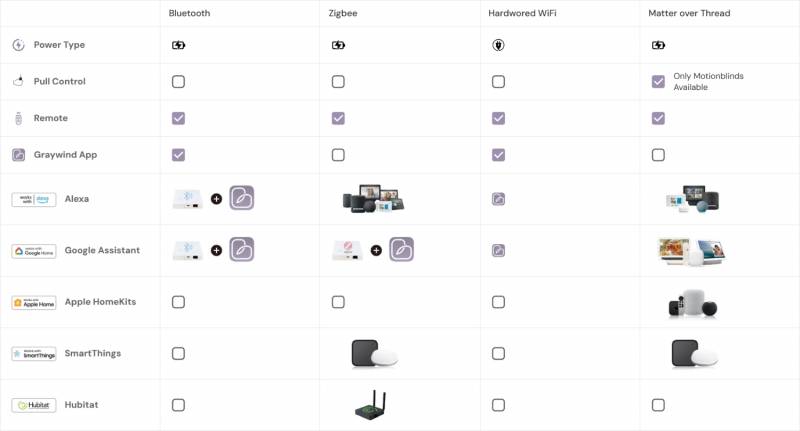
Graywind offers four motor types, plus premium MotionBlinds motors. (Image: Graywind)
One important note: Except for MotionBlinds motors, Graywind’s motorized window treatments have no built-in scheduler. All schedules run externally, via other devices. The shade’s motor only remembers the minimum and maximum lengths and a favorite position (set by you).
All of Graywind’s motor options support RF remote controls (covered later), and all rechargeable models rely on USB-C charging. You can read a bit more about Graywind’s motors on their website.
Basic Option One: Rechargeable Bluetooth Motor
The Bluetooth motor is one of two options included in the shade’s base price. The Bluetooth motor only works through Graywind’s mobile app (iOS|Android), using your phone’s Bluetooth radio to communicate with the shade. This means the shade won’t extend or retract on a schedule unless your phone is near the shade. On the plus side, the Graywind app does support up to 20 schedules based on time and day of the week.
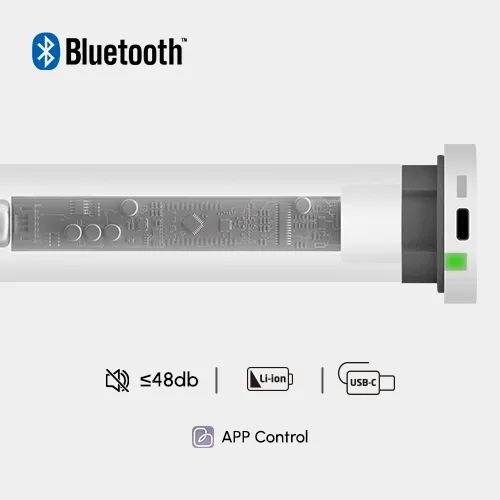
The Bluetooth motor is available with the base price of any motorized shade or blind. (Image: Graywind)
To control the shade when you’re away from home, and to use voice controls with Amazon Alexa or Google Home, you’ll need a Bluetooth controller, like the Bluetooth Gateway Graywind offers. This is $29 if you buy it with a new window treatment; it’s $39 if you decide to purchase it separately.
The Bluetooth motor option is available for the Motorized Blackout Roller Shade series at no additional charge. I think this is the least interesting option, mostly because it has no independent controls; you either need additional hardware or your phone has to be nearby to run any configured program.
Basic Option Two: Hardwired WiFi Motor
Like the basic Bluetooth motor, the WiFi motor uses the Graywind mobile app. Unlike the Bluetooth motor, however, the WiFi motor’s always-on Internet connection allows it to receive and execute scheduled commands from Graywind’s cloud. This means your shade will operate on your chosen schedule(s) as long as it has an active Internet connection.
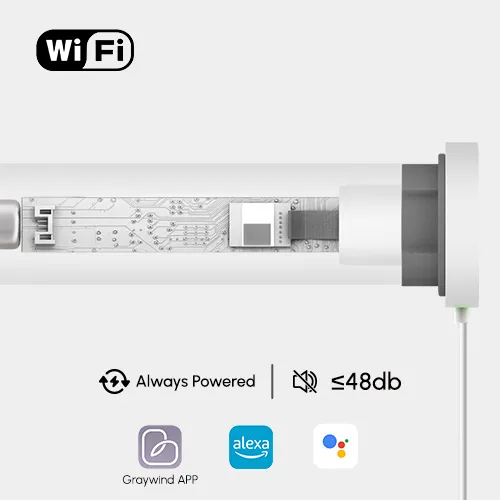
The WiFi motor is available with the base price of any motorized shade or blind. (Image: Graywind)
I’m not sure of the technical reasons why, but the WiFi motor also supports Amazon Alex and Google Home voice commands. In contrast, the Bluetooth motor requires an external Bluetooth gateway for this feature.
The WiFi motor option is available for the Motorized Blackout Roller Shade series at no additional charge. It has more built-in features than the Bluetooth motor; its only real disadvantage is the need for a power outlet close to your window.
Premium Option One: Zigbee Motor
Zigbee is a mesh wireless network standard intended for use with smarthome and home automation products. Graywind’s mobile app does not support the Zigbee motor. Popular consumer Zigbee brands include eero, Samsung SmartThings, and Hubitat.
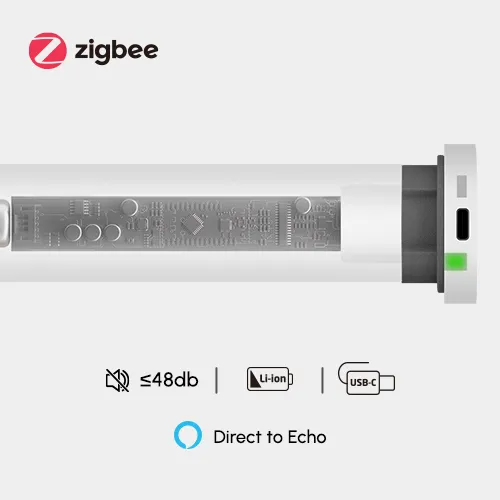
The Zigbee motor is a premium option available for Graywind’s motorized shades and blinds. (Image: Graywind)
You need a hub for advanced scheduling with the Zigbee motor. If you have an Amazon Echo device with a built-in Zigbee hub or a Samsung SmartThings hub, you can set up smart scheduling. If you’re new to the world of smarthome products and want to use either SmartThings or Alexa as your platform of choice, you can pick up Graywind’s Zigbee Gateway for $79. Like the Bluetooth Gateway, it’s $10 off ($69) when you purchase it with a new window treatment.
The Zigbee motor option is available for the Motorized Blackout Roller Shade series for an additional $35.
Premium Option Two: Graywind Matter Motor
Matter is a different type of smarthome technology. It uses WiFi, but also supports low-energy RF through the Thread protocol. Graywind’s Matter motor option uses Thread; this means you need a Matter controller for any smart scheduling.
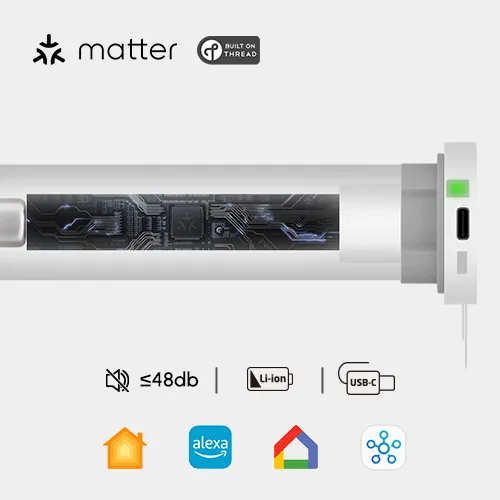
The Graywind Matter Motor is another premium option available for Graywind’s motorized shades and blinds. (Image: Graywind)
The same Amazon Echo devices with Zigbee support also feature a built-in Thread Border Router. Apple HomeKit, Samsung SmartThings, and Google Home hubs also support Matter and Thread natively.
I was sent two Motorized Blackout Roller Shades equipped with this Matter motor. I have another Matter device (a GE Cync under-cabinet light) but haven’t yet purchased a Matter hub because my Cync light uses WiFi.
The Graywind Matter motor option is available for the Motorized Blackout Roller Shade series for an additional $75.
I looked into why the Matter motor costs $40 more than the Zigbee motor. Higher component and certification costs seem to be the main drivers, and the former is mostly because there are fewer Matter and Thread devices in the wild than Zigbee. Economics 101!
Premium Option Three: MotionBlinds Bluetooth Motor
MotionBlinds is a premium window-treatment motor brand designed and manufactured in the Netherlands by Dutch company Coulisse. These motors cost more because they use premium, durable materials and are engineered for reliability. These robust motors even support tugging on the shade to extend it.
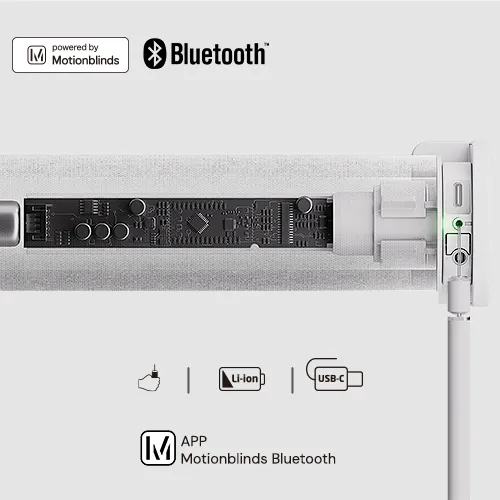
The MotionBlinds Bluetooth motor is a premium option available for Graywind’s motorized shades and blinds. (Image: Graywind)
Unlike the Graywind Bluetooth motor, the MotionBlinds motor is capable of storing up to three time-of-day schedules; this means it will run those schedules regardless of proximity to a device or connectivity to the Internet. Scheduling is configured using the MotionBlinds app (iOS|Android).
MotionBlinds makes a Matter Thread and Bluetooth hub, the CM-55, to enable support for Amazon Alexa, Apple HomeKit, Google Home, and Samsung SmartThings, but this hub is currently hard to find in the United States. Without it, you can still schedule, but it’s less flexible.
The Graywind Matter motor option is available for the Motorized Blackout Roller Shade series for an additional $29.
Premium Option Four: MotionBlinds Matter Motor
The final option also features MotionBlinds hardware. This motor functions similarly to the Graywinds Matter Motor, except it supports onboard smart scheduling, which is configured with the Eve for Matter and HomeKit iOS app. The Eve app for Android doesn’t support MotionBlinds, so you’ll need an iOS device for full functionality – or a Matter Thread hub, such as those from Amazon, Samsung, Google, and Apple.
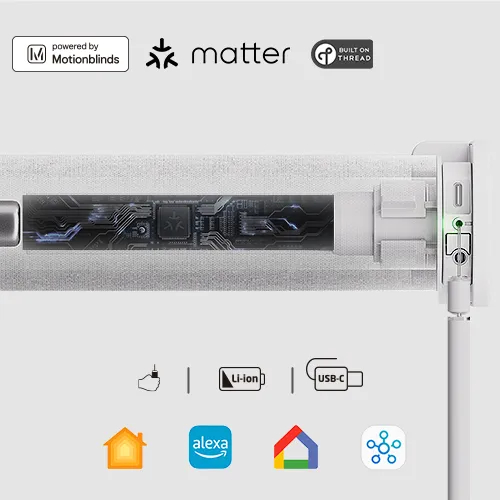
The MotionBlinds Matter motor is a premium option available for Graywind’s motorized shades and blinds. (Image: Graywind)
At $85, this is the most expensive motor option, but it’s also the most advanced – and mechanically robust.
So…Which Motor Is Best?
Since you can’t upgrade the motor after purchase, I recommend the MotionBlinds Matter motor if it fits your budget. Graywind’s Matter motor is $10 less and offers the same expanded smarthome flexibility, but it also requires extra hardware for advanced scheduling.
If you’re trying not to spend too much on extra frills for these motorized shades, I think the WiFi motor is probably the best option at no extra cost, because it can run schedules independently of your phone or any remote control – this means you also don’t need to order a remote.
If you already have other Zigbee smarthome hardware – including Amazon and Samsung smart speakers with a built-in Zigbee hub- the Zigbee motor is quite a bit cheaper than the Matter option.
Importantly, you must buy one of the two Matter motor options to support Apple HomeKit or Google Home.
The RF Remote Controls
Graywind offers two different RF remotes for its own motors; each is a $19 upgrade. Extra Aelous scheduling remotes are $29. Graywind sent me both of its remote options.
Both remotes support multiple channels, and you can assign multiple motorized shades to a single channel, so any operation on that channel controls those shades.
The MotionBlinds motors use a MotionBlinds-specific remote for an extra $29. (This review does not cover MotionBlinds hardware.)
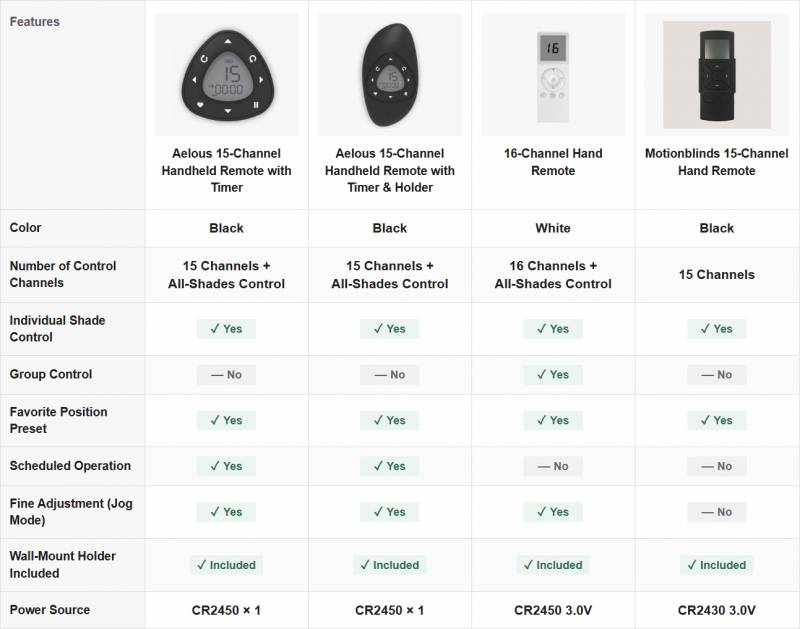
Different remotes are available, depending on your motor model. (Image: Graywind)
16-Channel Basic Remote (SP-16)
This basic remote supports up to 16 channels and up to 6 channel groups. The display shows only the selected channel or group number, with visual button feedback.
The channel grouping feature is the only unique aspect of this remote. The 16-channel basic remote is not sold separately; it can only be purchased with a new motorized window treatment.
To see the basic remote’s full feature set, check out the manual here.
15-Channel Aelous Remote (ST-15)
As aforementioned, the Graywind motors require the Aeolus remote for basic scheduling (weekday and time) without an app or controller. The remote must be within RF range to control your blinds and shades, so you need one in every room for fully independent scheduling.
The included triangular magnetic mount has a circle of adhesive on the back for sticking somewhere, or you can attach it to a surface with screws. Adhesives are terrible on wall paint and wallpaper, so I recommend buying a pack of Command-type strips to attach the remote mount to a wall.
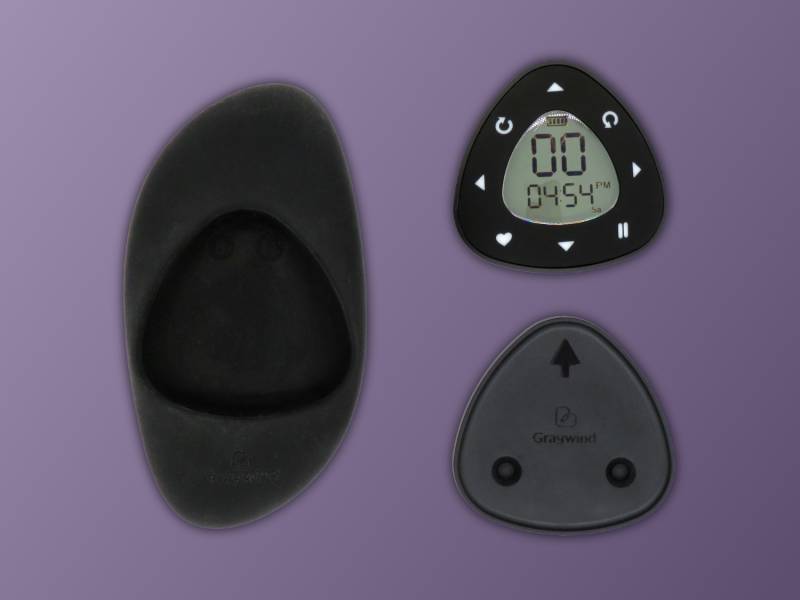
The optional Aeolus remote adds basic scheduling without an app or other controller.
This remote is a little complicated to use; you can’t access two setting modes without removing the battery cover. Once everything is configured, however, it’s easy to control up to fifteen Graywind motorized window treatments with a single remote. You’ll want to read the manual to learn how to set the time and weekday, plus up to twenty time+weekday programs.
The Aeolus remote doesn’t have the same channel-grouping feature as the basic remote. I’m not sure why this wasn’t included, since it’s otherwise a more advanced remote. It supports up to fifteen channels, and you can control them all at once by selecting channel 00.
Without the optional silicone holder, the remote attaches magnetically to the included wall mount. This makes it easy to keep track of, because it’s small and can easily disappear in your sofa cushions if you’re not careful. I’m not a fan of the triangle shape; it’s hard to orient the remote correctly without looking at it. A raised bump on the up arrow would fix this.
For an extra $10, a silicone holder is included with the remote. This is an odd choice for a remote holder. The silicone picks up pet hair and dust, is a pain to clean, and, with enough fidgeting, the friction-hold opening for the remote will end up too loose for reliable use. I would have preferred an injection-molded shell with a recessed magnetic opening for the remote.
Since the Aeolus 15-channel remote costs no more than the 16-channel one and also features scheduling, it’s definitely the better option. I don’t recommend the $10 silicone holder, though, and I hope Graywind designs a better one.
The 15-channel Aeolus remote is available separately for $29 (or $39 with the holder). To see its complete feature set, the manual is here.
Solar Power
Motorized window treatments can take advantage of direct sun exposure on windows, and Graywind offers a solar panel accessory for keeping your shade’s battery charged. You can add this panel to any shade order for $29, or purchase it later for $39.
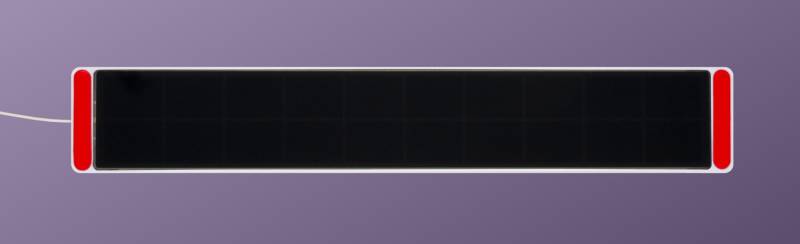
The $29 solar panel add-on frees your shade from wires and outlets.
This 270x60mm solar panel outputs 5.3VDC@655mA and uses a short (240mm) USB-C cable for connecting to the shade. The solar panel includes accessories to mount it in several ways, depending on your window’s sun exposure.
Double-sided foam tape is preinstalled on the panel ends, so you can mount it directly to a clean glass window. If you prefer not to use adhesive on your windows, you can use the extension brackets to position the panel below the shade for better sun exposure on windows partially shaded by your home’s roof.
The solar panel manual is short but helpful. It includes illustrations showing where to place the panel for maximum exposure.
Installation
I’m impressed by how easy installation was. Each shade is packaged with a QR code directing to a custom portal for reading and downloading all relevant user manuals and installation guides.
I followed Graywind’s online instructions, featuring extensive videos showing exactly where to place each mounting bracket. My window’s 50″ width required me to use a middle bracket in addition to the sides.
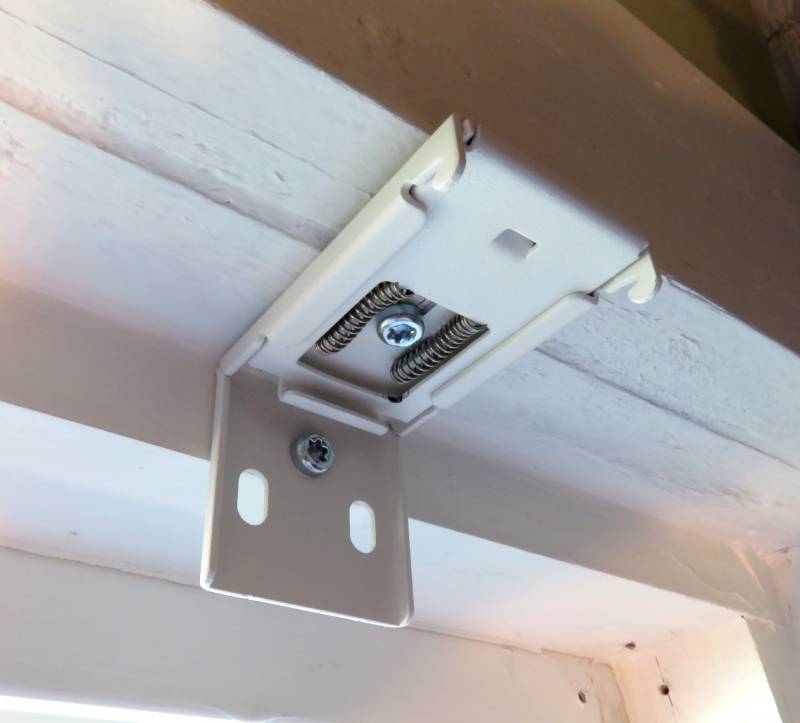
The included brackets have several holes. Graywind recommends using the vertical hole (between the springs) first.
It was easy to hold a 3′ level against the brackets to ensure everything was perfectly level, as an unlevel shade won’t retract or extend properly. My window frames aren’t at all level (nothing in my house is), and I ended up gluing these M6 nylon spacers to the underside of two of the brackets to level the shade.
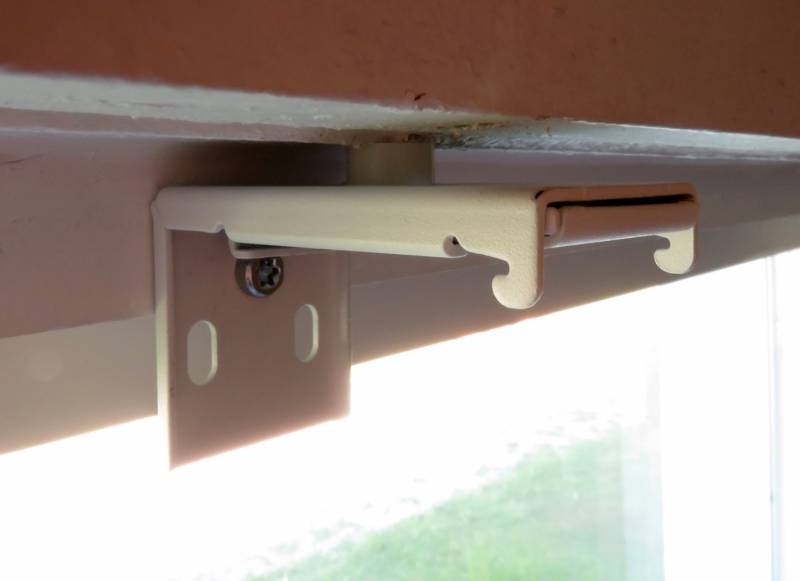
You can use spacers if your window frame isn’t level.
The brackets are spring-loaded, so once they were installed, I was able to attach the shade by pushing it into the brackets and snapping it onto them.
I did all of this on my own. My roller shades are oversized by quite a bit, and they still weren’t at all too heavy to manage and wrangle into place.
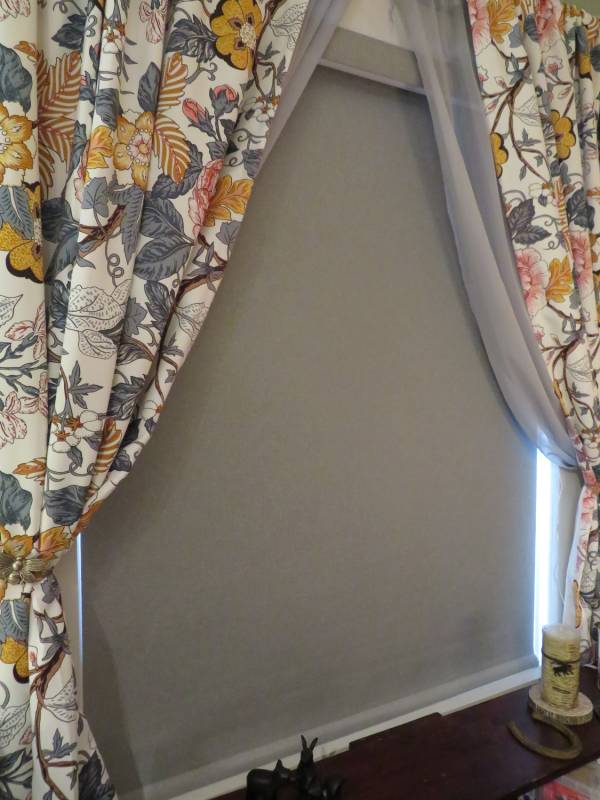
A neutral shade is easy to coordinate with more striking drapes. (Curtains: Wayfair)
Daily Use
Because we don’t yet have a Matter Thread hub in our home, I used the Aeolus remote to schedule the shade’s daily morning-open and afternoon-close routines. It took a few days for my brain to stop treating the sound of the shade’s motor (which only hits about 24 decibels) as something I needed to investigate immediately, but I’ve otherwise loved these shades. I no longer have to open and close my curtains every day, and the scheduled control is great.
The blackout effect is as advertised. Graywind included adhesive plastic strips to create a more complete blackout effect when installed on an inner window frame, but I opted not to use them.
Motorized shades are really nice – and fancy. If you have a lot of large windows, like our home, and you’re trying to stay within a budget, you can save a bit on accessories and selectively install these shades on the windows with the most sun exposure. The blackout material blocks all sunlight and, more importantly, the heat it generates in your home.
If money is no object, the MotionBlinds Matter motor is worth the $85 admission fee, and Graywind’s custom multi-layered materials are very nice. The company manufactures a variety of motorized treatments, including curtains and other blinds and shades, and Graywind recommends its white vinyl roller shade as a motorized projector screen.
If you need fire resistance, Graywind makes some flame-retardant options, like this Zebra Blinds fabric.
Final Thoughts
Graywind’s window treatments, including the Motorized Blackout Roller Shades, offer a luxurious, high-tech way to upgrade your home. With quality materials and a premium European motor option, the Motorized Blackout Roller Shades are an excellent choice. The ordering and installation guides are comprehensive and easy to follow.
Graywind Motorized Blackout Roller Shades start at $179.99; they are made to order and available directly from the manufacturer.
What I Like: Premium European motor option; Multiple connectivity options; Quiet motor
What Needs Improvement: Needs more secure brackets; Designed Series reverse side should be color-matched




Be the first to comment on "Graywind Motorized Blackout Roller Shades Review: Big Windows, Blazing Sun, and a Smarter Way to Beat the Heat"