The Lowdown
If you’re someone who is looking for a solid tablet for work and play, the nubia Pad Pro is worth a look.
Overall
Pros
- Plenty of power
- Solid design
- Reasonable price
Cons
- Comes with bloatware installed
- It needs a better software update commitment
In the US, when people think of tablets, it’s usually just Apple or Samsung that come to mind. While there are plenty of other companies making Android tablets, most are cheap, underpowered, and not worth your money. But every so often, one stands out. You might not have heard of nubia, a brand that has made smartphones under ZTE for years, but it’s just launched its first tablet, the nubia Pad Pro. I’ve spent the past few weeks using it for everything from work to gaming, and to my surprise, it’s actually a tablet worth your attention.
Design
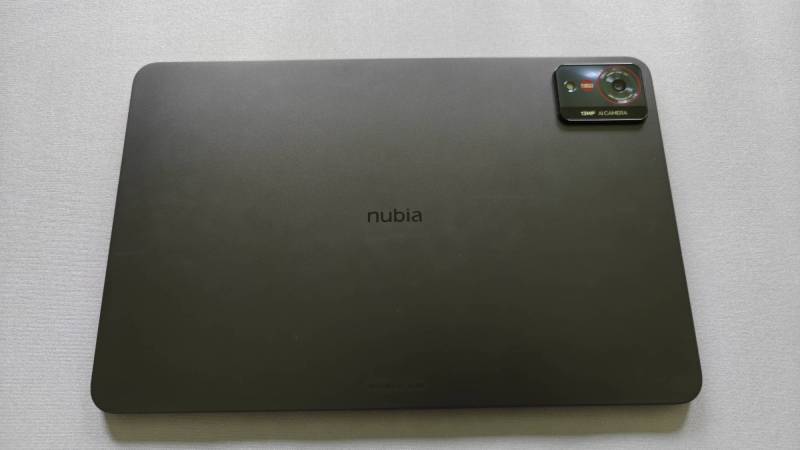
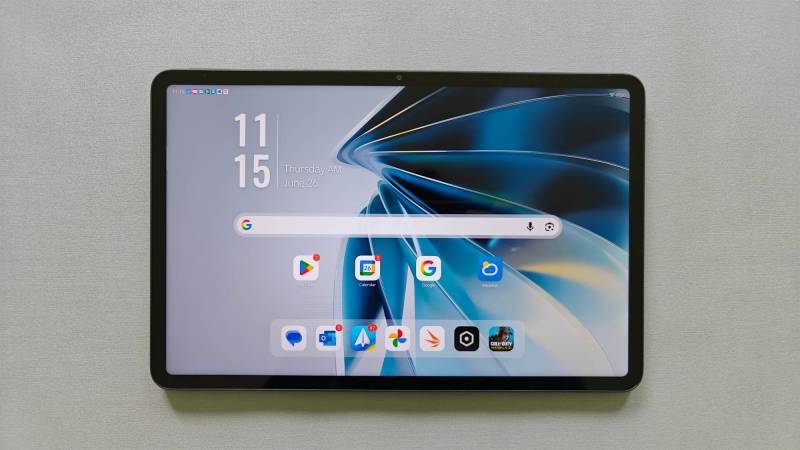
At first glance, the nubia Pad Pro doesn’t look any different from the other black slabs out there, unless you happen to opt for the Silver color (which you definitely should, in my opinion). It’s a black rectangular slab of aluminum and glass, which, until folding tablets become a thing, is how every tablet is going to look and feel for the foreseeable future.
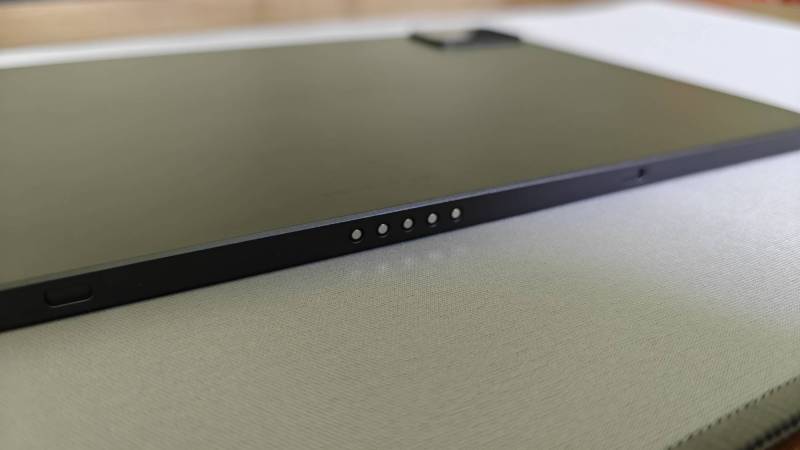
Nubia designed the Pad Pro to be held primarily in landscape as the front camera is centered on the longer side, across from the magnetic pogo pins on the bottom. These pins are designed for the keyboard case to attach. Sadly, I wasn’t sent the keyboard case to test, but Nubia is pitching this in part as a productivity device, and it’s plenty powerful enough for most anything you’d need to do, so it might be worth picking up along with the Pad.
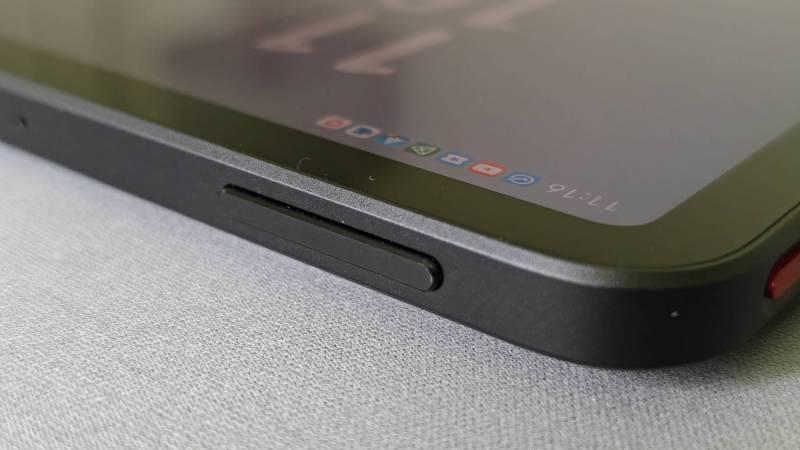
Holding it in landscape, the power button with embedded fingerprint sensor (thank you!) is on the top of the left edge, with the volume rocker on the left of the top edge. The USB-C port is centered on the right edge.
There are four speakers on the Pad Pro packed with a bunch of fancy marketing-speak specs like “battlefield-grade audio realism with surround sound” and “four-channel ultra-linear speakers” and stuff like that. And truthfully, they’re pretty impressive. They won’t be quite as good as the ones on the 11-inch iPad Pro or the 12-inch OnePlus Pad 2, but they are still really good for a tablet. The sound is full and rich, whether you’re streaming something or gaming, and I never had to turn it up past about halfway to hear perfectly clearly.
Display & Specs
The display on the Pad Pro is nice, but it’s nothing fantastic. I’m 99% sure it’s an LCD, but I couldn’t get confirmation on that. It’s 10.9 inches with a 16:10 aspect ratio, which is much better for multitasking and entertainment than the 16:9 Apple refuses to let go of. By far the best part of the display is the 144Hz refresh rate, which is absolutely wonderful for gaming and just makes it feel much smoother when using for other stuff too. It’s variable between 60, 90, 120, and 144Hz, so you can drop it down lower to save battery if you don’t game a lot.
On the spec front, nubia packed the Pad Pro full of power. It’s running the Snapdragon 8 Gen 3 processor, which is over a year old now, but is still an incredibly powerful chip. You won’t have any problem running anything on this tablet. That’s backed up by up to 16GB of RAM and up to 512GB of storage, which is just nuts to see in a tablet these days.
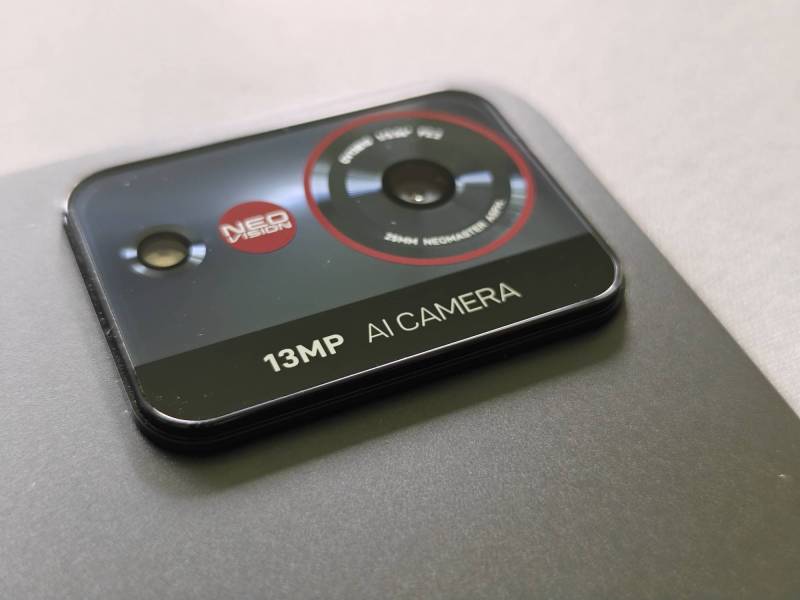
The rear camera on the nubia Pad Pro is a 13-megapixel “AI Camera,” because, of course, it is, and the front camera is 20 megapixels. I never recommend taking pictures you care about on a tablet, and that’s certainly true on the Pad Pro. The rear camera is not very good, but it’s fine for scanning documents or similar tasks. The front camera is better, but I still would only recommend it for video calls and such. If you’re chatting with friends and family, it’s perfectly fine. If you’re giving a career-defining presentation at work, use something else.
Battery & charging
There’s a 10,100 mAh battery in the nubia Pad Pro, which gave it plenty of juice for me. I would be able to go two or three days between charges with typical use, meaning how most people use a tablet – browsing, some emails, and some YouTube videos. I would also game on it for 30-60 minutes most days, and sometimes even had it plugged into a monitor while gaming. Even with that usage, I still got two or three days of life.
The Pad Pro supports up to 66W fast charging, which isn’t quite as fast as the 80W on the OnePlus Pad 3, but that still smokes anything from Apple and Samsung. Nubia also includes a fast charger in the box, which is always great to see.
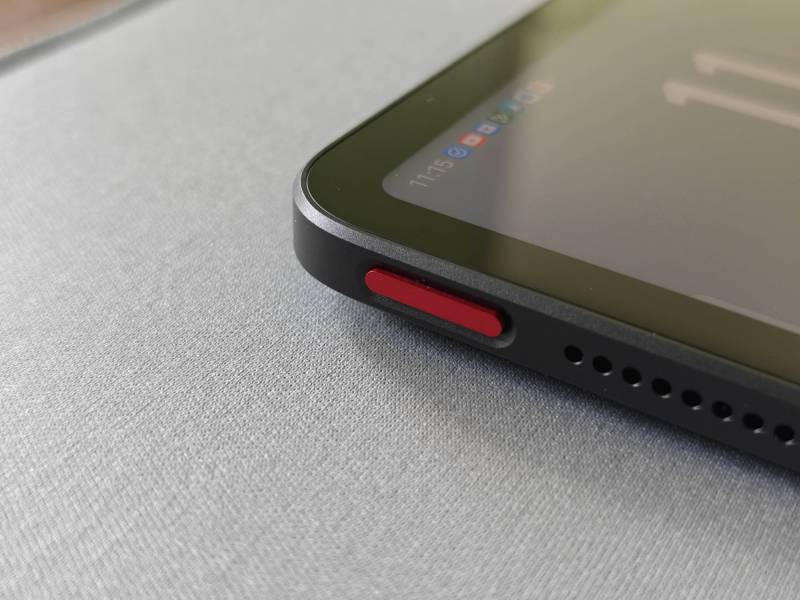
It’s got a fingerprint sensor
Performance
I used this tablet for almost everything I could during my time with it, including writing parts of this review on it (with a Bluetooth keyboard and mouse), and it never gave me any issues. There were some software quirks that I’ll get to later, but from a hardware standpoint, it delivered.
Nubia also pitches the Pad Pro as a gaming device, and it handled everything I played with no issues. It wasn’t always able to deliver the highest graphics on games like Call of Duty: Mobile, but it never stuttered or lagged during games, which is the most important to me. And while an 11-inch tablet may not seem like the best device for games like that, once you connect a Bluetooth controller to it, it’s a whole lot of fun.
If you need a powerful, reliable tablet for work, play, or both, the nubia Pad Pro is up to the task.
Software
Unfortunately, this is all too often the Achilles’ Heel for most anything not made by Apple or Samsung (and even they have their own software issues). OnePlus also does a good job with its tablet software, but most of the smaller players like nubia often struggle on the software side.
There are still a few inconsistencies in the UI, including some bad translations, and I really don’t like that the Google Discover feed is replaced by a janky, very Windows-like side menu that aggregates clickbait articles, shady ads, and app recommendations. I especially don’t like that you can’t replace it with Google Discover, even if you can at least turn off all the stuff you see.
That’s certainly not to say the software on the nubia Pad Pro is bad, not by any means. It’s plenty fast and fluid and isn’t bogged down with tons of bugs. What it does mean is that you’ll see a fair amount of bloatware (although any bloatware is too much) in the form of some preinstalled ads thinly disguised as games, and a non-commitment to software updates.
The nubia Pad Pro comes with Android 15, and I did not receive any official confirmation of updates. Based on past experience, I would expect at most one, possibly two, Android updates and possibly two to three years of security patches. They certainly won’t be timely or regular either. And even though nubia calls the software Nebula AIOS, I was pleased to see there weren’t a bunch of AI features crammed in for marketing’s sake.
There are even a few useful additional features, such as a floating sidebar where you can pin apps and shortcuts, and its Energy Cube gaming features from its RedMagic lineup of gaming devices. This is an overlay you can access while in a game that lets you tweak a ton of settings to improve gaming performance. It’s certainly overkill for most people, but it’s fun to mess with if you’re a gamer.
Should you buy it (who is it for)?
Having more options for tech gadgets is always a good thing, and it’s great that the nubia Pad Pro exists. Nubia makes very interesting and high-quality phones, and its first-ever tablet is a stellar device. The powerful hardware is backed up by fast, mostly clean software, and the keyboard case adds a lot of extra functionality.
Tablets still occupy a kind of weird space in the tech world, as the vast majority of people only ever use them for online browsing and streaming content, especially since Android tablets all run the same software that’s on our phones. They’re literally just bigger phones. The niche cases for tablets are productivity-focused people and gamers.
I think nubia has found a good balance between the two. The powerful hardware and extra gaming features make it great for gamers, and it’s also excellent for getting work done. If you’re someone who is looking for a solid tablet for work and play, the Pad Pro is worth a look.
The nubia Pad Pro is available in Black or Silver in three configurations: 8GB + 256GB (Black only), 12GB + 256GB, and 16GB + 512GB for $419, $489, and $599, respectively. The keyboard case is $109, and a non-keyboard case is available for $34.
For that price, nubia does need to improve its commitment to software updates, but overall, that’s still not bad for what you get, although I’d recommend you probably don’t need the 16GB version. I have the 12GB one and it’s been perfectly fine for me.
The nubia Pad Pro starts at $419; it is available directly from the manufacturer and other retailers, including Amazon.
Source: Manufacturer-supplied review sample
What I Like: Plenty of power; Solid design; Reasonable price
What Needs Improvement: Comes with bloatware installed; It needs a better software update commitment