
The Lowdown
The Mileseey S50 and Mileseey S50C Green-Beam Laser Measures are true game changers in capturing and calculating measurements. Whether it’s a simple room width, calculating volume, or the height of a roof line, these laser measures get the job done with accuracy and speed. Both models are excellent in what they do, and the S50C surpasses the S50 thanks to its excellent AMOLED touchscreen and an 8x zoom camera that makes long-distance measuring effortless.
If you need to make long-distance measurements, then the Mileseey S50C is the right choice. If not, the less expensive S50 may be right for you. Either way, these two laser measures are among the best on the market.
Overall
Pros
- Build quality – both survived several drops onto concrete
- Highly visible green-beam laser – especially indoors
- Highly accurate measurements
- Quick measurement capture
- History of measurements
- Calculating measurements from a single point
- Angle measuring
- Battery life is impeccable
- S50C touchscreen and camera make it stand out as a premium device
- S50C improved IP65 rating
Cons
- Charging cable is short
- Mobile apps are cumbersome and not intuitive
- Some tappable icons on the S50C are a little small for a touch interface
- S50C is more than twice the price of the S50
The common tape measure was invented over 140 years ago and has seen few improvements since. Handheld laser measuring devices showed up in the 1990s and were quite the rage. However, they only had one feature: “How far away is that thing I’m pointing the laser at?” Mileseey has turned that single feature into pocket-sized measuring supercomputers. The Mileseey S50 and Mileseey S50C with Camera Green-Beam Laser Measures are two capable devices that add many new features to taking, tracking, and calculating measurements with a laser.
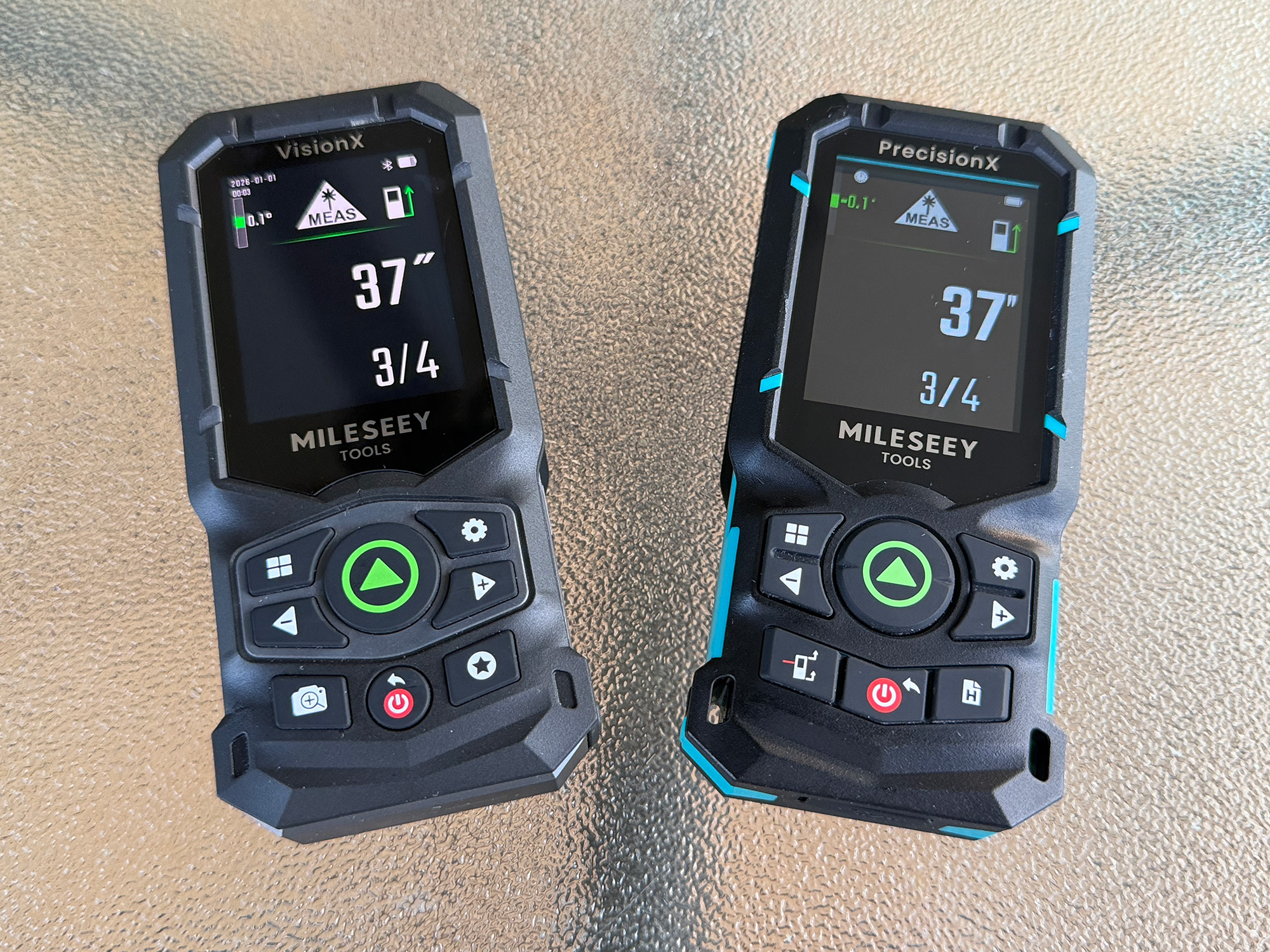
Mileseey S50C and Mileseey S50
Mileseey has been in the laser measuring business for almost 20 years and has manufactured many consumer-grade laser products. They saw a need to improve typical red-laser measuring devices so they could be used more effectively outdoors.
Red lasers are harder to see outdoors at long distances, and the shift to green-beam lasers has vastly improved visibility, making laser measures more usable.
In this review, two green-beam laser measures, the S50 and the S50C, will be put through their paces and compared. Which is best for your situation? (Spoiler Alert: both are great and have a place in your tool bag).
What’s Included?
-

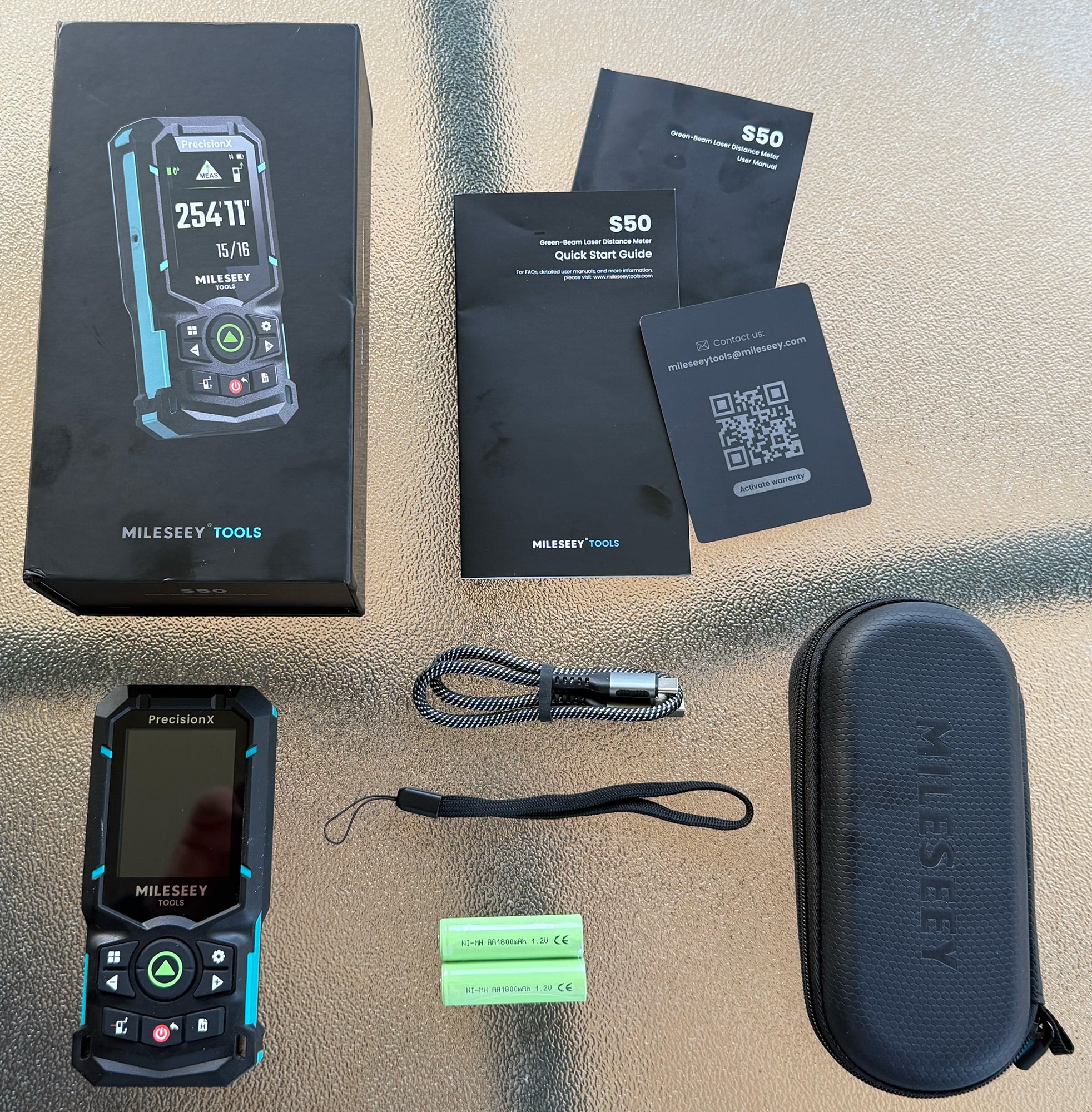
- Mileseey S50 goodies
-

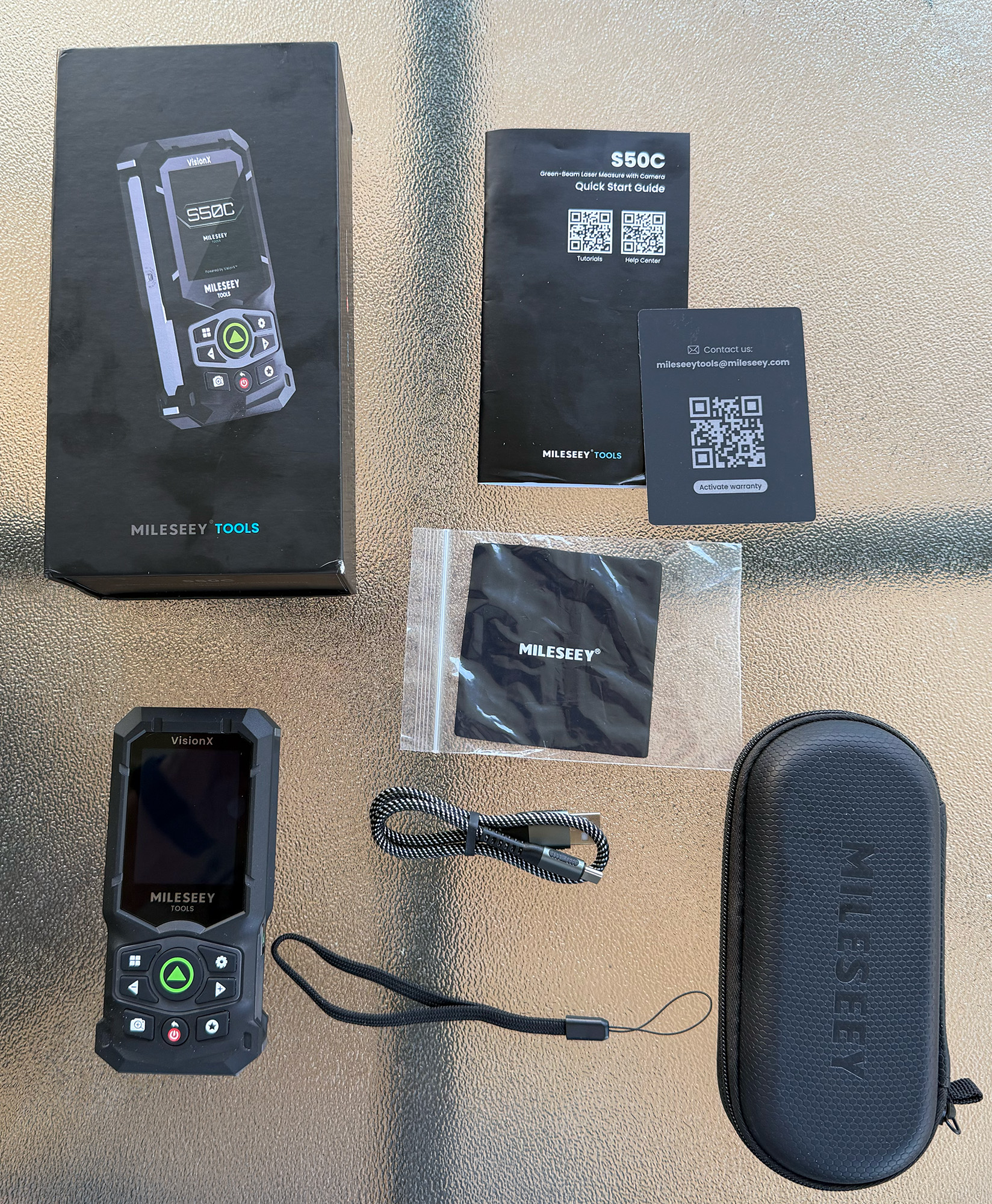
- Mileseey S50C goodies
| Mileseey S50 | Mileseey S50C |
|---|---|
| Protective Hard Carrying Case (compact zipper pouch) | Protective Hard Carrying Case (compact zipper pouch) |
| 2x Ni-MH Rechargeable AA Batteries (1800mAh, removable) | Built-in Lithium-Ion Battery (2400mAh, non-removable) |
| Wrist Lanyard | Wrist Lanyard |
| USB-C Charging Cable | USB-C Charging Cable |
| Microfiber Lens Cleaning Cloth (to keep the touch screen and the 8x zoom camera lens clean) | |
| User Manual, Quick Start Guide, and Warranty Card | User Manual & Warranty Card |
Tech Specs
| Spec | Mileseey S50 | Mileseey S50C |
|---|---|---|
| Measuring Range | 0.16ft – 400ft (0.05m – 120m) | 0.16ft – 670ft (0.05m – 200m) |
| Measuring Accuracy | ±1/16 in (±1.5mm) | ±1/16 in (±1mm) |
| Units | m; mm; cm; ft; inch 1/32; inch 1/16; 0’00” 1/32; 0’00” 1/16 | |
| Reference | Front; Rear; Side-Laser Alignment; Tripod | |
| Angle Units | 0.0° / 0.00% | |
| Memory | 30 sets | 1000 data & photo records |
| Auto Power-off | After 180s of no operation | After 5min of no operation |
| Display | 2.4-inch IPS color display | 2.4” Sunlight-Readable AMOLED Touchscreen, 450*600 |
| Battery Type | 2*AA rechargeable NI-MH batteries – included | 3.7V/2400 mAh rechargeable Li-ion battery |
| Charging Port | USB-C (5V/1A) | USB-C (5V/2A) |
| Laser Class | Class 2 | |
| Laser Type (Green-Beam Laser) | 500-530nm, ?1mW | |
| Laser Type (Side Laser) | 630-670nm, ?1mW | |
| Camera | (No camera) | 8x Zoom |
| Operating Temperature | 14° F to 113° F (-10°C to 45°C) | |
| Storage Temperature | -4° F to 158° F (-20°C to 70°C) | |
| Charging Temperature Range | 50° F to 95° F (10°C to 35°C) | 41° F to 104° F (5°C to 40°C) |
| Degrees of protection | IP54 (limited dust and water splashes) | IP65 (dust-tight and low-pressure water jets) |
| Drop Protection | 3.3 ft (1 m) drop rating | 6.6 ft (2 m) drop rating |
| Dimensions | 5.2 x 2.4 x 1.2 in (131 x 61 x 31 mm) | 5.2 x 2.4 x 1.2 in (132.5 x 61 x 31 mm) |
| Weight | About 5.1 oz (145 g) | About 7.5 oz (213 g) |
Physical Design and Differences
-

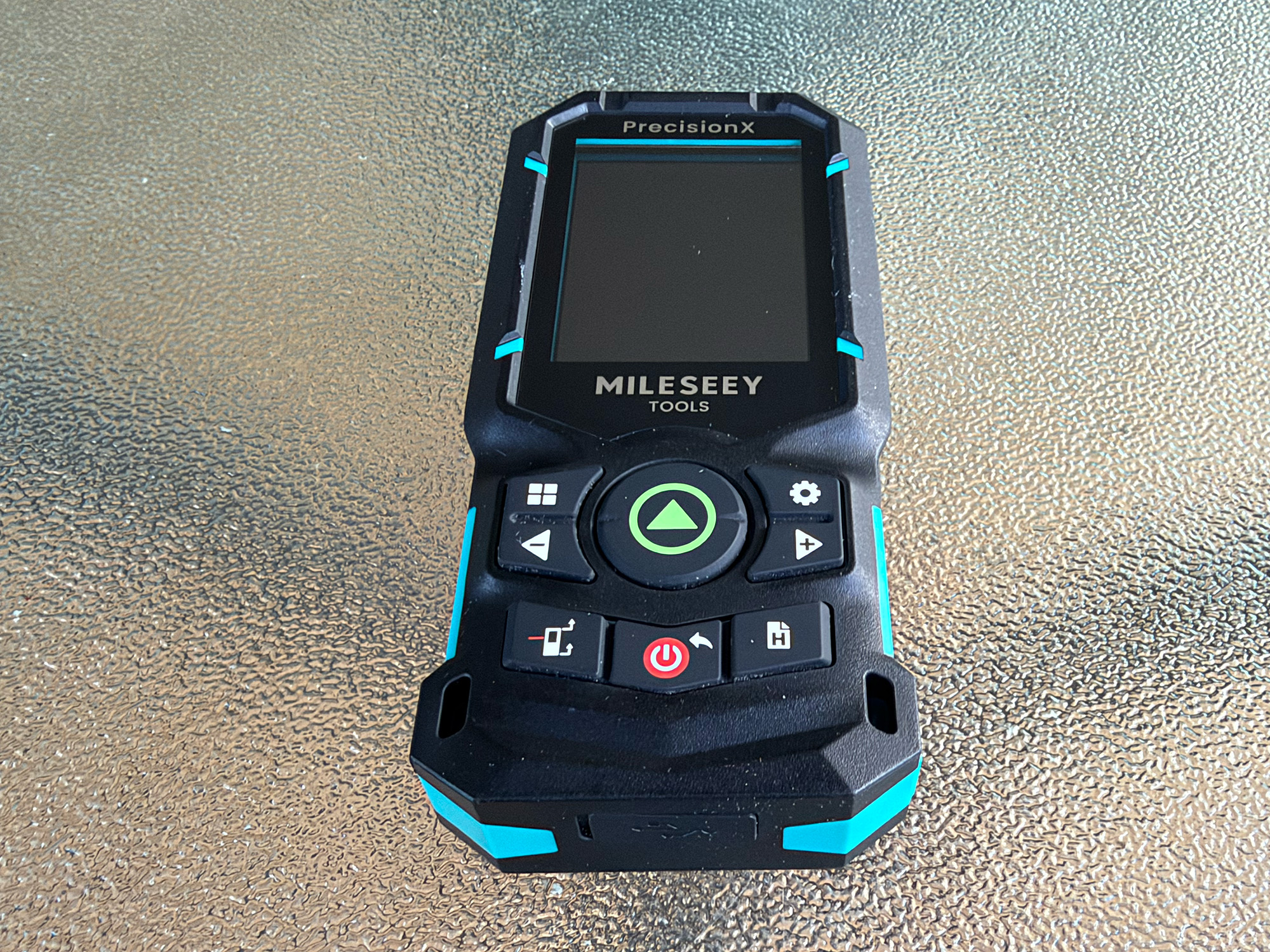
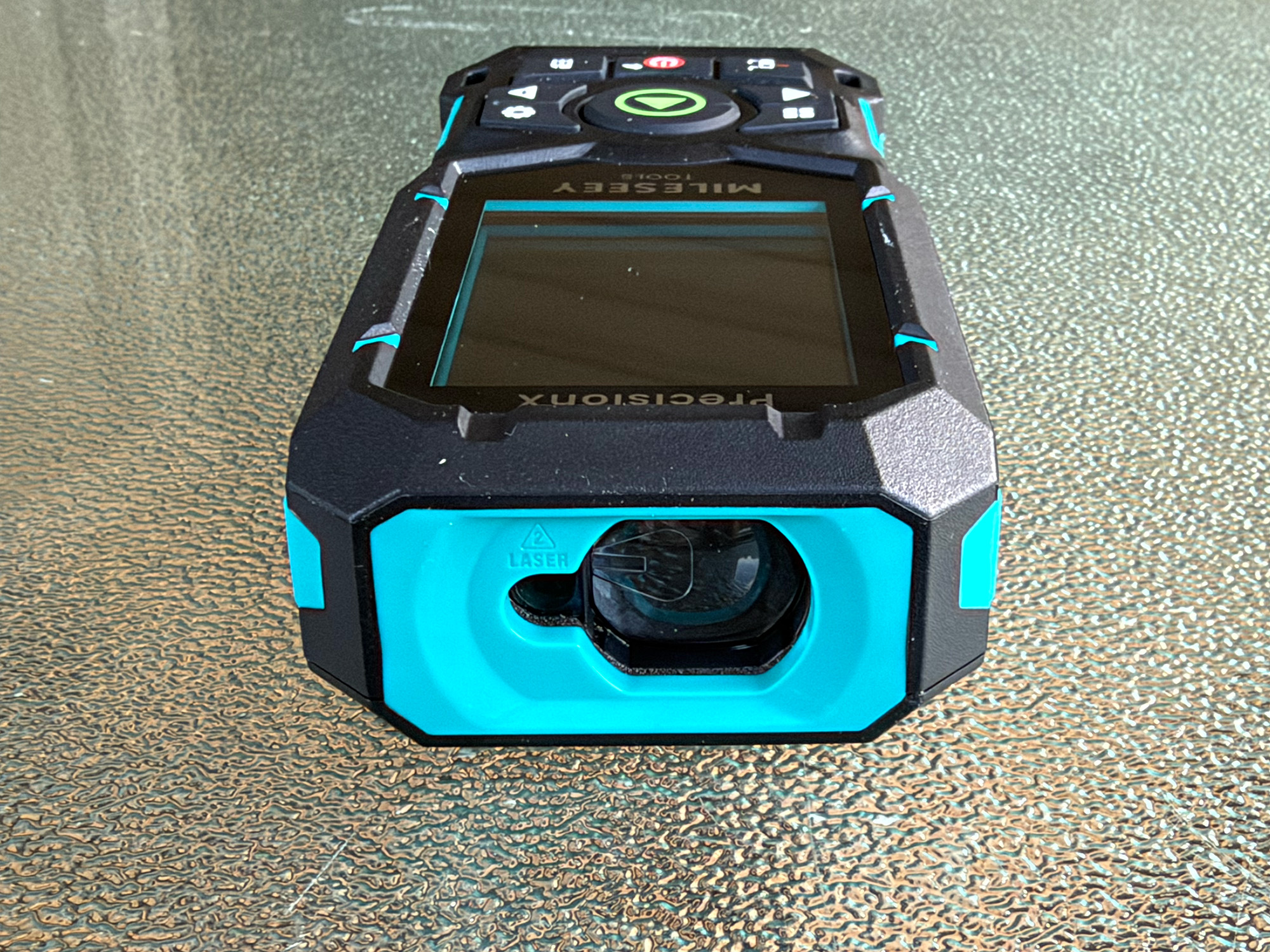
- Mileseey S50 – front
-
- Mileseey S50 – laser
-

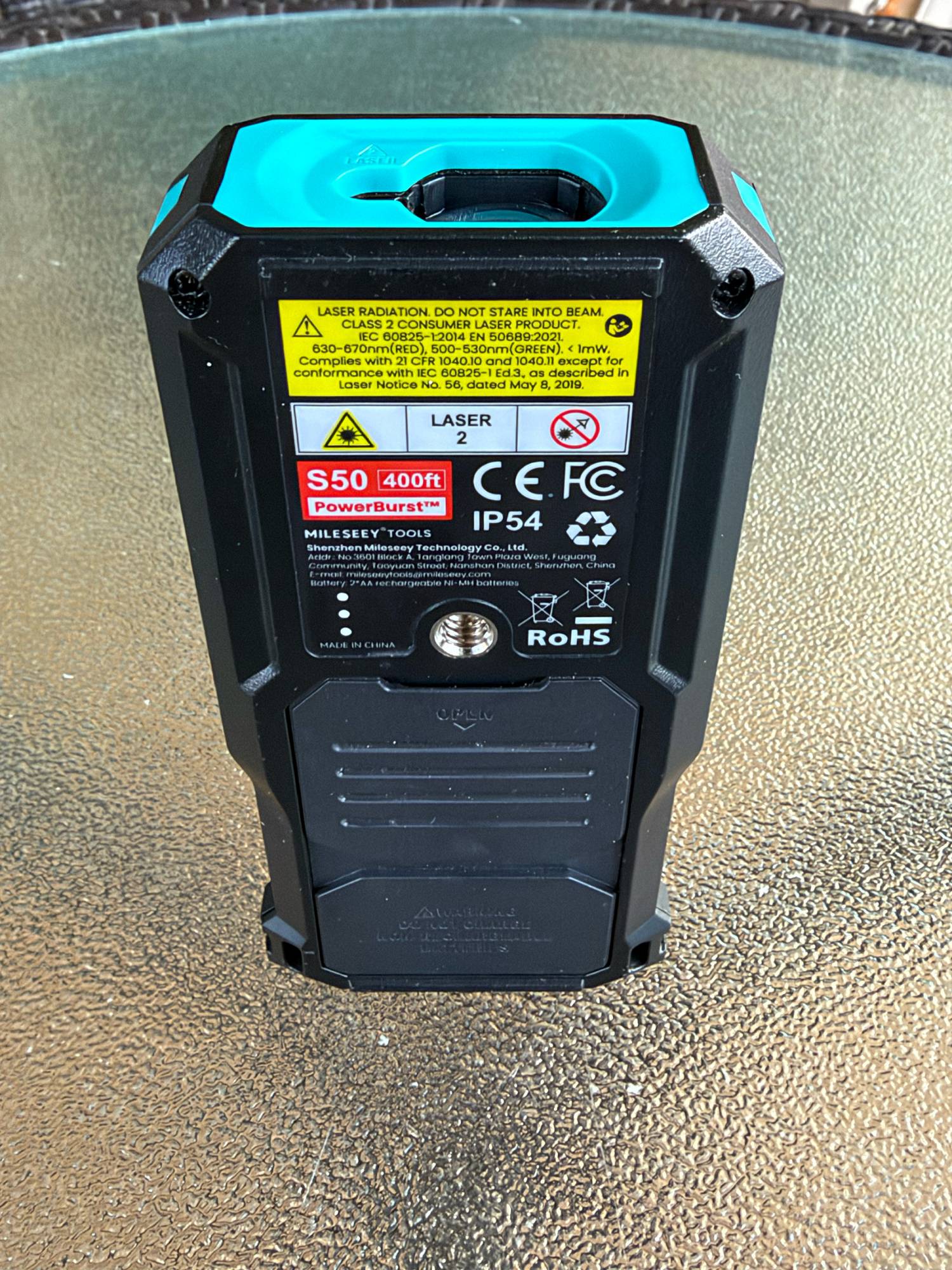
- Mileseey S50 – underside
-
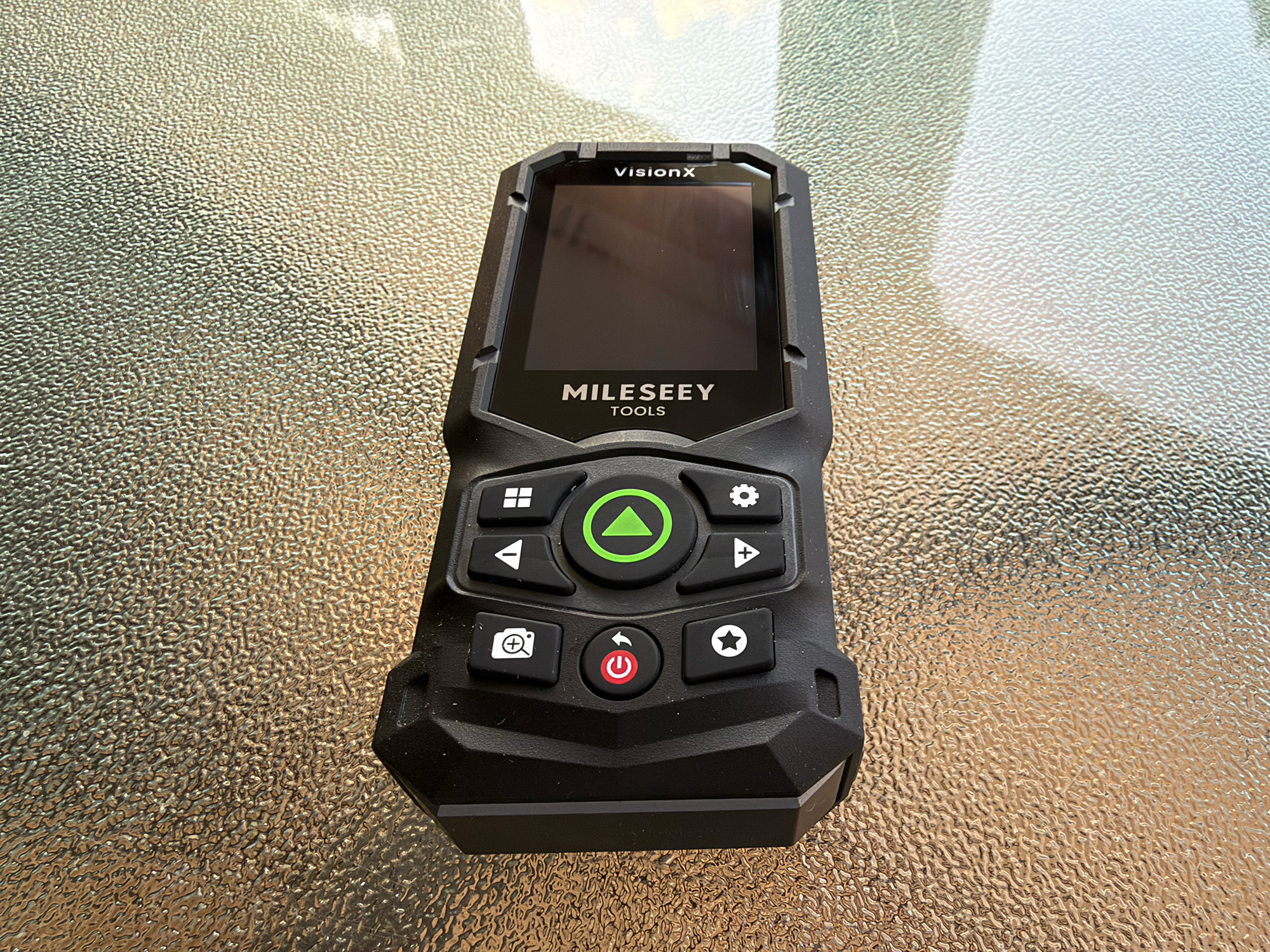
- Mileseey S50C – front
-
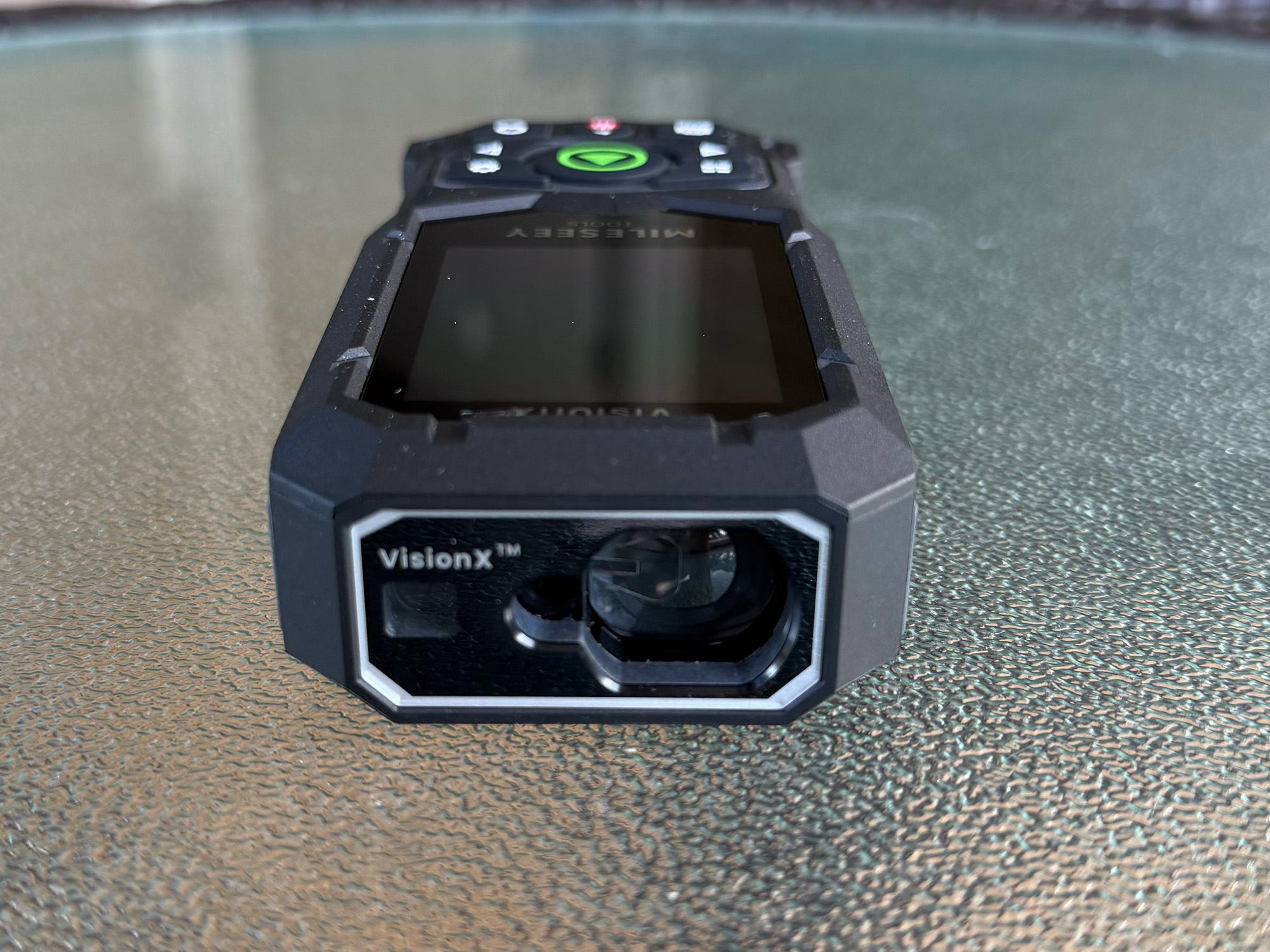
- Mileseey S50C – laser
-
- Mileseey S50C – side
-
- Mileseey S50C – underside
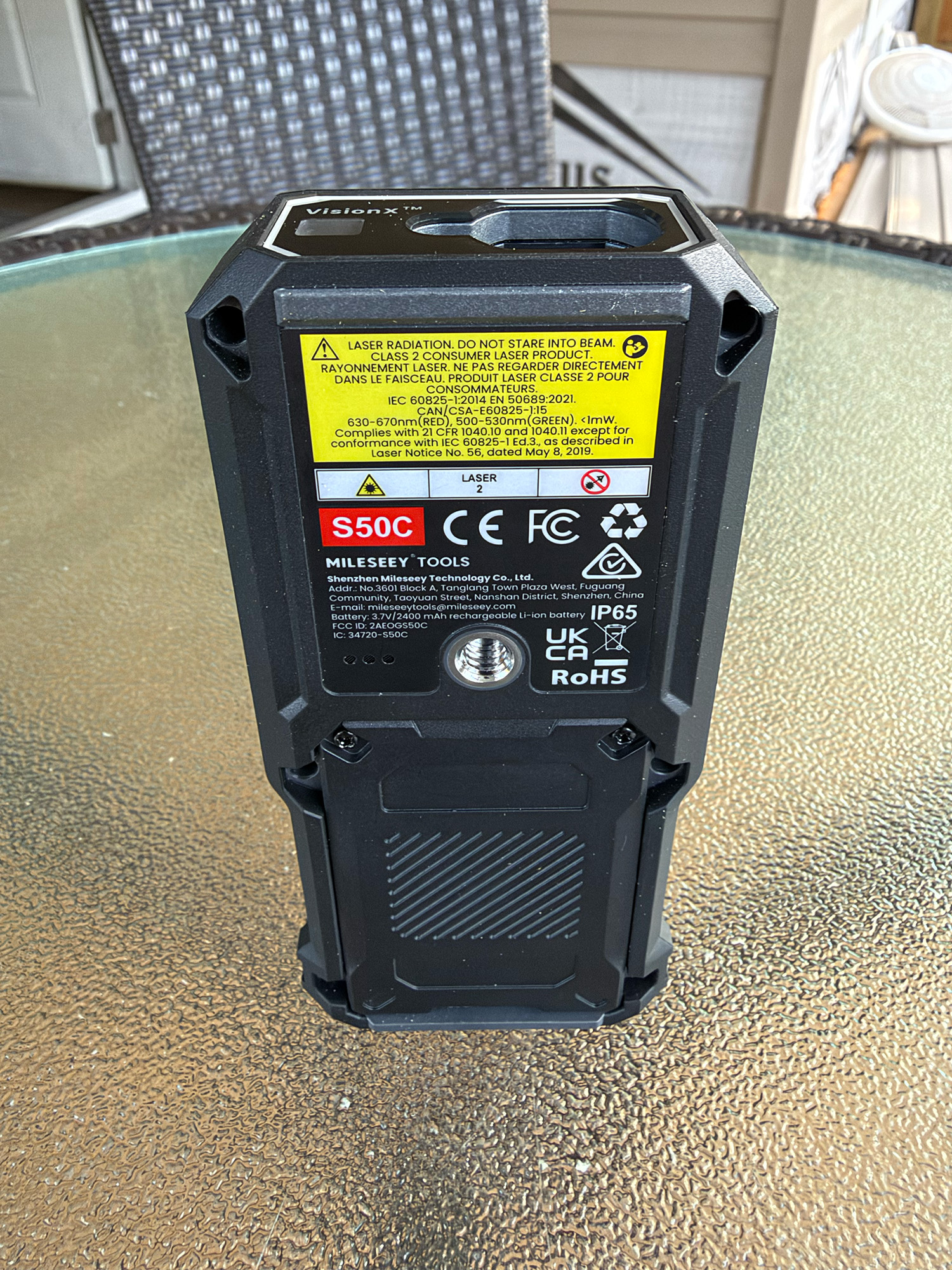
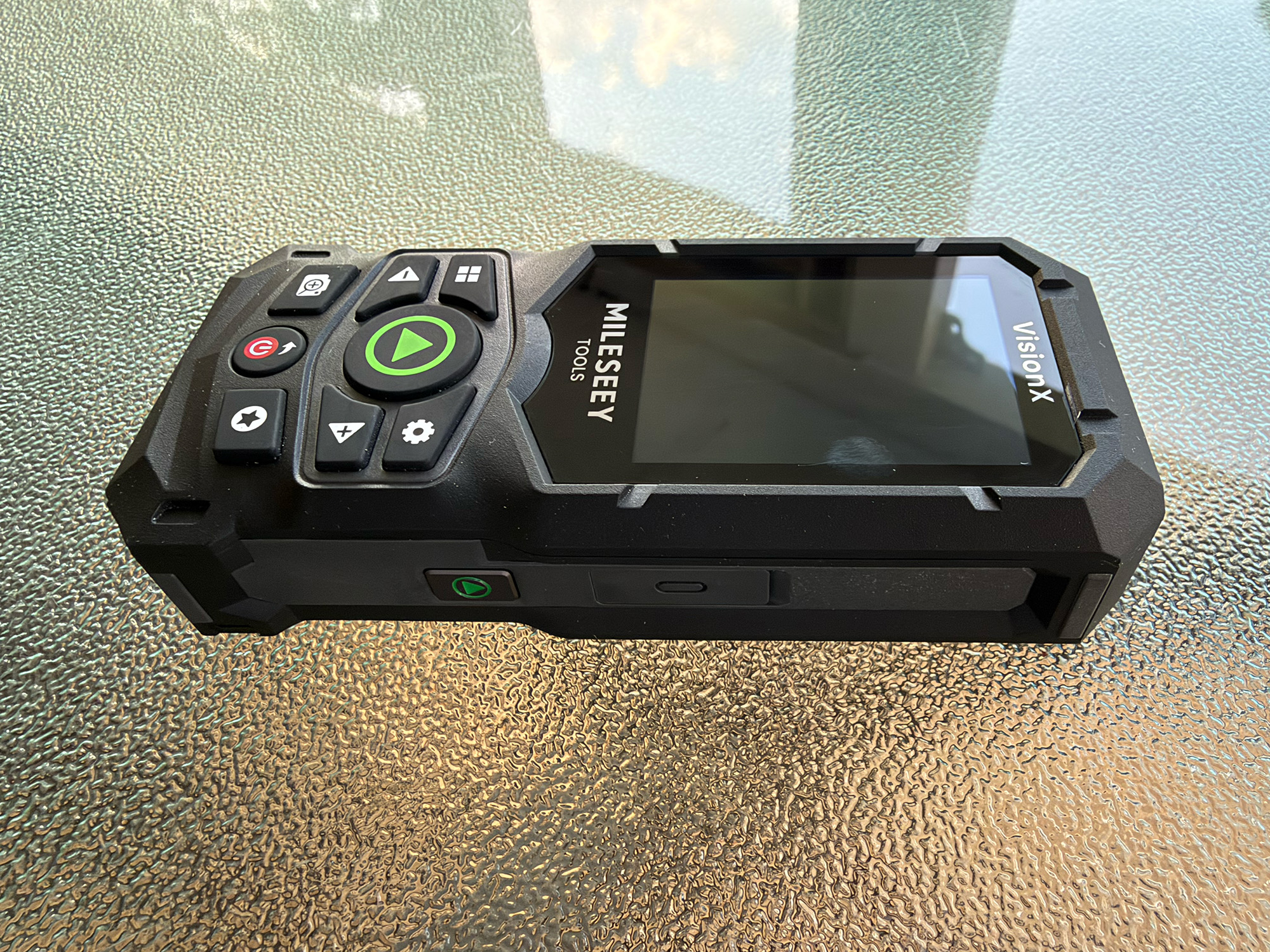
The two models are very similar in shape but built slightly differently. The Mileseey S50’s housing is a heavy-duty, rigid plastic with rubberized edges and buttons. The Mileseey S50C shares the same plastic body and rubberized trim, but adds a solid aluminum/magnesium alloy base. This adds rigidity and stiffness to the back side for better drop protection.
The buttons on each model are similar, with just a few differences. The Mileseey S50 buttons are as follows:
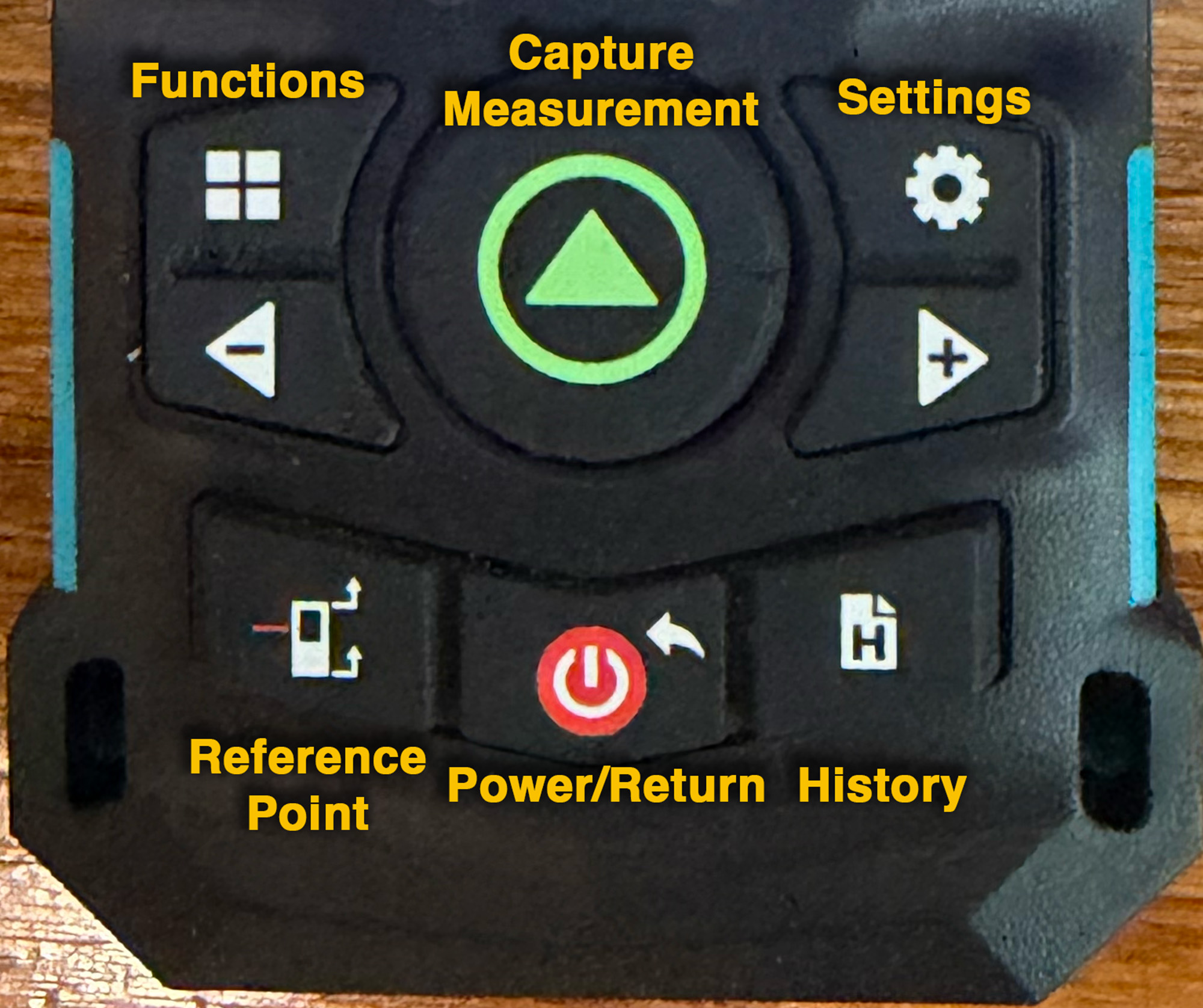
Mileseey S50 buttons
- Function Selector – select which measuring function to use. The list and explanation of these functions is described further down in this review. They are extensive and very useful.
- Settings – 11 different settings to make the device work best for your needs. Setup of the devices and accompanying apps is described below.
- Minus and Plus – Used to move through selections or a list of options.
- Measure – Begin and end a measurement. Turns the green laser on and off.
- Reference Point – Changes the measuring reference point between the four options: Front Edge, Rear Edge, Side Laser, and Tripod mount.
- Power or Return – Turns the device on and off, or moves backward in the menus.
- History – Shows captured measurements and lets you delete them from history.
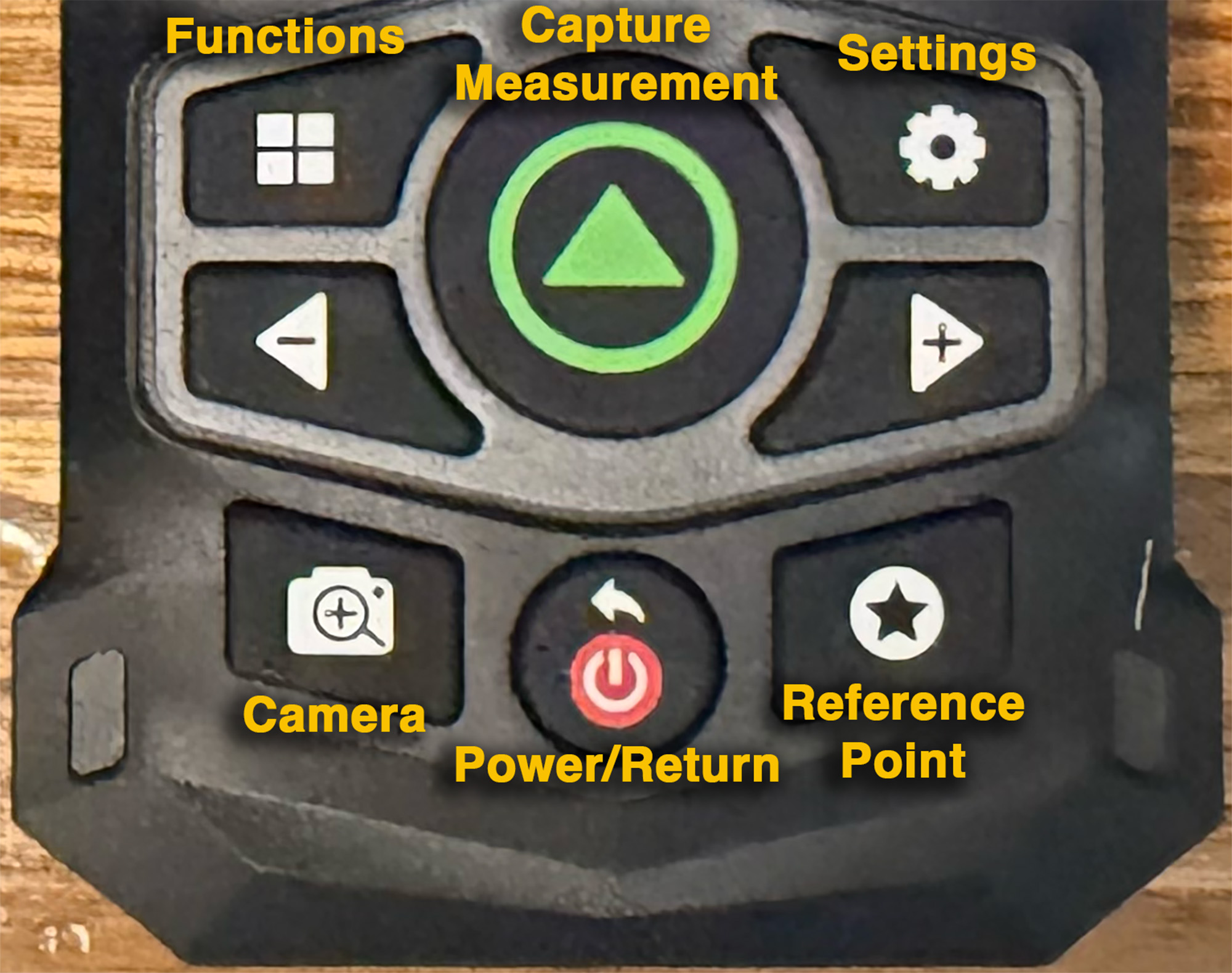
Mileseey S50C buttons
The Mileseey S50C buttons are the same except for the major addition of the Camera button. This turns on the camera feature, making long-distance measuring easier. Also, the Reference Point button is the default function of the Star button on the lower-right. The History function is a simple swipe left on the touchscreen.
Simple Measuring
I was very interested in reviewing a Mileseey Green-Beam Laser Measure because of its accuracy. I am in the middle of renovating the front porch of our house by enclosing it and screening it in. Along with floor and wall area calculations for flooring and paint, I wanted to make removable screened panels for easy cleaning and repair. Measuring the six screen openings meant I needed to be as precise as possible in making these screened panels. Both the Mileseey S50 and Mileseey S50C made that job so much easier and more precise than using one of my many tape measures.
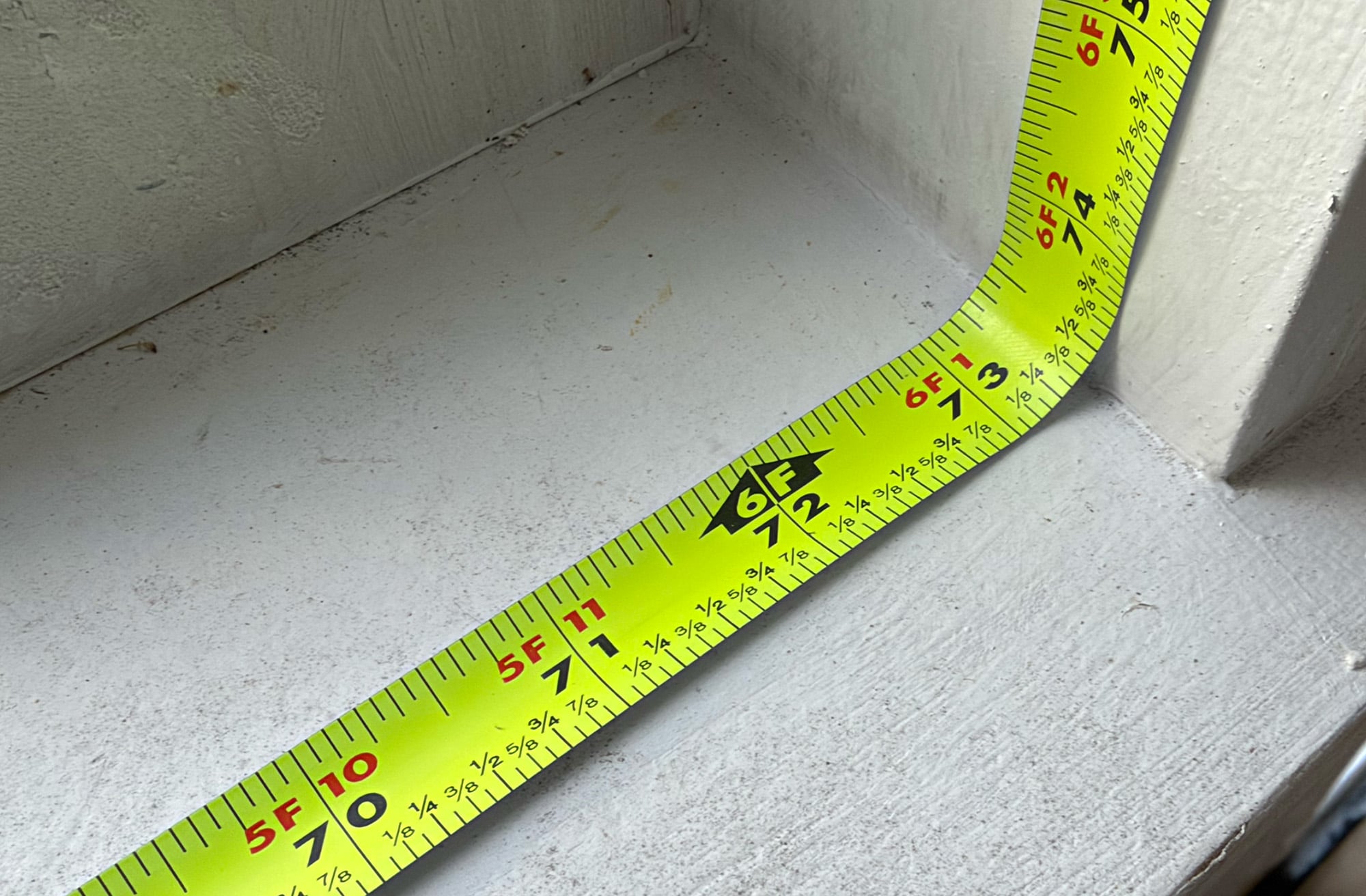
Using a tape measure inside an opening is a pain. You can’t get an accurate measurement when the tape is curled up and can’t reach the corner. This involves guessing and almost always means an inaccurate cut and wasted time and material. Measuring overhead, vertically, or over long distances also has obvious problems. The Mileseey S50 and Mileseey S50C overcome all these tape measure shortcomings. They are rue game changers.
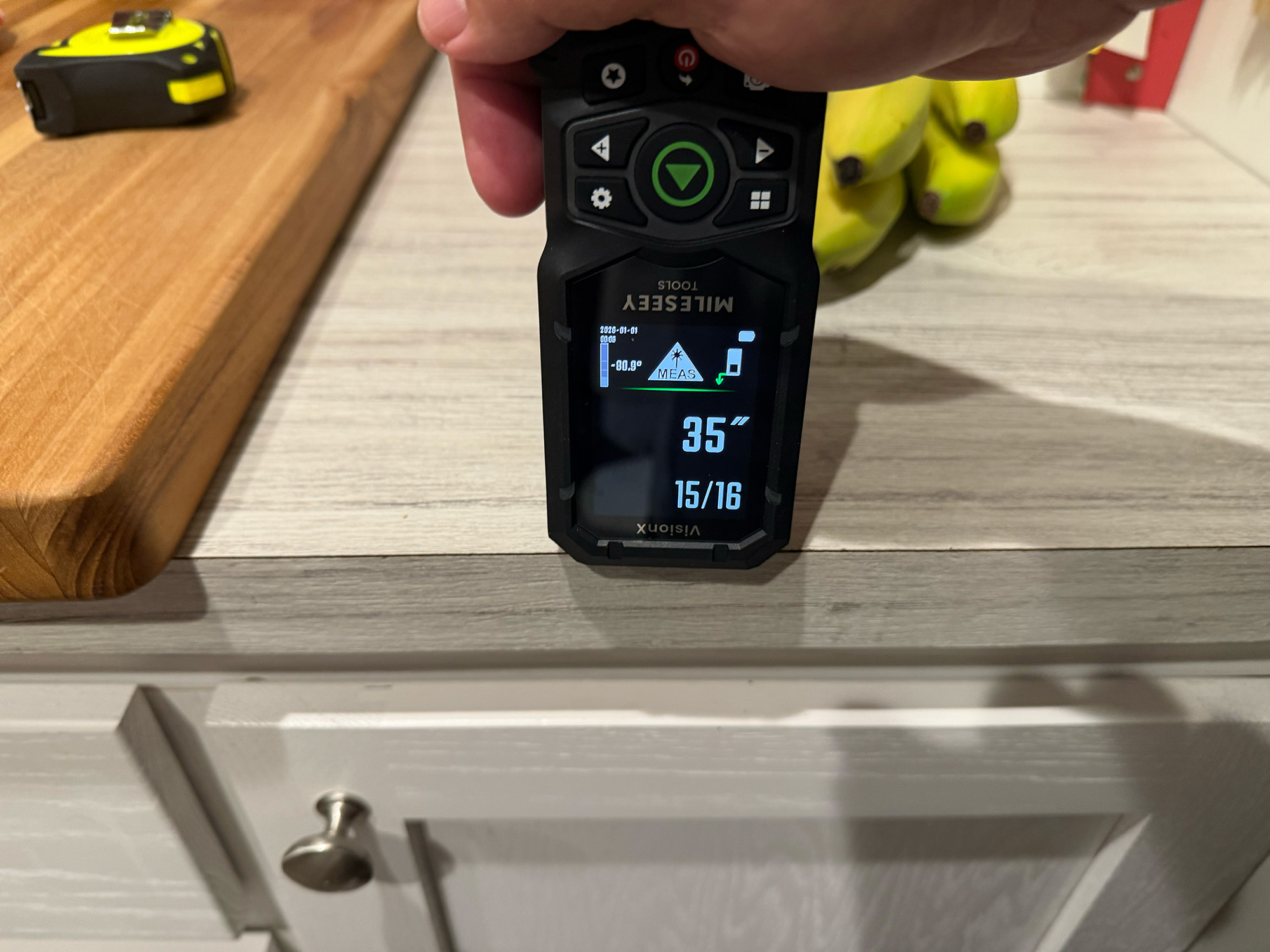
Measuring starts with the reference point on the laser measure. Both models allow you to measure from four distinct points on the device: the front edge, the back edge, the side laser, and the tripod mounting screw on the bottom. These four reference points are used in different scenarios.
-
- Front reference – laser
-
- Tape Measure
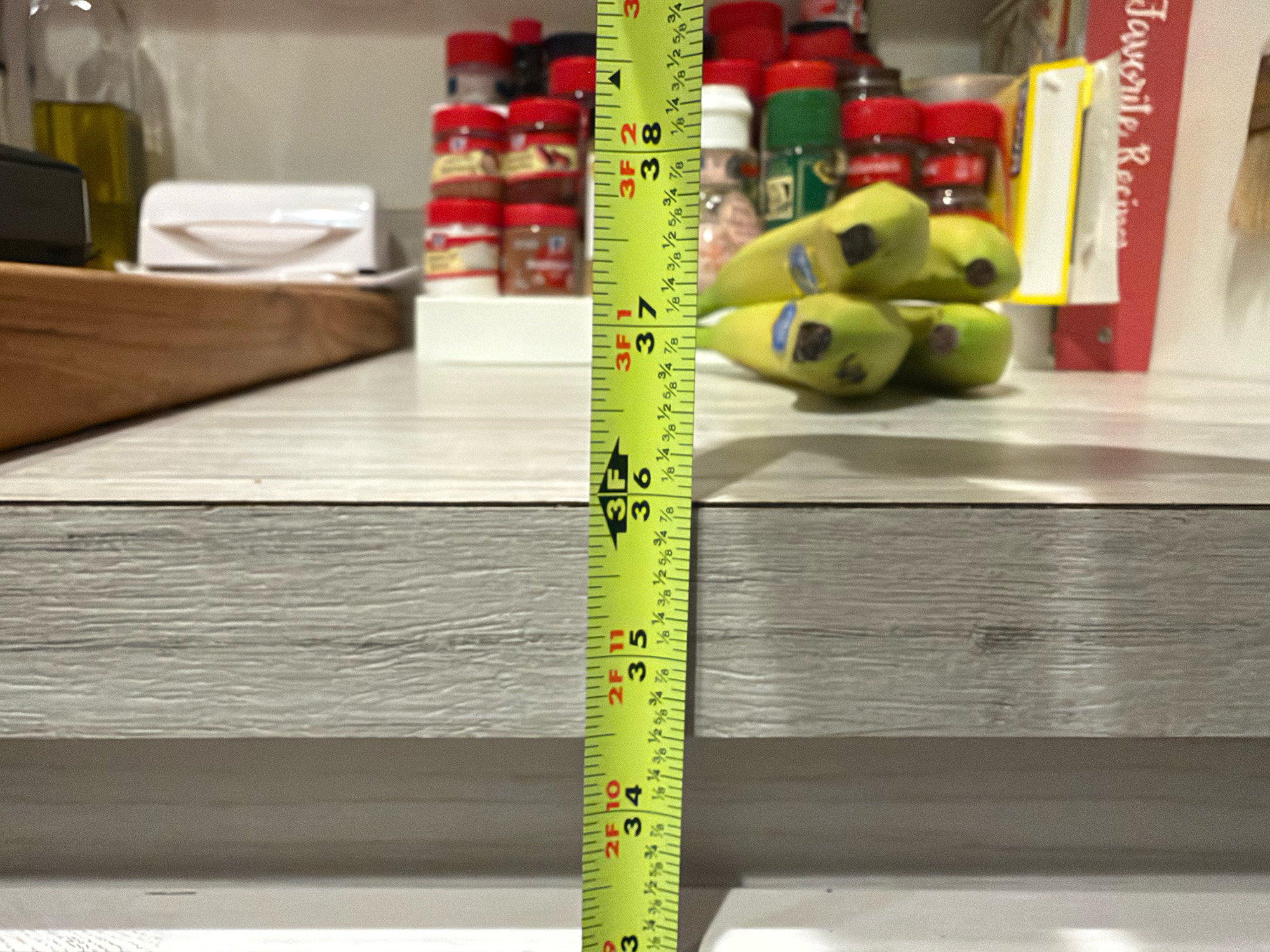
Front Edge – Used to measure out from a specific ledge, countertop lip, or window frame edge. The distance calculated ignores the device’s body length entirely and measures precisely from the front bezel to your target (e.g., floor).
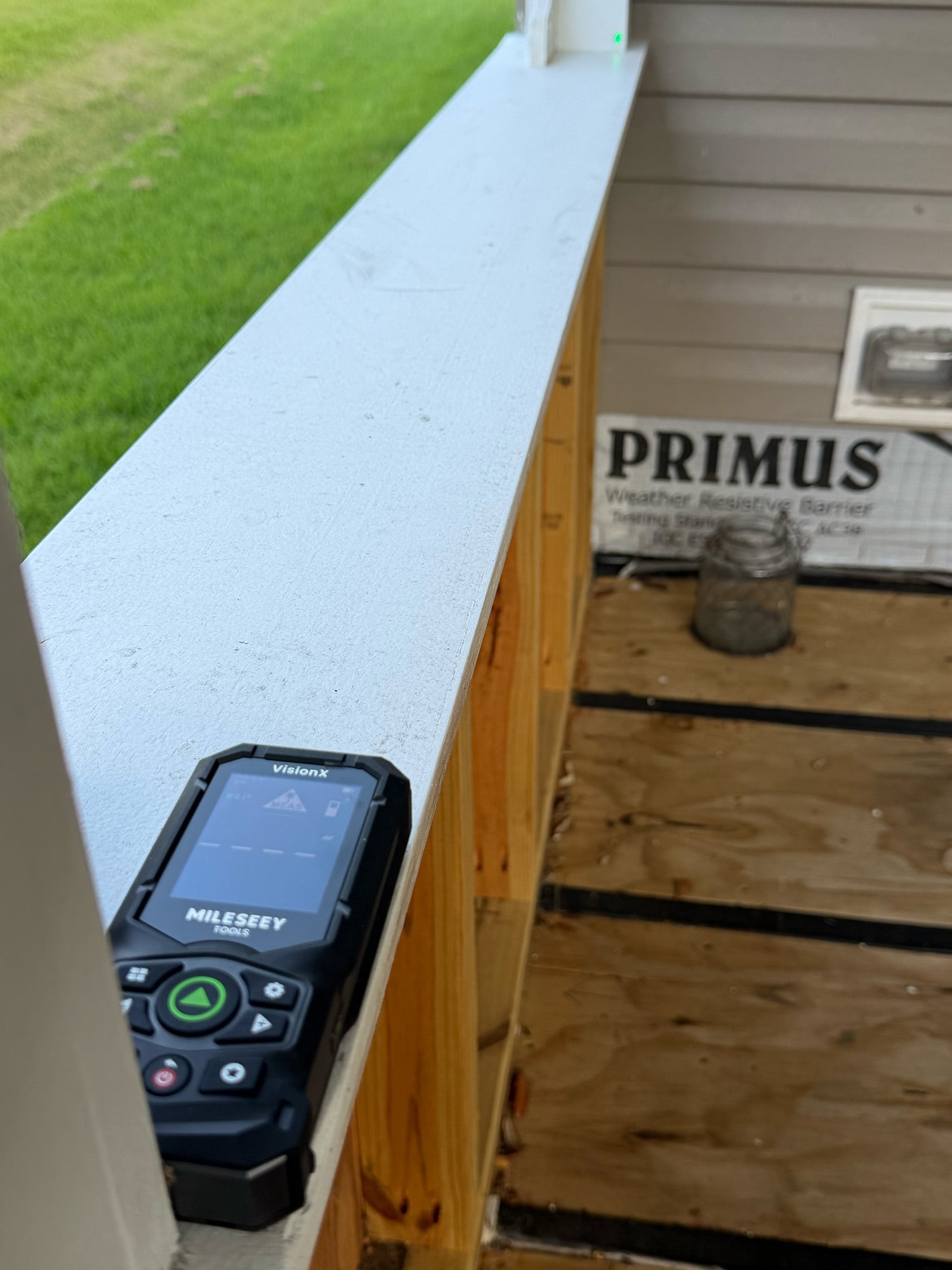
Back Edge – Used to measure distance inside a window frame, or wall-to-wall. Place the back edge of the device against one surface and capture the measurement to the other surface. For me, this was the easiest method I used most while working on my porch.
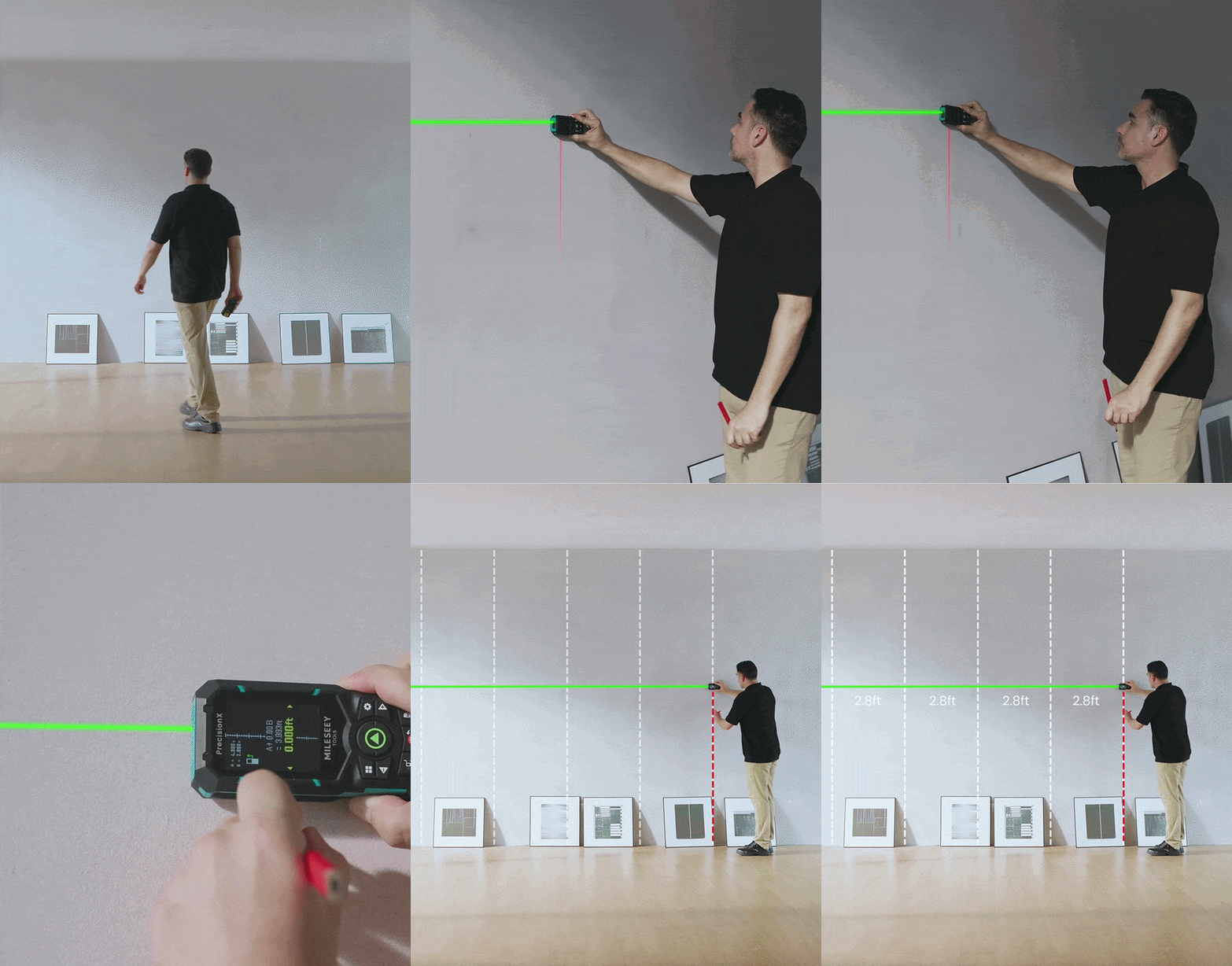
Side Laser – Both devices include an additional, side-pointing red laser as a reference point to measure from a point in the middle of something (floor, wall, countertop, etc.) to another surface. Combined with the continuous measuring function (see below), this would be great for hanging pictures that are the same width apart.
Mileseey S50C mounted on a tripod
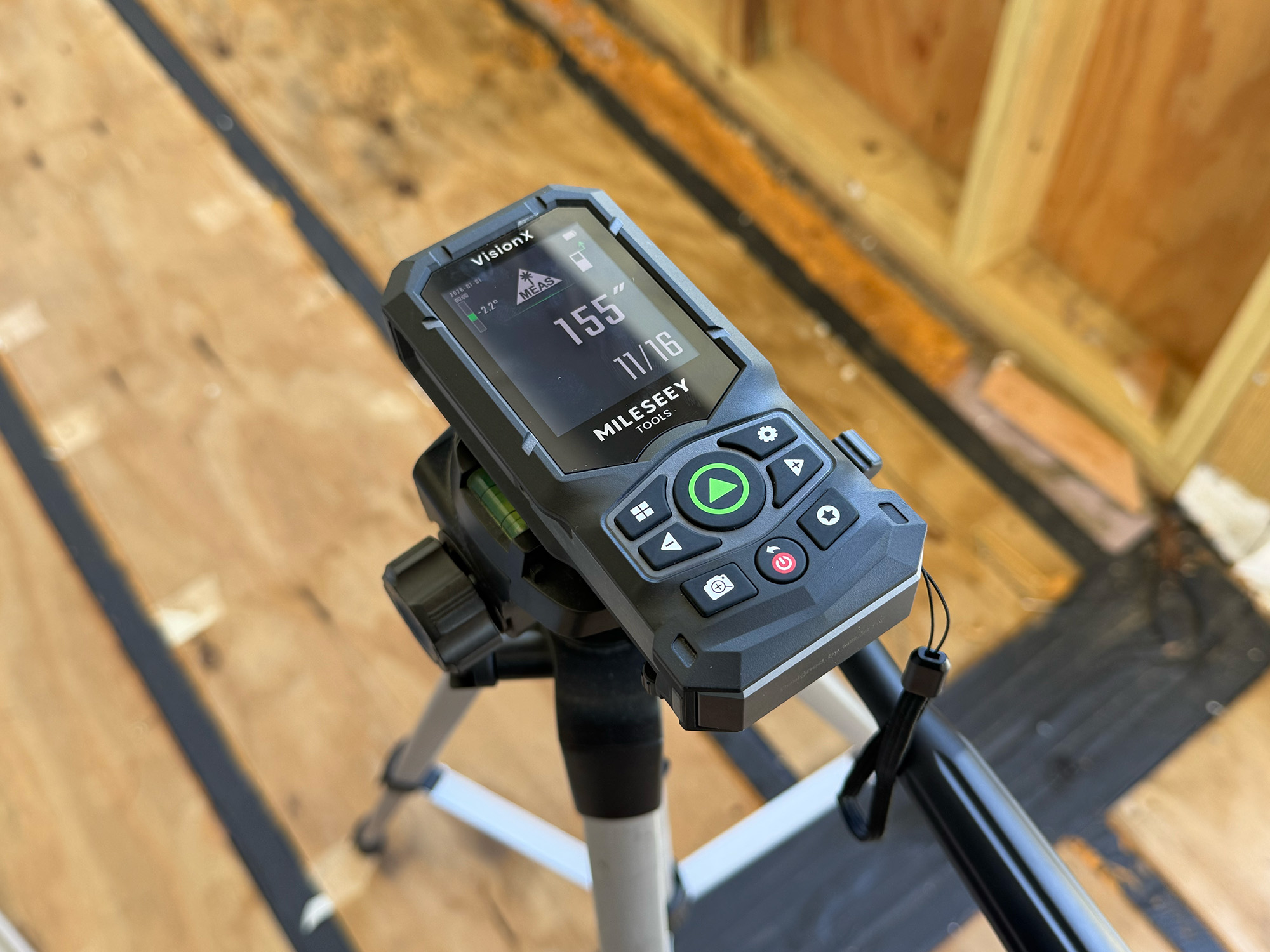
Tripod Mount – Also, both devices have a typical tripod mounting screw on the bottom that allows the laser measure to be mounted to a tripod for easier long-distance measuring and more accurate, point-to-point measuring (see functions below). No hand wobble or drift needs to be worried about.
Back reference
Once I selected the reference point (let’s use the back edge as an example), I placed the back edge against a surface and pressed the big green laser button to turn on the measuring laser. Pressing it again took the measurement, and it instantaneously showed on the screen. Easy peasy.
That was one of the 18 different measuring functions that both devices can perform. This review covers the basics and touches on the other, less-used, specialized functions.
Setup and App
Charging th Mileseey S50C and the Mileseey S50
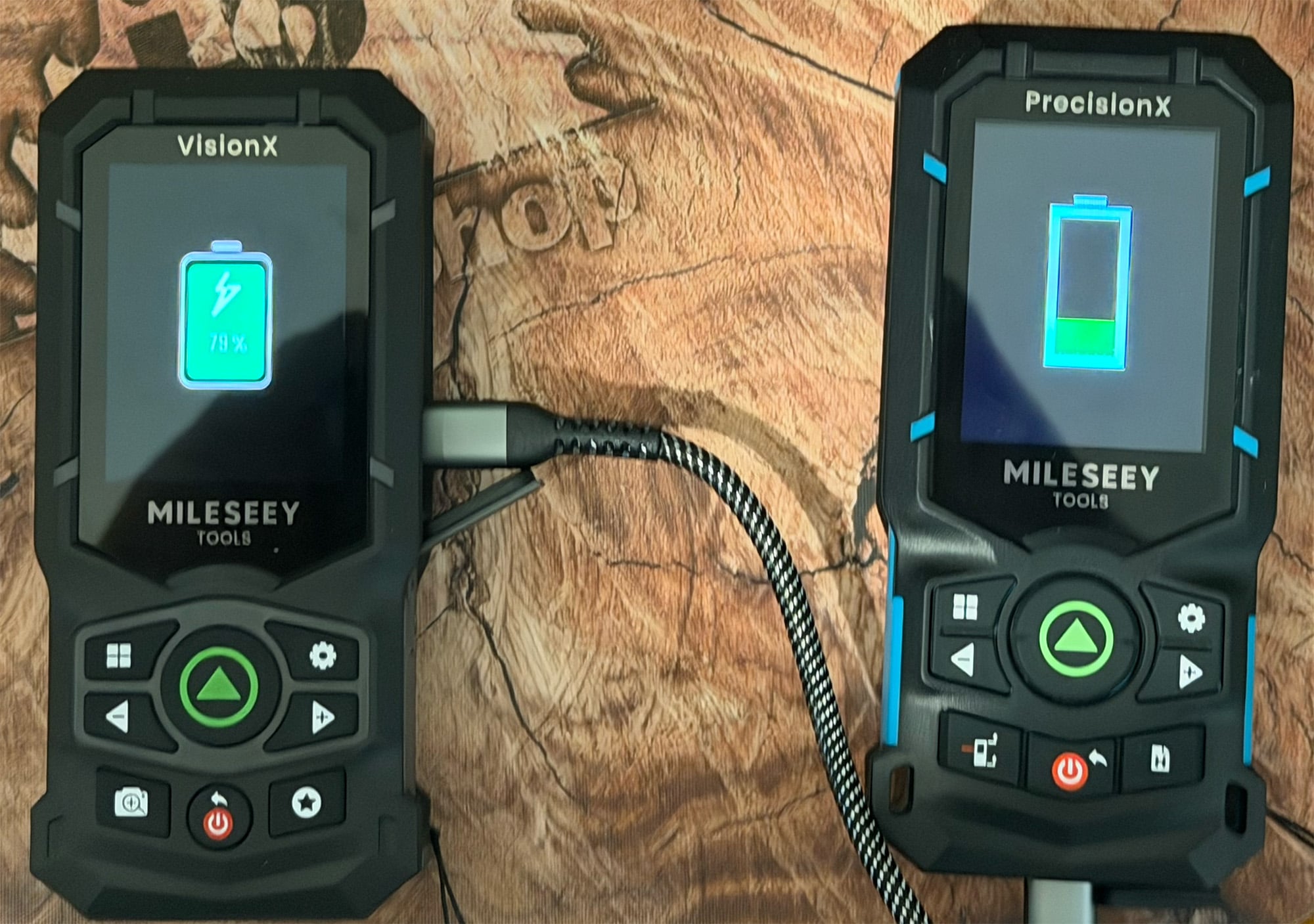
Both the Mileseey S50 and Mileseey S50C require a 100% battery charge before first use. Both come with a short (almost 16-inch) USB-A to USB-C charging cable. As with any rechargeable device, this takes a while. The charging cable is a bit short for my taste. If you were charging these in a work truck, you may have to leave it on the floor while charging. I don’t see this as ideal; a longer cable would be a good improvement.
Once charged, you are ready to go. There are many settings and options to tailor the Mileseey S50 and Mileseey S50C to your needs, but there’s no real setup required.
-

- S50 – Smartlife App
-
- S50 – Smartlife App
-
- S50C – Mileseey Tools App
-
- S50C – Mileseey Tools App
-
- S50C – Mileseey Tools App
-
- S50C – Mileseey Tools App
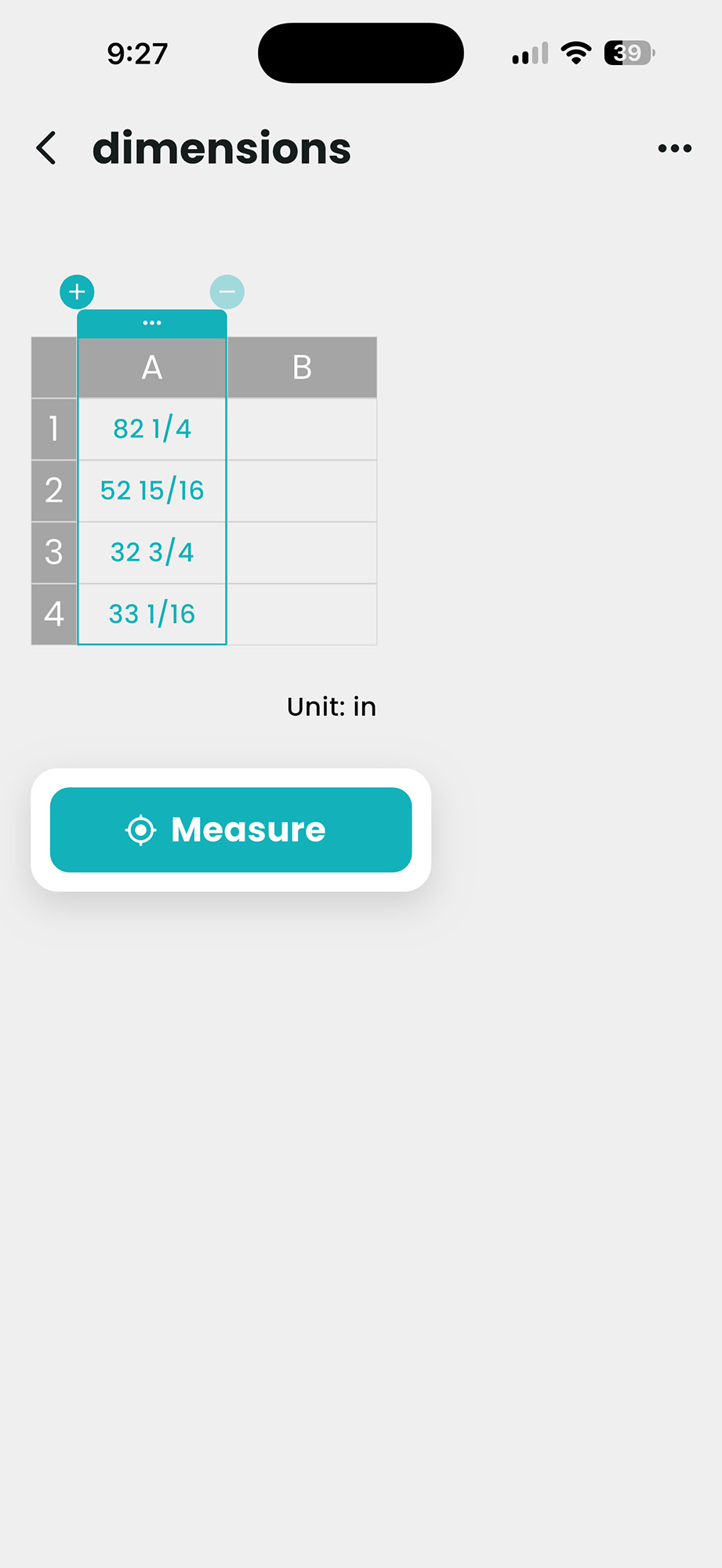
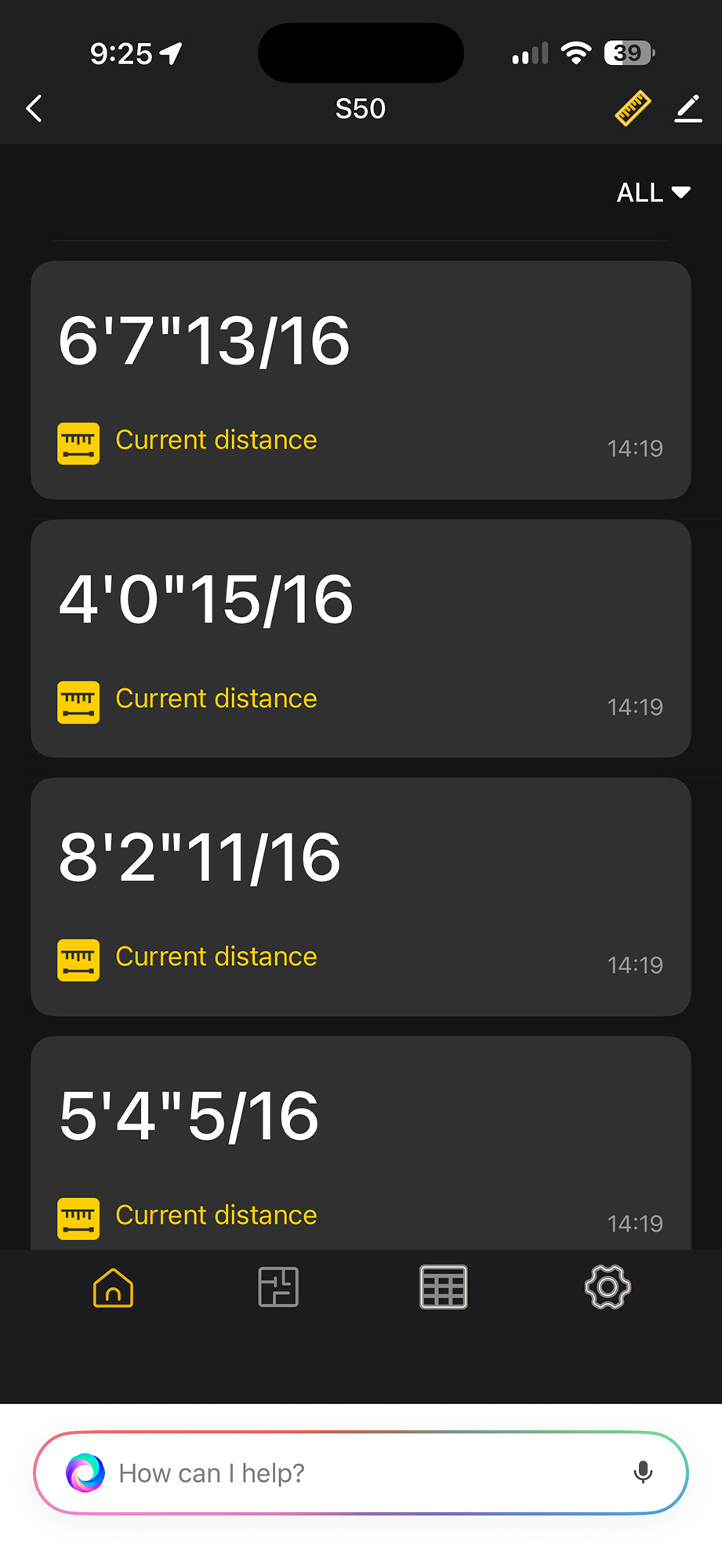
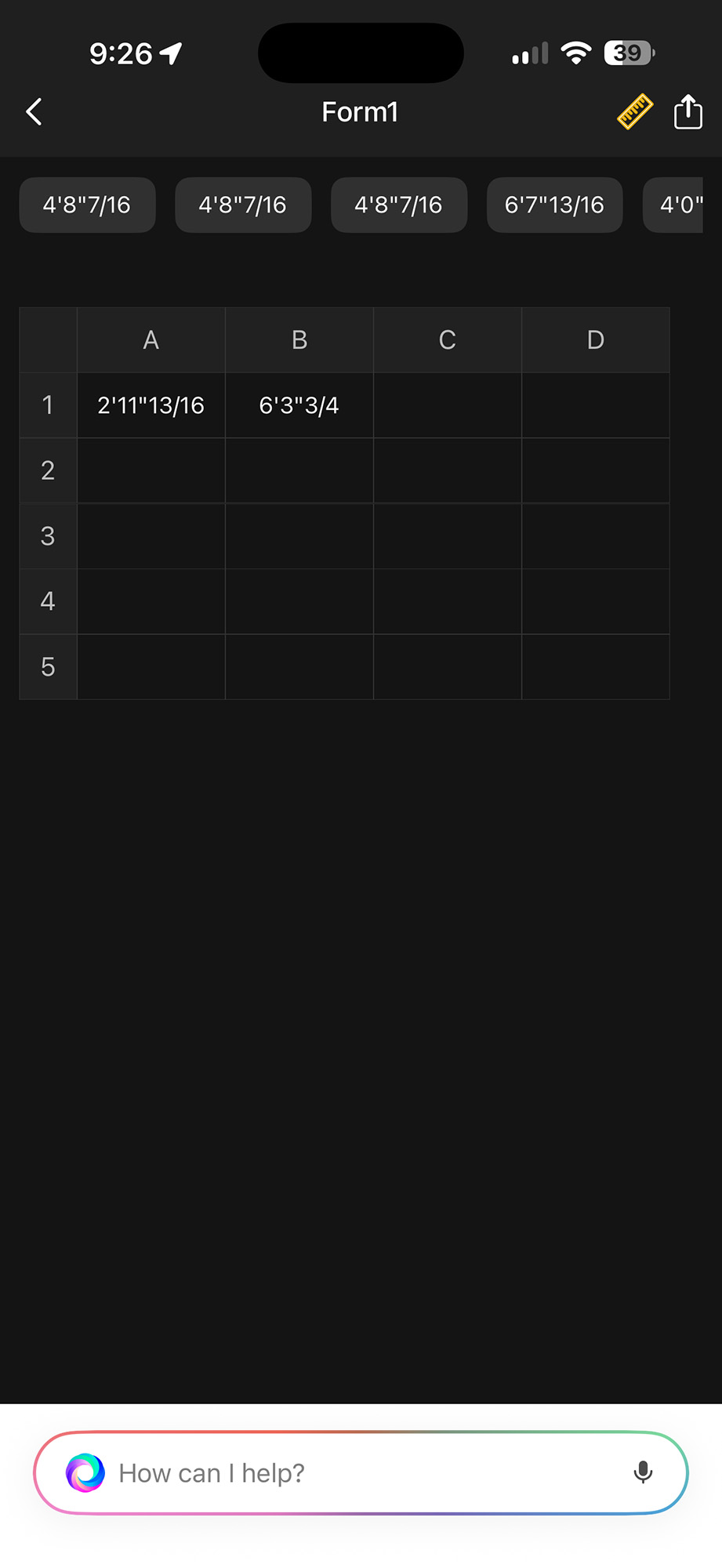
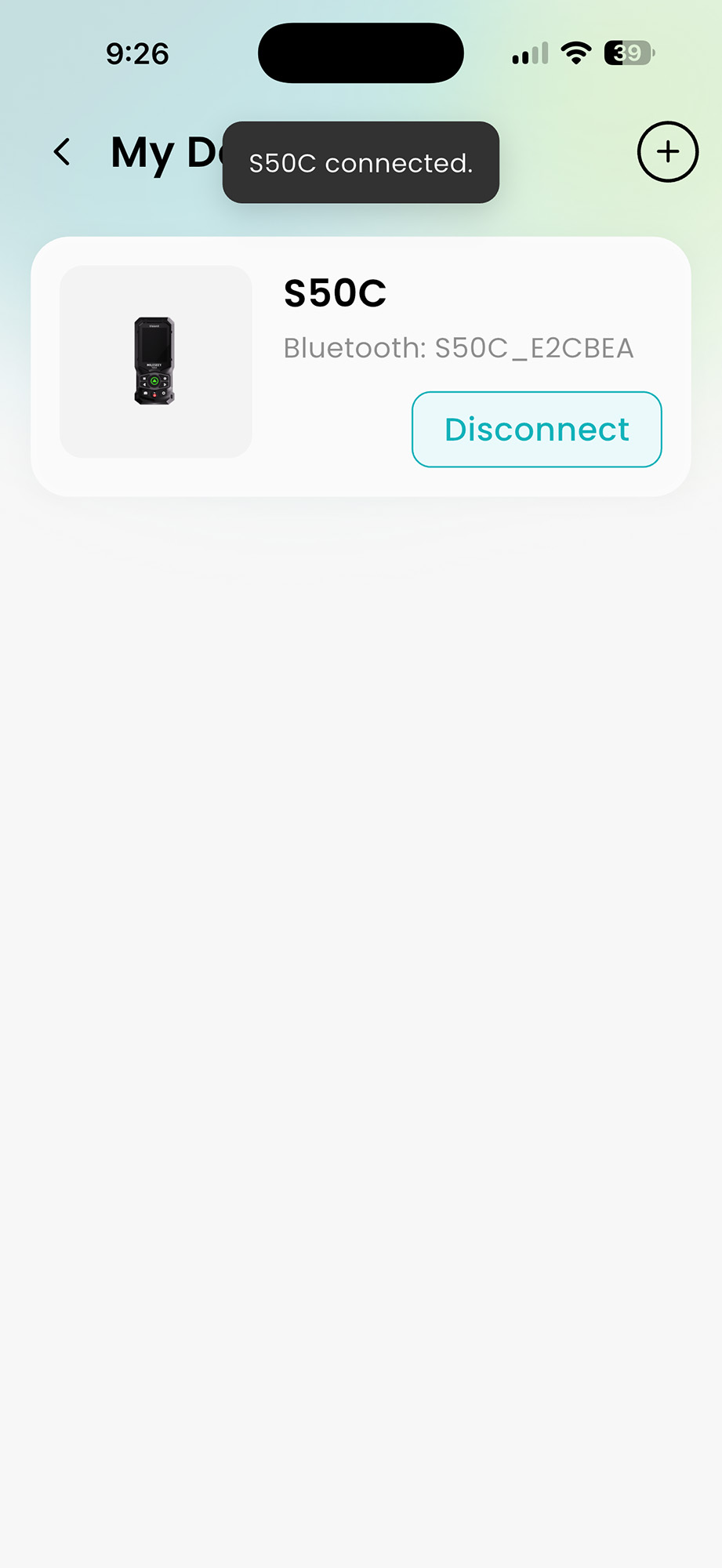
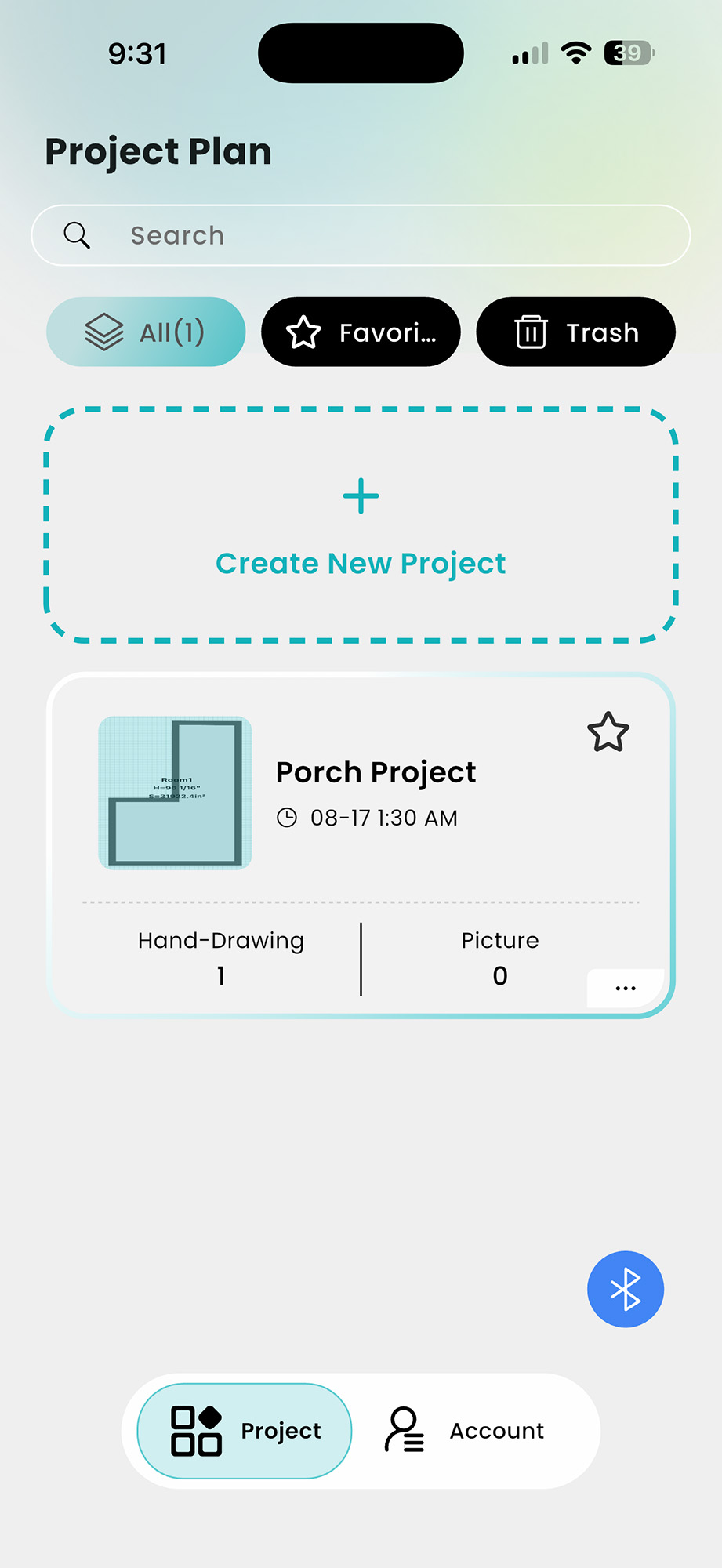
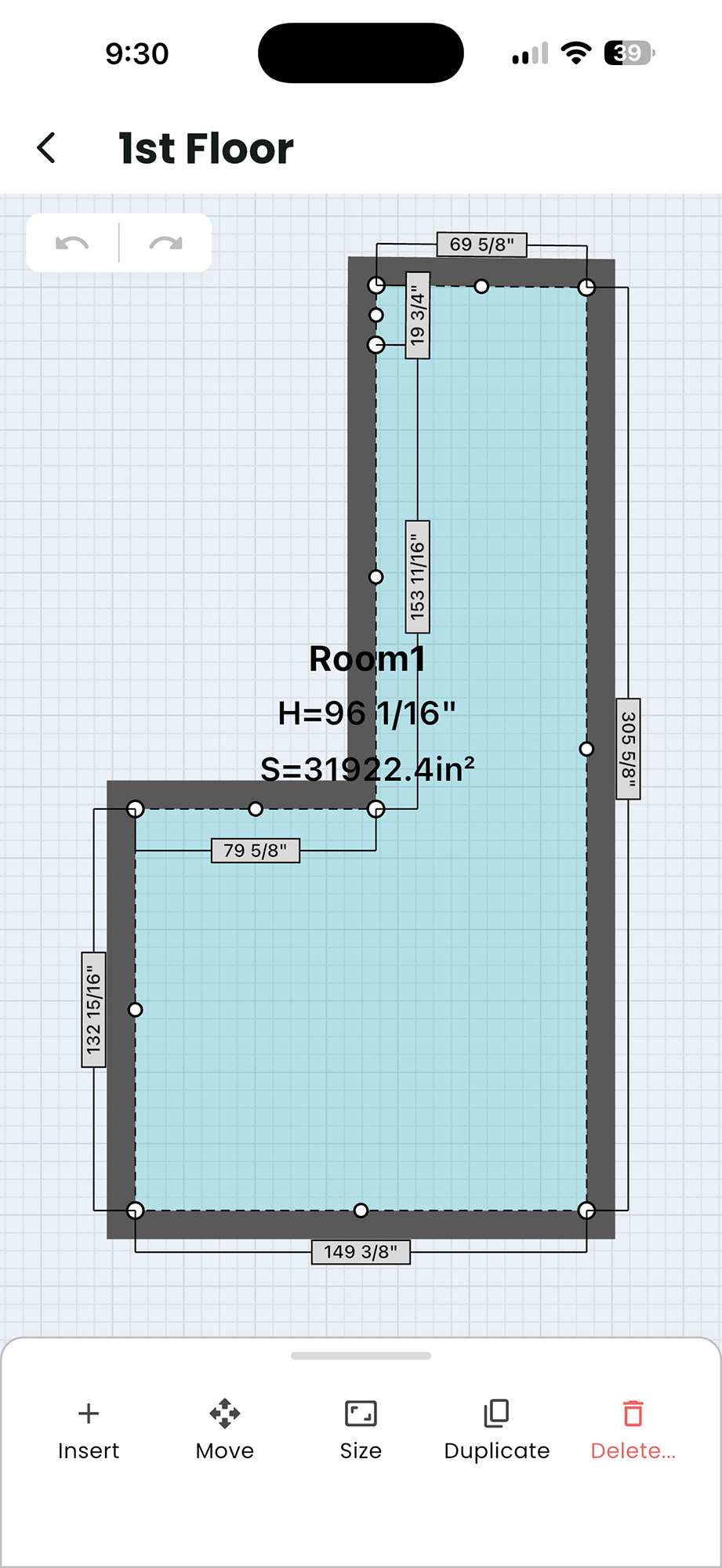
Both of the models can be paired via Bluetooth to apps on your mobile phone or tablet. The Mileseey S50 uses an app called SmartLife, and the Mileseey S50C uses an app called Mileseey Tools. They both provide similar functionality. They easily capture the measurements taken and organize them into a table similar to a spreadsheet, or into drawings (e.g., floor plans or room layouts) of your own making. I found the apps a little cumbersome and not intuitive. I preferred simple paper and pencil for measured drawings.
Features and Usage
The Mileseey S50 and Mileseey S50C are so chock-full of features and functions that a complete review would take much longer to cover them all. In fact, while writing the review, I was discovering features that I had not encountered when I was using them on my porch project.
We’ve already explored simple single-length measuring, so let’s dive into some of the other functions of these devices. These are the features I used several times during my testing:
- Continuous Measuring – While simple measuring is a single point-and-click measurement of a single distance, Continuous measuring takes measurements 8 times a second and tracks the minimum and maximum distances as you move the laser measure. I used this feature to capture the minimum width of a roughed-in door frame on my porch. I needed this in order to know how wide I could make the door jamb for the screen door. This was a huge time saver for me, and the most accurate way to do it.
- Point-to-point Measurements – Using a fixed point (on a tripod for best accuracy), you capture the distance of two distinct points from where you are standing, as in the two edges of a wall, and the distance between those two points is calculated. This is a simple way to calculate the length of a wall while standing in front of it.
- Wall Area – Calculates the area of the walls in a room by capturing the height once and all the wall lengths, and the total area is calculated and displayed. Very handy for figuring out how much paint, drywall, or wall covering you’ll need for a room.
- Area – Simple capture of length and width of a space, and the area is calculated and displayed. Essential for floor covering estimates.
- Indirect length – Calculates the distance to something where a direct line of sight for the laser is blocked. With a single click, it captures the diagonal angle and distance to the top-most point of a wall, then calculates the horizontal distance. Very handy if the wall is covered with shrubs or some other obstruction.
- Indirect height – Calculate the height of something. Capture the diagonal angle and distance to the top-most point of a wall, and the height is calculated and displayed. No more climbing a ladder to calculate the height of your roofline.
These are some less often used functions, but still very handy if you need them:
- Volume – Capture height, length, and depth to get the total cubic volume of a space. This would be great for HVAC estimating.
- Two-point indirect height – Calculate the height of a wall by capturing the distance to the bottom-most and top-most points of the wall. This would require a tripod to make sure the same point of reference is used.
- Pythagoras height (2 ways) – Calculate the height of a wall by capturing two or three points in front of the wall. With the laser on the same horizontal plane as the bottom point of a wall, capture the distance to the wall and the top-most point.
- Trapezium length (2 ways) – Calculate the length of the slanted portion of a trapezoidal-shaped object. This would be great for calculating trusses or roof pitch lengths. I didn’t get a chance to test this out, as I don’t like getting up on ladders.
- Triangular area – Calculate the area of a triangular space by capturing the lengths of the three sides.
- Circular area – Calculate the area of a circular space by capturing the diameter of the space.
- Volume of a cylinder – Calculate the volume of a cylinder by capturing the diameter and height of a cylinder-shaped space. Pool volume comes to mind when you need to know how much water it would take to fill it.
- Stake Out – Input a repetitive distance in feet, and then the laser measure will beep as you move it along a line. This was very useful in spacing things out evenly. It looks like it only works in large units like feet or meters. Would be helpful to work with smaller units like inches or centimeters.
Mileseey S50C and Mileseey S50 Differences
Besides the small differences in buttons and technical specifications (see above), the main differences between these two models are that the S50C has a touchscreen for easier navigation and selection, and the pièce de résistance is the onboard camera, which makes long-distance measuring much easier.
Touchscreen
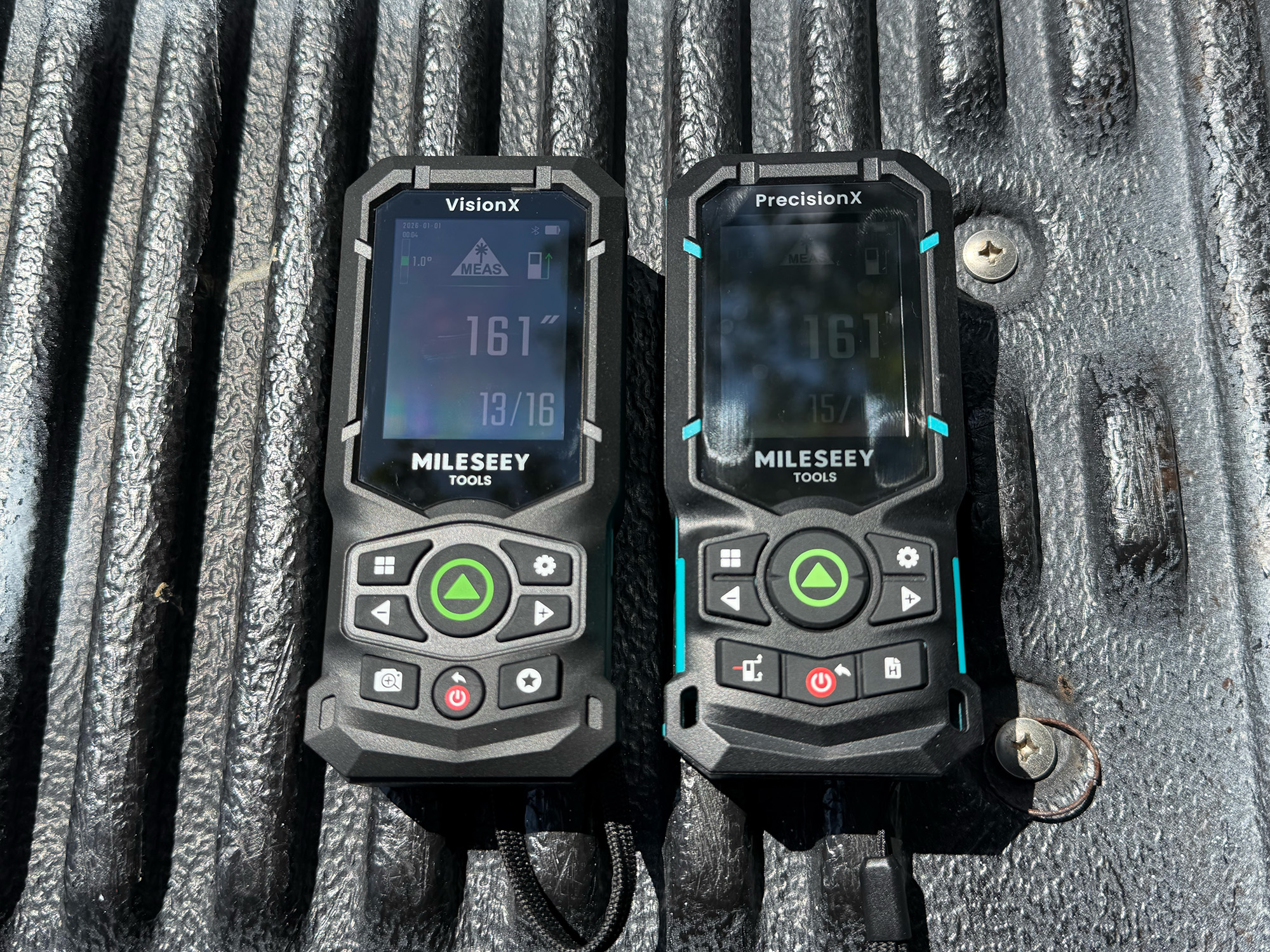
Screen brightness comparison (Mileseey S50C vs. Mileseey S50)
The Mileseey S50C has a very nice and bright AMOLED touchscreen. Compared to the Mileseey S50, the S50C’s screen is brighter (1,000 nits), clearer, sharper, and much nicer outdoors. The colors don’t get washed out, and the contrast is much more pronounced. The S50C’s touchscreen has an anti-fingerprint (AF) coating to reduce smudges and improve readability. All around, the touchscreen is a huge improvement over the S50. One drawback is that some icons on the screen are a little small and could be improved to make tapping them easier.
Camera
-
- Target
-

- S50C – Measured with camera assistance
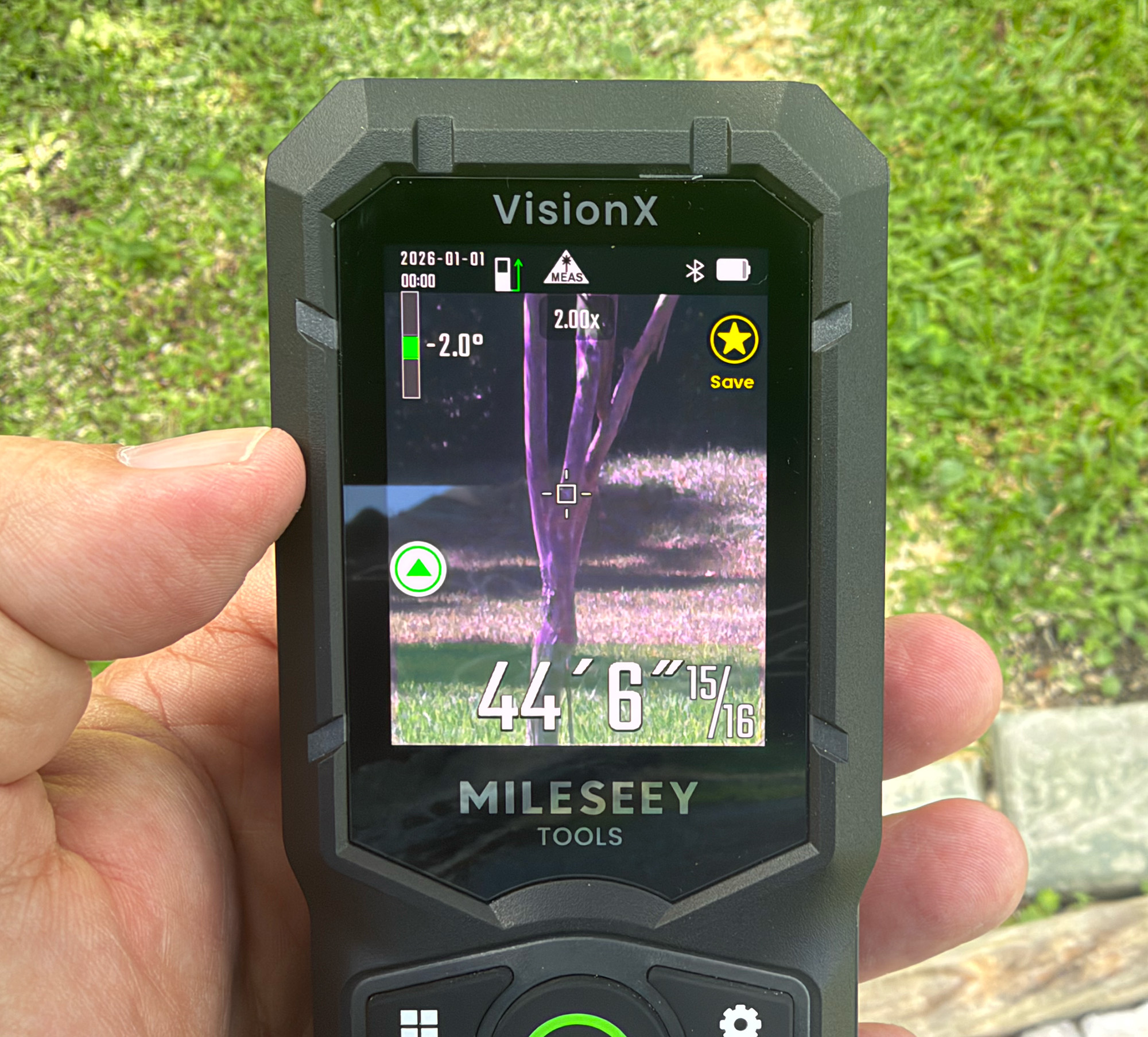
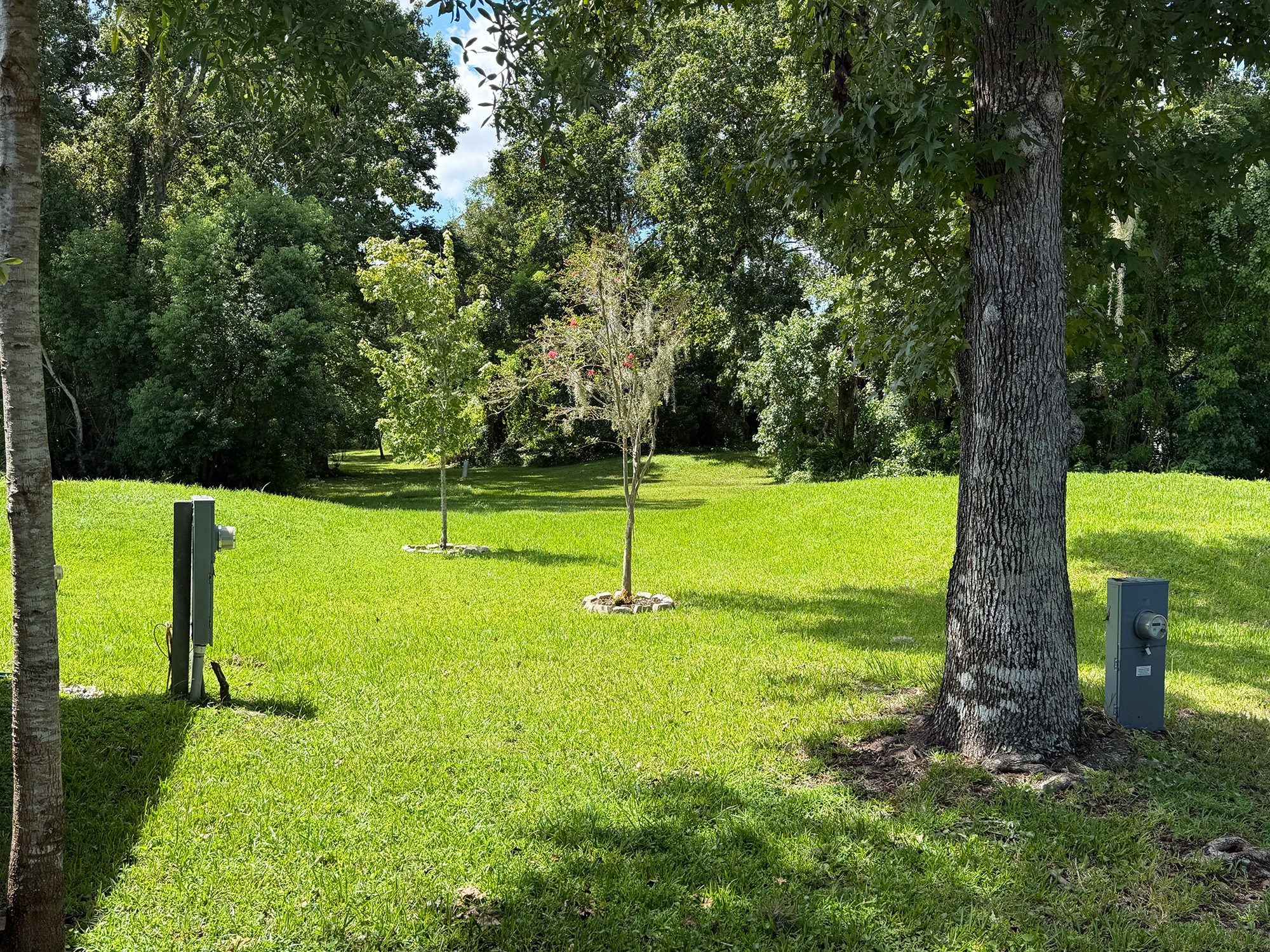
Over a long distance, taking a measurement is problematic in that the laser point is hard to see, especially in bright sunlight. Also, if you are holding the laser measure in your hand, hand shake is amplified over that distance. For example, we needed to put up gutter guards on the long side of our house, so I needed an exact measurement to know how many pieces to buy.
I asked my wife to hold up a piece of wood at the end of the long wall of our house, and I stood at the other end with the Mileseey S50 laser measure, trying to get this distance. The laser kept moving on and off the piece of wood. It was very frustrating. No matter how much coaching she gave to help me get the laser to land, it was nearly impossible.
Switching to the Mileseey S50C with the camera, we captured the measurement in seconds. After activating the camera and selecting the zoom level (1x, 2x, 4x, or 8x), I could clearly see the laser on the wood and capture the measurement. Distance measured: 50 feet, 3 1/2 inches! This was so much easier. The Mileseey S50C was now my favorite of the two models. Sorry, S50, you’ve been replaced.
Settings Menu
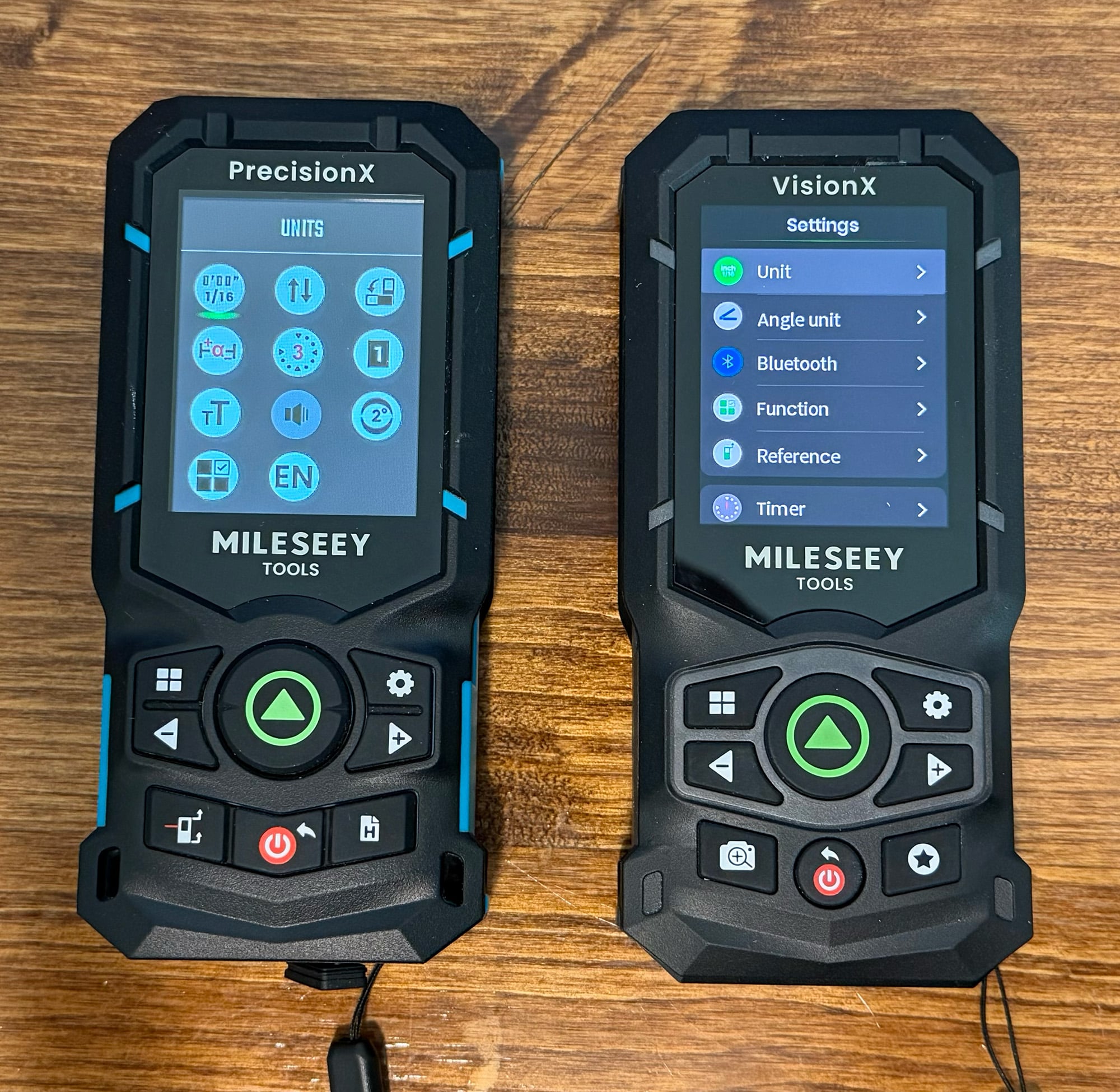
Settings menus (Mileseey S50 vs. Mileseey S50C)
Both the Mileseey S50 and Mileseey S50C have an extensive settings menu. Common settings for both models are:
- Unit selection – select units from all metric units, from millimeters to meters, and imperial units (feet and inches) and fractional inches or decimal feet.
- Bluetooth – used to connect to mobile apps.
- Screen rotate – If on, the screen will rotate when the device rotates.
- Offset – input an offset if needed.
- Timer – Set a measurement capture timer (off, 3 or 5 seconds) – used to let the device settle after pressing the capture button. Similar to a shutter timer on a camera.
- Background – light or dark
- Text size – small or large.
- Beeper on/off
- Digital Bubble Level – not really a setting, but a very useful feature to make sure the laser measure is perfectly level and plumb when on a tripod.
- Favorite Functions – Often used functions can be marked as favorites for quicker selection.
- Language – English, German, French, and Spanish options. The S50C adds Italian, Japanese, Mandarin, and Korean.
The S50C adds quite a few other settings, such as:
- Angle Unit – Angles are displayed in either degrees or percent.
- Screen Brightness – Set screen brightness at many different levels.
- Touch Screen on/off
Final Thoughts
The Mileseey S50 and Mileseey S50C Green-Beam Laser Measures are true game changers in capturing and calculating measurements. Whether it’s a simple room width, calculating volume, or the height of a roof line, these laser measures get the job done with accuracy and speed. Both models are excellent in what they do, and the S50C surpasses the S50 thanks to its excellent AMOLED touchscreen and an 8x zoom camera that makes long-distance measuring effortless.
If you need to make long-distance measurements, then the Mileseey S50C is the right choice. If not, the less expensive S50 may be right for you. Either way, these two laser measures are among the best on the market.
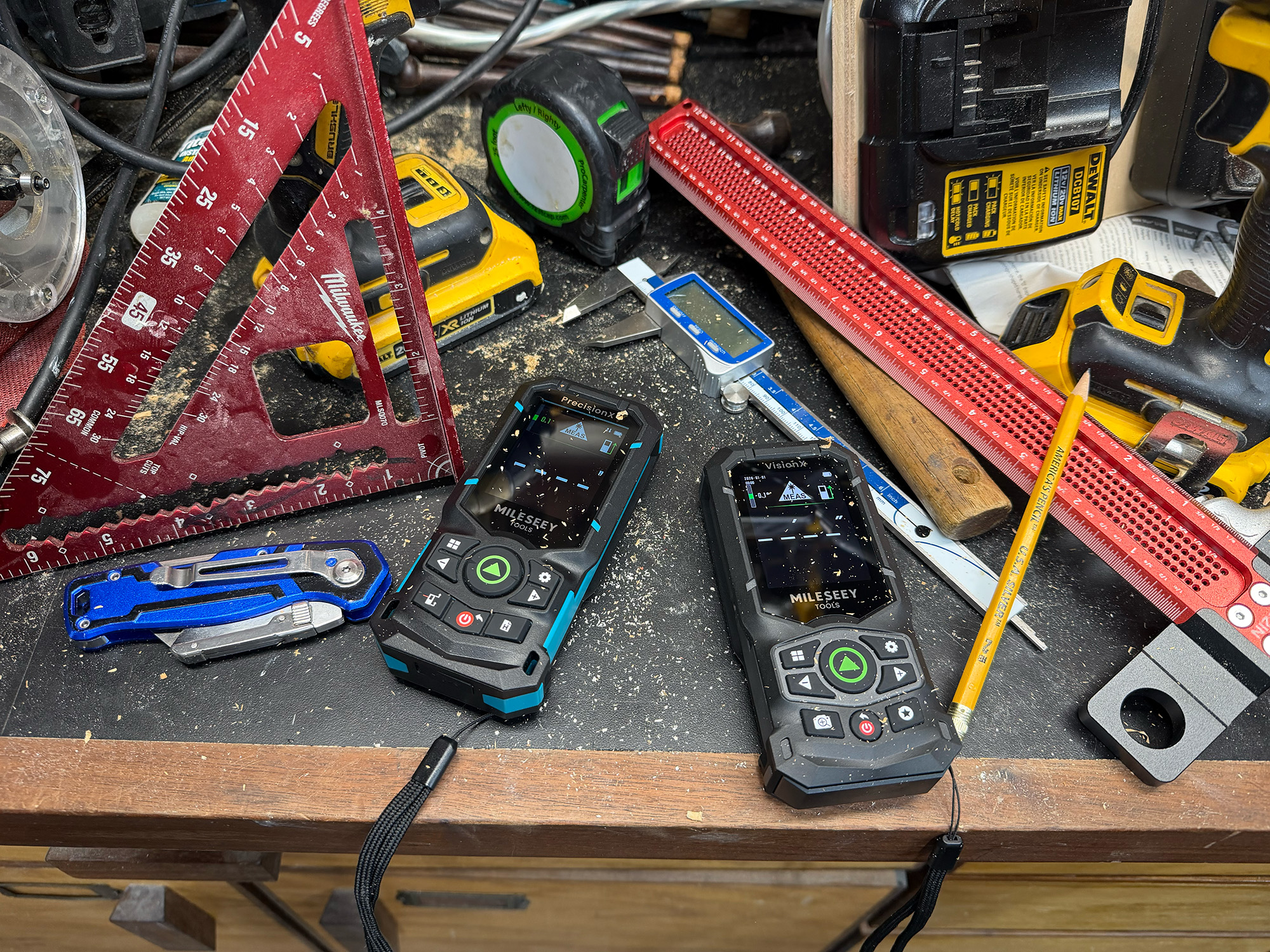
The Mileseey S50 Green-Beam Laser Measure retails for $129.99; it is available directly from the manufacturer and from other retailers, including Amazon. I rate it a 4.5 out of 5.
The Mileseey S50C Green-Beam Laser Measure with Camera retails for $349.99; it is available directly from the manufacturer and other retailers, including Amazon. I rate it a 4.8 out of 5.
Source: Manufacturer-supplied review samples
What I Like: Build quality – both survived several drops onto concrete; Highly visible green-beam laser – especially indoors; Highly accurate measurements; Quick measurement capture; History of measurements; Calculating measurements from a single point; Angle measuring; Battery life is impeccable; S50C touchscreen and camera make it stand out as a premium device; S50C improved IP65 rating
What Needs Improvement: Charging cable is short; Mobile apps are cumbersome and not intuitive; Some tappable icons on the S50C are a little small for a touch interface; S50C is more than twice the price of the S50


Be the first to comment on "Mileseey S50C with Camera and Mileseey S50 Green-Beam Laser Measures Review: Ditch the Tape Measure and Get Seriously Precise"