
The Lowdown
The VectoTech V-Core is a well-built Thunderbolt 5 dock that does the ordinary dock things well and one thing that most of its competition doesn’t do at all. The fan is audible under load, and that’s the only real criticism. If you think you’ll want more storage, this is the Thunderbolt 5 dock to buy.
Overall
Pros
- Thunderbolt 5 performance and speeds with up to 80Gbps bidirectional and 120Gbps transmit with Bandwidth Boost
- Built-in M.2 PCIe Gen 4 x4 NVMe slot is a key differentiating factor and the reason to pick this dock
- Internal drive supports up to 8TB with read speeds up to 6,200 MB/s
- SSD is user-removable and upgradeable
- Supports up to three 4K 144Hz displays or two 8K 60Hz displays
- 140W power delivery to compatible laptops from a 180W adapter
- Integrated active cooling keeps performance stable under load
- Intel-certified Thunderbolt 5 cable and installation screwdriver included in the box
- Four USB-A ports at 10Gbps, 2.5Gb Ethernet, SD card reader, and 3.5mm audio
- 2-year warranty with U.S.-based support
Cons
- The fan is slightly audible when it spins up under load, though it’s not a huge deal
- Intel-based Macs aren’t supported
- The M.2 SSD is sold separately
Thunderbolt 5 docks are arriving in large numbers now, and most are variations on the same theme: lots of bandwidth, lots of ports, and a price that reflects both. The VectoTech V-Core Thunderbolt 5 Dock does one thing differently, and it’s the thing that makes it interesting. The dock has an M.2 NVMe slot, so the external drive you’d otherwise hang off a port lives inside the box instead. I’ve been running it as the center of my desk setup to see how much that actually changes.
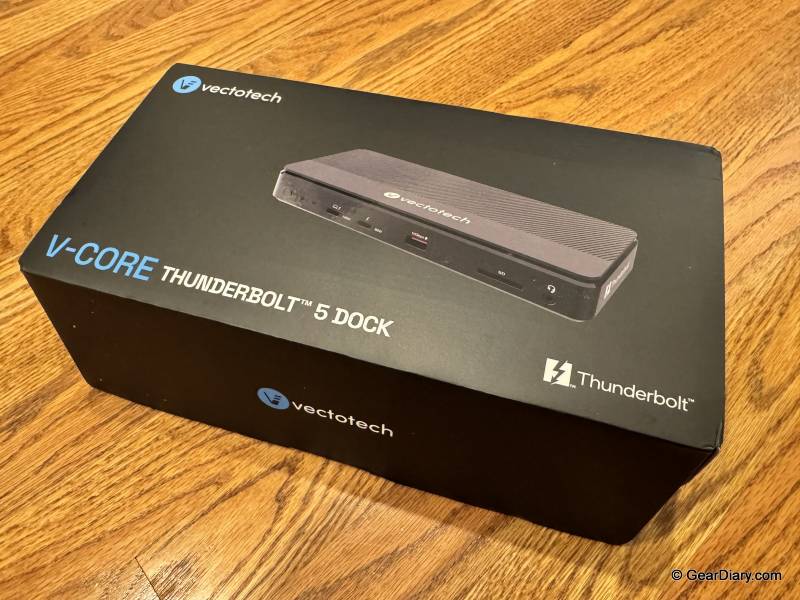
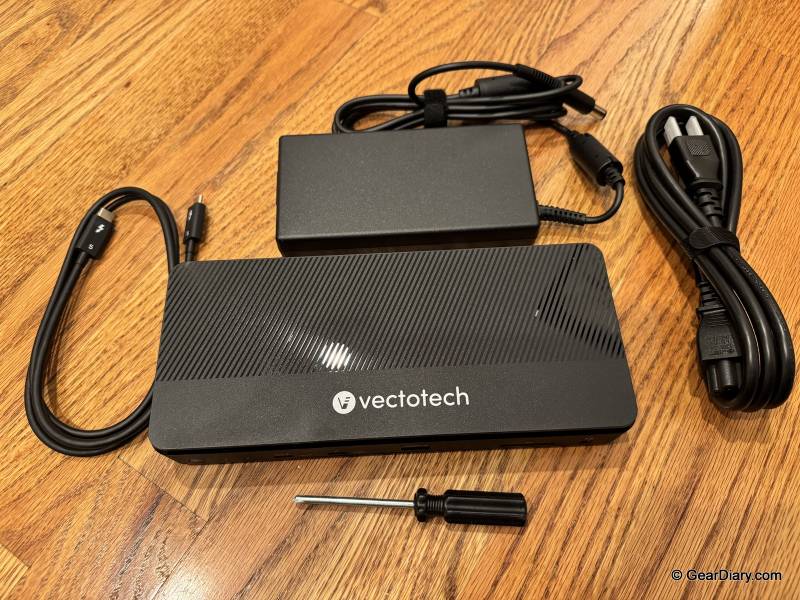
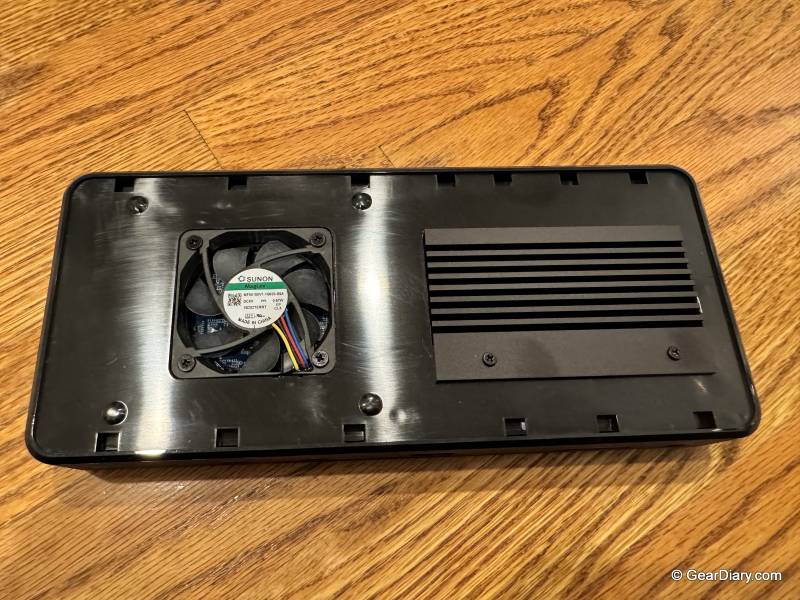
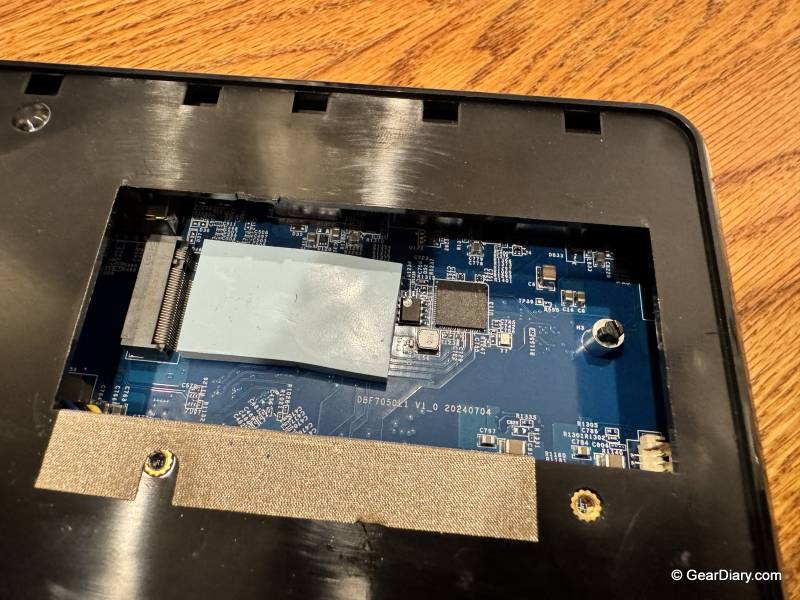
Let’s start with the SSD slot in the VectoTech V-Core, because it’s the differentiating feature and it’s the reason I’d point someone at this dock over another one at the same price. Open the case with the included Phillips screwdriver, drop in an M.2 2280 PCIe NVMe drive, and you’ve added up to 8TB of fast storage without consuming a port, adding a second power brick, or putting another box on the desk.
The slot is PCIe Gen 4 x4 and reads up to 6,200 MB/s depending on the drive you install, which is genuinely fast storage rather than a token bay. It’s removable and upgradeable too, so a bigger drive later is a five-minute job rather than a new purchase.
That matters more than it seems like it should. The usual docking setup ends up with a dock on the desk and an external SSD tethered to one of its ports, which means one more cable, one more thing to knock loose, and one fewer port for everything else. Putting the drive inside the dock removes all of that.
If you’re the kind of person who was going to buy a Thunderbolt dock and an external SSD anyway, the V-Core collapses those into one device, and the M.2 drive you install is usually cheaper than a comparable enclosed SSD.
Quick Specs:
- Model: VectoTech V-Core 12-in-1 Thunderbolt 5 Docking Station
- Host interface: Thunderbolt 5, Intel certified
- Bandwidth: up to 80Gbps bidirectional, up to 120Gbps transmit with Bandwidth Boost
- Upstream: 1x Thunderbolt 5 (140W)
- Downstream: 3x Thunderbolt 5 / USB-C
- USB-A: 4x, up to 10Gbps
- Networking: 2.5Gb Ethernet
- Other ports: SD card reader, 3.5mm audio
- Internal storage: M.2 2280 PCIe Gen 4 x4 NVMe slot, up to 8TB, read speeds up to 6,200 MB/s (SSD sold separately, M.2 SATA not supported)
- Display support: up to three 4K 144Hz displays or two 8K 60Hz displays on a Thunderbolt 5 Windows host, up to dual 6K on Mac
- Power delivery: up to 140W to compatible laptops
- Power adapter: 180W external with 6 ft AC cord
- Cooling: integrated active cooling
- Compatibility: Thunderbolt 5, Thunderbolt 4, or USB4 hosts; macOS 13 Ventura or later, Windows 11 or later; Intel-based Macs not supported
- In the box: V-Core dock, 1m Intel-certified Thunderbolt 5 cable, 180W power adapter, 6 ft AC cord, Phillips screwdriver for SSD installation, user manual
- Warranty: 2-year limited
- Price: $379 list, currently $299 at Amazon
The Thunderbolt 5 side does what Thunderbolt 5 is supposed to do. Up to 80Gbps bidirectional, and up to 120Gbps of transmit bandwidth when Bandwidth Boost kicks in for display-heavy workloads. It’s Intel certified, and VectoTech includes a 1-meter Intel-certified Thunderbolt 5 cable in the box, which is worth noting because the wrong cable is the single most common reason a dock underperforms.
The VectoTech V-Core supports backward compatibility with Thunderbolt 4 and USB4 hosts, with the expected caveat that an older host limits what you get out of it.
Display support is where the bandwidth shows up. On a Thunderbolt 5 Windows machine, you can run three 4K displays at 144Hz or two 8K displays at 60Hz, which is more than most people need and enough for the people who do need it. Mac support is more complicated, though that’s Apple’s doing rather than VectoTech’s, since Mac display limits are set by the specific chip in the machine. VectoTech has a compatibility chart on the product page, and it’s worth actually reading it before you buy monitors.
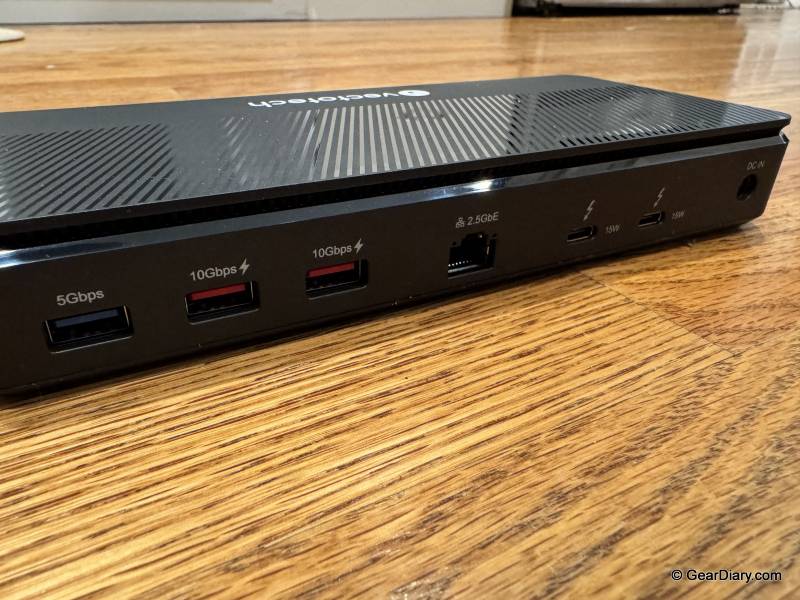
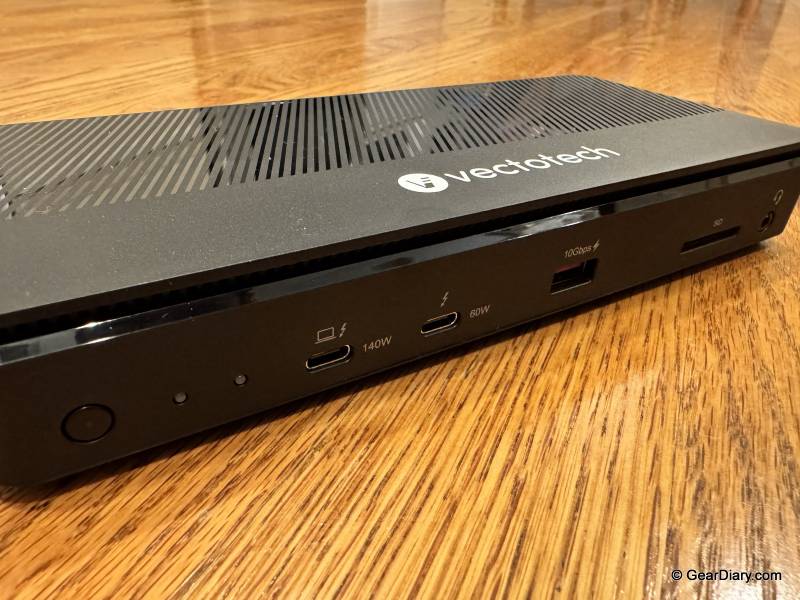
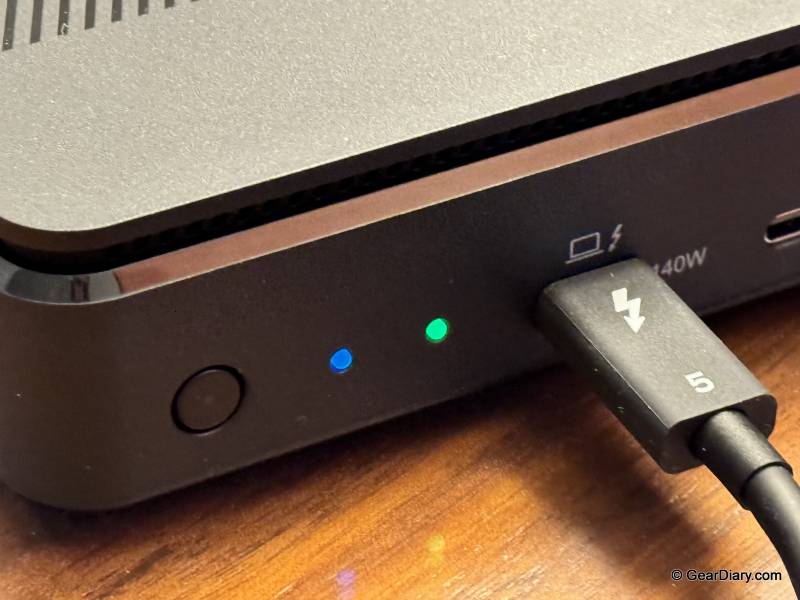
Power delivery is 140W to compatible laptops, fed from an 180W adapter. That’s enough to charge a 16-inch MacBook Pro or a workstation-class Windows laptop at full speed while the dock drives displays and moves data, which is the whole point of a single-cable desk setup. The rest of the port selection is sensible: four USB-A ports at up to 10Gbps, 2.5Gb Ethernet, an SD card reader, and a 3.5mm audio jack. Nothing exotic, but nothing missing either.
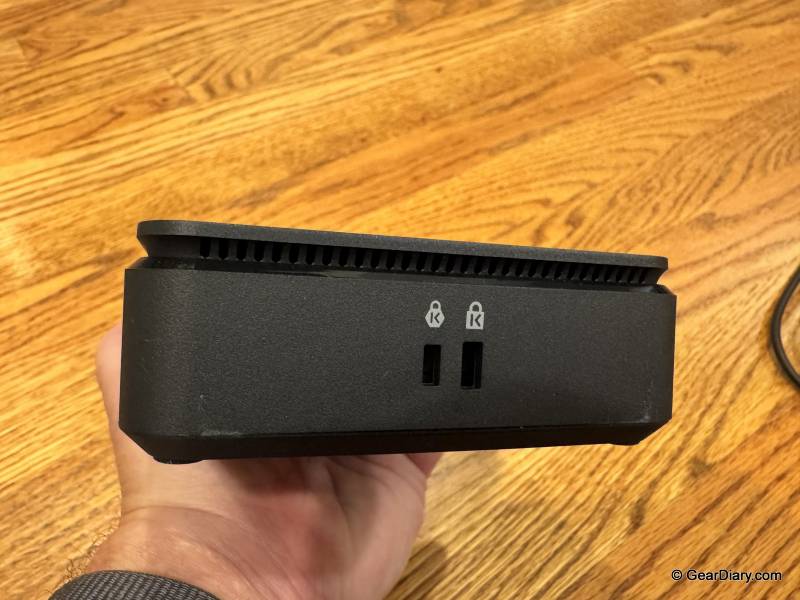
My only real complaint about the VectoTech V-Core is the fan. There’s active cooling inside, which is the right engineering decision given that you have a Thunderbolt 5 controller, an NVMe drive, and 140W of power delivery in one enclosure, and it does keep performance stable under load. But when it spins up, you can hear it slightly. It’s not loud, it’s not constant, and in a room with any ambient noise you won’t notice it at all. In a silent room during a heavy transfer, you will. I’d rather have the fan than the thermal throttling, but it’s worth knowing about if your desk is somewhere very quiet.
You’ll probably be happy with the VectoTech V-Core if you were already planning to buy a Thunderbolt 5 dock and know you’ll need more storage, if you want one cable to your laptop and one box on your desk instead of two, or if you’re running a multi-monitor setup off a Thunderbolt 5 machine and want the headroom.
You might want to look elsewhere if you’re on an Intel-based Mac, which isn’t supported; if your laptop only has plain USB-C rather than Thunderbolt or USB4; or if you have no interest in the internal storage, in which case you’re paying for a feature you won’t use, and there are cheaper docks with similar port counts.
The VectoTech V-Core is a well-built Thunderbolt 5 dock that does the ordinary dock things well and one thing that most of its competition doesn’t do at all. The fan is audible under load, and that’s the only real criticism. If you think you’ll want more storage, this is the Thunderbolt 5 dock to buy.
The VectoTech V-Core 12-in-1 Thunderbolt 5 Docking Station sells for $379; it’s available directly from the manufacturer, HardDrivesForSale, and Amazon. The M.2 NVMe SSD is sold separately.
Source: Manufacturer-supplied review sample
What I Like: Thunderbolt 5 performance and speeds with up to 80Gbps bidirectional and 120Gbps transmit with Bandwidth Boost; Built-in M.2 PCIe Gen 4 x4 NVMe slot is a key differentiating factor and the reason to pick this dock; Internal drive supports up to 8TB with read speeds up to 6,200 MB/s; SSD is user-removable and upgradeable; Supports up to three 4K 144Hz displays or two 8K 60Hz displays; 140W power delivery to compatible laptops from a 180W adapter; Integrated active cooling keeps performance stable under load; Intel-certified Thunderbolt 5 cable and installation screwdriver included in the box; Four USB-A ports at 10Gbps, 2.5Gb Ethernet, SD card reader, and 3.5mm audio; 2-year warranty with U.S.-based support
What Needs Improvement: The fan is slightly audible when it spins up under load, though it’s not a huge deal; Intel-based Macs aren’t supported; The M.2 SSD is sold separately

Be the first to comment on "VectoTech V-Core Thunderbolt 5 Dock Review: A Thunderbolt 5 Dock with a Killer Storage Trick"