
The Lowdown
The RingConn Gen 3 is a lightweight smart ring that tracks sleep, activity, heart rate, HRV, blood oxygen, temperature, respiratory rate, and more, without requiring a subscription. It is comfortable enough for overnight wear, making it a useful companion for Apple Watch owners who dislike sleeping with a watch on. Battery life lived up to its nearly two-week claim, and the included charging case is excellent for travel. The app provides plenty of data but can feel confusing because it spreads similar details across several screens. Sleep-apnea detection is welcome, while blood-pressure trend insights should not replace a traditional blood-pressure monitor.
Overall
Pros
- Doesn’t require a subscription
- Comfortable enough that you forget that it’s there
- Almost 2 weeks of battery life on one charge
- Sleep apnea detection
Cons
- The app could use some reorganizing
- Blood pressure trends seem a bit gimmicky
I’ve reviewed quite a few smart rings over the years, and while I love checking out new designs and new features, I always ended up shelving the ring in my review sample cabinet. Not because I didn’t like them, but because wearing a smart ring AND my Apple Watch felt like overkill. Today we’re going to take a look at the RingConn Gen 3 smart ring. After a month, is it still on my finger? Let’s find out.
What Is It?
The RingConn Gen 3 is RingConn’s newest smart ring that tracks health metrics like steps, heart rate, HRV, blood oxygen (SpO2), respiratory rate, calories, temperature, sleep apnea risk factors, and even blood pressure (vascular health trend insights, not single blood pressure readings).
What’s Included?
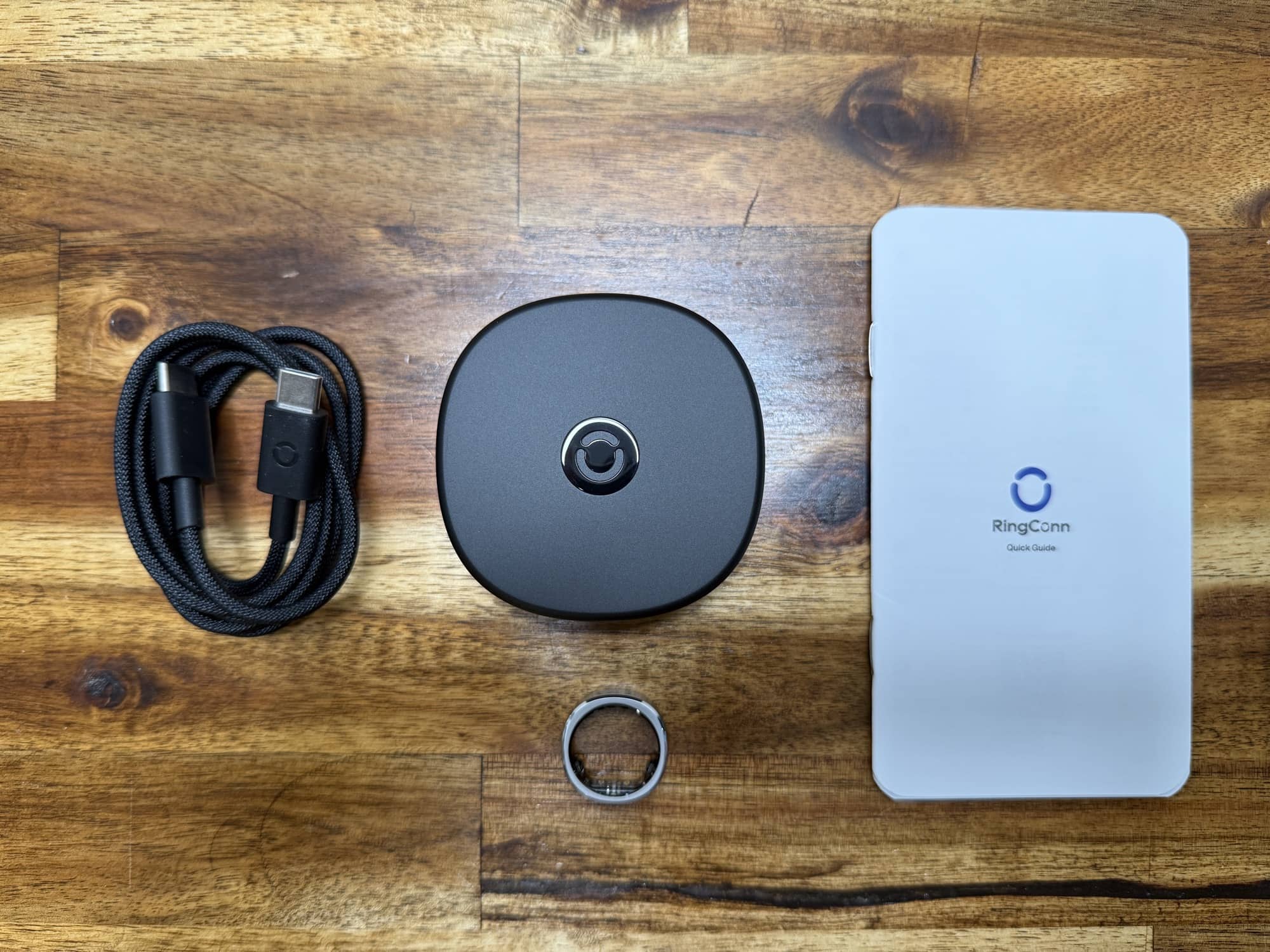
- RingConn Gen 3 smart ring
- Charging case
- USB-C charging cable
- Quick start guide
Tech Specs
- Sizes Available – Sizes 6-15
- Material – Titanium and Epoxy Resin
- Thickness & Weight – 2.3 mm / 2.5-3.5 g
- Battery Life – Up to 14 days
- Offline Data Storage Duration – 10 days
- Waterproof – IP68 / ATM10, 100m/328ft
- Compatibility – iOS 17.0 or later, Android 10.0 or later
- Connectivity – Bluetooth 5.0
Design and Features
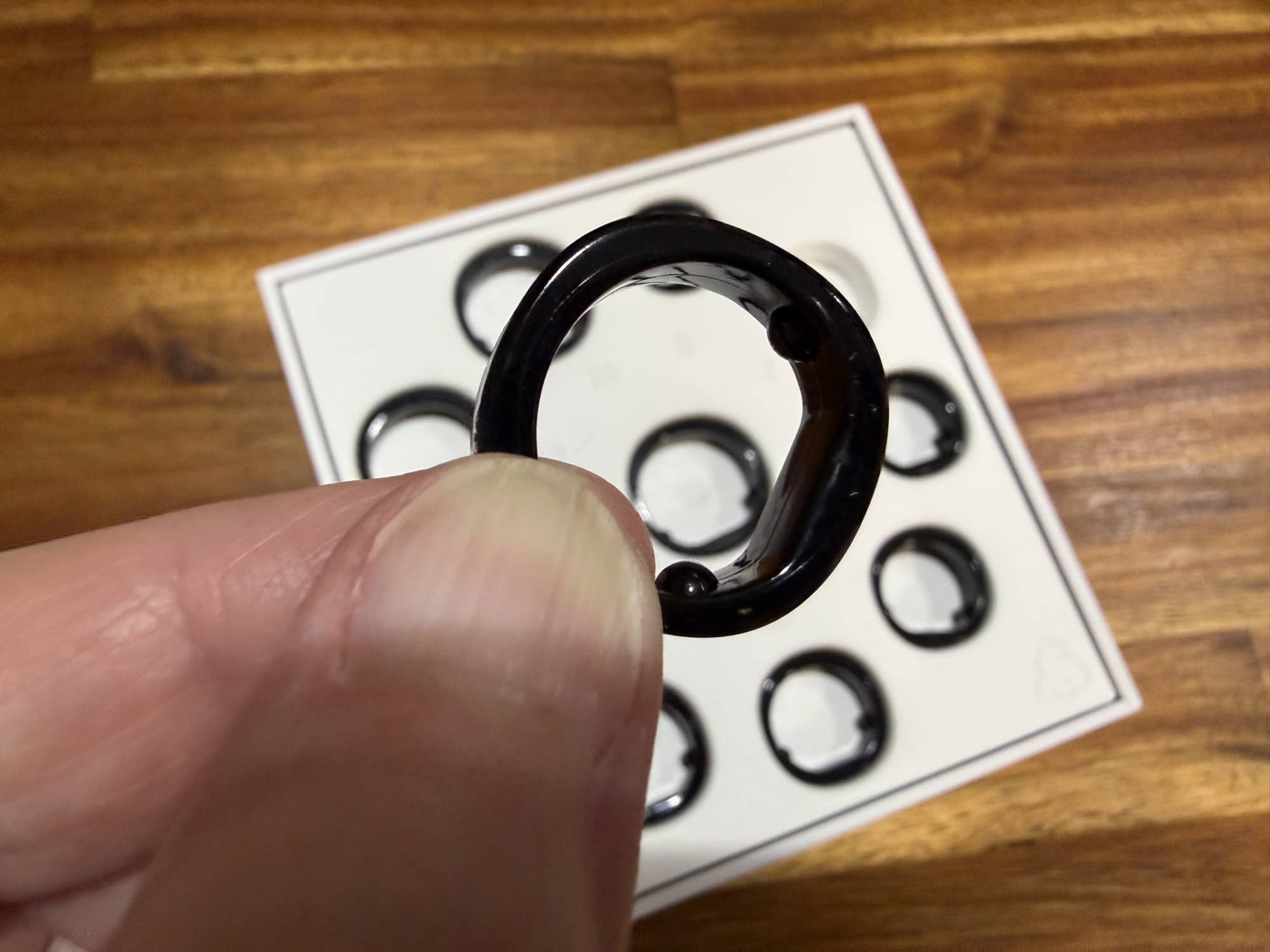
Before you even get the RingConn Gen 3 smart ring, you need to order the sizing kit. This kit has replicas of the Gen 3 ring in sizes 6-15. After wearing the ring that fits the best for a day or two, you can order the real thing.
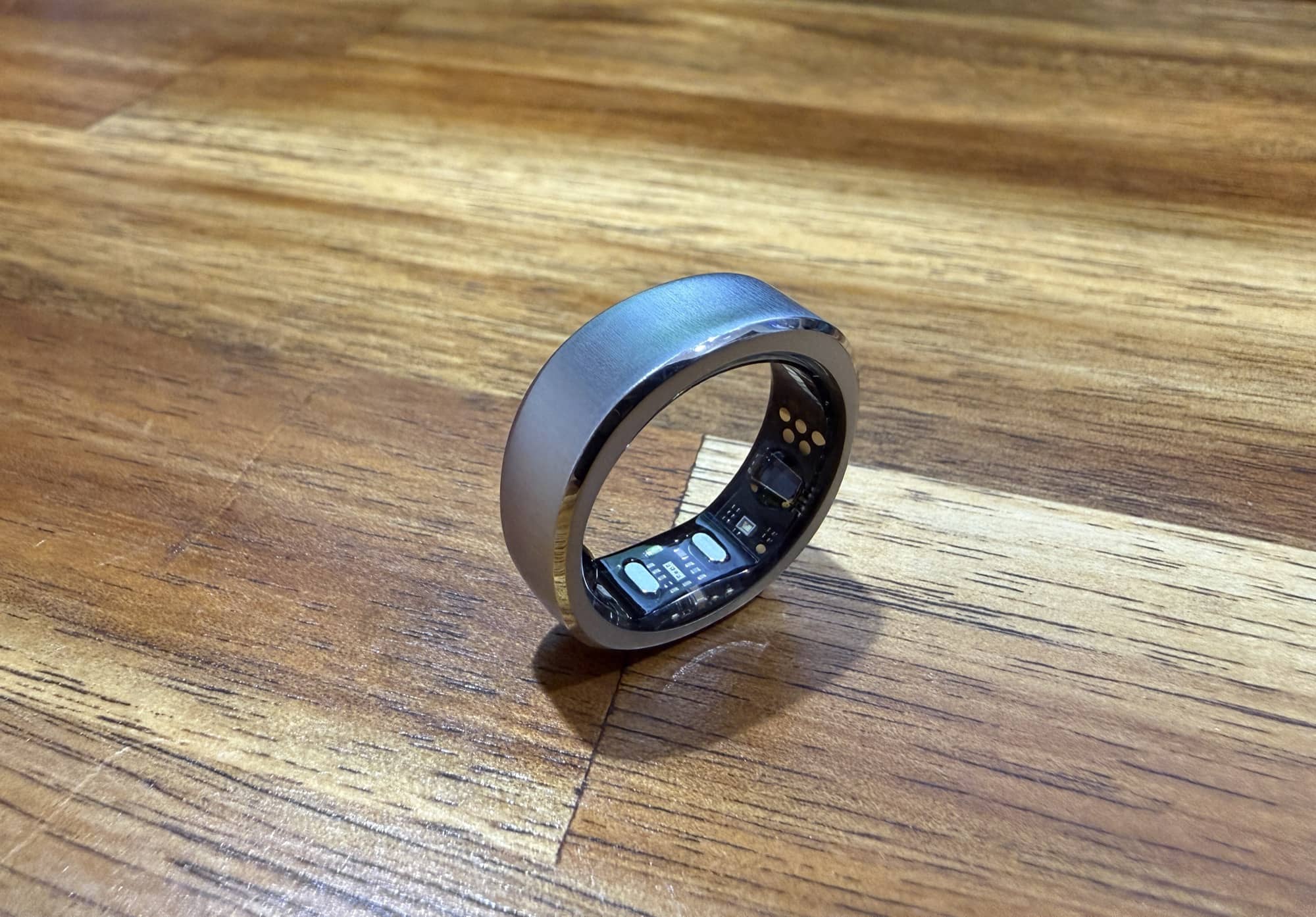
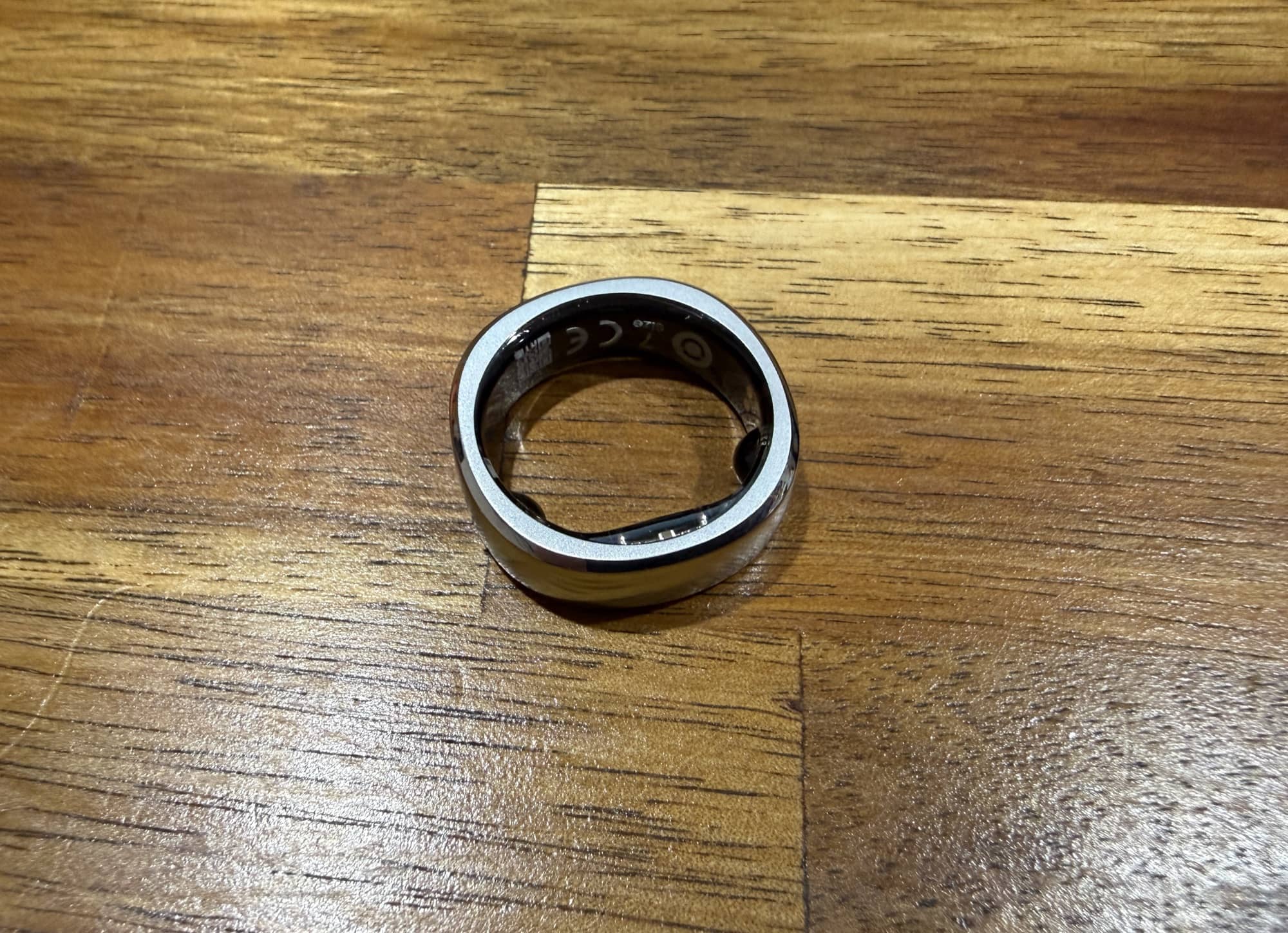
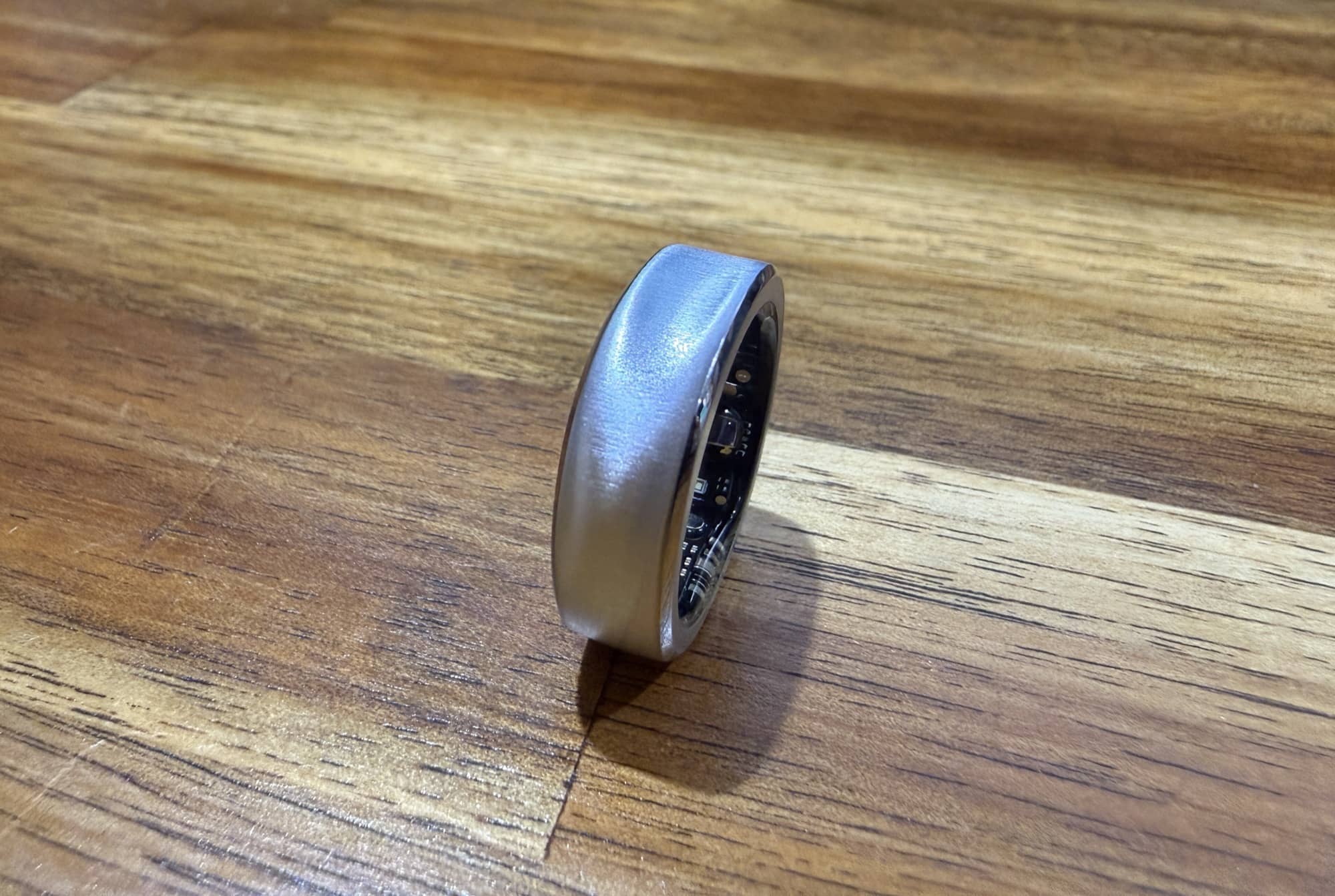
The RingConn Gen 3 smart ring is available in five colors/finishes. I opted for the brushed silver version. You’ll notice that the ring has a slightly squarish shape and that the top surface has a shallow “ditch”. This helps you orient the ring’s sensors so that you’re wearing it correctly.
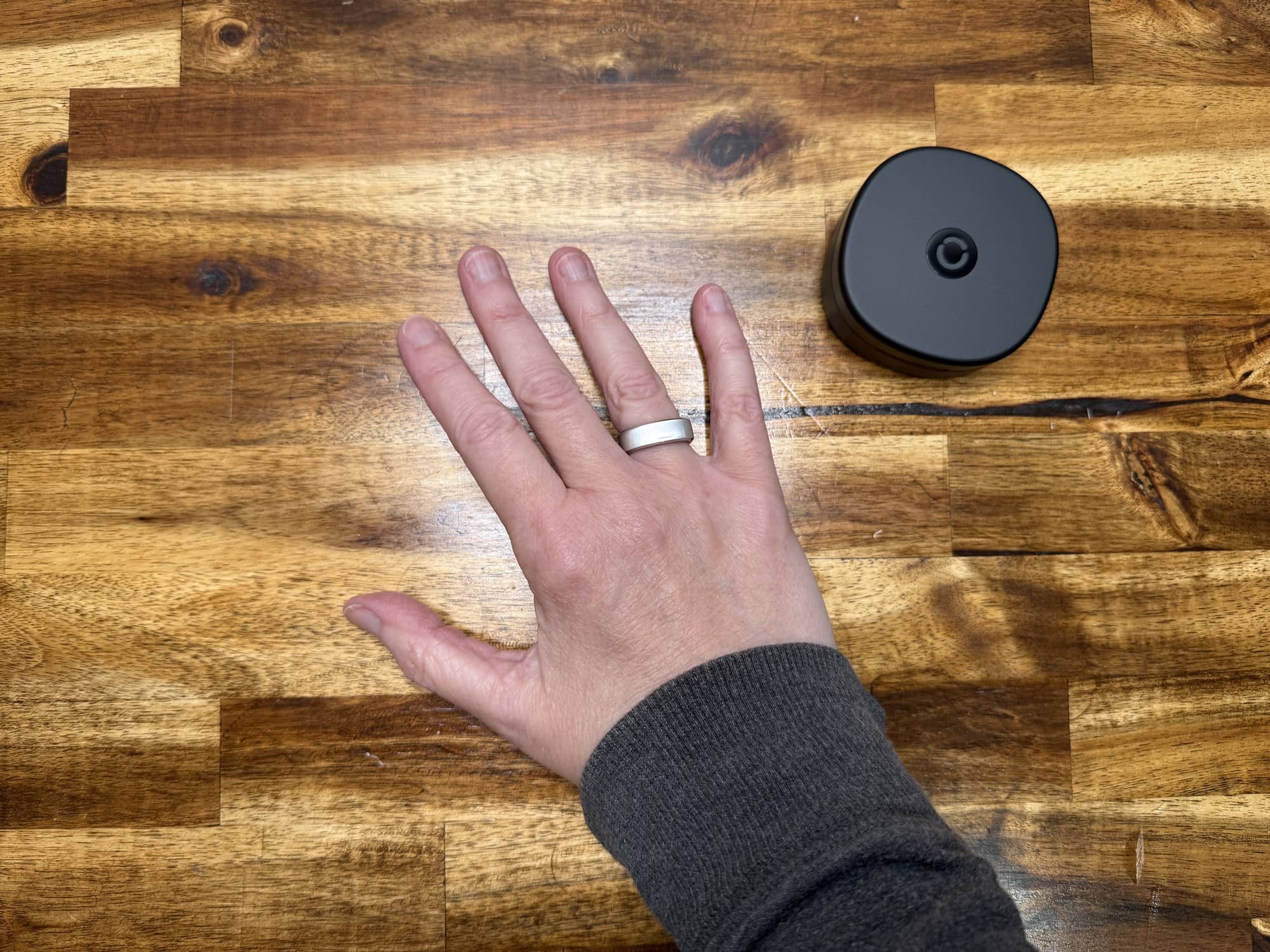
I found the RingConn Gen 3 to fit comfortably on my ring finger. It’s lightweight, and I pretty much forget it’s on my finger once it is. That’s one big reason why I prefer a smart ring to a smartwatch for sleep tracking. I don’t know about you, but I can’t stand to wear my Apple Watch to bed. But with the RingConn, I don’t even notice that it’s there unless I wake up in the middle of the night and it happens to be collecting data. Then I might see the sensor LEDs glowing.
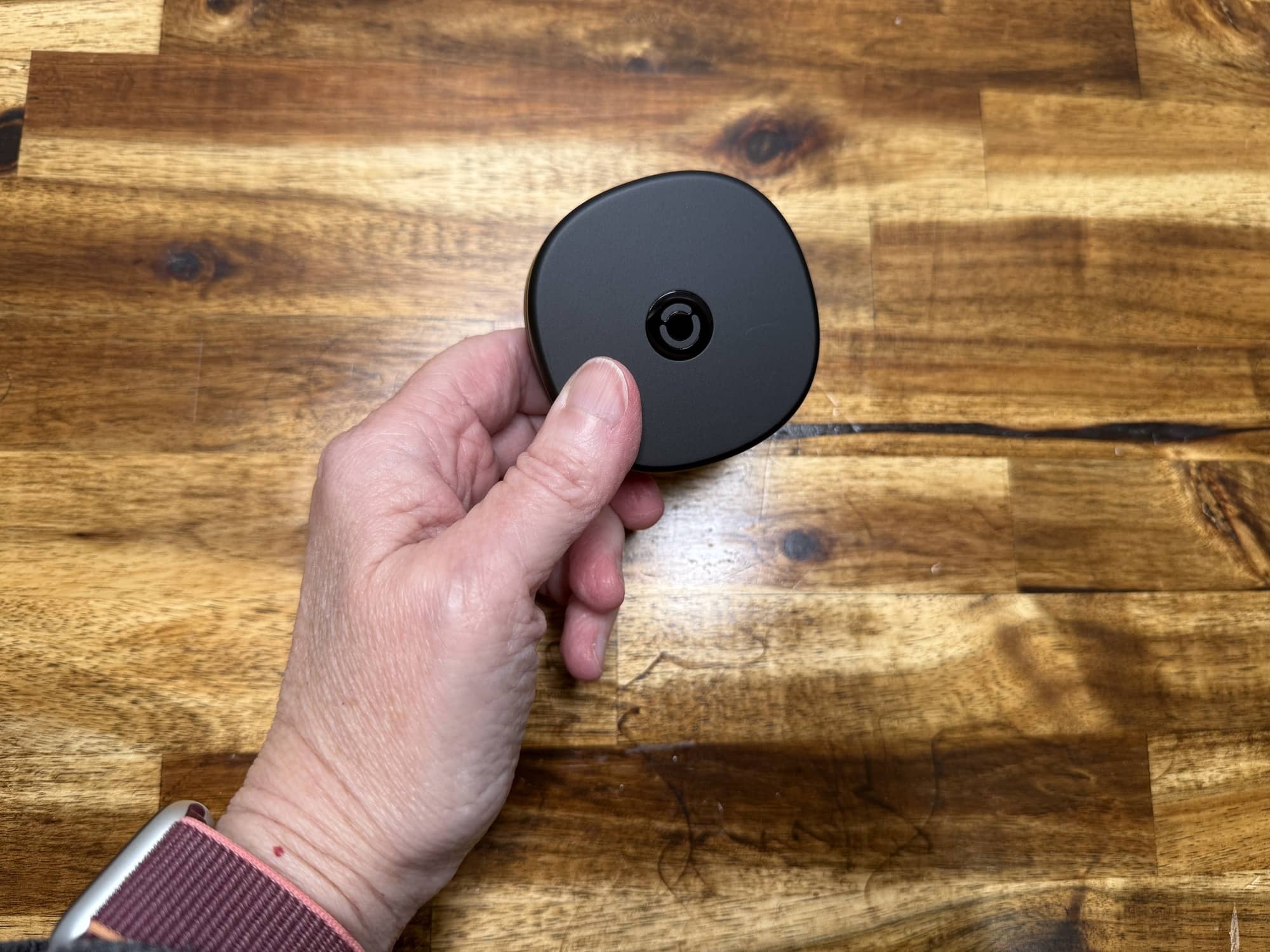
I have always liked that RingConn offers a nice charging case for their rings. The case has its own built-in battery, which makes it the perfect accessory to bring along for longer trips.
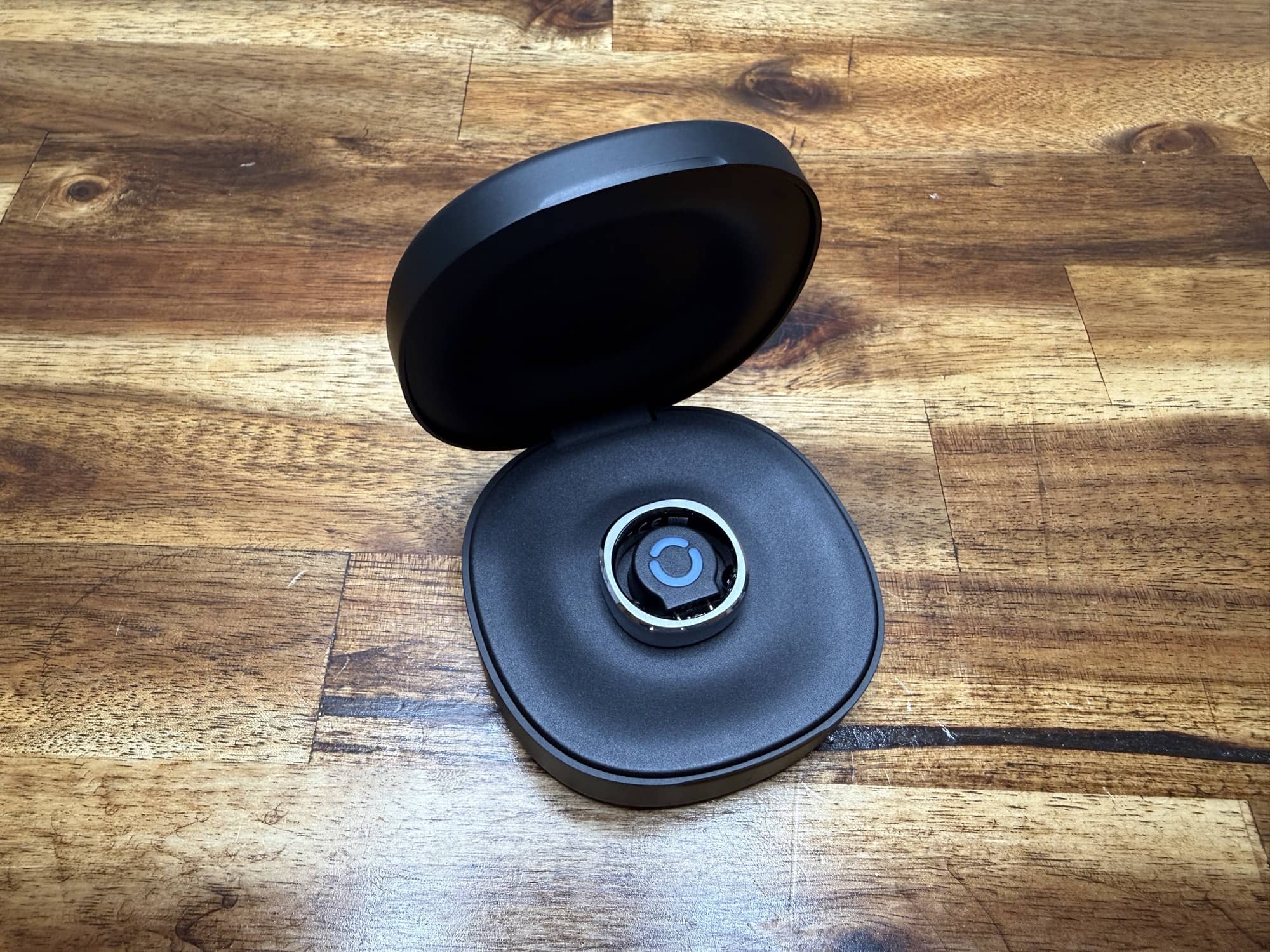
The RingConn Gen 3 smart ring is supposed to last up to 2 weeks on a single charge. In my testing, I found this to be pretty accurate.
The RingConn App
To get started using the RingConn Gen 3 smart ring, you charge it and then pair it with the RingConn app on your phone.
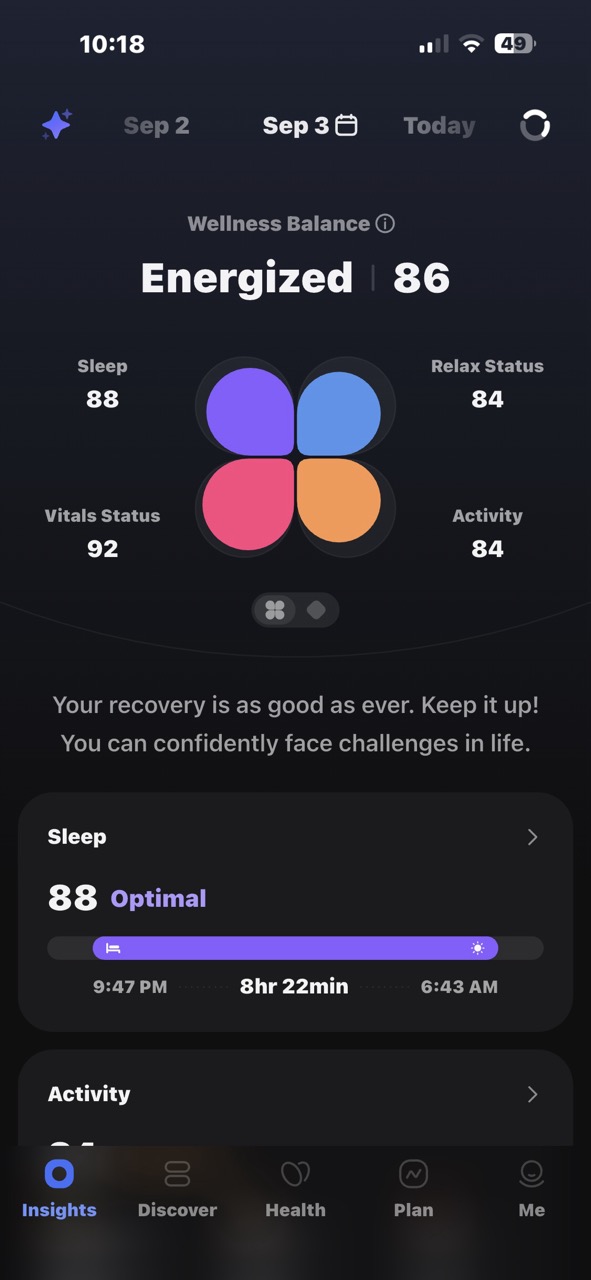
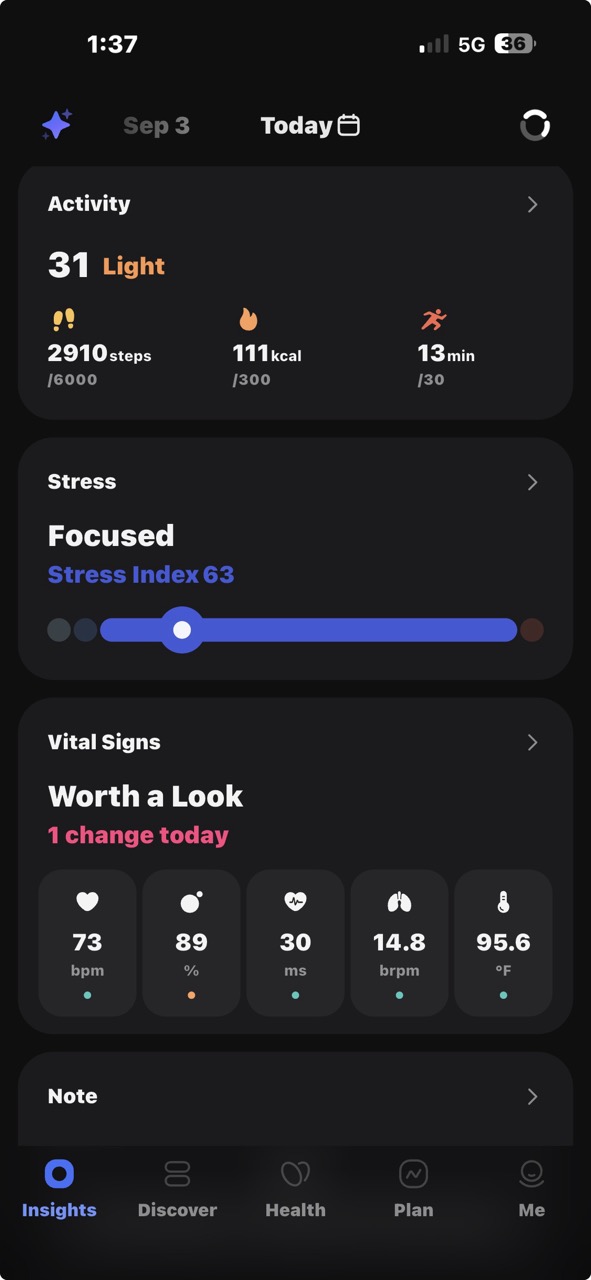
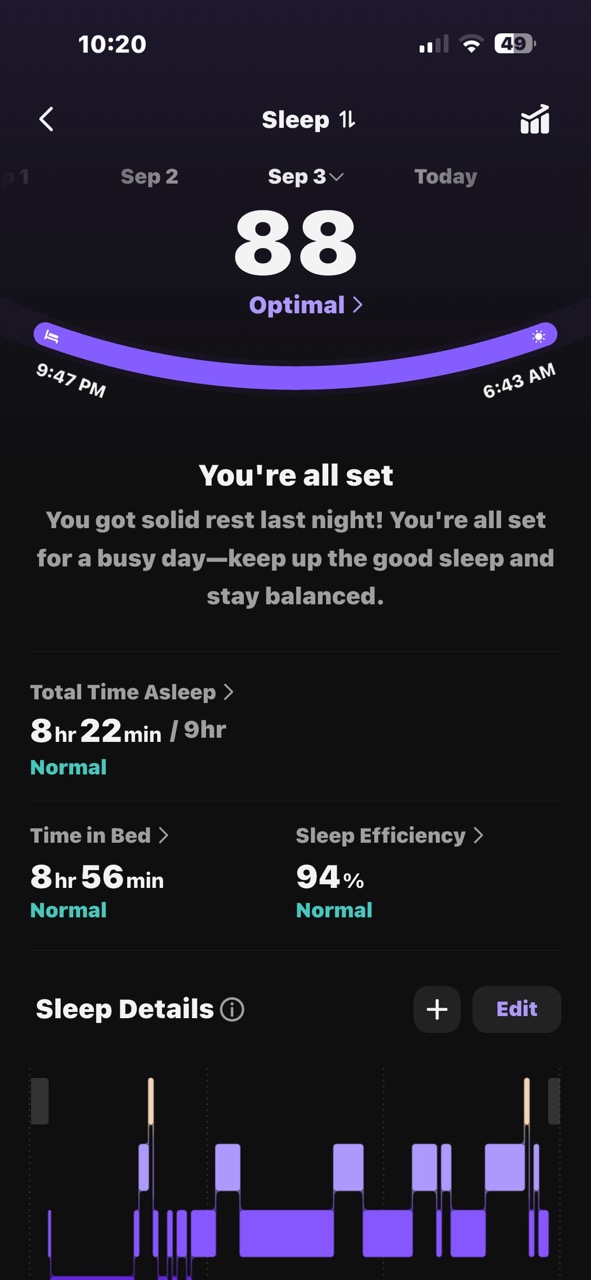
I can’t say that I love the app interface, but it’s fine once you realize that you get different info depending on where you tap. The main screen shows the relaxation status, vitals status, activity, and the previous night’s sleep score.
You can scroll through the days by tapping the dates at the top of the screen, or you can scroll down for a little more info for each area. You can see even more info by tapping into each section. But you can also tap up top on the petals of the “flower,” and you’ll find even more info. That’s what makes the interface a bit confusing.
Sleep
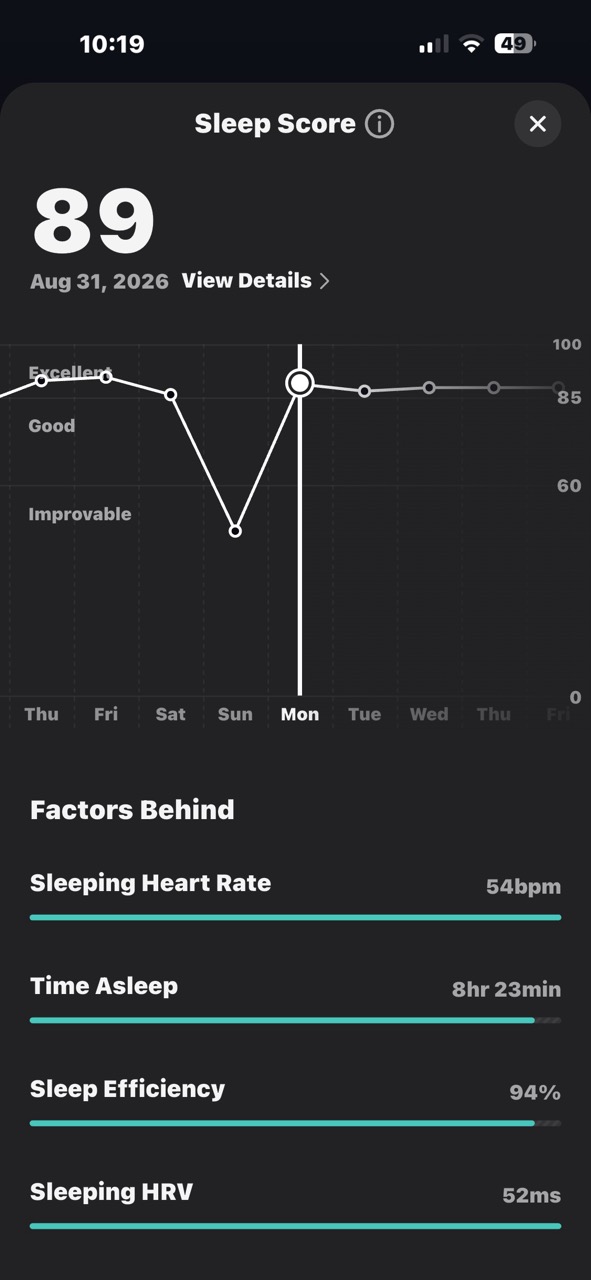
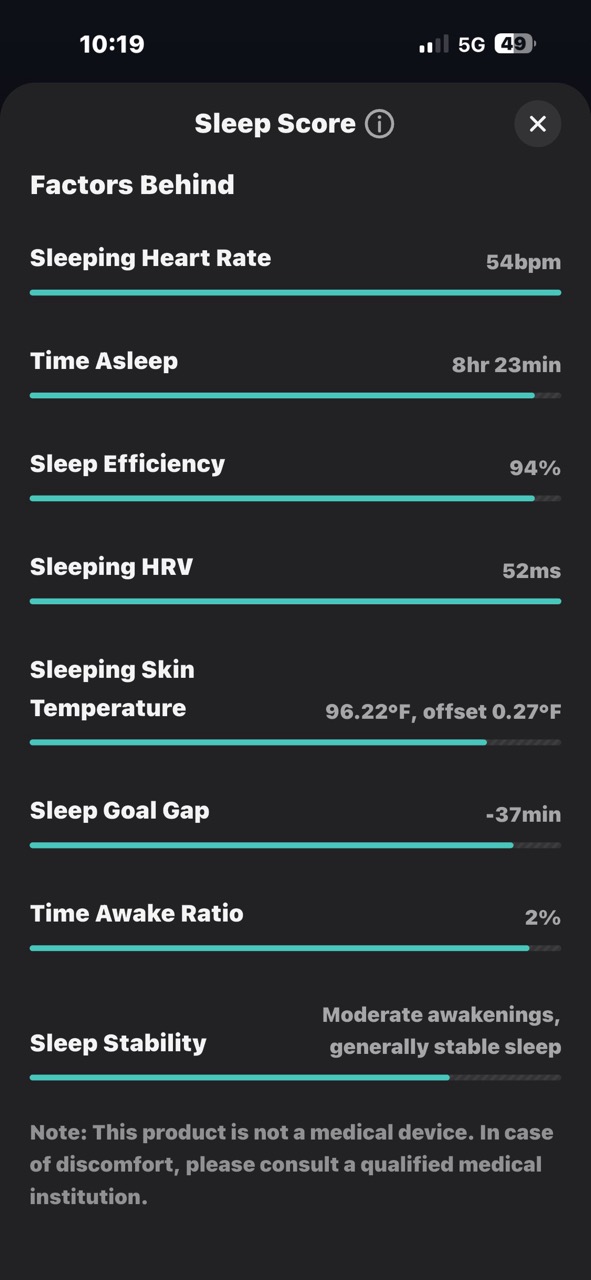
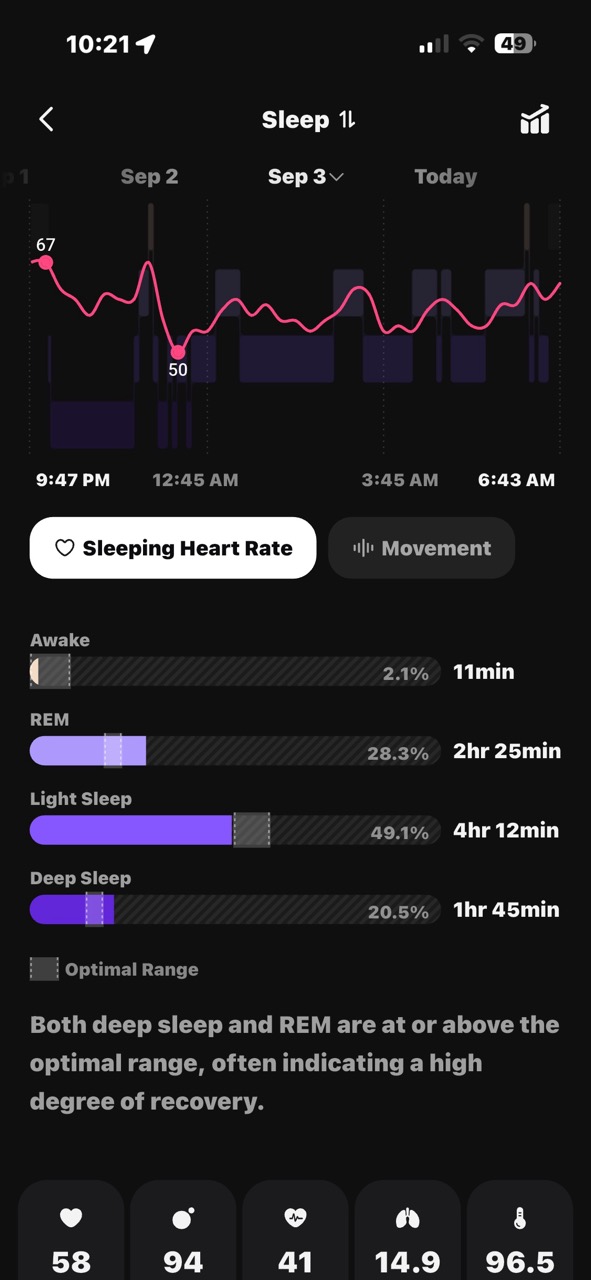
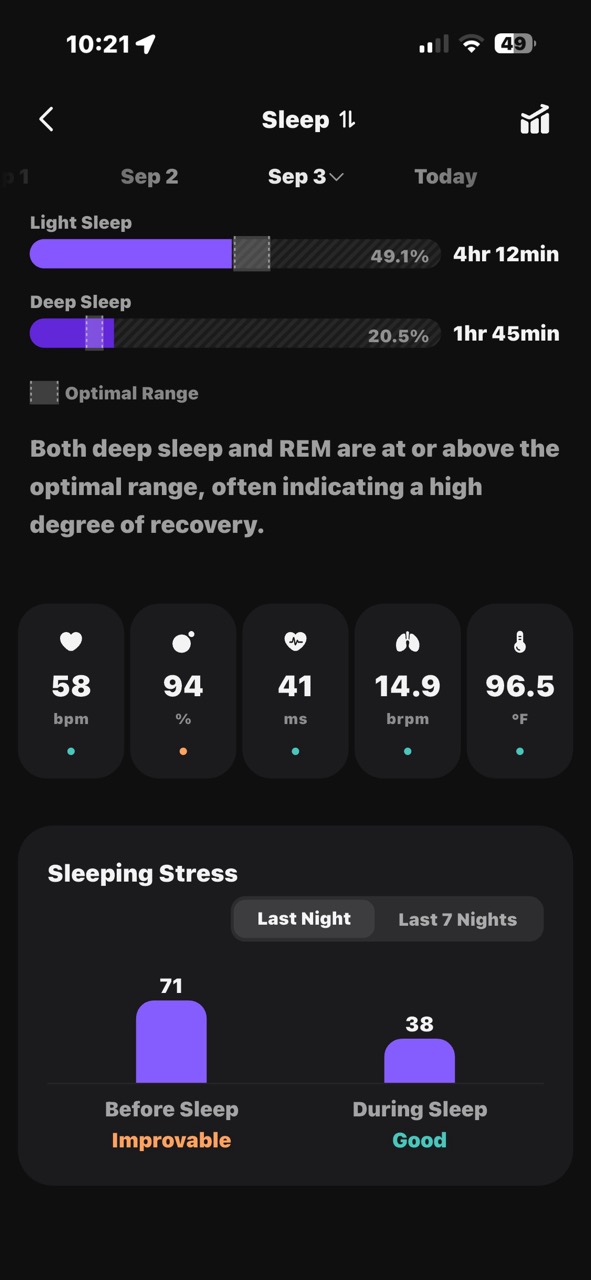
When you tap the sleep petal of the flower, you’ll see the info above. But when you scroll down on the main screen and tap the > to the right of each section, you see other info. I think all of the info should be consolidated in one place.
Relax Status
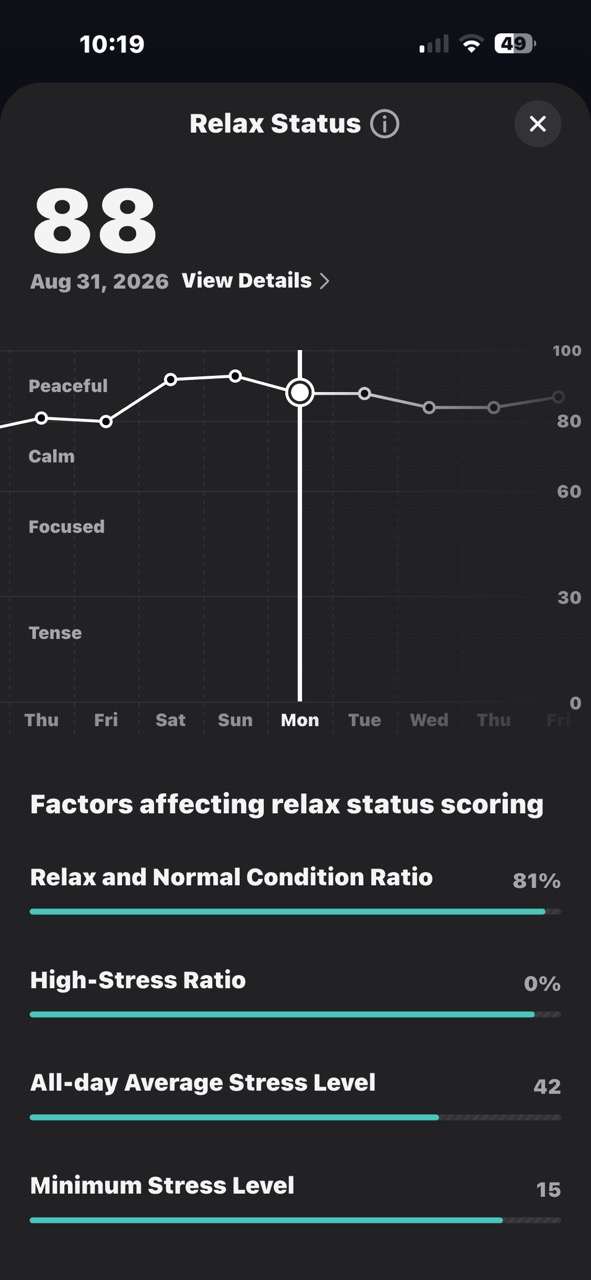
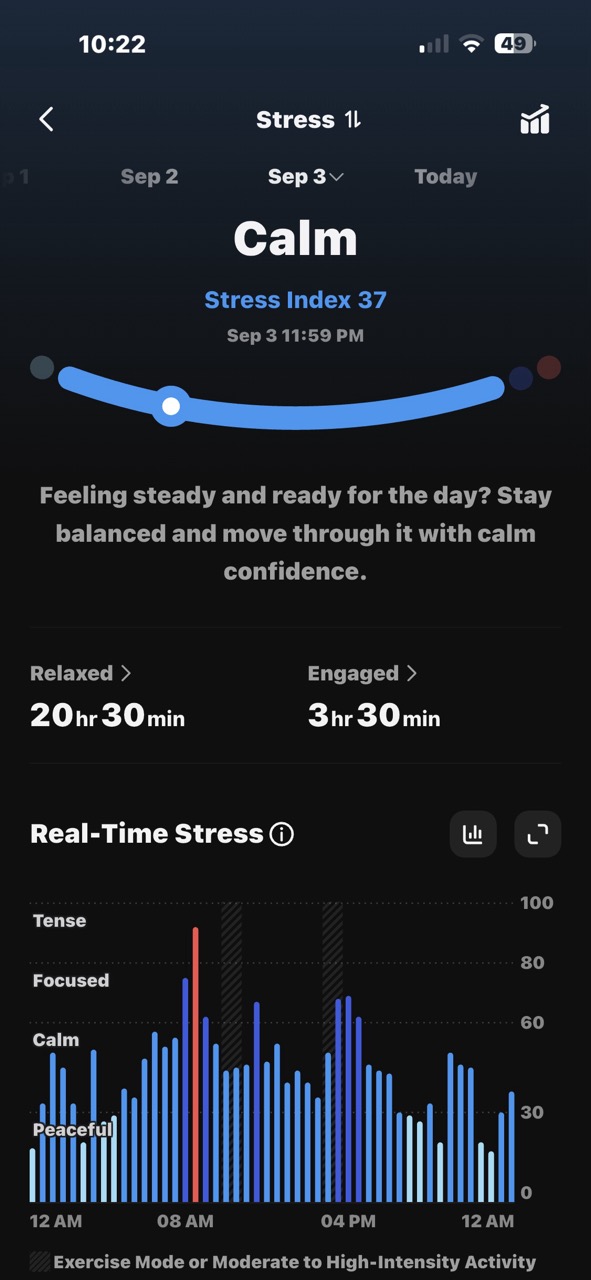
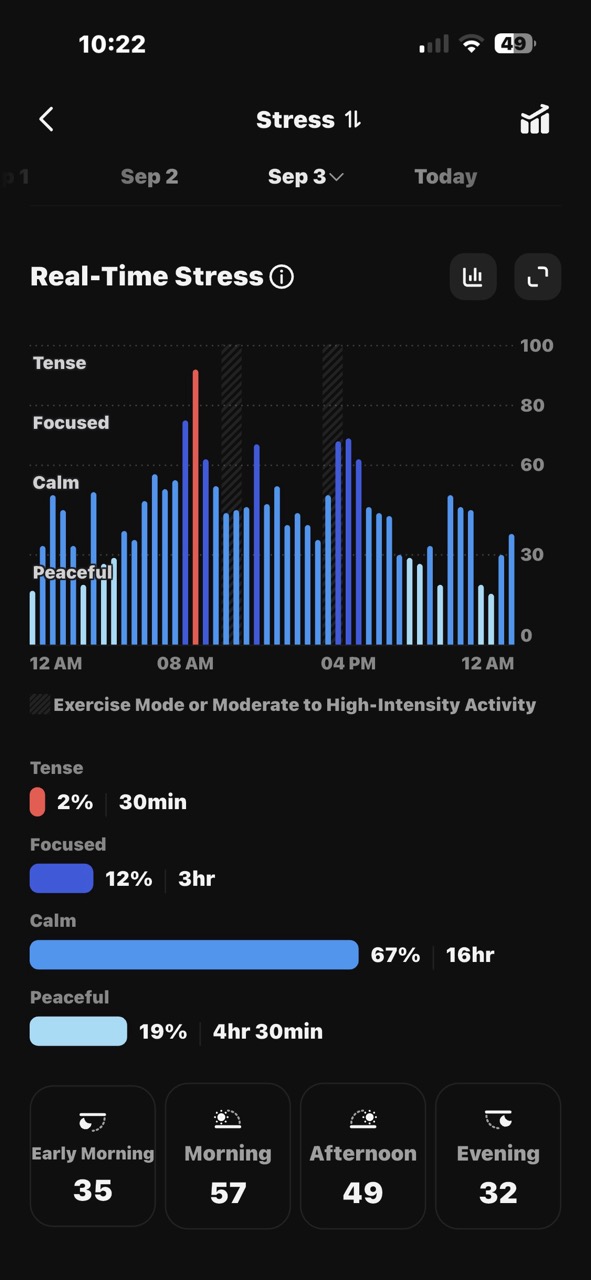
Just like with sleep, the screenshot on the left is what you’ll see if you tap the relax flower petal, and the other two images are shown when you tap the > in the stress section.
Vitals
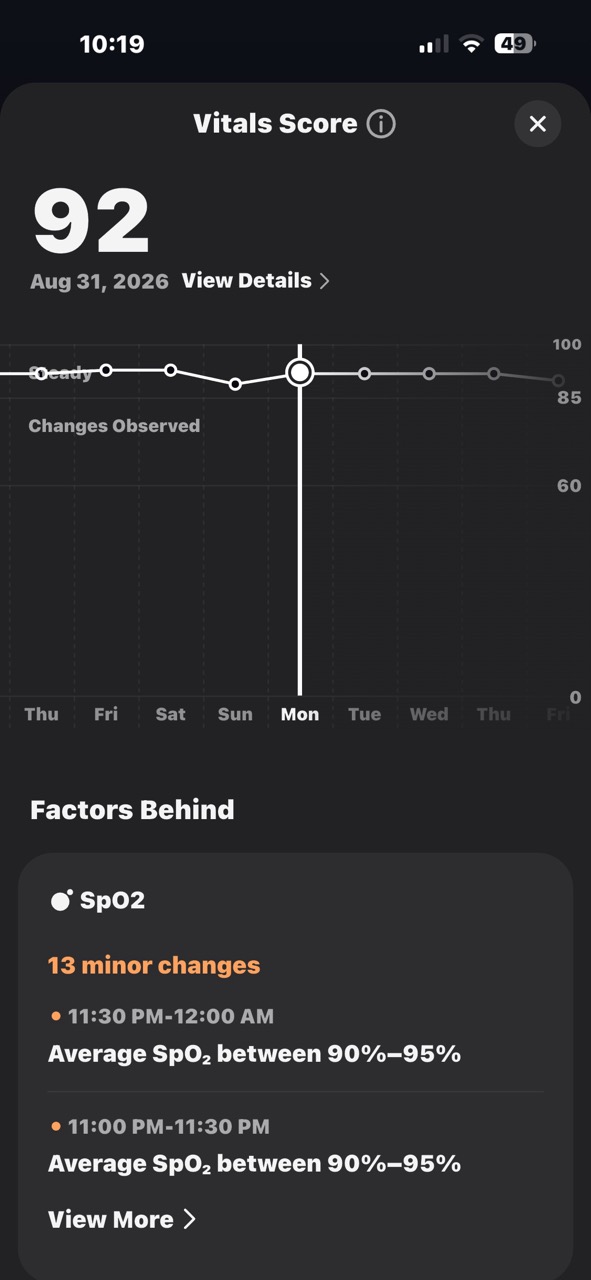
RingConn gave me a vitals score of 92. Whee!
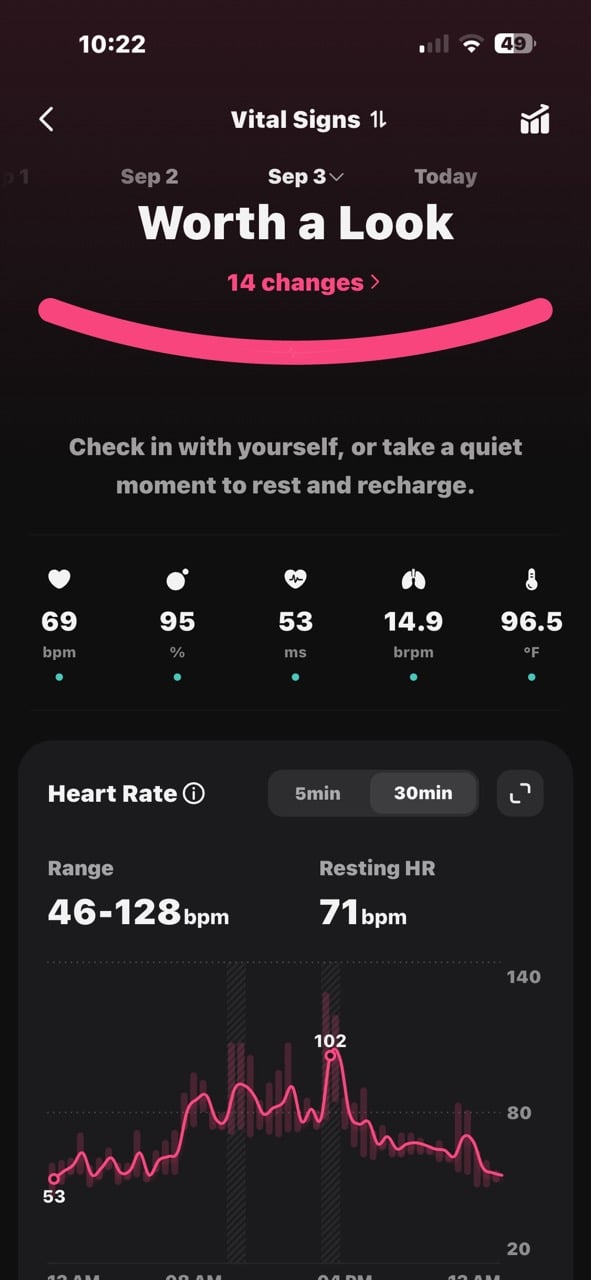
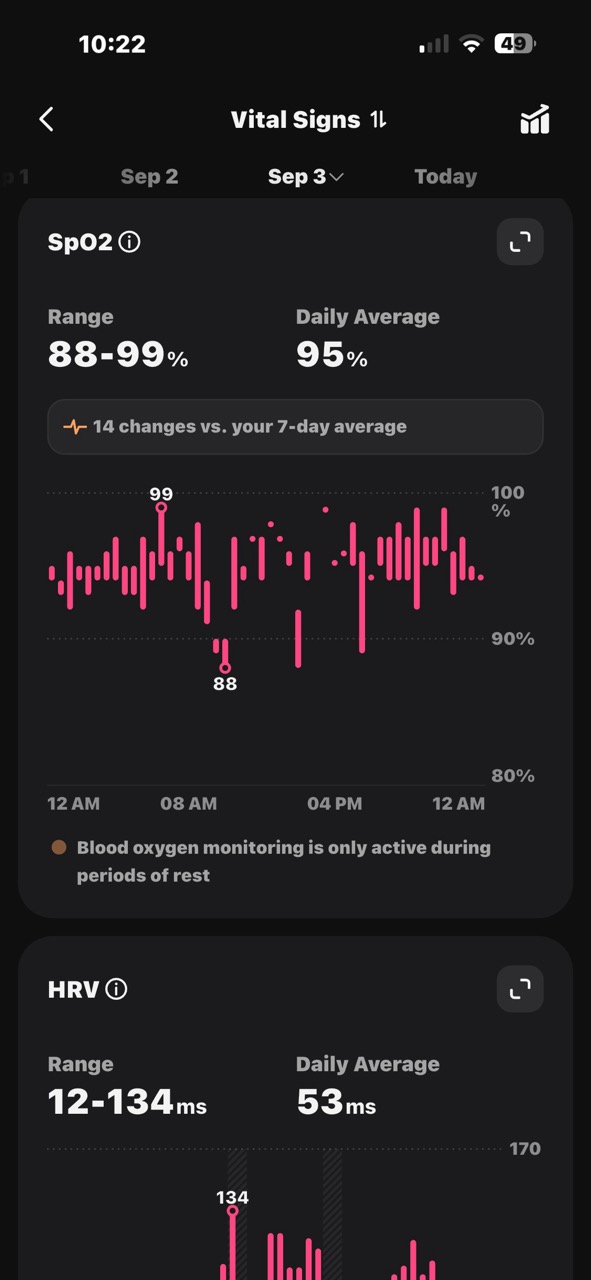
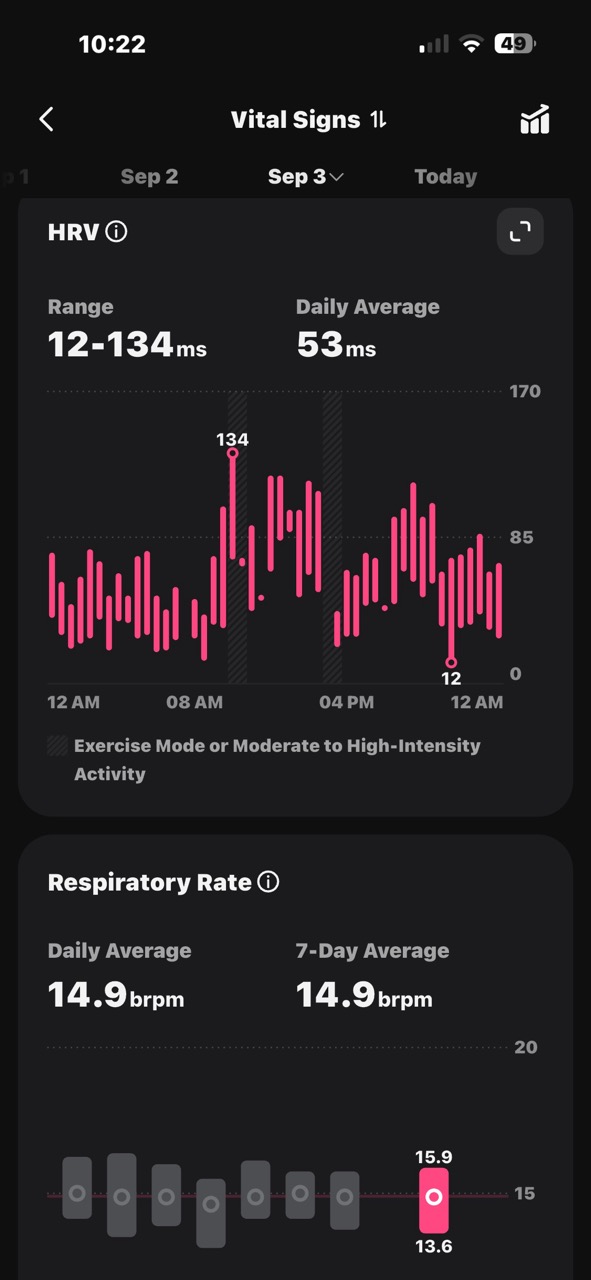
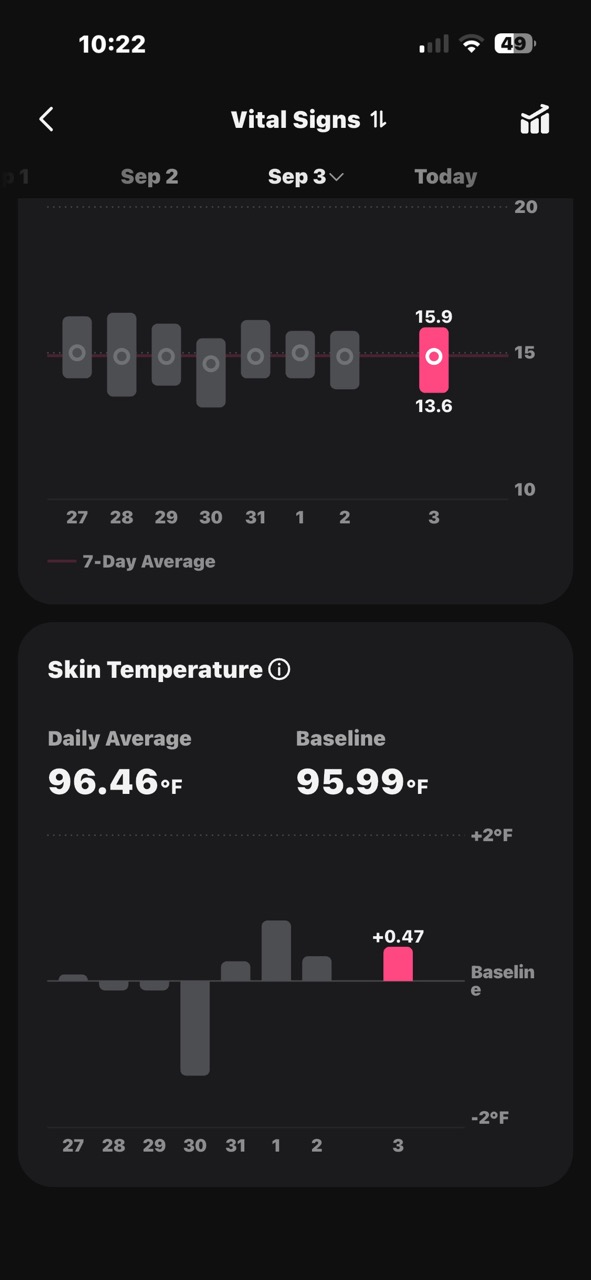
And then it provided a crap ton of more details about my oxygen saturation, respiratory rate, HRV, skin temperature, and more.
Activity
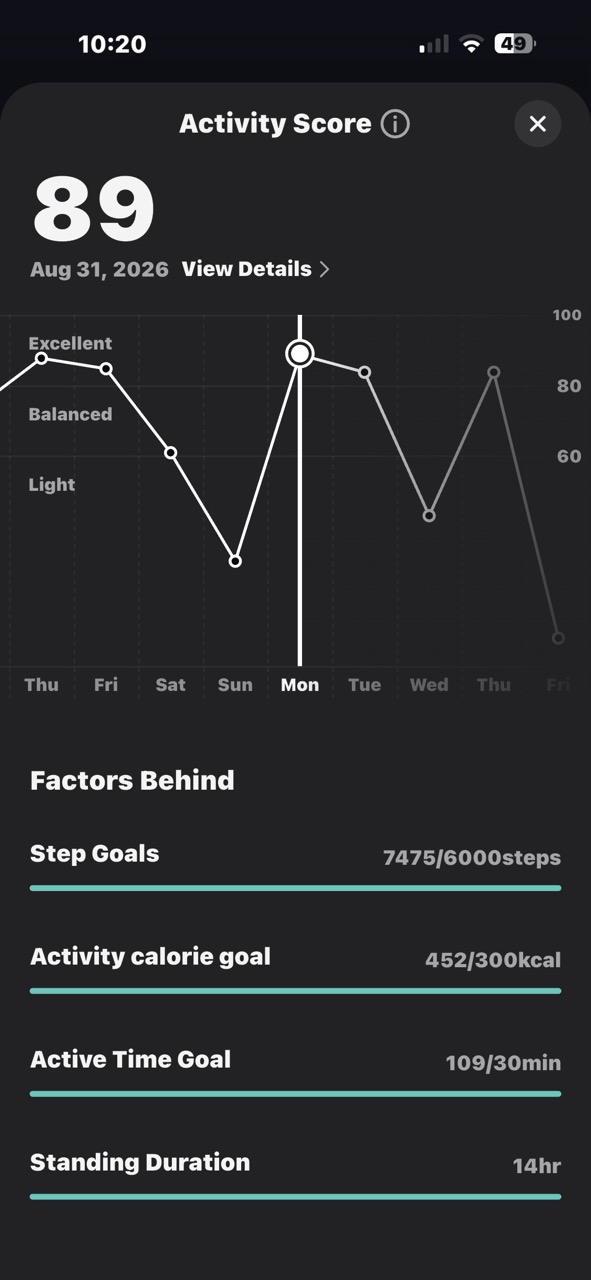
I earned a score of 89, which sounds great, but honestly, I don’t push myself during workouts. So do I really deserve that high of a score?
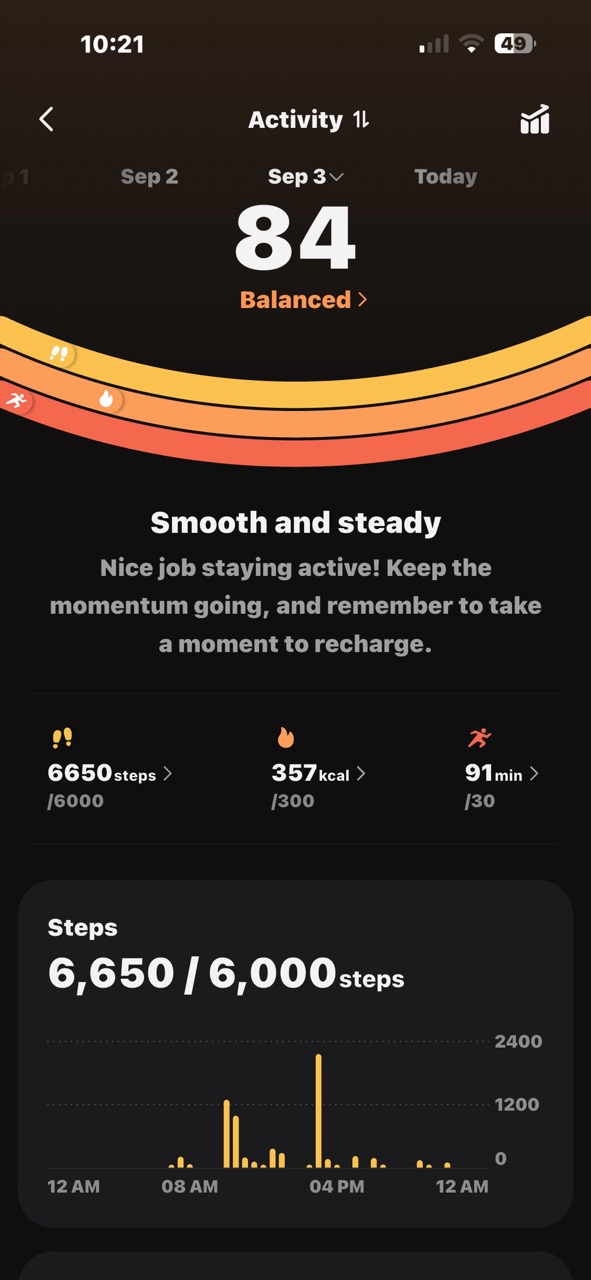
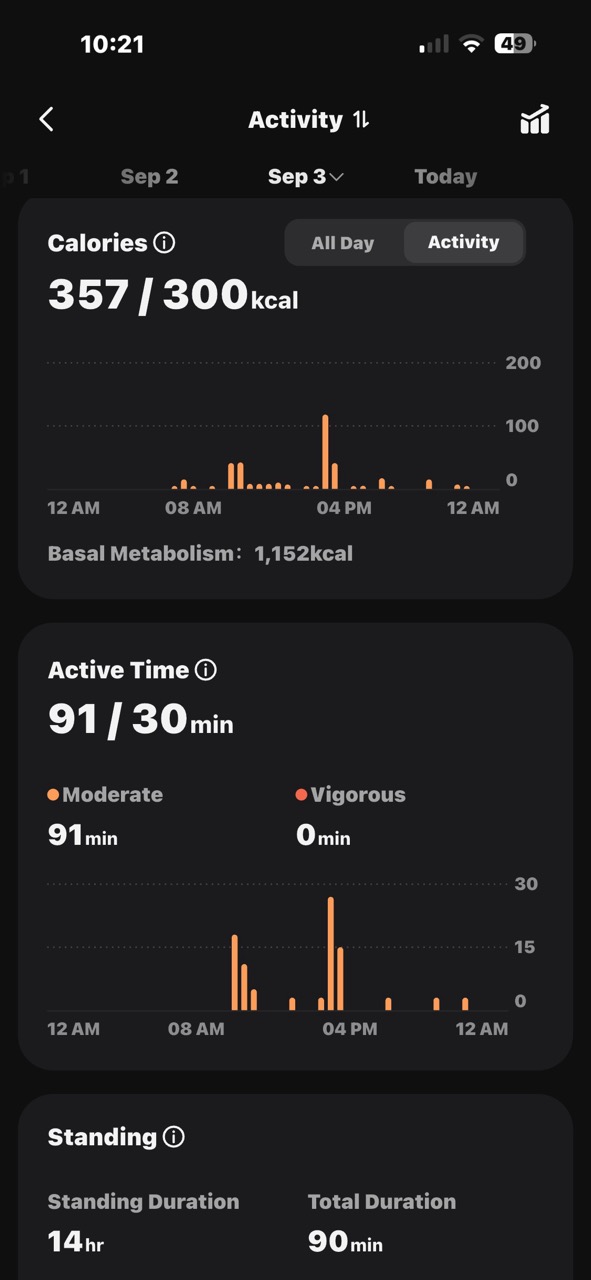
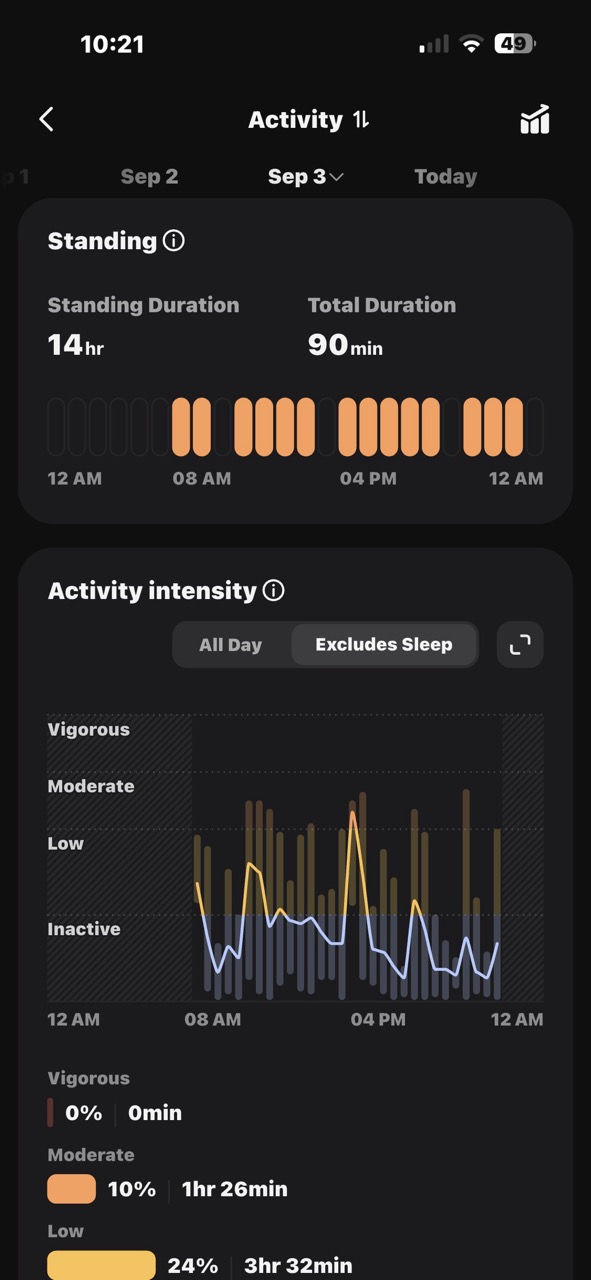
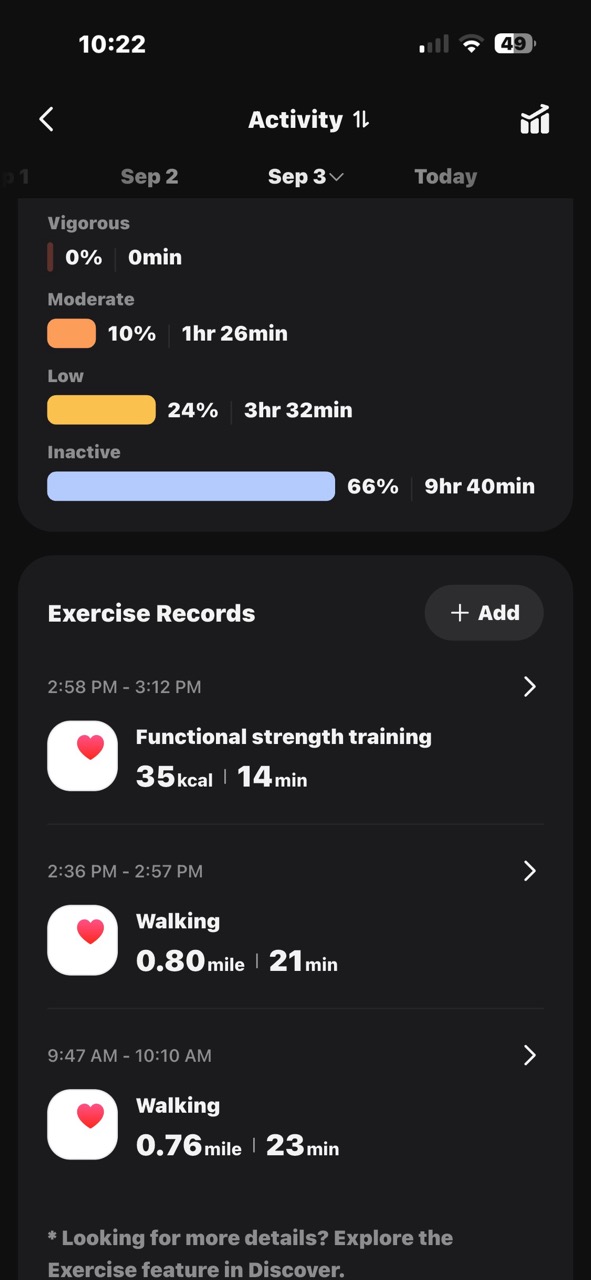
Lots of info here on my activity throughout a day. I love seeing all these graphs and charts, but I’d be lying if I told you that I do anything with this data other than occasionally look at it. Yes, truth be told, I check my sleep scores and other scores a couple of days after I start wearing a smart ring and then I forget all about it. Am I alone here?
Sleep Apnea Detection
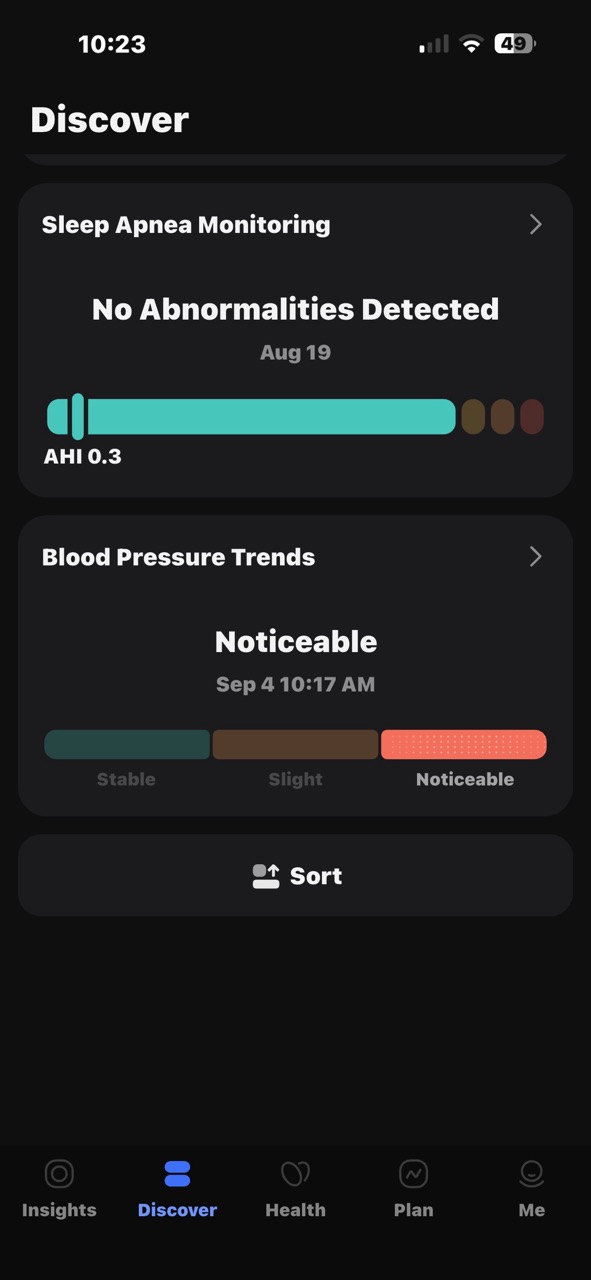
The RingConn Gen 3 not only tracks your sleep patterns, but it can also detect potential sleep apnea. The app provides a high-level detection score, and you can enable more in-depth tracking if you want. I don’t have any issues with sleeping or snoring, but I went ahead and went through the extra testing, which takes 3 nights. Here are my results.
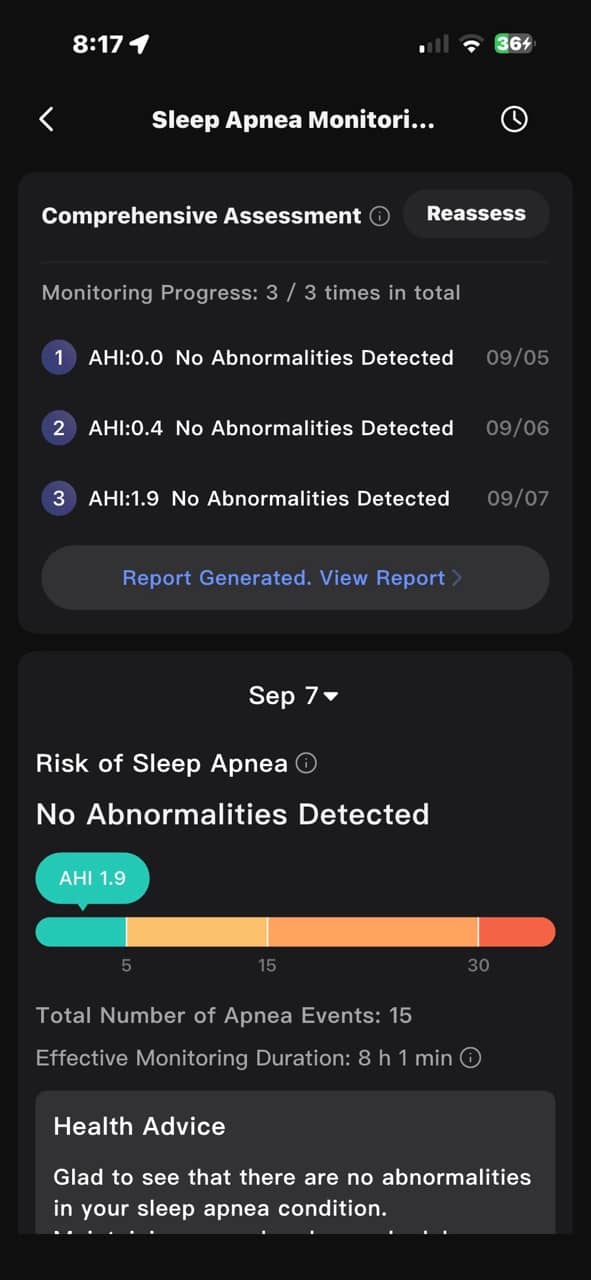
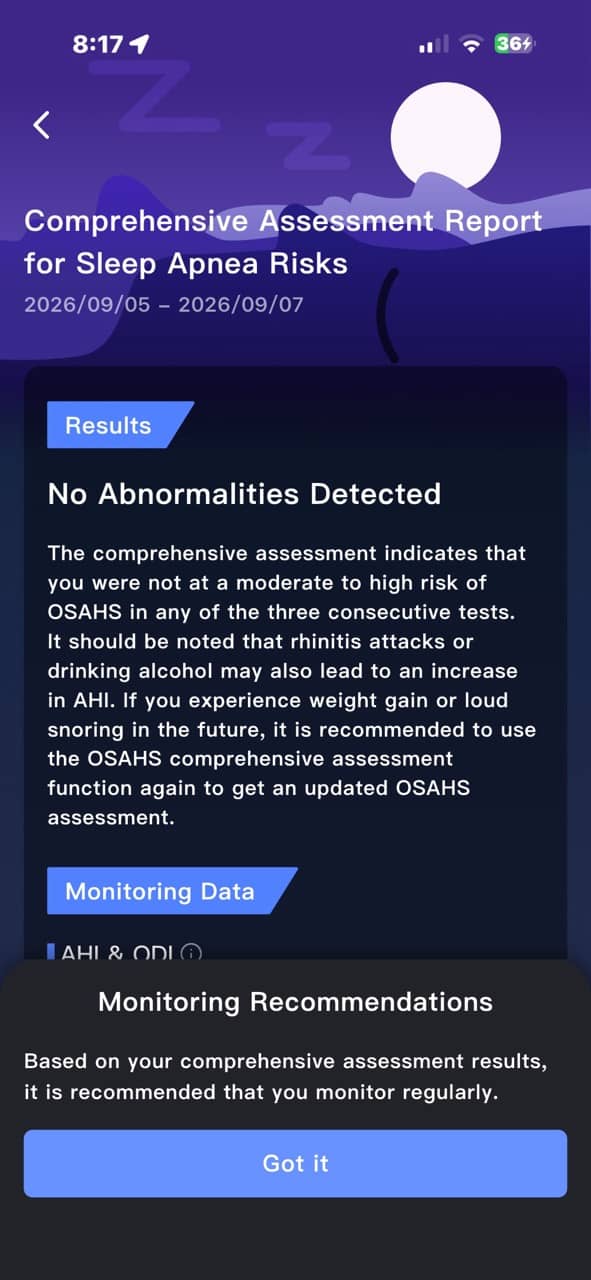
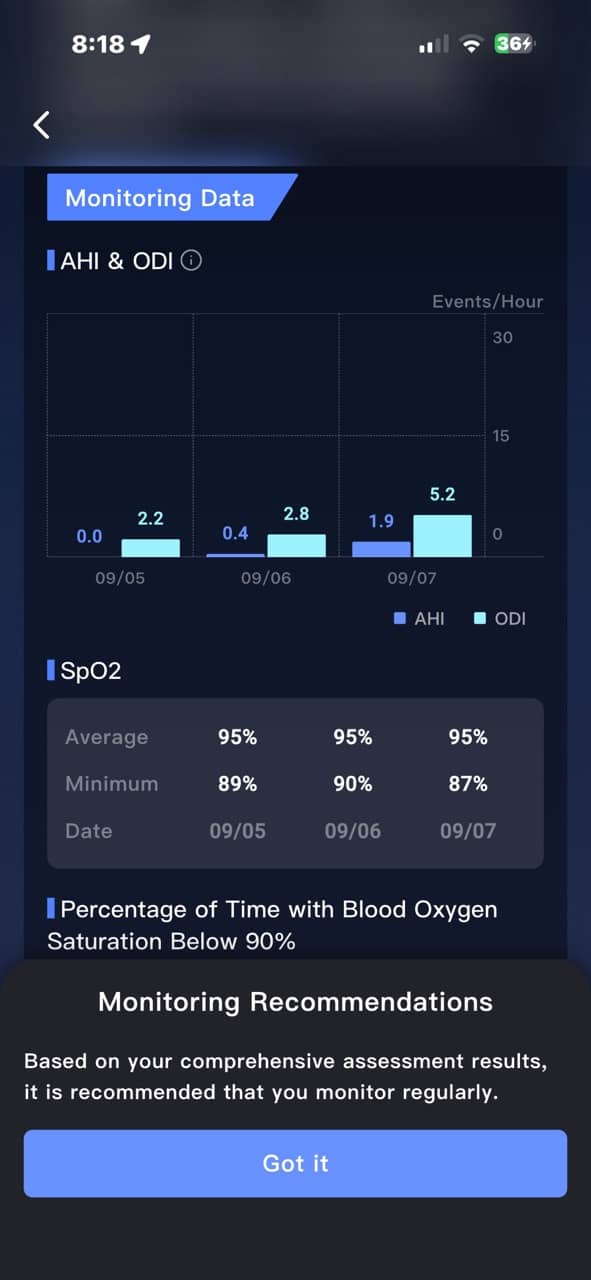
Yay, no sleep apnea issues here! It’s nice to know that you can retake the test if needed/wanted.
Blood Pressure
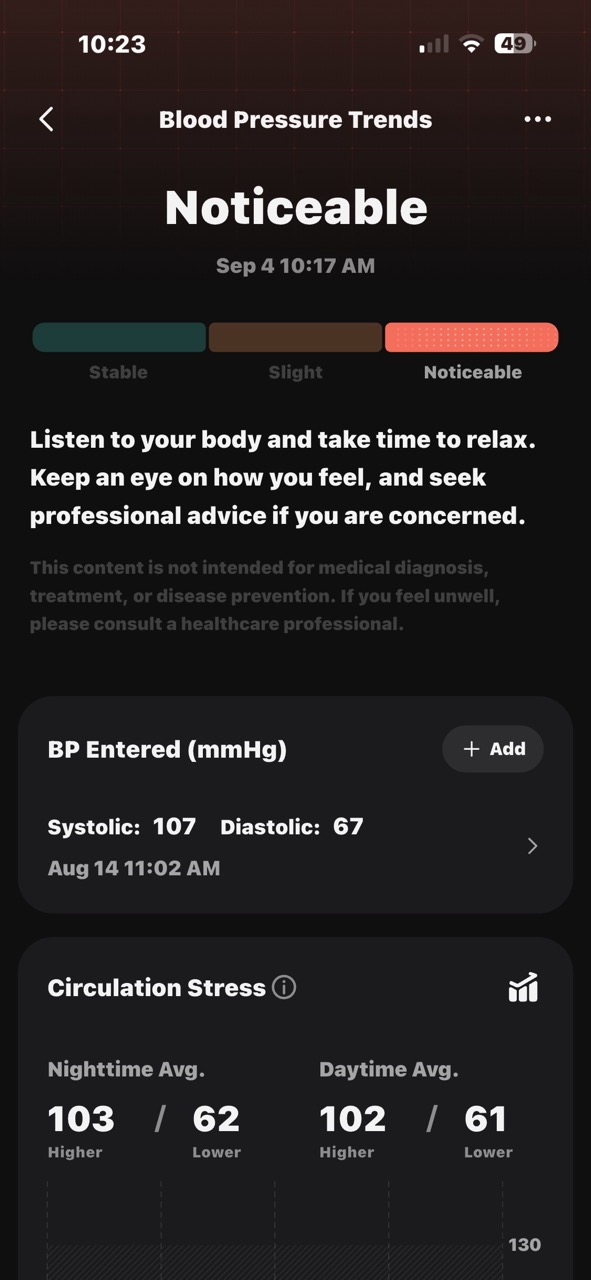
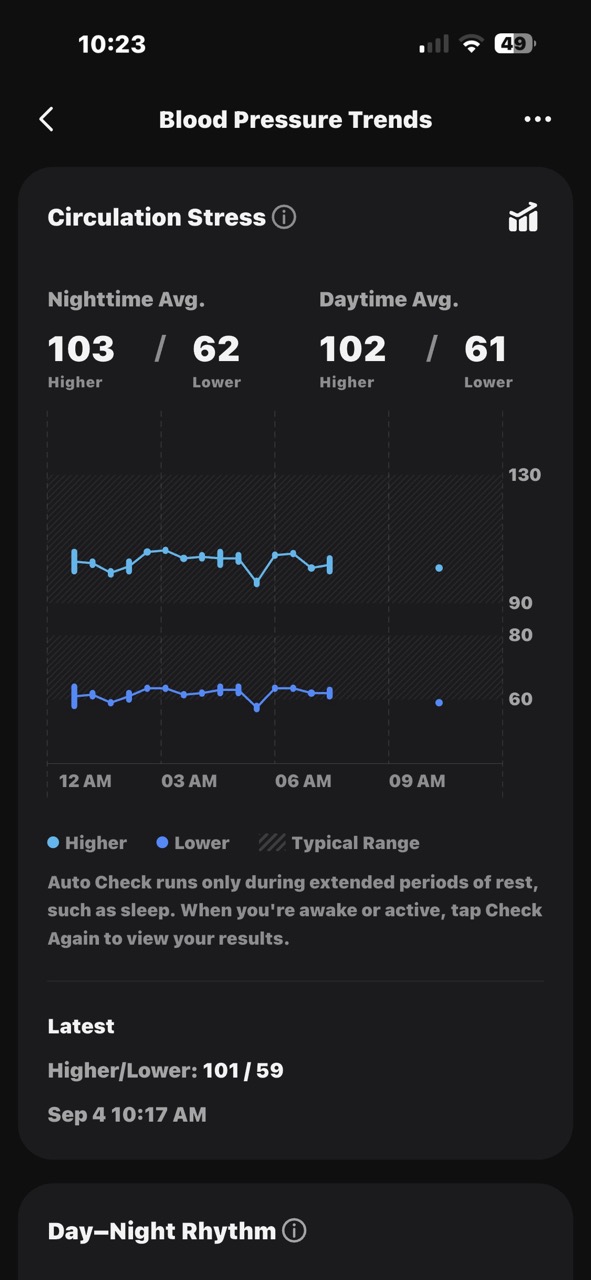
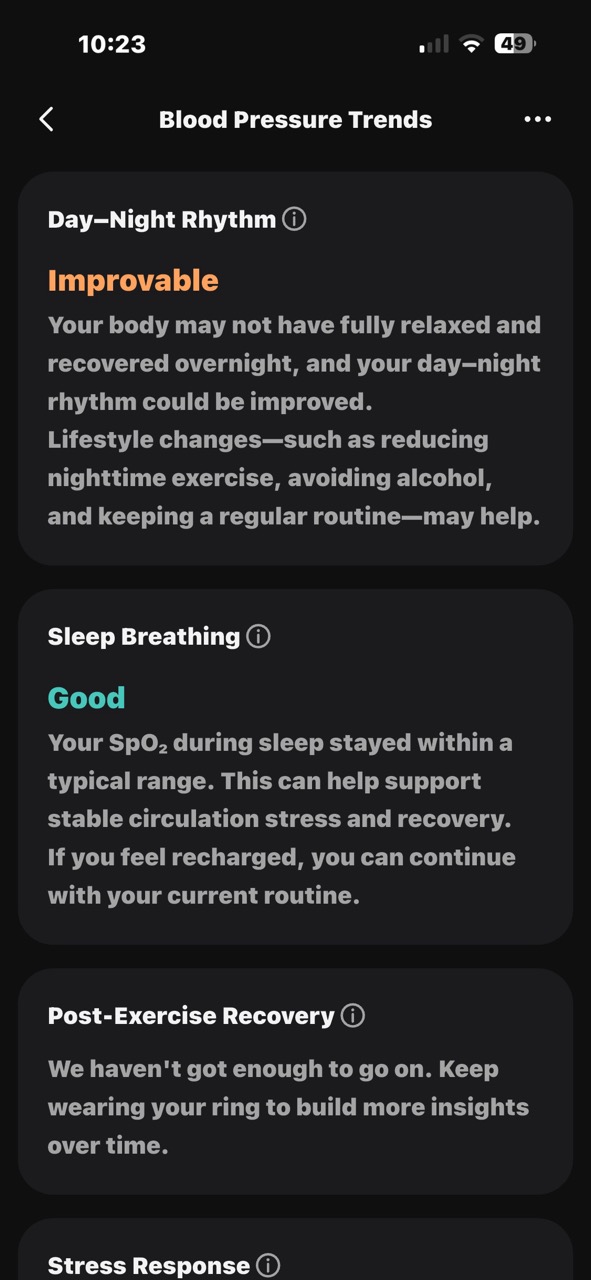
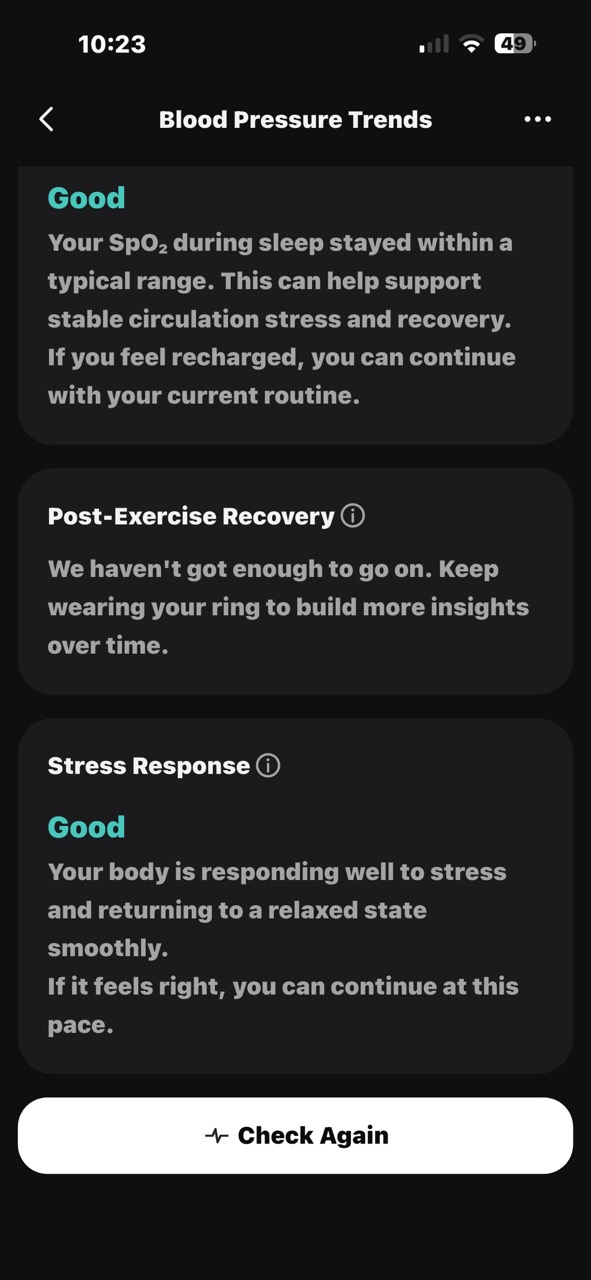
The RingConn Gen 3 can’t do an actual blood pressure reading, but it can use info from readings that you’ve submitted using a traditional blood pressure cuff/machine to detect potential issues, then use the data it does collect, such as heart rate, blood oxygen, and skin temperature.
This is a neat feature that can help you spot negative trends early, but I personally wouldn’t rely on the results compared to a dedicated blood pressure machine like my Withings BPM Vision.
Lifestyle Score
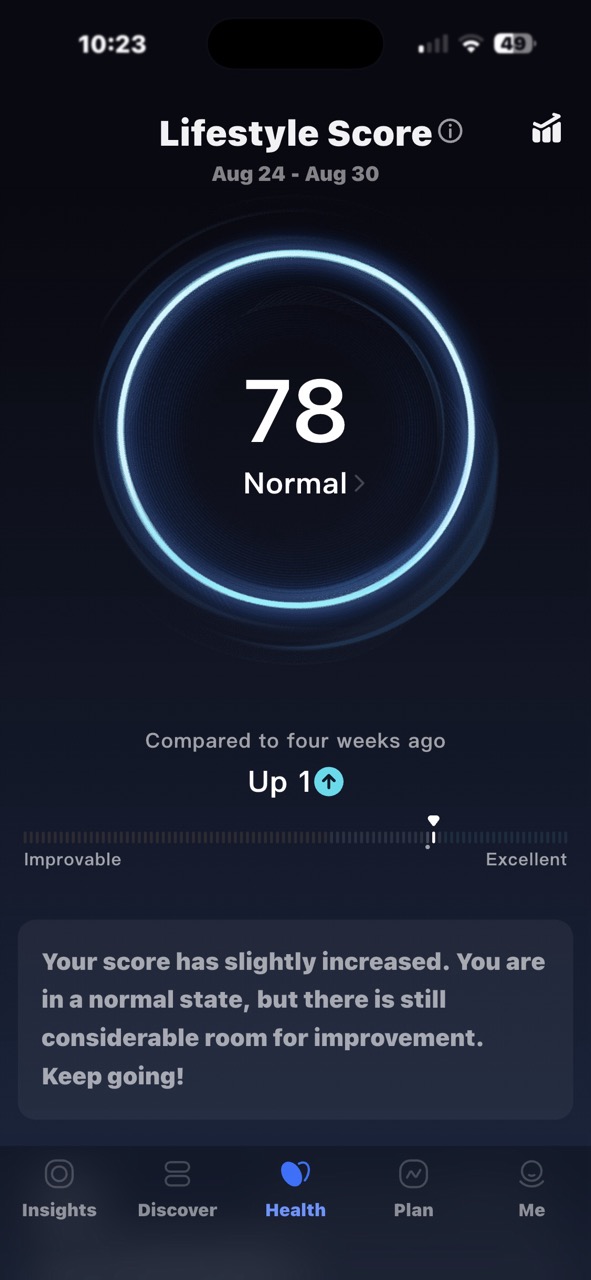
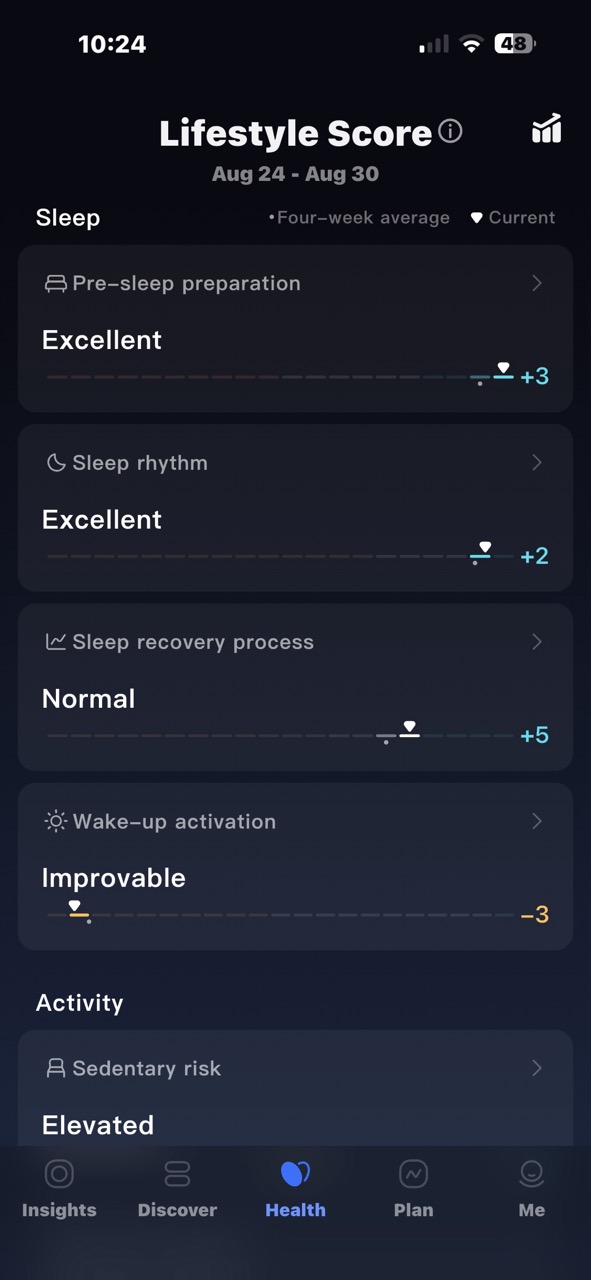
The RingConn Gen 3 lifestyle score is a weekly wellness metric ranging from 10 to 100 that evaluates the balance between your daily rest and activity.
Vibration Alerts, But Not the Type You Think
The RingConn Gen 3 smart ring has a built-in vibration alert, but it’s not designed to alert you to text messages, phone calls, or other similar notifications from your phone. Instead, it alerts you in the event of a major health issue/concern, like an abnormal heart rate, or as a sedentary reminder to get up out of your chair – I need that!
Do You Need a Smart Ring If You Already Wear a Smartwatch?
I already own an Apple Watch and wear it every day after getting out of the shower. It tracks all the same things (minus blood pressure and sleep apnea) that the RingConn tracks. But I never wear it to bed because I find it uncomfortable to have it on my wrist all night. If I want to check my sleep patterns, which I rarely do, that’s where a smart ring is so much nicer and more comfortable to wear 24/7.
Another advantage of a smart ring over a smartwatch is that the battery life of a smart ring is much longer. I have to charge my Apple Watch every night. I don’t have to do that with the RingConn Gen 3. I can get close to 2 weeks on one charge! That’s a major deal, especially on a trip because you won’t need to pack a charger for your watch.
Final Thoughts
The RingConn Gen 3 is a very good smart ring, with a comfortable, lightweight design, excellent near-two-week battery life, a useful charging case, and no subscription fee. I especially like that it is easy to wear overnight compared with an Apple Watch, and its sleep-apnea detection could be genuinely valuable for someone who wants another layer of insight into their sleep health. The app could use some reorganizing, and I’d still view its blood-pressure trends as more of a curiosity than a replacement for a proper cuff.
That said, after a month, I have to admit that I don’t check the daily scores and charts very often. I already wear an Apple Watch every day, so adding a smart ring that tracks many of the same metrics starts to feel like overkill, particularly because I’m not someone who actively tracks or tries to improve my sleep.
Most mornings, I already have a pretty good idea whether I slept well or tossed and turned all night. For people who want to closely monitor sleep patterns, potential apnea issues, recovery, and other wellness trends, the RingConn Gen 3 is an appealing subscription-free option. But if you already have a smartwatch and mostly just want confirmation of what you already feel, it may be more data than you actually need or will use.
The RingConn Gen 3 Smartring retails for $349.00 to $369.00; it is available directly from the manufacturer and other retailers, including Amazon.
Source: Manufacturer-supplied review sample.
What I Like: Doesn’t require a subscription; Comfortable enough that you forget that it’s there; Almost 2 weeks of battery life on one charge; Sleep apnea detection
What Needs Improvement: The app could use some reorganizing; Blood pressure trends seem a bit gimmicky




Be the first to comment on "RingConn Gen 3 Smart Ring Review: The Smart Ring for People Who’d Rather Skip the Smartwatch"