
The Lowdown
For students, travelers, writers, and anyone else who wants to get real work done on an iPad without spending hundreds of dollars on a keyboard case, the inateck AceTouch makes a compelling case. It’s thin, adaptable, inexpensive, and refreshingly willing to let the iPad go back to being a tablet when the work is finished.
Overall
Pros
- Lightweight 450-gram design
- Keyboard detaches in seconds
- iPad remains protected without the keyboard attached
- Works in portrait and landscape orientations
- Full multi-touch trackpad with palm rejection
- Comfortable 78-key scissor-switch keyboard
- Separate Backspace and Delete functionality
- Keyboard can be used while detached
- Accessible ports, speakers, controls, and Apple Pencil charging
- iPadOS can display the keyboard’s remaining battery level
- Strong value for the price
Cons
- Plastic construction prioritizes weight over rugged drop protection
- No secure integrated Apple Pencil enclosure
- Keyboard layout and function keys don’t completely follow Apple conventions
- Bluetooth trackpad may not feel as immediate as a directly connected alternative
- Keyboard requires separate charging
- Battery-runtime specifications should be clearer
An iPad can handle much of what a laptop does, but add the wrong keyboard case, and that slim tablet starts feeling like a laptop with an identity crisis. The inateck AceTouch Ultralight Keyboard Case takes a more flexible approach. Your iPad stays protected in its own shell with an integrated kickstand, while a slim Bluetooth keyboard with a multi-touch trackpad attaches magnetically when you need it. Pull it away, and the iPad remains ready for reading, drawing, watching video, or carrying on its own.
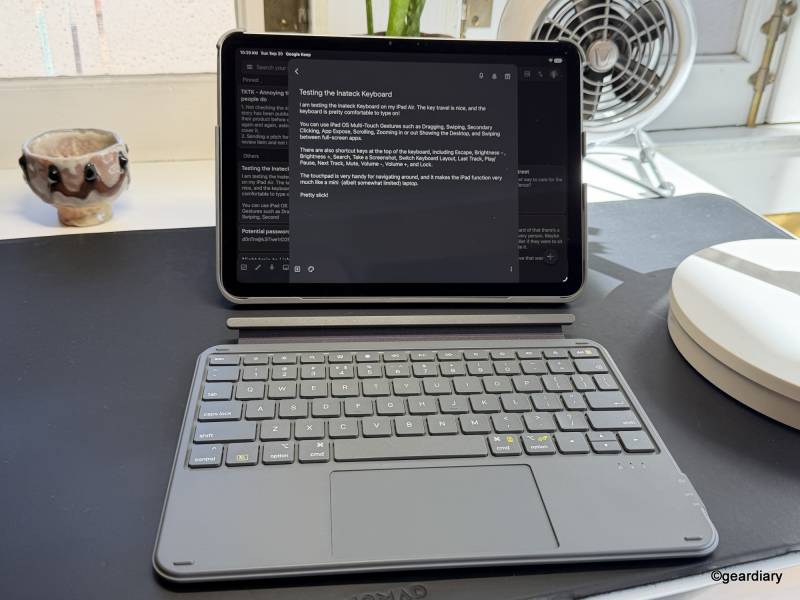
At 450 grams, or about 15.8 ounces, the inateck is unusually light for a keyboard case with a trackpad, and its roughly $50 price puts it in a different financial universe than Apple’s keyboard cases and well below premium alternatives from Logitech.
That price naturally raises a question: What are you giving up? As it turns out, less than you might expect, although there are some compromises.
The Detachable Design Is the Real Selling Point
The keyboard attaches magnetically to the rear case and can be removed in about a second. More importantly, removing it doesn’t leave you holding an unprotected iPad. That distinction makes the inateck considerably more versatile than keyboard cases that require the tablet and keyboard to remain together.
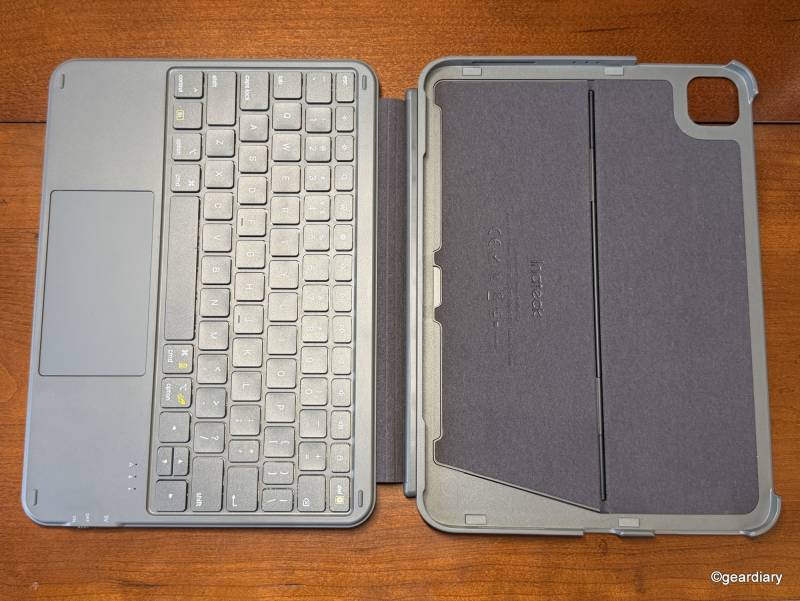
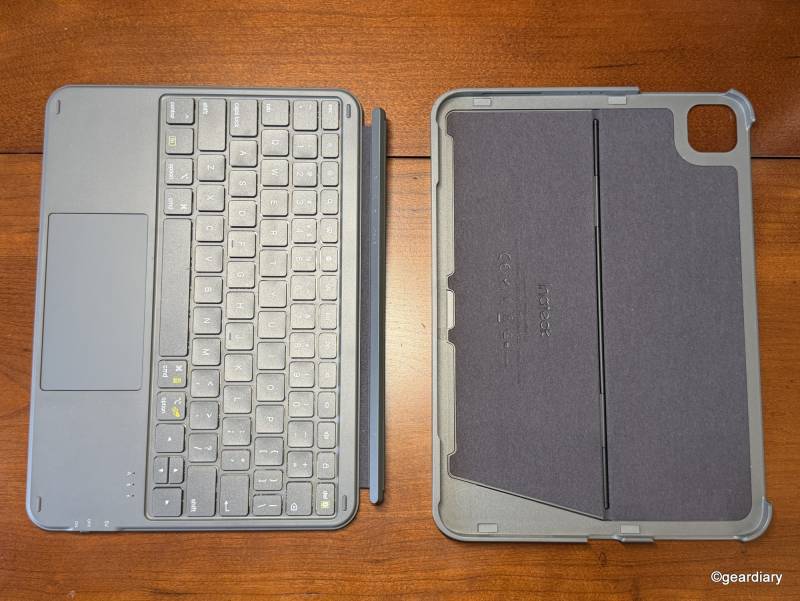
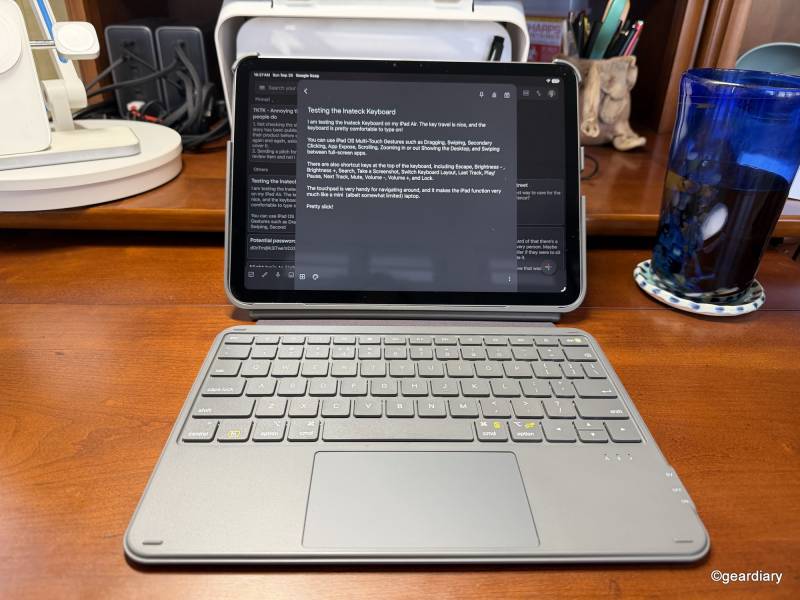
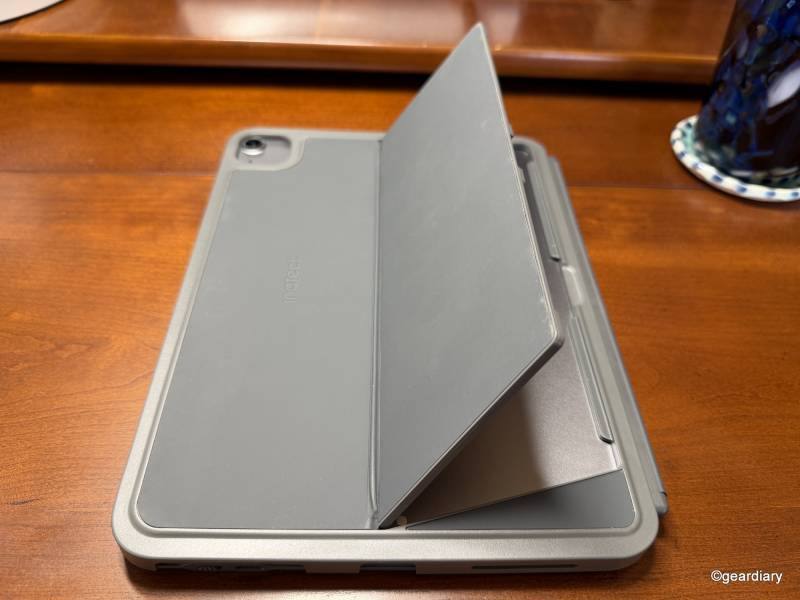
Want to type at a desk? Attach the keyboard. Want to read on the couch? Pull it off. Want to draw with an Apple Pencil? Remove the keyboard and either lower the kickstand or use it on your lap. The stand supports portrait and landscape positioning, should you prefer that orientation.
Because the keyboard connects over Bluetooth rather than through a physical electrical connection, it also continues working when detached. You can even place the iPad farther away on a desk while keeping the keyboard closer, something an attached keyboard can’t do.
The magnetic attachment feels particularly important with a detachable design. A removable keyboard stops being convenient very quickly if it never seems securely connected. Here, the keyboard stays with the case when you want it there but peels away easily when you don’t.
The integrated kickstand is similarly low-profile. Folded flat, it adds little visual or physical bulk. Open it, and it supports multiple viewing angles.
First, Make Sure It Fits Your iPad
Keyboard cases are particularly unforgiving about compatibility. Close enough doesn’t count when buttons, cameras, speakers, charging ports, and magnetic Apple Pencil placement must line up properly.
The inateck AceTouch works with the 2025 iPad with the A16 chip, the 10th-generation 10.9-inch iPad, the 11-inch iPad Air with M4, M3, or M2, the fourth- and fifth-generation 10.9-inch iPad Air, and the first through fourth generations of the 11-inch iPad Pro.
For anyone checking an older 11-inch iPad Pro, the supported models include the fourth-generation 2022 A2435, A2759, A2761, and A2762; the third-generation 2021 A2301, A2377, A2459, and A2460; the second-generation 2020 A2228, A2068, A2230, and A2231; and the first-generation 2018 A1980, A2013, A1934, and A1979. The keyboard also requires iPadOS 16 or newer.
That unusually broad compatibility is valuable if you’re keeping an older iPad going rather than upgrading simply because Apple has moved on to another generation of accessories. Still, check the model number in Settings before ordering rather than trusting screen size alone.
A Keyboard Case That Tries Not to Ruin the iPad
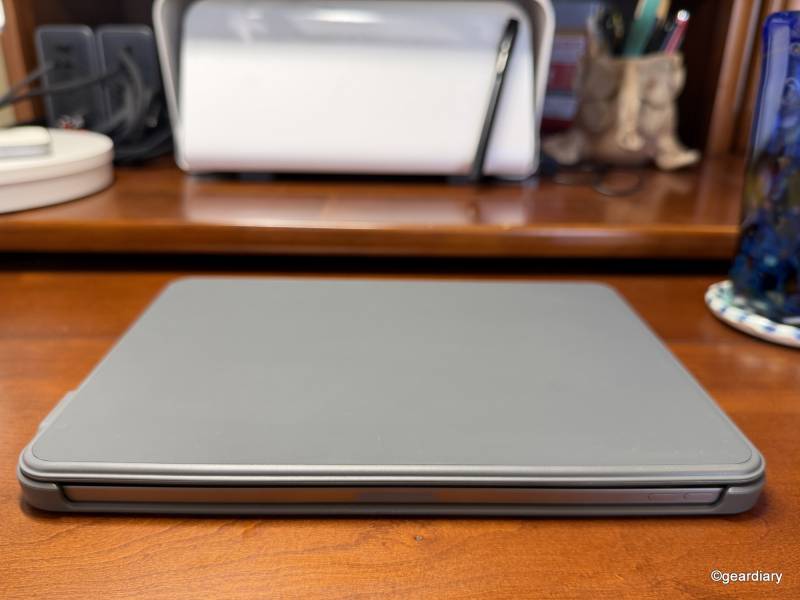
The inateck AceTouch measures approximately 9.92″ long by 7.52″ wide by 0.55″ thick when assembled. Inateck describes the keyboard portion as approximately 0.3″ thick, and the entire setup is built primarily from plastic.
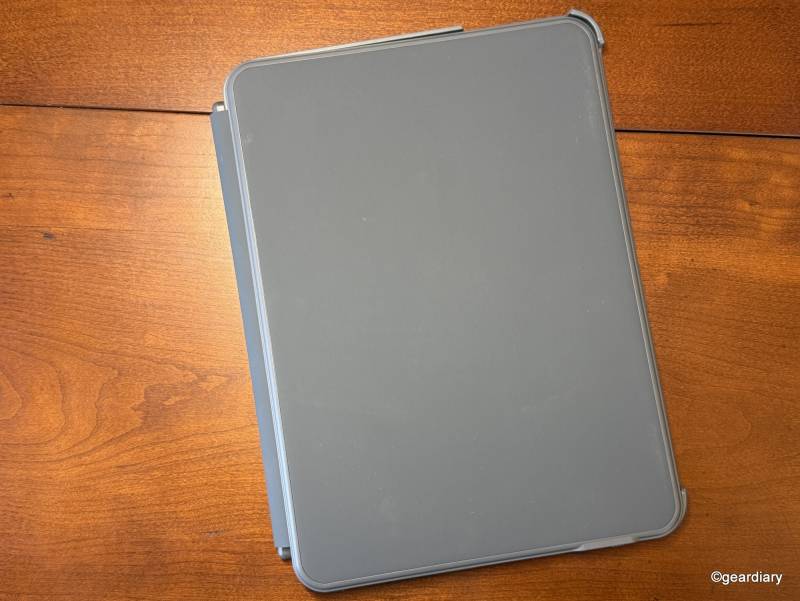
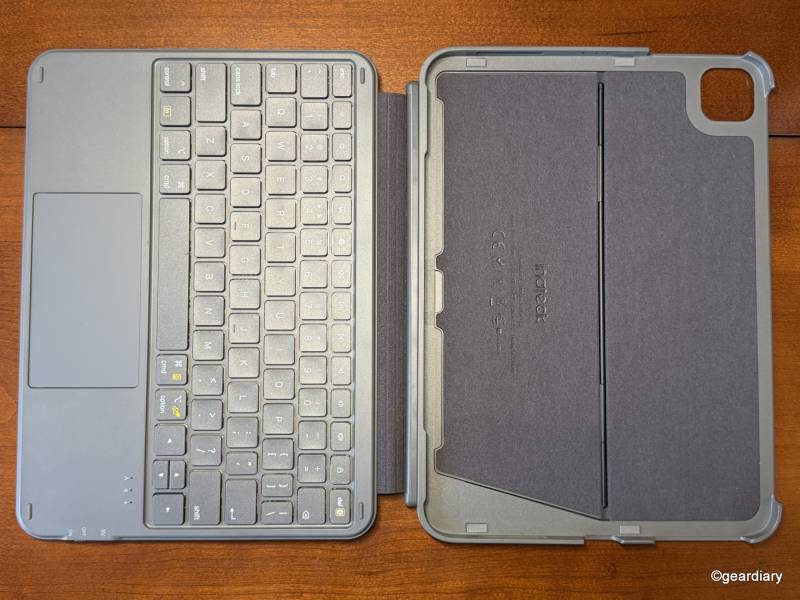
Plastic isn’t automatically a negative here. In fact, it’s largely why inateck has kept the weight at 450 grams. The tradeoff is that the case doesn’t have the dense, substantial feel you’ll get from a heavier keyboard case with thick rubberized corners or an aluminum hinge. If you pick it up expecting the solidity of a rugged case, it may feel a little light at first. That doesn’t necessarily mean it’s poorly made. Lightweight and flimsy can feel remarkably similar for the first few minutes.
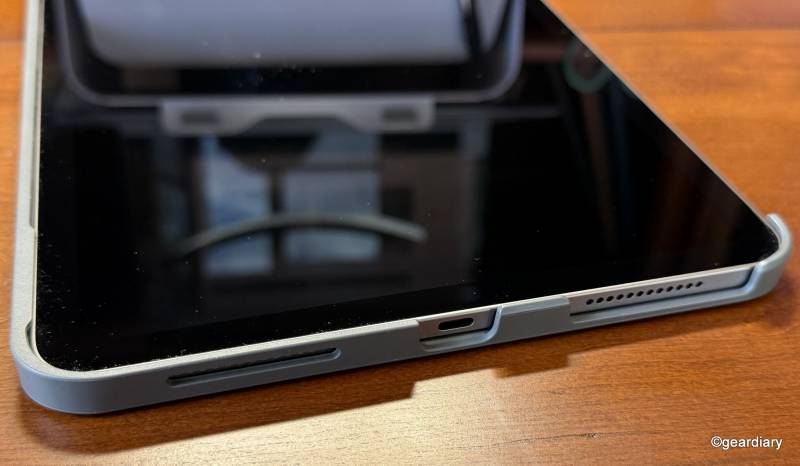
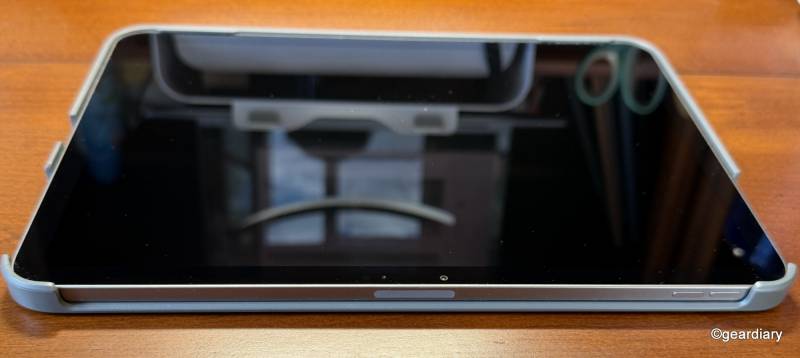
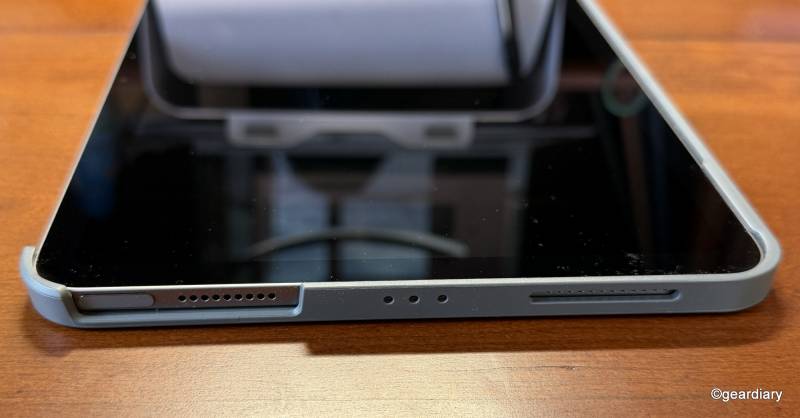
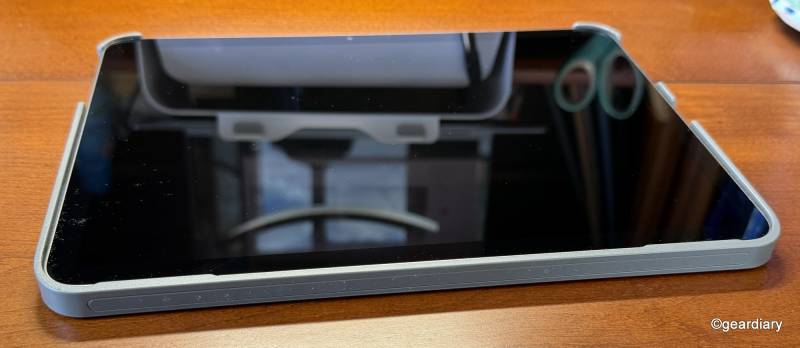
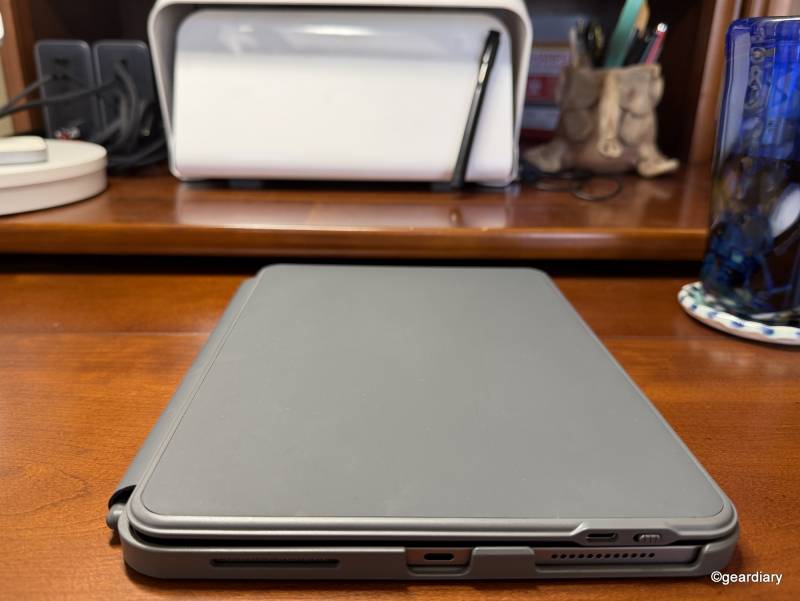
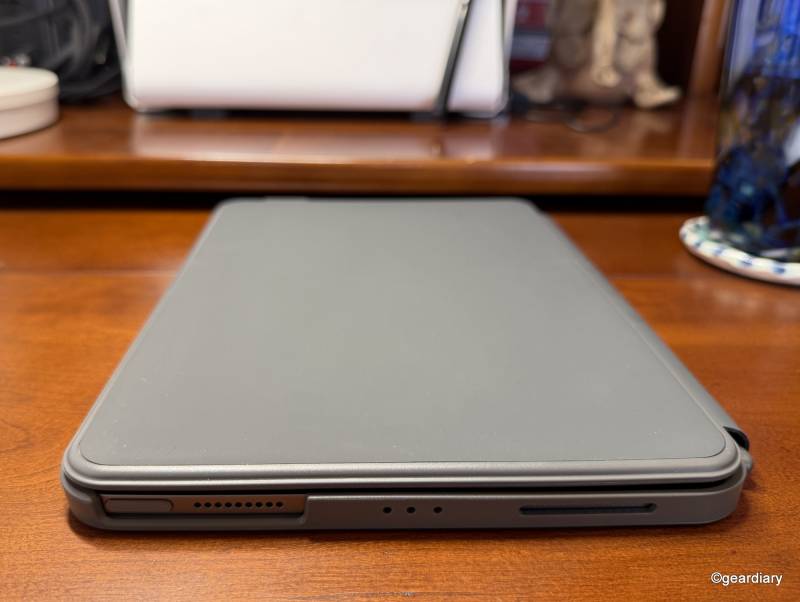
The iPad snaps into a hard shell rather than being surrounded by thick, flexible rubber edges, and the design leaves the speakers, charging port, volume controls, and Touch ID-equipped power button accessible. Compatible Apple Pencils can remain attached and charge without removing the iPad from the case.
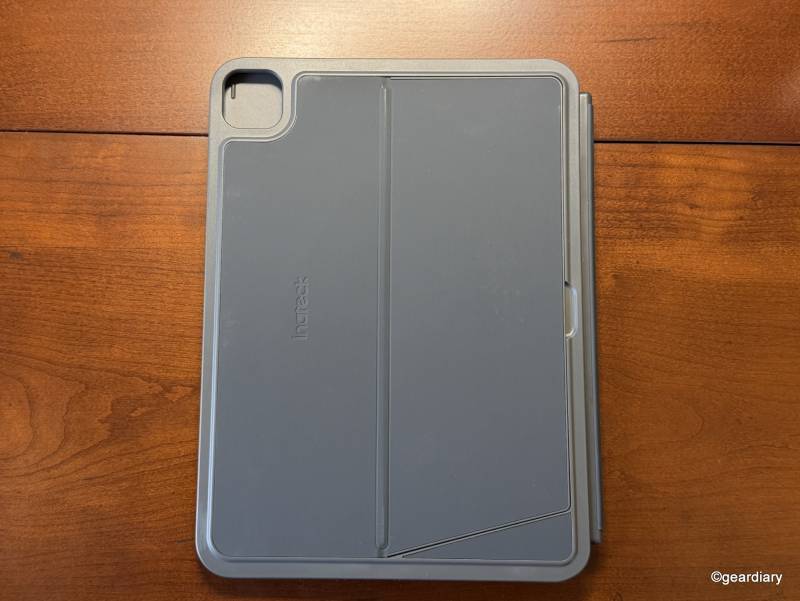
What you don’t get is an enclosed Apple Pencil compartment. That matters if your Pencil regularly disappears into the bottom of a backpack or gets knocked loose from the side of the iPad. An inexpensive adhesive Pencil sleeve can solve the problem, but a more secure integrated solution would be better.
The more consequential compromise is impact protection. This isn’t a rugged case disguised as a keyboard case, and the lighter shell inevitably leaves less material between an expensive iPad and a hard floor. If you regularly drop your tablet, work outdoors, hand it to children, or simply want maximum corner protection, there are sturdier choices.
For ordinary commuting, school, work, travel, and desk use, however, inateck’s restraint pays off every time the iPad goes into a bag.
The Keyboard Is Better Than the Price Suggests
The inateck AceTouch fits 78 QWERTY keys into the compact layout and uses scissor-switch mechanisms with 1.3 to 1.5 mm of travel; the scissor switch is the same basic mechanism used in many thin laptop keyboards: crossing pieces beneath the keycap stabilize each key while keeping the keyboard shallow.
One millimeter isn’t much travel, but that isn’t unusual for a keyboard this thin. More importantly, the keycaps are reasonably sized, given that the keyboard can’t be wider than an 11-inch-class iPad.
That makes the inateck AceTouch much more plausible for writing documents, answering email, taking notes, or working in apps like Notion than the miniature keyboards sometimes bundled with inexpensive tablet cases.
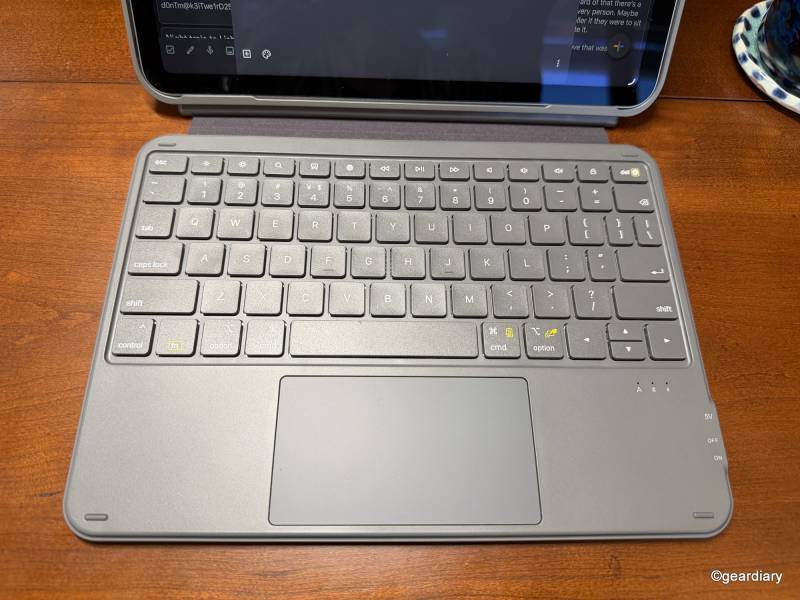
However, longtime Apple keyboard users will notice a wrinkle. Inateck’s layout doesn’t perfectly mirror Apple’s conventions. Some modifier and special-function labels differ, and the top function row isn’t an exact reproduction of what you’ll find on Apple’s own keyboards.
There are also choices that may feel more familiar to someone coming from Windows. Inateck provides separate Backspace and Delete functionality, for example, which can be genuinely useful but isn’t presented exactly the way an Apple keyboard owner might expect. None of this makes the keyboard difficult to use, but longtime Apple users may need to recalibrate some muscle memory.
It’s also worth noting that this isn’t the keyboard for someone who considers backlighting essential. If you prefer a backlit keyboard, the inateck AceTouch is also available in a backlit version. You can check it out here.
A Trackpad Changes What You Can Do With an iPad
A keyboard alone makes an iPad better for writing. A trackpad makes it considerably more useful as a computer. To that end, the inateck AceTouch includes a full-area multi-touch trackpad with palm rejection and support for iPadOS gestures. You can move the pointer, click, select text, switch apps, scroll through documents, and navigate much of iPadOS without repeatedly reaching for the screen.
Palm rejection is particularly important on such a compact keyboard. Without it, an accidental brush against the trackpad while typing can send the pointer wandering across a document at exactly the wrong moment.
Because the trackpad communicates over Bluetooth rather than Apple’s Smart Connector, it doesn’t have the same direct electrical connection you get with Apple’s Magic Keyboard or some premium alternatives. Keep that in mind if trackpad responsiveness is one of your highest priorities, but it also enables one of inateck’s best tricks: the keyboard and trackpad keep working even when they aren’t physically attached to the iPad.
Scrolling direction may initially seem reversed depending on what you’re accustomed to. That behavior can be changed through the iPad’s trackpad settings once the keyboard is paired, so it’s an adjustment rather than a hardware issue.
Bluetooth Brings Freedom, Along With a Little More Maintenance
Unlike Apple’s Magic Keyboard and Logitech’s higher-end iPad keyboard cases that can communicate with and draw power from the iPad itself, the inateck is an independent Bluetooth accessory. That gives you much more freedom in how you position and use it, but there is a trade-off: the keyboard has its own battery and must be charged separately.
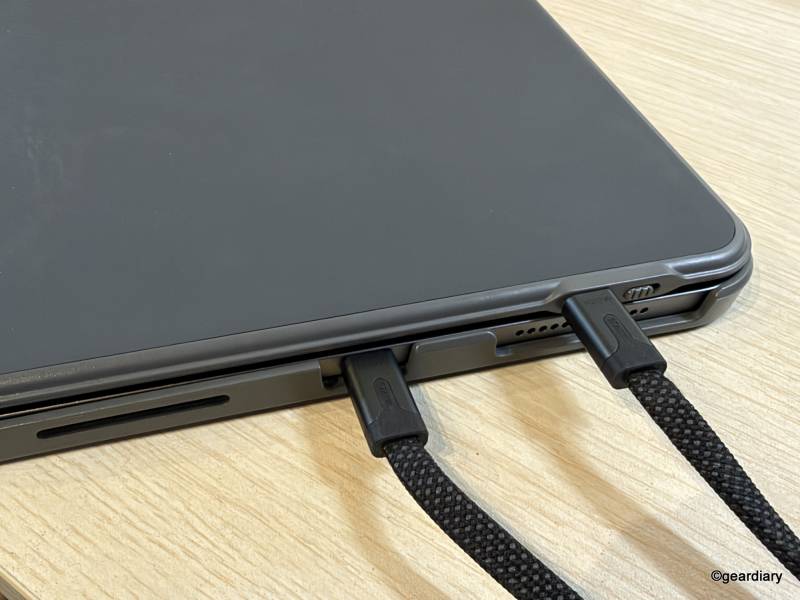
Pairing is straightforward, and iPadOS can report the keyboard’s remaining battery level, eliminating the irritating guessing game common with inexpensive Bluetooth accessories.
Inateck claims up to 180 days of standby time and 55 hours of continuous typing.
Closing It Up
When the keyboard is folded over the iPad, small rubber bumpers help keep the keys from contacting the display directly. The magnetic closure also keeps the two pieces together rather than letting the keyboard flap loosely around in a bag. Closing and opening the case also reliably triggers the iPad’s sleep/wake function.
The keyboard adds another layer of protection over the display during transport, while the rear shell stays on the iPad full-time. Again, that’s useful everyday protection, not permission to start tossing the iPad onto concrete.
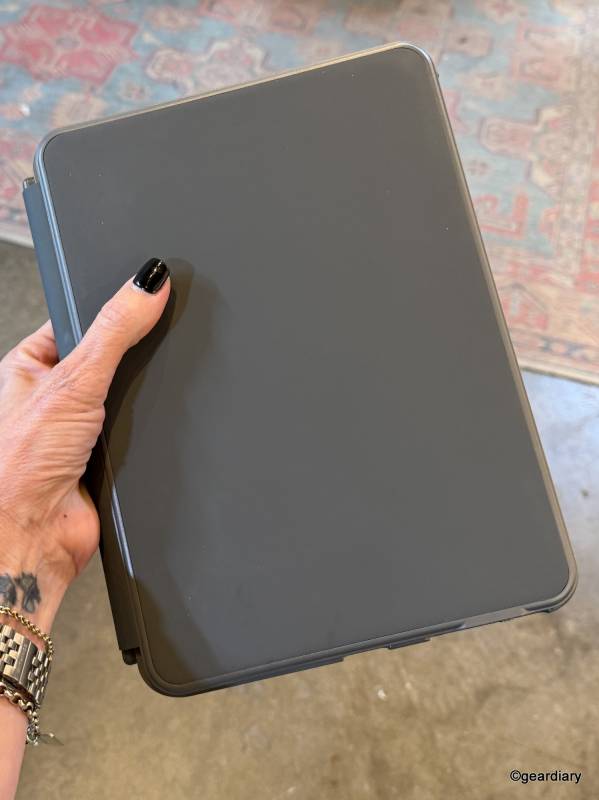
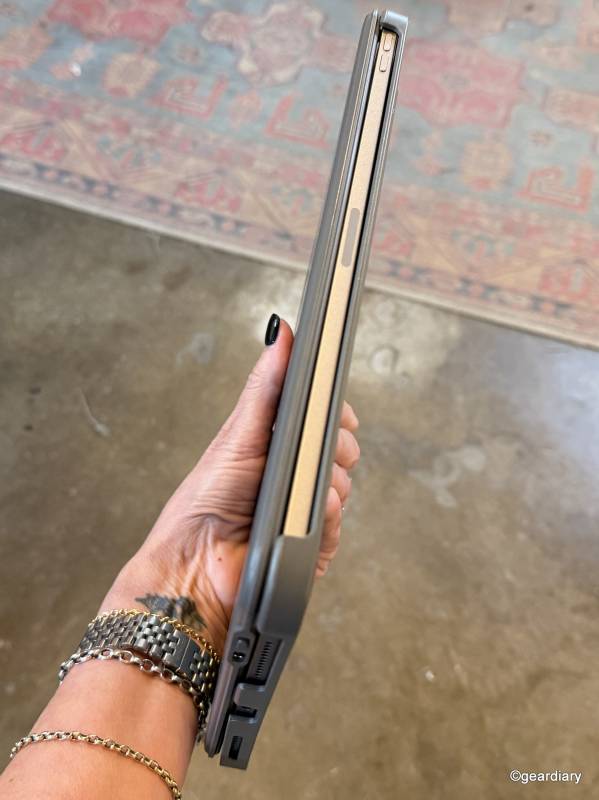
That distinction runs through the entire design. The inateck AceTouch isn’t trying to turn an iPad into a tank. It adds a keyboard, trackpad, stand, and useful protection without burying the tablet underneath it all.
The Bottom Line
The inateck AceTouch Ultralight Keyboard Case makes the most sense for someone who wants to get more computer-like functionality from an iPad without turning it into a permanently bulky computer.
Its detachable design is one of several strong reasons to consider it. You can sit down and type with a keyboard and trackpad, then pull the keyboard away and still have a protected iPad ready for reading, drawing, watching video, or handheld use. Portrait support makes the setup even more flexible, and at just 450 grams, the case doesn’t erase one of the iPad’s biggest advantages: portability.
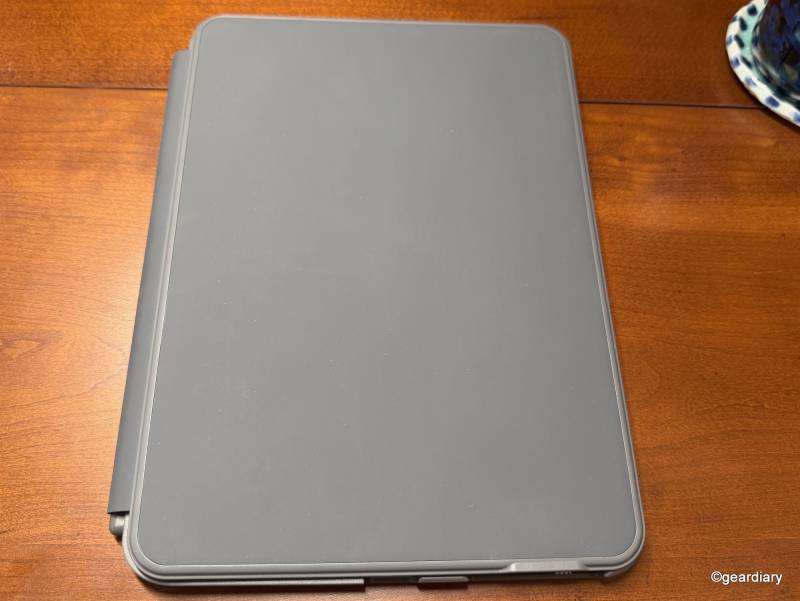
There are compromises. The plastic shell prioritizes low weight over maximum impact protection; it has no enclosed Apple Pencil holder; the keyboard layout doesn’t fully follow Apple conventions; there’s no key backlighting; and Bluetooth means carrying a separate battery.
If you regularly drop your iPad, want the most integrated trackpad experience possible, or expect a keyboard case to feel like machined hardware, spending more on a heavier premium alternative makes sense.
For students, travelers, writers, and anyone else who wants to get real work done on an iPad without spending hundreds of dollars on a keyboard case, the inateck AceTouch makes a compelling case. It’s thin, adaptable, inexpensive, and refreshingly willing to let the iPad go back to being a tablet when the work is finished.
The inateck AceTouch Ultralight Keyboard Case for iPad sells for $59.99 (currently on sale for $44.99); it is available directly from the manufacturer and other retailers, including Amazon.
Source: Manufacturer-supplied review sample
What I Like: Lightweight 450-gram design; Keyboard detaches in seconds; iPad remains protected without the keyboard attached; Works in portrait and landscape orientations; Full multi-touch trackpad with palm rejection; Comfortable 78-key scissor-switch keyboard; Separate Backspace and Delete functionality; Keyboard can be used while detached; Accessible ports, speakers, controls, and Apple Pencil charging; iPadOS can display the keyboard’s remaining battery level; Strong value for the price
What Needs Improvement: Plastic construction prioritizes weight over rugged drop protection; No secure integrated Apple Pencil enclosure; Keyboard layout and function keys don’t completely follow Apple conventions; Bluetooth trackpad may not feel as immediate as a directly connected alternative; Keyboard requires separate charging; Battery-runtime specifications should be clearer




Be the first to comment on "Inateck AceTouch Ultralight iPad Keyboard Case Review: Turn Your iPad into a Laptop Without the Bulk"