
For years, I used a MacBook Pro connected to an external monitor with the laptop closed. That setup worked well for me, including something I apparently took for granted: the sound. I could listen to music and watch videos without feeling like I needed to buy separate speakers.
Then I traded in the MacBook Pro and switched to a Mac mini. There was one problem that I noticed pretty quickly. The sound from its built-in speaker was terrible compared to what I had been enjoying with the MacBook Pro.
Where did the bass go? Why did my music suddenly sound like it was coming out of a little AM radio?
That sent me looking for a speaker upgrade. A soundbar seemed like a good option, and, as luck would have it, Redragon offered to send me three of its desktop soundbars to try: the Neo, Adiemus, and Surge. Time to see which one deserved a spot on my desk.
What Are They?
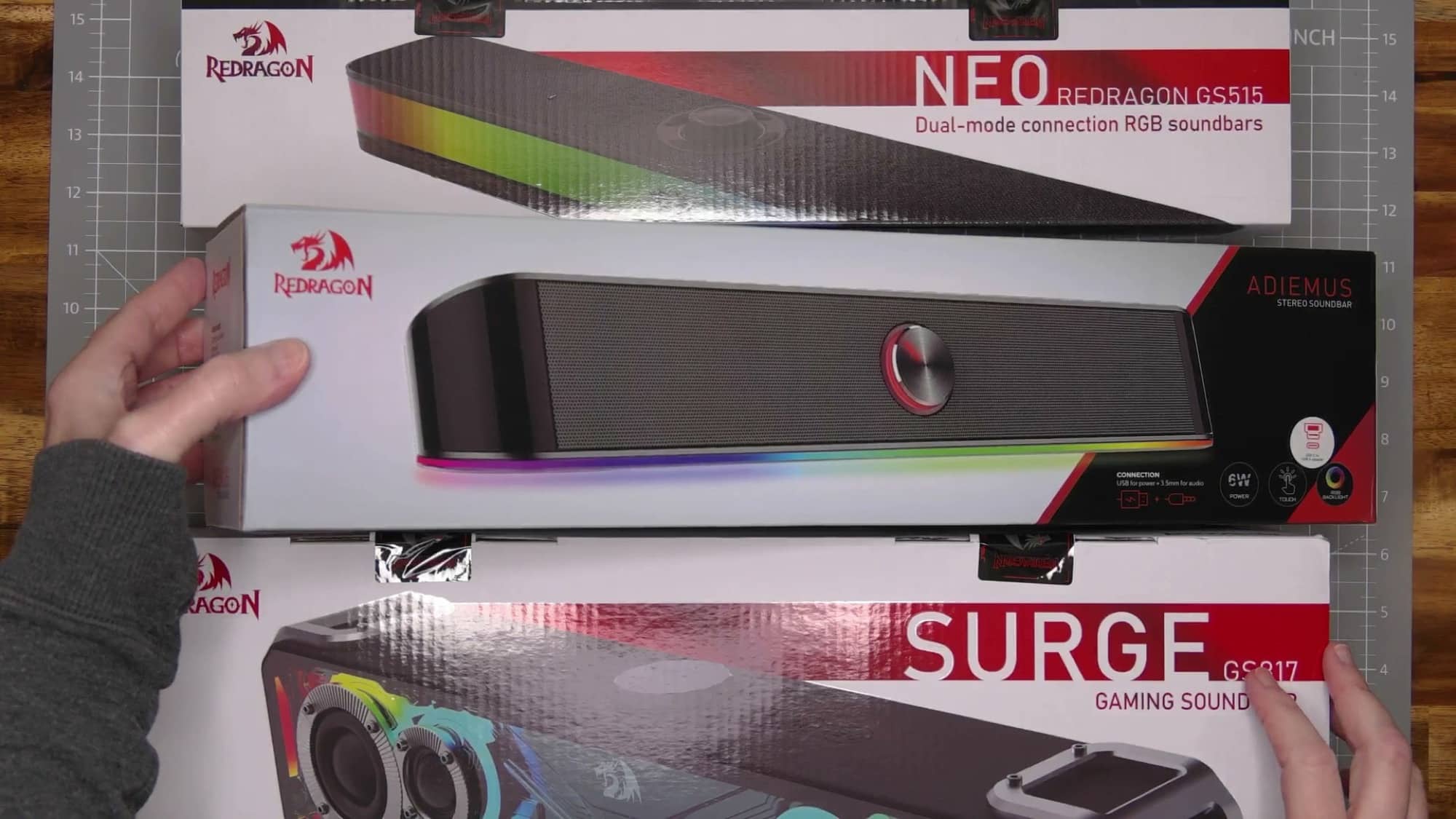
The Redragon soundbars that combine speakers into a single enclosure. All three have RGB lighting, but their designs and connections are different enough that choosing between them involves more than deciding how much color you want under your monitor.
The Neo has a glossy illuminated front and a USB-C connection. The Adiemus has a more traditional speaker grille, a front-mounted volume knob, and an attached cable with separate power and audio connections. The Surge is the largest of the three and has exposed speaker drivers behind a colorful front panel. It also requires its own power adapter.
I tried each one with my Mac mini and played the same music while switching between them. These are my personal listening impressions from using them at my desk. I’m not an audiophile, and I wasn’t trying to turn my office into an audio testing lab. I wanted music and videos to sound good while I used my computer.
Redragon Neo: A Good First Impression
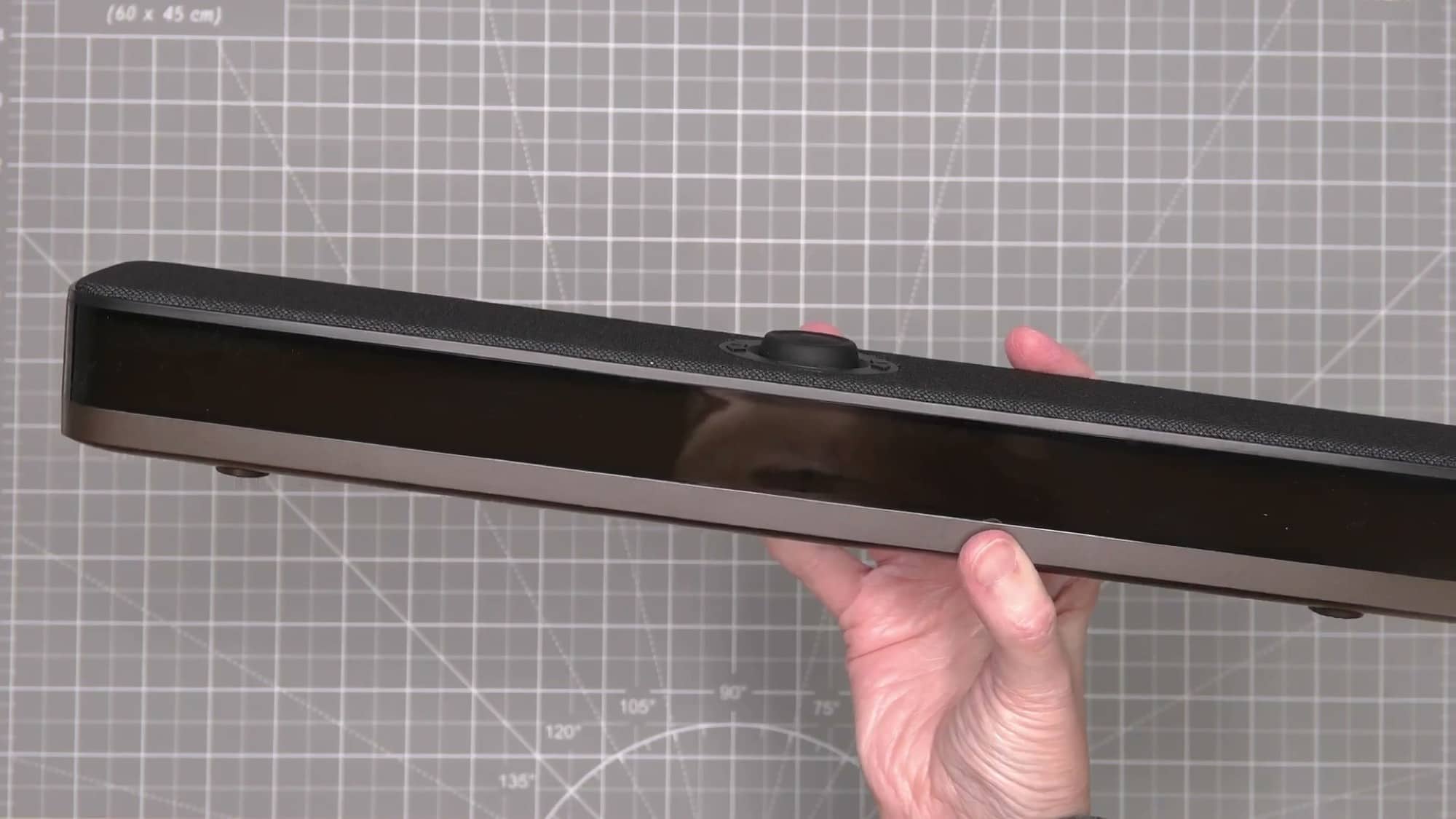
I started with the Redragon Neo soundbar. Inside the box were the soundbar, its USB cable, a manual, and a Redragon sticker.
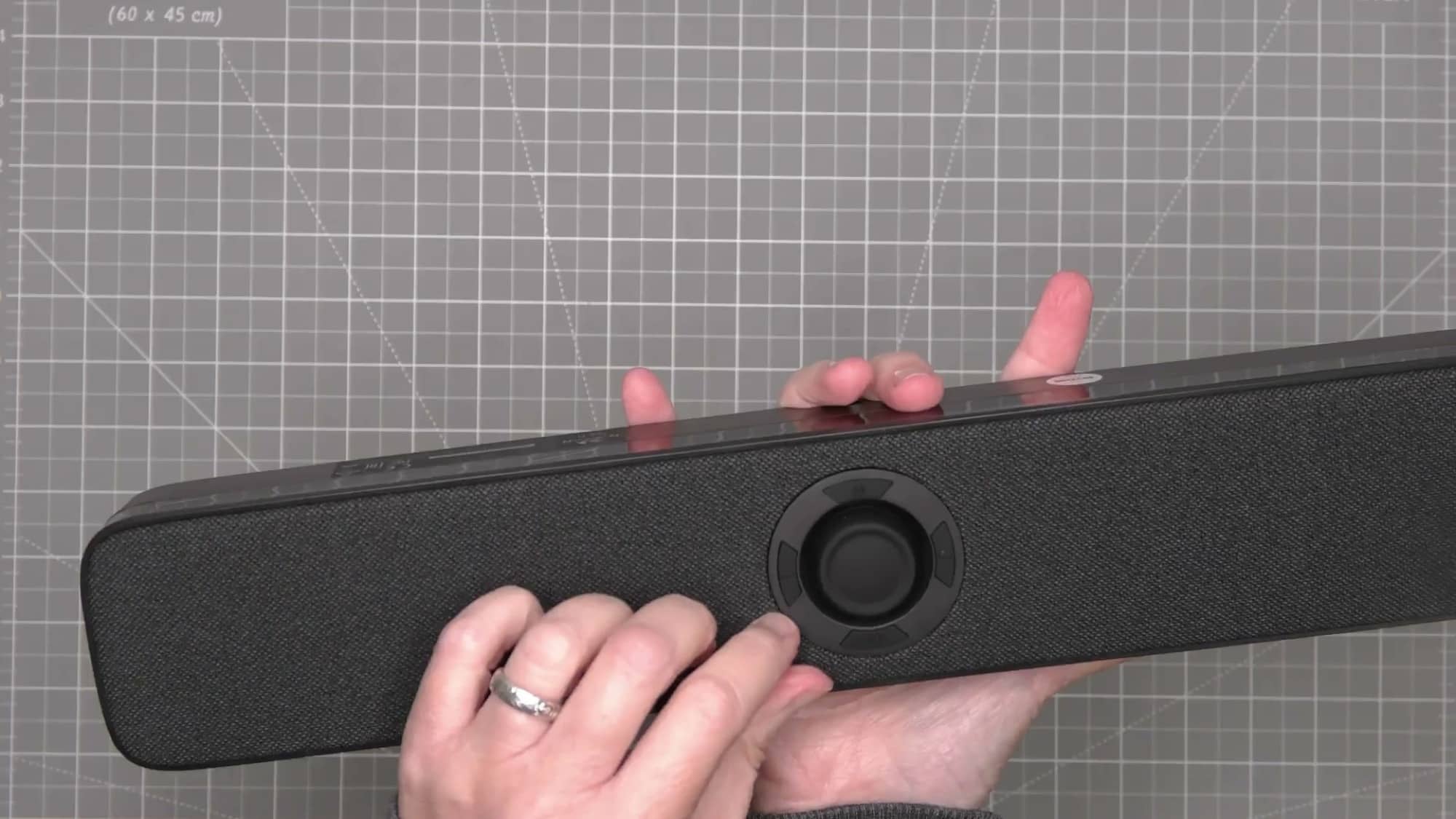
The Neo has a fabric-covered top with a volume knob and surrounding media controls. The front is glossy, with a band of RGB lighting that cycles through colors. There are rubber feet underneath, and the connection on the back is refreshingly simple: a USB-C port.
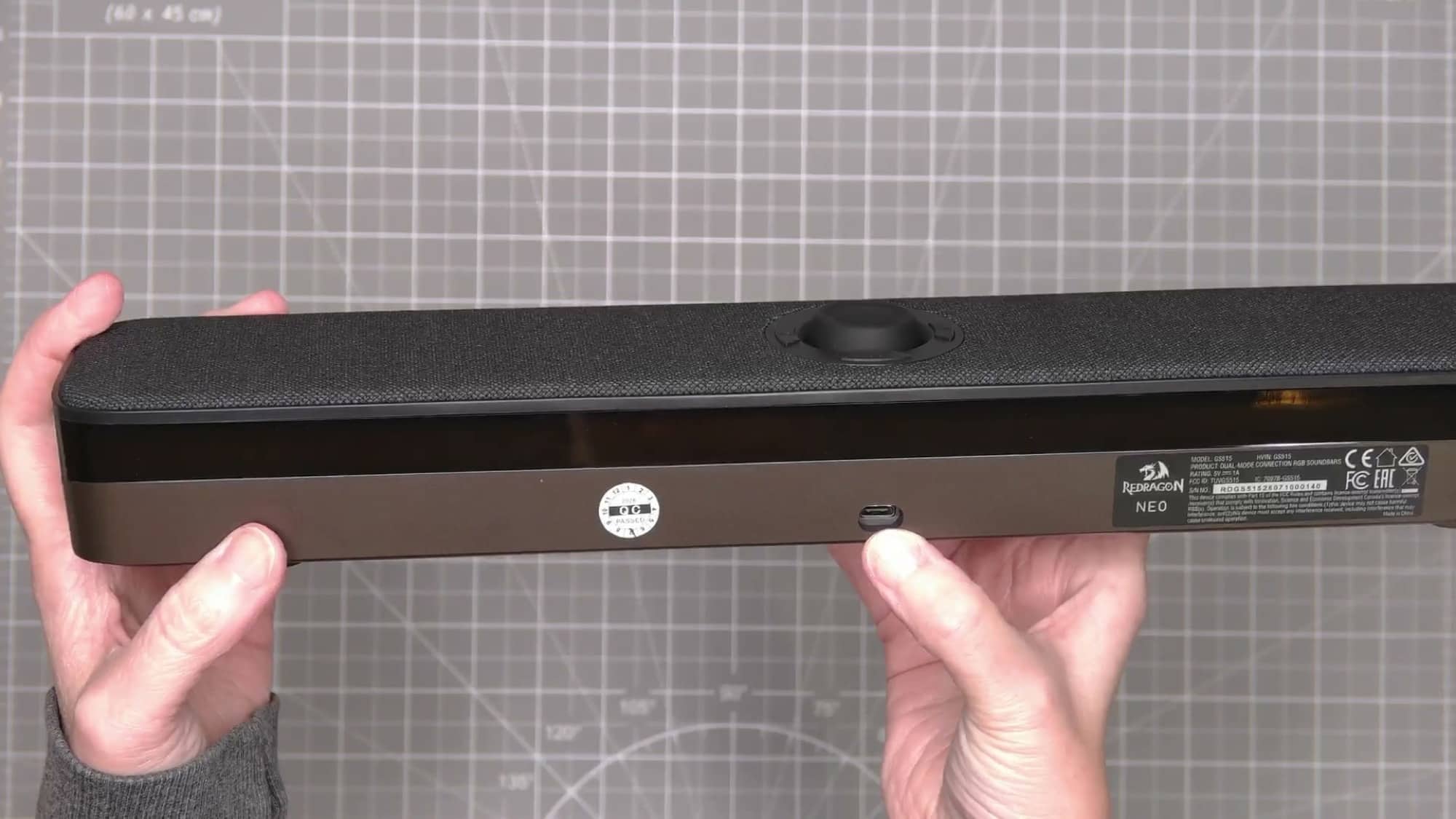
When I first connected the Neo, it announced that it was in Bluetooth mode. The M button above the volume knob switches between Bluetooth and PC modes, so I changed it to PC mode and selected the speaker as the Mac’s sound output settings
Then I played some music and was really happy with how much better it sounded than my Mac mini’s internal speakers. There was actual bass, and the music had a fuller sound than the Mac mini could produce on its own. I also had to turn the volume down after getting things going.
The difference was immediately noticeable, and the Neo made a good first impression without requiring a complicated setup.
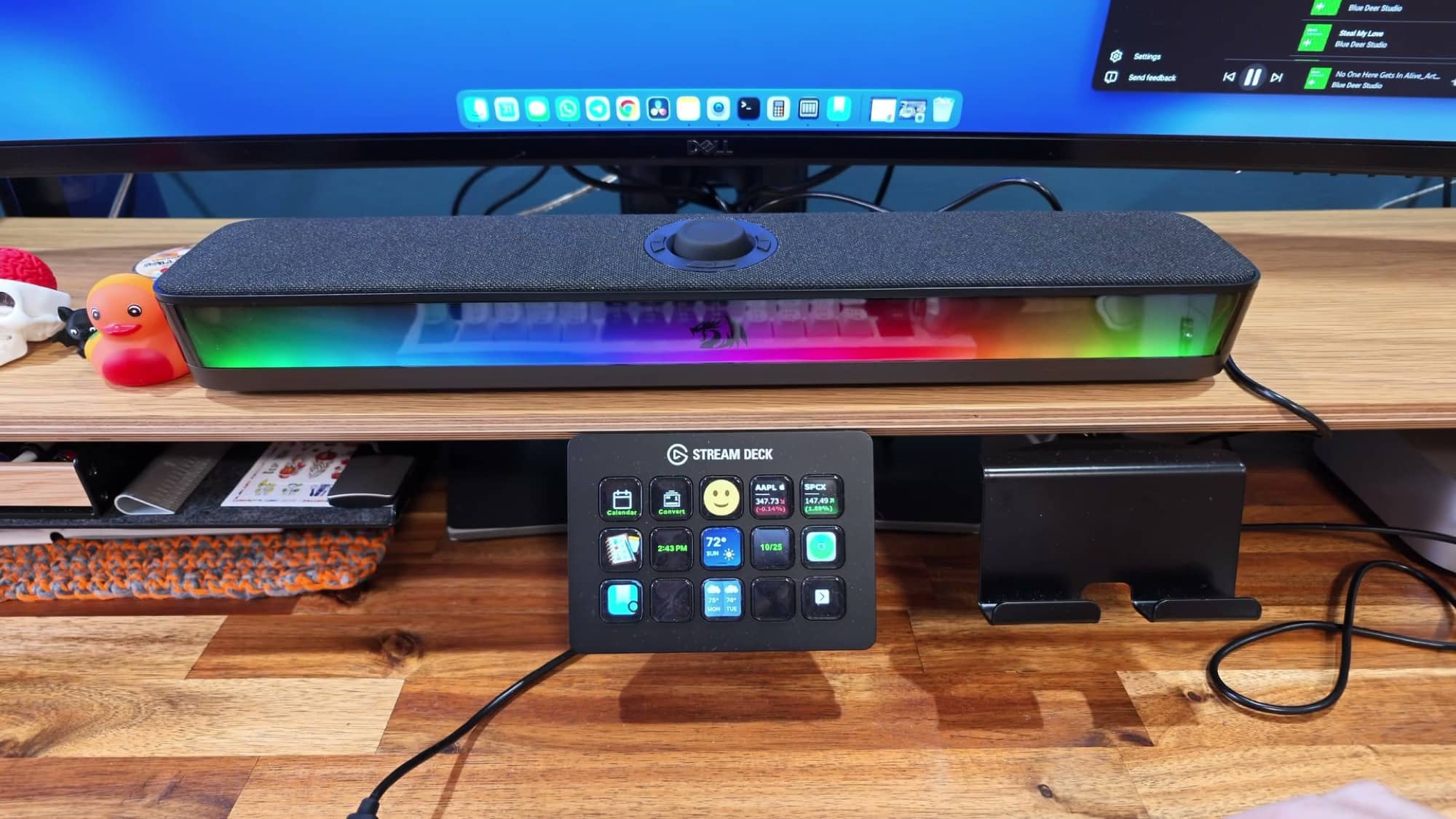
The lighting is also hard to miss. If you enjoy RGB effects, the color cycling across the front adds some personality to your desk. My main interest was the sound, though, and at this point, I was already thinking the Neo could do the job.
Redragon Adiemus: My Favorite Look, but Not My Favorite Sound
Next up was the Redragon Adiemus soundbar, which was a little larger than the Neo. Of the first two Redragon soundbars, I prefer the Adiemus’s appearance. It has a metal speaker grille, textured housing, and a large volume knob right on the front where it’s easy to reach. The knob has some tactile feedback as you turn it, which I like. The lighting along the bottom is also less prominent than the Neo’s illuminated front.
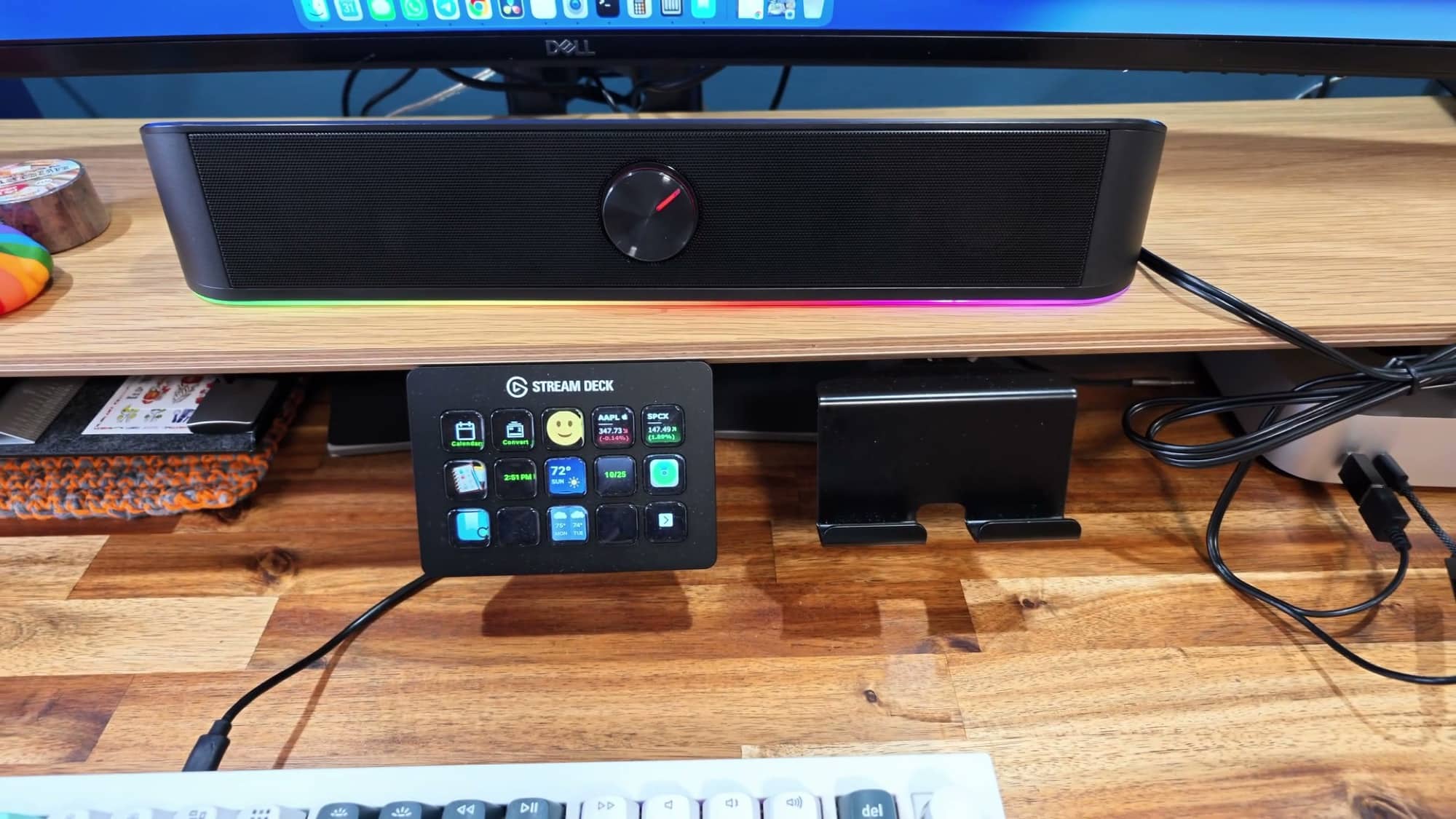
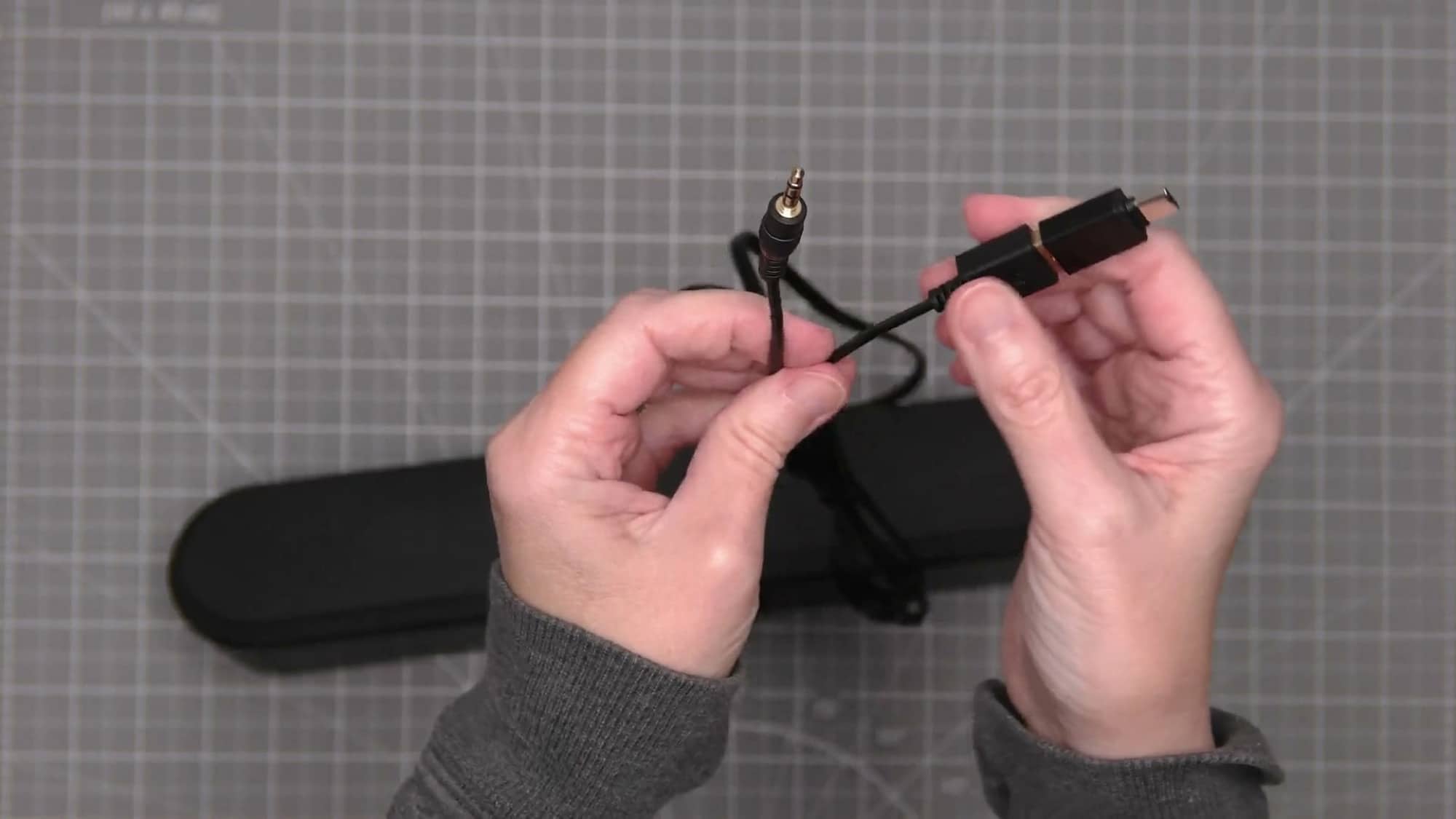
Underneath is a grippy base to help keep it steady on the desk. Around the back, the attached cable splits into power and 3.5mm audio connections. Unlike the Neo’s removable cable, this one is permanently attached to the speaker.

The connections made more sense once I started using them. The USB connection supplies power to the speaker, but you also needed to connect the audio plug to the computer’s headphone jack. After selecting the appropriate output on the Mac, I played the same music again.
It sounded okay, but I didn’t like it as much as the Neo. I had the speaker’s volume turned up quite far, and the music wasn’t giving me the same impression as the first soundbar.
I tried connecting it through an external USB DAC that I already owned. If you’re wondering what that is, a DAC converts digital audio into an analog signal that a speaker can use. In this setup, it gave me another way to connect the Adiemus’s audio cable to the Mac.
I plugged the speaker into the DAC, connected that to USB, changed the Mac’s output, and played the music again. To my ears, the result was about the same. There was bass, and it wasn’t bad, but this change didn’t turn the Adiemus into my favorite.
I went back and forth between the Neo and Adiemus using the same song. The Neo sounded warmer and had bass that I preferred. The Adiemus sounded more treble-heavy, with a slightly brassy quality in comparison.
That left me with a familiar gadget-review problem: I liked the looks of one product and the performance of another. Of the Redragon soundbars I’d tried so far, I preferred the Adiemus’s front volume knob and more conservative lighting effects, but I preferred listening to the Neo.
Redragon Surge: Big Sound and Lots of Color
The Redragon Surge soundbar was the biggest soundbar Redragon sent me, and it makes the boldest visual statement. If the other two add a little lighting to your desk, this one makes sure that you notice it.
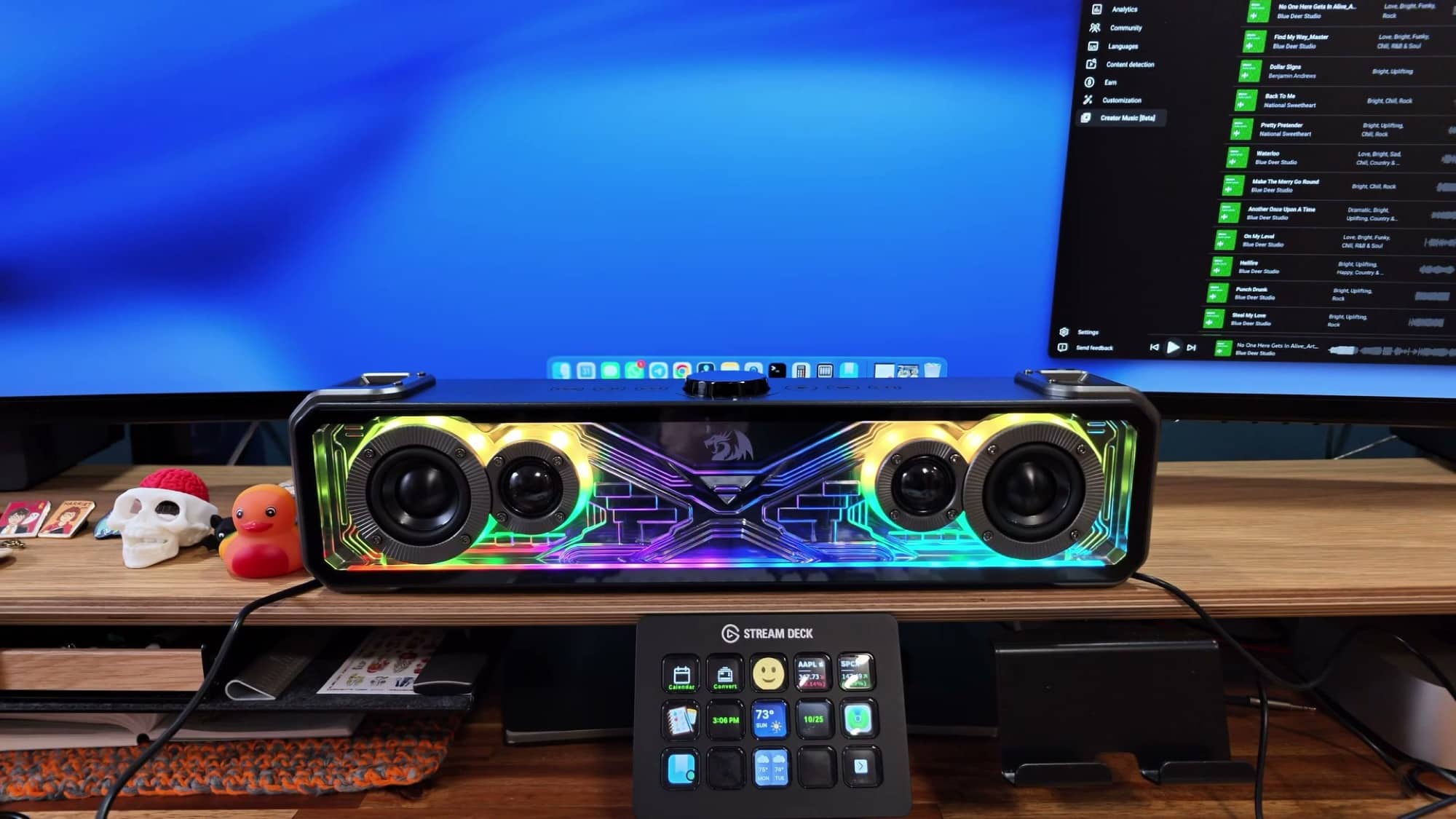
Its front shows off the speaker drivers and colorful lighting, while the top has a volume knob and touch controls. The package includes a separate power adapter and an audio cable. Unlike the other two soundbars, the Surge needs a power outlet connection in addition to an audio connection.
There are several lighting effects to cycle through. One detail I thought was neat was the way the lights provide a visual indication of the volume level when you turn the knob.
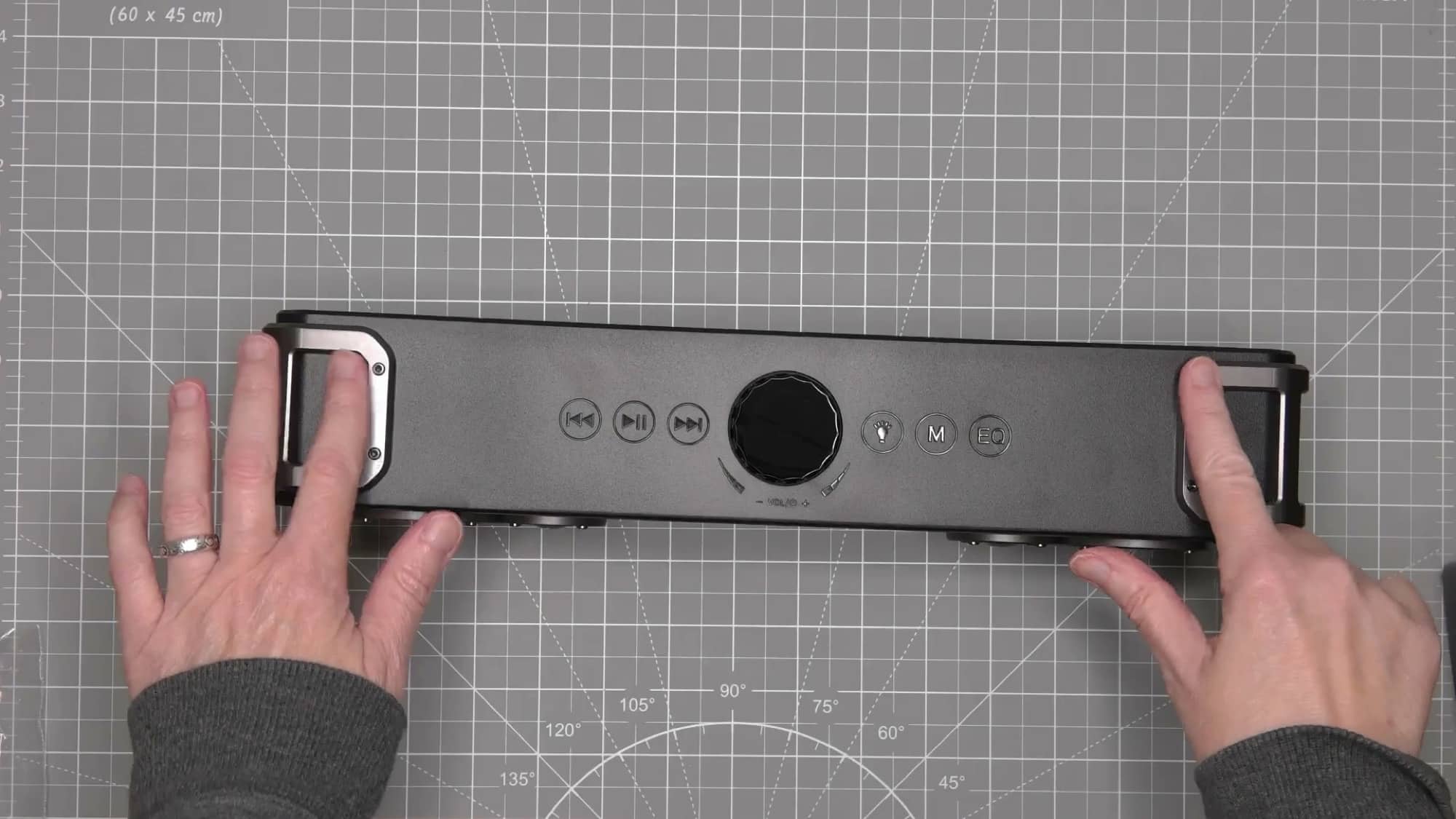
The Surge sounded really good, with bass that immediately got my attention. It was enough to make me want to compare it more closely with the Neo before choosing a winner.
I also discovered something I didn’t like: the touch controls are easy to activate accidentally. While handling the speaker near the top, I changed modes without meaning to. Suddenly, instead of just listening to music, I was trying to get back to the input I had been using.
That wasn’t a major disaster, but it was annoying. It’s something to keep in mind if you tend to reach over the speaker or rest your hand near the controls while adjusting the volume.

I tried the Surge with my external DAC, too. This time, I felt I could hear a difference, and I liked the result. The combination sounded good enough that the Surge stayed in contention while I switched between it and the Neo.
That doesn’t mean everyone needs to buy a DAC with a soundbar. It means that with the equipment I was using, I preferred the Surge’s sound through that connection. My experience with the Adiemus was different, so I wouldn’t assume the same improvement with every speaker.
See the Redragon Soundbars and Hear Them In Action
Which of the Redragon Soundbars Did I Choose?
After listening to all three Redragon soundbars, the Neo was my favorite overall. The Surge might have the best sound, especially with the DAC in my setup, but the Neo gave me a combination of sound and convenience that made more sense for my desk.
One USB-C cable connects the Neo. I don’t need a separate power adapter, an analog audio connection, or an external DAC to get sound that I enjoy. Considering that I started this experiment because I wanted a straightforward upgrade from the Mac mini’s built-in speaker, that simplicity matters.
The Adiemus has the design I prefer, particularly its front volume knob and less prominent lighting. But after repeatedly comparing it with the Neo, I kept coming back to the Neo’s warmer sound. The Adiemus wasn’t my first choice for listening to music.
The Surge is worth a look if you like its bolder design and don’t mind the extra connections. I liked its bass, its volume-lighting effect, and the sound I got with the DAC. I’d just be careful around those touch buttons. I managed to change modes when I wasn’t trying to, and once was enough to get my attention.
Final Thoughts
Switching from the MacBook Pro to the Mac mini made me realize how much I had enjoyed the laptop’s speakers. I listen to music and watch videos at my desk, so disappointing sound wasn’t something I wanted to keep putting up with.
Trying these three Redragon soundbars gave me a better idea of what I wanted. The biggest model had plenty going for it, and the one with my favorite appearance wasn’t the one I most enjoyed listening to. The Neo ended up being the best fit for me because it sounded good and kept the setup simple.
If you’re looking at these Redragon soundbars, think about both the sound and how they’ll fit into your desk setup. Where will the cables go? Do you have an outlet available? Do you want the volume knob on the front? And how much RGB lighting do you actually want staring back at you?
For me, the Neo answers enough of those questions to earn the win. And a bonus is that it’s the cheapest of the three! Now I can get back to listening to music instead of wondering why my computer sounds like a tiny radio.
Source: Manufacturer-supplied review samples.




Be the first to comment on "Finding Better Sound for My Mac Mini by Testing Redragon Soundbars"