
The Lowdown
What I really love about Time Atlas is how effortless it is. It automatically captures the “where” and “when” of my life, then lets me layer in as much (or as little) detail as I want. Some days I just let it do its thing, and other days I’ll add photos or notes to make the entry more meaningful. Either way, it creates a visual, searchable history that’s genuinely fun to explore later.
Overall
Pros
- Fun way to journal without needing to write stuff down
- Automatically works in the background
- Devs are very responsive to bugs and feedback
Cons
- Potential battery suck
- It isn’t completely automatic
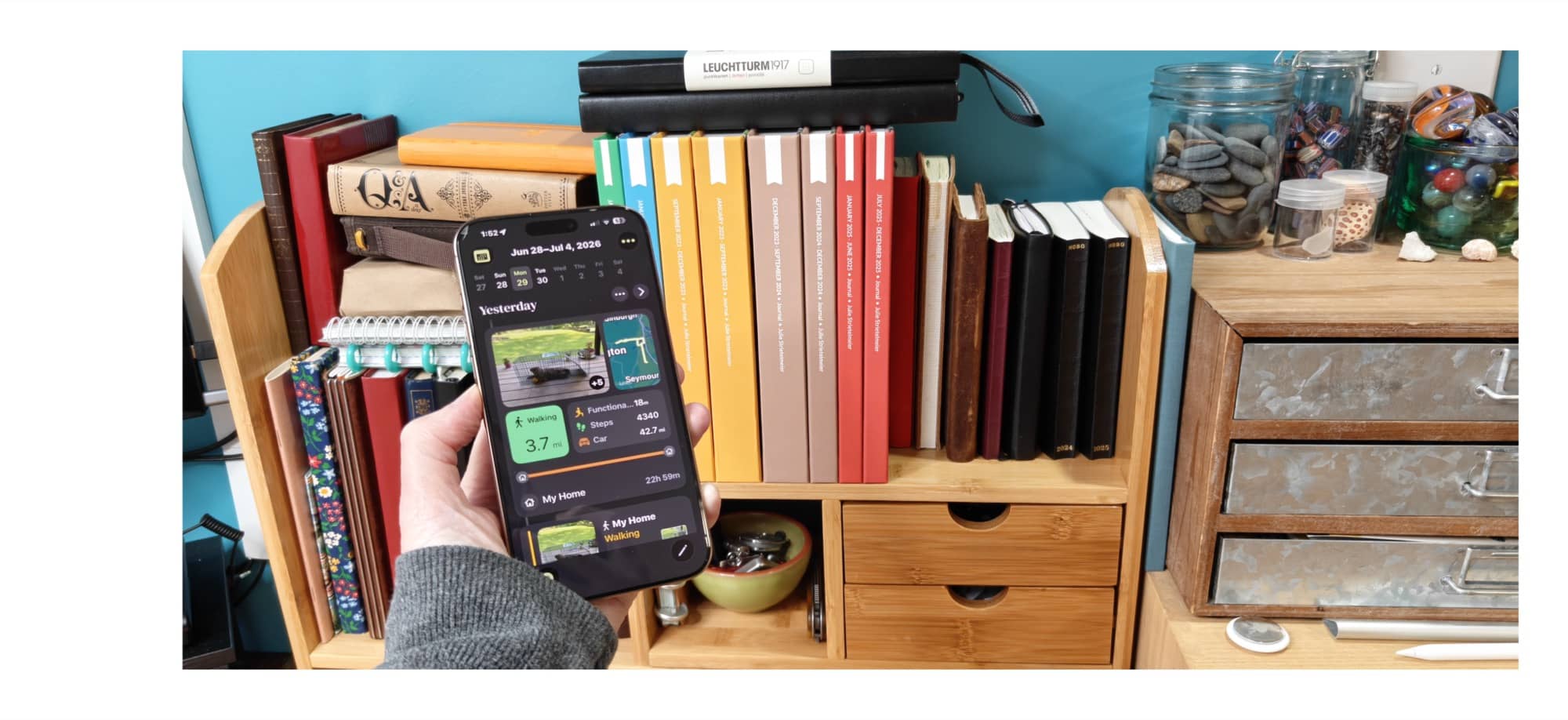
I still have my first diary from the 1970s, and over the past six decades I’ve filled dozens more. I’d actually rather call them journals or life logs, since I’ve never been the kind of person who writes about feelings much. I use a journal to capture everyday activities and adventures so I can relive them years later. There have even been years when I didn’t keep one at all, and I regret that now. Wouldn’t it be great if an app could automatically record your daily activities and travels for you? There is. It’s called Time Atlas.
What Is It?
Time Atlas is an iOS app (sorry Google peeps, there isn’t an Android version – yet) that automatically records your daily travels and physical activities to create a cool daily log that you can look back on any time you like.
How Do You Use Time Atlas?
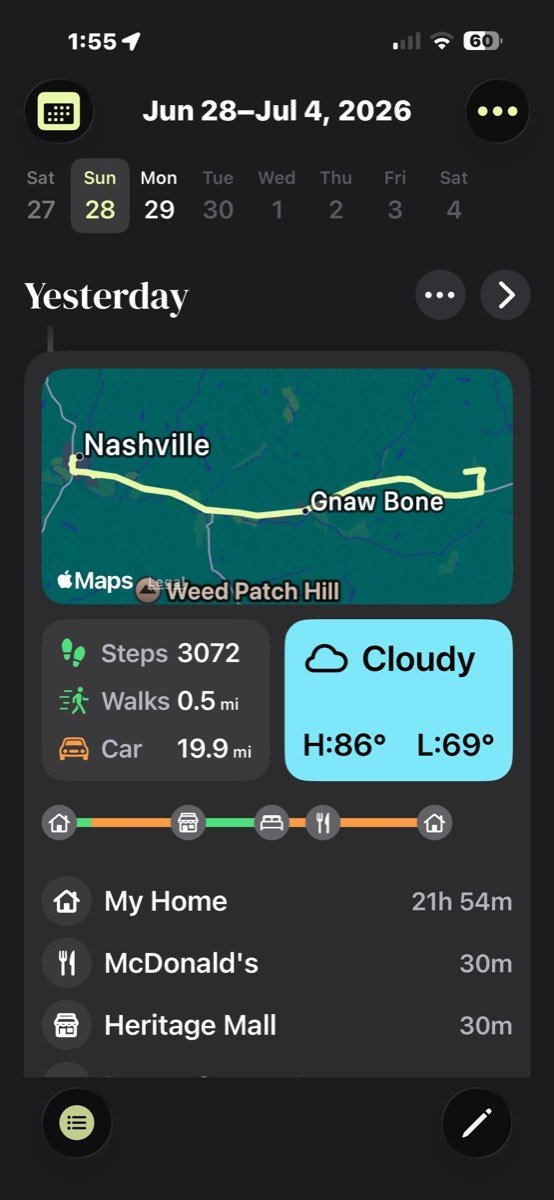
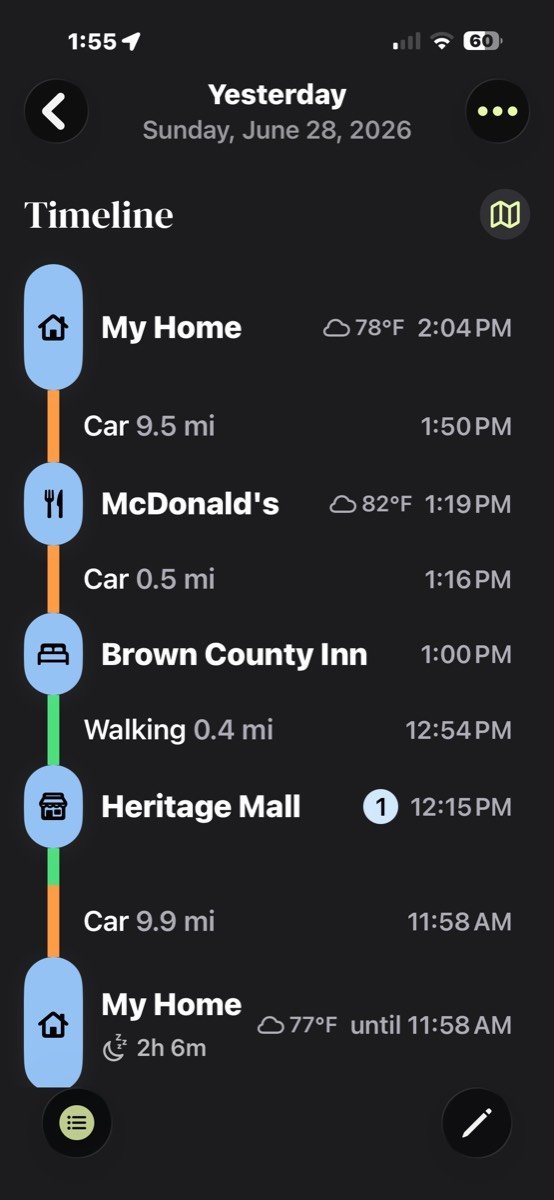
The great thing about Time Atlas is that it’s mostly hands-off. All you have to do is install the app on your iPhone, and it runs in the background to record the places you’ve visited, your steps, workouts, etc. It creates a “bento box” for every day. When you click on the day, it will give you a timeline of the places you visited, how long you were there, and how far you traveled. It even provides a map and some weather details.
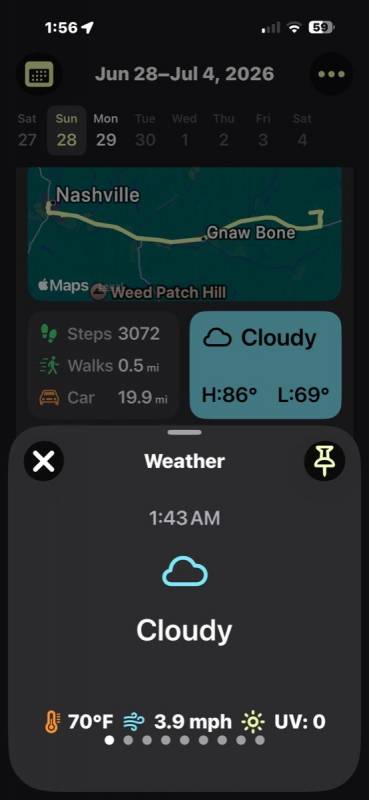
If you click the weather, you’ll be able to scroll through the weather for that day at certain points of the day.
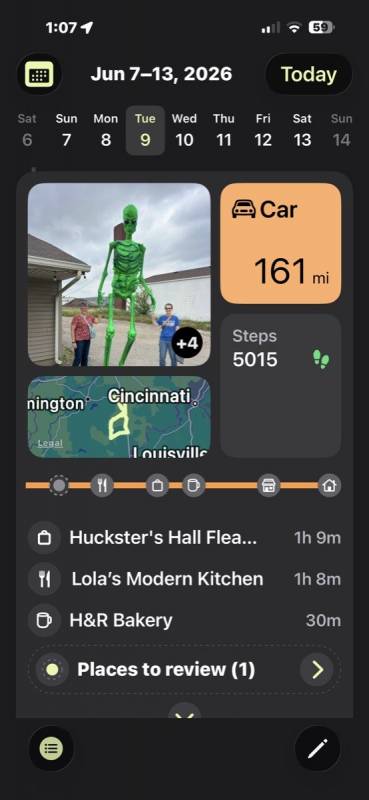
Depending on the places that you visit, you may need to fill out the timeline list. If you look at the image above, it shows that I have one place to review for that day. Clicking will give you a list of nearby stores/places to choose from. I really like that it shows how long I was at a certain location.
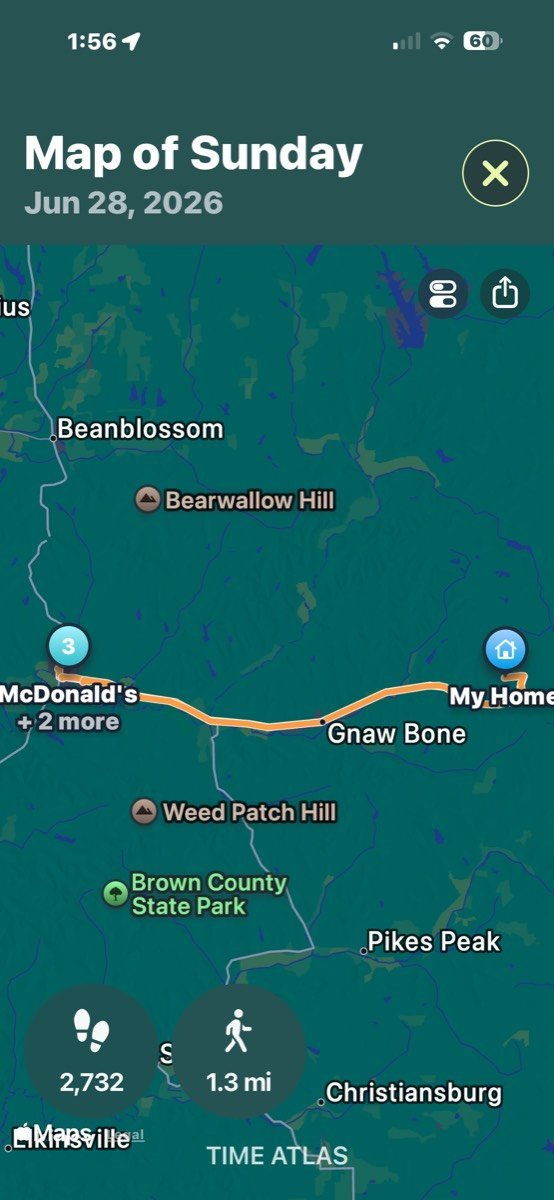
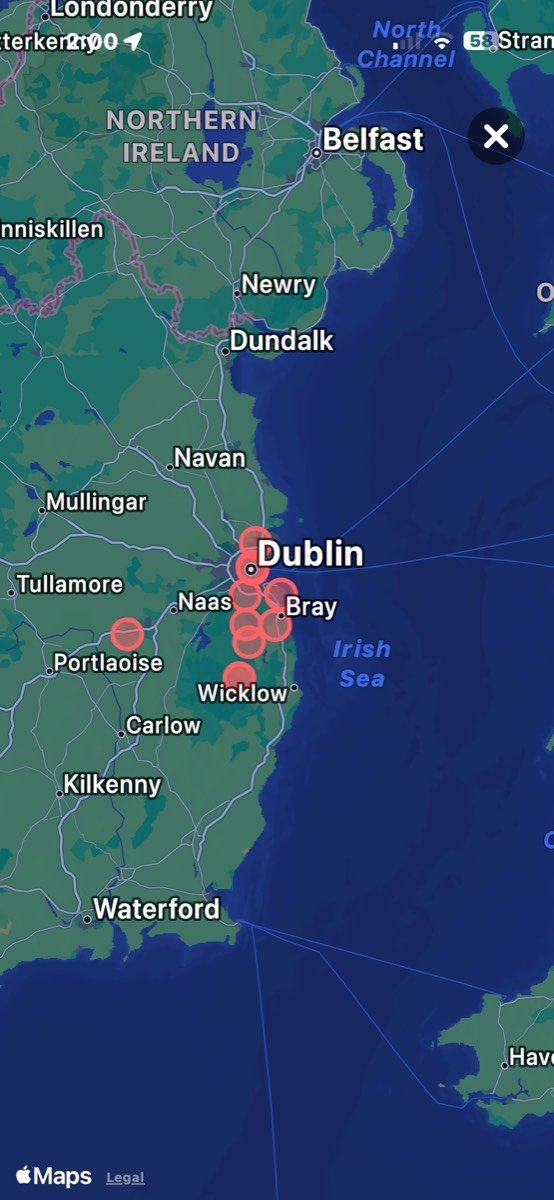
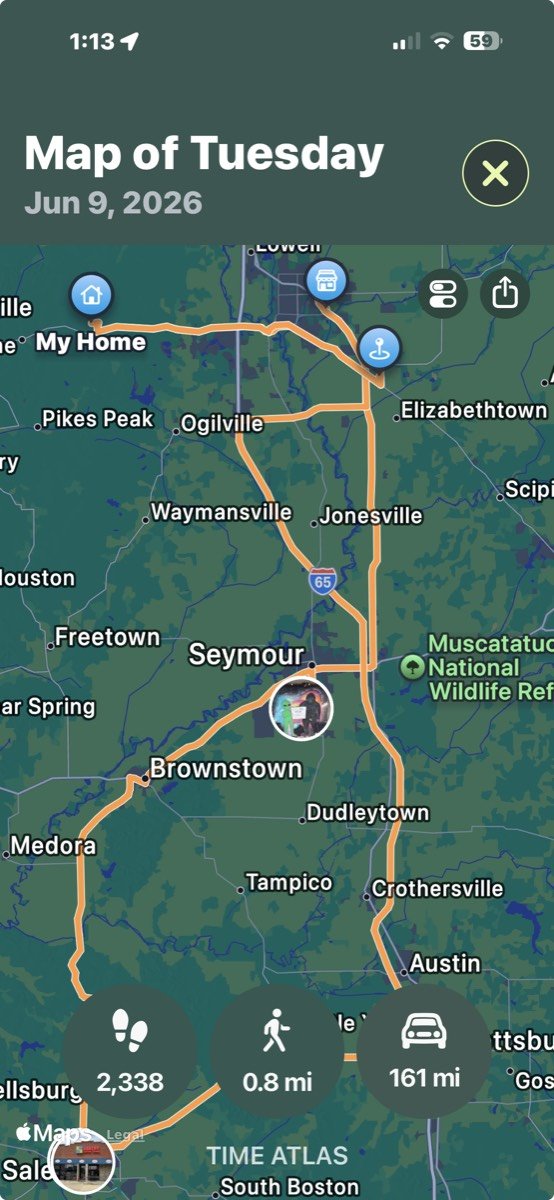
If you click on the map, you’ll be shown a point-by-point trip of where you went that day. It will show tiny images if you took photos at your stops.
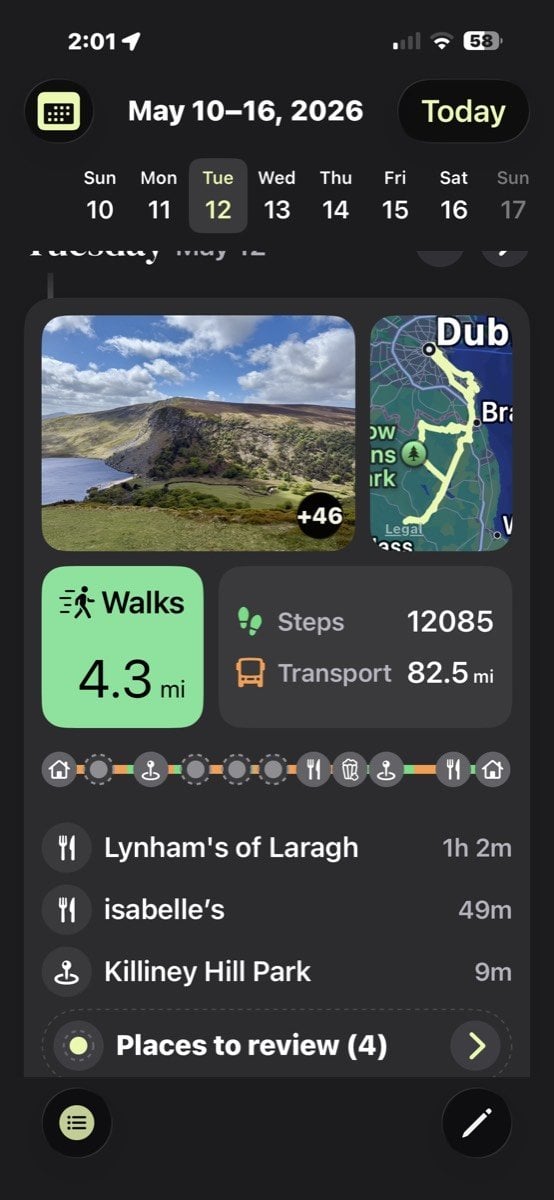
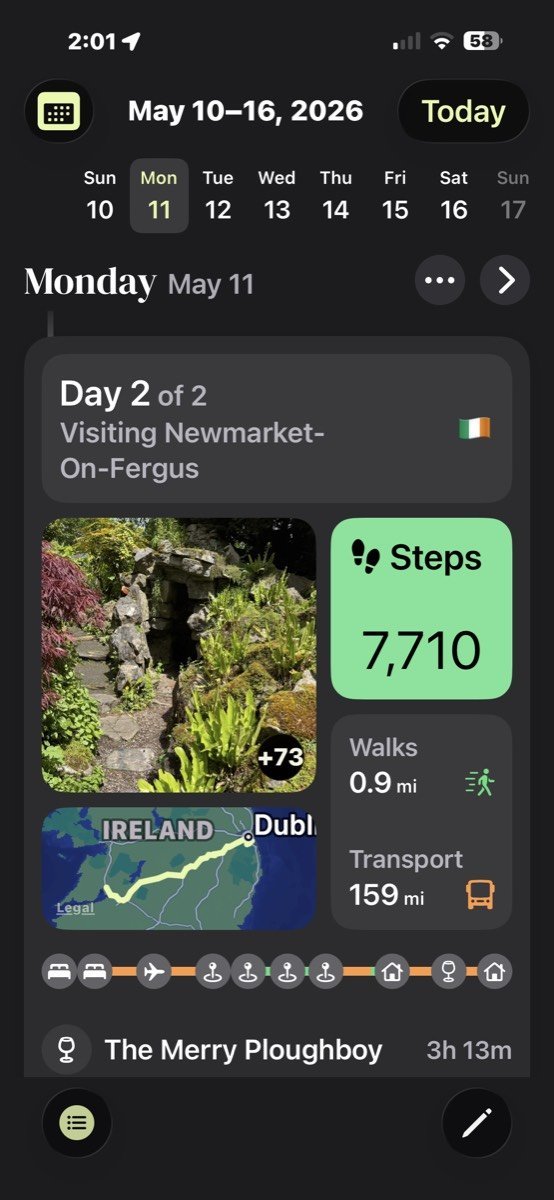
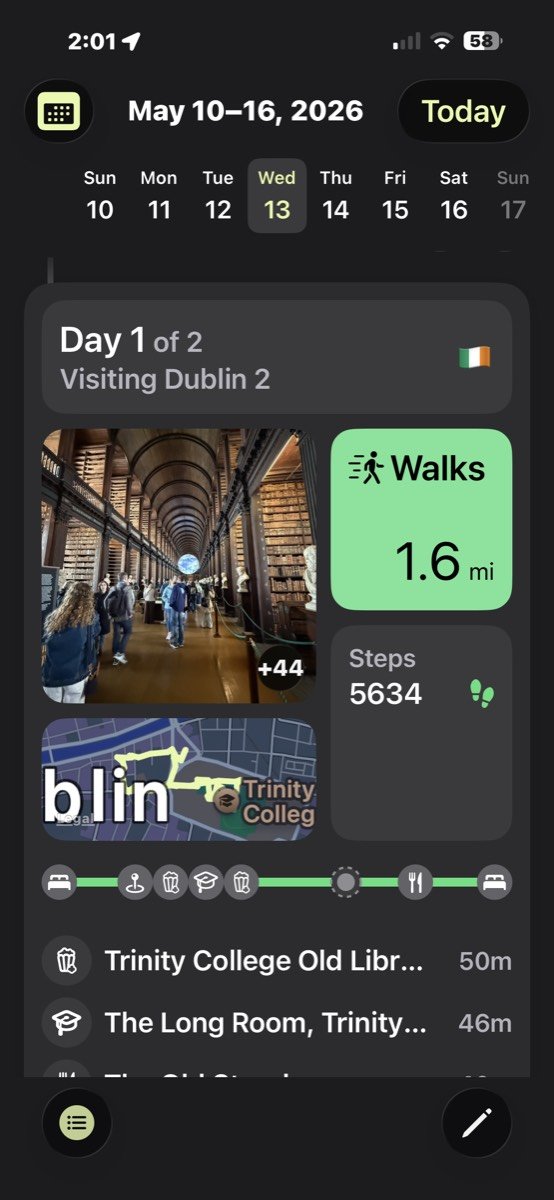
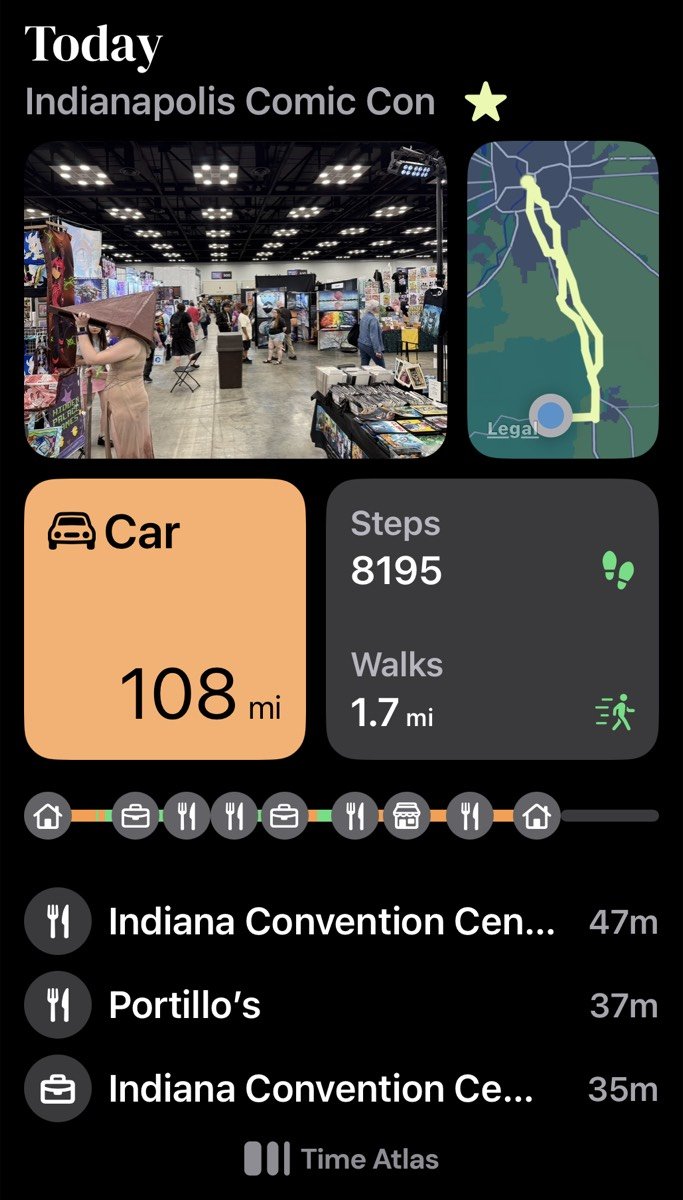
You can also pin images to each day that will give the trip even more significance. The app will let you scroll through the camera roll for that day right through the entry, and you can add comments.

In addition to a daily “journal”, there is a dashboard view that gives you cool analytics on your travels and activities over time.
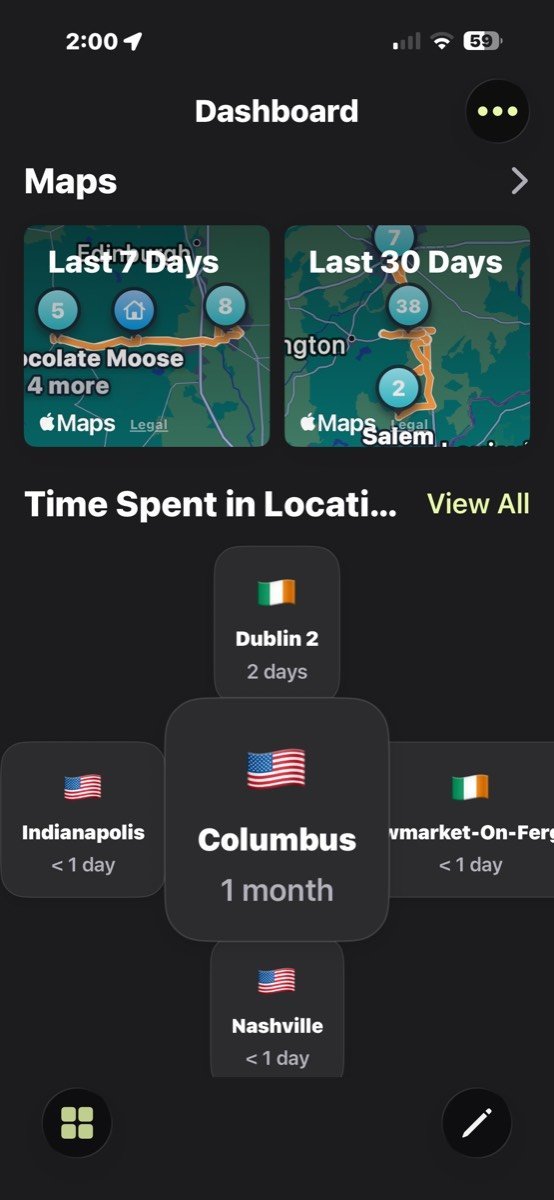
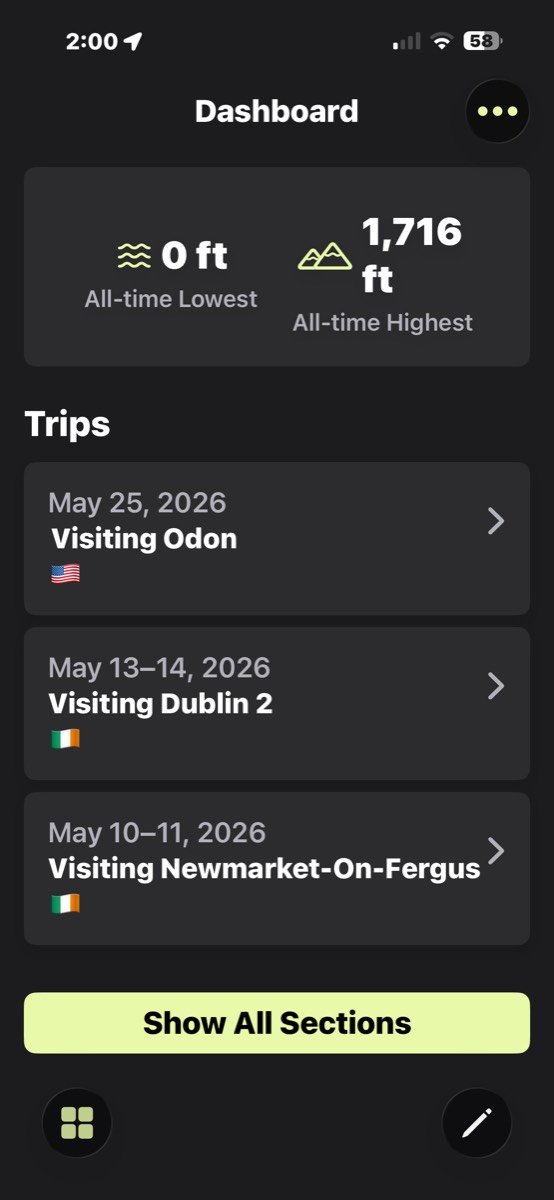
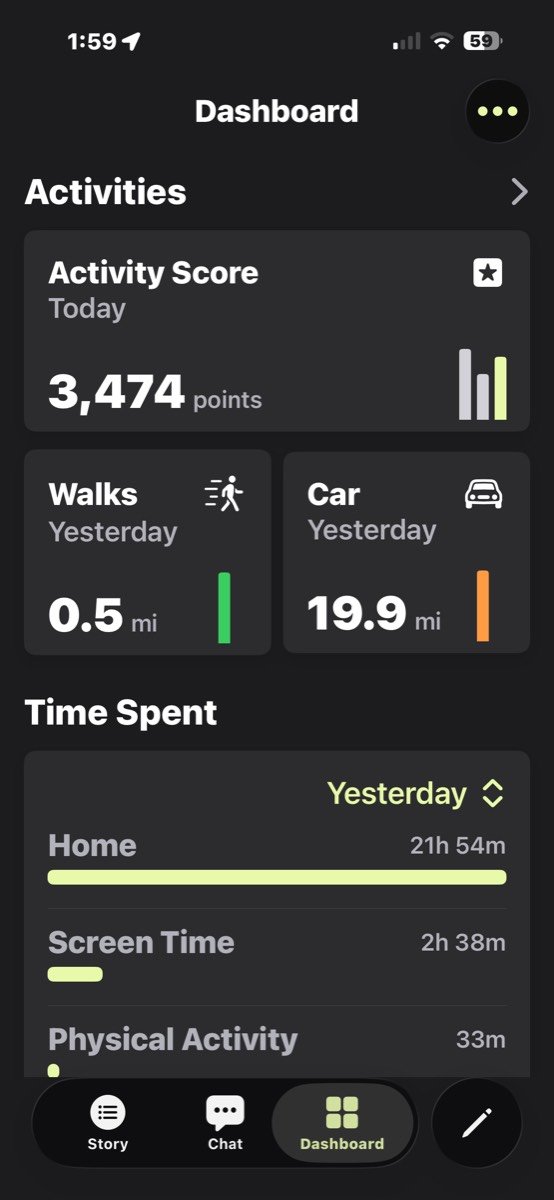
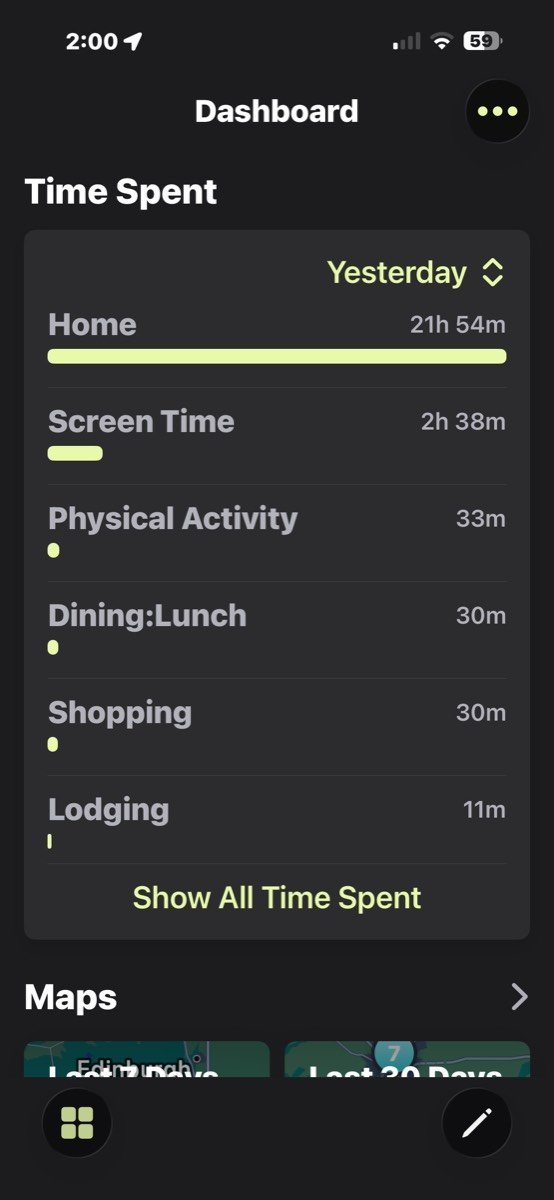
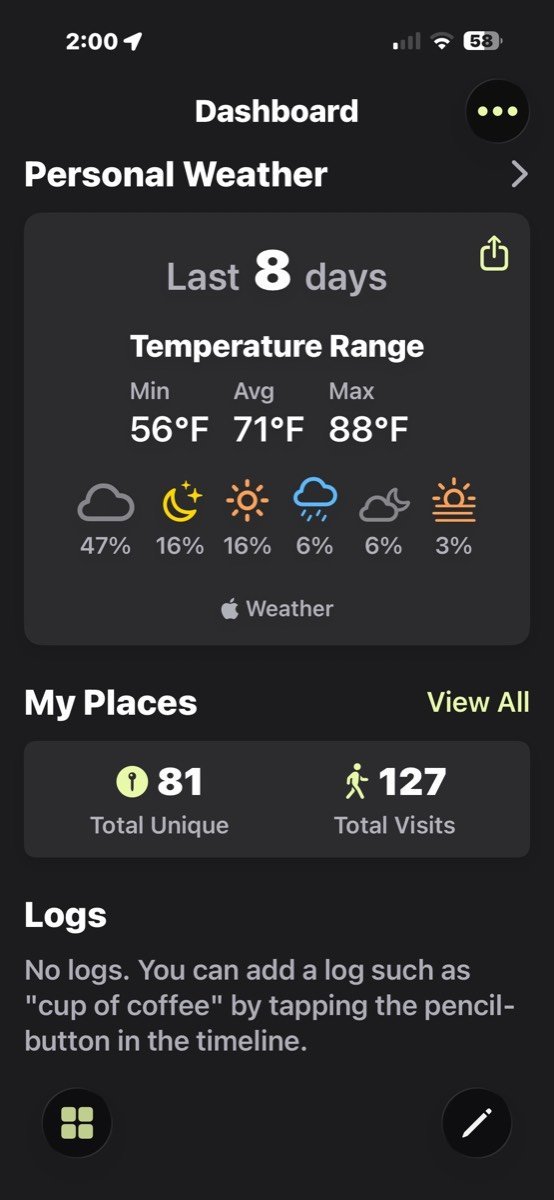
You can add your own notes to the days to make a full journal/diary if you like, or keep it minimalist. I already keep a digital journal in the Day One app, so I have been using Time Atlas as a trip and activity recorder. On notable days when I’d like to write more about the day/adventure, I share the entry on Day One, and eventually it ends up in a printed book.
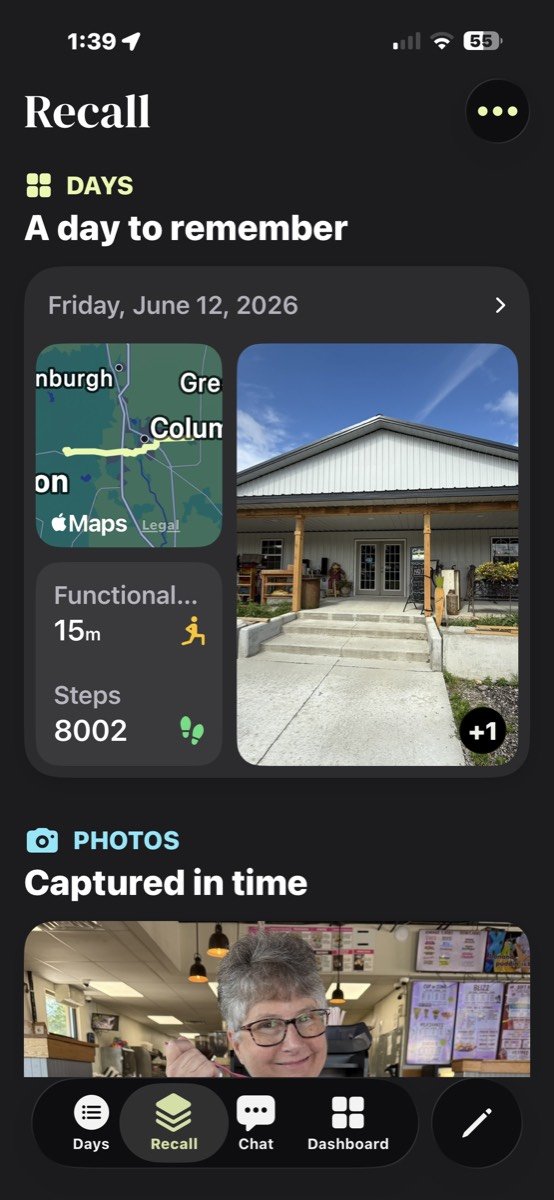

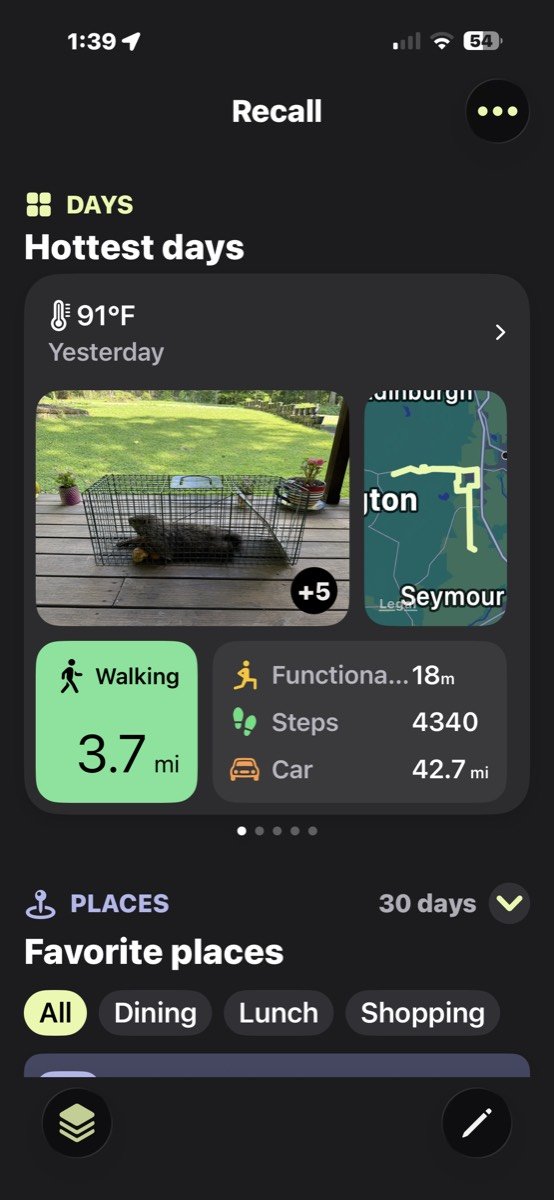
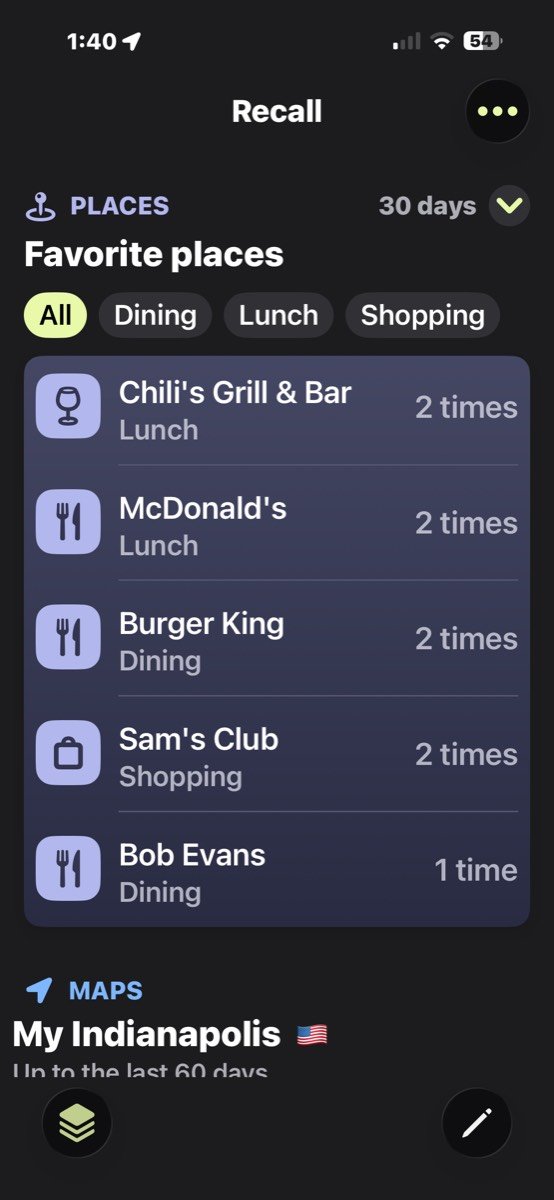
There’s also a cool Recall page that will resurface past entries and show favorite places, etc. It’s a fun way to remember past trips or see that you visit McDonald’s way too often! 😉
I Talked to the Developers – How Was Time Atlas Created and What Does the Future Hold?
The developers of Time Atlas were kind enough to answer some questions about the history behind this fun app. See our conversation below:
How did the idea of Time Atlas come about?
The story is a bit windy. Sometime around December 2023, I started thinking that it is really sad that so many people use AI (ChatGPT) to ask for advice, but it is just generic, as the AI does not know anything about them. Also, I was worried that people would lose their ability to think if they just use AI to get answers! I thought it would be better if AI could ask good questions and act as a coach or mentor for the person.
Of course, many AI coaches and mentors had already been developed. But they all had the same problem: they did not know anything about the person. Their advice would have to be generic.
This led me to consider that if I wrote a journal or diary *together* with an AI, then the AI would learn over time to know who I am, what my goals, concerns, etc. are. I also learned about a parallel considering the artist Andy Warhol, who was dyslexic, and had an assistant called Pat Hackett, who used to call Warhol every day to ask about what had happened during that day. Therefore, I started calling the assistant “Pat”.
Now another ingredient for the story is my own story. In January 2024, we got wonderful and totally unexpected news: my wife was expecting twins! It was clear to me that I wanted to record the time with the babies, but I had actually never been able to make a habit of writing a journal (just some occasional few-week stints). Also, I knew I would be super tired, and it would not be realistic to expect myself to have the energy to write a daily journal. I have also regretted I did not keep a journal during interesting phases of my life such as my startups or my Ph.D. studies. We forget details so quickly.
This brought to my mind a project that I did over 10 years ago: I was a co-founder of an app called Moves (there is a nice article about it in the MIT Technology Review: https://www.technologyreview.com/2013/02/12/180081/every-step-you-take-tracked-automatically/), which was the first (and only app) to record your locations and activities in a battery-efficient manner – starts to sound familiar?
We sold the app to Facebook in 2014, which unfortunately closed it down in 2018. I had long wanted to recreate Moves, as nothing like it existed. Also, people kept asking me about it.
What was great about Moves was that it made your life’s “storyline” completely automatic. What if that were the backbone of my journal? If it automatically tracked my places and activities, it would be easy for me to recall what I did on any day, even months after it happened. This would take off the pressure of maintaining a daily journal habit, and I would not need to write down mundane facts, as they would already be recorded by the app.
So I put these things together, and the result was the basic idea of Time Atlas: automatic tracking with diary features and an AI assistant. The first prototype was actually totally text-based, and communication with Pat happened via email: she would send one and email every morning detailing which places you visited, and you could reply with corrections and comments about the visit or the day. (You can still use the app this way by enabling daily emails from the settings).
The current version of Time Atlas has evolved quite a bit from this, and the AI side is quite minimal at this point (we are developing it though). My thought was that, first, we must create a compelling consumer app to get people to record their lives automatically, and once that works, we can start adding assistant features. The Time Atlas 1.0 (which we launched in March) took the idea in a much more visual direction, and now, instead of places and activities, photos and maps take center stage. The overall vision is still the same.
How long has it been available to the public?
The early version was launched in May 2025, but only to the UK market. This earlier version was basically just the timeline of the current app, and did not get much traction. I consider the current app generation, launched in March 2026 with version 1.0, basically a new app.
Do/did any of you keep a paper journal? If so, do you still keep one?
None of us do, or have! Actually, I think Time Atlas is designed to be a journal app for people who do not normally journal, or find it too much work. That said, I think many avid journalers will find it good as well!
Who is the perfect Time Atlas user?
You, me, anyone. I truly believe everyone in the world should have something like Time Atlas to record their life automatically. You can use it in many different ways, sometimes more active, sometimes just passively. However, our current “design persona” is something we call “Life Archivist”, a person who has a fundamental need to record their life, but may not have any short-term motivations to improve (such as to become more athletic).
Where do you see Time Atlas going in the future?
Our current challenge is getting the word out. Time Atlas is a hidden gem, which is not great for business. We want to keep the app simple, and not overload it with features, but we also need to find ways to make it more engaging. I think it is important to have ways to take data out from the app, for example to create books or other media of one’s life.
I feel it is important that we find ways how the app can give back when you give it information. For example, it could find patterns or insights from your data, and help one improve their life. But just slapping AI on top of it won’t do it :).
And obviously we have to develop the Android version at some point!
But Wait, There’s More… AI
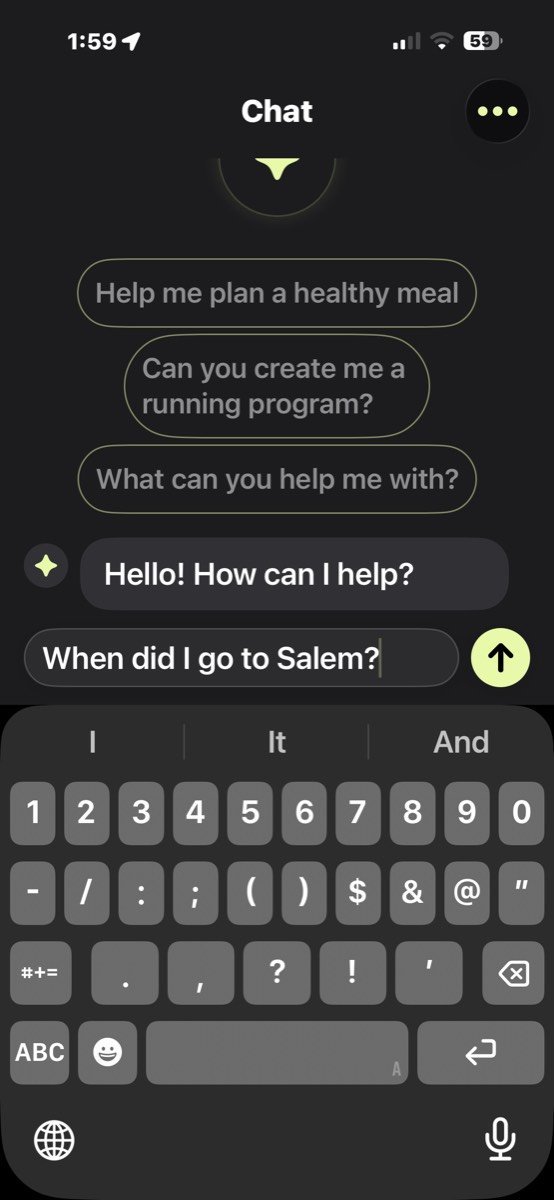
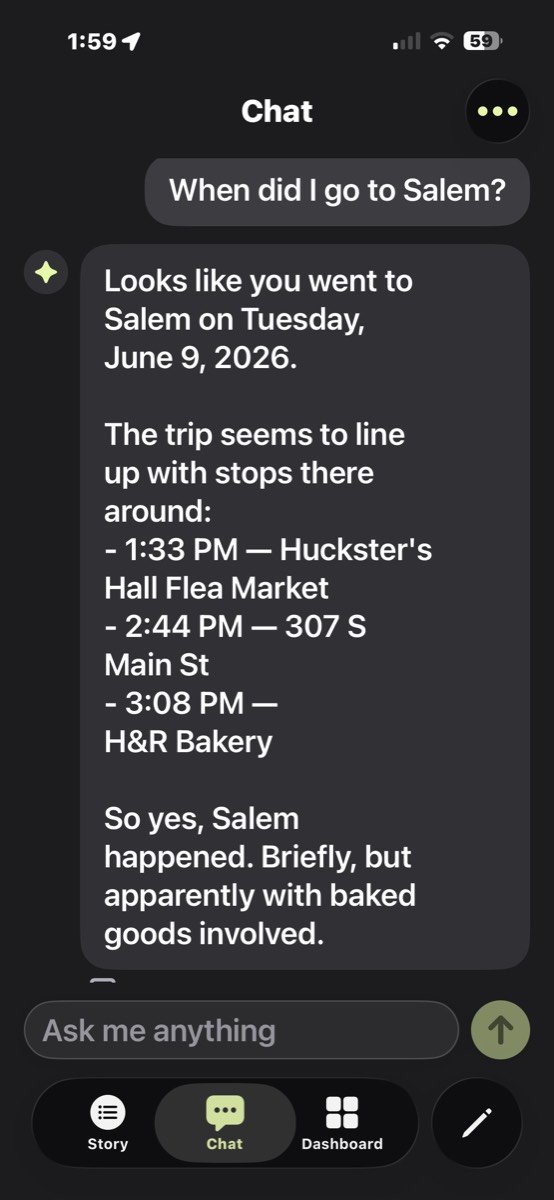
Yes, Time Atlas has AI features. But don’t click away; the AI features don’t smack you in the face. They are actually pretty useful because you can ask about your trips to help you remember places that you’ve visited.
Pricing
You might be wondering about the pricing for this app. Currently, you can do pretty much everything without paying a cent (This includes the general tracking, timeline, photos, bentos, search, and trips. The Dashboard and most parts of the new Recall tab, and the AI Chat require a subscription). But the dev team is heavily working on Time Atlas and has been updating it constantly. Here are the current pricing tiers:
Pricing USA
– monthly $8.99 (2 weeks free trial)
– annual $59.99 (2 weeks free trial)
– lifetime $199.99
Security
Your data is stored on your phone and backed up to your iCloud account, so no one else will have access to it.
Final Thoughts
Time Atlas feels like it was made for people like me. People who care about remembering their lives but don’t always want to (or remember to write everything down. After decades of keeping journals and regretting the gaps when I didn’t, the idea of having an app quietly build a timeline of my days in the background is incredibly cool/fun. It doesn’t replace traditional journaling for me, but it complements it in a way that actually makes my memories richer and easier to revisit.
What I really love about Time Atlas is how effortless it is. It automatically captures the “where” and “when” of my life, then lets me layer in as much (or as little) detail as I want. Some days I just let it do its thing, and other days I’ll add photos or notes to make the entry more meaningful. Either way, it creates a visual, searchable history that’s genuinely fun to explore later.
Is it perfect? Not quite. It’s not 100% automatic yet, and you may need to tidy up locations now and then; there’s always the question of battery impact with apps like this, but there is an option to toggle on Eco Mode which tracks places but not routes. But those are small trade-offs for what you get in return. The developers are actively improving the app, and it already feels like a solid foundation for something even more powerful down the road.
Bottom line: I love the Time Atlas app. If you’ve ever wished you had a better record of your daily life or regretted not keeping a journal, Time Atlas is absolutely worth trying.
The Time Atlas app retails for Free – $199.99; it is available directly from the developer on the Apple App Store.
Source: Developer -supplied review license.
What I Like: Fun way to journal without needing to write stuff down; Automatically works in the background; Devs are very responsive to bugs and feedback
What Needs Improvement: Extra battery usage when Eco Mode is not being used; It isn’t completely automatic



Be the first to comment on "Time Atlas App Review: Automatically Record Your Adventures to Relive Later"